# Packaging

The following scenarios to open the transition screen available:

1. **My Dashboard** &gt; **My Applications** &gt; Choose the project &gt; Actions column &gt; **Process** option;
2. **Project menu** &gt; **Dashboards** &gt; **Overview** &gt; **Your assignments** module &gt; Choose the application &gt; Actions column &gt; **Process** option;
3. **Project menu** &gt; **Dashboards** &gt; **Portfolio** &gt; Actions column &gt; **Process** option;
4. **Project menu** &gt; **Import** &gt; **Start import** &gt; **Classic import / Import from CSV file / SCCM Import /Catalogue &amp; UM Import** &gt; Application upload session &gt; **Finish**

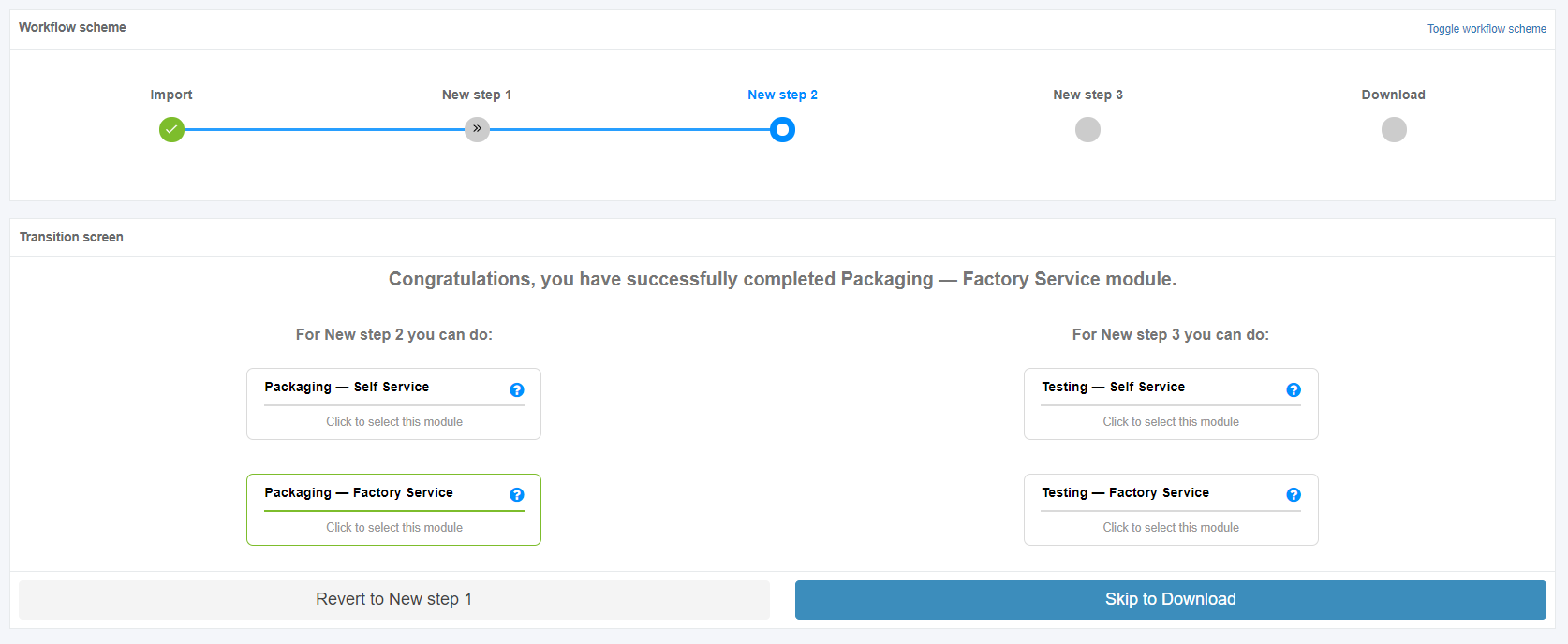
Apptimized shows the following screen when successful:

[![packaging_01_1.PNG](https://docs.apptimized.com/uploads/images/gallery/2020-04/scaled-1680-/O9885x7Wsanw7jle-packaging_01_1.PNG)](https://docs.apptimized.com/uploads/images/gallery/2020-04/O9885x7Wsanw7jle-packaging_01_1.PNG)

The packaging process starts by clicking the **Packaging module** on the Transition screen. An imported application into a project is a prerequisite.

[![packaging_01.png](https://docs.apptimized.com/uploads/images/gallery/2020-04/scaled-1680-/Es4iHI9bHJHhIYiw-packaging_01.png)](https://docs.apptimized.com/uploads/images/gallery/2020-04/Es4iHI9bHJHhIYiw-packaging_01.png)

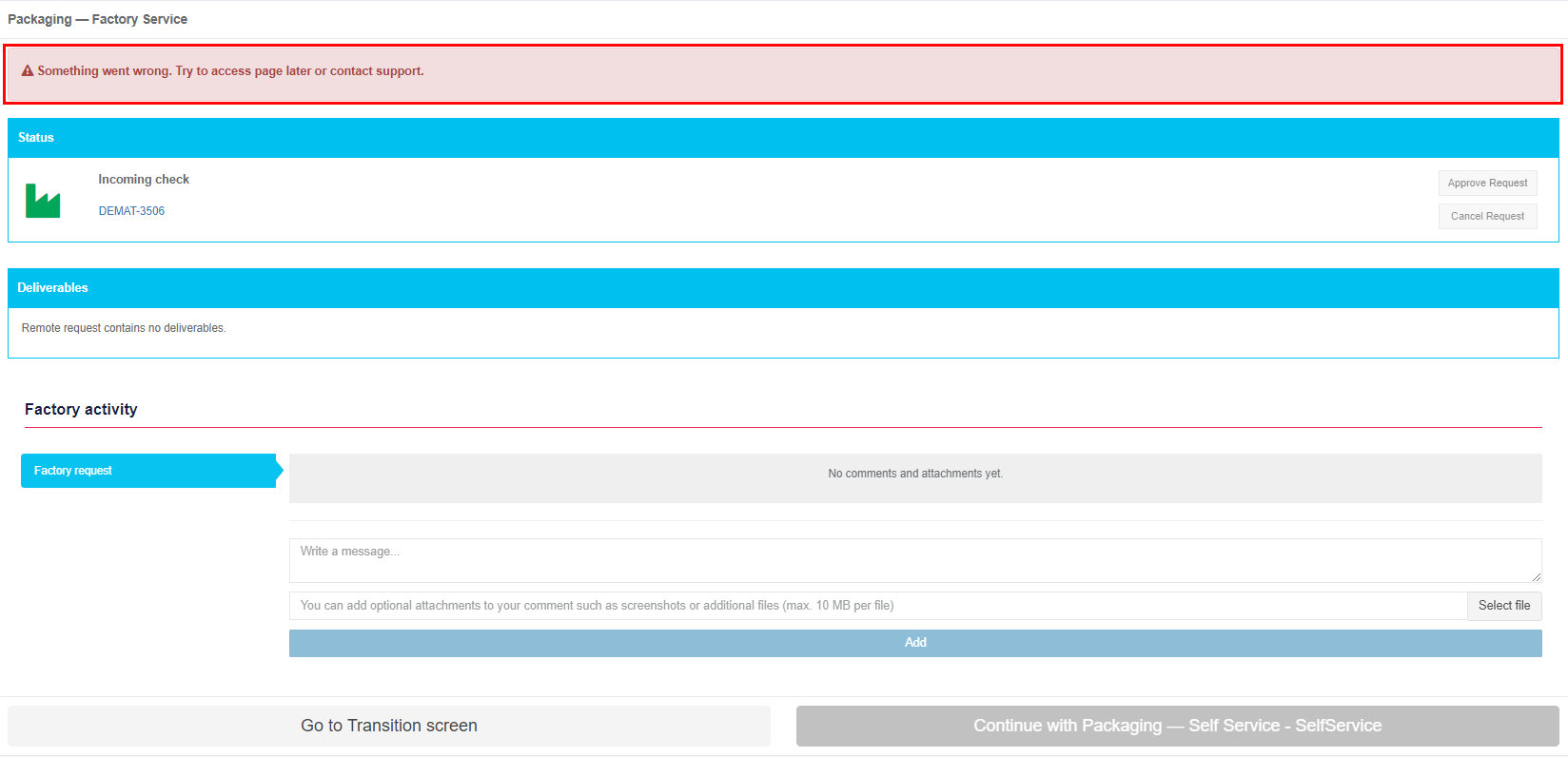
Two packaging scenarios available in Apptimized portal:

- Packaging – Self Service;
- Packaging – Factory Service.

## **Packaging – Self Service**

A user implements a built-in packaging tool on VMs – Apptimized Workspace. A user can easily in a couple of clicks create one or several packages of multiple formats and send them to Apptimized for further testing or deployment.

Packaging – Self Service characteristics:

- A user packages the application using the Apptimized Packaging Tool;
- A user creates and customizes MSI, App-V, MSIX, VSL packages;
- A user customizes an existing package or sequence;
- A user tests and debugs installations.

The **Packaging - Self Service** option is available under the **Packaging - Self Service** module in the **Transition screen**.

[![packaging_01_2.PNG](https://docs.apptimized.com/uploads/images/gallery/2020-04/scaled-1680-/X5wd7An6tKeKKaWo-packaging_01_2.PNG)](https://docs.apptimized.com/uploads/images/gallery/2020-04/X5wd7An6tKeKKaWo-packaging_01_2.PNG)

Apptimized shows the following screen when successful:

[![VM.png](https://docs.apptimized.com/uploads/images/gallery/2026-03/scaled-1680-/vm.png)](https://docs.apptimized.com/uploads/images/gallery/2026-03/vm.png)

### **Packaging tab**

### **Start VM**

The field **Select packaging – self service platform** is filled automatically and can be changed if needed. To change the packaging – self service platform, click the drop-down menu as it is shown in the screenshot below:

[![packaging_31.png](https://docs.apptimized.com/uploads/images/gallery/2020-04/scaled-1680-/yEIA6pQNPDAWwplo-packaging_31.png)](https://docs.apptimized.com/uploads/images/gallery/2020-04/yEIA6pQNPDAWwplo-packaging_31.png)

The option to revert to the transition screen is available under the **Go to Transition screen** button.

The option to use an original Windows desktop image is available via the **support** link on the **Packaging — Self Service** screen.

[![Original Windows desktop image.png](https://docs.apptimized.com/uploads/images/gallery/2026-03/scaled-1680-/original-windows-desktop-image.png)](https://docs.apptimized.com/uploads/images/gallery/2026-03/original-windows-desktop-image.png)

The option to start the packaging – self service process is available under the **Start VM** button.

A user can track the VM loading and deploying. Apptimized shows the following screen:

[![packaging_32.PNG](https://docs.apptimized.com/uploads/images/gallery/2020-10/scaled-1680-/0rEUhGQslGKmqmae-packaging_32.PNG)](https://docs.apptimized.com/uploads/images/gallery/2020-10/0rEUhGQslGKmqmae-packaging_32.PNG)

<p class="callout info">**Note.** There is often a situation when a user has already run 2 VMs in parallel. To continue planned activities within the current workflow step, a user must terminate an irrelevant VM. In this case, Apptimized shows the warning box with a list of VMs which are currently running by the user:  
[![listvm_01.png](https://docs.apptimized.com/uploads/images/gallery/2020-07/scaled-1680-/uh1YFhfTV4ZZGU24-listvm_01.png)](https://docs.apptimized.com/uploads/images/gallery/2020-07/uh1YFhfTV4ZZGU24-listvm_01.png)  

The information is grouped into the following categories in the modal window:   
1. Application  
2. VM started time  
3. Workflow progress  
4. Link  
The option to select a VM for termination is available under the **Go to VM** link. A new tab opens when successful:  
[![03_packaging_02-(1).png](https://docs.apptimized.com/uploads/images/gallery/2021-06/scaled-1680-/hjRSj8A8v5lh9KoR-03_packaging_02-(1).png)](https://docs.apptimized.com/uploads/images/gallery/2021-06/hjRSj8A8v5lh9KoR-03_packaging_02-(1).png)  
When a VM is terminated, a user returns to the screen where he needs to restart a VM (previously a user started a VM but received a modal window with a list of running VMs).</p>

Apptimized shows the following screen when successful:

[![0x_packaging-(1).png](https://docs.apptimized.com/uploads/images/gallery/2021-06/scaled-1680-/kKWtF9BEAIfsyH00-0x_packaging-(1).png)](https://docs.apptimized.com/uploads/images/gallery/2021-06/kKWtF9BEAIfsyH00-0x_packaging-(1).png)

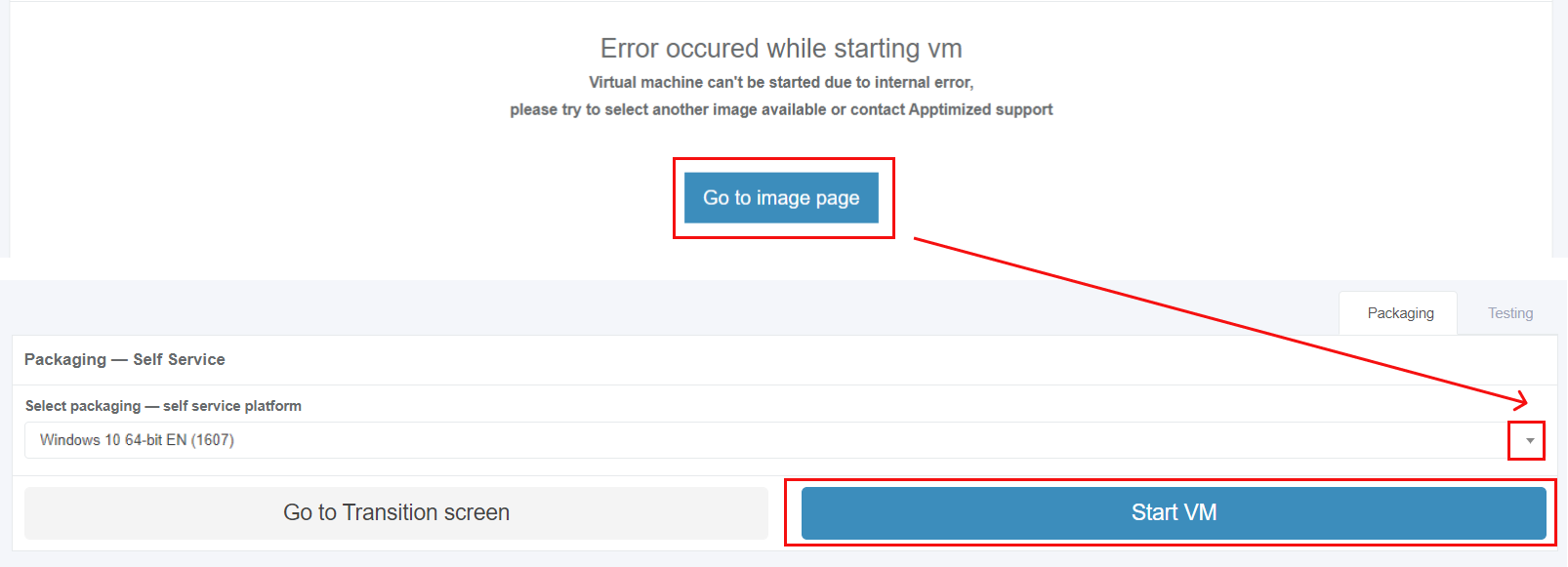
<p class="callout info">**Note.** If the internal error while starting VM occurred, Apptimized shows the following screen:  
[![packaging_error-massage_02.png](https://docs.apptimized.com/uploads/images/gallery/2020-07/scaled-1680-/P9iWGIvewtYN4jgW-packaging_error-massage_02.png)](https://docs.apptimized.com/uploads/images/gallery/2020-07/P9iWGIvewtYN4jgW-packaging_error-massage_02.png)  
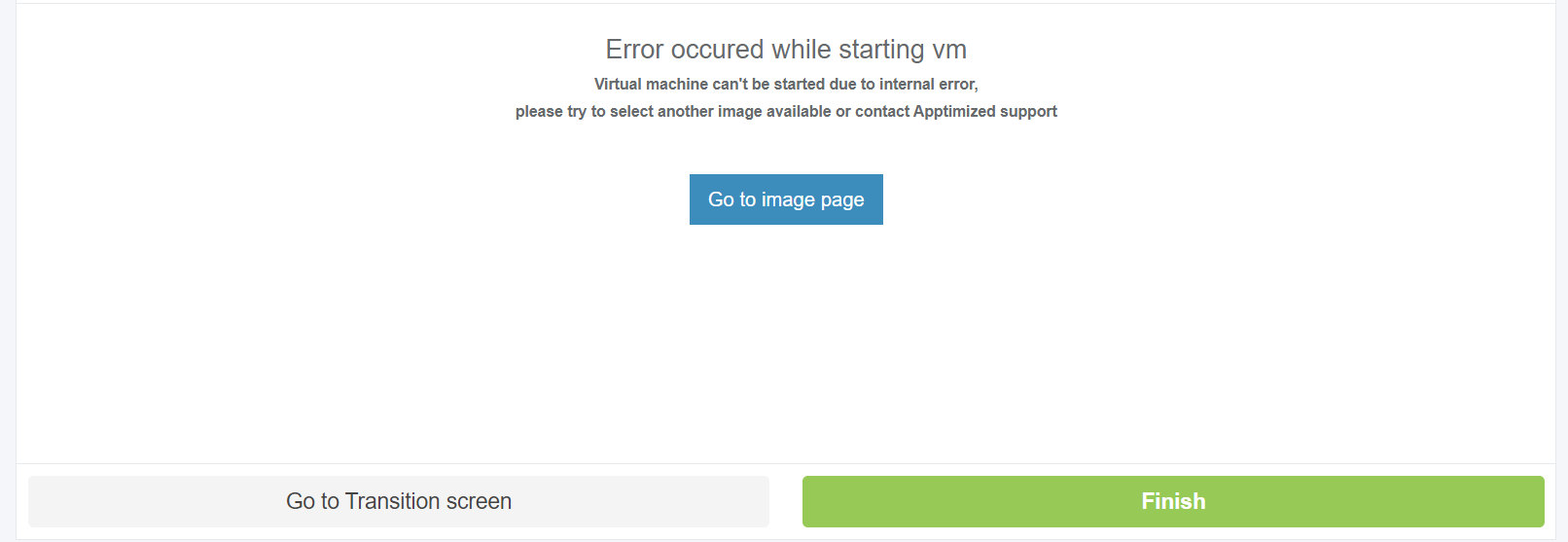
The following actions are recommended for consideration by a user:  
1. Contact the Apptimized support  
2. **Go to image page** button &gt; **Select discovery – self-service platform** field &gt; **Start VM** button  
[![packaging_error-massage_01.png](https://docs.apptimized.com/uploads/images/gallery/2020-07/scaled-1680-/CcmVJQZOcQUn3rDO-packaging_error-massage_01.png)](https://docs.apptimized.com/uploads/images/gallery/2020-07/CcmVJQZOcQUn3rDO-packaging_error-massage_01.png)</p>

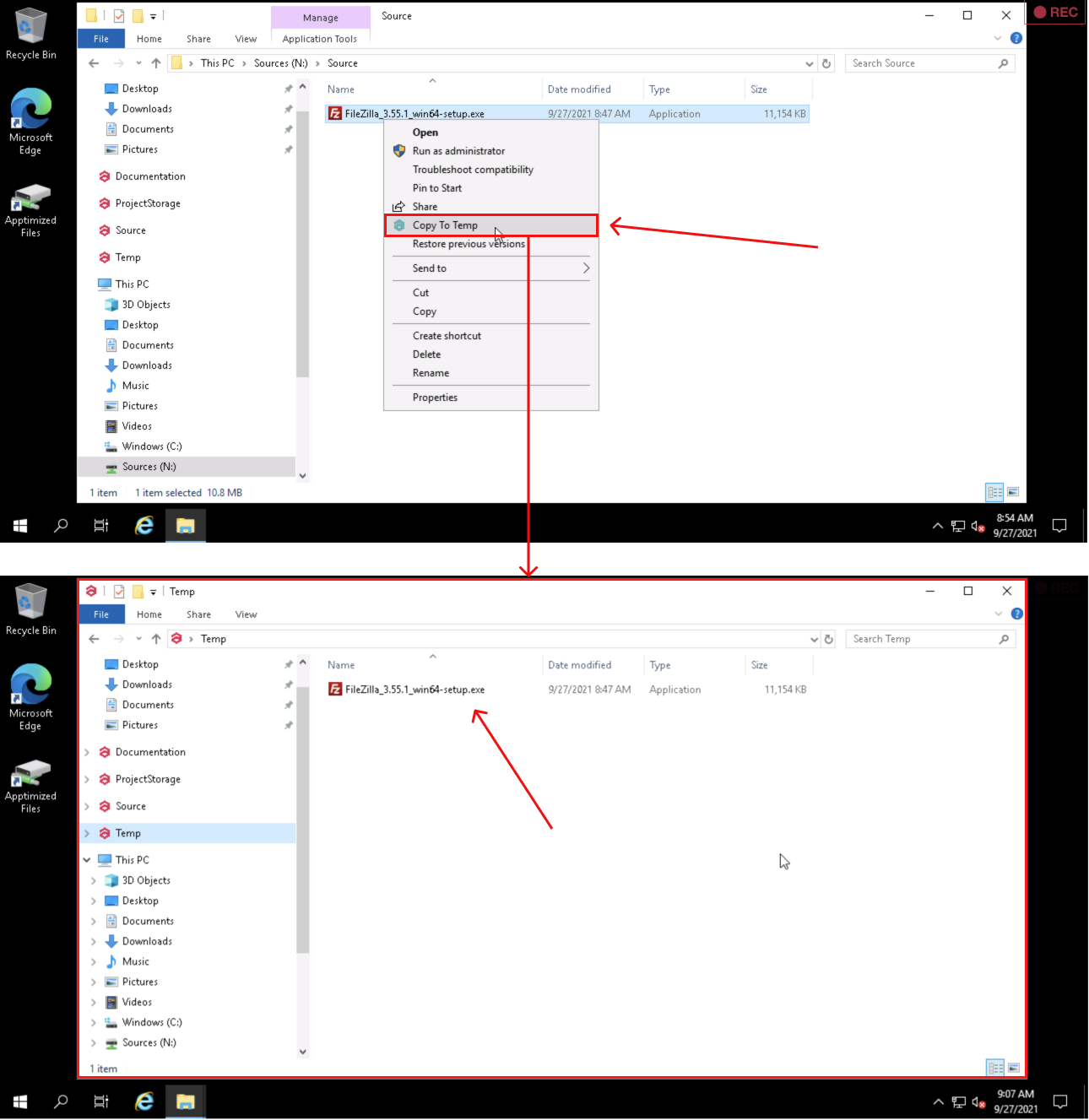
The option to copy files to **Temp storage** is available under **Explorer context menu** &gt; **Copy To Temp**:

[![discovery_x_temp.png](https://docs.apptimized.com/uploads/images/gallery/2021-09/scaled-1680-/4rQFL20TVySxJ7hi-discovery_x_temp.png)](https://docs.apptimized.com/uploads/images/gallery/2021-09/4rQFL20TVySxJ7hi-discovery_x_temp.png)

The option to restart VM is available under the **Restart** button.

[![packaging_07_3.png](https://docs.apptimized.com/uploads/images/gallery/2020-04/scaled-1680-/ECtSk2CUv4Dakubp-packaging_07_3.png)](https://docs.apptimized.com/uploads/images/gallery/2020-04/ECtSk2CUv4Dakubp-packaging_07_3.png)

Apptimized shows the following modal window to confirm restart the task:

[![packaging_07_4.png](https://docs.apptimized.com/uploads/images/gallery/2020-04/scaled-1680-/Rj1wUkAOYoP8YSsk-packaging_07_4.png)](https://docs.apptimized.com/uploads/images/gallery/2020-04/Rj1wUkAOYoP8YSsk-packaging_07_4.png)
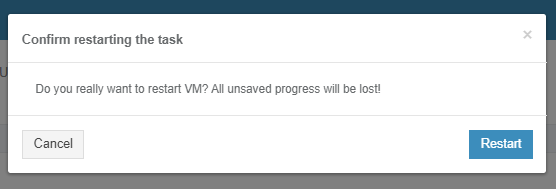
Apptimized shows the following notification when successful:

[![packaging_07_5.png](https://docs.apptimized.com/uploads/images/gallery/2020-04/scaled-1680-/JNW3EdJopZ56DHQd-packaging_07_5.png)](https://docs.apptimized.com/uploads/images/gallery/2020-04/JNW3EdJopZ56DHQd-packaging_07_5.png)

### **Workspace Launcher**

#### **General overview** 

**<span data-contrast="auto">Apptimized Workspace Launcher</span>**<span data-contrast="auto"> is a Windows-based application </span><span data-contrast="auto">that</span><span data-contrast="auto"> provides a user with a packaging toolset within Apptimized cloud environment.</span><span data-ccp-props="{"201341983":0,"335551550":6,"335551620":6,"335559739":160,"335559740":259}"> </span>

<span data-contrast="auto">With the </span>**<span data-contrast="auto">Apptimized Workspace Launcher</span>**<span data-contrast="auto">,</span><span data-contrast="auto"> </span><span data-contrast="auto">the</span>**<span data-contrast="auto"> </span>**<span data-contrast="auto">cloud</span>**<span data-contrast="auto"> </span>**<span data-contrast="auto">environment is prepared according to </span><span data-contrast="auto">a </span><span data-contrast="auto">user’s </span><span data-contrast="auto">preference</span><span data-contrast="auto">s</span><span data-contrast="auto"> so that </span><span data-contrast="auto">any additional </span><span data-contrast="auto">activities</span><span data-contrast="auto"> to start packaging are not needed.</span><span data-ccp-props="{"201341983":0,"335551550":6,"335551620":6,"335559739":160,"335559740":259}"> </span>

<span data-ccp-props="{"201341983":0,"335551550":6,"335551620":6,"335559739":160,"335559740":259}">With the release of the Workspace Launcher, new shared storage implemented that empowers a user with the enhanced upload and editing capabilities:</span>

- <span data-ccp-props="{"201341983":0,"335551550":6,"335551620":6,"335559739":160,"335559740":259}">Editing packages is available both via Apptmized Packaging Engine and favorite third-party tools.</span>
- <span data-ccp-props="{"201341983":0,"335551550":6,"335551620":6,"335559739":160,"335559740":259}">All packages synchronize automatically from the VM to the project once it is located in the **[Packages](https://docs.apptimized.com/books/apptimized-platform-user-manual/page/packaging#bkmrk-upload-results-from-)** folder.</span>

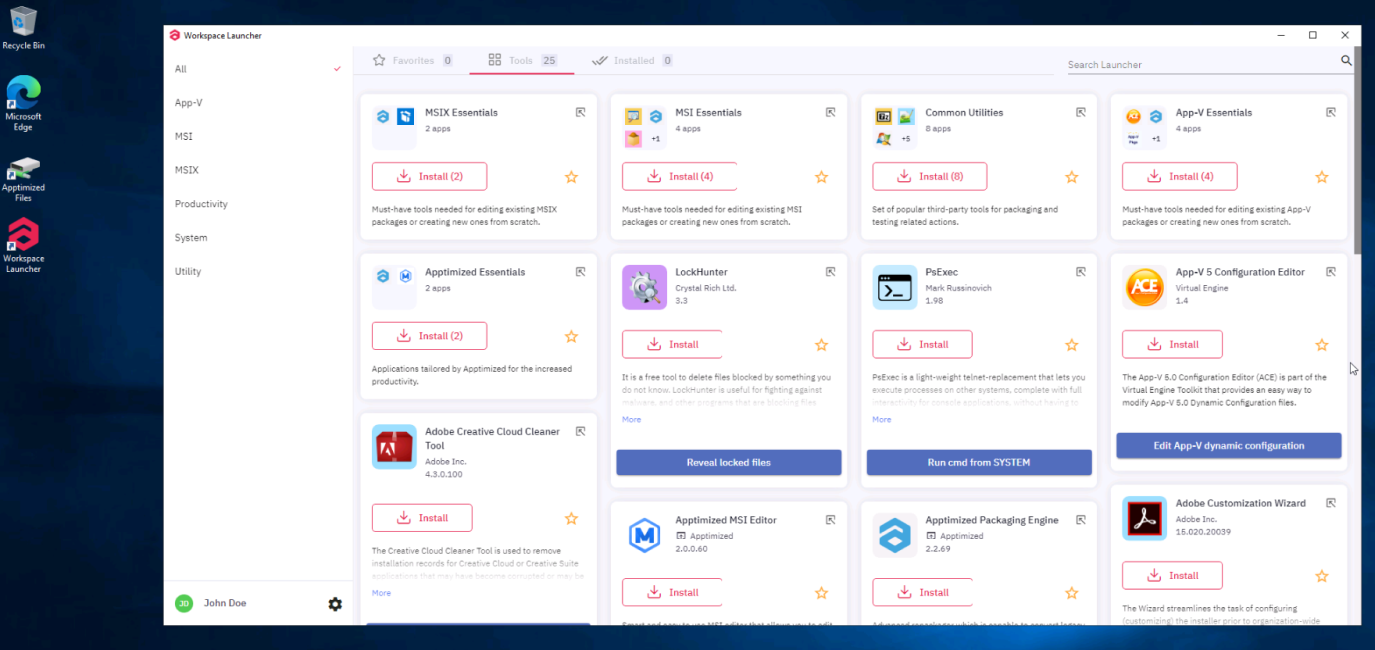
<span data-contrast="auto">Apptimized</span><span data-contrast="auto"> Workspace Launcher enables the user with additional tools, as part of their daily packaging experience. With </span><span data-contrast="auto">Apptimized</span><span data-contrast="auto"> Workspace </span><span data-contrast="auto">(</span><span data-contrast="auto">providing Discovery, Packaging, Testing as Self-Service</span><span data-contrast="auto">)</span><span data-contrast="auto"> by implementing Workspace Launcher, users can add to the functionality already offered to overcome many packaging scenarios.</span><span data-contrast="auto"> </span><span data-contrast="auto">The </span>**<span data-contrast="auto">Apptimized</span><span data-contrast="auto"> Workspace Launcher </span>**<span data-contrast="auto">comes preinstalled on </span><span data-contrast="auto">Apptimized</span><span data-contrast="auto"> VMs and </span><span data-contrast="auto">could be launched by a shortcut on the VM’s desktop.</span><span data-ccp-props="{"201341983":0,"335551550":6,"335551620":6,"335559739":160,"335559740":259}"> </span>

[![launcher_01.png](https://docs.apptimized.com/uploads/images/gallery/2020-12/scaled-1680-/jZn7V0CnEMFZ48nZ-launcher_01.png)](https://docs.apptimized.com/uploads/images/gallery/2020-12/jZn7V0CnEMFZ48nZ-launcher_01.png)

<p class="callout info">**<span data-contrast="auto">Note. </span>**<span data-contrast="auto"> When the VM starts, the application imported within the project and the VM’s shortcut are available. The packaging toolset is no installed. Once the user selects tools to implement for the desired deliverable, the application starts automatically.</span><span data-ccp-props="{"201341983":0,"335551550":6,"335551620":6,"335559739":160,"335559740":259}"> </span></p>

<span data-contrast="auto">The Apptimized Workspace Launcher applications have no impact on an operating system. The operating system always stays clean, so </span><span data-contrast="auto">no</span><span data-contrast="auto"> repackaging conflicts occur</span><span data-contrast="auto">,</span><span data-contrast="auto"> or </span><span data-contrast="auto">system</span><span data-contrast="auto"> noise does not affect </span><span data-contrast="auto">the </span><span data-contrast="auto">user’s packaging session.</span>

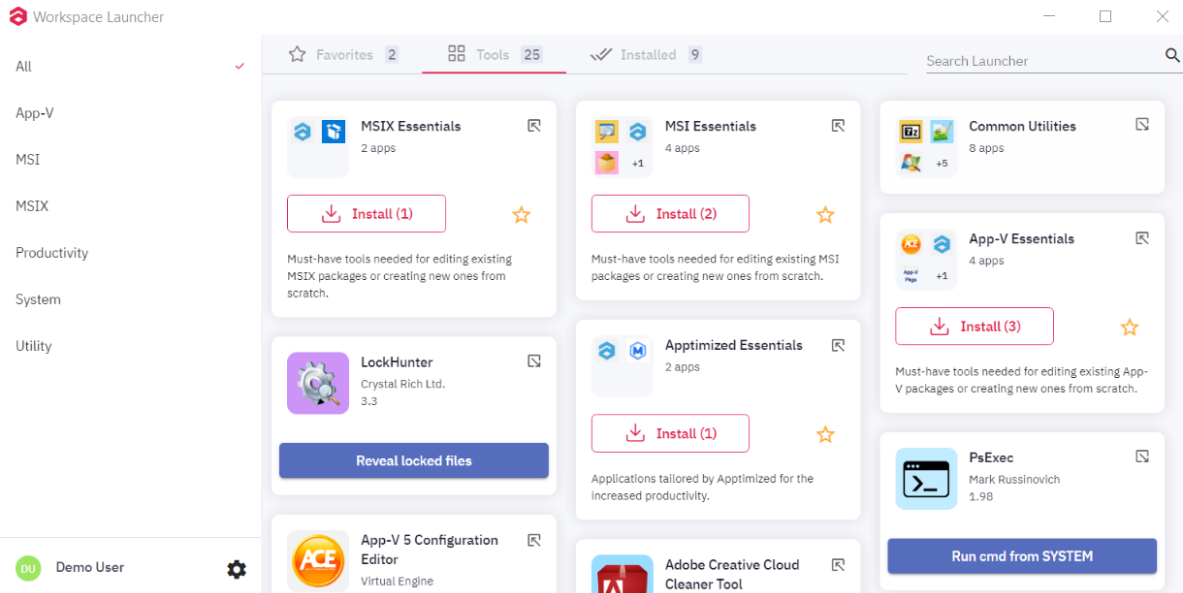
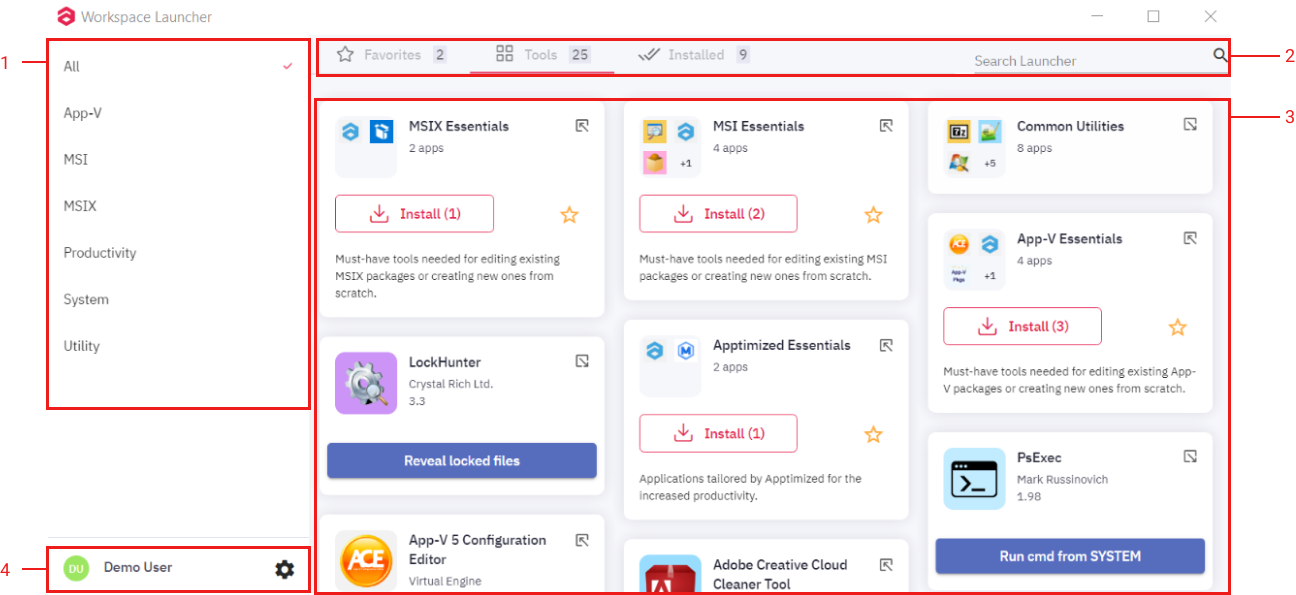
<span data-contrast="auto">By default, </span>**<span data-contrast="auto">Apptimized Workspace Launcher</span><span data-contrast="auto"> </span>**<span data-contrast="auto">comes with the following user interface (UI).</span><span data-ccp-props="{"201341983":0,"335551550":6,"335551620":6,"335559739":160,"335559740":259}"> </span>

[![launcher_02.png](https://docs.apptimized.com/uploads/images/gallery/2020-12/scaled-1680-/N0ir5FBF6MbKG1Kj-launcher_02.png)](https://docs.apptimized.com/uploads/images/gallery/2020-12/N0ir5FBF6MbKG1Kj-launcher_02.png)

<span data-ccp-props="{"201341983":0,"335551550":6,"335551620":6,"335559739":160,"335559740":259}"><span class="TextRun SCXW992742 BCX0" data-contrast="auto" lang="EN-US" xml:lang="EN-US"><span class="NormalTextRun SCXW992742 BCX0">The </span></span>**<span class="TextRun SCXW992742 BCX0" data-contrast="auto" lang="EN-US" xml:lang="EN-US"><span class="NormalTextRun SpellingErrorV2  SCXW992742 BCX0 DefaultHighlightTransition">Apptimized</span><span class="NormalTextRun SCXW992742 BCX0"> Workspace Launcher</span></span>**<span class="TextRun SCXW992742 BCX0" data-contrast="auto" lang="EN-US" xml:lang="EN-US"><span class="NormalTextRun SCXW992742 BCX0"> </span></span><span class="TextRun SCXW992742 BCX0" data-contrast="auto" lang="EN-US" xml:lang="EN-US"><span class="NormalTextRun SCXW992742 BCX0">UI </span></span><span class="TextRun SCXW992742 BCX0" data-contrast="auto" lang="EN-US" xml:lang="EN-US"><span class="NormalTextRun SCXW992742 BCX0">consists of</span></span><span class="TextRun SCXW992742 BCX0" data-contrast="auto" lang="EN-US" xml:lang="EN-US"><span class="NormalTextRun SCXW992742 BCX0"> the following elements</span></span><span class="TextRun SCXW992742 BCX0" data-contrast="auto" lang="EN-US" xml:lang="EN-US"><span class="NormalTextRun SCXW992742 BCX0">:</span></span><span class="EOP SCXW992742 BCX0" data-ccp-props="{"201341983":0,"335551550":6,"335551620":6,"335559739":160,"335559740":259}"> </span></span>

[![launcher_03.png](https://docs.apptimized.com/uploads/images/gallery/2020-12/scaled-1680-/188lCzZ2nDWUj4WY-launcher_03.png)](https://docs.apptimized.com/uploads/images/gallery/2020-12/188lCzZ2nDWUj4WY-launcher_03.png)

<table border="1" id="bkmrk-ui-element-descripti" style="border-collapse: collapse; width: 100%; height: 194px;"><tbody><tr style="height: 32px;"><td style="width: 21.9753%; height: 32px;">**UI element**

</td><td style="width: 78.0247%; height: 32px;">**<span style="font-family: -apple-system, BlinkMacSystemFont, 'Segoe UI', Oxygen, Ubuntu, Roboto, Cantarell, 'Fira Sans', 'Droid Sans', 'Helvetica Neue', sans-serif; font-size: 14px; font-style: normal; font-variant-ligatures: normal; font-variant-caps: normal;">Description</span>**</td></tr><tr style="height: 27px;"><td style="width: 21.9753%; height: 27px;">1. Categories filter</td><td style="width: 78.0247%; height: 27px;">This component allows a user to navigate between different categories of applications (bundles) and filter the content pane.

The following categories available:

- All
- App-V
- Msi
- Msix
- Productivity
- System
- Utility

</td></tr><tr style="height: 27px;"><td style="width: 21.9753%; height: 27px;">2\. Top panel

2.1. Favorites tab

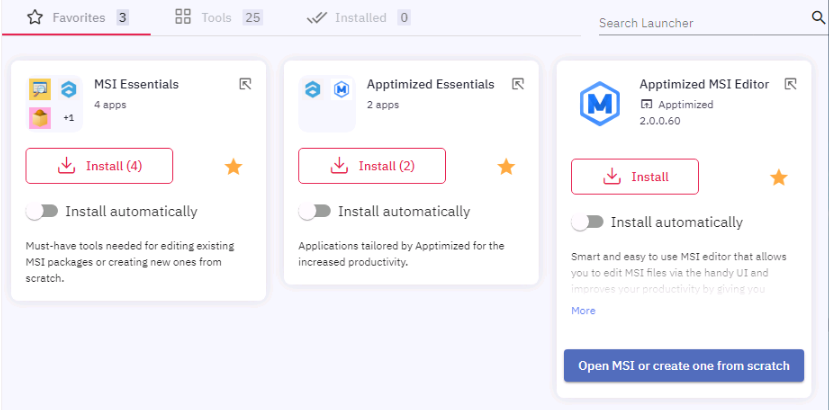
</td><td style="width: 78.0247%; height: 27px;"><span class="TextRun SCXW226431968 BCX0" data-contrast="auto" lang="EN-US" xml:lang="EN-US"><span class="NormalTextRun SCXW226431968 BCX0">This component contains a list of </span></span><span class="TextRun SCXW226431968 BCX0" data-contrast="auto" lang="EN-US" xml:lang="EN-US"><span class="NormalTextRun SCXW226431968 BCX0">applications </span></span><span class="TextRun SCXW226431968 BCX0" data-contrast="auto" lang="EN-US" xml:lang="EN-US"><span class="NormalTextRun SCXW226431968 BCX0">(</span></span><span class="TextRun SCXW226431968 BCX0" data-contrast="auto" lang="EN-US" xml:lang="EN-US"><span class="NormalTextRun SCXW226431968 BCX0">bundles</span></span><span class="TextRun SCXW226431968 BCX0" data-contrast="auto" lang="EN-US" xml:lang="EN-US"><span class="NormalTextRun SCXW226431968 BCX0">) a user </span></span><span class="TextRun SCXW226431968 BCX0" data-contrast="auto" lang="EN-US" xml:lang="EN-US"><span class="NormalTextRun SCXW226431968 BCX0">marked </span></span><span class="TextRun SCXW226431968 BCX0" data-contrast="auto" lang="EN-US" xml:lang="EN-US"><span class="NormalTextRun SCXW226431968 BCX0">as </span></span><span class="TextRun SCXW226431968 BCX0" data-contrast="auto" lang="EN-US" xml:lang="EN-US"><span class="NormalTextRun SCXW226431968 BCX0">a </span></span><span class="TextRun SCXW226431968 BCX0" data-contrast="auto" lang="EN-US" xml:lang="EN-US"><span class="NormalTextRun SCXW226431968 BCX0">favorite.</span></span><span class="EOP SCXW226431968 BCX0" data-ccp-props="{"201341983":0,"335551550":6,"335551620":6,"335559740":259}"> </span>

[![launcher_04.png](https://docs.apptimized.com/uploads/images/gallery/2020-12/scaled-1680-/FZDIWsFI6CKAYo0n-launcher_04.png)](https://docs.apptimized.com/uploads/images/gallery/2020-12/FZDIWsFI6CKAYo0n-launcher_04.png)

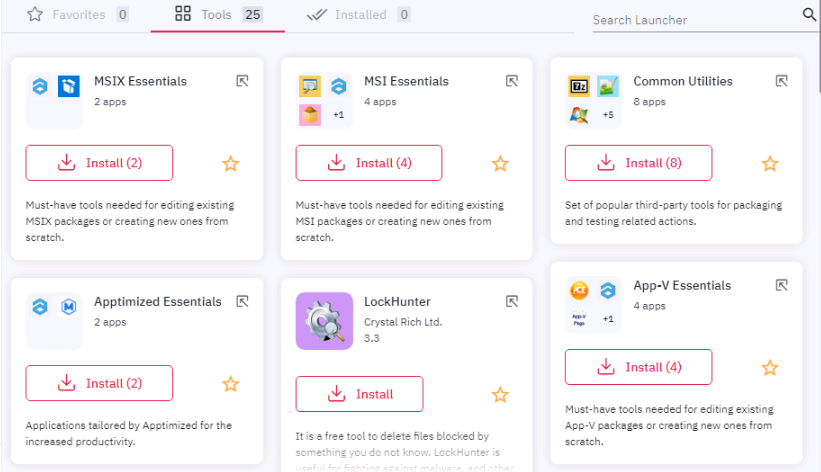
</td></tr><tr style="height: 27px;"><td style="width: 21.9753%; height: 27px;">2.2. <span class="TextRun SCXW103690623 BCX0" data-contrast="auto" lang="EN-US" xml:lang="EN-US"><span class="NormalTextRun SCXW103690623 BCX0">Tools</span></span><span class="TextRun SCXW103690623 BCX0" data-contrast="auto" lang="EN-US" xml:lang="EN-US"><span class="NormalTextRun SCXW103690623 BCX0"> tab</span></span><span class="EOP SCXW103690623 BCX0" data-ccp-props="{"134233279":true,"201341983":0,"335551550":6,"335551620":6,"335559685":0,"335559731":0,"335559739":160,"335559740":259}"> </span></td><td style="width: 78.0247%; height: 27px;">This component includes a full list of applications in a current category.

[![launcher_05.png](https://docs.apptimized.com/uploads/images/gallery/2020-12/scaled-1680-/TXiTgO4bZrkVwPd9-launcher_05.png)](https://docs.apptimized.com/uploads/images/gallery/2020-12/TXiTgO4bZrkVwPd9-launcher_05.png)
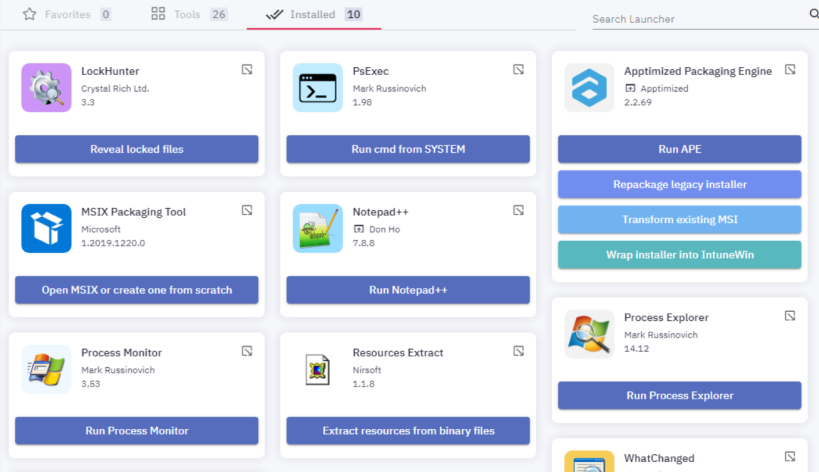
</td></tr><tr><td style="width: 21.9753%;">2.3. Installed tab</td><td style="width: 78.0247%;"><span class="TextRun SCXW226431968 BCX0" data-contrast="auto" lang="EN-US" xml:lang="EN-US"><span class="NormalTextRun SCXW226431968 BCX0">This component contains a list of </span></span><span class="TextRun SCXW226431968 BCX0" data-contrast="auto" lang="EN-US" xml:lang="EN-US"><span class="NormalTextRun SCXW226431968 BCX0">applications</span></span><span class="TextRun SCXW226431968 BCX0" data-contrast="auto" lang="EN-US" xml:lang="EN-US"><span class="NormalTextRun SCXW226431968 BCX0"> a user installed</span></span><span class="TextRun SCXW226431968 BCX0" data-contrast="auto" lang="EN-US" xml:lang="EN-US"><span class="NormalTextRun SCXW226431968 BCX0">.</span></span><span class="EOP SCXW226431968 BCX0" data-ccp-props="{"201341983":0,"335551550":6,"335551620":6,"335559740":259}"> </span>

<span class="EOP SCXW226431968 BCX0" data-ccp-props="{"201341983":0,"335551550":6,"335551620":6,"335559740":259}">[![launcher_38.png](https://docs.apptimized.com/uploads/images/gallery/2020-12/scaled-1680-/bUOs9bADAbqaVrSV-launcher_38.png)](https://docs.apptimized.com/uploads/images/gallery/2020-12/bUOs9bADAbqaVrSV-launcher_38.png)</span>

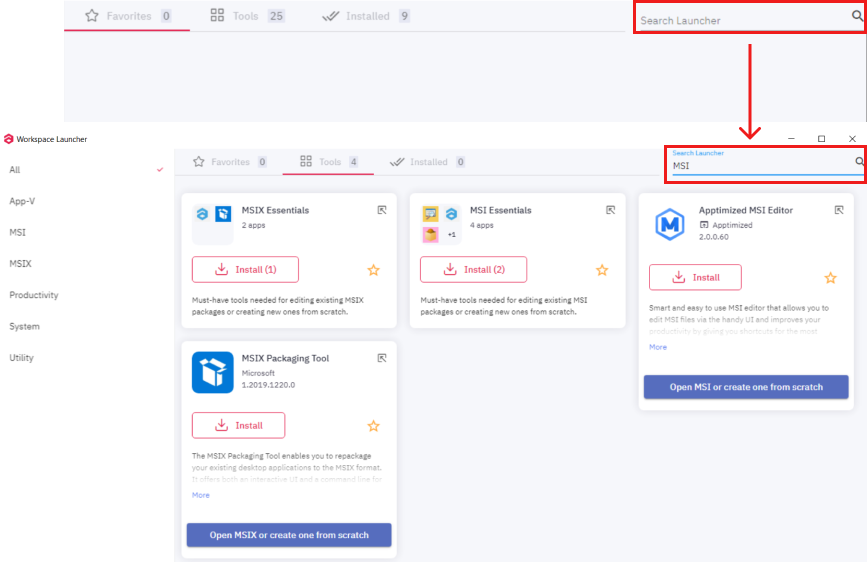
</td></tr><tr style="height: 27px;"><td style="width: 21.9753%; height: 27px;">2.4. Search Launcher field</td><td style="width: 78.0247%; height: 27px;"><span data-contrast="auto">This component enables a user to apply search activities within the current </span><span data-contrast="auto">applications pane</span><span data-contrast="auto">.</span><span data-ccp-props="{"201341983":0,"335551550":6,"335551620":6,"335559740":259}"> </span>

<span data-contrast="auto">Keyword search mode available</span><span data-contrast="auto"> under the </span><span data-contrast="auto">**Search** **Launcher** field &gt; Enter</span><span data-contrast="auto"> </span><span data-contrast="auto">a</span><span data-contrast="auto"> </span><span data-contrast="auto">search request. </span>

<span data-contrast="auto">The search result appears when successful:</span><span data-ccp-props="{"201341983":0,"335551550":6,"335551620":6,"335559740":259}"> </span>

[![launcher_05-1.png](https://docs.apptimized.com/uploads/images/gallery/2020-12/scaled-1680-/gs4kfclccMaIAdGO-launcher_05-1.png)](https://docs.apptimized.com/uploads/images/gallery/2020-12/gs4kfclccMaIAdGO-launcher_05-1.png)

</td></tr><tr style="height: 27px;"><td style="width: 21.9753%; height: 27px;">3. Applications pane</td><td style="width: 78.0247%; height: 27px;">This component contains a list of applications (bundles) within the current pane.

The list of displayed applications on the **Applications pane** varies according to the implemented **Categories filter** and the selected tab.

The Applications pane contains items of 2 different types:

- Application
- Bundle

</td></tr><tr style="height: 27px;"><td style="width: 21.9753%; height: 27px;">4\. Current user information

4.1. Launcher settings

</td><td style="width: 78.0247%; height: 27px;">This component provides information about the logged-in user.

Apptimized Platform automatically identifies a user who started the VM within the specific project and step, which considers the user’s preferences.

 The icon ![launcher_36.png](https://docs.apptimized.com/uploads/images/gallery/2020-12/scaled-1680-/oTRUwFbLNY9WUSDT-launcher_36.png) provides a user with Workspace Launcher settings (see the [**Launcher settings**](https://docs.apptimized.com/books/apptimized-platform-user-manual/page/packaging#bkmrk-launcher-settings)).</td></tr></tbody></table>

#### **Launcher settings**

Workspace Launcher settings allow a user to create customizable bundles with applications available in Workspace Launcher.

Workspace Launcher settings provide a user with two options:

- Options
- Manage bundles
- Exit application

[![launcher_25_2-2.png](https://docs.apptimized.com/uploads/images/gallery/2023-07/scaled-1680-/6NOEZob0f6P7mCw2-launcher_25_2-2.png)](https://docs.apptimized.com/uploads/images/gallery/2023-07/6NOEZob0f6P7mCw2-launcher_25_2-2.png)

The option to close **Apptimized Workspace Launcher** application on the VM is available under the **Exit application** button.

The option to enable shortcuts for Laucnher applications is available under the **Options** bundle.

Apptimized shows the following screen when successful:

[![launcher_shortcut_1.png](https://docs.apptimized.com/uploads/images/gallery/2023-07/scaled-1680-/ZsxN6CWfiTgkH0ZP-launcher_shortcut_1.png)](https://docs.apptimized.com/uploads/images/gallery/2023-07/ZsxN6CWfiTgkH0ZP-launcher_shortcut_1.png)

The options to Add Desktop shortcuts and Start menu shortcuts become available when switched on:

[![laucncher_shortcut_2.png](https://docs.apptimized.com/uploads/images/gallery/2023-07/scaled-1680-/ze5Z9EznQfDN8cwC-laucncher_shortcut_2.png)](https://docs.apptimized.com/uploads/images/gallery/2023-07/ze5Z9EznQfDN8cwC-laucncher_shortcut_2.png)

If applications are installed, then shortcuts are available on the desktop or/and the start menu, according to switched on option.

The option to create and manage bundles is available under the **Manage bundles** button.

Apptimized shows the following screen when successful:

[![launcher_26_2.png](https://docs.apptimized.com/uploads/images/gallery/2021-08/scaled-1680-/HWhsZq5psFgGyau9-launcher_26_2.png)](https://docs.apptimized.com/uploads/images/gallery/2021-08/HWhsZq5psFgGyau9-launcher_26_2.png)

The option to create a new bundle is available under **plus** symbol.

[![launcher_27_2.png](https://docs.apptimized.com/uploads/images/gallery/2021-08/scaled-1680-/NVDNK9QIIqIQ7KNX-launcher_27_2.png)](https://docs.apptimized.com/uploads/images/gallery/2021-08/NVDNK9QIIqIQ7KNX-launcher_27_2.png)

Apptimized shows the following modal window:

[![launcher_28.png](https://docs.apptimized.com/uploads/images/gallery/2020-12/scaled-1680-/zL3esKjIK30uOVGl-launcher_28.png)](https://docs.apptimized.com/uploads/images/gallery/2020-12/zL3esKjIK30uOVGl-launcher_28.png)

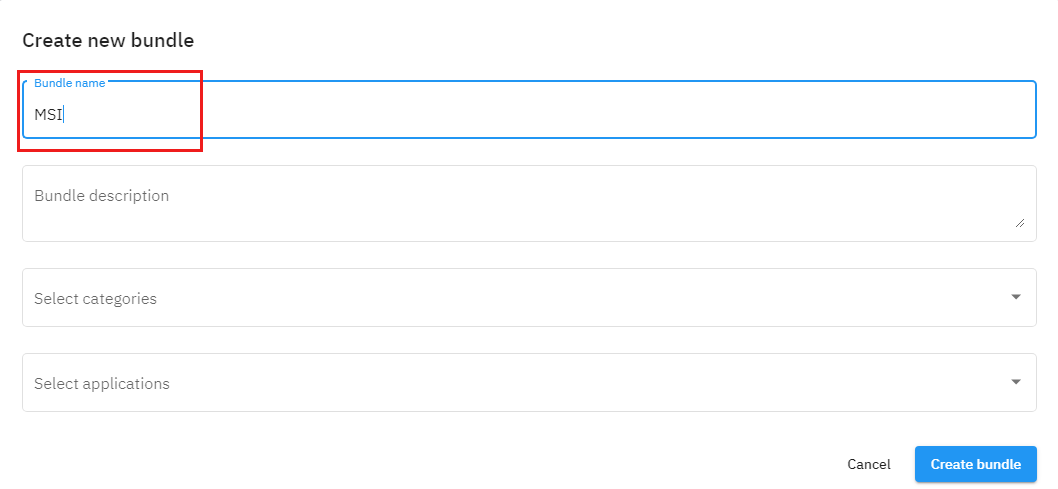
<table border="1" id="bkmrk-setting-details-bund" style="border-collapse: collapse; width: 100%; height: 140px;"><tbody><tr style="height: 28px;"><td style="width: 18.7654%; height: 28px;">**Setting**</td><td style="width: 81.2346%; height: 28px;">**Details**</td></tr><tr style="height: 28px;"><td style="width: 18.7654%; height: 28px;">Bundle name</td><td style="width: 81.2346%; height: 28px;">**<span data-contrast="auto">The bundle</span><span data-contrast="auto"> </span><span data-contrast="auto">name </span>**<span data-contrast="auto">field allows </span><span data-contrast="auto">defining</span><span data-contrast="auto"> the bundle name (e.g., MSI</span><span data-contrast="auto">).</span><span data-ccp-props="{"201341983":0,"335559740":259}"> </span>

<span data-contrast="auto">The</span><span data-contrast="auto">re is no </span><span data-contrast="auto">default value </span><span data-contrast="auto">for this field</span><span data-contrast="auto">.</span><span data-ccp-props="{"201341983":0,"335559740":259}"> </span>

<span data-ccp-props="{"201341983":0,"335559740":259}">[![launcher_29.png](https://docs.apptimized.com/uploads/images/gallery/2020-12/scaled-1680-/w1SCT1A7Snc4H3oM-launcher_29.png)](https://docs.apptimized.com/uploads/images/gallery/2020-12/w1SCT1A7Snc4H3oM-launcher_29.png)</span>

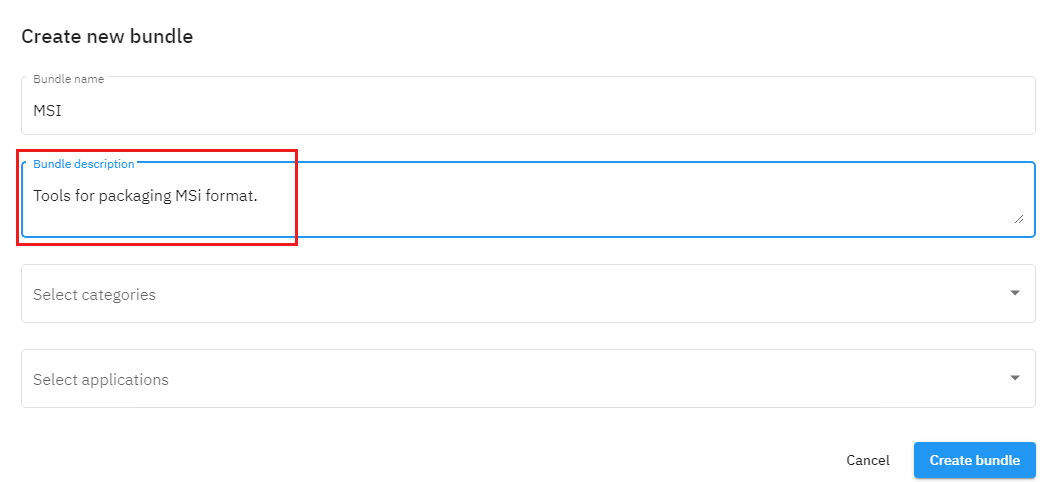
</td></tr><tr style="height: 28px;"><td style="width: 18.7654%; height: 28px;">Bundle description</td><td style="width: 81.2346%; height: 28px;">**<span data-contrast="auto">The bundle</span><span data-contrast="auto"> </span><span data-contrast="auto">description </span>**<span data-contrast="auto">field allows </span><span data-contrast="auto">defining</span><span data-contrast="auto"> the bundle description (e.g., Tools for packaging MSI format</span><span data-contrast="auto">).</span><span data-ccp-props="{"201341983":0,"335559740":259}"> </span>

<span data-contrast="auto">The</span><span data-contrast="auto">re is no </span><span data-contrast="auto">default value </span><span data-contrast="auto">for this field</span><span data-contrast="auto">.</span><span data-ccp-props="{"201341983":0,"335559740":259}"> </span>

<span data-ccp-props="{"201341983":0,"335559740":259}">[![launcher_30.png](https://docs.apptimized.com/uploads/images/gallery/2020-12/scaled-1680-/G5iZysVwuECNx2hk-launcher_30.png)](https://docs.apptimized.com/uploads/images/gallery/2020-12/G5iZysVwuECNx2hk-launcher_30.png)</span>

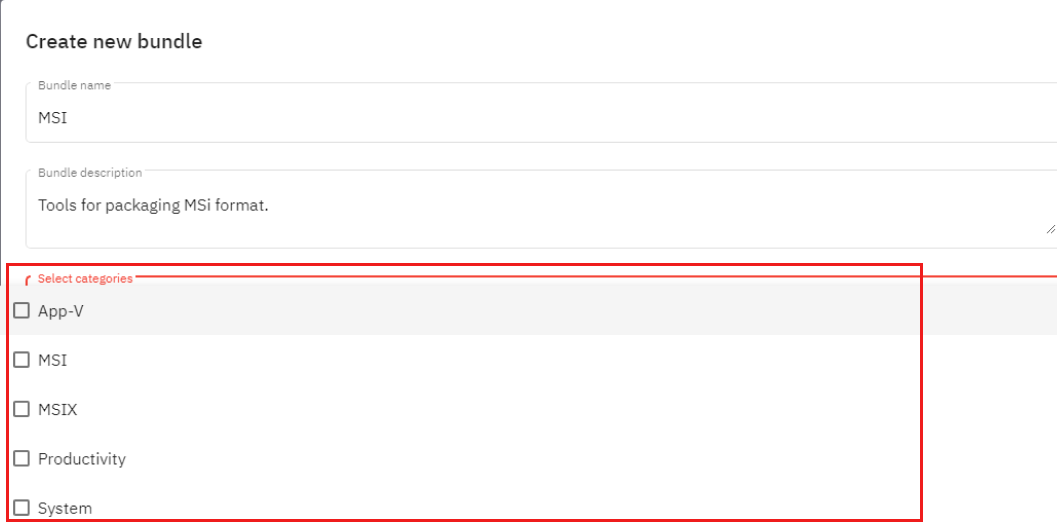
</td></tr><tr style="height: 28px;"><td style="width: 18.7654%; height: 28px;">Select categories</td><td style="width: 81.2346%; height: 28px;">**<span data-contrast="auto">The select categories</span><span data-contrast="auto"> </span>**<span data-contrast="auto">field allows </span><span data-contrast="auto">defining</span><span data-contrast="auto"> the categories for a new bundle. </span>

<span data-ccp-props="{"201341983":0,"335559740":259}">The following options available: </span>

- <span data-ccp-props="{"201341983":0,"335559740":259}">App-V</span>
- <span data-ccp-props="{"201341983":0,"335559740":259}">MSI</span>
- <span data-ccp-props="{"201341983":0,"335559740":259}">MSIX</span>
- <span data-ccp-props="{"201341983":0,"335559740":259}">Productivity</span>
- <span data-ccp-props="{"201341983":0,"335559740":259}">System</span>
- <span data-ccp-props="{"201341983":0,"335559740":259}">Utility</span>

<span data-ccp-props="{"201341983":0,"335559740":259}">There is no default value for this field. </span>

<span data-ccp-props="{"201341983":0,"335559740":259}">[![launcher_31.png](https://docs.apptimized.com/uploads/images/gallery/2020-12/scaled-1680-/c2Dth1w2DRUh62W6-launcher_31.png)](https://docs.apptimized.com/uploads/images/gallery/2020-12/c2Dth1w2DRUh62W6-launcher_31.png)</span>

<span data-contrast="auto">The option to choose a few categories is available.</span>

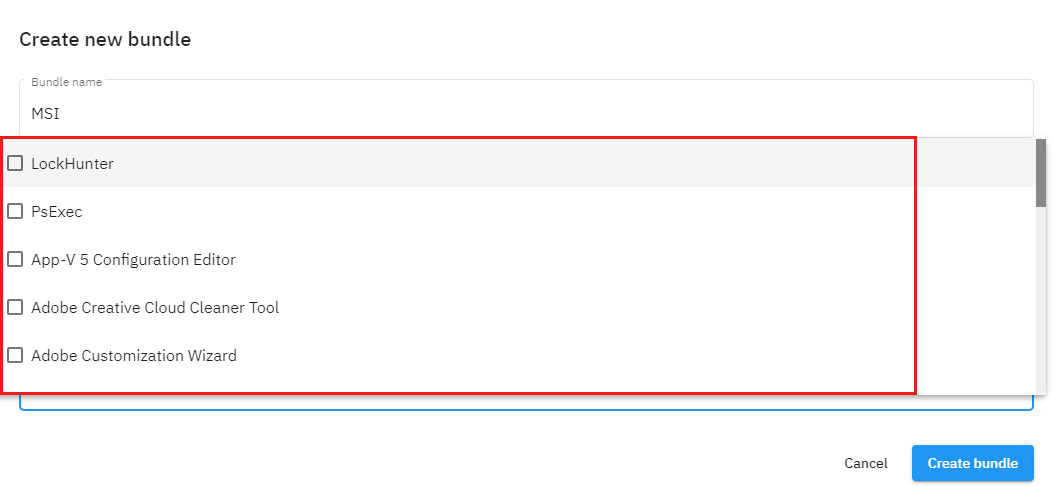
</td></tr><tr style="height: 28px;"><td style="width: 18.7654%; height: 28px;">Select applications</td><td style="width: 81.2346%; height: 28px;">**<span data-contrast="auto">The select applications</span><span data-contrast="auto"> </span>**<span data-contrast="auto">field allows </span><span data-contrast="auto">defining</span><span data-contrast="auto"> the applications included in a new bundle. </span>

<span data-ccp-props="{"201341983":0,"335559740":259}">The following options available: </span>

- 7-Zip
- Adobe Creative Cloud Cleaner Tool
- Adobe Customization Wizard
- App-V 5 Configuration Editor
- App-V Manage
- Apptimized MSI Editor
- Apptimized Packaging Engine
- Apptimized MSIX AppAttach Converter
- AppV 5.1 Sequencer
- Double Commander
- InstEd
- InstallWatch
- LockHunter
- MSIX Packaging Tool
- Notepad++
- Orca
- Process Explorer
- Process Monitor
- PsExec
- Resources Extract
- WhatChanged

<span data-ccp-props="{"201341983":0,"335559740":259}">There is no default value for this field. </span>

[![launcher_32.png](https://docs.apptimized.com/uploads/images/gallery/2020-12/scaled-1680-/oeW7dUfXYovpHtaD-launcher_32.png)](https://docs.apptimized.com/uploads/images/gallery/2020-12/oeW7dUfXYovpHtaD-launcher_32.png)

<span data-contrast="auto">The option to choose a few applications is available.</span>

</td></tr></tbody></table>

To apply the settings, click the **Create bundle** button. **Cancel** - reverts to the **Manage bundle** section.

Apptimized shows the following notification when successful:

[![launcher_37.png](https://docs.apptimized.com/uploads/images/gallery/2020-12/scaled-1680-/eZeJC8loyuMhxLVi-launcher_37.png)](https://docs.apptimized.com/uploads/images/gallery/2020-12/eZeJC8loyuMhxLVi-launcher_37.png)

<span data-contrast="auto">The screenshot below shows a result for the creation of a new bundle:</span>

[![launcher_33_2.png](https://docs.apptimized.com/uploads/images/gallery/2021-08/scaled-1680-/lfa4Kqdl4VJE0DBm-launcher_33_2.png)](https://docs.apptimized.com/uploads/images/gallery/2021-08/lfa4Kqdl4VJE0DBm-launcher_33_2.png)

<span data-contrast="auto">The icon ![launcher_34.png](https://docs.apptimized.com/uploads/images/gallery/2020-12/scaled-1680-/LP67gEflftVFnmuW-launcher_34.png)allows a user to edit a bundle, the icon [![launcher_35.png](https://docs.apptimized.com/uploads/images/gallery/2020-12/scaled-1680-/upwQBD6iqZRcryh5-launcher_35.png)](https://docs.apptimized.com/uploads/images/gallery/2020-12/upwQBD6iqZRcryh5-launcher_35.png) - delete a bundle.</span>

#### **Application**

Application is the smaller actionable item of the **Apptimized Workspace Launcher.**

The application is represented in the form of a card:

<table border="1" id="bkmrk-application-cards%C2%A0ar" style="width: 100%; border-collapse: collapse; border-style: hidden;"><tbody><tr><td style="width: 38.7655%; vertical-align: top; border-style: hidden;">- <span class="TextRun SCXW96305558 BCX0" data-contrast="auto" lang="EN-US" xml:lang="EN-US"><span class="NormalTextRun SCXW96305558 BCX0">Application cards </span></span><span class="NormalTextRun SCXW96305558 BCX0">are</span><span class="TextRun SCXW96305558 BCX0" data-contrast="auto" lang="EN-US" xml:lang="EN-US"><span class="NormalTextRun SCXW96305558 BCX0"> </span></span><span class="TextRun SCXW96305558 BCX0" data-contrast="auto" lang="EN-US" xml:lang="EN-US"><span class="NormalTextRun SCXW96305558 BCX0">in a minimized mode</span></span><span class="EOP SCXW96305558 BCX0" data-ccp-props="{"201341983":0,"335551550":6,"335551620":6,"335559740":259}"> </span>

</td><td style="width: 61.2345%; vertical-align: top; border-style: hidden;">[![launcher_06.png](https://docs.apptimized.com/uploads/images/gallery/2020-12/scaled-1680-/L1T3PsHKLTMUamF9-launcher_06.png)](https://docs.apptimized.com/uploads/images/gallery/2020-12/L1T3PsHKLTMUamF9-launcher_06.png)</td></tr><tr><td style="width: 38.7655%; vertical-align: top; border-style: hidden;">- <span class="TextRun SCXW186091522 BCX0" data-contrast="auto" lang="EN-US" xml:lang="EN-US"><span class="NormalTextRun SCXW186091522 BCX0">Application cards </span></span><span class="TextRun SCXW186091522 BCX0" data-contrast="auto" lang="EN-US" xml:lang="EN-US"><span class="NormalTextRun SCXW186091522 BCX0">are</span></span><span class="TextRun SCXW186091522 BCX0" data-contrast="auto" lang="EN-US" xml:lang="EN-US"><span class="NormalTextRun SCXW186091522 BCX0"> in a maximized mode</span></span><span class="EOP SCXW186091522 BCX0" data-ccp-props="{"201341983":0,"335551550":6,"335551620":6,"335559740":259}"> </span>

</td><td style="width: 61.2345%; vertical-align: top; border-style: hidden;">[![launcher_07.png](https://docs.apptimized.com/uploads/images/gallery/2020-12/scaled-1680-/6Y7o6kZFx2JMDkWb-launcher_07.png)](https://docs.apptimized.com/uploads/images/gallery/2020-12/6Y7o6kZFx2JMDkWb-launcher_07.png)</td></tr></tbody></table>

<span class="TextRun SCXW253890250 BCX0" data-contrast="auto" lang="EN-US" xml:lang="EN-US"><span class="NormalTextRun SCXW253890250 BCX0">Each application card consists of the following elements:</span></span><span class="EOP SCXW253890250 BCX0" data-ccp-props="{"201341983":0,"335551550":6,"335551620":6,"335559739":160,"335559740":259}"> </span>

[![launcher_08.png](https://docs.apptimized.com/uploads/images/gallery/2020-12/scaled-1680-/d7PzJMUivHIgPY4u-launcher_08.png)](https://docs.apptimized.com/uploads/images/gallery/2020-12/d7PzJMUivHIgPY4u-launcher_08.png)

<table border="1" id="bkmrk-element-description-" style="border-collapse: collapse; width: 100%;"><tbody><tr><td style="width: 24.4444%;">**Element**</td><td style="width: 75.5556%;">**Description**</td></tr><tr><td style="width: 24.4444%;">1. Icon</td><td style="width: 75.5556%;">This block contains a visual logo of an application.</td></tr><tr><td style="width: 24.4444%;">2. Icon to minimize / maximize application card</td><td style="width: 75.5556%;">An icon that allows a user to expand or collapse the application card.

[![collapse.png](https://docs.apptimized.com/uploads/images/gallery/2020-08/scaled-1680-/JwGBog1jA6PYVOgg-collapse.png)](https://docs.apptimized.com/uploads/images/gallery/2020-08/JwGBog1jA6PYVOgg-collapse.png) - An application card is in a minimized mode

[![expand.png](https://docs.apptimized.com/uploads/images/gallery/2020-08/scaled-1680-/6OJwRgeRrqvy1BTq-expand.png)](https://docs.apptimized.com/uploads/images/gallery/2020-08/6OJwRgeRrqvy1BTq-expand.png) - An application card is in a maximized mode

</td></tr><tr><td style="width: 24.4444%;">3. Application metadata</td><td style="width: 75.5556%;">This block contains the meta information of an application.

Application metadata is provided by the template (from top to bottom):

- Application name
- Application vendor
- Application version

<p class="callout info">**Note.** The icon [![vendor-link.png](https://docs.apptimized.com/uploads/images/gallery/2020-11/scaled-1680-/MnWSHs3UuEOSUbK2-vendor-link.png)](https://docs.apptimized.com/uploads/images/gallery/2020-11/MnWSHs3UuEOSUbK2-vendor-link.png) appears when a link to the application vendor site available.</p>

</td></tr><tr><td style="width: 24.4444%;">4. Installation button</td><td style="width: 75.5556%;">This button enables a user to install an application.</td></tr><tr><td style="width: 24.4444%;">5. Icon to favorite / unfavorite an application</td><td style="width: 75.5556%;">An icon that allows a user to toggle the favorite status for an application.

[![star_disabled.png](https://docs.apptimized.com/uploads/images/gallery/2020-08/scaled-1680-/1F9M51Pza9e35qJd-star_disabled.png)](https://docs.apptimized.com/uploads/images/gallery/2020-08/1F9M51Pza9e35qJd-star_disabled.png) - An application is not marked as a favorite

[![star_enabled.png](https://docs.apptimized.com/uploads/images/gallery/2020-08/scaled-1680-/nMQk7GhsiDylbG1C-star_enabled.png)](https://docs.apptimized.com/uploads/images/gallery/2020-08/nMQk7GhsiDylbG1C-star_enabled.png) - An application is marked as a favorite

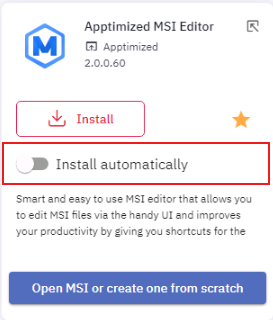
The Install automatically switch becomes available when successful:

[![launcher_09.png](https://docs.apptimized.com/uploads/images/gallery/2020-12/scaled-1680-/PnfPyyIKZdqfMqGH-launcher_09.png)](https://docs.apptimized.com/uploads/images/gallery/2020-12/PnfPyyIKZdqfMqGH-launcher_09.png)
</td></tr><tr><td style="width: 24.4444%;">6. Application description</td><td style="width: 75.5556%;">This block provides a brief description of the purpose of an application</td></tr><tr><td style="width: 24.4444%;">7. Shortcut buttons</td><td style="width: 75.5556%;"><span data-contrast="auto">This block provides the set of s</span><span data-contrast="auto">hortcuts to most usable actions</span><span data-contrast="auto"> with an application.</span><span data-ccp-props="{"201341983":0,"335551550":6,"335551620":6,"335559740":259}"> </span>

<span data-contrast="auto">A</span><span data-contrast="auto"> </span><span data-contrast="auto">process (</span><span data-contrast="auto">action</span><span data-contrast="auto">) gets started by the click on the shortcut button.</span><span data-ccp-props="{"201341983":0,"335551550":6,"335551620":6,"335559740":259}"> </span>

<span data-ccp-props="{"201341983":0,"335551550":6,"335551620":6,"335559740":259}"> </span>

<p class="callout info">**<span data-contrast="auto">Note.</span>**<span data-contrast="auto"> If </span><span data-contrast="auto">a</span><span data-contrast="auto"> user has not yet installed the application</span><span data-contrast="auto">,</span><span data-contrast="auto"> the </span>**<span data-contrast="auto">Apptimized Workspace Launcher </span>**<span data-contrast="auto">will proceed following </span><span data-contrast="auto">steps </span><span data-contrast="auto">after clicking on the **Shortcut button**</span><span data-contrast="auto">:</span><span data-ccp-props="{"201341983":0,"335551550":6,"335551620":6,"335559740":259}">   
1. Application installation.   
</span><span data-contrast="auto">2. Application launch with the required functionality</span><span data-contrast="auto">.</span><span data-ccp-props="{"134233279":true,"201341983":0,"335551550":6,"335551620":6,"335559739":160,"335559740":259}"> </span></p>

</td></tr></tbody></table>

#### **Bundle** 

<span data-contrast="auto">The bundle is the set of applications that have been grouped by certain usage logic (</span><span data-contrast="auto">e</span><span data-contrast="auto">.</span><span data-contrast="auto">g</span><span data-contrast="auto">., a toolset for MSI packaging/ editing).</span><span data-ccp-props="{"201341983":0,"335551550":6,"335551620":6,"335559739":160,"335559740":259}"> </span>

<span data-contrast="auto">The screenshot below shows </span><span data-contrast="auto">the examples of</span><span data-contrast="auto"> </span><span data-contrast="auto">the </span>**<span data-contrast="auto">Apptimized Workspace Launcher</span><span data-contrast="auto"> </span>**<span data-contrast="auto">build-in bundles:</span><span data-ccp-props="{"201341983":0,"335551550":6,"335551620":6,"335559739":160,"335559740":259}"> </span>

[![launcher_10.png](https://docs.apptimized.com/uploads/images/gallery/2020-12/scaled-1680-/Imn5nvpS65pNCvGg-launcher_10.png)](https://docs.apptimized.com/uploads/images/gallery/2020-12/Imn5nvpS65pNCvGg-launcher_10.png)

<span class="TextRun SCXW71518059 BCX0" data-contrast="auto" lang="EN-US" xml:lang="EN-US"><span class="NormalTextRun SCXW71518059 BCX0">The bundle</span></span><span class="TextRun SCXW71518059 BCX0" data-contrast="auto" lang="EN-US" xml:lang="EN-US"><span class="NormalTextRun SCXW71518059 BCX0"> is represented in </span></span><span class="TextRun SCXW71518059 BCX0" data-contrast="auto" lang="EN-US" xml:lang="EN-US"><span class="NormalTextRun SCXW71518059 BCX0">the</span></span><span class="TextRun SCXW71518059 BCX0" data-contrast="auto" lang="EN-US" xml:lang="EN-US"><span class="NormalTextRun SCXW71518059 BCX0"> form of a</span></span><span class="TextRun SCXW71518059 BCX0" data-contrast="auto" lang="EN-US" xml:lang="EN-US"><span class="NormalTextRun SCXW71518059 BCX0"> card:</span></span><span class="EOP SCXW71518059 BCX0" data-ccp-props="{"201341983":0,"335551550":6,"335551620":6,"335559739":160,"335559740":259}"> </span>

<table border="1" id="bkmrk-bundle-card-is-in-a-" style="height: 54px; width: 100%; border-collapse: collapse; border-style: hidden;"><tbody><tr style="height: 27px;"><td class="align-left" style="width: 50%; height: 27px; border-style: hidden; vertical-align: top;">- Bundle card is in a minimized mode

</td><td class="align-left" style="width: 50%; height: 27px; border-style: hidden; vertical-align: top;">[![launcher_11.png](https://docs.apptimized.com/uploads/images/gallery/2020-12/scaled-1680-/dLqmM4pqvd7jHFwy-launcher_11.png)](https://docs.apptimized.com/uploads/images/gallery/2020-12/dLqmM4pqvd7jHFwy-launcher_11.png)</td></tr><tr style="height: 27px;"><td class="align-left" style="width: 50%; height: 27px; border-style: hidden; vertical-align: top;">- Bundle card is in a maximized mode

<span class="EOP SCXW248723697 BCX0" data-ccp-props="{"201341983":0,"335551550":6,"335551620":6,"335559740":259}"> </span></td><td class="align-left" style="width: 50%; height: 27px; border-style: hidden; vertical-align: top;">[![launcher_11_1.png](https://docs.apptimized.com/uploads/images/gallery/2020-12/scaled-1680-/05dXp7JSNUfy0zSJ-launcher_11_1.png)](https://docs.apptimized.com/uploads/images/gallery/2020-12/05dXp7JSNUfy0zSJ-launcher_11_1.png)</td></tr></tbody></table>

<span class="TextRun SCXW124613678 BCX0" data-contrast="auto" lang="EN-US" xml:lang="EN-US"><span class="NormalTextRun SCXW124613678 BCX0">Each bundle card consists of the following elements:</span></span><span class="EOP SCXW124613678 BCX0" data-ccp-props="{"201341983":0,"335551550":6,"335551620":6,"335559739":160,"335559740":259}"> </span>

[![launcher_12.png](https://docs.apptimized.com/uploads/images/gallery/2020-12/scaled-1680-/4pypNUY0ACjyhFXS-launcher_12.png)](https://docs.apptimized.com/uploads/images/gallery/2020-12/4pypNUY0ACjyhFXS-launcher_12.png)

<table border="1" id="bkmrk-element-description--0" style="border-collapse: collapse; width: 100%; height: 408px;"><tbody><tr style="height: 29px;"><td style="width: 24.5679%; height: 29px;">**Element**</td><td style="width: 75.4321%; height: 29px;">**Description**</td></tr><tr style="height: 29px;"><td style="width: 24.5679%; height: 29px;">1. Icon</td><td style="width: 75.4321%; height: 29px;">This block contains a set of visual logos of applications the bundle consists of.</td></tr><tr style="height: 79px;"><td style="width: 24.5679%; height: 79px;">2. Icon to minimize / maximize bundle card</td><td style="width: 75.4321%; height: 79px;">An icon that allows a user to expand or collapse the bundle card.

<span style="color: #444444;">[![collapse.png](https://docs.apptimized.com/uploads/images/gallery/2020-08/scaled-1680-/JwGBog1jA6PYVOgg-collapse.png)](https://docs.apptimized.com/uploads/images/gallery/2020-08/JwGBog1jA6PYVOgg-collapse.png) - A bundle card is in a minimized mode</span>

<span style="color: #444444;">[![expand.png](https://docs.apptimized.com/uploads/images/gallery/2020-08/scaled-1680-/6OJwRgeRrqvy1BTq-expand.png)](https://docs.apptimized.com/uploads/images/gallery/2020-08/6OJwRgeRrqvy1BTq-expand.png) - A bundle card is in a maximized mode</span>

</td></tr><tr style="height: 134px;"><td style="width: 24.5679%; height: 134px;">3. Bundle name </td><td style="width: 75.4321%; height: 134px;">This block contains the name of the bundle and the number of applications the bundle consists of.

Application metadata is provided by the template (from top to bottom):

- Bundle name
- Number of applications

</td></tr><tr style="height: 29px;"><td style="width: 24.5679%; height: 29px;">4. Installation button</td><td style="width: 75.4321%; height: 29px;">This button enables a user to install a bundle.</td></tr><tr style="height: 79px;"><td style="width: 24.5679%; height: 79px;">5. Icon to favorite / unfavorite a bundle</td><td style="width: 75.4321%; height: 79px;">An icon that allows a user to toggle the favorite status for an application.

<span style="color: #444444;">[![star_disabled.png](https://docs.apptimized.com/uploads/images/gallery/2020-08/scaled-1680-/1F9M51Pza9e35qJd-star_disabled.png)](https://docs.apptimized.com/uploads/images/gallery/2020-08/1F9M51Pza9e35qJd-star_disabled.png) - A bundle is not marked as a favorite</span>

<span style="color: #444444;">[![star_enabled.png](https://docs.apptimized.com/uploads/images/gallery/2020-08/scaled-1680-/nMQk7GhsiDylbG1C-star_enabled.png)](https://docs.apptimized.com/uploads/images/gallery/2020-08/nMQk7GhsiDylbG1C-star_enabled.png) - A bundle is marked as a favorite</span>

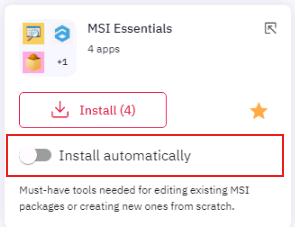
<span style="color: #444444;">The Install automatically switch becomes available when successful:</span>

[![launcher_13.png](https://docs.apptimized.com/uploads/images/gallery/2020-12/scaled-1680-/optDBzmwRDVc1F8V-launcher_13.png)](https://docs.apptimized.com/uploads/images/gallery/2020-12/optDBzmwRDVc1F8V-launcher_13.png)

</td></tr><tr style="height: 29px;"><td style="width: 24.5679%; height: 29px;">6. Bundle description</td><td style="width: 75.4321%; height: 29px;">This block provides a brief description of the purpose of a bundle</td></tr></tbody></table>

#### **Key functionality** 

##### **Mark as a favorite**

The option to mark an application or a bundle as a favorite is available under the **Star** symbol.

[![launcher_14.png](https://docs.apptimized.com/uploads/images/gallery/2020-12/scaled-1680-/tzS1KSAMhR4uhHU2-launcher_14.png)](https://docs.apptimized.com/uploads/images/gallery/2020-12/tzS1KSAMhR4uhHU2-launcher_14.png)

The application (bundle) becomes available in the **Favorites** tab when successful:

[![launcher_15.png](https://docs.apptimized.com/uploads/images/gallery/2020-12/scaled-1680-/NXlW0SFtTAVPHOhD-launcher_15.png)](https://docs.apptimized.com/uploads/images/gallery/2020-12/NXlW0SFtTAVPHOhD-launcher_15.png)

##### **Application installation** 

<span data-contrast="auto">The option to install an application is available under the </span>**<span data-contrast="auto">Install</span>**<span data-contrast="auto"> button:</span><span data-ccp-props="{"201341983":0,"335551550":6,"335551620":6,"335559739":160,"335559740":259}"> </span>

[![launcher_16.png](https://docs.apptimized.com/uploads/images/gallery/2020-12/scaled-1680-/X4NjpWl9XqvFeAtR-launcher_16.png)](https://docs.apptimized.com/uploads/images/gallery/2020-12/X4NjpWl9XqvFeAtR-launcher_16.png)

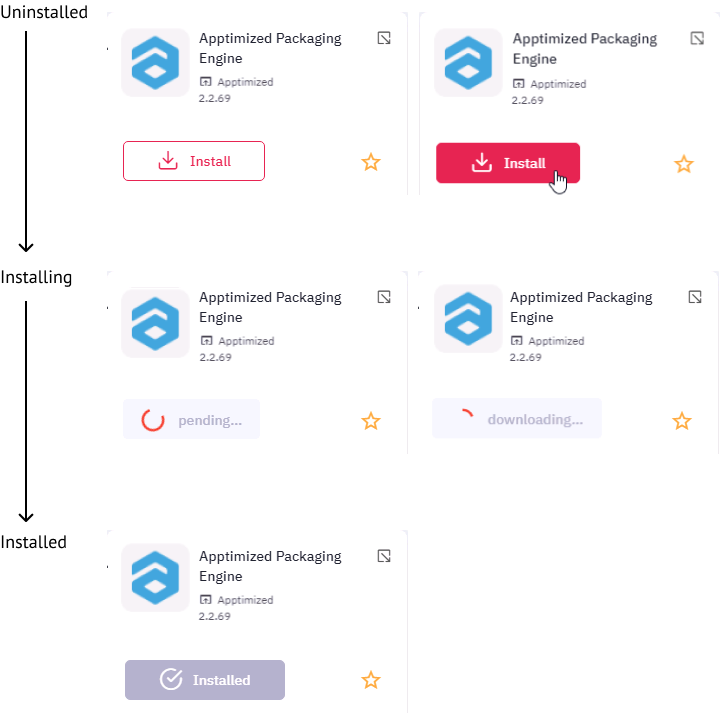
<p class="callout info">**<span class="TextRun SCXW45663139 BCX0" data-contrast="auto" lang="EN-US" xml:lang="EN-US"><span class="NormalTextRun SCXW45663139 BCX0">Note.</span></span>**<span class="TextRun SCXW45663139 BCX0" data-contrast="auto" lang="EN-US" xml:lang="EN-US"><span class="NormalTextRun SCXW45663139 BCX0"> All applications are in the uninstalled state by default.</span></span><span class="EOP SCXW45663139 BCX0" data-ccp-props="{"201341983":0,"335551550":6,"335551620":6,"335559739":160,"335559740":259}"> </span></p>

<span class="EOP SCXW45663139 BCX0" data-ccp-props="{"201341983":0,"335551550":6,"335551620":6,"335559739":160,"335559740":259}"><span class="TextRun SCXW187718287 BCX0" data-contrast="auto" lang="EN-US" xml:lang="EN-US"><span class="NormalTextRun SCXW187718287 BCX0">Every application </span></span><span class="TextRun SCXW187718287 BCX0" data-contrast="auto" lang="EN-US" xml:lang="EN-US"><span class="NormalTextRun SCXW187718287 BCX0">goes through</span></span><span class="TextRun SCXW187718287 BCX0" data-contrast="auto" lang="EN-US" xml:lang="EN-US"><span class="NormalTextRun SCXW187718287 BCX0"> 3 states:</span></span><span class="EOP SCXW187718287 BCX0" data-ccp-props="{"201341983":0,"335551550":6,"335551620":6,"335559739":160,"335559740":259}"> </span></span>

[![launcher_17.png](https://docs.apptimized.com/uploads/images/gallery/2020-12/scaled-1680-/2VVVwdJavbPnQC7O-launcher_17.png)](https://docs.apptimized.com/uploads/images/gallery/2020-12/2VVVwdJavbPnQC7O-launcher_17.png)

##### **Bundle installation**

The option to install a bundle is available under the **Install** button:

[![launcher_18.png](https://docs.apptimized.com/uploads/images/gallery/2020-12/scaled-1680-/QeTYfEcffWJNSo3l-launcher_18.png)](https://docs.apptimized.com/uploads/images/gallery/2020-12/QeTYfEcffWJNSo3l-launcher_18.png)
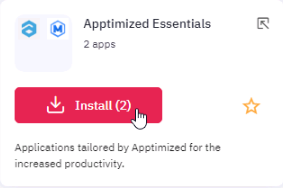
In this case, the **Apptimized Workspace Launcher** installs all applications that are part of the bundle collection. The progress bar shows the aggregated process of the collection installation.

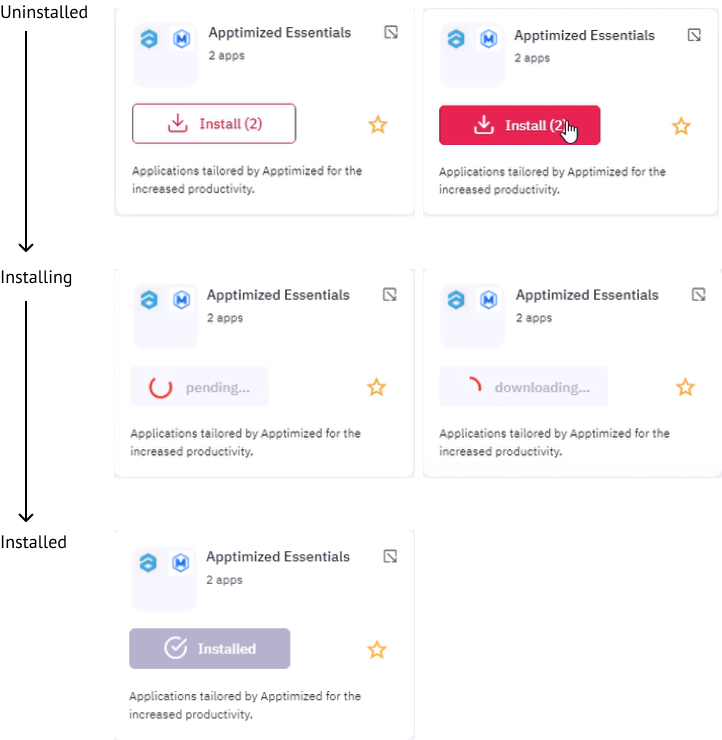
<p class="callout info">**Note.** All bundles are in the uninstalled state by default.</p>

Every bundle goes through 3 states:

[![launcher_19.png](https://docs.apptimized.com/uploads/images/gallery/2020-12/scaled-1680-/zh8svexXXNcxh5fB-launcher_19.png)](https://docs.apptimized.com/uploads/images/gallery/2020-12/zh8svexXXNcxh5fB-launcher_19.png)

##### **Install automatically**

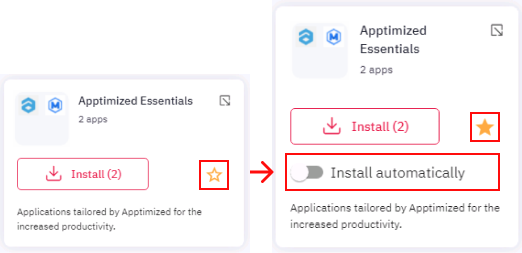
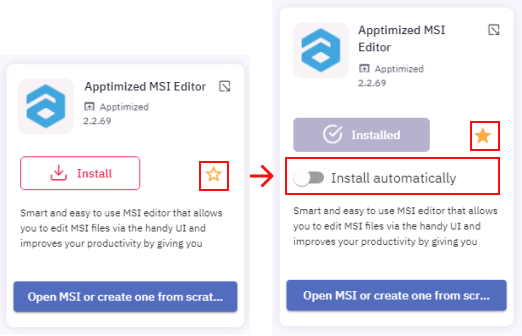
The **Install automatically** switch becomes available after an application or a bundle was marked as a favorite:

[![launcher_20.png](https://docs.apptimized.com/uploads/images/gallery/2020-12/scaled-1680-/I1lnFObTXlhO92Ja-launcher_20.png)](https://docs.apptimized.com/uploads/images/gallery/2020-12/I1lnFObTXlhO92Ja-launcher_20.png)
[![launcher_20_1.png](https://docs.apptimized.com/uploads/images/gallery/2020-12/scaled-1680-/Ge3f0Oz8JxrcLus3-launcher_20_1.png)](https://docs.apptimized.com/uploads/images/gallery/2020-12/Ge3f0Oz8JxrcLus3-launcher_20_1.png)
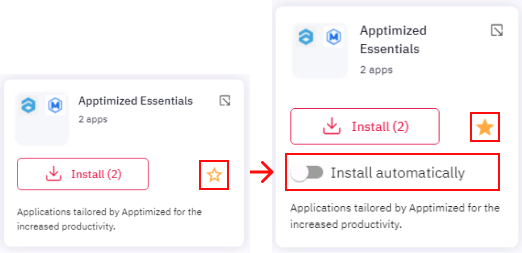
The option to install an application or a bundle automatically becomes active when switched on. The option is inactive by default.

[![launcher_21.png](https://docs.apptimized.com/uploads/images/gallery/2020-12/scaled-1680-/qQfSVPYzKcBjyRRM-launcher_21.png)](https://docs.apptimized.com/uploads/images/gallery/2020-12/qQfSVPYzKcBjyRRM-launcher_21.png)
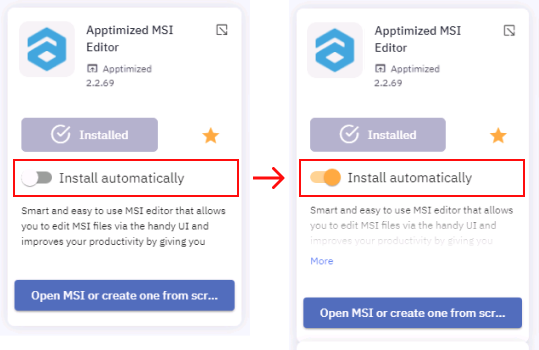
<p class="callout info">**Note.** If a user has not yet installed the application, the **Apptimized Workspace Launcher** will install an application after enabling the **Install automatically** switch.</p>

<span style="font-family: -apple-system, BlinkMacSystemFont, 'Segoe UI', Oxygen, Ubuntu, Roboto, Cantarell, 'Fira Sans', 'Droid Sans', 'Helvetica Neue', sans-serif; font-size: 14px; font-style: normal; font-variant-ligatures: normal; font-variant-caps: normal; font-weight: 400;">In the case of a bundle, all contained applications (regardless of the status of an application: favorite / unfavorite) will be installed automatically when the </span>**Install automatically**<span style="font-family: -apple-system, BlinkMacSystemFont, 'Segoe UI', Oxygen, Ubuntu, Roboto, Cantarell, 'Fira Sans', 'Droid Sans', 'Helvetica Neue', sans-serif; font-size: 14px; font-style: normal; font-variant-ligatures: normal; font-variant-caps: normal; font-weight: 400;"> switch is enabled.</span>

[![launcher_22.png](https://docs.apptimized.com/uploads/images/gallery/2020-12/scaled-1680-/zPZelU4GAnef0Yul-launcher_22.png)](https://docs.apptimized.com/uploads/images/gallery/2020-12/zPZelU4GAnef0Yul-launcher_22.png)

##### **Run application**

The following scenarios to run an application available:

- Select an application &gt; Click on the Shortcut button (e.g., **Run APE**)
- Select a bundle &gt; Select an application &gt; Click on the Shortcut button (e.g., **Transform existing MSI**)

[![launcher_24.png](https://docs.apptimized.com/uploads/images/gallery/2020-12/scaled-1680-/yCBZIP76JVkWIaS1-launcher_24.png)](https://docs.apptimized.com/uploads/images/gallery/2020-12/yCBZIP76JVkWIaS1-launcher_24.png)
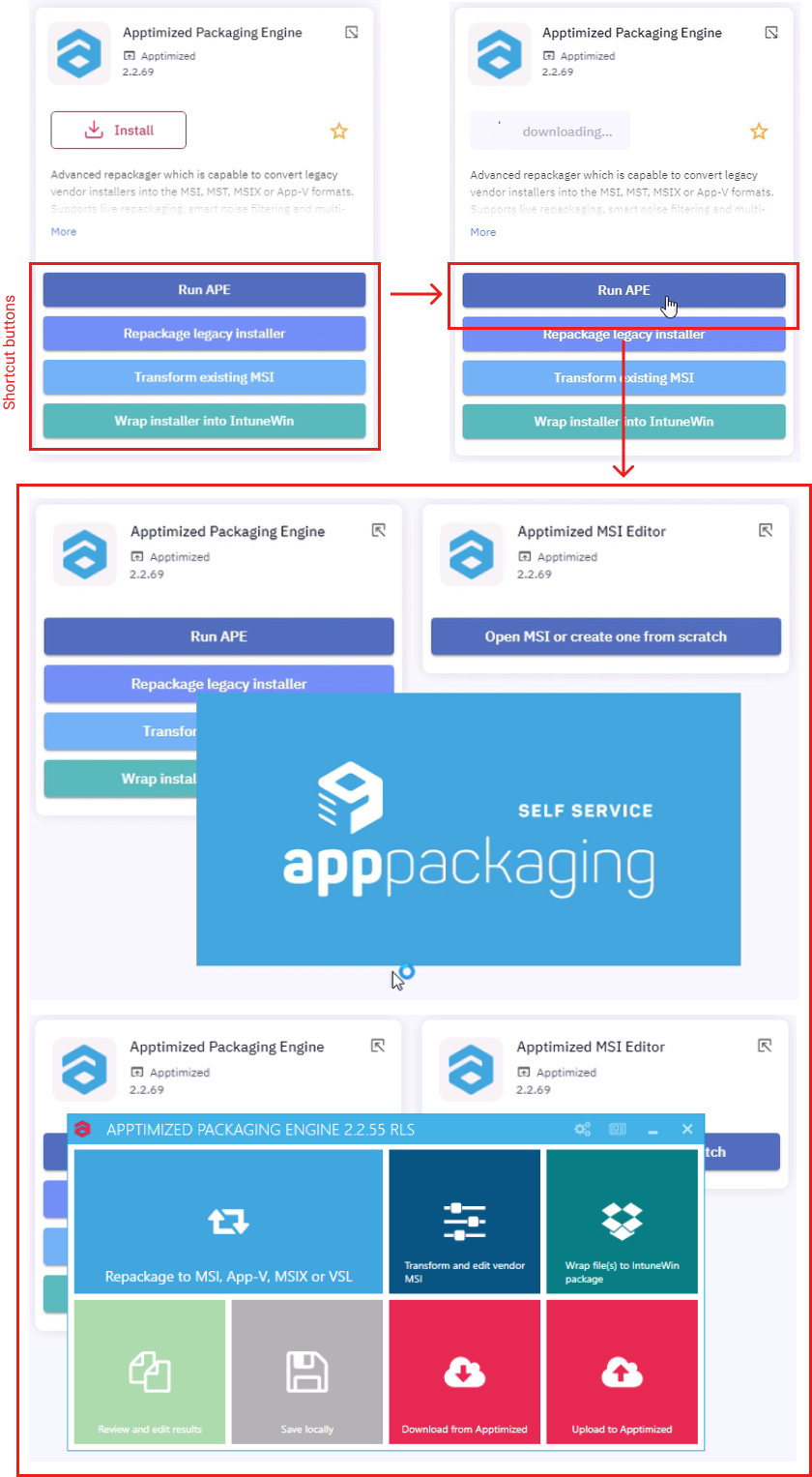
<p class="callout info">**Note.** If a user has not yet installed the application, the **Apptimized Workspace Launcher** will proceed following actions after clicking on the Shortcut button:  
1. Application installation.  
2. Application launch with the required functionality.</p>

##### **Upload results from VM to Apptimized Portal**

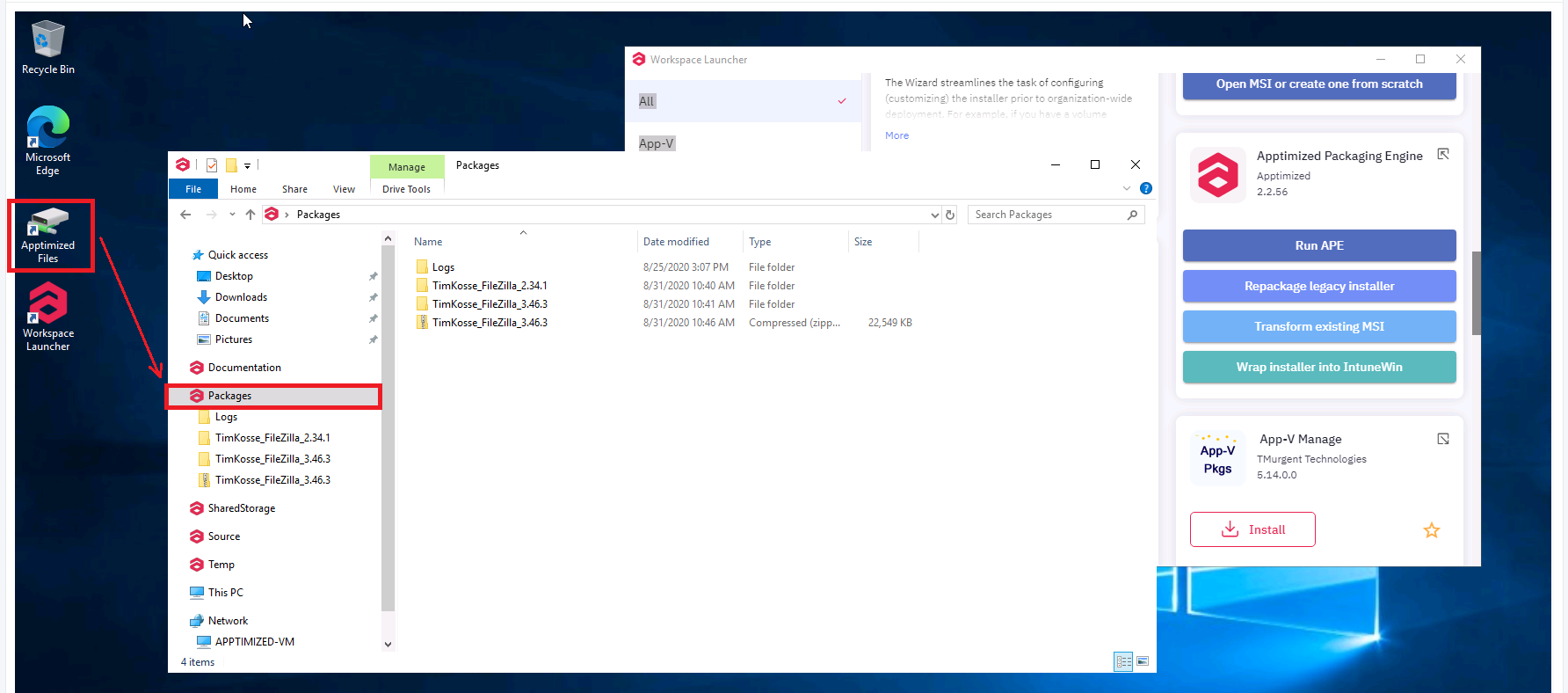
To upload created via Workspace Launcher deliverables to Apptimized Portal a user needs to place them into the Packages folder before VM is finished (VM desktop &gt; **Apptimized files** icon &gt; **Packages** folder).

<p class="callout info">**Note.** By default, the **Packages** folder comes with the Log folder which contains system information. It is prohibited to a user to add any files to this folder. The **Log** folder will not be uploaded to the Apptimized Portal after VM is finished.</p>

[![launcher_26.png](https://docs.apptimized.com/uploads/images/gallery/2020-08/scaled-1680-/sCyIHk1tIZvkekM0-launcher_26.png)](https://docs.apptimized.com/uploads/images/gallery/2020-08/sCyIHk1tIZvkekM0-launcher_26.png)

During the synchronization process, every file is treated as a unique package. In case a user created a complex deliverable (i.e., a folder contains 2 or more files) this folder must be compressed into a ZIP archive.

The naming of files, folders, and archives should be consistent with the name patterns indicated in the **[Project settings](https://docs.apptimized.com/books/apptimized-platform-user-manual/page/project-settings)**.

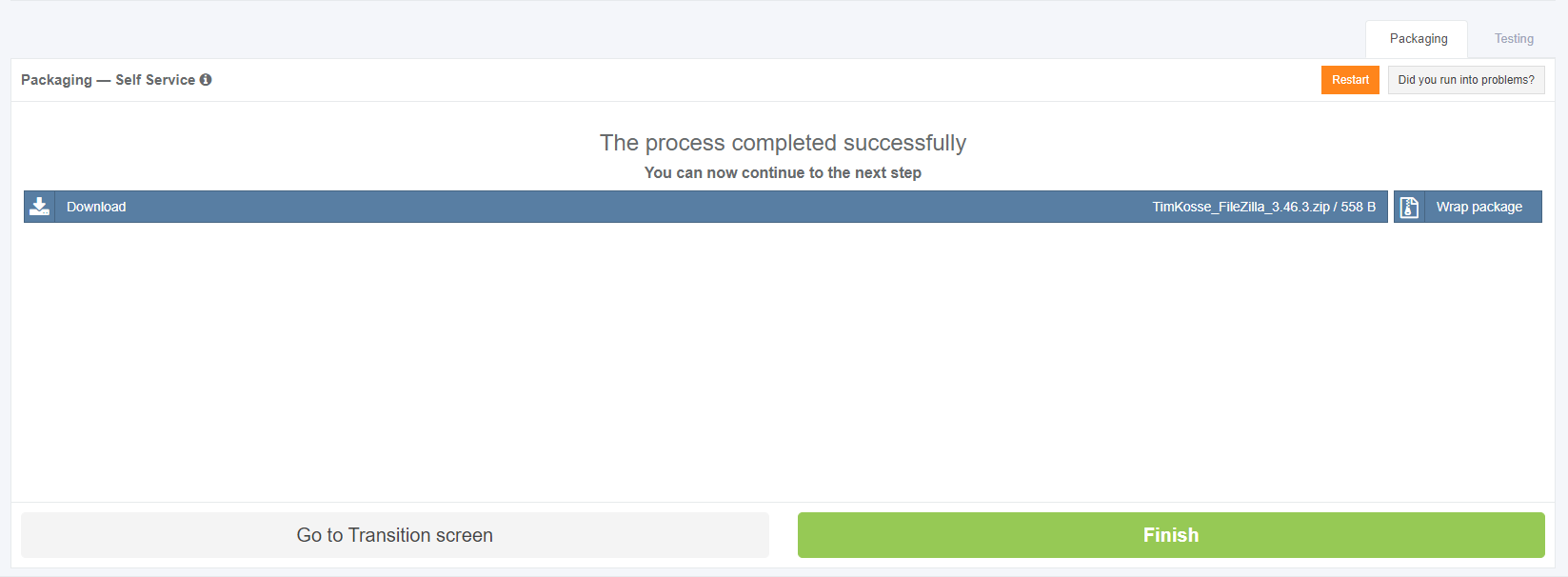
Apptimized shows the following screen when successful:

[![launcher_27.png](https://docs.apptimized.com/uploads/images/gallery/2020-08/scaled-1680-/odCiXCYhnxIK3Dtc-launcher_27.png)](https://docs.apptimized.com/uploads/images/gallery/2020-08/odCiXCYhnxIK3Dtc-launcher_27.png)
### **Apptimized Packaging Engine**

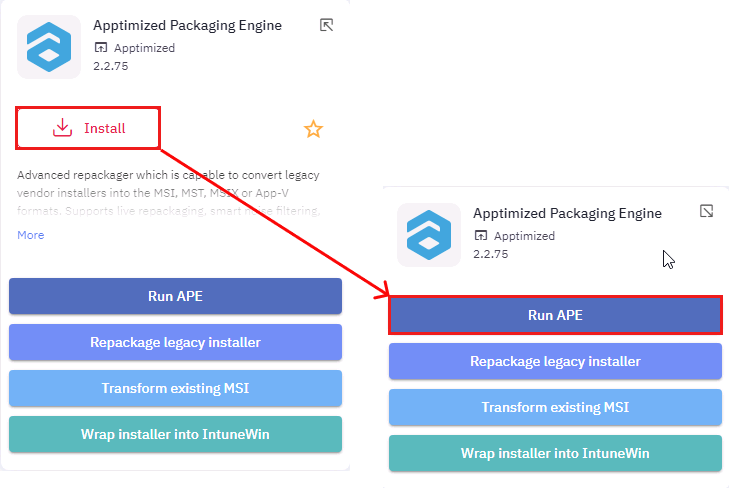
<span class="TextRun SCXW108393853 BCX8" data-contrast="none" lang="EN-GB" xml:lang="EN-GB"><span class="NormalTextRun SCXW108393853 BCX8">The </span></span>**<span class="TextRun SCXW108393853 BCX8" data-contrast="none" lang="EN-GB" xml:lang="EN-GB"><span class="NormalTextRun SpellingErrorV2 SCXW108393853 BCX8">Apptimized</span></span>**<span class="TextRun SCXW108393853 BCX8" data-contrast="none" lang="EN-GB" xml:lang="EN-GB"><span class="NormalTextRun SCXW108393853 BCX8"> **Packaging Engine** (APE) launches when </span></span><span class="TextRun SCXW108393853 BCX8" data-contrast="none" lang="EN-GB" xml:lang="EN-GB"><span class="NormalTextRun SCXW108393853 BCX8">clicking </span></span>**<span class="TextRun SCXW108393853 BCX8" data-contrast="none" lang="EN-GB" xml:lang="EN-GB"><span class="NormalTextRun SCXW108393853 BCX8">Install</span></span>**<span class="TextRun SCXW108393853 BCX8" data-contrast="none" lang="EN-GB" xml:lang="EN-GB"><span class="NormalTextRun SCXW108393853 BCX8"> the </span></span>**<span class="TextRun SCXW108393853 BCX8" data-contrast="none" lang="EN-GB" xml:lang="EN-GB"><span class="NormalTextRun SpellingErrorV2 SCXW108393853 BCX8">Apptimized</span></span><span class="TextRun SCXW108393853 BCX8" data-contrast="none" lang="EN-GB" xml:lang="EN-GB"><span class="NormalTextRun SCXW108393853 BCX8"> Packaging Engine</span></span>**<span class="TextRun SCXW108393853 BCX8" data-contrast="none" lang="EN-GB" xml:lang="EN-GB"><span class="NormalTextRun SCXW108393853 BCX8"> </span></span><span class="TextRun SCXW108393853 BCX8" data-contrast="none" lang="EN-GB" xml:lang="EN-GB"><span class="NormalTextRun SCXW108393853 BCX8">&gt; </span></span>**<span class="TextRun SCXW108393853 BCX8" data-contrast="none" lang="EN-GB" xml:lang="EN-GB"><span class="NormalTextRun SCXW108393853 BCX8">Run APE</span></span>**<span class="TextRun SCXW108393853 BCX8" data-contrast="none" lang="EN-GB" xml:lang="EN-GB"><span class="NormalTextRun SCXW108393853 BCX8">.</span></span><span class="EOP SCXW108393853 BCX8" data-ccp-props="{"201341983":0,"335559739":160,"335559740":259}"> </span>

[![install_run_.png](https://docs.apptimized.com/uploads/images/gallery/2021-02/scaled-1680-/bfsNpaVReUPcSh3v-install_run_.png)](https://docs.apptimized.com/uploads/images/gallery/2021-02/bfsNpaVReUPcSh3v-install_run_.png)

The process may take few moments.

[![packaging_35.png](https://docs.apptimized.com/uploads/images/gallery/2020-04/scaled-1680-/lqfm8O0GZFUr8boA-packaging_35.png)](https://docs.apptimized.com/uploads/images/gallery/2020-04/lqfm8O0GZFUr8boA-packaging_35.png)

Apptimized shows the Apptimized Packaging Engine (APE) main screen when successful:

[![packaging_36.PNG](https://docs.apptimized.com/uploads/images/gallery/2020-06/scaled-1680-/NWS35hHUMJOz8hIH-packaging_36.PNG)](https://docs.apptimized.com/uploads/images/gallery/2020-06/NWS35hHUMJOz8hIH-packaging_36.PNG)
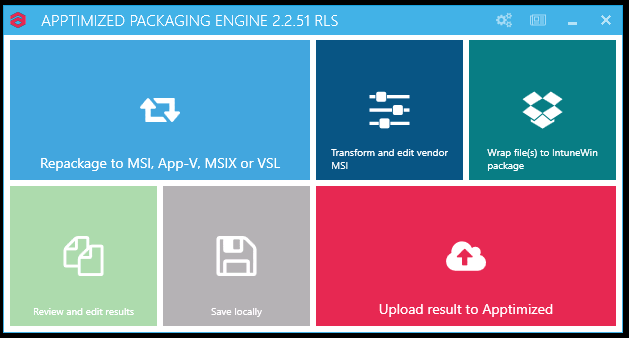
Table 1. Apptimized Packaging Engine options

<table border="1" id="bkmrk-option-details-repac" style="width: 800px;"><tbody><tr><td width="222">**Option**

</td><td width="390">**Details**

</td></tr><tr><td width="222">Repackage to MSI, App-V, MSIX, IntuneWin or VSL

</td><td width="390">This option is snapshot-based and enables to create a completely new installer.

This option is applicable when a user has a non-MSI vendor installer. A user converts it to MSI or App-V or virtualizes MSI installer into App-V.

</td></tr><tr><td width="222">Transform and edit vendor MSI

</td><td width="390">This option enables the transformation or customizing the existing Windows Installer.

This option is applicable when a user has an MSI-based vendor installer and needs to produce an MST for it containing changes made during the installation process and/or configuration post-installation settings.

</td></tr><tr><td width="222">Review and edit result

</td><td width="390">This option enables to review the packages.

The option becomes available only after a user completed the repackaging or transformation procedure.

</td></tr><tr><td width="222">Save locally

</td><td width="390">This option enables saving the output locally to verify before uploading back to Apptimized.

</td></tr><tr><td width="222">Upload result to Apptimized

</td><td width="390">This option enables uploading verified output back to Apptimized.

A user can upload the output generated by Apptimized or select an archive with modified files to be used as an output.

</td></tr></tbody></table>

#### **APE general settings**

The option to review the package formats settings is available under the **gear-wheel** symbol. When successful APE shows the following screen:

[![packaging_48.png](https://docs.apptimized.com/uploads/images/gallery/2020-09/scaled-1680-/Ts6u9hV9tFQ9Y4ky-packaging_48.png)](https://docs.apptimized.com/uploads/images/gallery/2020-09/Ts6u9hV9tFQ9Y4ky-packaging_48.png)

A user can scroll down and review the package format settings.

The package formats settings are predefined and correlate with the **Project settings** (**Workflow settings**).

A user can provide changes to the settings if needed. When changes to the package formats settings applied, click the **Save** button.

The option to save settings as **XML** file is available under the **Save as xml** button (Choose the root to save XML file &gt; **Save** button).

[![packaging_51.png](https://docs.apptimized.com/uploads/images/gallery/2020-06/scaled-1680-/ufU0oXJTJNEFHVkr-packaging_51.png)](https://docs.apptimized.com/uploads/images/gallery/2020-06/ufU0oXJTJNEFHVkr-packaging_51.png)

#### **Apptimized packaging engine release notes**

The option to open Apptimized packaging release notes is available as a **TXT** file under the **file** symbol on the APE menu (top right corner).

[![packaging_50.png](https://docs.apptimized.com/uploads/images/gallery/2020-06/scaled-1680-/vzUOWx3HU7bxJFlh-packaging_50.png)](https://docs.apptimized.com/uploads/images/gallery/2020-06/vzUOWx3HU7bxJFlh-packaging_50.png)

#### **Repackage to MSI, App-V, MSIX, or VSL**

When clicking the **Repackage to MSI, App-V, MSIX, or VSL** option, the APE will redirect a user to a Wizard. A user needs to provide input at each step.

##### **Capturing installation and configuration**

APE will capture all changes made to the system by scanning a file and registry changes, after that converting it to a machine-readable form. Those changes will typically include the installation of the application and the features selection, as well as customization of the application's settings to reflect the desired result as documented during the Discovery step.

VM preparation and prerequisites installation must proceed before packaging. The prerequisites are considered as applications that need to be present for a user’s software or its installer to function, but a user does not want those software products to be included into the package (e.g., because a prerequisite is already installed on the user’s machines or is managed as a separate dependency package).

The option to start a recording session is available under the **Start recording** button.

[![packaging_37.png](https://docs.apptimized.com/uploads/images/gallery/2020-04/scaled-1680-/iJJKlgjQZYIADZ0C-packaging_37.png)](https://docs.apptimized.com/uploads/images/gallery/2020-04/iJJKlgjQZYIADZ0C-packaging_37.png)

<p class="callout info">**Note.** Any VM activity or inactivity can leave traces in the captured result (including those not relevant to the package or application results). A user needs to confine to the activities needed for packaging and finish the process as quickly as possible).</p>

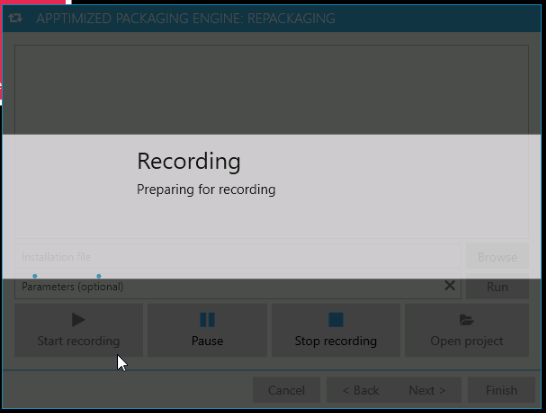
APE shows the following notification when successful:

[![packaging_37_1.png](https://docs.apptimized.com/uploads/images/gallery/2020-04/scaled-1680-/kYpbiFRyR54Hkcif-packaging_37_1.png)](https://docs.apptimized.com/uploads/images/gallery/2020-04/kYpbiFRyR54Hkcif-packaging_37_1.png)
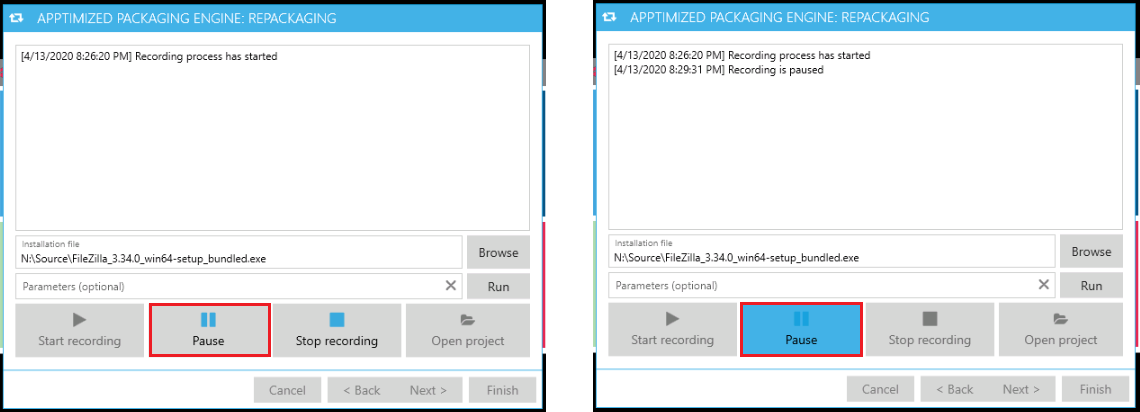
The option to suspend capturing changes made to the filesystem and registry is available under the **Pause** button. The option to resume the recording is available under the **Pause** button (click the **Pause** button again).

[![packaging_40.png](https://docs.apptimized.com/uploads/images/gallery/2020-04/scaled-1680-/WCNBSMstT2fRhbvn-packaging_40.png)](https://docs.apptimized.com/uploads/images/gallery/2020-04/WCNBSMstT2fRhbvn-packaging_40.png)
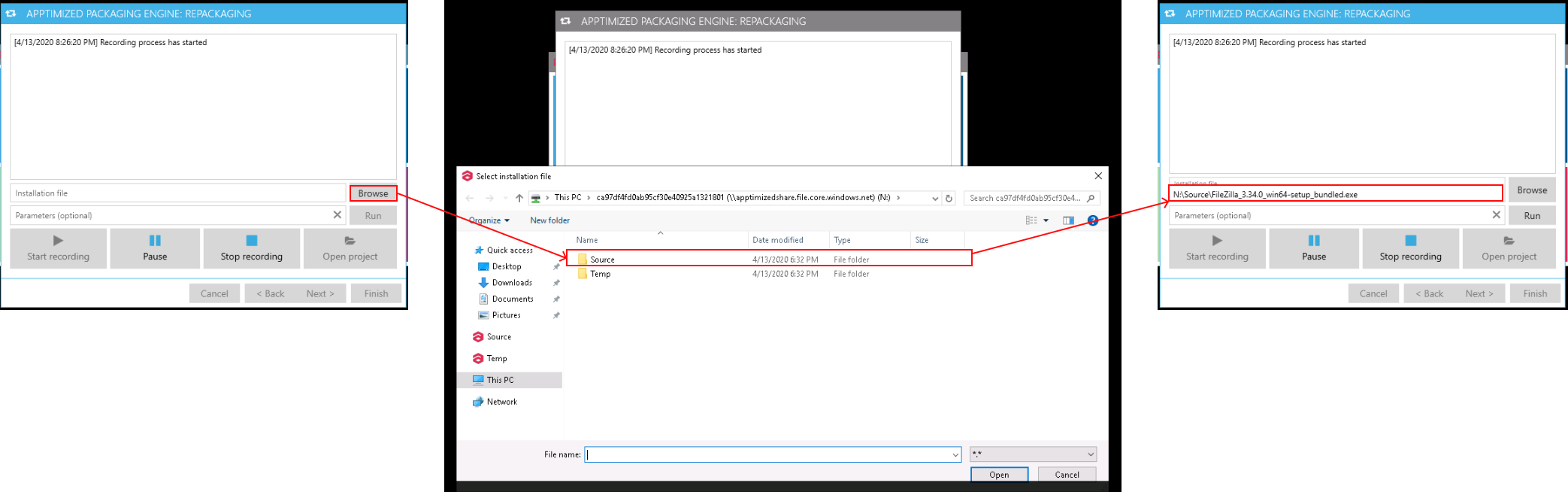
Once the recording has started a user enables a user to browse the path of the installation file (**Browse** button).

The option to provide the additional parameters (i.e., to specify additional launch arguments) is available under the **Parameters (optional)** field.

[![packaging_38.png](https://docs.apptimized.com/uploads/images/gallery/2020-04/scaled-1680-/AkC1a5yj0ADYobfE-packaging_38.png)](https://docs.apptimized.com/uploads/images/gallery/2020-04/AkC1a5yj0ADYobfE-packaging_38.png)
Once the file has been selected, the **Run** button becomes active.

[![packaging_37_2.png](https://docs.apptimized.com/uploads/images/gallery/2020-04/scaled-1680-/2dlYhzZcOgci8VCC-packaging_37_2.png)](https://docs.apptimized.com/uploads/images/gallery/2020-04/2dlYhzZcOgci8VCC-packaging_37_2.png)
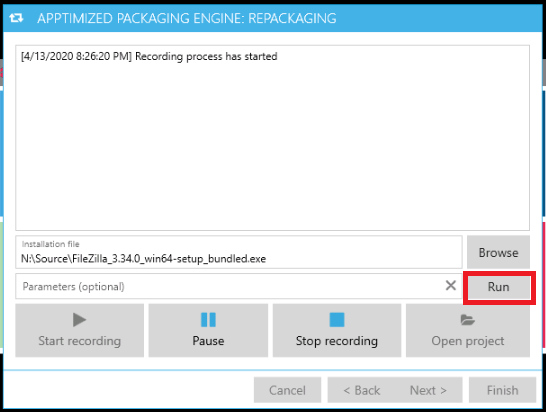
When the synchronization process is finished, APE shows the following screen:[![packaging_40_3.png](https://docs.apptimized.com/uploads/images/gallery/2020-04/scaled-1680-/S4B5OTn6BR7fFiZA-packaging_40_3.png)](https://docs.apptimized.com/uploads/images/gallery/2020-04/S4B5OTn6BR7fFiZA-packaging_40_3.png)
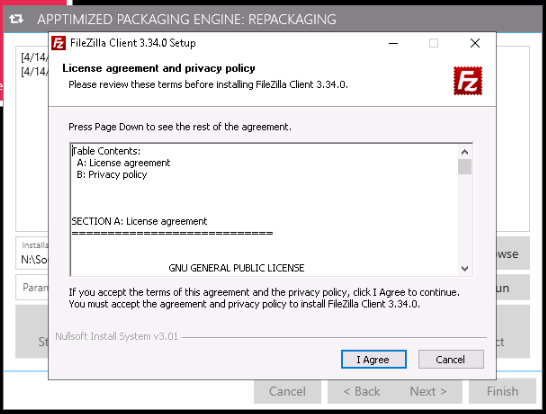
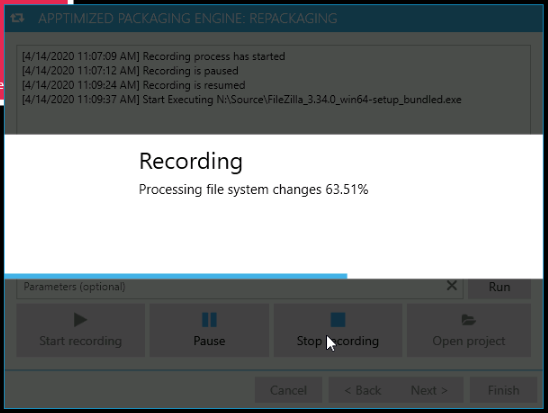
When the installation and configuration activities are completed, the record must be finished. The option to stop the record is available under the **Stop recording** button.

This will terminate the recording process and prepare the captured system changes for producing an MSI, MSIX, App-V, or VSL. The terminating process may take few moments (additional post-processing and cleanup will be applied to the output).

<p class="callout info">**Note.** Apptimized applies advanced logic and filters to keep the snapshot result clean from unneeded or dangerous files and registry keys. However, typically captured results require manual review and adjustments to achieve the desired result or to apply further cleanup from the captured system or user activity.</p>

The processing file system changes may take few moments:

[![packaging_40_4.png](https://docs.apptimized.com/uploads/images/gallery/2020-04/scaled-1680-/Xb6Ic1YRqGUYNRch-packaging_40_4.png)](https://docs.apptimized.com/uploads/images/gallery/2020-04/Xb6Ic1YRqGUYNRch-packaging_40_4.png)
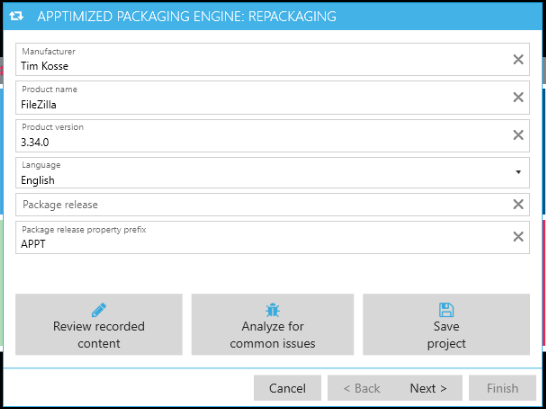
When successful APE shows the screen:

[![packaging_41.png](https://docs.apptimized.com/uploads/images/gallery/2020-04/scaled-1680-/05tEmZ4OWBM1nqJc-packaging_41.png)](https://docs.apptimized.com/uploads/images/gallery/2020-04/05tEmZ4OWBM1nqJc-packaging_41.png)
##### **Editing Application Metadata**

A user can review and adjust the application metadata if required.

The default values generate from the portfolio metadata provided during the file import process and do not need to be changed in most of the cases.

If the installation session consisted of more than one installer, select the primary installer to extract the metadata.

##### **Review captured content**

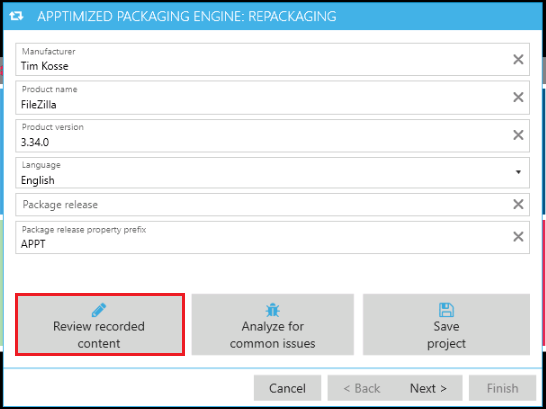
The option to the recorded content for the files, registry entries, services, and other system items that were modified or created during the installation is available under the **Review recorded content** button.

[![packaging_41_1.png](https://docs.apptimized.com/uploads/images/gallery/2020-04/scaled-1680-/KJMWMDnrPUc6tkav-packaging_41_1.png)](https://docs.apptimized.com/uploads/images/gallery/2020-04/KJMWMDnrPUc6tkav-packaging_41_1.png)
APE shows the snapshot editor screen when successful:[![packaging_42.png](https://docs.apptimized.com/uploads/images/gallery/2020-04/scaled-1680-/87rFTmI5qQoVyztu-packaging_42.png)](https://docs.apptimized.com/uploads/images/gallery/2020-04/87rFTmI5qQoVyztu-packaging_42.png)
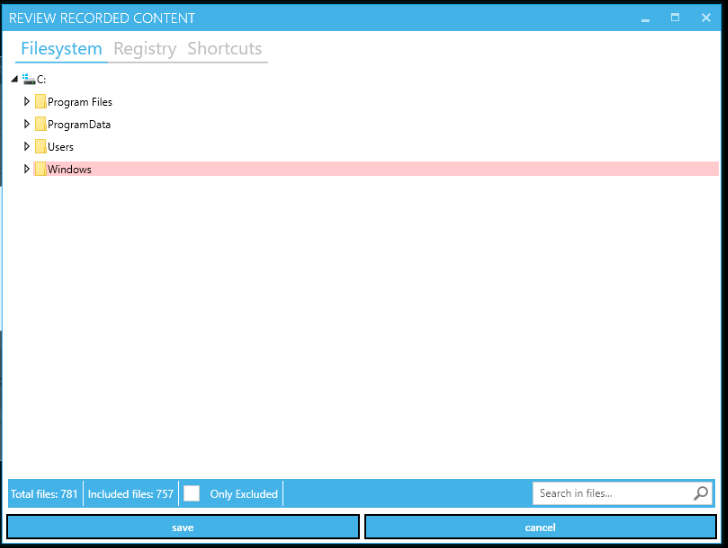
A user can navigate across different tabs based on the captured content nature:

- Filesystem;
- Registry;
- Shortcuts;
- Drivers;
- Services;
- Certificates;
- Environment;
- Registry ACL;
- Filesystem ACL;
- Firewall Rules.

**Filesystem** and **Registry** tabs are presented in a tree structure view.

**Shortcuts**, **Environment**, **ACL**, **Services**, and other tabs are presented in a table-based view.

The **Filesystem** tab shows captured changes to the filesystem (file &amp; folders).

The **Registry** tab shows captured changes to the Windows registry.

The **Shortcuts** tab shows captured shortcuts.

The **Drivers** tab shows captured drivers.

The **Services** tab shows all services which were created during source installation.

The **Certificates** tab shows all changes which were added to the Certificate Stores.

The **Environment** tab shows captured environment variables created during the source installation.

The **Registry ACL** tab shows captured permission changes in the Windows registry.

The **Filesystem ACL** tab shows captured changes to filesystem ACLs. An Access Control List (ACL) is a list of Access Control Entries (ACE). Each ACE in an ACL identifies a trustee and specifies the access rights allowed, denied, or audited for that trustee.

The **Firewall Rules** tab shows firewall rules created during the source installation.

Due to the nature of the recording process, unwanted resources, also known as system activity or noise, might be captured into the recording result. These happen because the system is altered by the installation (or by the application, by the user, by the other applications, and by the operating system itself) during packaging in areas that are unrelated to the application and are not needed in the package. Those unwanted resources might negatively influence the installation or uninstallation of the package, or other applications and the operating system's stability, or, at least, create unneeded bloat. System activity traces and noise cleaning is required to receive good-quality packages.

When recording completed, APE applies a default exclusion list, which filters most of the unwanted system changes from the package (which need to be removed from the package).

A user can additionally exclude unwanted resources or re-include resources that were automatically excluded from the list. Such actions should only cover specific scenarios involving changes to the operating system.

The option to exclude the files from the package is available under the **context menu** or using the keyboard shortcuts **Ctrl+E** or **Del**.

The option to include the files to the package is available under the **context menu** or using the keyboard shortcut **Ctrl+I**.

[![packaging_42_5.png](https://docs.apptimized.com/uploads/images/gallery/2020-04/scaled-1680-/8286Q4l3VU4SXDOf-packaging_42_5.png)](https://docs.apptimized.com/uploads/images/gallery/2020-04/8286Q4l3VU4SXDOf-packaging_42_5.png)
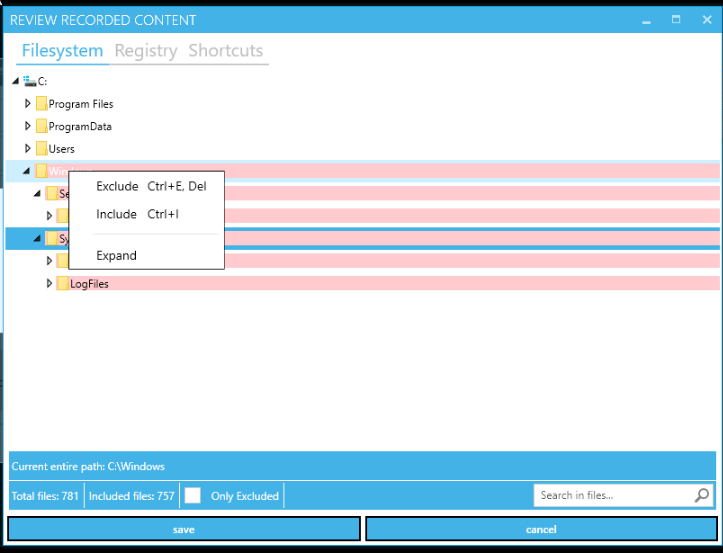
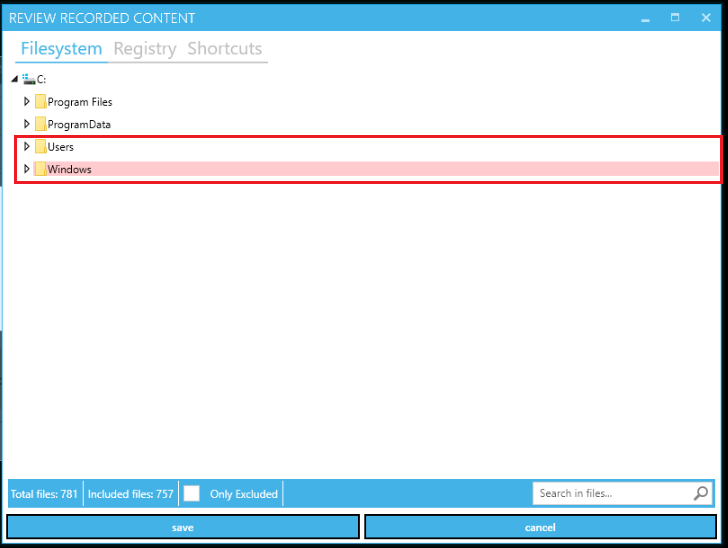
Captured resources that are intended to exclude from the package are shown with a red overlay.

Captured resources that are intended to include the package are shown with no overlay.

[![packaging_42_1.png](https://docs.apptimized.com/uploads/images/gallery/2020-04/scaled-1680-/s3dUXyrxS4BaAxS6-packaging_42_1.png)](https://docs.apptimized.com/uploads/images/gallery/2020-04/s3dUXyrxS4BaAxS6-packaging_42_1.png)
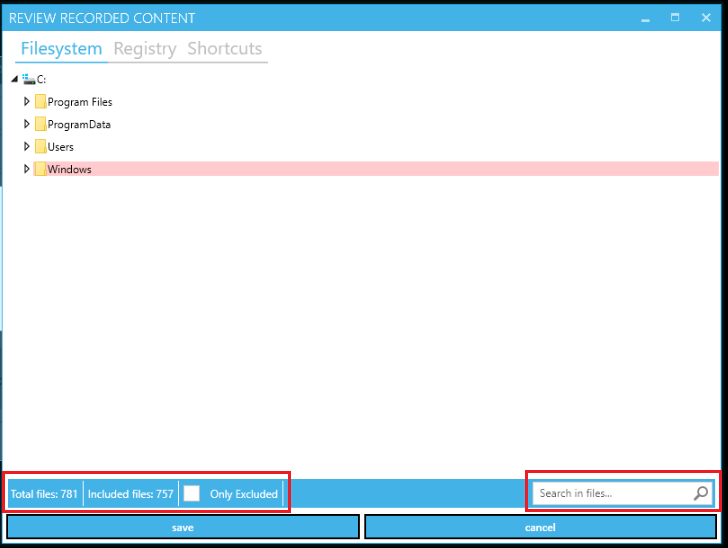
The **status bar** with the total number of files and the number of included files is available in the footer of the **Review recorded content** window.

The option to search files or folders by name is available under the **Search in files** field available in the footer of the **Review recorded content** window.

[![packaging_42_4.png](https://docs.apptimized.com/uploads/images/gallery/2020-04/scaled-1680-/jCiHH0k8qGMwPkT3-packaging_42_4.png)](https://docs.apptimized.com/uploads/images/gallery/2020-04/jCiHH0k8qGMwPkT3-packaging_42_4.png)
The screenshot below shows the tab interface with table-based view (i.e., **Shortcuts** tab):

[![packaging_42_3.png](https://docs.apptimized.com/uploads/images/gallery/2020-04/scaled-1680-/9iLcBYLumqxgYEcB-packaging_42_3.png)](https://docs.apptimized.com/uploads/images/gallery/2020-04/9iLcBYLumqxgYEcB-packaging_42_3.png)
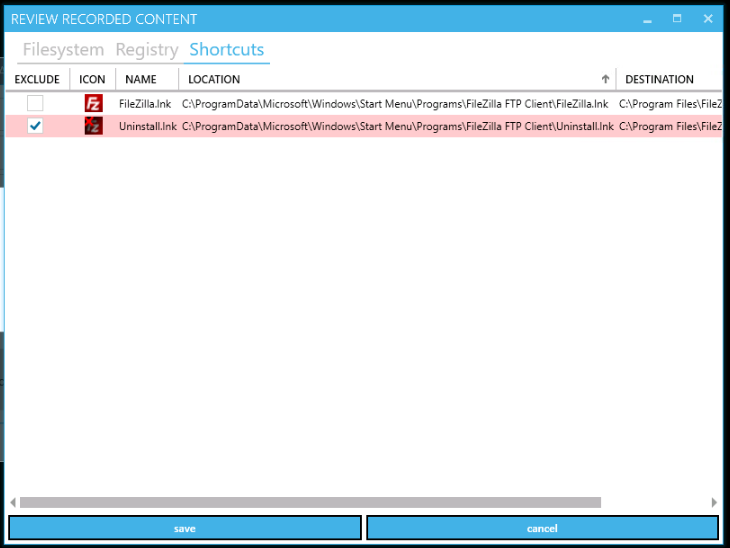
To exclude the item, tick the checkbox in front of its name.

Table 2. Shortcuts tab structure

<table border="1" id="bkmrk-column-name-details-" style="width: 800px;"><tbody><tr><td width="180">**Column name**

</td><td width="432">**Details**

</td></tr><tr><td width="180">Exclude

</td><td width="432">This column provides the option to include or exclude entities.

</td></tr><tr><td width="180">Icon

</td><td width="432">This column provides the shortcut icon.

</td></tr><tr><td width="180">Location

</td><td width="432">This column provides details on the shortcut location (i.e., a physical location of the shortcut file).

</td></tr><tr><td width="180">Destination

</td><td width="432">This column provides details on the shortcut’s target (usually target is an executable file).

</td></tr></tbody></table>

To exclude the item, tick the checkbox in front of its name.

Table 3. Filesystem ACL tab structure

<table border="1" id="bkmrk-column-name-details--0" style="width: 800px;"><tbody><tr><td width="180">**Column name**

</td><td width="432">**Details**

</td></tr><tr><td width="180">Exclude

</td><td width="432">This column provides the option to include or exclude entities (i.e., detected file or folder ACL).

</td></tr><tr><td width="180">Review

</td><td width="432">This column provides the option to open the **Permission properties** for the selected file or folder.

[![packaging_42_6.png](https://docs.apptimized.com/uploads/images/gallery/2020-04/scaled-1680-/uVNSmmnyNv0bhBIb-packaging_42_6.png)](https://docs.apptimized.com/uploads/images/gallery/2020-04/uVNSmmnyNv0bhBIb-packaging_42_6.png)
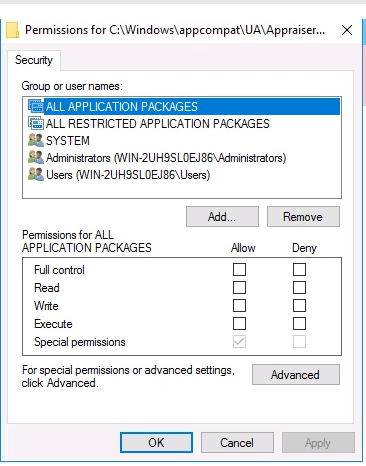
This dialogue window enables a user to Set, View, Change, or Remove permissions for the current item. Permissions are set recursively, so to set permissions onto a folder, its subfolders and files only configure permission changes on the parent folder level.

The option to set permissions for a group or user that does not appear in the **Group or user names** box is available under the **Add** button (Type the name of the group or user &gt; **OK** button).

The option to remove permissions for a group or user that appears in the **Group or user names** box is available under the **Remove** button (Type the name of the group or user &gt; **OK** button).

The options to allow or deny permission are available under **the Permissions for &lt;User or Group&gt;** box (Select the **Allow** or **Deny** column &gt; Check / Uncheck the box).

The option to set the special permissions or advanced settings is available under the **Advanced** button.

</td></tr><tr><td width="180">Path

</td><td width="432">This column provides details on file or folder with detected, modified or created permissions.

</td></tr></tbody></table>

[![Packaging_40_2_new.png](https://docs.apptimized.com/uploads/images/gallery/2021-08/scaled-1680-/hRqwJUgpjE3hW2NJ-image-83.png)](https://docs.apptimized.com/uploads/images/gallery/2021-08/hRqwJUgpjE3hW2NJ-image-83.png)

Table 4. Drivers tab structure

<table border="1" id="bkmrk-column-name-details--1" style="border-collapse: collapse; width: 100%; height: 174px;"><tbody><tr style="height: 29px;"><td style="width: 20.6173%; height: 29px;">**Column name**</td><td style="width: 79.3827%; height: 29px;">**Details**</td></tr><tr style="height: 29px;"><td style="width: 20.6173%; height: 29px;">Exclude</td><td style="width: 79.3827%; height: 29px;">This column provides the option to include or exclude entities (i.e., detected driver file).</td></tr><tr style="height: 29px;"><td style="width: 20.6173%; height: 29px;">Name</td><td style="width: 79.3827%; height: 29px;">This column indicates the name of the driver file.</td></tr><tr style="height: 29px;"><td style="width: 20.6173%; height: 29px;">Location</td><td style="width: 79.3827%; height: 29px;">This column provides details on the driver location (i.e., a physical location of the driver file).</td></tr><tr style="height: 29px;"><td style="width: 20.6173%; height: 29px;">Add ARP entry</td><td style="width: 79.3827%; height: 29px;">This column provides an option to add ARP (Add-Remove Program) entry which is based on ARPSYSTEMCOMPONENT property value.</td></tr><tr style="height: 29px;"><td style="width: 20.6173%; height: 29px;">Remove on uninstall</td><td style="width: 79.3827%; height: 29px;">This column provides an option to automatically delete the driver during the uninstallation process.</td></tr></tbody></table>

The option to apply the changes to the recording result is available under the **Save** button.

##### **Analyze for common issues**

The option to review the most common issues which might lead to a non-working or incomplete installation is available on metadata reviewing screen under the **Analyze for common issues** button.

[![packaging_41_2.png](https://docs.apptimized.com/uploads/images/gallery/2020-04/scaled-1680-/Xrq0KfNIPYq0ZBsA-packaging_41_2.png)](https://docs.apptimized.com/uploads/images/gallery/2020-04/Xrq0KfNIPYq0ZBsA-packaging_41_2.png)

APE shows a screen when successful:

[![packaging_43.png](https://docs.apptimized.com/uploads/images/gallery/2020-04/scaled-1680-/TStE9Ld8KbJJW9iY-packaging_43.png)](https://docs.apptimized.com/uploads/images/gallery/2020-04/TStE9Ld8KbJJW9iY-packaging_43.png)

This will show the severity of problems, problem codes, and issue description, both with the recommendations on how to reduce the risk.

Table 5. Possible values of the analyzer

<table border="1" id="bkmrk-severity-problem-cod" style="width: 800px;"><tbody><tr><td width="64">**Severity**

</td><td width="182">**Problem code**

</td><td width="378">**Description**

</td></tr><tr><td width="64">High

</td><td width="182">DriversInSnapshot

</td><td width="378">The installation driver is not supported in repackaging mode. It won't be included in the final package.

</td></tr><tr><td rowspan="2" width="64">Medium

</td><td width="182">ServicesInSnapshot

</td><td width="378">Installation services are detected. This can lead to problems with App-V or AppX packaging formats.

</td></tr><tr><td width="182">EnvironmentalVariablesChanged

</td><td width="378">The environmental variables change is detected. A user must sure this won't overwrite existing entries during installation.

</td></tr><tr><td rowspan="4" width="64">Low

</td><td width="182">MSIExecLaunched

</td><td width="378">MSI installation is detected. It's recommended to use transformation instead of repackaging until a user converts the installer to the not MSI format.

</td></tr><tr><td width="182">AutoStartDetected

</td><td width="378">Auto-start modification is detected during the installation.

</td></tr><tr><td width="182">DllHostDetected

</td><td width="378">COM registration is detected. An application may not work when packaged in App-V or AppX formats.

</td></tr><tr><td width="182">SystemFilesIncluded

</td><td width="378">System files were modified during the installation. A user must review captured content and exclude unneeded entries.

</td></tr></tbody></table>

When the review of the common issues is finished, click the **Close** button.

##### **Save project**

The option to save settings and apply them in the future is available under the **Save project** button.

[![packaging_41_3.png](https://docs.apptimized.com/uploads/images/gallery/2020-04/scaled-1680-/IvNMqzMpiGd4dfkO-packaging_41_3.png)](https://docs.apptimized.com/uploads/images/gallery/2020-04/IvNMqzMpiGd4dfkO-packaging_41_3.png)

APE shows the following window (Choose the root to save project &gt; **Save** button):

[![packaging_44.png](https://docs.apptimized.com/uploads/images/gallery/2020-04/scaled-1680-/Bav6TRyL8dPIpIVe-packaging_44.png)](https://docs.apptimized.com/uploads/images/gallery/2020-04/Bav6TRyL8dPIpIVe-packaging_44.png)

When the metadata review completed, the option to proceed to the next step is available under the **Next &gt;** button.

**Adjust Format Details**

The following screen shows the default values for package formats:

[![packaging_45_2.png](https://docs.apptimized.com/uploads/images/gallery/2021-08/scaled-1680-/XnJVDFJUXQYOzJqt-packaging_45_2.png)](https://docs.apptimized.com/uploads/images/gallery/2021-08/XnJVDFJUXQYOzJqt-packaging_45_2.png)

The adjustment of the format-specific settings is available. These settings are typically pre-defined by Apptimized project administrator in the project settings in accordance with the appropriate **Packaging Standards**.

Before overriding any of pre-defined settings, a user must ensure the feasibility and correctness of provided changes.

The option to exclude or to include the package formats is available under the switch in front of their names.

When the package format review is completed, the option to proceed to the next step is available under the **Next &gt;** button.

When the packages build, the log information is written to the console. In case of a failure this log may be requested by Apptimized support:

[![packaging_46.png](https://docs.apptimized.com/uploads/images/gallery/2020-04/scaled-1680-/wUgd9CKFTUS8oXMH-packaging_46.png)](https://docs.apptimized.com/uploads/images/gallery/2020-04/wUgd9CKFTUS8oXMH-packaging_46.png)

The blue background indicates that the build process is still in progress. When it turns to a green background the package type/format has been successfully built.

The build time will depend on the number and size of the captured files and may take few minutes.

The APE finalizes when clicking the **Finish** button.

####  Transform and edit vendor MSI**

The option “Transform and edit vendor MSI” is applicable when:

- A necessity to provide changes to existing (vendor) MSI's (i.e., installation options, application configuration) appears. This means the vendor provides the source media in MSI format
- A user’s target format is also MSI.

This is also applicable when nested MSI's were found and extracted during the repackaging of a legacy setup. Any changes to the original MSI will be added by a transform file or MST; the original MSI will remain unchanged.

It is not recommended to edit vendor MSI directly or even to repackage to another MSI. Repackaging MSI to App-V by is acceptable.

The option to transform and edit the existing MSI is available under the **Review and edit vendor MSI** button.

[![pack_transf_01.png](https://docs.apptimized.com/uploads/images/gallery/2020-06/scaled-1680-/9YwJXzxrlBiSZqQv-pack_transf_01.png)](https://docs.apptimized.com/uploads/images/gallery/2020-06/9YwJXzxrlBiSZqQv-pack_transf_01.png)

The option to provide the full MSI installer path is available under the **MSI installer path** field.

Table 6. APE transformation settings (transform options)

<table border="1" id="bkmrk-settings-details-opt" style="width: 0px; height: 769px;" width="800"><tbody><tr style="height: 33px;"><td style="height: 33px; width: 229.333px;">**Settings**

</td><td style="height: 33px; width: 568px;">**Details**

</td></tr><tr style="height: 54px;"><td style="height: 54px; width: 229.333px;">Optional command line arguments

</td><td style="height: 54px; width: 568px;">This setting provides the command to be executed (i.e., msiexec /i \[FilePath\] /v\*l \[LogPath\]).

</td></tr><tr style="height: 140px;"><td style="height: 140px; width: 229.333px;">Include additional files and subfolders from the installer folder

</td><td style="height: 140px; width: 568px;">This setting specifies if all files and (sub)folders from the folder in which the MSI locates will use.

If the setting is enabled, all folder content will use to build the final package.

If the setting is disabled, only the MSI and CAB files will use (everything else will be ignored).

The setting is **disabled** by default.

</td></tr><tr style="height: 97px;"><td style="height: 97px; width: 229.333px;">Do not execute installation actions

</td><td style="height: 97px; width: 568px;">This setting enables a user to run through the MSI's setup screens and do not need to perform a true installation. In that case, only property changes captured by inputs into the MSI's dialog will be taken. The filesystem and registry will remain untouched.

The setting is **disabled** by default.

</td></tr><tr style="height: 169px;"><td style="height: 169px; width: 229.333px;">Capture post-configuration

</td><td style="height: 169px; width: 568px;">This setting enables a user to include additional configuration items outside the MSI setup screens into the MST after the installation (i.e. post-configuration), e.g.: adding extra files or adding extra registry keys.

The following cases to capture changes in the MST available:

- Changes are captured in a separate intermediary MSI;
- The intermediary MSI is merged into the MST;
- The intermediary MSI is discarded.

</td></tr><tr style="height: 33px;"><td style="height: 33px; width: 229.333px;">Wrap into .intunewin bundle for Intune deployment

</td><td style="height: 33px; width: 568px;">This setting enables a user to create the .intunewin bundle for Intune deployment.

The setting is **disabled** by default.

</td></tr><tr style="height: 140px;"><td style="width: 229.333px; height: 140px;">Package release

</td><td style="height: 140px; width: 568px;">This is the package version. It is used in the package name. Initially, a release version is 01. If something needs to be changed in this package, then release 02 is made, and the package name differs from the initial one.

The package release is not similar to the application version ( (i.e. the application version can be the same but the release will be 02 because some files were added).

The field can stay blank.

</td></tr><tr style="height: 33px;"><td style="width: 229.333px; height: 33px;">Package release property prefix

</td><td style="width: 568px; height: 33px;">This prefix is used in the names of the created MSI components, properties, and custom actions. This is the element of branding.  
A user can put the prefix (i.e., \[company name\]\_SiteURL). So, when the MSI reviews, a user can understand what properties were added additionally (i.e., not by default).

</td></tr><tr style="height: 70px;"><td style="height: 70px; width: 229.333px;">Install/Uninstall script file type

</td><td style="height: 70px; width: 568px;">This setting indicates the script file type.

The following script file types available; **Batch**, **PowerShell**, and **Vbs**.

The default value is **Batch**.</td></tr></tbody></table>

The APE transform options finalized when clicking the **Next** button. APE shows the following screen:

[![pack_transf_02.png](https://docs.apptimized.com/uploads/images/gallery/2020-04/scaled-1680-/JRz0i2qe8DviuJl3-pack_transf_02.png)](https://docs.apptimized.com/uploads/images/gallery/2020-04/JRz0i2qe8DviuJl3-pack_transf_02.png)

[![pack_transf_04.png](https://docs.apptimized.com/uploads/images/gallery/2020-04/scaled-1680-/Vamig4NObI8tz9Rz-pack_transf_04.png)](https://docs.apptimized.com/uploads/images/gallery/2020-04/Vamig4NObI8tz9Rz-pack_transf_04.png)

When the setup wizard procedures are finished, click the **Finish** button. APE shows the following screen:

[![pack_transf_05_2.png](https://docs.apptimized.com/uploads/images/gallery/2021-08/scaled-1680-/SM98LUVvL18M75pL-pack_transf_05_2.png)](https://docs.apptimized.com/uploads/images/gallery/2021-08/SM98LUVvL18M75pL-pack_transf_05_2.png)

When the installation completes, a list of MSI properties which were added or changed during the installation is available:

- PROPERTY = Windows Installer Property name
- VALUE = Windows Installer property value set during installation
- DELETE = Delete properties you do not want to include in the MST.

The option to change the property name or value is available by double-clicking on the relevant cell.

The option to delete an item is available under the **bin** symbol (**Delete** column).

<p class="callout info">**Note.** Apptimized always replaces special properties. The following properties are marked as red under the transformation screen:  
[![pack_transf_05_3.png](https://docs.apptimized.com/uploads/images/gallery/2021-08/scaled-1680-/Fd3vDn3ekKyJq3DR-pack_transf_05_3.png)](https://docs.apptimized.com/uploads/images/gallery/2021-08/Fd3vDn3ekKyJq3DR-pack_transf_05_3.png)</p>
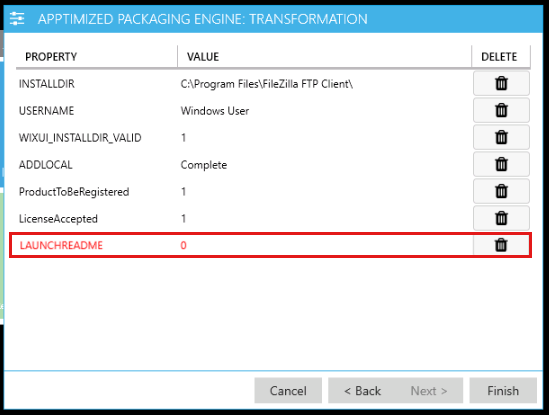
When the MSI properties list is reviewed, click the **Finish** button. The transformation process may take few moments:

[![pack_transf_06.png](https://docs.apptimized.com/uploads/images/gallery/2020-04/scaled-1680-/EtwALEMCmo7cE3oK-pack_transf_06.png)](https://docs.apptimized.com/uploads/images/gallery/2020-04/EtwALEMCmo7cE3oK-pack_transf_06.png)
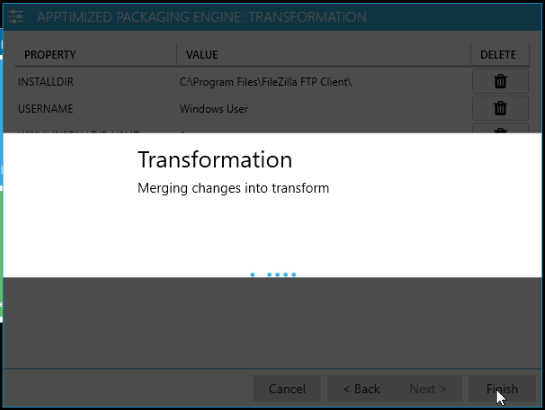
APE shows the following screen when successful:

[![pack_transf_07.png](https://docs.apptimized.com/uploads/images/gallery/2020-04/scaled-1680-/elZscgA5EzPHG2xF-pack_transf_07.png)](https://docs.apptimized.com/uploads/images/gallery/2020-04/elZscgA5EzPHG2xF-pack_transf_07.png)
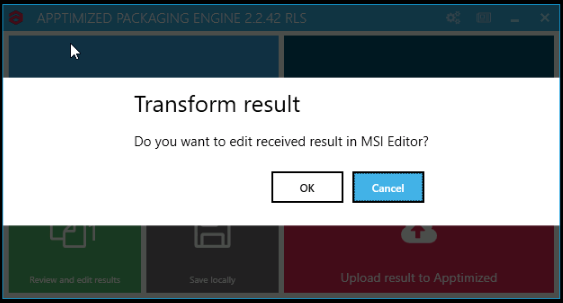
The option to launch the built-in MSI editor and edit the output is available under the **OK** button.

[![pack_transf_08.png](https://docs.apptimized.com/uploads/images/gallery/2020-04/scaled-1680-/t8Xg2Smp0NnOY5Ya-pack_transf_08.png)](https://docs.apptimized.com/uploads/images/gallery/2020-04/t8Xg2Smp0NnOY5Ya-pack_transf_08.png)
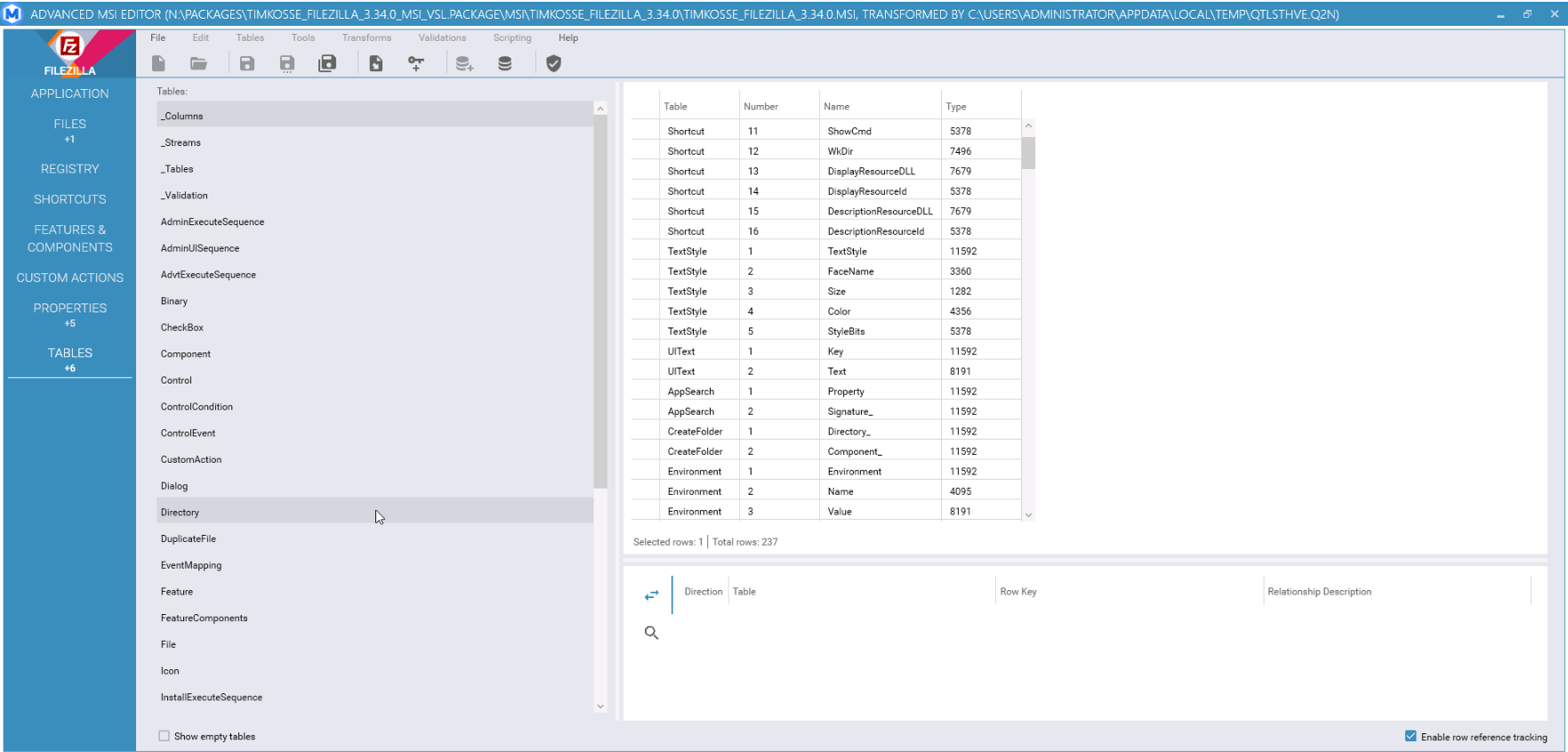
This case provides changes in the application's settings store in registry keys, which are captured and subsequently merged into the MST file by the "post-configuration capturing" process.

The instructions on editing the result in Advanced MSI Editor are provided below.

#### **Wrap file(s)**

##### **Create Wrapper**

<span class="TextRun SCXW224917120 BCX4" data-contrast="auto" lang="RU-RU" xml:lang="RU-RU"><span class="NormalTextRun SCXW224917120 BCX4">The </span><span class="NormalTextRun SpellingErrorV2Themed SCXW224917120 BCX4">option</span> <span class="NormalTextRun SpellingErrorV2Themed SCXW224917120 BCX4">to</span> <span class="NormalTextRun SpellingErrorV2Themed SCXW224917120 BCX4">wrap</span> <span class="NormalTextRun SpellingErrorV2Themed SCXW224917120 BCX4">files</span> </span><span class="TextRun SCXW224917120 BCX4" data-contrast="auto" lang="RU-RU" xml:lang="RU-RU"><span class="NormalTextRun SpellingErrorV2Themed SCXW224917120 BCX4">i.e</span><span class="NormalTextRun SCXW224917120 BCX4">., </span><span class="NormalTextRun SpellingErrorV2Themed SCXW224917120 BCX4">wrap</span> <span class="NormalTextRun SpellingErrorV2Themed SCXW224917120 BCX4">fully</span> <span class="NormalTextRun SpellingErrorV2Themed SCXW224917120 BCX4">configured</span> <span class="NormalTextRun SpellingErrorV2Themed SCXW224917120 BCX4">package</span><span class="NormalTextRun SCXW224917120 BCX4"> - </span><span class="NormalTextRun SpellingErrorV2Themed SCXW224917120 BCX4">repackaged</span><span class="NormalTextRun SCXW224917120 BCX4"> MSI, MSI+MST, Silent EXE, </span><span class="NormalTextRun SpellingErrorV2Themed SCXW224917120 BCX4">or</span> <span class="NormalTextRun SpellingErrorV2Themed SCXW224917120 BCX4">package</span> <span class="NormalTextRun SpellingErrorV2Themed SCXW224917120 BCX4">with</span><span class="NormalTextRun SCXW224917120 BCX4"> Apptimized </span><span class="NormalTextRun SpellingErrorV2Themed SCXW224917120 BCX4">Wrapper</span><span class="NormalTextRun SCXW224917120 BCX4">) </span><span class="NormalTextRun SpellingErrorV2Themed SCXW224917120 BCX4">is</span> <span class="NormalTextRun SpellingErrorV2Themed SCXW224917120 BCX4">available</span> <span class="NormalTextRun SpellingErrorV2Themed SCXW224917120 BCX4">under</span> <span class="NormalTextRun SpellingErrorV2Themed SCXW224917120 BCX4">the</span> </span>**<span class="TextRun SCXW224917120 BCX4" data-contrast="auto" lang="RU-RU" xml:lang="RU-RU"><span class="NormalTextRun SpellingErrorV2Themed SCXW224917120 BCX4">Wrap</span> <span class="NormalTextRun SpellingErrorV2Themed SCXW224917120 BCX4">file</span><span class="NormalTextRun SCXW224917120 BCX4">(s</span><span class="NormalTextRun ContextualSpellingAndGrammarErrorV2Themed SCXW224917120 BCX4">) </span></span>**<span class="TextRun SCXW224917120 BCX4" data-contrast="auto" lang="RU-RU" xml:lang="RU-RU"><span class="NormalTextRun ContextualSpellingAndGrammarErrorV2Themed SCXW224917120 BCX4">&gt;</span> </span>**<span class="TextRun SCXW224917120 BCX4" data-contrast="auto" lang="RU-RU" xml:lang="RU-RU"><span class="NormalTextRun SpellingErrorV2Themed SCXW224917120 BCX4">Create</span> <span class="NormalTextRun SpellingErrorV2Themed SCXW224917120 BCX4">Wrapper</span> </span>**<span class="TextRun SCXW224917120 BCX4" data-contrast="auto" lang="RU-RU" xml:lang="RU-RU">tab</span>

**[![wrap_1.png](https://docs.apptimized.com/uploads/images/gallery/2023-03/scaled-1680-/8Uc2qLclN959cP0T-wrap_1.png)](https://docs.apptimized.com/uploads/images/gallery/2023-03/8Uc2qLclN959cP0T-wrap_1.png)**

<span data-contrast="auto">The process includes the following steps:</span><span data-ccp-props="{"201341983":0,"335559739":160,"335559740":259}"> </span>

1. <span data-contrast="auto">Choose the wrapper</span>   
       
    <span data-contrast="auto">[![wrap_2.png](https://docs.apptimized.com/uploads/images/gallery/2023-03/scaled-1680-/YmZAIBwfNYKVHEQy-wrap_2.png)](https://docs.apptimized.com/uploads/images/gallery/2023-03/YmZAIBwfNYKVHEQy-wrap_2.png)</span>  
       
    <span data-contrast="auto">Default wrapper is available by default.</span>   
    <span data-ccp-props="{"134233117":false,"134233118":false,"201341983":0,"335551550":1,"335551620":1,"335559685":720,"335559737":0,"335559738":0,"335559739":160,"335559740":259,"335559991":360}"> </span>
2. <span data-contrast="auto">Enter the package type</span>   
       
    <span data-contrast="auto">The following package types are available:</span>   
       
    <span data-contrast="auto">MSI</span>   
    <span data-contrast="auto">Transform</span>   
    <span data-contrast="auto">Legacy</span>   
    <span data-contrast="auto">App-V</span>   
    <span data-contrast="auto">Empty Wrapper</span> <span data-ccp-props="{"201341983":0,"335559739":160,"335559740":259}">   
      
    [![wrap_3.png](https://docs.apptimized.com/uploads/images/gallery/2023-03/scaled-1680-/7l1XJXpq5e5UPo0P-wrap_3.png)](https://docs.apptimized.com/uploads/images/gallery/2023-03/7l1XJXpq5e5UPo0P-wrap_3.png)  
      
    </span>
3. <span data-contrast="auto">Clicking the </span>**<span data-contrast="auto">Next</span>**<span data-contrast="auto"> button enables proceeding to the Configuration step. </span><span data-contrast="none">APE shows the following windows when successful:</span>   
       
    [![wrap_4.png](https://docs.apptimized.com/uploads/images/gallery/2023-03/scaled-1680-/QTtKxLaXboavZF4t-wrap_4.png)](https://docs.apptimized.com/uploads/images/gallery/2023-03/QTtKxLaXboavZF4t-wrap_4.png)  
    <span data-ccp-props="{"201341983":0,"335559739":160,"335559740":259}"> </span>
4. <span data-contrast="none">Select source folder or archive files, select necessary file in package format</span>   
       
    <span data-contrast="none">[![wrap_5.png](https://docs.apptimized.com/uploads/images/gallery/2023-03/scaled-1680-/hxkQ9Be4VRVlAY9u-wrap_5.png)](https://docs.apptimized.com/uploads/images/gallery/2023-03/hxkQ9Be4VRVlAY9u-wrap_5.png)</span>  
       
    <p class="callout info"><span data-contrast="none">**Note.** All content from source folder/archive will be copied to the package</span><span data-ccp-props="{"201341983":0,"335559739":160,"335559740":259}"> </span></p>
5. <span data-contrast="none">Clicking the </span>**<span data-contrast="none">Next </span>**<span data-contrast="none">button enables proceeding to the </span>**<span data-contrast="none">Review </span>**<span data-contrast="none">step. APE shows the following window when successful:</span>   
       
    <span data-contrast="none">[![wrap_6.png](https://docs.apptimized.com/uploads/images/gallery/2023-03/scaled-1680-/MQDoZC6XyyFv7WNg-wrap_6.png)](https://docs.apptimized.com/uploads/images/gallery/2023-03/MQDoZC6XyyFv7WNg-wrap_6.png)</span>  
       
    <span data-contrast="none">The following options to change are available:</span>

<table aria-rowcount="21" data-tablelook="1696" data-tablestyle="MsoTableGrid" id="bkmrk-option%C2%A0-description%C2%A0"><tbody><tr aria-rowindex="1"><td data-celllook="0"><span data-contrast="none">Option</span><span data-ccp-props="{"201341983":0,"335559740":259}"> </span>

</td><td data-celllook="0"><span data-contrast="none">Description</span><span data-ccp-props="{"201341983":0,"335559740":259}"> </span>

</td></tr><tr aria-rowindex="2"><td data-celllook="0"><span data-contrast="none">Vendor</span><span data-ccp-props="{"201341983":0,"335559740":259}"> </span>

</td><td data-celllook="0"><span data-contrast="none">Indicates application vendor short name</span><span data-ccp-props="{"201341983":0,"335559740":259}"> </span>

</td></tr><tr aria-rowindex="3"><td data-celllook="0"><span data-contrast="none">Software</span><span data-ccp-props="{"201341983":0,"335559740":259}"> </span>

</td><td data-celllook="0"><span data-contrast="none">Indicates application software short name</span><span data-ccp-props="{"201341983":0,"335559740":259}"> </span>

</td></tr><tr aria-rowindex="4"><td data-celllook="0"><span data-contrast="none">Version</span><span data-ccp-props="{"201341983":0,"335559740":259}"> </span>

</td><td data-celllook="0"><span data-contrast="none">Indicates application version</span><span data-ccp-props="{"201341983":0,"335559740":259}"> </span>

</td></tr><tr aria-rowindex="5"><td data-celllook="0"><span data-contrast="none">Language</span><span data-ccp-props="{"201341983":0,"335559740":259}"> </span>

</td><td data-celllook="0"><span data-contrast="none">Indicates language of the application. The following options available:</span><span data-ccp-props="{"201341983":0,"335559740":259}"> </span>

- <span data-contrast="none">ENG</span><span data-ccp-props="{"201341983":0,"335559740":259}"> </span>
- <span data-contrast="none">DEU</span><span data-ccp-props="{"201341983":0,"335559740":259}"> </span>
- <span data-contrast="none">MUI</span><span data-ccp-props="{"201341983":0,"335559740":259}"> </span>

</td></tr><tr aria-rowindex="6"><td data-celllook="0"><span data-contrast="none">Architecture</span><span data-ccp-props="{"201341983":0,"335559740":259}"> </span>

</td><td data-celllook="0"><span data-contrast="none">Indicates architecture of the package. The following options available:</span><span data-ccp-props="{"201341983":0,"335559740":259}"> </span>

- <span data-contrast="none">x86</span><span data-ccp-props="{"201341983":0,"335559740":259}"> </span>
- <span data-contrast="none">x64</span><span data-ccp-props="{"201341983":0,"335559740":259}"> </span>

</td></tr><tr aria-rowindex="7"><td data-celllook="0"><span data-contrast="none">PackageRelease</span><span data-ccp-props="{"201341983":0,"335559740":259}"> </span>

</td><td data-celllook="0"><span data-contrast="none">Indicates number of package release</span><span data-ccp-props="{"201341983":0,"335559740":259}"> </span>

</td></tr><tr aria-rowindex="8"><td data-celllook="0"><span data-contrast="none">Platform</span><span data-ccp-props="{"201341983":0,"335559740":259}"> </span>

</td><td data-celllook="0"><span data-contrast="none">Indicates platform where package was tested</span><span data-ccp-props="{"201341983":0,"335559740":259}"> </span>

</td></tr><tr aria-rowindex="9"><td data-celllook="0"><span data-contrast="none">ScriptDate</span><span data-ccp-props="{"201341983":0,"335559740":259}"> </span>

</td><td data-celllook="0"><span data-contrast="none">Indicates script create/change date in format MM/DD/YY</span><span data-ccp-props="{"201341983":0,"335559740":259}"> </span>

</td></tr><tr aria-rowindex="10"><td data-celllook="0"><span data-contrast="none">MSIName\*</span><span data-ccp-props="{"201341983":0,"335559740":259}"> </span>

</td><td data-celllook="0"><span data-contrast="none">Indicates MSI location and name(e.g. $env:ProgramFiles/.../Setup.msi)</span>   
<span data-contrast="none">\* - available only for MSI package type.</span><span data-ccp-props="{"201341983":0,"335559740":259}"> </span>

</td></tr><tr aria-rowindex="11"><td data-celllook="0"><span data-contrast="none">PackageNameAppv\*\*</span><span data-ccp-props="{"201341983":0,"335559740":259}"> </span>

</td><td data-celllook="0"><span data-contrast="none">Indicates Package Name of AppV package without extension</span><span data-ccp-props="{"201341983":0,"335559740":259}"> </span>

<span data-contrast="none">\*\* - available only for AppV package type.</span><span data-ccp-props="{"201341983":0,"335559740":259}"> </span>

</td></tr><tr aria-rowindex="12"><td data-celllook="0"><span data-contrast="none">APPVPath\*\*</span><span data-ccp-props="{"201341983":0,"335559740":259}"> </span>

</td><td data-celllook="0"><span data-contrast="none">Indicates path to directory with .appv file</span><span data-ccp-props="{"201341983":0,"335559740":259}"> </span>

<span data-contrast="none">\*\* - available only for AppV package type.</span><span data-ccp-props="{"201341983":0,"335559740":259}"> </span>

</td></tr><tr aria-rowindex="13"><td data-celllook="0"><span data-contrast="none">VendorEXESilentInstall\*\*\*</span><span data-ccp-props="{"201341983":0,"335559740":259}"> </span>

</td><td data-celllook="0"><span data-contrast="none">Indicates path to vendor exe for legacy installation e.g. $env:ProframFiles/.../Setup.exe)</span><span data-ccp-props="{"201341983":0,"335559740":259}"> </span>

<span data-contrast="none">\*\*\* - available only for Legacy package type.</span><span data-ccp-props="{"201341983":0,"335559740":259}"> </span>

</td></tr><tr aria-rowindex="14"><td data-celllook="0"><span data-contrast="none">VendorEXESilentUninstall\*\*\*</span><span data-ccp-props="{"201341983":0,"335559740":259}"> </span>

</td><td data-celllook="0"><span data-contrast="none">Indicates path to vendor exe for legacy uninstallation e.g. $env:ProframFiles/.../unin000.exe)</span><span data-ccp-props="{"201341983":0,"335559740":259}"> </span>

<span data-contrast="none">\*\*\* - available only for Legacy package type.</span><span data-ccp-props="{"201341983":0,"335559740":259}"> </span>

</td></tr><tr aria-rowindex="15"><td data-celllook="0"><span data-contrast="none">SilentInstallParameters\*\*\*</span><span data-ccp-props="{"201341983":0,"335559740":259}"> </span>

</td><td data-celllook="0"><span data-contrast="none">Indicates silent parameters for installation(e.g. /silent).</span><span data-ccp-props="{"201341983":0,"335559740":259}"> </span>

<span data-contrast="none">\*\*\* - available only for Legacy package type.</span><span data-ccp-props="{"201341983":0,"335559740":259}"> </span>

</td></tr><tr aria-rowindex="16"><td data-celllook="0"><span data-contrast="none">SilentUninstallParameters\*\*\*</span><span data-ccp-props="{"201341983":0,"335559740":259}"> </span>

</td><td data-celllook="0"><span data-contrast="none">Indicates silent parameters for uninstallation(e.g. /silent).</span><span data-ccp-props="{"201341983":0,"335559740":259}"> </span>

<span data-contrast="none">\*\*\* - available only for Legacy package type.</span><span data-ccp-props="{"201341983":0,"335559740":259}"> </span>

</td></tr><tr aria-rowindex="17"><td data-celllook="0"><span data-contrast="none">Uninstall hives\*\*\*</span><span data-ccp-props="{"201341983":0,"335559740":259}"> </span>

</td><td data-celllook="0"><span data-contrast="none">Indicates all uninstall hives that must be updated, separated by “;”.(e.g. </span><span data-contrast="auto">HKLM:SOFTWARE\\Microsoft\\Windows\\CurrentVersion\\Uninstall\\18469ED8-8C36-4CF7-BD43-OFC9B1931AF8);HKLM:SOFTWAREWOW6432Node\\Microsoft\\' dows\\CurrentVersion\\UninstallV0240359E-6A4C-4884-994-B397A02D89301)</span><span data-ccp-props="{"201341983":0,"335551550":0,"335551620":0,"335559740":259}"> </span>

<span data-contrast="none">\*\*\* - available only for Legacy package type.</span><span data-ccp-props="{"201341983":0,"335559740":259}"> </span>

</td></tr><tr aria-rowindex="18"><td data-celllook="0"><span data-contrast="none">MSTName\*\*\*\*</span><span data-ccp-props="{"201341983":0,"335559740":259}"> </span>

</td><td data-celllook="0"><span data-contrast="none">Indicates MST location and name(e.g. $env:ProgramFiles/.../Setup.mst)</span><span data-ccp-props="{"201341983":0,"335559740":259}"> </span>

<span data-contrast="none">\*\*\*\* - available only for Transform package type.</span><span data-ccp-props="{"201341983":0,"335559740":259}"> </span>

</td></tr></tbody></table>

<span data-contrast="none">Clicking the </span>**<span data-contrast="none">Next </span>**<span data-contrast="none">button initiates the Wrapper creation</span>

[![wrap_7.png](https://docs.apptimized.com/uploads/images/gallery/2023-03/scaled-1680-/84QhWjCpzn4jB7ot-wrap_7.png)](https://docs.apptimized.com/uploads/images/gallery/2023-03/84QhWjCpzn4jB7ot-wrap_7.png)

<span data-contrast="none">Wrapper file generating finalizes when clicking the </span>**<span data-contrast="none">Finish</span>**   
   
<span data-contrast="none">To finalize the packaging activities, a user must proceed to the reviewing and editing results in APE.</span><span data-ccp-props="{"201341983":0,"335551550":0,"335551620":0,"335559739":160,"335559740":259}"> </span>

##### <span data-ccp-props="{"201341983":0,"335551550":0,"335551620":0,"335559739":160,"335559740":259}">Wrap to IntuneWin</span>

The option to create the IntuneWin package (i.e., wrap fully configured package - repackaged MSI, MSI+MST, Silent EXE, or package with Apptimized Wrapper) is available under the<span class="TextRun SCXW184603452 BCX4" data-contrast="auto" lang="RU-RU" xml:lang="RU-RU"> **<span class="NormalTextRun SpellingErrorV2Themed SCXW184603452 BCX4">Wrap</span> <span class="NormalTextRun SpellingErrorV2Themed SCXW184603452 BCX4">file</span><span class="NormalTextRun SCXW184603452 BCX4">(s</span>**<span class="NormalTextRun ContextualSpellingAndGrammarErrorV2Themed SCXW184603452 BCX4">**)** &gt;</span> **<span class="NormalTextRun SpellingErrorV2Themed SCXW184603452 BCX4">Wrap</span> <span class="NormalTextRun SpellingErrorV2Themed SCXW184603452 BCX4">to</span>** </span>**<span class="TextRun SCXW184603452 BCX4" data-contrast="auto" lang="RU-RU" xml:lang="RU-RU"><span class="NormalTextRun SpellingErrorV2Themed SCXW184603452 BCX4">IntuneWin</span> </span>**<span class="TextRun SCXW184603452 BCX4" data-contrast="auto" lang="RU-RU" xml:lang="RU-RU">tab</span>

[![wrap_8.png](https://docs.apptimized.com/uploads/images/gallery/2023-03/scaled-1680-/xpdaYZhkT9mCtNMN-wrap_8.png)](https://docs.apptimized.com/uploads/images/gallery/2023-03/xpdaYZhkT9mCtNMN-wrap_8.png)

The process includes the following steps:

1\. Enter the package name;

2\. Select source files folder (**Folder** icon &gt; Navigate to source files folder &gt; **OK** button). The processing source folder may take a while.

[![wrap_9.png](https://docs.apptimized.com/uploads/images/gallery/2023-03/scaled-1680-/Qg1BLlFQxprWnpf5-wrap_9.png)](https://docs.apptimized.com/uploads/images/gallery/2023-03/Qg1BLlFQxprWnpf5-wrap_9.png)

3\. The **Setup file**, **Install command**, and **Uninstall command** fields are filled-in automatically according to the source files

A user can change the prefilled values for these fields.

The following setup file types are available: MSI, EXE, VBS, BAT, CMD, PS1, and JS. APE selects the MSI / EXE by default. The option to select the executable file type is available when clicking the drop-down menu in the **Setup file** field. When choosing an executable file (other than MSI), install and uninstall commands must be set manually.

A user can enable [Interactive mode](https://docs.apptimized.com/link/242#bkmrk-intunewin).

[![wrap_10.png](https://docs.apptimized.com/uploads/images/gallery/2023-03/scaled-1680-/qxZQZ8jO1dmQqi70-wrap_10.png)](https://docs.apptimized.com/uploads/images/gallery/2023-03/qxZQZ8jO1dmQqi70-wrap_10.png)

Clicking the **Next** button enables proceeding to the IntuneWine package creation. APE shows the following windows when successful:

[![pack_intune_04.png](https://docs.apptimized.com/uploads/images/gallery/2020-06/scaled-1680-/6curopr847NiTeRi-pack_intune_04.png)](https://docs.apptimized.com/uploads/images/gallery/2020-06/6curopr847NiTeRi-pack_intune_04.png)
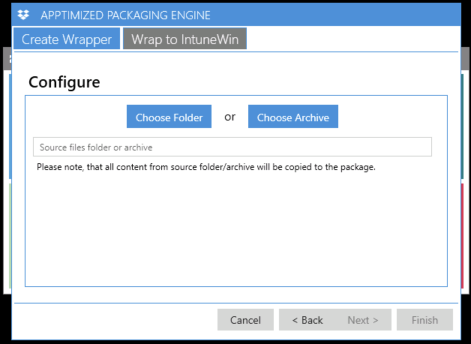
4\. IntuneWin file generating finalizes when clicking the **Finish**

APE shows the following windows when successful:

[![packaging_01_01.png](https://docs.apptimized.com/uploads/images/gallery/2020-06/scaled-1680-/BBXM3e0rqcHNxggB-packaging_01_01.png)](https://docs.apptimized.com/uploads/images/gallery/2020-06/BBXM3e0rqcHNxggB-packaging_01_01.png)

As a result, a user receives the IntuneWin file and text file with the install / uninstall commands, and detection method.

To finalize the packaging activities, a user must proceed to the reviewing and editing results in APE.

#### **Review and edit results**

The option to review and edit the packaging result is available under the **Review and edit results** button. APE shows the package hierarchical tree structure view.

[![packaging_47.png](https://docs.apptimized.com/uploads/images/gallery/2020-04/scaled-1680-/Axrcf8sDszSUyVN2-packaging_47.png)](https://docs.apptimized.com/uploads/images/gallery/2020-04/Axrcf8sDszSUyVN2-packaging_47.png)

The option to rename components is available under the **context menu** (Context menu &gt; **Rename** option &gt; Enter a new name &gt; **OK** / **Cancel** button).

[![packaging_47_1.png](https://docs.apptimized.com/uploads/images/gallery/2020-04/scaled-1680-/WZF8EKYvAsI4fvrn-packaging_47_1.png)](https://docs.apptimized.com/uploads/images/gallery/2020-04/WZF8EKYvAsI4fvrn-packaging_47_1.png)

The option to delete components is available under the **context menu** (Context menu &gt; **Delete** option &gt; **OK** / **Cancel** button).

[![packaging_47_7.png](https://docs.apptimized.com/uploads/images/gallery/2020-04/scaled-1680-/OxtFasUgDKgo9W1A-packaging_47_7.png)](https://docs.apptimized.com/uploads/images/gallery/2020-04/OxtFasUgDKgo9W1A-packaging_47_7.png)

The option to add components is available under the **context menu** (Context menu &gt; **Add existing files** option &gt; **OK** / **Cancel** button).

The option to add components is available under the **context menu** (Context menu &gt; **Add new folder** option &gt; Enter a folder name &gt; **OK** / **Cancel** button).

[![packaging_53.png](https://docs.apptimized.com/uploads/images/gallery/2020-04/scaled-1680-/vzmB4Rd3DF3wfjOe-packaging_53.png)](https://docs.apptimized.com/uploads/images/gallery/2020-04/vzmB4Rd3DF3wfjOe-packaging_53.png)

The option to add components is available under the **context menu** (Context menu &gt; **Add new folder** option &gt; Enter a folder name &gt; **OK** / **Cancel** button).

[![packaging_52.png](https://docs.apptimized.com/uploads/images/gallery/2020-04/scaled-1680-/q7AWaxGcPgFC4gVW-packaging_52.png)](https://docs.apptimized.com/uploads/images/gallery/2020-04/q7AWaxGcPgFC4gVW-packaging_52.png)

The option to launch the Advanced MSI Editor is available under the **context menu** (Context menu &gt; **Edit** option).

[![packaging_53_1.png](https://docs.apptimized.com/uploads/images/gallery/2020-04/scaled-1680-/4LMJseDvusvDh7uY-packaging_53_1.png)](https://docs.apptimized.com/uploads/images/gallery/2020-04/4LMJseDvusvDh7uY-packaging_53_1.png)

The preparation procedure will take a few moments.

Advanced MSI Editor main window appears when successful:

[![pack_transf_10_2.png](https://docs.apptimized.com/uploads/images/gallery/2021-08/scaled-1680-/IvZgSN6ZZRbePpvY-pack_transf_10_2.png)](https://docs.apptimized.com/uploads/images/gallery/2021-08/IvZgSN6ZZRbePpvY-pack_transf_10_2.png)

Table 7. MSI Advanced Editor menu components

<table border="1" id="bkmrk-component-details-fi" style="width: 800px;"><tbody><tr><td width="120">**Component**

</td><td width="498">**Details**

</td></tr><tr><td width="120">File

</td><td width="498">This component provides the commands for working with the installer file.

The following options available:

- New;
- Open;
- Open recent;
- Save; Save As;
- Exit.

</td></tr><tr><td width="120">Edit

</td><td width="498">This component provides the commands to apply/cancel last committed action as well as the command to enable the search window.

The following options available:

- Undo;
- Redo;
- Find / Replace.

</td></tr><tr><td width="120">Tables

</td><td width="498">This component provides the commands for manipulating the MSI tables, to enable the Summary info and Code Page.

The following options available:

- Add tables;
- Import tables;
- Summary information;
- Code page.

</td></tr><tr><td width="120">Tools

</td><td width="498">This component provides access to the import commands to perform install and uninstall processes.

The following options available:

- Import files;
- Import registry;
- Import ini file;
- Install;
- Admin install;
- Uninstall;
- View Log.

</td></tr><tr><td width="120">Transforms

</td><td width="498">This component provides access to commands for working with the transforms.

The following options available:

- New transform;
- Apply transform;
- Remove transform;
- Save transformed.

</td></tr><tr><td width="120">Validations

</td><td width="498">This component allows ICE validation using existing or custom cub files.

The following ICE validations options available:

- Internal Consistency Evaluators – Full Set (darice.cub);
- Internal Consistency Evaluators – Merge Modules (mergemod.cub);
- Internal Consistency Evaluators For NT5 Logo (logo.cub);
- Internal Consistency Evaluators For Windows Vista Logo (Vistalogo.cub);
- Internal Consistency Evaluators For XP Logo (XPlogo.cub);
- Use a custom cub file for validation.

</td></tr><tr><td width="120">Scripting

</td><td width="498">This component executes an existing or custom script.

The following options available:

- Remove shortcuts on the desktop (Remove-Desktop-Shortcuts.ps1);
- Use custom script.

</td></tr><tr><td width="120">Help

</td><td width="498">This component enables the help mode.

</td></tr></tbody></table>

The MSI Advanced Editor contains the following tabs:

- Application;
- Files;
- Registry;
- Shortcuts;
- Features &amp; components;
- Custom actions;
- Properties;
- Environment;
- Tables.

Table 8. MSI Advanced Editor menu tabs

<table border="1" id="bkmrk-tab-name-details-app" style="width: 790px; height: 12233px;" width="800"><tbody><tr style="height: 35px;"><td style="width: 170px; height: 35px;">**Tab name**

</td><td style="width: 620px; height: 35px;">**Details**

</td></tr><tr style="height: 331px;"><td style="width: 170px; height: 331px;">Application

</td><td style="width: 620px; height: 331px;">This tab provides basic information about MSI.

[![pack_transf_10_2.png](https://docs.apptimized.com/uploads/images/gallery/2021-08/scaled-1680-/7u83WljfSxIhgjsU-pack_transf_10_2.png)](https://docs.apptimized.com/uploads/images/gallery/2021-08/7u83WljfSxIhgjsU-pack_transf_10_2.png)
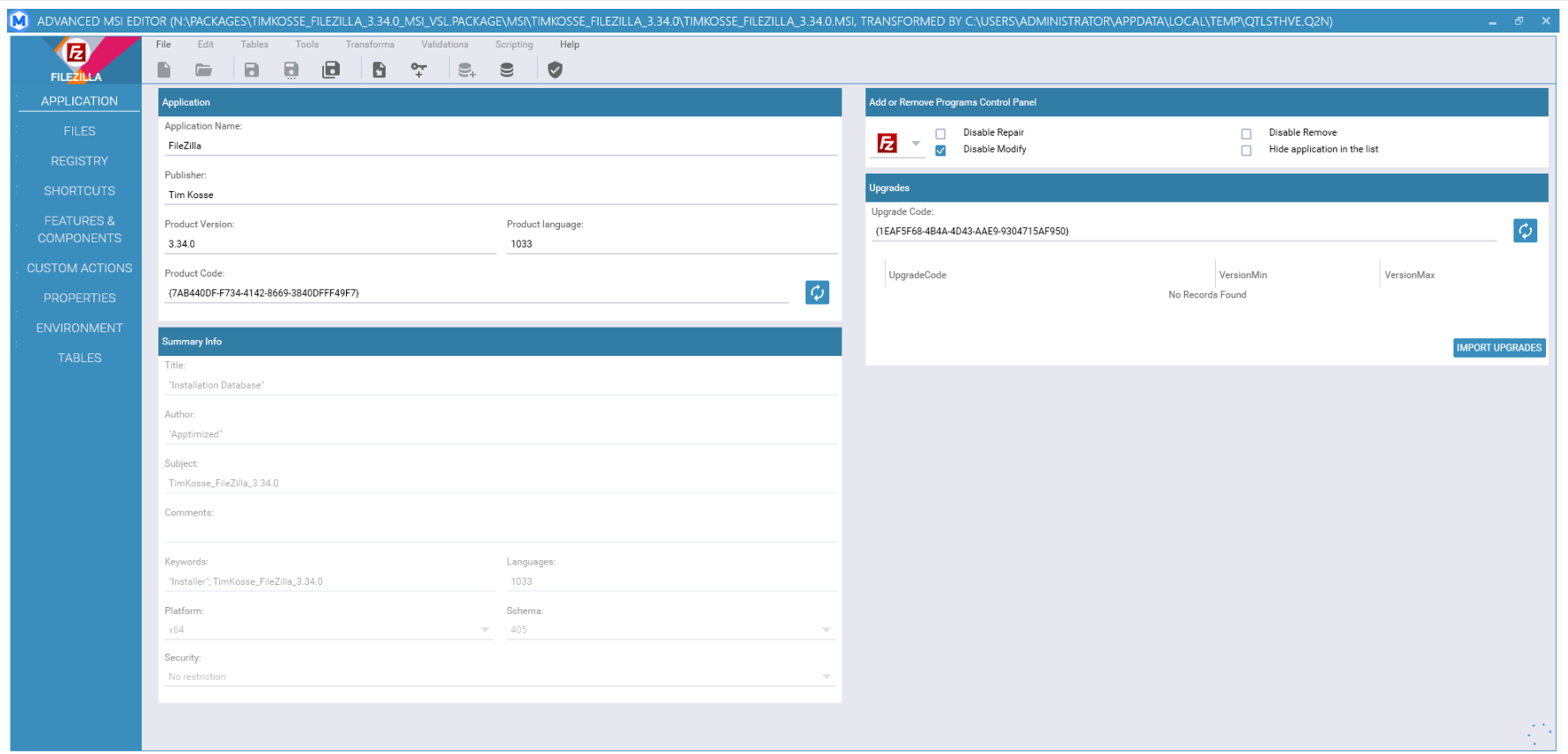
</td></tr><tr style="height: 2103px;"><td style="width: 170px; height: 2103px;">Files

</td><td style="width: 620px; height: 2103px;">This tab enables to work with files associated with the MSI.

The files are presented in a hierarchical tree structure view.

Folders that contain files are displayed in yellow. The folder’s content is displayed in the table on the right side of the MSI Advanced Editor window.

The files in the table on the left can be edited. It is also possible to add and remove custom and standard directories.

[![pack_transf_11_2.png](https://docs.apptimized.com/uploads/images/gallery/2021-08/scaled-1680-/YBoaTT9L888bAmCC-pack_transf_11_2.png)](https://docs.apptimized.com/uploads/images/gallery/2021-08/YBoaTT9L888bAmCC-pack_transf_11_2.png)
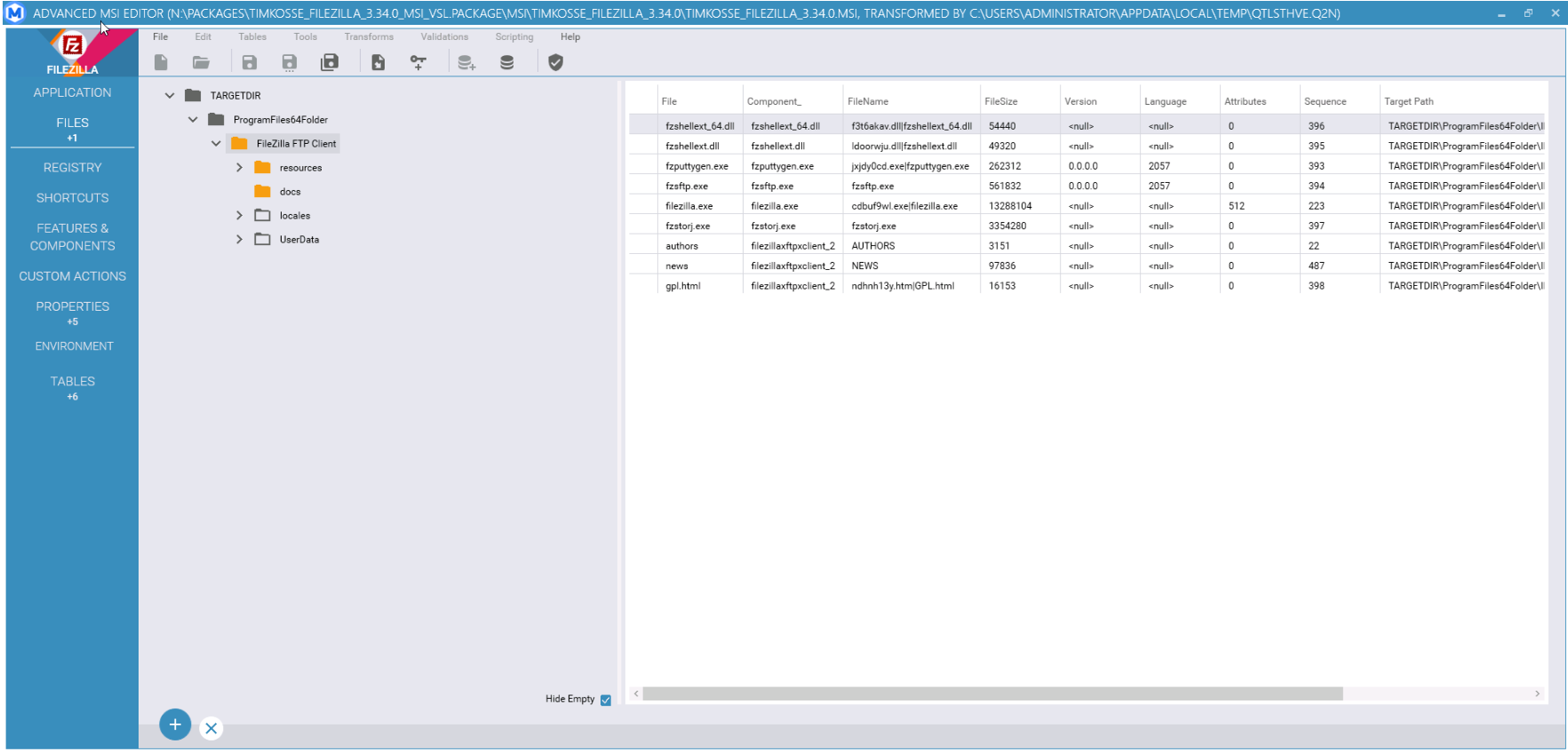
The option to delete files is available under the:

- **Cross** symbol;
- Context menu &gt; **Remove** option.

[![pack_transf_14.png](https://docs.apptimized.com/uploads/images/gallery/2020-04/scaled-1680-/Z8fE1E0cdVlU01zd-pack_transf_14.png)](https://docs.apptimized.com/uploads/images/gallery/2020-04/Z8fE1E0cdVlU01zd-pack_transf_14.png)

The option to rename files or folders is available under the:

- Double click on the item &gt; Enter item’s new name &gt; Enter;
- Context menu &gt; **Rename** option &gt; Enter.

The option to add folders is available under the:

- Context menu &gt; **New Standard Folder** option &gt; Select a folder type from the list;
- Context menu &gt; **New Custom Folder** option &gt; Enter.

The option to add files is available under the:

- **Plus** symbol &gt; **Import Files** option &gt; Import files wizard;
- Context menu &gt; **Import Files** option &gt; Import files wizard.

The files import process involves the following iterations:

[![pack_transf_13.png](https://docs.apptimized.com/uploads/images/gallery/2020-04/scaled-1680-/gCOrhHigvTwkLNTv-pack_transf_13.png)](https://docs.apptimized.com/uploads/images/gallery/2020-04/gCOrhHigvTwkLNTv-pack_transf_13.png)
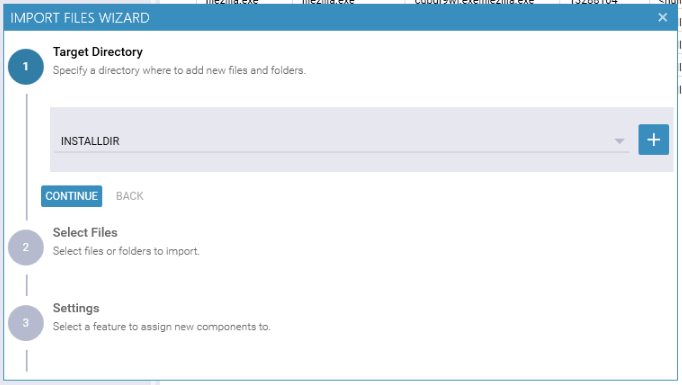
1\. Select the target directory:

- Click the **Target Directory** field &gt; Select the directory from drop-down list &gt; **Continue** button;
- Click the **Plus** symbol &gt; Insert a new row into the table “Directory” &gt; Enter directory name &gt; Select the directory parent mode from drop-down list &gt; Enter DefaultDir name &gt; **Save** button &gt; **Continue** button.

[![pack_transf_15.png](https://docs.apptimized.com/uploads/images/gallery/2020-04/scaled-1680-/tAq69QNoqCuS0Hkj-pack_transf_15.png)](https://docs.apptimized.com/uploads/images/gallery/2020-04/tAq69QNoqCuS0Hkj-pack_transf_15.png)

2\. Select files or folders to import: Click the **Plus** symbol &gt; **Add files** / **Add folder** button &gt; Browse to find the file &gt; Double click to add the file &gt; **Continue** button.

[![pack_transf_16.png](https://docs.apptimized.com/uploads/images/gallery/2020-04/scaled-1680-/NSVJtMlMTiVkBMkn-pack_transf_16.png)](https://docs.apptimized.com/uploads/images/gallery/2020-04/NSVJtMlMTiVkBMkn-pack_transf_16.png)

3\. Select features to assign new components (Select the **Feature** &gt; Select the **Cab** **type** &gt; **OK** button).

4\. The added file appears in the tree.

The option to hide empty folders is available under the **Hide empty** checkbox on the bottom side of the MSI Advanced Editor window.

<p class="callout info">**Note**. When a user adds files &amp; folders that already exist, Advanced MSI Editor shows the following modal window:  
  
[![packaging_x_new.png](https://docs.apptimized.com/uploads/images/gallery/2021-09/scaled-1680-/m4vBQ7m4g0p6uBTv-packaging_x_new.png)](https://docs.apptimized.com/uploads/images/gallery/2021-09/m4vBQ7m4g0p6uBTv-packaging_x_new.png)</p>
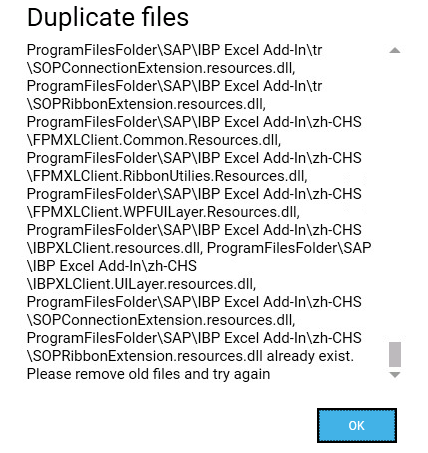
</td></tr><tr style="height: 1934px;"><td style="width: 170px; height: 1934px;">Registry

</td><td style="width: 620px; height: 1934px;">This tab enables editing registry keys (i.e. add/remove registry keys, import from the file).

[![pack_transf_17_2.png](https://docs.apptimized.com/uploads/images/gallery/2021-08/scaled-1680-/qIctRBreihZ8u1dU-pack_transf_17_2.png)](https://docs.apptimized.com/uploads/images/gallery/2021-08/qIctRBreihZ8u1dU-pack_transf_17_2.png)
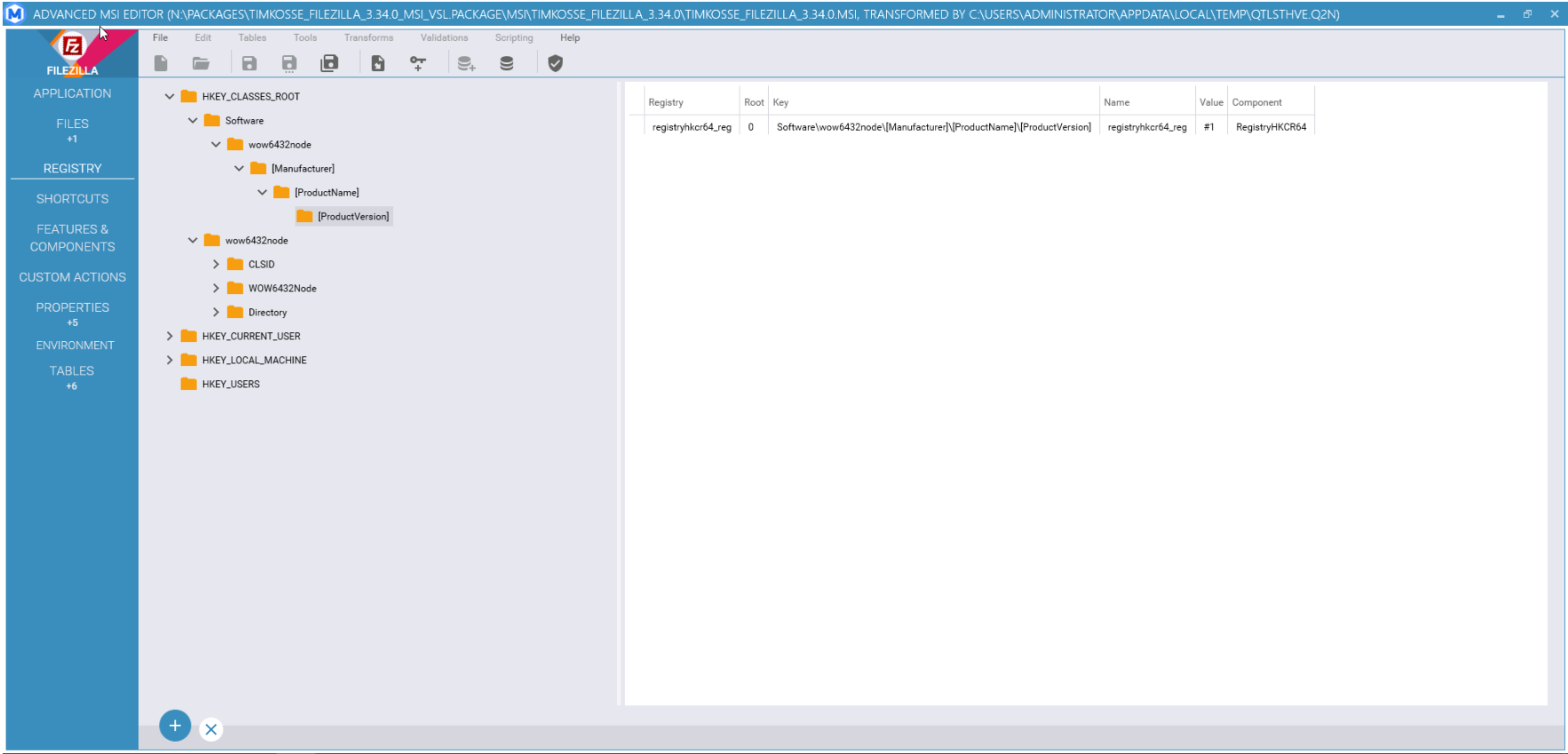
The registry keys are presented in a hierarchical tree structure view. The registry keys details are presented in the table on the right side of the MSI Advanced Editor window.

The option to add a key, registry value or import from a file is available under the **Context menu**.

[![pack_transf_18_2.png](https://docs.apptimized.com/uploads/images/gallery/2021-08/scaled-1680-/P6Tm6QvrV99veys0-pack_transf_18_2.png)](https://docs.apptimized.com/uploads/images/gallery/2021-08/P6Tm6QvrV99veys0-pack_transf_18_2.png)
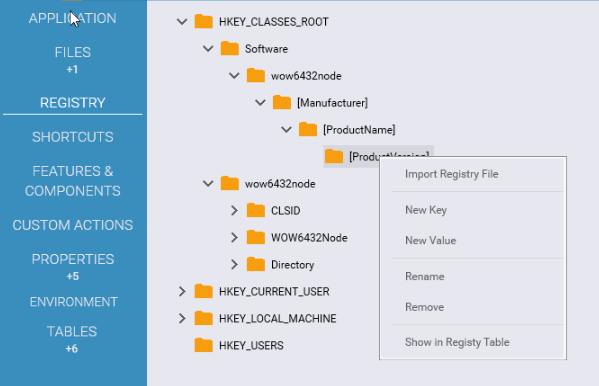
The option to add a new value is available under the **Context menu** &gt; **New value** option:

[![pack_transf_19.png](https://docs.apptimized.com/uploads/images/gallery/2020-04/scaled-1680-/C0CxnYBOkZqGzHx9-pack_transf_19.png)](https://docs.apptimized.com/uploads/images/gallery/2020-04/C0CxnYBOkZqGzHx9-pack_transf_19.png)

A new variable creates an empty name and value fields. Double click sets the values of the corresponding fields.

[![pack_transf_20.png](https://docs.apptimized.com/uploads/images/gallery/2020-04/scaled-1680-/Ezg58VdOXdqvwSJH-pack_transf_20.png)](https://docs.apptimized.com/uploads/images/gallery/2020-04/Ezg58VdOXdqvwSJH-pack_transf_20.png)

The following registry key values available:

- String;
- Integer;
- Binary;
- Expandable string.

The default value is **String**.

[![pack_transf_21.png](https://docs.apptimized.com/uploads/images/gallery/2020-04/scaled-1680-/x8huEH2lVWL2BNYb-pack_transf_21.png)](https://docs.apptimized.com/uploads/images/gallery/2020-04/x8huEH2lVWL2BNYb-pack_transf_21.png)
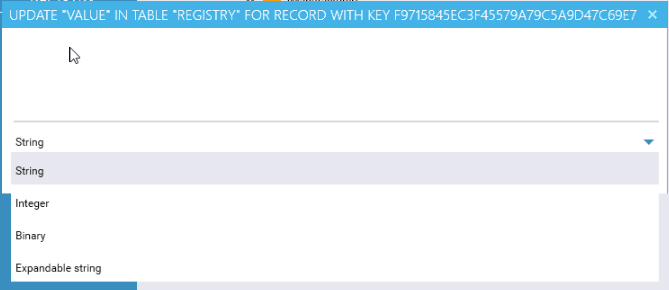
The option to create the new key is available under the **Context menu** &gt; **New key** option &gt; Enter a new key name &gt; **Save** button:

[![pack_transf_22.png](https://docs.apptimized.com/uploads/images/gallery/2020-04/scaled-1680-/3ZSY9UpsiyXxED8B-pack_transf_22.png)](https://docs.apptimized.com/uploads/images/gallery/2020-04/3ZSY9UpsiyXxED8B-pack_transf_22.png)

The generated key will appear in the tree:

[![pack_transf_23.png](https://docs.apptimized.com/uploads/images/gallery/2020-04/scaled-1680-/DzwK8Q6NFs2fJOTM-pack_transf_23.png)](https://docs.apptimized.com/uploads/images/gallery/2020-04/DzwK8Q6NFs2fJOTM-pack_transf_23.png)
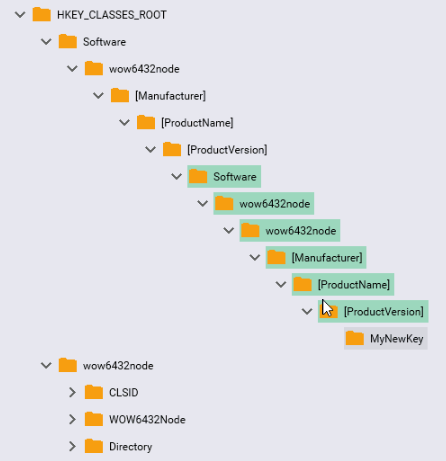
The renaming and importing activities are the same as in the previous tab.

</td></tr><tr style="height: 668px;"><td style="width: 170px; height: 668px;">Shortcuts

</td><td style="width: 620px; height: 668px;">This tab enables a user to create, delete or edit shortcuts.

The buttons indicated in block 1 on the screen below are used to add and remove shortcuts.

The button indicated in block 2 is used to edit the parameters of the selected shortcut.

[![pack_transf_24_2.png](https://docs.apptimized.com/uploads/images/gallery/2021-08/scaled-1680-/DNgDZ7PATgm2excl-pack_transf_24_2.png)](https://docs.apptimized.com/uploads/images/gallery/2021-08/DNgDZ7PATgm2excl-pack_transf_24_2.png)
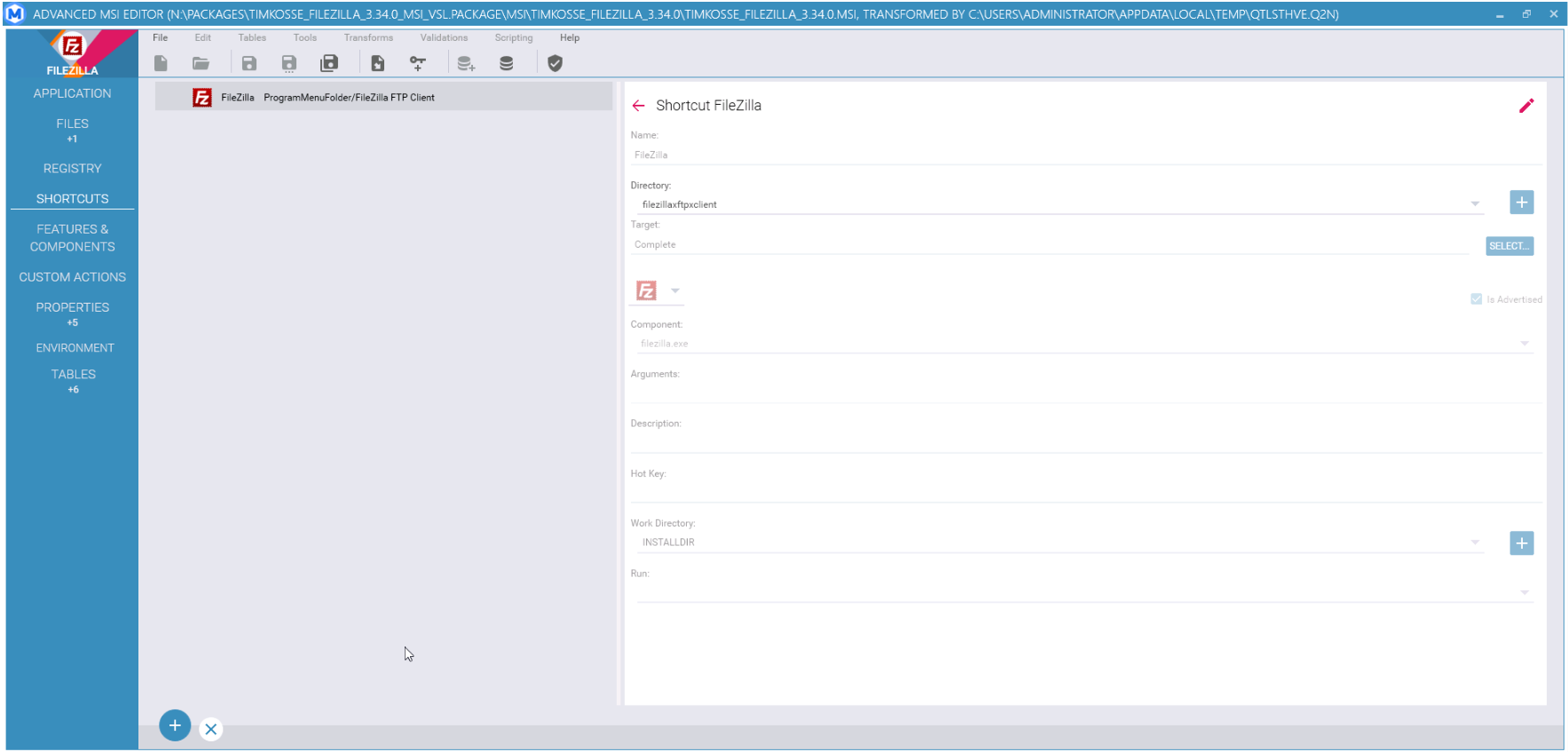
The option to delete the shortcut is available under the **Context menu** &gt; **Remove shortcut** option:

[![pack_transf_26.png](https://docs.apptimized.com/uploads/images/gallery/2020-04/scaled-1680-/uXQDq1sR3KQvrzDx-pack_transf_26.png)](https://docs.apptimized.com/uploads/images/gallery/2020-04/uXQDq1sR3KQvrzDx-pack_transf_26.png)

When creating a shortcut, an entry with default values appears:

[![pack_transf_27.png](https://docs.apptimized.com/uploads/images/gallery/2020-04/scaled-1680-/CtEU2QvDIlrAmkwz-pack_transf_27.png)](https://docs.apptimized.com/uploads/images/gallery/2020-04/CtEU2QvDIlrAmkwz-pack_transf_27.png)

The shortcut changes save when clicking the **Save** button.

</td></tr><tr style="height: 2790px;"><td style="width: 170px; height: 2790px;">Features &amp; components

</td><td style="width: 620px; height: 2790px;">This tab enables a user to add, remove and edit [features and components](https://docs.microsoft.com/en-us/windows/win32/msi/components-and-features?redirectedfrom=MSDN).

[![pack_transf_28_2.png](https://docs.apptimized.com/uploads/images/gallery/2021-08/scaled-1680-/3BsVfn3Sr2Tn83cu-pack_transf_28_2.png)](https://docs.apptimized.com/uploads/images/gallery/2021-08/3BsVfn3Sr2Tn83cu-pack_transf_28_2.png)
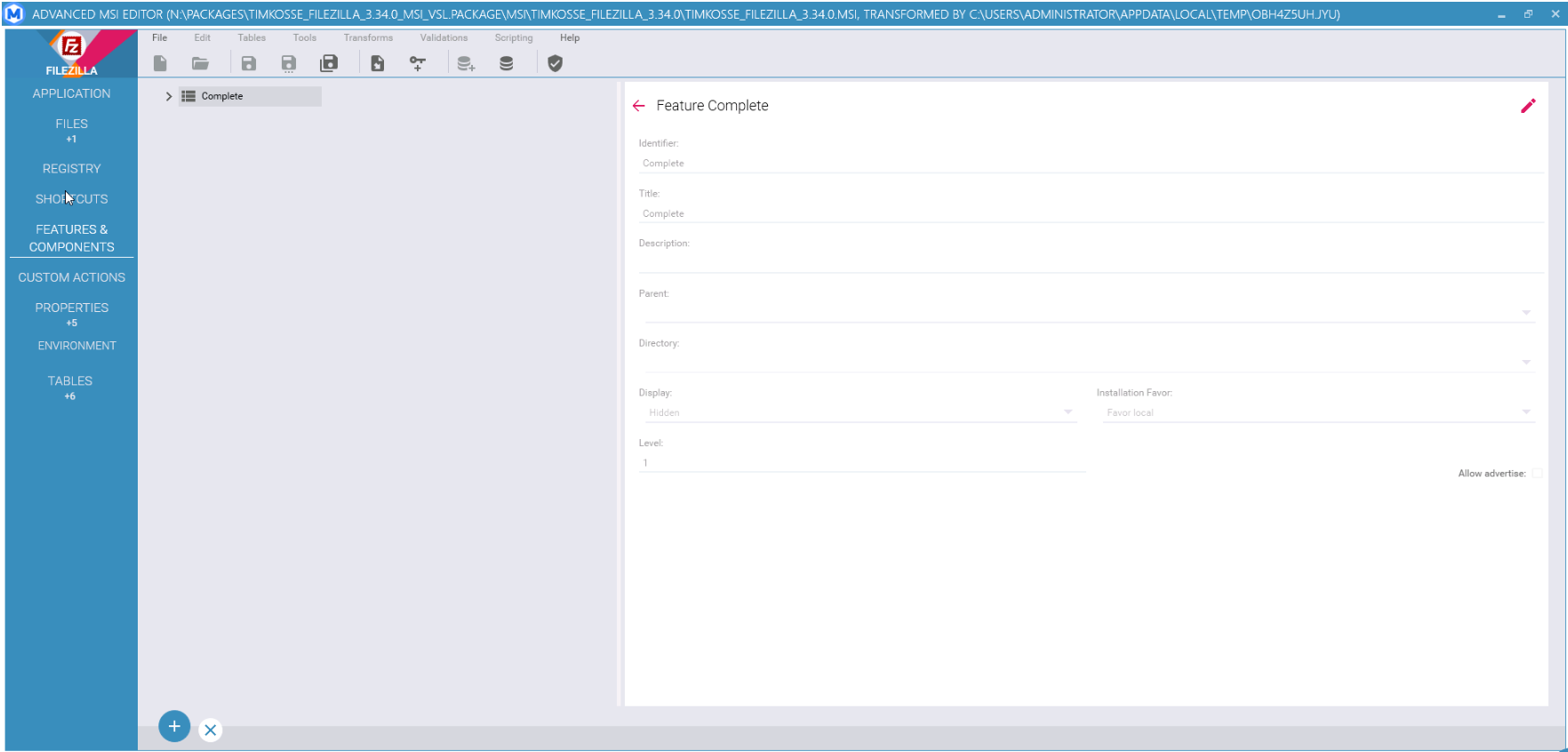
The option to add a new feature is available under the:

- **Plus** symbol &gt; **New child feature** option;
- Context menu &gt; **New child feature** option.

The option to add a new component is available under the:

- **Plus** symbol &gt; **New child component** option;
- Context menu &gt; **New child component** option.

[![pack_transf_29.png](https://docs.apptimized.com/uploads/images/gallery/2020-04/scaled-1680-/sf7fLDRKFKJK9gi7-pack_transf_29.png)](https://docs.apptimized.com/uploads/images/gallery/2020-04/sf7fLDRKFKJK9gi7-pack_transf_29.png)

When a new feature or component is added it appears at the end of a tree view:

[![pack_transf_30.png](https://docs.apptimized.com/uploads/images/gallery/2020-04/scaled-1680-/MjM0PnNHQBeE0hRH-pack_transf_30.png)](https://docs.apptimized.com/uploads/images/gallery/2020-04/MjM0PnNHQBeE0hRH-pack_transf_30.png)
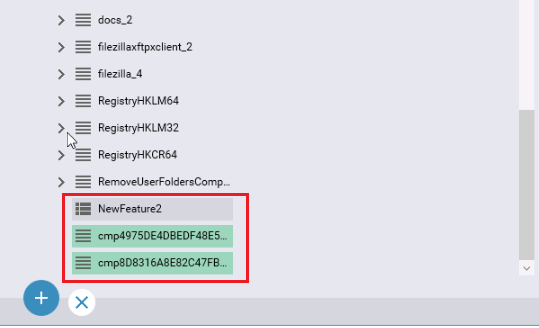
The option to delete an item is available under the:

- Context menu &gt; **Remove** option;
- **Cross** symbol &gt; **Delete just this** item / **Delete** all.

[![pack_transf_31.png](https://docs.apptimized.com/uploads/images/gallery/2020-04/scaled-1680-/comWaNofE4UQFok2-pack_transf_31.png)](https://docs.apptimized.com/uploads/images/gallery/2020-04/comWaNofE4UQFok2-pack_transf_31.png)
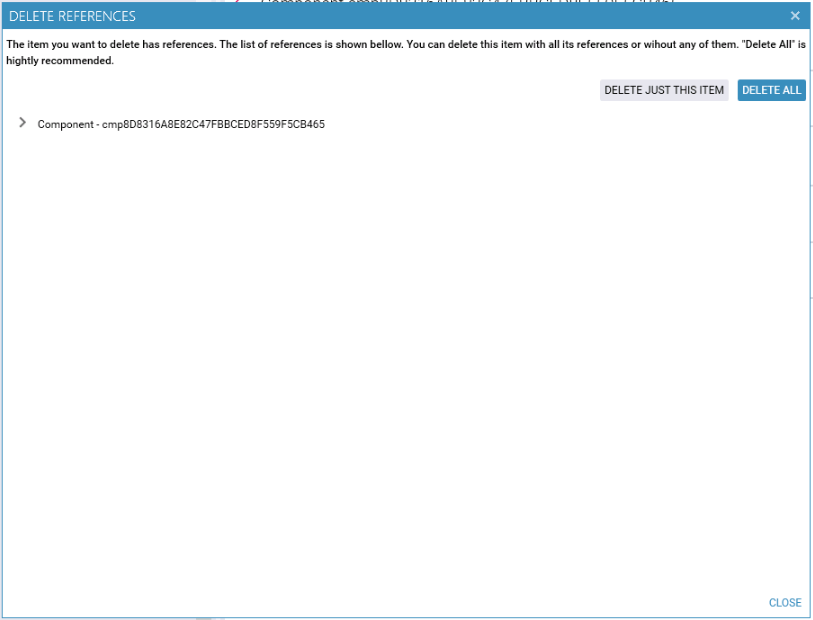
When creating a new feature, an entry with default values appears:

[![pack_transf_32.png](https://docs.apptimized.com/uploads/images/gallery/2020-04/scaled-1680-/ov5J3G6TQXJfvary-pack_transf_32.png)](https://docs.apptimized.com/uploads/images/gallery/2020-04/ov5J3G6TQXJfvary-pack_transf_32.png)
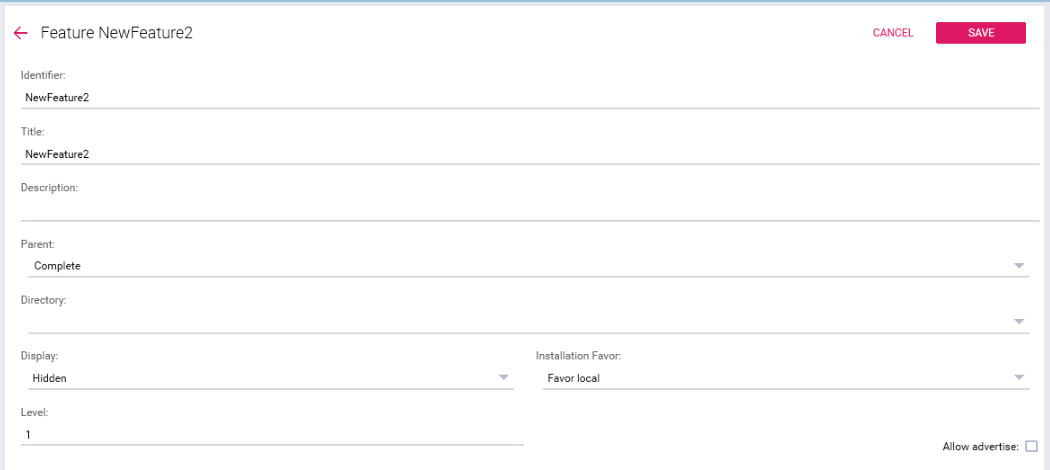
When creating a new component, an entry with default values appears:

[![pack_transf_33.png](https://docs.apptimized.com/uploads/images/gallery/2020-04/scaled-1680-/PRIIkKgX9JZlRufP-pack_transf_33.png)](https://docs.apptimized.com/uploads/images/gallery/2020-04/PRIIkKgX9JZlRufP-pack_transf_33.png)
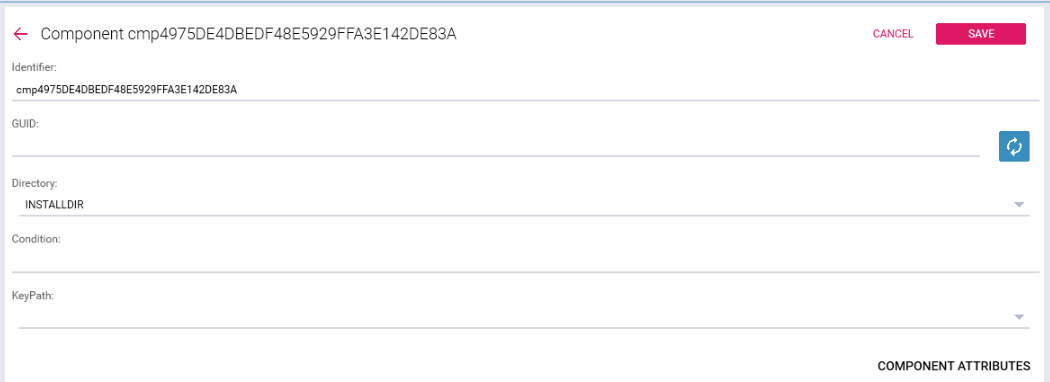
[![pack_transf_34.png](https://docs.apptimized.com/uploads/images/gallery/2020-04/scaled-1680-/vA4xwapu20dHKPWI-pack_transf_34.png)](https://docs.apptimized.com/uploads/images/gallery/2020-04/vA4xwapu20dHKPWI-pack_transf_34.png)
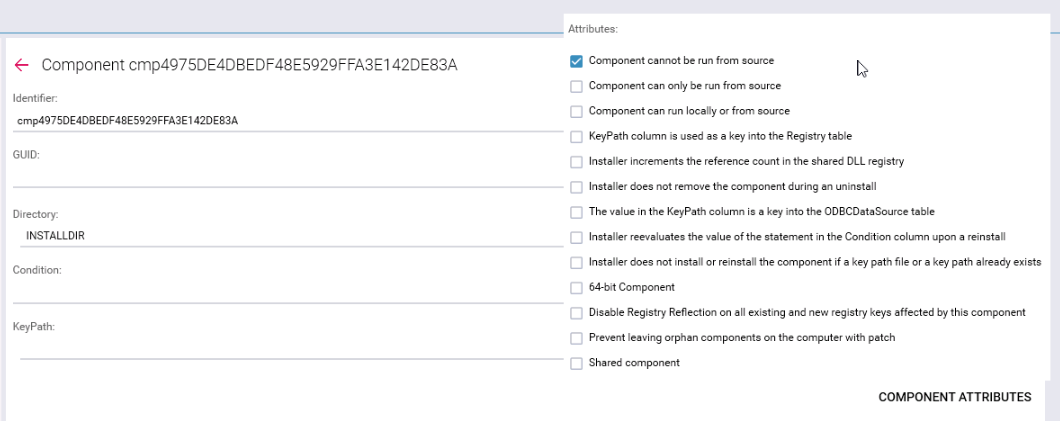
The features and components changes save when clicking the **Save** button.

</td></tr><tr style="height: 3542px;"><td style="width: 170px; height: 3542px;">Custom actions

</td><td style="width: 620px; height: 3542px;">The tab enables to view and edit custom or standard Windows Installer actions.

[![pack_transf_35_2.png](https://docs.apptimized.com/uploads/images/gallery/2021-08/scaled-1680-/v0wYHASCQCPZnD0W-pack_transf_35_2.png)](https://docs.apptimized.com/uploads/images/gallery/2021-08/v0wYHASCQCPZnD0W-pack_transf_35_2.png)
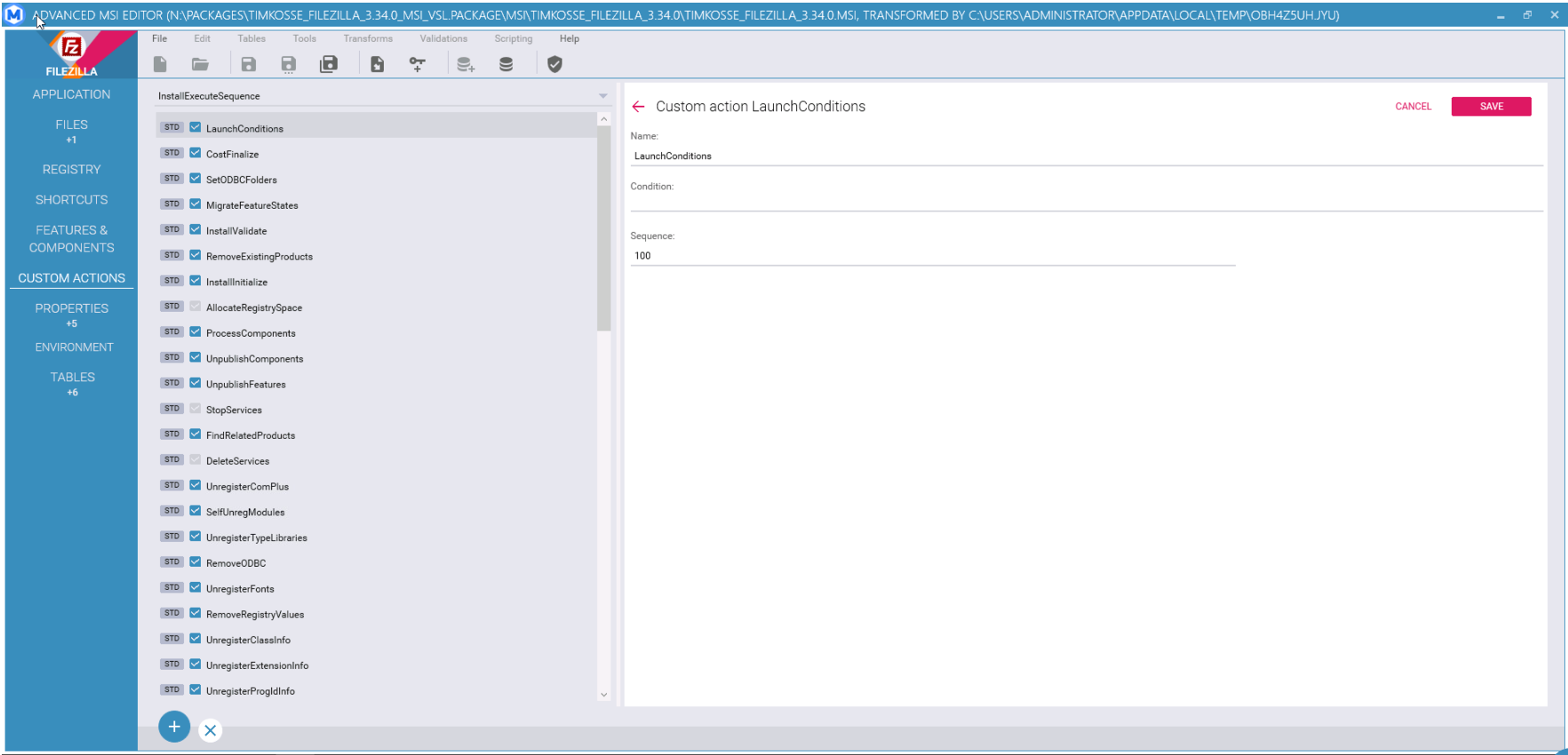
[![pack_transf_36.png](https://docs.apptimized.com/uploads/images/gallery/2020-04/scaled-1680-/O45a1qqxbhe5Jtsn-pack_transf_36.png)](https://docs.apptimized.com/uploads/images/gallery/2020-04/O45a1qqxbhe5Jtsn-pack_transf_36.png)
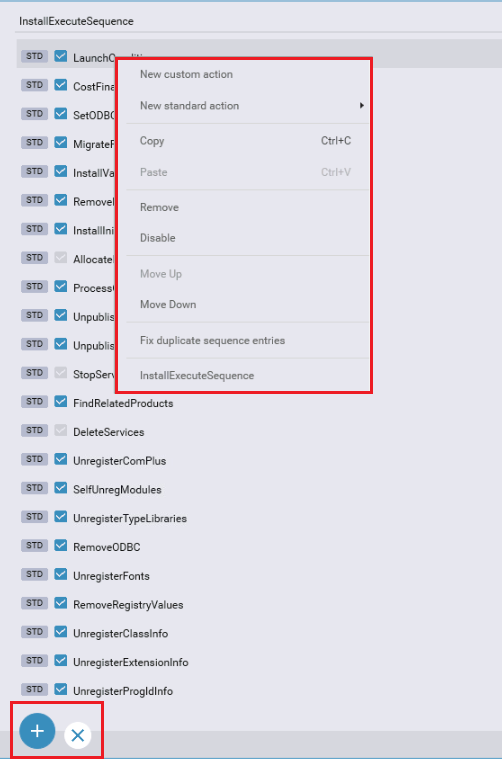
The option to add a new custom action is available under the:

- **Plus** symbol &gt; **New custom action** option;
- Context menu &gt; **New custom action** option.

When creating a new custom action, an entry with default values appears:

[![pack_transf_38.png](https://docs.apptimized.com/uploads/images/gallery/2020-04/scaled-1680-/eBQlISgrsEjgfXqJ-pack_transf_38.png)](https://docs.apptimized.com/uploads/images/gallery/2020-04/eBQlISgrsEjgfXqJ-pack_transf_38.png)
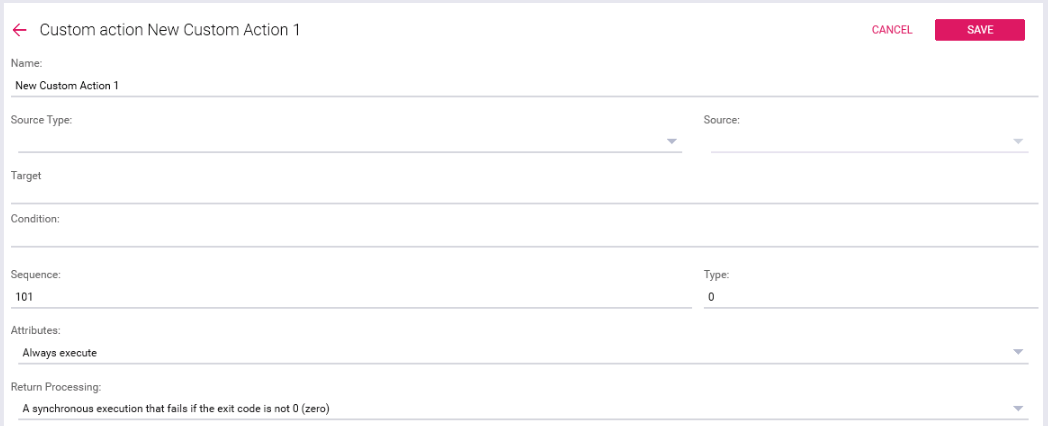
The following source types available: - EXE file stored in a Binary table stream
- DLL file stored in a Binary table stream
- JScript file stored in a Binary table stream
- VBScript file stored in a Binary table stream
- DLL file that is installed with a product
- EXE file that is installed with a product
- Displays a specified error message and returns failure, terminating the installation
- JScript file that is installed with a product
- VBScript file that is installed with a product
- EXE file having a path referencing a directory
- Directory set with formatted text
- JScript text stored in this sequence table
- VBScript text stored in this sequence table
- EXE file having a path specified by a property value
- Property set with formatted text
- JScript text specified by a property value
- VBScript text specified by a property value

The option to choose a binary resource from the file system while creating new custom action is available under the Browse button. MSI advanced editor enables the Browse button when one of the “ … file stored in a Binary table stream” source types is selected.

[![new_custom_action_01.png](https://docs.apptimized.com/uploads/images/gallery/2020-07/scaled-1680-/0qjUwV60ULKCCsMA-new_custom_action_01.png)](https://docs.apptimized.com/uploads/images/gallery/2020-07/0qjUwV60ULKCCsMA-new_custom_action_01.png)
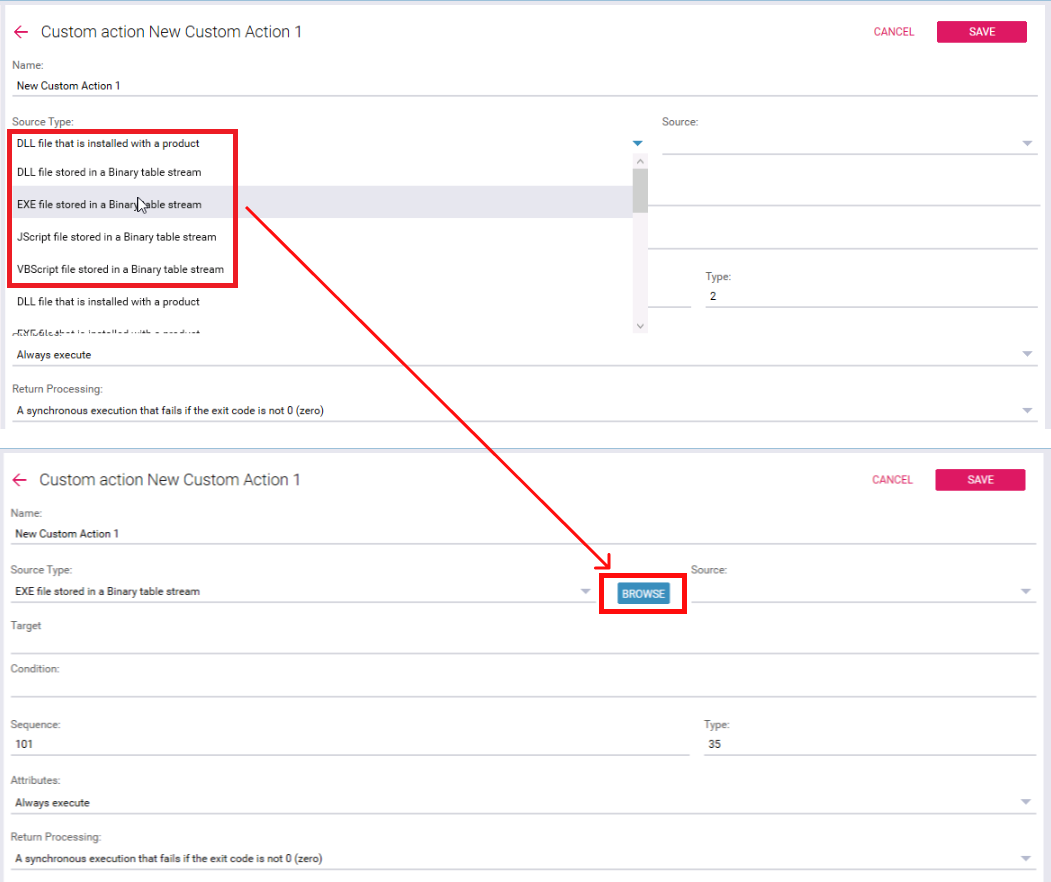
MSI advanced editor automatically creates a row in Binary table when successful:

[![new_custom_action_02.png](https://docs.apptimized.com/uploads/images/gallery/2020-07/scaled-1680-/bs6AbqyCcMvYlua6-new_custom_action_02.png)](https://docs.apptimized.com/uploads/images/gallery/2020-07/bs6AbqyCcMvYlua6-new_custom_action_02.png)
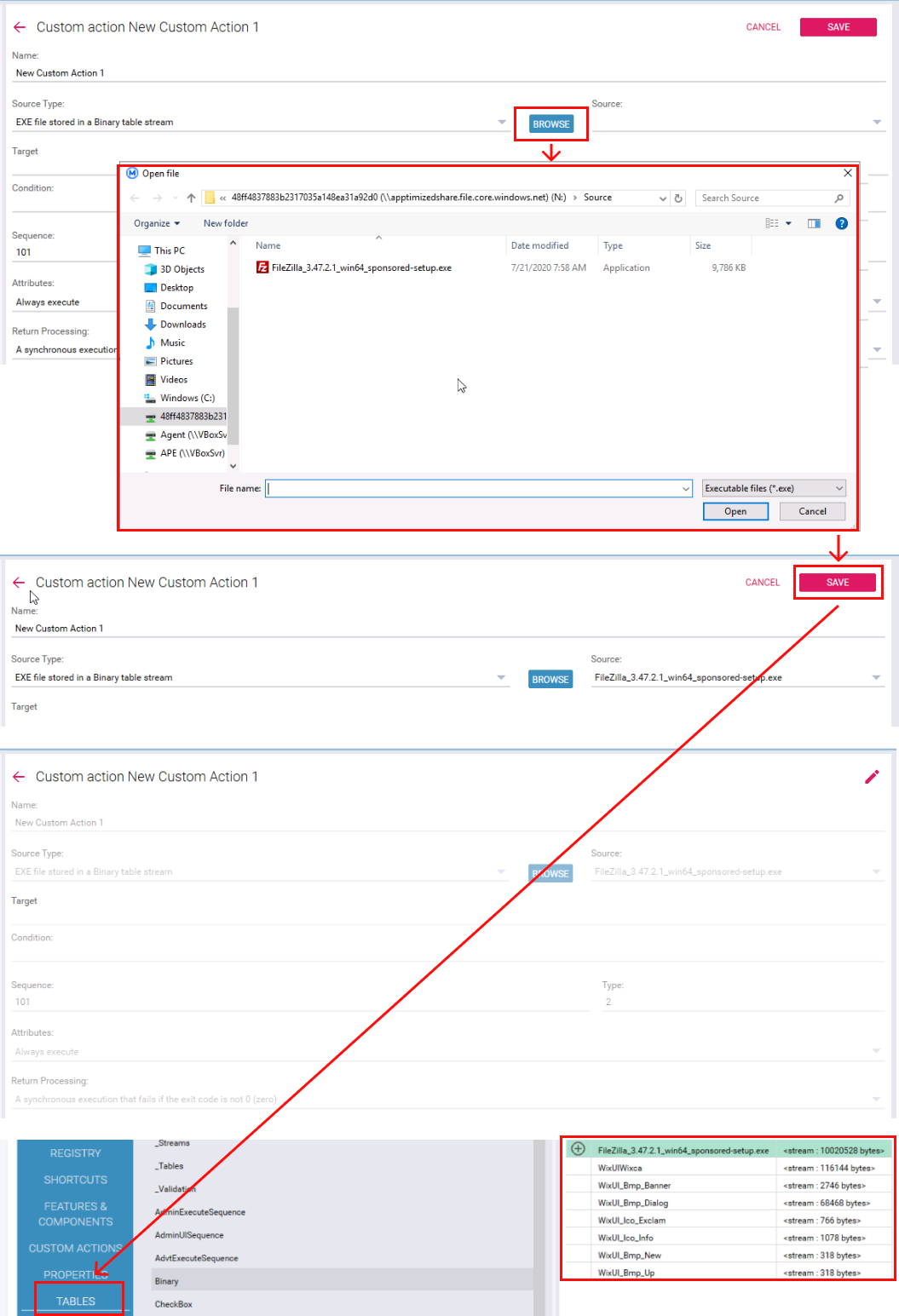
The option to add a new standard action is available under the:

- **Plus** symbol &gt; **New standard action** option &gt; Select the action type from the drop-down list;
- Context menu &gt; **New standard action** option &gt; Select the action type from the drop-down list.

When creating a new custom action, an entry with default values appears:

[![pack_transf_39.png](https://docs.apptimized.com/uploads/images/gallery/2020-04/scaled-1680-/9YCJ3NWqibzbCz6e-pack_transf_39.png)](https://docs.apptimized.com/uploads/images/gallery/2020-04/9YCJ3NWqibzbCz6e-pack_transf_39.png)
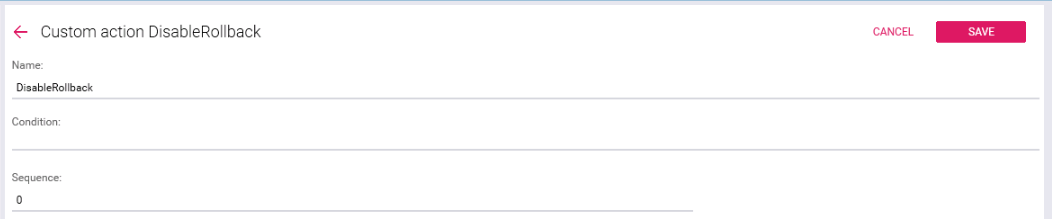
New action is enabled by default. To disable the action, uncheck the checkbox in front of its name (or Context menu &gt; **Disable** option).

The option to delete action is available under the:

- Select the action in the actions list &gt; **Cross** symbol;
- Context menu &gt; **Remove** option.

</td></tr><tr style="height: 353px;"><td style="width: 170px; height: 353px;">Properties

</td><td style="width: 620px; height: 353px;">This enables a user to work with the global variables that Windows Installer uses during an installation. The checkboxes on the left enable filtering by property type.

[![pack_transf_40_2.png](https://docs.apptimized.com/uploads/images/gallery/2021-08/scaled-1680-/h63Qfnrjs5CoXnN2-pack_transf_40_2.png)](https://docs.apptimized.com/uploads/images/gallery/2021-08/h63Qfnrjs5CoXnN2-pack_transf_40_2.png)
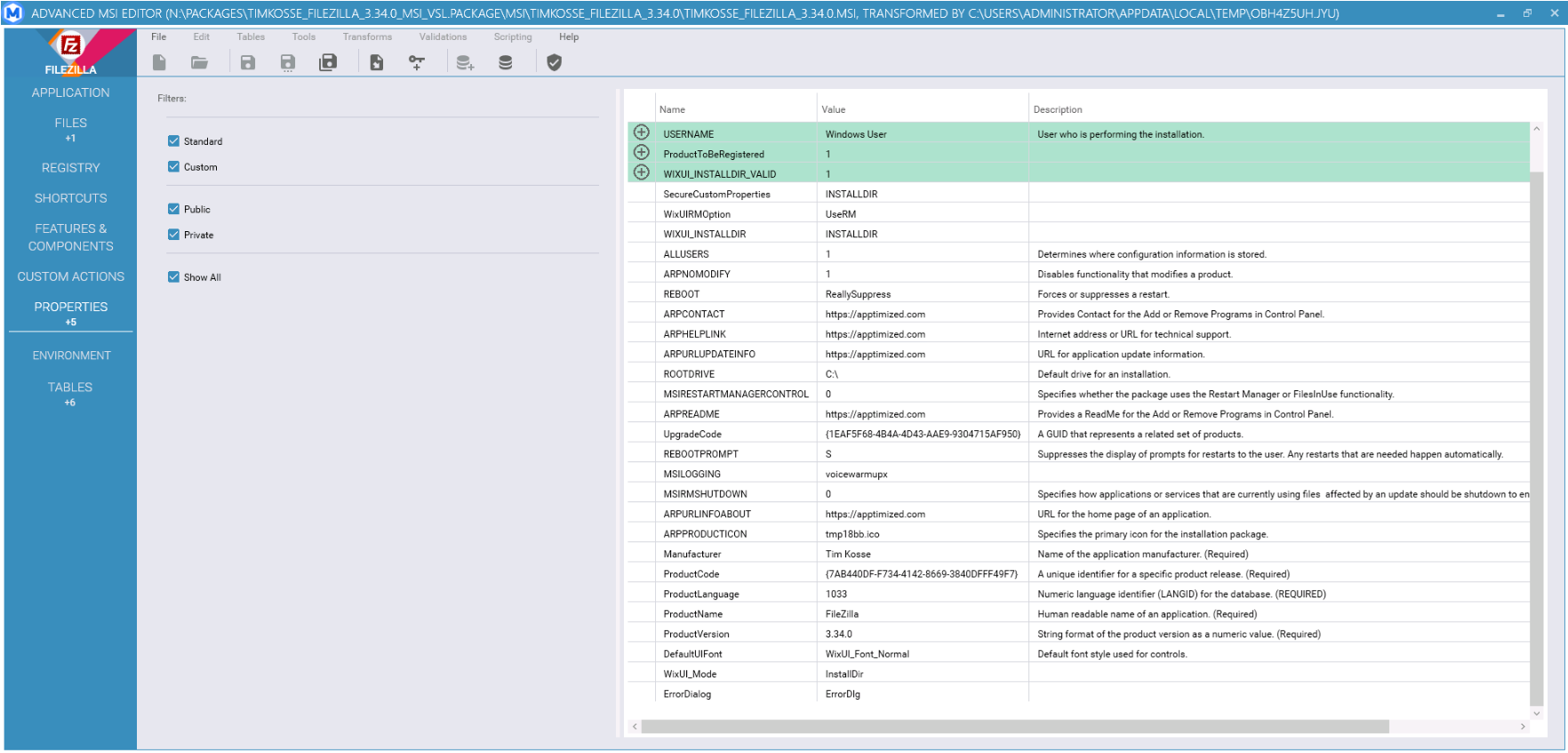
<p class="callout info">**Note.** Advanced MSI Editor mark additional properties added under the Project settings (see [ARP &amp; Properties](https://docs.apptimized.com/books/apptimized-platform/page/project-settings#bkmrk-arp-%26-properties)):  
[![851f635d-03d6-439e-a6ca-34e0ee821ae4.png](https://docs.apptimized.com/uploads/images/gallery/2021-09/scaled-1680-/5cq1HvQISOOF6GGa-851f635d-03d6-439e-a6ca-34e0ee821ae4.png)](https://docs.apptimized.com/uploads/images/gallery/2021-09/5cq1HvQISOOF6GGa-851f635d-03d6-439e-a6ca-34e0ee821ae4.png)</p>
</td></tr><tr style="height: 35px;"><td style="width: 170px; height: 35px;">Environment

</td><td style="width: 620px; height: 35px;"><span data-contrast="none">This tab enables a user to work with environment variables that Windows Installer uses during an installation.</span><span data-ccp-props="{"201341983":0,"335559740":259}"> </span>

<span data-ccp-props="{"201341983":0,"335559740":259}"> [![pack_transf_43-(1).png](https://docs.apptimized.com/uploads/images/gallery/2021-08/scaled-1680-/Hsn1eCtsl3hihRHm-pack_transf_43-(1).png)](https://docs.apptimized.com/uploads/images/gallery/2021-08/Hsn1eCtsl3hihRHm-pack_transf_43-(1).png)</span>

<span data-contrast="none">The option to add new envrionemt variable is available under the:</span><span data-ccp-props="{"201341983":0,"335559740":259}"> </span>

- **<span data-contrast="none">Plus </span>**<span data-contrast="none">symbol &gt; </span>**<span data-contrast="none">Add variable</span>**<span data-contrast="none"> option;</span><span data-ccp-props="{"134233279":true,"201341983":0,"335559739":160,"335559740":259}"> </span>
- <span data-contrast="none">Context menu &gt; </span>**<span data-contrast="none">Add variable</span>**<span data-contrast="none"> option;</span><span data-ccp-props="{"134233279":true,"201341983":0,"335559739":160,"335559740":259}"> </span>

<span data-ccp-props="{"201341983":0,"335559740":259}"> [![pack_transf_44.png](https://docs.apptimized.com/uploads/images/gallery/2021-08/scaled-1680-/yEtqFBwstuH3dYXc-pack_transf_44.png)](https://docs.apptimized.com/uploads/images/gallery/2021-08/yEtqFBwstuH3dYXc-pack_transf_44.png)</span>

<span data-contrast="none">When creating a new custom action, an entry with default values appears:</span><span data-ccp-props="{"201341983":0,"335559740":259}"> </span>

<span data-ccp-props="{"201341983":0,"335559740":259}">[![pack_transf_45.png](https://docs.apptimized.com/uploads/images/gallery/2021-08/scaled-1680-/FHxYtr6haYODi7GP-pack_transf_45.png)](https://docs.apptimized.com/uploads/images/gallery/2021-08/FHxYtr6haYODi7GP-pack_transf_45.png)</span>

<span data-contrast="none">The option to create dummy component is available after choosing Component under Component drop-down list &gt; </span>**<span data-contrast="none">Create Dummy </span>**<span data-contrast="none">button.</span><span data-ccp-props="{"201341983":0,"335559740":259}"> </span>

<span data-ccp-props="{"201341983":0,"335559740":259}"> [![pack_transf_46.png](https://docs.apptimized.com/uploads/images/gallery/2021-08/scaled-1680-/zErIezFiFhHG2Tqy-pack_transf_46.png)](https://docs.apptimized.com/uploads/images/gallery/2021-08/zErIezFiFhHG2Tqy-pack_transf_46.png)</span>

<span data-contrast="none">The option to create variable is available after filling Environment, Name, Value, Component fields &gt; setting Context, Mode, Install behaviour, Uninstall behaviour options &gt; </span>**<span data-contrast="none">Save</span>**<span data-contrast="none"> button.</span><span data-ccp-props="{"201341983":0,"335559740":259}"> </span>

<span data-ccp-props="{"201341983":0,"335559740":259}"> [![pack_transf_49.png](https://docs.apptimized.com/uploads/images/gallery/2021-08/scaled-1680-/GosEQP4RiDIbXnDu-pack_transf_49.png)](https://docs.apptimized.com/uploads/images/gallery/2021-08/GosEQP4RiDIbXnDu-pack_transf_49.png)</span>

<span data-contrast="none">AME shows the following screen when successful: </span>

<span data-contrast="none">[![pack_transf_48-(1).png](https://docs.apptimized.com/uploads/images/gallery/2021-08/scaled-1680-/XSiLzs7tYeiuNWEK-pack_transf_48-(1).png)](https://docs.apptimized.com/uploads/images/gallery/2021-08/XSiLzs7tYeiuNWEK-pack_transf_48-(1).png)</span>

</td></tr><tr style="height: 442px;"><td style="width: 170px; height: 442px;">Tables

</td><td style="width: 620px; height: 442px;">This tab enables to work with MSI tables.

The list of available tables is on the left.

Empty tables are hidden by default. The checkbox on the bottom of the list enables a user to see empty tables. The grid on the left displays the contents of the table. The content is editable if the table is not read-only.

[![pack_transf_41_2.png](https://docs.apptimized.com/uploads/images/gallery/2021-08/scaled-1680-/Pbx3zF4OIx3BdnUZ-pack_transf_41_2.png)](https://docs.apptimized.com/uploads/images/gallery/2021-08/Pbx3zF4OIx3BdnUZ-pack_transf_41_2.png)

</td></tr></tbody></table>

The table below is the table of contents:

[![pack_transf_42_2.png](https://docs.apptimized.com/uploads/images/gallery/2021-08/scaled-1680-/G3y2d4hneqyl398Y-pack_transf_42_2.png)](https://docs.apptimized.com/uploads/images/gallery/2021-08/G3y2d4hneqyl398Y-pack_transf_42_2.png)

The first tab shows the records associated with the selected item, the second tab shows the result of the validation:

[![pack_transf_43_2.png](https://docs.apptimized.com/uploads/images/gallery/2021-08/scaled-1680-/rNP7ywXYPSRSL0l1-pack_transf_43_2.png)](https://docs.apptimized.com/uploads/images/gallery/2021-08/rNP7ywXYPSRSL0l1-pack_transf_43_2.png)

#### **Save locally**

The option to save results to the local filesystem for further editing or inspection is available under the **Save locally** button.

The Save locally option becomes active when a package produced.

[![packaging_55.png](https://docs.apptimized.com/uploads/images/gallery/2020-06/scaled-1680-/QpWf9emNDLwd45EI-packaging_55.png)](https://docs.apptimized.com/uploads/images/gallery/2020-06/QpWf9emNDLwd45EI-packaging_55.png)

To options to save results available: **Uncompressed** and **Compressed**. The default value is **Compressed**.

The result comes compressed in a **ZIP** file.

[![packaging_54.png](https://docs.apptimized.com/uploads/images/gallery/2020-06/scaled-1680-/HqUDTCGMbYcuOOiJ-packaging_54.png)](https://docs.apptimized.com/uploads/images/gallery/2020-06/HqUDTCGMbYcuOOiJ-packaging_54.png)

#### **Upload result to Apptimized**

The option to transfer the package(s) from the VM to the Apptimized frontend is available under the **Upload result to Apptimized** button.

[![packaging_56.png](https://docs.apptimized.com/uploads/images/gallery/2020-06/scaled-1680-/mvISWSWciRc0rwWB-packaging_56.png)](https://docs.apptimized.com/uploads/images/gallery/2020-06/mvISWSWciRc0rwWB-packaging_56.png)

Two options available:

- **Upload results archive** produced during the repackaging/transformation processes from the VM to the frontend;
- **Upload custom file** from the VM's file system (**ZIP** archive) to the frontend.

To select the option, check the box in front of its name (Check the box &gt; **Start uploading** button).

The upload process time depends on the file size and may takea few moments:

[![packaging_57.png](https://docs.apptimized.com/uploads/images/gallery/2020-04/scaled-1680-/Vy3VS87TKla8BPJY-packaging_57.png)](https://docs.apptimized.com/uploads/images/gallery/2020-04/Vy3VS87TKla8BPJY-packaging_57.png)

APE shows the following notification when successful:

[![packaging_58.png](https://docs.apptimized.com/uploads/images/gallery/2020-04/scaled-1680-/k7r52o0D4eLubHVq-packaging_58.png)](https://docs.apptimized.com/uploads/images/gallery/2020-04/k7r52o0D4eLubHVq-packaging_58.png)

When the files uploading process is completed, the VM can be terminated.

The options to finish the VM session is available under the **Finish** button.

[![packaging_59_2-(2).png](https://docs.apptimized.com/uploads/images/gallery/2021-06/scaled-1680-/dT0LemLGmfjK98jB-packaging_59_2-(2).png)](https://docs.apptimized.com/uploads/images/gallery/2021-06/dT0LemLGmfjK98jB-packaging_59_2-(2).png)

Apptimized shows the following modal window:

[![packaging_60.png](https://docs.apptimized.com/uploads/images/gallery/2020-04/scaled-1680-/6eA20D3CVCmRFVor-packaging_60.png)](https://docs.apptimized.com/uploads/images/gallery/2020-04/6eA20D3CVCmRFVor-packaging_60.png)

The following interface will appear when recording session with Apptimized VM finishes:

[![packaging_69.png](https://docs.apptimized.com/uploads/images/gallery/2020-04/scaled-1680-/OkLW76uN8A8uD6mV-packaging_69.png)](https://docs.apptimized.com/uploads/images/gallery/2020-04/OkLW76uN8A8uD6mV-packaging_69.png)

#### **<span class="TextRun SCXW29985528 BCX0" data-contrast="none" lang="EN-GB" xml:lang="EN-GB"><span class="SpellingError SCXW29985528 BCX0">Apptimized </span></span><span class="TextRun SCXW29985528 BCX0" data-contrast="none" lang="EN-GB" xml:lang="EN-GB"><span class="NormalTextRun SCXW29985528 BCX0">MSIX AppAttach Converter</span></span>**

##### **<span class="EOP SCXW29985528 BCX0" data-ccp-props="{"201341983":0,"335559739":160,"335559740":259}"><span class="TextRun SCXW3537640 BCX0" data-contrast="none" lang="EN-GB" xml:lang="EN-GB"><span class="NormalTextRun SCXW3537640 BCX0">General Overview </span></span><span class="EOP SCXW3537640 BCX0" data-ccp-props="{"201341983":0,"335559739":160,"335559740":259}"> </span> </span>**

<span data-contrast="none">MSIX </span><span data-contrast="none">A</span><span data-contrast="none">pp </span><span data-contrast="none">A</span><span data-contrast="none">ttach is a way to deliver MSIX applications to both physical and virtual machines.</span><span data-contrast="none"> </span><span data-contrast="none">A</span><span data-contrast="none"> </span><span data-contrast="none">Microsoft technology </span><span data-contrast="none">allowing</span><span data-contrast="none"> to make MSIX packages compliant for virtualized desktop environments such as Windows Virtual Desktop. </span><span data-ccp-props="{"201341983":0,"335559739":160,"335559740":259}"> </span>

<span data-contrast="none">The </span>**Apptimized**<span data-contrast="none"> **MSIX AppAttach Converter** is a tool that allows to automatically convert the existing MSIX packages to VHD (Virtual Hard Disk) files based on MSIX App Attach technology. </span><span data-ccp-props="{"201341983":0,"335559739":160,"335559740":259}"> </span>

<span data-contrast="none">The tool is available </span><span data-contrast="none">i</span><span data-contrast="none">n</span><span data-contrast="none"> the</span><span data-contrast="none"> Workspace Launcher (see the </span>[**<span data-contrast="none">Workspace Launcher</span>**](https://docs.apptimized.com/books/apptimized-platform-user-manual/page/packaging#bkmrk-introduction%C2%A0)<span data-contrast="none">).</span><span data-ccp-props="{"201341983":0,"335559739":160,"335559740":259}"> </span>

[![Снимок-экрана-2021-02-03-165815.png](https://docs.apptimized.com/uploads/images/gallery/2021-02/scaled-1680-/zScKfSLc5wu1mcHz-%D0%A1%D0%BD%D0%B8%D0%BC%D0%BE%D0%BA-%D1%8D%D0%BA%D1%80%D0%B0%D0%BD%D0%B0-2021-02-03-165815.png)](https://docs.apptimized.com/uploads/images/gallery/2021-02/zScKfSLc5wu1mcHz-%D0%A1%D0%BD%D0%B8%D0%BC%D0%BE%D0%BA-%D1%8D%D0%BA%D1%80%D0%B0%D0%BD%D0%B0-2021-02-03-165815.png)

<span data-ccp-props="{"201341983":0,"335559739":160,"335559740":259}">The option to install the application is available under the **Install** button (see the [**Application installation**](https://docs.apptimized.com/books/apptimized-platform-user-manual/page/packaging#bkmrk-application-installa)).</span>

##### **Convert existing MSIX package**

A user can convert the existing MSIX package into MSIX app attach package. This option is available under **C**<span data-contrast="none">**onvert the existing MSIX package** button.</span>

<span data-contrast="none">[![Снимок-экрана-2021-02-03-170101.png](https://docs.apptimized.com/uploads/images/gallery/2021-02/scaled-1680-/E8I8kjQzCVEV4Qon-%D0%A1%D0%BD%D0%B8%D0%BC%D0%BE%D0%BA-%D1%8D%D0%BA%D1%80%D0%B0%D0%BD%D0%B0-2021-02-03-170101.png)](https://docs.apptimized.com/uploads/images/gallery/2021-02/E8I8kjQzCVEV4Qon-%D0%A1%D0%BD%D0%B8%D0%BC%D0%BE%D0%BA-%D1%8D%D0%BA%D1%80%D0%B0%D0%BD%D0%B0-2021-02-03-170101.png)</span>

<span data-contrast="none">Apptimized shows the following screen when successful:</span>

<span data-contrast="none">[![Снимок-экрана-2021-02-03-172114.png](https://docs.apptimized.com/uploads/images/gallery/2021-02/scaled-1680-/mPJTihV8NcwKoBBo-%D0%A1%D0%BD%D0%B8%D0%BC%D0%BE%D0%BA-%D1%8D%D0%BA%D1%80%D0%B0%D0%BD%D0%B0-2021-02-03-172114.png)](https://docs.apptimized.com/uploads/images/gallery/2021-02/mPJTihV8NcwKoBBo-%D0%A1%D0%BD%D0%B8%D0%BC%D0%BE%D0%BA-%D1%8D%D0%BA%D1%80%D0%B0%D0%BD%D0%B0-2021-02-03-172114.png)</span>

<span data-contrast="none">A user can select the existing MSIX package by clicking the **Folder** icon.</span>

<span data-contrast="none">[![msix_apptach_convert_1.png](https://docs.apptimized.com/uploads/images/gallery/2021-02/scaled-1680-/nlTGH9ydjh4a2rtY-msix_apptach_convert_1.png)](https://docs.apptimized.com/uploads/images/gallery/2021-02/nlTGH9ydjh4a2rtY-msix_apptach_convert_1.png)</span>

<span data-contrast="none">[![Снимок-экрана-2021-02-03-173935.png](https://docs.apptimized.com/uploads/images/gallery/2021-02/scaled-1680-/xQK7J16m5Ufb5RW5-%D0%A1%D0%BD%D0%B8%D0%BC%D0%BE%D0%BA-%D1%8D%D0%BA%D1%80%D0%B0%D0%BD%D0%B0-2021-02-03-173935.png)](https://docs.apptimized.com/uploads/images/gallery/2021-02/xQK7J16m5Ufb5RW5-%D0%A1%D0%BD%D0%B8%D0%BC%D0%BE%D0%BA-%D1%8D%D0%BA%D1%80%D0%B0%D0%BD%D0%B0-2021-02-03-173935.png)</span>

<span data-contrast="none">A user can select an MSIX file that will be automatically converted to the app-attach package and click the **Open** button to start the converting process.</span>

<span data-contrast="none">[![msix_apptach_convert_2.png](https://docs.apptimized.com/uploads/images/gallery/2021-02/scaled-1680-/IumStLsdoLDqUPt5-msix_apptach_convert_2.png)](https://docs.apptimized.com/uploads/images/gallery/2021-02/IumStLsdoLDqUPt5-msix_apptach_convert_2.png)</span>

<span data-contrast="none">Apptimized shows the following screen when successful:</span>

<span data-contrast="none">[![Снимок-экрана-2021-02-03-174326.png](https://docs.apptimized.com/uploads/images/gallery/2021-02/scaled-1680-/krS4uj6vOv1xCbii-%D0%A1%D0%BD%D0%B8%D0%BC%D0%BE%D0%BA-%D1%8D%D0%BA%D1%80%D0%B0%D0%BD%D0%B0-2021-02-03-174326.png)](https://docs.apptimized.com/uploads/images/gallery/2021-02/krS4uj6vOv1xCbii-%D0%A1%D0%BD%D0%B8%D0%BC%D0%BE%D0%BA-%D1%8D%D0%BA%D1%80%D0%B0%D0%BD%D0%B0-2021-02-03-174326.png)</span>

<span data-contrast="none">The creation process may take few moments. **Cancel** - stop the VHD file creation.</span>

<span data-contrast="none">After completing the creation a user can save the app-attach package (VHD file by clicking the **Save** button.</span>

<span data-contrast="none">[![msix_apptach_convert_3.png](https://docs.apptimized.com/uploads/images/gallery/2021-02/scaled-1680-/DSXcdjHgOttLoeUn-msix_apptach_convert_3.png)](https://docs.apptimized.com/uploads/images/gallery/2021-02/DSXcdjHgOttLoeUn-msix_apptach_convert_3.png)</span>

<span data-contrast="none">The process may take few moments.</span>

<span data-contrast="none">[![Снимок-экрана-2021-02-03-174934.png](https://docs.apptimized.com/uploads/images/gallery/2021-02/scaled-1680-/8yKrFqcKpzldKSy2-%D0%A1%D0%BD%D0%B8%D0%BC%D0%BE%D0%BA-%D1%8D%D0%BA%D1%80%D0%B0%D0%BD%D0%B0-2021-02-03-174934.png)](https://docs.apptimized.com/uploads/images/gallery/2021-02/8yKrFqcKpzldKSy2-%D0%A1%D0%BD%D0%B8%D0%BC%D0%BE%D0%BA-%D1%8D%D0%BA%D1%80%D0%B0%D0%BD%D0%B0-2021-02-03-174934.png)</span>

<span data-contrast="none">Apptimized shows the following screen when successful:</span>

<span data-contrast="none">[![Снимок-экрана-2021-02-03-175210.png](https://docs.apptimized.com/uploads/images/gallery/2021-02/scaled-1680-/0mewxBnXl7B4LpgM-%D0%A1%D0%BD%D0%B8%D0%BC%D0%BE%D0%BA-%D1%8D%D0%BA%D1%80%D0%B0%D0%BD%D0%B0-2021-02-03-175210.png)](https://docs.apptimized.com/uploads/images/gallery/2021-02/0mewxBnXl7B4LpgM-%D0%A1%D0%BD%D0%B8%D0%BC%D0%BE%D0%BA-%D1%8D%D0%BA%D1%80%D0%B0%D0%BD%D0%B0-2021-02-03-175210.png)</span>

#### **Package wrapping**

A wrapper is a set of PowerShell scripts that provides a set of functions to perform common application deployment tasks and to interact with the user during deployment activities. It provides information about the package, commands for installation, de-installation, and post configuration. Regardless of the number of installers in the package, a customer needs to run only the executing wrapper.

The option to wrap a recently produced package is available under the **Wrap package** button. The **Wrap package** button becomes available when a user has completed the packaging activities and finished the VM.

[![wrap_pack_01.png](https://docs.apptimized.com/uploads/images/gallery/2020-09/scaled-1680-/0yaD1hPKcRpITCP8-wrap_pack_01.png)](https://docs.apptimized.com/uploads/images/gallery/2020-09/0yaD1hPKcRpITCP8-wrap_pack_01.png)

<p class="callout info">**Note.** To apply custom templates, a user needs to configure them in **Project settings**.</p>

Apptimized shows the following modal windows:

[![wrap_pack_tree_02.png](https://docs.apptimized.com/uploads/images/gallery/2021-09/scaled-1680-/oGPVIcCsoVbn5asU-wrap_pack_tree_02.png)](https://docs.apptimized.com/uploads/images/gallery/2021-09/oGPVIcCsoVbn5asU-wrap_pack_tree_02.png)

The table below shows the components of the default wrap file configuration at **Initialize** step:

<table border="1" id="bkmrk-setting-details-wrap" style="border-collapse: collapse; width: 100%; height: 174px;"><tbody><tr style="height: 29px;"><td style="width: 21.9753%; height: 29px;">**Setting**</td><td style="width: 78.0247%; height: 29px;">**Details**</td></tr><tr style="height: 29px;"><td style="width: 21.9753%; height: 29px;">Wrapper</td><td style="width: 78.0247%; height: 29px;"><span data-contrast="none">This field indicates the wrapper to be used for wrapping.</span><span data-ccp-props="{"201341983":0,"335559740":259}"> </span>

<span data-contrast="none">The following options are available:</span><span data-ccp-props="{"201341983":0,"335559740":259}"> </span>

- <span data-contrast="none">Default Wrapper</span><span data-ccp-props="{"134233279":true,"201341983":0,"335559739":160,"335559740":259}"> </span>
- <span data-contrast="none">\[Custom template 1\]</span><span data-ccp-props="{"134233279":true,"201341983":0,"335559739":160,"335559740":259}"> </span>
- <span data-contrast="none">\[Custom template 2\]</span><span data-ccp-props="{"134233279":true,"201341983":0,"335559739":160,"335559740":259}"> </span>
- <span data-contrast="none">…</span><span data-ccp-props="{"134233279":true,"201341983":0,"335559739":160,"335559740":259}"> </span>
- <span data-contrast="none">\[Custom template N\]</span><span data-ccp-props="{"134233279":true,"201341983":0,"335559739":160,"335559740":259}"> </span>

<span data-contrast="none">The default value is </span>**<span data-contrast="none">Default Wrapper</span>**<span data-contrast="none">.</span><span data-ccp-props="{"201341983":0,"335559740":259}"> </span>

</td></tr><tr style="height: 29px;"><td style="width: 21.9753%; height: 29px;">Package type</td><td style="width: 78.0247%; height: 29px;"><span data-contrast="none">This field indicates the list of package types for which this template will be applicable.</span><span data-ccp-props="{"201341983":0,"335559740":259}"> </span>

<span data-contrast="none">The following package types available:</span><span data-ccp-props="{"201341983":0,"335559740":259}"> </span>

- <span data-contrast="none">MSI</span><span data-ccp-props="{"134233279":true,"201341983":0,"335559739":160,"335559740":259}"> </span>
- <span data-contrast="none">Transform</span><span data-ccp-props="{"134233279":true,"201341983":0,"335559739":160,"335559740":259}"> </span>
- <span data-contrast="none">Legacy</span><span data-ccp-props="{"134233279":true,"201341983":0,"335559739":160,"335559740":259}"> </span>
- <span data-contrast="none">App-V</span><span data-ccp-props="{"134233279":true,"201341983":0,"335559739":160,"335559740":259}"> </span>

<span data-contrast="none">The default value is </span>**<span data-contrast="none">MSI</span>**<span data-contrast="none">.</span><span data-ccp-props="{"201341983":0,"335559740":259}"> </span>

</td></tr></tbody></table>

The option to switch to step **Configure** is available under **Next** button.

[![wrap_pack_08_new.png](https://docs.apptimized.com/uploads/images/gallery/2021-09/scaled-1680-/WJbtY94H4EhVXl93-wrap_pack_08_new.png)](https://docs.apptimized.com/uploads/images/gallery/2021-09/WJbtY94H4EhVXl93-wrap_pack_08_new.png)

Apptimized shows the following modal window when successful:

[![wrap_pack_09_new.png](https://docs.apptimized.com/uploads/images/gallery/2021-09/scaled-1680-/MUnPXyhTdPxPs7PP-wrap_pack_09_new.png)](https://docs.apptimized.com/uploads/images/gallery/2021-09/MUnPXyhTdPxPs7PP-wrap_pack_09_new.png)

The option to populate MSI properties is available under package folder &gt; **package file**

[![wrap_pack_10_new_2-(1).png](https://docs.apptimized.com/uploads/images/gallery/2021-09/scaled-1680-/qHiSLV51HQIWscBf-wrap_pack_10_new_2-(1).png)](https://docs.apptimized.com/uploads/images/gallery/2021-09/qHiSLV51HQIWscBf-wrap_pack_10_new_2-(1).png)

The option to switch to step **Review** is available under **Next** button.

Apptimized shows the following modal window when successful:

[![wrap_pack_11_new.png](https://docs.apptimized.com/uploads/images/gallery/2021-09/scaled-1680-/yaYw7QoLDAtjWTc0-wrap_pack_11_new.png)](https://docs.apptimized.com/uploads/images/gallery/2021-09/yaYw7QoLDAtjWTc0-wrap_pack_11_new.png)

The table below shows the components of the default wrap file configuration at **Review** step:

<table id="bkmrk-setting-details-vend" style="width: 808px; border-style: solid; height: 1044px;"><tbody><tr style="height: 35px;"><td style="width: 222px; border-style: solid; height: 35px;">**Setting**

</td><td style="width: 586px; border-style: solid; height: 35px;">**Details**

</td></tr><tr style="height: 57px;"><td style="width: 222px; border-style: solid; height: 57px;">Vendor

</td><td style="width: 586px; border-style: solid; height: 57px;">This field indicates the vendor of the application.

The data synchronizes from the metadata collected at the **Import** step.

</td></tr><tr style="height: 57px;"><td style="width: 222px; border-style: solid; height: 57px;">Software

</td><td style="width: 586px; border-style: solid; height: 57px;">This field indicates the name of the application.

The data synchronizes from the metadata collected at the **Import** step.

</td></tr><tr style="height: 57px;"><td style="width: 222px; border-style: solid; height: 57px;">Version

</td><td style="width: 586px; border-style: solid; height: 57px;">This field indicates the version of the application.

The data synchronizes from the metadata collected at the **Import** step.

</td></tr><tr style="height: 150px;"><td style="width: 222px; border-style: solid; height: 150px;">Language

</td><td style="width: 586px; border-style: solid; height: 150px;">This field indicates the language of the application.

The following options available:

- ENG
- DEU
- MUI

The multiple-choice is available.

</td></tr><tr style="height: 134px;"><td style="width: 222px; border-style: solid; height: 134px;">Architecture

</td><td style="width: 586px; border-style: solid; height: 134px;">This field indicates the package architecture.

The following options available:

- x64
- x86

The default value is **x64**.

</td></tr><tr style="height: 128px;"><td style="width: 222px; border-style: solid; height: 128px;">Package Release

</td><td style="width: 586px; border-style: solid; height: 128px;">This field indicates the package’s version number.

The following options available:

- 01
- 02
- 03

</td></tr><tr style="height: 198px;"><td style="width: 222px; border-style: solid; height: 198px;">Platform

</td><td style="width: 586px; border-style: solid; height: 198px;">This field indicates the platform the test activities were provided.

The following options available:

- Win 10
- Win7
- Win2k8
- Win2k12
- Win2k16
- Win2k19

The multiple-choice is available.

</td></tr><tr style="height: 35px;"><td style="width: 222px; border-style: solid; height: 35px;">Vendor M S I

</td><td style="width: 586px; border-style: solid; height: 35px;">This field indicates the Vendor name of the selected MSI (i.g., Setup.msi).

<p class="callout info">**Note.** This field appears only if the **Transform** package type was selected under **Initialize** step and the MSI file was selected under **Configure** step.</p>

</td></tr><tr style="height: 57px;"><td style="width: 222px; border-style: solid; height: 57px;">Script Date

</td><td style="width: 586px; border-style: solid; height: 57px;">This field indicated the date when the script was created or changed.

The default value sets to the **package creation date** (i.e., **Month/Day/Year**).

</td></tr><tr style="height: 35px;"><td style="width: 222px; border-style: solid; height: 35px;">Product Code

</td><td style="width: 586px; border-style: solid; height: 35px;">This field indicates the MSI product code using the template **{ProductCode}**.

</td></tr><tr><td style="width: 222px; border-style: solid;">MST Name

</td><td style="width: 586px; border-style: solid;">This field indicates the MST file name(i.g., Setup.mst).

<p class="callout info">**Note.** This field appears only if the **Transform** package type was selected under **Initialize** step and the MSI &amp; MST files were selected under **Configure** step.</p>

</td></tr><tr style="height: 101px;"><td style="width: 222px; border-style: solid; height: 101px;">Package Name

</td><td style="width: 586px; border-style: solid; height: 101px;">This field indicates the name of the package installation file (i.e., **TimKosse\_FileZilla\_3.48.1**).

The package name generates according to the **Project settings.** A user must follow the naming templates indicated in the [**Project settings**](https://docs.apptimized.com/books/apptimized-platform-user-manual/page/project-settings "Project settings") &gt; **Workflow settings** &gt; **Packaging – Self Service** &gt; **General**.

</td></tr></tbody></table>

The wrap file configuration is applied when clicking the **Wrap** button. Apptimized shows the following screen:

[![wrap_pack_03.png](https://docs.apptimized.com/uploads/images/gallery/2020-09/scaled-1680-/xqQnsee0BWxbcQQm-wrap_pack_03.png)](https://docs.apptimized.com/uploads/images/gallery/2020-09/xqQnsee0BWxbcQQm-wrap_pack_03.png)

The wrapped package appears in the list when successful:

[![wrap_pack_04.png](https://docs.apptimized.com/uploads/images/gallery/2020-09/scaled-1680-/BTUmuXAwBZaGJzXU-wrap_pack_04.png)](https://docs.apptimized.com/uploads/images/gallery/2020-09/BTUmuXAwBZaGJzXU-wrap_pack_04.png)

The option to download packaging results is available under the **Download** button.

When the packaging results downloaded, a user can proceed to the next step by clicking the **Finish** button or can test the package by clicking the **Testing** tab.

### **Testing tab**

The best practice is to test packages on a clean machine, i.e. on a different VM than the one the package was created. This also applies to package iterations performed to test the impact of changes made to the package during packaging and editing, also known as trial and error. At the same time, it makes sense to keep the actual packaging machine as a reference for a working installation.

Therefore, Apptimized provides a second VM within the Packaging step under the Testing tab. It is possible to switch between the Testing and the Packaging tabs while both VM's are up and running.

Again, the **Packaging** and the **Testing** VM's act independently but share the A:\\ drive.

Whenever a clean VM is needed again (e.g., after some tests), click the **Restart** button on the **Testing** tab, and a VM will be provisioned instantly. A user can do the same on the **Packaging** tab but must be aware that this will discard "reference installation".

Apptimized shows the following screen when clicking the **Testing** tab.

[![packaging_64.png](https://docs.apptimized.com/uploads/images/gallery/2020-04/scaled-1680-/ingJKM3WY29X3Fzl-packaging_64.png)](https://docs.apptimized.com/uploads/images/gallery/2020-04/ingJKM3WY29X3Fzl-packaging_64.png)

The field **Select packaging – self service platform** is filled automatically and can be changed if needed. To change the packaging – self service platform, click the drop-down menu as it is shown in the screenshot below:

[![packaging_65.png](https://docs.apptimized.com/uploads/images/gallery/2020-04/scaled-1680-/r4sKEF28qIeiWjN5-packaging_65.png)](https://docs.apptimized.com/uploads/images/gallery/2020-04/r4sKEF28qIeiWjN5-packaging_65.png)

The option to revert to the transition screen is available under the **Go to Transition screen** button.

The option to start the packaging – self service (package testing) process is available under the **Start VM** button.

[![packaging_66.png](https://docs.apptimized.com/uploads/images/gallery/2020-10/scaled-1680-/HlM1dFhiYb6HUHUc-packaging_66.png)](https://docs.apptimized.com/uploads/images/gallery/2020-10/HlM1dFhiYb6HUHUc-packaging_66.png)

Apptimized shows the following screen when successful:

[![packaging_67_2-(1).png](https://docs.apptimized.com/uploads/images/gallery/2021-06/scaled-1680-/ErzIdPx124kWNRJj-packaging_67_2-(1).png)](https://docs.apptimized.com/uploads/images/gallery/2021-06/ErzIdPx124kWNRJj-packaging_67_2-(1).png)

The option to restart VM is available under the **Restart** button.

[![packaging_70.png](https://docs.apptimized.com/uploads/images/gallery/2020-04/scaled-1680-/5UQ6dAHVme1FdZwV-packaging_70.png)](https://docs.apptimized.com/uploads/images/gallery/2020-04/5UQ6dAHVme1FdZwV-packaging_70.png)

Apptimized shows the following modal window to confirm the restart task:[![packaging_68.png](https://docs.apptimized.com/uploads/images/gallery/2020-04/scaled-1680-/C4pyAKd2B82RYnOX-packaging_68.png)](https://docs.apptimized.com/uploads/images/gallery/2020-04/C4pyAKd2B82RYnOX-packaging_68.png)

Apptimized shows the following notification when successful:

[![packaging_69.png](https://docs.apptimized.com/uploads/images/gallery/2020-04/scaled-1680-/hfDl5emrUk1pYbSE-packaging_69.png)](https://docs.apptimized.com/uploads/images/gallery/2020-04/hfDl5emrUk1pYbSE-packaging_69.png)

The option to launch the package is available under **Packages** folder &gt; \[Package name\]&gt; \[Package type\] &gt; **install.cmd**.

[![packaging_71.png](https://docs.apptimized.com/uploads/images/gallery/2020-04/scaled-1680-/yLanRo1PvtuCJ3It-packaging_71.png)](https://docs.apptimized.com/uploads/images/gallery/2020-04/yLanRo1PvtuCJ3It-packaging_71.png)

A package will install automatically without requiring any user input:

[![packaging_72.png](https://docs.apptimized.com/uploads/images/gallery/2020-04/scaled-1680-/uWFGtnu0ar5JYkHX-packaging_72.png)](https://docs.apptimized.com/uploads/images/gallery/2020-04/uWFGtnu0ar5JYkHX-packaging_72.png)

The packaged application must be launched, to check that all configuration settings are correct. A setup wizard will appear:

[![packaging_74.png](https://docs.apptimized.com/uploads/images/gallery/2020-04/scaled-1680-/9zKvhm1CDPWup5HP-packaging_74.png)](https://docs.apptimized.com/uploads/images/gallery/2020-04/9zKvhm1CDPWup5HP-packaging_74.png)

When the package testing activities finish, the VM must be terminated. The options to finish the VM session is available under the **Finish** button.

[![packaging_81_2-(1).png](https://docs.apptimized.com/uploads/images/gallery/2021-06/scaled-1680-/C1KtE79nG4C30eJn-packaging_81_2-(1).png)](https://docs.apptimized.com/uploads/images/gallery/2021-06/C1KtE79nG4C30eJn-packaging_81_2-(1).png)

Apptimized shows the following modal window:

[![packaging_68.png](https://docs.apptimized.com/uploads/images/gallery/2020-04/scaled-1680-/YhRYSf45eXVdFbM2-packaging_68.png)](https://docs.apptimized.com/uploads/images/gallery/2020-04/YhRYSf45eXVdFbM2-packaging_68.png)

The following interface will appear when recording session with Apptimized VM finishes:

[![packaging_69.png](https://docs.apptimized.com/uploads/images/gallery/2020-04/scaled-1680-/TYxI8XoiknVoTeeD-packaging_69.png)](https://docs.apptimized.com/uploads/images/gallery/2020-04/TYxI8XoiknVoTeeD-packaging_69.png)

The option to download package testing results is available under the **Download** button.

[![packaging_78.png](https://docs.apptimized.com/uploads/images/gallery/2021-06/scaled-1680-/PlDkaQRr85PdflCc-packaging_78.png)](https://docs.apptimized.com/uploads/images/gallery/2021-06/PlDkaQRr85PdflCc-packaging_78.png)

When the packaging results are downloaded, a user can proceed to the next step by clicking the **Finish** button.

### **VM control menu**

The VM control menu panel is available in the upper right corner of the VM interface.

[![packag_vm_02-(1).png](https://docs.apptimized.com/uploads/images/gallery/2021-06/scaled-1680-/UnhWGf3dBP2Bqtej-packag_vm_02-(1).png)](https://docs.apptimized.com/uploads/images/gallery/2021-06/UnhWGf3dBP2Bqtej-packag_vm_02-(1).png)

Next, each settings category is shown in more detail.

Table 9. VM control menu

<table border="1" id="bkmrk-control-menu-categor" style="width: 800px;"><tbody><tr><td style="width: 142.667px;">**Control menu category**

</td><td style="width: 656px;">**Details**

</td></tr><tr><td style="width: 142.667px;">Add prerequisites/Edit prerequisites

</td><td style="width: 656px;">This setting enables a user to add prerequisite applications.

**Portfolio** tab is available by default. **Update Monitoring** &amp; **Catalogue** tabs become available if there are delivered packages on them.

[![discovery_15_3.png](https://docs.apptimized.com/uploads/images/gallery/2021-06/scaled-1680-/gKl7jlo4mZEY9n7Y-discovery_15_3.png)](https://docs.apptimized.com/uploads/images/gallery/2021-06/gKl7jlo4mZEY9n7Y-discovery_15_3.png)
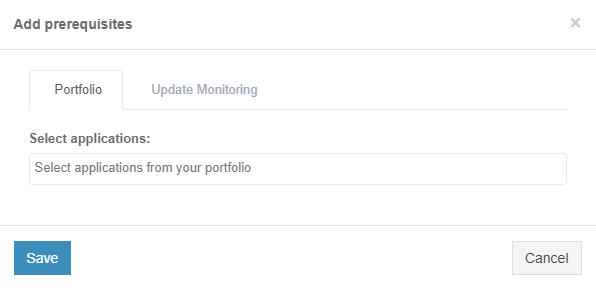
**Portfolio** tab

The option to select application is available under **Select applications** field.

[![discovery_15_4-(1).png](https://docs.apptimized.com/uploads/images/gallery/2021-06/scaled-1680-/aVX1wrTkkFHsI6Uu-discovery_15_4-(1).png)](https://docs.apptimized.com/uploads/images/gallery/2021-06/aVX1wrTkkFHsI6Uu-discovery_15_4-(1).png)

The option to select media type for applications is available after the application was selected.

The following media types available:

- Package
- Source

[![discovery_x_1.png](https://docs.apptimized.com/uploads/images/gallery/2021-06/scaled-1680-/9rTFu3uO8jQBfLgz-discovery_x_1.png)](https://docs.apptimized.com/uploads/images/gallery/2021-06/9rTFu3uO8jQBfLgz-discovery_x_1.png)
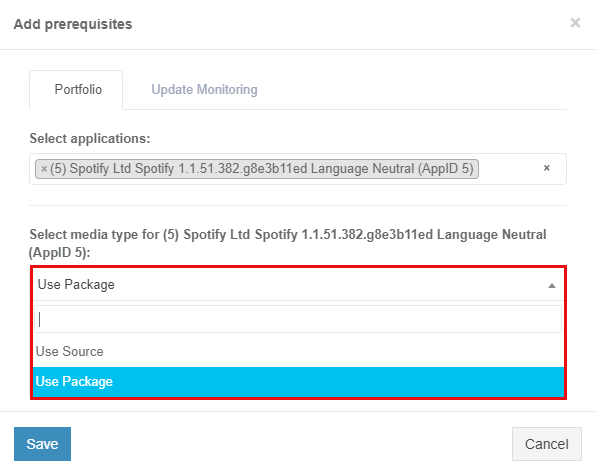
<p class="callout info">**Note**. One media type is automatically selected if others are missing.</p>

<p class="callout info">[![discovery_x_2.png](https://docs.apptimized.com/uploads/images/gallery/2021-06/scaled-1680-/RRzaEg7knQYdW6AG-image-73.png)](https://docs.apptimized.com/uploads/images/gallery/2021-06/RRzaEg7knQYdW6AG-image-73.png)</p>

The option to use Source media type is available under **Use Source** &gt; **Select Media** &gt; select source file.

[![discovery_x_2-(1).png](https://docs.apptimized.com/uploads/images/gallery/2021-06/scaled-1680-/09nzmMPTTY0PjnNz-discovery_x_2-(1).png)](https://docs.apptimized.com/uploads/images/gallery/2021-06/09nzmMPTTY0PjnNz-discovery_x_2-(1).png)

<span class="TextRun SCXW38531778 BCX8" data-contrast="none" lang="EN-US" xml:lang="EN-US"><span class="NormalTextRun SCXW38531778 BCX8">The option</span><span class="NormalTextRun SCXW38531778 BCX8"> to use Package media type is available under </span></span><span class="TextRun SCXW38531778 BCX8" data-contrast="none" lang="EN-US" xml:lang="EN-US"><span class="NormalTextRun SCXW38531778 BCX8">**Use Package** &gt; **Select Media** &gt; </span></span><span class="TextRun SCXW38531778 BCX8" data-contrast="none" lang="EN-US" xml:lang="EN-US"><span class="NormalTextRun SCXW38531778 BCX8">select package file.</span></span><span class="EOP SCXW38531778 BCX8" data-ccp-props="{"201341983":0,"335559740":259}"> </span>

<span class="EOP SCXW38531778 BCX8" data-ccp-props="{"201341983":0,"335559740":259}">[![discovery_x_3-(1).png](https://docs.apptimized.com/uploads/images/gallery/2021-06/scaled-1680-/UTvHlXMeOp8T6RGS-discovery_x_3-(1).png)](https://docs.apptimized.com/uploads/images/gallery/2021-06/UTvHlXMeOp8T6RGS-discovery_x_3-(1).png)</span>

**<span data-contrast="none">Update Monitoring</span>**<span data-ccp-props="{"201341983":0,"335559740":259}"> </span>

<span data-ccp-props="{"201341983":0,"335559740":259}"> </span>

<span data-contrast="none">Update Monitoring tab allows to add prerequisites as applications from </span>**<span data-contrast="none">Update Monitoring </span>**<span data-contrast="none">delivered packages.</span><span data-ccp-props="{"201341983":0,"335559740":259}"> </span>

<span data-ccp-props="{"201341983":0,"335559740":259}"> </span>

<span data-contrast="none">The option to Select application from Update Monitoring is available under </span>**<span data-contrast="none">Select applications: </span>**<span data-contrast="none">field &gt; </span>**<span data-contrast="none">Select Version for application</span>**<span data-contrast="none">.</span><span data-ccp-props="{"201341983":0,"335559740":259}"> </span>

[![discovery_X_4-(1).png](https://docs.apptimized.com/uploads/images/gallery/2021-06/scaled-1680-/dDiIZZi1WXOAJvwx-discovery_X_4-(1).png)](https://docs.apptimized.com/uploads/images/gallery/2021-06/dDiIZZi1WXOAJvwx-discovery_X_4-(1).png)

**<span data-contrast="none">Catalogue</span>**<span data-ccp-props="{"201341983":0,"335559740":259}"> </span>

<span data-ccp-props="{"201341983":0,"335559740":259}"> </span>

**<span data-contrast="none">Catalogue </span>**<span data-contrast="none">tab allows to add prerequisites as applications from </span>**<span data-contrast="none">Catalogue </span>**<span data-contrast="none">delivered packages.</span><span data-ccp-props="{"201341983":0,"335559740":259}"> </span>

<span data-ccp-props="{"201341983":0,"335559740":259}"> </span>

<span data-contrast="none">The option to select applications from the </span>**<span data-contrast="none">Catalogue </span>**<span data-contrast="none">is available under </span>**<span data-contrast="none">Selec applications: </span>**<span data-contrast="none">field &gt; </span>**<span data-contrast="none">Select Version for application</span>**<span data-contrast="none">.</span><span data-ccp-props="{"201341983":0,"335559740":259}"> </span>

[![discovery_x_5-(1).png](https://docs.apptimized.com/uploads/images/gallery/2021-06/scaled-1680-/BqSiCGZbcUL99MGL-discovery_x_5-(1).png)](https://docs.apptimized.com/uploads/images/gallery/2021-06/BqSiCGZbcUL99MGL-discovery_x_5-(1).png)

<span data-contrast="none">The option to Save Changes is available under </span>**<span data-contrast="none">Save </span>**<span data-contrast="none">button.</span><span data-ccp-props="{"201341983":0,"335559740":259}"> </span>

<span data-ccp-props="{"201341983":0,"335559740":259}"> </span>

<span data-contrast="none">Apptimized shows the following notifications when successful:</span><span data-ccp-props="{"201341983":0,"335559740":259}"> </span>

[![image-1624347161356.png](https://docs.apptimized.com/uploads/images/gallery/2021-06/scaled-1680-/cIBw78yPri9MfFL0-image-1624347161356.png)](https://docs.apptimized.com/uploads/images/gallery/2021-06/cIBw78yPri9MfFL0-image-1624347161356.png)

The option to **Edit prerequisites** becomes available after the prerequisites were added.

</td></tr><tr><td style="width: 142.667px;">RDP

</td><td style="width: 656px;">This setting enables a user to work on the VM directly via RDP rather than a browser window.

[![packag_vm_03.png](https://docs.apptimized.com/uploads/images/gallery/2020-04/scaled-1680-/rY19nOp7NFpmPAL2-packag_vm_03.png)](https://docs.apptimized.com/uploads/images/gallery/2020-04/rY19nOp7NFpmPAL2-packag_vm_03.png)
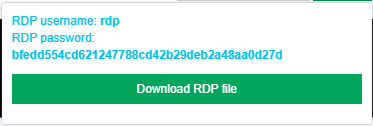
The option to download a file is available under the Download RDP file.

The RDP file is available in the Downloads folder in user’s PC.

[![packag_vm_04_2.png](https://docs.apptimized.com/uploads/images/gallery/2021-08/scaled-1680-/h5iswzQaIXwlye80-packag_vm_04_2.png)](https://docs.apptimized.com/uploads/images/gallery/2021-08/h5iswzQaIXwlye80-packag_vm_04_2.png)
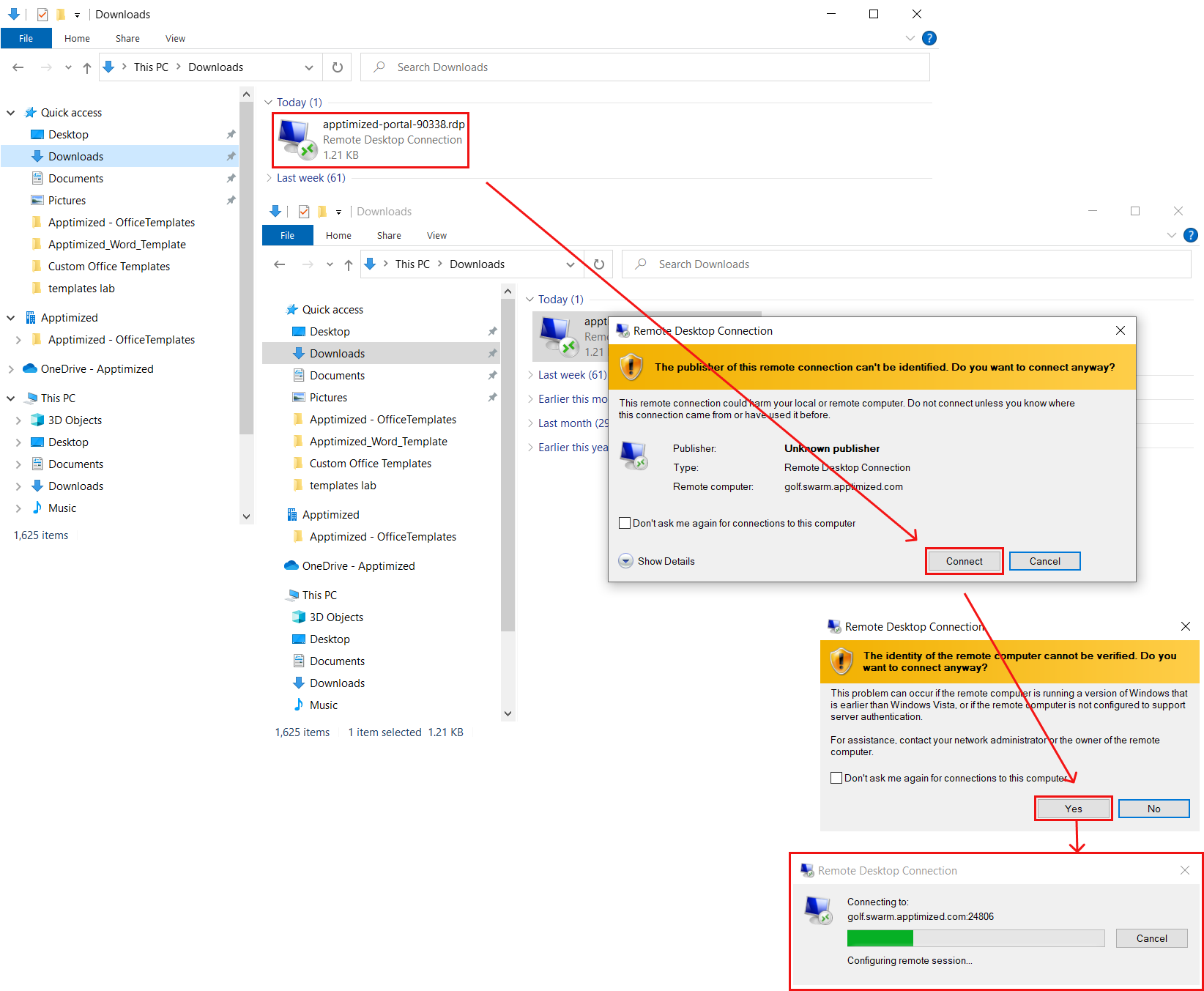
When the remote connection is set, copy the RDP password paste to the modal window. The remote desktop connection window appears when successful:

[![packag_vm_05_2-(1).png](https://docs.apptimized.com/uploads/images/gallery/2021-08/scaled-1680-/piUPV2V5nmVulac0-packag_vm_05_2-(1).png)](https://docs.apptimized.com/uploads/images/gallery/2021-08/piUPV2V5nmVulac0-packag_vm_05_2-(1).png)

</td></tr><tr><td style="width: 142.667px;">VM Snapshots

</td><td style="width: 656px;">The setting enables to create a snapshot of the VM to save its current state or to revert to a state saved earlier.

This is applicable when the application has prerequisites that need to be present before a certain action (i.e., Discovery, Packaging, or Testing) can be started.

[![packag_vm_06.png](https://docs.apptimized.com/uploads/images/gallery/2020-04/scaled-1680-/YKtscCMsC95p3WFE-packag_vm_06.png)](https://docs.apptimized.com/uploads/images/gallery/2020-04/YKtscCMsC95p3WFE-packag_vm_06.png)
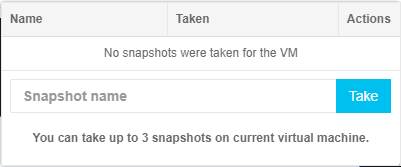
The snapshot option is available under the **VM snapshot** button &gt; **Snapshot name** field &gt; **Take** button.

</td></tr><tr><td style="width: 142.667px;">Clipboard

</td><td style="width: 656px;">This setting enables a user to put text from the user’s system to the VM clipboard. Transferring clipboard content between the host machine and the VM is performed via "Cut &amp; Paste" in most user scenarios. If the user experiences any issues with "Cut &amp; Paste", the Clipboard button can be used to put the text to the VM's clipboard.

[![packag_vm_07.png](https://docs.apptimized.com/uploads/images/gallery/2020-04/scaled-1680-/mdPNmqKjoONmnl9j-packag_vm_07.png)](https://docs.apptimized.com/uploads/images/gallery/2020-04/mdPNmqKjoONmnl9j-packag_vm_07.png)
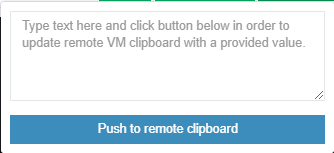
</td></tr><tr><td style="width: 142.667px;">Fullscreen

</td><td style="width: 656px;">This setting enables to put a browser in a full-screen mode.

</td></tr><tr><td style="width: 142.667px;">Restart

</td><td style="width: 656px;">This setting enables a user to redo the testing session on a restarted VM.

The following restart options available:

- OS (Operating system restart. Equal to Power &gt; Restart);
- VM (Equal to the Reset button on the real PC);
- Session (Restart current session. All unsaved progress will be lost).

[![packag_vm_08.png](https://docs.apptimized.com/uploads/images/gallery/2020-04/scaled-1680-/BHfGL1CGqJkluqaD-packag_vm_08.png)](https://docs.apptimized.com/uploads/images/gallery/2020-04/BHfGL1CGqJkluqaD-packag_vm_08.png)
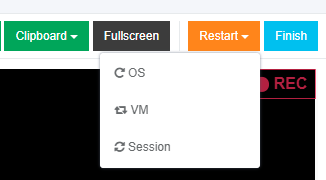
When the restart option is chosen, the confirmation model window appears.

</td></tr><tr><td style="width: 142.667px;">Finish

</td><td style="width: 656px;">This setting finishes the VM when the testing session is completed.

</td></tr></tbody></table>


#### **Apptimized MSIX PSF Tool** 

##### <span data-contrast="auto">General overview</span><span data-ccp-props="{"201341983":0,"335559739":160,"335559740":259}"> </span>

<span data-contrast="auto">Package Support Frameworks is an open</span><span data-contrast="auto">-</span><span data-contrast="auto">source kit </span><span data-contrast="auto">that helps apply fixes to </span><span data-contrast="auto">the </span><span data-contrast="auto">existing desktop application without access to the source code. It can run in an MSIX container.</span><span data-ccp-props="{"201341983":0,"335559739":160,"335559740":259}"> </span>

**<span data-contrast="auto">Apptimized </span><span data-contrast="auto">MSIX PSF</span><span data-contrast="auto"> Tool</span>**<span data-contrast="auto"> </span><span data-contrast="auto">allows </span><span data-contrast="auto">applying</span><span data-contrast="auto"> fixups semi-automatically to </span><span data-contrast="auto">a </span><span data-contrast="auto">Win32 application in existing MSIX files.</span><span data-ccp-props="{"201341983":0,"335559739":160,"335559740":259}"> </span>

<span data-contrast="auto">The tool is available in t</span><span data-contrast="auto">h</span><span data-contrast="auto">e Workspace Launcher (see the </span>[**<span data-contrast="auto">Workspace Launcher</span>**](https://docs.apptimized.com/books/apptimized-platform-user-manual/page/packaging#bkmrk-introduction%C2%A0)<span data-contrast="auto">)</span><span data-ccp-props="{"201341983":0,"335559739":160,"335559740":259}"> </span>

<span data-ccp-props="{"201341983":0,"335559739":160,"335559740":259}"> [![PSF-tool-1.png](https://docs.apptimized.com/uploads/images/gallery/2021-03/scaled-1680-/vLcPB9uNEdPSW1Or-PSF-tool-1.png)](https://docs.apptimized.com/uploads/images/gallery/2021-03/vLcPB9uNEdPSW1Or-PSF-tool-1.png)</span>

<span data-contrast="auto">The option to install the application is available under the </span>**<span data-contrast="auto">Install</span>**<span data-contrast="auto"> button (see the </span>[**<span data-contrast="auto">Application installation</span>**](https://docs.apptimized.com/books/apptimized-platform-user-manual/page/packaging#bkmrk-application-installa)<span data-contrast="auto">)</span><span data-ccp-props="{"201341983":0,"335559739":160,"335559740":259}"> </span>

##### <span data-contrast="auto">Run Apptimized MSIX PSF Tool</span><span data-ccp-props="{"201341983":0,"335559739":160,"335559740":259}"> </span>

<span data-contrast="auto">A user can apply the fixes in existing MSIX files. The option is available under </span>**<span data-contrast="auto">Run Apptimized MSIX PSF tool</span>**<span data-contrast="auto"> button.</span><span data-ccp-props="{"201341983":0,"335559739":160,"335559740":259}"> </span>

<span data-ccp-props="{"201341983":0,"335559739":160,"335559740":259}"> [![image-14.png](https://docs.apptimized.com/uploads/images/gallery/2021-03/scaled-1680-/tweV5R3bpA7kX6tL-image-14.png)](https://docs.apptimized.com/uploads/images/gallery/2021-03/tweV5R3bpA7kX6tL-image-14.png)</span>

<span data-contrast="auto">Apptimized shows the following screen when successful: </span><span data-ccp-props="{"201341983":0,"335559739":160,"335559740":259}"> </span>

<span data-ccp-props="{"201341983":0,"335559739":160,"335559740":259}">[![PSF-tool-2.png](https://docs.apptimized.com/uploads/images/gallery/2021-03/scaled-1680-/32722ZUSNvXoXfRw-PSF-tool-2.png)](https://docs.apptimized.com/uploads/images/gallery/2021-03/32722ZUSNvXoXfRw-PSF-tool-2.png)</span>

##### <span data-contrast="auto">Select MSIX package</span><span data-ccp-props="{"201341983":0,"335559739":160,"335559740":259}"> </span>

<span data-contrast="auto">A user can select the existing MSIX package by clicking the </span>**<span data-contrast="auto">Folder </span>**<span data-contrast="auto">icon.</span><span data-ccp-props="{"201341983":0,"335559739":160,"335559740":259}"> </span>

[![folder_1-(1).png](https://docs.apptimized.com/uploads/images/gallery/2021-03/scaled-1680-/c3SIz495Rvo3ltyC-folder_1-(1).png)](https://docs.apptimized.com/uploads/images/gallery/2021-03/c3SIz495Rvo3ltyC-folder_1-(1).png)

[![image-2.png](https://docs.apptimized.com/uploads/images/gallery/2021-03/scaled-1680-/Yz5rXTXOzSzvRC7m-image-2.png)](https://docs.apptimized.com/uploads/images/gallery/2021-03/Yz5rXTXOzSzvRC7m-image-2.png)

<span data-contrast="auto">A user </span><span data-contrast="auto">can</span><span data-contrast="auto"> select an MSIX file </span><span data-contrast="auto">to</span><span data-contrast="auto"> </span><span data-contrast="auto">automatically check</span><span data-contrast="auto"> for </span><span data-contrast="auto">error</span><span data-contrast="auto">s</span><span data-contrast="auto"> and all the appropriate fixes for them</span><span data-contrast="auto"> and click the </span>**<span data-contrast="auto">Open </span>**<span data-contrast="auto">button to start the checking process.</span><span data-ccp-props="{"201341983":0,"335559739":160,"335559740":259}"> </span>

<span data-ccp-props="{"201341983":0,"335559739":160,"335559740":259}"> [![check_2-(1).png](https://docs.apptimized.com/uploads/images/gallery/2021-03/scaled-1680-/nrIQbfWE3aTyXtJj-check_2-(1).png)](https://docs.apptimized.com/uploads/images/gallery/2021-03/nrIQbfWE3aTyXtJj-check_2-(1).png)</span>

<span data-contrast="auto">Apptimized shows the following screen when successful:</span><span data-ccp-props="{"201341983":0,"335559739":160,"335559740":259}"> </span>

<span data-ccp-props="{"201341983":0,"335559739":160,"335559740":259}"> [![package-opening.png](https://docs.apptimized.com/uploads/images/gallery/2021-03/scaled-1680-/C20LUdGItz0CwSzM-package-opening.png)](https://docs.apptimized.com/uploads/images/gallery/2021-03/C20LUdGItz0CwSzM-package-opening.png)</span>

<span data-contrast="auto">The opening process may take </span><span data-contrast="auto">a </span><span data-contrast="auto">few moments. </span>**<span data-contrast="auto">Cancel – </span>**<span data-contrast="auto">stop</span><span data-contrast="auto">s</span><span data-contrast="auto"> the package opening.</span><span data-ccp-props="{"201341983":0,"335559739":160,"335559740":259}"> </span>

<span data-contrast="auto">Apptimized shows the following screen after successful</span><span data-contrast="auto">ly</span><span data-contrast="auto"> opening:</span><span data-ccp-props="{"201341983":0,"335559739":160,"335559740":259}"> </span>

[![image-15.png](https://docs.apptimized.com/uploads/images/gallery/2021-03/scaled-1680-/eObmoABzo8WGvwXg-image-15.png)](https://docs.apptimized.com/uploads/images/gallery/2021-03/eObmoABzo8WGvwXg-image-15.png)

<span data-contrast="auto">Fixup suggestions are automatically provided after </span><span data-contrast="auto">the </span><span data-contrast="auto">package </span><span data-contrast="auto">open</span><span data-contrast="auto">s</span><span data-contrast="auto">. They can be manually added, by clicking the **Apply suggestions** button.</span>

<span data-contrast="auto">[![apply-sugg.png](https://docs.apptimized.com/uploads/images/gallery/2021-03/scaled-1680-/Crf0VdwA3nx8mA0w-apply-sugg.png)](https://docs.apptimized.com/uploads/images/gallery/2021-03/Crf0VdwA3nx8mA0w-apply-sugg.png)</span>

<span data-contrast="auto">To create default fixups based on package content, click </span>**<span data-contrast="auto">Create</span>**<span data-contrast="auto">. </span>**<span data-contrast="auto">Cancel – </span>**<span data-contrast="auto">rever</span><span data-contrast="auto">t</span><span data-contrast="auto">s to general </span>**<span data-contrast="auto">Apptimized MSI</span><span data-contrast="auto">X PSF Tool </span>**<span data-contrast="auto">section.</span><span data-ccp-props="{"201341983":0,"335559739":160,"335559740":259}"> </span>

<span data-contrast="auto">Apptimized shows the following screen when successful:</span><span data-ccp-props="{"201341983":0,"335559739":160,"335559740":259}"> </span>

<span data-ccp-props="{"201341983":0,"335559739":160,"335559740":259}">[![image-4.png](https://docs.apptimized.com/uploads/images/gallery/2021-03/scaled-1680-/mYV4ZAd23EYsohF7-image-4.png)](https://docs.apptimized.com/uploads/images/gallery/2021-03/mYV4ZAd23EYsohF7-image-4.png)</span>

##### <span data-contrast="auto">Apply </span><span data-contrast="auto">fixups</span><span data-ccp-props="{"201341983":0,"335559739":160,"335559740":259}"> </span>

<span data-contrast="auto">Fixup suggestions will be provided in the</span><span data-contrast="auto"> general</span><span data-contrast="auto"> </span>**<span data-contrast="auto">Apply fixups </span>**<span data-contrast="auto">section.</span><span data-contrast="auto"> </span>**<span data-contrast="auto">Apply </span><span data-contrast="auto">f</span><span data-contrast="auto">ixups</span>**<span data-contrast="auto"> allow</span><span data-contrast="auto"> setting DLL and file system redirection rules or </span><span data-contrast="auto">setting</span><span data-contrast="auto"> </span><span data-contrast="auto">command</span><span data-contrast="auto">-</span><span data-contrast="auto">line arguments</span><span data-contrast="none"> </span><span data-contrast="auto">t</span><span data-contrast="auto">o </span><span data-contrast="auto">the </span><span data-contrast="auto">MSIX package.</span><span data-ccp-props="{"201341983":0,"335559739":160,"335559740":259}"> </span>

<span data-ccp-props="{"201341983":0,"335559739":160,"335559740":259}"> [![apply-fixups_1-(1).png](https://docs.apptimized.com/uploads/images/gallery/2021-03/scaled-1680-/coXokHGDvhtoAelR-apply-fixups_1-(1).png)](https://docs.apptimized.com/uploads/images/gallery/2021-03/coXokHGDvhtoAelR-apply-fixups_1-(1).png)</span>

<span data-contrast="auto">The fixups data is performed in 2 blocks:</span><span data-ccp-props="{"201341983":0,"335559739":160,"335559740":259}"> </span>

- <span data-contrast="auto">Information block – this block contains detailed information about fixups.</span><span data-ccp-props="{"134233279":true,"201341983":0,"335559739":160,"335559740":259}"> </span>
- <span data-contrast="auto">Action block – this block provides options to configure the fixups.</span><span data-ccp-props="{"134233279":true,"201341983":0,"335559739":160,"335559740":259}"> </span>

[![apply-fixups_2-(1).png](https://docs.apptimized.com/uploads/images/gallery/2021-03/scaled-1680-/Am7cmoGPEP945j99-apply-fixups_2-(1).png)](https://docs.apptimized.com/uploads/images/gallery/2021-03/Am7cmoGPEP945j99-apply-fixups_2-(1).png)

<span data-contrast="auto">Fixup's</span><span data-contrast="auto"> data is grouped into the following categories:</span><span data-ccp-props="{"201341983":0,"335559739":160,"335559740":259}"> </span>

- <span data-contrast="auto">Type</span><span data-ccp-props="{"134233279":true,"201341983":0,"335559739":160,"335559740":259}"> </span>
- <span data-contrast="auto">Path</span><span data-ccp-props="{"134233279":true,"201341983":0,"335559739":160,"335559740":259}"> </span>
- <span data-contrast="auto">Scope</span><span data-ccp-props="{"134233279":true,"201341983":0,"335559739":160,"335559740":259}"> </span>
- <span data-contrast="auto">Details</span><span data-ccp-props="{"134233279":true,"201341983":0,"335559739":160,"335559740":259}"> </span>

<span data-ccp-props="{"134233279":true,"201341983":0,"335559739":160,"335559740":259}">[![data_fixups_1-(1).png](https://docs.apptimized.com/uploads/images/gallery/2021-03/scaled-1680-/OKQnNg9Mbt0gSaE7-data_fixups_1-(1).png)](https://docs.apptimized.com/uploads/images/gallery/2021-03/OKQnNg9Mbt0gSaE7-data_fixups_1-(1).png)</span>

<table data-tablelook="1696" data-tablestyle="MsoTableGrid" id="bkmrk-column-name%C2%A0-details" style="height: 175px;"><tbody><tr style="height: 35px;"><td data-celllook="0" style="height: 35px; width: 113px;">**<span data-contrast="auto">Column name</span>**<span data-ccp-props="{"201341983":0,"335559740":259}"> </span>

</td><td data-celllook="0" style="height: 35px; width: 547px;">**<span data-contrast="auto">Details</span>**<span data-ccp-props="{"201341983":0,"335559740":259}"> </span>

</td></tr><tr style="height: 35px;"><td data-celllook="0" style="height: 35px; width: 113px;"><span data-contrast="auto">Type</span><span data-ccp-props="{"201341983":0,"335559740":259}"> </span>

</td><td data-celllook="0" style="height: 35px; width: 547px;"><span data-contrast="auto">This field indicates the type of</span><span data-contrast="auto"> </span><span data-contrast="auto"> provided fixup</span><span data-ccp-props="{"201341983":0,"335559740":259}"> </span>

</td></tr><tr style="height: 35px;"><td data-celllook="0" style="height: 35px; width: 113px;"><span data-contrast="auto">Path</span><span data-ccp-props="{"201341983":0,"335559740":259}"> </span>

</td><td data-celllook="0" style="height: 35px; width: 547px;"><span data-contrast="auto">This field</span><span data-contrast="auto"> </span><span data-contrast="auto">provide</span><span data-contrast="auto">s</span><span data-contrast="auto"> the f</span><span data-contrast="auto">i</span><span data-contrast="auto">le system path to </span><span data-contrast="auto">the</span><span data-contrast="auto"> place </span><span data-contrast="auto">fixup</span><span data-contrast="auto"> </span><span data-contrast="auto">e</span><span data-contrast="auto">ffects</span><span data-ccp-props="{"201341983":0,"335559740":259}"> </span>

</td></tr><tr style="height: 35px;"><td data-celllook="0" style="height: 35px; width: 113px;"><span data-contrast="auto">Scope</span><span data-ccp-props="{"201341983":0,"335559740":259}"> </span>

</td><td data-celllook="0" style="height: 35px; width: 547px;"><span data-contrast="auto">This field indicates the target application (file.exe or </span><span data-contrast="auto">regular expression</span><span data-contrast="auto"> pattern)</span><span data-ccp-props="{"201341983":0,"335559740":259}"> </span>

</td></tr><tr style="height: 35px;"><td data-celllook="0" style="height: 35px; width: 113px;"><span data-contrast="auto">Details</span><span data-ccp-props="{"201341983":0,"335559740":259}"> </span>

</td><td data-celllook="0" style="height: 35px; width: 547px;"><span data-contrast="auto">This field shows the</span><span data-contrast="auto"> redirect options (files pattern, </span><span data-contrast="auto">dll</span><span data-contrast="auto"> name, etc.)</span><span data-contrast="auto"> </span><span data-contrast="auto">patterns</span><span data-contrast="auto"> of the fixup</span><span data-ccp-props="{"201341983":0,"335559740":259}"> </span>

</td></tr></tbody></table>

<span data-contrast="auto">Fixup’s actions are grouped into the following categories:</span><span data-ccp-props="{"201341983":0,"335559739":160,"335559740":259}"> </span>

- <span data-contrast="auto">Edit </span><span data-contrast="auto">fixup</span><span data-ccp-props="{"134233279":true,"201341983":0,"335559739":160,"335559740":259}"> </span>
- <span data-contrast="auto">Delete </span><span data-contrast="auto">fixup</span><span data-ccp-props="{"134233279":true,"201341983":0,"335559739":160,"335559740":259}"> </span>
- <span data-contrast="auto">Make </span><span data-contrast="auto">copy</span><span data-ccp-props="{"134233279":true,"201341983":0,"335559739":160,"335559740":259}"> </span>

<span data-contrast="auto">To apply fixups provided by the </span>**<span data-contrast="auto">Apptimized MSIX PSF Tool</span>**<span data-contrast="auto">, click </span><span data-contrast="auto">the </span>**<span data-contrast="auto">Save </span>**<span data-contrast="auto">button.</span><span data-ccp-props="{"201341983":0,"335559685":360,"335559739":160,"335559740":259}"> </span>

<span data-ccp-props="{"201341983":0,"335559685":360,"335559739":160,"335559740":259}">[![save_fixups-(2).png](https://docs.apptimized.com/uploads/images/gallery/2021-03/scaled-1680-/kyAVu2HKSVEycnOQ-save_fixups-(2).png)](https://docs.apptimized.com/uploads/images/gallery/2021-03/kyAVu2HKSVEycnOQ-save_fixups-(2).png)</span>

<span data-contrast="auto">Apptimized provides the following screen:</span><span data-ccp-props="{"201341983":0,"335559685":360,"335559739":160,"335559740":259}"> </span>

<span data-ccp-props="{"201341983":0,"335559685":360,"335559739":160,"335559740":259}"> [![image-12.png](https://docs.apptimized.com/uploads/images/gallery/2021-03/scaled-1680-/nzatZY7dx66p8Yav-image-12.png)](https://docs.apptimized.com/uploads/images/gallery/2021-03/nzatZY7dx66p8Yav-image-12.png)</span>

<span data-contrast="auto">A user can save an MSIX file with all the provided fixes by clicking the </span>**<span data-contrast="auto">Save </span>**<span data-contrast="auto">button to start the saving process.</span><span data-ccp-props="{"201341983":0,"335559685":360,"335559739":160,"335559740":259}"> </span>

<span data-ccp-props="{"201341983":0,"335559685":360,"335559739":160,"335559740":259}"> [![save_1-(1).png](https://docs.apptimized.com/uploads/images/gallery/2021-03/scaled-1680-/Sfv32Wu5jI5mWy4n-save_1-(1).png)](https://docs.apptimized.com/uploads/images/gallery/2021-03/Sfv32Wu5jI5mWy4n-save_1-(1).png)</span>

<span data-contrast="auto">Apptimized provides the following screen when successful:</span><span data-ccp-props="{"201341983":0,"335559685":360,"335559739":160,"335559740":259}"> </span>

<span data-ccp-props="{"201341983":0,"335559685":360,"335559739":160,"335559740":259}"> [![save_2.png](https://docs.apptimized.com/uploads/images/gallery/2021-03/scaled-1680-/PDjxmxBbtMzCg7To-save_2.png)](https://docs.apptimized.com/uploads/images/gallery/2021-03/PDjxmxBbtMzCg7To-save_2.png)</span>

<span data-contrast="auto">To cancel implementing the fixups, click </span><span data-contrast="auto">the </span>**<span data-contrast="auto">Cancel</span>**<span data-contrast="auto"> button.</span><span data-ccp-props="{"201341983":0,"335559685":360,"335559739":160,"335559740":259}"> </span>

<span data-ccp-props="{"201341983":0,"335559685":360,"335559739":160,"335559740":259}"> [![cancel_fixups-(1).png](https://docs.apptimized.com/uploads/images/gallery/2021-03/scaled-1680-/KmqNyAIuYYQ6Sifu-cancel_fixups-(1).png)](https://docs.apptimized.com/uploads/images/gallery/2021-03/KmqNyAIuYYQ6Sifu-cancel_fixups-(1).png)</span>

<span data-contrast="auto">Apptimized provides the following modal window when successful:</span><span data-ccp-props="{"201341983":0,"335559685":360,"335559739":160,"335559740":259}"> </span>

<span data-ccp-props="{"201341983":0,"335559685":360,"335559739":160,"335559740":259}"> [![сancel_fixups_2-(1).png](https://docs.apptimized.com/uploads/images/gallery/2021-03/scaled-1680-/Y6T7TvQ2Ul1Ieg8i-%D1%81ancel_fixups_2-(1).png)](https://docs.apptimized.com/uploads/images/gallery/2021-03/Y6T7TvQ2Ul1Ieg8i-%D1%81ancel_fixups_2-(1).png)</span>

<span data-contrast="auto">Click </span>**<span data-contrast="auto">OK</span>**<span data-contrast="auto"> to continue canceling process. </span>**<span data-contrast="auto">Cancel – </span>**<span data-contrast="auto">refers to </span>**<span data-contrast="auto">Apply fixups </span>**<span data-contrast="auto">section.</span><span data-ccp-props="{"201341983":0,"335559685":360,"335559739":160,"335559740":259}"> </span>

<span data-contrast="auto">Apptimized provides the following screen when successful:</span><span data-ccp-props="{"201341983":0,"335559685":360,"335559739":160,"335559740":259}"> </span>

[![PSF-tool-2.png](https://docs.apptimized.com/uploads/images/gallery/2021-03/scaled-1680-/32722ZUSNvXoXfRw-PSF-tool-2.png)](https://docs.apptimized.com/uploads/images/gallery/2021-03/32722ZUSNvXoXfRw-PSF-tool-2.png)

##### <span data-contrast="auto">Edit </span><span data-contrast="auto">fixup</span><span data-ccp-props="{"201341983":0,"335559739":160,"335559740":259}"> </span>

<span data-contrast="auto">To edit fixup, click</span><span data-contrast="auto"> [![edit-icon.png](https://docs.apptimized.com/uploads/images/gallery/2021-03/scaled-1680-/nuiYkcqtb9tpd9lT-edit-icon.png)](https://docs.apptimized.com/uploads/images/gallery/2021-03/nuiYkcqtb9tpd9lT-edit-icon.png)</span><span data-contrast="auto"> </span><span data-contrast="auto"> </span><span data-contrast="auto">button in the </span>**<span data-contrast="auto">Action </span>**<span data-contrast="auto">tab</span><span data-contrast="auto"> or double click the </span>**<span data-contrast="auto">Fixup row</span>**<span data-contrast="auto">.</span><span data-ccp-props="{"201341983":0,"335559739":160,"335559740":259}"> </span>

<span data-contrast="auto">Apptimized shows the following screen when successful:</span><span data-ccp-props="{"201341983":0,"335559739":160,"335559740":259}"> </span>

<span data-ccp-props="{"201341983":0,"335559739":160,"335559740":259}"> [![image-17.png](https://docs.apptimized.com/uploads/images/gallery/2021-03/scaled-1680-/NmQ6CGsK84WkeF5l-image-17.png)](https://docs.apptimized.com/uploads/images/gallery/2021-03/NmQ6CGsK84WkeF5l-image-17.png)</span>

**<span data-contrast="auto">Edit </span>**<span data-contrast="auto">section is divided into 2 blocks:</span><span data-ccp-props="{"201341983":0,"335559739":160,"335559740":259}"> </span>

- <span data-contrast="auto">Target – indicates the </span><span data-contrast="auto">applications as </span><span data-contrast="auto">a </span><span data-contrast="auto">target for </span><span data-contrast="auto">fixups;</span><span data-ccp-props="{"134233279":true,"201341983":0,"335559739":160,"335559740":259}"> </span>
- <span data-contrast="auto">Config </span><span data-contrast="auto">–</span><span data-contrast="auto"> </span><span data-contrast="auto">allows to change the path and add patterns for fixups.</span><span data-ccp-props="{"134233279":true,"201341983":0,"335559739":160,"335559740":259}"> </span>

**<span data-contrast="auto">T</span><span data-contrast="auto">arget</span>**<span data-contrast="auto"> section</span><span data-contrast="auto"> provides three options to change:</span><span data-ccp-props="{"201341983":0,"335559739":160,"335559740":259}"> </span>

- <span data-contrast="auto">All applications </span><span data-contrast="auto">–</span><span data-contrast="auto"> </span><span data-contrast="auto">fixup affects all application</span><span data-contrast="auto">s</span><span data-contrast="auto"> inside of the MSIX package. This option is selected by </span><span data-contrast="auto">default;</span><span data-ccp-props="{"134233279":true,"201341983":0,"335559739":160,"335559740":259}"> </span>
- <span data-contrast="auto">Selected applications – allows to choose the optional application for fixup to be </span><span data-contrast="auto">provided;</span><span data-ccp-props="{"134233279":true,"201341983":0,"335559739":160,"335559740":259}"> </span>
- <span data-contrast="auto">Process matching the pattern </span><span data-contrast="auto">–</span><span data-contrast="auto"> </span><span data-contrast="auto">allows to </span><span data-contrast="auto">set up fixup pattern as a</span><span data-contrast="auto"> regular expression</span><span data-contrast="auto"> </span><span data-contrast="auto">target</span><span data-contrast="auto">;</span><span data-ccp-props="{"134233279":true,"201341983":0,"335559739":160,"335559740":259}"> </span>

<span data-ccp-props="{"201341983":0,"335559739":160,"335559740":259}"> [![target-sec-1.png](https://docs.apptimized.com/uploads/images/gallery/2021-03/scaled-1680-/0OWkdSyuQcc9d5Vw-target-sec-1.png)](https://docs.apptimized.com/uploads/images/gallery/2021-03/0OWkdSyuQcc9d5Vw-target-sec-1.png)</span>

**<span data-contrast="auto">Config </span>**<span data-contrast="auto">section is divided into </span><span data-contrast="auto">two fields:</span><span data-ccp-props="{"201341983":0,"335559685":720,"335559739":160,"335559740":259}"> </span>

- <span data-contrast="auto">Path field – allows to change the path of the </span><span data-contrast="auto">fixup</span><span data-contrast="auto">;</span><span data-ccp-props="{"134233279":true,"201341983":0,"335559739":160,"335559740":259}"> </span>
- <span data-contrast="auto">Patterns – allows to set up patter</span><span data-contrast="auto">n</span><span data-contrast="auto">s for the </span><span data-contrast="auto">fixup;</span><span data-ccp-props="{"134233279":true,"201341983":0,"335559739":160,"335559740":259}"> </span>

<span data-ccp-props="{"201341983":0,"335559739":160,"335559740":259}"> [![config-sec-1.png](https://docs.apptimized.com/uploads/images/gallery/2021-03/scaled-1680-/DtKLwxBCEjW3Zcj0-config-sec-1.png)](https://docs.apptimized.com/uploads/images/gallery/2021-03/DtKLwxBCEjW3Zcj0-config-sec-1.png)</span>

##### <span data-contrast="auto">Delete </span><span data-contrast="auto">fixup</span><span data-ccp-props="{"201341983":0,"335559739":160,"335559740":259}"> </span>

<span data-contrast="auto">To delete fixup, click [![delete-icon.png](https://docs.apptimized.com/uploads/images/gallery/2021-03/scaled-1680-/OaHcvISDgl8P0mej-delete-icon.png)](https://docs.apptimized.com/uploads/images/gallery/2021-03/OaHcvISDgl8P0mej-delete-icon.png) </span><span data-contrast="auto">button in the Action tab.</span><span data-ccp-props="{"201341983":0,"335559739":160,"335559740":259}"> </span>

<span data-contrast="auto">Apptimized provides the following modal window:</span><span data-ccp-props="{"201341983":0,"335559739":160,"335559740":259}"> </span>

<span data-ccp-props="{"201341983":0,"335559739":160,"335559740":259}"> [![image-7.png](https://docs.apptimized.com/uploads/images/gallery/2021-03/scaled-1680-/xTTGHhZ8SQuZufNT-image-7.png)](https://docs.apptimized.com/uploads/images/gallery/2021-03/xTTGHhZ8SQuZufNT-image-7.png)</span>

<span data-contrast="auto">To confirm removing fixup, click </span>**<span data-contrast="auto">Ok</span>**<span data-contrast="auto">. </span>**<span data-contrast="auto">Cancel </span>**<span data-contrast="auto">– refers to </span><span data-contrast="auto">the </span><span data-contrast="auto">general </span>**<span data-contrast="auto">Apptimized MSIX PSF Tool</span>**<span data-contrast="auto"> </span><span data-contrast="auto">menu.</span><span data-ccp-props="{"201341983":0,"335559739":160,"335559740":259}"> </span>

##### <span data-contrast="auto">Make a </span><span data-contrast="auto">copy</span>

<span data-contrast="auto">To make a copy of a fixup, click [![image-18.png](https://docs.apptimized.com/uploads/images/gallery/2021-03/scaled-1680-/wY6xlUlrT1pl1AIh-image-18.png)](https://docs.apptimized.com/uploads/images/gallery/2021-03/wY6xlUlrT1pl1AIh-image-18.png)</span><span data-contrast="auto"> button in the Action tab.</span><span data-ccp-props="{"201341983":0,"335559739":160,"335559740":259}"> </span>

<span data-contrast="auto">Apptimized shows the following screen when successful:</span><span data-ccp-props="{"201341983":0,"335559739":160,"335559740":259}"> </span>

<span data-ccp-props="{"201341983":0,"335559739":160,"335559740":259}"> [![copy_1-(1).png](https://docs.apptimized.com/uploads/images/gallery/2021-03/scaled-1680-/0TDHq0QLmV4AHWxP-copy_1-(1).png)](https://docs.apptimized.com/uploads/images/gallery/2021-03/0TDHq0QLmV4AHWxP-copy_1-(1).png)</span>

##### <span data-contrast="auto">Sign package</span>

<span data-contrast="auto">To </span>**<span data-contrast="auto">sign </span><span data-contrast="auto">a </span><span data-contrast="auto">package</span>**<span data-contrast="auto"> with a PFX certificate</span><span data-contrast="auto">,</span><span data-contrast="auto"> check the box next to the option name.</span>

<span data-ccp-props="{"201341983":0,"335559739":160,"335559740":259}">[![sign_package_01-(1).png](https://docs.apptimized.com/uploads/images/gallery/2021-03/scaled-1680-/M8rSLX4KP0McEEnr-sign_package_01-(1).png)](https://docs.apptimized.com/uploads/images/gallery/2021-03/M8rSLX4KP0McEEnr-sign_package_01-(1).png)</span>

<span data-contrast="auto">Apptimized shows the following screen when successful:</span><span data-ccp-props="{"201341983":0,"335559739":160,"335559740":259}"> </span>

<span data-ccp-props="{"201341983":0,"335559739":160,"335559740":259}">[![sign-package_1-(1).png](https://docs.apptimized.com/uploads/images/gallery/2021-03/scaled-1680-/AFibOrioRUvctUGv-sign-package_1-(1).png)](https://docs.apptimized.com/uploads/images/gallery/2021-03/AFibOrioRUvctUGv-sign-package_1-(1).png)</span>

<span data-contrast="auto">Sign package section contains the following fields:</span><span data-ccp-props="{"201341983":0,"335559739":160,"335559740":259}"> </span>

- <span data-contrast="auto">PFX certificate – allows to set up the path of a PFX certificate to be </span><span data-contrast="auto">provided;</span><span data-ccp-props="{"134233279":true,"201341983":0,"335559739":160,"335559740":259}"> </span>
- <span data-contrast="auto">Password – allows to set up </span><span data-contrast="auto">the password for a PFX </span><span data-contrast="auto">certificate;</span><span data-ccp-props="{"134233279":true,"201341983":0,"335559739":160,"335559740":259}"> </span>
- <span data-contrast="auto">Timestamp server – allows to set up </span><span data-contrast="auto">a timestamp server for a PFX certificate</span><span data-contrast="auto">.</span><span data-ccp-props="{"134233279":true,"201341983":0,"335559739":160,"335559740":259}"> </span>

## **Packaging – Factory Service**

Packaging – Factory Service characteristics:

- Apptimized packages an application for a user;
- Apptimized customizes the MSI or App-V output to meet user’s requirements;
- Apptimized contacts a user if any details are needed while packaging an application;
- Apptimized notifies a user when the application is ready for testing.

The **Packaging - Factory Service** option is available under the **Packaging - Factory Service** module in the **Transition screen**.

[![packaging_01_3.PNG](https://docs.apptimized.com/uploads/images/gallery/2020-04/scaled-1680-/tKUkTfjYHlsvjRhi-packaging_01_3.PNG)](https://docs.apptimized.com/uploads/images/gallery/2020-04/tKUkTfjYHlsvjRhi-packaging_01_3.PNG)

To proceed packaging the application a user needs to create (see Discovery manual) or upload the discovery document.

If before the **Packaging** step of the workflow, the **Delivery** step has been completed, Apptimized shows the following screen:

[![packaging_05_2.png](https://docs.apptimized.com/uploads/images/gallery/2021-08/scaled-1680-/oJWPHV0783Hj5VV7-packaging_05_2.png)](https://docs.apptimized.com/uploads/images/gallery/2021-08/oJWPHV0783Hj5VV7-packaging_05_2.png)

If before the **Packaging** step of the workflow, the **Delivery** step has not been completed, but a user has a discovery document the option to download, the discovery document is available.

The option to download the discovery document is available under the Discovery document field (Click the field &gt; Select the discovery file &gt; **Finish upload and continue work** button).

[![packaging_04.png](https://docs.apptimized.com/uploads/images/gallery/2020-04/scaled-1680-/hEf57zibhVi9xa7U-packaging_04.png)](https://docs.apptimized.com/uploads/images/gallery/2020-04/hEf57zibhVi9xa7U-packaging_04.png)

The option to revert to the transition screen is available under the **Go back** button.

The option to finalize the Discovery document upload is available under the **Finish upload and continue work** button. Apptimized shows the following interface when successful:

All required fields are marked with an asterisk \*.

The option to provide comments is available under the **Reference** field.

The option to identify packaging technology is available under the **Packaging technology** field.

Table 10. Packaging technologies

<table border="1" id="bkmrk-packaging-technology" style="width: 800px;"><tbody><tr><td width="138">**Packaging technology**

</td><td width="480">**Details**

</td></tr><tr><td width="138">Apptimized Best Practice

</td><td width="480">The MSI of Legacy package will be created by the decision of Apptimized team.

</td></tr><tr><td width="138">MSI

</td><td width="480">The source will be repackaged and the batch file will be used for installation and uninstallation of the package (if another was not agreed with the delivery manager)

</td></tr><tr><td width="138">MSIX

</td><td width="480">MSIX package will be created

</td></tr><tr><td width="138">App-V (latest version)

</td><td width="480">The latest App-V sequencer will be used for creating App-V package

</td></tr><tr><td width="138">App-V 4.6

</td><td width="480">The 4.6 version of App-V sequencer will be used for creating App-V package

</td></tr><tr><td width="138">App-V 5.0

</td><td width="480">The 5.0 version of App-V sequencer will be used for creating App-V package

</td></tr><tr><td width="138">App-V 5.1

</td><td width="480">The 5.1 version of App-V sequencer will be used for creating App-V package

</td></tr></tbody></table>

[![packaging_06_2-(1).png](https://docs.apptimized.com/uploads/images/gallery/2021-08/scaled-1680-/CSCnNlmwjn3oVXRw-packaging_06_2-(1).png)](https://docs.apptimized.com/uploads/images/gallery/2021-08/CSCnNlmwjn3oVXRw-packaging_06_2-(1).png)

The option to choose the discovery platform is available under the **Packaging platform** field. A user can select several packaging platforms simultaneously.

[![packaging_07_2-(2).png](https://docs.apptimized.com/uploads/images/gallery/2021-08/scaled-1680-/zAZiDms5foaUkmYY-packaging_07_2-(2).png)](https://docs.apptimized.com/uploads/images/gallery/2021-08/zAZiDms5foaUkmYY-packaging_07_2-(2).png)

The option to choose the Wrapper format is available under **Wrapper format** field.

[![packaging_08_2.png](https://docs.apptimized.com/uploads/images/gallery/2021-08/scaled-1680-/s2EXjMfmICeRA318-packaging_08_2.png)](https://docs.apptimized.com/uploads/images/gallery/2021-08/s2EXjMfmICeRA318-packaging_08_2.png)

Table 11. Wrapper formats

<table border="1" id="bkmrk-wrapper-format-detai" style="border-collapse: collapse; width: 100%; height: 164px;"><tbody><tr style="height: 29px;"><td style="width: 30.6173%; height: 29px;">**Wrapper format**</td><td style="width: 69.3827%; height: 29px;">**Details**</td></tr><tr style="height: 29px;"><td style="width: 30.6173%; height: 29px;">Install.cmd</td><td style="width: 69.3827%; height: 29px;">This files are used for transferring application parameters.</td></tr><tr style="height: 77px;"><td style="width: 30.6173%; height: 77px;">Apptimized PowerShell Wrapper (based on PSADT)</td><td style="width: 69.3827%; height: 77px;">Depending on the customer's requirement and the vendor's logic the package can be repackaged or silent installation can be used. The package will be wrapped in the PowerShell Application Deploy Toolkit. This wrapper will be used for configuration, installation, and uninstallation if the package</td></tr><tr style="height: 29px;"><td style="width: 30.6173%; height: 29px;">Intunewin</td><td style="width: 69.3827%; height: 29px;">Intunewin package will be provided to the package.</td></tr></tbody></table>

Two priority options are available: **Normal** and **Urgent**. The default value is **Normal**.

The option to submit the packaging request is available under the **Finish** button.

Apptimized shows the following modal window:

[![Make Urgent Button.png](https://docs.apptimized.com/uploads/images/gallery/2026-02/scaled-1680-/KkXmake-urgent-button.png)](https://docs.apptimized.com/uploads/images/gallery/2026-02/KkXmake-urgent-button.png)

The option to change the **Normal** priority to **Urgent** before approving the request is available under the **Make urgent** button.

After the request is created, the current priority is displayed on the Factory Service page. Clicking the **Priority** field opens a modal window allowing the priority to be increased to **Urgent**.

[![Priority.png](https://docs.apptimized.com/uploads/images/gallery/2026-02/scaled-1680-/oP9priority.png)](https://docs.apptimized.com/uploads/images/gallery/2026-02/oP9priority.png)

The option to create the request is available under the **OK** button.

<p class="callout info">**Note.** <span class="TextRun SCXW231606020 BCX8" data-contrast="none" lang="EN-GB" xml:lang="EN-GB"><span class="NormalTextRun SCXW231606020 BCX8">If </span><span class="NormalTextRun SpellingErrorV2 SCXW231606020 BCX8">Apptimize</span><span class="NormalTextRun SpellingErrorV2 SCXW231606020 BCX8">d</span><span class="NormalTextRun SCXW231606020 BCX8"> Portal can’t connect to SDC, the following error notification appears:</span></span><span class="EOP SCXW231606020 BCX8" data-ccp-props="{"201341983":0,"335559739":160,"335559740":259}"> </span>[![packaging_09.png](https://docs.apptimized.com/uploads/images/gallery/2021-07/scaled-1680-/0p6aQClukyGNPToC-packaging_09.png)](https://docs.apptimized.com/uploads/images/gallery/2021-07/0p6aQClukyGNPToC-packaging_09.png)</p>

Apptimized shows the following screen when successful:

[![packaging_10_2-(2).png](https://docs.apptimized.com/uploads/images/gallery/2021-06/scaled-1680-/ppdmvHe9LcLe1lc4-packaging_10_2-(2).png)](https://docs.apptimized.com/uploads/images/gallery/2021-06/ppdmvHe9LcLe1lc4-packaging_10_2-(2).png)

This is an initial screen, and all blocks except the **Status** block are empty.

<p class="callout info">**Note.** <span class="TextRun SCXW231606020 BCX8" data-contrast="none" lang="EN-GB" xml:lang="EN-GB"><span class="NormalTextRun SCXW231606020 BCX8">If </span><span class="NormalTextRun SpellingErrorV2 SCXW231606020 BCX8">Apptimize</span><span class="NormalTextRun SpellingErrorV2 SCXW231606020 BCX8">d</span><span class="NormalTextRun SCXW231606020 BCX8"> Portal can’t connect to SDC, the following error notification appears:</span></span><span class="EOP SCXW231606020 BCX8" data-ccp-props="{"201341983":0,"335559739":160,"335559740":259}"> </span>[![packaging_11.png](https://docs.apptimized.com/uploads/images/gallery/2021-07/scaled-1680-/sSBXMCdjnZZ9aYeD-packaging_11.png)](https://docs.apptimized.com/uploads/images/gallery/2021-07/sSBXMCdjnZZ9aYeD-packaging_11.png)</p>

This screen provides information on the Apptimized **Packaging – Factory Service** request (i.e., request progress and status). Additional information that might be needed during the packaging process will be exchanged here.

Next, each **Packaging – Factory Service** block is shown in more detail.

### **Status block**

The Status block shows packaging progress. The following request statuses appear depending on the **Packaging – Factory Service** progress:

Table 11. Discovery request statuses

<table border="1" id="bkmrk-request-status-descr" style="width: 800px;" width="800"><tbody><tr><td width="125">**Request status**

</td><td width="516">**Description**

</td></tr><tr><td width="125">Incoming check

</td><td width="516">The request has not been processed by the Apptimized team yet. The request is in the queue.

</td></tr><tr><td width="125">In progress

</td><td width="516">The request was processed by the Apptimized team. The request is in progress.

</td></tr><tr><td width="125">Factory QA

</td><td width="516">Deliverables are testing by the Apptimized team.

</td></tr><tr><td width="125">Action required

</td><td width="516">The Apptimized team asked the user a question. The user answer is needed.

</td></tr><tr><td width="125">Delivered

</td><td width="516">Packaging results are available to the user.

Packaging results are as a package (i.e. **MSI**). The package extension depends on packaging technology.

</td></tr><tr><td width="125">Error analysis

</td><td width="516">The user rejected the Packaging results. Apptimized team fixes bugs in the package.

</td></tr><tr><td width="125">Approved

</td><td width="516">The user has confirmed the Packaging results.

</td></tr><tr><td width="125">Canceled

</td><td width="516">The user canceled the Packaging request at the processing stage.

</td></tr></tbody></table>

<p class="callout info">**Note**. When public holidays are approaching that affect the factory packaging performance, Apptimized Portal shows the following notification above the Status block:  
  
[![packaging_9_4-(1).png](https://docs.apptimized.com/uploads/images/gallery/2021-07/scaled-1680-/KEfVydjpGz4jRKxs-packaging_9_4-(1).png)](https://docs.apptimized.com/uploads/images/gallery/2021-07/KEfVydjpGz4jRKxs-packaging_9_4-(1).png)</p>

The option to cancel the request is available under the **Cancel Request** button.

[![packaging_10_1.png](https://docs.apptimized.com/uploads/images/gallery/2020-04/scaled-1680-/nuQ9aKKGXVrYRw3C-packaging_10_1.png)](https://docs.apptimized.com/uploads/images/gallery/2020-04/nuQ9aKKGXVrYRw3C-packaging_10_1.png)

[![packaging_10_2.png](https://docs.apptimized.com/uploads/images/gallery/2020-04/scaled-1680-/5xJ5v5rL5ksfBt4C-packaging_10_2.png)](https://docs.apptimized.com/uploads/images/gallery/2020-04/5xJ5v5rL5ksfBt4C-packaging_10_2.png)

Apptimized shows the following modal window to confirm the request cancellation:

[![packaging_14.png](https://docs.apptimized.com/uploads/images/gallery/2020-04/scaled-1680-/qbeSZrR2Hk00TaMD-packaging_14.png)](https://docs.apptimized.com/uploads/images/gallery/2020-04/qbeSZrR2Hk00TaMD-packaging_14.png)
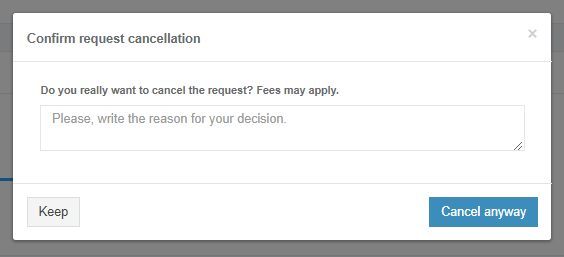
Apptimized shows the following modal window when successful:

[![packaging_15_2.png](https://docs.apptimized.com/uploads/images/gallery/2021-08/scaled-1680-/bJ8VjfwbVu4UoR99-packaging_15_2.png)](https://docs.apptimized.com/uploads/images/gallery/2021-08/bJ8VjfwbVu4UoR99-packaging_15_2.png)
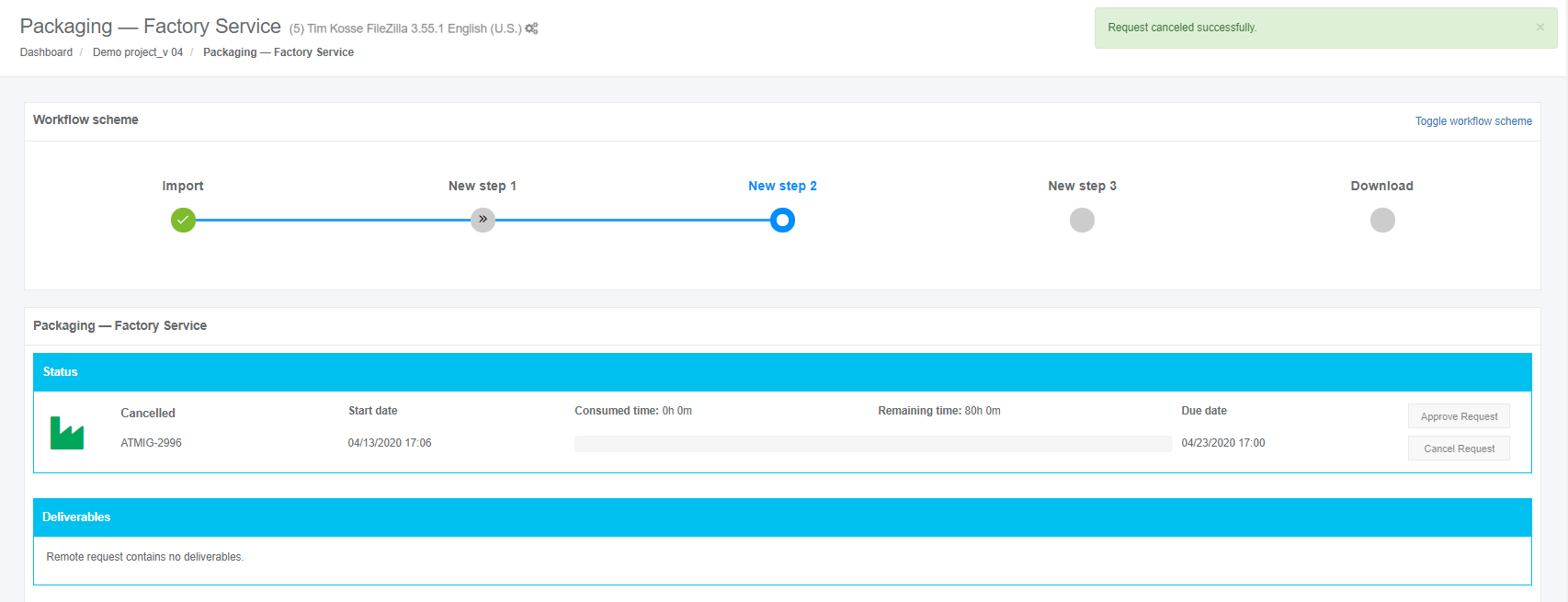
A user can cancel the packaging request until the **Delivered** status is achieved, and the discovery deliverables are available.

[![packaging-13-2-(2).png](https://docs.apptimized.com/uploads/images/gallery/2021-06/scaled-1680-/bAowFQMEzgtsJ7Tk-packaging-13-2-(2).png)](https://docs.apptimized.com/uploads/images/gallery/2021-06/bAowFQMEzgtsJ7Tk-packaging-13-2-(2).png)

<span class="TextRun SCXW91107997 BCX8" data-contrast="none" lang="EN-GB" xml:lang="EN-GB"><span class="NormalTextRun SCXW91107997 BCX8">If a user is </span></span><span class="TrackChangeTextDeletion TrackedChange SCXW91107997 BCX8"><span class="TextRun SCXW91107997 BCX8" data-contrast="none" lang="EN-GB" xml:lang="EN-GB"><span class="NormalTextRun SCXW91107997 BCX8">not </span></span></span><span class="TrackChangeTextInsertion TrackedChange SCXW91107997 BCX8"><span class="TextRun SCXW91107997 BCX8" data-contrast="none" lang="EN-GB" xml:lang="EN-GB"><span class="NormalTextRun SCXW91107997 BCX8">un</span></span></span><span class="TextRun SCXW91107997 BCX8" data-contrast="none" lang="EN-GB" xml:lang="EN-GB"><span class="NormalTextRun SCXW91107997 BCX8">satisfied with the packaging results, they can be rejected in the</span><span class="NormalTextRun SCXW91107997 BCX8"> </span></span><span class="TextRun SCXW91107997 BCX8" data-contrast="none" lang="EN-GB" xml:lang="EN-GB"><span class="NormalTextRun SCXW91107997 BCX8">**Factory request** </span></span><span class="TextRun SCXW91107997 BCX8" data-contrast="none" lang="EN-GB" xml:lang="EN-GB"><span class="NormalTextRun SCXW91107997 BCX8">section under the </span></span>**<span class="TextRun SCXW91107997 BCX8" data-contrast="none" lang="EN-GB" xml:lang="EN-GB"><span class="NormalTextRun SCXW91107997 BCX8">Factory activity</span></span>**<span class="TextRun SCXW91107997 BCX8" data-contrast="none" lang="EN-GB" xml:lang="EN-GB"><span class="NormalTextRun SCXW91107997 BCX8"> block.</span></span><span class="EOP SCXW91107997 BCX8" data-ccp-props="{"201341983":0,"335559739":160,"335559740":259}"> </span>

When a user is satisfied with the packaging results, they must be approved in the **Status** block. The option to approve the request is available under the **Approve Request** button. The **Approve Request** button becomes active when the **Delivered** status is achieved, and the packaging deliverables are available.

Apptimized shows the following modal window to confirm the request approval:

[![packaging_16.png](https://docs.apptimized.com/uploads/images/gallery/2020-04/scaled-1680-/uGW61ghNksoGxbWJ-packaging_16.png)](https://docs.apptimized.com/uploads/images/gallery/2020-04/uGW61ghNksoGxbWJ-packaging_16.png)
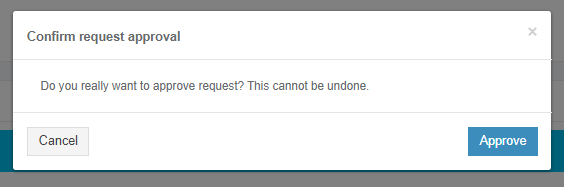
Apptimized shows the following screen when successful:

[![packaging-17-1-(2).png](https://docs.apptimized.com/uploads/images/gallery/2021-08/scaled-1680-/lsW839tWTFOwT0Q7-packaging-17-1-(2).png)](https://docs.apptimized.com/uploads/images/gallery/2021-08/lsW839tWTFOwT0Q7-packaging-17-1-(2).png)

<p class="callout info">**Note.** When a user approves the request, the option can`t be canceled.</p>

### **Deliverables block**

This block provides the packaging results to a user. Discovery results are provided as a package. The package extension depends on the selected packaging technology.

The option to download the testing results is available under the **Download** button.

[![packaging_18_3-(1).png](https://docs.apptimized.com/uploads/images/gallery/2021-06/scaled-1680-/QMqFt0Jsua8PdqAn-packaging_18_3-(1).png)](https://docs.apptimized.com/uploads/images/gallery/2021-06/QMqFt0Jsua8PdqAn-packaging_18_3-(1).png)

<span class="TextRun SCXW8943411 BCX8" data-contrast="auto" lang="EN-GB" xml:lang="EN-GB"><span class="NormalTextRun SCXW8943411 BCX8">If a user is not satisfied with the testing results, they can be rejected to further processing by the Apptimized team. The option to reject the testing results is available </span><span class="NormalTextRun SCXW8943411 BCX8">in the </span></span><span class="TextRun SCXW8943411 BCX8" data-contrast="auto" lang="EN-GB" xml:lang="EN-GB"><span class="NormalTextRun SCXW8943411 BCX8">**Factory request** </span></span><span class="TextRun SCXW8943411 BCX8" data-contrast="auto" lang="EN-GB" xml:lang="EN-GB"><span class="NormalTextRun SCXW8943411 BCX8">section under the </span></span>**<span class="TextRun SCXW8943411 BCX8" data-contrast="auto" lang="EN-GB" xml:lang="EN-GB"><span class="NormalTextRun SCXW8943411 BCX8">Factory activity block</span></span>**<span class="TextRun SCXW8943411 BCX8" data-contrast="auto" lang="EN-GB" xml:lang="EN-GB"><span class="NormalTextRun SCXW8943411 BCX8">. (see [**Factory activity** ](https://docs.apptimized.com/books/apptimized-platform-user-manual/page/packaging#bkmrk-comments-%26-attachmen)block)</span></span><span class="EOP SCXW8943411 BCX8" data-ccp-props="{"201341983":0,"335559739":160,"335559740":259}"> </span>

### **Factory activity block**

<span class="TextRun SCXW143226498 BCX8" data-contrast="auto" lang="EN-GB" xml:lang="EN-GB"><span class="NormalTextRun SCXW143226498 BCX8">The option to contact the specialist from </span></span><span class="TrackChangeTextInsertion TrackedChange SCXW143226498 BCX8"><span class="TextRun SCXW143226498 BCX8" data-contrast="auto" lang="EN-GB" xml:lang="EN-GB"><span class="NormalTextRun SCXW143226498 BCX8">the </span></span></span><span class="TextRun SCXW143226498 BCX8" data-contrast="auto" lang="EN-GB" xml:lang="EN-GB"><span class="NormalTextRun SCXW143226498 BCX8">team is available under the </span></span><span class="TextRun SCXW143226498 BCX8" data-contrast="auto" lang="EN-GB" xml:lang="EN-GB"><span class="NormalTextRun SCXW143226498 BCX8">**Factory activity block** &gt; **Factory request** </span></span><span class="TextRun SCXW143226498 BCX8" data-contrast="auto" lang="EN-GB" xml:lang="EN-GB"><span class="NormalTextRun SCXW143226498 BCX8">&gt; </span></span><span class="TextRun SCXW143226498 BCX8" data-contrast="auto" lang="EN-GB" xml:lang="EN-GB"><span class="NormalTextRun SCXW143226498 BCX8">**Write a message...** </span></span><span class="TextRun SCXW143226498 BCX8" data-contrast="auto" lang="EN-GB" xml:lang="EN-GB"><span class="NormalTextRun SCXW143226498 BCX8">field</span></span><span class="TextRun SCXW143226498 BCX8" data-contrast="auto" lang="EN-GB" xml:lang="EN-GB"><span class="NormalTextRun SCXW143226498 BCX8">.</span></span><span class="EOP SCXW143226498 BCX8" data-ccp-props="{"201341983":0,"335559739":160,"335559740":259}"> </span>

[![packaging_19-(1).png](https://docs.apptimized.com/uploads/images/gallery/2021-06/scaled-1680-/stKjy719hprrU91I-packaging_19-(1).png)](https://docs.apptimized.com/uploads/images/gallery/2021-06/stKjy719hprrU91I-packaging_19-(1).png)

The option to add supplementary attachments (i.e., screenshots, additional file) is available under the **Select file** button (Choose a file &gt; **Open** button &gt; **Add** button). The file can be a maximum of 10 MB.

[![packaging_20-(1).png](https://docs.apptimized.com/uploads/images/gallery/2021-06/scaled-1680-/MXytM2lXC6L4QIwf-packaging_20-(1).png)](https://docs.apptimized.com/uploads/images/gallery/2021-06/MXytM2lXC6L4QIwf-packaging_20-(1).png)

<span class="TextRun SCXW124225776 BCX8" data-contrast="auto" lang="EN-GB" xml:lang="EN-GB"><span class="NormalTextRun SCXW124225776 BCX8">The option to send </span></span><span class="TrackChangeTextInsertion TrackedChange SCXW124225776 BCX8"><span class="TextRun SCXW124225776 BCX8" data-contrast="auto" lang="EN-GB" xml:lang="EN-GB"><span class="NormalTextRun SCXW124225776 BCX8">a </span></span></span><span class="TextRun SCXW124225776 BCX8" data-contrast="auto" lang="EN-GB" xml:lang="EN-GB"><span class="NormalTextRun SCXW124225776 BCX8">message is available under the </span></span><span class="TextRun SCXW124225776 BCX8" data-contrast="auto" lang="EN-GB" xml:lang="EN-GB"><span class="NormalTextRun SCXW124225776 BCX8">**Add** </span></span><span class="TextRun SCXW124225776 BCX8" data-contrast="auto" lang="EN-GB" xml:lang="EN-GB"><span class="NormalTextRun SCXW124225776 BCX8">button.</span></span>

<span class="EOP SCXW124225776 BCX8" data-ccp-props="{"201341983":0,"335559739":160,"335559740":259}">[![packaging_21-(2).png](https://docs.apptimized.com/uploads/images/gallery/2021-06/scaled-1680-/300pfCVBMrxKlmNg-packaging_21-(2).png)](https://docs.apptimized.com/uploads/images/gallery/2021-06/300pfCVBMrxKlmNg-packaging_21-(2).png)</span>

<span class="EOP SCXW124225776 BCX8" data-ccp-props="{"201341983":0,"335559739":160,"335559740":259}">Apptimized shows the message history interface when successful:</span>

<span class="EOP SCXW124225776 BCX8" data-ccp-props="{"201341983":0,"335559739":160,"335559740":259}">[![packaging_18_4.png](https://docs.apptimized.com/uploads/images/gallery/2021-06/scaled-1680-/V8HgWe4exCOrfWqH-packaging_18_4.png)](https://docs.apptimized.com/uploads/images/gallery/2021-06/V8HgWe4exCOrfWqH-packaging_18_4.png)</span>

<span data-contrast="none">The option to provide additional comments or attachments to the Apptimized team is available under the </span>**<span data-contrast="none">Factory activity block</span>**<span data-contrast="none"> after the Factory request was solved.</span><span data-ccp-props="{"201341983":0,"335559739":160,"335559740":259}"> </span>

[![packaging_21_2.png](https://docs.apptimized.com/uploads/images/gallery/2021-06/scaled-1680-/r0oH3o1cf5goDl6D-packaging_21_2.png)](https://docs.apptimized.com/uploads/images/gallery/2021-06/r0oH3o1cf5goDl6D-packaging_21_2.png)

<span class="TextRun SCXW79584216 BCX8" data-contrast="auto" lang="EN-GB" xml:lang="EN-GB"><span class="NormalTextRun SCXW79584216 BCX8">The option to</span><span class="NormalTextRun SCXW79584216 BCX8"> ask additional questions to the </span><span class="NormalTextRun SCXW79584216 BCX8">Apptimized t</span><span class="NormalTextRun SCXW79584216 BCX8">eam is available under the </span></span><span class="TextRun SCXW79584216 BCX8" data-contrast="auto" lang="EN-GB" xml:lang="EN-GB"><span class="NormalTextRun SCXW79584216 BCX8">**Report a problem** </span></span><span class="TextRun SCXW79584216 BCX8" data-contrast="auto" lang="EN-GB" xml:lang="EN-GB"><span class="NormalTextRun ContextualSpellingAndGrammarErrorV2 SCXW79584216 BCX8">button.</span></span>

<span class="EOP SCXW79584216 BCX8" data-ccp-props="{"201341983":0,"335559739":160,"335559740":259}">[![packaging_22-(1).png](https://docs.apptimized.com/uploads/images/gallery/2021-06/scaled-1680-/qJVqurZr0p1BzgOI-packaging_22-(1).png)](https://docs.apptimized.com/uploads/images/gallery/2021-06/qJVqurZr0p1BzgOI-packaging_22-(1).png)</span>

<span class="EOP SCXW79584216 BCX8" data-ccp-props="{"201341983":0,"335559739":160,"335559740":259}"><span class="TextRun SCXW253364958 BCX8" data-contrast="auto" lang="EN-GB" xml:lang="EN-GB"><span class="NormalTextRun SCXW253364958 BCX8">Apptimized provides the following modal window when successful:</span></span></span>

<span class="EOP SCXW79584216 BCX8" data-ccp-props="{"201341983":0,"335559739":160,"335559740":259}">[![packaging_23-(2).png](https://docs.apptimized.com/uploads/images/gallery/2021-06/scaled-1680-/N2n2ngaEjbmuGYvS-packaging_23-(2).png)](https://docs.apptimized.com/uploads/images/gallery/2021-06/N2n2ngaEjbmuGYvS-packaging_23-(2).png)</span>

<span class="EOP SCXW79584216 BCX8" data-ccp-props="{"201341983":0,"335559739":160,"335559740":259}"><span class="TextRun SCXW169514241 BCX8" data-contrast="auto" lang="EN-GB" xml:lang="EN-GB"><span class="NormalTextRun SCXW169514241 BCX8">The option to write a text message is available under </span></span><span class="TrackChangeTextInsertion TrackedChange SCXW169514241 BCX8"><span class="TextRun SCXW169514241 BCX8" data-contrast="auto" lang="EN-GB" xml:lang="EN-GB"><span class="NormalTextRun SCXW169514241 BCX8">the </span></span></span><span class="TextRun SCXW169514241 BCX8" data-contrast="auto" lang="EN-GB" xml:lang="EN-GB"><span class="NormalTextRun SCXW169514241 BCX8">**Write your problem** </span></span><span class="TextRun SCXW169514241 BCX8" data-contrast="auto" lang="EN-GB" xml:lang="EN-GB"><span class="NormalTextRun ContextualSpellingAndGrammarErrorV2 SCXW169514241 BCX8">field</span></span><span class="EOP SCXW169514241 BCX8" data-ccp-props="{"201341983":0,"335559739":160,"335559740":259}"> </span></span>

<span class="EOP SCXW79584216 BCX8" data-ccp-props="{"201341983":0,"335559739":160,"335559740":259}"><span class="EOP SCXW169514241 BCX8" data-ccp-props="{"201341983":0,"335559739":160,"335559740":259}">[![packaging_24.png](https://docs.apptimized.com/uploads/images/gallery/2021-06/scaled-1680-/6xoAlvb3jarfH8su-packaging_24.png)](https://docs.apptimized.com/uploads/images/gallery/2021-06/6xoAlvb3jarfH8su-packaging_24.png)</span></span>

<p class="callout info">**<span class="EOP SCXW79584216 BCX8" data-ccp-props="{"201341983":0,"335559739":160,"335559740":259}">Note. </span>**<span class="EOP SCXW79584216 BCX8" data-ccp-props="{"201341983":0,"335559739":160,"335559740":259}">This field is mandatory.</span></p>

<span class="EOP SCXW79584216 BCX8" data-ccp-props="{"201341983":0,"335559739":160,"335559740":259}"><span class="TextRun SCXW94127574 BCX8" data-contrast="auto" lang="EN-GB" xml:lang="EN-GB"><span class="NormalTextRun SCXW94127574 BCX8">The option to attach </span></span><span class="TrackChangeTextInsertion TrackedChange SCXW94127574 BCX8"><span class="TextRun SCXW94127574 BCX8" data-contrast="auto" lang="EN-GB" xml:lang="EN-GB"><span class="NormalTextRun SCXW94127574 BCX8">a </span></span></span><span class="TextRun SCXW94127574 BCX8" data-contrast="auto" lang="EN-GB" xml:lang="EN-GB"><span class="NormalTextRun SCXW94127574 BCX8">file is available under the </span></span><span class="TextRun SCXW94127574 BCX8" data-contrast="auto" lang="EN-GB" xml:lang="EN-GB"><span class="NormalTextRun SCXW94127574 BCX8">**Select file** </span></span><span class="TextRun SCXW94127574 BCX8" data-contrast="auto" lang="EN-GB" xml:lang="EN-GB"><span class="NormalTextRun ContextualSpellingAndGrammarErrorV2 SCXW94127574 BCX8">field.</span></span></span>

<span class="EOP SCXW79584216 BCX8" data-ccp-props="{"201341983":0,"335559739":160,"335559740":259}"><span class="TextRun SCXW94127574 BCX8" data-contrast="auto" lang="EN-GB" xml:lang="EN-GB"><span class="NormalTextRun ContextualSpellingAndGrammarErrorV2 SCXW94127574 BCX8">[![packaging_25.png](https://docs.apptimized.com/uploads/images/gallery/2021-06/scaled-1680-/BohpvVdHQAv8vQD9-packaging_25.png)](https://docs.apptimized.com/uploads/images/gallery/2021-06/BohpvVdHQAv8vQD9-packaging_25.png)</span></span></span>

<span class="EOP SCXW79584216 BCX8" data-ccp-props="{"201341983":0,"335559739":160,"335559740":259}"><span class="TextRun SCXW131036850 BCX8" data-contrast="auto" lang="EN-GB" xml:lang="EN-GB"><span class="NormalTextRun SCXW131036850 BCX8">The option to change the attached file is available under the </span></span><span class="TextRun SCXW131036850 BCX8" data-contrast="auto" lang="EN-GB" xml:lang="EN-GB"><span class="NormalTextRun SCXW131036850 BCX8">**Change** </span></span><span class="TextRun SCXW131036850 BCX8" data-contrast="auto" lang="EN-GB" xml:lang="EN-GB"><span class="NormalTextRun SCXW131036850 BCX8">button.</span></span><span class="EOP SCXW131036850 BCX8" data-ccp-props="{"201341983":0,"335559739":160,"335559740":259}"> </span></span>

<span class="EOP SCXW79584216 BCX8" data-ccp-props="{"201341983":0,"335559739":160,"335559740":259}">[![packaging_26_3-(1).png](https://docs.apptimized.com/uploads/images/gallery/2021-06/scaled-1680-/O39QjMB2hotX9p2z-packaging_26_3-(1).png)](https://docs.apptimized.com/uploads/images/gallery/2021-06/O39QjMB2hotX9p2z-packaging_26_3-(1).png)</span>

<span class="EOP SCXW79584216 BCX8" data-ccp-props="{"201341983":0,"335559739":160,"335559740":259}"><span class="TextRun SCXW50092283 BCX8" data-contrast="auto" lang="EN-GB" xml:lang="EN-GB"><span class="NormalTextRun SCXW50092283 BCX8">The option to remove the attached file is available under the </span></span><span class="TextRun SCXW50092283 BCX8" data-contrast="auto" lang="EN-GB" xml:lang="EN-GB"><span class="NormalTextRun SCXW50092283 BCX8">**Remove** </span></span><span class="TextRun SCXW50092283 BCX8" data-contrast="auto" lang="EN-GB" xml:lang="EN-GB"><span class="NormalTextRun SCXW50092283 BCX8">button.</span></span><span class="EOP SCXW50092283 BCX8" data-ccp-props="{"201341983":0,"335559739":160,"335559740":259}"> </span></span>

<span class="EOP SCXW79584216 BCX8" data-ccp-props="{"201341983":0,"335559739":160,"335559740":259}">[![packaging-27-(1).png](https://docs.apptimized.com/uploads/images/gallery/2021-06/scaled-1680-/ITBYIKfheqDvVfxR-packaging-27-(1).png)](https://docs.apptimized.com/uploads/images/gallery/2021-06/ITBYIKfheqDvVfxR-packaging-27-(1).png)</span>

<span class="EOP SCXW79584216 BCX8" data-ccp-props="{"201341983":0,"335559739":160,"335559740":259}"><span class="TextRun SCXW236173650 BCX8" data-contrast="auto" lang="EN-GB" xml:lang="EN-GB"><span class="NormalTextRun SCXW236173650 BCX8">The option to send </span></span><span class="TrackChangeTextInsertion TrackedChange SCXW236173650 BCX8"><span class="TextRun SCXW236173650 BCX8" data-contrast="auto" lang="EN-GB" xml:lang="EN-GB"><span class="NormalTextRun SCXW236173650 BCX8">a </span></span></span><span class="TextRun SCXW236173650 BCX8" data-contrast="auto" lang="EN-GB" xml:lang="EN-GB"><span class="NormalTextRun SCXW236173650 BCX8">message is available under </span></span><span class="TextRun SCXW236173650 BCX8" data-contrast="auto" lang="EN-GB" xml:lang="EN-GB"><span class="NormalTextRun SCXW236173650 BCX8">**Send** </span></span><span class="TextRun SCXW236173650 BCX8" data-contrast="auto" lang="EN-GB" xml:lang="EN-GB"><span class="NormalTextRun SCXW236173650 BCX8">field. </span></span><span class="TextRun SCXW236173650 BCX8" data-contrast="auto" lang="EN-GB" xml:lang="EN-GB"><span class="NormalTextRun SCXW236173650 BCX8">**Cancel** – </span></span><span class="TextRun SCXW236173650 BCX8" data-contrast="auto" lang="EN-GB" xml:lang="EN-GB"><span class="NormalTextRun SCXW236173650 BCX8">reverts to </span></span><span class="TextRun SCXW236173650 BCX8" data-contrast="auto" lang="EN-GB" xml:lang="EN-GB"><span class="NormalTextRun SCXW236173650 BCX8">**general Factory process** </span></span><span class="TextRun SCXW236173650 BCX8" data-contrast="auto" lang="EN-GB" xml:lang="EN-GB"><span class="NormalTextRun SCXW236173650 BCX8">workflow</span><span class="NormalTextRun SCXW236173650 BCX8">.</span></span><span class="EOP SCXW236173650 BCX8" data-ccp-props="{"201341983":0,"335559739":160,"335559740":259}"> </span></span>

<span class="EOP SCXW79584216 BCX8" data-ccp-props="{"201341983":0,"335559739":160,"335559740":259}">[![packaging_28.png](https://docs.apptimized.com/uploads/images/gallery/2021-06/scaled-1680-/9UTowLyYgK7MB2ZW-packaging_28.png)](https://docs.apptimized.com/uploads/images/gallery/2021-06/9UTowLyYgK7MB2ZW-packaging_28.png)</span>

<span class="EOP SCXW79584216 BCX8" data-ccp-props="{"201341983":0,"335559739":160,"335559740":259}"><span class="TextRun SCXW216048830 BCX8" data-contrast="auto" lang="EN-GB" xml:lang="EN-GB"><span class="NormalTextRun SCXW216048830 BCX8">Apptimized shows the </span><span class="NormalTextRun SCXW216048830 BCX8">message history interface</span><span class="NormalTextRun SCXW216048830 BCX8"> when successful:</span></span><span class="EOP SCXW216048830 BCX8" data-ccp-props="{"201341983":0,"335559739":160,"335559740":259}"> </span></span>

<span class="EOP SCXW79584216 BCX8" data-ccp-props="{"201341983":0,"335559739":160,"335559740":259}">[![packaging_29_2-(2).png](https://docs.apptimized.com/uploads/images/gallery/2021-06/scaled-1680-/jf8Q1355QQiuyiwV-packaging_29_2-(2).png)](https://docs.apptimized.com/uploads/images/gallery/2021-06/jf8Q1355QQiuyiwV-packaging_29_2-(2).png)</span>

<p class="callout info"><span class="EOP SCXW79584216 BCX8" data-ccp-props="{"201341983":0,"335559739":160,"335559740":259}">**Note.** The attached files appear above the message history interface.</span></p>

<p class="callout info"><span class="EOP SCXW79584216 BCX8" data-ccp-props="{"201341983":0,"335559739":160,"335559740":259}">[![packaging_30-(2).png](https://docs.apptimized.com/uploads/images/gallery/2021-06/scaled-1680-/PB8kz4rQYeAEUKLm-packaging_30-(2).png)](https://docs.apptimized.com/uploads/images/gallery/2021-06/PB8kz4rQYeAEUKLm-packaging_30-(2).png)</span></p>

<span class="EOP SCXW79584216 BCX8" data-ccp-props="{"201341983":0,"335559739":160,"335559740":259}"><span class="TextRun SCXW216459290 BCX8" data-contrast="none" lang="EN-GB" xml:lang="EN-GB"><span class="NormalTextRun SCXW216459290 BCX8">If Apptimized needs some additional information, a user will receive notification</span><span class="NormalTextRun SCXW216459290 BCX8">s</span><span class="NormalTextRun SCXW216459290 BCX8"> </span><span class="NormalTextRun SCXW216459290 BCX8">and </span><span class="NormalTextRun SCXW216459290 BCX8">a warning icon in the dashboard:</span></span></span>

[![packaging_30-(3).png](https://docs.apptimized.com/uploads/images/gallery/2021-06/scaled-1680-/zwwXyZSrRSbGQGwz-packaging_30-(3).png)](https://docs.apptimized.com/uploads/images/gallery/2021-06/zwwXyZSrRSbGQGwz-packaging_30-(3).png)

<span class="EOP SCXW79584216 BCX8" data-ccp-props="{"201341983":0,"335559739":160,"335559740":259}">[![packaging_31-(2).png](https://docs.apptimized.com/uploads/images/gallery/2021-06/scaled-1680-/LwJiqpnBhFO8ihUn-packaging_31-(2).png)](https://docs.apptimized.com/uploads/images/gallery/2021-06/LwJiqpnBhFO8ihUn-packaging_31-(2).png)</span>

<span class="EOP SCXW79584216 BCX8" data-ccp-props="{"201341983":0,"335559739":160,"335559740":259}"><span class="TextRun SCXW86279053 BCX8" data-contrast="auto" lang="EN-GB" xml:lang="EN-GB"><span class="NormalTextRun SCXW86279053 BCX8">If there is</span></span><span class="TrackChangeTextDeletion TrackedChange SCXW86279053 BCX8"><span class="TextRun SCXW86279053 BCX8" data-contrast="auto" lang="EN-GB" xml:lang="EN-GB"><span class="NormalTextRun SCXW86279053 BCX8"> </span></span></span><span class="TextRun SCXW86279053 BCX8" data-contrast="auto" lang="EN-GB" xml:lang="EN-GB"><span class="NormalTextRun SCXW86279053 BCX8">feedback from the user</span></span><span class="TrackChangeTextDeletion TrackedChange SCXW86279053 BCX8"><span class="TextRun SCXW86279053 BCX8" data-contrast="auto" lang="EN-GB" xml:lang="EN-GB"><span class="NormalTextRun SCXW86279053 BCX8"> </span></span></span><span class="TrackChangeTextInsertion TrackedChange SCXW86279053 BCX8"><span class="TextRun SCXW86279053 BCX8" data-contrast="auto" lang="EN-GB" xml:lang="EN-GB"><span class="NormalTextRun SCXW86279053 BCX8">regardi</span></span></span><span class="TrackChangeTextInsertion TrackedChange SCXW86279053 BCX8"><span class="TextRun SCXW86279053 BCX8" data-contrast="auto" lang="EN-GB" xml:lang="EN-GB"><span class="NormalTextRun SCXW86279053 BCX8">ng</span></span></span><span class="TrackChangeTextInsertion TrackedChange SCXW86279053 BCX8"><span class="TextRun SCXW86279053 BCX8" data-contrast="auto" lang="EN-GB" xml:lang="EN-GB"><span class="NormalTextRun SCXW86279053 BCX8"> </span></span></span><span class="TextRun SCXW86279053 BCX8" data-contrast="auto" lang="EN-GB" xml:lang="EN-GB"><span class="NormalTextRun SCXW86279053 BCX8">the Factory Request, the following </span><span class="NormalTextRun SCXW86279053 BCX8">notification and status in the dashboard appear:</span></span></span>

<span class="EOP SCXW79584216 BCX8" data-ccp-props="{"201341983":0,"335559739":160,"335559740":259}"><span class="TextRun SCXW86279053 BCX8" data-contrast="auto" lang="EN-GB" xml:lang="EN-GB"><span class="NormalTextRun SCXW86279053 BCX8">[![packaging_36-(1).png](https://docs.apptimized.com/uploads/images/gallery/2021-06/scaled-1680-/wsajrhpC8RCdeXuQ-packaging_36-(1).png)](https://docs.apptimized.com/uploads/images/gallery/2021-06/wsajrhpC8RCdeXuQ-packaging_36-(1).png)</span></span></span>

<span class="EOP SCXW79584216 BCX8" data-ccp-props="{"201341983":0,"335559739":160,"335559740":259}"><span class="TextRun SCXW86279053 BCX8" data-contrast="auto" lang="EN-GB" xml:lang="EN-GB"><span class="NormalTextRun SCXW86279053 BCX8">[![packaging_35-(1).png](https://docs.apptimized.com/uploads/images/gallery/2021-06/scaled-1680-/gqRxpwARUXcW7rqh-packaging_35-(1).png)](https://docs.apptimized.com/uploads/images/gallery/2021-06/gqRxpwARUXcW7rqh-packaging_35-(1).png)</span></span></span>

<span class="EOP SCXW79584216 BCX8" data-ccp-props="{"201341983":0,"335559739":160,"335559740":259}"><span class="TextRun SCXW86279053 BCX8" data-contrast="auto" lang="EN-GB" xml:lang="EN-GB"><span class="NormalTextRun SCXW86279053 BCX8"><span class="TextRun  BCX8 SCXW6278276" data-contrast="auto" lang="EN-GB" xml:lang="EN-GB"><span class="NormalTextRun SpellingErrorV2  BCX8 SCXW6278276">Apptimized</span><span class="NormalTextRun  BCX8 SCXW6278276"> </span><span class="NormalTextRun  BCX8 SCXW6278276">provides</span><span class="NormalTextRun  BCX8 SCXW6278276"> the following </span><span class="NormalTextRun  BCX8 SCXW6278276">notification and statuses</span><span class="NormalTextRun  BCX8 SCXW6278276"> </span><span class="NormalTextRun  BCX8 SCXW6278276">in </span><span class="NormalTextRun  BCX8 SCXW6278276">the </span><span class="NormalTextRun  BCX8 SCXW6278276">workflow and dashboard </span><span class="NormalTextRun  BCX8 SCXW6278276">after the request </span><span class="NormalTextRun  BCX8 SCXW6278276">is</span><span class="NormalTextRun  BCX8 SCXW6278276"> </span><span class="NormalTextRun  BCX8 SCXW6278276">re</span><span class="NormalTextRun  BCX8 SCXW6278276">solved:</span></span><span class="EOP  BCX8 SCXW6278276" data-ccp-props="{"201341983":0,"335559739":160,"335559740":259}"> </span></span></span></span>

<span class="EOP SCXW79584216 BCX8" data-ccp-props="{"201341983":0,"335559739":160,"335559740":259}"><span class="TextRun SCXW86279053 BCX8" data-contrast="auto" lang="EN-GB" xml:lang="EN-GB"><span class="NormalTextRun SCXW86279053 BCX8"><span class="EOP  BCX8 SCXW6278276" data-ccp-props="{"201341983":0,"335559739":160,"335559740":259}">[![packaging_36-(1).png](https://docs.apptimized.com/uploads/images/gallery/2021-06/scaled-1680-/wsajrhpC8RCdeXuQ-packaging_36-(1).png)](https://docs.apptimized.com/uploads/images/gallery/2021-06/wsajrhpC8RCdeXuQ-packaging_36-(1).png)</span></span></span></span>

<span class="EOP SCXW79584216 BCX8" data-ccp-props="{"201341983":0,"335559739":160,"335559740":259}"><span class="TextRun SCXW86279053 BCX8" data-contrast="auto" lang="EN-GB" xml:lang="EN-GB"><span class="NormalTextRun SCXW86279053 BCX8"><span class="EOP  BCX8 SCXW6278276" data-ccp-props="{"201341983":0,"335559739":160,"335559740":259}">[![packaging_33-(3).png](https://docs.apptimized.com/uploads/images/gallery/2021-06/scaled-1680-/ftTCL5XyMG2rBbeO-packaging_33-(3).png)](https://docs.apptimized.com/uploads/images/gallery/2021-06/ftTCL5XyMG2rBbeO-packaging_33-(3).png)</span></span></span></span>

<span class="EOP SCXW79584216 BCX8" data-ccp-props="{"201341983":0,"335559739":160,"335559740":259}">[![packaging_37-(1).png](https://docs.apptimized.com/uploads/images/gallery/2021-06/scaled-1680-/WtKJ6jlTutz1fsTE-packaging_37-(1).png)](https://docs.apptimized.com/uploads/images/gallery/2021-06/WtKJ6jlTutz1fsTE-packaging_37-(1).png)</span>

### **Finish Packaging - Factory Service**

The **Finish** button becomes active when a request is approved by a user.

[![packaging_31-(3).png](https://docs.apptimized.com/uploads/images/gallery/2021-06/scaled-1680-/i42ZSqNvtVduJzhc-packaging_31-(3).png)](https://docs.apptimized.com/uploads/images/gallery/2021-06/i42ZSqNvtVduJzhc-packaging_31-(3).png)

The option to create a new request is available under the **Create new request** button. Apptimized shows the following modal window to confirm the request approval:

[![packaging_24.png](https://docs.apptimized.com/uploads/images/gallery/2020-04/scaled-1680-/vZK2y7DH5AES6k1l-packaging_24.png)](https://docs.apptimized.com/uploads/images/gallery/2020-04/vZK2y7DH5AES6k1l-packaging_24.png)
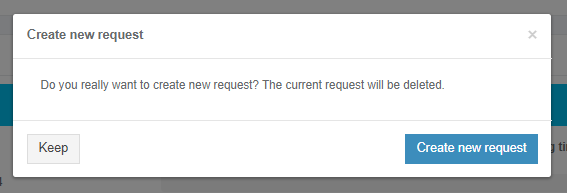
Apptimized shows the following screen when successful:

[![packaging_25.png](https://docs.apptimized.com/uploads/images/gallery/2020-04/scaled-1680-/WFee0Uc08vr1o8TT-packaging_25.png)](https://docs.apptimized.com/uploads/images/gallery/2020-04/WFee0Uc08vr1o8TT-packaging_25.png)
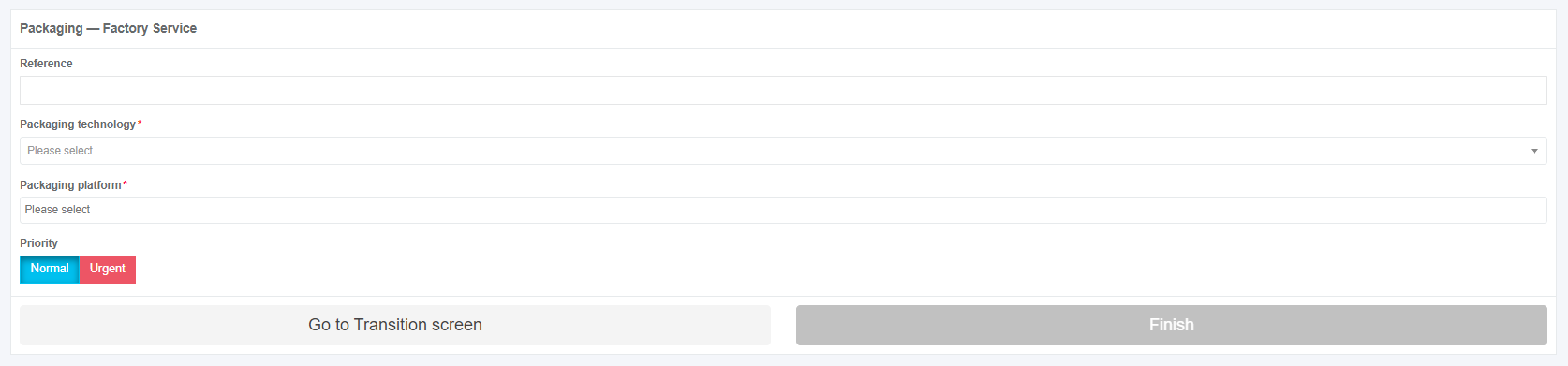
The option to finish Packaging - Factory Service process is available under the **Finish** button.

[![packaging_32-(2).png](https://docs.apptimized.com/uploads/images/gallery/2021-06/scaled-1680-/9vFKtVIcXaopnxc7-packaging_32-(2).png)](https://docs.apptimized.com/uploads/images/gallery/2021-06/9vFKtVIcXaopnxc7-packaging_32-(2).png)

Apptimized shows the following screen when successful:

[![packaging_27.png](https://docs.apptimized.com/uploads/images/gallery/2020-04/scaled-1680-/kyf8h4wQxBcE2NvT-packaging_27.png)](https://docs.apptimized.com/uploads/images/gallery/2020-04/kyf8h4wQxBcE2NvT-packaging_27.png)