# Apptimized Platform User Manual

# On-boarding

### Log in

Apptimized portal is available at [https://app.apptimized.com/](https://app.apptimized.com/)

Apptimized portal supports login via single sign-on.

The Apptimized portal supports authentication via Microsoft AAD.

The option to enforce authentication via Microsoft AAD is available in the organization security settings. When this option is enabled, all users of the organization are required to authenticate via Microsoft AAD. The login screen provides the Microsoft button, and local account sign-in is disabled.

[![AAD Log In.png](https://docs.apptimized.com/uploads/images/gallery/2026-03/scaled-1680-/aad-log-in.png)](https://docs.apptimized.com/uploads/images/gallery/2026-03/aad-log-in.png)

The account linking functionality is performed automatically during authentication. The system links the Microsoft AAD identity to the existing user account based on the matching email address. If the system cannot find a corresponding account, an error is displayed.

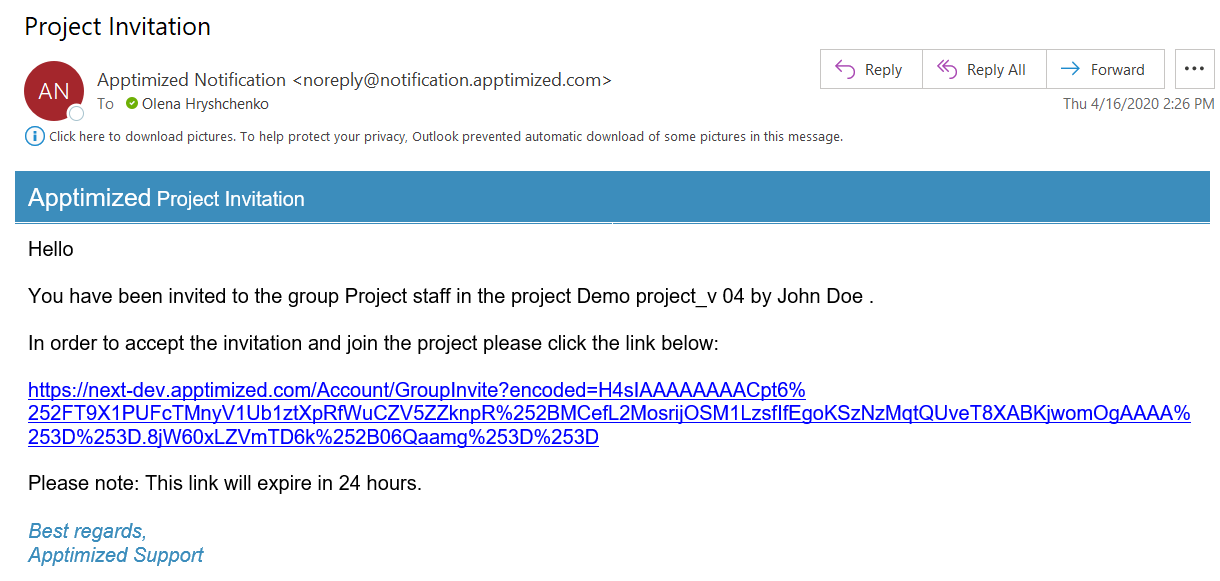
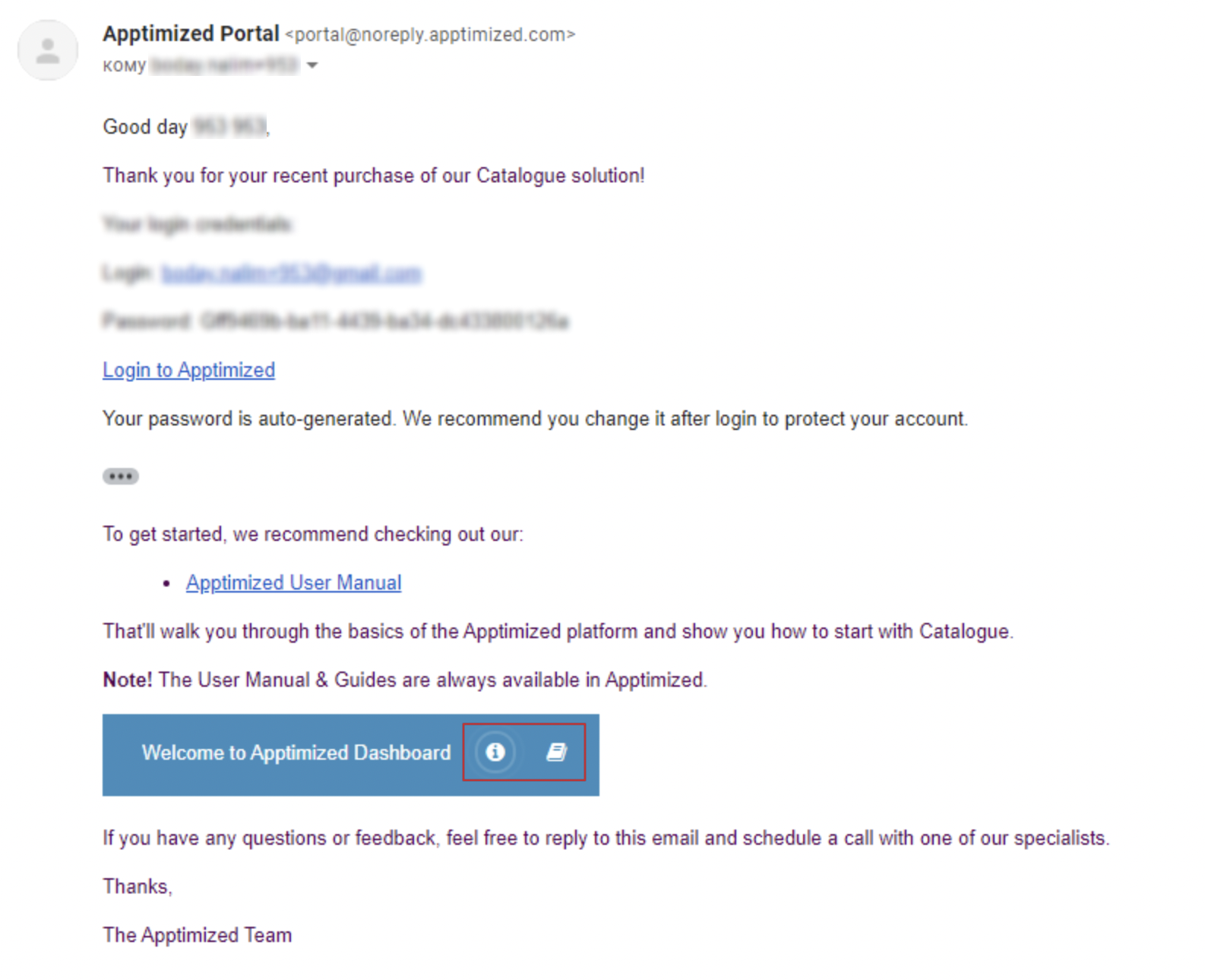
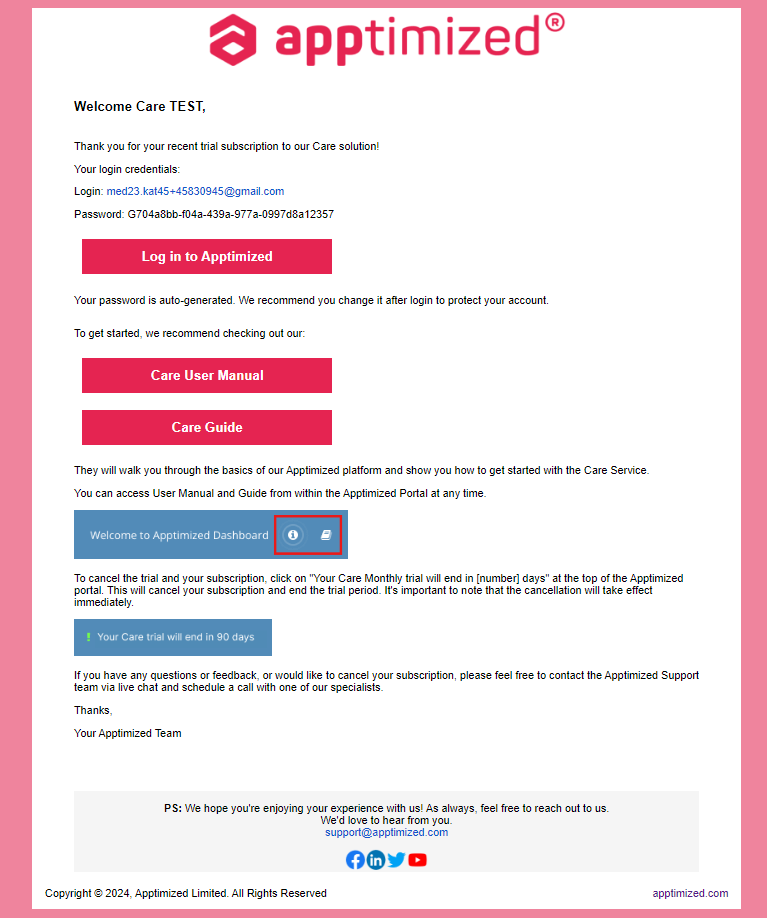
Apptimized sends the follow-up email when the user has been accessed the Apptimized Portal:

[![on-boarding_0_1.png](https://docs.apptimized.com/uploads/images/gallery/2021-09/scaled-1680-/fWxf1giOsPZlXHzL-on-boarding_0_1.png)](https://docs.apptimized.com/uploads/images/gallery/2021-09/fWxf1giOsPZlXHzL-on-boarding_0_1.png)

Apptimized shows the **Welcome screen guide message** when the user logs in:

[![log_04.png](https://docs.apptimized.com/uploads/images/gallery/2020-04/scaled-1680-/f63ZeEAqHeksCCh5-log_04.png)](https://docs.apptimized.com/uploads/images/gallery/2020-04/f63ZeEAqHeksCCh5-log_04.png)

The option to disable the guide notifications is available under **Do not show this message again** checkbox.

<p class="callout info">**Note**. Apptimized shows the following screen when the user logs in after registration (see [**Register to Apptimized Portal**](https://docs.apptimized.com/books/apptimized-admincenter-user-manual/page/single-sign-on#bkmrk-register-to-apptimiz)):  
  
[![sso_reg_4.png](https://docs.apptimized.com/uploads/images/gallery/2021-09/scaled-1680-/7I3eGDTnhRVRi4CL-sso_reg_4.png)](https://docs.apptimized.com/uploads/images/gallery/2021-09/7I3eGDTnhRVRi4CL-sso_reg_4.png)</p>
When a user does not have an assigned project, Apptimized shows the **Create new page** screen:

[![log_05.png](https://docs.apptimized.com/uploads/images/gallery/2020-04/scaled-1680-/Gg7LKr44kfK9cCRK-log_05.png)](https://docs.apptimized.com/uploads/images/gallery/2020-04/Gg7LKr44kfK9cCRK-log_05.png)
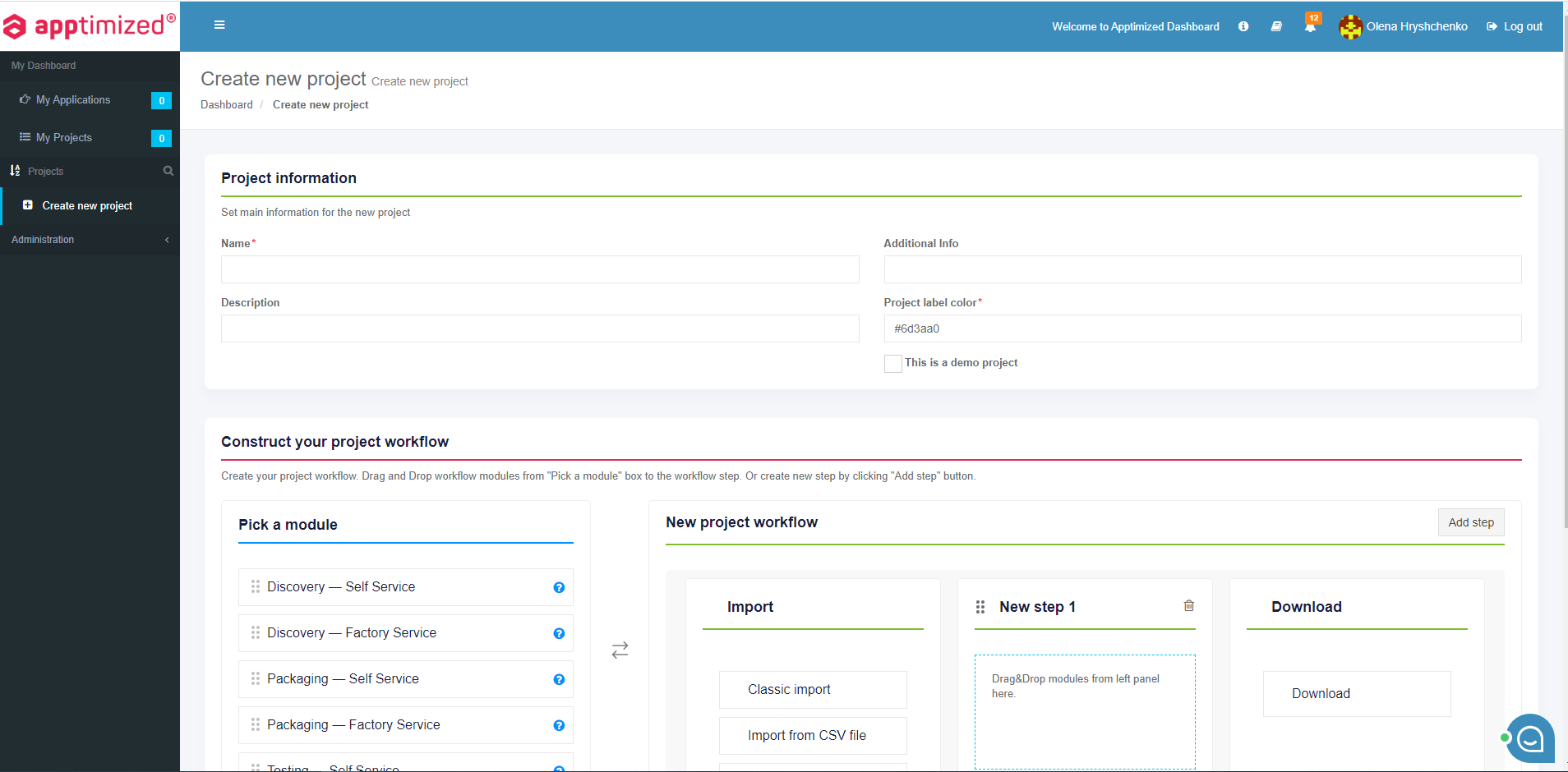
A manual to create a project is available at the chapter [**Create project**](https://docs.apptimized.com/books/apptimized-platform-user-manual/page/create-project "Create project").

When a user has an assigned project, Apptimized shows the **Project list page** screen:

[![log_03.png](https://docs.apptimized.com/uploads/images/gallery/2020-04/scaled-1680-/hkfEmE4iP2jrxmCa-log_03.png)](https://docs.apptimized.com/uploads/images/gallery/2020-04/hkfEmE4iP2jrxmCa-log_03.png)
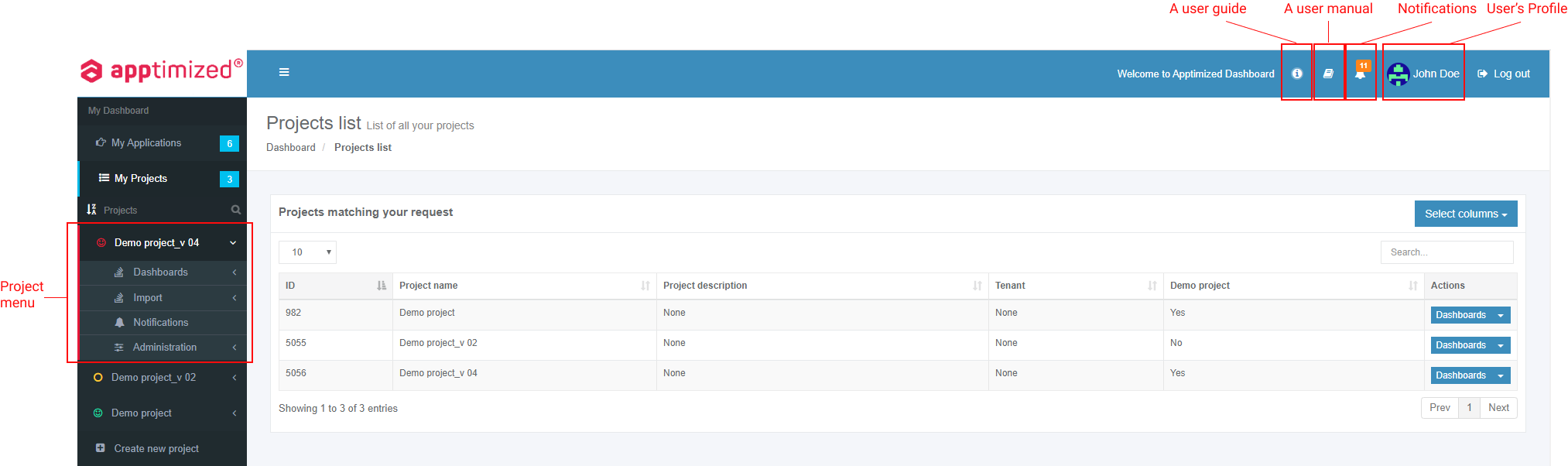
A project assigns to a user by a project administrator.

When a user logs in after invitation via email, Apptimized shows the project user has been invited to (see [**Invite via email**](https://docs.apptimized.com/link/244#bkmrk-if-the-person-does-n)):

[![sso_reg_5.png](https://docs.apptimized.com/uploads/images/gallery/2021-09/scaled-1680-/68lqUF8jL5K3Olbw-sso_reg_5.png)](https://docs.apptimized.com/uploads/images/gallery/2021-09/68lqUF8jL5K3Olbw-sso_reg_5.png)
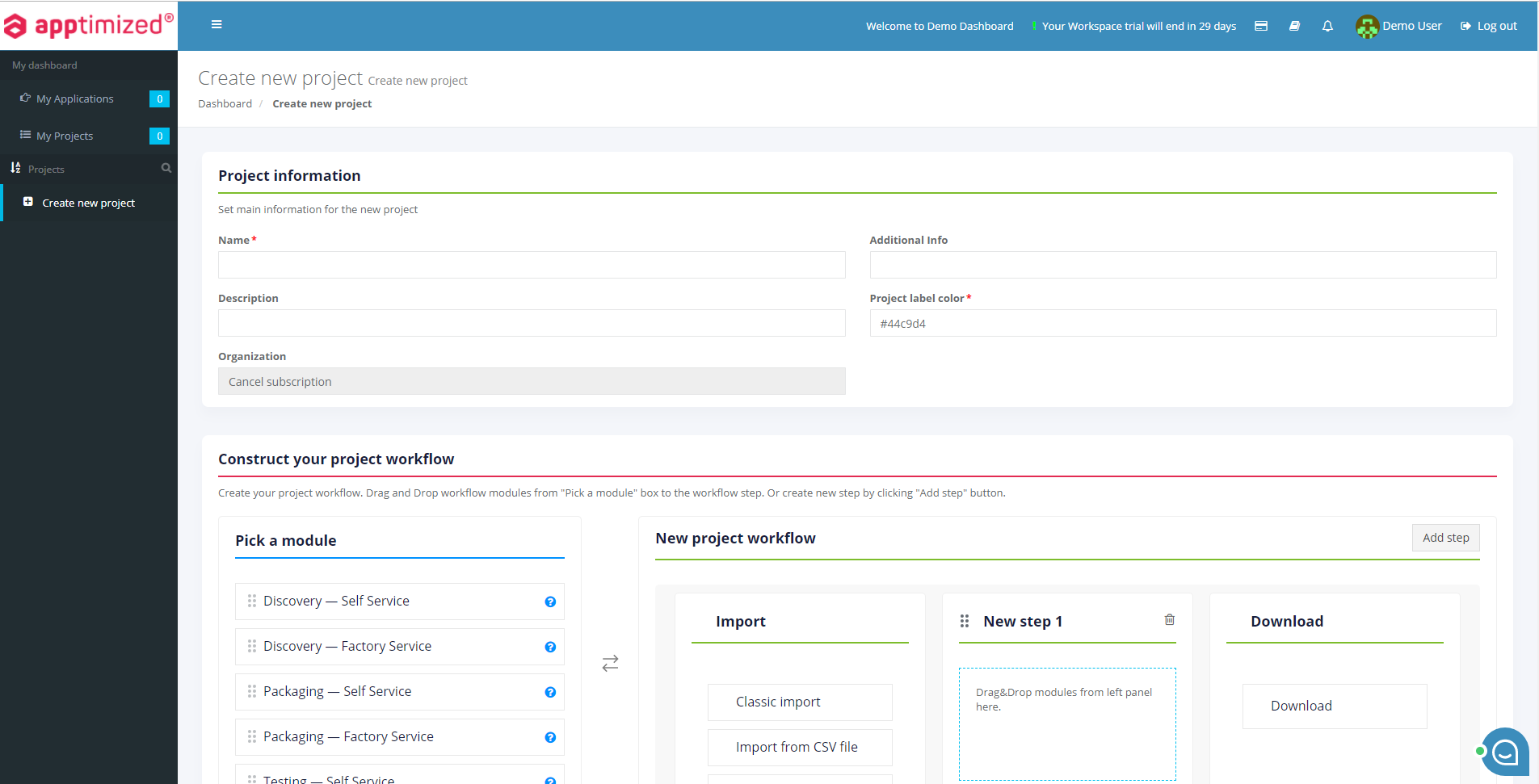
When a user logs in via trial account, Apptimized shows the following screen:

[![onb1.png](https://docs.apptimized.com/uploads/images/gallery/2021-09/scaled-1680-/iIuW4HTnMYgmqThl-onb1.png)](https://docs.apptimized.com/uploads/images/gallery/2021-09/iIuW4HTnMYgmqThl-onb1.png)
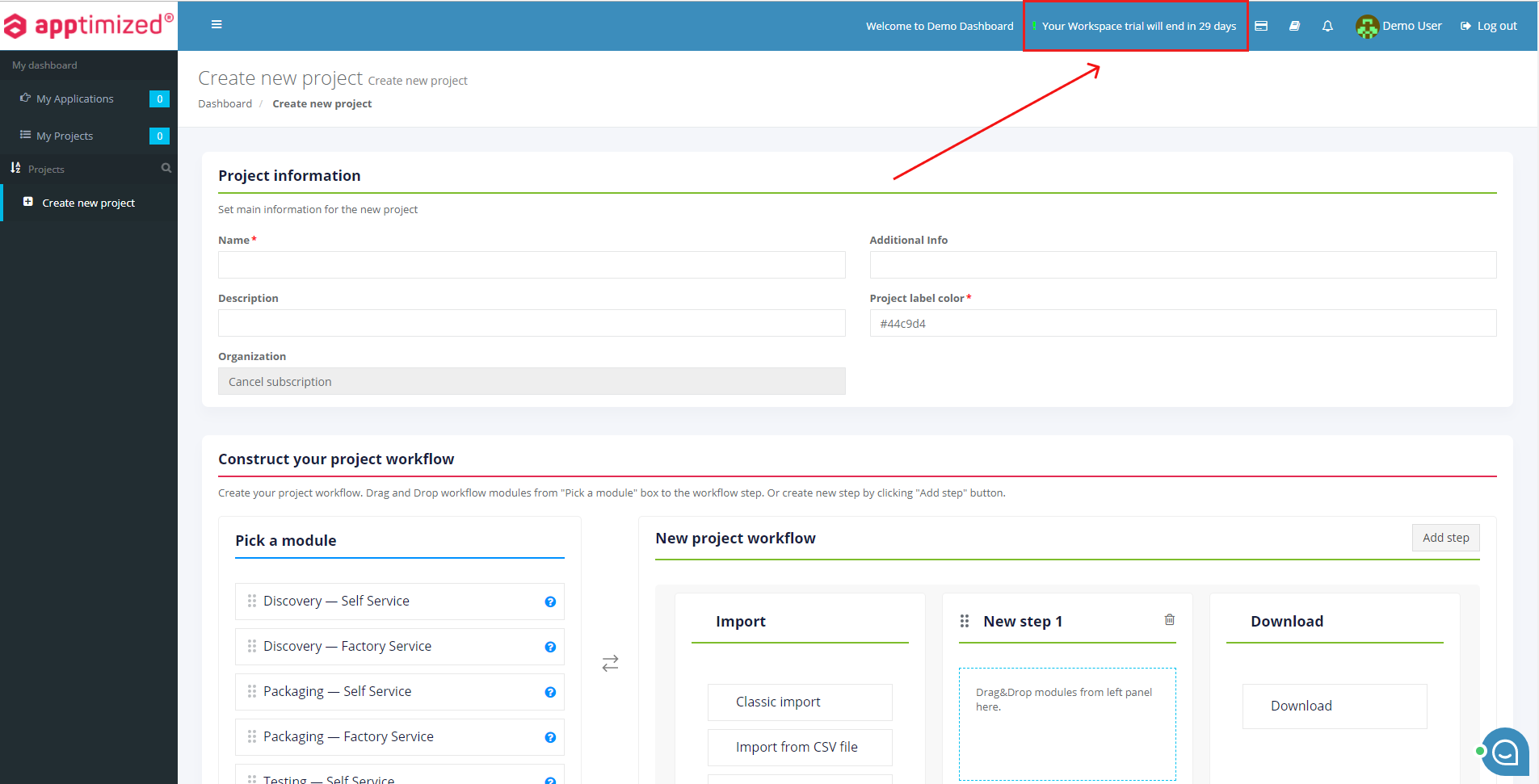
The notification about the remaining trial period is displayed in the header:

[![on_b_3.png](https://docs.apptimized.com/uploads/images/gallery/2021-09/scaled-1680-/cWQRmbAGtaUIeh6M-on_b_3.png)](https://docs.apptimized.com/uploads/images/gallery/2021-09/cWQRmbAGtaUIeh6M-on_b_3.png)
[![on_b_4.png](https://docs.apptimized.com/uploads/images/gallery/2021-09/scaled-1680-/08IBz5Is6cgDWqz9-on_b_4.png)](https://docs.apptimized.com/uploads/images/gallery/2021-09/08IBz5Is6cgDWqz9-on_b_4.png)

The option to **cancel a subscription** is available under the **Your Workspace trial end in X days** button.

Apptimized shows the following modal window when successful:

[![on_b_5-(1).png](https://docs.apptimized.com/uploads/images/gallery/2021-09/scaled-1680-/tcuQkLcwGvcm9Tbc-on_b_5-(1).png)](https://docs.apptimized.com/uploads/images/gallery/2021-09/tcuQkLcwGvcm9Tbc-on_b_5-(1).png)

The option to **Confirm subscription cancellation** is available under **Yes** button.

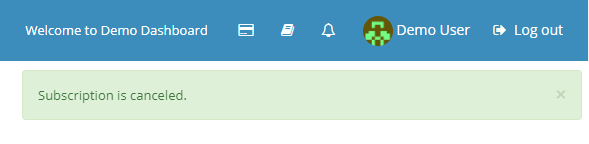
Apptimized shows the following notification when successful:

[![on_b_6.png](https://docs.apptimized.com/uploads/images/gallery/2021-09/scaled-1680-/E3B3xIiELth0cYZG-on_b_6.png)](https://docs.apptimized.com/uploads/images/gallery/2021-09/E3B3xIiELth0cYZG-on_b_6.png)
### User Guides 

The User Guides enable a user to check the step-by-step instruction of using the Apptimized platform and solutions.

The option to check the user guides is available under the **Information** button.

[![guides_1.png](https://docs.apptimized.com/uploads/images/gallery/2021-01/scaled-1680-/fqMjRsEnrVNrnM01-guides_1.png)](https://docs.apptimized.com/uploads/images/gallery/2021-01/fqMjRsEnrVNrnM01-guides_1.png)
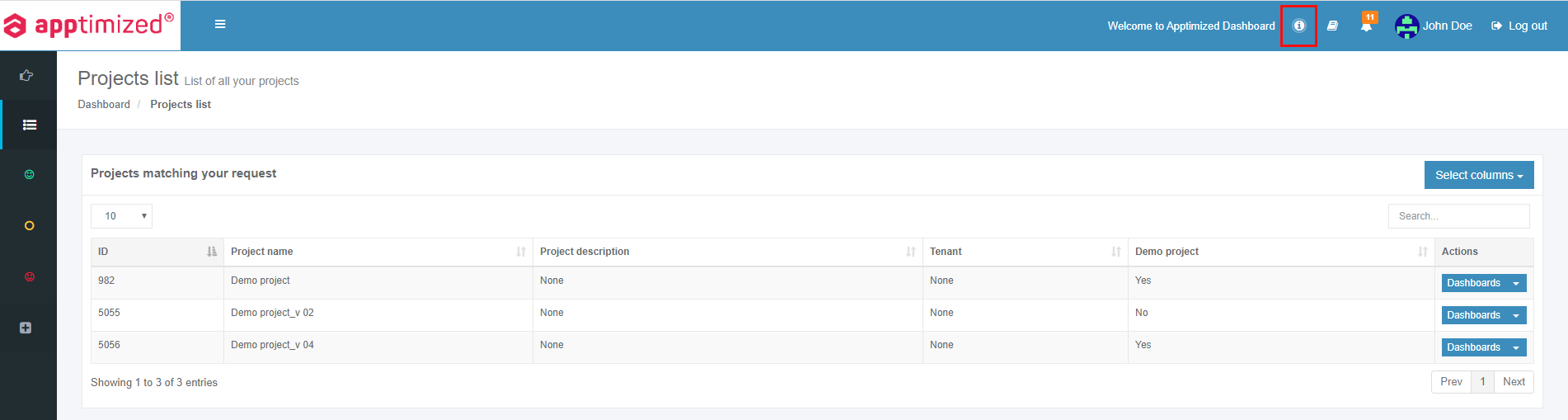
Apptimized solution guides are also available in PDF format.

<table border="1" class="align-left" id="bkmrk-solution-description" style="height: 66px; width: 100%; border-collapse: collapse;"><tbody><tr style="height: 28px;"><td style="width: 16.4197%; height: 28px;">**Solution**</td><td style="width: 53.3334%; height: 28px;">**Description**</td><td style="width: 30.247%; height: 28px;">**User Guide**</td></tr><tr style="height: 28px;"><td class="align-left" style="width: 16.4197%; height: 10px; vertical-align: top;">Apptimized Workspace </td><td class="align-left" style="width: 53.3334%; height: 10px; vertical-align: top;">Packaging Self-service to package and test applications from Apptimized portfolio (check the **[Packaging](https://docs.apptimized.com/books/apptimized-platform-user-manual/page/packaging "Packaging")**).</td><td class="align-left" style="width: 30.247%; height: 10px; vertical-align: top;">[![pdf.png](https://docs.apptimized.com/uploads/images/gallery/2020-08/scaled-1680-/5fI9CGqIZPji9gPq-pdf.png)](https://docs.apptimized.com/attachments/126)</td></tr><tr style="height: 28px;"><td class="align-left" style="width: 16.4197%; height: 28px; vertical-align: top;">Apptimized Catalogue</td><td class="align-left" style="width: 53.3334%; height: 28px; vertical-align: top;">Pre-packaged applications on-demand (check the [**Catalogue**](https://docs.apptimized.com/books/apptimized-platform-user-manual/page/catalogue)).</td><td class="align-left" style="width: 30.247%; height: 28px; vertical-align: top;">[![pdf.png](https://docs.apptimized.com/uploads/images/gallery/2020-08/scaled-1680-/5fI9CGqIZPji9gPq-pdf.png)](https://docs.apptimized.com/attachments/127)</td></tr></tbody></table>

### Dashboard settings

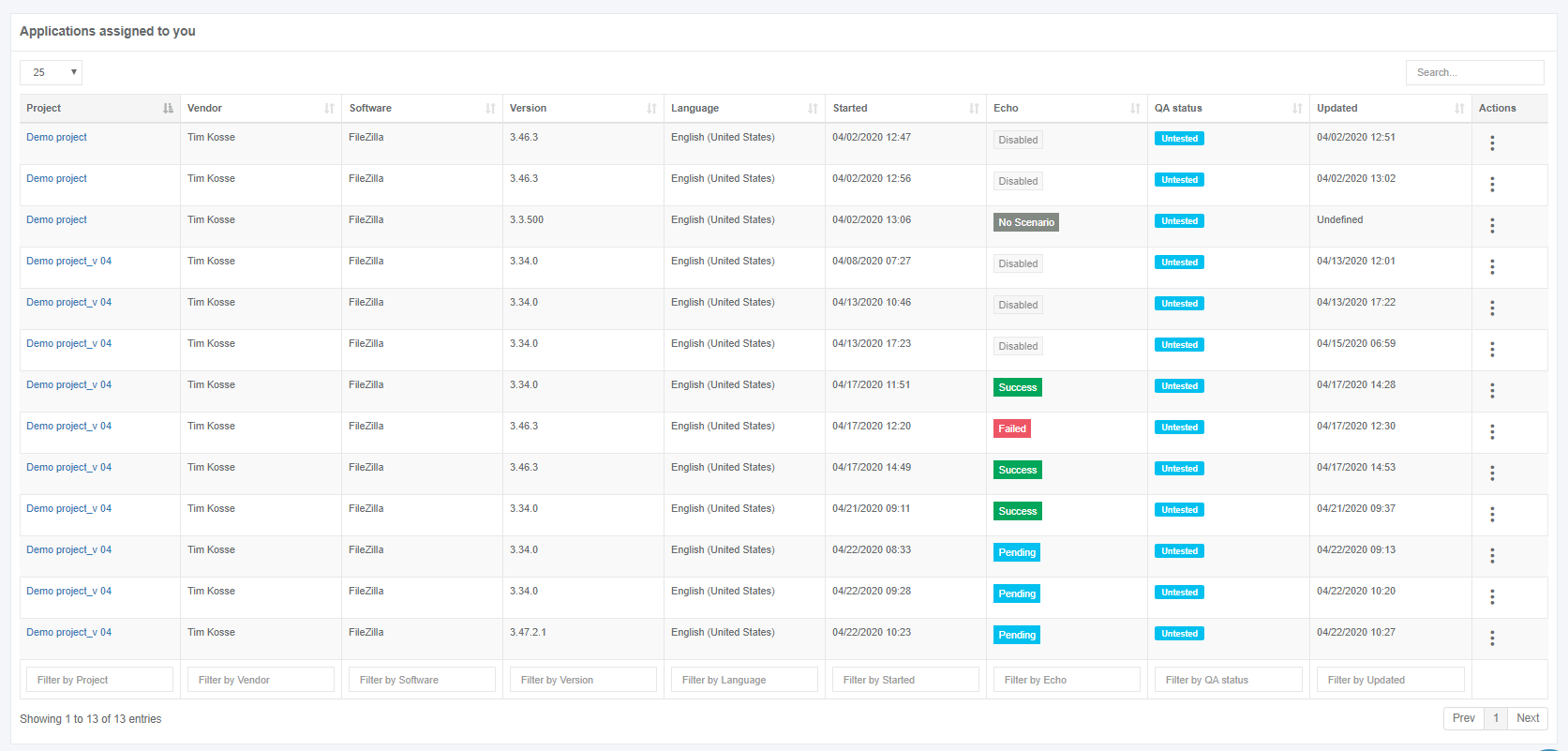
**My Dashboard** page provides information about all applications and projects that are assigned to a user or created by a user.

Applications overview is available under the **My Applications** page:

[![dash_set_01.PNG](https://docs.apptimized.com/uploads/images/gallery/2020-04/scaled-1680-/gYG2NEvZsCmZV1ky-dash_set_01.PNG)](https://docs.apptimized.com/uploads/images/gallery/2020-04/gYG2NEvZsCmZV1ky-dash_set_01.PNG)

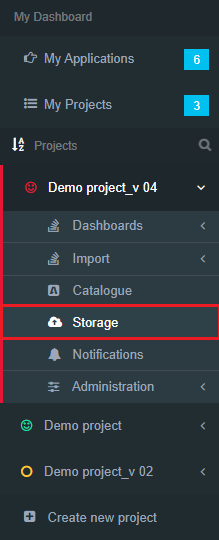
Projects overview is available under the **My Projects** page:

[![dash_set_02.PNG](https://docs.apptimized.com/uploads/images/gallery/2020-04/scaled-1680-/aZpWM3uMrE1BDD1g-dash_set_02.PNG)](https://docs.apptimized.com/uploads/images/gallery/2020-04/aZpWM3uMrE1BDD1g-dash_set_02.PNG)

The option to filter projects alphabetically (i.e., from A to Z or from Z to A) is available under the filtering symbol:

[![dash_set_04.PNG](https://docs.apptimized.com/uploads/images/gallery/2020-04/scaled-1680-/O5Exsfr38DMRfDjb-dash_set_04.PNG)](https://docs.apptimized.com/uploads/images/gallery/2020-04/O5Exsfr38DMRfDjb-dash_set_04.PNG)

Keyword search mode available (**Loupe** symbol &gt; Enter a search keyword):

[![dash_set_05.png](https://docs.apptimized.com/uploads/images/gallery/2020-04/scaled-1680-/08SsOkljxV5hxK3h-dash_set_05.png)](https://docs.apptimized.com/uploads/images/gallery/2020-04/08SsOkljxV5hxK3h-dash_set_05.png)

The option to pin a project available. The project pins when clicking on its icon:

[![dash_set_06.png](https://docs.apptimized.com/uploads/images/gallery/2020-04/scaled-1680-/UM0tpIIEvcWL6tZy-dash_set_06.png)](https://docs.apptimized.com/uploads/images/gallery/2020-04/UM0tpIIEvcWL6tZy-dash_set_06.png)

The option to unpin a project available. The project unpins when clicking on its icon:

[![dash_set_07.png](https://docs.apptimized.com/uploads/images/gallery/2020-04/scaled-1680-/iaSAu6gclzoRUcjG-dash_set_07.png)](https://docs.apptimized.com/uploads/images/gallery/2020-04/iaSAu6gclzoRUcjG-dash_set_07.png)

The option to extend the workspace is available under the [![dash_set_08.PNG](https://docs.apptimized.com/uploads/images/gallery/2020-04/scaled-1680-/Xauz8UMMfHplfBTM-dash_set_08.PNG)](https://docs.apptimized.com/uploads/images/gallery/2020-04/Xauz8UMMfHplfBTM-dash_set_08.PNG) symbol:

[![dash_set_09.png](https://docs.apptimized.com/uploads/images/gallery/2020-04/scaled-1680-/lOBHom32DRPL1cij-dash_set_09.png)](https://docs.apptimized.com/uploads/images/gallery/2020-04/lOBHom32DRPL1cij-dash_set_09.png)

The workspace reverts to the initial state when clicking the [![dash_set_08.PNG](https://docs.apptimized.com/uploads/images/gallery/2020-04/scaled-1680-/Xauz8UMMfHplfBTM-dash_set_08.PNG)](https://docs.apptimized.com/uploads/images/gallery/2020-04/Xauz8UMMfHplfBTM-dash_set_08.PNG) symbol.

### Notifications

#### **Apptimized Email notifications**

Apptimized provides email notifications:

1\. Account activation request;

2\. Account activation confirmation;

3\. Account creation confirmation;

4\. Password recovery;

5\. Discovery/Packaging/Testing activities:

- The request status changes;
- New comment on the request;
- New attachment on the request

6\. Update Monitoring:

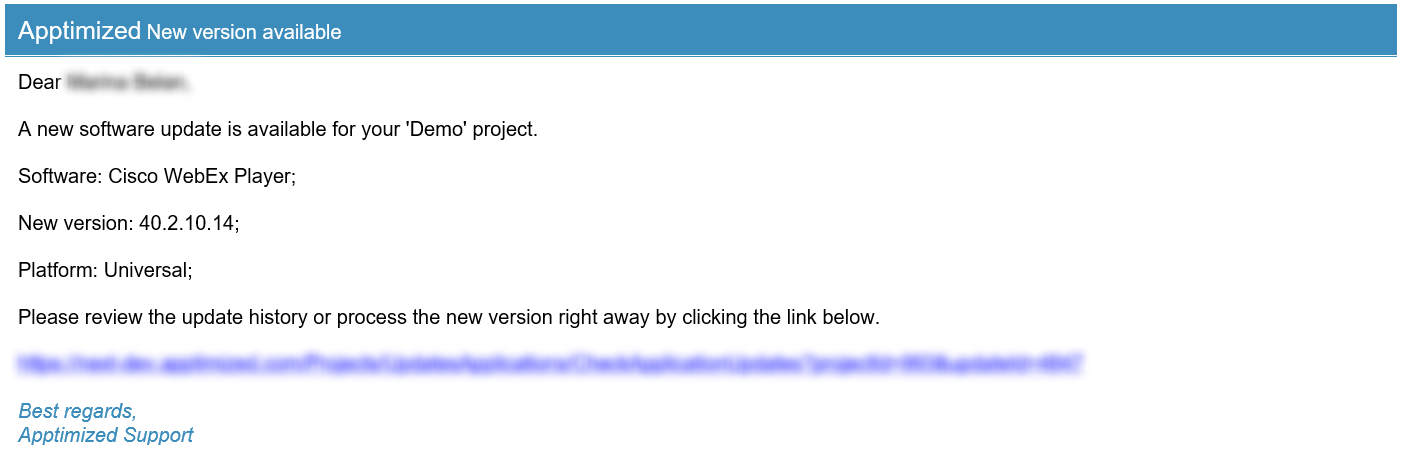
- New version available;
- Application vulnerability identification.

7\. Step execution (If someone in a project doesn`t have the permission to step activities);

8\. Project invitation.

#### **Apptimized system notifications**

System notifications inform project members about system maintenance or troubles, the short-term shutdown of all or parts of the system, new releases, etc.

System notifications create by a Global Administrator to all project members. Apptimized provides a system notification as a banner – a small line on the top of the page. A system notification remains pinned and available for selected users (a Global Administrator defines them) as long as a user is logged in or as long as Global Administrator set to show it.

System notifications’ types are described in the table below:

Table 1. Types of system notifications

<table border="1" class="align-left" id="bkmrk-notification-type-de" style="width: 800px;" width="800"><tbody><tr><td width="108">**Notification type**

</td><td width="174">**Description**

</td><td width="336">**Example**

</td></tr><tr><td width="108">Blue banner

</td><td class="align-left" style="vertical-align: middle;" width="174">This notification provides some news.

</td><td width="336">[![notif_02.PNG](https://docs.apptimized.com/uploads/images/gallery/2020-04/scaled-1680-/tTHiUx017cppyl4n-notif_02.PNG)](https://docs.apptimized.com/uploads/images/gallery/2020-04/tTHiUx017cppyl4n-notif_02.PNG)</td></tr><tr><td width="108">Green banner

</td><td class="align-left" style="vertical-align: middle;" width="174">This notification informs a user about success action.

</td><td width="336">[![notif_03.PNG](https://docs.apptimized.com/uploads/images/gallery/2020-04/scaled-1680-/p6qEUbS9SKXIXziP-notif_03.PNG)](https://docs.apptimized.com/uploads/images/gallery/2020-04/p6qEUbS9SKXIXziP-notif_03.PNG)</td></tr><tr><td width="108">Yellow banner

</td><td class="align-left" style="vertical-align: middle;" width="174">This notification warnings a user.

</td><td width="336">[![notif_04.PNG](https://docs.apptimized.com/uploads/images/gallery/2020-04/scaled-1680-/gAzv3dvkZOQppqBq-notif_04.PNG)](https://docs.apptimized.com/uploads/images/gallery/2020-04/gAzv3dvkZOQppqBq-notif_04.PNG)</td></tr><tr><td width="108">Red banner

</td><td class="align-left" style="vertical-align: middle;" width="174">This notification informs a user about danger or failure action.

</td><td width="336">[![notif_05.PNG](https://docs.apptimized.com/uploads/images/gallery/2020-04/scaled-1680-/NVuNPCzNpCoFV2Js-notif_05.PNG)](https://docs.apptimized.com/uploads/images/gallery/2020-04/NVuNPCzNpCoFV2Js-notif_05.PNG)</td></tr></tbody></table>

#### **Apptimized modal window notifications**

Modal window notification appears when a user logs in.

[![notif_06.PNG](https://docs.apptimized.com/uploads/images/gallery/2020-04/scaled-1680-/p1OvkNuBk3e2S8Dn-notif_06.PNG)](https://docs.apptimized.com/uploads/images/gallery/2020-04/p1OvkNuBk3e2S8Dn-notif_06.PNG)

The option to disable the modal window notification is available under the **Do not show this message again** checkbox.

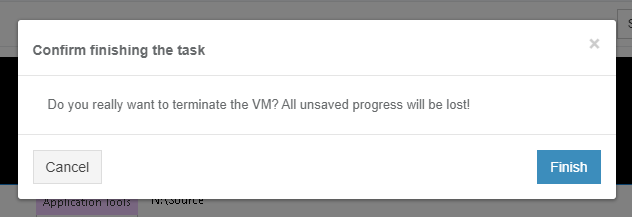
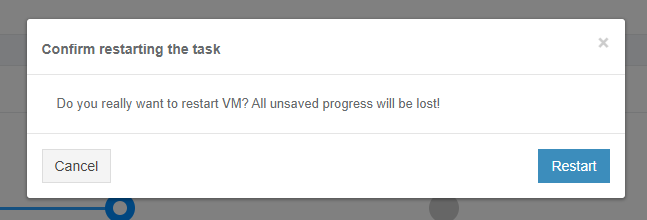
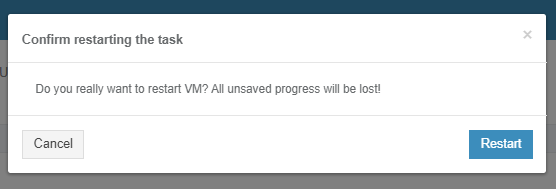
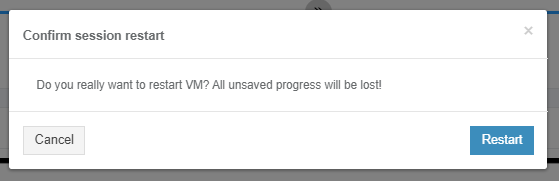
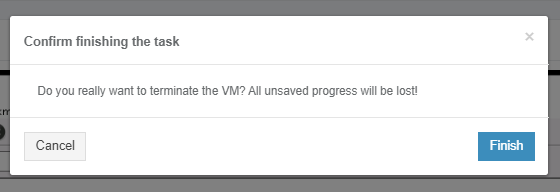
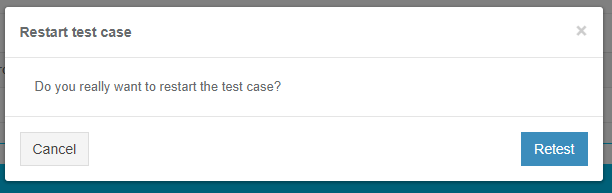
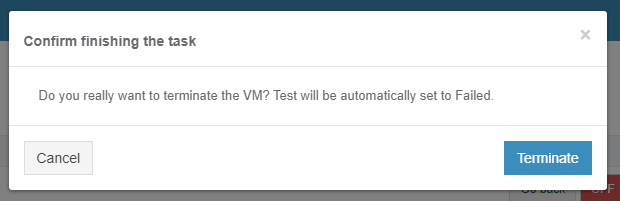
Modal window notification appears when a user needs to confirm an action (i.e., create /delete confirmation, task finishing confirmation, task restarting confirmation, etc.).

[![notif_07.png](https://docs.apptimized.com/uploads/images/gallery/2020-04/scaled-1680-/cf1bo0DtnUMuGnED-notif_07.png)](https://docs.apptimized.com/uploads/images/gallery/2020-04/cf1bo0DtnUMuGnED-notif_07.png)

[![notif_08.png](https://docs.apptimized.com/uploads/images/gallery/2020-04/scaled-1680-/tsPMEmUxlZKJ8sBE-notif_08.png)](https://docs.apptimized.com/uploads/images/gallery/2020-04/tsPMEmUxlZKJ8sBE-notif_08.png)

#### **Project notification settings**

The project notifications settings are available in the project menu under **Notifications**.

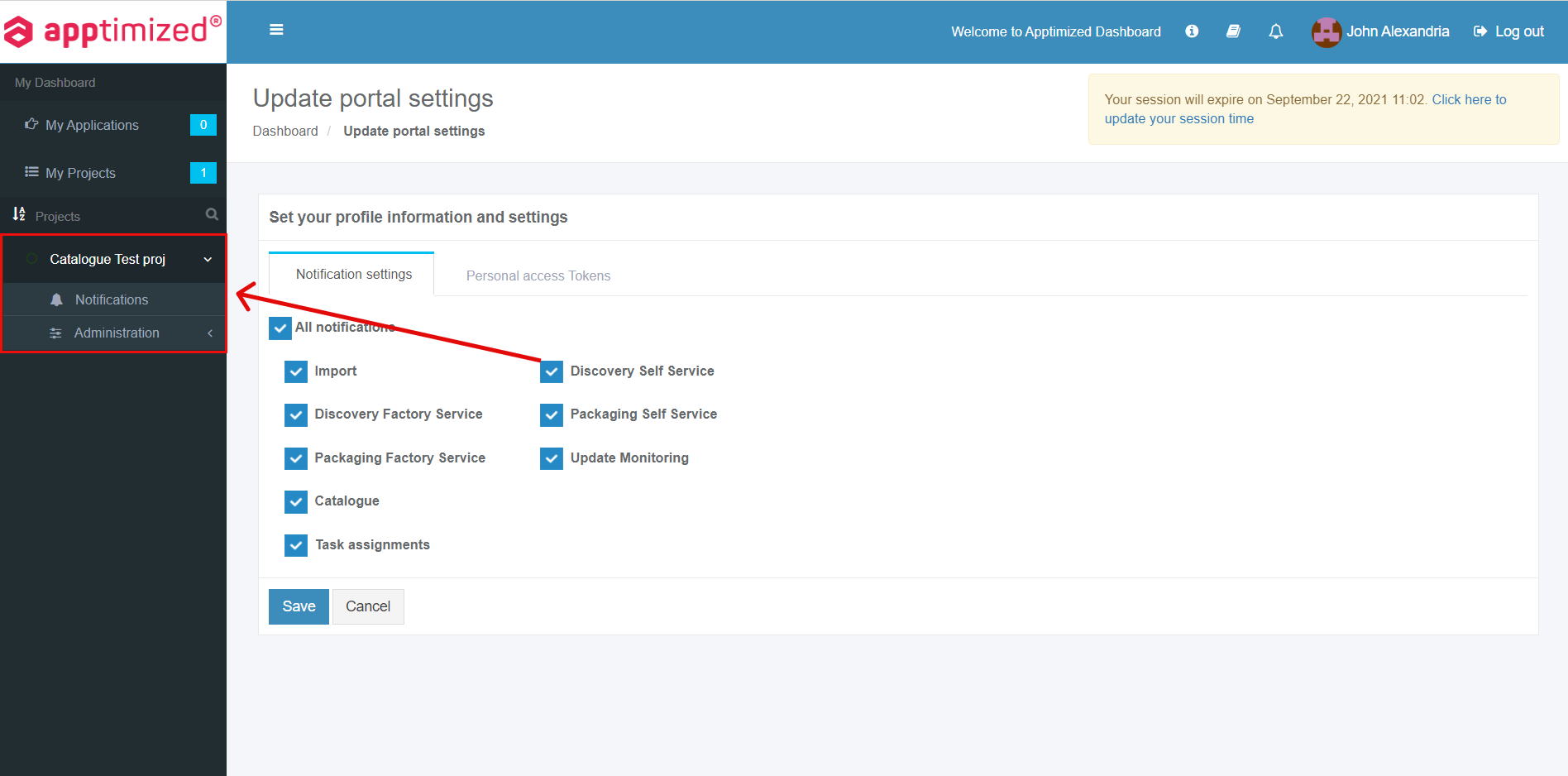
The screenshot below shows the default settings for the project’s notifications:

[![notif_01.PNG](https://docs.apptimized.com/uploads/images/gallery/2020-04/scaled-1680-/IlDnztec5k5TA6KY-notif_01.PNG)](https://docs.apptimized.com/uploads/images/gallery/2020-04/IlDnztec5k5TA6KY-notif_01.PNG)

To exclude notification types from the project, uncheck boxes next to the name not required in use.

### Review a profile

The entry point to the user's profile configurations is available Apptimized portal menu under the user’s avatar and name:

[![prof_info_01.PNG](https://docs.apptimized.com/uploads/images/gallery/2020-04/scaled-1680-/PZRglLnYKBy5g0yd-prof_info_01.PNG)](https://docs.apptimized.com/uploads/images/gallery/2020-04/PZRglLnYKBy5g0yd-prof_info_01.PNG)

Apptimized shows the following screen when successful:

[![prof_info_02.PNG](https://docs.apptimized.com/uploads/images/gallery/2020-11/scaled-1680-/DapqGJnfEAfYpWAz-prof_info_02.PNG)](https://docs.apptimized.com/uploads/images/gallery/2020-11/DapqGJnfEAfYpWAz-prof_info_02.PNG)

Two options available: **User profile** and **Portal configuration**.

#### User profile

Apptimized redirects a user to [SSO application](https://docs.apptimized.com/books/apptimized-admincenter-user-manual/page/single-sign-on#bkmrk-about-single-sign-on-0) when clicking the **User profile** option.

This application enables a user:

- To secure login with single credentials.
- To configure <span style="font-family: -apple-system, BlinkMacSystemFont, 'Segoe UI', Oxygen, Ubuntu, Roboto, Cantarell, 'Fira Sans', 'Droid Sans', 'Helvetica Neue', sans-serif; font-size: 14px; font-style: normal; font-variant-ligatures: normal; font-variant-caps: normal; font-weight: 400;">the user’s profile </span>settings.
- To export personal data.
- To delete an account.

#### Portal configuration

Apptimized shows the following screen when successful:

[![prof_info_03.PNG](https://docs.apptimized.com/uploads/images/gallery/2020-11/scaled-1680-/Wo8IFllQnob4DGPQ-prof_info_03.PNG)](https://docs.apptimized.com/uploads/images/gallery/2020-11/Wo8IFllQnob4DGPQ-prof_info_03.PNG)

Two tabs available: **Notification settings** and **Personal access tokens**.

##### Notification settings

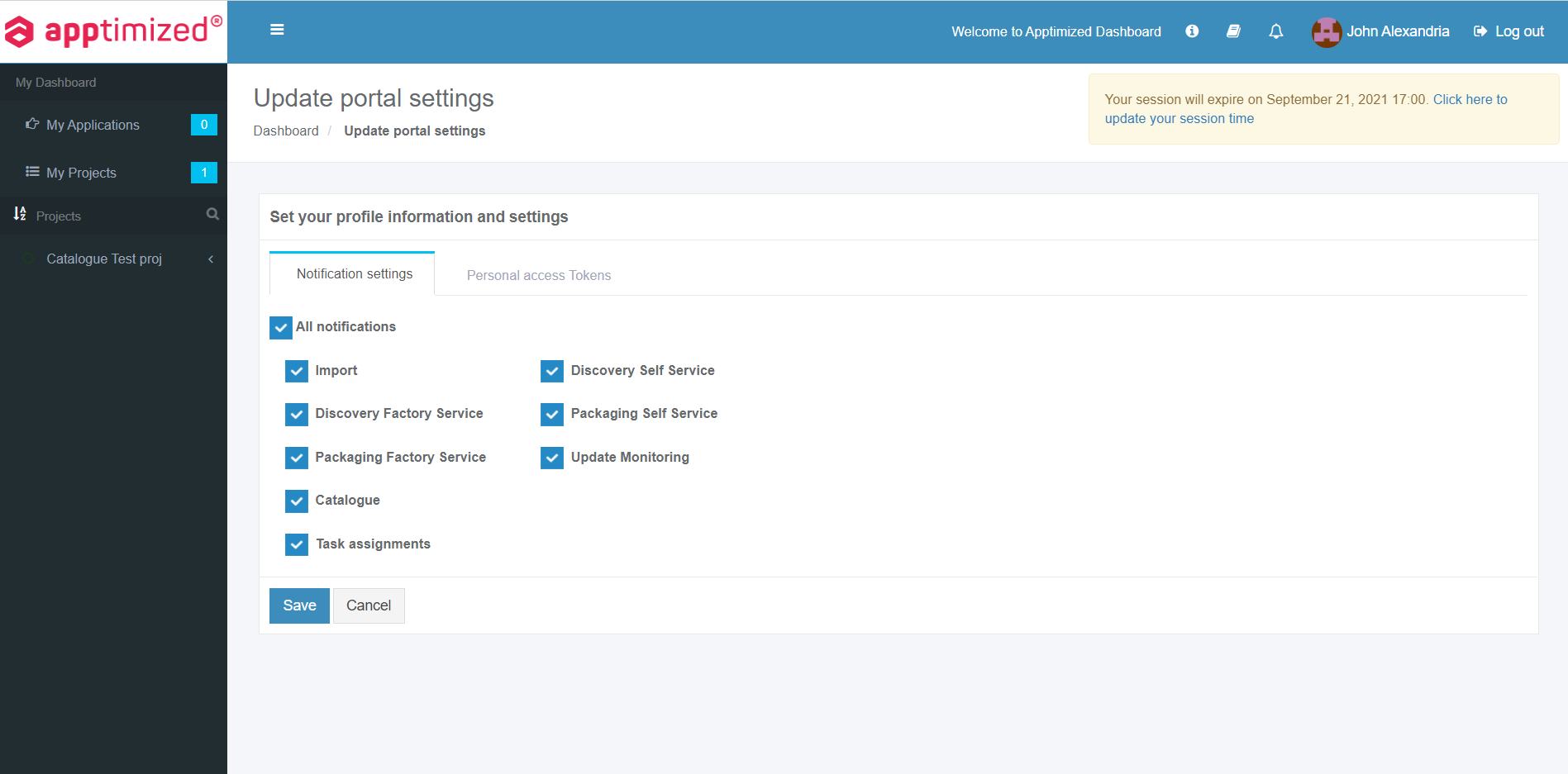
To disable the notification, uncheck the box in front of the notification’s name not need in use.

[![prof_info_04.PNG](https://docs.apptimized.com/uploads/images/gallery/2020-11/scaled-1680-/QwWapRUkKnX2dC4f-prof_info_04.PNG)](https://docs.apptimized.com/uploads/images/gallery/2020-11/QwWapRUkKnX2dC4f-prof_info_04.PNG)

The changes to the profile apply when clicking on the **Save** button.

##### Personal access tokens

Personal access tokens can be used instead of a login and password for [REST APIs ](https://app.apptimized.com/api-docs/index.html)and transferred in the authorization header to access REST APIs.

[![prof_info_05_1.PNG](https://docs.apptimized.com/uploads/images/gallery/2020-11/scaled-1680-/qUKR5PtZvWPgwKIJ-prof_info_05_1.PNG)](https://docs.apptimized.com/uploads/images/gallery/2020-11/qUKR5PtZvWPgwKIJ-prof_info_05_1.PNG)

The list of personal access tokens is empty by default.

The following screenshot shows the Apptimized screen when tokens exist:

[![prof_info_09.png](https://docs.apptimized.com/uploads/images/gallery/2020-11/scaled-1680-/LRVoBdIcLa91f2Wl-prof_info_09.png)](https://docs.apptimized.com/uploads/images/gallery/2020-11/LRVoBdIcLa91f2Wl-prof_info_09.png)

Tokens data is grouped into the following categories:

- Token name
- Token creation date
- Token expiration date
- Actions

The option to create a token is available under the **Create new token** button &gt; **Create new personal access token** modal window &gt; **Token name** field &gt; Token expires in (Select the value from the drop-down list) &gt; **Save** button:

[![prof_info_05.png](https://docs.apptimized.com/uploads/images/gallery/2020-11/scaled-1680-/FgELHu585FE0kBO8-prof_info_05.png)](https://docs.apptimized.com/uploads/images/gallery/2020-11/FgELHu585FE0kBO8-prof_info_05.png)

- **Note.** A user needs to copy the token to the clipboard before closing the modal window. This option is available under the **Copy token to clipboard** button or Copy icon:  
    [![prof_info_06.png](https://docs.apptimized.com/uploads/images/gallery/2020-11/scaled-1680-/ROlUcyZ0Zx6vhcad-prof_info_06.png)](https://docs.apptimized.com/uploads/images/gallery/2020-11/ROlUcyZ0Zx6vhcad-prof_info_06.png)  
    Apptimized shows the following notification when successful:  
    [![prof_info_07.png](https://docs.apptimized.com/uploads/images/gallery/2020-11/scaled-1680-/Sqa1TTsgo2L2ch5F-prof_info_07.png)](https://docs.apptimized.com/uploads/images/gallery/2020-11/Sqa1TTsgo2L2ch5F-prof_info_07.png)

Apptimized shows the following screen when successful:

[![prof_info_08.png](https://docs.apptimized.com/uploads/images/gallery/2020-11/scaled-1680-/gXFZad6B8MU9N2An-prof_info_08.png)](https://docs.apptimized.com/uploads/images/gallery/2020-11/gXFZad6B8MU9N2An-prof_info_08.png)

The option to delete token from user's account is available under the **Actions** column &gt; **Delete** button &gt; **Confirm delete token** modal window &gt; **Delete** button.

Apptimized shows the following notification:

[![prof_info_10.png](https://docs.apptimized.com/uploads/images/gallery/2020-11/scaled-1680-/iA0scNocTUw2sqU6-prof_info_10.png)](https://docs.apptimized.com/uploads/images/gallery/2020-11/iA0scNocTUw2sqU6-prof_info_10.png)

# Create project

<div id="bkmrk-the-option-%22create-n">The option "**Create new project**" is available for users with the appropriate permission level.</div>To create a new project, click **Create new project** submenu in **My Dashboard**.

[![create_01.png](https://docs.apptimized.com/uploads/images/gallery/2020-03/scaled-1680-/ZyNMj2IxQ7i7d7kj-create_01.png)](https://docs.apptimized.com/uploads/images/gallery/2020-03/ZyNMj2IxQ7i7d7kj-create_01.png)

Apptimized shows the following screen:

[![create_02.png](https://docs.apptimized.com/uploads/images/gallery/2020-04/scaled-1680-/6gzYomalITgq6nZn-create_02.png)](https://docs.apptimized.com/uploads/images/gallery/2020-04/6gzYomalITgq6nZn-create_02.png)

“**Project information**” sets the main information for the new project. All required fields are marked with an asterisk <span style="color: #ff0000;">\*</span>.

[![create_02_1_new.png](https://docs.apptimized.com/uploads/images/gallery/2020-04/scaled-1680-/bbFJKbhgttCQkcPx-create_02_1_new.png)](https://docs.apptimized.com/uploads/images/gallery/2020-04/bbFJKbhgttCQkcPx-create_02_1_new.png)

The project label color is selected by clicking on the appropriate area of the color palette. The project label color is a user preference. The project label color is used to quickly identify projects on the dashboard.

[![create_03.png](https://docs.apptimized.com/uploads/images/gallery/2020-03/scaled-1680-/otQZJJIfAL0Vs9HW-create_03.png)](https://docs.apptimized.com/uploads/images/gallery/2020-03/otQZJJIfAL0Vs9HW-create_03.png)

“**Construct your project workflow**” block sets the structure of a new project.

**“Import”** and “**Download”** steps in the new project workflow are predefined and can not be changed.

<p class="callout info">**Note.** “**Import**” step comes with 2 predefined features (**Classic import** and **Import by CSV file**) and 2 additional paid features (**SCCM import** and **Catalogue &amp; UM Import**).  
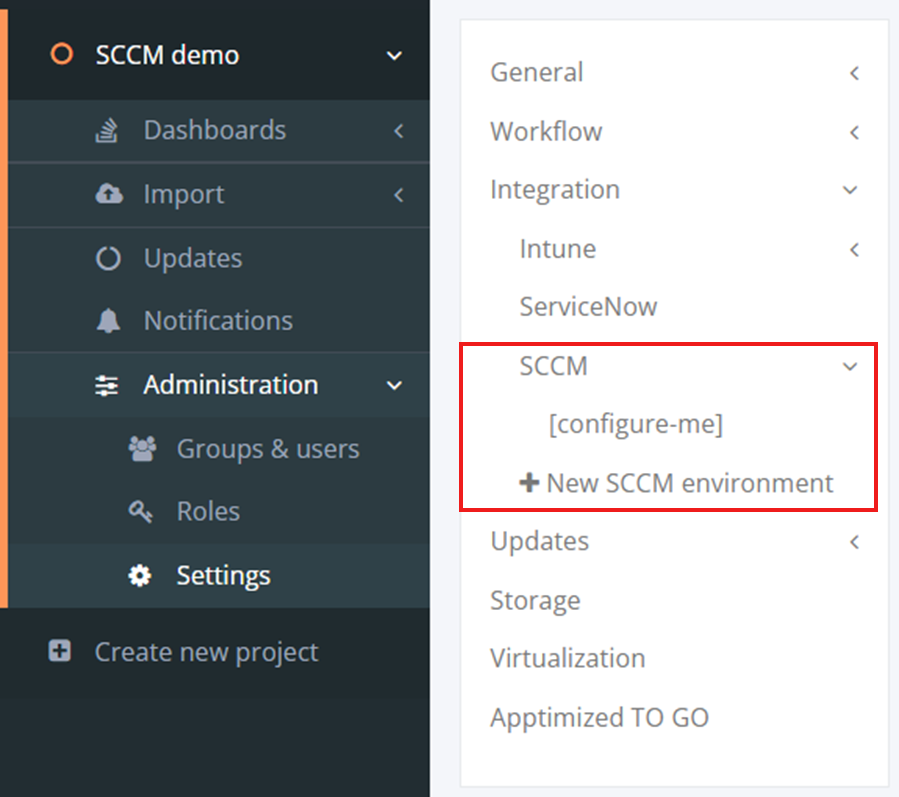
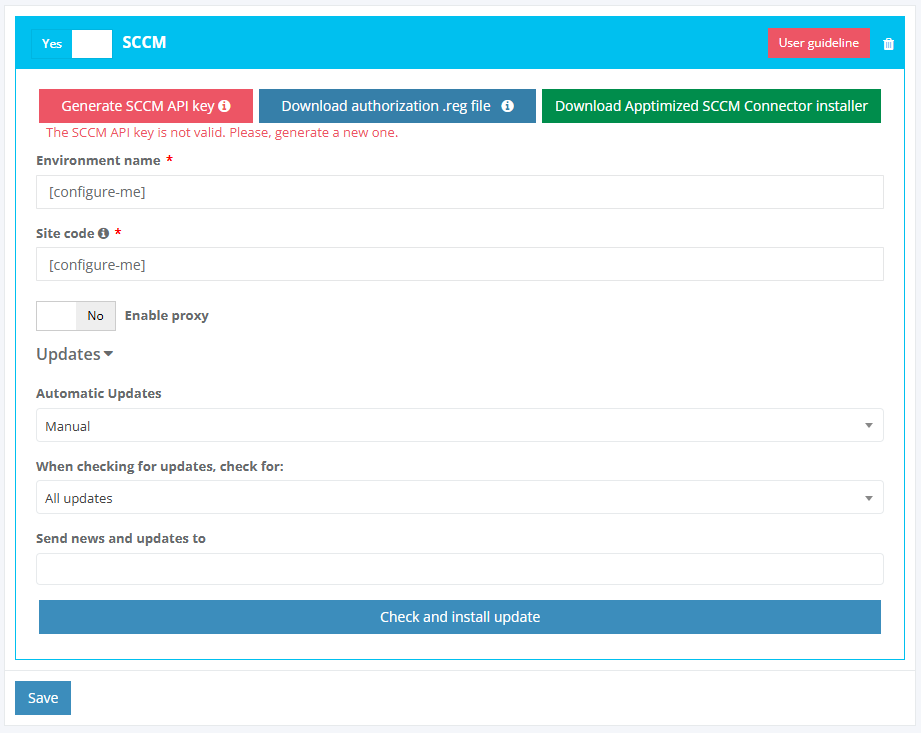
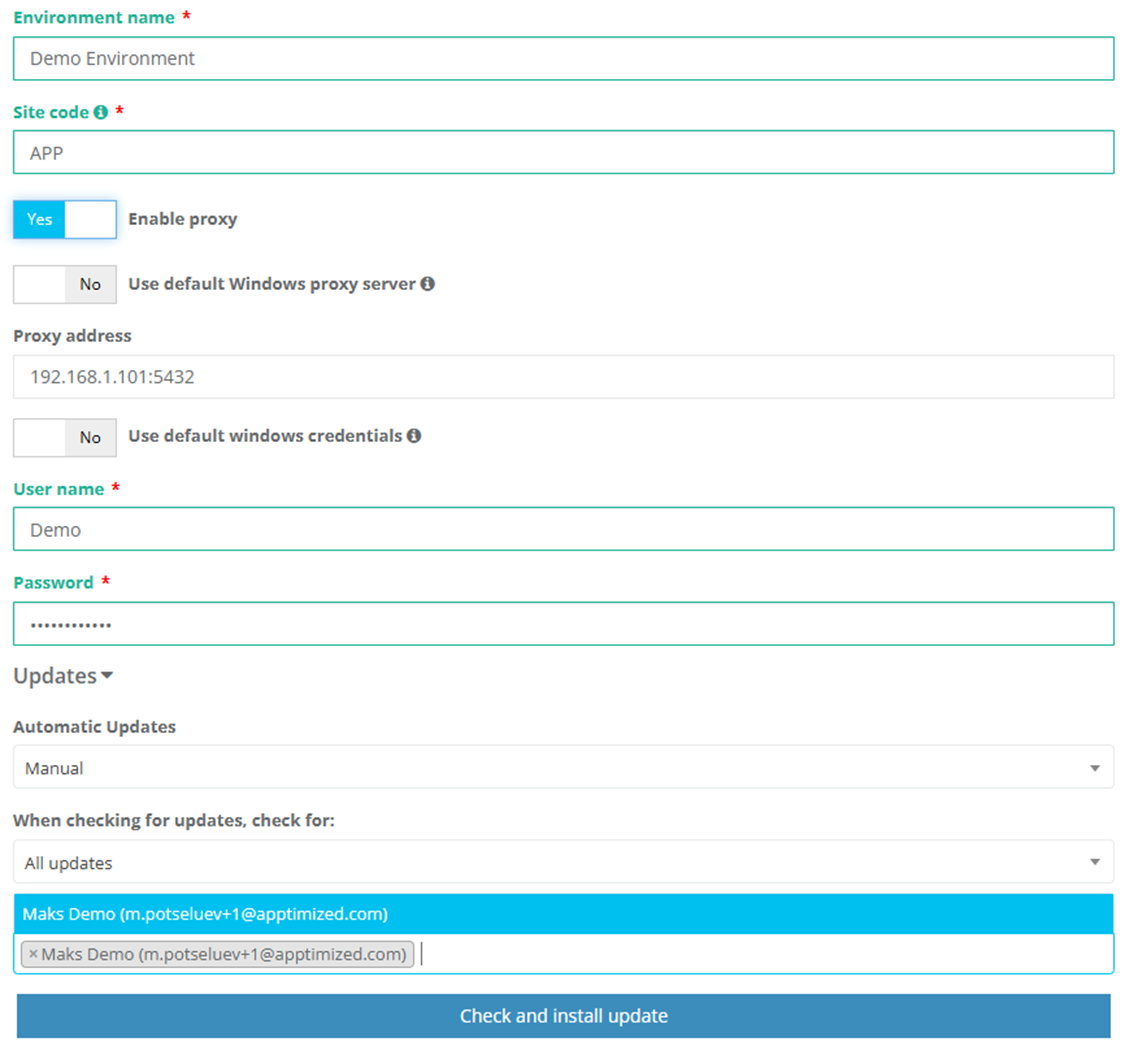
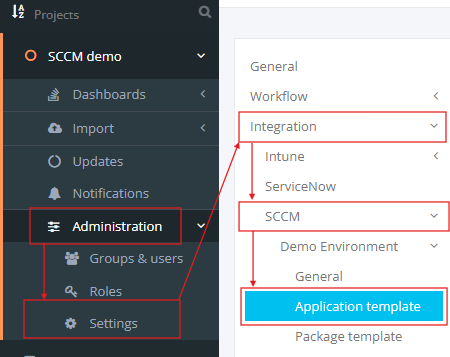
To activate **SCCM import** feature the **SCCM Integration** module must be enabled for the project. The one-time configuration is available for project administrators under **Settings** in the project menu **&gt; Integration &gt; SCCM.** To activate **Catalogue &amp; UM Import** feature the **Update monitoring/Catalog** module must be enabled for the project. The one-time configuration is available for project administrators under **Settings** in the project menu **&gt; Update monitoring** **&gt; Enable Update Monitoring / Enable vulnerability Notifications.** </p>

A new step in the project workflow is created by clicking on the **Add step** button.

[![create_04.png](https://docs.apptimized.com/uploads/images/gallery/2020-03/scaled-1680-/Oqn9xq71gUFH1xh5-create_04.png)](https://docs.apptimized.com/uploads/images/gallery/2020-03/Oqn9xq71gUFH1xh5-create_04.png)
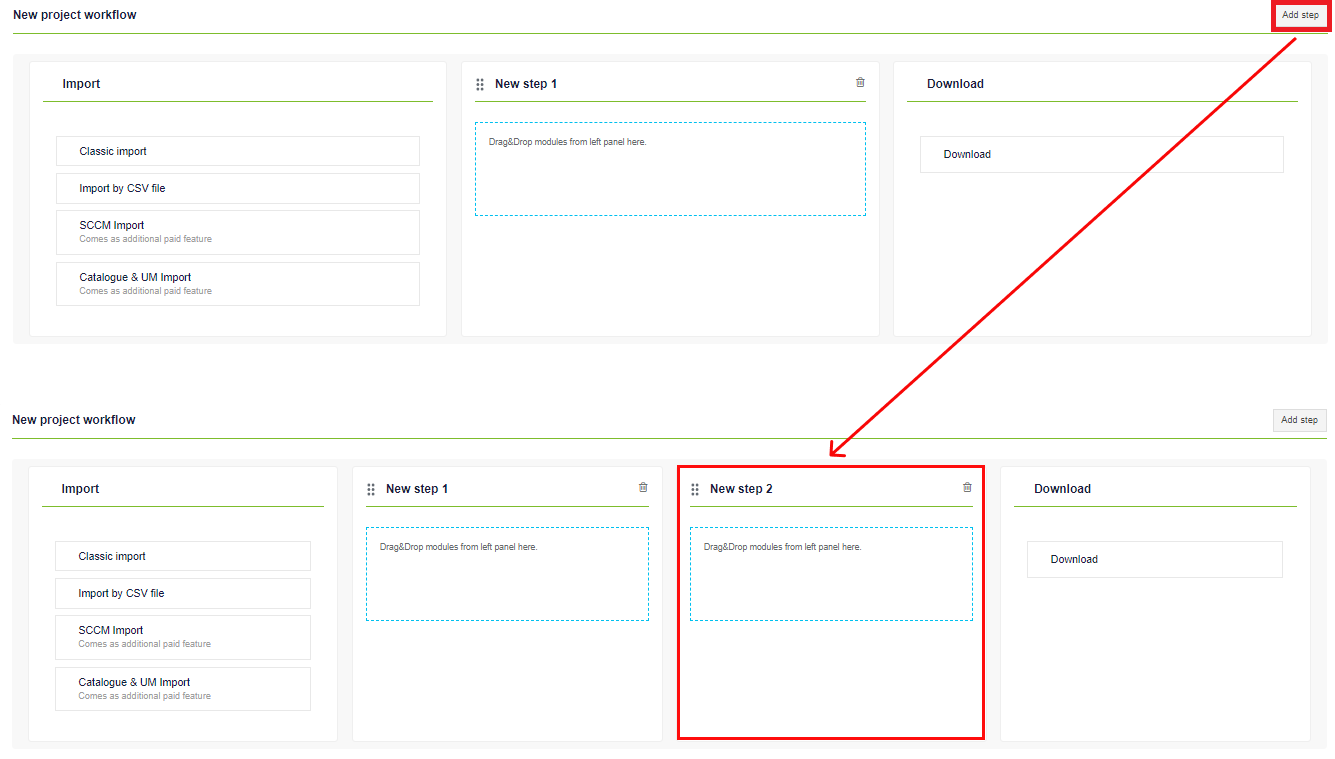
Step renaming in the workflow is available by clicking on the relevant field.

[![create_07.png](https://docs.apptimized.com/uploads/images/gallery/2020-03/scaled-1680-/WY7zAR862TwImREU-create_07.png)](https://docs.apptimized.com/uploads/images/gallery/2020-03/WY7zAR862TwImREU-create_07.png)

Exclude a step from the workflow by clicking on the **bin** symbol.

[![create_05.png](https://docs.apptimized.com/uploads/images/gallery/2020-03/scaled-1680-/8s5J99dp4kGPNoXp-create_05.png)](https://docs.apptimized.com/uploads/images/gallery/2020-03/8s5J99dp4kGPNoXp-create_05.png)
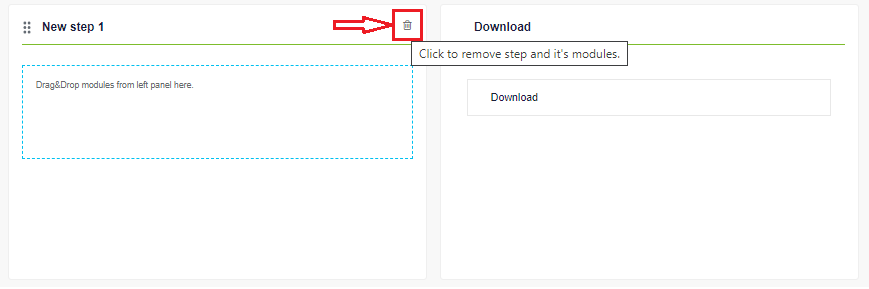
The portal provides verification for permissions. This means that at the workflow construction stage, the user sees only those modules at the **"Pick a module"** box for which he has permissions.

A workflow module is added when dragged and dropped from the "**Pick a module**" box to the workflow step.

[![create_06.png](https://docs.apptimized.com/uploads/images/gallery/2020-03/scaled-1680-/x5M4sG6JCKsimFkM-create_06.png)](https://docs.apptimized.com/uploads/images/gallery/2020-03/x5M4sG6JCKsimFkM-create_06.png)
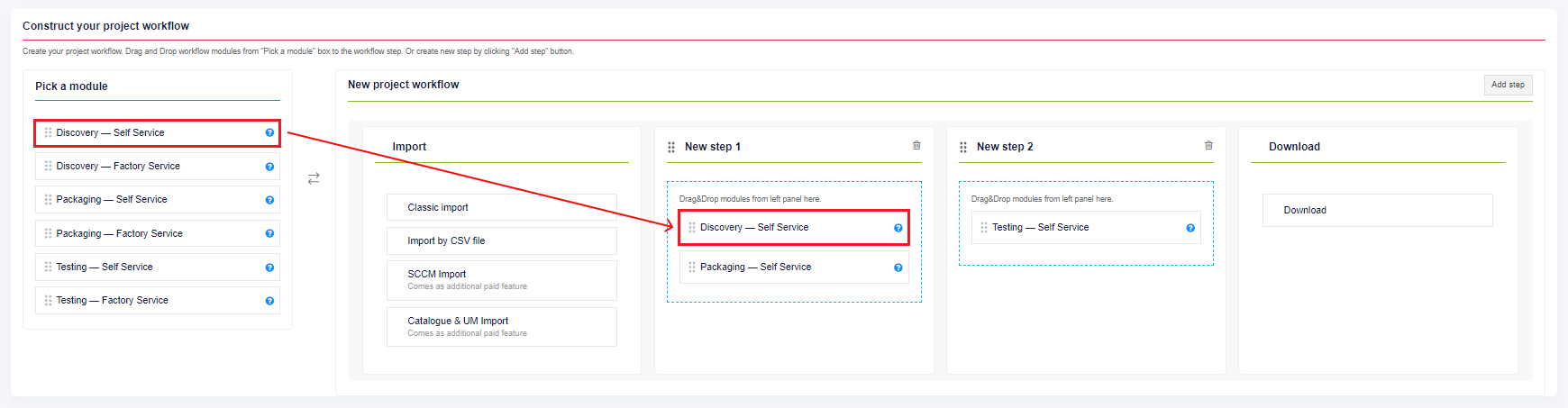
The block is removed from the project workflow when dragged and dropped from the workflow step to the "**Pick a module**" box.

<div id="bkmrk-adding-steps-and-mod">Adding steps and modules to the steps allows the user to create a multi-functional and flexible workflow. This functionality makes it possible to carry out multiple manipulations with the application within the same workflow. For example, in one step, a user can provide discovery of one application from a portfolio in Mozilla Firefox, and in another step - pack several applications from a portfolio.</div>A workflow modules description is provided in Table 1.

Table 1. Workflow modules

<table border="1" id="bkmrk-module-name-details-" style="width: 800px; height: 573px;" width="800"><tbody><tr style="height: 33px;"><td style="height: 33px; width: 257.333px;">Module name

</td><td style="height: 33px; width: 541.333px;">Details

</td></tr><tr style="height: 76px;"><td style="height: 76px; width: 257.333px;">Discovery – Self Service

</td><td style="height: 76px; width: 541.333px;">A user installs an application on the chosen Microsoft Windows platform.

A user automatically documents an installation, configuration, and test activities.

A user can collaborate with his co-workers and Apptimized support staff.

</td></tr><tr style="height: 76px;"><td style="height: 76px; width: 257.333px;">Discovery – Factory Service

</td><td style="height: 76px; width: 541.333px;">Apptimized installs, configures, and tests an application for a user.

Apptimized documents the configuration for a user.

Apptimized contacts a user if any details are needed.

</td></tr><tr style="height: 97px;"><td style="height: 97px; width: 257.333px;">Packaging – Self Service

</td><td style="height: 97px; width: 541.333px;">A user packages the application using the Apptimized Packaging Tool.

A user creates and customizes MSI package and App-V sequence.

A user customizes an existing package or sequence.

A user tests and debugs installations.

</td></tr><tr style="height: 97px;"><td style="height: 97px; width: 257.333px;">Packaging – Factory Service

</td><td style="height: 97px; width: 541.333px;">Apptimized packages an application for a user.

Apptimized customizes the MSI or App-V output to meet user’s requirements.

Apptimized contacts a user if any details are needed while packaging an application.

Apptimized notifies a user when the application is ready for testing.

</td></tr><tr style="height: 97px;"><td style="height: 97px; width: 257.333px;">Testing – Self Service

</td><td style="height: 97px; width: 541.333px;">A user tests created packages on his own.

A user runs and documents test cases.

A user logs installation or functional errors.

A user provides debugging guidance.

</td></tr><tr style="height: 97px;"><td style="height: 97px; width: 257.333px;">Testing – Factory Service

</td><td style="height: 97px; width: 541.333px;">Apptimized tests created packages for a user.

Apptimized runs and documents test cases based on user’s requirements.

Apptimized logs installation or functional errors.

Apptimized debugging guidance.

</td></tr></tbody></table>

Each step may have a specific set of modules (both Self Service and Factory Service). A set of modules within one step creates an ability for alternative paths of processing an application. If the step contains only one module, then the process is linear.

The process reverts to the initial screen by clicking on the **Cancel** button and finalizes by clicking on the **Create new project** button.

The project creation process may take a few moments. Apptimized shows the following notification when successful:

[![create_08_new.png](https://docs.apptimized.com/uploads/images/gallery/2020-04/scaled-1680-/MZEyVUnuxi5v66kg-create_08_new.png)](https://docs.apptimized.com/uploads/images/gallery/2020-04/MZEyVUnuxi5v66kg-create_08_new.png)

# Workflow

Apptimized shows a container-only workflow scheme after the application import is finished.

[![workflow_01.PNG](https://docs.apptimized.com/uploads/images/gallery/2020-04/scaled-1680-/zt0JYbZztDuiWs2w-workflow_01.PNG)](https://docs.apptimized.com/uploads/images/gallery/2020-04/zt0JYbZztDuiWs2w-workflow_01.PNG)

The option to expand a workflow scheme into a more detailed view is available under the **Toggle workflow scheme** button. Apptimized shows the following screen:

[![workflow_02.PNG](https://docs.apptimized.com/uploads/images/gallery/2020-04/scaled-1680-/QaZXcJRFZo8dGlvE-workflow_02.PNG)](https://docs.apptimized.com/uploads/images/gallery/2020-04/QaZXcJRFZo8dGlvE-workflow_02.PNG)

Possible action scenarios are displayed in dashed lines when the cursor hovers over a point that represents a specific module.

[![workflow_03.PNG](https://docs.apptimized.com/uploads/images/gallery/2020-04/scaled-1680-/bYAPdleQMgzhWMNj-workflow_03.PNG)](https://docs.apptimized.com/uploads/images/gallery/2020-04/bYAPdleQMgzhWMNj-workflow_03.PNG)

An information block with step progress details is available when clicking on the dots, which represent a specific module.

[![workflow_04.PNG](https://docs.apptimized.com/uploads/images/gallery/2020-04/scaled-1680-/NsHedH9uVbqEjVhB-workflow_04.PNG)](https://docs.apptimized.com/uploads/images/gallery/2020-04/NsHedH9uVbqEjVhB-workflow_04.PNG)

Steps and modules that were not used (e.g., skipped) are colored in grey.

The current step and the current module are highlighted in blue.

The passed steps and modules are colored in green.

[![workflow_05.PNG](https://docs.apptimized.com/uploads/images/gallery/2020-04/scaled-1680-/2vuhCRvwnihA4xm9-workflow_05.PNG)](https://docs.apptimized.com/uploads/images/gallery/2020-04/2vuhCRvwnihA4xm9-workflow_05.PNG)

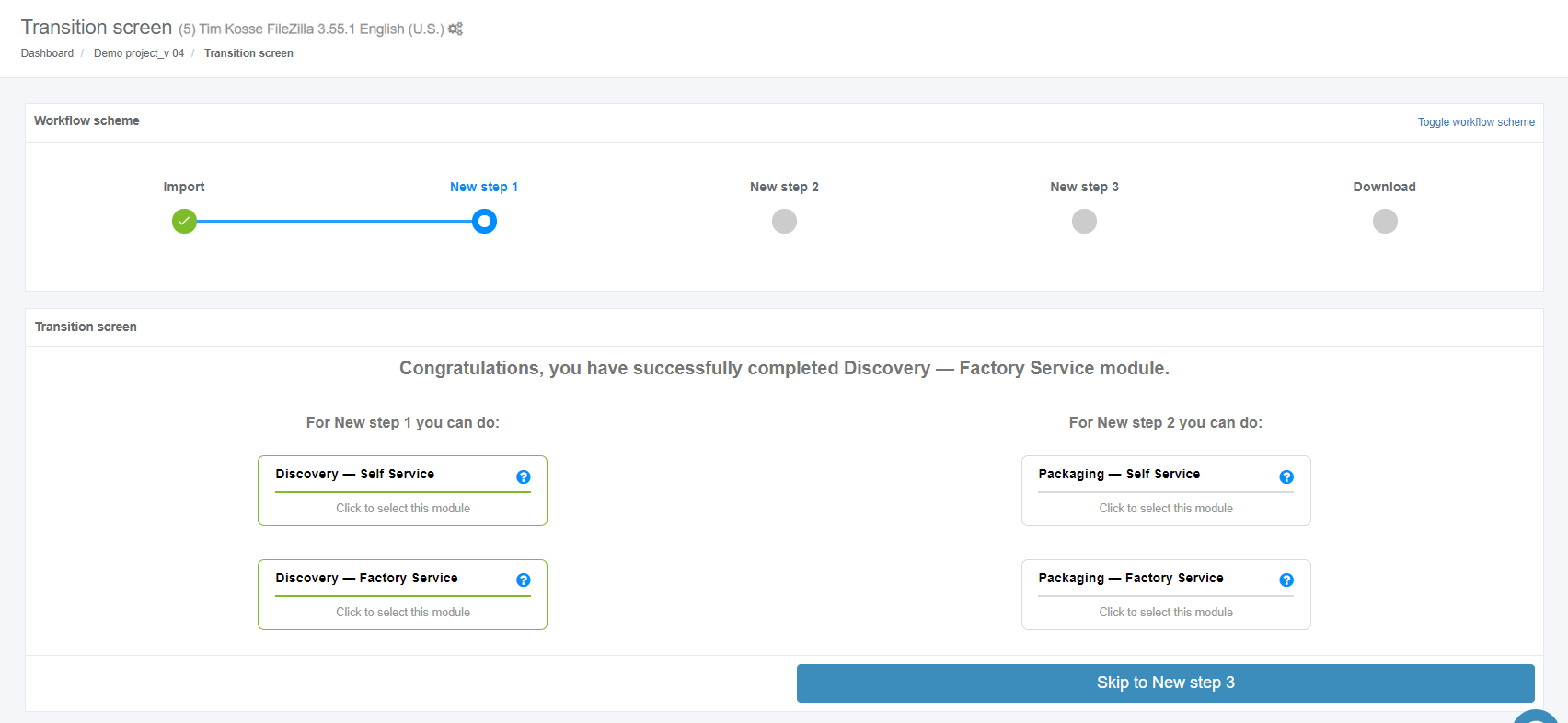
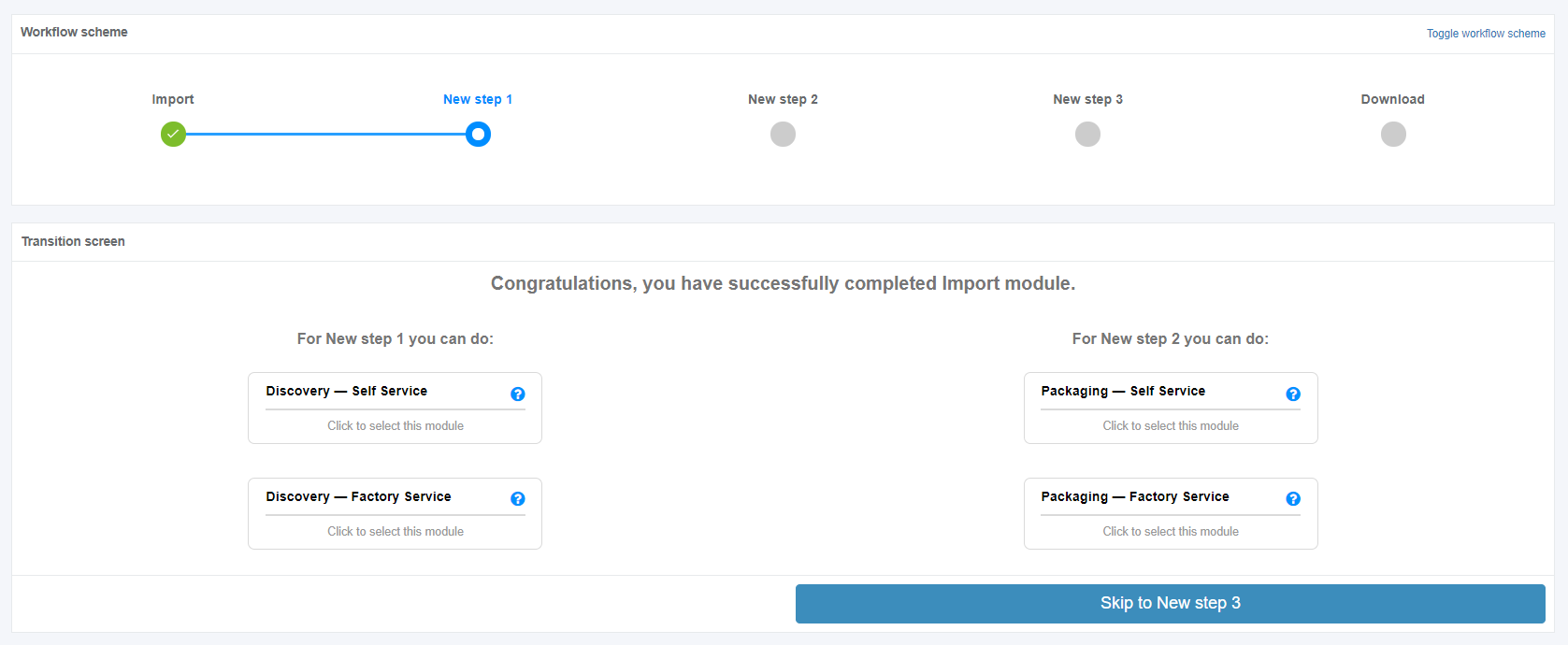
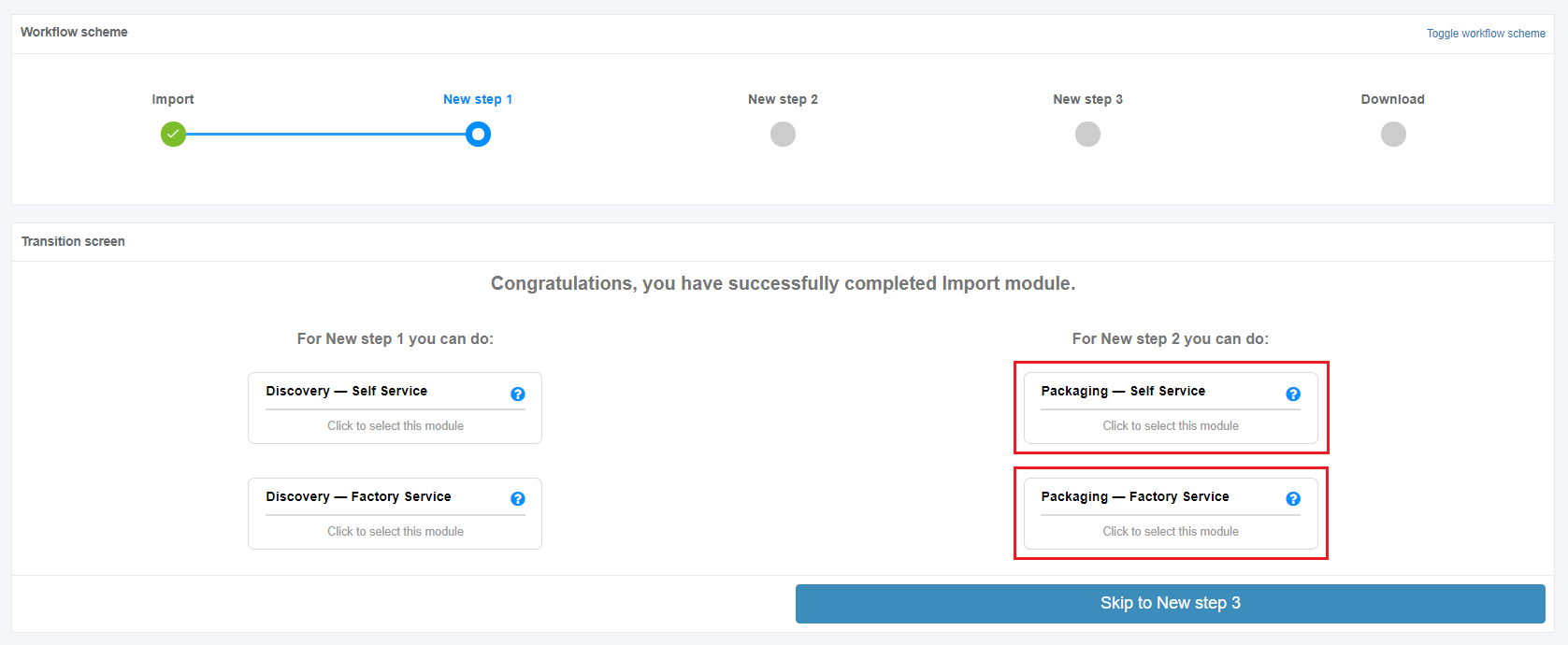
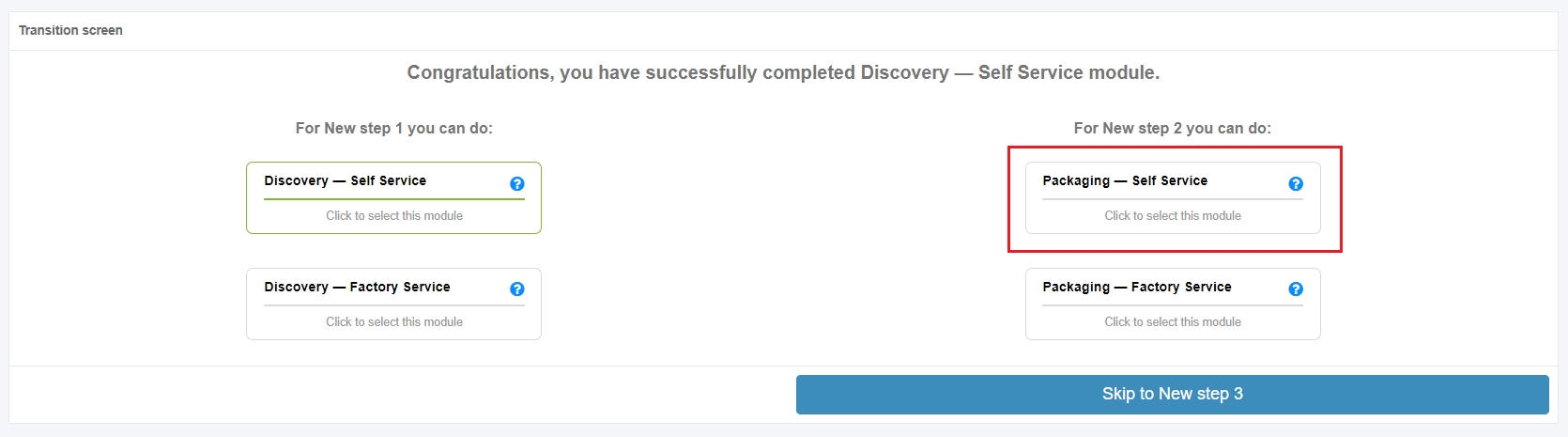
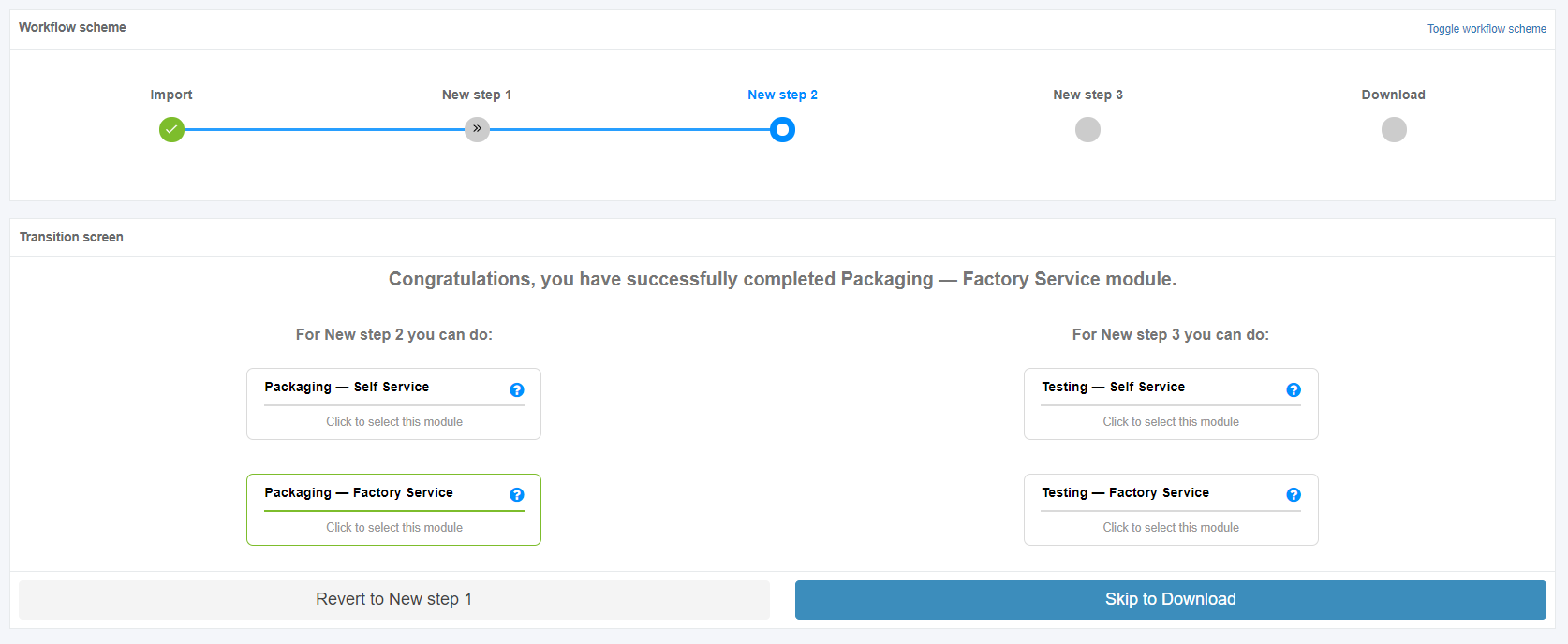
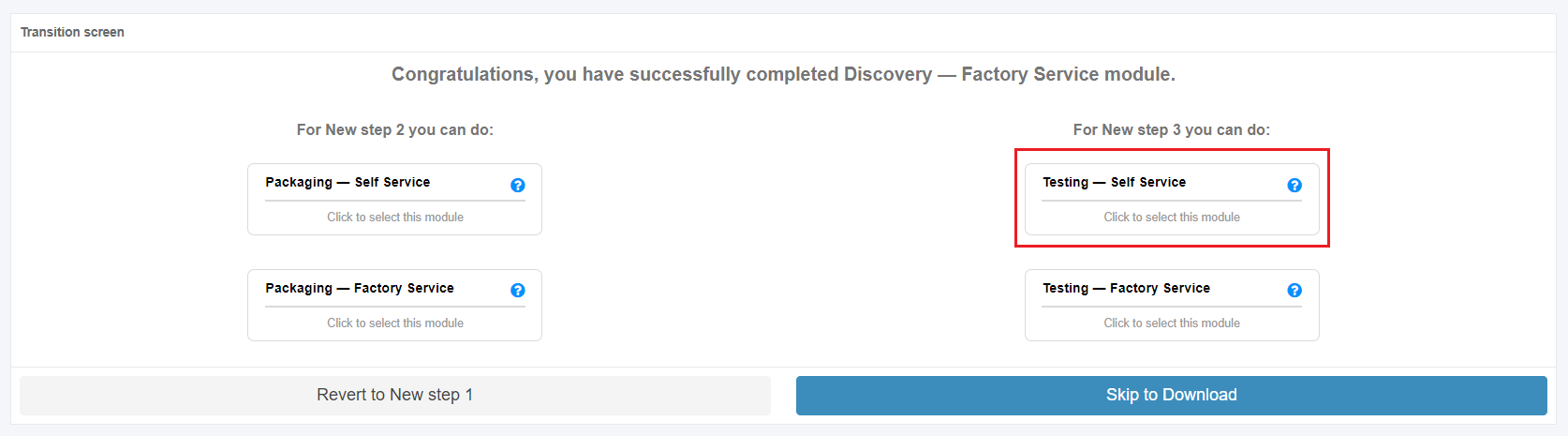
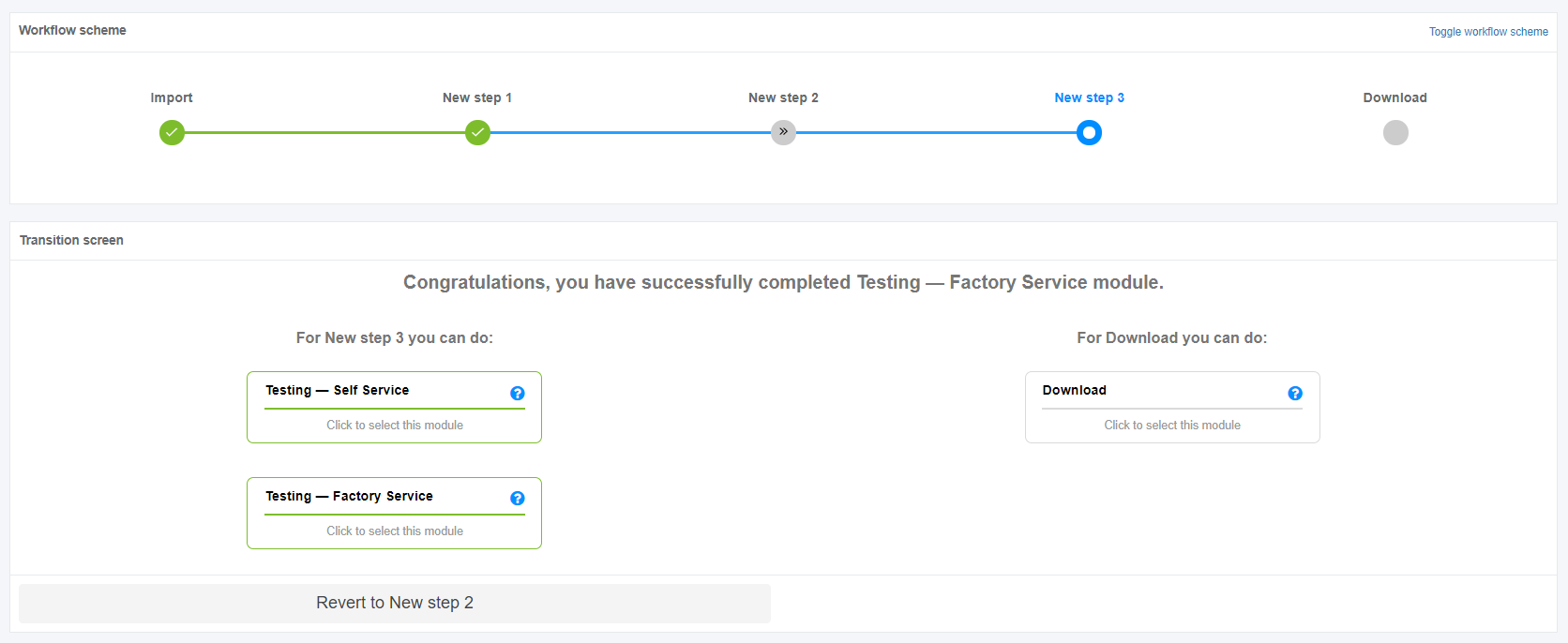
Apptimized transition screen shows modules for the current step (on the left column) and modules for the next step (on the right column).

[![workflow_06.PNG](https://docs.apptimized.com/uploads/images/gallery/2020-04/scaled-1680-/oArmW3Dodc3R48av-workflow_06.PNG)](https://docs.apptimized.com/uploads/images/gallery/2020-04/oArmW3Dodc3R48av-workflow_06.PNG)

The modules' borders to be passed are colored in grey.

The modules' borders that are already passed are colored in green.

# Project settings

Apptimized projects can be configured to meet specific needs, for instance, to deliver output meeting the user's packaging standards.

Project settings are available under the **Project** menu &gt; **Administration** &gt; **Settings**.

[![project_settings_01_new-1.png](https://docs.apptimized.com/uploads/images/gallery/2023-03/scaled-1680-/d4eF8YwXEq1Qy0et-project_settings_01_new-1.png)](https://docs.apptimized.com/uploads/images/gallery/2023-03/d4eF8YwXEq1Qy0et-project_settings_01_new-1.png)

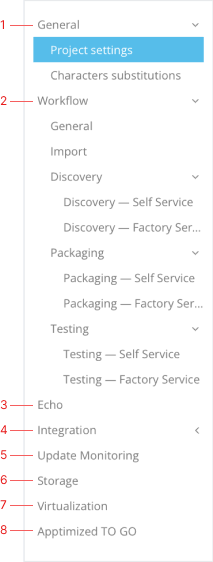
The project settings menu contains the following categories:

<table id="bkmrk-1.-general-settings%3A" style="width: 800px; border-collapse: collapse;"><tbody><tr><td style="width: 228px;"><span style="font-family: -apple-system, BlinkMacSystemFont, 'Segoe UI', Oxygen, Ubuntu, Roboto, Cantarell, 'Fira Sans', 'Droid Sans', 'Helvetica Neue', sans-serif; font-size: 14px; font-style: normal; font-variant-ligatures: normal; font-variant-caps: normal; font-weight: 400;">1. General settings: </span>

- Project settings;
- Characters substitutions.

<span style="font-family: -apple-system, BlinkMacSystemFont, 'Segoe UI', Oxygen, Ubuntu, Roboto, Cantarell, 'Fira Sans', 'Droid Sans', 'Helvetica Neue', sans-serif; font-size: 14px; font-style: normal; font-variant-ligatures: normal; font-variant-caps: normal; font-weight: 400;">2. Workflow:</span>

- Import;
- Step settings.

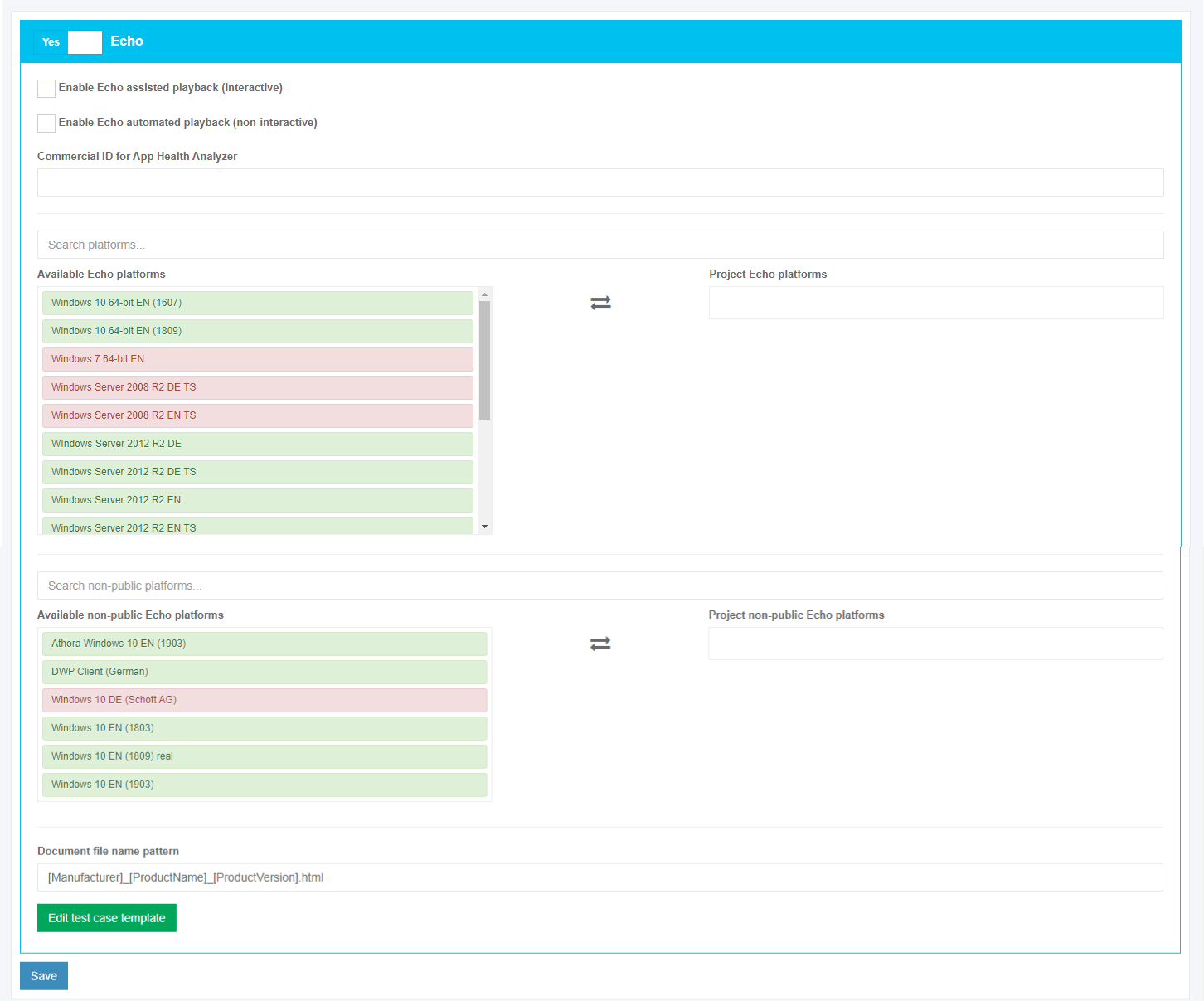
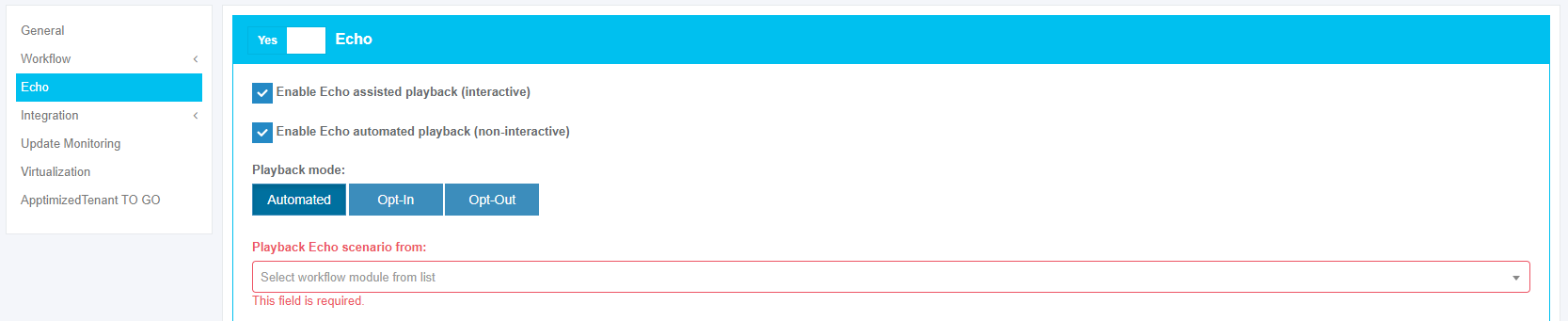
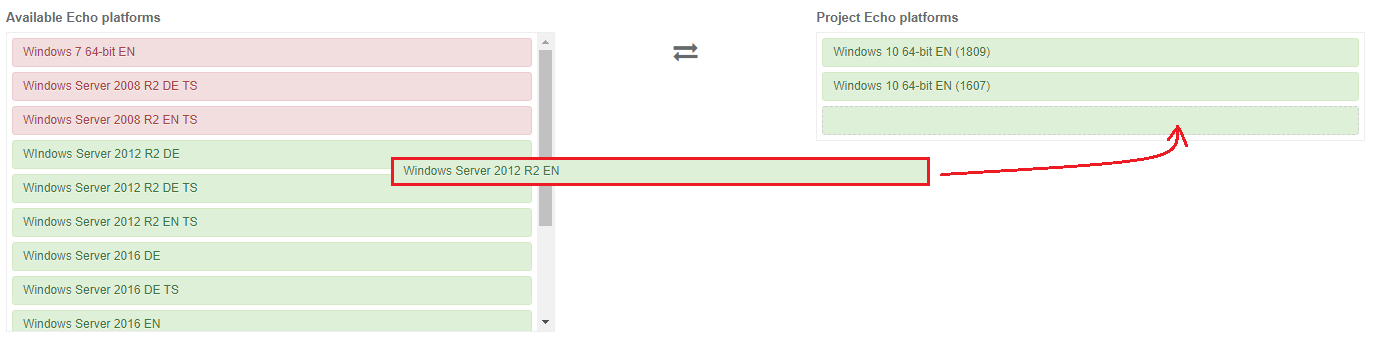
<span style="font-family: -apple-system, BlinkMacSystemFont, 'Segoe UI', Oxygen, Ubuntu, Roboto, Cantarell, 'Fira Sans', 'Droid Sans', 'Helvetica Neue', sans-serif; font-size: 14px; font-style: normal; font-variant-ligatures: normal; font-variant-caps: normal; font-weight: 400;">3. Echo;</span>

<span style="font-family: -apple-system, BlinkMacSystemFont, 'Segoe UI', Oxygen, Ubuntu, Roboto, Cantarell, 'Fira Sans', 'Droid Sans', 'Helvetica Neue', sans-serif; font-size: 14px; font-style: normal; font-variant-ligatures: normal; font-variant-caps: normal; font-weight: 400;">4. Integration: </span>

- Intune;
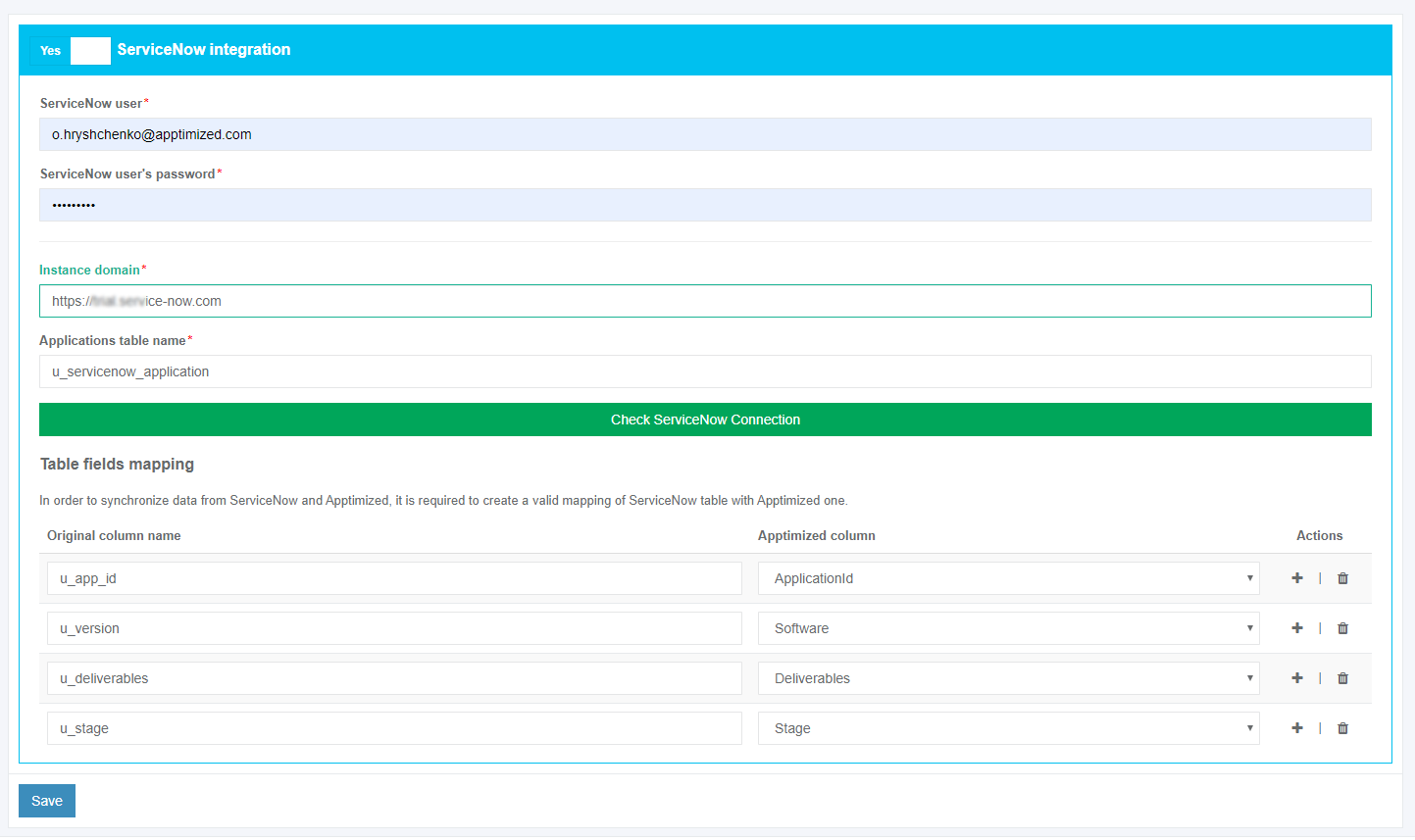
- ServiceNow;
- SCCM.

<span style="font-family: -apple-system, BlinkMacSystemFont, 'Segoe UI', Oxygen, Ubuntu, Roboto, Cantarell, 'Fira Sans', 'Droid Sans', 'Helvetica Neue', sans-serif; font-size: 14px; font-style: normal; font-variant-ligatures: normal; font-variant-caps: normal; font-weight: 400;">5. Update Monitoring;</span>

<span style="font-family: -apple-system, BlinkMacSystemFont, 'Segoe UI', Oxygen, Ubuntu, Roboto, Cantarell, 'Fira Sans', 'Droid Sans', 'Helvetica Neue', sans-serif; font-size: 14px; font-style: normal; font-variant-ligatures: normal; font-variant-caps: normal; font-weight: 400;">6. Storage</span>

<span style="font-family: -apple-system, BlinkMacSystemFont, 'Segoe UI', Oxygen, Ubuntu, Roboto, Cantarell, 'Fira Sans', 'Droid Sans', 'Helvetica Neue', sans-serif; font-size: 14px; font-style: normal; font-variant-ligatures: normal; font-variant-caps: normal; font-weight: 400;">6. Virtualization </span>

- <span style="font-family: -apple-system, BlinkMacSystemFont, 'Segoe UI', Oxygen, Ubuntu, Roboto, Cantarell, 'Fira Sans', 'Droid Sans', 'Helvetica Neue', sans-serif; font-size: 14px; font-style: normal; font-variant-ligatures: normal; font-variant-caps: normal; font-weight: 400;">General;</span>
- <span style="font-family: -apple-system, BlinkMacSystemFont, 'Segoe UI', Oxygen, Ubuntu, Roboto, Cantarell, 'Fira Sans', 'Droid Sans', 'Helvetica Neue', sans-serif; font-size: 14px; font-style: normal; font-variant-ligatures: normal; font-variant-caps: normal; font-weight: 400;">Providers.</span>

<span style="font-family: -apple-system, BlinkMacSystemFont, 'Segoe UI', Oxygen, Ubuntu, Roboto, Cantarell, 'Fira Sans', 'Droid Sans', 'Helvetica Neue', sans-serif; font-size: 14px; font-style: normal; font-variant-ligatures: normal; font-variant-caps: normal; font-weight: 400;">7. Apptimized TO GO.</span>

</td><td style="width: 572px; vertical-align: top;">[![project_settings_02_new-1.png](https://docs.apptimized.com/uploads/images/gallery/2023-03/scaled-1680-/6Hzg9Sr7mVxgmA03-project_settings_02_new-1.png)](https://docs.apptimized.com/uploads/images/gallery/2023-03/6Hzg9Sr7mVxgmA03-project_settings_02_new-1.png)

</td></tr></tbody></table>

Next, each setting block is shown in more detail.

### **General settings**

#### **Project settings**

The “**Project settings**” block sets the primary information for the project. All required fields are marked with an asterisk \*. This block corresponds to the settings of the **Project information** block in the **Create project** step.

The screenshot below shows the default values of **General project settings**:

[![project_settings_03_new-1.png](https://docs.apptimized.com/uploads/images/gallery/2023-03/scaled-1680-/clZixFJCiiAPVtUP-project_settings_03_new-1.png)](https://docs.apptimized.com/uploads/images/gallery/2023-03/clZixFJCiiAPVtUP-project_settings_03_new-1.png)

The following additional options can be enabled:

- Share Portfolio with other projects within organization;
- Show Portfolios of other projects within organization;
- Enable Catalogue.

To enable the option required in the project, check the box in front of the option name.

The project logo is set by clicking on the **Project logo** field. The project logo is user preference. The project logo is used to identify projects on the dashboard quickly. The logo must be downloaded as a PNG file only.

[![project_settings_03.png](https://docs.apptimized.com/uploads/images/gallery/2020-04/scaled-1680-/ResePzAbevdHIHwK-project_settings_03.png)](https://docs.apptimized.com/uploads/images/gallery/2020-04/ResePzAbevdHIHwK-project_settings_03.png)

An option to provide changes to the project workflow is available under the **Edit workflow** button.

[![project_settings_04_new.png](https://docs.apptimized.com/uploads/images/gallery/2020-08/scaled-1680-/AL7pFF0emCm0Nzq4-project_settings_04_new.png)](https://docs.apptimized.com/uploads/images/gallery/2020-08/AL7pFF0emCm0Nzq4-project_settings_04_new.png)

Apptimized shows the following screen when successful:

[![project_settings_05.png](https://docs.apptimized.com/uploads/images/gallery/2020-04/scaled-1680-/ItaImx5RJMCQPq9X-project_settings_05.png)](https://docs.apptimized.com/uploads/images/gallery/2020-04/ItaImx5RJMCQPq9X-project_settings_05.png)

The changes in the project workflow are applied when clicking the **Edit workflow** button.

The changes into the Project settings are applied when clicking the **Save** button.

Apptimized shows the following notification when successful:

[![project_settings_06.png](https://docs.apptimized.com/uploads/images/gallery/2020-04/scaled-1680-/AZ7k3hdMxqecBVBV-project_settings_06.png)](https://docs.apptimized.com/uploads/images/gallery/2020-04/AZ7k3hdMxqecBVBV-project_settings_06.png)

#### **Character substitutions**

The option to specify characters and ways to substitute them is available under the “**Characters substitutions**” block. To exclude characters, uncheck the box in front of the characters not required in the project (available in the **Remove** column).

[![project_settings_07.png](https://docs.apptimized.com/uploads/images/gallery/2020-04/scaled-1680-/51GRzj1u835ImtDX-project_settings_07.png)](https://docs.apptimized.com/uploads/images/gallery/2020-04/51GRzj1u835ImtDX-project_settings_07.png)

The option to create the character substitutions is available under the **plus** symbol in the **Actions** column: Add the character in the **Original character** field &gt; Add the character in the **Substituted character** field &gt; **Save** symbol.

[![project_settings_08.png](https://docs.apptimized.com/uploads/images/gallery/2020-04/scaled-1680-/Bq1dA4dt7ughrCZx-project_settings_08.png)](https://docs.apptimized.com/uploads/images/gallery/2020-04/Bq1dA4dt7ughrCZx-project_settings_08.png)

The option to delete the character substitutions is available under the **bin** symbol in the **Actions** column.

### **Workflow settings**

#### **General**

The screenshot below shows the project settings for the General workflow configuration (**Workflow** &gt; **General**).

[![Workflow General.png](https://docs.apptimized.com/uploads/images/gallery/2025-12/scaled-1680-/workflow-general.png)](https://docs.apptimized.com/uploads/images/gallery/2025-12/workflow-general.png)

<table border="1" id="bkmrk-language-code-descri" style="border-collapse: collapse; width: 97.5%; height: 194.4px;"><tbody><tr style="height: 29.6px;"><td style="width: 34.8225%; height: 29.6px;">**Setting**</td><td style="width: 65.1241%; height: 29.6px;">**Description**</td></tr><tr style="height: 46.4px;"><td style="width: 34.8225%; height: 46.4px;">Follow workflow rules</td><td style="width: 65.1241%; height: 46.4px;">Enforces the provision of a source and documentation.</td></tr><tr style="height: 29.6px;"><td style="width: 34.8225%; height: 29.6px;">Can skip steps</td><td style="width: 65.1241%; height: 29.6px;"><span style="font-family: -apple-system, BlinkMacSystemFont, 'Segoe UI', Oxygen, Ubuntu, Roboto, Cantarell, 'Fira Sans', 'Droid Sans', 'Helvetica Neue', sans-serif; font-size: 14px; font-style: normal; font-variant-ligatures: normal; font-variant-caps: normal; font-weight: 400;">Allows moving forward in the workflow without satisfying process requirements such as providing a source, documentation, or completing the current step.</span></td></tr><tr style="height: 29.6px;"><td style="width: 34.8225%; height: 29.6px;">Revert to Import step</td><td style="width: 65.1241%; height: 29.6px;">Allows moving backward to the start of workflow in order to replace the application source.</td></tr><tr style="height: 29.6px;"><td style="width: 34.8225%; height: 29.6px;">Revert back completed apps</td><td style="width: 65.1241%; height: 29.6px;">Allows moving backward from the final workflow step to change applications that are already marked as completed.</td></tr></tbody></table>

#### **Import**

The screenshot below shows the default values of the project settings (**Workflow** &gt; **Import**).

[![Import.png](https://docs.apptimized.com/uploads/images/gallery/2024-04/scaled-1680-/import.png)](https://docs.apptimized.com/uploads/images/gallery/2024-04/import.png)

<span data-contrast="auto">The following settings are available under the Import settings block:  
</span>

<span data-contrast="auto">**Allow source change by other modules**  
This setting enables or restricts synchronization of source files from the VM to the portal. If enabled, files placed in the Source or SourceImport drive are uploaded to the portal after VM termination and overwrite existing sources with the same name. If disabled, files placed in the drive are not uploaded and are discarded.</span>

<span data-contrast="auto">The following settings available under **File Upload fields** &amp; </span>**<span data-contrast="auto">Metadata</span>**<span data-contrast="auto"> blocks. </span><span data-contrast="none">All required fields are marked with an asterisk \*:</span><span data-ccp-props="{"201341983":0,"335559739":160,"335559740":259}"> </span>

<table aria-rowcount="6" data-tablelook="1696" data-tablestyle="MsoTableGrid" id="bkmrk-setting%C2%A0-description"><tbody><tr aria-rowindex="1"><td data-celllook="0" style="width: 216px;">**Setting**

</td><td data-celllook="0" style="width: 593px;">**Description**

</td></tr><tr aria-rowindex="2"><td data-celllook="0" style="width: 216px;"><span data-contrast="auto">Installation source</span><span data-ccp-props="{"201341983":0,"335559740":259}"> </span>

</td><td data-celllook="0" style="width: 593px;"><span data-contrast="none">This setting enables a field for source file uploading if switched on.</span><span data-ccp-props="{"201341983":0,"335559740":259}"> </span>

</td></tr><tr aria-rowindex="3"><td data-celllook="0" style="width: 216px;"><span data-contrast="auto">Documentations/Instructions</span>

</td><td data-celllook="0" style="width: 593px;"><span data-contrast="auto">This settings enables a user to add the </span>**<span data-contrast="auto">Discovery document</span>**<span data-contrast="auto"> field to upload the discovery document under it.</span><span data-ccp-props="{"201341983":0,"335559740":259}"> </span>

</td></tr><tr aria-rowindex="4"><td data-celllook="0" style="width: 216px;"><span data-contrast="auto">Mandatory</span><span data-ccp-props="{"201341983":0,"335559740":259}"> </span>

</td><td data-celllook="0" style="width: 593px;"><span data-contrast="auto">This setting enables a user to make the </span>**<span data-contrast="auto">Discovery document</span>**<span data-contrast="auto"> setting as mandatory. This setting displays only if </span>**<span data-contrast="auto">Discovery document</span>**<span data-contrast="auto"> setting switched on.</span><span data-ccp-props="{"201341983":0,"335559740":259}"> </span>

</td></tr><tr aria-rowindex="5"><td data-celllook="0" style="width: 216px;"><span data-contrast="auto">Application icon for Intune</span><span data-ccp-props="{"201341983":0,"335559740":259}"> </span>

</td><td data-celllook="0" style="width: 593px;"><span data-contrast="auto">This setting enables a user to add the Application icon for Intune field to upload the Icon for the application and made it available during the Intune push (see https://docs.apptimized.com/books/apptimized-platform-admin-manual/page/upload-package-to-the-microsoft-intune-from-the-apptimized-portal)</span><span data-ccp-props="{"201341983":0,"335559740":259}"> </span>

</td></tr><tr aria-rowindex="6"><td data-celllook="0" style="width: 216px;"><span data-contrast="auto">Mandatory</span><span data-ccp-props="{"201341983":0,"335559740":259}"> </span>

</td><td data-celllook="0" style="width: 593px;"><span data-contrast="auto">This setting enables a user to make the </span>**<span data-contrast="auto">Application icon for Intune</span>**<span data-contrast="auto"> setting as mandatory. This setting displays only if </span>**<span data-contrast="auto">Application icon for Intune</span>**<span data-contrast="auto"> setting switched on.</span><span data-ccp-props="{"201341983":0,"335559740":259}"> </span>

</td></tr><tr><td style="width: 216px;"><span data-contrast="auto">Application owner</span>

</td><td style="width: 593px;"><span data-contrast="auto"><span class="TextRun SCXW191162806 BCX8" data-contrast="none" lang="RU-RU" xml:lang="RU-RU"><span class="NormalTextRun SpellingErrorV2 SCXW191162806 BCX8">This</span> <span class="NormalTextRun SpellingErrorV2 SCXW191162806 BCX8">setting</span> <span class="NormalTextRun SpellingErrorV2 SCXW191162806 BCX8">enables</span><span class="NormalTextRun SCXW191162806 BCX8"> Application </span><span class="NormalTextRun SpellingErrorV2 SCXW191162806 BCX8">owner</span> <span class="NormalTextRun SpellingErrorV2 SCXW191162806 BCX8">field</span> <span class="NormalTextRun SpellingErrorV2 SCXW191162806 BCX8">under</span> <span class="NormalTextRun SpellingErrorV2 SCXW191162806 BCX8">application</span> <span class="NormalTextRun SpellingErrorV2 SCXW191162806 BCX8">metadata</span><span class="NormalTextRun SCXW191162806 BCX8">, </span><span class="NormalTextRun SpellingErrorV2 SCXW191162806 BCX8">and</span> <span class="NormalTextRun SpellingErrorV2 SCXW191162806 BCX8">enables</span> [<span class="NormalTextRun SpellingErrorV2 SCXW191162806 BCX8">additional</span> <span class="NormalTextRun SpellingErrorV2 SCXW191162806 BCX8">project</span><span class="NormalTextRun SCXW191162806 BCX8"> </span><span class="NormalTextRun SpellingErrorV2 SCXW191162806 BCX8">permissions</span>](https://docs.apptimized.com/link/243#bkmrk-attribute-descriptio) <span class="NormalTextRun SpellingErrorV2 SCXW191162806 BCX8">under</span> <span class="NormalTextRun SpellingErrorV2 SCXW191162806 BCX8">role</span> <span class="NormalTextRun SpellingErrorV2 SCXW191162806 BCX8">permissions</span> <span class="NormalTextRun SpellingErrorV2 SCXW191162806 BCX8">list</span></span><span class="EOP SCXW191162806 BCX8" data-ccp-props="{"201341983":0,"335559740":259}"> </span></span>

</td></tr><tr><td style="width: 216px;"><span data-contrast="auto">Mandatory</span>

</td><td style="width: 593px;"><span data-contrast="auto"><span class="TextRun SCXW19517513 BCX8" data-contrast="auto" lang="RU-RU" xml:lang="RU-RU"><span class="NormalTextRun SpellingErrorV2  SCXW19517513 BCX8 DefaultHighlightTransition">This</span> <span class="NormalTextRun SpellingErrorV2 SCXW19517513 BCX8">setting</span> <span class="NormalTextRun SpellingErrorV2 SCXW19517513 BCX8">enables</span><span class="NormalTextRun SCXW19517513 BCX8"> a </span><span class="NormalTextRun SpellingErrorV2 SCXW19517513 BCX8">user</span> <span class="NormalTextRun SpellingErrorV2 SCXW19517513 BCX8">to</span> <span class="NormalTextRun SpellingErrorV2 SCXW19517513 BCX8">make</span> <span class="NormalTextRun SpellingErrorV2 SCXW19517513 BCX8">the</span> </span><span class="TextRun SCXW19517513 BCX8" data-contrast="auto" lang="RU-RU" xml:lang="RU-RU"><span class="NormalTextRun SCXW19517513 BCX8">Application </span><span class="NormalTextRun SpellingErrorV2 SCXW19517513 BCX8">owner</span> </span><span class="TextRun SCXW19517513 BCX8" data-contrast="auto" lang="RU-RU" xml:lang="RU-RU"><span class="NormalTextRun SpellingErrorV2 SCXW19517513 BCX8">as</span> <span class="NormalTextRun SpellingErrorV2 SCXW19517513 BCX8">mandatory</span><span class="NormalTextRun SCXW19517513 BCX8">. </span><span class="NormalTextRun SpellingErrorV2 SCXW19517513 BCX8">This</span> <span class="NormalTextRun SpellingErrorV2 SCXW19517513 BCX8">setting</span> <span class="NormalTextRun SpellingErrorV2 SCXW19517513 BCX8">displays</span> <span class="NormalTextRun SpellingErrorV2 SCXW19517513 BCX8">only</span> <span class="NormalTextRun SpellingErrorV2 SCXW19517513 BCX8">if</span> </span><span class="TextRun SCXW19517513 BCX8" data-contrast="auto" lang="RU-RU" xml:lang="RU-RU"><span class="NormalTextRun SCXW19517513 BCX8">Application </span><span class="NormalTextRun SpellingErrorV2 SCXW19517513 BCX8">owner</span></span><span class="TextRun SCXW19517513 BCX8" data-contrast="auto" lang="RU-RU" xml:lang="RU-RU"> <span class="NormalTextRun SpellingErrorV2 SCXW19517513 BCX8">setting</span> <span class="NormalTextRun SpellingErrorV2 SCXW19517513 BCX8">switched</span> <span class="NormalTextRun SpellingErrorV2 SCXW19517513 BCX8">on</span><span class="NormalTextRun SCXW19517513 BCX8">.</span></span><span class="EOP SCXW19517513 BCX8" data-ccp-props="{"201341983":0,"335559740":259}"> </span></span>

</td></tr><tr><td style="width: 216px;"><span data-contrast="auto">Architecture</span>

</td><td style="width: 593px;"><span data-contrast="auto"><span class="TextRun SCXW19517513 BCX8" data-contrast="auto" lang="RU-RU" xml:lang="RU-RU"><span class="NormalTextRun SpellingErrorV2  SCXW19517513 BCX8 DefaultHighlightTransition">This setting enables the **Architecture** field under application metadata and allows defining the application architecture.</span></span></span>

</td></tr></tbody></table>

A user can set the language codes in the **Metadata** block. The following language codes available:

<table border="1" id="bkmrk-language-code-descri-1" style="border-collapse: collapse; width: 97.5289%; height: 168px;"><tbody><tr style="height: 28px;"><td style="width: 30.2225%; height: 28px;">**Language code**</td><td style="width: 56.5271%; height: 28px;">**Description**</td><td style="width: 19.1654%; height: 28px;">**Example**</td></tr><tr style="height: 28px;"><td style="width: 30.2225%; height: 28px;">Keep original</td><td style="width: 56.5271%; height: 28px;">Apptimized saves the language code value a user indicated on the Import step</td><td style="width: 19.1654%; height: 28px;">English (US)</td></tr><tr style="height: 28px;"><td style="width: 30.2225%; height: 28px;">ISO 639-1 (Uppercase)</td><td style="width: 56.5271%; height: 28px;"><span style="font-family: -apple-system, BlinkMacSystemFont, 'Segoe UI', Oxygen, Ubuntu, Roboto, Cantarell, 'Fira Sans', 'Droid Sans', 'Helvetica Neue', sans-serif; font-size: 14px; font-style: normal; font-variant-ligatures: normal; font-variant-caps: normal; font-weight: 400;">A two-character code set entered with uppercase letters</span></td><td style="width: 19.1654%; height: 28px;">EN</td></tr><tr style="height: 28px;"><td style="width: 30.2225%; height: 28px;">ISO 639-1 (Capitalize case)</td><td style="width: 56.5271%; height: 28px;">A two-character code set entered with the capitalized letter</td><td style="width: 19.1654%; height: 28px;">En</td></tr><tr style="height: 28px;"><td style="width: 30.2225%; height: 28px;">ISO 639-2 (Uppercase)</td><td style="width: 56.5271%; height: 28px;">A three-character code set. Begins with a capital letter</td><td style="width: 19.1654%; height: 28px;">ENG</td></tr><tr style="height: 28px;"><td style="width: 30.2225%; height: 28px;">ISO 639-2 (Capitalize case)</td><td style="width: 56.5271%; height: 28px;">A three-character code set. Begins with a capital letter</td><td style="width: 19.1654%; height: 28px;">Eng</td></tr></tbody></table>

The default value is **Keep original**.

A user can set the custom fields that required at **Import** step. These settings are available under “**Custom fields**” block.

Additional fields are used for:

- providing additional information on each application to empower management within the project;
- <span class="TextRun SCXW254899371 BCX8" data-contrast="none" lang="EN-GB" xml:lang="EN-GB"><span class="NormalTextRun SCXW254899371 BCX8">expanding application management </span><span class="NormalTextRun SCXW254899371 BCX8">functionality;</span></span>
- creating custom dashboards;
- sorting / grouping / filtering data.

[![Group 28.png](https://docs.apptimized.com/uploads/images/gallery/2024-04/scaled-1680-/group-28.png)](https://docs.apptimized.com/uploads/images/gallery/2024-04/group-28.png)

<span data-contrast="none">The Custom fields section is displayed in 2 blocks: </span><span data-ccp-props="{"201341983":0,"335559739":160,"335559740":259}"> </span>

- <span data-contrast="none">Information block – this block contains detailed information about Custom fields entries;</span><span data-ccp-props="{"134233279":true,"201341983":0,"335559739":160,"335559740":259}"> </span>
- <span data-contrast="none">Action block – this block provides options to interact with the Custom fields.</span><span data-ccp-props="{"134233279":true,"201341983":0,"335559739":160,"335559740":259}"> </span>

[![Cfields.png](https://docs.apptimized.com/uploads/images/gallery/2024-04/scaled-1680-/cfields.png)](https://docs.apptimized.com/uploads/images/gallery/2024-04/cfields.png)

<span data-contrast="auto">Custom fields data is grouped into the following categories:</span><span data-ccp-props="{"201341983":0,"335559739":160,"335559740":259}"> </span>

<table aria-rowcount="6" data-tablelook="1696" data-tablestyle="MsoTableGrid" id="bkmrk-category%C2%A0-descriptio"><tbody><tr aria-rowindex="1"><td data-celllook="0">**Category**

</td><td data-celllook="0">**Description**

</td></tr><tr aria-rowindex="2"><td data-celllook="0"><span data-contrast="auto">Name</span><span data-ccp-props="{"201341983":0,"335559740":259}"> </span>

</td><td data-celllook="0"><span data-contrast="auto">Indicates the name of the Custom field</span><span data-ccp-props="{"201341983":0,"335559740":259}"> </span>

</td></tr><tr aria-rowindex="3"><td data-celllook="0"><span data-contrast="auto">Type</span><span data-ccp-props="{"201341983":0,"335559740":259}"> </span>

</td><td data-celllook="0"><span data-contrast="auto">Indicates the type of Custom field. The following types are available:</span><span data-ccp-props="{"201341983":0,"335559740":259}"> </span>

- <span data-contrast="auto">Input</span><span data-ccp-props="{"134233279":true,"201341983":0,"335559739":160,"335559740":259}"> </span>
- <span data-contrast="auto">Select</span><span data-ccp-props="{"134233279":true,"201341983":0,"335559739":160,"335559740":259}"> </span>
- <span data-contrast="auto">Multiple select</span><span data-ccp-props="{"134233279":true,"201341983":0,"335559739":160,"335559740":259}"> </span>

</td></tr><tr aria-rowindex="4"><td data-celllook="0"><span data-contrast="auto">Data type</span><span data-ccp-props="{"201341983":0,"335559740":259}"> </span>

</td><td data-celllook="0"><span data-contrast="auto">Indicates the data type of Custom field. The following types are available:</span><span data-ccp-props="{"201341983":0,"335559740":259}"> </span>

- <span data-contrast="auto">Integer</span><span data-ccp-props="{"134233279":true,"201341983":0,"335559739":160,"335559740":259}"> </span>
- <span data-contrast="auto">Text</span><span data-ccp-props="{"134233279":true,"201341983":0,"335559739":160,"335559740":259}"> </span>
- <span data-contrast="auto">DateTime</span><span data-ccp-props="{"134233279":true,"201341983":0,"335559739":160,"335559740":259}"> </span>
- <span data-contrast="auto">Boolean</span><span data-ccp-props="{"134233279":true,"201341983":0,"335559739":160,"335559740":259}"> </span>
- <span data-contrast="auto">Html</span><span data-ccp-props="{"134233279":true,"201341983":0,"335559739":160,"335559740":259}"> </span>

<p class="callout info">**<span data-contrast="auto">Note.</span>**<span data-contrast="auto"> </span>**<span data-contrast="auto">Data type </span>**<span data-contrast="auto">is available only if the </span>**<span data-contrast="auto">Input </span>**<span data-contrast="auto">type was selected.</span><span data-ccp-props="{"201341983":0,"335559740":259}"> </span></p>

</td></tr><tr aria-rowindex="5"><td data-celllook="0"><span data-contrast="auto">Source type</span><span data-ccp-props="{"201341983":0,"335559740":259}"> </span>

</td><td data-celllook="0"><span data-contrast="auto">Indicates the source type of Custom field. The following types are available:</span><span data-ccp-props="{"201341983":0,"335559740":259}"> </span>

- <span data-contrast="auto">Custom</span><span data-ccp-props="{"134233279":true,"201341983":0,"335559739":160,"335559740":259}"> </span>
- <span data-contrast="auto">Applications</span><span data-ccp-props="{"134233279":true,"201341983":0,"335559739":160,"335559740":259}"> </span>
- <span data-contrast="auto">Users</span><span data-ccp-props="{"134233279":true,"201341983":0,"335559739":160,"335559740":259}"> </span>

<p class="callout info">**<span data-contrast="auto">Note.</span>**<span data-contrast="auto"> </span>**<span data-contrast="auto">Source type </span>**<span data-contrast="auto">is available only if the </span>**<span data-contrast="auto">Select</span>**<span data-contrast="auto"> &amp; </span>**<span data-contrast="auto">Multiple select </span>**<span data-contrast="auto">types were selected.</span><span data-ccp-props="{"201341983":0,"335559740":259}"> </span></p>

</td></tr><tr aria-rowindex="6"><td data-celllook="0"><span data-contrast="auto">Required</span><span data-ccp-props="{"201341983":0,"335559740":259}"> </span>

</td><td data-celllook="0"><span data-contrast="auto">Indicates the status of the custom field. The following statuses are available:</span><span data-ccp-props="{"201341983":0,"335559740":259}"> </span>

- <span data-contrast="auto">Yes</span><span data-ccp-props="{"134233279":true,"201341983":0,"335559739":160,"335559740":259}"> </span>
- <span data-contrast="auto">No</span><span data-ccp-props="{"134233279":true,"201341983":0,"335551550":1,"335551620":1,"335559685":720,"335559737":0,"335559739":160,"335559740":259,"335559991":360}"> </span>

</td></tr></tbody></table>

<span data-contrast="none">The number of items per page can be changed to 10, 50, 100, or all items.</span><span data-ccp-props="{"201341983":0,"335559739":160,"335559740":259}"> </span>

[![settings_custmfield_04.png](https://docs.apptimized.com/uploads/images/gallery/2021-08/scaled-1680-/lztJGSc0VEj7N8b6-settings_custmfield_04-(1).png)](https://docs.apptimized.com/uploads/images/gallery/2021-08/lztJGSc0VEj7N8b6-settings_custmfield_04-(1).png)

<span data-contrast="none">The option to move on a next/previous page is available under </span>**<span data-contrast="none">Next / Prev </span>**<span data-contrast="none">buttons</span><span data-ccp-props="{"201341983":0,"335559739":160,"335559740":259}"> </span>

<span data-ccp-props="{"201341983":0,"335559739":160,"335559740":259}"> [![settings_custmfield_05.png](https://docs.apptimized.com/uploads/images/gallery/2021-08/scaled-1680-/OwEh3S5xLzhySkB8-settings_custmfield_05-(2).png)](https://docs.apptimized.com/uploads/images/gallery/2021-08/OwEh3S5xLzhySkB8-settings_custmfield_05-(2).png)</span>

<span data-contrast="none">The option to add a Custom field is available under the </span>**<span data-contrast="none">Add </span>**<span data-contrast="none">button.</span><span data-ccp-props="{"201341983":0,"335559739":160,"335559740":259}"> </span>

<span data-ccp-props="{"201341983":0,"335559739":160,"335559740":259}"> [![settings_custmfield_06.png](https://docs.apptimized.com/uploads/images/gallery/2021-08/scaled-1680-/dVrRrNAwPk1BPonn-settings_custmfield_06-(1).png)](https://docs.apptimized.com/uploads/images/gallery/2021-08/dVrRrNAwPk1BPonn-settings_custmfield_06-(1).png)</span>

<span data-contrast="none">Apptimized shows the following screen when successful:</span><span data-ccp-props="{"201341983":0,"335559739":160,"335559740":259}"> </span>

[![settings_custmfield_07.png](https://docs.apptimized.com/uploads/images/gallery/2021-08/scaled-1680-/OrbpvVa2gpxLfrcw-settings_custmfield_07-(2).png)](https://docs.apptimized.com/uploads/images/gallery/2021-08/OrbpvVa2gpxLfrcw-settings_custmfield_07-(2).png)

<span data-contrast="none">The option to add custom field is available after setting </span>**<span data-contrast="none">Name, Field Type &amp; Data type</span>**<span data-contrast="none"> fields and selecting </span>**<span data-contrast="none">Required </span>**<span data-contrast="none">selector.</span>

<span data-contrast="none">[![settings_custmfield_08.png](https://docs.apptimized.com/uploads/images/gallery/2021-08/scaled-1680-/jz243RNTI9Teq6v7-settings_custmfield_08-(1).png)](https://docs.apptimized.com/uploads/images/gallery/2021-08/jz243RNTI9Teq6v7-settings_custmfield_08-(1).png)</span>

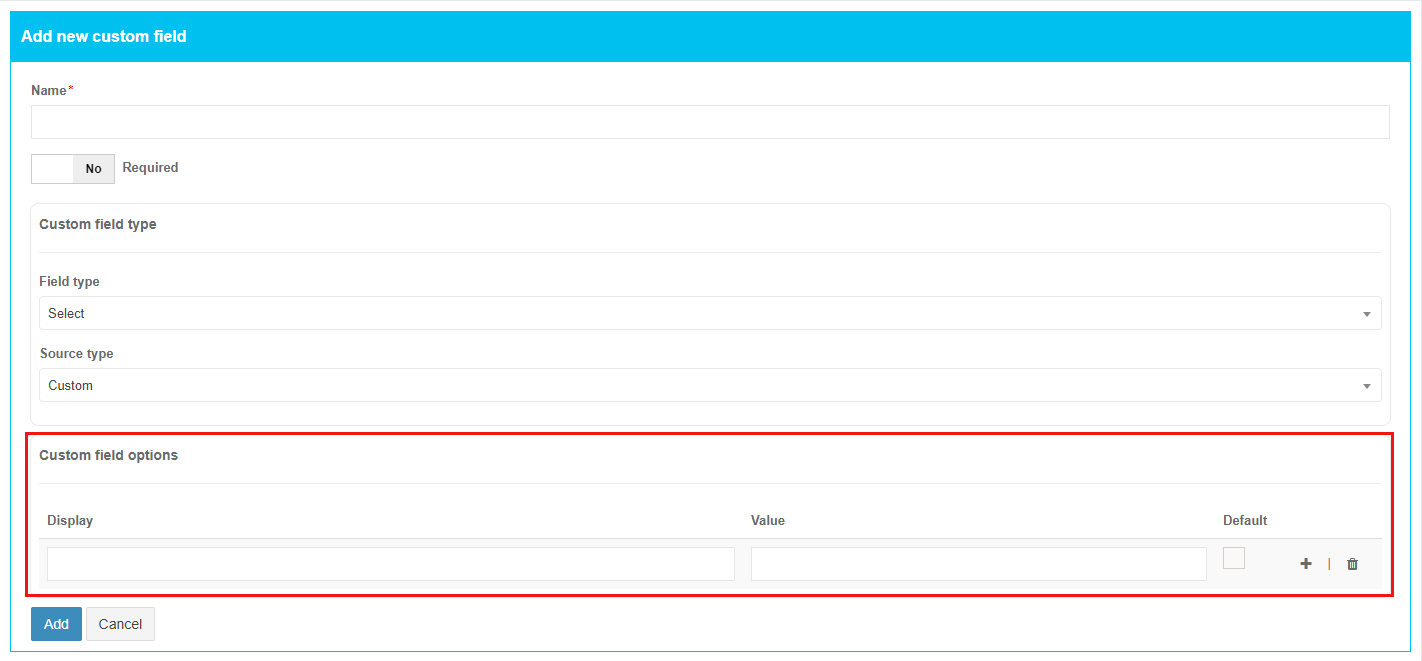
<p class="callout info">**<span data-contrast="none">Note.</span>**<span data-contrast="none"> </span>**<span data-contrast="none">Custom field options </span>**<span data-contrast="none">section becomes available only if </span>**<span data-contrast="none">Select </span>**<span data-contrast="none">option was selected under the </span>**<span data-contrast="none">Field type </span>**<span data-contrast="none">dropdown list &amp; </span>**<span data-contrast="none">Custom </span>**<span data-contrast="none">option was selected under the </span>**<span data-contrast="none">Source type </span>**<span data-contrast="none">dropdown list.</span><span data-ccp-props="{"201341983":0,"335559739":160,"335559740":259}">   
  
[![settings_custmfield_17_2.png](https://docs.apptimized.com/uploads/images/gallery/2021-08/scaled-1680-/ptfyMMU5S2VIPirZ-settings_custmfield_17_2.png)](https://docs.apptimized.com/uploads/images/gallery/2021-08/ptfyMMU5S2VIPirZ-settings_custmfield_17_2.png)  
  
The option to add **Customfieldoptions** parameter is available after setting **Display &amp; Value** fields. The custom field can be designated as required under the **Default** checkbox.  
  
The option to add a new entry is available under **plus** button.  
[![settings_custmfield_18.png](https://docs.apptimized.com/uploads/images/gallery/2021-08/scaled-1680-/yc9FXcieOv2MWG0q-settings_custmfield_18.png)](https://docs.apptimized.com/uploads/images/gallery/2021-08/yc9FXcieOv2MWG0q-settings_custmfield_18.png)  

  
The option to delete entry is available under **bin** symbol.  
[![settings_custmfield_20.png](https://docs.apptimized.com/uploads/images/gallery/2021-08/scaled-1680-/3qxpbkMAU87qDFZk-settings_custmfield_20.png)](https://docs.apptimized.com/uploads/images/gallery/2021-08/3qxpbkMAU87qDFZk-settings_custmfield_20.png)  

</span></p>

Apptimized shows the following notification when successful:

[![settings_custmfield_09-(2).png](https://docs.apptimized.com/uploads/images/gallery/2022-02/scaled-1680-/U408cg8B9mMTEx09-settings_custmfield_09-(2).png)](https://docs.apptimized.com/uploads/images/gallery/2022-02/U408cg8B9mMTEx09-settings_custmfield_09-(2).png)

<span data-contrast="auto">The option to edit </span>**<span data-contrast="auto">Custom field </span>**<span data-contrast="auto">name &amp; </span>**<span data-contrast="auto">Required </span>**<span data-contrast="auto">switch is available under </span>**<span data-contrast="auto">Actions </span>**<span data-contrast="auto">block &gt; </span>**<span data-contrast="auto">Edit</span>**<span data-contrast="auto">.</span><span data-ccp-props="{"201341983":0,"335559739":160,"335559740":259}"> </span>

[![settings_custmfield_10-(1).png](https://docs.apptimized.com/uploads/images/gallery/2021-08/scaled-1680-/SLHLyIxNjoYD4ea8-settings_custmfield_10-(1).png)](https://docs.apptimized.com/uploads/images/gallery/2021-08/SLHLyIxNjoYD4ea8-settings_custmfield_10-(1).png)

<span data-ccp-props="{"201341983":0,"335559739":160,"335559740":259}"> [![settings_custmfield_12-(1).png](https://docs.apptimized.com/uploads/images/gallery/2021-08/scaled-1680-/oY8wpx6MAskL1hAt-settings_custmfield_12-(1).png)](https://docs.apptimized.com/uploads/images/gallery/2021-08/oY8wpx6MAskL1hAt-settings_custmfield_12-(1).png)</span>

<span data-contrast="auto">The option to remove Custom field is available under the </span>**<span data-contrast="auto">Actions </span>**<span data-contrast="auto">block &gt; </span>**<span data-contrast="auto">Remove</span>**<span data-contrast="auto">.</span><span data-ccp-props="{"201341983":0,"335559739":160,"335559740":259}"> </span>

<span data-ccp-props="{"201341983":0,"335559739":160,"335559740":259}"> [![settings_custmfield_11-(2).png](https://docs.apptimized.com/uploads/images/gallery/2021-08/scaled-1680-/gGrUAPs9fukAaK2w-settings_custmfield_11-(2).png)](https://docs.apptimized.com/uploads/images/gallery/2021-08/gGrUAPs9fukAaK2w-settings_custmfield_11-(2).png)</span>

<span data-contrast="auto">Apptimized shows the following modal window when successful:</span><span data-ccp-props="{"201341983":0,"335559739":160,"335559740":259}"> </span>

<span data-ccp-props="{"201341983":0,"335559739":160,"335559740":259}"> [![settings_custmfield_13-(1).png](https://docs.apptimized.com/uploads/images/gallery/2021-08/scaled-1680-/X5gHU9vZnBeDQ1eG-settings_custmfield_13-(1).png)](https://docs.apptimized.com/uploads/images/gallery/2021-08/X5gHU9vZnBeDQ1eG-settings_custmfield_13-(1).png)</span>

<span data-contrast="none">To apply the settings, click the </span>**<span data-contrast="none">Save </span>**<span data-contrast="none">button. To revert the settings, click on the </span>**<span data-contrast="none">Reset</span>**<span data-contrast="none"> button.</span><span data-ccp-props="{"201341983":0,"335559739":160,"335559740":259}"> </span>

<span data-contrast="none">Apptimized shows the following notification when successful:</span><span data-ccp-props="{"201341983":0,"335559739":160,"335559740":259}"> </span>

<span data-ccp-props="{"201341983":0,"335559739":160,"335559740":259}">[![image-32.png](https://docs.apptimized.com/uploads/images/gallery/2021-08/scaled-1680-/KlE2PVQaDNJOgceA-image-32.png)](https://docs.apptimized.com/uploads/images/gallery/2021-08/KlE2PVQaDNJOgceA-image-32.png)</span>

<p class="callout info">**Note.** When the additional field settings are applied they appear in the application metadata block (i.e., at the Import step, at the application settings screen).   
[![settings_custmfield_15-(1).png](https://docs.apptimized.com/uploads/images/gallery/2021-08/scaled-1680-/K9Yx39s0ZGcEnfi2-settings_custmfield_15-(1).png)](https://docs.apptimized.com/uploads/images/gallery/2021-08/K9Yx39s0ZGcEnfi2-settings_custmfield_15-(1).png)  
[![settings_custmfield_16-(1).png](https://docs.apptimized.com/uploads/images/gallery/2021-08/scaled-1680-/vwVxauGtQaBvinaq-settings_custmfield_16-(1).png)](https://docs.apptimized.com/uploads/images/gallery/2021-08/vwVxauGtQaBvinaq-settings_custmfield_16-(1).png)</p>

#### **Steps settings**

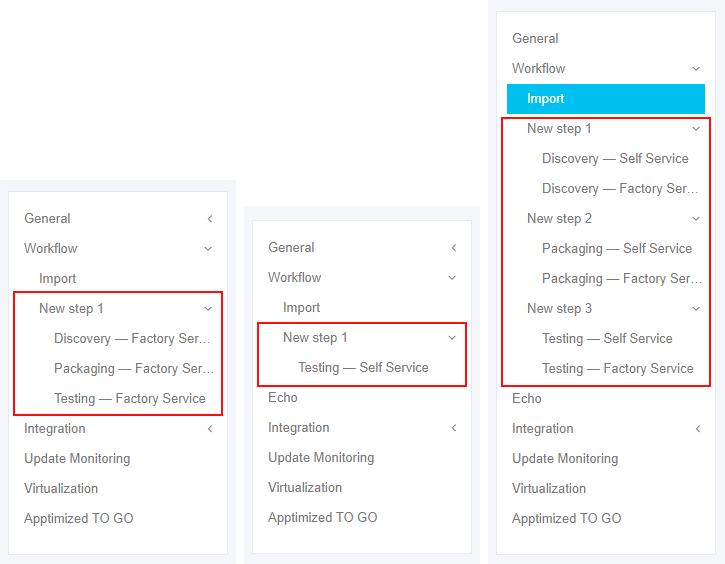
The set of workflow settings depends on workflow structure (i.e., the number of steps, the set of module types) that was configured during project creation.

The screenshot below shows the examples of possible workflow settings configurations.

[![steps_settings_01_new.png](https://docs.apptimized.com/uploads/images/gallery/2020-08/scaled-1680-/7lVUj5VgohEdbcHm-steps_settings_01_new.png)](https://docs.apptimized.com/uploads/images/gallery/2020-08/7lVUj5VgohEdbcHm-steps_settings_01_new.png)

#### **Discovery – Self Service**

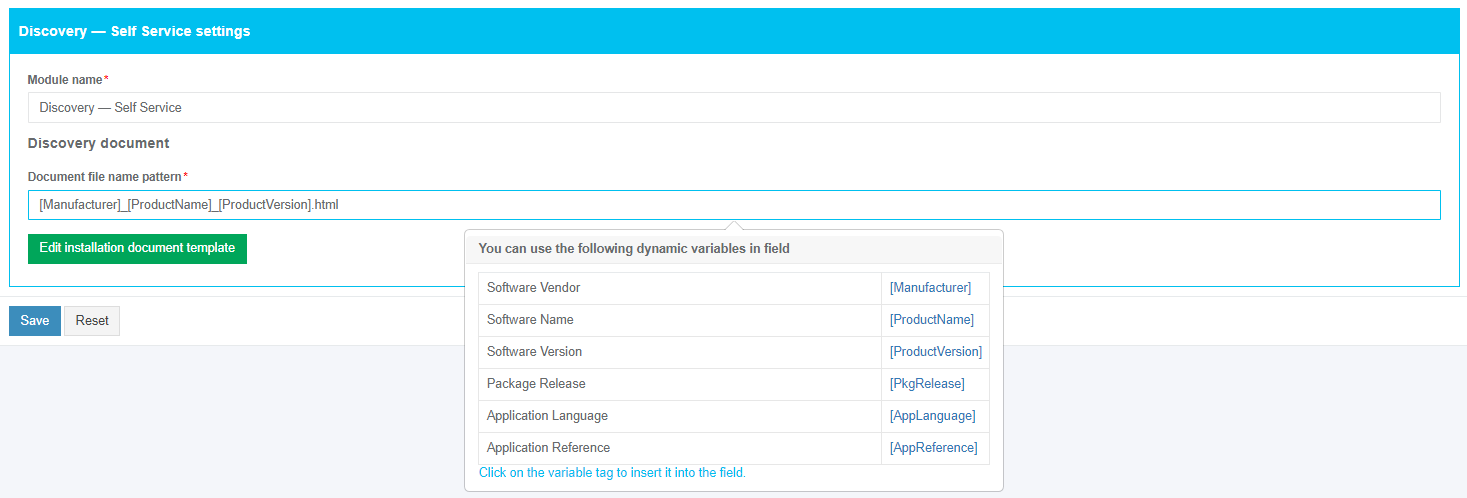
The screenshot below shows the default settings of the **Discovery – Self Service** module. All required fields are marked with an asterisk <span style="color: #ff0000;">\*</span>.

[![discovery_selfservice_1.png](https://docs.apptimized.com/uploads/images/gallery/2020-12/scaled-1680-/pjZ5gbA3z4GEwJYz-discovery_selfservice_1.png)](https://docs.apptimized.com/uploads/images/gallery/2020-12/pjZ5gbA3z4GEwJYz-discovery_selfservice_1.png)

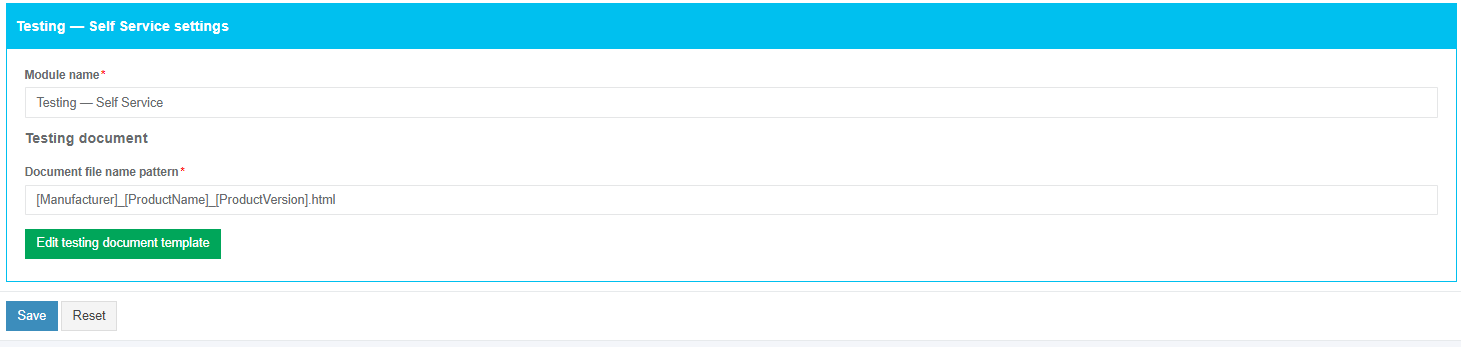
The option to change a module name is available under the **Module name** field. The default module name is **Discovery – Self Service.**

The option to change a file name pattern is available under the **Document file name pattern** field. The default file name pattern is **\[Manufacturer\]\_\[ProductName\]\_\[ProductVersion\].html.**

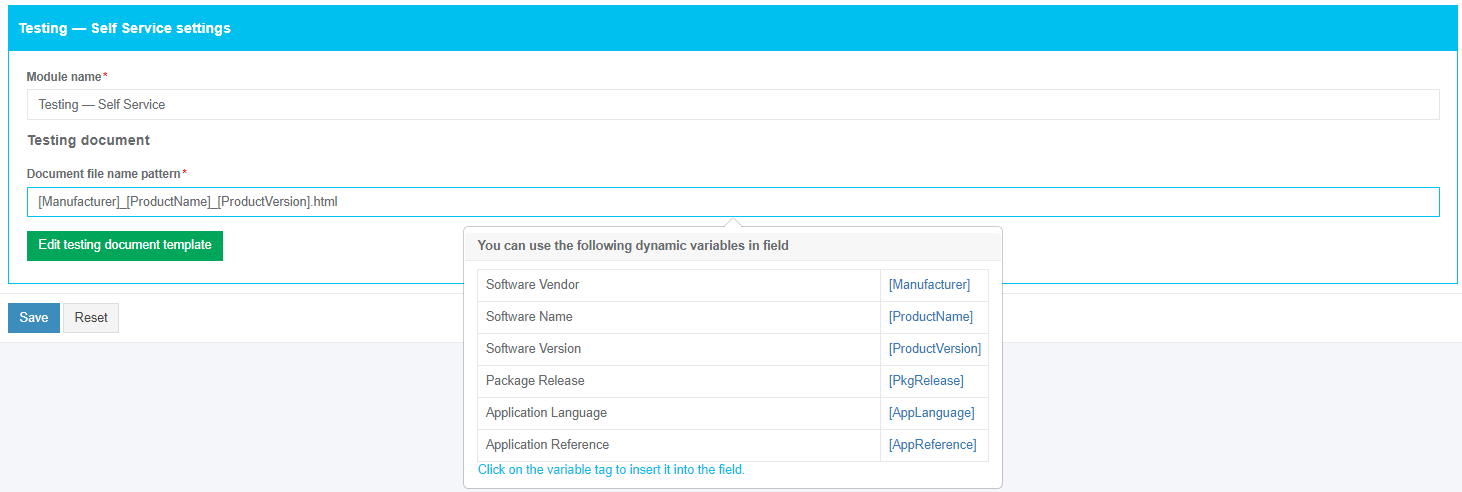
To insert the variable tag into the field, click the relevant variable tag from the dropdown list.

[![discovery_selfservice_2.png](https://docs.apptimized.com/uploads/images/gallery/2020-12/scaled-1680-/YHDcNfqcjYWyqgs1-discovery_selfservice_2.png)](https://docs.apptimized.com/uploads/images/gallery/2020-12/YHDcNfqcjYWyqgs1-discovery_selfservice_2.png)

The option to edit a discovery case template is available under the **Edit installation document template** button.

[![steps_settings_03.png](https://docs.apptimized.com/uploads/images/gallery/2020-04/scaled-1680-/D98wJDlaN78sB0sL-steps_settings_03.png)](https://docs.apptimized.com/uploads/images/gallery/2020-04/D98wJDlaN78sB0sL-steps_settings_03.png)

Apptimized shows the following screen:

[![steps_settings_04.png](https://docs.apptimized.com/uploads/images/gallery/2020-04/scaled-1680-/A1zLkT22t1Vh3bpe-steps_settings_04.png)](https://docs.apptimized.com/uploads/images/gallery/2020-04/A1zLkT22t1Vh3bpe-steps_settings_04.png)

<div id="bkmrk-for-more-information">*For more information on how to use the template editor please refer to this [user manual](https://www.tiny.cloud/docs/tinymce/).*</div><div id="bkmrk--28"></div>To return the document to the default state, click the **Restore installation document template** button.

To apply edits in a discovery case template, click the **Save** button.

[![image-1608279762613.png](https://docs.apptimized.com/uploads/images/gallery/2020-12/scaled-1680-/KAYX8Rrnma70ida5-image-1608279762613.png)](https://docs.apptimized.com/uploads/images/gallery/2020-12/KAYX8Rrnma70ida5-image-1608279762613.png)

Settings are persisted on click to the **Save** button. To revert the settings, click on the **Reset** button.

Apptimized shows the following notification when successful:

 **[![steps_settings_11.png](https://docs.apptimized.com/uploads/images/gallery/2020-04/scaled-1680-/xWcv3yoyjLCJKFsL-steps_settings_11.png)](https://docs.apptimized.com/uploads/images/gallery/2020-04/xWcv3yoyjLCJKFsL-steps_settings_11.png)**

#### **Discovery – Factory Service**

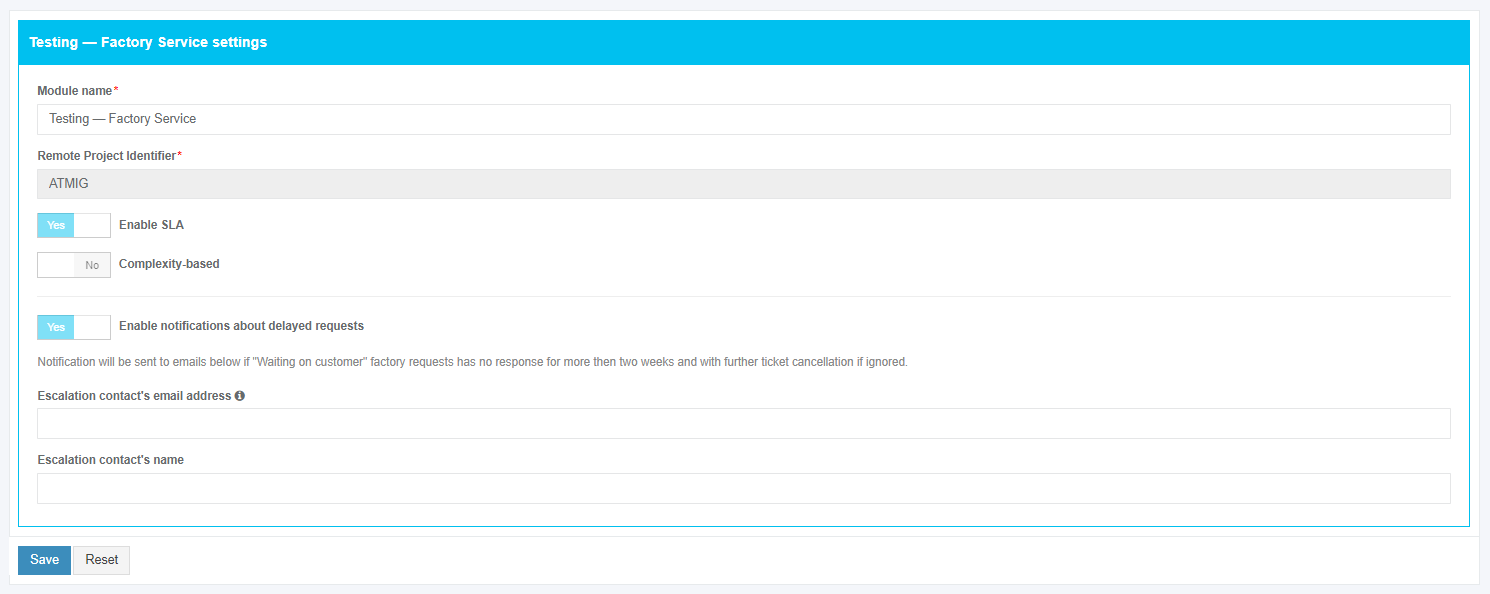
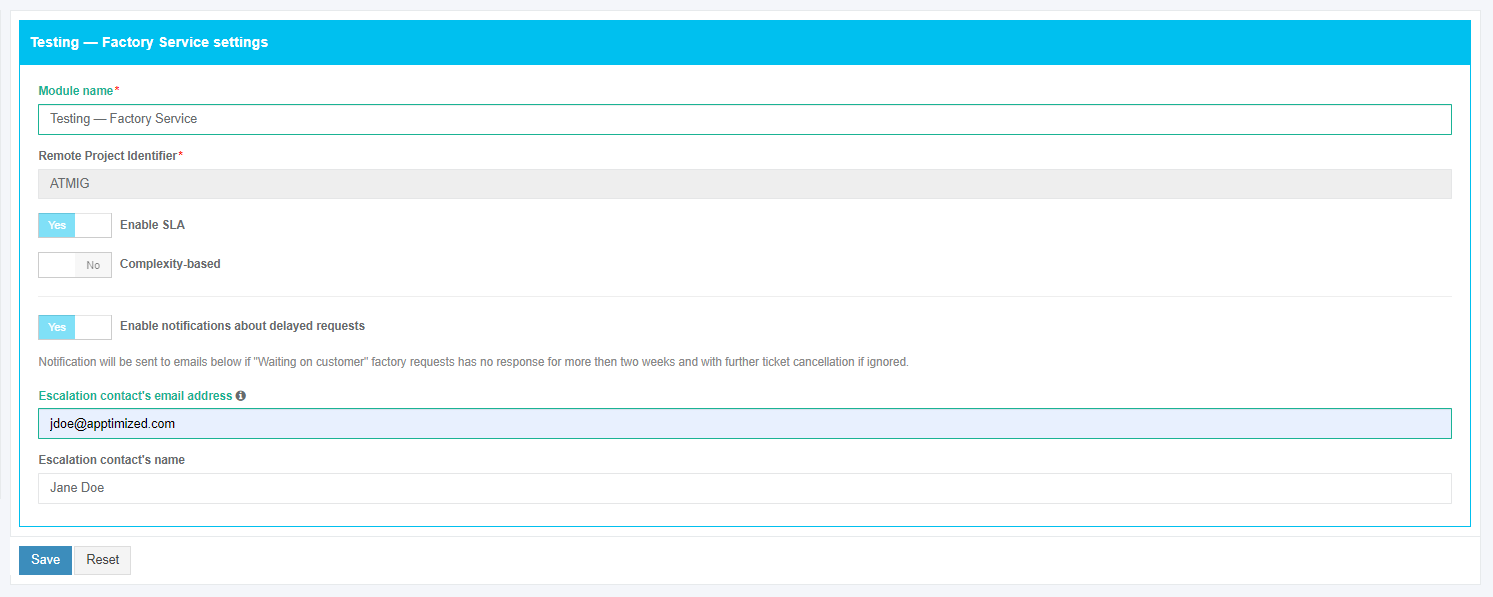
The screenshot below shows the default settings of the **Discovery – Factory Service** module. All required fields are marked with an asterisk <span style="color: #ff0000;">\*</span>.

[![steps_settings_12.png](https://docs.apptimized.com/uploads/images/gallery/2020-04/scaled-1680-/OoVylb0J2w8tGMlt-steps_settings_12.png)](https://docs.apptimized.com/uploads/images/gallery/2020-04/OoVylb0J2w8tGMlt-steps_settings_12.png)

The option to change a module name is available under the **Module name** field. The default module name is **Discovery – Factory Service.**

The option to set the person’s data who will receive notifications on factory requests in the project is available under “**Escalation contact's email address”** and **“Escalation contact's name”** fields.

[![steps_settings_12_1.png](https://docs.apptimized.com/uploads/images/gallery/2020-04/scaled-1680-/xomiTfweDZ9UxuiG-steps_settings_12_1.png)](https://docs.apptimized.com/uploads/images/gallery/2020-04/xomiTfweDZ9UxuiG-steps_settings_12_1.png)

Settings are persisted on click to the **Save** button.

Apptimized shows the following notification when successful:

[![steps_settings_13.png](https://docs.apptimized.com/uploads/images/gallery/2020-04/scaled-1680-/zgSSlyXPp6vzPeOH-steps_settings_13.png)](https://docs.apptimized.com/uploads/images/gallery/2020-04/zgSSlyXPp6vzPeOH-steps_settings_13.png)

#### **Packaging – Self Service**

##### **General**

The screenshot below shows the default settings of the **Packaging – Self Service** module. All required fields are marked with an asterisk <span style="color: #ff0000;">\*</span>.

[![SelfService_General_settings.png](https://docs.apptimized.com/uploads/images/gallery/2020-12/scaled-1680-/KqdKs8VOnto8G18t-SelfService_General_settings.png)](https://docs.apptimized.com/uploads/images/gallery/2020-12/KqdKs8VOnto8G18t-SelfService_General_settings.png)

The option to change a module name is available under the **Module name** field. The default module name is **Packaging – Self Service.**

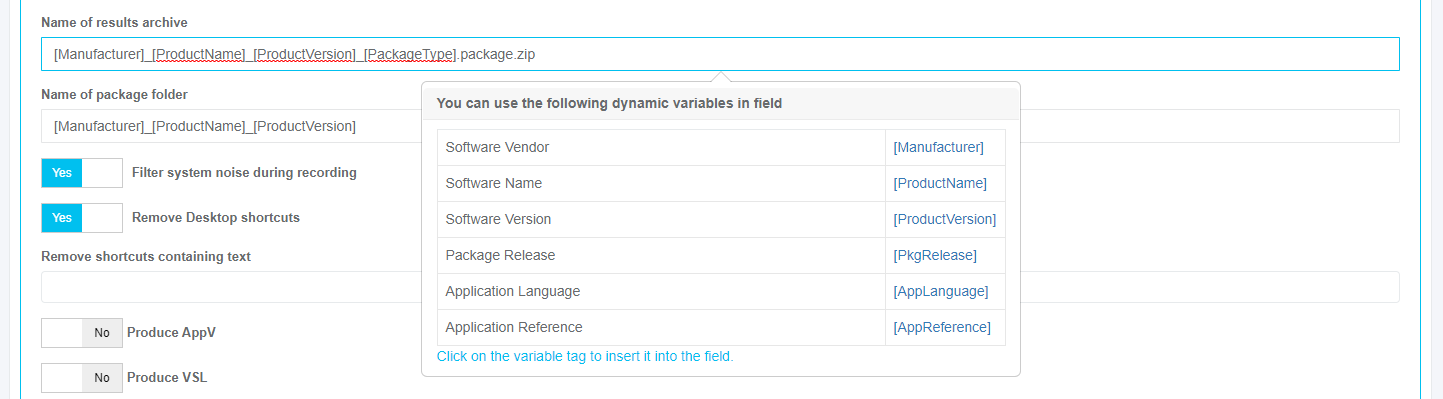
The option to change a results archive name pattern is available under the **Name of results archive** field. The default archive name pattern is **\[Manufacturer\]\_\[ProductName\]\_\[ProductVersion\]\_\[PackageType\].package.zip.**

The option to change a package folder name pattern is available under the **Name of package folder** field. The default package folder name pattern is **\[Manufacturer\]\_\[ProductName\]\_\[ProductVersion\].**

To insert the variable tag into the field, click the relevant variable tag from the dropdown list.

[![steps_settings_27.png](https://docs.apptimized.com/uploads/images/gallery/2020-04/scaled-1680-/TVO4fBrC0ncmCH4p-steps_settings_27.png)](https://docs.apptimized.com/uploads/images/gallery/2020-04/TVO4fBrC0ncmCH4p-steps_settings_27.png)

The following additional options can be enabled:

Table 2. Packaging – Self Service additional options

<table border="1" id="bkmrk-option-details-defau" style="width: 800px;"><tbody><tr><td width="208">**Option**

</td><td width="302">**Details**

</td><td width="112">**Default value**

</td></tr><tr><td width="208">Filter system noise during recording

</td><td width="302">This option allows for applying a filter (exclusion list) to automatically remove the captured system and user activity (noise).

**Yes** and **No** options available.

**Yes** – the value of this option removes redundant files and registry keys that were created by the system while recording sessions and did not relate to installing software (i.e., telemetry or diagnostics data).

**No** – the system noise which is captured by the application packaging tool will not be removed.

</td><td width="112">Yes

</td></tr><tr><td width="208">Remove Desktop shortcuts

</td><td width="302">This setting indicates the option to remove all desktop shortcuts (**Yes**) from the package or to leave desktop shortcuts in the package (**No**).

</td><td width="112">Yes

</td></tr><tr><td width="208">Produce AppV

</td><td width="302">This setting indicates the option to generate a file in App-V format.

**Yes** and **No** options available.

</td><td width="112">No

</td></tr><tr><td width="208">Produce VSL

</td><td width="302">This setting indicates the option to generate a file in VSL format.

**Yes** and **No** options available.

</td><td width="112">No

</td></tr><tr><td width="208">Produce MSIX

</td><td width="302">This setting indicates the option to repackage software to MSIX format.

**Yes** and **No** options available.

</td><td width="112">No

</td></tr><tr><td width="208">Produce MSI

</td><td width="302">This setting indicates the option to repackage software to MSI format.

**Yes** and **No** options available.

When **No** option is chosen, a legacy setup for software will be implemented if possible.

</td><td width="112">Yes

</td></tr></tbody></table>

To turn on the option required in the project, enable the relevant switch in front of the option name.

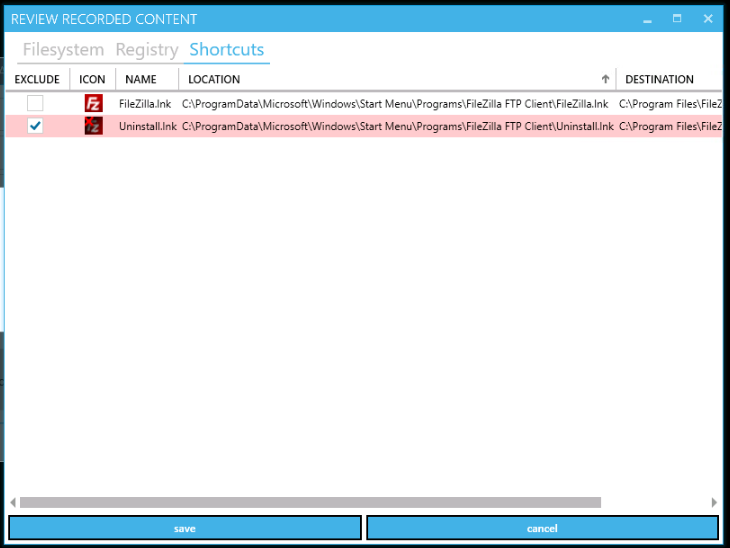
The option to exclude shortcuts from the packaging results archive is available under the **Remove shortcuts containing text** field. The following options available:

- Readme (removing shortcuts on **txt** file);
- Release notes (removing shortcuts on the page with **Release notes**);
- Uninstall (removing shortcuts on **exe** file).

To exclude shortcuts from the packaging results archive, click the relevant option.

[![steps_settings_28.png](https://docs.apptimized.com/uploads/images/gallery/2020-04/scaled-1680-/kEDlsa2PU4FX0lfM-steps_settings_28.png)](https://docs.apptimized.com/uploads/images/gallery/2020-04/kEDlsa2PU4FX0lfM-steps_settings_28.png)

Settings are persisted on click to the **Save** button.

[![packaging_selfservice_2.png](https://docs.apptimized.com/uploads/images/gallery/2020-12/scaled-1680-/4cet475IPicnRuZj-packaging_selfservice_2.png)](https://docs.apptimized.com/uploads/images/gallery/2020-12/4cet475IPicnRuZj-packaging_selfservice_2.png)

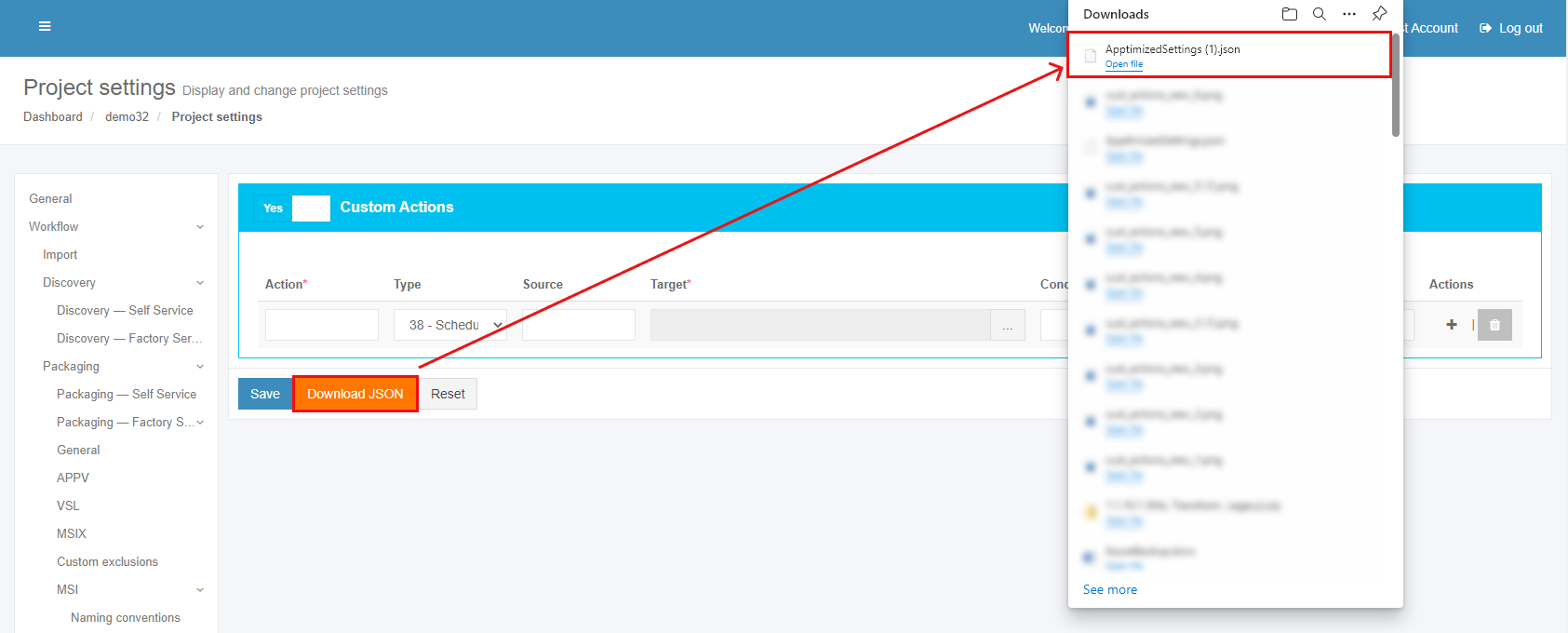
To download the Packaging Self-Service settings in JSON format, click on the **Download JSON** button. To revert the settings, click on the **Reset** button.

##### **APPV**

This option is disabled by default.

[![steps_settings_41.png](https://docs.apptimized.com/uploads/images/gallery/2020-04/scaled-1680-/snUaGUP5TkI7M3jJ-steps_settings_41.png)](https://docs.apptimized.com/uploads/images/gallery/2020-04/snUaGUP5TkI7M3jJ-steps_settings_41.png)

APPV option becomes active when switched on and once the required settings are completed.

[![steps_settings_42.png](https://docs.apptimized.com/uploads/images/gallery/2020-04/scaled-1680-/ShiukSkc2i4cxYZn-steps_settings_42.png)](https://docs.apptimized.com/uploads/images/gallery/2020-04/ShiukSkc2i4cxYZn-steps_settings_42.png)

The option to specify which version of App-V sequencer will be used is available under the **Target App-V versions** field. Every version of App-V sequencer has its own workflow and applies for different operating systems.

The following **Target App-V versions** available:

- 5.1;
- 5.0 SP3;
- 5.0 SP2 Hotfix 4+;
- 5.0 SP1/RTM;
- 5.0 SP2.

The default value is **5.1**.

To start an application from App-V, a full load mode must be enabled. The option to enable a full load mode is available under the **Require full load** switch. **Yes** and **No** options available. The default value is **Yes**.

The option to enable interaction with ActiveX is available under the **Allow named objects interaction** switch. **Yes** and **No** options available. The default value is **No**.

The option to enable interaction with COM objects is available under the **Allow COM interaction** switch. **Yes** and **No** options available. The default value is **No**.

The option to write inside App-V is available under the **Allow write to virtual FS** switch. **Yes** and **No** options available. The default value is **No**.

##### **VSL**

VSL (Virtual Software Layer) is a combination of software components that implement the concept of FS layering.

Every software exists in its own container and can access ﬁles for write access only within this container unless the opposite is deﬁned in a manifest ﬁle.

Real applications could have access to this container for reading and write access to the container content if the opposite is not prohibited in manifest and virtual ﬁles can be visible in Windows Explorer like ordinary ﬁles.

VSL consists of diﬀerent layers applied on top of another in order to form the package based on the containment of the container.

By default, all VSL ﬁles are stored under the root directory C:\\Program Files\\VSL. This can be changed on a machine level, but the directory should be the same for all packages.

VSL format key features:

1\. ZIP archive with extensions .VSL or .VSLX;

2\. Every VSL file contains layers:

- OS layer;
- Service layer;
- Files layer;
- Registry layer;
- Manifest layer, etc.

3\. Can be contained inside MSI files for compatibility with deployment systems;

4\. Is self-contained. No additional software installation is required;

5\. Back compatible and non-breaking updates.

This option is disabled by default.

[![steps_settings_43.png](https://docs.apptimized.com/uploads/images/gallery/2020-04/scaled-1680-/WHj2w3GnSovRuhOj-steps_settings_43.png)](https://docs.apptimized.com/uploads/images/gallery/2020-04/WHj2w3GnSovRuhOj-steps_settings_43.png)

VSL option becomes active when switched on and once the required settings are completed.

[![steps_settings_44.png](https://docs.apptimized.com/uploads/images/gallery/2020-04/scaled-1680-/x5l1tifkkOMh8CTY-steps_settings_44.png)](https://docs.apptimized.com/uploads/images/gallery/2020-04/x5l1tifkkOMh8CTY-steps_settings_44.png)

To insert the variable tag into the **Description** field, click the relevant variable tag from the dropdown list.

[![steps_settings_45.png](https://docs.apptimized.com/uploads/images/gallery/2020-04/scaled-1680-/FF4JJnHlX7wOi29r-steps_settings_45.png)](https://docs.apptimized.com/uploads/images/gallery/2020-04/FF4JJnHlX7wOi29r-steps_settings_45.png)

To upload a certificate in .**PFX.,** the **Upload certificate (.pfx)** field can be used. Click the **Open** button when the relevant file is chosen.

[![steps_settings_46.png](https://docs.apptimized.com/uploads/images/gallery/2020-04/scaled-1680-/ZAtsL7PkFENpqOxg-steps_settings_46.png)](https://docs.apptimized.com/uploads/images/gallery/2020-04/ZAtsL7PkFENpqOxg-steps_settings_46.png)

The option to enable an embedded VSL is available under the **Embedded VSL in self-contained MSI** switch. **On** and **Off** options available. The default value is **On**.

##### **MSIX**

MSIX is the Windows app package format that provides a packaging experience to all Windows apps. The MSIX package format preserves the functionality of existing app packages and/or install files in addition to enabling new packaging and deployment features to Win32, WPF, and WinForm apps.

This option is disabled by default.

[![steps_settings_47.png](https://docs.apptimized.com/uploads/images/gallery/2020-04/scaled-1680-/ANP71JDaJ2vKtFVf-steps_settings_47.png)](https://docs.apptimized.com/uploads/images/gallery/2020-04/ANP71JDaJ2vKtFVf-steps_settings_47.png)

MSIX option becomes active when switched on and once the required settings are completed. All required fields are marked with an asterisk <span style="color: #ff0000;">\*</span>.

[![image-38.png](https://docs.apptimized.com/uploads/images/gallery/2021-07/scaled-1680-/lL0MTdThPXNdfvFG-image-38.png)](https://docs.apptimized.com/uploads/images/gallery/2021-07/lL0MTdThPXNdfvFG-image-38.png)

To insert the variable tag into the **MSIX identity name** and **MSIX package display name** fields, click the relevant variable tag from the dropdown list.

The default **MSIX identity name** pattern is **\[Manufacturer\]-\[ProductName\]-\[ProductVersion\]**.

The default **MSIX package display name** pattern is **\[ProductName\]-\[ProductVersion\]**.

[![step_settings_49_2.png](https://docs.apptimized.com/uploads/images/gallery/2021-07/scaled-1680-/ctWjO8zkGlHjTF8f-step_settings_49_2.png)](https://docs.apptimized.com/uploads/images/gallery/2021-07/ctWjO8zkGlHjTF8f-step_settings_49_2.png)

The option to set the certificate publisher's name is available under the **Certificate publisher** field. The certificate publisher's name should match the certificate subject name (If no, the package will not be signed).

[![step_settings_50_2.png](https://docs.apptimized.com/uploads/images/gallery/2021-07/scaled-1680-/4P5aec9nKMvIcuW5-step_settings_50_2.png)](https://docs.apptimized.com/uploads/images/gallery/2021-07/4P5aec9nKMvIcuW5-step_settings_50_2.png)

The certificate is used to sign the application and is uploaded for a user by default. An option to upload a .**PFX** certificate is available. To upload a certificate in .**PFX** the **Upload certificate (.pfx)** field can be used. Click the **Open** button when the relevant file is chosen.

[![image-41.png](https://docs.apptimized.com/uploads/images/gallery/2021-07/scaled-1680-/hZDkxHp8oaYE3zC8-image-41.png)](https://docs.apptimized.com/uploads/images/gallery/2021-07/hZDkxHp8oaYE3zC8-image-41.png)

A self-signed certificate is useful for testing the application before a user is ready to publish it to the store.

A user can upload a certificate with the ability to automatically and silently install a certificate for the MSIX package during the VM preparation (for all Self-Service steps: Packaging, Discovery, Testing). So that after the VM is ready, the user can run the MSIX package without additional actions related to installing the certificate.

<span class="TextRun SCXW18724176 BCX8" data-contrast="none" lang="EN-GB" xml:lang="EN-GB"><span class="NormalTextRun SCXW18724176 BCX8">The option to set up Time Stamp Server is available under </span></span><span class="TextRun SCXW18724176 BCX8" data-contrast="none" lang="EN-GB" xml:lang="EN-GB"><span class="NormalTextRun SCXW18724176 BCX8">Time Stamp Server </span></span><span class="TextRun SCXW18724176 BCX8" data-contrast="none" lang="EN-GB" xml:lang="EN-GB"><span class="NormalTextRun SCXW18724176 BCX8">field. The default value is </span></span>**[http://timestamp.sectigo.com](http://timestamp.sectigo.com/)**

[![step_settings_52_2.png](https://docs.apptimized.com/uploads/images/gallery/2021-07/scaled-1680-/VDc4JNnBRw4IedjY-step_settings_52_2.png)](https://docs.apptimized.com/uploads/images/gallery/2021-07/VDc4JNnBRw4IedjY-step_settings_52_2.png)

<span class="TextRun SCXW58471964 BCX8" data-contrast="none" lang="EN-GB" xml:lang="EN-GB"><span class="NormalTextRun SCXW58471964 BCX8">Time Stamp Server enables a user to sign the MSIX application </span><span class="NormalTextRun SCXW58471964 BCX8">package with a time-stamping protocol.</span></span><span class="EOP SCXW58471964 BCX8" data-ccp-props="{"201341983":0,"335559739":160,"335559740":259}"> </span>

MSIX bulk conversion gives a user an ability to create MSIX application packages from an already existing one in silent mode. The option to enable a bulk conversion is available under the **MSIX bulk conversation** switch. **Yes** and **No** options available. The default value is **No**.

[![step_settings_51_2.png](https://docs.apptimized.com/uploads/images/gallery/2021-07/scaled-1680-/MYNYzCPcb8jTNsoP-step_settings_51_2.png)](https://docs.apptimized.com/uploads/images/gallery/2021-07/MYNYzCPcb8jTNsoP-step_settings_51_2.png)

##### **MSI**

This option is enabled by default.

The screenshot below shows the default settings for MSI.

[![steps_settings_53.png](https://docs.apptimized.com/uploads/images/gallery/2020-04/scaled-1680-/iJWUKQrkW6zgIq4e-steps_settings_53.png)](https://docs.apptimized.com/uploads/images/gallery/2020-04/iJWUKQrkW6zgIq4e-steps_settings_53.png)

To insert the variable tag into the **Name of MSI package** and **Name of MST transform** fields, click the relevant variable tag from the dropdown list.

The default value for MSI package is **\[Manufacturer\]\_\[ProductName\]\_\[ProductVersion\].msi**.

The default value for MST transform is **\[Manufacturer\]\_\[ProductName\]\_\[ProductVersion\].mst.** This option applies if vendor MSI files were found.

[![steps_settings_54.png](https://docs.apptimized.com/uploads/images/gallery/2020-04/scaled-1680-/KjT5qqNCLWm3VAOL-steps_settings_54.png)](https://docs.apptimized.com/uploads/images/gallery/2020-04/KjT5qqNCLWm3VAOL-steps_settings_54.png)

The option to keep the original (vendor) name of the MSI file during the creation of a transform or to rename it according to the naming conventions for the MSI file is available under the **Do not rename vendor MSI name** switch. This option affects the vendor MSI files that were found during the installation of the application.

**Yes** (the vendor MSI name will not be changed) and **No** (the vendor MSI name will be changed according to the Packaging Guideline) options available. The default value is **Yes**.

##### **Installation**

The screenshot below shows the default settings for the **Batch file** tab.

[![steps_settings_55.png](https://docs.apptimized.com/uploads/images/gallery/2020-04/scaled-1680-/1Tbkv1LHoUoSKY5p-steps_settings_55.png)](https://docs.apptimized.com/uploads/images/gallery/2020-04/1Tbkv1LHoUoSKY5p-steps_settings_55.png)

The option to choose the installation script type is available under the Install script type field. The following options available: **Batch**, **PowerShell** and **Vbs**. The default value is **Batch**.

[![steps_settings_56.png](https://docs.apptimized.com/uploads/images/gallery/2020-04/scaled-1680-/IcMPvkgihbCutQTa-steps_settings_56.png)](https://docs.apptimized.com/uploads/images/gallery/2020-04/IcMPvkgihbCutQTa-steps_settings_56.png)

Table 3. MSI installation settings (the **Batch file** tab)

<table border="1" id="bkmrk-setting-details-defa" style="width: 800px;" width="800"><tbody><tr><td style="width: 180px;">**Setting**

</td><td style="width: 264px;">**Details**

</td><td style="width: 196px;">**Default value**

</td></tr><tr><td style="width: 180px;">Installation script name

</td><td style="width: 264px;">This setting indicates the file name of the generated installation command line (msiexec command line).

This setting indicates a filename template for naming the .CMD file to install the package.

</td><td style="width: 196px;">install.cmd

</td></tr><tr><td style="width: 180px;">Installation script content

</td><td style="width: 264px;">This setting indicates the command line for installing the package.

</td><td style="width: 196px;">msiexec /i "%~dp0\[MsiName\]" /qn

</td></tr><tr><td style="width: 180px;">Uninstall script name

</td><td style="width: 264px;">This setting indicates the command line file name for the package uninstallation.

</td><td style="width: 196px;">uninstall.cmd

</td></tr><tr><td style="width: 180px;">Installation script content with transforms

</td><td style="width: 264px;">This setting indicates the command line for installing the package using the created **Transform** file.

</td><td style="width: 196px;">msiexec /x \[ProductCode\] /qn

</td></tr><tr><td style="width: 180px;">User interface

</td><td style="width: 264px;">This setting indicates which parameter will be added to the msiexec command line.

The following options available:

- **No user interface** – the user interface does not show any wizard dialogue.
- **Basic user interface** – only a progress bar will be shown during the installation, with the possibility to cancel this process by the Cancel button.
- **Basic user interface with hidden “Cancel” button** – shows only progress bar without the ability to cancel the installation process.

</td><td style="width: 196px;">No user interface

</td></tr><tr><td style="width: 180px;">Default installation command line

</td><td style="width: 264px;">This setting indicates the command line for the installation of the MSI with transform.

</td><td style="width: 196px;">-

</td></tr><tr><td style="width: 180px;">Installation log

</td><td style="width: 264px;">This setting indicates the installation log mode. The following options available:

- **None** (no logging available).
- **Basic** (logging shows only errors appeared during installation/uninstallation).
- **Full** (logging shows all informational, warning, error messages during installation/uninstallation).

</td><td style="width: 196px;">Full

</td></tr></tbody></table>

Table 4. MSI installation settings (the **PSADT** tab)

<table border="1" id="bkmrk-setting-details-defa-0" style="width: 800px;" width="800"><tbody><tr><td width="180">**Setting**

</td><td width="264">**Details**

</td><td width="198">**Default value**

</td></tr><tr><td width="180">Install command

</td><td width="264">This setting indicates the command line for installing the package.

</td><td width="198">Execute-MSI -Action 'Install' -Path "\[MsiName\]" -private:$PackageName

</td></tr><tr><td width="180">Install with transform command

</td><td width="264">This setting indicates the command line for installing the package using the created **Transform** file.

</td><td width="198">Execute-MSI -Action 'Install' -Path "\[MsiName\]" -Transform "\[MstName\]" -private:$PackageName

</td></tr><tr><td width="180">Uninstall command

</td><td width="264">This setting indicates the command line for uninstalling the package.

</td><td width="198">Execute-MSI -Action 'Uninstall' -Path '\[ProductCode\]' -private:$PackageName

</td></tr><tr><td width="180">Reboot required

</td><td width="264">This setting indicates the reboot mode.

**Yes** and **No** options available.

</td><td width="198">No

</td></tr><tr><td width="180">User interface

</td><td width="264">This setting indicates which parameter will be added to the msiexec command line.

The following options available:

- **No user interface** – the user interface does not show any wizard dialogue.
- **Basic user interface** – only a progress bar will be shown during the installation, with the possibility to cancel this process by the Cancel button.
- **Basic user interface with hidden “Cancel” button** – shows only progress bar without the ability to cancel the installation process.

</td><td width="198">No user interface

</td></tr><tr><td width="180">Default installation command line

</td><td width="264">This setting indicates the command line for the installation of the MSI with transform.

</td><td width="198">-

</td></tr><tr><td width="180">Installation log

</td><td width="264">This setting indicates the installation log mode. The following options available:

- **None** (no logging available).
- **Basic** (logging shows only errors appeared during installation/uninstallation).
- **Full** (logging shows all informational, warning, error messages during installation/uninstallation).

</td><td width="198">Full

</td></tr></tbody></table>

The option to set the package metadata is available under the module table. The following screenshot indicates the default settings for the module table. To set or change the value choose the relevant field in the module and type the value in square brackets.

[![steps_settings_57.png](https://docs.apptimized.com/uploads/images/gallery/2020-04/scaled-1680-/GCoqQ63b6esnSVMi-steps_settings_57.png)](https://docs.apptimized.com/uploads/images/gallery/2020-04/GCoqQ63b6esnSVMi-steps_settings_57.png)

Table 5. MSI installation settings (the **Vbs** tab)

<table border="1" id="bkmrk-setting-details-defa-1" style="width: 800px;" width="800"><tbody><tr><td width="176">**Setting**

</td><td width="256">**Details**

</td><td width="210">**Default value**

</td></tr><tr><td width="176">Installation script name

</td><td width="256">This setting indicates the file name of the generated installation command line (msiexec command line).

This setting indicates a filename template for naming the .VBS file to install the package.

</td><td width="210">install.vbs

</td></tr><tr><td width="176">Installation script content

</td><td width="256">This setting indicates the command line for installing package.

</td><td width="210">set res = run("%windir%\\system32\\msiexec.exe /i " &amp; chr(34) &amp; "%~dp0\[MsiName\]" &amp; chr(34) &amp; " /qn", "0,3010", 0, true)

 wscript.quit(res.ReturnCode)

</td></tr><tr><td width="176">Installation script content with transforms

</td><td width="256">This setting indicates the command line for installing the package using the created **Transform** file.

</td><td width="210">set res = run("%windir%\\system32\\msiexec.exe /i " &amp; chr(34) &amp; "%~dp0\[MsiName\]" &amp; chr(34) &amp; " TRANSFORMS=" &amp; chr(34) &amp; "%~dp0\[MstName\]" &amp; chr(34) &amp; " /qn", "0,3010", 0, true)

 wscript.quit(res.ReturnCode)

</td></tr><tr><td width="176">Uninstall script name

</td><td width="256">This setting indicates the file name of the generated uninstallation command line (msiexec command line).

This setting indicates a filename template for naming the .VBS file to ninstall the package.

</td><td width="210">uninstall.vbs

</td></tr><tr><td width="176">Uninstall script content

</td><td width="256">This setting indicates the command line for uninstalling package.

</td><td width="210">set res = run("%windir%\\system32\\msiexec.exe /x \[ProductCode\] /qn", "0,3010", 0, true)

 wscript.quit(res.ReturnCode)

</td></tr><tr><td width="176">User interface

</td><td width="256">This setting indicates which parameter will be added to the msiexec command line.

The following options available:

- **No user interface** – the user interface does not show any wizard dialogue.
- **Basic user interface** – only a progress bar will be shown during the installation, with the possibility to cancel this process by the Cancel button.
- **Basic user interface with hidden “Cancel” button** – shows only progress bar without the ability to cancel the installation process.

</td><td width="210">No user interface

</td></tr><tr><td width="176">Default installation command line

</td><td width="256">This setting indicates the command line for the installation of the MSI with transform.

</td><td width="210">-

</td></tr><tr><td width="176">Installation log

</td><td width="256">This setting indicates the installation log mode. The following options available:

· **None** (no logging available).

· **Basic** (logging shows only errors appeared during installation/uninstallation).

· **Full** (logging shows all informational, warning, error messages during installation/uninstallation).

</td><td width="210">Full

</td></tr></tbody></table>

The tables 6 -7 show the settings that are common for all install script types.

Table 6. Installation behavior settings

<table border="1" id="bkmrk-setting-details-defa-2" style="width: 800px;"><tbody><tr><td width="174">**Setting**

</td><td width="258">**Details**

</td><td width="192">**Default value**

</td></tr><tr><td width="174">Installation context

</td><td width="258">This setting indicates the installation context mode.

The following options available:

- **Per-user** (access to a program is granted only to a user from which a program was installed);
- **Per-machine** (the package installation is required to enable all computer users to access and use the application. A per-machine installation is based on ALLUSERS property value. The per-machine installation provides changes to the system that affects all users. Standard users with limited privileges will be restricted to install a package in the per-machine context. First, obtaining permission is needed.
- **Per-user or per-machine** (If this is a per-user installation, the registry value is **HKEY\_CURRENT\_USER**; if this is a per-machine installation, the registry value is **HKEY\_LOCAL\_MACHINE**. A per-machine installation is based on ALLUSERS property value.

</td><td width="192">Per-machine

</td></tr><tr><td width="174">Destination drive

</td><td width="258">This setting indicates the drive where a package will be installed, set value for ROOTDRIVE property of MSI. The ROOTDRIVE property specifies the default drive for the destination directory of the installation. [Learn more](https://msdn.microsoft.com/en-us/library/windows/desktop/aa371372(v=vs.85).aspx).

The following options available:

- C:\\
- D:\\

</td><td width="192">C:\\

</td></tr></tbody></table>

Table 7. Reboot settings

<table border="1" id="bkmrk-setting-details-defa-3" style="width: 800px;"><tbody><tr><td width="174">**Setting**

</td><td width="258">**Details**

</td><td width="192">**Default value**

</td></tr><tr><td width="174">Reboot after install

</td><td width="258">This setting is based on the REBOOT property value.

The REBOOT property suppresses certain prompts for a restart of the system.

The following options available:

- Never;
- Always;
- At the end of a chain.

</td><td width="192">Never

</td></tr><tr><td width="174">Shut down any files in use

</td><td width="258">This setting is based on the MSIRMSHUTDOWN property value.

When the default value (**Yes**) is set, all system services and files that were shut down to install the update will be restarted.

The following options available:

- Yes;
- If they are registered for a restart;
- Only if they have all been registered.

</td><td width="192">Yes

</td></tr><tr><td width="174">If files are in use

</td><td width="258">This setting is based on MSIRESTARTMANAGERCONTROL property value.

This setting enables setup authors to specify whether the package will use the Restart Manager or FileInUse Dialog to handle locked files.

The following options available:

- Use Restart Manager;
- Use FilesInUse Dialog;
- Disable Shutdown.

</td><td width="192">Use restart manager

</td></tr><tr><td width="174">Display of reboot prompts

</td><td width="258">This setting is based on REBOOTPROMPT property value.

This property does not initiate a reboot if one is not needed, it only suppresses any prompts for reboots to the user.

The following options available:

- Suppress;
- Do not set / Remove.

</td><td width="192">Suppress

</td></tr></tbody></table>

##### **ARP &amp; Properties**

The screenshot below shows the default values of **ARP &amp; Properties** settings.

[![steps-settings_58_2.png](https://docs.apptimized.com/uploads/images/gallery/2021-08/scaled-1680-/Kth6NJey9sNCBDpg-steps-settings_58_2.png)](https://docs.apptimized.com/uploads/images/gallery/2021-08/Kth6NJey9sNCBDpg-steps-settings_58_2.png)

To exclude the **Show in ARP**, **Manual repair from ARP**, or **Manual uninstall from ARP** options, uncheck the box next to the option name not required in packaging settings.

To include the **Manual feature modification from ARP** option to packaging settings, check the box next to the option name.

Table 8. Add-Remove Program settings

<table border="1" id="bkmrk-setting-details-defa-4" style="width: 800px; height: 684px;"><tbody><tr style="height: 34px;"><td style="height: 34px; width: 225.6px;">**Setting**

</td><td style="height: 34px; width: 442.4px;">**Details**

</td><td style="height: 34px; width: 131.2px;">**Default value**

</td></tr><tr style="height: 168px;"><td style="height: 168px; width: 225.6px;">Show in ARP

</td><td style="height: 168px; width: 442.4px;">This option specifies the listing mode of the program in the ARP (Add-Remove Program) and is based on ARPSYSTEMCOMPONENT property value.

When the option is enabled, the program will be listed in the Add-Remove Program.

When the option is disabled, the program will be hidden in the Add-Remove Program list.

</td><td style="height: 168px; width: 131.2px;">Enabled

</td></tr><tr style="height: 146px;"><td style="height: 146px; width: 225.6px;">Manual repair from ARP

</td><td style="height: 146px; width: 442.4px;">This option enables or disables the usage of the **Repair** button in the ARP for the package and is based on ARPNOREPAIR property value.

When the option is enabled, the **Repair** button is added to the ARP for the package.

When the option is disabled, the **Repair** button is removed from the ARP for the package.

</td><td style="height: 146px; width: 131.2px;">Enabled

</td></tr><tr style="height: 168px;"><td style="height: 168px; width: 225.6px;">Manual uninstall from ARP

</td><td style="height: 168px; width: 442.4px;">This option enables or disables the usage of the **Uninstall** button in the ARP for the package and is based on ARPNOREMOVE property value.

When the option is enabled, the **Uninstall** button is added to the ARP for the package.

When the option is disabled, the **Uninstall** button is removed from the ARP for the package.

</td><td style="height: 168px; width: 131.2px;">Enabled

</td></tr><tr style="height: 168px;"><td style="height: 168px; width: 225.6px;">Manual feature modification from ARP

</td><td style="height: 168px; width: 442.4px;">This option enables or disables the usage of the **Modify** button in the ARP for the package and is based on ARPNOMODIFY property value.

When the option is enabled, the **Modify** button is added to the ARP for the package.

When the option is disabled, the **Modify** button is removed from the ARP for the package.

</td><td style="height: 168px; width: 131.2px;">Disabled

</td></tr></tbody></table>

**Installation Behaviour**

<span data-contrast="auto">The option to configure default Apptimized properties is available under the </span>**<span data-contrast="auto">Installation Behaviour section.</span>**<span data-ccp-props="{"201341983":0,"335559739":160,"335559740":259}"> </span>

<span data-contrast="auto">The default Apptimized properties are:</span><span data-ccp-props="{"201341983":0,"335559739":160,"335559740":259}"> </span>

- <span data-contrast="auto">ALLUSERS – indicates the application installation configuration on OS.</span><span data-ccp-props="{"134233279":true,"201341983":0,"335559739":160,"335559740":259}"> </span>
- <span data-contrast="auto">ROOTDRIVE – indicates the root drive of the OS for application installation.</span><span data-ccp-props="{"134233279":true,"201341983":0,"335559739":160,"335559740":259}"> </span>

<span data-ccp-props="{"201341983":0,"335559739":160,"335559740":259}"> [![steps_settings_instal_behav_1.png](https://docs.apptimized.com/uploads/images/gallery/2021-08/scaled-1680-/fJ9p6p7Z5gQvrpmp-steps_settings_instal_behav_1.png)](https://docs.apptimized.com/uploads/images/gallery/2021-08/fJ9p6p7Z5gQvrpmp-steps_settings_instal_behav_1.png)</span>

<span data-contrast="auto">The option to set up ALLUSERS property for installation deployment is available under </span>**<span data-contrast="auto">Installation</span>**<span data-contrast="auto"> </span>**<span data-contrast="auto">context </span>**<span data-contrast="auto">drop-down.</span><span data-ccp-props="{"201341983":0,"335559739":160,"335559740":259}"> </span>

<span data-contrast="auto">The following options available:</span><span data-ccp-props="{"201341983":0,"335559739":160,"335559740":259}"> </span>

- <span data-contrast="auto">Per-user – specifies application </span><span data-contrast="none">installation</span><span data-contrast="auto"> under the user part of the </span><span data-contrast="none">OS</span><span data-contrast="auto">;</span><span data-ccp-props="{"134233279":true,"201341983":0,"335559739":160,"335559740":259}"> </span>
- <span data-contrast="auto">Per-machine – specifies application </span><span data-contrast="none">installation</span><span data-contrast="auto"> under the system part </span><span data-contrast="none">of the OS</span><span data-contrast="auto">. (this option is set by default);</span><span data-ccp-props="{"134233279":true,"201341983":0,"335559739":160,"335559740":259}"> </span>
- <span data-contrast="auto">Per-user or per-machine – specifies application </span><span data-contrast="none">installation</span><span data-contrast="auto"> under user &amp; system parts (of the OS).</span><span data-ccp-props="{"134233279":true,"201341983":0,"335559739":160,"335559740":259}"> </span>

<span data-ccp-props="{"201341983":0,"335559739":160,"335559740":259}"> [![steps_settings_instal_behav_2.png](https://docs.apptimized.com/uploads/images/gallery/2021-08/scaled-1680-/L26FOS4rVKlrv64a-steps_settings_instal_behav_2.png)](https://docs.apptimized.com/uploads/images/gallery/2021-08/L26FOS4rVKlrv64a-steps_settings_instal_behav_2.png)</span>

<span data-contrast="auto">The option to configure ROOTDRIVE property is available under </span>**<span data-contrast="auto">Destination driver </span>**<span data-contrast="auto">drop-down list.</span><span data-ccp-props="{"201341983":0,"335559739":160,"335559740":259}"> </span>

<span data-contrast="auto">The following destinations available:</span><span data-ccp-props="{"201341983":0,"335559739":160,"335559740":259}"> </span>

- <span data-contrast="auto">C:\\ - this is the default destination;</span><span data-ccp-props="{"134233279":true,"201341983":0,"335559739":160,"335559740":259}"> </span>
- <span data-contrast="auto">D:\\.</span><span data-ccp-props="{"134233279":true,"201341983":0,"335559739":160,"335559740":259}"> </span>

<span data-ccp-props="{"201341983":0,"335559739":160,"335559740":259}"> [![steps_settings_instal_behav_3.png](https://docs.apptimized.com/uploads/images/gallery/2021-08/scaled-1680-/nHoH7cyOas2Jx9y1-steps_settings_instal_behav_3.png)](https://docs.apptimized.com/uploads/images/gallery/2021-08/nHoH7cyOas2Jx9y1-steps_settings_instal_behav_3.png)</span>

<span data-ccp-props="{"201341983":0,"335559739":160,"335559740":259}"> </span>

**<span data-contrast="auto">Reboot</span>**<span data-ccp-props="{"201341983":0,"335559739":160,"335559740":259}"> </span>

<span data-contrast="auto">The option to set up reboot properties is available under </span>**<span data-contrast="auto">Reboot </span>**<span data-contrast="auto">section.</span><span data-ccp-props="{"201341983":0,"335559739":160,"335559740":259}"> </span>

<span data-ccp-props="{"201341983":0,"335559739":160,"335559740":259}"> [![step_settings_reboot_6.png](https://docs.apptimized.com/uploads/images/gallery/2021-08/scaled-1680-/SP3r19TL9KNeMcYm-step_settings_reboot_6.png)](https://docs.apptimized.com/uploads/images/gallery/2021-08/SP3r19TL9KNeMcYm-step_settings_reboot_6.png)</span>

<span data-contrast="auto">The following reboot properties available:</span><span data-ccp-props="{"201341983":0,"335559739":160,"335559740":259}"> </span>

- <span data-contrast="auto">REBOOT – this property suppresses certain prompts for a restart of the OS;</span><span data-ccp-props="{"134233279":true,"201341983":0,"335559739":160,"335559740":259}"> </span>
- <span data-contrast="auto">MSIRMSHUTDOWN – this property determines how applications or services that are currentrly using files affected by an update should be </span>**<span data-contrast="auto">shut down</span>**<span data-contrast="auto"> to enable the installation of the update;</span><span data-ccp-props="{"134233279":true,"201341983":0,"335559739":160,"335559740":259}"> </span>
- <span data-contrast="auto">MSIDISABLERMRESTART - this </span><span data-contrast="auto">property determines how applications or services that are currently using files affected by an update should be </span>**<span data-contrast="auto">shut down</span>**<span data-contrast="auto"> and </span>**<span data-contrast="auto">restarted</span>**<span data-contrast="auto"> to enable the installation of the update</span><span data-contrast="auto">;</span><span data-ccp-props="{"134233279":true,"201341983":0,"335559739":160,"335559740":259}"> </span>
- <span data-contrast="auto">MSIRESTARTMANAGERCONTROL - this property specifies whether the MSI package uses the [Restart Manager ](https://docs.microsoft.com/en-us/windows/win32/rstmgr/restart-manager-portal)</span><span data-contrast="auto">or [FilesInUse Dialog](https://docs.microsoft.com/en-us/windows/win32/msi/filesinuse-dialog)</span><span data-contrast="auto"> functionality;</span><span data-ccp-props="{"134233279":true,"201341983":0,"335559739":160,"335559740":259}"> </span>
- <span data-contrast="auto">REBOOTPROMPT - this property allows the MSI package provide reboot automatically &amp; suppresses the display of any prompts for reboots to the users;</span><span data-ccp-props="{"134233279":true,"201341983":0,"335559739":160,"335559740":259}"> </span>

<span data-contrast="auto">The option to configure REBOOT property is available under </span>**<span data-contrast="auto">Reboot after install </span>**<span data-contrast="auto">drop-down list. The following options available:</span><span data-ccp-props="{"201341983":0,"335559739":160,"335559740":259}"> </span>

- <span data-contrast="auto">Never – declines any reboot after MSI package installation (this is the option by default);</span><span data-ccp-props="{"134233279":true,"201341983":0,"335559739":160,"335559740":259}"> </span>
- <span data-contrast="auto">Always – always provides reboot after MSI package installation.</span><span data-ccp-props="{"134233279":true,"201341983":0,"335559739":160,"335559740":259}"> </span>
- <span data-contrast="auto">At the end of a chain - declines reboot after MSI package installation by default and provides reboot if there is no user interface at each ForceReboot action.</span><span data-ccp-props="{"134233279":true,"201341983":0,"335559739":160,"335559740":259}"> </span>

<span data-ccp-props="{"201341983":0,"335559739":160,"335559740":259}"> [![step_settings_reboot_1.png](https://docs.apptimized.com/uploads/images/gallery/2021-08/scaled-1680-/VqSm6QYGbH1J1Rnq-step_settings_reboot_1.png)](https://docs.apptimized.com/uploads/images/gallery/2021-08/VqSm6QYGbH1J1Rnq-step_settings_reboot_1.png)</span>

<span data-contrast="auto">The option to configure MSIRMSHUTDOWN property is available under </span>**<span data-contrast="auto">Shut down any files in use </span>**<span data-contrast="auto">drop-down list. The followiong options available:</span><span data-ccp-props="{"201341983":0,"335559739":160,"335559740":259}"> </span>

- <span data-contrast="auto">Yes - indicates that processes or services that are currently using files affected by the update are shut down. This is the option by default;</span><span data-ccp-props="{"134233279":true,"201341983":0,"335559739":160,"335559740":259}"> </span>
- <span data-contrast="auto">If they are registered for a restart – indicates that processes or services that are currently using files affected by the update, and that do not respond to the Restart Manager, are forced to shut down;</span><span data-ccp-props="{"134233279":true,"201341983":0,"335559739":160,"335559740":259}"> </span>
- <span data-contrast="auto">Only if they have all been registered – indicates that processes or services that are currently using files affected by the update are shut down only if they have all been registered for a restart. If any process or service has not been registered for a restart, then no processes or services are shut down;</span><span data-ccp-props="{"134233279":true,"201341983":0,"335559739":160,"335559740":259}"> </span>

<span data-ccp-props="{"201341983":0,"335559739":160,"335559740":259}"> [![step_settings_reboot_2.png](https://docs.apptimized.com/uploads/images/gallery/2021-08/scaled-1680-/Snh6jnBI9grD15hx-step_settings_reboot_2.png)](https://docs.apptimized.com/uploads/images/gallery/2021-08/Snh6jnBI9grD15hx-step_settings_reboot_2.png)</span>

<span data-contrast="auto">The option to configure applications &amp; services behaviour with files by configuring MSIRESTARTMANAGERCONTROL property is available under </span>**<span data-contrast="auto">If files are in use </span>**<span data-contrast="auto">drop-down list. The following options available:</span><span data-ccp-props="{"201341983":0,"335559739":160,"335559740":259}"> </span>

- <span data-contrast="auto">Use Restart Manager – indicates that Windows Installer always attempts to use the </span>**<span data-contrast="auto">Restart Manager</span>**<span data-contrast="auto">. This is the option by default.</span><span data-ccp-props="{"134233279":true,"201341983":0,"335559739":160,"335559740":259}"> </span>
- <span data-contrast="auto">Use FilesInUse Dialog – indicates that Windows Installer always attempts to use the FilesInUse Dialog;</span><span data-ccp-props="{"134233279":true,"201341983":0,"335559739":160,"335559740":259}"> </span>
- <span data-contrast="auto">Disable Shutdown – indicates that Windows Installer uses FileInUse dialog by default, and uses the Restart Manager to detect files in use by applications;</span><span data-ccp-props="{"134233279":true,"201341983":0,"335559739":160,"335559740":259}"> </span>

<span data-ccp-props="{"201341983":0,"335559739":160,"335559740":259}"> [![step_settings_reboot_3.png](https://docs.apptimized.com/uploads/images/gallery/2021-08/scaled-1680-/KbzbRCPxY5neO0pZ-step_settings_reboot_3.png)](https://docs.apptimized.com/uploads/images/gallery/2021-08/KbzbRCPxY5neO0pZ-step_settings_reboot_3.png)</span>

<span data-contrast="auto">The option to configure REBOOTPROMPT property is available under </span>**<span data-contrast="auto">Display of reboot prompts </span>**<span data-contrast="auto">drop-down list. The following options available:</span><span data-ccp-props="{"201341983":0,"335559739":160,"335559740":259}"> </span>

- <span data-contrast="auto">Suppress – enables the property. This is the option by default;</span><span data-ccp-props="{"134233279":true,"201341983":0,"335559739":160,"335559740":259}"> </span>
- <span data-contrast="auto">Do not set / Remove – removing the property;</span><span data-ccp-props="{"134233279":true,"201341983":0,"335559739":160,"335559740":259}"> </span>

[![step_settings_reboot_4.png](https://docs.apptimized.com/uploads/images/gallery/2021-08/scaled-1680-/WM4WkdUeVOgZJmwZ-step_settings_reboot_4.png)](https://docs.apptimized.com/uploads/images/gallery/2021-08/WM4WkdUeVOgZJmwZ-step_settings_reboot_4.png)

<span data-contrast="auto">The option to configure MSIDISABLERMRESTART property is available under </span>**<span data-contrast="auto">Disable restart after installing the update </span>**<span data-contrast="auto">switch. The following options are:</span><span data-ccp-props="{"201341983":0,"335559739":160,"335559740":259}"> </span>

- <span data-contrast="auto">Yes – indicates that processes that were shut down using the Restart Manager while installing the update will not be restarted after the update is applied;</span><span data-ccp-props="{"134233279":true,"201341983":0,"335559739":160,"335559740":259}"> </span>
- <span data-contrast="auto">No – indicates that all system services that were shut down to install the update are restarted. All applications that registered themselves with the Restart Manager are restarted. This is the option by default;</span><span data-ccp-props="{"134233279":true,"201341983":0,"335559739":160,"335559740":259}"> </span>

**[![step_settings_reboot_5.png](https://docs.apptimized.com/uploads/images/gallery/2021-08/scaled-1680-/7Fo6Cr5LMzOGqd2u-step_settings_reboot_5.png)](https://docs.apptimized.com/uploads/images/gallery/2021-08/7Fo6Cr5LMzOGqd2u-step_settings_reboot_5.png)**

**Additional properties**

The option to set the nonstandard properties that should be included to package is available under the **Additional properties** dropdown menu. This option covers the properties that will be added to the generated MSI or Transform. For example:

- COMPANY, USERNAME – properties, which contain company name and user’s name. They are used by some software to initialize the user’s information;
- ACCEPT\_EULA – properties, which mean that you agree with all license agreements.

[![steps_settings_59.png](https://docs.apptimized.com/uploads/images/gallery/2020-07/scaled-1680-/kLnpzKguyq0Oi7I8-steps_settings_59.png)](https://docs.apptimized.com/uploads/images/gallery/2020-07/kLnpzKguyq0Oi7I8-steps_settings_59.png)

The option to create the additional setting is available under the **plus** symbol in the **Actions** column: Add the setting name in the **Setting** field &gt; Add the setting value in the **Value** field.

[![steps_settings_60.png](https://docs.apptimized.com/uploads/images/gallery/2020-04/scaled-1680-/DLpQ64mRLwowQgld-steps_settings_60.png)](https://docs.apptimized.com/uploads/images/gallery/2020-04/DLpQ64mRLwowQgld-steps_settings_60.png)

The option to delete the additional setting is available under the **bin** symbol in the **Actions** column.

The option to enable the self-healing process on application shortcuts run is available under the **Advertised shortcuts** switch. **Yes** and **No** options available. The default value is **Yes**.

##### **Files &amp; Registry**

The screenshot below shows the default values of **Files&amp;Registry** settings.

[![steps_settings_61.png](https://docs.apptimized.com/uploads/images/gallery/2020-04/scaled-1680-/MypDVhRYnxs7SEBZ-steps_settings_61.png)](https://docs.apptimized.com/uploads/images/gallery/2020-04/MypDVhRYnxs7SEBZ-steps_settings_61.png)

Table 9. Files &amp; Registry settings

<table border="1" id="bkmrk-setting-details-defa-5" style="width: 800px;"><tbody><tr><td width="174">**Setting**

</td><td width="342">**Details**

</td><td width="102">**Default value**

</td></tr><tr><td width="174">Cab archive name pattern

</td><td width="342">This setting indicates the filename template for naming **.CAB** files. Cab files contain files that will be installed by MSI package.

</td><td width="102">Data{0}.cab

</td></tr><tr><td width="174">Max cab file size (in MB)

</td><td rowspan="2" width="342">These settings indicate the number of files that will be placed in a single cab file.

If the size of one cab file is bigger than the provided value, it will be divided into several cab files.

</td><td width="102">2048

</td></tr><tr><td width="174">Max files count per cab

</td><td width="102">9999

</td></tr><tr><td width="174">Use embedded cab

</td><td width="342">This setting sets the mode to use an embedded file.

When the **Use embedded cab** switch is enabled a **.CAB** file will be implemented into **.MSI**.

When the **Use embedded cab** switch is disabled a **.CAB** file will be outside the **.MSI** (external CAB). It is a compressed source (opposed to "Loose files" = uncompressed source).

</td><td width="102">Yes

</td></tr><tr><td width="174">Parse ini files to the IniFile table

</td><td width="342">This option indicates the mode to parse ini files.

When the **Parse ini files to the IniFile table** switch is enabled, the ini files will be added via an IniFile table.

It is the best practice to add ini files via IniFile table because these files may contain hard-coded values, which in this case can be replaced with MSI properties.

When the **Parse ini files to the IniFile table** switch is disabled, the ini files will be added via an File table.

</td><td width="102">No

</td></tr><tr><td width="174">Map registry data to the appropriate COM tables

</td><td width="342">This setting allows identifying objects and to add them to the appropriate tables.

When the **Map registry data to the appropriate COM tables** switch is enabled, all COM objects will be mapped to MSI via special tables designed for these objects (ProgID, Classes, etc.). It is a better way of COM objects registration according to Microsoft's best practices and helps easily navigate and manage these objects through MSI.

When the **Map registry data to the appropriate COM tables** switch is disabled all COM objects will be added to MSI via Registry table and installed as regular registry keys.

</td><td width="102">No

</td></tr><tr><td width="174">Post process MSI filesystem &amp; components

</td><td width="342">This setting sets the File Table entries for the Language and Version fields. [Learn more](https://docs.microsoft.com/en-us/windows/win32/msi/file-versioning-rules?redirectedfrom=MSDN).

</td><td width="102">Yes

</td></tr><tr><td width="174">Mark components destined for the System folder as permanent

</td><td width="342">A system folder is used by other programs. If the package contains some System folder files, they can be removed from the system during uninstallation. So, it will affect other programs that use these files.

When the **Mark components destined for the System folder as permanent** switch is enabled, the files will be marked as permanent and won’t be removed after the package uninstalling.

When the **Mark components destined for the System folder as permanent** switch is disabled, the files will be deleted after the package uninstalling.

</td><td width="102">Yes

</td></tr><tr><td width="174">Use Duplicate File table for user files installation

</td><td width="342">Some files (.DLL, .OCX, etc.) that are installed in the Common Files folder is used by other programs. If the package contains some of these files they can be removed from the system during uninstallation. So, this affects other programs that use these files.

When the **Use Duplicate File table for user files installation** switch is enabled, the files mark as shared. Every time when such files are installed in this folder, a counter is incremented. This counter shows how many programs use this file. When the package tries to remove this file, the counter is decremented. When this counter equals 0 this file removes from the system.

</td><td width="102">Yes

</td></tr></tbody></table>

The option to create the кщще keys is available under the block below: Choose the root type &gt; Fill in the **Key** field &gt; Fill in the **Name** field &gt; Fill in the **Value** field.

[![steps_settings_62.png](https://docs.apptimized.com/uploads/images/gallery/2020-04/scaled-1680-/TPKQCVdYUh13PjVZ-steps_settings_62.png)](https://docs.apptimized.com/uploads/images/gallery/2020-04/TPKQCVdYUh13PjVZ-steps_settings_62.png)

The default value for the **Key** field is **Software\\\[Manufacturer\]\\\[ProductName\]\\\[ProductVersion\]**.

The default value for the **Name** field is **DummyKey**.

The default value for the **Value** field is **\[PackageCode\]**.

**Per User Data**

This section allows creating separate registry keys for Active Setup.

The screenshot below shows the default values of **Per User Data** settings.

[![steps_settings_63.png](https://docs.apptimized.com/uploads/images/gallery/2020-04/scaled-1680-/YHJ1Odrgtfdm4nz9-steps_settings_63.png)](https://docs.apptimized.com/uploads/images/gallery/2020-04/YHJ1Odrgtfdm4nz9-steps_settings_63.png)

The option to create the separate registry keys for Active Setup is available under the **Active setup** switch. **Yes** and **No** options available. The default value is **Yes**.

When the **Active Setup** switch is enabled, the self-healing process on the user’s logon will be implemented. This option is useful when the program has extensions or when the self-healing process on the advertised shortcut does not work.

When the **Active Setup** switch is disabled, the self-healing process on the user’s logon will not be implemented.

The options to specify the component name for active setup keys and registry keys are available in this section.

[![steps_settings_64.png](https://docs.apptimized.com/uploads/images/gallery/2020-04/scaled-1680-/I7miX6ZdDv38pbDY-steps_settings_64.png)](https://docs.apptimized.com/uploads/images/gallery/2020-04/I7miX6ZdDv38pbDY-steps_settings_64.png)

The default value for the **ActiveSetup component name** field is **ApptimizedActiveSetup**.

To insert the variable tag into the **ActiveSetup component name** field, click the relevant variable tag from the dropdown list.

[![steps_settings_65.png](https://docs.apptimized.com/uploads/images/gallery/2020-04/scaled-1680-/KYVD8OscYvyvOZjx-steps_settings_65.png)](https://docs.apptimized.com/uploads/images/gallery/2020-04/KYVD8OscYvyvOZjx-steps_settings_65.png)

The option to create the registry keys is available under the **plus** symbol in the **Actions** column: Choose the root type &gt; Fill in the **Key** field &gt; Fill in the **Name** field &gt; Fill in the **Value** field.

The option to delete the registry key is available under the **bin** symbol in the **Actions** column.

[![steps_settings_65_1.png](https://docs.apptimized.com/uploads/images/gallery/2020-04/scaled-1680-/2iba4CZOmhW5p3Oh-steps_settings_65_1.png)](https://docs.apptimized.com/uploads/images/gallery/2020-04/2iba4CZOmhW5p3Oh-steps_settings_65_1.png)

##### **Branding**

This option enables a user to check all Apptimized packages installed on the user’s computer. If a user has installed applications to monitor, these branding keys assist a user.

These keys contain all information about packages (i.e., installed date, time, manufacturer, etc.).

This option is disabled by default.

[![steps_settings_66.png](https://docs.apptimized.com/uploads/images/gallery/2020-04/scaled-1680-/hOYhTUZcmk6wawfb-steps_settings_66.png)](https://docs.apptimized.com/uploads/images/gallery/2020-04/hOYhTUZcmk6wawfb-steps_settings_66.png)

When the **Branding** switch is enabled, the branding keys will be included to package. This option a user can use when the program has extensions or when the self-healing process on the advertised shortcut does not work.

When the **Branding** switch is disabled, the output package will not contain any branding keys even if they are specified in the settings above.

The screenshot below shows the default values of **Branding** settings.

[![steps_settings_67.png](https://docs.apptimized.com/uploads/images/gallery/2020-04/scaled-1680-/gDBykFlR2kGjwxtX-steps_settings_67.png)](https://docs.apptimized.com/uploads/images/gallery/2020-04/gDBykFlR2kGjwxtX-steps_settings_67.png)

The options to specify the component name for active setup keys and branding keys are available in this section.

[![steps_settings_68.png](https://docs.apptimized.com/uploads/images/gallery/2020-04/scaled-1680-/3eMcE5sB8CfZtXtQ-steps_settings_68.png)](https://docs.apptimized.com/uploads/images/gallery/2020-04/3eMcE5sB8CfZtXtQ-steps_settings_68.png)

The default value for the **Branding component name** field is **ApptimizedBranding**.

To insert the variable tag into the **Branding component name** field, click the relevant variable tag from the dropdown list.

[![steps_settings_69.png](https://docs.apptimized.com/uploads/images/gallery/2020-04/scaled-1680-/Sxjhgy0qCT42ejDa-steps_settings_69.png)](https://docs.apptimized.com/uploads/images/gallery/2020-04/Sxjhgy0qCT42ejDa-steps_settings_69.png)

The option to create the branding keys is available under the **plus** symbol in the **Actions** column: Choose the root type &gt; Fill in the **Key** field &gt; Fill in the **Name** field &gt; Fill in the **Value** field.

The option to delete the branding key is available under the **bin** symbol in the **Actions** column.

[![steps_settings_70.png](https://docs.apptimized.com/uploads/images/gallery/2020-04/scaled-1680-/BkXrb6k4HsIV9v0z-steps_settings_70.png)](https://docs.apptimized.com/uploads/images/gallery/2020-04/BkXrb6k4HsIV9v0z-steps_settings_70.png)

##### **Transformation**

This option is disabled by default.

[![steps_settings_71.png](https://docs.apptimized.com/uploads/images/gallery/2020-04/scaled-1680-/Uj3eTVFvf7lfzxYU-steps_settings_71.png)](https://docs.apptimized.com/uploads/images/gallery/2020-04/Uj3eTVFvf7lfzxYU-steps_settings_71.png)

When the **Skip installation during transformation** switch is enabled, all changes which were implemented during installation will capture but the application will not be installed physically. Transformed will be provided based on the implemented changes.

When the **Skip installation during transformation** switch is disabled, all changes which were implemented during installation will capture the application will be installed physically on the system.

The option to download [JavaScript Object Notation](https://docs.microsoft.com/en-us/sql/relational-databases/json/json-data-sql-server?view=sql-server-ver15) file is available under the **Download JSON** button.

[![steps_settings_34.png](https://docs.apptimized.com/uploads/images/gallery/2020-04/scaled-1680-/BPUSw7rNeSJY2vJI-steps_settings_34.png)](https://docs.apptimized.com/uploads/images/gallery/2020-04/BPUSw7rNeSJY2vJI-steps_settings_34.png)

Settings are persisted on click to the **Save** button.

Apptimized shows the following notification when successful:

[![steps_settings_40.png](https://docs.apptimized.com/uploads/images/gallery/2020-04/scaled-1680-/JqAojPz25aGDxOVw-steps_settings_40.png)](https://docs.apptimized.com/uploads/images/gallery/2020-04/JqAojPz25aGDxOVw-steps_settings_40.png)

##### **Workspace Launcher** 

**Apptimized Workspace Launcher** is a Windows-based application <span data-contrast="auto">that</span><span data-contrast="auto"> provides a user with a packaging toolset within Apptimized cloud environment.</span><span data-ccp-props="{"201341983":0,"335551550":6,"335551620":6,"335559739":160,"335559740":259}"> </span>

The **Workspace Launcher** section enables a user to create customizable bundles with applications available in Apptimized Workspace Launcher and share them with all users inside a project.

<p class="callout info">The created bundle(s) will appear on the VM while Packaging Self-Service (see the **[Packaging](https://docs.apptimized.com/books/apptimized-platform-user-manual/page/packaging "Packaging")**).</p>

The Workspace Launcher section is available under **Project Settings** &gt; **Workflow** &gt; **Packaging – Self Service** &gt; **Workspace Launcher**. Apptimized shows the following screen when successful:

[![launcher_selfservice_1.png](https://docs.apptimized.com/uploads/images/gallery/2020-12/scaled-1680-/dcijzvI3QNZ3rGtD-launcher_selfservice_1.png)](https://docs.apptimized.com/uploads/images/gallery/2020-12/dcijzvI3QNZ3rGtD-launcher_selfservice_1.png)

The option to create a new bundle is available under the **Create new bundle** button.

Apptimized shows the following modal window:

[![launcher_selfservice_2.png](https://docs.apptimized.com/uploads/images/gallery/2020-12/scaled-1680-/hYjS3KjKtqER6jea-launcher_selfservice_2.png)](https://docs.apptimized.com/uploads/images/gallery/2020-12/hYjS3KjKtqER6jea-launcher_selfservice_2.png)

<table border="1" id="bkmrk-setting-details-bund" style="border-collapse: collapse; width: 100%;"><tbody><tr><td style="width: 18.8889%;">**Setting**</td><td style="width: 81.1111%;">**Details**</td></tr><tr><td style="width: 18.8889%;">Bundle name</td><td style="width: 81.1111%;">**<span data-contrast="auto">The bundle</span><span data-contrast="auto"> </span><span data-contrast="auto">name </span>**<span data-contrast="auto">field allows </span><span data-contrast="auto">defining</span><span data-contrast="auto"> the bundle name (e.g., MSI</span><span data-contrast="auto">).</span><span data-ccp-props="{"201341983":0,"335559740":259}"> </span>

<span data-contrast="auto">The</span><span data-contrast="auto">re is no </span><span data-contrast="auto">default value </span><span data-contrast="auto">for this field</span><span data-contrast="auto">.</span><span data-ccp-props="{"201341983":0,"335559740":259}"> </span>

<span data-ccp-props="{"201341983":0,"335559740":259}">[![launcher_selfservice_3.png](https://docs.apptimized.com/uploads/images/gallery/2020-12/scaled-1680-/yUnMl5t3iTx2QXMv-launcher_selfservice_3.png)](https://docs.apptimized.com/uploads/images/gallery/2020-12/yUnMl5t3iTx2QXMv-launcher_selfservice_3.png)</span>

</td></tr><tr><td style="width: 18.8889%;">Bundle description</td><td style="width: 81.1111%;">**<span data-contrast="auto">The bundle</span><span data-contrast="auto"> </span><span data-contrast="auto">description </span>**<span data-contrast="auto">field allows </span><span data-contrast="auto">defining</span><span data-contrast="auto"> the bundle description (e.g., Tools for packaging MSI format</span><span data-contrast="auto">).</span><span data-ccp-props="{"201341983":0,"335559740":259}"> </span>

<span data-contrast="auto">The</span><span data-contrast="auto">re is no </span><span data-contrast="auto">default value </span><span data-contrast="auto">for this field</span><span data-contrast="auto">.</span><span data-ccp-props="{"201341983":0,"335559740":259}"> </span>

<span data-ccp-props="{"201341983":0,"335559740":259}">[![launcher_selfservice_4.png](https://docs.apptimized.com/uploads/images/gallery/2020-12/scaled-1680-/I7C13HBnBWsQibmB-launcher_selfservice_4.png)](https://docs.apptimized.com/uploads/images/gallery/2020-12/I7C13HBnBWsQibmB-launcher_selfservice_4.png)</span>

</td></tr><tr><td style="width: 18.8889%;">Select categories</td><td style="width: 81.1111%;">**<span data-contrast="auto">The select categories</span><span data-contrast="auto"> </span>**<span data-contrast="auto">field allows </span><span data-contrast="auto">defining</span><span data-contrast="auto"> the categories for a new bundle. </span>

<span data-ccp-props="{"201341983":0,"335559740":259}">The following options available: </span>

- <span data-ccp-props="{"201341983":0,"335559740":259}">App-V</span>
- <span data-ccp-props="{"201341983":0,"335559740":259}">MSI</span>
- <span data-ccp-props="{"201341983":0,"335559740":259}">MSIX</span>
- <span data-ccp-props="{"201341983":0,"335559740":259}">Productivity</span>
- <span data-ccp-props="{"201341983":0,"335559740":259}">System</span>
- <span data-ccp-props="{"201341983":0,"335559740":259}">Utility</span>

<span data-ccp-props="{"201341983":0,"335559740":259}">There is no default value for this field. </span>

<span data-ccp-props="{"201341983":0,"335559740":259}">[![launcher_selfservice_5.png](https://docs.apptimized.com/uploads/images/gallery/2020-12/scaled-1680-/30Vma9OsUDSnlA71-launcher_selfservice_5.png)](https://docs.apptimized.com/uploads/images/gallery/2020-12/30Vma9OsUDSnlA71-launcher_selfservice_5.png)</span>

<span data-ccp-props="{"201341983":0,"335559740":259}">The option to choose multiple categories is available.</span>

</td></tr><tr><td style="width: 18.8889%;">Select applications</td><td style="width: 81.1111%;">**<span data-contrast="auto">The select applications</span><span data-contrast="auto"> </span>**<span data-contrast="auto">field allows </span><span data-contrast="auto">defining</span><span data-contrast="auto"> the applications included in a new bundle. </span>

<span data-ccp-props="{"201341983":0,"335559740":259}">The following options available: </span>

- 7-Zip
- Adobe Creative Cloud Cleaner Tool
- Adobe Customization Wizard
- App-V 5 Configuration Editor
- App-V Manage
- Apptimized MSI Editor
- Apptimized Packaging Engine
- AppV 5.1 Sequencer
- Double Commander
- InstEd
- LockHunter
- MSIX Packaging Tool
- Notepad++
- Process Explorer
- Process Monitor
- PsExec
- Resources Extract
- WhatChanged
- Orca
- InstallWatch

<span data-ccp-props="{"201341983":0,"335559740":259}">There is no default value for this field. </span>

<span data-ccp-props="{"201341983":0,"335559740":259}">[![launcher_selfservice_6.png](https://docs.apptimized.com/uploads/images/gallery/2020-12/scaled-1680-/1KNgSjO04wm1AGdB-launcher_selfservice_6.png)](https://docs.apptimized.com/uploads/images/gallery/2020-12/1KNgSjO04wm1AGdB-launcher_selfservice_6.png)</span>

<span data-ccp-props="{"201341983":0,"335559740":259}">The option to choose multiple applications is available.</span>

</td></tr></tbody></table>

To apply the settings, click the **Create bundle** button. **Cancel** - reverts to the Workspace Launcher section.

Apptimized shows the following screen when successful:

[![launcher_selfservice_7.png](https://docs.apptimized.com/uploads/images/gallery/2020-12/scaled-1680-/l5aRSTHFmlJPArQD-launcher_selfservice_7.png)](https://docs.apptimized.com/uploads/images/gallery/2020-12/l5aRSTHFmlJPArQD-launcher_selfservice_7.png)

A bundle can be removed from the list by clicking on the **bin** symbol (**Actions column** &gt; [![wrap_sett_10.PNG](https://docs.apptimized.com/uploads/images/gallery/2020-09/scaled-1680-/Rn0AajuctiTxAyLT-wrap_sett_10.PNG)](https://docs.apptimized.com/uploads/images/gallery/2020-09/Rn0AajuctiTxAyLT-wrap_sett_10.PNG)).

A bundle can be edited by clicking on the **pen** symbol (**Actions column** &gt; [![wrap_sett_09.PNG](https://docs.apptimized.com/uploads/images/gallery/2020-09/scaled-1680-/60SupHFj5SINBMu1-wrap_sett_09.PNG)](https://docs.apptimized.com/uploads/images/gallery/2020-09/60SupHFj5SINBMu1-wrap_sett_09.PNG) ). The bundle settings updates are applied when clicking the **Update** button. **Cancel** - reverts to the Workspace Launcher section.

##### **Custom Actions**

This option is disabled by default.

[![cust_actions_new_1.png](https://docs.apptimized.com/uploads/images/gallery/2021-08/scaled-1680-/uv249VX0HKmXC7Yt-cust_actions_new_1.png)](https://docs.apptimized.com/uploads/images/gallery/2021-08/uv249VX0HKmXC7Yt-cust_actions_new_1.png)

<span data-contrast="auto">When the </span>**<span data-contrast="auto">Custom Actions </span>**<span data-contrast="auto">switch is enabled, the option to add additional Custom Actions becomes available. Additional Custom Actions will be added to the package under Factory Service automatically.</span><span data-ccp-props="{"201341983":0,"335559739":160,"335559740":259}"> </span>

<span data-contrast="auto">When the </span>**<span data-contrast="auto">Custom Actions </span>**<span data-contrast="auto">switch is disabled, there is no option to add additional Custom Actions to the package.</span>

<span data-contrast="auto">Apptimized shows the following screen when the switch is enabled:</span>

<span data-contrast="auto">[![cust_actions_new_2.png](https://docs.apptimized.com/uploads/images/gallery/2021-08/scaled-1680-/yE9QZvLUokIQHVLs-cust_actions_new_2.png)](https://docs.apptimized.com/uploads/images/gallery/2021-08/yE9QZvLUokIQHVLs-cust_actions_new_2.png)</span>

<table border="1" id="bkmrk-setting-description-" style="border-collapse: collapse; width: 100%; height: 203px;"><tbody><tr style="height: 29px;"><td style="width: 27.0474%; height: 29px;">**Setting**</td><td style="width: 96.8865%; height: 29px;">**Description**</td></tr><tr style="height: 29px;"><td style="width: 27.0474%; height: 29px;">Action</td><td style="width: 96.8865%; height: 29px;">This field allows defining the name of Custom Action.</td></tr><tr style="height: 29px;"><td style="width: 27.0474%; height: 29px;">Type</td><td style="width: 96.8865%; height: 29px;">This field allows defining the type of Custom Action. The following types available:

<span data-contrast="none">VBS Script:</span><span data-ccp-props="{"201341983":0,"335559740":259}"> </span>

- <span data-contrast="none">38 – Scheduling: Always;</span><span data-ccp-props="{"134233279":true,"201341983":0,"335559739":160,"335559740":259}"> </span>
- <span data-contrast="none">3110 – Execution Context: Deffered, No Impersonate;</span><span data-ccp-props="{"134233279":true,"201341983":0,"335559739":160,"335559740":259}"> </span>
- <span data-contrast="none">3174 – Return Processing: ContinueOnReturn, Execution Context: Deffered, No Impersonate;</span><span data-ccp-props="{"134233279":true,"201341983":0,"335559739":160,"335559740":259}"> </span>

<span data-contrast="none">Property:</span><span data-ccp-props="{"201341983":0,"335559740":259}"> </span>

- <span data-contrast="none">51 – Set Property, Scheduling: Always.</span><span data-ccp-props="{"134233279":true,"201341983":0,"335559739":160,"335559740":259}"> </span>

</td></tr><tr style="height: 29px;"><td style="width: 27.0474%; height: 29px;">Source</td><td style="width: 96.8865%; height: 29px;">This field allows defining the source property of the MSI package (i.e., ProductName).</td></tr><tr style="height: 29px;"><td style="width: 27.0474%; height: 29px;">Target</td><td style="width: 96.8865%; height: 29px;"><span data-contrast="none">This field allows defining the execution parameter that depends on the basic type of custom action (i.e., Entry point).</span><span data-ccp-props="{"201341983":0,"335559740":259}"> </span>

<p class="callout info">**<span data-contrast="none">Note.</span>**<span data-contrast="none"> If Target is </span>**<span data-contrast="none">Null</span>**<span data-contrast="none">, Custom Action must contain script code.</span><span data-ccp-props="{"201341983":0,"335559740":259}"> </span></p>

</td></tr><tr style="height: 29px;"><td style="width: 27.0474%; height: 29px;">Condition</td><td style="width: 96.8865%; height: 29px;"><span class="TextRun SCXW107717943 BCX8" data-contrast="none" lang="ES-ES" xml:lang="ES-ES"><span class="NormalTextRun SCXW107717943 BCX8">This</span><span class="NormalTextRun SCXW107717943 BCX8"> </span><span class="NormalTextRun SCXW107717943 BCX8">field</span><span class="NormalTextRun SCXW107717943 BCX8"> </span><span class="NormalTextRun SCXW107717943 BCX8">allows</span><span class="NormalTextRun SCXW107717943 BCX8"> </span><span class="NormalTextRun SCXW107717943 BCX8">defining</span><span class="NormalTextRun SCXW107717943 BCX8"> </span><span class="NormalTextRun SCXW107717943 BCX8">the</span><span class="NormalTextRun SCXW107717943 BCX8"> </span><span class="NormalTextRun SCXW107717943 BCX8">condition</span><span class="NormalTextRun SCXW107717943 BCX8"> </span><span class="NormalTextRun SCXW107717943 BCX8">under</span><span class="NormalTextRun SCXW107717943 BCX8"> </span><span class="NormalTextRun SCXW107717943 BCX8">which</span><span class="NormalTextRun SCXW107717943 BCX8"> </span><span class="NormalTextRun SCXW107717943 BCX8">the</span><span class="NormalTextRun SCXW107717943 BCX8"> </span><span class="NormalTextRun SCXW107717943 BCX8">Custom</span><span class="NormalTextRun SCXW107717943 BCX8"> </span><span class="NormalTextRun SCXW107717943 BCX8">Action</span><span class="NormalTextRun SCXW107717943 BCX8"> </span><span class="NormalTextRun SCXW107717943 BCX8">will</span><span class="NormalTextRun SCXW107717943 BCX8"> be </span><span class="NormalTextRun SCXW107717943 BCX8">executed</span><span class="NormalTextRun SCXW107717943 BCX8"> (</span><span class="NormalTextRun SCXW107717943 BCX8">e.g</span><span class="NormalTextRun SCXW107717943 BCX8">., </span><span class="NormalTextRun SCXW107717943 BCX8">Not</span><span class="NormalTextRun SCXW107717943 BCX8"> </span><span class="NormalTextRun SCXW107717943 BCX8">installed</span><span class="NormalTextRun SCXW107717943 BCX8">).</span></span><span class="EOP SCXW107717943 BCX8" data-ccp-props="{"201341983":0,"335559740":259}"> </span></td></tr><tr style="height: 29px;"><td style="width: 27.0474%; height: 29px;">Sequence</td><td style="width: 96.8865%; height: 29px;">This field allows defining the order in which the Custom Action will be performed. The sequence value must be more than 1500 and less than 6600.</td></tr></tbody></table>

The option to add an additional field for Custom Action is available under **plus** button.

[![cust_actions_new_3.png](https://docs.apptimized.com/uploads/images/gallery/2021-08/scaled-1680-/Uh7ZQVf6WtxOxPRq-cust_actions_new_3.png)](https://docs.apptimized.com/uploads/images/gallery/2021-08/Uh7ZQVf6WtxOxPRq-cust_actions_new_3.png)

Apptimized shows the following screen when successful:

[![cust_actions_new_4.png](https://docs.apptimized.com/uploads/images/gallery/2021-08/scaled-1680-/xB1TvWP6IrwVeE7R-cust_actions_new_4.png)](https://docs.apptimized.com/uploads/images/gallery/2021-08/xB1TvWP6IrwVeE7R-cust_actions_new_4.png)

The option to delete the field for Custom Action is available under **bin** button:

[![cust_actions_new_5.png](https://docs.apptimized.com/uploads/images/gallery/2021-08/scaled-1680-/hbBS5wRSmp4IFX2v-cust_actions_new_5.png)](https://docs.apptimized.com/uploads/images/gallery/2021-08/hbBS5wRSmp4IFX2v-cust_actions_new_5.png)

<p class="callout info">**Note.** There is no option to delete the initial Custom Action field.</p>

The option to apply settings is available under the **Save** button.

Apptimized shows the following notification when successful:

[![cust_actions_new_6.png](https://docs.apptimized.com/uploads/images/gallery/2021-08/scaled-1680-/Jq9HXWrAtjcZGJAs-cust_actions_new_6.png)](https://docs.apptimized.com/uploads/images/gallery/2021-08/Jq9HXWrAtjcZGJAs-cust_actions_new_6.png)

The option to download JavaScript Object Notation file is available under **Download JSON** button:

[![cust_actions_new_7.png](https://docs.apptimized.com/uploads/images/gallery/2021-08/scaled-1680-/viYThuU0FC3D5RMQ-cust_actions_new_7.png)](https://docs.apptimized.com/uploads/images/gallery/2021-08/viYThuU0FC3D5RMQ-cust_actions_new_7.png)

The option to reset settings is available under **Reset** button.

#### **Packaging Wrappers**

##### **Wrapper templates**

This section enables a user:

- to set the PSADT templates
- to manage the PSADT parameters (i.e., parameters, replace items, and ZIP templates).

The Packaging Wrappers section is available under **Project Settings** &gt; **Workflow** &gt; **Packaging – Self Service** &gt; **Packaging Wrappers &gt; Wrapper templates**. Apptimized shows the following screen when successful:

[![wrap_sett_01.PNG](https://docs.apptimized.com/uploads/images/gallery/2020-09/scaled-1680-/cPnwX7iNE6GVbb2h-wrap_sett_01.PNG)](https://docs.apptimized.com/uploads/images/gallery/2020-09/cPnwX7iNE6GVbb2h-wrap_sett_01.PNG)

##### Download default template

The option to download the package wrappers default template is available under the **Download default template** button. The following default templates available: **1.1.10.1 (MSI, Transform, Legacy)**, **1.1.10.2 (App-V)**, **1.1.11.1 (MSI, Transform, Legacy)**, **1.1.12.1 (MSI, Transform, Legacy)**, **1.1.12.2 (App-V)**, **1.1.13.1 (MSI, Transform, Legacy)**, **1.1.13.2 (App-V)**.

**[![wrapp_sett_02.png](https://docs.apptimized.com/uploads/images/gallery/2020-09/scaled-1680-/woEIGdc3ye8buONZ-wrapp_sett_02.png)](https://docs.apptimized.com/uploads/images/gallery/2020-09/woEIGdc3ye8buONZ-wrapp_sett_02.png)**

<p class="callout info">**Note.** After a user downloaded an archive with the default templates, it is recommended to examine the archive structure and files content. The list of placeholders to replace can be formed, or needed modifications to the archive can be provided as a result of the review.</p>

##### Create a new package wrapper template

The option to create a new package wrapper template is available under the **Create new** button.

[![Wrapper.png](https://docs.apptimized.com/uploads/images/gallery/2025-12/scaled-1680-/wrapper.png)](https://docs.apptimized.com/uploads/images/gallery/2025-12/wrapper.png)

<p class="callout info">**Note. <span class="TextRun SCXW246880958 BCX8" data-contrast="auto" lang="EN-GB" xml:lang="EN-GB"><span class="NormalTextRun SCXW246880958 BCX8">Based on</span></span>**<span class="TextRun SCXW246880958 BCX8" data-contrast="auto" lang="EN-GB" xml:lang="EN-GB"><span class="NormalTextRun SCXW246880958 BCX8"> field indicates the state of the wrapper created. The </span></span><span class="TextRun SCXW246880958 BCX8" data-contrast="auto" lang="EN-GB" xml:lang="EN-GB"><span class="NormalTextRun SCXW246880958 BCX8">**Empty** </span></span><span class="TextRun SCXW246880958 BCX8" data-contrast="auto" lang="EN-GB" xml:lang="EN-GB"><span class="NormalTextRun SCXW246880958 BCX8">option creates wrapper without any </span><span class="NormalTextRun SpellingErrorV2 SCXW246880958 BCX8">predefined</span><span class="NormalTextRun SCXW246880958 BCX8"> settings. The </span></span><span class="TextRun SCXW246880958 BCX8" data-contrast="auto" lang="EN-GB" xml:lang="EN-GB"><span class="NormalTextRun SCXW246880958 BCX8">**Default Wrapper** </span></span><span class="TextRun SCXW246880958 BCX8" data-contrast="auto" lang="EN-GB" xml:lang="EN-GB"><span class="NormalTextRun SCXW246880958 BCX8">option </span><span class="NormalTextRun SCXW246880958 BCX8">contains predefined parameters, replace items, and templates</span><span class="NormalTextRun SCXW246880958 BCX8">. The options under the </span></span><span class="TextRun SCXW246880958 BCX8" data-contrast="auto" lang="EN-GB" xml:lang="EN-GB">**<span class="NormalTextRun SCXW246880958 BCX8">Project</span>**<span class="NormalTextRun SCXW246880958 BCX8"> **Wrappers** </span></span><span class="TextRun SCXW246880958 BCX8" data-contrast="auto" lang="EN-GB" xml:lang="EN-GB"><span class="NormalTextRun SCXW246880958 BCX8">allow duplicating wrappers created previously on the project.</span></span><span class="EOP SCXW246880958 BCX8" data-ccp-props="{"201341983":0,"335559739":160,"335559740":259}"> </span></p>

<p class="callout info">**Note.** When the new package template is created, it is recommended to implement the following sequence of actions:  
1. Upload a ZIP archive with the wrapper template (see the [**Templates** **tab**](#bkmrk-templates-tab))  
2. Create a list of parameters (see the [**Parameters tab**](#h_48102001851599766225691))  
3. Create a list of replaced items (see the [**Replace items tab**](#bkmrk-replace-items-tab))</p>

##### Parameters tab

This tab enables a user to set the list of parameters to customize wrapper templates.

The option to create a new parameter is available under the **Add parameter** button.

[![wrap_sett_04_2.png](https://docs.apptimized.com/uploads/images/gallery/2021-08/scaled-1680-/QKNF9YaLr4Xeunhe-wrap_sett_04_2.png)](https://docs.apptimized.com/uploads/images/gallery/2021-08/QKNF9YaLr4Xeunhe-wrap_sett_04_2.png)

<table id="bkmrk-settings-details-nam" style="height: 827px; width: 812px; border-style: solid;"><tbody><tr style="height: 32px;"><td style="width: 205px; height: 32px; border-style: solid;">**Settings**

</td><td style="width: 606.25px; height: 32px; border-style: solid;">**Details**

</td></tr><tr style="height: 75px;"><td style="width: 205px; height: 75px; border-style: solid;">Name

</td><td style="width: 606.25px; height: 75px; border-style: solid;">This field sets the name of the created parameter (e.g., **Software name**).

Parameter naming is a user preference.

This field is required.

</td></tr><tr><td style="width: 205px; border-style: solid;">Required

</td><td style="width: 606.25px; border-style: solid;">This switch allows a user to specify the parameter as required.

</td></tr><tr style="height: 32px;"><td style="width: 205px; height: 32px; border-style: solid;">Description

</td><td style="width: 606.25px; height: 32px; border-style: solid;">A user can provide here any meaningful description to simplify the parameter's identification.

</td></tr><tr style="height: 180px;"><td style="width: 205px; height: 180px; border-style: solid;">Applicable for the package type

</td><td style="width: 606.25px; height: 180px; border-style: solid;">This setting indicates the list of package types for which this parameter will be applicable. The following options available:

- MSI
- Transform
- App-V
- MSIX
- VSL

The multiple-choice is available.

</td></tr><tr style="height: 175px;"><td style="width: 205px; height: 175px; border-style: solid;">Type

</td><td style="width: 606.25px; height: 175px; border-style: solid;">This setting indicates the type of the created parameter. The following options available:

- String
- Select list
- Editable select list
- Multiple select list
- Boolean
- Date time
- MSI property
- TrimmedString

The default value is **String**.

</td></tr><tr style="height: 163px;"><td style="width: 205px; height: 163px; border-style: solid;">Value

</td><td style="width: 606.25px; height: 163px; border-style: solid;">This field indicates the static or dynamic generated name which a user can apply within the settings for replaced items.

The following actions available:

- The field can stay empty (Apptimized will apply the default value)
- A user can hardcode the value (e.g., **File Zilla 3.46 Eng**)
- A user can use the variables from the list below (e.g., **\[Manufacturer\]\[ProductName\]\[ProductVersion\]\[AppLanguage\]**).

</td></tr><tr style="height: 117px;"><td style="width: 205px; height: 117px; border-style: solid;">Values

</td><td style="width: 606.25px; height: 117px; border-style: solid;">This field enables a user to create a predefined list of values (e.g., **Windows 10 32 bit**, **Windows 10 64 bit**, **Language (Eng)**, **Language (De)**, etc.).

This field is disabled by default. The field becomes active when the **Select list**, **Editable select list**, or **Multiple select list** parameter’s type is selected.

A user must provide at least one value.

</td></tr><tr style="height: 53px;"><td style="width: 205px; height: 53px; border-style: solid;">Order

</td><td style="width: 606.25px; height: 53px; border-style: solid;">This field indicates the parameter’s position in the parameters list.

This field is required.

</td></tr></tbody></table>

The parameter settings are applied when clicking the **Create** button. Apptimized shows the following notification when successful:

[![wrap_sett_05_5.PNG](https://docs.apptimized.com/uploads/images/gallery/2020-09/scaled-1680-/6eM6ZE1cbNuRoCEc-wrap_sett_05_5.PNG)](https://docs.apptimized.com/uploads/images/gallery/2020-09/6eM6ZE1cbNuRoCEc-wrap_sett_05_5.PNG)

The option to revert to the package wrapper settings screen is available under the **Cancel** button.

Apptimized shows the following screen when successful:

[![wrap_sett_04_3_2.png](https://docs.apptimized.com/uploads/images/gallery/2021-08/scaled-1680-/CZezSCBGOl3sfGEG-wrap_sett_04_3_2.png)](https://docs.apptimized.com/uploads/images/gallery/2021-08/CZezSCBGOl3sfGEG-wrap_sett_04_3_2.png)

A parameter can be removed from the list by clicking on the **bin** symbol (**Actions column** &gt; [![wrap_sett_10.PNG](https://docs.apptimized.com/uploads/images/gallery/2020-09/scaled-1680-/Rn0AajuctiTxAyLT-wrap_sett_10.PNG)](https://docs.apptimized.com/uploads/images/gallery/2020-09/Rn0AajuctiTxAyLT-wrap_sett_10.PNG)).

A parameter can be edited by clicking on the **pen** symbol (**Actions column** &gt; [![wrap_sett_09.PNG](https://docs.apptimized.com/uploads/images/gallery/2020-09/scaled-1680-/60SupHFj5SINBMu1-wrap_sett_09.PNG)](https://docs.apptimized.com/uploads/images/gallery/2020-09/60SupHFj5SINBMu1-wrap_sett_09.PNG) ). The parameter settings updates are applied when clicking the **Update** button.

##### Replace items tab

This tab enables a user to set the list of placeholders to replace in the provided file types or folder names a given parameter value.

The option to create a new replace element is available under the **Add replace item** button.

[![wrap_sett_06_5.png](https://docs.apptimized.com/uploads/images/gallery/2020-09/scaled-1680-/znJksye8iBTBg3tF-wrap_sett_06_5.png)](https://docs.apptimized.com/uploads/images/gallery/2020-09/znJksye8iBTBg3tF-wrap_sett_06_5.png)

<table id="bkmrk-settings-details-pla" style="width: 808px; border-style: solid;"><tbody><tr><td style="width: 175px; border-style: solid;">**Settings**

</td><td style="width: 632.5px; border-style: solid;">**Details**

</td></tr><tr><td style="width: 175px; border-style: solid;">Placeholder

</td><td style="width: 632.5px; border-style: solid;">This setting indicates the variable to be replaced in template files or folders (e.g., **AppVendorShort**).

This field is required.

</td></tr><tr><td style="width: 175px; border-style: solid;">Replaced by

</td><td style="width: 632.5px; border-style: solid;">This field indicates the static or dynamic generated name which a user can apply within the settings for replaced items.

The following actions available:

- A user can enter the value manually. The following templates must be implemented: for files - **$(ParameterName)**, and for folders **\[ParameterName\]**
- A user can use the variables from the list below the field.

</td></tr><tr><td style="width: 175px; border-style: solid;">Package types

</td><td style="width: 632.5px; border-style: solid;">This setting indicates the list of package types for which this replacement item will be applicable.

The following options available:

- MSI
- Transform
- Legacy
- App-V
- MSIX
- VSL

The multiple-choice is available.

This field is required.

</td></tr><tr><td style="width: 175px; border-style: solid;">File extensions

</td><td style="width: 632.5px; border-style: solid;">This field indicates the extension of a file for which the replacement rules will be applied (e.g., **.PS1** or **.TXT**).

This field is required.

The option to add a file extension is available under the **plus** symbol.

The option to delete a file extension is available under the **bin** symbol.

</td></tr></tbody></table>

The replaced item’s settings are applied when clicking the **Create** button. Apptimized shows the following notification when successful:

[![wrap_sett_06_7.png](https://docs.apptimized.com/uploads/images/gallery/2020-09/scaled-1680-/zTw92jyahjOvHAN1-wrap_sett_06_7.png)](https://docs.apptimized.com/uploads/images/gallery/2020-09/zTw92jyahjOvHAN1-wrap_sett_06_7.png)

The option to revert to the package wrapper settings screen is available under the **Cancel** button.

Apptimized shows the following screen when successful:

**[![wrap_sett_06_6.png](https://docs.apptimized.com/uploads/images/gallery/2020-09/scaled-1680-/hoC7G0X5mUAgB0FP-wrap_sett_06_6.png)](https://docs.apptimized.com/uploads/images/gallery/2020-09/hoC7G0X5mUAgB0FP-wrap_sett_06_6.png)**

A replaced item can be removed from the list by clicking on the **bin** symbol (**Actions column** &gt; [![wrap_sett_10.PNG](https://docs.apptimized.com/uploads/images/gallery/2020-09/scaled-1680-/Rn0AajuctiTxAyLT-wrap_sett_10.PNG)](https://docs.apptimized.com/uploads/images/gallery/2020-09/Rn0AajuctiTxAyLT-wrap_sett_10.PNG)).

A replaced item can be edited by clicking on the **pen** symbol (**Actions column** &gt; [![wrap_sett_09.PNG](https://docs.apptimized.com/uploads/images/gallery/2020-09/scaled-1680-/60SupHFj5SINBMu1-wrap_sett_09.PNG)](https://docs.apptimized.com/uploads/images/gallery/2020-09/60SupHFj5SINBMu1-wrap_sett_09.PNG)). The replaced item’s settings updates are applied when clicking the **Update** button.

##### Templates tab

This tab enables a user to implement the default wrapping templates.

**[![wrap_sett_0702](https://docs.apptimized.com/uploads/images/gallery/2022-02/scaled-1680-/dB69JEBlXe4CUjxw-MicrosoftTeams-image.png)](https://docs.apptimized.com/uploads/images/gallery/2022-02/dB69JEBlXe4CUjxw-MicrosoftTeams-image.png)**

<table id="bkmrk-settings-details-fil" style="width: 811px; border-style: solid;"><tbody><tr><td style="width: 175px; border-style: solid;">**Settings**

</td><td style="width: 635px; border-style: solid;">**Details**

</td></tr><tr><td style="width: 175px; border-style: solid;">File path

</td><td style="width: 635px; border-style: solid;">This field enables a user to define the destination of the installation file or several installation files (e.g., **\[packagefoldername\]\\package**).

To define the file (s) path, a user needs to select a folder that will store the installation file or several installation files from the hierarchical folder structure on the left-hand side of the settings window.

[![wrap_sett_07_path.png](https://docs.apptimized.com/uploads/images/gallery/2020-09/scaled-1680-/317anF1r6L5hMfGN-wrap_sett_07_path.png)](https://docs.apptimized.com/uploads/images/gallery/2020-09/317anF1r6L5hMfGN-wrap_sett_07_path.png)

This field is required.

</td></tr><tr><td style="width: 175px; border-style: solid;">Version

</td><td style="width: 635px; border-style: solid;">This field provides information about the wrapper’s version number (e.g., **1.1.1.1** or **1.1.05.1**).

The wrapper’s version number should be represented as a four-part string with the following format: **&lt;major version&gt;.&lt;minor version&gt;.&lt;build number&gt;.&lt;revision&gt;**

This field is required.

</td></tr><tr><td style="width: 175px; border-style: solid;">Package types

</td><td style="width: 635px; border-style: solid;">This setting indicates the list of package types for which this template will be applicable.

The following options available:

- MSI
- Transform
- Legacy
- App-V
- MSIX
- VSL

The multiple-choice is available.

This field is required.

</td></tr><tr><td style="width: 175px; border-style: solid;">Description

</td><td style="width: 635px; border-style: solid;">A user can provide here any meaningful description to simplify the template's identification.

</td></tr></tbody></table>

The templates settings are applied when clicking the **Create** button.

The option to revert to the package wrapper settings screen is available under the **Cancel** button.

Apptimized shows the following notification when successful:

[![wrap_sett_08_4.PNG](https://docs.apptimized.com/uploads/images/gallery/2020-09/scaled-1680-/gaw3X0HgqhMslNmv-wrap_sett_08_4.PNG)](https://docs.apptimized.com/uploads/images/gallery/2020-09/gaw3X0HgqhMslNmv-wrap_sett_08_4.PNG)

A template can be removed from the list by clicking on the **bin** symbol (**Actions column** &gt; [![wrap_sett_10.PNG](https://docs.apptimized.com/uploads/images/gallery/2020-09/scaled-1680-/Rn0AajuctiTxAyLT-wrap_sett_10.PNG)](https://docs.apptimized.com/uploads/images/gallery/2020-09/Rn0AajuctiTxAyLT-wrap_sett_10.PNG)).

A template can be edited by clicking on the **pen** symbol (**Actions column** &gt; [![wrap_sett_09.PNG](https://docs.apptimized.com/uploads/images/gallery/2020-09/scaled-1680-/60SupHFj5SINBMu1-wrap_sett_09.PNG)](https://docs.apptimized.com/uploads/images/gallery/2020-09/60SupHFj5SINBMu1-wrap_sett_09.PNG)). The template’s settings updates are applied when clicking the **Update** button.

<p class="callout info">**Note.** If required to modify the current wrapper template or implement any changes, a user doesn't need to create a new packaging wrapper entry. A user can upload a new wrapper revision (**Template tab** &gt; **Add template** button).   
A wrapper version number update is needed.   
Apptimized Platform will automatically use the latest one when the wrapper template updated successfully.</p>

##### **Intunewin**

This section enables a user to operate with Interactive mode during Intunewin wrapping.

[![intunewin_1.png](https://docs.apptimized.com/uploads/images/gallery/2023-03/scaled-1680-/Pn9f3V6IXVEH9TBX-intunewin_1.png)](https://docs.apptimized.com/uploads/images/gallery/2023-03/Pn9f3V6IXVEH9TBX-intunewin_1.png)

Interactive mode allows a user to show windows for the user during installation.

<p class="callout info">**Note.** MSI package can't be interactive due to Intune restrictions.</p>

The option to enable Interactive mode is available via the Interactive mode switch. The option is enabled by default.

[![intunewin_2.png](https://docs.apptimized.com/uploads/images/gallery/2023-03/scaled-1680-/H1l9cFInt2WTRDj3-intunewin_2.png)](https://docs.apptimized.com/uploads/images/gallery/2023-03/H1l9cFInt2WTRDj3-intunewin_2.png)

#### **Packaging – Factory Service**

##### **General**

The screenshot below shows the default settings of the **Packaging – Factory Service** module. All required fields are marked with an asterisk <span style="color: #ff0000;">\*</span>.

[![step_settings_72_2-(2).png](https://docs.apptimized.com/uploads/images/gallery/2021-07/scaled-1680-/mOEeeta75UiTC7cR-step_settings_72_2-(2).png)](https://docs.apptimized.com/uploads/images/gallery/2021-07/mOEeeta75UiTC7cR-step_settings_72_2-(2).png)

The option to change a module name is available under the **Module name** field. The default module name is **Packaging – Factory Service.**

The option to change a results archive name pattern is available under the **Name of results archive** field. The default archive name pattern is **\[Manufacturer\]\_\[ProductName\]\_\[ProductVersion\]\_\[PackageType\].package.zip.**

The option to change a package folder name pattern is available under the **Name of package folder** field. The default package folder name pattern is **\[Manufacturer\]\_\[ProductName\]\_\[ProductVersion\].**

To insert the variable tag into the field, click the relevant variable tag from the dropdown list.

[![steps_settings_73.png](https://docs.apptimized.com/uploads/images/gallery/2020-04/scaled-1680-/vTdBqK9qJIOUizVJ-steps_settings_73.png)](https://docs.apptimized.com/uploads/images/gallery/2020-04/vTdBqK9qJIOUizVJ-steps_settings_73.png)

The following additional options can be enabled:

Table 10. Packaging – Factory Service additional options

<table border="1" id="bkmrk-option-details-defau-0" style="width: 800px;"><tbody><tr><td width="208">**Option**

</td><td width="302">**Details**

</td><td width="112">**Default value**

</td></tr><tr><td width="208">Filter system noise during recording

</td><td width="302">This option allows for applying a filter (exclusion list) to automatically remove the captured system and user activity (noise).

**Yes** and **No** options available.

**Yes** – the value of this option removes redundant files and registry keys that were created by the system while recording sessions and did not relate to installing software (i.e., telemetry or diagnostics data).

**No** – the system noise which is captured by the application packaging tool will not be removed.

</td><td width="112">Yes

</td></tr><tr><td width="208">Remove Desktop shortcuts

</td><td width="302">This setting indicates the option to remove all desktop shortcuts (**Yes**) from the package or to leave desktop shortcuts in the package (**No**).

</td><td width="112">Yes

</td></tr><tr><td width="208">Produce AppV

</td><td width="302">This setting indicates the option to generate a file in App-V format.

**Yes** and **No** options available.

</td><td width="112">No

</td></tr><tr><td width="208">Produce VSL

</td><td width="302">This setting indicates the option to generate a file in VSL format.

**Yes** and **No** options available.

</td><td width="112">No

</td></tr><tr><td width="208">Produce MSIX

</td><td width="302">This setting indicates the option to repackage software to MSIX format.

**Yes** and **No** options available.

</td><td width="112">No

</td></tr><tr><td width="208">Produce MSI

</td><td width="302">This setting indicates the option to repackage software to MSI format.

**Yes** and **No** options available.

When **No** option is chosen, a legacy setup for software will be implemented if possible.

</td><td width="112">Yes

</td></tr></tbody></table>

To turn on the option required in the project, enable the relevant switch in front of the option name.

The option to exclude shortcuts from the packaging results archive is available under the **Remove shortcuts containing text** field. The following options available:

- Readme (removing shortcuts on **txt** file);
- Release notes (removing shortcuts on the page with **Release notes**);
- Uninstall (removing shortcuts on **exe** file).

To exclude shortcuts from the packaging results archive, click the relevant option.

[![steps_settings_74.png](https://docs.apptimized.com/uploads/images/gallery/2020-04/scaled-1680-/IlUEO3OTHzOWthAR-steps_settings_74.png)](https://docs.apptimized.com/uploads/images/gallery/2020-04/IlUEO3OTHzOWthAR-steps_settings_74.png)

The option to set the person’s data who will receive notifications on factory requests in the project is available under **Escalation** tab &gt; “**Escalation contact's email address”** and **“Escalation contact's name”** fields.

[![step_settings_75_2-(2).png](https://docs.apptimized.com/uploads/images/gallery/2021-07/scaled-1680-/vwBiyK3M3RAQqqU9-step_settings_75_2-(2).png)](https://docs.apptimized.com/uploads/images/gallery/2021-07/vwBiyK3M3RAQqqU9-step_settings_75_2-(2).png)

The option to configure allowed and default operating system platforms for packaging is available under the **Platforms** tab.

The **Allowed package platforms** field defines the list of operating systems permitted for package creation within the current project.  
Only platforms added to this field will be available for selection when submitting a packaging request.

The **Default package platform** field defines the platform selected automatically when creating a new request.  
This platform must be chosen from the list specified in the **Allowed package platforms** field.

[![Group 8.png](https://docs.apptimized.com/uploads/images/gallery/2025-10/scaled-1680-/group-8.png)](https://docs.apptimized.com/uploads/images/gallery/2025-10/group-8.png)

The option to configure available packaging and wrapping formats for a project is available under the **Formats** tab.

The **Select package formats** field defines which packaging technologies can be used within the project.  
The **Select wrapper formats** field defines which wrapping methods are available for packaging.

The **Package format** and **Wrapper format** fields in the **Defaults** section define which formats are automatically selected when creating a new request.  
Both values must be chosen from the lists defined above.

[![Group 9.png](https://docs.apptimized.com/uploads/images/gallery/2025-10/scaled-1680-/group-9.png)](https://docs.apptimized.com/uploads/images/gallery/2025-10/group-9.png)

The **Exclusions** section allows restricting incompatible format combinations.  
For each wrapper format, one or several **package formats** can be excluded to prevent incompatible packaging–wrapping combinations.

[![Group 11.png](https://docs.apptimized.com/uploads/images/gallery/2025-10/scaled-1680-/group-11.png)](https://docs.apptimized.com/uploads/images/gallery/2025-10/group-11.png)

##### **APPV**

This option is disabled by default.

[![steps_settings_76.png](https://docs.apptimized.com/uploads/images/gallery/2020-04/scaled-1680-/yKydrK3EfyxJGcqp-steps_settings_76.png)](https://docs.apptimized.com/uploads/images/gallery/2020-04/yKydrK3EfyxJGcqp-steps_settings_76.png)

APPV option becomes active when switched on and once the required settings are completed.

[![steps_settings_77.png](https://docs.apptimized.com/uploads/images/gallery/2020-04/scaled-1680-/cnu2rKRs1U1h5G5j-steps_settings_77.png)](https://docs.apptimized.com/uploads/images/gallery/2020-04/cnu2rKRs1U1h5G5j-steps_settings_77.png)

The option to specify which version of App-V sequencer will be used is available under the **Target App-V versions** field. Every version of App-V sequencer has its own workflow and applies for different operating systems.

The following **Target App-V versions** available:

- 5.1;
- 5.0 SP3;
- 5.0 SP2 Hotfix 4+;
- 5.0 SP1/RTM;
- 5.0 SP2.

The default value is **5.1**.

To start an application from App-V, a full load mode must be enabled. The option to enable a full load mode is available under the **Require full load** switch. **Yes** and **No** options available. The default value is **Yes**.

The option to enable interaction with ActiveX is available under the **Allow named objects interaction** switch. **Yes** and **No** options available. The default value is **No**.

The option to enable interaction with COM objects is available under the **Allow COM interaction** switch. **Yes** and **No** options available. The default value is **No**.

The option to write inside App-V is available under the **Allow write to virtual FS** switch. **Yes** and **No** options available. The default value is **No**.

##### **VSL**

VSL (Virtual Software Layer) is a combination of software components that implement the concept of FS layering.

Every software exists in its own container and can access ﬁles for write access only within this container unless the opposite is deﬁned in a manifest ﬁle.

Real applications could have access to this container for reading and write access to the container content if the opposite is not prohibited in manifest and virtual ﬁles can be visible in Windows Explorer like ordinary ﬁles.

VSL consists of diﬀerent layers applied on top of another in order to form the package based on the containment of the container.

By default, all VSL ﬁles are stored under the root directory C:\\Program Files\\VSL. This can be changed on a machine level, but the directory should be the same for all packages.

VSL format key features:

1\. ZIP archive with extensions .VSL or .VSLX;

2\. Every VSL file contains layers:

- OS layer;
- Service layer;
- Files layer;
- Registry layer;
- Manifest layer, etc.

3\. Can be contained inside MSI files for compatibility with deployment systems;

4\. Is self-contained. No additional software installation is required;

5\. Back compatible and non-breaking updates.

This option is disabled by default.

[![steps_settings_78.png](https://docs.apptimized.com/uploads/images/gallery/2020-04/scaled-1680-/xTHrhCg7BAKZXlrU-steps_settings_78.png)](https://docs.apptimized.com/uploads/images/gallery/2020-04/xTHrhCg7BAKZXlrU-steps_settings_78.png)

VSL option becomes active when switched on and once the required settings are completed.

[![steps_settings_79.png](https://docs.apptimized.com/uploads/images/gallery/2020-04/scaled-1680-/dKUmLrA1BfJZWgvw-steps_settings_79.png)](https://docs.apptimized.com/uploads/images/gallery/2020-04/dKUmLrA1BfJZWgvw-steps_settings_79.png)

To insert the variable tag into the **Description** field, click the relevant variable tag from the dropdown list.

[![steps_settings_80.png](https://docs.apptimized.com/uploads/images/gallery/2020-04/scaled-1680-/uiQw2Dc4MtnVJQMH-steps_settings_80.png)](https://docs.apptimized.com/uploads/images/gallery/2020-04/uiQw2Dc4MtnVJQMH-steps_settings_80.png)

To upload a certificate in .**PFX** the **Upload certificate (.pfx)** field can be used. Click the **Open** button when the relevant file is chosen.

[![steps_settings_81.png](https://docs.apptimized.com/uploads/images/gallery/2020-04/scaled-1680-/mb02QEsfRCh0Hj0R-steps_settings_81.png)](https://docs.apptimized.com/uploads/images/gallery/2020-04/mb02QEsfRCh0Hj0R-steps_settings_81.png)

The option to enable an embedded VSL is available under the **Embedded VSL in self-contained MSI** switch. **On** and **Off** options available. The default value is **On**.

##### **MSIX**

MSIX is the Windows app package format that provides a packaging experience to all Windows apps. The MSIX package format preserves the functionality of existing app packages and/or install files in addition to enabling new packaging and deployment features to Win32, WPF, and WinForm apps.

This option is disabled by default.

[![steps_settings_82.png](https://docs.apptimized.com/uploads/images/gallery/2020-04/scaled-1680-/d1uQOjSZbaKETm2r-steps_settings_82.png)](https://docs.apptimized.com/uploads/images/gallery/2020-04/d1uQOjSZbaKETm2r-steps_settings_82.png)

MSIX option becomes active when switched on and once the required settings are completed. All required fields are marked with an asterisk <span style="color: #ff0000;">\*</span>.

[![image-38.png](https://docs.apptimized.com/uploads/images/gallery/2021-07/scaled-1680-/lL0MTdThPXNdfvFG-image-38.png)](https://docs.apptimized.com/uploads/images/gallery/2021-07/lL0MTdThPXNdfvFG-image-38.png)

To insert the variable tag into the **MSIX identity name** and **MSIX package display name** fields, click the relevant variable tag from the dropdown list.

The default **MSIX identity name** pattern is **\[Manufacturer\]-\[ProductName\]-\[ProductVersion\]**.

The default **MSIX package display name** pattern is **\[ProductName\]-\[ProductVersion\]**.

[![step_settings_49_2.png](https://docs.apptimized.com/uploads/images/gallery/2021-07/scaled-1680-/ctWjO8zkGlHjTF8f-step_settings_49_2.png)](https://docs.apptimized.com/uploads/images/gallery/2021-07/ctWjO8zkGlHjTF8f-step_settings_49_2.png)

The option to set the certificate publisher's name is available under the **Certificate publisher** field. The certificate publisher's name should match the certificate subject name. If no the package will not be signed.

[![step_settings_50_2.png](https://docs.apptimized.com/uploads/images/gallery/2021-07/scaled-1680-/4P5aec9nKMvIcuW5-step_settings_50_2.png)](https://docs.apptimized.com/uploads/images/gallery/2021-07/4P5aec9nKMvIcuW5-step_settings_50_2.png)

The certificate is used to sign the application and is uploaded for a user by default. An option to upload a .**PFX** certificate is available. To upload a certificate in .**PFX** the **Upload certificate (.pfx)** field can be used. Click the **Open** button when the relevant file is chosen.

[![step_settings_49_2.png](https://docs.apptimized.com/uploads/images/gallery/2021-07/scaled-1680-/ctWjO8zkGlHjTF8f-step_settings_49_2.png)](https://docs.apptimized.com/uploads/images/gallery/2021-07/ctWjO8zkGlHjTF8f-step_settings_49_2.png)

A self-signed certificate is useful for testing the application before a user is ready to publish it to the store.

A user can upload a certificate with the ability to automatically and silently install a certificate for the MSIX package during the VM preparation (for all Self-Service steps: Packaging, Discovery, Testing). So that after the VM is ready, the user can run the MSIX package without additional actions related to installing the certificate.

<span class="TextRun SCXW87935803 BCX8" data-contrast="none" lang="EN-GB" xml:lang="EN-GB"><span class="NormalTextRun SCXW87935803 BCX8">The option to set up Time Stamp Server is available under </span></span><span class="TextRun SCXW87935803 BCX8" data-contrast="none" lang="EN-GB" xml:lang="EN-GB"><span class="NormalTextRun SCXW87935803 BCX8">Time Stamp Server </span></span><span class="TextRun SCXW87935803 BCX8" data-contrast="none" lang="EN-GB" xml:lang="EN-GB"><span class="NormalTextRun SCXW87935803 BCX8">field. The default value is </span></span>**[http://timestamp.sectigo.com](http://timestamp.sectigo.com)**

[![step_settings_52_2.png](https://docs.apptimized.com/uploads/images/gallery/2021-07/scaled-1680-/VDc4JNnBRw4IedjY-step_settings_52_2.png)](https://docs.apptimized.com/uploads/images/gallery/2021-07/VDc4JNnBRw4IedjY-step_settings_52_2.png)

<span class="TextRun SCXW107894788 BCX8" data-contrast="none" lang="EN-GB" xml:lang="EN-GB"><span class="NormalTextRun SCXW107894788 BCX8">Time Stamp Server enables a user to sign the MSIX application </span><span class="NormalTextRun SCXW107894788 BCX8">package with a time-stamping protocol.</span></span><span class="EOP SCXW107894788 BCX8" data-ccp-props="{"201341983":0,"335559739":160,"335559740":259}"> </span>

MSIX bulk conversion gives a user an ability to create MSIX application packages from an already existing one in silent mode. The option to enable a bulk conversion is available under the **MSIX bulk conversation** switch. **Yes** and **No** options available. The default value is **No**.

[![steps_settings_87.png](https://docs.apptimized.com/uploads/images/gallery/2020-04/scaled-1680-/oAg5b00N2hrtaQyH-steps_settings_87.png)](https://docs.apptimized.com/uploads/images/gallery/2020-04/oAg5b00N2hrtaQyH-steps_settings_87.png)

##### **MSI**

This option is enabled by default.

The screenshot below shows the default settings for MSI.

[![steps_settings_88.png](https://docs.apptimized.com/uploads/images/gallery/2020-04/scaled-1680-/tt73T0GRvuD8B8Ey-steps_settings_88.png)](https://docs.apptimized.com/uploads/images/gallery/2020-04/tt73T0GRvuD8B8Ey-steps_settings_88.png)

To insert the variable tag into the **Name of MSI package** and **Name of MST transform** fields, click the relevant variable tag from the dropdown list.

The default value for MSI package is **\[Manufacturer\]\_\[ProductName\]\_\[ProductVersion\].msi**.

The default value for MST transform is **\[Manufacturer\]\_\[ProductName\]\_\[ProductVersion\].mst.** This option applies if vendor MSI files were found.

[![steps_settings_89.png](https://docs.apptimized.com/uploads/images/gallery/2020-04/scaled-1680-/oDiyHF5d9e6pBFHL-steps_settings_89.png)](https://docs.apptimized.com/uploads/images/gallery/2020-04/oDiyHF5d9e6pBFHL-steps_settings_89.png)

The option to keep the original (vendor) name of the MSI file during the creation of a transform or to rename it according to the naming conventions for the MSI file is available under the **Do not rename vendor MSI name** switch. This option affects the vendor MSI files that were found during the installation of the application.

**Yes** (the vendor MSI name will not be changed) and **No** (the vendor MSI name will be changed according to the Packaging Guideline) options available. The default value is **Yes**.

##### **Installation**

The screenshot below shows the default settings for the **Batch file** tab.

[![steps_settings_90.png](https://docs.apptimized.com/uploads/images/gallery/2020-04/scaled-1680-/3N7dKQfyYfMB4azT-steps_settings_90.png)](https://docs.apptimized.com/uploads/images/gallery/2020-04/3N7dKQfyYfMB4azT-steps_settings_90.png)

The option to choose the installation script type is available under the Install script type field. The following options available: **Batch**, **PowerShell** and **Vbs**. The default value is **Batch**.

[![steps_settings_91.png](https://docs.apptimized.com/uploads/images/gallery/2020-04/scaled-1680-/YCn7X2aKQ02WZg37-steps_settings_91.png)](https://docs.apptimized.com/uploads/images/gallery/2020-04/YCn7X2aKQ02WZg37-steps_settings_91.png)

Table 11. MSI installation settings (the **Batch file** tab)

<table border="1" id="bkmrk-setting-details-defa-6" style="width: 800px;" width="800"><tbody><tr><td width="180">**Setting**

</td><td width="264">**Details**

</td><td width="198">**Default value**

</td></tr><tr><td width="180">Installation script name

</td><td width="264">This setting indicates the file name of the generated installation command line (msiexec command line).

This setting indicates a filename template for naming the .CMD file to install the package.

</td><td width="198">install.cmd

</td></tr><tr><td width="180">Installation script content

</td><td width="264">This setting indicates the command line for installing the package.

</td><td width="198">msiexec /i "%~dp0\[MsiName\]" /qn

</td></tr><tr><td width="180">Uninstall script name

</td><td width="264">This setting indicates the command line file name for the package uninstallation.

</td><td width="198">uninstall.cmd

</td></tr><tr><td width="180">Installation script content with transforms

</td><td width="264">This setting indicates the command line for installing the package using the created **Transform** file.

</td><td width="198">msiexec /x \[ProductCode\] /qn

</td></tr><tr><td width="180">User interface

</td><td width="264">This setting indicates which parameter will be added to the msiexec command line.

The following options available:

- **No user interface** – the user interface does not show any wizard dialogue.
- **Basic user interface** – only a progress bar will be shown during the installation, with the possibility to cancel this process by the Cancel button.
- **Basic user interface with hidden “Cancel” button** – shows only progress bar without the ability to cancel the installation process.

</td><td width="198">No user interface

</td></tr><tr><td width="180">Default installation command line

</td><td width="264">This setting indicates the command line for the installation of the MSI with transform.

</td><td width="198">-

</td></tr><tr><td width="180">Installation log

</td><td width="264">This setting indicates the installation log mode. The following options available:

- **None** (no logging available).
- **Basic** (logging shows only errors appeared during installation/uninstallation).
- **Full** (logging shows all informational, warning, error messages during installation/uninstallation).

</td><td width="198">Full

</td></tr></tbody></table>

Table 12. MSI installation settings (the **PSADT** tab)

<table border="1" id="bkmrk-setting-details-defa-7" style="width: 800px;" width="800"><tbody><tr><td style="width: 180px;">**Setting**

</td><td style="width: 264px;">**Details**

</td><td style="width: 196px;">**Default value**

</td></tr><tr><td style="width: 180px;">Install command

</td><td style="width: 264px;">This setting indicates the command line for installing the package.

</td><td style="width: 196px;">Execute-MSI -Action 'Install' -Path "\[MsiName\]" -private:$PackageName

</td></tr><tr><td style="width: 180px;">Install with transform command

</td><td style="width: 264px;">This setting indicates the command line for installing the package using the created **Transform** file.

</td><td style="width: 196px;">Execute-MSI -Action 'Install' -Path "\[MsiName\]" -Transform "\[MstName\]" -private:$PackageName

</td></tr><tr><td style="width: 180px;">Uninstall command

</td><td style="width: 264px;">This setting indicates the command line for uninstalling the package.

</td><td style="width: 196px;">Execute-MSI -Action 'Uninstall' -Path '\[ProductCode\]' -private:$PackageName

</td></tr><tr><td style="width: 180px;">Reboot required

</td><td style="width: 264px;">This setting indicates the reboot mode.

**Yes** and **No** options available.

</td><td style="width: 196px;">No

</td></tr><tr><td style="width: 180px;">User interface

</td><td style="width: 264px;">This setting indicates which parameter will be added to the msiexec command line.

The following options available:

- **No user interface** – the user interface does not show any wizard dialogue.
- **Basic user interface** – only a progress bar will be shown during the installation, with the possibility to cancel this process by the Cancel button.
- **Basic user interface with hidden “Cancel” button** – shows only progress bar without the ability to cancel the installation process.

</td><td style="width: 196px;">No user interface

</td></tr><tr><td style="width: 180px;">Default installation command line

</td><td style="width: 264px;">This setting indicates the command line for the installation of the MSI with transform.

</td><td style="width: 196px;">-

</td></tr><tr><td style="width: 180px;">Installation log

</td><td style="width: 264px;">This setting indicates the installation log mode. The following options available:

- **None** (no logging available).
- **Basic** (logging shows only errors appeared during installation/uninstallation).
- **Full** (logging shows all informational, warning, error messages during installation/uninstallation).

</td><td style="width: 196px;">Full

</td></tr></tbody></table>

The option to set the package metadata is available under the module table. The following screenshot indicates the default settings for the module table. To set or change the value choose the relevant field in the module and type the value in square brackets.

[![steps_settings_92.png](https://docs.apptimized.com/uploads/images/gallery/2020-04/scaled-1680-/WlPkTGZSAWHRJy0C-steps_settings_92.png)](https://docs.apptimized.com/uploads/images/gallery/2020-04/WlPkTGZSAWHRJy0C-steps_settings_92.png)

Table 13. MSI installation settings (the **Vbs** tab)

<table border="1" id="bkmrk-setting-details-defa-8" style="width: 800px;" width="800"><tbody><tr><td width="176">**Setting**

</td><td width="256">**Details**

</td><td width="210">**Default value**

</td></tr><tr><td width="176">Installation script name

</td><td width="256">This setting indicates the file name of the generated installation command line (msiexec command line).

This setting indicates a filename template for naming the .VBS file to install the package.

</td><td width="210">install.vbs

</td></tr><tr><td width="176">Installation script content

</td><td width="256">This setting indicates the command line for installing package.

</td><td width="210">set res = run("%windir%\\system32\\msiexec.exe /i " &amp; chr(34) &amp; "%~dp0\[MsiName\]" &amp; chr(34) &amp; " /qn", "0,3010", 0, true)

 wscript.quit(res.ReturnCode)

</td></tr><tr><td width="176">Installation script content with transforms

</td><td width="256">This setting indicates the command line for installing the package using the created **Transform** file.

</td><td width="210">set res = run("%windir%\\system32\\msiexec.exe /i " &amp; chr(34) &amp; "%~dp0\[MsiName\]" &amp; chr(34) &amp; " TRANSFORMS=" &amp; chr(34) &amp; "%~dp0\[MstName\]" &amp; chr(34) &amp; " /qn", "0,3010", 0, true)

 wscript.quit(res.ReturnCode)

</td></tr><tr><td width="176">Uninstall script name

</td><td width="256">This setting indicates the file name of the generated uninstallation command line (msiexec command line).

This setting indicates a filename template for naming the .VBS file to uninstall the package.

</td><td width="210">uninstall.vbs

</td></tr><tr><td width="176">Uninstall script content

</td><td width="256">This setting indicates the command line for uninstalling package.

</td><td width="210">set res = run("%windir%\\system32\\msiexec.exe /x \[ProductCode\] /qn", "0,3010", 0, true)

 wscript.quit(res.ReturnCode)

</td></tr><tr><td width="176">User interface

</td><td width="256">This setting indicates which parameter will be added to the msiexec command line.

The following options available:

- **No user interface** – the user interface does not show any wizard dialogue.
- **Basic user interface** – only a progress bar will be shown during the installation, with the possibility to cancel this process by the Cancel button.
- **Basic user interface with hidden “Cancel” button** – shows only progress bar without the ability to cancel the installation process.

</td><td width="210">No user interface

</td></tr><tr><td width="176">Default installation command line

</td><td width="256">This setting indicates the command line for the installation of the MSI with transform.

</td><td width="210">-

</td></tr><tr><td width="176">Installation log

</td><td width="256">This setting indicates the installation log mode. The following options available:

- **None** (no logging available).
- **Basic** (logging shows only errors appeared during installation/uninstallation).
- **Full** (logging shows all informational, warning, error messages during installation/uninstallation).

</td><td width="210">Full

</td></tr></tbody></table>

The tables 14 - 15 show the settings that are common for all install script types.

Table 14. Installation behavior settings

<table border="1" id="bkmrk-setting-details-defa-9" style="width: 800px;"><tbody><tr><td width="174">**Setting**

</td><td width="258">**Details**

</td><td width="192">**Default value**

</td></tr><tr><td width="174">Installation context

</td><td width="258">This setting indicates the installation context mode.

The following options available:

- **Per-user** (an access to a program is granted only to a user from which a program was installed);
- **Per-machine** (the package installation is required to enable all computer users to access and use the application. A per-machine installation is based on ALLUSERS property value. The per-machine installation provides changes to the system that affects all users. Standard users with limited privileges will be restricted to install a package in the per-machine context. First obtaining permission is needed.
- **Per-user or per-machine** (If this is a per-user installation, the registry value is **HKEY\_CURRENT\_USER**; if this is a per-machine installation, the registry value is **HKEY\_LOCAL\_MACHINE**. A per-machine installation is based on ALLUSERS property value.

</td><td width="192">Per-machine

</td></tr><tr><td width="174">Destination drive

</td><td width="258">This setting indicates the drive where a package will be installed, set value for ROOTDRIVE property of MSI. The ROOTDRIVE property specifies the default drive for the destination directory of the installation. [Learn more](https://msdn.microsoft.com/en-us/library/windows/desktop/aa371372(v=vs.85).aspx).

The following options available:

- C:\\
- D:\\

</td><td width="192">C:\\

</td></tr></tbody></table>

Table 15. Reboot settings

<table border="1" id="bkmrk-setting-details-defa-10" style="width: 800px;"><tbody><tr><td width="174">**Setting**

</td><td width="258">**Details**

</td><td width="192">**Default value**

</td></tr><tr><td width="174">Reboot after install

</td><td width="258">This setting is based on the REBOOT property value.

The REBOOT property suppresses certain prompts for a restart of the system.

The following options available:

- Never;
- Always;
- At the end of a chain.

</td><td width="192">Never

</td></tr><tr><td width="174">Shut down any files in use

</td><td width="258">This setting is based on the MSIRMSHUTDOWN property value.

When the default value (**Yes**) is set, all system services and files that were shut down to install the update will be restarted.

The following options available:

- Yes;
- If they are registered for a restart;
- Only if they have all been registered.

</td><td width="192">YesThis setting is

</td></tr><tr><td width="174">If files are in use

</td><td width="258">This setting is based on MSIRESTARTMANAGERCONTROL property value.

This setting enables setup authors to specify whether the package will use the Restart Manager or FileInUse Dialog to handle locked files.

The following options available:

- Use Restart Manager;
- Use FilesInUse Dialog;
- Disable Shutdown.

</td><td width="192">Use restart manager

</td></tr><tr><td width="174">Display of reboot prompts

</td><td width="258">This setting is based on REBOOTPROMPT property value.

This property does not initiate a reboot if one is not needed, it only suppresses any prompts for reboots to the user.

The following options available:

- Suppress;
- Do not set / Remove.

</td><td width="192">Suppress

</td></tr></tbody></table>

##### **ARP &amp; Properties**

The screenshot below shows the default values of **ARP &amp; Properties** settings.

[![steps-settings_93.PNG](https://docs.apptimized.com/uploads/images/gallery/2020-07/scaled-1680-/TIGZnv3Cxq6ZRouE-steps-settings_93.PNG)](https://docs.apptimized.com/uploads/images/gallery/2020-07/TIGZnv3Cxq6ZRouE-steps-settings_93.PNG)

To exclude the **Show ARP**, **Manual repair from ARP**, or **Manual uninstall from ARP** options, uncheck the box next to the option name not required in packaging settings.

To include the **Manual feature modification from ARP** option to packaging settings, check the box next to the option name.

Table 16. Add-Remove Program settings

<table border="1" id="bkmrk-setting-details-defa-11" style="width: 800px;"><tbody><tr><td width="174">**Setting**

</td><td width="342">**Details**

</td><td width="102">**Default value**

</td></tr><tr><td width="174">Show ARP

</td><td width="342">This option specifies the listing mode of the program in the ARP (Add-Remove Program) and is based on ARPSYSTEMCOMPONENT property value.

When the option is enabled, the program will be listed in the Add-Remove Program.

When the option is disabled, the program will be hidden in the Add-Remove Program list.

</td><td width="102">Enabled

</td></tr><tr><td width="174">Manual repair from ARP

</td><td width="342">This option enables or disables the usage of the **Repair** button in the ARP for the package and is based on ARPNOREPAIR property value.

When the option is enabled, the **Repair** button is added to the ARP for the package.

When the option is disabled, the **Repair** button is removed from the ARP for the package.

</td><td width="102">Enabled

</td></tr><tr><td width="174">Manual uninstall from ARP

</td><td width="342">This option enables or disables the usage of the **Uninstall** button in the ARP for the package and is based on ARPNOREMOVE property value.

When the option is enabled the **Uninstall** button, is added to the ARP for the package.

When the option is disabled the **Uninstall** button, is removed from the ARP for the package.

</td><td width="102">Enabled

</td></tr><tr><td width="174">Manual feature modification from ARP

</td><td width="342">This option enables or disables the usage of the **Modify** button in the ARP for the package and is based on ARPNOMODIFY property value.

When the option is enabled, the **Modify** button is added to the ARP for the package.

When the option is disabled, the **Modify** button is removed from the ARP for the package.

</td><td width="102">Disabled

</td></tr></tbody></table>

**Additional properties**

The option to set the nonstandard properties that should be included to package is available under the **Additional properties** dropdown menu. This option covers the properties that will be added to the generated MSI or Transform. For example:

- COMPANY, USERNAME – properties, which contain company name and user’s name. They are used by some software to initialize the user’s information;
- ACCEPT\_EULA – properties, which mean that you agree with all license agreements.

[![steps_settings_94.png](https://docs.apptimized.com/uploads/images/gallery/2020-07/scaled-1680-/Jv5qi9UvDYFa2Jjk-steps_settings_94.png)](https://docs.apptimized.com/uploads/images/gallery/2020-07/Jv5qi9UvDYFa2Jjk-steps_settings_94.png)

The option to create the additional setting is available under the **plus** symbol in the **Actions** column: Add the setting name in the **Setting** field &gt; Add the setting value in the **Value** field.

[![steps_settings_95.png](https://docs.apptimized.com/uploads/images/gallery/2020-04/scaled-1680-/ZrWk8A4QpIZwVg2u-steps_settings_95.png)](https://docs.apptimized.com/uploads/images/gallery/2020-04/ZrWk8A4QpIZwVg2u-steps_settings_95.png)

The option to delete the additional setting is available under the **bin** symbol in the **Actions** column.

The option to enable the self-healing process on application shortcuts run is available under the **Advertised shortcuts** switch. **Yes** and **No** options available. The default value is **Yes**.

##### **Files &amp; Registry**

The screenshot below shows the default values of **Files&amp;Registry** settings.

[![steps_settings_96.png](https://docs.apptimized.com/uploads/images/gallery/2020-04/scaled-1680-/9zZuGKB7UEvexXgz-steps_settings_96.png)](https://docs.apptimized.com/uploads/images/gallery/2020-04/9zZuGKB7UEvexXgz-steps_settings_96.png)

Table 17. Files &amp; Registry settings

<table border="1" id="bkmrk-setting-details-defa-12" style="width: 800px;"><tbody><tr><td width="174">**Setting**

</td><td width="342">**Details**

</td><td width="102">**Default value**

</td></tr><tr><td width="174">Cab archive name pattern

</td><td width="342">This setting indicates the filename template for naming **.CAB** files. Cab files contain files that will be installed by MSI package.

</td><td width="102">Data{0}.cab

</td></tr><tr><td width="174">Max cab file size (in MB)

</td><td rowspan="2" width="342">These settings indicate the number of files that will be placed in a single cab file.

If the size of one cab file is bigger than the provided value, it will be divided to several cab files.

</td><td width="102">2048

</td></tr><tr><td width="174">Max files count per cab

</td><td width="102">9999

</td></tr><tr><td width="174">Use embedded cab

</td><td width="342">This setting sets the mode to use an embedded file.

When the **Use embedded cab** switch is enabled, a **.CAB** file will be implemented into **.MSI**.

When the **Use embedded cab** switch is disabled, a **.CAB** file will be outside the **.MSI** (external CAB). It is a compressed source (opposed to "Loose files" = uncompressed source).

</td><td width="102">Yes

</td></tr><tr><td width="174">Parse ini files to the IniFile table

</td><td width="342">This option indicates the mode to parse ini files.

When the **Parse ini files to the IniFile table** switch is enabled, the ini files will be added via an IniFile table.

It is the best practice to add ini files via IniFile table because these files may contain hard-coded values which in this case can be replaced with MSI properties.

When the **Parse ini files to the IniFile table** switch is disabled, the ini files will be added via an File table.

</td><td width="102">No

</td></tr><tr><td width="174">Map registry data to the appropriate COM tables

</td><td width="342">This setting allows to identify objects and to add them to the appropriate tables.

When the **Map registry data to the appropriate COM tables** switch is enabled, all COM objects will be mapped to MSI via special tables designed for these objects (ProgID, Classes, etc.). It is a better way of COM objects registration according to Microsoft's best practices and helps easily navigate and manage these objects through MSI.

When the **Map registry data to the appropriate COM tables** switch is disabled, all COM objects will be added to MSI via Registry table and installed as regular registry keys.

</td><td width="102">No

</td></tr><tr><td width="174">Post process MSI filesystem &amp; components

</td><td width="342">This setting sets the File Table entries for the Language and Version fields. [Learn more](https://docs.microsoft.com/en-us/windows/win32/msi/file-versioning-rules?redirectedfrom=MSDN).

</td><td width="102">Yes

</td></tr><tr><td width="174">Mark components destined for the System folder as permanent

</td><td width="342">A system folder is used by other programs. If the package contains some System folder files, they can be removed from the system during uninstallation. So, it will affect other programs that use these files.

When the **Mark components destined for the System folder as permanent** switch is enabled, the files will be marked as permanent and won’t be removed after the package uninstalling.

When the **Mark components destined for the System folder as permanent** switch is disabled, the files will be deleted after the package uninstalling.

</td><td width="102">Yes

</td></tr><tr><td width="174">Use Duplicate File table for user files installation

</td><td width="342">Some files (.DLL, .OCX, etc.) that are installed in the Common Files folder is used by other programs. If the package contains some of these files they can be removed from the system during uninstallation. So, this affects other programs that use these files.

When the **Use Duplicate File table for user files installation** switch is enabled, the files mark as shared. Every time when such files are installed in this folder, a counter is incremented. This counter shows how many programs use this file. When the package tries to remove this file, the counter is decremented. When this counter equals 0 this file removes from the system.

</td><td width="102">Yes

</td></tr></tbody></table>

The option to create the кщще keys is available under the block below: Choose the root type &gt; Fill in the **Key** field &gt; Fill in the **Name** field &gt; Fill in the **Value** field.

[![steps_settings_97.png](https://docs.apptimized.com/uploads/images/gallery/2020-04/scaled-1680-/QKHUDuJ8GfBHd3Qu-steps_settings_97.png)](https://docs.apptimized.com/uploads/images/gallery/2020-04/QKHUDuJ8GfBHd3Qu-steps_settings_97.png)

The default value for the **Key** field is **Software\\\[Manufacturer\]\\\[ProductName\]\\\[ProductVersion\]**.

The default value for the **Name** field is **DummyKey**.

The default value for the **Value** field is **\[PackageCode\]**.

##### **Per User Data**

This section allows creating separate registry keys for Active Setup.

The screenshot below shows the default values of **Per User Data** settings.

[![steps_settings_98.png](https://docs.apptimized.com/uploads/images/gallery/2020-04/scaled-1680-/wSGzA1d5cIjxZhYg-steps_settings_98.png)](https://docs.apptimized.com/uploads/images/gallery/2020-04/wSGzA1d5cIjxZhYg-steps_settings_98.png)

The option to create the separate registry keys for Active Setup is available under the **Active setup** switch. **Yes** and **No** options available. The default value is **Yes**.

When the **Active Setup** switch is enabled, the self-healing process on the user’s logon will be implemented. This option is useful when the program has extensions or when the self-healing process on the advertised shortcut does not work.

When the **Active Setup** switch is disabled, the self-healing process on the user’s logon will not be implemented.

The options to specify the component name for active setup keys and registry keys are available in this section.

[![steps_settings_99.png](https://docs.apptimized.com/uploads/images/gallery/2020-04/scaled-1680-/SBsnqjXVFPTgJtZc-steps_settings_99.png)](https://docs.apptimized.com/uploads/images/gallery/2020-04/SBsnqjXVFPTgJtZc-steps_settings_99.png)

The default value for the **ActiveSetup component name** field is **ApptimizedActiveSetup**.

To insert the variable tag into the **ActiveSetup component name** field, click the relevant variable tag from the dropdown list.

[![steps_settings_100.png](https://docs.apptimized.com/uploads/images/gallery/2020-04/scaled-1680-/bdFp255grFxlczCm-steps_settings_100.png)](https://docs.apptimized.com/uploads/images/gallery/2020-04/bdFp255grFxlczCm-steps_settings_100.png)

The option to create the registry keys is available under the **plus** symbol in the **Actions** column: Choose the root type &gt; Fill in the **Key** field &gt; Fill in the **Name** field &gt; Fill in the **Value** field.

The option to delete the registry key is available under the **bin** symbol in the **Actions** column.

[![steps_settings_100_1.png](https://docs.apptimized.com/uploads/images/gallery/2020-04/scaled-1680-/gLGTjbppnZJ2YyGc-steps_settings_100_1.png)](https://docs.apptimized.com/uploads/images/gallery/2020-04/gLGTjbppnZJ2YyGc-steps_settings_100_1.png)

##### **Branding**

This option enables a user to check all Apptimized packages installed on the user’s computer. If a user has installed applications to monitor, these branding keys assist a user.

These keys contain all information about packages (i.e., installed date, time, manufacturer, etc.).

This option is disabled by default.

[![steps_settings_101.png](https://docs.apptimized.com/uploads/images/gallery/2020-04/scaled-1680-/dxqj4LVRUEDo4kPG-steps_settings_101.png)](https://docs.apptimized.com/uploads/images/gallery/2020-04/dxqj4LVRUEDo4kPG-steps_settings_101.png)

When the **Branding** switch is enabled, the branding keys will be included to package. This option a user can use when the program has extensions or when the self-healing process on the advertised shortcut does not work.

When the **Branding** switch is disabled, the output package will not contain any branding keys even if they are specified in the settings above.

The screenshot below shows the default values of **Branding** settings.

[![steps_settings_102.png](https://docs.apptimized.com/uploads/images/gallery/2020-04/scaled-1680-/Hw14zPhghOsshihV-steps_settings_102.png)](https://docs.apptimized.com/uploads/images/gallery/2020-04/Hw14zPhghOsshihV-steps_settings_102.png)

The options to specify the component name for active setup keys and branding keys are available in this section.

[![steps_settings_103.png](https://docs.apptimized.com/uploads/images/gallery/2020-04/scaled-1680-/ZEJHhfW0m2SyM6DA-steps_settings_103.png)](https://docs.apptimized.com/uploads/images/gallery/2020-04/ZEJHhfW0m2SyM6DA-steps_settings_103.png)

The default value for the **Branding component name** field is **ApptimizedBranding**.

To insert the variable tag into the **Branding component name** field, click the relevant variable tag from the dropdown list.

[![steps_settings_104.png](https://docs.apptimized.com/uploads/images/gallery/2020-04/scaled-1680-/kQH3DwkJbmh8G74i-steps_settings_104.png)](https://docs.apptimized.com/uploads/images/gallery/2020-04/kQH3DwkJbmh8G74i-steps_settings_104.png)

The option to create the branding keys is available under the **plus** symbol in the **Actions** column: Choose the root type &gt; Fill in the **Key** field &gt; Fill in the **Name** field &gt; Fill in the **Value** field.

The option to delete the branding key is available under the **bin** symbol in the **Actions** column.

[![steps_settings_105.png](https://docs.apptimized.com/uploads/images/gallery/2020-04/scaled-1680-/ZNwd2Nxdi8E3lW63-steps_settings_105.png)](https://docs.apptimized.com/uploads/images/gallery/2020-04/ZNwd2Nxdi8E3lW63-steps_settings_105.png)

##### **Transformation**

This option is disabled by default.

[![steps_settings_106.png](https://docs.apptimized.com/uploads/images/gallery/2020-04/scaled-1680-/1gYnANOudP0v1zCg-steps_settings_106.png)](https://docs.apptimized.com/uploads/images/gallery/2020-04/1gYnANOudP0v1zCg-steps_settings_106.png)

When the **Skip installation during transformation** switch is enabled, all changes which were implemented during installation will capture but the application will not be installed physically. Transformed will be provided based on the implemented changes.

When the **Skip installation during transformation** switch is disabled, all changes which were implemented during installation will capture the application will be installed physically on the system.

The option to download [JavaScript Object Notation](https://docs.microsoft.com/en-us/sql/relational-databases/json/json-data-sql-server?view=sql-server-ver15) file is available under the **Download JSON** button.

[![steps_settings_34.png](https://docs.apptimized.com/uploads/images/gallery/2020-04/scaled-1680-/BPUSw7rNeSJY2vJI-steps_settings_34.png)](https://docs.apptimized.com/uploads/images/gallery/2020-04/BPUSw7rNeSJY2vJI-steps_settings_34.png)

Settings are persisted on click to the **Save** button.

Apptimized shows the following notification when successful:

[![steps_settings_40.png](https://docs.apptimized.com/uploads/images/gallery/2020-04/scaled-1680-/JqAojPz25aGDxOVw-steps_settings_40.png)](https://docs.apptimized.com/uploads/images/gallery/2020-04/JqAojPz25aGDxOVw-steps_settings_40.png)

##### **Custom Actions**

This option is disabled by default.

[![cust_actions_new_1.png](https://docs.apptimized.com/uploads/images/gallery/2021-08/scaled-1680-/uv249VX0HKmXC7Yt-cust_actions_new_1.png)](https://docs.apptimized.com/uploads/images/gallery/2021-08/uv249VX0HKmXC7Yt-cust_actions_new_1.png)

<span data-contrast="auto">When the </span>**<span data-contrast="auto">Custom Actions </span>**<span data-contrast="auto">switch is enabled, the option to add additional Custom Actions becomes available. Additional Custom Actions will be added to the package under Factory Service automatically.</span><span data-ccp-props="{"201341983":0,"335559739":160,"335559740":259}"> </span>

<span data-contrast="auto">When the </span>**<span data-contrast="auto">Custom Actions </span>**<span data-contrast="auto">switch is disabled, there is no option to add additional Custom Actions to the package.</span>

<span data-contrast="auto">Apptimized shows the following screen when the switch is enabled:</span>

<span data-contrast="auto">[![cust_actions_new_2.png](https://docs.apptimized.com/uploads/images/gallery/2021-08/scaled-1680-/yE9QZvLUokIQHVLs-cust_actions_new_2.png)](https://docs.apptimized.com/uploads/images/gallery/2021-08/yE9QZvLUokIQHVLs-cust_actions_new_2.png)</span>

<table border="1" id="bkmrk-setting-description--0" style="border-collapse: collapse; width: 100%; height: 203px;"><tbody><tr style="height: 29px;"><td style="width: 27.0474%; height: 29px;">**Setting**</td><td style="width: 96.8865%; height: 29px;">**Description**</td></tr><tr style="height: 29px;"><td style="width: 27.0474%; height: 29px;">Action</td><td style="width: 96.8865%; height: 29px;">This field allows defining the name of Custom Action.</td></tr><tr style="height: 29px;"><td style="width: 27.0474%; height: 29px;">Type</td><td style="width: 96.8865%; height: 29px;">This field allows defining the type of Custom Action. The following types available:

<span data-contrast="none">VBS Script:</span><span data-ccp-props="{"201341983":0,"335559740":259}"> </span>

- <span data-contrast="none">38 – Scheduling: Always;</span><span data-ccp-props="{"134233279":true,"201341983":0,"335559739":160,"335559740":259}"> </span>
- <span data-contrast="none">3110 – Execution Context: Deffered, No Impersonate;</span><span data-ccp-props="{"134233279":true,"201341983":0,"335559739":160,"335559740":259}"> </span>
- <span data-contrast="none">3174 – Return Processing: ContinueOnReturn, Execution Context: Deffered, No Impersonate;</span><span data-ccp-props="{"134233279":true,"201341983":0,"335559739":160,"335559740":259}"> </span>

<span data-contrast="none">Property:</span><span data-ccp-props="{"201341983":0,"335559740":259}"> </span>

- <span data-contrast="none">51 – Set Property, Scheduling: Always.</span><span data-ccp-props="{"134233279":true,"201341983":0,"335559739":160,"335559740":259}"> </span>

</td></tr><tr style="height: 29px;"><td style="width: 27.0474%; height: 29px;">Source</td><td style="width: 96.8865%; height: 29px;">This field allows defining the source property of the MSI package (i.e., ProductName).</td></tr><tr style="height: 29px;"><td style="width: 27.0474%; height: 29px;">Target</td><td style="width: 96.8865%; height: 29px;"><span data-contrast="none">This field allows defining the execution parameter that depends on the basic type of custom action (i.e., Entry point).</span><span data-ccp-props="{"201341983":0,"335559740":259}"> </span>

<p class="callout info">**<span data-contrast="none">Note.</span>**<span data-contrast="none"> If Target is </span>**<span data-contrast="none">Null</span>**<span data-contrast="none">, Custom Action must contain script code.</span><span data-ccp-props="{"201341983":0,"335559740":259}"> </span></p>

</td></tr><tr style="height: 29px;"><td style="width: 27.0474%; height: 29px;">Condition</td><td style="width: 96.8865%; height: 29px;"><span class="TextRun SCXW107717943 BCX8" data-contrast="none" lang="ES-ES" xml:lang="ES-ES"><span class="NormalTextRun SCXW107717943 BCX8">This</span><span class="NormalTextRun SCXW107717943 BCX8"> </span><span class="NormalTextRun SCXW107717943 BCX8">field</span><span class="NormalTextRun SCXW107717943 BCX8"> </span><span class="NormalTextRun SCXW107717943 BCX8">allows</span><span class="NormalTextRun SCXW107717943 BCX8"> </span><span class="NormalTextRun SCXW107717943 BCX8">defining</span><span class="NormalTextRun SCXW107717943 BCX8"> </span><span class="NormalTextRun SCXW107717943 BCX8">the</span><span class="NormalTextRun SCXW107717943 BCX8"> </span><span class="NormalTextRun SCXW107717943 BCX8">condition</span><span class="NormalTextRun SCXW107717943 BCX8"> </span><span class="NormalTextRun SCXW107717943 BCX8">under</span><span class="NormalTextRun SCXW107717943 BCX8"> </span><span class="NormalTextRun SCXW107717943 BCX8">which</span><span class="NormalTextRun SCXW107717943 BCX8"> </span><span class="NormalTextRun SCXW107717943 BCX8">the</span><span class="NormalTextRun SCXW107717943 BCX8"> </span><span class="NormalTextRun SCXW107717943 BCX8">Custom</span><span class="NormalTextRun SCXW107717943 BCX8"> </span><span class="NormalTextRun SCXW107717943 BCX8">Action</span><span class="NormalTextRun SCXW107717943 BCX8"> </span><span class="NormalTextRun SCXW107717943 BCX8">will</span><span class="NormalTextRun SCXW107717943 BCX8"> be </span><span class="NormalTextRun SCXW107717943 BCX8">executed</span><span class="NormalTextRun SCXW107717943 BCX8"> (</span><span class="NormalTextRun SCXW107717943 BCX8">e.g</span><span class="NormalTextRun SCXW107717943 BCX8">., </span><span class="NormalTextRun SCXW107717943 BCX8">Not</span><span class="NormalTextRun SCXW107717943 BCX8"> </span><span class="NormalTextRun SCXW107717943 BCX8">installed</span><span class="NormalTextRun SCXW107717943 BCX8">).</span></span><span class="EOP SCXW107717943 BCX8" data-ccp-props="{"201341983":0,"335559740":259}"> </span></td></tr><tr style="height: 29px;"><td style="width: 27.0474%; height: 29px;">Sequence</td><td style="width: 96.8865%; height: 29px;">This field allows defining the order in which the Custom Action will be performed. The sequence value must be more than 1500 and less than 6600.</td></tr></tbody></table>

The option to add an additional field for Custom Action is available under **plus** button.

[![cust_actions_new_3.png](https://docs.apptimized.com/uploads/images/gallery/2021-08/scaled-1680-/Uh7ZQVf6WtxOxPRq-cust_actions_new_3.png)](https://docs.apptimized.com/uploads/images/gallery/2021-08/Uh7ZQVf6WtxOxPRq-cust_actions_new_3.png)

Apptimized shows the following screen when successful:

[![cust_actions_new_4.png](https://docs.apptimized.com/uploads/images/gallery/2021-08/scaled-1680-/xB1TvWP6IrwVeE7R-cust_actions_new_4.png)](https://docs.apptimized.com/uploads/images/gallery/2021-08/xB1TvWP6IrwVeE7R-cust_actions_new_4.png)

The option to delete the field for Custom Action is available under **bin** button:

[![cust_actions_new_5.png](https://docs.apptimized.com/uploads/images/gallery/2021-08/scaled-1680-/hbBS5wRSmp4IFX2v-cust_actions_new_5.png)](https://docs.apptimized.com/uploads/images/gallery/2021-08/hbBS5wRSmp4IFX2v-cust_actions_new_5.png)

<p class="callout info">**Note.** There is no option to delete the initial Custom Action field.</p>

The option to apply settings is available under the **Save** button.

Apptimized shows the following notification when successful:

[![cust_actions_new_6.png](https://docs.apptimized.com/uploads/images/gallery/2021-08/scaled-1680-/Jq9HXWrAtjcZGJAs-cust_actions_new_6.png)](https://docs.apptimized.com/uploads/images/gallery/2021-08/Jq9HXWrAtjcZGJAs-cust_actions_new_6.png)

The option to download JavaScript Object Notation file is available under **Download JSON** button:

[![cust_actions_new_7.png](https://docs.apptimized.com/uploads/images/gallery/2021-08/scaled-1680-/viYThuU0FC3D5RMQ-cust_actions_new_7.png)](https://docs.apptimized.com/uploads/images/gallery/2021-08/viYThuU0FC3D5RMQ-cust_actions_new_7.png)

THe option to reset settings is available under **Reset** button.

##### **Packaging Wrappers**

This section enables a user:

- to set the PSADT templates
- to manage the PSADT parameters (i.e., parameters, replace items, and ZIP templates).

The Packaging Wrappers section is available under **Project Settings** &gt; **Workflow** &gt; **Packaging – Self Service** &gt; **Packaging Wrappers**. Apptimized shows the following screen when successful:

[![wrap_sett_01.PNG](https://docs.apptimized.com/uploads/images/gallery/2020-09/scaled-1680-/cPnwX7iNE6GVbb2h-wrap_sett_01.PNG)](https://docs.apptimized.com/uploads/images/gallery/2020-09/cPnwX7iNE6GVbb2h-wrap_sett_01.PNG)

##### Download default template

The option to download the package wrappers default template is available under the **Download default template** button. The following default templates available: **1.1.10.1 (MSI, Transform, Legacy)**, **1.1.10.2 (App-V)**, **1.1.11.1 (MSI, Transform, Legacy)**, **1.1.12.1 (MSI, Transform, Legacy)**, **1.1.12.2 (App-V)**, **1.1.13.1 (MSI, Transform, Legacy)**, **1.1.13.2 (App-V)**.

**[![wrapp_sett_02.png](https://docs.apptimized.com/uploads/images/gallery/2020-09/scaled-1680-/woEIGdc3ye8buONZ-wrapp_sett_02.png)](https://docs.apptimized.com/uploads/images/gallery/2020-09/woEIGdc3ye8buONZ-wrapp_sett_02.png)**

<p class="callout info">**Note.** After a user downloaded an archive with the default templates, it is recommended to examine the archive structure and files content. The list of placeholders to replace can be formed, or needed modifications to the archive can be provided as a result of the review.</p>

##### Create a new package wrapper template

The option to create a new package wrapper template is available under the **Create new** button.

**[![wrapp_sett_03_2.png](https://docs.apptimized.com/uploads/images/gallery/2021-07/scaled-1680-/3R4BCVOpUMjMXSK4-wrapp_sett_03_2.png)](https://docs.apptimized.com/uploads/images/gallery/2021-07/3R4BCVOpUMjMXSK4-wrapp_sett_03_2.png)**

<p class="callout info">**Note. <span class="TextRun SCXW246880958 BCX8" data-contrast="auto" lang="EN-GB" xml:lang="EN-GB"><span class="NormalTextRun SCXW246880958 BCX8">Based on</span></span>**<span class="TextRun SCXW246880958 BCX8" data-contrast="auto" lang="EN-GB" xml:lang="EN-GB"><span class="NormalTextRun SCXW246880958 BCX8"> field indicates the state of the wrapper created. The </span></span><span class="TextRun SCXW246880958 BCX8" data-contrast="auto" lang="EN-GB" xml:lang="EN-GB"><span class="NormalTextRun SCXW246880958 BCX8">**Empty** </span></span><span class="TextRun SCXW246880958 BCX8" data-contrast="auto" lang="EN-GB" xml:lang="EN-GB"><span class="NormalTextRun SCXW246880958 BCX8">option creates wrapper without any </span><span class="NormalTextRun SpellingErrorV2 SCXW246880958 BCX8">predefined</span><span class="NormalTextRun SCXW246880958 BCX8"> settings. The </span></span><span class="TextRun SCXW246880958 BCX8" data-contrast="auto" lang="EN-GB" xml:lang="EN-GB"><span class="NormalTextRun SCXW246880958 BCX8">**Default Wrapper** </span></span><span class="TextRun SCXW246880958 BCX8" data-contrast="auto" lang="EN-GB" xml:lang="EN-GB"><span class="NormalTextRun SCXW246880958 BCX8">option </span><span class="NormalTextRun SCXW246880958 BCX8">contains predefined parameters, replace items, and templates</span><span class="NormalTextRun SCXW246880958 BCX8">. The options under the </span></span><span class="TextRun SCXW246880958 BCX8" data-contrast="auto" lang="EN-GB" xml:lang="EN-GB">**<span class="NormalTextRun SCXW246880958 BCX8">Project</span>**<span class="NormalTextRun SCXW246880958 BCX8"> **Wrappers** </span></span><span class="TextRun SCXW246880958 BCX8" data-contrast="auto" lang="EN-GB" xml:lang="EN-GB"><span class="NormalTextRun SCXW246880958 BCX8">allow duplicating wrappers created previously on the project.</span></span><span class="EOP SCXW246880958 BCX8" data-ccp-props="{"201341983":0,"335559739":160,"335559740":259}"> </span></p>

<p class="callout info">**Note.** When the new package template is created, it is recommended to implement the following sequence of actions:  
1. Upload a ZIP archive with the wrapper template (see the [**Templates** **tab**](#bkmrk-templates-tab))  
2. Create a list of parameters (see the [**Parameters tab**](#h_48102001851599766225691))  
3. Create a list of replaced items (see the [**Replace items tab**](#bkmrk-replace-items-tab))</p>

##### Parameters tab

This tab enables a user to set the list of parameters to customize wrapper templates.

The option to create a new parameter is available under the **Add parameter** button.

[![wrap_sett_04_2.png](https://docs.apptimized.com/uploads/images/gallery/2021-08/scaled-1680-/QKNF9YaLr4Xeunhe-wrap_sett_04_2.png)](https://docs.apptimized.com/uploads/images/gallery/2021-08/QKNF9YaLr4Xeunhe-wrap_sett_04_2.png)

<table id="bkmrk-settings-details-nam-0" style="height: 827px; width: 812px; border-style: solid;"><tbody><tr style="height: 32px;"><td style="width: 205px; height: 32px; border-style: solid;">**Settings**

</td><td style="width: 606.25px; height: 32px; border-style: solid;">**Details**

</td></tr><tr style="height: 75px;"><td style="width: 205px; height: 75px; border-style: solid;">Name

</td><td style="width: 606.25px; height: 75px; border-style: solid;">This field sets the name of the created parameter (e.g., **Software name**).

Parameter naming is a user preference.

This field is required.

</td></tr><tr><td style="width: 205px; border-style: solid;">Required

</td><td style="width: 606.25px; border-style: solid;">This field allows a user to specify the parameter as required.

</td></tr><tr style="height: 32px;"><td style="width: 205px; height: 32px; border-style: solid;">Description

</td><td style="width: 606.25px; height: 32px; border-style: solid;">A user can provide here any meaningful description to simplify the parameter's identification.

</td></tr><tr style="height: 180px;"><td style="width: 205px; height: 180px; border-style: solid;">Applicable for the package type

</td><td style="width: 606.25px; height: 180px; border-style: solid;">This setting indicates the list of package types for which this parameter will be applicable. The following options available:

- MSI
- Transform
- App-V
- MSIX
- VSL

The multiple-choice is available.

</td></tr><tr style="height: 175px;"><td style="width: 205px; height: 175px; border-style: solid;">Type

</td><td style="width: 606.25px; height: 175px; border-style: solid;">This setting indicates the type of the created parameter. The following options available:

- String
- Select list
- Editable select list
- Multiple select list
- Boolean
- Date time
- MSI property
- TrimmedString

The default value is **String**.

</td></tr><tr style="height: 163px;"><td style="width: 205px; height: 163px; border-style: solid;">Value

</td><td style="width: 606.25px; height: 163px; border-style: solid;">This field indicates the static or dynamic generated name which a user can apply within the settings for replaced items.

The following actions available:

- The field can stay empty (Apptimized will apply the default value)
- A user can hardcode the value (e.g., **File Zilla 3.46 Eng**)
- A user can use the variables from the list below (e.g., **\[Manufacturer\]\[ProductName\]\[ProductVersion\]\[AppLanguage\]**).

</td></tr><tr style="height: 117px;"><td style="width: 205px; height: 117px; border-style: solid;">Values

</td><td style="width: 606.25px; height: 117px; border-style: solid;">This field enables a user to create a predefined list of values (e.g., **Windows 10 32 bit**, **Windows 10 64 bit**, **Language (Eng)**, **Language (De)**, etc.).

This field is disabled by default. The field becomes active when the **Select list**, **Editable select list**, or **Multiple select list** parameter’s type is selected.

A user must provide at least one value.

</td></tr><tr style="height: 53px;"><td style="width: 205px; height: 53px; border-style: solid;">Order

</td><td style="width: 606.25px; height: 53px; border-style: solid;">This field indicates the parameter’s position in the parameters list.

This field is required.

</td></tr></tbody></table>

The parameter settings are applied when clicking the **Create** button. Apptimized shows the following notification when successful:

[![wrap_sett_05_5.PNG](https://docs.apptimized.com/uploads/images/gallery/2020-09/scaled-1680-/6eM6ZE1cbNuRoCEc-wrap_sett_05_5.PNG)](https://docs.apptimized.com/uploads/images/gallery/2020-09/6eM6ZE1cbNuRoCEc-wrap_sett_05_5.PNG)

The option to revert to the package wrapper settings screen is available under the **Cancel** button.

Apptimized shows the following screen when successful:

[![wrap_sett_04_3_2.png](https://docs.apptimized.com/uploads/images/gallery/2021-08/scaled-1680-/CZezSCBGOl3sfGEG-wrap_sett_04_3_2.png)](https://docs.apptimized.com/uploads/images/gallery/2021-08/CZezSCBGOl3sfGEG-wrap_sett_04_3_2.png)

A parameter can be removed from the list by clicking on the **bin** symbol (**Actions column** &gt; [![wrap_sett_10.PNG](https://docs.apptimized.com/uploads/images/gallery/2020-09/scaled-1680-/Rn0AajuctiTxAyLT-wrap_sett_10.PNG)](https://docs.apptimized.com/uploads/images/gallery/2020-09/Rn0AajuctiTxAyLT-wrap_sett_10.PNG)).

A parameter can be edited by clicking on the **pen** symbol (**Actions column** &gt; [![wrap_sett_09.PNG](https://docs.apptimized.com/uploads/images/gallery/2020-09/scaled-1680-/60SupHFj5SINBMu1-wrap_sett_09.PNG)](https://docs.apptimized.com/uploads/images/gallery/2020-09/60SupHFj5SINBMu1-wrap_sett_09.PNG) ). The parameter settings updates are applied when clicking the **Update** button.

##### Replace items tab

This tab enables a user to set the list of placeholders to replace in the provided file types or folder names a given parameter value.

The option to create a new replace element is available under the **Add replace item** button.

[![wrap_sett_06_5.png](https://docs.apptimized.com/uploads/images/gallery/2020-09/scaled-1680-/znJksye8iBTBg3tF-wrap_sett_06_5.png)](https://docs.apptimized.com/uploads/images/gallery/2020-09/znJksye8iBTBg3tF-wrap_sett_06_5.png)

<table id="bkmrk-settings-details-pla-0" style="width: 808px; border-style: solid;"><tbody><tr><td style="width: 175px; border-style: solid;">**Settings**

</td><td style="width: 632.5px; border-style: solid;">**Details**

</td></tr><tr><td style="width: 175px; border-style: solid;">Placeholder

</td><td style="width: 632.5px; border-style: solid;">This setting indicates the variable to be replaced in template files or folders (e.g., **AppVendorShort**).

This field is required.

</td></tr><tr><td style="width: 175px; border-style: solid;">Replaced by

</td><td style="width: 632.5px; border-style: solid;">This field indicates the static or dynamic generated name which a user can apply within the settings for replaced items.

The following actions available:

- A user can enter the value manually. The following templates must be implemented: for files - **$(ParameterName)**, and for folders **\[ParameterName\]**
- A user can use the variables from the list below the field.

</td></tr><tr><td style="width: 175px; border-style: solid;">Package types

</td><td style="width: 632.5px; border-style: solid;">This setting indicates the list of package types for which this replacement item will be applicable.

The following options available:

- MSI
- Transform
- Legacy
- App-V
- MSIX
- VSL

The multiple-choice is available.

This field is required.

</td></tr><tr><td style="width: 175px; border-style: solid;">File extensions

</td><td style="width: 632.5px; border-style: solid;">This field indicates the extension of a file for which the replacement rules will be applied (e.g., **.PS1** or **.TXT**).

This field is required.

The option to add a file extension is available under the **plus** symbol.

The option to delete a file extension is available under the **bin** symbol.

</td></tr></tbody></table>

The replaced item’s settings are applied when clicking the **Create** button. Apptimized shows the following notification when successful:

[![wrap_sett_06_7.png](https://docs.apptimized.com/uploads/images/gallery/2020-09/scaled-1680-/zTw92jyahjOvHAN1-wrap_sett_06_7.png)](https://docs.apptimized.com/uploads/images/gallery/2020-09/zTw92jyahjOvHAN1-wrap_sett_06_7.png)

The option to revert to the package wrapper settings screen is available under the **Cancel** button.

Apptimized shows the following screen when successful:

**[![wrap_sett_06_6.png](https://docs.apptimized.com/uploads/images/gallery/2020-09/scaled-1680-/hoC7G0X5mUAgB0FP-wrap_sett_06_6.png)](https://docs.apptimized.com/uploads/images/gallery/2020-09/hoC7G0X5mUAgB0FP-wrap_sett_06_6.png)**

A replaced item can be removed from the list by clicking on the **bin** symbol (**Actions column** &gt; [![wrap_sett_10.PNG](https://docs.apptimized.com/uploads/images/gallery/2020-09/scaled-1680-/Rn0AajuctiTxAyLT-wrap_sett_10.PNG)](https://docs.apptimized.com/uploads/images/gallery/2020-09/Rn0AajuctiTxAyLT-wrap_sett_10.PNG)).

A replaced item can be edited by clicking on the **pen** symbol (**Actions column** &gt; [![wrap_sett_09.PNG](https://docs.apptimized.com/uploads/images/gallery/2020-09/scaled-1680-/60SupHFj5SINBMu1-wrap_sett_09.PNG)](https://docs.apptimized.com/uploads/images/gallery/2020-09/60SupHFj5SINBMu1-wrap_sett_09.PNG)). The replaced item’s settings updates are applied when clicking the **Update** button.

##### Templates tab

This tab enables a user to implement the default wrapping templates.

**[![wrap_sett_07.png](https://docs.apptimized.com/uploads/images/gallery/2020-09/scaled-1680-/UYFUQE62uJmeOCDq-wrap_sett_07.png)](https://docs.apptimized.com/uploads/images/gallery/2020-09/UYFUQE62uJmeOCDq-wrap_sett_07.png)**

<table id="bkmrk-settings-details-fil-0" style="width: 811px; border-style: solid;"><tbody><tr><td style="width: 175px; border-style: solid;">**Settings**

</td><td style="width: 635px; border-style: solid;">**Details**

</td></tr><tr><td style="width: 175px; border-style: solid;">File path

</td><td style="width: 635px; border-style: solid;">This field enables a user to define the destination of the installation file or several installation files (e.g., **\[packagefoldername\]\\package**).

To define the file (s) path, a user needs to select a folder that will store the installation file or several installation files from the hierarchical folder structure on the left-hand side of the settings window.

[![wrap_sett_07_path.png](https://docs.apptimized.com/uploads/images/gallery/2020-09/scaled-1680-/317anF1r6L5hMfGN-wrap_sett_07_path.png)](https://docs.apptimized.com/uploads/images/gallery/2020-09/317anF1r6L5hMfGN-wrap_sett_07_path.png)

This field is required.

</td></tr><tr><td style="width: 175px; border-style: solid;">Version

</td><td style="width: 635px; border-style: solid;">This field provides information about the wrapper’s version number (e.g., **1.1.1.1** or **1.1.05.1**).

The wrapper’s version number should be represented as a four-part string with the following format: **&lt;major version&gt;.&lt;minor version&gt;.&lt;build number&gt;.&lt;revision&gt;**

This field is required.

</td></tr><tr><td style="width: 175px; border-style: solid;">Package types

</td><td style="width: 635px; border-style: solid;">This setting indicates the list of package types for which this template will be applicable.

The following options available:

- MSI
- Transform
- Legacy
- App-V
- MSIX
- VSL

The multiple-choice is available.

This field is required.

</td></tr><tr><td style="width: 175px; border-style: solid;">Description

</td><td style="width: 635px; border-style: solid;">A user can provide here any meaningful description to simplify the template's identification.

</td></tr></tbody></table>

The templates settings are applied when clicking the **Create** button.

The option to revert to the package wrapper settings screen is available under the **Cancel** button.

Apptimized shows the following notification when successful:

[![wrap_sett_08_4.PNG](https://docs.apptimized.com/uploads/images/gallery/2020-09/scaled-1680-/gaw3X0HgqhMslNmv-wrap_sett_08_4.PNG)](https://docs.apptimized.com/uploads/images/gallery/2020-09/gaw3X0HgqhMslNmv-wrap_sett_08_4.PNG)

A template can be removed from the list by clicking on the **bin** symbol (**Actions column** &gt; [![wrap_sett_10.PNG](https://docs.apptimized.com/uploads/images/gallery/2020-09/scaled-1680-/Rn0AajuctiTxAyLT-wrap_sett_10.PNG)](https://docs.apptimized.com/uploads/images/gallery/2020-09/Rn0AajuctiTxAyLT-wrap_sett_10.PNG)).

A template can be edited by clicking on the **pen** symbol (**Actions column** &gt; [![wrap_sett_09.PNG](https://docs.apptimized.com/uploads/images/gallery/2020-09/scaled-1680-/60SupHFj5SINBMu1-wrap_sett_09.PNG)](https://docs.apptimized.com/uploads/images/gallery/2020-09/60SupHFj5SINBMu1-wrap_sett_09.PNG)). The template’s settings updates are applied when clicking the **Update** button.

<p class="callout info">**Note.** If required to modify the current wrapper template or implement any changes, a user doesn't need to create a new packaging wrapper entry. A user can upload a new wrapper revision (**Template tab** &gt; **Add template** button).   
A wrapper version number update is needed.   
Apptimized Platform will automatically use the latest one when the wrapper template updated successfully.</p>

#### **Testing – Self Service**

The screenshot below shows the default settings of the **Testing – Self Service** module. All required fields are marked with an asterisk <span style="color: #ff0000;">\*</span>.

[![testing_selfservice_1.png](https://docs.apptimized.com/uploads/images/gallery/2020-12/scaled-1680-/DyK7zms6zeHWDB12-testing_selfservice_1.png)](https://docs.apptimized.com/uploads/images/gallery/2020-12/DyK7zms6zeHWDB12-testing_selfservice_1.png)

The option to change a module name is available under the **Module name** field. The default module name is **Testing – Self Service.**

The option to change a file name pattern is available under the **Document file name pattern** field. The default file name pattern is **\[Manufacturer\]\_\[ProductName\]\_\[ProductVersion\].html.**

To insert the variable tag into the field, click the relevant variable tag from the dropdown list.

[![testing_selfservice_2.png](https://docs.apptimized.com/uploads/images/gallery/2020-12/scaled-1680-/NOdvKb0QSMy8XVzl-testing_selfservice_2.png)](https://docs.apptimized.com/uploads/images/gallery/2020-12/NOdvKb0QSMy8XVzl-testing_selfservice_2.png)

The option to edit a testing case template is available under the **Edit testing document template** button.

[![steps_settings_15.png](https://docs.apptimized.com/uploads/images/gallery/2020-04/scaled-1680-/JFLKtjz842DwdvjS-steps_settings_15.png)](https://docs.apptimized.com/uploads/images/gallery/2020-04/JFLKtjz842DwdvjS-steps_settings_15.png)

Apptimized shows the following screen when successful:

[![steps_settings_16.png](https://docs.apptimized.com/uploads/images/gallery/2020-04/scaled-1680-/hNt1o8PrKHenZiDd-steps_settings_16.png)](https://docs.apptimized.com/uploads/images/gallery/2020-04/hNt1o8PrKHenZiDd-steps_settings_16.png)

To return the document to the default state, click the **Restore testing document template** button.

To apply edits in a discovery case template, click the **Save** button.

Settings are persisted on click to the **Save** button. To revert the settings, click on the **Reset** button.

[![testing_selfservice_3.png](https://docs.apptimized.com/uploads/images/gallery/2020-12/scaled-1680-/JKaghggTWkNdQMBw-testing_selfservice_3.png)](https://docs.apptimized.com/uploads/images/gallery/2020-12/JKaghggTWkNdQMBw-testing_selfservice_3.png)

Apptimized shows the following notification when successful:

[![steps_settings_22.png](https://docs.apptimized.com/uploads/images/gallery/2020-04/scaled-1680-/jbdVHUv8yipb6c24-steps_settings_22.png)](https://docs.apptimized.com/uploads/images/gallery/2020-04/jbdVHUv8yipb6c24-steps_settings_22.png)

#### **Testing – Factory Service**

The screenshot below shows the default settings of the **Testing – Factory Service** module. All required fields are marked with an asterisk <span style="color: #ff0000;">\*</span>.

[![steps_settings_23.png](https://docs.apptimized.com/uploads/images/gallery/2020-04/scaled-1680-/ZPdms1twgcmCk5SJ-steps_settings_23.png)](https://docs.apptimized.com/uploads/images/gallery/2020-04/ZPdms1twgcmCk5SJ-steps_settings_23.png)

The option to change a module name is available under the **Module name** field. The default module name is **Testing – Factory Service.**

The option to set the person’s data who will receive notifications on factory requests in the project is available under “**Escalation contact's email address”** and **“Escalation contact's name”** fields.

[![steps_settings_24.png](https://docs.apptimized.com/uploads/images/gallery/2020-04/scaled-1680-/e2EAH7WQBg0uIKvM-steps_settings_24.png)](https://docs.apptimized.com/uploads/images/gallery/2020-04/e2EAH7WQBg0uIKvM-steps_settings_24.png)

Settings are persisted on click to the **Save** button.

Apptimized shows the following notification when successful:

[![steps_settings_25.png](https://docs.apptimized.com/uploads/images/gallery/2020-04/scaled-1680-/xGnczHxKWkjU0TST-steps_settings_25.png)](https://docs.apptimized.com/uploads/images/gallery/2020-04/xGnczHxKWkjU0TST-steps_settings_25.png)

### **Echo settings**

The option to enable [Echo](https://www.youtube.com/watch?v=EaVj5lDKufM) is available under the **Echo** switch. The default value is **No**.

[![project_settings_09.png](https://docs.apptimized.com/uploads/images/gallery/2020-04/scaled-1680-/6j9NZCPDtEnkQtFu-project_settings_09.png)](https://docs.apptimized.com/uploads/images/gallery/2020-04/6j9NZCPDtEnkQtFu-project_settings_09.png)

Apptimized shows the following screen when Echo option is enabled:

[![project_settings_10.png](https://docs.apptimized.com/uploads/images/gallery/2020-04/scaled-1680-/iUVkbf4WQxnMvZHV-project_settings_10.png)](https://docs.apptimized.com/uploads/images/gallery/2020-04/iUVkbf4WQxnMvZHV-project_settings_10.png)

The option to replay the recorded installation and configuration of the application from the initial version is available under the **Enable Echo assisted playback (interactive)** switch. The option is inactive by default.

The option to replay the record automatically against the selected Windows OS is available under the **Enable Echo automated playback (non-interactive)** switch. The option is inactive by default.

[![project_settings_11.png](https://docs.apptimized.com/uploads/images/gallery/2020-04/scaled-1680-/HSbM5shBdPE2CLzE-project_settings_11.png)](https://docs.apptimized.com/uploads/images/gallery/2020-04/HSbM5shBdPE2CLzE-project_settings_11.png)

A playback mode enables a user to choose how to proceed with recorded test cases when the new platform (VM) is added. Three playback modes available:

- **Automated** – when a new platform (VM) is added, all possible test cases run;
- **Opt-In** – when a new platform (VM) is added, a user is notified by email to add it manually to the project;
- **Opt-Out** – when a new platform (VM) is added, a user is notified by email. A user has 48 hours to cancel prepared test cases or they run automatically.

The default value is **Automated**.

<p class="callout info">**Note.** <span class="TextRun SCXW257660759 BCX8" data-contrast="auto" lang="EN-GB" xml:lang="EN-GB"><span class="NormalTextRun SCXW257660759 BCX8"> </span></span><span class="TextRun SCXW257660759 BCX8" data-contrast="auto" lang="EN-GB" xml:lang="EN-GB"><span class="NormalTextRun SCXW257660759 BCX8">The </span></span><span class="TextRun SCXW257660759 BCX8" data-contrast="auto" lang="EN-GB" xml:lang="EN-GB"><span class="NormalTextRun SCXW257660759 BCX8">**Playback Echo scenario from** field </span></span><span class="TextRun SCXW257660759 BCX8" data-contrast="auto" lang="EN-GB" xml:lang="EN-GB"><span class="NormalTextRun SCXW257660759 BCX8">is required. </span><span class="NormalTextRun SpellingErrorV2 SCXW257660759 BCX8">Apptimized</span><span class="NormalTextRun SCXW257660759 BCX8"> Portal shows the following error screen:</span></span><span class="EOP SCXW257660759 BCX8" data-ccp-props="{"201341983":0,"335559739":160,"335559740":259}">  
[![echo_error_message.png](https://docs.apptimized.com/uploads/images/gallery/2021-07/scaled-1680-/VgCSsluSP0L9J8Oc-echo_error_message.png)](https://docs.apptimized.com/uploads/images/gallery/2021-07/VgCSsluSP0L9J8Oc-echo_error_message.png)</span></p>

Keyword search mode available:

[![project_settings_12.png](https://docs.apptimized.com/uploads/images/gallery/2020-04/scaled-1680-/9nX93ApZ5LdcPnvb-project_settings_12.png)](https://docs.apptimized.com/uploads/images/gallery/2020-04/9nX93ApZ5LdcPnvb-project_settings_12.png)

To choose an Echo platform, a user can drag and drop a suitable platform from the **Available Echo platform / Available non-public Echo platforms** container to the **Project Echo platforms / Project non-public Echo platforms** container.

[![project_settings_13.png](https://docs.apptimized.com/uploads/images/gallery/2020-04/scaled-1680-/mN3yLQwEoQP0JGr4-project_settings_13.png)](https://docs.apptimized.com/uploads/images/gallery/2020-04/mN3yLQwEoQP0JGr4-project_settings_13.png)

The option to change a file name pattern is available under the **Document file name pattern** field. The default file name pattern is **\[Manufacturer\]\_\[ProductName\]\_\[ProductVersion\].html.**

**[![project_settings_14.png](https://docs.apptimized.com/uploads/images/gallery/2020-04/scaled-1680-/DSPd5Mt2vs8BygKy-project_settings_14.png)](https://docs.apptimized.com/uploads/images/gallery/2020-04/DSPd5Mt2vs8BygKy-project_settings_14.png)**

The option to edit a test case template is available under the **Edit test case template** button.

[![project_settings_15.png](https://docs.apptimized.com/uploads/images/gallery/2020-04/scaled-1680-/VjP7EYWnixHDYRqm-project_settings_15.png)](https://docs.apptimized.com/uploads/images/gallery/2020-04/VjP7EYWnixHDYRqm-project_settings_15.png)

Apptimized shows the following screen when successful:

[![project_settings_16.png](https://docs.apptimized.com/uploads/images/gallery/2020-04/scaled-1680-/9RgS7wSK9viYNY19-project_settings_16.png)](https://docs.apptimized.com/uploads/images/gallery/2020-04/9RgS7wSK9viYNY19-project_settings_16.png)

To apply edits in a test case template, click the **Save** button.

To apply the Echo settings, click the **Save** button.

Apptimized shows the following notification when successful:

[![project_settings_16_1.png](https://docs.apptimized.com/uploads/images/gallery/2020-04/scaled-1680-/RFPFWqbOk24V3ivc-project_settings_16_1.png)](https://docs.apptimized.com/uploads/images/gallery/2020-04/RFPFWqbOk24V3ivc-project_settings_16_1.png)

### **Integration settings**

#### **Intune**

##### **Create environment**

**<span data-contrast="none">Your Project → Administration → Settings → Integration → Intune → Environments → Create environment</span>**

<span style="mso-no-proof: yes;">![A screenshot of a computerDescription automatically generated](https://docs.apptimized.com/uploads/images/gallery/2025-03/embedded-image-6q1botri.png)</span>

<span style="mso-no-proof: yes;"><span data-contrast="none">Put a name for your environment on the Apptimized Portal and press "**Create**".</span><span data-ccp-props="{}"> </span></span>

<span style="mso-no-proof: yes;">![A screenshot of a computerDescription automatically generated](https://docs.apptimized.com/uploads/images/gallery/2025-03/embedded-image-ycnjovl3.png)</span>

<p class="callout success">**<span style="font-size: 12.0pt; line-height: 107%; font-family: 'Times New Roman',serif;">Then you will faced massage about that your environment was created. </span>**</p>

<span style="mso-no-proof: yes;">![A green rectangle with black textDescription automatically generated](https://docs.apptimized.com/uploads/images/gallery/2025-03/embedded-image-hoajdwpo.png)</span>

[![main.PNG](https://docs.apptimized.com/uploads/images/gallery/2025-03/scaled-1680-/main.PNG)](https://docs.apptimized.com/uploads/images/gallery/2025-03/main.PNG)<span style="mso-no-proof: yes;"></span>

##### **Connect environment**

<span style="font-size: 12.0pt; line-height: 107%; font-family: 'Times New Roman',serif;">After creating your project on the Apptimized Portal you have two options for integrating your Intune environment.</span>

- <span style="font-size: 12.0pt; line-height: 107%; font-family: 'Times New Roman',serif;">**Apptimized** – use Apptimized provided App Registration</span>
- **Custom** – use own App Registration connection

<span style="mso-no-proof: yes;">![A green and white rectangle with black textDescription automatically generated](https://docs.apptimized.com/uploads/images/gallery/2025-03/embedded-image-tkeylotb.png)</span>

##### **Apptimized connection**

<span style="font-size: 12.0pt; line-height: 107%; font-family: 'Times New Roman',serif;">In the “**Application registration type for connection**” you can choose:</span>

- Connection with Application permissions
- Connection only with Delegated permissions

<span style="font-size: 12.0pt; line-height: 107%; font-family: 'Times New Roman',serif;"><span data-contrast="none">In this step, please select the desired Azure App Registration from the dropdown menu. Once selected, this action will automatically create an Enterprise Application (App Registration) in your Azure tenant. This application will integrate with your Azure services securely, and you can manage its settings and permissions within your tenant.</span><span data-ccp-props="{}"> </span></span>

<span style="mso-no-proof: yes;"></span>

[![two.PNG](https://docs.apptimized.com/uploads/images/gallery/2025-03/scaled-1680-/two.PNG)](https://docs.apptimized.com/uploads/images/gallery/2025-03/two.PNG)<span style="mso-no-proof: yes;"></span>

<span style="font-size: 12.0pt; line-height: 107%; font-family: 'Times New Roman',serif;">Then press “**Create connection**” button:</span>

<span style="mso-no-proof: yes;"></span>

[![Connection button.PNG](https://docs.apptimized.com/uploads/images/gallery/2025-03/scaled-1680-/connection-button.PNG)](https://docs.apptimized.com/uploads/images/gallery/2025-03/connection-button.PNG)<span style="mso-no-proof: yes;"></span>

<p class="callout info"><span style="font-size: 12.0pt; line-height: 107%; font-family: 'Times New Roman',serif;"> </span><span style="font-size: 12.0pt; line-height: 107%; font-family: 'Times New Roman',serif;">In case if you have enough permissions for this operation (Global Admin role) you will faced the next window:</span></p>

<p class="callout info"><span style="font-size: 12.0pt; line-height: 107%; font-family: 'Times New Roman',serif; mso-no-proof: yes;">![A screenshot of a applicationAI-generated content may be incorrect.](https://docs.apptimized.com/uploads/images/gallery/2025-03/embedded-image-0rqjvlj6.png)</span></p>

<span style="font-size: 12.0pt; line-height: 107%; font-family: 'Times New Roman',serif;">After pressing “Accept” connection with your environment will be created and it will back you to the your created </span>

<span style="mso-no-proof: yes;">![A screenshot of a computer

AI-generated content may be incorrect.](https://docs.apptimized.com/uploads/images/gallery/2025-03/embedded-image-pnuq0swp.png)</span>

<p class="callout success"><span style="font-size: 12.0pt; line-height: 107%; font-family: 'Times New Roman',serif;"> </span><span style="mso-no-proof: yes;">If all went well you would face the status - “**Connected**”</span></p>

<p class="callout success"><span style="mso-no-proof: yes;">![](https://docs.apptimized.com/uploads/images/gallery/2025-03/embedded-image-qcgfakwt.png)</span></p>

<p class="callout danger"><span style="mso-no-proof: yes;">And if something went wrong – “**Error**”</span></p>

<p class="callout danger"><span style="mso-no-proof: yes;">![](https://docs.apptimized.com/uploads/images/gallery/2025-03/embedded-image-1et2ezgn.png)</span></p>

<span style="mso-no-proof: yes;">In this case please press:  
**“Test connection”** button: It will update information aboud status of your Intune connection</span>

<p class="callout warning">**<span style="mso-no-proof: yes;">If status don’t change, please contact support.</span>**</p>

<span style="mso-no-proof: yes;">Also here you can see:</span>

- **<span style="mso-no-proof: yes;">Connection Mode</span>**<span style="mso-no-proof: yes;">: Apptimized or Custom</span>
- **<span style="mso-no-proof: yes;">Connected By</span>**<span style="mso-no-proof: yes;">: User who made autorization</span>
- **<span style="mso-no-proof: yes;">Connected At</span>**<span style="mso-no-proof: yes;">: Time when authorization was done</span>

<p class="callout info"><span data-contrast="none"><span style="font-size: 12.0pt; line-height: 107%; font-family: 'Times New Roman',serif;">In case if you do not have enough permissions, but your Enterprise application settings allow you request it, </span><span style="font-size: 12.0pt; line-height: 107%; font-family: 'Times New Roman',serif;"><span style="mso-spacerun: yes;"> </span>you will face the next window.</span></span></p>

<p class="callout info"><span style="font-size: 12.0pt; line-height: 107%; font-family: 'Times New Roman',serif; mso-no-proof: yes;">![](https://docs.apptimized.com/uploads/images/gallery/2025-03/embedded-image-9a3kusri.png)</span></p>

<p class="callout info"><span style="font-size: 12.0pt; line-height: 107%; font-family: 'Times New Roman',serif;"> </span><span style="font-size: 12.0pt; line-height: 107%; font-family: 'Times New Roman',serif;">After pressing “**Request approval**” email will be sent to your Admin and you will see next window.</span></p>

<p class="callout info"><span lang="RU" style="font-size: 12.0pt; line-height: 107%; font-family: 'Times New Roman',serif; mso-ansi-language: RU; mso-no-proof: yes;">![A screenshot of a computer errorAI-generated content may be incorrect.](https://docs.apptimized.com/uploads/images/gallery/2025-03/embedded-image-obotpnzp.png)</span></p>

<p class="callout info"><span style="font-size: 12.0pt; line-height: 107%; font-family: 'Times New Roman',serif;">After pressing "**Back to app**” you will back to the Intune Environment page.  
  
</span><span style="font-size: 12.0pt; line-height: 107%; font-family: 'Times New Roman',serif;">[![Intune Environment page.PNG](https://docs.apptimized.com/uploads/images/gallery/2025-09/scaled-1680-/VeEintune-environment-page.PNG)](https://docs.apptimized.com/uploads/images/gallery/2025-09/VeEintune-environment-page.PNG)</span><span style="font-size: 12.0pt; line-height: 107%; font-family: 'Times New Roman',serif;">   
In this case, the status will be “Not finished”.  
  
[![image.png](https://docs.apptimized.com/uploads/images/gallery/2025-09/scaled-1680-/image.png)](https://docs.apptimized.com/uploads/images/gallery/2025-09/image.png)  
  
Also, you will face the next warning (it's ok).  
  
[![image.png](https://docs.apptimized.com/uploads/images/gallery/2025-09/scaled-1680-/g5wimage.png)](https://docs.apptimized.com/uploads/images/gallery/2025-09/g5wimage.png)  
  
And now you need to wait approval from your Admin by Email message.</span></p>

> <span style="font-size: 12.0pt; line-height: 107%; font-family: 'Times New Roman',serif;">Email Example:</span>
> 
> [![Group 1.png](https://docs.apptimized.com/uploads/images/gallery/2025-08/scaled-1680-/group-1.png)](https://docs.apptimized.com/uploads/images/gallery/2025-08/group-1.png)
> 
> <span style="mso-no-proof: yes;">  
> </span>

<span style="font-size: 12.0pt; line-height: 107%; font-family: 'Times New Roman',serif;">After Admin approval you will get the next message on your Email.</span>

> <span style="font-size: 12.0pt; line-height: 107%; font-family: 'Times New Roman',serif;">Example:</span>
> 
> <span style="font-size: 12.0pt; line-height: 107%; font-family: 'Times New Roman',serif;"><span style="mso-spacerun: yes;"> </span></span><span style="mso-no-proof: yes;">![A screenshot of a application formDescription automatically generated](https://docs.apptimized.com/uploads/images/gallery/2025-03/embedded-image-8cnhly5u.png)</span>

<span style="font-size: 12.0pt; line-height: 107%; font-family: 'Times New Roman',serif;">After that you need to go to the Intune Environment setting page of your created environment and press “**Update connection**” button.</span>

[![Group 8.png](https://docs.apptimized.com/uploads/images/gallery/2025-09/scaled-1680-/group-8.png)](https://docs.apptimized.com/uploads/images/gallery/2025-09/group-8.png)

If the request is approved, the status will change to “Connected”, and the environment will be ready for work.

[![Group 9.png](https://docs.apptimized.com/uploads/images/gallery/2025-09/scaled-1680-/group-9.png)](https://docs.apptimized.com/uploads/images/gallery/2025-09/group-9.png)

If you get the window with the approval request, it means that your request has not been approved yet or denied.

<p class="callout info"><span style="font-size: 12.0pt; line-height: 107%; font-family: 'Times New Roman',serif;">In case if you do not have enough permissions and can not request it you will faced the next window:</span></p>

<p class="callout info"><span style="font-size: 12.0pt; line-height: 107%; font-family: 'Times New Roman',serif; mso-no-proof: yes;">![A screenshot of a computer applicationAI-generated content may be incorrect.](https://docs.apptimized.com/uploads/images/gallery/2025-03/embedded-image-tzertz5m.png)</span></p>

<span style="font-size: 12.0pt; line-height: 107%; font-family: 'Times New Roman',serif;"> </span><span style="font-family: 'Times New Roman', serif; font-size: 12pt;">In this case you can create this type of connection only with Global Administrator permission.</span>

<span style="mso-no-proof: yes;">![A pink sign with black textDescription automatically generated](https://docs.apptimized.com/uploads/images/gallery/2025-03/embedded-image-dfbbqpml.png)</span>

<span style="mso-no-proof: yes;">![A pink rectangle with black textDescription automatically generated](https://docs.apptimized.com/uploads/images/gallery/2025-03/embedded-image-ta9tbiep.png)</span>

**<span style="font-size: 12.0pt; line-height: 107%; font-family: 'Times New Roman',serif;">Setting that allow you to request Admin consent:</span>**

<span style="font-size: 12.0pt; line-height: 107%; font-family: 'Times New Roman',serif;"> </span><span style="mso-no-proof: yes;">![A screenshot of a computerDescription automatically generated](https://docs.apptimized.com/uploads/images/gallery/2025-03/embedded-image-eructnwd.png)</span>

---


##### **Custom connection**

The application registration is carried out in the Microsoft Azure portal via administrative credentials. A user can choose one of the following types of accounts:

A tenant admin account;

- A tenant user account (with the enabled **“Users can register applications”** setting).

The option to open an application registration page is available under:

- **Microsoft Azure** portal &gt; **Azure services** &gt; **App registrations**;

[![intune_01.png](https://docs.apptimized.com/uploads/images/gallery/2020-05/scaled-1680-/ql2t7GeHU7oa1KFn-intune_01.png)](https://docs.apptimized.com/uploads/images/gallery/2020-05/ql2t7GeHU7oa1KFn-intune_01.png)

- **Microsoft Azure** portal &gt; Search &gt; Enter a search request (i.e., “App registrations”) &gt; Select the service in the list &gt; **App registrations**;

[![intune_02_02.png](https://docs.apptimized.com/uploads/images/gallery/2022-08/scaled-1680-/q7ncDCyqN1eH0oih-intune_02_02.png)](https://docs.apptimized.com/uploads/images/gallery/2022-08/q7ncDCyqN1eH0oih-intune_02_02.png)

- **Microsoft Azure** portal &gt; Menu &gt; All services &gt; Enter a search request (i.e., “App registrations”) &gt; Select the service in the list &gt; **App registrations**.

[![intune_03_03.png](https://docs.apptimized.com/uploads/images/gallery/2022-08/scaled-1680-/yC2QnvLLANcWCJZq-intune_03_03.png)](https://docs.apptimized.com/uploads/images/gallery/2022-08/yC2QnvLLANcWCJZq-intune_03_03.png)

**Microsoft Azure** portal shows the screen when successful:

[![Group 2.png](https://docs.apptimized.com/uploads/images/gallery/2025-08/scaled-1680-/group-2.png)](https://docs.apptimized.com/uploads/images/gallery/2025-08/group-2.png)

The option to create a new application registration is available under the **New registration** option.

[![intune_05.png](https://docs.apptimized.com/uploads/images/gallery/2020-05/scaled-1680-/lcgEArRMyPn4ljJz-intune_05.png)](https://docs.apptimized.com/uploads/images/gallery/2020-05/lcgEArRMyPn4ljJz-intune_05.png)

Microsoft Azure portal shows the Create window when successful:

[![intune_06_01.png](https://docs.apptimized.com/uploads/images/gallery/2022-08/scaled-1680-/BK5Q9Jma32fJJnFN-intune_06_01.png)](https://docs.apptimized.com/uploads/images/gallery/2022-08/BK5Q9Jma32fJJnFN-intune_06_01.png)

To create a new application registration, a user fills in the fields in the form (see Table 1 and the [Microsoft Azure manual](https://docs.microsoft.com/en-us/azure/active-directory/develop/quickstart-register-app)).

Table 1. A new application registration

<table border="1" id="bkmrk-field-name-details-n" style="border-collapse: collapse; width: 100%; height: 124px;"><tbody><tr style="height: 27px;"><td style="width: 26.2963%; height: 27px;">**Field name** </td><td style="width: 73.7037%; height: 27px;">**Details**</td></tr><tr style="height: 43px;"><td style="width: 26.2963%; height: 43px;">Name</td><td style="width: 73.7037%; text-align: justify; height: 43px;">This field sets a meaningful application name to display to users (i.e., **Apptimized Intune Test**)</td></tr><tr style="height: 27px;"><td style="width: 26.2963%; height: 27px;">Supported accounts</td><td style="width: 73.7037%; height: 27px;">This option identifies types of accounts that can use the application.  
Three options available:

- Accounts in this organizational directory only;
- Accounts in any organizational directory;
- Accounts in any organizational directory and personal Microsoft accounts;
- Personal Microsoft account only.

</td></tr><tr style="height: 27px;"><td style="width: 26.2963%; height: 27px;">Redirect URI</td><td style="width: 73.7037%; height: 27px;">This setting is optional, and the values can be provided later.

[![intune_07.png](https://docs.apptimized.com/uploads/images/gallery/2020-05/scaled-1680-/dEYiRGrv0j8eCFmJ-intune_07.png)](https://docs.apptimized.com/uploads/images/gallery/2020-05/dEYiRGrv0j8eCFmJ-intune_07.png)

</td></tr></tbody></table>

When clicking on the **Register** button, **Microsoft Azure** portal shows the following screen:

[![Group 3.png](https://docs.apptimized.com/uploads/images/gallery/2025-08/scaled-1680-/group-3.png)](https://docs.apptimized.com/uploads/images/gallery/2025-08/group-3.png)

When the application is successfully registered, a user needs to make a series of settings steps, namely:

- To add a redirect URIs;
- To add new client secret string;
- To grant permissions to the application to call API.

Next, each setting block is shown in more detail.

The option to add redirect URIs to the application is available under the **All services** &gt; **App registrations** &gt; Select the application in the list &gt; **Manage** menu &gt; **Authentication** &gt; Platform configurations &gt; Add a platform&gt; Web &gt; Redirect URLs &gt; Fill in new URI &gt; **Configure** button.

<span class="TextRun SCXW230298063 BCX8" data-contrast="auto" lang="EN-GB" xml:lang="EN-GB"><span class="NormalTextRun SCXW230298063 BCX8">The following URL is required to be added: </span></span>**<span class="TextRun SCXW230298063 BCX8" data-contrast="auto" lang="EN-GB" xml:lang="EN-GB"><span class="NormalTextRun SCXW230298063 BCX8">https://app.apptimized.com/Account/AuthCode</span></span>**

[![intune_09_02-(1).png](https://docs.apptimized.com/uploads/images/gallery/2022-08/scaled-1680-/lFojk8DEexa61qgn-intune_09_02-(1).png)](https://docs.apptimized.com/uploads/images/gallery/2022-08/lFojk8DEexa61qgn-intune_09_02-(1).png)

The option to add new client secret string is available under the **All services** &gt; **App registrations** &gt; Select the application in the list &gt; **Manage** menu &gt; **Certificates &amp; secrets** &gt; Client secrets &gt; **New client secret** button &gt; Fill in the **description** &gt; Set the **expiry** mode &gt; **Add** button.

[![intune_10_02.png](https://docs.apptimized.com/uploads/images/gallery/2022-08/scaled-1680-/yZe6C4UdTst5rUZD-intune_10_02.png)](https://docs.apptimized.com/uploads/images/gallery/2022-08/yZe6C4UdTst5rUZD-intune_10_02.png)

<p class="callout info">**Note.** When clicking on the **Add** button, the client secret value appears (i.e., **~\_fd-Y49~haNZ~g8RbDz9yQCF4KQ\_\_1j49**). A user must copy the value to the clipboard to use it in the client’s application code. It becomes inaccessible once a user leaves this page. The **Client secret** value correlates with the **Client secret** field when integrating **Intune** into the **Apptimized** portal.</p>

[![intune_11_02.png](https://docs.apptimized.com/uploads/images/gallery/2022-08/scaled-1680-/ksgCXV9lGzvrlvxw-intune_11_02.png)](https://docs.apptimized.com/uploads/images/gallery/2022-08/ksgCXV9lGzvrlvxw-intune_11_02.png)

The option to [configure permissions](https://docs.microsoft.com/en-us/azure/active-directory/develop/v2-permissions-and-consent) to the application to call API is available under **All services** &gt; **App registrations** &gt; Select the application in the list &gt; **Manage** menu &gt; **API permissions** &gt; Add a permission &gt; **Microsoft Graph**.

[![Group 4.png](https://docs.apptimized.com/uploads/images/gallery/2025-08/scaled-1680-/group-4.png)](https://docs.apptimized.com/uploads/images/gallery/2025-08/group-4.png)


**Microsoft Azure** portal shows the following screen when successful:

[![Group 5.png](https://docs.apptimized.com/uploads/images/gallery/2025-08/scaled-1680-/group-5.png)](https://docs.apptimized.com/uploads/images/gallery/2025-08/group-5.png)

The option to set the types of permissions to the application is available under the **Delegated permissions** button &gt; Select the permissions from the list &gt; **Add permissions** button. The screenshot below shows the list of enabled permissions:

[![IntunePermissions1.png](https://docs.apptimized.com/uploads/images/gallery/2024-03/scaled-1680-/intunepermissions1.png)](https://docs.apptimized.com/uploads/images/gallery/2024-03/intunepermissions1.png)

Some delegated permissions can be consented by non-administrative users, but some higher-privileged permissions require administrator consent. The option to grant permissions is available under the **Grant admin consent for \[company name\]** button.

[![Intune_51_1.png](https://docs.apptimized.com/uploads/images/gallery/2022-11/scaled-1680-/7x9tcR8L6ovBVp9e-Intune_51_1.png)](https://docs.apptimized.com/uploads/images/gallery/2022-11/7x9tcR8L6ovBVp9e-Intune_51_1.png)

<p class="callout info">**Note.** <span class="TextRun  BCX8 SCXW187489781" data-contrast="none" lang="EN-GB" xml:lang="EN-GB"><span class="NormalTextRun  BCX8 SCXW187489781">If the application runs as a background service or daemon without a signed-in user, the required option is </span></span>**<span class="TextRun  BCX8 SCXW187489781" data-contrast="none" lang="EN-GB" xml:lang="EN-GB"><span class="NormalTextRun  BCX8 SCXW187489781">Application permissions</span></span>**<span class="TextRun  BCX8 SCXW187489781" data-contrast="none" lang="EN-GB" xml:lang="EN-GB"><span class="NormalTextRun  BCX8 SCXW187489781">. <span data-contrast="none">The </span>**<span data-contrast="none">Applications permissions</span>**<span data-contrast="none"> are the permissions that are used by applications that run without a signed-in user present. </span>Using Application permissions enables Apptimized users to push packages to Intune without requiring an own Intune access or even an AAD account in the target Azure directory. By configuring the use of application permissions, the API will be authorized to push packages to Intune without requiring an authenticated AAD Intune user with adequate permissions to provide this authorization.  
  
[![IntuneAppPermisions.png](https://docs.apptimized.com/uploads/images/gallery/2024-03/scaled-1680-/intuneapppermisions.png)](https://docs.apptimized.com/uploads/images/gallery/2024-03/intuneapppermisions.png)  
The **DeviceManagementApps** permissions in **Applications permissions** are identical to **Delegated permissions** group.  
[![PermissionsIntune.png](https://docs.apptimized.com/uploads/images/gallery/2024-03/scaled-1680-/permissionsintune.png)](https://docs.apptimized.com/uploads/images/gallery/2024-03/permissionsintune.png)</span></span></p>

##### <span data-teams="true">**Assignment template**</span>

<span data-teams="true">After connecting Intune environment, "Create assignment template" is available.</span>

[![Group 7.png](https://docs.apptimized.com/uploads/images/gallery/2025-08/scaled-1680-/group-7.png)](https://docs.apptimized.com/uploads/images/gallery/2025-08/group-7.png)

<span data-teams="true">Configurating template window</span>

[![Group 7 2.PNG](https://docs.apptimized.com/uploads/images/gallery/2025-08/scaled-1680-/group-7-2.PNG)](https://docs.apptimized.com/uploads/images/gallery/2025-08/group-7-2.PNG)

<span data-teams="true">List with created templates</span>

[![Group 6.png](https://docs.apptimized.com/uploads/images/gallery/2025-08/scaled-1680-/group-6.png)](https://docs.apptimized.com/uploads/images/gallery/2025-08/group-6.png)

##### <span data-teams="true">**Intune template**</span>

<span data-teams="true">Creating</span>

[![Main.PNG](https://docs.apptimized.com/uploads/images/gallery/2025-08/scaled-1680-/VXOmain.PNG)](https://docs.apptimized.com/uploads/images/gallery/2025-08/VXOmain.PNG)

Configuration menu

[![Create.PNG](https://docs.apptimized.com/uploads/images/gallery/2025-08/scaled-1680-/create.PNG)](https://docs.apptimized.com/uploads/images/gallery/2025-08/create.PNG)

<span data-teams="true">List with created templates</span>

[![Created.PNG](https://docs.apptimized.com/uploads/images/gallery/2025-08/scaled-1680-/5C8created.PNG)](https://docs.apptimized.com/uploads/images/gallery/2025-08/5C8created.PNG)

#### **ServiceNow**

The option is disabled by default.

[![project_settings_32.png](https://docs.apptimized.com/uploads/images/gallery/2020-04/scaled-1680-/ImU73vSD6dEqZxoo-project_settings_32.png)](https://docs.apptimized.com/uploads/images/gallery/2020-04/ImU73vSD6dEqZxoo-project_settings_32.png)

ServiceNow becomes active when switched on and once the required settings are completed. All required fields are marked with an asterisk <span style="color: #ff0000;">\*</span>.

[![project_settings_32_1.png](https://docs.apptimized.com/uploads/images/gallery/2020-04/scaled-1680-/OpXQT5V5ZY1EiN2G-project_settings_32_1.png)](https://docs.apptimized.com/uploads/images/gallery/2020-04/OpXQT5V5ZY1EiN2G-project_settings_32_1.png)

The option to check the connection status with ServiceNow is available under the **Check ServiceNow Connection** button.

Apptimized shows the following notification when successful:

[![project_settings_36_3.PNG](https://docs.apptimized.com/uploads/images/gallery/2020-04/scaled-1680-/FsWPxLYqrCowobrc-project_settings_36_3.PNG)](https://docs.apptimized.com/uploads/images/gallery/2020-04/FsWPxLYqrCowobrc-project_settings_36_3.PNG)

To synchronize ServiceNow data with Apptimized, a user must map ServiceNow table fields with Apptimized table fields.

To add additional fields to the list, click on the **plus** symbol. [![project_settings_33.png](https://docs.apptimized.com/uploads/images/gallery/2020-04/scaled-1680-/v94o2KinWQlilqxW-project_settings_33.png)](https://docs.apptimized.com/uploads/images/gallery/2020-04/v94o2KinWQlilqxW-project_settings_33.png)

An additional field can be excluded from the list by clicking on the **bin** symbol.

[![project_settings_34.png](https://docs.apptimized.com/uploads/images/gallery/2020-04/scaled-1680-/sHY8GjpWWKuV6IyR-project_settings_34.png)](https://docs.apptimized.com/uploads/images/gallery/2020-04/sHY8GjpWWKuV6IyR-project_settings_34.png)

The **Original column names** fields fill in with the ServiceNow system name of this value (i.e., **u\_app\_id**).

[![project_settings_35.png](https://docs.apptimized.com/uploads/images/gallery/2020-04/scaled-1680-/SKK7AxXXscSZdKMw-project_settings_35.png)](https://docs.apptimized.com/uploads/images/gallery/2020-04/SKK7AxXXscSZdKMw-project_settings_35.png)

Settings are persisted on click to the **Save** button.

[![project_settings_36.png](https://docs.apptimized.com/uploads/images/gallery/2020-04/scaled-1680-/FCegReySfDWA0ksi-project_settings_36.png)](https://docs.apptimized.com/uploads/images/gallery/2020-04/FCegReySfDWA0ksi-project_settings_36.png)

Apptimized shows the following notifications when successful:

[![project_settings_36_2.PNG](https://docs.apptimized.com/uploads/images/gallery/2020-04/scaled-1680-/OGBYJOtpX49Nb70o-project_settings_36_2.PNG)](https://docs.apptimized.com/uploads/images/gallery/2020-04/OGBYJOtpX49Nb70o-project_settings_36_2.PNG)

[![project_settings_36_1.png](https://docs.apptimized.com/uploads/images/gallery/2020-04/scaled-1680-/eG94BfVqCSBN2Xcr-project_settings_36_1.png)](https://docs.apptimized.com/uploads/images/gallery/2020-04/eG94BfVqCSBN2Xcr-project_settings_36_1.png)

#### **SCCM**

The option is disabled by default.

[![image-1612445003086.png](https://docs.apptimized.com/uploads/images/gallery/2021-02/scaled-1680-/9a5UZp7bJ0ZKDzz3-image-1612445003086.png)](https://docs.apptimized.com/uploads/images/gallery/2021-02/9a5UZp7bJ0ZKDzz3-image-1612445003086.png)

SCCM option becomes active when switched on and once the required settings are completed.

##### General settings

The one-time configuration is available for project administrators under **Settings** in the project menu &gt; **Integration** section &gt; **SCCM** &gt; **General**.

[![SCCM1m.png](https://docs.apptimized.com/uploads/images/gallery/2024-11/scaled-1680-/sccm1m.png)](https://docs.apptimized.com/uploads/images/gallery/2024-11/sccm1m.png)

SCCM Connector becomes active when switched on and once the required settings are completed.

[![SCCM2.png](https://docs.apptimized.com/uploads/images/gallery/2024-11/scaled-1680-/sccm2.png)](https://docs.apptimized.com/uploads/images/gallery/2024-11/sccm2.png)

##### SCCM Connector Initial Configuration

A user must follow the next steps to complete the initial configuration of the SCCM Connector:

**1. Setting Environment Details**

- **Environment Name**: Enter a unique name to identify this SCCM environment.
- **Site Code**: Specify the SCCM site code for the environment.

**2. Configuring Proxy Settings (if required)**

- **Using Default Windows Proxy Server**: Select **Yes** to use the default Windows proxy server. If **No** is selected, a **Proxy Address** field will appear, where you can manually enter the address of your proxy server.
- **Using Default Windows Credentials**: Select **Yes** to use default Windows credentials for authentication. If **No** is selected, **Username** and **Password** fields will appear, which must be populated with the credentials for proxy access.

**3. Updating Settings**

- **<span style="font-size: 11.0pt; line-height: 107%; font-family: 'Aptos',sans-serif; mso-ascii-theme-font: minor-latin; mso-fareast-font-family: Aptos; mso-fareast-theme-font: minor-latin; mso-hansi-theme-font: minor-latin; mso-bidi-font-family: 'Times New Roman'; mso-bidi-theme-font: minor-bidi; mso-ansi-language: EN-US; mso-fareast-language: EN-US; mso-bidi-language: AR-SA;">Installation Type: Automatic </span>**<span style="font-size: 11.0pt; line-height: 107%; font-family: 'Aptos',sans-serif; mso-ascii-theme-font: minor-latin; mso-fareast-font-family: Aptos; mso-fareast-theme-font: minor-latin; mso-hansi-theme-font: minor-latin; mso-bidi-font-family: 'Times New Roman'; mso-bidi-theme-font: minor-bidi; mso-ansi-language: EN-US; mso-fareast-language: EN-US; mso-bidi-language: AR-SA;">(updates will install automatically when available) or **Manual** (updates require manual installation).</span>
- <span style="font-size: 11.0pt; line-height: 107%; font-family: 'Aptos',sans-serif; mso-ascii-theme-font: minor-latin; mso-fareast-font-family: Aptos; mso-fareast-theme-font: minor-latin; mso-hansi-theme-font: minor-latin; mso-bidi-font-family: 'Times New Roman'; mso-bidi-theme-font: minor-bidi; mso-ansi-language: EN-US; mso-fareast-language: EN-US; mso-bidi-language: AR-SA;">**Update Types**: **All Updates** (the connector will check for all available updates) or **Critical Only** (only critical updates will be checked and applied).</span>

**4. Sending News and Updates To**

- **<span style="font-size: 11.0pt; line-height: 107%; font-family: 'Aptos',sans-serif; mso-ascii-theme-font: minor-latin; mso-fareast-font-family: Aptos; mso-fareast-theme-font: minor-latin; mso-hansi-theme-font: minor-latin; mso-bidi-font-family: 'Times New Roman'; mso-bidi-theme-font: minor-bidi; mso-ansi-language: EN-US; mso-fareast-language: EN-US; mso-bidi-language: AR-SA;">Notification Recipient</span><span style="font-size: 11.0pt; line-height: 107%; font-family: 'Aptos',sans-serif; mso-ascii-theme-font: minor-latin; mso-fareast-font-family: Aptos; mso-fareast-theme-font: minor-latin; mso-hansi-theme-font: minor-latin; mso-bidi-font-family: 'Times New Roman'; mso-bidi-theme-font: minor-bidi; mso-ansi-language: EN-US; mso-fareast-language: EN-US; mso-bidi-language: AR-SA;">: </span>**<span style="font-size: 11.0pt; line-height: 107%; font-family: 'Aptos',sans-serif; mso-ascii-theme-font: minor-latin; mso-fareast-font-family: Aptos; mso-fareast-theme-font: minor-latin; mso-hansi-theme-font: minor-latin; mso-bidi-font-family: 'Times New Roman'; mso-bidi-theme-font: minor-bidi; mso-ansi-language: EN-US; mso-fareast-language: EN-US; mso-bidi-language: AR-SA;">Select a user from your project team who will receive email notifications for connector updates and API key expiration reminders.</span>

[![image 155.png](https://docs.apptimized.com/uploads/images/gallery/2024-11/scaled-1680-/image-155.png)](https://docs.apptimized.com/uploads/images/gallery/2024-11/image-155.png)

Table 18. General Settings

<table border="1" id="bkmrk-settings-details-env" style="border-collapse: collapse; width: 100%; height: 325.85px;"><colgroup><col style="width: 20.6327%;"></col><col style="width: 79.258%;"></col></colgroup><tbody><tr style="height: 29.8667px;"><td style="height: 29.8667px;">**Settings**</td><td style="height: 29.8667px;">**Details**</td></tr><tr style="height: 29.8667px;"><td style="height: 29.8667px;">Environment name

</td><td style="height: 29.8667px;">A unique name to identify this environment at Apptimized Portal.</td></tr><tr style="height: 69.0667px;"><td style="height: 69.0667px;">Site code</td><td style="height: 69.0667px;">Site codes and site names identify sites in a Configuration Manager hierarchy.

Configuration Manager Setup prompts for a site code and site name for the central administration site, and secondary site installation.<span style="color: rgb(0, 0, 0);"> [Learn more.](https://learn.microsoft.com/en-us/mem/configmgr/core/servers/deploy/install/prepare-to-install-sites)</span>

</td></tr><tr style="height: 120.517px;"><td style="height: 120.517px;">Automatic updates</td><td style="height: 120.517px;">Indicates how a user would like Apptimized SCCM Connector application updates to be applied.

The following types are:

- **Automatic**: updates will install automatically when available.
- **Manual**: updates require manual installation from Apptimized portal or directly on a target machine.

</td></tr><tr style="height: 46.6667px;"><td style="height: 46.6667px;">When checking for updates, check for</td><td style="height: 46.6667px;">Selecting the types for updates to check for.

The following types are:

- **All updates:** the connector will check for all available updates and automatically install them if **Automatic updates** are enabled.
- **Critical only:** only critical updates will be checked and applied. Minor updates will be ignored for automatic installation.

</td></tr><tr style="height: 29.8667px;"><td style="height: 29.8667px;">Send news and updates to</td><td style="height: 29.8667px;">Allows selecting a user from a project team who will receive email notifications for new connector update releases API key expiration reminders. </td></tr></tbody></table>

If the endpoint connects to the internet via the proxy server, the user should configure the connection by turning on **Enable proxy** and selecting **Use default windows credentials** or providing credentials in **Username** and **Password fields**.


[![EnableProxySCCM.png](https://docs.apptimized.com/uploads/images/gallery/2024-12/scaled-1680-/enableproxysccm.png)](https://docs.apptimized.com/uploads/images/gallery/2024-12/enableproxysccm.png)

<p class="callout info">**Note.** SCCM connector can’t use Windows default proxy settings. A user enters manually the proxy settings (which are configured on a machine) into the Apptimized portal.</p>

#### Generating SCCM API Key and Installing Apptimized SCCM Connector

##### Generating SCCM API Key

A user should go to the **<span style="font-size: 11.0pt; line-height: 107%; font-family: 'Aptos',sans-serif; mso-ascii-theme-font: minor-latin; mso-fareast-font-family: Aptos; mso-fareast-theme-font: minor-latin; mso-hansi-theme-font: minor-latin; mso-bidi-font-family: 'Times New Roman'; mso-bidi-theme-font: minor-bidi; mso-ansi-language: EN-US; mso-fareast-language: EN-US; mso-bidi-language: AR-SA;">General</span>**<span style="font-size: 11.0pt; line-height: 107%; font-family: 'Aptos',sans-serif; mso-ascii-theme-font: minor-latin; mso-fareast-font-family: Aptos; mso-fareast-theme-font: minor-latin; mso-hansi-theme-font: minor-latin; mso-bidi-font-family: 'Times New Roman'; mso-bidi-theme-font: minor-bidi; mso-ansi-language: EN-US; mso-fareast-language: EN-US; mso-bidi-language: AR-SA;"> section in the portal and select **Generate SCCM API Key**.</span>

<span style="font-size: 11.0pt; line-height: 107%; font-family: 'Aptos',sans-serif; mso-ascii-theme-font: minor-latin; mso-fareast-font-family: Aptos; mso-fareast-theme-font: minor-latin; mso-hansi-theme-font: minor-latin; mso-bidi-font-family: 'Times New Roman'; mso-bidi-theme-font: minor-bidi; mso-ansi-language: EN-US; mso-fareast-language: EN-US; mso-bidi-language: AR-SA;">A modal window titled **Generate a New SCCM API Key** will appear.</span>

<span style="font-size: 11.0pt; line-height: 107%; font-family: 'Aptos',sans-serif; mso-ascii-theme-font: minor-latin; mso-fareast-font-family: Aptos; mso-fareast-theme-font: minor-latin; mso-hansi-theme-font: minor-latin; mso-bidi-font-family: 'Times New Roman'; mso-bidi-theme-font: minor-bidi; mso-ansi-language: EN-US; mso-fareast-language: EN-US; mso-bidi-language: AR-SA;">[![ModalWinowSCCM.png](https://docs.apptimized.com/uploads/images/gallery/2024-12/scaled-1680-/modalwinowsccm.png)](https://docs.apptimized.com/uploads/images/gallery/2024-12/modalwinowsccm.png)</span>

<span style="font-size: 11.0pt; line-height: 107%; font-family: 'Aptos',sans-serif; mso-ascii-theme-font: minor-latin; mso-fareast-font-family: Aptos; mso-fareast-theme-font: minor-latin; mso-hansi-theme-font: minor-latin; mso-bidi-font-family: 'Times New Roman'; mso-bidi-theme-font: minor-bidi; mso-ansi-language: EN-US; mso-fareast-language: EN-US; mso-bidi-language: AR-SA;">The user has to set the **Expiration date** using the calendar to specify how long the connector will be authorized to operate with this key.</span>

The user clicks **Generate** to create the API key. This key will be automatically applied to the connector installer.

[![NewKeySCCM.png](https://docs.apptimized.com/uploads/images/gallery/2024-12/scaled-1680-/newkeysccm.png)](https://docs.apptimized.com/uploads/images/gallery/2024-12/newkeysccm.png)

The modal can now be closed by clicking **Cancel**, or a .reg file containing the key can be downloaded to apply it to an existing SCCM Connector installation.

[![DownloadocancelSCCM.png](https://docs.apptimized.com/uploads/images/gallery/2024-12/scaled-1680-/downloadocancelsccm.png)](https://docs.apptimized.com/uploads/images/gallery/2024-12/downloadocancelsccm.png)

When the key is generated successfully, the expiration date appears below the **Generate SCCM API Key** button. Additionally, a green key icon displays in the **SCCM Connector Status** bar, confirming the key is active.

[![GeneratedSCCM.png](https://docs.apptimized.com/uploads/images/gallery/2024-12/scaled-1680-/generatedsccm.png)](https://docs.apptimized.com/uploads/images/gallery/2024-12/generatedsccm.png)

[![GreenKeyButton.png](https://docs.apptimized.com/uploads/images/gallery/2024-12/scaled-1680-/greenkeybutton.png)](https://docs.apptimized.com/uploads/images/gallery/2024-12/greenkeybutton.png)

##### API Key Expiration Status Indicators

To ensure seamless operation, the system provides visual indicators for the status of your API key. These indicators help you track the expiration of your API key and take timely action.

The **Save** button can now be pressed to proceed with the **Connector installation**, or the Application or **Package template configuration** can be accessed.

**Green Status**:

[![Green_status.png](https://docs.apptimized.com/uploads/images/gallery/2024-12/scaled-1680-/green-status.png)](https://docs.apptimized.com/uploads/images/gallery/2024-12/green-status.png)

- The API key is active and valid.
- No action is required.

**Yellow Status**:

[![yellow_status.png](https://docs.apptimized.com/uploads/images/gallery/2024-12/scaled-1680-/yellow-status.png)](https://docs.apptimized.com/uploads/images/gallery/2024-12/yellow-status.png)

- The API key is nearing expiration, with 7 days or fewer remaining.
- A notification email will be sent to the registered email address, alerting user to renew the key.

**Red Status**:

[![red_status.png](https://docs.apptimized.com/uploads/images/gallery/2024-12/scaled-1680-/red-status.png)](https://docs.apptimized.com/uploads/images/gallery/2024-12/red-status.png)

- The API key has expired.
- The system will cease to function with the expired key, and an additional email notification will be sent to inform user about the expiration.

##### API Key Expiration Display

**[![Apikey_expiration_display.png](https://docs.apptimized.com/uploads/images/gallery/2024-12/scaled-1680-/apikey-expiration-display.png)](https://docs.apptimized.com/uploads/images/gallery/2024-12/apikey-expiration-display.png)**

To provide users with clear visibility into the validity of their API key, the expiration date and time are displayed directly under the **Generate SCCM API Key** button.

**Email Notifications for API Key Expiration**

To help users manage API key validity, the system automatically sends email notifications at critical points:

1. **One Week Before Expiration**:
- An email will be sent when the API key enters the yellow status (7 days before expiration).
- The email will include the expiration date and instructions for renewing the key.

3. **Upon Expiration**:
- An email will be sent immediately after the API key enters the red status (expired).
- The email will inform user the key is no longer valid and provide a link or instructions for generating a new key.


#### Downloading and Installing Apptimized SCCM Connector

A user downloads Apptimized **SCCM Connector installer** from the **portal**.

[![DownloadSCCMConnectorInstaller.png](https://docs.apptimized.com/uploads/images/gallery/2024-12/scaled-1680-/downloadsccmconnectorinstaller.png)](https://docs.apptimized.com/uploads/images/gallery/2024-12/downloadsccmconnectorinstaller.png)

The user runs the installer on a machine with an access to his SCCM environment.

<p class="callout info">**Note**. The user has to ensure this machine has network permissions and connectivity to SCCM for seamless operation.</p>

During installation, the connector will automatically apply the generated API key, or the user can use the **.reg file** to manually update an existing installation.

##### SCCM Connector Application Installation

<span style="font-size: 11.0pt; line-height: 107%; font-family: 'Aptos',sans-serif; mso-ascii-theme-font: minor-latin; mso-fareast-font-family: Aptos; mso-fareast-theme-font: minor-latin; mso-hansi-theme-font: minor-latin; mso-bidi-font-family: 'Times New Roman'; mso-bidi-theme-font: minor-bidi; mso-ansi-language: EN-US; mso-fareast-language: EN-US; mso-bidi-language: AR-SA;">To install the **SCCM Connector application**, a user follows the next steps:</span>

**<span style="font-size: 11.0pt; line-height: 107%; font-family: 'Aptos',sans-serif; mso-ascii-theme-font: minor-latin; mso-fareast-font-family: Aptos; mso-fareast-theme-font: minor-latin; mso-hansi-theme-font: minor-latin; mso-bidi-font-family: 'Times New Roman'; mso-bidi-theme-font: minor-bidi; mso-ansi-language: EN-US; mso-fareast-language: EN-US; mso-bidi-language: AR-SA;">Downloading the exact installation files</span>**

- <span style="font-size: 11.0pt; line-height: 107%; font-family: 'Aptos',sans-serif; mso-ascii-theme-font: minor-latin; mso-fareast-font-family: Aptos; mso-fareast-theme-font: minor-latin; mso-hansi-theme-font: minor-latin; mso-bidi-font-family: 'Times New Roman'; mso-bidi-theme-font: minor-bidi; mso-ansi-language: EN-US; mso-fareast-language: EN-US; mso-bidi-language: AR-SA;">Downloading the **ZIP archive** containing the SCCM Connector installation files from the portal.</span><span style="font-size: 11.0pt; line-height: 107%; font-family: 'Aptos',sans-serif; mso-ascii-theme-font: minor-latin; mso-fareast-font-family: Aptos; mso-fareast-theme-font: minor-latin; mso-hansi-theme-font: minor-latin; mso-bidi-font-family: 'Times New Roman'; mso-bidi-theme-font: minor-bidi; mso-ansi-language: EN-US; mso-fareast-language: EN-US; mso-bidi-language: AR-SA;">[![ZipArchive.png](https://docs.apptimized.com/uploads/images/gallery/2024-12/scaled-1680-/ziparchive.png)](https://docs.apptimized.com/uploads/images/gallery/2024-12/ziparchive.png)</span>
- <span style="font-size: 11.0pt; line-height: 107%; font-family: 'Aptos',sans-serif; mso-ascii-theme-font: minor-latin; mso-fareast-font-family: Aptos; mso-fareast-theme-font: minor-latin; mso-hansi-theme-font: minor-latin; mso-bidi-font-family: 'Times New Roman'; mso-bidi-theme-font: minor-bidi; mso-ansi-language: EN-US; mso-fareast-language: EN-US; mso-bidi-language: AR-SA;">Extracting the contents of the archive to a location on a machine with access to the **Configuration Manager** console.</span>

<span style="font-size: 11.0pt; line-height: 107%; font-family: 'Aptos',sans-serif; mso-ascii-theme-font: minor-latin; mso-fareast-font-family: Aptos; mso-fareast-theme-font: minor-latin; mso-hansi-theme-font: minor-latin; mso-bidi-font-family: 'Times New Roman'; mso-bidi-theme-font: minor-bidi; mso-ansi-language: EN-US; mso-fareast-language: EN-US; mso-bidi-language: AR-SA;">[![ConfigManagerC.png](https://docs.apptimized.com/uploads/images/gallery/2024-12/scaled-1680-/configmanagerc.png)](https://docs.apptimized.com/uploads/images/gallery/2024-12/configmanagerc.png)</span>

**<span style="font-size: 11.0pt; line-height: 107%; font-family: 'Aptos',sans-serif; mso-ascii-theme-font: minor-latin; mso-fareast-font-family: Aptos; mso-fareast-theme-font: minor-latin; mso-hansi-theme-font: minor-latin; mso-bidi-font-family: 'Times New Roman'; mso-bidi-theme-font: minor-bidi; mso-ansi-language: EN-US; mso-fareast-language: EN-US; mso-bidi-language: AR-SA;">Running the Setup Wizard</span>**

- Locating the install.cmd file within the extracted folder.
- Right-clicking on install.cmd and select **Run as Administrator** to open the SCCM Connector Setup Wizard with the required administrative privileges.
- Clicking **Next** to proceed in the **Setup Wizard**.

[![SetupWizard.png](https://docs.apptimized.com/uploads/images/gallery/2024-12/scaled-1680-/setupwizard.png)](https://docs.apptimized.com/uploads/images/gallery/2024-12/setupwizard.png)

**Selecting the Installation Type**

A user chooses one of the following installation options based on his requirements<span style="font-size: 11.0pt; line-height: 107%; font-family: 'Aptos',sans-serif; mso-ascii-theme-font: minor-latin; mso-fareast-font-family: Aptos; mso-fareast-theme-font: minor-latin; mso-hansi-theme-font: minor-latin; mso-bidi-font-family: 'Times New Roman'; mso-bidi-theme-font: minor-bidi; mso-ansi-language: EN-US; mso-fareast-language: EN-US; mso-bidi-language: AR-SA;">:</span>

<span style="font-size: 11.0pt; line-height: 107%; font-family: 'Aptos',sans-serif; mso-ascii-theme-font: minor-latin; mso-fareast-font-family: Aptos; mso-fareast-theme-font: minor-latin; mso-hansi-theme-font: minor-latin; mso-bidi-font-family: 'Times New Roman'; mso-bidi-theme-font: minor-bidi; mso-ansi-language: EN-US; mso-fareast-language: EN-US; mso-bidi-language: AR-SA;">[![Picture9SCCM.png](https://docs.apptimized.com/uploads/images/gallery/2024-12/scaled-1680-/picture9sccm.png)](https://docs.apptimized.com/uploads/images/gallery/2024-12/picture9sccm.png)</span>

**<span style="font-size: 11.0pt; line-height: 107%; font-family: 'Aptos',sans-serif; mso-ascii-theme-font: minor-latin; mso-fareast-font-family: Aptos; mso-fareast-theme-font: minor-latin; mso-hansi-theme-font: minor-latin; mso-bidi-font-family: 'Times New Roman'; mso-bidi-theme-font: minor-bidi; mso-ansi-language: EN-US; mso-fareast-language: EN-US; mso-bidi-language: AR-SA;">If selecting Install as a Service:</span>**

- <span style="font-size: 11.0pt; line-height: 107%; font-family: 'Aptos',sans-serif; mso-ascii-theme-font: minor-latin; mso-fareast-font-family: Aptos; mso-fareast-theme-font: minor-latin; mso-hansi-theme-font: minor-latin; mso-bidi-font-family: 'Times New Roman'; mso-bidi-theme-font: minor-bidi; mso-ansi-language: EN-US; mso-fareast-language: EN-US; mso-bidi-language: AR-SA;">The connector will be installed as a Windows service, allowing it running in the background even in case no user is signed in.</span>
- <span style="font-size: 11.0pt; line-height: 107%; font-family: 'Aptos',sans-serif; mso-ascii-theme-font: minor-latin; mso-fareast-font-family: Aptos; mso-fareast-theme-font: minor-latin; mso-hansi-theme-font: minor-latin; mso-bidi-font-family: 'Times New Roman'; mso-bidi-theme-font: minor-bidi; mso-ansi-language: EN-US; mso-fareast-language: EN-US; mso-bidi-language: AR-SA;">On the next screen the user enters an **Active Directory Account Name** and **Password**. These credentials are needed to run and install the service.</span>
- <span style="font-size: 11.0pt; line-height: 107%; font-family: 'Aptos',sans-serif; mso-ascii-theme-font: minor-latin; mso-fareast-font-family: Aptos; mso-fareast-theme-font: minor-latin; mso-hansi-theme-font: minor-latin; mso-bidi-font-family: 'Times New Roman'; mso-bidi-theme-font: minor-bidi; mso-ansi-language: EN-US; mso-fareast-language: EN-US; mso-bidi-language: AR-SA;">The user has to ensure the account has the necessary permissions to communicate with the SCCM server.</span>

<span style="font-size: 11.0pt; line-height: 107%; font-family: 'Aptos',sans-serif; mso-ascii-theme-font: minor-latin; mso-fareast-font-family: Aptos; mso-fareast-theme-font: minor-latin; mso-hansi-theme-font: minor-latin; mso-bidi-font-family: 'Times New Roman'; mso-bidi-theme-font: minor-bidi; mso-ansi-language: EN-US; mso-fareast-language: EN-US; mso-bidi-language: AR-SA;">[![CredentialsSCCM.png](https://docs.apptimized.com/uploads/images/gallery/2024-12/scaled-1680-/credentialssccm.png)](https://docs.apptimized.com/uploads/images/gallery/2024-12/credentialssccm.png)</span>

**<span style="font-size: 11.0pt; line-height: 107%; font-family: 'Aptos',sans-serif; mso-ascii-theme-font: minor-latin; mso-fareast-font-family: Aptos; mso-fareast-theme-font: minor-latin; mso-hansi-theme-font: minor-latin; mso-bidi-font-family: 'Times New Roman'; mso-bidi-theme-font: minor-bidi; mso-ansi-language: EN-US; mso-fareast-language: EN-US; mso-bidi-language: AR-SA;">If selecting Install as an Application:</span>**

- <span style="font-size: 11.0pt; line-height: 107%; font-family: 'Aptos',sans-serif; mso-ascii-theme-font: minor-latin; mso-fareast-font-family: Aptos; mso-fareast-theme-font: minor-latin; mso-hansi-theme-font: minor-latin; mso-bidi-font-family: 'Times New Roman'; mso-bidi-theme-font: minor-bidi; mso-ansi-language: EN-US; mso-fareast-language: EN-US; mso-bidi-language: AR-SA;">The connector will be installed as a standard, which requires the user to be signed in to operate.</span>
- <span style="font-size: 11.0pt; line-height: 107%; font-family: 'Aptos',sans-serif; mso-ascii-theme-font: minor-latin; mso-fareast-font-family: Aptos; mso-fareast-theme-font: minor-latin; mso-hansi-theme-font: minor-latin; mso-bidi-font-family: 'Times New Roman'; mso-bidi-theme-font: minor-bidi; mso-ansi-language: EN-US; mso-fareast-language: EN-US; mso-bidi-language: AR-SA;">No additional Active Directory permissions are required, and the user can proceed directly to the installation.</span>

<span style="font-size: 11.0pt; line-height: 107%; font-family: 'Aptos',sans-serif; mso-ascii-theme-font: minor-latin; mso-fareast-font-family: Aptos; mso-fareast-theme-font: minor-latin; mso-hansi-theme-font: minor-latin; mso-bidi-font-family: 'Times New Roman'; mso-bidi-theme-font: minor-bidi; mso-ansi-language: EN-US; mso-fareast-language: EN-US; mso-bidi-language: AR-SA;">[![InstallingSCCM.png](https://docs.apptimized.com/uploads/images/gallery/2024-12/scaled-1680-/installingsccm.png)](https://docs.apptimized.com/uploads/images/gallery/2024-12/installingsccm.png)</span>

<span style="font-size: 11.0pt; line-height: 107%; font-family: 'Aptos',sans-serif; mso-ascii-theme-font: minor-latin; mso-fareast-font-family: Aptos; mso-fareast-theme-font: minor-latin; mso-hansi-theme-font: minor-latin; mso-bidi-font-family: 'Times New Roman'; mso-bidi-theme-font: minor-bidi; mso-ansi-language: EN-US; mso-fareast-language: EN-US; mso-bidi-language: AR-SA;">Table 19. Types of Installation</span>

<table border="1" id="bkmrk-installing-as-a-serv" style="border-collapse: collapse; width: 100%; height: 119.467px;"><colgroup><col style="width: 16.569%;"></col><col style="width: 39.8133%;"></col><col style="width: 43.6277%;"></col></colgroup><tbody><tr style="height: 29.8667px;"><td style="height: 29.8667px;">  
</td><td class="align-center" style="height: 29.8667px;">**Installing as a Service**</td><td class="align-center" style="height: 29.8667px;">**Installing as an Application**</td></tr><tr style="height: 29.8667px;"><td style="height: 29.8667px;">**Description**</td><td style="height: 29.8667px;"><span style="font-size: 12.0pt; line-height: 107%; font-family: 'Times New Roman',serif; mso-fareast-font-family: 'Times New Roman'; mso-font-kerning: 0pt; mso-ligatures: none; mso-ansi-language: EN-US; mso-fareast-language: EN-US; mso-bidi-language: AR-SA;">Installs the SCCM Connector as a Windows service, allowing it to run in the background, even without a signed-in user.</span>

</td><td style="height: 29.8667px;"><span style="font-size: 12.0pt; line-height: 107%; font-family: 'Times New Roman',serif; mso-fareast-font-family: 'Times New Roman'; mso-font-kerning: 0pt; mso-ligatures: none; mso-ansi-language: EN-US; mso-fareast-language: EN-US; mso-bidi-language: AR-SA;">Installs the SCCM Connector as a standard application, which requires a signed-in user to operate.</span></td></tr><tr style="height: 29.8667px;"><td style="height: 29.8667px;">**Requirements**</td><td style="height: 29.8667px;"><span style="font-size: 12.0pt; line-height: 107%; font-family: 'Times New Roman',serif; mso-fareast-font-family: 'Times New Roman'; mso-font-kerning: 0pt; mso-ligatures: none; mso-ansi-language: EN-US; mso-fareast-language: EN-US; mso-bidi-language: AR-SA;">Requires an Active Directory (AD) user login and password, as the service will use this account’s permissions.</span>

</td><td style="height: 29.8667px;"><span style="font-size: 12.0pt; line-height: 107%; font-family: 'Times New Roman',serif; mso-fareast-font-family: 'Times New Roman'; mso-font-kerning: 0pt; mso-ligatures: none; mso-ansi-language: EN-US; mso-fareast-language: EN-US; mso-bidi-language: AR-SA;">No additional Active Directory permissions needed.</span></td></tr><tr style="height: 29.8667px;"><td style="height: 29.8667px;">**Benefits**</td><td style="height: 29.8667px;"><span style="font-size: 12.0pt; line-height: 107%; font-family: 'Times New Roman',serif; mso-fareast-font-family: 'Times New Roman'; mso-font-kerning: 0pt; mso-ligatures: none; mso-ansi-language: EN-US; mso-fareast-language: EN-US; mso-bidi-language: AR-SA;">Ideal for continuous operation, such as on servers or unattended systems where minimal user interaction is desired.</span>

</td><td style="height: 29.8667px;"><span style="font-size: 12.0pt; line-height: 107%; font-family: 'Times New Roman',serif; mso-fareast-font-family: 'Times New Roman'; mso-font-kerning: 0pt; mso-ligatures: none; mso-ansi-language: EN-US; mso-fareast-language: EN-US; mso-bidi-language: AR-SA;">Suitable for personal or single-user environments where continuous background operation is unnecessary.</span></td></tr></tbody></table>

**Completing Installation**

- After completing the steps above, the user clicks **Install** to proceed with the setup.
- Once it's installed, the user has to verify that the SCCM Connector is operational and configured correctly.

[![Completed Installation.png](https://docs.apptimized.com/uploads/images/gallery/2024-12/scaled-1680-/completed-installation.png)](https://docs.apptimized.com/uploads/images/gallery/2024-12/completed-installation.png)

##### Setting Up a New AD User with SCCM Permissions for SCCM Connector Service Installation

To install the SCCM Connector as a service and configure it with a new AD user account with the necessary SCCM permissions, a user follows these steps:

**<span style="font-size: 11.0pt; line-height: 107%; font-family: 'Aptos',sans-serif; mso-ascii-theme-font: minor-latin; mso-fareast-font-family: Aptos; mso-fareast-theme-font: minor-latin; mso-hansi-theme-font: minor-latin; mso-bidi-font-family: 'Times New Roman'; mso-bidi-theme-font: minor-bidi; mso-ansi-language: EN-US; mso-fareast-language: EN-US; mso-bidi-language: AR-SA;">Step 1: Creating a New Active Directory User</span>**

1. Opening **Active Directory Users and Computers** on a domain controller.
2. Navigating to the Organizational Unit (OU) where the user needs to be created.
3. Right-clicking on the OU, selecting **New** &gt; **User**.
4. In the **New User Wizard**:
- Entering the **Full Name** and **User Logon Name** (e.g., *connector*).
- Clicking **Next**.
- Entering and confirming a **Password** for the new account. Setting password options according to user's organization policy.

6. Clicking **Next** and **Finish** to create the new user.

[![NewUserStep1.png](https://docs.apptimized.com/uploads/images/gallery/2024-12/scaled-1680-/newuserstep1.png)](https://docs.apptimized.com/uploads/images/gallery/2024-12/newuserstep1.png)

**Step 2: Adding User to a Group with SCCM Access Permissions**

1. In **Active Directory Users and Computers**, locating and right-clicking the new user, then selecting **Properties**.
2. Going to the **Member Of** tab and clicking **Add**.
3. In the **Enter the object names to select** field, typing the name of the AD group that has **SCCM Console access** (e.g., SCCM Admins or a custom group with SCCM permissions).
4. Clicking **OK** to add the user to this group, then clicking **Apply** and **OK** to save the changes.

**Step 3: Granting the User "Log on as a Service" Permission**

1. Opening the **Local Security Policy** editor on the server where SCCM Connector will run:
- Going to **Start** &gt; **Run**, type secpol.msc, and pressing **Enter**.

3. In the **Local Security Policy** console, expanding **Local Policies** and selecting **User Rights Assignment**.
4. Locating **Log on as a service** in the right pane and double-clicking it.
5. Clicking **Add User or Group…**, entering the name of the new user (e.g., *connector*), and clicking **OK**.
6. Clicking **Apply** and **OK** to save.

[![SCCMConnectorProperties.png](https://docs.apptimized.com/uploads/images/gallery/2024-12/scaled-1680-/sccmconnectorproperties.png)](https://docs.apptimized.com/uploads/images/gallery/2024-12/sccmconnectorproperties.png)

[![SCCMConnectorProperties2.png](https://docs.apptimized.com/uploads/images/gallery/2024-12/scaled-1680-/sccmconnectorproperties2.png)](https://docs.apptimized.com/uploads/images/gallery/2024-12/sccmconnectorproperties2.png)

**Step 4: Adding the User to SCCM Administrative Users**

1. Opening the **Configuration Manager Console**.
2. Navigating to **Administration** &gt; **Security** &gt; **Administrative Users**.
3. Clicking **Add User or Group** in the right pane.
4. In the **Add Administrative User** dialog: 
    - Clicking **Browse** and selecting the AD user created (e.g., sccm\_connector\_user).
    - Assigning the **Application Administrator** or **Full Administrator** role, depending on the level of access needed.
    - Optionally, specifying which collections the user can manage.
5. Clicking **OK** to add the user, closing the **Administrative Users** dialog.

[![Addinguserorgroup.png](https://docs.apptimized.com/uploads/images/gallery/2024-12/scaled-1680-/addinguserorgroup.png)](https://docs.apptimized.com/uploads/images/gallery/2024-12/addinguserorgroup.png)

**Step 5: Confirming Permissions and Testing Access**

1. Logging in to the system with SCCM access using the new AD user’s credentials or running **SCCM Console** from new user.
2. Launching the **SCCM Console** to confirm that the user has access to SCCM functions.
3. Proceeding with SCCM Connector installation using the **Install as a Service** option and input the new AD user credentials when prompted.

[![Confirmingpermissions.png](https://docs.apptimized.com/uploads/images/gallery/2024-12/scaled-1680-/confirmingpermissions.png)](https://docs.apptimized.com/uploads/images/gallery/2024-12/confirmingpermissions.png)

[![Runasadifferentuser.png](https://docs.apptimized.com/uploads/images/gallery/2024-12/scaled-1680-/runasadifferentuser.png)](https://docs.apptimized.com/uploads/images/gallery/2024-12/runasadifferentuser.png)

<p class="callout info">**Note**. A user has to ensure that the AD account’s password doesn’t expire (if your policy allows) or consider a service account to prevent service interruptions.</p>

##### Verifying Service Runs Under the Correct User After SCCM Connector Installation

<span style="font-size: 11.0pt; line-height: 107%; font-family: 'Aptos',sans-serif; mso-ascii-theme-font: minor-latin; mso-fareast-font-family: Aptos; mso-fareast-theme-font: minor-latin; mso-hansi-theme-font: minor-latin; mso-bidi-font-family: 'Times New Roman'; mso-bidi-theme-font: minor-bidi; mso-ansi-language: EN-US; mso-fareast-language: EN-US; mso-bidi-language: AR-SA;">After installing the SCCM Connector as a service, a user should confirm the service is running under the newly created Active Directory (AD) user by following these steps:</span>

**Step 1: Verifying the SCCM Connector Service in Services**

1. **Opening the Services Management Console**: 
    - On the server where the SCCM Connector was installed, the user presses **Windows + R**, typing services.msc, and pressing **Enter**.
2. **Locating the SCCM Connector Service**: 
    - Finding the service named **Apptimized SCCM Connector** (or a similar name depending on the installation).

[![SCCMConnectorProperties3.png](https://docs.apptimized.com/uploads/images/gallery/2024-12/scaled-1680-/sccmconnectorproperties3.png)](https://docs.apptimized.com/uploads/images/gallery/2024-12/sccmconnectorproperties3.png)

 3. **Checking the Log On Account**

- Right-clicking on the **Apptimized SCCM Connector** service and selecting **Properties**.
- Going to the **Log On** tab.
- Ensuring **This account** is selected and that the **Account Name** and **Password** correspond to the newly created AD user (e.g., sccm\_connector\_user).
- If the details do not match, updating the account information and click **OK**.

[![CheckingLogOnAcc.png](https://docs.apptimized.com/uploads/images/gallery/2024-12/scaled-1680-/checkinglogonacc.png)](https://docs.apptimized.com/uploads/images/gallery/2024-12/checkinglogonacc.png)

**Step 2: Confirming Service is Running Under the Correct User**

1. **Verifying the Service is Running**:
- In the **Services** window, checking the **Status** column to ensure the **Apptimized SCCM Connector** service is listed as **Running**.

3. **Checking Event Viewer for Errors**:
- Pressing **Windows + R**, type eventvwr.msc, and pressing **Enter** to open the **Event Viewer**.
- Navigating to **Windows Logs** &gt; **Application**.
- Looking for events related to the **Apptimized SCCM Connector** service. Specifically, looking for **error messages** or **warnings** that might indicate issues with permissions or the service account.

5. **Testing SCCM Connectivity**:

- <span style="font-size: 11.0pt; line-height: 107%; font-family: 'Aptos',sans-serif; mso-ascii-theme-font: minor-latin; mso-fareast-font-family: Aptos; mso-fareast-theme-font: minor-latin; mso-hansi-theme-font: minor-latin; mso-bidi-font-family: 'Times New Roman'; mso-bidi-theme-font: minor-bidi; mso-ansi-language: EN-US; mso-fareast-language: EN-US; mso-bidi-language: AR-SA;"><span data-teams="true">Opening the **SCCM Environment Settings** at Apptimized portal and verifying the connector can communicate with the SCCM server</span> (e.g., Connector status in Sccm Connector Status Bar should be **<span style="color: #196b24; mso-themecolor: accent3;">Connected</span>**).</span>

<span style="font-size: 11.0pt; line-height: 107%; font-family: 'Aptos',sans-serif; mso-ascii-theme-font: minor-latin; mso-fareast-font-family: Aptos; mso-fareast-theme-font: minor-latin; mso-hansi-theme-font: minor-latin; mso-bidi-font-family: 'Times New Roman'; mso-bidi-theme-font: minor-bidi; mso-ansi-language: EN-US; mso-fareast-language: EN-US; mso-bidi-language: AR-SA;">[![AccountConnectedSCCM.png](https://docs.apptimized.com/uploads/images/gallery/2024-12/scaled-1680-/accountconnectedsccm.png)](https://docs.apptimized.com/uploads/images/gallery/2024-12/accountconnectedsccm.png)</span>

- If the connector fails to perform actions, confirming that the user account has the necessary SCCM permissions and the **Log On as a Service** rights are correctly applied.

**Step 3: Troubleshooting Common Issues**

**If the service doesn't start:**

- Double-checking the AD user has the **Log on as a service** permission.
- Ensuring the password for the user account is correct and not expired.
- Checking the permissions on the **SCCM Connector** folder and files to ensure the service account has appropriate access.

**If the service starts, but it doesn't communicate with SCCM:**

- Confirming the user account is a member of the correct **SCCM administrative group** (e.g., **SCCM Admins** or **Application Administrator**).
- Ensuring the user has the correct permissions to access the necessary **SCCM collections**.

### Application Template

This section allows you to configure key settings for application deployment in SCCM. Define display and localized names, add administrative comments, organize applications in SCCM folders, and set options for task sequence auto-installation and distribution management during SCCM push. They will be used as default values for push to SCCM.

The option to configure SCCM application template is available under **Project settings** &gt; **Integration &gt;** choose **SCCM Environment** &gt; **Application template.**

<span style="mso-no-proof: yes;"><span style="mso-spacerun: yes;"> [![Apptemplate1.png](https://docs.apptimized.com/uploads/images/gallery/2024-12/scaled-1680-/apptemplate1.png)](https://docs.apptimized.com/uploads/images/gallery/2024-12/apptemplate1.png)</span></span>

Apptimized shows the following screen when successful:

<span style="mso-no-proof: yes;">[![Apptemplate2.png](https://docs.apptimized.com/uploads/images/gallery/2024-12/scaled-1680-/apptemplate2.png)](https://docs.apptimized.com/uploads/images/gallery/2024-12/apptemplate2.png)</span>

##### Application Settings Template

[![AppSettingsTemplate3.png](https://docs.apptimized.com/uploads/images/gallery/2024-12/scaled-1680-/appsettingstemplate3.png)](https://docs.apptimized.com/uploads/images/gallery/2024-12/appsettingstemplate3.png)

Table 1. Application template settings

<table border="1" cellpadding="0" cellspacing="0" class="MsoTableGrid" id="bkmrk-setting-description--1" style="border-collapse: collapse; border: none rgb(206, 212, 217); width: 100%; height: 556.983px; border-spacing: 0px;"><tbody><tr style="height: 26.7167px;"><td style="border: 1pt solid rgb(206, 212, 217); padding: 0cm 5.4pt; width: 22.2679%; height: 26.7167px;" valign="top">**Setting**

</td><td style="border-top: 1pt solid rgb(206, 212, 217); border-right: 1pt solid rgb(206, 212, 217); border-bottom: 1pt solid rgb(206, 212, 217); border-image: initial; border-left: none rgb(206, 212, 217); padding: 0cm 5.4pt; width: 77.6051%; height: 26.7167px;" valign="top">**Description**

</td></tr><tr style="height: 107.983px;"><td style="border-right: 1pt solid rgb(206, 212, 217); border-bottom: 1pt solid rgb(206, 212, 217); border-left: 1pt solid rgb(206, 212, 217); border-image: initial; border-top: none rgb(206, 212, 217); padding: 0cm 5.4pt; width: 22.2679%; height: 107.983px;" valign="top">**Application Display Name**

**<span lang="RU" style="mso-ansi-language: RU;">(</span>Required<span lang="RU" style="mso-ansi-language: RU;">)</span>**

</td><td style="border-top: none rgb(206, 212, 217); border-left: none rgb(206, 212, 217); border-bottom: 1pt solid rgb(206, 212, 217); border-right: 1pt solid rgb(206, 212, 217); padding: 0cm 5.4pt; width: 77.6051%; height: 107.983px;" valign="top">The main name displayed for the application in the SCCM Console. This should be descriptive and easily identifiable for administrators.

The default value is: **\[PackageName\]** for Workspace can be configured in Settings &gt; Workspace &gt; General &gt; Packaging — Self Service settings &gt; Package name.

Dynamic variables in fields are allowed.

</td></tr><tr style="height: 107.983px;"><td style="border-right: 1pt solid rgb(206, 212, 217); border-bottom: 1pt solid rgb(206, 212, 217); border-left: 1pt solid rgb(206, 212, 217); border-image: initial; border-top: none rgb(206, 212, 217); padding: 0cm 5.4pt; width: 22.2679%; height: 107.983px;" valign="top">**Localized Application Name**

</td><td style="border-top: none rgb(206, 212, 217); border-left: none rgb(206, 212, 217); border-bottom: 1pt solid rgb(206, 212, 217); border-right: 1pt solid rgb(206, 212, 217); padding: 0cm 5.4pt; width: 77.6051%; height: 107.983px;" valign="top">The name shown for the application in localized language settings, if applicable. Useful for multi-language environments.

The default value is: **\[PackageName\]** for Workspace can be configured in Settings &gt; Workspace &gt; General &gt; Packaging — Self Service settings &gt; Package name.

Dynamic variables in fields are allowed.

</td></tr><tr style="height: 67.35px;"><td style="border-right: 1pt solid rgb(206, 212, 217); border-bottom: 1pt solid rgb(206, 212, 217); border-left: 1pt solid rgb(206, 212, 217); border-image: initial; border-top: none rgb(206, 212, 217); padding: 0cm 5.4pt; width: 22.2679%; height: 67.35px;" valign="top">**Administrator Comments**

</td><td style="border-top: none rgb(206, 212, 217); border-left: none rgb(206, 212, 217); border-bottom: 1pt solid rgb(206, 212, 217); border-right: 1pt solid rgb(206, 212, 217); padding: 0cm 5.4pt; width: 77.6051%; height: 67.35px;" valign="top">Notes or comments for administrators to document details about the application (e.g., purpose, version information).

Dynamic variables in fields are allowed

</td></tr><tr style="height: 163.55px;"><td style="border-right: 1pt solid rgb(206, 212, 217); border-bottom: 1pt solid rgb(206, 212, 217); border-left: 1pt solid rgb(206, 212, 217); border-image: initial; border-top: none rgb(206, 212, 217); padding: 0cm 5.4pt; width: 22.2679%; height: 163.55px;" valign="top">**Folder for Application in SCCM Console**

</td><td style="border-top: none rgb(206, 212, 217); border-left: none rgb(206, 212, 217); border-bottom: 1pt solid rgb(206, 212, 217); border-right: 1pt solid rgb(206, 212, 217); padding: 0cm 5.4pt; width: 77.6051%; height: 163.55px;" valign="top">Specifies the folder location within the SCCM Console where this application will be organized. Helps with managing and locating applications efficiently.

Example:

- Dummy\\Folder;
- Dummy.

**Note.** The package will be created under the root if the value is empty.

</td></tr><tr style="height: 41.7px;"><td style="border-right: 1pt solid rgb(206, 212, 217); border-bottom: 1pt solid rgb(206, 212, 217); border-left: 1pt solid rgb(206, 212, 217); border-image: initial; border-top: none rgb(206, 212, 217); padding: 0cm 5.4pt; width: 22.2679%; height: 41.7px;" valign="top">**Auto Install in Task Sequence**

</td><td style="border-top: none rgb(206, 212, 217); border-left: none rgb(206, 212, 217); border-bottom: 1pt solid rgb(206, 212, 217); border-right: 1pt solid rgb(206, 212, 217); padding: 0cm 5.4pt; width: 77.6051%; height: 41.7px;" valign="top">A Yes/No switch that determines whether the application is automatically included in SCCM task sequences for deployment.

</td></tr><tr style="height: 41.7px;"><td style="border-right: 1pt solid rgb(206, 212, 217); border-bottom: 1pt solid rgb(206, 212, 217); border-left: 1pt solid rgb(206, 212, 217); border-image: initial; border-top: none rgb(206, 212, 217); padding: 0cm 5.4pt; width: 22.2679%; height: 41.7px;" valign="top">**Copy Package to DML During SCCM Push**

</td><td style="border-top: none rgb(206, 212, 217); border-left: none rgb(206, 212, 217); border-bottom: 1pt solid rgb(206, 212, 217); border-right: 1pt solid rgb(206, 212, 217); padding: 0cm 5.4pt; width: 77.6051%; height: 41.7px;" valign="top">A Yes/No switch that controls whether the application package is copied to the **Distribution Management Library (DML)** during the SCCM push process.

</td></tr></tbody></table>


##### <span style="font-size: 14.0pt; line-height: 107%;">Deployment Type Template Settings</span>

This setting enables a user to implement multiple deployment types by creating multiple deployment type templates within one project.

This template can be selected when pushing an application to SCCM, streamlining the deployment setup.

The option to enable SCCM deployment templates becomes active when all required fields in the SCCM general tab are filled in.

[![SCCMDeployment4.png](https://docs.apptimized.com/uploads/images/gallery/2024-12/scaled-1680-/sccmdeployment4.png)](https://docs.apptimized.com/uploads/images/gallery/2024-12/sccmdeployment4.png)

The deployment types section is displayed in 2 blocks:

- **Information block** – this block contains detailed information about the Deployment templates;
- **Actions block** – this block provides the options to operate with the deployment templates.

[![AppInstallSettingsBlocks.png](https://docs.apptimized.com/uploads/images/gallery/2024-12/scaled-1680-/appinstallsettingsblocks.png)](https://docs.apptimized.com/uploads/images/gallery/2024-12/appinstallsettingsblocks.png)

Deployment type templates data is grouped into the following categories:

Table2. Categories

<table border="0" cellpadding="0" cellspacing="0" class="MsoNormalTable" id="bkmrk-%D0%A1ategory%C2%A0%C2%A0-descripti" style="background: white; border-collapse: collapse; mso-yfti-tbllook: 1184; mso-padding-alt: 0cm 0cm 0cm 0cm;"><tbody><tr style="mso-yfti-irow: 0; mso-yfti-firstrow: yes;"><td style="border: solid #DDDDDD 1.0pt; mso-border-alt: solid #DDDDDD .75pt; padding: 4.5pt 6.0pt 4.5pt 6.0pt;" valign="top">**<span style="color: black; mso-color-alt: windowtext;">Сategory </span>**<span style="color: black; mso-color-alt: windowtext;"> </span>

</td><td style="border: solid #DDDDDD 1.0pt; border-left: none; mso-border-left-alt: solid #DDDDDD .75pt; mso-border-alt: solid #DDDDDD .75pt; padding: 4.5pt 6.0pt 4.5pt 6.0pt;" valign="top">**<span style="color: black; mso-color-alt: windowtext;">Description </span>**<span style="color: black; mso-color-alt: windowtext;"> </span>

</td></tr><tr style="mso-yfti-irow: 1;"><td style="border: solid #DDDDDD 1.0pt; border-top: none; mso-border-top-alt: solid #DDDDDD .75pt; mso-border-alt: solid #DDDDDD .75pt; padding: 4.5pt 6.0pt 4.5pt 6.0pt;" valign="top"><span style="color: black; mso-color-alt: windowtext;">Template name </span>

</td><td style="border-top: none; border-left: none; border-bottom: solid #DDDDDD 1.0pt; border-right: solid #DDDDDD 1.0pt; mso-border-top-alt: solid #DDDDDD .75pt; mso-border-left-alt: solid #DDDDDD .75pt; mso-border-alt: solid #DDDDDD .75pt; padding: 4.5pt 6.0pt 4.5pt 6.0pt;" valign="top"><span style="color: black; mso-color-alt: windowtext;">The field indicates the template name to help a user to identify templates in Apptimized portal. </span>

</td></tr><tr style="mso-yfti-irow: 2;"><td style="border: solid #DDDDDD 1.0pt; border-top: none; mso-border-top-alt: solid #DDDDDD .75pt; mso-border-alt: solid #DDDDDD .75pt; padding: 4.5pt 6.0pt 4.5pt 6.0pt;" valign="top"><span style="color: black; mso-color-alt: windowtext;">Name </span>

</td><td style="border-top: none; border-left: none; border-bottom: solid #DDDDDD 1.0pt; border-right: solid #DDDDDD 1.0pt; mso-border-top-alt: solid #DDDDDD .75pt; mso-border-left-alt: solid #DDDDDD .75pt; mso-border-alt: solid #DDDDDD .75pt; padding: 4.5pt 6.0pt 4.5pt 6.0pt;" valign="top"><span style="color: black; mso-color-alt: windowtext;">This field indicates the name of a deployment type. </span>

</td></tr><tr style="mso-yfti-irow: 3;"><td style="border: solid #DDDDDD 1.0pt; border-top: none; mso-border-top-alt: solid #DDDDDD .75pt; mso-border-alt: solid #DDDDDD .75pt; padding: 4.5pt 6.0pt 4.5pt 6.0pt;" valign="top"><span style="color: black; mso-color-alt: windowtext;">Technology title </span>

</td><td style="border-top: none; border-left: none; border-bottom: solid #DDDDDD 1.0pt; border-right: solid #DDDDDD 1.0pt; mso-border-top-alt: solid #DDDDDD .75pt; mso-border-left-alt: solid #DDDDDD .75pt; mso-border-alt: solid #DDDDDD .75pt; padding: 4.5pt 6.0pt 4.5pt 6.0pt;" valign="top"><span style="color: black; mso-color-alt: windowtext;">This field indicates the type of template installation. </span>

</td></tr><tr style="mso-yfti-irow: 4;"><td style="border: solid #DDDDDD 1.0pt; border-top: none; mso-border-top-alt: solid #DDDDDD .75pt; mso-border-alt: solid #DDDDDD .75pt; padding: 4.5pt 6.0pt 4.5pt 6.0pt;" valign="top"><span style="color: black; mso-color-alt: windowtext;">Source folder </span>

</td><td style="border-top: none; border-left: none; border-bottom: solid #DDDDDD 1.0pt; border-right: solid #DDDDDD 1.0pt; mso-border-top-alt: solid #DDDDDD .75pt; mso-border-left-alt: solid #DDDDDD .75pt; mso-border-alt: solid #DDDDDD .75pt; padding: 4.5pt 6.0pt 4.5pt 6.0pt;" valign="top"><span style="color: black; mso-color-alt: windowtext;">This field indicates the path to the location of the package source. </span>

</td></tr><tr style="mso-yfti-irow: 5; mso-yfti-lastrow: yes;"><td style="border: solid #DDDDDD 1.0pt; border-top: none; mso-border-top-alt: solid #DDDDDD .75pt; mso-border-alt: solid #DDDDDD .75pt; padding: 4.5pt 6.0pt 4.5pt 6.0pt;" valign="top"><span style="color: black; mso-color-alt: windowtext;">Path to executable </span>

</td><td style="border-top: none; border-left: none; border-bottom: solid #DDDDDD 1.0pt; border-right: solid #DDDDDD 1.0pt; mso-border-top-alt: solid #DDDDDD .75pt; mso-border-left-alt: solid #DDDDDD .75pt; mso-border-alt: solid #DDDDDD .75pt; padding: 4.5pt 6.0pt 4.5pt 6.0pt;" valign="top"><span style="color: black; mso-color-alt: windowtext;">This field indicates the path to the location of the package source executable file. </span>

</td></tr></tbody></table>

[![deploymenttypetemplates.png](https://docs.apptimized.com/uploads/images/gallery/2024-12/scaled-1680-/deploymenttypetemplates.png)](https://docs.apptimized.com/uploads/images/gallery/2024-12/deploymenttypetemplates.png)

Users actions are grouped into the following categories:

- **Edit** - enables a user to enter edit Deployment type template;
- **Delete** - allows a user to delete the Deployment type template.

[![Deploymenttypetemplates.png](https://docs.apptimized.com/uploads/images/gallery/2024-12/scaled-1680-/aOEdeploymenttypetemplates.png)](https://docs.apptimized.com/uploads/images/gallery/2024-12/aOEdeploymenttypetemplates.png)

<span style="font-size: 11.0pt; line-height: 107%; font-family: 'Aptos',sans-serif; mso-ascii-theme-font: minor-latin; mso-fareast-font-family: Aptos; mso-fareast-theme-font: minor-latin; mso-hansi-theme-font: minor-latin; mso-bidi-font-family: 'Times New Roman'; mso-bidi-theme-font: minor-bidi; mso-ansi-language: EN-US; mso-fareast-language: EN-US; mso-bidi-language: AR-SA;">The option to Create new deployment type is available under **Create Deployment type** button.</span>

<span style="font-size: 11.0pt; line-height: 107%; font-family: 'Aptos',sans-serif; mso-ascii-theme-font: minor-latin; mso-fareast-font-family: Aptos; mso-fareast-theme-font: minor-latin; mso-hansi-theme-font: minor-latin; mso-bidi-font-family: 'Times New Roman'; mso-bidi-theme-font: minor-bidi; mso-ansi-language: EN-US; mso-fareast-language: EN-US; mso-bidi-language: AR-SA;">[![deploymenttypetemplates2.png](https://docs.apptimized.com/uploads/images/gallery/2024-12/scaled-1680-/deploymenttypetemplates2.png)](https://docs.apptimized.com/uploads/images/gallery/2024-12/deploymenttypetemplates2.png)</span>

**Apptimized** shows the following screen when successful:

[![Deploymenttypeandtemplete.png](https://docs.apptimized.com/uploads/images/gallery/2024-12/scaled-1680-/deploymenttypeandtemplete.png)](https://docs.apptimized.com/uploads/images/gallery/2024-12/deploymenttypeandtemplete.png)

<span data-teams="true">The set of **SCCM deployment type template settings** depends on the chosen installer type.</span>

Table 3. Deployment types template settings

<table border="0" cellpadding="0" cellspacing="0" class="MsoNormalTable" id="bkmrk-settings-description" style="width: 604.15pt; background: white; border-collapse: collapse; mso-yfti-tbllook: 1184; mso-padding-alt: 0cm 0cm 0cm 0cm;" width="806"><tbody><tr style="mso-yfti-irow: 0; mso-yfti-firstrow: yes; height: 20.25pt;"><td rowspan="3" style="width: 79.0pt; border: solid #DDDDDD 1.0pt; mso-border-alt: solid #DDDDDD .75pt; padding: 4.5pt 6.0pt 4.5pt 6.0pt; height: 20.25pt;" valign="top" width="105">**<span style="color: black; mso-color-alt: windowtext;">Settings</span>**<span style="color: black; mso-color-alt: windowtext;">  
  
</span>

</td><td rowspan="3" style="width: 216.65pt; border: solid #DDDDDD 1.0pt; border-left: none; mso-border-left-alt: solid #DDDDDD .75pt; mso-border-alt: solid #DDDDDD .75pt; padding: 4.5pt 6.0pt 4.5pt 6.0pt; height: 20.25pt;" valign="top" width="289">**<span style="color: black; mso-color-alt: windowtext;">Description</span>**<span style="color: black; mso-color-alt: windowtext;">  
  
</span>

</td><td colspan="4" style="width: 307.95pt; border: solid #DDDDDD 1.0pt; border-left: none; mso-border-left-alt: solid #DDDDDD .75pt; mso-border-alt: solid #DDDDDD .75pt; padding: 4.5pt 6.0pt 4.5pt 6.0pt; height: 20.25pt;" valign="top" width="411">**<span style="color: black; mso-color-alt: windowtext;">Availability of settings depending on the Installer type</span>**

</td></tr><tr style="mso-yfti-irow: 1; height: 20.25pt;"><td rowspan="2" style="width: 77.0pt; border-top: none; border-left: none; border-bottom: solid #DDDDDD 1.0pt; border-right: solid #DDDDDD 1.0pt; mso-border-top-alt: solid #DDDDDD .75pt; mso-border-left-alt: solid #DDDDDD .75pt; mso-border-alt: solid #DDDDDD .75pt; padding: 4.5pt 6.0pt 4.5pt 6.0pt; height: 20.25pt;" valign="top" width="103"><span style="color: black; mso-color-alt: windowtext;">MSI</span>

</td><td rowspan="2" style="width: 77.0pt; border-top: none; border-left: none; border-bottom: solid #DDDDDD 1.0pt; border-right: solid #DDDDDD 1.0pt; mso-border-top-alt: solid #DDDDDD .75pt; mso-border-left-alt: solid #DDDDDD .75pt; mso-border-alt: solid #DDDDDD .75pt; padding: 4.5pt 6.0pt 4.5pt 6.0pt; height: 20.25pt;" valign="top" width="103"><span style="color: black; mso-color-alt: windowtext;">Script  
Installer</span>

<span style="color: black; mso-color-alt: windowtext;"> </span>

</td><td colspan="2" style="width: 154.0pt; border-top: none; border-left: none; border-bottom: solid #DDDDDD 1.0pt; border-right: solid #DDDDDD 1.0pt; mso-border-top-alt: solid #DDDDDD .75pt; mso-border-left-alt: solid #DDDDDD .75pt; mso-border-alt: solid #DDDDDD .75pt; padding: 4.5pt 6.0pt 4.5pt 6.0pt; height: 20.25pt;" valign="top" width="205"><span style="color: black; mso-color-alt: windowtext;">AppV</span>

</td></tr><tr style="mso-yfti-irow: 2; height: 75.75pt;"><td style="width: 77.0pt; border-top: none; border-left: none; border-bottom: solid #DDDDDD 1.0pt; border-right: solid #DDDDDD 1.0pt; mso-border-top-alt: solid #DDDDDD .75pt; mso-border-left-alt: solid #DDDDDD .75pt; mso-border-alt: solid #DDDDDD .75pt; padding: 4.5pt 6.0pt 4.5pt 6.0pt; height: 75.75pt;" valign="top" width="103"><span style="color: black; mso-color-alt: windowtext;">Microsoft Application Virtualization 4</span>

</td><td style="width: 77.0pt; border-top: none; border-left: none; border-bottom: solid #DDDDDD 1.0pt; border-right: solid #DDDDDD 1.0pt; mso-border-top-alt: solid #DDDDDD .75pt; mso-border-left-alt: solid #DDDDDD .75pt; mso-border-alt: solid #DDDDDD .75pt; padding: 4.5pt 6.0pt 4.5pt 6.0pt; height: 75.75pt;" valign="top" width="103"><span style="color: black; mso-color-alt: windowtext;">Microsoft Application Virtualization 5</span>

</td></tr><tr style="mso-yfti-irow: 3; height: 87.75pt;"><td style="width: 79.0pt; border: solid #DDDDDD 1.0pt; border-top: none; mso-border-top-alt: solid #DDDDDD .75pt; mso-border-alt: solid #DDDDDD .75pt; padding: 4.5pt 6.0pt 4.5pt 6.0pt; height: 87.75pt;" valign="top" width="105"><span style="color: black; mso-color-alt: windowtext;">Deployment type template name</span>

</td><td style="width: 216.65pt; border-top: none; border-left: none; border-bottom: solid #DDDDDD 1.0pt; border-right: solid #DDDDDD 1.0pt; mso-border-top-alt: solid #DDDDDD .75pt; mso-border-left-alt: solid #DDDDDD .75pt; mso-border-alt: solid #DDDDDD .75pt; padding: 4.5pt 6.0pt 4.5pt 6.0pt; height: 87.75pt;" valign="top" width="289"><span style="color: black; mso-color-alt: windowtext;">The field indicates the template name to help a user to identify templates in Apptimized portal.</span>

<span style="color: black; mso-color-alt: windowtext;">The default value is **Deployment type template name \[number\]**.</span>

<span style="color: black; mso-color-alt: windowtext;">This field is required.</span>

</td><td style="width: 77.0pt; border-top: none; border-left: none; border-bottom: solid #DDDDDD 1.0pt; border-right: solid #DDDDDD 1.0pt; mso-border-top-alt: solid #DDDDDD .75pt; mso-border-left-alt: solid #DDDDDD .75pt; mso-border-alt: solid #DDDDDD .75pt; padding: 4.5pt 6.0pt 4.5pt 6.0pt; height: 87.75pt;" valign="top" width="103"><span style="color: black; mso-color-alt: windowtext;">+</span>

</td><td style="width: 77.0pt; border-top: none; border-left: none; border-bottom: solid #DDDDDD 1.0pt; border-right: solid #DDDDDD 1.0pt; mso-border-top-alt: solid #DDDDDD .75pt; mso-border-left-alt: solid #DDDDDD .75pt; mso-border-alt: solid #DDDDDD .75pt; padding: 4.5pt 6.0pt 4.5pt 6.0pt; height: 87.75pt;" valign="top" width="103"><span style="color: black; mso-color-alt: windowtext;">+</span>

</td><td style="width: 77.0pt; border-top: none; border-left: none; border-bottom: solid #DDDDDD 1.0pt; border-right: solid #DDDDDD 1.0pt; mso-border-top-alt: solid #DDDDDD .75pt; mso-border-left-alt: solid #DDDDDD .75pt; mso-border-alt: solid #DDDDDD .75pt; padding: 4.5pt 6.0pt 4.5pt 6.0pt; height: 87.75pt;" valign="top" width="103"><span style="color: black; mso-color-alt: windowtext;">+</span>

</td><td style="width: 77.0pt; border-top: none; border-left: none; border-bottom: solid #DDDDDD 1.0pt; border-right: solid #DDDDDD 1.0pt; mso-border-top-alt: solid #DDDDDD .75pt; mso-border-left-alt: solid #DDDDDD .75pt; mso-border-alt: solid #DDDDDD .75pt; padding: 4.5pt 6.0pt 4.5pt 6.0pt; height: 87.75pt;" valign="top" width="103"><span style="color: black; mso-color-alt: windowtext;">+</span>

</td></tr><tr style="mso-yfti-irow: 4; height: 20.25pt;"><td style="width: 79.0pt; border: solid #DDDDDD 1.0pt; border-top: none; mso-border-top-alt: solid #DDDDDD .75pt; mso-border-alt: solid #DDDDDD .75pt; padding: 4.5pt 6.0pt 4.5pt 6.0pt; height: 20.25pt;" valign="top" width="105"><span style="color: black; mso-color-alt: windowtext;">Deployment type name</span>

</td><td style="width: 216.65pt; border-top: none; border-left: none; border-bottom: solid #DDDDDD 1.0pt; border-right: solid #DDDDDD 1.0pt; mso-border-top-alt: solid #DDDDDD .75pt; mso-border-left-alt: solid #DDDDDD .75pt; mso-border-alt: solid #DDDDDD .75pt; padding: 4.5pt 6.0pt 4.5pt 6.0pt; height: 20.25pt;" valign="top" width="289"><span style="color: black; mso-color-alt: windowtext;">This field indicates the name of a deployment type. It is implemented during SCCM application deployment process and is sent to SCCM server.</span>

<span style="color: black; mso-color-alt: windowtext;">A user can set the **Deployment type name** manually or use the following dynamic variables:</span>

[![deploymenttypename.png](https://docs.apptimized.com/uploads/images/gallery/2024-12/scaled-1680-/deploymenttypename.png)](https://docs.apptimized.com/uploads/images/gallery/2024-12/deploymenttypename.png)

<span style="color: black; mso-color-alt: windowtext;">This field is required.</span>

</td><td style="width: 77.0pt; border-top: none; border-left: none; border-bottom: solid #DDDDDD 1.0pt; border-right: solid #DDDDDD 1.0pt; mso-border-top-alt: solid #DDDDDD .75pt; mso-border-left-alt: solid #DDDDDD .75pt; mso-border-alt: solid #DDDDDD .75pt; padding: 4.5pt 6.0pt 4.5pt 6.0pt; height: 20.25pt;" valign="top" width="103"><span style="color: black; mso-color-alt: windowtext;">+</span>

</td><td style="width: 77.0pt; border-top: none; border-left: none; border-bottom: solid #DDDDDD 1.0pt; border-right: solid #DDDDDD 1.0pt; mso-border-top-alt: solid #DDDDDD .75pt; mso-border-left-alt: solid #DDDDDD .75pt; mso-border-alt: solid #DDDDDD .75pt; padding: 4.5pt 6.0pt 4.5pt 6.0pt; height: 20.25pt;" valign="top" width="103"><span style="color: black; mso-color-alt: windowtext;">+</span>

</td><td style="width: 77.0pt; border-top: none; border-left: none; border-bottom: solid #DDDDDD 1.0pt; border-right: solid #DDDDDD 1.0pt; mso-border-top-alt: solid #DDDDDD .75pt; mso-border-left-alt: solid #DDDDDD .75pt; mso-border-alt: solid #DDDDDD .75pt; padding: 4.5pt 6.0pt 4.5pt 6.0pt; height: 20.25pt;" valign="top" width="103"><span style="color: black; mso-color-alt: windowtext;">+</span>

</td><td style="width: 77.0pt; border-top: none; border-left: none; border-bottom: solid #DDDDDD 1.0pt; border-right: solid #DDDDDD 1.0pt; mso-border-top-alt: solid #DDDDDD .75pt; mso-border-left-alt: solid #DDDDDD .75pt; mso-border-alt: solid #DDDDDD .75pt; padding: 4.5pt 6.0pt 4.5pt 6.0pt; height: 20.25pt;" valign="top" width="103"><span style="color: black; mso-color-alt: windowtext;">+</span>

</td></tr><tr style="mso-yfti-irow: 5; height: 26.25pt;"><td style="width: 79.0pt; border: solid #DDDDDD 1.0pt; border-top: none; mso-border-top-alt: solid #DDDDDD .75pt; mso-border-alt: solid #DDDDDD .75pt; padding: 4.5pt 6.0pt 4.5pt 6.0pt; height: 26.25pt;" valign="top" width="105"><span style="color: black; mso-color-alt: windowtext;">Path to the source</span>

</td><td style="width: 216.65pt; border-top: none; border-left: none; border-bottom: solid #DDDDDD 1.0pt; border-right: solid #DDDDDD 1.0pt; mso-border-top-alt: solid #DDDDDD .75pt; mso-border-left-alt: solid #DDDDDD .75pt; mso-border-alt: solid #DDDDDD .75pt; padding: 4.5pt 6.0pt 4.5pt 6.0pt; height: 26.25pt;" valign="top" width="289"><span style="color: black; mso-color-alt: windowtext;">This field indicates the path to the location of the package source. SCCM deployment template automatically generated this field.</span>

<span style="color: black; mso-color-alt: windowtext;">This field is required.</span>

</td><td style="width: 77.0pt; border-top: none; border-left: none; border-bottom: solid #DDDDDD 1.0pt; border-right: solid #DDDDDD 1.0pt; mso-border-top-alt: solid #DDDDDD .75pt; mso-border-left-alt: solid #DDDDDD .75pt; mso-border-alt: solid #DDDDDD .75pt; padding: 4.5pt 6.0pt 4.5pt 6.0pt; height: 26.25pt;" valign="top" width="103"><span style="color: black; mso-color-alt: windowtext;">+</span>

</td><td style="width: 77.0pt; border-top: none; border-left: none; border-bottom: solid #DDDDDD 1.0pt; border-right: solid #DDDDDD 1.0pt; mso-border-top-alt: solid #DDDDDD .75pt; mso-border-left-alt: solid #DDDDDD .75pt; mso-border-alt: solid #DDDDDD .75pt; padding: 4.5pt 6.0pt 4.5pt 6.0pt; height: 26.25pt;" valign="top" width="103"><span style="color: black; mso-color-alt: windowtext;">+</span>

</td><td style="width: 77.0pt; border-top: none; border-left: none; border-bottom: solid #DDDDDD 1.0pt; border-right: solid #DDDDDD 1.0pt; mso-border-top-alt: solid #DDDDDD .75pt; mso-border-left-alt: solid #DDDDDD .75pt; mso-border-alt: solid #DDDDDD .75pt; padding: 4.5pt 6.0pt 4.5pt 6.0pt; height: 26.25pt;" valign="top" width="103"><span style="color: black; mso-color-alt: windowtext;">+</span>

</td><td style="width: 77.0pt; border-top: none; border-left: none; border-bottom: solid #DDDDDD 1.0pt; border-right: solid #DDDDDD 1.0pt; mso-border-top-alt: solid #DDDDDD .75pt; mso-border-left-alt: solid #DDDDDD .75pt; mso-border-alt: solid #DDDDDD .75pt; padding: 4.5pt 6.0pt 4.5pt 6.0pt; height: 26.25pt;" valign="top" width="103"><span style="color: black; mso-color-alt: windowtext;">+</span>

</td></tr><tr style="mso-yfti-irow: 6; height: 26.25pt;"><td style="width: 79.0pt; border: solid #DDDDDD 1.0pt; border-top: none; mso-border-top-alt: solid #DDDDDD .75pt; mso-border-alt: solid #DDDDDD .75pt; padding: 4.5pt 6.0pt 4.5pt 6.0pt; height: 26.25pt;" valign="top" width="105"><span style="color: black; mso-color-alt: windowtext;">Path to the executable</span>

</td><td style="width: 216.65pt; border-top: none; border-left: none; border-bottom: solid #DDDDDD 1.0pt; border-right: solid #DDDDDD 1.0pt; mso-border-top-alt: solid #DDDDDD .75pt; mso-border-left-alt: solid #DDDDDD .75pt; mso-border-alt: solid #DDDDDD .75pt; padding: 4.5pt 6.0pt 4.5pt 6.0pt; height: 26.25pt;" valign="top" width="289"><span style="color: black; mso-color-alt: windowtext;">This field indicates the path to the location of the package source executable file.</span>

<span style="color: black; mso-color-alt: windowtext;">A user can set the **Path to the executable** manually or use the following dynamic variables:</span>

<span style="color: black; mso-color-alt: windowtext;">[![Pathtotheexecutable.png](https://docs.apptimized.com/uploads/images/gallery/2024-12/scaled-1680-/pathtotheexecutable.png)](https://docs.apptimized.com/uploads/images/gallery/2024-12/pathtotheexecutable.png)</span>

<span style="color: black; mso-color-alt: windowtext;">This field is required.</span>

</td><td style="width: 77.0pt; border-top: none; border-left: none; border-bottom: solid #DDDDDD 1.0pt; border-right: solid #DDDDDD 1.0pt; mso-border-top-alt: solid #DDDDDD .75pt; mso-border-left-alt: solid #DDDDDD .75pt; mso-border-alt: solid #DDDDDD .75pt; padding: 4.5pt 6.0pt 4.5pt 6.0pt; height: 26.25pt;" valign="top" width="103"><span style="color: black; mso-color-alt: windowtext;">+</span>

</td><td style="width: 77.0pt; border-top: none; border-left: none; border-bottom: solid #DDDDDD 1.0pt; border-right: solid #DDDDDD 1.0pt; mso-border-top-alt: solid #DDDDDD .75pt; mso-border-left-alt: solid #DDDDDD .75pt; mso-border-alt: solid #DDDDDD .75pt; padding: 4.5pt 6.0pt 4.5pt 6.0pt; height: 26.25pt;" valign="top" width="103"><span style="color: black; mso-color-alt: windowtext;">+</span>

</td><td style="width: 77.0pt; border-top: none; border-left: none; border-bottom: solid #DDDDDD 1.0pt; border-right: solid #DDDDDD 1.0pt; mso-border-top-alt: solid #DDDDDD .75pt; mso-border-left-alt: solid #DDDDDD .75pt; mso-border-alt: solid #DDDDDD .75pt; padding: 4.5pt 6.0pt 4.5pt 6.0pt; height: 26.25pt;" valign="top" width="103"><span style="color: black; mso-color-alt: windowtext;">+</span>

</td><td style="width: 77.0pt; border-top: none; border-left: none; border-bottom: solid #DDDDDD 1.0pt; border-right: solid #DDDDDD 1.0pt; mso-border-top-alt: solid #DDDDDD .75pt; mso-border-left-alt: solid #DDDDDD .75pt; mso-border-alt: solid #DDDDDD .75pt; padding: 4.5pt 6.0pt 4.5pt 6.0pt; height: 26.25pt;" valign="top" width="103"><span style="color: black; mso-color-alt: windowtext;">+</span>

</td></tr><tr style="mso-yfti-irow: 7; height: 26.25pt;"><td style="width: 79.0pt; border: solid #DDDDDD 1.0pt; border-top: none; mso-border-top-alt: solid #DDDDDD .75pt; mso-border-alt: solid #DDDDDD .75pt; padding: 4.5pt 6.0pt 4.5pt 6.0pt; height: 26.25pt;" valign="top" width="105"><span style="color: black; mso-color-alt: windowtext;">Copy source to file share</span>

</td><td style="width: 216.65pt; border-top: none; border-left: none; border-bottom: solid #DDDDDD 1.0pt; border-right: solid #DDDDDD 1.0pt; mso-border-top-alt: solid #DDDDDD .75pt; mso-border-left-alt: solid #DDDDDD .75pt; mso-border-alt: solid #DDDDDD .75pt; padding: 4.5pt 6.0pt 4.5pt 6.0pt; height: 26.25pt;" valign="top" width="289"><span style="color: black; mso-color-alt: windowtext;">This option allows to copy to the folder, the location of which was defined in field **Place for storing sources** in the **General** SCCM settings tab.</span>

</td><td style="width: 77.0pt; border-top: none; border-left: none; border-bottom: solid #DDDDDD 1.0pt; border-right: solid #DDDDDD 1.0pt; mso-border-top-alt: solid #DDDDDD .75pt; mso-border-left-alt: solid #DDDDDD .75pt; mso-border-alt: solid #DDDDDD .75pt; padding: 4.5pt 6.0pt 4.5pt 6.0pt; height: 26.25pt;" valign="top" width="103"><span style="color: black; mso-color-alt: windowtext;">+</span>

</td><td style="width: 77.0pt; border-top: none; border-left: none; border-bottom: solid #DDDDDD 1.0pt; border-right: solid #DDDDDD 1.0pt; mso-border-top-alt: solid #DDDDDD .75pt; mso-border-left-alt: solid #DDDDDD .75pt; mso-border-alt: solid #DDDDDD .75pt; padding: 4.5pt 6.0pt 4.5pt 6.0pt; height: 26.25pt;" valign="top" width="103"><span style="color: black; mso-color-alt: windowtext;">+</span>

</td><td style="width: 77.0pt; border-top: none; border-left: none; border-bottom: solid #DDDDDD 1.0pt; border-right: solid #DDDDDD 1.0pt; mso-border-top-alt: solid #DDDDDD .75pt; mso-border-left-alt: solid #DDDDDD .75pt; mso-border-alt: solid #DDDDDD .75pt; padding: 4.5pt 6.0pt 4.5pt 6.0pt; height: 26.25pt;" valign="top" width="103"><span style="color: black; mso-color-alt: windowtext;">+</span>

</td><td style="width: 77.0pt; border-top: none; border-left: none; border-bottom: solid #DDDDDD 1.0pt; border-right: solid #DDDDDD 1.0pt; mso-border-top-alt: solid #DDDDDD .75pt; mso-border-left-alt: solid #DDDDDD .75pt; mso-border-alt: solid #DDDDDD .75pt; padding: 4.5pt 6.0pt 4.5pt 6.0pt; height: 26.25pt;" valign="top" width="103"><span style="color: black; mso-color-alt: windowtext;">+</span>

</td></tr><tr style="mso-yfti-irow: 8; height: 166.5pt;"><td style="width: 79.0pt; border: solid #DDDDDD 1.0pt; border-top: none; mso-border-top-alt: solid #DDDDDD .75pt; mso-border-alt: solid #DDDDDD .75pt; padding: 4.5pt 6.0pt 4.5pt 6.0pt; height: 166.5pt;" valign="top" width="105"><span style="color: black; mso-color-alt: windowtext;">Installer type</span>

</td><td style="width: 216.65pt; border-top: none; border-left: none; border-bottom: solid #DDDDDD 1.0pt; border-right: solid #DDDDDD 1.0pt; mso-border-top-alt: solid #DDDDDD .75pt; mso-border-left-alt: solid #DDDDDD .75pt; mso-border-alt: solid #DDDDDD .75pt; padding: 4.5pt 6.0pt 4.5pt 6.0pt; height: 166.5pt;" valign="top" width="289"><span style="color: black; mso-color-alt: windowtext;">This setting indicates the type of installer to use.</span>

<span style="color: black; mso-color-alt: windowtext;">The following installer types are available:</span>

- <span style="color: black; mso-color-alt: windowtext;">[MSI (Microsoft Installer)](https://docs.microsoft.com/en-us/windows/win32/msi/about-windows-installer);</span>
- <span style="color: black; mso-color-alt: windowtext;">[Script Installer](https://docs.microsoft.com/en-us/powershell/module/configurationmanager/add-cmdeploymenttype?view=sccm-ps#-scriptinstaller);</span>
- <span style="color: black; mso-color-alt: windowtext;">[AppV (Microsoft Application Virtualization 4)](https://docs.microsoft.com/en-us/microsoft-desktop-optimization-pack/appv-v4/);</span>
- <span style="color: black; mso-color-alt: windowtext;">[AppV (Microsoft Application Virtualization 5)](https://docs.microsoft.com/en-us/microsoft-desktop-optimization-pack/appv-v5/).</span>

<span style="color: black; mso-color-alt: windowtext;">The default value is **Script Installer**.</span>

</td><td style="width: 77.0pt; border-top: none; border-left: none; border-bottom: solid #DDDDDD 1.0pt; border-right: solid #DDDDDD 1.0pt; mso-border-top-alt: solid #DDDDDD .75pt; mso-border-left-alt: solid #DDDDDD .75pt; mso-border-alt: solid #DDDDDD .75pt; padding: 4.5pt 6.0pt 4.5pt 6.0pt; height: 166.5pt;" valign="top" width="103"><span style="color: black; mso-color-alt: windowtext;">+</span>

</td><td style="width: 77.0pt; border-top: none; border-left: none; border-bottom: solid #DDDDDD 1.0pt; border-right: solid #DDDDDD 1.0pt; mso-border-top-alt: solid #DDDDDD .75pt; mso-border-left-alt: solid #DDDDDD .75pt; mso-border-alt: solid #DDDDDD .75pt; padding: 4.5pt 6.0pt 4.5pt 6.0pt; height: 166.5pt;" valign="top" width="103"><span style="color: black; mso-color-alt: windowtext;">+</span>

</td><td style="width: 77.0pt; border-top: none; border-left: none; border-bottom: solid #DDDDDD 1.0pt; border-right: solid #DDDDDD 1.0pt; mso-border-top-alt: solid #DDDDDD .75pt; mso-border-left-alt: solid #DDDDDD .75pt; mso-border-alt: solid #DDDDDD .75pt; padding: 4.5pt 6.0pt 4.5pt 6.0pt; height: 166.5pt;" valign="top" width="103"><span style="color: black; mso-color-alt: windowtext;">+</span>

</td><td style="width: 77.0pt; border-top: none; border-left: none; border-bottom: solid #DDDDDD 1.0pt; border-right: solid #DDDDDD 1.0pt; mso-border-top-alt: solid #DDDDDD .75pt; mso-border-left-alt: solid #DDDDDD .75pt; mso-border-alt: solid #DDDDDD .75pt; padding: 4.5pt 6.0pt 4.5pt 6.0pt; height: 166.5pt;" valign="top" width="103"><span style="color: black; mso-color-alt: windowtext;">+</span>

</td></tr><tr style="mso-yfti-irow: 9; height: 154.5pt;"><td style="width: 79.0pt; border: solid #DDDDDD 1.0pt; border-top: none; mso-border-top-alt: solid #DDDDDD .75pt; mso-border-alt: solid #DDDDDD .75pt; padding: 4.5pt 6.0pt 4.5pt 6.0pt; height: 154.5pt;" valign="top" width="105"><span style="color: black; mso-color-alt: windowtext;">Script type for the detection method</span>

</td><td style="width: 216.65pt; border-top: none; border-left: none; border-bottom: solid #DDDDDD 1.0pt; border-right: solid #DDDDDD 1.0pt; mso-border-top-alt: solid #DDDDDD .75pt; mso-border-left-alt: solid #DDDDDD .75pt; mso-border-alt: solid #DDDDDD .75pt; padding: 4.5pt 6.0pt 4.5pt 6.0pt; height: 154.5pt;" valign="top" width="289"><span style="color: black; mso-color-alt: windowtext;">This setting indicates the type of script content of the [detection method](https://docs.microsoft.com/en-us/configmgr/apps/deploy-use/create-applications#bkmk_dt-detect).</span>

<span style="color: black; mso-color-alt: windowtext;">The following script types for detection method are available:</span>

- <span style="color: black; mso-color-alt: windowtext;">[Powershell](https://docs.microsoft.com/en-us/powershell/scripting/overview?view=powershell-7);</span>
- <span style="color: black; mso-color-alt: windowtext;">[VB Script](https://docs.microsoft.com/en-us/previous-versions/sx7b3k7y%28v%3dvs.85%29);</span>
- <span style="color: black; mso-color-alt: windowtext;">[JScript](https://docs.microsoft.com/en-us/previous-versions/hbxc2t98(v=vs.85)).</span>

<span style="color: black; mso-color-alt: windowtext;">The default value is **Powershell**.</span>

</td><td style="width: 77.0pt; border-top: none; border-left: none; border-bottom: solid #DDDDDD 1.0pt; border-right: solid #DDDDDD 1.0pt; mso-border-top-alt: solid #DDDDDD .75pt; mso-border-left-alt: solid #DDDDDD .75pt; mso-border-alt: solid #DDDDDD .75pt; padding: 4.5pt 6.0pt 4.5pt 6.0pt; height: 154.5pt;" valign="top" width="103"><span style="color: black; mso-color-alt: windowtext;"> </span>

</td><td style="width: 77.0pt; border-top: none; border-left: none; border-bottom: solid #DDDDDD 1.0pt; border-right: solid #DDDDDD 1.0pt; mso-border-top-alt: solid #DDDDDD .75pt; mso-border-left-alt: solid #DDDDDD .75pt; mso-border-alt: solid #DDDDDD .75pt; padding: 4.5pt 6.0pt 4.5pt 6.0pt; height: 154.5pt;" valign="top" width="103"><span style="color: black; mso-color-alt: windowtext;">+</span>

</td><td style="width: 77.0pt; border-top: none; border-left: none; border-bottom: solid #DDDDDD 1.0pt; border-right: solid #DDDDDD 1.0pt; mso-border-top-alt: solid #DDDDDD .75pt; mso-border-left-alt: solid #DDDDDD .75pt; mso-border-alt: solid #DDDDDD .75pt; padding: 4.5pt 6.0pt 4.5pt 6.0pt; height: 154.5pt;" valign="top" width="103"><span style="color: black; mso-color-alt: windowtext;"> </span>

</td><td style="width: 77.0pt; border-top: none; border-left: none; border-bottom: solid #DDDDDD 1.0pt; border-right: solid #DDDDDD 1.0pt; mso-border-top-alt: solid #DDDDDD .75pt; mso-border-left-alt: solid #DDDDDD .75pt; mso-border-alt: solid #DDDDDD .75pt; padding: 4.5pt 6.0pt 4.5pt 6.0pt; height: 154.5pt;" valign="top" width="103"><span style="color: black; mso-color-alt: windowtext;"> </span>

</td></tr><tr style="mso-yfti-irow: 10; height: 257.25pt;"><td style="width: 79.0pt; border: solid #DDDDDD 1.0pt; border-top: none; mso-border-top-alt: solid #DDDDDD .75pt; mso-border-alt: solid #DDDDDD .75pt; padding: 4.5pt 6.0pt 4.5pt 6.0pt; height: 257.25pt;" valign="top" width="105"><span style="color: black; mso-color-alt: windowtext;">Detection script content template</span>

</td><td style="width: 216.65pt; border-top: none; border-left: none; border-bottom: solid #DDDDDD 1.0pt; border-right: solid #DDDDDD 1.0pt; mso-border-top-alt: solid #DDDDDD .75pt; mso-border-left-alt: solid #DDDDDD .75pt; mso-border-alt: solid #DDDDDD .75pt; padding: 4.5pt 6.0pt 4.5pt 6.0pt; height: 257.25pt;" valign="top" width="289"><span style="color: black; mso-color-alt: windowtext;">This field specifies the script template of the detection method.</span>

<span style="color: black; mso-color-alt: windowtext;">It is possible to provide a custom template with mandatory variables in square brackets, indicating them in any order and quantity. The Connector replaces these variables with specific values during the deployment to SCCM.</span>

<span style="color: black; mso-color-alt: windowtext;">The default value is **Get-ItemProperty "HKLM:Software\\\[PackageName\]\\**  
**\[Manufacturer\]\\\[ApplicationName\]\\\[ApplicationVersion\]" -ErrorAction SilentlyContinue | Where { $\_.IsInstalled -eq 1 }**</span>

</td><td style="width: 77.0pt; border-top: none; border-left: none; border-bottom: solid #DDDDDD 1.0pt; border-right: solid #DDDDDD 1.0pt; mso-border-top-alt: solid #DDDDDD .75pt; mso-border-left-alt: solid #DDDDDD .75pt; mso-border-alt: solid #DDDDDD .75pt; padding: 4.5pt 6.0pt 4.5pt 6.0pt; height: 257.25pt;" valign="top" width="103"><span style="color: black; mso-color-alt: windowtext;"> </span>

</td><td style="width: 77.0pt; border-top: none; border-left: none; border-bottom: solid #DDDDDD 1.0pt; border-right: solid #DDDDDD 1.0pt; mso-border-top-alt: solid #DDDDDD .75pt; mso-border-left-alt: solid #DDDDDD .75pt; mso-border-alt: solid #DDDDDD .75pt; padding: 4.5pt 6.0pt 4.5pt 6.0pt; height: 257.25pt;" valign="top" width="103"><span style="color: black; mso-color-alt: windowtext;">+</span>

</td><td style="width: 77.0pt; border-top: none; border-left: none; border-bottom: solid #DDDDDD 1.0pt; border-right: solid #DDDDDD 1.0pt; mso-border-top-alt: solid #DDDDDD .75pt; mso-border-left-alt: solid #DDDDDD .75pt; mso-border-alt: solid #DDDDDD .75pt; padding: 4.5pt 6.0pt 4.5pt 6.0pt; height: 257.25pt;" valign="top" width="103"><span style="color: black; mso-color-alt: windowtext;"> </span>

</td><td style="width: 77.0pt; border-top: none; border-left: none; border-bottom: solid #DDDDDD 1.0pt; border-right: solid #DDDDDD 1.0pt; mso-border-top-alt: solid #DDDDDD .75pt; mso-border-left-alt: solid #DDDDDD .75pt; mso-border-alt: solid #DDDDDD .75pt; padding: 4.5pt 6.0pt 4.5pt 6.0pt; height: 257.25pt;" valign="top" width="103"><span style="color: black; mso-color-alt: windowtext;"> </span>

</td></tr><tr style="mso-yfti-irow: 11; height: 92.25pt;"><td style="width: 79.0pt; border: solid #DDDDDD 1.0pt; border-top: none; mso-border-top-alt: solid #DDDDDD .75pt; mso-border-alt: solid #DDDDDD .75pt; padding: 4.5pt 6.0pt 4.5pt 6.0pt; height: 92.25pt;" valign="top" width="105"><span style="color: black; mso-color-alt: windowtext;">Persist content in the client cache</span>

</td><td style="width: 216.65pt; border-top: none; border-left: none; border-bottom: solid #DDDDDD 1.0pt; border-right: solid #DDDDDD 1.0pt; mso-border-top-alt: solid #DDDDDD .75pt; mso-border-left-alt: solid #DDDDDD .75pt; mso-border-alt: solid #DDDDDD .75pt; padding: 4.5pt 6.0pt 4.5pt 6.0pt; height: 92.25pt;" valign="top" width="289"><span style="color: black; mso-color-alt: windowtext;">This setting indicates the necessity to upload the application or package source to the client's machine or device cache.</span>

**<span style="color: black; mso-color-alt: windowtext;">Yes</span>**<span style="color: black; mso-color-alt: windowtext;"> or **No** options are available.</span>

<span style="color: black; mso-color-alt: windowtext;">The default value is **No**.</span>

</td><td style="width: 77.0pt; border-top: none; border-left: none; border-bottom: solid #DDDDDD 1.0pt; border-right: solid #DDDDDD 1.0pt; mso-border-top-alt: solid #DDDDDD .75pt; mso-border-left-alt: solid #DDDDDD .75pt; mso-border-alt: solid #DDDDDD .75pt; padding: 4.5pt 6.0pt 4.5pt 6.0pt; height: 92.25pt;" valign="top" width="103"><span style="color: black; mso-color-alt: windowtext;"> </span>

</td><td style="width: 77.0pt; border-top: none; border-left: none; border-bottom: solid #DDDDDD 1.0pt; border-right: solid #DDDDDD 1.0pt; mso-border-top-alt: solid #DDDDDD .75pt; mso-border-left-alt: solid #DDDDDD .75pt; mso-border-alt: solid #DDDDDD .75pt; padding: 4.5pt 6.0pt 4.5pt 6.0pt; height: 92.25pt;" valign="top" width="103"><span style="color: black; mso-color-alt: windowtext;">+</span>

</td><td style="width: 77.0pt; border-top: none; border-left: none; border-bottom: solid #DDDDDD 1.0pt; border-right: solid #DDDDDD 1.0pt; mso-border-top-alt: solid #DDDDDD .75pt; mso-border-left-alt: solid #DDDDDD .75pt; mso-border-alt: solid #DDDDDD .75pt; padding: 4.5pt 6.0pt 4.5pt 6.0pt; height: 92.25pt;" valign="top" width="103"><span style="color: black; mso-color-alt: windowtext;"> </span>

</td><td style="width: 77.0pt; border-top: none; border-left: none; border-bottom: solid #DDDDDD 1.0pt; border-right: solid #DDDDDD 1.0pt; mso-border-top-alt: solid #DDDDDD .75pt; mso-border-left-alt: solid #DDDDDD .75pt; mso-border-alt: solid #DDDDDD .75pt; padding: 4.5pt 6.0pt 4.5pt 6.0pt; height: 92.25pt;" valign="top" width="103"><span style="color: black; mso-color-alt: windowtext;"> </span>

</td></tr><tr style="mso-yfti-irow: 12; height: 176.25pt;"><td style="width: 79.0pt; border: solid #DDDDDD 1.0pt; border-top: none; mso-border-top-alt: solid #DDDDDD .75pt; mso-border-alt: solid #DDDDDD .75pt; padding: 4.5pt 6.0pt 4.5pt 6.0pt; height: 176.25pt;" valign="top" width="105"><span style="color: black; mso-color-alt: windowtext;">Installation command with parameters</span>

</td><td style="width: 216.65pt; border-top: none; border-left: none; border-bottom: solid #DDDDDD 1.0pt; border-right: solid #DDDDDD 1.0pt; mso-border-top-alt: solid #DDDDDD .75pt; mso-border-left-alt: solid #DDDDDD .75pt; mso-border-alt: solid #DDDDDD .75pt; padding: 4.5pt 6.0pt 4.5pt 6.0pt; height: 176.25pt;" valign="top" width="289"><span style="color: black; mso-color-alt: windowtext;">This setting indicates the command to run during the package installation.</span>

<span style="color: black; mso-color-alt: windowtext;">The default value for the Script Installer is **Deploy-Application.exe -DeploymentType Install**</span>

<span style="color: black; mso-color-alt: windowtext;">The default value for the MSI Package is **msiexec /i "\\\\atd-dist01\\Public\\CM\\DTeam\\FeatureData\\OSD\\Tbreck\\Setup1.msi" or msiexec /i "\\\\atd-dist01\\Public\\CM\\DTeam\\FeatureData\\OSD\\Tbreck\\Setup1.msi" /qn**</span>

</td><td style="width: 77.0pt; border-top: none; border-left: none; border-bottom: solid #DDDDDD 1.0pt; border-right: solid #DDDDDD 1.0pt; mso-border-top-alt: solid #DDDDDD .75pt; mso-border-left-alt: solid #DDDDDD .75pt; mso-border-alt: solid #DDDDDD .75pt; padding: 4.5pt 6.0pt 4.5pt 6.0pt; height: 176.25pt;" valign="top" width="103"><span style="color: black; mso-color-alt: windowtext;">+</span>

</td><td style="width: 77.0pt; border-top: none; border-left: none; border-bottom: solid #DDDDDD 1.0pt; border-right: solid #DDDDDD 1.0pt; mso-border-top-alt: solid #DDDDDD .75pt; mso-border-left-alt: solid #DDDDDD .75pt; mso-border-alt: solid #DDDDDD .75pt; padding: 4.5pt 6.0pt 4.5pt 6.0pt; height: 176.25pt;" valign="top" width="103"><span style="color: black; mso-color-alt: windowtext;">+</span>

</td><td style="width: 77.0pt; border-top: none; border-left: none; border-bottom: solid #DDDDDD 1.0pt; border-right: solid #DDDDDD 1.0pt; mso-border-top-alt: solid #DDDDDD .75pt; mso-border-left-alt: solid #DDDDDD .75pt; mso-border-alt: solid #DDDDDD .75pt; padding: 4.5pt 6.0pt 4.5pt 6.0pt; height: 176.25pt;" valign="top" width="103"><span style="color: black; mso-color-alt: windowtext;"> </span>

</td><td style="width: 77.0pt; border-top: none; border-left: none; border-bottom: solid #DDDDDD 1.0pt; border-right: solid #DDDDDD 1.0pt; mso-border-top-alt: solid #DDDDDD .75pt; mso-border-left-alt: solid #DDDDDD .75pt; mso-border-alt: solid #DDDDDD .75pt; padding: 4.5pt 6.0pt 4.5pt 6.0pt; height: 176.25pt;" valign="top" width="103"><span style="color: black; mso-color-alt: windowtext;"> </span>

</td></tr><tr style="mso-yfti-irow: 13; height: 92.25pt;"><td style="width: 79.0pt; border: solid #DDDDDD 1.0pt; border-top: none; mso-border-top-alt: solid #DDDDDD .75pt; mso-border-alt: solid #DDDDDD .75pt; padding: 4.5pt 6.0pt 4.5pt 6.0pt; height: 92.25pt;" valign="top" width="105"><span style="color: black; mso-color-alt: windowtext;">Uninstallation command with parameters</span>

</td><td style="width: 216.65pt; border-top: none; border-left: none; border-bottom: solid #DDDDDD 1.0pt; border-right: solid #DDDDDD 1.0pt; mso-border-top-alt: solid #DDDDDD .75pt; mso-border-left-alt: solid #DDDDDD .75pt; mso-border-alt: solid #DDDDDD .75pt; padding: 4.5pt 6.0pt 4.5pt 6.0pt; height: 92.25pt;" valign="top" width="289"><span style="color: black; mso-color-alt: windowtext;">This setting indicates the command to run during the package uninstallation.</span>

<span style="color: black; mso-color-alt: windowtext;">The default value is **Deploy-Application.exe -DeploymentType Uninstall**</span>

</td><td style="width: 77.0pt; border-top: none; border-left: none; border-bottom: solid #DDDDDD 1.0pt; border-right: solid #DDDDDD 1.0pt; mso-border-top-alt: solid #DDDDDD .75pt; mso-border-left-alt: solid #DDDDDD .75pt; mso-border-alt: solid #DDDDDD .75pt; padding: 4.5pt 6.0pt 4.5pt 6.0pt; height: 92.25pt;" valign="top" width="103"><span style="color: black; mso-color-alt: windowtext;"> </span>

</td><td style="width: 77.0pt; border-top: none; border-left: none; border-bottom: solid #DDDDDD 1.0pt; border-right: solid #DDDDDD 1.0pt; mso-border-top-alt: solid #DDDDDD .75pt; mso-border-left-alt: solid #DDDDDD .75pt; mso-border-alt: solid #DDDDDD .75pt; padding: 4.5pt 6.0pt 4.5pt 6.0pt; height: 92.25pt;" valign="top" width="103"><span style="color: black; mso-color-alt: windowtext;">+</span>

</td><td style="width: 77.0pt; border-top: none; border-left: none; border-bottom: solid #DDDDDD 1.0pt; border-right: solid #DDDDDD 1.0pt; mso-border-top-alt: solid #DDDDDD .75pt; mso-border-left-alt: solid #DDDDDD .75pt; mso-border-alt: solid #DDDDDD .75pt; padding: 4.5pt 6.0pt 4.5pt 6.0pt; height: 92.25pt;" valign="top" width="103"><span style="color: black; mso-color-alt: windowtext;"> </span>

</td><td style="width: 77.0pt; border-top: none; border-left: none; border-bottom: solid #DDDDDD 1.0pt; border-right: solid #DDDDDD 1.0pt; mso-border-top-alt: solid #DDDDDD .75pt; mso-border-left-alt: solid #DDDDDD .75pt; mso-border-alt: solid #DDDDDD .75pt; padding: 4.5pt 6.0pt 4.5pt 6.0pt; height: 92.25pt;" valign="top" width="103"><span style="color: black; mso-color-alt: windowtext;"> </span>

</td></tr><tr style="mso-yfti-irow: 14; height: 207.0pt;"><td style="width: 79.0pt; border: solid #DDDDDD 1.0pt; border-top: none; mso-border-top-alt: solid #DDDDDD .75pt; mso-border-alt: solid #DDDDDD .75pt; padding: 4.5pt 6.0pt 4.5pt 6.0pt; height: 207.0pt;" valign="top" width="105"><span style="color: black; mso-color-alt: windowtext;">Installation context</span>

</td><td style="width: 216.65pt; border-top: none; border-left: none; border-bottom: solid #DDDDDD 1.0pt; border-right: solid #DDDDDD 1.0pt; mso-border-top-alt: solid #DDDDDD .75pt; mso-border-left-alt: solid #DDDDDD .75pt; mso-border-alt: solid #DDDDDD .75pt; padding: 4.5pt 6.0pt 4.5pt 6.0pt; height: 207.0pt;" valign="top" width="289"><span style="color: black; mso-color-alt: windowtext;">This option defines the context of the package installation.</span>

<span style="color: black; mso-color-alt: windowtext;">The following installation contexts are available:</span>

- <span style="color: black; mso-color-alt: windowtext;">install for the system;</span>
- <span style="color: black; mso-color-alt: windowtext;">install for a user;</span>
- <span style="color: black; mso-color-alt: windowtext;">install for the system if a resource is a device otherwise install for the user.</span>

<span style="color: black; mso-color-alt: windowtext;">The default value is **Install for the system**.</span>

<span style="color: black; mso-color-alt: windowtext;">This option corresponds to the term **Installation behaviour** in the SCCM admin console.</span>

</td><td style="width: 77.0pt; border-top: none; border-left: none; border-bottom: solid #DDDDDD 1.0pt; border-right: solid #DDDDDD 1.0pt; mso-border-top-alt: solid #DDDDDD .75pt; mso-border-left-alt: solid #DDDDDD .75pt; mso-border-alt: solid #DDDDDD .75pt; padding: 4.5pt 6.0pt 4.5pt 6.0pt; height: 207.0pt;" valign="top" width="103"><span style="color: black; mso-color-alt: windowtext;"> </span>

</td><td style="width: 77.0pt; border-top: none; border-left: none; border-bottom: solid #DDDDDD 1.0pt; border-right: solid #DDDDDD 1.0pt; mso-border-top-alt: solid #DDDDDD .75pt; mso-border-left-alt: solid #DDDDDD .75pt; mso-border-alt: solid #DDDDDD .75pt; padding: 4.5pt 6.0pt 4.5pt 6.0pt; height: 207.0pt;" valign="top" width="103"><span style="color: black; mso-color-alt: windowtext;">+</span>

</td><td style="width: 77.0pt; border-top: none; border-left: none; border-bottom: solid #DDDDDD 1.0pt; border-right: solid #DDDDDD 1.0pt; mso-border-top-alt: solid #DDDDDD .75pt; mso-border-left-alt: solid #DDDDDD .75pt; mso-border-alt: solid #DDDDDD .75pt; padding: 4.5pt 6.0pt 4.5pt 6.0pt; height: 207.0pt;" valign="top" width="103"><span style="color: black; mso-color-alt: windowtext;"> </span>

</td><td style="width: 77.0pt; border-top: none; border-left: none; border-bottom: solid #DDDDDD 1.0pt; border-right: solid #DDDDDD 1.0pt; mso-border-top-alt: solid #DDDDDD .75pt; mso-border-left-alt: solid #DDDDDD .75pt; mso-border-alt: solid #DDDDDD .75pt; padding: 4.5pt 6.0pt 4.5pt 6.0pt; height: 207.0pt;" valign="top" width="103"><span style="color: black; mso-color-alt: windowtext;"> </span>

</td></tr><tr style="mso-yfti-irow: 15; height: 190.5pt;"><td style="width: 79.0pt; border: solid #DDDDDD 1.0pt; border-top: none; mso-border-top-alt: solid #DDDDDD .75pt; mso-border-alt: solid #DDDDDD .75pt; padding: 4.5pt 6.0pt 4.5pt 6.0pt; height: 190.5pt;" valign="top" width="105"><span style="color: black; mso-color-alt: windowtext;">Should the user be logged on or not</span>

</td><td style="width: 216.65pt; border-top: none; border-left: none; border-bottom: solid #DDDDDD 1.0pt; border-right: solid #DDDDDD 1.0pt; mso-border-top-alt: solid #DDDDDD .75pt; mso-border-left-alt: solid #DDDDDD .75pt; mso-border-alt: solid #DDDDDD .75pt; padding: 4.5pt 6.0pt 4.5pt 6.0pt; height: 190.5pt;" valign="top" width="289"><span style="color: black; mso-color-alt: windowtext;">This option defines the required user state when the installation starts.</span>

<span style="color: black; mso-color-alt: windowtext;">The following options are available:</span>

- <span style="color: black; mso-color-alt: windowtext;">only when no users are in the system;</span>
- <span style="color: black; mso-color-alt: windowtext;">only when a user logs in;</span>
- <span style="color: black; mso-color-alt: windowtext;">whether or not users are active in the system.</span>

<span style="color: black; mso-color-alt: windowtext;">The default value is **Whether or not users are active in the system**.</span>

<span style="color: black; mso-color-alt: windowtext;">This option corresponds to the term **Logon requirement** in the SCCM admin console.</span>

</td><td style="width: 77.0pt; border-top: none; border-left: none; border-bottom: solid #DDDDDD 1.0pt; border-right: solid #DDDDDD 1.0pt; mso-border-top-alt: solid #DDDDDD .75pt; mso-border-left-alt: solid #DDDDDD .75pt; mso-border-alt: solid #DDDDDD .75pt; padding: 4.5pt 6.0pt 4.5pt 6.0pt; height: 190.5pt;" valign="top" width="103"><span style="color: black; mso-color-alt: windowtext;"> </span>

</td><td style="width: 77.0pt; border-top: none; border-left: none; border-bottom: solid #DDDDDD 1.0pt; border-right: solid #DDDDDD 1.0pt; mso-border-top-alt: solid #DDDDDD .75pt; mso-border-left-alt: solid #DDDDDD .75pt; mso-border-alt: solid #DDDDDD .75pt; padding: 4.5pt 6.0pt 4.5pt 6.0pt; height: 190.5pt;" valign="top" width="103"><span style="color: black; mso-color-alt: windowtext;">+</span>

</td><td style="width: 77.0pt; border-top: none; border-left: none; border-bottom: solid #DDDDDD 1.0pt; border-right: solid #DDDDDD 1.0pt; mso-border-top-alt: solid #DDDDDD .75pt; mso-border-left-alt: solid #DDDDDD .75pt; mso-border-alt: solid #DDDDDD .75pt; padding: 4.5pt 6.0pt 4.5pt 6.0pt; height: 190.5pt;" valign="top" width="103"><span style="color: black; mso-color-alt: windowtext;"> </span>

</td><td style="width: 77.0pt; border-top: none; border-left: none; border-bottom: solid #DDDDDD 1.0pt; border-right: solid #DDDDDD 1.0pt; mso-border-top-alt: solid #DDDDDD .75pt; mso-border-left-alt: solid #DDDDDD .75pt; mso-border-alt: solid #DDDDDD .75pt; padding: 4.5pt 6.0pt 4.5pt 6.0pt; height: 190.5pt;" valign="top" width="103"><span style="color: black; mso-color-alt: windowtext;"> </span>

</td></tr><tr style="mso-yfti-irow: 16; height: 177.0pt;"><td style="width: 79.0pt; border: solid #DDDDDD 1.0pt; border-top: none; mso-border-top-alt: solid #DDDDDD .75pt; mso-border-alt: solid #DDDDDD .75pt; padding: 4.5pt 6.0pt 4.5pt 6.0pt; height: 177.0pt;" valign="top" width="105"><span style="color: black; mso-color-alt: windowtext;">Installation visibility for the user</span>

</td><td style="width: 216.65pt; border-top: none; border-left: none; border-bottom: solid #DDDDDD 1.0pt; border-right: solid #DDDDDD 1.0pt; mso-border-top-alt: solid #DDDDDD .75pt; mso-border-left-alt: solid #DDDDDD .75pt; mso-border-alt: solid #DDDDDD .75pt; padding: 4.5pt 6.0pt 4.5pt 6.0pt; height: 177.0pt;" valign="top" width="289"><span style="color: black; mso-color-alt: windowtext;">This option defines the installation process visibility.</span>

<span style="color: black; mso-color-alt: windowtext;">The following options are available:</span>

- <span style="color: black; mso-color-alt: windowtext;">normal;</span>
- <span style="color: black; mso-color-alt: windowtext;">minimized;</span>
- <span style="color: black; mso-color-alt: windowtext;">maximized;</span>
- <span style="color: black; mso-color-alt: windowtext;">hidden.</span>

<span style="color: black; mso-color-alt: windowtext;">The default value is **Normal**.</span>

<span style="color: black; mso-color-alt: windowtext;">This option corresponds to the term **Installation program visibility** in the SCCM admin console.</span>

</td><td style="width: 77.0pt; border-top: none; border-left: none; border-bottom: solid #DDDDDD 1.0pt; border-right: solid #DDDDDD 1.0pt; mso-border-top-alt: solid #DDDDDD .75pt; mso-border-left-alt: solid #DDDDDD .75pt; mso-border-alt: solid #DDDDDD .75pt; padding: 4.5pt 6.0pt 4.5pt 6.0pt; height: 177.0pt;" valign="top" width="103"><span style="color: black; mso-color-alt: windowtext;"> </span>

</td><td style="width: 77.0pt; border-top: none; border-left: none; border-bottom: solid #DDDDDD 1.0pt; border-right: solid #DDDDDD 1.0pt; mso-border-top-alt: solid #DDDDDD .75pt; mso-border-left-alt: solid #DDDDDD .75pt; mso-border-alt: solid #DDDDDD .75pt; padding: 4.5pt 6.0pt 4.5pt 6.0pt; height: 177.0pt;" valign="top" width="103"><span style="color: black; mso-color-alt: windowtext;">+</span>

</td><td style="width: 77.0pt; border-top: none; border-left: none; border-bottom: solid #DDDDDD 1.0pt; border-right: solid #DDDDDD 1.0pt; mso-border-top-alt: solid #DDDDDD .75pt; mso-border-left-alt: solid #DDDDDD .75pt; mso-border-alt: solid #DDDDDD .75pt; padding: 4.5pt 6.0pt 4.5pt 6.0pt; height: 177.0pt;" valign="top" width="103"><span style="color: black; mso-color-alt: windowtext;"> </span>

</td><td style="width: 77.0pt; border-top: none; border-left: none; border-bottom: solid #DDDDDD 1.0pt; border-right: solid #DDDDDD 1.0pt; mso-border-top-alt: solid #DDDDDD .75pt; mso-border-left-alt: solid #DDDDDD .75pt; mso-border-alt: solid #DDDDDD .75pt; padding: 4.5pt 6.0pt 4.5pt 6.0pt; height: 177.0pt;" valign="top" width="103"><span style="color: black; mso-color-alt: windowtext;"> </span>

</td></tr><tr style="mso-yfti-irow: 17; height: 92.25pt;"><td style="width: 79.0pt; border: solid #DDDDDD 1.0pt; border-top: none; mso-border-top-alt: solid #DDDDDD .75pt; mso-border-alt: solid #DDDDDD .75pt; padding: 4.5pt 6.0pt 4.5pt 6.0pt; height: 92.25pt;" valign="top" width="105"><span style="color: black; mso-color-alt: windowtext;">Requires user interaction</span>

</td><td style="width: 216.65pt; border-top: none; border-left: none; border-bottom: solid #DDDDDD 1.0pt; border-right: solid #DDDDDD 1.0pt; mso-border-top-alt: solid #DDDDDD .75pt; mso-border-left-alt: solid #DDDDDD .75pt; mso-border-alt: solid #DDDDDD .75pt; padding: 4.5pt 6.0pt 4.5pt 6.0pt; height: 92.25pt;" valign="top" width="289"><span style="color: black; mso-color-alt: windowtext;">This setting indicates if the user can be involved in the installation or uninstallation process.</span>

**<span style="color: black; mso-color-alt: windowtext;">Yes</span>**<span style="color: black; mso-color-alt: windowtext;"> or **No** options are available.</span>

<span style="color: black; mso-color-alt: windowtext;">The default value is **No**.</span>

</td><td style="width: 77.0pt; border-top: none; border-left: none; border-bottom: solid #DDDDDD 1.0pt; border-right: solid #DDDDDD 1.0pt; mso-border-top-alt: solid #DDDDDD .75pt; mso-border-left-alt: solid #DDDDDD .75pt; mso-border-alt: solid #DDDDDD .75pt; padding: 4.5pt 6.0pt 4.5pt 6.0pt; height: 92.25pt;" valign="top" width="103"><span style="color: black; mso-color-alt: windowtext;"> </span>

</td><td style="width: 77.0pt; border-top: none; border-left: none; border-bottom: solid #DDDDDD 1.0pt; border-right: solid #DDDDDD 1.0pt; mso-border-top-alt: solid #DDDDDD .75pt; mso-border-left-alt: solid #DDDDDD .75pt; mso-border-alt: solid #DDDDDD .75pt; padding: 4.5pt 6.0pt 4.5pt 6.0pt; height: 92.25pt;" valign="top" width="103"><span style="color: black; mso-color-alt: windowtext;">+</span>

</td><td style="width: 77.0pt; border-top: none; border-left: none; border-bottom: solid #DDDDDD 1.0pt; border-right: solid #DDDDDD 1.0pt; mso-border-top-alt: solid #DDDDDD .75pt; mso-border-left-alt: solid #DDDDDD .75pt; mso-border-alt: solid #DDDDDD .75pt; padding: 4.5pt 6.0pt 4.5pt 6.0pt; height: 92.25pt;" valign="top" width="103"><span style="color: black; mso-color-alt: windowtext;"> </span>

</td><td style="width: 77.0pt; border-top: none; border-left: none; border-bottom: solid #DDDDDD 1.0pt; border-right: solid #DDDDDD 1.0pt; mso-border-top-alt: solid #DDDDDD .75pt; mso-border-left-alt: solid #DDDDDD .75pt; mso-border-alt: solid #DDDDDD .75pt; padding: 4.5pt 6.0pt 4.5pt 6.0pt; height: 92.25pt;" valign="top" width="103"><span style="color: black; mso-color-alt: windowtext;"> </span>

</td></tr><tr style="mso-yfti-irow: 18; height: 84.0pt;"><td style="width: 79.0pt; border: solid #DDDDDD 1.0pt; border-top: none; mso-border-top-alt: solid #DDDDDD .75pt; mso-border-alt: solid #DDDDDD .75pt; padding: 4.5pt 6.0pt 4.5pt 6.0pt; height: 84.0pt;" valign="top" width="105"><span style="color: black; mso-color-alt: windowtext;">Identify deployment type information from a package file</span>

</td><td style="width: 216.65pt; border-top: none; border-left: none; border-bottom: solid #DDDDDD 1.0pt; border-right: solid #DDDDDD 1.0pt; mso-border-top-alt: solid #DDDDDD .75pt; mso-border-left-alt: solid #DDDDDD .75pt; mso-border-alt: solid #DDDDDD .75pt; padding: 4.5pt 6.0pt 4.5pt 6.0pt; height: 84.0pt;" valign="top" width="289"><span style="color: black; mso-color-alt: windowtext;">This setting indicates the option of a manual (**Yes**) or automatic (**No**) deployment type information identification.</span>

<span style="color: black; mso-color-alt: windowtext;">The default value is **No**.</span>

</td><td style="width: 77.0pt; border-top: none; border-left: none; border-bottom: solid #DDDDDD 1.0pt; border-right: solid #DDDDDD 1.0pt; mso-border-top-alt: solid #DDDDDD .75pt; mso-border-left-alt: solid #DDDDDD .75pt; mso-border-alt: solid #DDDDDD .75pt; padding: 4.5pt 6.0pt 4.5pt 6.0pt; height: 84.0pt;" valign="top" width="103"><span style="color: black; mso-color-alt: windowtext;">+</span>

</td><td style="width: 77.0pt; border-top: none; border-left: none; border-bottom: solid #DDDDDD 1.0pt; border-right: solid #DDDDDD 1.0pt; mso-border-top-alt: solid #DDDDDD .75pt; mso-border-left-alt: solid #DDDDDD .75pt; mso-border-alt: solid #DDDDDD .75pt; padding: 4.5pt 6.0pt 4.5pt 6.0pt; height: 84.0pt;" valign="top" width="103"><span style="color: black; mso-color-alt: windowtext;"> </span>

</td><td style="width: 77.0pt; border-top: none; border-left: none; border-bottom: solid #DDDDDD 1.0pt; border-right: solid #DDDDDD 1.0pt; mso-border-top-alt: solid #DDDDDD .75pt; mso-border-left-alt: solid #DDDDDD .75pt; mso-border-alt: solid #DDDDDD .75pt; padding: 4.5pt 6.0pt 4.5pt 6.0pt; height: 84.0pt;" valign="top" width="103"><span style="color: black; mso-color-alt: windowtext;">+</span>

</td><td style="width: 77.0pt; border-top: none; border-left: none; border-bottom: solid #DDDDDD 1.0pt; border-right: solid #DDDDDD 1.0pt; mso-border-top-alt: solid #DDDDDD .75pt; mso-border-left-alt: solid #DDDDDD .75pt; mso-border-alt: solid #DDDDDD .75pt; padding: 4.5pt 6.0pt 4.5pt 6.0pt; height: 84.0pt;" valign="top" width="103"><span style="color: black; mso-color-alt: windowtext;">+</span>

</td></tr><tr style="mso-yfti-irow: 19; height: 124.5pt;"><td style="width: 79.0pt; border: solid #DDDDDD 1.0pt; border-top: none; mso-border-top-alt: solid #DDDDDD .75pt; mso-border-alt: solid #DDDDDD .75pt; padding: 4.5pt 6.0pt 4.5pt 6.0pt; height: 124.5pt;" valign="top" width="105"><span style="color: black; mso-color-alt: windowtext;">The file where to get information</span>

</td><td style="width: 216.65pt; border-top: none; border-left: none; border-bottom: solid #DDDDDD 1.0pt; border-right: solid #DDDDDD 1.0pt; mso-border-top-alt: solid #DDDDDD .75pt; mso-border-left-alt: solid #DDDDDD .75pt; mso-border-alt: solid #DDDDDD .75pt; padding: 4.5pt 6.0pt 4.5pt 6.0pt; height: 124.5pt;" valign="top" width="289"><span style="color: black; mso-color-alt: windowtext;">This field indicates the file with the deployment type information.</span>

<span style="color: black; mso-color-alt: windowtext;">The following options are available:</span>

- <span style="color: black; mso-color-alt: windowtext;">MSI file for MsiInstaller;</span>
- <span style="color: black; mso-color-alt: windowtext;">XML manifest for AppvInstaller;</span>
- <span style="color: black; mso-color-alt: windowtext;">AppV file for App5xInstaller.</span>

<span style="color: black; mso-color-alt: windowtext;">An installation type defines default value.</span>

</td><td style="width: 77.0pt; border-top: none; border-left: none; border-bottom: solid #DDDDDD 1.0pt; border-right: solid #DDDDDD 1.0pt; mso-border-top-alt: solid #DDDDDD .75pt; mso-border-left-alt: solid #DDDDDD .75pt; mso-border-alt: solid #DDDDDD .75pt; padding: 4.5pt 6.0pt 4.5pt 6.0pt; height: 124.5pt;" valign="top" width="103"><span style="color: black; mso-color-alt: windowtext;">+</span>

</td><td style="width: 77.0pt; border-top: none; border-left: none; border-bottom: solid #DDDDDD 1.0pt; border-right: solid #DDDDDD 1.0pt; mso-border-top-alt: solid #DDDDDD .75pt; mso-border-left-alt: solid #DDDDDD .75pt; mso-border-alt: solid #DDDDDD .75pt; padding: 4.5pt 6.0pt 4.5pt 6.0pt; height: 124.5pt;" valign="top" width="103"><span style="color: black; mso-color-alt: windowtext;"> </span>

</td><td style="width: 77.0pt; border-top: none; border-left: none; border-bottom: solid #DDDDDD 1.0pt; border-right: solid #DDDDDD 1.0pt; mso-border-top-alt: solid #DDDDDD .75pt; mso-border-left-alt: solid #DDDDDD .75pt; mso-border-alt: solid #DDDDDD .75pt; padding: 4.5pt 6.0pt 4.5pt 6.0pt; height: 124.5pt;" valign="top" width="103"><span style="color: black; mso-color-alt: windowtext;">+</span>

</td><td style="width: 77.0pt; border-top: none; border-left: none; border-bottom: solid #DDDDDD 1.0pt; border-right: solid #DDDDDD 1.0pt; mso-border-top-alt: solid #DDDDDD .75pt; mso-border-left-alt: solid #DDDDDD .75pt; mso-border-alt: solid #DDDDDD .75pt; padding: 4.5pt 6.0pt 4.5pt 6.0pt; height: 124.5pt;" valign="top" width="103"><span style="color: black; mso-color-alt: windowtext;">+</span>

</td></tr><tr style="mso-yfti-irow: 20; height: 122.25pt;"><td style="width: 79.0pt; border: solid #DDDDDD 1.0pt; border-top: none; mso-border-top-alt: solid #DDDDDD .75pt; mso-border-alt: solid #DDDDDD .75pt; padding: 4.5pt 6.0pt 4.5pt 6.0pt; height: 122.25pt;" valign="top" width="105"><span style="color: black; mso-color-alt: windowtext;">What to do on a slow network</span>

</td><td style="width: 216.65pt; border-top: none; border-left: none; border-bottom: solid #DDDDDD 1.0pt; border-right: solid #DDDDDD 1.0pt; mso-border-top-alt: solid #DDDDDD .75pt; mso-border-left-alt: solid #DDDDDD .75pt; mso-border-alt: solid #DDDDDD .75pt; padding: 4.5pt 6.0pt 4.5pt 6.0pt; height: 122.25pt;" valign="top" width="289"><span style="color: black; mso-color-alt: windowtext;">This option specifies actions with package sources in case of a slow network.</span>

<span style="color: black; mso-color-alt: windowtext;">Following options are available:</span>

- <span style="color: black; mso-color-alt: windowtext;">do nothing;</span>
- <span style="color: black; mso-color-alt: windowtext;">download;</span>
- <span style="color: black; mso-color-alt: windowtext;">download content for streaming.</span>

<span style="color: black; mso-color-alt: windowtext;">The default value is **Download**.</span>

</td><td style="width: 77.0pt; border-top: none; border-left: none; border-bottom: solid #DDDDDD 1.0pt; border-right: solid #DDDDDD 1.0pt; mso-border-top-alt: solid #DDDDDD .75pt; mso-border-left-alt: solid #DDDDDD .75pt; mso-border-alt: solid #DDDDDD .75pt; padding: 4.5pt 6.0pt 4.5pt 6.0pt; height: 122.25pt;" valign="top" width="103"><span style="color: black; mso-color-alt: windowtext;">+</span>

</td><td style="width: 77.0pt; border-top: none; border-left: none; border-bottom: solid #DDDDDD 1.0pt; border-right: solid #DDDDDD 1.0pt; mso-border-top-alt: solid #DDDDDD .75pt; mso-border-left-alt: solid #DDDDDD .75pt; mso-border-alt: solid #DDDDDD .75pt; padding: 4.5pt 6.0pt 4.5pt 6.0pt; height: 122.25pt;" valign="top" width="103"><span style="color: black; mso-color-alt: windowtext;">+</span>

</td><td style="width: 77.0pt; border-top: none; border-left: none; border-bottom: solid #DDDDDD 1.0pt; border-right: solid #DDDDDD 1.0pt; mso-border-top-alt: solid #DDDDDD .75pt; mso-border-left-alt: solid #DDDDDD .75pt; mso-border-alt: solid #DDDDDD .75pt; padding: 4.5pt 6.0pt 4.5pt 6.0pt; height: 122.25pt;" valign="top" width="103"><span style="color: black; mso-color-alt: windowtext;">+</span>

</td><td style="width: 77.0pt; border-top: none; border-left: none; border-bottom: solid #DDDDDD 1.0pt; border-right: solid #DDDDDD 1.0pt; mso-border-top-alt: solid #DDDDDD .75pt; mso-border-left-alt: solid #DDDDDD .75pt; mso-border-alt: solid #DDDDDD .75pt; padding: 4.5pt 6.0pt 4.5pt 6.0pt; height: 122.25pt;" valign="top" width="103"><span style="color: black; mso-color-alt: windowtext;">+</span>

</td></tr><tr style="mso-yfti-irow: 21; height: 52.5pt;"><td style="width: 79.0pt; border: solid #DDDDDD 1.0pt; border-top: none; mso-border-top-alt: solid #DDDDDD .75pt; mso-border-alt: solid #DDDDDD .75pt; padding: 4.5pt 6.0pt 4.5pt 6.0pt; height: 52.5pt;" valign="top" width="105"><span style="color: black; mso-color-alt: windowtext;">Maximum installation time (minutes)</span>

</td><td style="width: 216.65pt; border-top: none; border-left: none; border-bottom: solid #DDDDDD 1.0pt; border-right: solid #DDDDDD 1.0pt; mso-border-top-alt: solid #DDDDDD .75pt; mso-border-left-alt: solid #DDDDDD .75pt; mso-border-alt: solid #DDDDDD .75pt; padding: 4.5pt 6.0pt 4.5pt 6.0pt; height: 52.5pt;" valign="top" width="289"><span style="color: black; mso-color-alt: windowtext;">This option indicates the maximum duration per installation in minutes.</span>

<span style="color: black; mso-color-alt: windowtext;">The default value is **120**.</span>

</td><td style="width: 77.0pt; border-top: none; border-left: none; border-bottom: solid #DDDDDD 1.0pt; border-right: solid #DDDDDD 1.0pt; mso-border-top-alt: solid #DDDDDD .75pt; mso-border-left-alt: solid #DDDDDD .75pt; mso-border-alt: solid #DDDDDD .75pt; padding: 4.5pt 6.0pt 4.5pt 6.0pt; height: 52.5pt;" valign="top" width="103"><span style="color: black; mso-color-alt: windowtext;">+</span>

</td><td style="width: 77.0pt; border-top: none; border-left: none; border-bottom: solid #DDDDDD 1.0pt; border-right: solid #DDDDDD 1.0pt; mso-border-top-alt: solid #DDDDDD .75pt; mso-border-left-alt: solid #DDDDDD .75pt; mso-border-alt: solid #DDDDDD .75pt; padding: 4.5pt 6.0pt 4.5pt 6.0pt; height: 52.5pt;" valign="top" width="103"><span style="color: black; mso-color-alt: windowtext;">+</span>

</td><td style="width: 77.0pt; border-top: none; border-left: none; border-bottom: solid #DDDDDD 1.0pt; border-right: solid #DDDDDD 1.0pt; mso-border-top-alt: solid #DDDDDD .75pt; mso-border-left-alt: solid #DDDDDD .75pt; mso-border-alt: solid #DDDDDD .75pt; padding: 4.5pt 6.0pt 4.5pt 6.0pt; height: 52.5pt;" valign="top" width="103"><span style="color: black; mso-color-alt: windowtext;">+</span>

</td><td style="width: 77.0pt; border-top: none; border-left: none; border-bottom: solid #DDDDDD 1.0pt; border-right: solid #DDDDDD 1.0pt; mso-border-top-alt: solid #DDDDDD .75pt; mso-border-left-alt: solid #DDDDDD .75pt; mso-border-alt: solid #DDDDDD .75pt; padding: 4.5pt 6.0pt 4.5pt 6.0pt; height: 52.5pt;" valign="top" width="103"><span style="color: black; mso-color-alt: windowtext;">+</span>

</td></tr><tr style="mso-yfti-irow: 22; height: 58.5pt;"><td style="width: 79.0pt; border: solid #DDDDDD 1.0pt; border-top: none; mso-border-top-alt: solid #DDDDDD .75pt; mso-border-alt: solid #DDDDDD .75pt; padding: 4.5pt 6.0pt 4.5pt 6.0pt; height: 58.5pt;" valign="top" width="105"><span style="color: black; mso-color-alt: windowtext;">Estimated installation time by default (minutes)</span>

</td><td style="width: 216.65pt; border-top: none; border-left: none; border-bottom: solid #DDDDDD 1.0pt; border-right: solid #DDDDDD 1.0pt; mso-border-top-alt: solid #DDDDDD .75pt; mso-border-left-alt: solid #DDDDDD .75pt; mso-border-alt: solid #DDDDDD .75pt; padding: 4.5pt 6.0pt 4.5pt 6.0pt; height: 58.5pt;" valign="top" width="289"><span style="color: black; mso-color-alt: windowtext;">This option indicates the estimated duration per installation in minutes.</span>

<span style="color: black; mso-color-alt: windowtext;">The default value is 0.</span>

</td><td style="width: 77.0pt; border-top: none; border-left: none; border-bottom: solid #DDDDDD 1.0pt; border-right: solid #DDDDDD 1.0pt; mso-border-top-alt: solid #DDDDDD .75pt; mso-border-left-alt: solid #DDDDDD .75pt; mso-border-alt: solid #DDDDDD .75pt; padding: 4.5pt 6.0pt 4.5pt 6.0pt; height: 58.5pt;" valign="top" width="103"><span style="color: black; mso-color-alt: windowtext;">+</span>

</td><td style="width: 77.0pt; border-top: none; border-left: none; border-bottom: solid #DDDDDD 1.0pt; border-right: solid #DDDDDD 1.0pt; mso-border-top-alt: solid #DDDDDD .75pt; mso-border-left-alt: solid #DDDDDD .75pt; mso-border-alt: solid #DDDDDD .75pt; padding: 4.5pt 6.0pt 4.5pt 6.0pt; height: 58.5pt;" valign="top" width="103"><span style="color: black; mso-color-alt: windowtext;">+</span>

</td><td style="width: 77.0pt; border-top: none; border-left: none; border-bottom: solid #DDDDDD 1.0pt; border-right: solid #DDDDDD 1.0pt; mso-border-top-alt: solid #DDDDDD .75pt; mso-border-left-alt: solid #DDDDDD .75pt; mso-border-alt: solid #DDDDDD .75pt; padding: 4.5pt 6.0pt 4.5pt 6.0pt; height: 58.5pt;" valign="top" width="103"><span style="color: black; mso-color-alt: windowtext;">+</span>

</td><td style="width: 77.0pt; border-top: none; border-left: none; border-bottom: solid #DDDDDD 1.0pt; border-right: solid #DDDDDD 1.0pt; mso-border-top-alt: solid #DDDDDD .75pt; mso-border-left-alt: solid #DDDDDD .75pt; mso-border-alt: solid #DDDDDD .75pt; padding: 4.5pt 6.0pt 4.5pt 6.0pt; height: 58.5pt;" valign="top" width="103"><span style="color: black; mso-color-alt: windowtext;">+</span>

</td></tr><tr style="mso-yfti-irow: 23; height: 84.0pt;"><td style="width: 79.0pt; border: solid #DDDDDD 1.0pt; border-top: none; mso-border-top-alt: solid #DDDDDD .75pt; mso-border-alt: solid #DDDDDD .75pt; padding: 4.5pt 6.0pt 4.5pt 6.0pt; height: 84.0pt;" valign="top" width="105"><span style="color: black; mso-color-alt: windowtext;">Run installation program as a 32-bit process on 64-bit client</span>

</td><td style="width: 216.65pt; border-top: none; border-left: none; border-bottom: solid #DDDDDD 1.0pt; border-right: solid #DDDDDD 1.0pt; mso-border-top-alt: solid #DDDDDD .75pt; mso-border-left-alt: solid #DDDDDD .75pt; mso-border-alt: solid #DDDDDD .75pt; padding: 4.5pt 6.0pt 4.5pt 6.0pt; height: 84.0pt;" valign="top" width="289"><span style="color: black; mso-color-alt: windowtext;">This setting forces the installer to launch as a 32-bit process on the 64-bit client.</span>

**<span style="color: black; mso-color-alt: windowtext;">Yes</span>**<span style="color: black; mso-color-alt: windowtext;"> or **No** options are available.</span>

<span style="color: black; mso-color-alt: windowtext;">The default value is **No**.</span>

</td><td style="width: 77.0pt; border-top: none; border-left: none; border-bottom: solid #DDDDDD 1.0pt; border-right: solid #DDDDDD 1.0pt; mso-border-top-alt: solid #DDDDDD .75pt; mso-border-left-alt: solid #DDDDDD .75pt; mso-border-alt: solid #DDDDDD .75pt; padding: 4.5pt 6.0pt 4.5pt 6.0pt; height: 84.0pt;" valign="top" width="103"><span style="color: black; mso-color-alt: windowtext;">+</span>

</td><td style="width: 77.0pt; border-top: none; border-left: none; border-bottom: solid #DDDDDD 1.0pt; border-right: solid #DDDDDD 1.0pt; mso-border-top-alt: solid #DDDDDD .75pt; mso-border-left-alt: solid #DDDDDD .75pt; mso-border-alt: solid #DDDDDD .75pt; padding: 4.5pt 6.0pt 4.5pt 6.0pt; height: 84.0pt;" valign="top" width="103"><span style="color: black; mso-color-alt: windowtext;">+</span>

</td><td style="width: 77.0pt; border-top: none; border-left: none; border-bottom: solid #DDDDDD 1.0pt; border-right: solid #DDDDDD 1.0pt; mso-border-top-alt: solid #DDDDDD .75pt; mso-border-left-alt: solid #DDDDDD .75pt; mso-border-alt: solid #DDDDDD .75pt; padding: 4.5pt 6.0pt 4.5pt 6.0pt; height: 84.0pt;" valign="top" width="103"><span style="color: black; mso-color-alt: windowtext;"> </span>

</td><td style="width: 77.0pt; border-top: none; border-left: none; border-bottom: solid #DDDDDD 1.0pt; border-right: solid #DDDDDD 1.0pt; mso-border-top-alt: solid #DDDDDD .75pt; mso-border-left-alt: solid #DDDDDD .75pt; mso-border-alt: solid #DDDDDD .75pt; padding: 4.5pt 6.0pt 4.5pt 6.0pt; height: 84.0pt;" valign="top" width="103"><span style="color: black; mso-color-alt: windowtext;"> </span>

</td></tr><tr style="mso-yfti-irow: 24; mso-yfti-lastrow: yes; height: 59.25pt;"><td style="width: 79.0pt; border: solid #DDDDDD 1.0pt; border-top: none; mso-border-top-alt: solid #DDDDDD .75pt; mso-border-alt: solid #DDDDDD .75pt; padding: 4.5pt 6.0pt 4.5pt 6.0pt; height: 59.25pt;" valign="top" width="105"><span style="color: black; mso-color-alt: windowtext;">Administrator comments</span>

</td><td style="width: 216.65pt; border-top: none; border-left: none; border-bottom: solid #DDDDDD 1.0pt; border-right: solid #DDDDDD 1.0pt; mso-border-top-alt: solid #DDDDDD .75pt; mso-border-left-alt: solid #DDDDDD .75pt; mso-border-alt: solid #DDDDDD .75pt; padding: 4.5pt 6.0pt 4.5pt 6.0pt; height: 59.25pt;" valign="top" width="289"><span style="color: black; mso-color-alt: windowtext;">This optional field corresponds to the term **Administrator comments** in the SCCM admin console.</span>

</td><td style="width: 77.0pt; border-top: none; border-left: none; border-bottom: solid #DDDDDD 1.0pt; border-right: solid #DDDDDD 1.0pt; mso-border-top-alt: solid #DDDDDD .75pt; mso-border-left-alt: solid #DDDDDD .75pt; mso-border-alt: solid #DDDDDD .75pt; padding: 4.5pt 6.0pt 4.5pt 6.0pt; height: 59.25pt;" valign="top" width="103"><span style="color: black; mso-color-alt: windowtext;">+</span>

</td><td style="width: 77.0pt; border-top: none; border-left: none; border-bottom: solid #DDDDDD 1.0pt; border-right: solid #DDDDDD 1.0pt; mso-border-top-alt: solid #DDDDDD .75pt; mso-border-left-alt: solid #DDDDDD .75pt; mso-border-alt: solid #DDDDDD .75pt; padding: 4.5pt 6.0pt 4.5pt 6.0pt; height: 59.25pt;" valign="top" width="103"><span style="color: black; mso-color-alt: windowtext;">+</span>

</td><td style="width: 77.0pt; border-top: none; border-left: none; border-bottom: solid #DDDDDD 1.0pt; border-right: solid #DDDDDD 1.0pt; mso-border-top-alt: solid #DDDDDD .75pt; mso-border-left-alt: solid #DDDDDD .75pt; mso-border-alt: solid #DDDDDD .75pt; padding: 4.5pt 6.0pt 4.5pt 6.0pt; height: 59.25pt;" valign="top" width="103"><span style="color: black; mso-color-alt: windowtext;">+</span>

</td><td style="width: 77.0pt; border-top: none; border-left: none; border-bottom: solid #DDDDDD 1.0pt; border-right: solid #DDDDDD 1.0pt; mso-border-top-alt: solid #DDDDDD .75pt; mso-border-left-alt: solid #DDDDDD .75pt; mso-border-alt: solid #DDDDDD .75pt; padding: 4.5pt 6.0pt 4.5pt 6.0pt; height: 59.25pt;" valign="top" width="103"><span style="color: black; mso-color-alt: windowtext;">+</span>

</td></tr></tbody></table>

The screenshot below shows the default values of the Deployment type template settings:

[![deploymentPackagetempletesettings.png](https://docs.apptimized.com/uploads/images/gallery/2024-12/scaled-1680-/deploymentpackagetempletesettings.png)](https://docs.apptimized.com/uploads/images/gallery/2024-12/deploymentpackagetempletesettings.png)

##### Deployment Template Settings

In the **Deployment Templates** section, a user can set up a reusable deployment template by clicking **Create Deployment**. This template provides preconfigured settings for deployment, ensuring consistent application pushes to SCCM.

[![creatingdeploymenttemplate.png](https://docs.apptimized.com/uploads/images/gallery/2024-12/scaled-1680-/creatingdeploymenttemplate.png)](https://docs.apptimized.com/uploads/images/gallery/2024-12/creatingdeploymenttemplate.png)

This setting enables a user to implement single deployment by creating multiple deployment templates within one project.

The option to enable SCCM deployment templates becomes active when all required fields in the SCCM general tab are filled in.

The deployment types sections is displayed in 2 blocks:

- Information block – this block contains detailed information about the Deployment templates;
- Actions block – this block provides the options to operate with the Deployment templates.

[![deploymenttemplate2.png](https://docs.apptimized.com/uploads/images/gallery/2024-12/scaled-1680-/deploymenttemplate2.png)](https://docs.apptimized.com/uploads/images/gallery/2024-12/deploymenttemplate2.png)

Deployment templates data is grouped into the following categories:

Table1. Categories

<table border="0" cellpadding="0" cellspacing="0" class="MsoNormalTable" id="bkmrk-%D0%A1ategory%C2%A0%C2%A0-descripti-1" style="background: white; border-collapse: collapse; width: 99.2857%;"><tbody><tr style="mso-yfti-irow: 0; mso-yfti-firstrow: yes;"><td style="border: 1pt solid rgb(221, 221, 221); padding: 4.5pt 6pt; width: 27.2473%;" valign="top">**<span style="color: black; mso-color-alt: windowtext;">Сategory </span>**<span style="color: black; mso-color-alt: windowtext;"> </span>

</td><td style="border-top: 1pt solid rgb(221, 221, 221); border-right: 1pt solid rgb(221, 221, 221); border-bottom: 1pt solid rgb(221, 221, 221); border-image: initial; border-left: none; padding: 4.5pt 6pt; width: 72.8594%;" valign="top">**<span style="color: black; mso-color-alt: windowtext;">Description </span>**<span style="color: black; mso-color-alt: windowtext;"> </span>

</td></tr><tr style="mso-yfti-irow: 1;"><td style="border-right: 1pt solid rgb(221, 221, 221); border-bottom: 1pt solid rgb(221, 221, 221); border-left: 1pt solid rgb(221, 221, 221); border-image: initial; border-top: none; padding: 4.5pt 6pt; width: 27.2473%;" valign="top"><span style="color: black; mso-color-alt: windowtext;">Template name </span>

</td><td style="border-top: none; border-left: none; border-bottom: 1pt solid rgb(221, 221, 221); border-right: 1pt solid rgb(221, 221, 221); padding: 4.5pt 6pt; width: 72.8594%;" valign="top"><span style="color: black; mso-color-alt: windowtext;">The field indicates the template name to help a user to identify templates in Apptimized portal. </span>

</td></tr><tr style="mso-yfti-irow: 2;"><td style="border-right: 1pt solid rgb(221, 221, 221); border-bottom: 1pt solid rgb(221, 221, 221); border-left: 1pt solid rgb(221, 221, 221); border-image: initial; border-top: none; padding: 4.5pt 6pt; width: 27.2473%;" valign="top"><span style="color: black; mso-color-alt: windowtext;">Name </span>

</td><td style="border-top: none; border-left: none; border-bottom: 1pt solid rgb(221, 221, 221); border-right: 1pt solid rgb(221, 221, 221); padding: 4.5pt 6pt; width: 72.8594%;" valign="top"><span style="color: black; mso-color-alt: windowtext;">This field indicates the name of a deployment type. </span>

</td></tr><tr style="mso-yfti-irow: 3;"><td style="border-right: 1pt solid rgb(221, 221, 221); border-bottom: 1pt solid rgb(221, 221, 221); border-left: 1pt solid rgb(221, 221, 221); border-image: initial; border-top: none; padding: 4.5pt 6pt; width: 27.2473%;" valign="top"><span style="color: black; mso-color-alt: windowtext;">Distribution group</span>

</td><td style="border-top: none; border-left: none; border-bottom: 1pt solid rgb(221, 221, 221); border-right: 1pt solid rgb(221, 221, 221); padding: 4.5pt 6pt; width: 72.8594%;" valign="top"><span style="color: black; mso-color-alt: windowtext;">This field indicates group of users or devices where apps should be installed. </span>

</td></tr><tr style="mso-yfti-irow: 4;"><td style="border-right: 1pt solid rgb(221, 221, 221); border-bottom: 1pt solid rgb(221, 221, 221); border-left: 1pt solid rgb(221, 221, 221); border-image: initial; border-top: none; padding: 4.5pt 6pt; width: 27.2473%;" valign="top"><span style="color: black; mso-color-alt: windowtext;">Collection type</span>

</td><td style="border-top: none; border-left: none; border-bottom: 1pt solid rgb(221, 221, 221); border-right: 1pt solid rgb(221, 221, 221); padding: 4.5pt 6pt; width: 72.8594%;" valign="top"><span style="color: black; mso-color-alt: windowtext;">This field indicates the type of collection required for application SCCM deployment.</span>

</td></tr><tr style="mso-yfti-irow: 5;"><td style="border-right: 1pt solid rgb(221, 221, 221); border-bottom: 1pt solid rgb(221, 221, 221); border-left: 1pt solid rgb(221, 221, 221); border-image: initial; border-top: none; padding: 4.5pt 6pt; width: 27.2473%;" valign="top"><span style="color: black; mso-color-alt: windowtext;">Collection name</span>

</td><td style="border-top: none; border-left: none; border-bottom: 1pt solid rgb(221, 221, 221); border-right: 1pt solid rgb(221, 221, 221); padding: 4.5pt 6pt; width: 72.8594%;" valign="top"><span style="color: black; mso-color-alt: windowtext;">This field indicates the collection where apps should be installed.</span>

</td></tr><tr style="mso-yfti-irow: 6;"><td style="border-right: 1pt solid rgb(221, 221, 221); border-bottom: 1pt solid rgb(221, 221, 221); border-left: 1pt solid rgb(221, 221, 221); border-image: initial; border-top: none; padding: 4.5pt 6pt; width: 27.2473%;" valign="top"><span style="color: black; mso-color-alt: windowtext;">Install or uninstall</span>

</td><td style="border-top: none; border-left: none; border-bottom: 1pt solid rgb(221, 221, 221); border-right: 1pt solid rgb(221, 221, 221); padding: 4.5pt 6pt; width: 72.8594%;" valign="top"><span style="color: black; mso-color-alt: windowtext;">This field indicates should application be installed/uninstalled on/from client machine.</span>

</td></tr><tr style="mso-yfti-irow: 7;"><td style="border-right: 1pt solid rgb(221, 221, 221); border-bottom: 1pt solid rgb(221, 221, 221); border-left: 1pt solid rgb(221, 221, 221); border-image: initial; border-top: none; padding: 4.5pt 6pt; width: 27.2473%;" valign="top"><span style="color: black; mso-color-alt: windowtext;">Deploy purpose of the installation</span>

</td><td style="border-top: none; border-left: none; border-bottom: 1pt solid rgb(221, 221, 221); border-right: 1pt solid rgb(221, 221, 221); padding: 4.5pt 6pt; width: 72.8594%;" valign="top"><span style="color: black; mso-color-alt: windowtext;">This field defines if application is required to be installed or user can choose.</span>

</td></tr><tr style="mso-yfti-irow: 8; mso-yfti-lastrow: yes;"><td style="border-right: 1pt solid rgb(221, 221, 221); border-bottom: 1pt solid rgb(221, 221, 221); border-left: 1pt solid rgb(221, 221, 221); border-image: initial; border-top: none; padding: 4.5pt 6pt; width: 27.2473%;" valign="top"><span style="color: black; mso-color-alt: windowtext;">Set as default </span>

</td><td style="border-top: none; border-left: none; border-bottom: 1pt solid rgb(221, 221, 221); border-right: 1pt solid rgb(221, 221, 221); padding: 4.5pt 6pt; width: 72.8594%;" valign="top"><span style="color: black; mso-color-alt: windowtext;">This field defines which template should be used by default for SCCM autopush.</span>

</td></tr></tbody></table>

Users' actions are grouped into the following categories:

- Edit - enables a user to enter edit Deployment type template;
- <span style="font-size: 11.0pt; line-height: 107%; font-family: 'Aptos',sans-serif; mso-ascii-theme-font: minor-latin; mso-fareast-font-family: Aptos; mso-fareast-theme-font: minor-latin; mso-hansi-theme-font: minor-latin; mso-bidi-font-family: 'Times New Roman'; mso-bidi-theme-font: minor-bidi; mso-ansi-language: EN-US; mso-fareast-language: EN-US; mso-bidi-language: AR-SA;">Delete - allows a user to delete the Deployment type template</span>

[![deploymenttemplates4.png](https://docs.apptimized.com/uploads/images/gallery/2024-12/scaled-1680-/deploymenttemplates4.png)](https://docs.apptimized.com/uploads/images/gallery/2024-12/deploymenttemplates4.png)

The settings available for each deployment template include:

Table 2. Deployment Template Settings

<table border="0" cellpadding="0" cellspacing="0" class="MsoNormalTable" id="bkmrk-settings-details-dep" style="width: 566.6pt; background: white; border-collapse: collapse; mso-yfti-tbllook: 1184; mso-padding-alt: 0cm 0cm 0cm 0cm;" width="755"><tbody><tr style="mso-yfti-irow: 0; mso-yfti-firstrow: yes; height: 27.15pt;"><td style="width: 119.4pt; border: solid #DDDDDD 1.0pt; mso-border-alt: solid #DDDDDD .75pt; padding: 4.5pt 6.0pt 4.5pt 6.0pt; height: 27.15pt;" valign="top" width="159">**<span style="color: black; mso-color-alt: windowtext;">Settings</span>**

</td><td style="width: 447.2pt; border: solid #DDDDDD 1.0pt; border-left: none; mso-border-left-alt: solid #DDDDDD .75pt; mso-border-alt: solid #DDDDDD .75pt; padding: 4.5pt 6.0pt 4.5pt 6.0pt; height: 27.15pt;" valign="top" width="596">**<span style="color: black; mso-color-alt: windowtext;">Details</span>**

</td></tr><tr style="mso-yfti-irow: 1; height: 39.15pt;"><td style="width: 119.4pt; border: solid #DDDDDD 1.0pt; border-top: none; mso-border-top-alt: solid #DDDDDD .75pt; mso-border-alt: solid #DDDDDD .75pt; padding: 4.5pt 6.0pt 4.5pt 6.0pt; height: 39.15pt;" valign="top" width="159"><span style="color: black; mso-color-alt: windowtext;">Deployment template name</span>

</td><td style="width: 447.2pt; border-top: none; border-left: none; border-bottom: solid #DDDDDD 1.0pt; border-right: solid #DDDDDD 1.0pt; mso-border-top-alt: solid #DDDDDD .75pt; mso-border-left-alt: solid #DDDDDD .75pt; mso-border-alt: solid #DDDDDD .75pt; padding: 4.5pt 6.0pt 4.5pt 6.0pt; height: 39.15pt;" valign="top" width="596"><span style="color: black; mso-color-alt: windowtext;">A unique name for the deployment template, allowing easy identification and reuse in future application deployments to SCCM.</span>

</td></tr><tr style="mso-yfti-irow: 2; height: 39.15pt;"><td style="width: 119.4pt; border: solid #DDDDDD 1.0pt; border-top: none; mso-border-top-alt: solid #DDDDDD .75pt; mso-border-alt: solid #DDDDDD .75pt; padding: 4.5pt 6.0pt 4.5pt 6.0pt; height: 39.15pt;" valign="top" width="159"><span style="color: black; mso-color-alt: windowtext;">Name of the default distribution group</span>

</td><td style="width: 447.2pt; border-top: none; border-left: none; border-bottom: solid #DDDDDD 1.0pt; border-right: solid #DDDDDD 1.0pt; mso-border-top-alt: solid #DDDDDD .75pt; mso-border-left-alt: solid #DDDDDD .75pt; mso-border-alt: solid #DDDDDD .75pt; padding: 4.5pt 6.0pt 4.5pt 6.0pt; height: 39.15pt;" valign="top" width="596"><span style="color: black; mso-color-alt: windowtext;">Indicates the default group of users or devices where to Install applications.</span>

<span style="color: black; mso-color-alt: windowtext;">This setting corresponds to the term "**Distribution point group**" in the SCCM admin console.</span>

</td></tr><tr style="mso-yfti-irow: 3; height: 86.1pt;"><td style="width: 119.4pt; border: solid #DDDDDD 1.0pt; border-top: none; mso-border-top-alt: solid #DDDDDD .75pt; mso-border-alt: solid #DDDDDD .75pt; padding: 4.5pt 6.0pt 4.5pt 6.0pt; height: 86.1pt;" valign="top" width="159"><span style="color: black; mso-color-alt: windowtext;">Collection type</span>

</td><td style="width: 447.2pt; border-top: none; border-left: none; border-bottom: solid #DDDDDD 1.0pt; border-right: solid #DDDDDD 1.0pt; mso-border-top-alt: solid #DDDDDD .75pt; mso-border-left-alt: solid #DDDDDD .75pt; mso-border-alt: solid #DDDDDD .75pt; padding: 4.5pt 6.0pt 4.5pt 6.0pt; height: 86.1pt;" valign="top" width="596"><span style="color: black; mso-color-alt: windowtext;">Indicates the type of collection where apps should be installed.</span>

<span style="color: black; mso-color-alt: windowtext;">The following types are:</span>

- <span style="color: black; mso-color-alt: windowtext;">Device</span>
- <span style="color: black; mso-color-alt: windowtext;">User</span>

</td></tr><tr style="mso-yfti-irow: 4; height: 43.35pt;"><td style="width: 119.4pt; border: solid #DDDDDD 1.0pt; border-top: none; mso-border-top-alt: solid #DDDDDD .75pt; mso-border-alt: solid #DDDDDD .75pt; padding: 4.5pt 6.0pt 4.5pt 6.0pt; height: 43.35pt;" valign="top" width="159"><span style="color: black; mso-color-alt: windowtext;">Collection name</span>

</td><td style="width: 447.2pt; border-top: none; border-left: none; border-bottom: solid #DDDDDD 1.0pt; border-right: solid #DDDDDD 1.0pt; mso-border-top-alt: solid #DDDDDD .75pt; mso-border-left-alt: solid #DDDDDD .75pt; mso-border-alt: solid #DDDDDD .75pt; padding: 4.5pt 6.0pt 4.5pt 6.0pt; height: 43.35pt;" valign="top" width="596"><span style="color: black; mso-color-alt: windowtext;">Indicates the collection of devices where to install applications.</span>

<span style="color: black; mso-color-alt: windowtext;">This setting allows you to search and select from existing SCCM collections stored in the Apptimized database.</span>

<span style="color: black; mso-color-alt: windowtext;">To update the stored collections, click **Sync SCCM Collections** to the right of the **Collection Name** field. This sync will retrieve the latest collections from SCCM.</span>

<span style="color: black; mso-color-alt: windowtext; mso-no-proof: yes;">[![collectionname.png](https://docs.apptimized.com/uploads/images/gallery/2024-12/scaled-1680-/collectionname.png)](https://docs.apptimized.com/uploads/images/gallery/2024-12/collectionname.png)  
</span>

<span style="color: black; mso-color-alt: windowtext;">The date of the last successful sync is displayed below the **Collection Name** field, helping you track when the collections were last updated.</span>

<span style="color: black; mso-color-alt: windowtext;">Collection list is updated automatically weekly.</span>

</td></tr><tr style="mso-yfti-irow: 5; height: 43.35pt;"><td style="width: 119.4pt; border: solid #DDDDDD 1.0pt; border-top: none; mso-border-top-alt: solid #DDDDDD .75pt; mso-border-alt: solid #DDDDDD .75pt; padding: 4.5pt 6.0pt 4.5pt 6.0pt; height: 43.35pt;" valign="top" width="159"><span style="color: black; mso-color-alt: windowtext;">Install or uninstall application</span>

</td><td style="width: 447.2pt; border-top: none; border-left: none; border-bottom: solid #DDDDDD 1.0pt; border-right: solid #DDDDDD 1.0pt; mso-border-top-alt: solid #DDDDDD .75pt; mso-border-left-alt: solid #DDDDDD .75pt; mso-border-alt: solid #DDDDDD .75pt; padding: 4.5pt 6.0pt 4.5pt 6.0pt; height: 43.35pt;" valign="top" width="596"><span style="color: black; mso-color-alt: windowtext;">This setting indicates whether a task sequence action in SCCM Console can install the application. </span>

**<span style="color: black; mso-color-alt: windowtext;">Yes</span>**<span style="color: black; mso-color-alt: windowtext;"> or **No** options are available. </span>

</td></tr><tr style="mso-yfti-irow: 6; mso-yfti-lastrow: yes; height: 43.35pt;"><td style="width: 119.4pt; border: solid #DDDDDD 1.0pt; border-top: none; mso-border-top-alt: solid #DDDDDD .75pt; mso-border-alt: solid #DDDDDD .75pt; padding: 4.5pt 6.0pt 4.5pt 6.0pt; height: 43.35pt;" valign="top" width="159"><span style="color: black; mso-color-alt: windowtext;">Deploy purpose of the installation</span>

</td><td style="width: 447.2pt; border-top: none; border-left: none; border-bottom: solid #DDDDDD 1.0pt; border-right: solid #DDDDDD 1.0pt; mso-border-top-alt: solid #DDDDDD .75pt; mso-border-left-alt: solid #DDDDDD .75pt; mso-border-alt: solid #DDDDDD .75pt; padding: 4.5pt 6.0pt 4.5pt 6.0pt; height: 43.35pt;" valign="top" width="596"><span style="color: black; mso-color-alt: windowtext;">This option specifies whether the application deployment can is mandatory or optional. </span>

**<span style="color: black; mso-color-alt: windowtext;">Available</span>**<span style="color: black; mso-color-alt: windowtext;"> or **Required** options are available. </span>

</td></tr></tbody></table>

[![createdeploymenttemplateforreuse.png](https://docs.apptimized.com/uploads/images/gallery/2024-12/scaled-1680-/createdeploymenttemplateforreuse.png)](https://docs.apptimized.com/uploads/images/gallery/2024-12/createdeploymenttemplateforreuse.png)

Settings are persisted on click to **Save** button.

Apptimized shows the following notification when successful:

[![SCCMsuccessfullysaved.png](https://docs.apptimized.com/uploads/images/gallery/2024-12/scaled-1680-/sccmsuccessfullysaved.png)](https://docs.apptimized.com/uploads/images/gallery/2024-12/sccmsuccessfullysaved.png)

### Package template

<span class="TextRun SCXW249577057 BCX8" data-contrast="none" lang="RU-RU" xml:lang="RU-RU"><span class="NormalTextRun SCXW249577057 BCX8">The </span><span class="NormalTextRun SpellingErrorV2 SCXW249577057 BCX8">option</span><span class="NormalTextRun SCXW249577057 BCX8"> </span><span class="NormalTextRun SpellingErrorV2 SCXW249577057 BCX8">to</span><span class="NormalTextRun SCXW249577057 BCX8"> </span><span class="NormalTextRun SpellingErrorV2 SCXW249577057 BCX8">configure</span><span class="NormalTextRun SCXW249577057 BCX8"> SCCM </span><span class="NormalTextRun SpellingErrorV2 SCXW249577057 BCX8">package</span><span class="NormalTextRun SCXW249577057 BCX8"> </span><span class="NormalTextRun SpellingErrorV2 SCXW249577057 BCX8">template</span><span class="NormalTextRun SCXW249577057 BCX8"> </span><span class="NormalTextRun SpellingErrorV2 SCXW249577057 BCX8">is</span><span class="NormalTextRun SCXW249577057 BCX8"> </span><span class="NormalTextRun SpellingErrorV2 SCXW249577057 BCX8">available</span><span class="NormalTextRun SCXW249577057 BCX8"> </span><span class="NormalTextRun SpellingErrorV2 SCXW249577057 BCX8">under</span><span class="NormalTextRun SCXW249577057 BCX8"> </span></span><span class="TextRun SCXW249577057 BCX8" data-contrast="none" lang="RU-RU" xml:lang="RU-RU">**<span class="NormalTextRun SCXW249577057 BCX8">Project </span><span class="NormalTextRun SpellingErrorV2 SCXW249577057 BCX8">settings</span>**<span class="NormalTextRun SCXW249577057 BCX8"> &gt; </span>**<span class="NormalTextRun SpellingErrorV2 SCXW249577057 BCX8">Integration</span><span class="NormalTextRun SCXW249577057 BCX8"> &gt; </span>**<span class="NormalTextRun SCXW249577057 BCX8">choose </span><span class="NormalTextRun ContextualSpellingAndGrammarErrorV2 SCXW249577057 BCX8">**SCCM Environment** &gt;</span><span class="NormalTextRun SCXW249577057 BCX8"> </span>**<span class="NormalTextRun SpellingErrorV2 SCXW249577057 BCX8">Package</span><span class="NormalTextRun SCXW249577057 BCX8"> </span><span class="NormalTextRun SpellingErrorV2 SCXW249577057 BCX8">template</span>**</span>**<span class="TextRun SCXW249577057 BCX8" data-contrast="none" lang="RU-RU" xml:lang="RU-RU"><span class="NormalTextRun SCXW249577057 BCX8">.</span></span>**<span class="EOP SCXW249577057 BCX8" data-ccp-props="{"201341983":0,"335559739":160,"335559740":259}"> </span>

[![sccm_11_03.png](https://docs.apptimized.com/uploads/images/gallery/2021-12/scaled-1680-/mIP9LJnNeczw0FOE-sccm_11_03.png)](https://docs.apptimized.com/uploads/images/gallery/2021-12/mIP9LJnNeczw0FOE-sccm_11_03.png)

Apptimized shows the following screen when successful:

[![sccm_10_02.png](https://docs.apptimized.com/uploads/images/gallery/2023-02/scaled-1680-/3adnAOJTwcVLFRuK-sccm_10_02.png)](https://docs.apptimized.com/uploads/images/gallery/2023-02/3adnAOJTwcVLFRuK-sccm_10_02.png)

<span data-contrast="none">Table 4. Package template settings</span><span data-ccp-props="{"201341983":0,"335559739":160,"335559740":259}"> </span>

<table aria-rowcount="13" data-tablelook="1696" data-tablestyle="MsoTableGrid" id="bkmrk-setting%C2%A0-description-0" style="width: 811px;"><tbody><tr aria-rowindex="1"><td data-celllook="0" style="width: 260px;"><span data-contrast="none">Setting</span><span data-ccp-props="{"201341983":0,"335559740":259}"> </span>

</td><td data-celllook="0" style="width: 551px;"><span data-contrast="none">Description</span><span data-ccp-props="{"201341983":0,"335559740":259}"> </span>

</td></tr><tr aria-rowindex="2"><td data-celllook="0" style="width: 260px;"><span data-contrast="none">Package name</span><span data-ccp-props="{"201341983":0,"335559740":259}"> </span>

</td><td data-celllook="0" style="width: 551px;"><span data-contrast="none">This setting enables a user to set up the name for package template. This setting is </span>**<span data-contrast="none">required</span>**<span data-contrast="none">.</span><span data-ccp-props="{"201341983":0,"335559740":259}"> </span>

<span data-ccp-props="{"201341983":0,"335559740":259}"> </span>

<span data-contrast="none">The default value is: </span>**<span data-contrast="none">\[Manufacturer\]\_\[ProductName\]\_\[ProductVersion\]\_\[AppLanguage\].</span>**

</td></tr><tr aria-rowindex="3"><td data-celllook="0" style="width: 260px;"><span data-contrast="none">Description</span><span data-ccp-props="{"201341983":0,"335559740":259}"> </span>

</td><td data-celllook="0" style="width: 551px;"><span data-contrast="none">This setting enables a user to set an optional descriptions for the package template.</span><span data-ccp-props="{"201341983":0,"335559740":259}"> </span>

</td></tr><tr aria-rowindex="4"><td data-celllook="0" style="width: 260px;"><span data-contrast="none">Where unzip package source</span><span data-ccp-props="{"201341983":0,"335559740":259}"> </span>

</td><td data-celllook="0" style="width: 551px;"><span data-contrast="none">This setting enables a user to set up patch for unzipped package source files will be placed on. This section is </span>**<span data-contrast="none">required</span>**<span data-contrast="none">.</span><span data-ccp-props="{"201341983":0,"335559740":259}"> </span>

<span data-ccp-props="{"201341983":0,"335559740":259}"> </span>

<p class="callout info">**<span data-contrast="none">Note. </span>**<span data-contrast="none">In most cases, this field will be the same as </span>**<span data-contrast="none">Source path </span>**<span data-contrast="none">field value.</span><span data-ccp-props="{"201341983":0,"335559740":259}"> </span></p>

</td></tr><tr aria-rowindex="5"><td data-celllook="0" style="width: 260px;"><span data-contrast="none">Use package name for the folder name</span><span data-ccp-props="{"201341983":0,"335559740":259}"> </span>

</td><td data-celllook="0" style="width: 551px;"><span data-contrast="none">This setting enables a user to use package name as package folder name. The default value is </span>**<span data-contrast="none">No</span>**<span data-contrast="none">.</span><span data-ccp-props="{"201341983":0,"335559740":259}"> </span>

</td></tr><tr aria-rowindex="6"><td data-celllook="0" style="width: 260px;"><span data-contrast="none">Source path</span><span data-ccp-props="{"201341983":0,"335559740":259}"> </span>

</td><td data-celllook="0" style="width: 551px;"><span data-contrast="none">This setting enables a user to set up folder where the source is placed in zip file. The zip file name is ignored under clarifying the source path. This setting is </span>**<span data-contrast="none">required</span>**<span data-contrast="none">.</span><span data-ccp-props="{"201341983":0,"335559740":259}"> </span>

<span data-ccp-props="{"201341983":0,"335559740":259}"> </span>

<span data-contrast="none">The default value is </span>**<span data-contrast="none">\[Manufacturer\]\_\[ProductName\]\_\[ProductVersion\]\_\[AppLanguage\]</span>**<span data-ccp-props="{"201341983":0,"335559740":259}"> </span>

<span data-ccp-props="{"201341983":0,"335559740":259}"> </span>

<p class="callout info">**<span data-contrast="none">Note.</span>**<span data-contrast="none"> This path is relative to </span>**<span data-contrast="none">Where unzip package source </span>**<span data-contrast="none">field value.</span><span data-ccp-props="{"201341983":0,"335559740":259}"> </span></p>

</td></tr><tr aria-rowindex="7"><td data-celllook="0" style="width: 260px;"><span data-contrast="none">Folder for package in SCCM Console</span><span data-ccp-props="{"201341983":0,"335559740":259}"> </span>

</td><td data-celllook="0" style="width: 551px;"><span data-contrast="none">This setting enables a user to set up folder for package in SCCM Console.</span><span data-ccp-props="{"201341983":0,"335559740":259}"> </span>

<span data-ccp-props="{"201341983":0,"335559740":259}"> </span>

<span data-contrast="none">Example: </span><span data-ccp-props="{"201341983":0,"335559740":259}"> </span>

- <span data-contrast="none">Dummy\\Folder;</span><span data-ccp-props="{"134233279":true,"201341983":0,"335559739":160,"335559740":259}"> </span>
- <span data-contrast="none">Dummy.</span><span data-ccp-props="{"134233279":true,"201341983":0,"335559739":160,"335559740":259}"> </span>

<p class="callout info">**<span data-contrast="none">Note.</span>**<span data-contrast="none"> The package will be created under the root if the value is empty.</span><span data-ccp-props="{"201341983":0,"335559740":259}"> </span></p>

</td></tr><tr aria-rowindex="8"><td data-celllook="0" style="width: 260px;"><span data-contrast="none">Remove default User account</span><span data-ccp-props="{"201341983":0,"335559740":259}"> </span>

</td><td data-celllook="0" style="width: 551px;"><span data-contrast="none">This setting enables a user to Remove user from Manage Access Account window, which is added to package by default.</span><span data-ccp-props="{"201341983":0,"335559740":259}"> </span>

<span data-ccp-props="{"201341983":0,"335559740":259}"> </span>

<span data-contrast="none">The default value is </span>**<span data-contrast="none">Yes</span>**<span data-contrast="none">.</span><span data-ccp-props="{"201341983":0,"335559740":259}"> </span>

</td></tr><tr aria-rowindex="9"><td data-celllook="0" style="width: 260px;"><span data-contrast="none">Add account access</span><span data-ccp-props="{"201341983":0,"335559740":259}"> </span>

</td><td data-celllook="0" style="width: 551px;"><span data-contrast="none">This setting enables a user to fill </span>**<span data-contrast="none">Group name </span>**<span data-contrast="none">and </span>**<span data-contrast="none">Permission access level</span>**<span data-contrast="none"> fields. The default value is </span>**<span data-contrast="none">Yes</span>**<span data-contrast="none">.</span><span data-ccp-props="{"201341983":0,"335559740":259}"> </span>

</td></tr><tr aria-rowindex="10"><td data-celllook="0" style="width: 260px;"><span data-contrast="none">Group name</span><span data-ccp-props="{"201341983":0,"335559740":259}"> </span>

</td><td data-celllook="0" style="width: 551px;"><span data-contrast="none">This setting enables a user to fill name of the group that will be addedd to Manage Accont Acces window of SCCM servier. The fill within form is </span>**<span data-contrast="none">\[domain\]\\\[groupName\]</span>**<span data-contrast="none">. This setting is </span>**<span data-contrast="none">required</span>**<span data-contrast="none">.</span><span data-ccp-props="{"201341983":0,"335559740":259}"> </span>

</td></tr><tr aria-rowindex="11"><td data-celllook="0" style="width: 260px;"><span data-contrast="none">Permission access level</span><span data-ccp-props="{"201341983":0,"335559740":259}"> </span>

</td><td data-celllook="0" style="width: 551px;"><span data-contrast="none">This setting enables to set up permission access level for the specified user. The following levels available:</span><span data-ccp-props="{"201341983":0,"335559740":259}"> </span>

- <span data-contrast="none">Read;</span><span data-ccp-props="{"134233279":true,"201341983":0,"335559739":160,"335559740":259}"> </span>
- <span data-contrast="none">Change;</span><span data-ccp-props="{"134233279":true,"201341983":0,"335559739":160,"335559740":259}"> </span>
- <span data-contrast="none">Full control;</span><span data-ccp-props="{"134233279":true,"201341983":0,"335559739":160,"335559740":259}"> </span>
- <span data-contrast="none">No access.</span><span data-ccp-props="{"134233279":true,"201341983":0,"335559739":160,"335559740":259}"> </span>

<span data-contrast="none">The default value is </span>**<span data-contrast="none">Read</span>**<span data-contrast="none">.</span><span data-ccp-props="{"201341983":0,"335559740":259}"> </span>

</td></tr><tr aria-rowindex="12"><td data-celllook="0" style="width: 260px;"><span data-contrast="none">Set security scope</span><span data-ccp-props="{"201341983":0,"335559740":259}"> </span>

</td><td data-celllook="0" style="width: 551px;"><span data-contrast="none">This setting enables to set up </span>**<span data-contrast="none">Security scope </span>**<span data-contrast="none">field to be specified.</span><span data-ccp-props="{"201341983":0,"335559740":259}"> </span>

</td></tr><tr aria-rowindex="13"><td data-celllook="0" style="width: 260px;"><span data-contrast="none">Security scope</span><span data-ccp-props="{"201341983":0,"335559740":259}"> </span>

</td><td data-celllook="0" style="width: 551px;"><span data-contrast="none">This setting enables a user to set up Security scope name that will be set to most (or all) packages. This setting is </span>**<span data-contrast="none">required</span>**<span data-contrast="none">.</span><span data-ccp-props="{"201341983":0,"335559740":259}"> </span>

<span data-ccp-props="{"201341983":0,"335559740":259}"> </span>

<span data-contrast="none">The default value is </span>**<span data-contrast="none">Factory DPs</span>**<span data-contrast="none">.</span><span data-ccp-props="{"201341983":0,"335559740":259}"> </span>

</td></tr></tbody></table>

##### Programs for packages

<span class="TextRun SCXW257114199 BCX8" data-contrast="none" lang="RU-RU" xml:lang="RU-RU"><span class="NormalTextRun SCXW257114199 BCX8">The </span><span class="NormalTextRun SpellingErrorV2 SCXW257114199 BCX8">created</span><span class="NormalTextRun SCXW257114199 BCX8"> </span><span class="NormalTextRun SpellingErrorV2 SCXW257114199 BCX8">programs</span><span class="NormalTextRun SCXW257114199 BCX8"> </span><span class="NormalTextRun SpellingErrorV2 SCXW257114199 BCX8">for</span><span class="NormalTextRun SCXW257114199 BCX8"> SCCM </span><span class="NormalTextRun SpellingErrorV2 SCXW257114199 BCX8">packages</span><span class="NormalTextRun SCXW257114199 BCX8"> </span><span class="NormalTextRun SpellingErrorV2 SCXW257114199 BCX8">are</span><span class="NormalTextRun SCXW257114199 BCX8"> </span><span class="NormalTextRun SpellingErrorV2 SCXW257114199 BCX8">stored</span><span class="NormalTextRun SCXW257114199 BCX8"> </span><span class="NormalTextRun SpellingErrorV2 SCXW257114199 BCX8">under</span><span class="NormalTextRun SCXW257114199 BCX8"> </span></span><span class="TextRun SCXW257114199 BCX8" data-contrast="none" lang="RU-RU" xml:lang="RU-RU">**<span class="NormalTextRun SpellingErrorV2 SpellingErrorHighlight SCXW257114199 BCX8">Programs</span><span class="NormalTextRun SCXW257114199 BCX8"> </span><span class="NormalTextRun SpellingErrorV2 SCXW257114199 BCX8">for</span><span class="NormalTextRun SCXW257114199 BCX8"> </span><span class="NormalTextRun SpellingErrorV2 SCXW257114199 BCX8">packages</span>**<span class="NormalTextRun SCXW257114199 BCX8"> </span></span><span class="TextRun SCXW257114199 BCX8" data-contrast="none" lang="RU-RU" xml:lang="RU-RU"><span class="NormalTextRun SpellingErrorV2 SCXW257114199 BCX8">section</span><span class="NormalTextRun SCXW257114199 BCX8">.</span></span><span class="EOP SCXW257114199 BCX8" data-ccp-props="{"201341983":0,"335559739":160,"335559740":259}"> </span>

<span class="EOP SCXW257114199 BCX8" data-ccp-props="{"201341983":0,"335559739":160,"335559740":259}">[![sccm_12_01-(1).png](https://docs.apptimized.com/uploads/images/gallery/2021-11/scaled-1680-/dDCA7v3dbjwlFxj5-sccm_12_01-(1).png)](https://docs.apptimized.com/uploads/images/gallery/2021-11/dDCA7v3dbjwlFxj5-sccm_12_01-(1).png)</span>

<span class="TextRun SCXW186452980 BCX8" data-contrast="none" lang="RU-RU" xml:lang="RU-RU"><span class="NormalTextRun SCXW186452980 BCX8">The </span><span class="NormalTextRun SpellingErrorV2 SCXW186452980 BCX8">option</span><span class="NormalTextRun SCXW186452980 BCX8"> </span><span class="NormalTextRun SpellingErrorV2 SCXW186452980 BCX8">to</span><span class="NormalTextRun SCXW186452980 BCX8"> </span><span class="NormalTextRun SpellingErrorV2 SCXW186452980 BCX8">create</span><span class="NormalTextRun SCXW186452980 BCX8"> </span><span class="NormalTextRun SpellingErrorV2 SCXW186452980 BCX8">program</span><span class="NormalTextRun SCXW186452980 BCX8"> </span><span class="NormalTextRun SpellingErrorV2 SCXW186452980 BCX8">is</span><span class="NormalTextRun SCXW186452980 BCX8"> </span><span class="NormalTextRun SpellingErrorV2 SCXW186452980 BCX8">available</span><span class="NormalTextRun SCXW186452980 BCX8"> </span><span class="NormalTextRun SpellingErrorV2 SCXW186452980 BCX8">under</span><span class="NormalTextRun SCXW186452980 BCX8"> </span></span><span class="TextRun SCXW186452980 BCX8" data-contrast="none" lang="RU-RU" xml:lang="RU-RU">**<span class="NormalTextRun SpellingErrorV2 SCXW186452980 BCX8">Create</span><span class="NormalTextRun SCXW186452980 BCX8"> </span><span class="NormalTextRun SpellingErrorV2 SCXW186452980 BCX8 DefaultHighlightTransition">program</span>**<span class="NormalTextRun SCXW186452980 BCX8"> </span></span><span class="TextRun SCXW186452980 BCX8" data-contrast="none" lang="RU-RU" xml:lang="RU-RU"><span class="NormalTextRun SpellingErrorV2 SCXW186452980 BCX8 DefaultHighlightTransition">button</span><span class="NormalTextRun SCXW186452980 BCX8">.</span></span>

<span class="TextRun SCXW186452980 BCX8" data-contrast="none" lang="RU-RU" xml:lang="RU-RU">[![sccm_27_01-(1).png](https://docs.apptimized.com/uploads/images/gallery/2021-11/scaled-1680-/KXDMrK9YqMDrCBNp-sccm_27_01-(1).png)](https://docs.apptimized.com/uploads/images/gallery/2021-11/KXDMrK9YqMDrCBNp-sccm_27_01-(1).png)</span>

<span class="TextRun SCXW186452980 BCX8" data-contrast="none" lang="RU-RU" xml:lang="RU-RU"><span class="TextRun SCXW14049295 BCX8" data-contrast="none" lang="RU-RU" xml:lang="RU-RU"><span class="NormalTextRun SpellingErrorV2 SCXW14049295 BCX8">Apptimized</span><span class="NormalTextRun SCXW14049295 BCX8"> </span><span class="NormalTextRun SpellingErrorV2 SCXW14049295 BCX8">shows</span><span class="NormalTextRun SCXW14049295 BCX8"> </span><span class="NormalTextRun SpellingErrorV2 SCXW14049295 BCX8">the</span><span class="NormalTextRun SCXW14049295 BCX8"> </span><span class="NormalTextRun SpellingErrorV2 SCXW14049295 BCX8">following</span><span class="NormalTextRun SCXW14049295 BCX8"> </span><span class="NormalTextRun SpellingErrorV2 SCXW14049295 BCX8">screen</span><span class="NormalTextRun SCXW14049295 BCX8"> </span><span class="NormalTextRun SpellingErrorV2 SCXW14049295 BCX8">when</span><span class="NormalTextRun SCXW14049295 BCX8"> </span><span class="NormalTextRun SpellingErrorV2 SCXW14049295 BCX8">successful</span><span class="NormalTextRun SCXW14049295 BCX8">:</span></span><span class="EOP SCXW14049295 BCX8" data-ccp-props="{"201341983":0,"335559739":160,"335559740":259}"> </span></span>

<span class="TextRun SCXW186452980 BCX8" data-contrast="none" lang="RU-RU" xml:lang="RU-RU"><span class="EOP SCXW14049295 BCX8" data-ccp-props="{"201341983":0,"335559739":160,"335559740":259}">[![sccm_13_01-(1).png](https://docs.apptimized.com/uploads/images/gallery/2021-11/scaled-1680-/SKJ6wgjGqzCMADX6-sccm_13_01-(1).png)](https://docs.apptimized.com/uploads/images/gallery/2021-11/SKJ6wgjGqzCMADX6-sccm_13_01-(1).png)</span></span>

<span class="TextRun SCXW186452980 BCX8" data-contrast="none" lang="RU-RU" xml:lang="RU-RU"><span class="EOP SCXW14049295 BCX8" data-ccp-props="{"201341983":0,"335559739":160,"335559740":259}"><span data-contrast="none">Table 5. Program template settings</span><span data-ccp-props="{"201341983":0,"335559739":160,"335559740":259}"> </span></span></span>

<table border="1" id="bkmrk-setting-description--2" style="border-collapse: collapse; width: 100%;"><tbody><tr><td style="width: 28.5185%;">**Setting**</td><td style="width: 71.4815%;">**Description**</td></tr><tr><td style="width: 28.5185%;">Program name</td><td data-celllook="0" style="width: 71.4815%;"><span data-contrast="auto">This setting enables a user to set up the name of the program template. This setting is </span>**<span data-contrast="auto">required</span>**<span data-contrast="auto">.</span><span data-ccp-props="{"201341983":0,"335559740":259}"> </span>

<span data-ccp-props="{"201341983":0,"335559740":259}"> </span>

<span data-contrast="auto">The default value is </span>**<span data-contrast="auto">Install.</span>**<span data-ccp-props="{"201341983":0,"335559740":259}"> </span>

</td></tr><tr><td style="width: 28.5185%;">Command line</td><td data-celllook="0" style="width: 71.4815%;"><span data-contrast="auto">This setting enables a user to set up the command line of the program template.</span><span data-ccp-props="{"201341983":0,"335559740":259}"> </span>

<span data-ccp-props="{"201341983":0,"335559740":259}"> </span>

<span data-contrast="auto">The default value is </span>**<span data-contrast="auto">install.cmd</span>**<span data-ccp-props="{"201341983":0,"335559740":259}"> </span>

</td></tr><tr aria-rowindex="1"><td data-celllook="0" style="width: 28.5185%;"><span data-contrast="auto">Start folder</span><span data-ccp-props="{"201341983":0,"335559740":259}"> </span>

</td><td data-celllook="0" style="width: 71.4815%;"><span data-contrast="auto">This setting enables a user to set up he name of startup folder of the program template.</span><span data-ccp-props="{"201341983":0,"335559740":259}"> </span>

</td></tr><tr aria-rowindex="2"><td data-celllook="0" style="width: 28.5185%;"><span data-contrast="auto">User interaction</span><span data-ccp-props="{"201341983":0,"335559740":259}"> </span>

</td><td data-celllook="0" style="width: 71.4815%;"><span data-contrast="auto">This setting enables to set up interaction lever of user with package.</span><span data-ccp-props="{"201341983":0,"335559740":259}"> </span>

<span data-contrast="auto">The following levels available:</span><span data-ccp-props="{"201341983":0,"335559740":259}"> </span>

- <span data-contrast="auto">Hidden;</span><span data-ccp-props="{"134233279":true,"201341983":0,"335559739":160,"335559740":259}"> </span>
- <span data-contrast="auto">Minimized;</span><span data-ccp-props="{"134233279":true,"201341983":0,"335559739":160,"335559740":259}"> </span>
- <span data-contrast="auto">Normal;</span><span data-ccp-props="{"134233279":true,"201341983":0,"335559739":160,"335559740":259}"> </span>
- <span data-contrast="auto">Maximized.</span><span data-ccp-props="{"134233279":true,"201341983":0,"335559739":160,"335559740":259}"> </span>

<span data-contrast="auto">The default value is </span>**<span data-contrast="auto">Hidden</span>**<span data-contrast="auto">.</span><span data-ccp-props="{"201341983":0,"335559740":259}"> </span>

</td></tr><tr aria-rowindex="3"><td data-celllook="0" style="width: 28.5185%;"><span data-contrast="auto">Program can run</span><span data-ccp-props="{"201341983":0,"335559740":259}"> </span>

</td><td data-celllook="0" style="width: 71.4815%;"><span data-contrast="auto">This setting enables a user to define run context of package. The following contexts available:</span><span data-ccp-props="{"201341983":0,"335559740":259}"> </span>

- <span data-contrast="auto">Whether or not user is logged on;</span><span data-ccp-props="{"134233279":true,"201341983":0,"335559739":160,"335559740":259}"> </span>
- <span data-contrast="auto">Only when user is logged on;</span><span data-ccp-props="{"134233279":true,"201341983":0,"335559739":160,"335559740":259}"> </span>
- <span data-contrast="auto">Only when no user is logged on.</span><span data-ccp-props="{"134233279":true,"201341983":0,"335559739":160,"335559740":259}"> </span>

<span data-contrast="auto">The default value is </span>**<span data-contrast="auto">Whether or not user is logged on</span>**<span data-contrast="auto">.</span><span data-ccp-props="{"201341983":0,"335559740":259}"> </span>

</td></tr><tr aria-rowindex="4"><td data-celllook="0" style="width: 28.5185%;"><span data-contrast="auto">Run mode</span><span data-ccp-props="{"201341983":0,"335559740":259}"> </span>

</td><td data-celllook="0" style="width: 71.4815%;"><span data-contrast="auto">This setting enables a user to define permission level of package context run. This setting is available to change only if </span>**<span data-contrast="auto">Only when user is logged on </span>**<span data-contrast="auto">setting is set under </span>**<span data-contrast="auto">Program can run </span>**<span data-contrast="auto">setting.</span><span data-ccp-props="{"201341983":0,"335559740":259}"> </span>

<span data-contrast="auto">The following permission levels available:</span><span data-ccp-props="{"201341983":0,"335559740":259}"> </span>

- <span data-contrast="auto">Run with Administrative rights;</span><span data-ccp-props="{"134233279":true,"201341983":0,"335559739":160,"335559740":259}"> </span>
- <span data-contrast="auto">Run with user rights;</span><span data-ccp-props="{"134233279":true,"201341983":0,"335559739":160,"335559740":259}"> </span>

<span data-contrast="auto">The default value is </span>**<span data-contrast="auto">Run with Administrative rights</span>**<span data-contrast="auto">.</span><span data-ccp-props="{"201341983":0,"335559740":259}"> </span>

</td></tr><tr aria-rowindex="5"><td data-celllook="0" style="width: 28.5185%;"><span data-contrast="auto">Allow users to view and interact with the program installation</span><span data-ccp-props="{"201341983":0,"335551550":1,"335551620":1,"335559740":259}"> </span>

</td><td data-celllook="0" style="width: 71.4815%;"><span data-contrast="auto">This setting enables to allow users to view and interact with the program insallation. The default value is </span>**<span data-contrast="auto">No</span>**<span data-contrast="auto">.</span><span data-ccp-props="{"201341983":0,"335559740":259}"> </span>

</td></tr><tr aria-rowindex="6"><td data-celllook="0" style="width: 28.5185%;"><span data-contrast="auto">Drive mode</span><span data-ccp-props="{"201341983":0,"335559740":259}"> </span>

</td><td data-celllook="0" style="width: 71.4815%;"><span data-contrast="auto">This setting enables to define drive mode of the package installation / uninstallation. The following modes available:</span><span data-ccp-props="{"201341983":0,"335559740":259}"> </span>

- <span data-contrast="auto">Runs with UNC name;</span><span data-ccp-props="{"134233279":true,"201341983":0,"335559739":160,"335559740":259}"> </span>
- <span data-contrast="auto">Required drive letter</span><span data-ccp-props="{"134233279":true,"201341983":0,"335559739":160,"335559740":259}"> </span>
- <span data-contrast="auto">Requires specific drive letter (example: Z:).</span><span data-ccp-props="{"134233279":true,"201341983":0,"335559739":160,"335559740":259}"> </span>

<span data-contrast="auto">The default value is </span>**<span data-contrast="auto">Runs with UNC name</span>**<span data-contrast="auto">.</span><span data-ccp-props="{"201341983":0,"335559740":259}"> </span>

</td></tr><tr aria-rowindex="7"><td data-celllook="0" style="width: 28.5185%;"><span data-contrast="auto">Allow this program to be installed from task sequence</span><span data-ccp-props="{"201341983":0,"335559740":259}"> </span>

</td><td data-celllook="0" style="width: 71.4815%;"><span data-contrast="auto">This setting enables to allow the program to be installaed from the Install Package task sequecne without being deployed. The default value is </span>**<span data-contrast="auto">No</span>**<span data-contrast="auto">.</span><span data-ccp-props="{"201341983":0,"335559740":259}"> </span>

</td></tr><tr aria-rowindex="8"><td data-celllook="0" style="width: 28.5185%;"><span data-contrast="auto">Select platfroms</span><span data-ccp-props="{"201341983":0,"335559740":259}"> </span>

</td><td data-celllook="0" style="width: 71.4815%;"><span data-contrast="auto">This setting enables to select OS platforms where package can run.</span><span data-ccp-props="{"201341983":0,"335559740":259}"> </span>

<span data-contrast="auto">The following platforms available:</span><span data-ccp-props="{"201341983":0,"335559740":259}"> </span>

- <span data-contrast="auto">All Windows 10 (64-bit);</span><span data-ccp-props="{"134233279":true,"201341983":0,"335559739":160,"335559740":259}"> </span>
- <span data-contrast="auto">All Windows 7 (64-bit);</span><span data-ccp-props="{"134233279":true,"201341983":0,"335559739":160,"335559740":259}"> </span>
- <span data-contrast="auto">All Windows 8.1 (64-bit);</span><span data-ccp-props="{"134233279":true,"201341983":0,"335559739":160,"335559740":259}"> </span>
- <span data-contrast="auto">All Windows Server 2008 R2 (64-bit);</span><span data-ccp-props="{"134233279":true,"201341983":0,"335559739":160,"335559740":259}"> </span>
- <span data-contrast="auto">All Windows Server 2012 R2 (64-bit);</span><span data-ccp-props="{"134233279":true,"201341983":0,"335559739":160,"335559740":259}"> </span>
- <span data-contrast="auto">All Windows Server 2016 (64-bit);</span><span data-ccp-props="{"134233279":true,"201341983":0,"335559739":160,"335559740":259}"> </span>
- <span data-contrast="auto">All Windows 7 (32-bit).</span><span data-ccp-props="{"134233279":true,"201341983":0,"335559739":160,"335559740":259}"> </span>

<p class="callout info">**<span data-contrast="auto">Note</span>**<span data-contrast="auto">. Empty field value is allowing any platform.</span><span data-ccp-props="{"201341983":0,"335559740":259}"> </span></p>

</td></tr><tr aria-rowindex="9"><td data-celllook="0" style="width: 28.5185%;"><span data-contrast="auto">Estimated disk space</span><span data-ccp-props="{"201341983":0,"335559740":259}"> </span>

</td><td data-celllook="0" style="width: 71.4815%;"><span data-contrast="auto">This setting enables to estimate disk space for packages if required. The value if unknown is 0 or empty.</span><span data-ccp-props="{"201341983":0,"335559740":259}"> </span>

<span data-contrast="auto">The default value is 0.</span><span data-ccp-props="{"201341983":0,"335559740":259}"> </span>

</td></tr><tr aria-rowindex="10"><td data-celllook="0" style="width: 28.5185%;"><span data-contrast="auto">Select unit of a disk sace size</span><span data-ccp-props="{"201341983":0,"335559740":259}"> </span>

</td><td data-celllook="0" style="width: 71.4815%;"><span data-contrast="auto">This setting enables to define unit f the disk space if the estimated disk space is set. The following units available:</span><span data-ccp-props="{"201341983":0,"335559740":259}"> </span>

- <span data-contrast="auto">KB;</span><span data-ccp-props="{"134233279":true,"201341983":0,"335559739":160,"335559740":259}"> </span>
- <span data-contrast="auto">MB;</span><span data-ccp-props="{"134233279":true,"201341983":0,"335559739":160,"335559740":259}"> </span>
- <span data-contrast="auto">GB.</span><span data-ccp-props="{"134233279":true,"201341983":0,"335559739":160,"335559740":259}"> </span>

<span data-contrast="auto">The default value is </span>**<span data-contrast="auto">MB</span>**<span data-contrast="auto">.</span><span data-ccp-props="{"201341983":0,"335559740":259}"> </span>

</td></tr><tr aria-rowindex="11"><td data-celllook="0" style="width: 28.5185%;"><span data-contrast="auto">Maximum allowed run time (minutes)</span><span data-ccp-props="{"201341983":0,"335559740":259}"> </span>

</td><td data-celllook="0" style="width: 71.4815%;"><span data-contrast="auto">This setting enables a user to set up maximum allowed run time in minutes. The default value is </span>**<span data-contrast="auto">120</span>**<span data-contrast="auto">.</span><span data-ccp-props="{"201341983":0,"335559740":259}"> </span>

</td></tr><tr aria-rowindex="12"><td data-celllook="0" style="width: 28.5185%;"><span data-contrast="auto">Administrative comment</span><span data-ccp-props="{"201341983":0,"335559740":259}"> </span>

</td><td data-celllook="0" style="width: 71.4815%;"><span data-contrast="none">This optional field corresponds to the term </span>**<span data-contrast="none">Administrator comments</span>**<span data-contrast="none"> in the SCCM admin console.</span><span data-ccp-props="{"201341983":0,"335559740":259}"> </span>

</td></tr></tbody></table>

<span data-contrast="auto">The option to save settings is available under </span>**<span data-contrast="auto">Save </span>**<span data-contrast="auto">button.</span><span data-ccp-props="{"201341983":0,"335559739":160,"335559740":259}"> </span>

<span data-contrast="auto">Apptimized shows the following notification when successful:</span><span data-ccp-props="{"201341983":0,"335559739":160,"335559740":259}"> </span>

<span data-ccp-props="{"201341983":0,"335559739":160,"335559740":259}">[![sccm_14_01-(1).png](https://docs.apptimized.com/uploads/images/gallery/2021-11/scaled-1680-/Ou02sx0vUfhF3kDN-sccm_14_01-(1).png)](https://docs.apptimized.com/uploads/images/gallery/2021-11/Ou02sx0vUfhF3kDN-sccm_14_01-(1).png)</span>

<span data-ccp-props="{"201341983":0,"335559739":160,"335559740":259}">[![sccm_15_01-(2).png](https://docs.apptimized.com/uploads/images/gallery/2021-11/scaled-1680-/4jjUWbtWtVeNnmvq-sccm_15_01-(2).png)](https://docs.apptimized.com/uploads/images/gallery/2021-11/4jjUWbtWtVeNnmvq-sccm_15_01-(2).png)</span>

##### Deployment for packages

<span class="TextRun SCXW98425501 BCX8" data-contrast="auto" lang="RU-RU" xml:lang="RU-RU"><span class="NormalTextRun SpellingErrorV2 SCXW98425501 BCX8">Created</span><span class="NormalTextRun SCXW98425501 BCX8"> </span><span class="NormalTextRun SpellingErrorV2 SCXW98425501 BCX8">deployments</span><span class="NormalTextRun SCXW98425501 BCX8"> </span><span class="NormalTextRun SpellingErrorV2 SCXW98425501 BCX8">for</span><span class="NormalTextRun SCXW98425501 BCX8"> </span><span class="NormalTextRun SpellingErrorV2 SCXW98425501 BCX8">packages</span><span class="NormalTextRun SCXW98425501 BCX8"> </span><span class="NormalTextRun SpellingErrorV2 SCXW98425501 BCX8">are</span><span class="NormalTextRun SCXW98425501 BCX8"> </span><span class="NormalTextRun SpellingErrorV2 SCXW98425501 BCX8">stored</span><span class="NormalTextRun SCXW98425501 BCX8"> </span><span class="NormalTextRun SpellingErrorV2 SCXW98425501 BCX8">under</span>**<span class="NormalTextRun SCXW98425501 BCX8"> </span>**</span>**<span class="TextRun SCXW98425501 BCX8" data-contrast="auto" lang="RU-RU" xml:lang="RU-RU"><span class="NormalTextRun SpellingErrorV2 SCXW98425501 BCX8">Deployments</span><span class="NormalTextRun SCXW98425501 BCX8"> </span></span>**<span class="TextRun SCXW98425501 BCX8" data-contrast="auto" lang="RU-RU" xml:lang="RU-RU">**<span class="NormalTextRun SpellingErrorV2 SCXW98425501 BCX8">for</span><span class="NormalTextRun SCXW98425501 BCX8"> </span><span class="NormalTextRun SpellingErrorV2 SCXW98425501 BCX8">packages</span>**<span class="NormalTextRun SCXW98425501 BCX8"> </span><span class="NormalTextRun SpellingErrorV2 SCXW98425501 BCX8">section</span><span class="NormalTextRun SCXW98425501 BCX8">.</span></span>

<span class="TextRun SCXW98425501 BCX8" data-contrast="auto" lang="RU-RU" xml:lang="RU-RU"><span class="NormalTextRun SCXW98425501 BCX8">[![sccm_16_01-(2).png](https://docs.apptimized.com/uploads/images/gallery/2021-11/scaled-1680-/SeF5URI5ffzRo8Hf-sccm_16_01-(2).png)](https://docs.apptimized.com/uploads/images/gallery/2021-11/SeF5URI5ffzRo8Hf-sccm_16_01-(2).png)</span></span>

<span class="EOP SCXW98425501 BCX8" data-ccp-props="{"201341983":0,"335551550":1,"335551620":1,"335559739":160,"335559740":259}"><span class="TextRun SCXW166899117 BCX8" data-contrast="none" lang="RU-RU" xml:lang="RU-RU"><span class="NormalTextRun SCXW166899117 BCX8">The </span><span class="NormalTextRun SpellingErrorV2 SCXW166899117 BCX8">option</span><span class="NormalTextRun SCXW166899117 BCX8"> </span><span class="NormalTextRun SpellingErrorV2 SCXW166899117 BCX8">to</span><span class="NormalTextRun SCXW166899117 BCX8"> </span><span class="NormalTextRun SpellingErrorV2 SCXW166899117 BCX8">create</span><span class="NormalTextRun SCXW166899117 BCX8"> </span><span class="NormalTextRun SpellingErrorV2 SCXW166899117 BCX8">deployment</span><span class="NormalTextRun SCXW166899117 BCX8"> </span><span class="NormalTextRun SpellingErrorV2 SCXW166899117 BCX8">is</span><span class="NormalTextRun SCXW166899117 BCX8"> </span><span class="NormalTextRun SpellingErrorV2 SCXW166899117 BCX8">available</span><span class="NormalTextRun SCXW166899117 BCX8"> </span><span class="NormalTextRun SpellingErrorV2 SCXW166899117 BCX8">under</span><span class="NormalTextRun SCXW166899117 BCX8"> </span></span><span class="TextRun SCXW166899117 BCX8" data-contrast="none" lang="RU-RU" xml:lang="RU-RU">**<span class="NormalTextRun SpellingErrorV2 SCXW166899117 BCX8">Create</span><span class="NormalTextRun SCXW166899117 BCX8"> </span><span class="NormalTextRun SpellingErrorV2 SCXW166899117 BCX8">deployment</span>**<span class="NormalTextRun SCXW166899117 BCX8"> </span></span><span class="TextRun SCXW166899117 BCX8" data-contrast="none" lang="RU-RU" xml:lang="RU-RU"><span class="NormalTextRun SpellingErrorV2 SCXW166899117 BCX8">button</span><span class="NormalTextRun SCXW166899117 BCX8">.</span></span></span>

<span class="EOP SCXW98425501 BCX8" data-ccp-props="{"201341983":0,"335551550":1,"335551620":1,"335559739":160,"335559740":259}"><span class="EOP SCXW166899117 BCX8" data-ccp-props="{"201341983":0,"335559739":160,"335559740":259}">[![sccm_28_01-(1).png](https://docs.apptimized.com/uploads/images/gallery/2021-11/scaled-1680-/68LXHoZzdhjvZHUe-sccm_28_01-(1).png)](https://docs.apptimized.com/uploads/images/gallery/2021-11/68LXHoZzdhjvZHUe-sccm_28_01-(1).png)</span></span>

<span class="EOP SCXW98425501 BCX8" data-ccp-props="{"201341983":0,"335551550":1,"335551620":1,"335559739":160,"335559740":259}"><span class="EOP SCXW166899117 BCX8" data-ccp-props="{"201341983":0,"335559739":160,"335559740":259}">Apptimized shows the following screen when successful:</span></span>

<span class="EOP SCXW98425501 BCX8" data-ccp-props="{"201341983":0,"335551550":1,"335551620":1,"335559739":160,"335559740":259}"><span class="EOP SCXW166899117 BCX8" data-ccp-props="{"201341983":0,"335559739":160,"335559740":259}">[![sccm_17_01.png](https://docs.apptimized.com/uploads/images/gallery/2021-11/scaled-1680-/aNdGHhxomvpHM82d-sccm_17_01.png)](https://docs.apptimized.com/uploads/images/gallery/2021-11/aNdGHhxomvpHM82d-sccm_17_01.png)</span></span>

<span class="EOP SCXW98425501 BCX8" data-ccp-props="{"201341983":0,"335551550":1,"335551620":1,"335559739":160,"335559740":259}"><span class="EOP SCXW166899117 BCX8" data-ccp-props="{"201341983":0,"335559739":160,"335559740":259}"><span class="TextRun SCXW186452980 BCX8" data-contrast="none" lang="RU-RU" xml:lang="RU-RU"><span class="EOP SCXW14049295 BCX8" data-ccp-props="{"201341983":0,"335559739":160,"335559740":259}"><span data-contrast="none">Table 6. Package deployment template settings</span><span data-ccp-props="{"201341983":0,"335559739":160,"335559740":259}"> </span></span></span></span></span>

<table border="1" id="bkmrk-setting-description--3" style="border-collapse: collapse; width: 100%;"><tbody><tr><td style="width: 25.1853%;">**Setting**

</td><td style="width: 74.6913%;">**Description**</td></tr><tr aria-rowindex="1"><td data-celllook="0" style="width: 25.1853%;"><span data-contrast="auto">Program name</span><span data-ccp-props="{"201341983":0,"335559740":259}"> </span>

</td><td data-celllook="0" style="width: 74.6913%;"><span data-contrast="auto">This setting enables to set up program name to which deployment belongs to.</span><span data-ccp-props="{"201341983":0,"335559740":259}"> </span>

<span data-contrast="auto">This field is </span>**<span data-contrast="auto">required</span>**<span data-contrast="auto">.</span><span data-ccp-props="{"201341983":0,"335559740":259}"> </span>

<span data-ccp-props="{"201341983":0,"335559740":259}"> </span>

<span data-contrast="auto">The default value is </span>**<span data-contrast="auto">Install</span>**<span data-contrast="auto">.</span><span data-ccp-props="{"201341983":0,"335559740":259}"> </span>

</td></tr><tr aria-rowindex="2"><td data-celllook="0" style="width: 25.1853%;"><span data-contrast="auto">Collection type</span><span data-ccp-props="{"201341983":0,"335559740":259}"> </span>

</td><td data-celllook="0" style="width: 74.6913%;"><span data-contrast="auto">This setting enables to indicate the collection type that will be loaded from the user SCCM server. This setting is </span>**<span data-contrast="auto">required</span>**<span data-contrast="auto">. The following types are available:</span><span data-ccp-props="{"201341983":0,"335559740":259}"> </span>

- <span data-contrast="auto">Device;</span><span data-ccp-props="{"134233279":true,"201341983":0,"335559739":160,"335559740":259}"> </span>
- <span data-contrast="auto">User.</span><span data-ccp-props="{"134233279":true,"201341983":0,"335559739":160,"335559740":259}"> </span>

<span data-contrast="auto">The default value is </span>**<span data-contrast="auto">Device</span>**<span data-contrast="auto">.</span><span data-ccp-props="{"201341983":0,"335559740":259}"> </span>

</td></tr><tr aria-rowindex="3"><td data-celllook="0" style="width: 25.1853%;"><span data-contrast="auto">Limiting collection for the deployment</span><span data-ccp-props="{"201341983":0,"335559740":259}"> </span>

</td><td data-celllook="0" style="width: 74.6913%;"><span data-contrast="auto">This setting enables settng limiting collection for the collection deployment.</span><span data-ccp-props="{"201341983":0,"335559740":259}"> </span>

</td></tr><tr aria-rowindex="4"><td data-celllook="0" style="width: 25.1853%;"><span data-contrast="auto">Collection folder in SCCM Console</span><span data-ccp-props="{"201341983":0,"335559740":259}"> </span>

</td><td data-celllook="0" style="width: 74.6913%;"><span data-contrast="auto">This setting enables setting up a collection path under the SCCM console.</span>

</td></tr><tr aria-rowindex="5"><td data-celllook="0" style="width: 25.1853%;"><span data-contrast="auto">Action</span><span data-ccp-props="{"201341983":0,"335559740":259}"> </span>

</td><td data-celllook="0" style="width: 74.6913%;"><span data-contrast="auto">This setting enables set the action during deployment. The available action is </span>**<span data-contrast="auto">Install</span>**<span data-contrast="auto">. The value can not be changed.</span><span data-ccp-props="{"201341983":0,"335559740":259}"> </span>

</td></tr><tr aria-rowindex="6"><td data-celllook="0" style="width: 25.1853%;"><span data-contrast="auto">Purpose</span><span data-ccp-props="{"201341983":0,"335559740":259}"> </span>

</td><td data-celllook="0" style="width: 74.6913%;"><span data-contrast="auto">This setting enables the definition of the requirement of the installation/uninstallation process. The following values are available:</span><span data-ccp-props="{"201341983":0,"335559740":259}"> </span>

- <span data-contrast="auto">Available;</span><span data-ccp-props="{"134233279":true,"201341983":0,"335559739":160,"335559740":259}"> </span>
- <span data-contrast="auto">Required.</span><span data-ccp-props="{"134233279":true,"201341983":0,"335559739":160,"335559740":259}"> </span>

<span data-contrast="auto">The default value is </span>**<span data-contrast="auto">Available</span>**<span data-contrast="auto">.</span><span data-ccp-props="{"201341983":0,"335559740":259}"> </span>

</td></tr><tr aria-rowindex="7"><td data-celllook="0" style="width: 25.1853%;"><span data-contrast="auto">Send wake-up packets</span><span data-ccp-props="{"201341983":0,"335559740":259}"> </span>

</td><td data-celllook="0" style="width: 74.6913%;"><span data-contrast="auto">This setting enables to define sending [wake-up packets](https://docs.microsoft.com/en-us/mem/configmgr/core/clients/deploy/plan/plan-wake-up-clients)</span><span data-contrast="auto"> before deployment under SCCM.</span><span data-ccp-props="{"201341983":0,"335559740":259}"> </span>

<span data-contrast="auto">The default value is </span>**<span data-contrast="auto">No</span>**<span data-contrast="auto">.</span><span data-ccp-props="{"201341983":0,"335559740":259}"> </span>

<span data-contrast="auto">Note. This setting is available only if </span>**<span data-contrast="auto">Required </span>**<span data-contrast="auto">purpose is set.</span><span data-ccp-props="{"201341983":0,"335559740":259}"> </span>

</td></tr><tr aria-rowindex="8"><td data-celllook="0" style="width: 25.1853%;"><span data-contrast="auto">Allow clients on a metered internet connection to download content after the installation deadline, which right incurs additional costs</span><span data-ccp-props="{"201341983":0,"335559740":259}"> </span>

</td><td data-celllook="0" style="width: 74.6913%;"><span data-contrast="auto">This setting enables to allow clients </span><span data-contrast="auto">on a metered internet connection to download content after the installation deadline, which right incurs additional costs.</span><span data-ccp-props="{"201341983":0,"335559740":259}"> </span>

<span data-contrast="auto">The default value is </span>**<span data-contrast="auto">No</span>**<span data-contrast="auto">.</span><span data-ccp-props="{"201341983":0,"335559740":259}"> </span>

<span data-contrast="auto">Note. This setting is available only if </span>**<span data-contrast="auto">Required </span>**<span data-contrast="auto">purpose is set.</span><span data-ccp-props="{"201341983":0,"335559740":259}"> </span>

<span data-ccp-props="{"201341983":0,"335559740":259}"> </span>

</td></tr><tr aria-rowindex="9"><td data-celllook="0" style="width: 25.1853%;"><span data-contrast="auto">Rerun behavior</span><span data-ccp-props="{"201341983":0,"335559740":259}"> </span>

</td><td data-celllook="0" style="width: 74.6913%;"><span data-contrast="auto">This setting enables to specify rerunning deployment behavior on a client.</span><span data-ccp-props="{"201341983":0,"335559740":259}"> </span>

<span data-contrast="auto">The following values are available:</span><span data-ccp-props="{"201341983":0,"335559740":259}"> </span>

- <span data-contrast="auto">Always rerun program;</span><span data-ccp-props="{"134233279":true,"201341983":0,"335559739":160,"335559740":259}"> </span>
- <span data-contrast="auto">Never rerun deployed program;</span><span data-ccp-props="{"134233279":true,"201341983":0,"335559739":160,"335559740":259}"> </span>
- <span data-contrast="auto">Rerun if failed previous attempt;</span><span data-ccp-props="{"134233279":true,"201341983":0,"335559739":160,"335559740":259}"> </span>
- <span data-contrast="auto">Rerun if succeeded on the previous attempt.</span><span data-ccp-props="{"134233279":true,"201341983":0,"335559739":160,"335559740":259}"> </span>

<span data-contrast="auto">The default value is </span>**<span data-contrast="auto">Always rerun program</span>**<span data-contrast="auto">.</span><span data-ccp-props="{"201341983":0,"335559740":259}"> </span>

<span data-contrast="auto">Note. This setting is available only if </span>**<span data-contrast="auto">Required </span>**<span data-contrast="auto">purpose is set.</span><span data-ccp-props="{"201341983":0,"335559740":259}"> </span>

<span data-ccp-props="{"201341983":0,"335559740":259}"> </span>

</td></tr><tr aria-rowindex="10"><td data-celllook="0" style="width: 25.1853%;"><span data-contrast="auto">Recur every</span><span data-ccp-props="{"201341983":0,"335559740":259}"> </span>

</td><td data-celllook="0" style="width: 74.6913%;"><span data-contrast="auto">The setting enables to specify a recurring interval. The default value is </span>**<span data-contrast="auto">1</span>**<span data-contrast="auto">.</span><span data-ccp-props="{"201341983":0,"335559740":259}"> </span>

**<span data-contrast="auto">Note</span>**<span data-contrast="auto">. This setting is available only if </span>**<span data-contrast="auto">Required </span>**<span data-contrast="auto">purpose is set.</span><span data-ccp-props="{"201341983":0,"335559740":259}"> </span>

<span data-ccp-props="{"201341983":0,"335559740":259}"> </span>

</td></tr><tr aria-rowindex="11"><td data-celllook="0" style="width: 25.1853%;"><span data-contrast="auto">Recurrence interval type</span><span data-ccp-props="{"201341983":0,"335559740":259}"> </span>

</td><td data-celllook="0" style="width: 74.6913%;"><span data-contrast="auto">This setting enables selection of recurrence interval types for the schedule.</span><span data-ccp-props="{"201341983":0,"335559740":259}"> </span>

<span data-contrast="auto">The following options are available:</span><span data-ccp-props="{"201341983":0,"335559740":259}"> </span>

- <span data-contrast="auto">Days;</span><span data-ccp-props="{"134233279":true,"201341983":0,"335559739":160,"335559740":259}"> </span>
- <span data-contrast="auto">Hours;</span><span data-ccp-props="{"134233279":true,"201341983":0,"335559739":160,"335559740":259}"> </span>
- <span data-contrast="auto">Minutes.</span><span data-ccp-props="{"134233279":true,"201341983":0,"335559739":160,"335559740":259}"> </span>

<span data-contrast="auto">The default value is </span>**<span data-contrast="auto">Days</span>**<span data-contrast="auto">.</span><span data-ccp-props="{"201341983":0,"335559740":259}"> </span>

**<span data-contrast="auto">Note</span>**<span data-contrast="auto">. This setting is available only if </span>**<span data-contrast="auto">Required </span>**<span data-contrast="auto">purpose is set.</span><span data-ccp-props="{"201341983":0,"335559740":259}"> </span>

<span data-ccp-props="{"201341983":0,"335559740":259}"> </span>

</td></tr><tr aria-rowindex="12"><td data-celllook="0" style="width: 25.1853%;"><span data-contrast="auto">Schedule</span><span data-ccp-props="{"201341983":0,"335559740":259}"> </span>

</td><td data-celllook="0" style="width: 74.6913%;"><span data-contrast="auto">This setting enables to schedule date and time for the deployment.</span><span data-ccp-props="{"201341983":0,"335559740":259}"> </span>

**<span data-contrast="auto">Note. </span>**<span data-contrast="auto">Time must be UTC. The time will be converted to the timezone of the User’s SCCM Server. This setting is</span>**<span data-contrast="auto"> </span>**<span data-contrast="auto">available only if</span>**<span data-contrast="auto"> Required </span>**<span data-contrast="auto">purpose is set.</span><span data-ccp-props="{"201341983":0,"335559740":259}"> </span>

</td></tr><tr aria-rowindex="13"><td data-celllook="0" style="width: 25.1853%;"><span data-contrast="auto">Allow users to run the program independently of assignments</span><span data-ccp-props="{"201341983":0,"335559740":259}"> </span>

</td><td data-celllook="0" style="width: 74.6913%;"><span data-contrast="auto">This setting enables users to run the program from Software Center. The default value is </span>**<span data-contrast="auto">Yes</span>**<span data-contrast="auto">. The value can not be changed.</span><span data-ccp-props="{"201341983":0,"335559740":259}"> </span>

</td></tr><tr aria-rowindex="14"><td data-celllook="0" style="width: 25.1853%;"><span data-contrast="auto">Software installation</span><span data-ccp-props="{"201341983":0,"335559740":259}"> </span>

</td><td data-celllook="0" style="width: 74.6913%;"><span data-contrast="auto">This setting enables a user to allow installation of the deployed software outside of maintenance windows.</span><span data-ccp-props="{"201341983":0,"335559740":259}"> </span>

<span data-ccp-props="{"201341983":0,"335559740":259}"> </span>

<span data-contrast="auto">The default value is </span>**<span data-contrast="auto">No</span>**<span data-contrast="auto">.</span><span data-ccp-props="{"201341983":0,"335559740":259}"> </span>

</td></tr><tr aria-rowindex="15"><td data-celllook="0" style="width: 25.1853%;"><span data-contrast="auto">System restart (if required to complete the installation)</span><span data-ccp-props="{"201341983":0,"335559740":259}"> </span>

</td><td data-celllook="0" style="width: 74.6913%;"><span data-contrast="auto">This setting enables to set up system restarting outside a maintenance window.</span><span data-ccp-props="{"201341983":0,"335559740":259}"> </span>

<span data-ccp-props="{"201341983":0,"335559740":259}"> </span>

<span data-contrast="auto">The default value is </span>**<span data-contrast="auto">No</span>**<span data-contrast="auto">.</span><span data-ccp-props="{"201341983":0,"335559740":259}"> </span>

</td></tr><tr aria-rowindex="16"><td data-celllook="0" style="width: 25.1853%;"><span data-contrast="auto">Commit changes at deadline or during a maintenance window (requires restarts)</span><span data-ccp-props="{"201341983":0,"335559740":259}"> </span>

</td><td data-celllook="0" style="width: 74.6913%;"><span data-contrast="auto">This setting enables to setting up write filters for embedded devices. The default value is </span>**<span data-contrast="auto">Yes</span>**<span data-contrast="auto">.</span><span data-ccp-props="{"201341983":0,"335559740":259}"> </span>

<span data-ccp-props="{"201341983":0,"335559740":259}"> </span>

**<span data-contrast="auto">Note</span>**<span data-contrast="auto">. If this setting is not enabled, the content will be applied on the overlay and committed later.</span><span data-ccp-props="{"201341983":0,"335559740":259}"> </span>

</td></tr><tr aria-rowindex="17"><td data-celllook="0" style="width: 25.1853%;"><span data-contrast="auto">Select the deployment option to use when a client uses a distribution point from a current boundary group</span><span data-ccp-props="{"201341983":0,"335559740":259}"> </span>

</td><td data-celllook="0" style="width: 74.6913%;"><span data-contrast="auto">This setting enables to specify client behavior on a fast network. The following options are available to select:</span><span data-ccp-props="{"201341983":0,"335559740":259}"> </span>

- <span data-contrast="auto">Download content from distribution point and run locally;</span><span data-ccp-props="{"134233279":true,"201341983":0,"335559739":160,"335559740":259}"> </span>
- <span data-contrast="auto">Run program from the distribution point.</span><span data-ccp-props="{"134233279":true,"201341983":0,"335559739":160,"335559740":259}"> </span>

<span data-ccp-props="{"201341983":0,"335559740":259}"> </span>

<span data-contrast="auto">The default value is </span>**<span data-contrast="auto">Download content from distribution point and run locally</span>**<span data-contrast="auto">.</span><span data-ccp-props="{"201341983":0,"335559740":259}"> </span>

</td></tr><tr aria-rowindex="18"><td data-celllook="0" style="width: 25.1853%;"><span data-contrast="auto">Select the deployment option to use when a client uses a distribution point from a neighbor boundary group or the default site boundary group</span><span data-ccp-props="{"201341983":0,"335559740":259}"> </span>

<span data-contrast="auto"> </span><span data-ccp-props="{"201341983":0,"335559740":259}"> </span>

</td><td data-celllook="0" style="width: 74.6913%;"><span data-contrast="auto">This setting enables to specify client behavior on a slow network. The following options are available to select:</span><span data-ccp-props="{"201341983":0,"335559740":259}"> </span>

- <span data-contrast="auto">Download content from distribution point and run locally;</span><span data-ccp-props="{"134233279":true,"201341983":0,"335559739":160,"335559740":259}"> </span>
- <span data-contrast="auto">Do not run program;</span><span data-ccp-props="{"134233279":true,"201341983":0,"335559739":160,"335559740":259}"> </span>

<span data-ccp-props="{"201341983":0,"335559740":259}"> </span>

<span data-contrast="auto">The default value is </span>**<span data-contrast="auto">Download content from distribution point and run locally</span>**<span data-contrast="auto">.</span><span data-ccp-props="{"201341983":0,"335559740":259}"> </span>

</td></tr><tr aria-rowindex="19"><td data-celllook="0" style="width: 25.1853%;"><span data-contrast="auto">Allow clients to use distribution points from the default site boundary group</span><span data-ccp-props="{"201341983":0,"335559740":259}"> </span>

</td><td data-celllook="0" style="width: 74.6913%;"><span data-contrast="auto">This setting enables allow clients to use shared content.</span><span data-ccp-props="{"201341983":0,"335559740":259}"> </span>

<span data-ccp-props="{"201341983":0,"335559740":259}"> </span>

<span data-contrast="auto">The default value is </span>**<span data-contrast="auto">No</span>**<span data-contrast="auto">.</span><span data-ccp-props="{"201341983":0,"335559740":259}"> </span>

</td></tr></tbody></table>

<span data-contrast="auto">The option to save deployments for packages settings is available under </span>**<span data-contrast="auto">Save </span>**<span data-contrast="auto">button.</span><span data-ccp-props="{"201341983":0,"335559739":160,"335559740":259}"> </span>

<span data-contrast="auto">Apptimized shows the following notification when successful:</span><span data-ccp-props="{"201341983":0,"335559739":160,"335559740":259}"> </span>

[![sccm_18_01-(3).png](https://docs.apptimized.com/uploads/images/gallery/2021-11/scaled-1680-/JWn2VRCss96D58Rr-sccm_18_01-(3).png)](https://docs.apptimized.com/uploads/images/gallery/2021-11/JWn2VRCss96D58Rr-sccm_18_01-(3).png)

<span class="TextRun SCXW58359068 BCX8" data-contrast="auto" lang="RU-RU" xml:lang="RU-RU"><span class="NormalTextRun SCXW58359068 BCX8">The </span><span class="NormalTextRun SpellingErrorV2 SCXW58359068 BCX8">option</span><span class="NormalTextRun SCXW58359068 BCX8"> </span><span class="NormalTextRun SpellingErrorV2 SCXW58359068 BCX8">to</span><span class="NormalTextRun SCXW58359068 BCX8"> </span><span class="NormalTextRun SpellingErrorV2 SCXW58359068 BCX8">save</span><span class="NormalTextRun SCXW58359068 BCX8"> </span><span class="NormalTextRun SpellingErrorV2 SCXW58359068 BCX8">package</span><span class="NormalTextRun SCXW58359068 BCX8"> </span><span class="NormalTextRun SpellingErrorV2 SCXW58359068 BCX8">templates</span><span class="NormalTextRun SCXW58359068 BCX8"> </span><span class="NormalTextRun SpellingErrorV2 SCXW58359068 BCX8">settings</span><span class="NormalTextRun SCXW58359068 BCX8"> </span><span class="NormalTextRun SpellingErrorV2 SCXW58359068 BCX8">is</span><span class="NormalTextRun SCXW58359068 BCX8"> </span><span class="NormalTextRun SpellingErrorV2 SCXW58359068 BCX8">available</span><span class="NormalTextRun SCXW58359068 BCX8"> </span><span class="NormalTextRun SpellingErrorV2 SCXW58359068 BCX8">under</span><span class="NormalTextRun SCXW58359068 BCX8"> </span></span><span class="TextRun SCXW58359068 BCX8" data-contrast="auto" lang="RU-RU" xml:lang="RU-RU"><span class="NormalTextRun SCXW58359068 BCX8">**Save** </span></span><span class="TextRun SCXW58359068 BCX8" data-contrast="auto" lang="RU-RU" xml:lang="RU-RU"><span class="NormalTextRun SpellingErrorV2 SCXW58359068 BCX8">button</span><span class="NormalTextRun SCXW58359068 BCX8">.</span></span><span class="EOP SCXW58359068 BCX8" data-ccp-props="{"201341983":0,"335559739":160,"335559740":259}"> </span>

<span class="EOP SCXW58359068 BCX8" data-ccp-props="{"201341983":0,"335559739":160,"335559740":259}">[![sccm_10_2.png](https://docs.apptimized.com/uploads/images/gallery/2021-11/scaled-1680-/GbtxVDr8dkgx6JQE-sccm_10_2.png)](https://docs.apptimized.com/uploads/images/gallery/2021-11/GbtxVDr8dkgx6JQE-sccm_10_2.png)</span>

<span class="EOP SCXW58359068 BCX8" data-ccp-props="{"201341983":0,"335559739":160,"335559740":259}"><span data-contrast="auto">Apptimized shows the following notification when successful:</span><span data-ccp-props="{"201341983":0,"335559739":160,"335559740":259}"> </span></span>

[![sccm_19_01-(3).png](https://docs.apptimized.com/uploads/images/gallery/2021-11/scaled-1680-/qhiWskqOkBQ0ze9o-sccm_19_01-(3).png)](https://docs.apptimized.com/uploads/images/gallery/2021-11/qhiWskqOkBQ0ze9o-sccm_19_01-(3).png)

### **Update monitoring**

To receive a notification when an update or upgrade has been released by the application vendor, a user enables the **Enable Update Monitoring** option.

To receive a notification by email when an application vulnerability is found, a user enables the **Enable Vulnerability Notifications** option.

[![project_settings_19.png](https://docs.apptimized.com/uploads/images/gallery/2020-04/scaled-1680-/PiTHA50ldOkzkmyP-project_settings_19.png)](https://docs.apptimized.com/uploads/images/gallery/2020-04/PiTHA50ldOkzkmyP-project_settings_19.png)

Settings are persisted on click to the **Save** button.

Apptimized shows the following notification when successful:

[![project_settings_20.png](https://docs.apptimized.com/uploads/images/gallery/2020-04/scaled-1680-/J5q2jqRmkfQqSJah-project_settings_20.png)](https://docs.apptimized.com/uploads/images/gallery/2020-04/J5q2jqRmkfQqSJah-project_settings_20.png)

### **Storage**

The option to manage the Storage option within the Project is available under the **Storage** tab. Apptimized shows the following screen when successful:

[![storage_1.png](https://docs.apptimized.com/uploads/images/gallery/2023-03/scaled-1680-/iWVBEpypvmYJB7tD-storage_1.png)](https://docs.apptimized.com/uploads/images/gallery/2023-03/iWVBEpypvmYJB7tD-storage_1.png)

The option activates when **Storage** switch is on. The option is disabled by default.

[![storage_1.png](https://docs.apptimized.com/uploads/images/gallery/2023-03/scaled-1680-/iWVBEpypvmYJB7tD-storage_1.png)](https://docs.apptimized.com/uploads/images/gallery/2023-03/iWVBEpypvmYJB7tD-storage_1.png)

The option to enable the Retention policy is available via Retention policy switch. The option is disabled by default.

By configuring the Retention policy, all files older than the configured Retention period will be automatically deleted from the Apptimized storage.

The option to enter the value under Retention period (in months) is available in the following field:

[![storage_3.png](https://docs.apptimized.com/uploads/images/gallery/2023-03/scaled-1680-/AXzHE1kRfEiQSu3h-storage_3.png)](https://docs.apptimized.com/uploads/images/gallery/2023-03/AXzHE1kRfEiQSu3h-storage_3.png)

The option to Save changes is available under the **Save** button, to Reset - under **Reset** button

### **Virtualization** 

#### **General**

The option to manage the Windows platforms within the Project is available under the **Virtualization** settings &gt; **General** tab. Apptimized shows the following screen when successful:

[![virtualization_01.png](https://docs.apptimized.com/uploads/images/gallery/2020-12/scaled-1680-/T2II9S8NCOu5Hfel-virtualization_01.png)](https://docs.apptimized.com/uploads/images/gallery/2020-12/T2II9S8NCOu5Hfel-virtualization_01.png)

The option to add a new platform is available under the **Add new platform** button &gt; **Add new platform** modal window &gt; Select the value from the drop-down list in the **Select platforms** field &gt; **Add** button.

[![virtualization_02.png](https://docs.apptimized.com/uploads/images/gallery/2020-12/scaled-1680-/ateH2dKEx2AJXBFh-virtualization_02.png)](https://docs.apptimized.com/uploads/images/gallery/2020-12/ateH2dKEx2AJXBFh-virtualization_02.png)

[![virtualization_03.png](https://docs.apptimized.com/uploads/images/gallery/2020-12/scaled-1680-/Hrp97Vhj94lJR2bp-virtualization_03.png)](https://docs.apptimized.com/uploads/images/gallery/2020-12/Hrp97Vhj94lJR2bp-virtualization_03.png)

[![virtualization_04.png](https://docs.apptimized.com/uploads/images/gallery/2020-12/scaled-1680-/xeFmUobYZyRFXkQD-virtualization_04.png)](https://docs.apptimized.com/uploads/images/gallery/2020-12/xeFmUobYZyRFXkQD-virtualization_04.png)

<p class="callout info">**Note.** The multiple-choice option is available in the **Select platforms** field. For each selected item, a separate category will be created.</p>

The following Windows platforms available:

- Windows 7 DE
- Windows 7 64-bit EN
- Windows 10 64 bit EN (1809)
- Windows 10 64 bit EN (1607)
- Windows 10 64 bit DE (1607)
- Windows 10 (1809) DE

The option to delete the Windows platform from the list within the Project is available under the **Delete** button &gt; **Confirm delete platform** modal window &gt; **Delete** button.

[![virtualization_05.png](https://docs.apptimized.com/uploads/images/gallery/2020-12/scaled-1680-/H5qiW4Fm4Ex7oWsH-virtualization_05.png)](https://docs.apptimized.com/uploads/images/gallery/2020-12/H5qiW4Fm4Ex7oWsH-virtualization_05.png)

To enable the Windows platform required in the self-service module, check the box in front of the platform name.

To apply the virtualization general settings, click the **Save** button.

#### **Providers**

##### **Azure switch**

<p class="callout info">**Note.** The Azure-side configuration is available under [**Azure Tenant VDI Provider Integration**](https://docs.apptimized.com/books/apptimized-platform-admin-manual/page/azure-tenant-vdi-provider-integration)</p>

The Azure virtualization provider activates when the **Azure** switch is enabled. All required fields are marked with an asterisk <span style="color: #ff0000;">\*</span>. The option is disabled by default.

<div id="bkmrk--293">[![project_settings_22_2.png](https://docs.apptimized.com/uploads/images/gallery/2021-06/scaled-1680-/RcRWHXyK0ABZpbbr-project_settings_22_2.png)](https://docs.apptimized.com/uploads/images/gallery/2021-06/RcRWHXyK0ABZpbbr-project_settings_22_2.png)</div>Table 21. Azure virtualization provider settings

<div id="bkmrk-setting-details-azur"><div><table border="1" style="width: 800px; height: 502px;"><tbody><tr style="height: 33px;"><td style="width: 254px; height: 33px;">**Setting**

</td><td style="width: 545px; height: 33px;">**Details**

</td></tr><tr style="height: 33px;"><td style="width: 254px; height: 33px;">Azure subscription name

</td><td style="width: 545px; height: 33px;">This setting indicates the name of user’s Azure subscription (**portal.azure.com** &gt; **Subscription** &gt; **Subscription name**).

</td></tr><tr style="height: 33px;"><td style="width: 254px; height: 33px;">Subscription Id

</td><td style="width: 545px; height: 33px;">This setting indicates the user’s subscription Id in Azure (**portal.azure.com** &gt; **Subscription** &gt; **Subscription Id**).

</td></tr><tr style="height: 33px;"><td style="width: 254px; height: 33px;">Client Id

</td><td style="width: 545px; height: 33px;">This setting indicates the user (application) Id from Azure Active directory.

</td></tr><tr style="height: 33px;"><td style="width: 254px; height: 33px;">Client Secret

</td><td style="width: 545px; height: 33px;">This setting indicates the client secret of the application from Azure Active directory. It is a secret string that an application uses to prove its identity when requesting a token. Also, it can be referred to as an application password.

</td></tr><tr style="height: 33px;"><td style="width: 254px; height: 33px;">Tenant Id

</td><td style="width: 545px; height: 33px;">This setting indicates the directory (Tenant) Id of Application from Azure Active Directory.

</td></tr><tr style="height: 33px;"><td style="width: 254px; height: 33px;">Resource group

</td><td style="width: 545px; height: 33px;">This setting indicates the resource group from **portal.azure.com**. It is a container that keeps related resources for an Azure solution.

</td></tr><tr style="height: 33px;"><td style="width: 254px; height: 33px;">Region

</td><td style="width: 545px; height: 33px;">This setting indicates the region of a resource group at **portal.azure.com**.

</td></tr><tr style="height: 33px;"><td style="width: 254px; height: 33px;">Network name

</td><td style="width: 545px; height: 33px;">This setting indicates the virtual network name from **portal.azure.com.**

</td></tr><tr style="height: 33px;"><td style="width: 254px; height: 33px;">Subnet name

</td><td style="width: 545px; height: 33px;">This setting indicates the subnet name the virtual network from **portal.azure.com**.

</td></tr><tr style="height: 54px;"><td style="width: 254px; height: 54px;">VM size

</td><td style="width: 545px; height: 54px;">This setting indicates a disk size of the VM.

VM disk size depends on a user subscription type.

The following types of sizes available:

- General purpose;
- Compute optimized;
- Memory optimized
- Storage optimized;
- GPU;
- High performance compute

[Learn more](https://docs.microsoft.com/en-us/azure/virtual-machines/sizes).

<p class="callout info">**Note**. It is necessary to select the size of the VM's that supports Generation 1 and 2 if any will be used.</p>

</td></tr><tr><td style="width: 254px;">OS disk type

</td><td style="width: 545px;"><span data-contrast="none">This setting indicates a disk type of the VM.</span>   
<span data-contrast="none">The following types available:</span><span data-ccp-props="{"201341983":0,"335559740":259}"> </span>

- <span data-contrast="none">Standard HDD;</span><span data-ccp-props="{"134233279":true,"201341983":0,"335559739":160,"335559740":259}"> </span>
- <span data-contrast="none">Standard SSD;</span><span data-ccp-props="{"134233279":true,"201341983":0,"335559739":160,"335559740":259}"> </span>
- <span data-contrast="none">Premium SSD;</span><span data-ccp-props="{"134233279":true,"201341983":0,"335559739":160,"335559740":259}"> </span>
- <span data-contrast="none">Ultra disk.</span><span data-ccp-props="{"134233279":true,"201341983":0,"335559739":160,"335559740":259}"> </span>

</td></tr><tr style="height: 118px;"><td style="width: 254px; height: 118px;">VMs limit

</td><td style="width: 545px; height: 118px;">This setting indicates a maximum number of currently running VMs.

**Yes** or **No** options are available.

The default value is **No**.

When the **VMs limit** switch is activated, a user must enter a number in the **Maximum number of currently running VMs** field.

</td></tr></tbody></table>

</div></div>The option to save settings is available under the **Save** button.

[![project_settings_23.png](https://docs.apptimized.com/uploads/images/gallery/2021-06/scaled-1680-/lmcN6HGjvaOxCAH3-project_settings_23.png)](https://docs.apptimized.com/uploads/images/gallery/2021-06/lmcN6HGjvaOxCAH3-project_settings_23.png)

The option to add a new Azure image is available under the **Create new image** button.

<p class="callout info">**<span class="TextRun SCXW227108441 BCX8" data-contrast="none" lang="EN-GB" xml:lang="EN-GB"><span class="NormalTextRun SCXW227108441 BCX8">Note</span></span>**<span class="TextRun SCXW227108441 BCX8" data-contrast="none" lang="EN-GB" xml:lang="EN-GB"><span class="NormalTextRun SCXW227108441 BCX8">. The option to add a new Azure image becomes available after the </span></span><span class="TextRun SCXW227108441 BCX8" data-contrast="none" lang="EN-GB" xml:lang="EN-GB"><span class="NormalTextRun SCXW227108441 BCX8">Azure switch</span></span><span class="TextRun SCXW227108441 BCX8" data-contrast="none" lang="EN-GB" xml:lang="EN-GB"><span class="NormalTextRun SCXW227108441 BCX8"> settings were set up.</span></span></p>

<div id="bkmrk-apptimized-shows-the-37">Apptimized shows the following modal window:</div><div id="bkmrk--295">[![project_settings_24.png](https://docs.apptimized.com/uploads/images/gallery/2021-06/scaled-1680-/p1VOLbRVoYYlhTgo-project_settings_24.png)](https://docs.apptimized.com/uploads/images/gallery/2021-06/p1VOLbRVoYYlhTgo-project_settings_24.png)</div>All required fields are marked with an asterisk <span style="color: #ff0000;">\*</span>.

Table 22. Azure image settings

<table border="1" id="bkmrk-setting-description--4" style="width: 800px; height: 867px;"><tbody><tr style="height: 33px;"><td style="width: 246px; height: 33px;">**Setting**

</td><td style="width: 553px; height: 33px;">**Description**

</td></tr><tr style="height: 54px;"><td style="width: 246px; height: 54px;">Name

</td><td style="width: 553px; height: 54px;">This setting defines the name for a new Azure image.

The naming is a user preference.

</td></tr><tr style="height: 32px;"><td style="width: 246px; height: 32px;">Platform

</td><td style="width: 553px; height: 32px;">This setting defines the name of Windows platform (i.e., **Windows 10**).

</td></tr><tr style="height: 97px;"><td style="width: 246px; height: 97px;">OS Build

</td><td style="width: 553px; height: 97px;">This setting defines the operating system build that will be used (i.e., **18363.753** – is an OS build for Windows 10, version 1909).

OS build is a timeline of minor build releases in between the major version number releases.

</td></tr><tr style="height: 148px;"><td style="width: 246px; height: 148px;">OS Version

</td><td style="width: 553px; height: 148px;">This setting defines the operation system version that will be used.

The following options available:

- Windows 7;
- Windows 8;
- Windows 10.

The default value is **Windows 10**.

</td></tr><tr style="height: 132px;"><td style="width: 246px; height: 132px;">OS Language

</td><td style="width: 553px; height: 132px;">This setting defines the operating system language mode.

The following options available:

- EN;
- DE.

The default value is **EN**.

</td></tr><tr style="height: 132px;"><td style="width: 246px; height: 132px;">OS type

</td><td style="width: 553px; height: 132px;">This setting defines the operating system type mode.

The following options available:

- Windows Server;
- Desktop Windows.

The default value is **Windows Server**.

</td></tr><tr style="height: 33px;"><td style="width: 246px; height: 33px;">Enabled

</td><td style="width: 553px; height: 33px;">This setting indicates that the current image is enabled for use.

</td></tr><tr><td style="width: 246px;">Disk generation

</td><td style="width: 553px;">This setting defines the Hyper-V virtual machine generation. The following options available:

- V1;
- V2.

</td></tr><tr style="height: 33px;"><td style="width: 246px; height: 33px;">Link to VHD / Snapshot name

</td><td style="width: 553px; height: 33px;">This setting indicates the link to VHD / Snapshot that is stored on **portal.azure.com** storage.

</td></tr><tr style="height: 97px;"><td style="width: 246px; height: 97px;">Windows username

</td><td style="width: 553px; height: 97px;">This setting is automatically prefilling with the project creator data (i.e., **test.account@apptimized.com**).

Setting a Windows username is a user preference and the automatically prefilling data can be changed.

</td></tr><tr style="height: 76px;"><td style="width: 246px; height: 76px;">Password for log in

</td><td style="width: 553px; height: 76px;">This setting is automatically prefilling with the project creator data.

Setting a login password is a user preference and the automatically prefilling data can be changed.

</td></tr></tbody></table>

The Azure image creates when clicking the **Create** button.

##### **To Go switch**

The To Go virtualization provider activates when the **To Go** switch is enabled. All required fields are marked with an asterisk <span style="color: #ff0000;">\*</span>. The option is disabled by default.

This switch enables the TO GO hypervisor connector implementation within the project.

[![project_settings_26.png](https://docs.apptimized.com/uploads/images/gallery/2021-06/scaled-1680-/EJwAP1nm3klLgpXB-project_settings_26.png)](https://docs.apptimized.com/uploads/images/gallery/2021-06/EJwAP1nm3klLgpXB-project_settings_26.png)

The option to specify within what workflow step the TO GO hypervisor connector will be implemented enables when the switch is activated in front of the step name.

<span style="font-family: -apple-system, BlinkMacSystemFont, 'Segoe UI', Oxygen, Ubuntu, Roboto, Cantarell, 'Fira Sans', 'Droid Sans', 'Helvetica Neue', sans-serif; font-size: 14px; font-style: normal; font-variant-ligatures: normal; font-variant-caps: normal; font-weight: 400;">The </span>**User name**<span style="font-family: -apple-system, BlinkMacSystemFont, 'Segoe UI', Oxygen, Ubuntu, Roboto, Cantarell, 'Fira Sans', 'Droid Sans', 'Helvetica Neue', sans-serif; font-size: 14px; font-style: normal; font-variant-ligatures: normal; font-variant-caps: normal; font-weight: 400;"> and </span>**Password**<span style="font-family: -apple-system, BlinkMacSystemFont, 'Segoe UI', Oxygen, Ubuntu, Roboto, Cantarell, 'Fira Sans', 'Droid Sans', 'Helvetica Neue', sans-serif; font-size: 14px; font-style: normal; font-variant-ligatures: normal; font-variant-caps: normal; font-weight: 400;"> fields come prefilled. </span>

The **Host** field defines the IP address or DNS name of a resource that contains Virtual Machines (i.e., **10.159.11.2:1233** or **somesite.hive.com**).

When the value to the **Host** field is added, the **Create new image** button appears.

[![to_go_hyp_01.png](https://docs.apptimized.com/uploads/images/gallery/2021-06/scaled-1680-/zZWu7J7dHzG6R46X-to_go_hyp_01.png)](https://docs.apptimized.com/uploads/images/gallery/2021-06/zZWu7J7dHzG6R46X-to_go_hyp_01.png)

The option to create a custom operating system image is available under the **Create new image** button. Apptimized shows the following modal window (all required fields are marked with an asterisk <span style="color: #ff0000;">\*</span>):

[![to_go_hyp_03.png](https://docs.apptimized.com/uploads/images/gallery/2020-06/scaled-1680-/F1h8TZFFg3J2AT9c-to_go_hyp_03.png)](https://docs.apptimized.com/uploads/images/gallery/2020-06/F1h8TZFFg3J2AT9c-to_go_hyp_03.png)

Table 23. Image settings

<table border="1" id="bkmrk-setting-description--5" style="width: 800px; height: 712px;"><tbody><tr style="height: 33px;"><td style="width: 245.333px; height: 33px;">**Setting**

</td><td style="width: 553.6px; height: 33px;">**Description**

</td></tr><tr style="height: 54px;"><td style="width: 245.333px; height: 54px;">Name

</td><td style="width: 553.6px; height: 54px;">This setting defines the name for a new Azure image.

The naming is a user preference.

This field is required.

</td></tr><tr style="height: 32px;"><td style="width: 245.333px; height: 32px;">Platform

</td><td style="width: 553.6px; height: 32px;">This setting defines the name of the Windows platform (i.e., **Windows 10**).

</td></tr><tr style="height: 97px;"><td style="width: 245.333px; height: 97px;">OS Build

</td><td style="width: 553.6px; height: 97px;">This setting defines the operating system build that will be used (i.e., **18363.753** – is an OS build for Windows 10, version 1909).

OS build is a timeline of minor build releases in between the major version number releases.

</td></tr><tr style="height: 148px;"><td style="width: 245.333px; height: 148px;">OS Version

</td><td style="width: 553.6px; height: 148px;">This setting defines the operation system version that will be used.

The following options available:

- Windows 7;
- Windows 8;
- Windows 10.

The default value is **Windows 10**.

</td></tr><tr style="height: 132px;"><td style="width: 245.333px; height: 132px;">OS Language

</td><td style="width: 553.6px; height: 132px;">This setting defines the operating system language mode.

The following options available:

- EN;
- DE.

The default value is **EN**.

</td></tr><tr style="height: 132px;"><td style="width: 245.333px; height: 132px;">OS type

</td><td style="width: 553.6px; height: 132px;">This setting defines the operating system type mode.

The following options available:

- Windows Server;
- Desktop Windows.

The default value is **Windows**. **Server**.

</td></tr><tr style="height: 33px;"><td style="width: 245.333px; height: 33px;">Enabled

</td><td style="width: 553.6px; height: 33px;">This setting indicates that the current image is enabled for use.

</td></tr><tr style="height: 33px;"><td style="width: 245.333px; height: 33px;">Base snapshot</td><td style="width: 553.6px; height: 33px;">This setting defines the name of the snapshot (a captured state of a system in a particular time point). It is usually used as a back-up copy or as a basis to troubleshoot issues.

This field is required.

</td></tr><tr style="height: 97px;"><td style="width: 245.333px; height: 18px;">Base image</td><td style="width: 553.6px; height: 18px;">This setting defines the name of the existed operating system image which can be used as a basis for this image.

This field is required.

</td></tr></tbody></table>

The custom operating system image settings apply when clicking on the **Create** button. Apptimized shows the following screen when successful:

[![to_go_hyp_02.png](https://docs.apptimized.com/uploads/images/gallery/2020-06/scaled-1680-/VPiuoiFAfuEBsm8g-to_go_hyp_02.png)](https://docs.apptimized.com/uploads/images/gallery/2020-06/VPiuoiFAfuEBsm8g-to_go_hyp_02.png)

The option to modify the custom operating system image settings is available under the **Edit image** button.


##### **Upload to VM switch**

The option to allow uploading files to the running VM activates when the **Upload to VM** switch is enabled. All required fields are marked with an asterisk <span style="color: #ff0000;">\*</span>. The following screenshot shows the default settings:

[![project_settings_27.png](https://docs.apptimized.com/uploads/images/gallery/2020-04/scaled-1680-/e1UuPVKZgXT2u8sL-project_settings_27.png)](https://docs.apptimized.com/uploads/images/gallery/2020-04/e1UuPVKZgXT2u8sL-project_settings_27.png)

The **Upload limit** field indicates the number of total items that can be uploaded to VM per application.

The **Max file size** field indicates the file size that can be downloaded to VM. The default value is **250** Mb.

Settings of the **Virtualization providers** block are persisted on click to the **Save** button.

Apptimized shows the following notification when successful:

[![project_settings_25.png](https://docs.apptimized.com/uploads/images/gallery/2020-04/scaled-1680-/oVu4OD2LvQJARFyU-project_settings_25.png)](https://docs.apptimized.com/uploads/images/gallery/2020-04/oVu4OD2LvQJARFyU-project_settings_25.png)

### **Apptimized TO GO settings**

The option is disabled by default.

[![project_settings_18.png](https://docs.apptimized.com/uploads/images/gallery/2020-04/scaled-1680-/wced1lHrugJOyGJq-project_settings_18.png)](https://docs.apptimized.com/uploads/images/gallery/2020-04/wced1lHrugJOyGJq-project_settings_18.png)

Apptimized - TO GO becomes active when switched on.

[![project_settings_38.png](https://docs.apptimized.com/uploads/images/gallery/2020-04/scaled-1680-/X8pz8RnUVuHY0J76-project_settings_38.png)](https://docs.apptimized.com/uploads/images/gallery/2020-04/X8pz8RnUVuHY0J76-project_settings_38.png)

Settings are persisted on click to **Save** button.

Apptimized shows the following screen when successful:

[![to_go_04_1.png](https://docs.apptimized.com/uploads/images/gallery/2020-03/scaled-1680-/l7hlXAX6o1rk0YGb-to_go_04_1.png)](https://docs.apptimized.com/uploads/images/gallery/2020-03/l7hlXAX6o1rk0YGb-to_go_04_1.png)

The option **Enable proxy** is disabled by default.

If the endpoint connects to the internet via the proxy server, configure the connection by turning on **Enable proxy** and selecting **Use default windows credentials** or providing credentials in **Username** and **Password** fields.

Settings are persisted on click to **Save** button.

In case of success, Apptimized shows the following notification:

[![to_go_03.png](https://docs.apptimized.com/uploads/images/gallery/2020-03/scaled-1680-/SddXnRmc5HQHEwUS-to_go_03.png)](https://docs.apptimized.com/uploads/images/gallery/2020-03/SddXnRmc5HQHEwUS-to_go_03.png)

# Project roles

**Roles** option enables the following functionality:

- To control which group or user is assigned to perform a specific step in the workflow;
- To control who can navigate the project's menu items;
- To set Apptimized email notifications (i.e., which users will receive the email notifications).

Once the workflow reaches a specific step, the assignment rules will ensure that the task is assigned to the correct group of users (or a user). This will prevent from performing actions by unauthorized users.

<p class="callout info">The project administrator role appears as an initial default role after the project was created.   
Project administrators can perform any workflow action.</p>

<p class="callout info">To complete the tasks with role assignments, a user must be a Project administrator or must have permission for these activities.</p>

### Create a role

The option to create a role with needed permissions is available under **Roles** in project settings (**Project** menu &gt; **Administration** &gt; **Roles**).

[![image.png](https://docs.apptimized.com/uploads/images/gallery/2025-11/scaled-1680-/tOKimage.png)](https://docs.apptimized.com/uploads/images/gallery/2025-11/tOKimage.png)

Apptimized opens the following screen:

[![image.png](https://docs.apptimized.com/uploads/images/gallery/2025-11/scaled-1680-/gl8image.png)](https://docs.apptimized.com/uploads/images/gallery/2025-11/gl8image.png)

The option to create a new role is available under the **Add new role** button:

[![image.png](https://docs.apptimized.com/uploads/images/gallery/2025-11/scaled-1680-/Wl9image.png)](https://docs.apptimized.com/uploads/images/gallery/2025-11/Wl9image.png)

Apptimized shows the following modal window when successful:

[![Add new role.png](https://docs.apptimized.com/uploads/images/gallery/2026-02/scaled-1680-/add-new-role.png)](https://docs.apptimized.com/uploads/images/gallery/2026-02/add-new-role.png)

<span style="font-size: 12.0pt; line-height: 115%; font-family: 'Aptos',sans-serif; mso-ascii-theme-font: minor-latin; mso-fareast-font-family: Aptos; mso-fareast-theme-font: minor-latin; mso-hansi-theme-font: minor-latin; mso-bidi-font-family: 'Times New Roman'; mso-bidi-theme-font: minor-bidi; mso-ansi-language: EN-US; mso-fareast-language: EN-US; mso-bidi-language: AR-SA;">The new role requires its name, project, workflow and updates permissions. All required fields are marked with an asterisk</span> <span style="color: #ff0000;">\*</span>.

[![Add new role pick.png](https://docs.apptimized.com/uploads/images/gallery/2026-02/scaled-1680-/2vTadd-new-role-pick.png)](https://docs.apptimized.com/uploads/images/gallery/2026-02/2vTadd-new-role-pick.png)

Table 1. Role attributes

<table border="1" id="bkmrk-attribute-descriptio" style="border-collapse: collapse; width: 100%; height: 1343.75px;"><tbody><tr style="height: 29.8333px;"><td style="width: 34.322%; height: 29.8333px;">**Attribute**</td><td style="width: 65.6647%; height: 29.8333px;">**Description** </td></tr><tr style="height: 29.8333px;"><td colspan="2" style="width: 99.9868%; height: 29.8333px;">**Project permissions**</td></tr><tr style="height: 29.8333px;"><td style="width: 34.322%; height: 29.8333px;">Dashboards</td><td style="width: 65.6647%; height: 29.8333px;">This attribute provides access to the project dashboard.</td></tr><tr style="height: 29.8333px;"><td style="width: 34.322%; height: 29.8333px;">Access to all apps</td><td style="width: 65.6647%; height: 29.8333px;"><span class="TextRun SCXW154657668 BCX8" data-contrast="none" lang="RU-RU" xml:lang="RU-RU"><span class="NormalTextRun SpellingErrorV2 SpellingErrorHighlight SCXW154657668 BCX8">This</span> <span class="NormalTextRun SpellingErrorV2 SCXW154657668 BCX8">attribute</span> <span class="NormalTextRun SpellingErrorV2 SCXW154657668 BCX8">providees</span> <span class="NormalTextRun SpellingErrorV2 SCXW154657668 BCX8">access</span> <span class="NormalTextRun SpellingErrorV2 SCXW154657668 BCX8">to</span> <span class="NormalTextRun SpellingErrorV2 SCXW154657668 BCX8">all</span> <span class="NormalTextRun SpellingErrorV2 SCXW154657668 BCX8">apps</span> <span class="NormalTextRun SpellingErrorV2 SCXW154657668 BCX8">if</span> <span class="NormalTextRun SpellingErrorV2 SCXW154657668 BCX8">the</span> </span>**<span class="TextRun SCXW154657668 BCX8" data-contrast="none" lang="RU-RU" xml:lang="RU-RU"><span class="NormalTextRun SCXW154657668 BCX8">Application </span><span class="NormalTextRun SpellingErrorV2 SCXW154657668 BCX8">owner</span></span>**<span class="TextRun SCXW154657668 BCX8" data-contrast="none" lang="RU-RU" xml:lang="RU-RU"> <span class="NormalTextRun SpellingErrorV2 SCXW154657668 BCX8">field</span> <span class="NormalTextRun SpellingErrorV2 SCXW154657668 BCX8">is</span> <span class="NormalTextRun SpellingErrorV2 SCXW154657668 BCX8">enabled</span><span class="NormalTextRun SCXW154657668 BCX8">.</span></span><span class="EOP SCXW154657668 BCX8" data-ccp-props="{"201341983":0,"335559740":259}"> </span></td></tr><tr style="height: 29.8333px;"><td style="width: 34.322%; height: 29.8333px;">Roles</td><td style="width: 65.6647%; height: 29.8333px;">This attribute provides access to perform role management activities for the project.</td></tr><tr style="height: 46.6667px;"><td style="width: 34.322%; height: 46.6667px;">Groups and users</td><td style="width: 65.6647%; height: 46.6667px;">This attribute provides access to perform management activities with groups and users for the project.</td></tr><tr aria-rowindex="1" style="height: 46.6667px;"><td data-celllook="0" style="width: 34.322%; height: 46.6667px;"><span data-contrast="none">File Storage</span><span data-ccp-props="{"201341983":0,"335559740":259}"> </span>

</td><td data-celllook="0" style="width: 65.6647%; height: 46.6667px;"><span data-contrast="none">This attribute provides access to a dedicated/separate file storage to which the user can upload files for later use.</span>

</td></tr><tr aria-rowindex="3" style="height: 46.6667px;"><td data-celllook="0" style="width: 34.322%; height: 46.6667px;"><span data-contrast="none">Echo “assisted”</span><span data-ccp-props="{"201341983":0,"335559740":259}"> </span>

</td><td data-celllook="0" style="width: 65.6647%; height: 46.6667px;"><span data-contrast="none">This attribute provides access to assisted Echo playback for interactive sessions such as Discovery and Testing.</span>

</td></tr><tr aria-rowindex="4" style="height: 46.6667px;"><td data-celllook="0" style="width: 34.322%; height: 46.6667px;"><span data-contrast="none">Echo Testing</span><span data-ccp-props="{"201341983":0,"335559740":259}"> </span>

</td><td data-celllook="0" style="width: 65.6647%; height: 46.6667px;"><span data-contrast="none">This attribute provides test automation capabilities: record the user’s test case and play it back automatically when needed.</span>

</td></tr><tr aria-rowindex="5" style="height: 46.6667px;"><td data-celllook="0" style="width: 34.322%; height: 46.6667px;"><span data-contrast="none">Echo platforms</span><span data-ccp-props="{"201341983":0,"335559740":259}"> </span>

</td><td data-celllook="0" style="width: 65.6647%; height: 46.6667px;"><span data-contrast="none">This attribute provides the ability to add and remove Echo platforms in project on Echo statistics page.</span>

</td></tr><tr aria-rowindex="6" style="height: 46.6667px;"><td data-celllook="0" style="width: 34.322%; height: 46.6667px;"><span data-contrast="none">Echo applications</span><span data-ccp-props="{"201341983":0,"335559740":259}"> </span>

</td><td data-celllook="0" style="width: 65.6647%; height: 46.6667px;"><span data-contrast="none">This attribute provides abilities to check applications for new Echo platform and approve new Echo platform in Project on Echo statistics page.</span>

</td></tr><tr aria-rowindex="7" style="height: 46.6667px;"><td data-celllook="0" style="width: 34.322%; height: 46.6667px;"><span data-contrast="none">Catalogue</span><span data-ccp-props="{"201341983":0,"335559740":259}"> </span>

</td><td data-celllook="0" style="width: 65.6647%; height: 46.6667px;"><span data-contrast="none">This attribute provides access to latest version of the application which was packaged with a standard guide and ready for use.</span>

</td></tr><tr style="height: 46.6667px;"><td style="width: 34.322%; height: 46.6667px;">SCCM</td><td style="width: 65.6647%; height: 46.6667px;">This attribute provides access to perform SCCM activities within the project.

The option becomes active when SCCM is enabled for the project.

</td></tr><tr style="height: 46.6667px;"><td style="width: 34.322%; height: 46.6667px;">Intune</td><td style="width: 65.6647%; height: 46.6667px;">This attribute provides access to perform Intune activities within the project.

The option becomes active when Intune is enabled for the project.

</td></tr><tr aria-rowindex="1" style="height: 29.8333px;"><td data-celllook="0" style="width: 34.322%; height: 29.8333px;">Notifications

</td><td data-celllook="0" style="width: 65.6647%; height: 29.8333px;"><span data-ccp-props="{"201341983":0,"335559740":259}">This attribute provides access to project notification settings. </span>

</td></tr><tr aria-rowindex="2" style="height: 29.8333px;"><td data-celllook="0" style="width: 34.322%; height: 29.8333px;">Care

</td><td data-celllook="0" style="width: 65.6647%; height: 29.8333px;">This attribute provides access to Apptimized Care functionality within the project.

</td></tr><tr aria-rowindex="3" style="height: 46.6667px;"><td data-celllook="0" style="width: 34.322%; height: 46.6667px;">Customiz3r

</td><td data-celllook="0" style="width: 65.6647%; height: 46.6667px;">This attribute allows access to receive custom packages from the Care service.  
The option becomes available when Care is selected for the role.

</td></tr><tr style="height: 29.8333px;"><td colspan="2" style="width: 99.9868%; height: 29.8333px;">**Workflow permissions**</td></tr><tr style="height: 46.6667px;"><td style="width: 34.322%; height: 46.6667px;">Import</td><td style="width: 65.6647%; height: 46.6667px;">This attribute provides access to perform activities on the **Import** step of the project's workflow.</td></tr><tr style="height: 46.6667px;"><td style="width: 34.322%; height: 46.6667px;">Discovery Self Service</td><td style="width: 65.6647%; height: 46.6667px;">This attribute provides access to perform activities on the **Discovery - Self Service** step of the project's workflow.</td></tr><tr style="height: 46.6667px;"><td style="width: 34.322%; height: 46.6667px;">Discovery Factory Service</td><td style="width: 65.6647%; height: 46.6667px;">This attribute provides access to perform activities on the **Discovery - Factory Service** step of the project's workflow.</td></tr><tr style="height: 46.6667px;"><td style="width: 34.322%; height: 46.6667px;">Packaging Self Service</td><td style="width: 65.6647%; height: 46.6667px;">This attribute provides access to perform activities on the **Packaging - Self Service step** of the project's workflow.</td></tr><tr style="height: 46.6667px;"><td style="width: 34.322%; height: 46.6667px;">Packaging Factory Service</td><td style="width: 65.6647%; height: 46.6667px;">This attribute provides access to perform activities on the **Packaging Factory Service** step of the project's workflow.</td></tr><tr style="height: 46.6667px;"><td style="width: 34.322%; height: 46.6667px;">Testing Self Service</td><td style="width: 65.6647%; height: 46.6667px;">This attribute provides access to perform activities on the **Testing - Self Service step** of the project's workflow.</td></tr><tr style="height: 46.6667px;"><td style="width: 34.322%; height: 46.6667px;">Download</td><td style="width: 65.6647%; height: 46.6667px;">This attribute provides access to perform the **Download** step in the workflow.</td></tr><tr style="height: 30.8333px;"><td colspan="2" style="width: 99.9868%; height: 30.8333px;">**Updates**</td></tr><tr style="height: 46.6667px;"><td style="width: 34.322%; height: 46.6667px;">View</td><td style="width: 65.6647%; height: 46.6667px;">This attribute provides view access to the Updates feature of Apptimized.</td></tr><tr style="height: 46.6667px;"><td style="width: 34.322%; height: 46.6667px;">Modify</td><td style="width: 65.6647%; height: 46.6667px;">This attribute provides permissions to operate with updates, including tracking, editing, and processing.</td></tr><tr style="height: 46.4722px;"><td style="width: 34.322%; height: 46.4722px;">Emails</td><td style="width: 65.6647%; height: 46.4722px;">This attribute enables receiving e-mail notifications about updates.  
The option becomes available when Notifications is selected for the role.  
</td></tr><tr style="height: 35.2778px;"><td colspan="2" style="height: 35.2778px; width: 99.9868%;">**File Storage** (available if the [Storage](https://docs.apptimized.com/link/242#bkmrk-storage) feature is enabled in the project settings)  
</td></tr><tr style="height: 46.4722px;"><td style="width: 34.322%; height: 46.4722px;">Full control</td><td style="width: 65.6647%; height: 46.4722px;">This attribute provides permissions to download, upload, and remove files and directories in project storage.</td></tr><tr style="height: 29.6806px;"><td style="width: 34.322%; height: 29.6806px;">Upload</td><td style="width: 65.6647%; height: 29.6806px;">This attribute provides permission to upload files and create directories in project storage.</td></tr><tr style="height: 29.6806px;"><td style="width: 34.322%; height: 29.6806px;">Download</td><td style="width: 65.6647%; height: 29.6806px;">This attribute provides permission to access, view, and download content from project storage.</td></tr></tbody></table>

Apptimized shows the following notification and screen when successful:

[![image.png](https://docs.apptimized.com/uploads/images/gallery/2025-11/scaled-1680-/7Oyimage.png)](https://docs.apptimized.com/uploads/images/gallery/2025-11/7Oyimage.png)

### **Manage a role**

Users can be added to the role via the **Update users** or **Update groups** buttons.

[![image.png](https://docs.apptimized.com/uploads/images/gallery/2025-11/scaled-1680-/AAiimage.png)](https://docs.apptimized.com/uploads/images/gallery/2025-11/AAiimage.png)

[![image.png](https://docs.apptimized.com/uploads/images/gallery/2025-11/scaled-1680-/FUBimage.png)](https://docs.apptimized.com/uploads/images/gallery/2025-11/FUBimage.png)

A user or group can be selected on the following screens. The Save button applies the changes.

[![image.png](https://docs.apptimized.com/uploads/images/gallery/2025-11/scaled-1680-/Pycimage.png)](https://docs.apptimized.com/uploads/images/gallery/2025-11/Pycimage.png)

[![image.png](https://docs.apptimized.com/uploads/images/gallery/2025-11/scaled-1680-/YSTimage.png)](https://docs.apptimized.com/uploads/images/gallery/2025-11/YSTimage.png)

The **Edit** button allows modifying an existing role. The same steps apply as when adding a new role.

[![image.png](https://docs.apptimized.com/uploads/images/gallery/2025-11/scaled-1680-/zNKimage.png)](https://docs.apptimized.com/uploads/images/gallery/2025-11/zNKimage.png)

[![Edit Role 1.png](https://docs.apptimized.com/uploads/images/gallery/2026-02/scaled-1680-/edit-role-1.png)](https://docs.apptimized.com/uploads/images/gallery/2026-02/edit-role-1.png)

The role can be removed by selecting the **Delete** button and confirming the action.

[![image.png](https://docs.apptimized.com/uploads/images/gallery/2025-11/scaled-1680-/uX5image.png)](https://docs.apptimized.com/uploads/images/gallery/2025-11/uX5image.png)

[![image.png](https://docs.apptimized.com/uploads/images/gallery/2025-11/scaled-1680-/1xVimage.png)](https://docs.apptimized.com/uploads/images/gallery/2025-11/1xVimage.png)

# Groups & users

**Groups &amp; users** option enables the following functionality:

- To control which group or user is assigned to perform a specific step in the workflow;
- To create groups of users with the same permissions;
- To create groups to perform specific tasks in a project;
- To set Apptimized email notifications (i.e., which users will receive the email notifications).

Once the workflow reaches a specific step, the assignment rules will ensure that the task is assigned to the correct group of users (or a user). This will prevent from performing actions by unauthorized users.

All group members have equal permissions until the group manager is assigned.

<p class="callout info">The **Project administrators** group appears as an initial default group after the project was created.  
Project administrators can perform any workflow action.</p>

<p class="callout info">To complete the tasks with role assignments, a user must be a Project administrator or must have permission for these activities.</p>

### Create a group

The option to create a group with needed permissions is available under **Groups &amp; users** in project settings (**Project** menu &gt; **Administration** &gt; **Groups &amp; users**).

[![groups_01.PNG](https://docs.apptimized.com/uploads/images/gallery/2020-04/scaled-1680-/xpctEC0Ncr1uRdEG-groups_01.PNG)](https://docs.apptimized.com/uploads/images/gallery/2020-04/xpctEC0Ncr1uRdEG-groups_01.PNG)

Apptimized shows the following screen when successful:

[![groups_02.PNG](https://docs.apptimized.com/uploads/images/gallery/2020-04/scaled-1680-/A1DHiv3ZbZ9rjKoR-groups_02.PNG)](https://docs.apptimized.com/uploads/images/gallery/2020-04/A1DHiv3ZbZ9rjKoR-groups_02.PNG)

The option to create a new group is available under the **Create new group** button:[![groups_03.PNG](https://docs.apptimized.com/uploads/images/gallery/2020-04/scaled-1680-/XG43yI7Jf2YMF8CB-groups_03.PNG)](https://docs.apptimized.com/uploads/images/gallery/2020-04/XG43yI7Jf2YMF8CB-groups_03.PNG)

Apptimized shows the following modal window when successful:

[![groups_04.PNG](https://docs.apptimized.com/uploads/images/gallery/2020-04/scaled-1680-/jQmR0CfwIZ223O69-groups_04.PNG)](https://docs.apptimized.com/uploads/images/gallery/2020-04/jQmR0CfwIZ223O69-groups_04.PNG)

The new group requires its name and role. All required fields are marked with an asterisk <span style="color: #ff0000;">\*</span>.

[![groups_05.png](https://docs.apptimized.com/uploads/images/gallery/2020-04/scaled-1680-/nfNe3xsbNRIh8RPq-groups_05.png)](https://docs.apptimized.com/uploads/images/gallery/2020-04/nfNe3xsbNRIh8RPq-groups_05.png)

Adding a role to a group implies that the role has already been created (see [**Project roles** ](https://docs.apptimized.com/books/apptimized-platform-user-manual/page/project-roles)chapter).

Apptimized shows the following notification and screen when successful:

[![groups_06.png](https://docs.apptimized.com/uploads/images/gallery/2020-04/scaled-1680-/MWrt4kRvVZoB1G6K-groups_06.png)](https://docs.apptimized.com/uploads/images/gallery/2020-04/MWrt4kRvVZoB1G6K-groups_06.png)

### Manage a group

Users can be added to the group via the **Update members** button (**Update members** button &gt; **Add users** field &gt; Select a user from a drop-down list &gt; **Save** button).

[![groups_07.png](https://docs.apptimized.com/uploads/images/gallery/2020-04/scaled-1680-/g7N4VT0ppA7dkeBF-groups_07.png)](https://docs.apptimized.com/uploads/images/gallery/2020-04/g7N4VT0ppA7dkeBF-groups_07.png)

[![groups_08.png](https://docs.apptimized.com/uploads/images/gallery/2020-04/scaled-1680-/29pdSx6cIyzzGRbM-groups_08.png)](https://docs.apptimized.com/uploads/images/gallery/2020-04/29pdSx6cIyzzGRbM-groups_08.png)

Apptimized shows the following notifications and screen when successful:

[![groups_09.png](https://docs.apptimized.com/uploads/images/gallery/2020-04/scaled-1680-/9UHp0rYUL0tAJaWf-groups_09.png)](https://docs.apptimized.com/uploads/images/gallery/2020-04/9UHp0rYUL0tAJaWf-groups_09.png)

If the person does not have an Apptimized account, the Email address will not appear in the drop-down menu. The option to invite a new user to Apptimized and to add the to-be-created user account to a group is available under the **Update members** button &gt; **Add users** field &gt; Enter Email &gt; **Save** button. The person will be informed via Email (see **[Register to Apptimized Portal](https://docs.apptimized.com/books/apptimized-admincenter-user-manual/page/single-sign-on#bkmrk-register-to-apptimiz))**.

[![groups_10.png](https://docs.apptimized.com/uploads/images/gallery/2020-04/scaled-1680-/NIn8zQHKobRed807-groups_10.png)](https://docs.apptimized.com/uploads/images/gallery/2020-04/NIn8zQHKobRed807-groups_10.png)

[![groups_10_1.png](https://docs.apptimized.com/uploads/images/gallery/2020-04/scaled-1680-/9AYlVnFGOZvATQeG-groups_10_1.png)](https://docs.apptimized.com/uploads/images/gallery/2020-04/9AYlVnFGOZvATQeG-groups_10_1.png)

The option to delete a group member is available under the **Update members** button &gt; **Bin** symbol in front of the user's name &gt; **Save** button.

[![groups_11_1.png](https://docs.apptimized.com/uploads/images/gallery/2020-04/scaled-1680-/D6eB8UevrLkYXDgP-groups_11_1.png)](https://docs.apptimized.com/uploads/images/gallery/2020-04/D6eB8UevrLkYXDgP-groups_11_1.png)

The option to set a group manager is available under the **Update members** button &gt; **Group manager** field &gt; Select a user from a drop-down list &gt; **Save** button.

[![groups_13.png](https://docs.apptimized.com/uploads/images/gallery/2020-04/scaled-1680-/Nv6rZb5cieSgBTgQ-groups_13.png)](https://docs.apptimized.com/uploads/images/gallery/2020-04/Nv6rZb5cieSgBTgQ-groups_13.png)

A group can be changed with the **Edit** button and by following the same set of operations as for adding a new group.

[![groups_12.png](https://docs.apptimized.com/uploads/images/gallery/2020-04/scaled-1680-/eC2SegGsBaaZDZXX-groups_12.png)](https://docs.apptimized.com/uploads/images/gallery/2020-04/eC2SegGsBaaZDZXX-groups_12.png)

The option to delete the group is available under the **Delete** button.

[![groups_14.png](https://docs.apptimized.com/uploads/images/gallery/2020-04/scaled-1680-/7qRsPErjNWRv8J3a-groups_14.png)](https://docs.apptimized.com/uploads/images/gallery/2020-04/7qRsPErjNWRv8J3a-groups_14.png)

Apptimized shows the following modal window:

[![groups_15.png](https://docs.apptimized.com/uploads/images/gallery/2020-04/scaled-1680-/xeaME8rL86jSifwF-groups_15.png)](https://docs.apptimized.com/uploads/images/gallery/2020-04/xeaME8rL86jSifwF-groups_15.png)

Apptimized shows the following notification and screen when successful:

[![groups_16.png](https://docs.apptimized.com/uploads/images/gallery/2020-04/scaled-1680-/Dgcyo1aOTCvx3kQP-groups_16.png)](https://docs.apptimized.com/uploads/images/gallery/2020-04/Dgcyo1aOTCvx3kQP-groups_16.png)

# Dashboards

#### Default configurations

By default, a new project is created with two predefined components in the project dashboard: **Portfolio** and **Overview**.

[![dashboards_default_02.png](https://docs.apptimized.com/uploads/images/gallery/2020-07/scaled-1680-/IcmFnZw8cV5cvkv3-dashboards_default_02.png)](https://docs.apptimized.com/uploads/images/gallery/2020-07/IcmFnZw8cV5cvkv3-dashboards_default_02.png)

##### Overview dashboard

Apptimized shows the following screen upon the project creation:

[![dashboards_overview_01.PNG](https://docs.apptimized.com/uploads/images/gallery/2020-07/scaled-1680-/eMr8o2hjMbHZYovU-dashboards_overview_01.PNG)](https://docs.apptimized.com/uploads/images/gallery/2020-07/eMr8o2hjMbHZYovU-dashboards_overview_01.PNG)

The overview dashboard contains the following blocks:

1. Project stages statistics
2. Your assignments
3. Project basket
4. Completed modules

The overview dashboard is filled with data as the project is implemented. The project progress data (i.e., multiple dashboard widgets, depending on enabled modules; a list of assignments; a list of applications) will be displayed in the relevant dashboard blocks.

<table border="1" id="bkmrk-block-name-descripti" style="border-collapse: collapse; width: 100%; height: 197px;"><tbody><tr style="height: 29px;"><td style="width: 22.2222%; height: 29px;">**Block name**</td><td style="width: 77.7778%; height: 29px;">**Description**</td></tr><tr style="height: 63px;"><td style="width: 22.2222%; height: 63px;">Project stages statistics

</td><td style="width: 77.7778%; height: 63px;">This block shows the Project workflow steps statistics and status.

Project steps statistics is provided in the form of the number of applications used in a particular step (module).

Apptimized shows the following screen when the project gets some progress:

[![dashboards_overview_02.PNG](https://docs.apptimized.com/uploads/images/gallery/2020-07/scaled-1680-/W1WH2LDlJyiRPcwn-dashboards_overview_02.PNG)](https://docs.apptimized.com/uploads/images/gallery/2020-07/W1WH2LDlJyiRPcwn-dashboards_overview_02.PNG)

</td></tr><tr style="height: 35px;"><td style="width: 22.2222%; height: 35px;">Your assignments

</td><td style="width: 77.7778%; height: 35px;">This block shows a list of applications that are assigned to a user currently logged in.

This block is configured as a table. Assignments data is grouped into the following categories:

- Vendor
- Software
- Version
- Language
- Actions

[![dashboards_overview_03.PNG](https://docs.apptimized.com/uploads/images/gallery/2020-07/scaled-1680-/mP7BvaXKMtS0gXgd-dashboards_overview_03.PNG)](https://docs.apptimized.com/uploads/images/gallery/2020-07/mP7BvaXKMtS0gXgd-dashboards_overview_03.PNG)

</td></tr><tr style="height: 35px;"><td style="width: 22.2222%; height: 35px;">Project basket

</td><td style="width: 77.7778%; height: 35px;">This block contains information about all applications that are used in this particular project.

This block is configured as a table. Project basket data is grouped into the following categories:

- Vendor
- Software
- Version
- Language
- Assignee
- Actions

[![dashboards_overview_04.PNG](https://docs.apptimized.com/uploads/images/gallery/2020-07/scaled-1680-/zGxZkVxhWAmSEwXF-dashboards_overview_04.PNG)](https://docs.apptimized.com/uploads/images/gallery/2020-07/zGxZkVxhWAmSEwXF-dashboards_overview_04.PNG)

</td></tr><tr style="height: 35px;"><td style="width: 22.2222%; height: 35px;">Completed modules

</td><td style="width: 77.7778%; height: 35px;">This block shows the statistics of completed steps (modules) within the project.

This block is configured as a chart. Each chart sector shows the number of applications completed a particular step (module).

[![dashboards_overview_05.PNG](https://docs.apptimized.com/uploads/images/gallery/2020-07/scaled-1680-/w1FosJlixL0a6Wsa-dashboards_overview_05.PNG)](https://docs.apptimized.com/uploads/images/gallery/2020-07/w1FosJlixL0a6Wsa-dashboards_overview_05.PNG)

</td></tr></tbody></table>

#####   
Portfolio dashboard

**[![dashboards_portfolio_01.PNG](https://docs.apptimized.com/uploads/images/gallery/2020-07/scaled-1680-/KWa0Tpf906zU54JJ-dashboards_portfolio_01.PNG)](https://docs.apptimized.com/uploads/images/gallery/2020-07/KWa0Tpf906zU54JJ-dashboards_portfolio_01.PNG)**

This dashboard shows more detailed information regarding the Project’s applications, and also can display applications from another shared project of the same tenant if enabled. **[See more.](https://docs.apptimized.com/books/apptimized-platform-user-manual/page/portfolio)**

#### Create a custom dashboard

<span data-contrast="none">The </span><span data-contrast="none">option to create a </span><span data-contrast="none">custom dashboard provides a user with</span><span data-contrast="none"> </span><span data-contrast="none">a </span><span data-contrast="none">page that </span><span data-contrast="none">represents</span><span data-contrast="none"> application data structured</span><span data-contrast="none"> according to </span><span data-contrast="none">the </span><span data-contrast="none">user’s </span><span data-contrast="none">settings applied while dashboard creati</span><span data-contrast="none">on</span><span data-contrast="none">.</span><span data-contrast="none"> </span><span data-ccp-props="{"201341983":0,"335559739":160,"335559740":259}"> </span>

<span data-contrast="none">To create a new dashboard in a project, click </span>**<span data-contrast="none">Add dashboard</span>**<span data-contrast="none"> in </span><span data-contrast="none">the </span>**<span data-contrast="none">Dashboards</span>**<span data-contrast="none"> submenu.</span><span data-ccp-props="{"201341983":0,"335559739":160,"335559740":259}"> </span>

[![dashboard_01.png](https://docs.apptimized.com/uploads/images/gallery/2020-03/scaled-1680-/6WBCYaDvSVZWLO8P-dashboard_01.png)](https://docs.apptimized.com/uploads/images/gallery/2020-03/6WBCYaDvSVZWLO8P-dashboard_01.png)

Apptimized shows the following modal window:

[![dashboard_03.PNG](https://docs.apptimized.com/uploads/images/gallery/2020-03/scaled-1680-/KJXb8lLzwqGJW0vo-dashboard_03.PNG)](https://docs.apptimized.com/uploads/images/gallery/2020-03/KJXb8lLzwqGJW0vo-dashboard_03.PNG)

<table data-tablelook="1696" data-tablestyle="MsoTableGrid" id="bkmrk-settings%C2%A0-details%C2%A0-d" style="font-weight: 400; width: 805px;"><tbody><tr><td data-celllook="0" style="width: 146.667px;">**Settings**

</td><td data-celllook="0" style="width: 657.778px;">**Details**<span data-ccp-props="{"201341983":0,"335559740":259}"> </span>

</td></tr><tr><td data-celllook="0" style="width: 146.667px;"><span data-contrast="auto">Dashboard name</span><span data-ccp-props="{"201341983":0,"335559740":259}"> </span>

</td><td data-celllook="0" style="width: 657.778px;">**<span data-contrast="auto">Dashboard name</span>**<span data-contrast="auto"> field allows user</span><span data-contrast="auto">s</span><span data-contrast="auto"> to set </span><span data-contrast="auto">the dashboard name</span><span data-contrast="auto"> (e.</span><span data-contrast="auto">g</span><span data-contrast="auto">.,</span><span data-contrast="auto"> </span><span data-contrast="auto">“Demo dashboard”</span><span data-contrast="auto">)</span><span data-contrast="auto">.</span><span data-ccp-props="{"201341983":0,"335559740":259}"> </span>

<span data-ccp-props="{"201341983":0,"335559740":259}"> </span>

<span data-contrast="auto">There is no default value in this field.</span><span data-ccp-props="{"201341983":0,"335559740":259}"> </span>

<span data-ccp-props="{"201341983":0,"335559740":259}"> </span>

[![dashboard_01.png](https://docs.apptimized.com/uploads/images/gallery/2020-12/scaled-1680-/nt2Tw7zWV89e1TpF-dashboard_01.png)](https://docs.apptimized.com/uploads/images/gallery/2020-12/nt2Tw7zWV89e1TpF-dashboard_01.png)

</td></tr><tr><td data-celllook="0" style="width: 146.667px;"><span data-contrast="auto">Share it</span><span data-ccp-props="{"201341983":0,"335559740":259}"> </span>

</td><td data-celllook="0" style="width: 657.778px;">**<span data-contrast="auto">Share it</span>**<span data-contrast="auto"> option. Apptimized provides two options to share </span><span data-contrast="auto">the </span><span data-contrast="auto">dashboard</span><span data-contrast="auto">:</span><span data-ccp-props="{"201341983":0,"335559740":259}"> </span>

- <span data-contrast="auto">Sharing with users </span><span data-ccp-props="{"134233279":true,"201341983":0,"335559739":160,"335559740":259}"> </span>
- <span data-contrast="auto">Sharing with groups</span><span data-contrast="auto"> </span><span data-contrast="auto">(e.g., with “Project Administrators”)</span><span data-ccp-props="{"134233279":true,"201341983":0,"335559739":160,"335559740":259}"> </span>

<span data-ccp-props="{"201341983":0,"335559740":259}"> </span><span data-contrast="auto">There is no default value in this field.</span><span data-ccp-props="{"201341983":0,"335559740":259}"> </span>

<span data-ccp-props="{"201341983":0,"335559740":259}"> [![dashboard_02.png](https://docs.apptimized.com/uploads/images/gallery/2020-12/scaled-1680-/vrax7mSlsWi8KcOR-dashboard_02.png)](https://docs.apptimized.com/uploads/images/gallery/2020-12/vrax7mSlsWi8KcOR-dashboard_02.png)</span>

</td></tr></tbody></table>

  
To apply the settings, click the **Create** button. To revert the settings, click on the **Cancel** button.

##### Layout

The dashboard creation process may take a few moments. Apptimized shows the following notification when successful:

[![dashboard_04.PNG](https://docs.apptimized.com/uploads/images/gallery/2020-03/scaled-1680-/rDl700B5pqq4A3lp-dashboard_04.PNG)](https://docs.apptimized.com/uploads/images/gallery/2020-03/rDl700B5pqq4A3lp-dashboard_04.PNG)  
  
<span class="TextRun SCXW126842249 BCX0" data-contrast="none" lang="EN-US" xml:lang="EN-US"><span class="NormalTextRun SCXW126842249 BCX0">The blocks on the screenshot above are containers in which tables or charts are placed.</span></span><span class="LineBreakBlob BlobObject DragDrop SCXW126842249 BCX0"><span class="SCXW126842249 BCX0"> </span>  
</span><span class="TextRun SCXW126842249 BCX0" data-contrast="none" lang="EN-US" xml:lang="EN-US"><span class="NormalTextRun SCXW126842249 BCX0">T</span></span><span class="TextRun SCXW126842249 BCX0" data-contrast="none" lang="EN-US" xml:lang="EN-US"><span class="NormalTextRun SCXW126842249 BCX0">he option t</span></span><span class="TextRun SCXW126842249 BCX0" data-contrast="none" lang="EN-US" xml:lang="EN-US"><span class="NormalTextRun SCXW126842249 BCX0">o add a new block to the dashboard</span></span><span class="TextRun SCXW126842249 BCX0" data-contrast="none" lang="EN-US" xml:lang="EN-US"><span class="NormalTextRun SCXW126842249 BCX0"> is available under the</span></span><span class="TextRun SCXW126842249 BCX0" data-contrast="none" lang="EN-US" xml:lang="EN-US"><span class="NormalTextRun SCXW126842249 BCX0"> </span></span>**<span class="TextRun SCXW126842249 BCX0" data-contrast="none" lang="EN-US" xml:lang="EN-US"><span class="NormalTextRun SCXW126842249 BCX0">plus</span></span>**<span class="TextRun SCXW126842249 BCX0" data-contrast="none" lang="EN-US" xml:lang="EN-US"><span class="NormalTextRun SCXW126842249 BCX0"> symbol.</span></span><span class="EOP SCXW126842249 BCX0" data-ccp-props="{"201341983":0,"335559739":160,"335559740":259}"> </span>

[![dashboard_05.png](https://docs.apptimized.com/uploads/images/gallery/2020-03/scaled-1680-/luzeGAzc6Va7QSwu-dashboard_05.png)](https://docs.apptimized.com/uploads/images/gallery/2020-03/luzeGAzc6Va7QSwu-dashboard_05.png)   
  
A new block appears in full-width mode by default. To change a width mode, click the drop-down menu.

[![dashboard_06.png](https://docs.apptimized.com/uploads/images/gallery/2020-03/scaled-1680-/9ics9uv6fB79udAG-dashboard_06.png)](https://docs.apptimized.com/uploads/images/gallery/2020-03/9ics9uv6fB79udAG-dashboard_06.png)  
  
Apptimized shows the following notification when successful:

[![dashboard_07.png](https://docs.apptimized.com/uploads/images/gallery/2020-03/scaled-1680-/zzyYbHq51C0lpJZN-dashboard_07.png)](https://docs.apptimized.com/uploads/images/gallery/2020-03/zzyYbHq51C0lpJZN-dashboard_07.png)  
  
<span class="TextRun SCXW168270008 BCX0" data-contrast="none" lang="EN-US" xml:lang="EN-US"><span class="NormalTextRun SCXW168270008 BCX0">Blocks on the dashboard appear as empty containers by default. The block naming and filling in </span></span><span class="TextRun SCXW168270008 BCX0" data-contrast="none" lang="EN-US" xml:lang="EN-US"><span class="NormalTextRun SCXW168270008 BCX0">is</span></span><span class="TextRun SCXW168270008 BCX0" data-contrast="none" lang="EN-US" xml:lang="EN-US"><span class="NormalTextRun SCXW168270008 BCX0"> </span></span><span class="TextRun SCXW168270008 BCX0" data-contrast="none" lang="EN-US" xml:lang="EN-US"><span class="NormalTextRun SCXW168270008 BCX0">a user preference. </span></span><span class="EOP TrackedChange SCXW168270008 BCX0" data-ccp-props="{"201341983":0,"335559739":160,"335559740":259}"> </span>

#### <span class="TextRun SCXW85570515 BCX0" data-contrast="none" lang="EN-US" xml:lang="EN-US"><span class="NormalTextRun CommentStart SCXW85570515 BCX0">Widget management </span></span><span class="TextRun SCXW85570515 BCX0" data-contrast="none" lang="EN-US" xml:lang="EN-US"><span class="NormalTextRun SCXW85570515 BCX0">and configuration</span></span><span class="EOP SCXW85570515 BCX0" data-ccp-props="{"201341983":0,"335559739":160,"335559740":259}"> </span>

<span data-contrast="none">Apptimized provides </span><span data-contrast="none">the option to create </span><span data-contrast="none">and manage </span><span data-contrast="none">widgets </span><span data-contrast="none">based on</span><span data-contrast="none"> user’s </span><span data-contrast="none">settings </span><span data-contrast="none">preconfigured by a user or by default.</span><span data-contrast="none"> </span><span data-contrast="none">The </span><span data-contrast="none">W</span><span data-contrast="none">idget </span><span data-contrast="none">provides a user with quick access to application data.</span><span data-ccp-props="{"201341983":0,"335559739":160,"335559740":259}"> </span>

<span data-contrast="auto">Every </span><span data-contrast="auto">W</span><span data-contrast="auto">idget </span><span data-contrast="auto">requires</span><span data-contrast="auto"> </span><span data-contrast="auto">conditions and </span><span data-contrast="auto">appearance</span><span data-contrast="auto"> </span><span data-contrast="auto">configurations </span><span data-contrast="auto">that can be set during </span><span data-contrast="auto">its</span><span data-contrast="auto"> creation.</span><span data-contrast="auto"> </span><span data-contrast="auto">Configurations and appearance vary depending on the widget type (s</span><span data-contrast="auto">ee </span><span data-contrast="auto">the </span>**<span data-contrast="auto">[Widget configuration](https://docs.apptimized.com/books/apptimized-platform-user-manual/page/dashboards#bkmrk-widget-configuration))</span>**<span data-contrast="auto">.</span><span data-ccp-props="{"201341983":0,"335559739":160,"335559740":259}"> </span>

<span data-contrast="auto">The screenshot below shows a result for the creation of </span><span data-contrast="auto">a </span>**<span data-contrast="auto">Table</span>**<span data-contrast="auto"> </span><span data-contrast="auto">widget.</span><span data-ccp-props="{"201341983":0,"335559739":160,"335559740":259}"> </span>

<span data-ccp-props="{"201341983":0,"335559739":160,"335559740":259}">[![dashboard_05.png](https://docs.apptimized.com/uploads/images/gallery/2020-12/scaled-1680-/CMeXUlQGo3tL8SK0-dashboard_05.png)](https://docs.apptimized.com/uploads/images/gallery/2020-12/CMeXUlQGo3tL8SK0-dashboard_05.png)</span>

<span data-ccp-props="{"201341983":0,"335559739":160,"335559740":259}"><span class="TextRun SCXW150691312 BCX0" data-contrast="auto" lang="EN-US" xml:lang="EN-US"><span class="NormalTextRun SCXW150691312 BCX0">The screenshot below shows a result for the creation of </span></span><span class="TextRun SCXW150691312 BCX0" data-contrast="auto" lang="EN-US" xml:lang="EN-US"><span class="NormalTextRun SCXW150691312 BCX0">a </span></span>**<span class="TextRun SCXW150691312 BCX0" data-contrast="auto" lang="EN-US" xml:lang="EN-US"><span class="NormalTextRun SCXW150691312 BCX0">Chart</span></span>**<span class="TextRun SCXW150691312 BCX0" data-contrast="auto" lang="EN-US" xml:lang="EN-US"><span class="NormalTextRun SCXW150691312 BCX0"> </span></span><span class="TextRun SCXW150691312 BCX0" data-contrast="auto" lang="EN-US" xml:lang="EN-US"><span class="NormalTextRun CommentStart SCXW150691312 BCX0">widget.</span></span><span class="EOP SCXW150691312 BCX0" data-ccp-props="{"201341983":0,"335559739":160,"335559740":259}"> </span></span>

<span data-ccp-props="{"201341983":0,"335559739":160,"335559740":259}"><span class="EOP SCXW150691312 BCX0" data-ccp-props="{"201341983":0,"335559739":160,"335559740":259}">[![dashboard_06.png](https://docs.apptimized.com/uploads/images/gallery/2020-12/scaled-1680-/zVYyEXVNI7TROjwO-dashboard_06.png)](https://docs.apptimized.com/uploads/images/gallery/2020-12/zVYyEXVNI7TROjwO-dashboard_06.png)</span></span>

##### <span data-ccp-props="{"201341983":0,"335559739":160,"335559740":259}"><span class="EOP SCXW150691312 BCX0" data-ccp-props="{"201341983":0,"335559739":160,"335559740":259}">Add Widget</span></span>

<span data-contrast="none">When clicking on </span>**<span data-contrast="none">“Add new widget”</span>**<span data-contrast="none"> Apptimized shows the modal window below. </span>

<span data-contrast="none">The following widget types available:</span><span data-ccp-props="{"201341983":0,"335559739":160,"335559740":259}"> </span>

- <span data-contrast="none">T</span><span data-contrast="none">abl</span><span data-contrast="none">e</span><span data-contrast="none"> </span><span data-ccp-props="{"134233279":true,"201341983":0,"335559739":160,"335559740":259}"> </span>
- <span data-contrast="none">Chart</span>
- <span data-contrast="none">Echo consumption</span>

[![dashboard_08.png](https://docs.apptimized.com/uploads/images/gallery/2020-03/scaled-1680-/r7Mog2EXPJJmUgys-dashboard_08.png)](https://docs.apptimized.com/uploads/images/gallery/2020-03/r7Mog2EXPJJmUgys-dashboard_08.png)

<p class="callout info">**<span class="TextRun SCXW255934627 BCX0" data-contrast="none" lang="RU-RU" xml:lang="RU-RU"><span class="NormalTextRun SCXW255934627 BCX0">Note</span></span>**<span class="TextRun SCXW255934627 BCX0" data-contrast="none" lang="RU-RU" xml:lang="RU-RU"><span class="NormalTextRun SCXW255934627 BCX0">. </span></span><span class="TextRun SCXW255934627 BCX0" data-contrast="none" lang="EN-US" xml:lang="EN-US"><span class="NormalTextRun SCXW255934627 BCX0">If a user chooses </span></span>**<span class="TextRun SCXW255934627 BCX0" data-contrast="none" lang="EN-US" xml:lang="EN-US"><span class="NormalTextRun SCXW255934627 BCX0">Chart widget</span></span>**<span class="TextRun SCXW255934627 BCX0" data-contrast="none" lang="EN-US" xml:lang="EN-US"><span class="NormalTextRun SCXW255934627 BCX0"> type</span></span><span class="TextRun SCXW255934627 BCX0" data-contrast="none" lang="EN-US" xml:lang="EN-US"><span class="NormalTextRun SCXW255934627 BCX0">,</span></span><span class="TextRun SCXW255934627 BCX0" data-contrast="none" lang="EN-US" xml:lang="EN-US"><span class="NormalTextRun SCXW255934627 BCX0"> the field </span></span><span class="TextRun SCXW255934627 BCX0" data-contrast="none" lang="EN-US" xml:lang="EN-US"><span class="NormalTextRun SCXW255934627 BCX0">**Based on preset** </span></span><span class="TextRun SCXW255934627 BCX0" data-contrast="none" lang="EN-US" xml:lang="EN-US"><span class="NormalTextRun SCXW255934627 BCX0">appears in the modal window</span></span><span class="TextRun SCXW255934627 BCX0" data-contrast="none" lang="EN-US" xml:lang="EN-US"><span class="NormalTextRun SCXW255934627 BCX0"> </span></span><span class="TextRun SCXW255934627 BCX0" data-contrast="none" lang="EN-US" xml:lang="EN-US"><span class="NormalTextRun SCXW255934627 BCX0">(see the</span></span><span class="TextRun SCXW255934627 BCX0" data-contrast="none" lang="EN-US" xml:lang="EN-US"><span class="NormalTextRun SCXW255934627 BCX0"> [**Widget presets**](https://docs.apptimized.com/books/apptimized-platform-user-manual/page/dashboards#bkmrk-widget-presets%C2%A0)</span></span><span class="TextRun SCXW255934627 BCX0" data-contrast="none" lang="EN-US" xml:lang="EN-US"><span class="NormalTextRun SCXW255934627 BCX0">).</span></span><span class="EOP SCXW255934627 BCX0" data-ccp-props="{"201341983":0,"335559739":160,"335559740":259}">   
  
[![dashboard_07.png](https://docs.apptimized.com/uploads/images/gallery/2020-12/scaled-1680-/lRogCGbDEK7KOGnC-dashboard_07.png)](https://docs.apptimized.com/uploads/images/gallery/2020-12/lRogCGbDEK7KOGnC-dashboard_07.png)</span></p>

<span class="EOP SCXW255934627 BCX0" data-ccp-props="{"201341983":0,"335559739":160,"335559740":259}"><span class="TextRun SCXW88499930 BCX0" data-contrast="none" lang="EN-US" xml:lang="EN-US"><span class="NormalTextRun SCXW88499930 BCX0">The widget settings become active when clicking on the </span></span>**<span class="TextRun SCXW88499930 BCX0" data-contrast="none" lang="EN-US" xml:lang="EN-US"><span class="NormalTextRun SCXW88499930 BCX0">Create</span></span>**<span class="TextRun SCXW88499930 BCX0" data-contrast="none" lang="EN-US" xml:lang="EN-US"><span class="NormalTextRun SCXW88499930 BCX0"> button. </span><span class="SpellingError SCXW88499930 BCX0">Apptimized</span><span class="NormalTextRun SCXW88499930 BCX0"> shows the </span></span><span class="TextRun SCXW88499930 BCX0" data-contrast="none" lang="EN-US" xml:lang="EN-US"><span class="NormalTextRun SCXW88499930 BCX0">W</span></span><span class="TextRun SCXW88499930 BCX0" data-contrast="none" lang="EN-US" xml:lang="EN-US"><span class="NormalTextRun SCXW88499930 BCX0">idget </span></span><span class="TextRun SCXW88499930 BCX0" data-contrast="none" lang="EN-US" xml:lang="EN-US"><span class="NormalTextRun SCXW88499930 BCX0">when successful.</span></span><span class="LineBreakBlob BlobObject DragDrop SCXW88499930 BCX0"><span class="SCXW88499930 BCX0"> </span>  
</span><span class="TextRun SCXW88499930 BCX0" data-contrast="none" lang="EN-US" xml:lang="EN-US"><span class="NormalTextRun SCXW88499930 BCX0">The screenshot below shows a result for the creation of a </span></span>**<span class="TextRun SCXW88499930 BCX0" data-contrast="none" lang="EN-US" xml:lang="EN-US"><span class="NormalTextRun SCXW88499930 BCX0">C</span></span><span class="TextRun SCXW88499930 BCX0" data-contrast="none" lang="EN-US" xml:lang="EN-US"><span class="NormalTextRun SCXW88499930 BCX0">hart</span></span>**<span class="TextRun SCXW88499930 BCX0" data-contrast="none" lang="EN-US" xml:lang="EN-US"><span class="NormalTextRun SCXW88499930 BCX0"> widget</span></span><span class="TextRun SCXW88499930 BCX0" data-contrast="none" lang="EN-US" xml:lang="EN-US"><span class="NormalTextRun SCXW88499930 BCX0"> named “Portfolio”</span></span><span class="TextRun SCXW88499930 BCX0" data-contrast="none" lang="EN-US" xml:lang="EN-US"><span class="NormalTextRun SCXW88499930 BCX0">.</span></span><span class="EOP SCXW88499930 BCX0" data-ccp-props="{"201341983":0,"335559739":160,"335559740":259}"> </span></span>

<span class="EOP SCXW255934627 BCX0" data-ccp-props="{"201341983":0,"335559739":160,"335559740":259}"><span class="EOP SCXW88499930 BCX0" data-ccp-props="{"201341983":0,"335559739":160,"335559740":259}">[![dashboard_06.png](https://docs.apptimized.com/uploads/images/gallery/2020-12/scaled-1680-/re9C3vhsbqQZbQkZ-dashboard_06.png)](https://docs.apptimized.com/uploads/images/gallery/2020-12/re9C3vhsbqQZbQkZ-dashboard_06.png)</span></span>

<span class="EOP SCXW255934627 BCX0" data-ccp-props="{"201341983":0,"335559739":160,"335559740":259}"><span class="EOP SCXW88499930 BCX0" data-ccp-props="{"201341983":0,"335559739":160,"335559740":259}"><span class="TextRun SCXW171371324 BCX0" data-contrast="none" lang="EN-US" xml:lang="EN-US"><span class="NormalTextRun SCXW171371324 BCX0">The option to edit the layout for the dashboard is available under </span></span>**<span class="TextRun SCXW171371324 BCX0" data-contrast="none" lang="EN-US" xml:lang="EN-US"><span class="NormalTextRun SCXW171371324 BCX0">Settings &gt; Edit dashboard.</span></span><span class="EOP SCXW171371324 BCX0" data-ccp-props="{"201341983":0,"335559739":160,"335559740":259}"> </span>**</span></span>

<span class="EOP SCXW255934627 BCX0" data-ccp-props="{"201341983":0,"335559739":160,"335559740":259}"><span class="EOP SCXW88499930 BCX0" data-ccp-props="{"201341983":0,"335559739":160,"335559740":259}">**<span class="EOP SCXW171371324 BCX0" data-ccp-props="{"201341983":0,"335559739":160,"335559740":259}">[![dashboard_09.png](https://docs.apptimized.com/uploads/images/gallery/2020-12/scaled-1680-/CPJgVHha5q6DrW2e-dashboard_09.png)](https://docs.apptimized.com/uploads/images/gallery/2020-12/CPJgVHha5q6DrW2e-dashboard_09.png)</span>**</span></span>

Apptimized shows the following screen when successful:

[![dashboard_10.png](https://docs.apptimized.com/uploads/images/gallery/2020-12/scaled-1680-/wTJwndVKyPgagZWa-dashboard_10.png)](https://docs.apptimized.com/uploads/images/gallery/2020-12/wTJwndVKyPgagZWa-dashboard_10.png)  
  
The option to delete a block or a widget from a dashboard is available under **bin** symbol.

[![dashboard_11.png](https://docs.apptimized.com/uploads/images/gallery/2020-12/scaled-1680-/SGMOMCDI49i1dcQ6-dashboard_11.png)](https://docs.apptimized.com/uploads/images/gallery/2020-12/SGMOMCDI49i1dcQ6-dashboard_11.png)

<span class="EOP SCXW255934627 BCX0" data-ccp-props="{"201341983":0,"335559739":160,"335559740":259}"><span class="EOP SCXW88499930 BCX0" data-ccp-props="{"201341983":0,"335559739":160,"335559740":259}"><span class="TextRun SCXW171371324 BCX0" data-contrast="none" lang="EN-US" xml:lang="EN-US"><span class="NormalTextRun SCXW171371324 BCX0">The option to change the owner is available under </span></span>**<span class="TextRun SCXW171371324 BCX0" data-contrast="none" lang="EN-US" xml:lang="EN-US"><span class="NormalTextRun SCXW171371324 BCX0">Settings &gt; Edit dashboard.</span></span><span class="EOP SCXW171371324 BCX0" data-ccp-props="{"201341983":0,"335559739":160,"335559740":259}"> </span>**</span></span>

<span class="EOP SCXW255934627 BCX0" data-ccp-props="{"201341983":0,"335559739":160,"335559740":259}"><span class="EOP SCXW88499930 BCX0" data-ccp-props="{"201341983":0,"335559739":160,"335559740":259}">**[![Change_owner.png](https://docs.apptimized.com/uploads/images/gallery/2024-11/scaled-1680-/change-owner.png)](https://docs.apptimized.com/uploads/images/gallery/2024-11/change-owner.png)**</span></span>

<p class="callout info"><span class="EOP SCXW255934627 BCX0" data-ccp-props="{"201341983":0,"335559739":160,"335559740":259}"><span class="EOP SCXW88499930 BCX0" data-ccp-props="{"201341983":0,"335559739":160,"335559740":259}">The option is available for project and Global admins only.</span></span></p>

##### Widget presets 

**<span data-contrast="none">Widget presets</span>**<span data-contrast="none"> are pre</span><span data-contrast="none">-</span><span data-contrast="none">configured and automatically generated presets available for **Chart widget** type.</span><span data-contrast="none"> Every preset is based on the information in </span><span data-contrast="none">the </span><span data-contrast="none">project </span>**<span data-contrast="none">Portfolio</span>**<span data-contrast="none"> (see the </span>[**<span data-contrast="none">Portfolio</span>**](https://docs.apptimized.com/books/apptimized-platform-user-manual/page/portfolio "Portfolio")<span data-contrast="none">).</span><span data-ccp-props="{"201341983":0,"335559739":160,"335559740":259}"> </span>

<span data-contrast="none">The option to choose a widget preset is available under </span>**<span data-contrast="none">Based on preset</span>**<span data-contrast="none"> </span><span data-contrast="none">while widget creation</span><span data-contrast="none"> (see the </span>[**<span data-contrast="none">Add Widget</span>**](https://docs.apptimized.com/books/apptimized-platform-user-manual/page/dashboards#bkmrk-add-widget)<span data-contrast="none">).</span><span data-ccp-props="{"201341983":0,"335559739":160,"335559740":259}"> </span>

[![dashboard_12.png](https://docs.apptimized.com/uploads/images/gallery/2020-12/scaled-1680-/U8IZrGEtrr3hpcyk-dashboard_12.png)](https://docs.apptimized.com/uploads/images/gallery/2020-12/U8IZrGEtrr3hpcyk-dashboard_12.png)

<span data-contrast="none">The following </span>**<span data-contrast="none">Based on preset</span>**<span data-contrast="none"> s</span><span data-contrast="none">ettings</span><span data-contrast="none"> available:</span><span data-ccp-props="{"201341983":0,"335559739":160,"335559740":259}"> </span>

<table data-tablelook="1696" data-tablestyle="MsoTableGrid" id="bkmrk-setting-details%C2%A0-por"><tbody><tr><td data-celllook="0" style="width: 113.333px;">**Setting**

</td><td data-celllook="0" style="width: 695.556px;">**Details**

</td></tr><tr><td data-celllook="0" style="width: 113.333px;"><span data-contrast="none">Portfolio chart</span><span data-ccp-props="{"201341983":0,"335559740":259}"> </span>

</td><td data-celllook="0" style="width: 695.556px;">**<span data-contrast="none">Portfolio chart</span>**<span data-contrast="none"> is a setting indicating the option to create a </span>**<span data-contrast="none">Chart </span>**<span data-contrast="none">widget based on</span><span data-contrast="none"> </span><span data-contrast="none">the </span><span data-contrast="none">application</span><span data-contrast="none"> number in each</span><span data-contrast="none"> workflow module </span><span data-contrast="none">(see the </span>[**<span data-contrast="none">Overview dashboard</span>**](https://docs.apptimized.com/books/apptimized-platform-user-manual/page/dashboards#bkmrk-overview-dashboard)<span data-contrast="none">).</span>

<span data-ccp-props="{"201341983":0,"335559740":259}">The default value is the **Portfolio chart**. </span>

<span data-ccp-props="{"201341983":0,"335559740":259}"> </span>

<span data-contrast="none">The screenshot below shows a result for the creation of a widget based on </span><span data-contrast="none">the </span>**<span data-contrast="none">Portfolio chart</span>**<span data-contrast="none">:</span><span data-ccp-props="{"201341983":0,"335559740":259}"> </span>

<span data-ccp-props="{"201341983":0,"335559740":259}"> </span>

<span data-ccp-props="{"201341983":0,"335559740":259}"> [![dashboard_13.png](https://docs.apptimized.com/uploads/images/gallery/2020-12/scaled-1680-/bn2uzazdB5cDgP19-dashboard_13.png)](https://docs.apptimized.com/uploads/images/gallery/2020-12/bn2uzazdB5cDgP19-dashboard_13.png)</span>

The option to change Widget is available after creation (see [**Widget configuration**](https://docs.apptimized.com/books/apptimized-platform-user-manual/page/dashboards#bkmrk-widget-configuration)).

</td></tr><tr><td data-celllook="0" style="width: 113.333px;"><span data-contrast="auto">Echo chart</span><span data-ccp-props="{"201341983":0,"335559740":259}"> </span>

</td><td data-celllook="0" style="width: 695.556px;">**<span data-contrast="none">E</span><span data-contrast="none">cho </span><span data-contrast="none">chart</span>**<span data-contrast="none"> is a setting indicating the option to create a </span>**<span data-contrast="none">Chart </span>**<span data-contrast="none">widget based on a user’s Echo test</span><span data-contrast="none"> </span><span data-contrast="none">cases status.</span><span data-ccp-props="{"201341983":0,"335559740":259}"> </span>

<span data-ccp-props="{"201341983":0,"335559740":259}"> </span>

<span data-contrast="none">The screenshot below shows a result for the creation of a widget based on </span><span data-contrast="none">the </span>**<span data-contrast="none">Echo chart</span>**<span data-contrast="none">:</span><span data-contrast="none"> </span><span data-ccp-props="{"201341983":0,"335559740":259}"> </span>

<span data-ccp-props="{"201341983":0,"335559740":259}"> </span>

<span data-ccp-props="{"201341983":0,"335551550":2,"335551620":2,"335559740":259}"> [![dashboard_14.png](https://docs.apptimized.com/uploads/images/gallery/2020-12/scaled-1680-/U9xfqV3w0kv4RSSM-dashboard_14.png)](https://docs.apptimized.com/uploads/images/gallery/2020-12/U9xfqV3w0kv4RSSM-dashboard_14.png)</span>

The option to change Widget is available after creation (see [**Widget configuration**](https://docs.apptimized.com/books/apptimized-platform-user-manual/page/dashboards#bkmrk-widget-configuration)).

</td></tr><tr><td data-celllook="0" style="width: 113.333px;"><span data-contrast="auto">Project stages statistics</span><span data-ccp-props="{"201341983":0,"335559740":259}"> </span>

</td><td data-celllook="0" style="width: 695.556px;">**<span data-contrast="none">Project stages statistics</span>**<span data-contrast="none"> is a setting indicating the option to create a </span>**<span data-contrast="none">Chart</span>**<span data-contrast="none"> widget based on a user’s current </span><span data-contrast="none">p</span><span data-contrast="none">roject workflow steps statistics and status</span><span data-contrast="none"> (see the </span>[**<span data-contrast="none">Overview dashboard</span>**](https://docs.apptimized.com/books/apptimized-platform-user-manual/page/dashboards#bkmrk-overview-dashboard)<span data-contrast="none">).</span><span data-ccp-props="{"201341983":0,"335559740":259}"> </span>

<span data-ccp-props="{"201341983":0,"335559740":259}"> </span>

<span data-contrast="none">The screenshot below shows a result for the creation of a widget based on </span>**<span data-contrast="none">Project stages statistics</span>**<span data-contrast="none">:</span><span data-ccp-props="{"201341983":0,"335559740":259}"> </span>

<span data-ccp-props="{"201341983":0,"335559740":259}"> </span>

<span data-ccp-props="{"201341983":0,"335551550":2,"335551620":2,"335559740":259}"> [![dashboard_15.png](https://docs.apptimized.com/uploads/images/gallery/2020-12/scaled-1680-/1W39XnVvjILGVPMK-dashboard_15.png)](https://docs.apptimized.com/uploads/images/gallery/2020-12/1W39XnVvjILGVPMK-dashboard_15.png)</span>

<span data-ccp-props="{"201341983":0,"335559740":259}"> The option to change Widget is not available after creation.</span>

</td></tr><tr><td data-celllook="0" style="width: 113.333px;"><span data-contrast="none">Custom chart</span><span data-ccp-props="{"201341983":0,"335559740":259}"> </span>

</td><td data-celllook="0" style="width: 695.556px;">**<span data-contrast="none">C</span><span data-contrast="none">ustom </span><span data-contrast="none">chart</span>**<span data-contrast="none"> is a setting indicating the option to create a </span>**<span data-contrast="none">Chart</span>**<span data-contrast="none"> widget based on a user’s configurations and conditions (see the </span>**[Widget configuration](https://docs.apptimized.com/books/apptimized-platform-user-manual/page/dashboards#bkmrk-widget-configuration)**<span data-contrast="none"> and </span>[**<span data-contrast="none">Widget conditions configuration</span>**](https://docs.apptimized.com/books/apptimized-platform-user-manual/page/dashboards#bkmrk-widget-conditions%C2%A0co)<span data-contrast="none">). </span><span data-ccp-props="{"201341983":0,"335559740":259}"> </span>

<span data-ccp-props="{"201341983":0,"335559740":259}"> </span>

<span data-contrast="none">The screenshot below shows a </span><span data-contrast="none">few </span><span data-contrast="none">result</span><span data-contrast="none">s</span><span data-contrast="none"> for the creation of a widget based on </span><span data-contrast="none">the </span>**<span data-contrast="none">Custom chart</span>**<span data-contrast="none">:</span><span data-contrast="none"> </span><span data-ccp-props="{"201341983":0,"335559740":259}"> </span>

<span data-ccp-props="{"201341983":0,"335559740":259}"> </span>

[![dashboard_16.png](https://docs.apptimized.com/uploads/images/gallery/2020-12/scaled-1680-/HA3Kue2RLNUh3hBR-dashboard_16.png)](https://docs.apptimized.com/uploads/images/gallery/2020-12/HA3Kue2RLNUh3hBR-dashboard_16.png)

[![dashboard_17.png](https://docs.apptimized.com/uploads/images/gallery/2020-12/scaled-1680-/GienKh2tlDrmJxR2-dashboard_17.png)](https://docs.apptimized.com/uploads/images/gallery/2020-12/GienKh2tlDrmJxR2-dashboard_17.png)

<span data-contrast="none">The widget view varies depending on the </span><span data-contrast="none">conditions</span><span data-contrast="none"> configuration</span><span data-contrast="none"> set by a user.</span><span data-contrast="none"> </span><span data-ccp-props="{"201341983":0,"335559740":259}"> </span>

<span data-ccp-props="{"201341983":0,"335559740":259}">The option to change Widget is available after creation (see [**Widget configuration**](https://docs.apptimized.com/books/apptimized-platform-user-manual/page/dashboards#bkmrk-widget-configuration)). </span>

</td></tr></tbody></table>

#### Widget configuration 

<span data-contrast="none">The option to configure </span><span data-contrast="none">W</span><span data-contrast="none">idget </span><span data-contrast="none">is available under </span>**<span data-contrast="none">Settings &gt; Edit Chart or Edit Table.</span>**<span data-ccp-props="{"201341983":0,"335559739":160,"335559740":259}"> </span>

[![dashboard_18.png](https://docs.apptimized.com/uploads/images/gallery/2020-12/scaled-1680-/9mRKrTsU6upv5Lbo-dashboard_18.png)](https://docs.apptimized.com/uploads/images/gallery/2020-12/9mRKrTsU6upv5Lbo-dashboard_18.png)

[![dashboard_19.png](https://docs.apptimized.com/uploads/images/gallery/2020-12/scaled-1680-/AxiOianmc6NX6xnI-dashboard_19.png)](https://docs.apptimized.com/uploads/images/gallery/2020-12/AxiOianmc6NX6xnI-dashboard_19.png)

<span class="TextRun SCXW206894049 BCX0" data-contrast="none" lang="EN-US" xml:lang="EN-US"><span class="NormalTextRun SCXW206894049 BCX0">To </span></span><span class="TextRun SCXW206894049 BCX0" data-contrast="none" lang="EN-US" xml:lang="EN-US"><span class="NormalTextRun CommentStart SCXW206894049 BCX0">c</span></span><span class="TextRun SCXW206894049 BCX0" data-contrast="none" lang="EN-US" xml:lang="EN-US"><span class="NormalTextRun SCXW206894049 BCX0">onfigure</span></span><span class="TextRun SCXW206894049 BCX0" data-contrast="none" lang="EN-US" xml:lang="EN-US"><span class="NormalTextRun SCXW206894049 BCX0"> </span></span><span class="TextRun SCXW206894049 BCX0" data-contrast="none" lang="EN-US" xml:lang="EN-US"><span class="NormalTextRun SCXW206894049 BCX0">widgets, a user is redirected to</span></span><span class="TextRun SCXW206894049 BCX0" data-contrast="none" lang="EN-US" xml:lang="EN-US"><span class="NormalTextRun SCXW206894049 BCX0"> the </span></span><span class="TextRun SCXW206894049 BCX0" data-contrast="none" lang="EN-US" xml:lang="EN-US"><span class="NormalTextRun SCXW206894049 BCX0">constructor</span></span><span class="TextRun SCXW206894049 BCX0" data-contrast="none" lang="EN-US" xml:lang="EN-US"><span class="NormalTextRun SCXW206894049 BCX0"> page.</span></span><span class="EOP SCXW206894049 BCX0" data-ccp-props="{"201341983":0,"335559739":160,"335559740":259}"> </span>

[![dashboard_20_2-(1).png](https://docs.apptimized.com/uploads/images/gallery/2021-09/scaled-1680-/VADUcZPGUhuJ036s-dashboard_20_2-(1).png)](https://docs.apptimized.com/uploads/images/gallery/2021-09/VADUcZPGUhuJ036s-dashboard_20_2-(1).png)

<span data-contrast="auto">C</span><span data-contrast="none">onstructor </span><span data-contrast="none">page</span><span data-contrast="none"> </span><span data-contrast="none">allows </span><span data-contrast="none">configuring</span><span data-contrast="none"> </span><span data-contrast="none">widget conditions and widget appearance. </span><span data-ccp-props="{"201341983":0,"335559739":160,"335559740":259}"> </span>

<span data-contrast="none">The w</span><span data-contrast="none">idget </span><span data-contrast="none">configuration process includes the following steps:</span><span data-ccp-props="{"201341983":0,"335559739":160,"335559740":259}"> </span>

- <span data-contrast="none">Step 1: Widget conditions</span><span data-contrast="none"> </span>
- <span data-contrast="none">Step 2</span><span data-contrast="none">: Widget appearance </span>

<p class="callout info">**<span class="TextRun SCXW200048935 BCX0" data-contrast="none" lang="EN-US" xml:lang="EN-US"><span class="NormalTextRun SCXW200048935 BCX0">Note</span></span>**<span class="TextRun SCXW200048935 BCX0" data-contrast="none" lang="EN-US" xml:lang="EN-US"><span class="NormalTextRun SCXW200048935 BCX0">. </span></span><span class="TextRun SCXW200048935 BCX0" data-contrast="none" lang="EN-US" xml:lang="EN-US"><span class="NormalTextRun SCXW200048935 BCX0">Step 1: </span></span><span class="TextRun SCXW200048935 BCX0" data-contrast="none" lang="EN-US" xml:lang="EN-US"><span class="NormalTextRun SCXW200048935 BCX0">The w</span></span><span class="TextRun SCXW200048935 BCX0" data-contrast="none" lang="EN-US" xml:lang="EN-US"><span class="NormalTextRun SCXW200048935 BCX0">idget </span></span><span class="TextRun SCXW200048935 BCX0" data-contrast="none" lang="EN-US" xml:lang="EN-US"><span class="NormalTextRun SCXW200048935 BCX0">conditions</span></span><span class="TextRun SCXW200048935 BCX0" data-contrast="none" lang="EN-US" xml:lang="EN-US"><span class="NormalTextRun SCXW200048935 BCX0"> block is the same for all widget types.   
</span></span><span class="TextRun SCXW200048935 BCX0" data-contrast="none" lang="EN-US" xml:lang="EN-US"><span class="NormalTextRun SCXW200048935 BCX0">Step 2: Widget appearance varies depending on widget type (see the </span></span>[**<span class="TextRun SCXW200048935 BCX0" data-contrast="none" lang="EN-US" xml:lang="EN-US"><span class="NormalTextRun SCXW200048935 BCX0">Table widget appearance configuration</span></span>**](https://docs.apptimized.com/books/apptimized-platform-user-manual/page/dashboards#bkmrk-table%C2%A0widget-appeara)<span class="TextRun SCXW200048935 BCX0" data-contrast="none" lang="EN-US" xml:lang="EN-US"><span class="NormalTextRun SCXW200048935 BCX0"> and </span></span>[**<span class="TextRun SCXW200048935 BCX0" data-contrast="none" lang="EN-US" xml:lang="EN-US"><span class="NormalTextRun SCXW200048935 BCX0">Chart widget appearance configuration</span></span>**](https://docs.apptimized.com/books/apptimized-platform-user-manual/page/dashboards#bkmrk-chart%C2%A0widget-appeara)<span class="TextRun SCXW200048935 BCX0" data-contrast="none" lang="EN-US" xml:lang="EN-US"><span class="NormalTextRun SCXW200048935 BCX0">).</span></span><span class="EOP SCXW200048935 BCX0" data-ccp-props="{"201341983":0,"335559739":160,"335559740":259}"> </span></p>

##### Widget conditions configuration 

<span data-contrast="none">The </span>**<span data-contrast="none">W</span><span data-contrast="none">idget conditions</span>**<span data-contrast="none"> block sets the rules by which to apply applications search. </span><span data-ccp-props="{"201341983":0,"335559739":160,"335559740":259}"> </span>

<span data-contrast="none">This </span><span data-contrast="none">block</span><span data-contrast="none"> consists of the condition groups list.</span><span data-ccp-props="{"201341983":0,"335559739":160,"335559740":259}"> </span>

<span data-contrast="none">Group consists of logical operators that should be applied to conditions below:</span>   
<span data-contrast="none">• If all/any of these conditions are true/false;</span>   
<span data-contrast="none">• Inner group conditions.</span><span data-ccp-props="{"201341983":0,"335559739":160,"335559740":259}"> </span>

<span data-contrast="none">The options to add a condition or a group of conditions are available under the</span>**<span data-contrast="none"> Add condition</span>**<span data-contrast="none"> and </span>**<span data-contrast="none">Add group</span>**<span data-contrast="none"> buttons.</span><span data-ccp-props="{"201341983":0,"335559739":160,"335559740":259}"> </span>

<span data-ccp-props="{"201341983":0,"335559739":160,"335559740":259}">[![dashboard_21_2-(1).png](https://docs.apptimized.com/uploads/images/gallery/2021-09/scaled-1680-/TaD2Ne3fQAAycioW-dashboard_21_2-(1).png)](https://docs.apptimized.com/uploads/images/gallery/2021-09/TaD2Ne3fQAAycioW-dashboard_21_2-(1).png)</span>

<span data-ccp-props="{"201341983":0,"335559739":160,"335559740":259}">[![dashboard_22_2.png](https://docs.apptimized.com/uploads/images/gallery/2021-09/scaled-1680-/OcuvQYfjyZeCD0IH-dashboard_22_2.png)](https://docs.apptimized.com/uploads/images/gallery/2021-09/OcuvQYfjyZeCD0IH-dashboard_22_2.png)  
The following table contains all widget condition settings, options, parameters and values:</span>

<table border="1" id="bkmrk-condition-setting-co" style="border-collapse: collapse; width: 100%;"><tbody><tr><td style="width: 25%;">**Condition setting**</td><td style="width: 25%;">**Condition setting options**</td><td style="width: 25%;">**Condition setting parameter**</td><td style="width: 25%;">**Condition setting value**</td></tr><tr aria-rowindex="1"><td data-celllook="0" style="width: 25%;"><span data-contrast="auto">App ID</span><span data-ccp-props="{"201341983":0,"335559740":259}"> </span>

</td><td data-celllook="0" style="width: 25%;">- <span data-contrast="auto">Is less than</span>
- <span data-contrast="auto">Is greater than </span>

</td><td data-celllook="0" style="width: 25%;"><span data-contrast="auto">-</span><span data-ccp-props="{"134233279":true,"201341983":0,"335559685":720,"335559740":259}"> </span>

</td><td data-celllook="0" style="width: 25%;"><span data-contrast="auto">Number</span><span data-ccp-props="{"134233279":true,"201341983":0,"335559685":720,"335559740":259}"> </span>

<span data-ccp-props="{"134233279":true,"201341983":0,"335559685":720,"335559740":259}"> </span>

</td></tr><tr aria-rowindex="1"><td data-celllook="4369" style="width: 25%;"><span data-contrast="none">Application owner</span><span data-ccp-props="{"201341983":0,"335559740":259}"> </span>

</td><td data-celllook="4369" style="width: 25%;">- <span data-contrast="none">Contains</span><span data-ccp-props="{"201341983":0,"335559740":259}"> </span>
- <span data-contrast="none">Not in</span><span data-ccp-props="{"201341983":0,"335559740":259}"> </span>

</td><td data-celllook="4369" style="width: 25%;">**<span data-contrast="none">-</span>**<span data-ccp-props="{"201341983":0,"335559740":259}"> </span>

</td><td data-celllook="4369" style="width: 25%;">- <span data-contrast="none">Current user</span><span data-ccp-props="{"201341983":0,"335559740":259}"> </span>
- <span data-contrast="none">Users assigned to a project</span><span data-ccp-props="{"201341983":0,"335559740":259}"> </span>

</td></tr><tr aria-rowindex="2"><td data-celllook="0" style="width: 25%;"><span data-contrast="auto">Vendor</span>   
<span data-contrast="auto">Software</span>   
<span data-contrast="auto">Language</span>   
<span data-contrast="auto">Reference</span><span data-ccp-props="{"201341983":0,"335559740":259}"> </span>

</td><td data-celllook="0" style="width: 25%;">- <span data-contrast="auto">Is</span><span data-ccp-props="{"134233279":true,"201341983":0,"335559739":160,"335559740":259}"> </span>
- <span data-contrast="auto">Is not</span><span data-ccp-props="{"134233279":true,"201341983":0,"335559739":160,"335559740":259}"> </span>
- <span data-contrast="auto">Starts with</span><span data-ccp-props="{"134233279":true,"201341983":0,"335559739":160,"335559740":259}"> </span>
- <span data-contrast="auto">Ends with</span><span data-ccp-props="{"134233279":true,"201341983":0,"335559739":160,"335559740":259}"> </span>
- <span data-contrast="auto">Contains</span><span data-ccp-props="{"134233279":true,"201341983":0,"335559739":160,"335559740":259}"> </span>
- <span data-contrast="auto">Is null or empty</span><span data-ccp-props="{"134233279":true,"201341983":0,"335559739":160,"335559740":259}"> </span>

</td><td data-celllook="0" style="width: 25%;"><span data-contrast="auto">-</span><span data-ccp-props="{"134233279":true,"201341983":0,"335559685":720,"335559740":259}"> </span>

</td><td data-celllook="0" style="width: 25%;"><span data-contrast="auto">Integer</span><span data-ccp-props="{"134233279":true,"201341983":0,"335559685":720,"335559740":259}"> </span>

</td></tr><tr aria-rowindex="3"><td data-celllook="0" style="width: 25%;"><span data-contrast="auto">Version</span><span data-ccp-props="{"201341983":0,"335559740":259}"> </span>

</td><td data-celllook="0" style="width: 25%;">- <span data-contrast="auto">Is less than</span><span data-ccp-props="{"134233279":true,"201341983":0,"335559739":160,"335559740":259}"> </span>
- <span data-contrast="auto">Is</span><span data-ccp-props="{"134233279":true,"201341983":0,"335559739":160,"335559740":259}"> </span>
- <span data-contrast="auto">Is not</span><span data-ccp-props="{"134233279":true,"201341983":0,"335559739":160,"335559740":259}"> </span>
- <span data-contrast="auto">Is greater than</span><span data-ccp-props="{"134233279":true,"201341983":0,"335559739":160,"335559740":259}"> </span>

</td><td data-celllook="0" style="width: 25%;"><span data-contrast="auto">-</span><span data-ccp-props="{"134233279":true,"201341983":0,"335559685":720,"335559740":259}"> </span>

</td><td data-celllook="0" style="width: 25%;"><span data-contrast="auto">Integer</span><span data-ccp-props="{"134233279":true,"201341983":0,"335559685":720,"335559740":259}"> </span>

</td></tr><tr aria-rowindex="4"><td data-celllook="0" style="width: 25%;"><span data-contrast="auto">Echo</span><span data-ccp-props="{"201341983":0,"335551550":1,"335551620":1,"335559740":259}"> </span>

</td><td data-celllook="0" style="width: 25%;">- <span data-contrast="auto">Contains</span><span data-ccp-props="{"134233279":true,"201341983":0,"335559739":160,"335559740":259}"> </span>
- <span data-contrast="auto">Not in</span><span data-ccp-props="{"134233279":true,"201341983":0,"335559739":160,"335559740":259}"> </span>

</td><td data-celllook="0" style="width: 25%;">- <span data-contrast="auto">Pending</span><span data-ccp-props="{"134233279":true,"201341983":0,"335559739":160,"335559740":259}"> </span>
- <span data-contrast="auto">In progress</span><span data-ccp-props="{"134233279":true,"201341983":0,"335559739":160,"335559740":259}"> </span>
- <span data-contrast="auto">Success</span><span data-ccp-props="{"134233279":true,"201341983":0,"335559739":160,"335559740":259}"> </span>
- <span data-contrast="auto">Failed</span><span data-ccp-props="{"134233279":true,"201341983":0,"335559739":160,"335559740":259}"> </span>
- <span data-contrast="auto">Review required</span><span data-ccp-props="{"134233279":true,"201341983":0,"335559739":160,"335559740":259}"> </span>
- <span data-contrast="auto">Action required</span><span data-ccp-props="{"134233279":true,"201341983":0,"335559739":160,"335559740":259}"> </span>
- <span data-contrast="auto">No Scenario</span><span data-ccp-props="{"134233279":true,"201341983":0,"335559739":160,"335559740":259}"> </span>
- <span data-contrast="auto">Disabled</span><span data-ccp-props="{"134233279":true,"201341983":0,"335559739":160,"335559740":259}"> </span>
- <span data-contrast="auto">All</span><span data-ccp-props="{"134233279":true,"201341983":0,"335559739":160,"335559740":259}"> </span>

</td><td data-celllook="0" style="width: 25%;"><span data-contrast="auto">-</span><span data-ccp-props="{"134233279":true,"201341983":0,"335559685":720,"335559740":259}"> </span>

</td></tr><tr aria-rowindex="5"><td data-celllook="0" style="width: 25%;"><span data-contrast="auto">Updated</span><span data-ccp-props="{"201341983":0,"335559740":259}"> </span>

<span data-contrast="auto">Push To Sccm</span><span data-ccp-props="{"201341983":0,"335559740":259}"> </span>

<span data-ccp-props="{"201341983":0,"335559740":259}"> </span>

</td><td data-celllook="0" style="width: 25%;">- <span data-contrast="auto">Is less than</span><span data-ccp-props="{"134233279":true,"201341983":0,"335559739":160,"335559740":259}"> </span>
- <span data-contrast="auto">Is</span><span data-ccp-props="{"134233279":true,"201341983":0,"335559739":160,"335559740":259}"> </span>
- <span data-contrast="auto">Is not</span><span data-ccp-props="{"134233279":true,"201341983":0,"335559739":160,"335559740":259}"> </span>
- <span data-contrast="auto">Is greater than</span><span data-ccp-props="{"134233279":true,"201341983":0,"335559739":160,"335559740":259}"> </span>

</td><td data-celllook="0" style="width: 25%;">- <span data-contrast="auto">Date</span><span data-ccp-props="{"134233279":true,"201341983":0,"335559739":160,"335559740":259}"> </span>
- <span data-contrast="auto">Current Date</span><span data-ccp-props="{"134233279":true,"201341983":0,"335559739":160,"335559740":259}"> </span>
- <span data-contrast="auto">Days Offset</span><span data-ccp-props="{"134233279":true,"201341983":0,"335559739":160,"335559740":259}"> </span>
- <span data-contrast="auto">Weeks Offset</span><span data-ccp-props="{"134233279":true,"201341983":0,"335559739":160,"335559740":259}"> </span>
- <span data-contrast="auto">Start of week</span><span data-ccp-props="{"134233279":true,"201341983":0,"335559739":160,"335559740":259}"> </span>
- <span data-contrast="auto">Start of month</span><span data-ccp-props="{"134233279":true,"201341983":0,"335559739":160,"335559740":259}"> </span>
- <span data-contrast="auto">Start of year</span><span data-ccp-props="{"134233279":true,"201341983":0,"335559739":160,"335559740":259}"> </span>
- <span data-contrast="auto">End of week</span><span data-ccp-props="{"134233279":true,"201341983":0,"335559739":160,"335559740":259}"> </span>
- <span data-contrast="auto">End of month</span><span data-ccp-props="{"134233279":true,"201341983":0,"335559739":160,"335559740":259}"> </span>
- <span data-contrast="auto">End of year</span><span data-ccp-props="{"134233279":true,"201341983":0,"335559739":160,"335559740":259}"> </span>

</td><td data-celllook="0" style="width: 25%;"><span data-contrast="auto">Date</span><span data-ccp-props="{"201341983":0,"335559740":259}"> </span>

</td></tr><tr aria-rowindex="6"><td data-celllook="0" style="width: 25%;"><span data-contrast="auto">Application’s prerequisites</span><span data-ccp-props="{"201341983":0,"335559740":259}"> </span>

</td><td data-celllook="0" style="width: 25%;">- <span data-contrast="auto">Contains</span><span data-ccp-props="{"134233279":true,"201341983":0,"335559739":160,"335559740":259}"> </span>
- <span data-contrast="auto">Not in</span><span data-ccp-props="{"134233279":true,"201341983":0,"335559739":160,"335559740":259}"> </span>

</td><td data-celllook="0" style="width: 25%;"><span data-contrast="auto">-</span><span data-ccp-props="{"201341983":0,"335559740":259}"> </span>

</td><td data-celllook="0" style="width: 25%;"><span data-contrast="auto">Applications uploaded to the project &amp; packages</span><span data-ccp-props="{"201341983":0,"335559740":259}"> </span>

</td></tr><tr aria-rowindex="7"><td data-celllook="0" style="width: 25%;"><span data-contrast="auto">Origin</span><span data-ccp-props="{"201341983":0,"335559740":259}"> </span>

</td><td data-celllook="0" style="width: 25%;">- <span data-contrast="auto">Contains</span><span data-ccp-props="{"134233279":true,"201341983":0,"335559739":160,"335559740":259}"> </span>
- <span data-contrast="auto">Not in</span><span data-ccp-props="{"134233279":true,"201341983":0,"335559739":160,"335559740":259}"> </span>

</td><td data-celllook="0" style="width: 25%;">- <span data-contrast="auto">CSV import</span><span data-ccp-props="{"134233279":true,"201341983":0,"335559739":160,"335559740":259}"> </span>
- <span data-contrast="auto">Classic import</span><span data-ccp-props="{"134233279":true,"201341983":0,"335559739":160,"335559740":259}"> </span>
- <span data-contrast="auto">Intune Import</span><span data-ccp-props="{"134233279":true,"201341983":0,"335559739":160,"335559740":259}"> </span>
- <span data-contrast="auto">SCCM Import</span><span data-ccp-props="{"134233279":true,"201341983":0,"335559739":160,"335559740":259}"> </span>
- <span data-contrast="auto">Catalogue &amp; UM Import</span><span data-ccp-props="{"134233279":true,"201341983":0,"335559739":160,"335559740":259}"> </span>

</td><td data-celllook="0" style="width: 25%;"><span data-contrast="auto">-</span><span data-ccp-props="{"201341983":0,"335559740":259}"> </span>

</td></tr><tr aria-rowindex="8"><td data-celllook="0" style="width: 25%;"><span data-contrast="auto">Stage</span><span data-ccp-props="{"201341983":0,"335559740":259}"> </span>

</td><td data-celllook="0" style="width: 25%;">- <span data-contrast="auto">Starts with</span><span data-ccp-props="{"134233279":true,"201341983":0,"335559739":160,"335559740":259}"> </span>
- <span data-contrast="auto">Ends with</span><span data-ccp-props="{"134233279":true,"201341983":0,"335559739":160,"335559740":259}"> </span>
- <span data-contrast="auto">Contains</span><span data-ccp-props="{"134233279":true,"201341983":0,"335559739":160,"335559740":259}"> </span>

</td><td data-celllook="0" style="width: 25%;"><span data-contrast="auto">-</span><span data-ccp-props="{"201341983":0,"335559740":259}"> </span>

</td><td data-celllook="0" style="width: 25%;"><span data-contrast="auto">Integer</span><span data-ccp-props="{"201341983":0,"335559740":259}"> </span>

</td></tr><tr aria-rowindex="9"><td data-celllook="0" style="width: 25%;"><span data-contrast="auto">Application’s parent</span><span data-ccp-props="{"201341983":0,"335559740":259}"> </span>

</td><td data-celllook="0" style="width: 25%;">- <span data-contrast="auto">Contains</span><span data-ccp-props="{"134233279":true,"201341983":0,"335559739":160,"335559740":259}"> </span>
- <span data-contrast="auto">Not in</span><span data-ccp-props="{"134233279":true,"201341983":0,"335559739":160,"335559740":259}"> </span>

</td><td data-celllook="0" style="width: 25%;"><span data-contrast="auto">-</span><span data-ccp-props="{"201341983":0,"335559740":259}"> </span>

</td><td data-celllook="0" style="width: 25%;"><span data-contrast="auto">Applications uploaded to the project &amp; packages</span><span data-ccp-props="{"201341983":0,"335559740":259}"> </span>

</td></tr><tr aria-rowindex="10"><td data-celllook="0" style="width: 25%;"><span data-contrast="auto">Factory request type</span>   
<span data-contrast="auto">Factory Request platfom</span>   
<span data-contrast="auto">Factory request start date</span>   
<span data-contrast="auto">Factory request SLA On Time/Overdue</span><span data-ccp-props="{"201341983":0,"335559740":259}"> </span>

<span data-contrast="auto">Factory request status</span>   
<span data-contrast="auto">Factory request delivery date</span>   
<span data-contrast="auto">Factory request invoiced</span><span data-ccp-props="{"201341983":0,"335559740":259}"> </span>

<span data-contrast="auto">Factory request date of invoicing</span><span data-ccp-props="{"201341983":0,"335559740":259}"> </span>

</td><td data-celllook="0" style="width: 25%;">- <span data-contrast="auto">Packaging – Factory Service</span><span data-ccp-props="{"134233279":true,"201341983":0,"335559739":160,"335559740":259}"> </span>

</td><td data-celllook="0" style="width: 25%;"><span data-contrast="auto">-</span><span data-ccp-props="{"201341983":0,"335559740":259}"> </span>

</td><td data-celllook="0" style="width: 25%;"><span data-contrast="auto">-</span><span data-ccp-props="{"201341983":0,"335559740":259}"> </span>

</td></tr><tr aria-rowindex="1"><td data-celllook="0" style="width: 25%;"><span data-contrast="auto">Assignee</span><span data-ccp-props="{"201341983":0,"335559740":259}"> </span>

</td><td data-celllook="0" style="width: 25%;">- <span data-contrast="auto">All</span><span data-ccp-props="{"134233279":true,"201341983":0,"335559739":160,"335559740":259}"> </span>
- <span data-contrast="auto">Current</span><span data-ccp-props="{"134233279":true,"201341983":0,"335559739":160,"335559740":259}"> </span>
- <span data-contrast="auto">Discovery – Self Service</span><span data-ccp-props="{"134233279":true,"201341983":0,"335559739":160,"335559740":259}"> </span>
- <span data-contrast="auto">Packaging – Self Service</span><span data-ccp-props="{"134233279":true,"201341983":0,"335559739":160,"335559740":259}"> </span>
- <span data-contrast="auto">Testing – Self Service</span><span data-ccp-props="{"134233279":true,"201341983":0,"335559739":160,"335559740":259}"> </span>
- <span data-contrast="auto">Discovery – Factory Service</span><span data-ccp-props="{"134233279":true,"201341983":0,"335559739":160,"335559740":259}"> </span>
- <span data-contrast="auto">Packaging – Factory Service</span><span data-ccp-props="{"134233279":true,"201341983":0,"335559739":160,"335559740":259}"> </span>
- <span data-contrast="auto">Testing - Factory Service</span><span data-ccp-props="{"134233279":true,"201341983":0,"335559739":160,"335559740":259}"> </span>

</td><td data-celllook="0" style="width: 25%;"><span data-contrast="auto">-</span><span data-ccp-props="{"201341983":0,"335559740":259}"> </span>

</td><td data-celllook="0" style="width: 25%;"><span data-contrast="auto">Users assigned to a specific step.</span><span data-ccp-props="{"201341983":0,"335559740":259}"> </span>

</td></tr><tr aria-rowindex="2"><td data-celllook="0" style="width: 25%;"><span data-contrast="auto">Status</span><span data-ccp-props="{"201341983":0,"335559740":259}"> </span>

</td><td data-celllook="0" style="width: 25%;">- <span data-contrast="auto">Global</span><span data-ccp-props="{"134233279":true,"201341983":0,"335559739":160,"335559740":259}"> </span>
- <span data-contrast="auto">Discovery – Self Service</span><span data-ccp-props="{"134233279":true,"201341983":0,"335559739":160,"335559740":259}"> </span>
- <span data-contrast="auto">Packaging – Self Service</span><span data-ccp-props="{"134233279":true,"201341983":0,"335559739":160,"335559740":259}"> </span>
- <span data-contrast="auto">Testing – Self Service</span><span data-ccp-props="{"134233279":true,"201341983":0,"335559739":160,"335559740":259}"> </span>
- <span data-contrast="auto">Discovery – Factory Service</span><span data-ccp-props="{"134233279":true,"201341983":0,"335559739":160,"335559740":259}"> </span>
- <span data-contrast="auto">Packaging – Factory Service</span><span data-ccp-props="{"134233279":true,"201341983":0,"335559739":160,"335559740":259}"> </span>
- <span data-contrast="auto">Testing – Factory Service</span><span data-ccp-props="{"134233279":true,"201341983":0,"335559739":160,"335559740":259}"> </span>

</td><td data-celllook="0" style="width: 25%;">- <span data-contrast="auto">Is</span><span data-ccp-props="{"134233279":true,"201341983":0,"335559739":160,"335559740":259}"> </span>
- <span data-contrast="auto">Is not</span><span data-ccp-props="{"134233279":true,"201341983":0,"335559739":160,"335559740":259}"> </span>

</td><td data-celllook="0" style="width: 25%;">- <span data-contrast="auto">Incomplete</span><span data-ccp-props="{"134233279":true,"201341983":0,"335559739":160,"335559740":259}"> </span>
- <span data-contrast="auto">Complete</span><span data-ccp-props="{"134233279":true,"201341983":0,"335559739":160,"335559740":259}"> </span>

</td></tr><tr aria-rowindex="3"><td data-celllook="0" style="width: 25%;"><span data-contrast="auto">Start Module Time</span>   
<span data-contrast="auto">Finish Module Time</span><span data-ccp-props="{"201341983":0,"335559740":259}"> </span>

</td><td data-celllook="0" style="width: 25%;">- <span data-contrast="auto">Discovery – Self Service</span><span data-ccp-props="{"134233279":true,"201341983":0,"335559739":160,"335559740":259}"> </span>
- <span data-contrast="auto">Packaging – Self Service</span><span data-ccp-props="{"134233279":true,"201341983":0,"335559739":160,"335559740":259}"> </span>
- <span data-contrast="auto">Testing – Self Service</span><span data-ccp-props="{"134233279":true,"201341983":0,"335559739":160,"335559740":259}"> </span>
- <span data-contrast="auto">Discovery – Factory Service</span><span data-ccp-props="{"134233279":true,"201341983":0,"335559739":160,"335559740":259}"> </span>
- <span data-contrast="auto">Packaging – Factory Service</span><span data-ccp-props="{"134233279":true,"201341983":0,"335559739":160,"335559740":259}"> </span>
- <span data-contrast="auto">Testing – Factory Service</span><span data-ccp-props="{"134233279":true,"201341983":0,"335559739":160,"335559740":259}"> </span>

</td><td data-celllook="0" style="width: 25%;">- <span data-contrast="auto">Is less than</span><span data-ccp-props="{"134233279":true,"201341983":0,"335559739":160,"335559740":259}"> </span>
- <span data-contrast="auto">Is </span><span data-ccp-props="{"134233279":true,"201341983":0,"335559739":160,"335559740":259}"> </span>
- <span data-contrast="auto">Is not</span><span data-ccp-props="{"134233279":true,"201341983":0,"335559739":160,"335559740":259}"> </span>
- <span data-contrast="auto">Is greater than</span><span data-ccp-props="{"134233279":true,"201341983":0,"335559739":160,"335559740":259}"> </span>

</td><td data-celllook="0" style="width: 25%;">- <span data-contrast="auto">Date </span><span data-ccp-props="{"134233279":true,"201341983":0,"335559739":160,"335559740":259}"> </span>
- <span data-contrast="auto">Current Date </span><span data-ccp-props="{"134233279":true,"201341983":0,"335559739":160,"335559740":259}"> </span>
- <span data-contrast="auto">Days Offset</span><span data-ccp-props="{"134233279":true,"201341983":0,"335559739":160,"335559740":259}"> </span>
- <span data-contrast="auto">Weeks Offset</span><span data-ccp-props="{"134233279":true,"201341983":0,"335559739":160,"335559740":259}"> </span>
- <span data-contrast="auto">Start of week</span><span data-ccp-props="{"134233279":true,"201341983":0,"335559739":160,"335559740":259}"> </span>
- <span data-contrast="auto">Start of month</span><span data-ccp-props="{"134233279":true,"201341983":0,"335559739":160,"335559740":259}"> </span>
- <span data-contrast="auto">Start of year</span><span data-ccp-props="{"134233279":true,"201341983":0,"335559739":160,"335559740":259}"> </span>
- <span data-contrast="auto">End of week</span><span data-ccp-props="{"134233279":true,"201341983":0,"335559739":160,"335559740":259}"> </span>
- <span data-contrast="auto">End of month</span><span data-ccp-props="{"134233279":true,"201341983":0,"335559739":160,"335559740":259}"> </span>
- <span data-contrast="auto">End of year</span><span data-ccp-props="{"134233279":true,"201341983":0,"335559739":160,"335559740":259}"> </span>

</td></tr><tr aria-rowindex="4"><td data-celllook="0" style="width: 25%;"><span data-contrast="auto">Deliverable</span><span data-ccp-props="{"201341983":0,"335559740":259}"> </span>

</td><td data-celllook="0" style="width: 25%;">- <span data-contrast="auto">Import</span><span data-ccp-props="{"134233279":true,"201341983":0,"335559739":160,"335559740":259}"> </span>
- <span data-contrast="auto">Discovery – Self Service</span><span data-ccp-props="{"134233279":true,"201341983":0,"335559739":160,"335559740":259}"> </span>
- <span data-contrast="auto">Packaging – Self Service</span><span data-ccp-props="{"134233279":true,"201341983":0,"335559739":160,"335559740":259}"> </span>
- <span data-contrast="auto">Testing – Self Serivce</span><span data-ccp-props="{"134233279":true,"201341983":0,"335559739":160,"335559740":259}"> </span>
- <span data-contrast="auto">Discovery – Factory Service</span><span data-ccp-props="{"134233279":true,"201341983":0,"335559739":160,"335559740":259}"> </span>
- <span data-contrast="auto">Packaging – Factory Service</span><span data-ccp-props="{"134233279":true,"201341983":0,"335559739":160,"335559740":259}"> </span>
- <span data-contrast="auto">Testing – Factory Service</span><span data-ccp-props="{"134233279":true,"201341983":0,"335559739":160,"335559740":259}"> </span>

</td><td data-celllook="0" style="width: 25%;">- <span data-contrast="auto">Is</span><span data-ccp-props="{"134233279":true,"201341983":0,"335559739":160,"335559740":259}"> </span>

</td><td data-celllook="0" style="width: 25%;">- <span data-contrast="auto">Not available</span><span data-ccp-props="{"134233279":true,"201341983":0,"335559739":160,"335559740":259}"> </span>
- <span data-contrast="auto">Available</span><span data-ccp-props="{"134233279":true,"201341983":0,"335559739":160,"335559740":259}"> </span>

</td></tr><tr aria-rowindex="5"><td data-celllook="0" style="width: 25%;"><span data-contrast="auto">Test status</span><span data-ccp-props="{"201341983":0,"335559740":259}"> </span>

</td><td data-celllook="0" style="width: 25%;">- <span data-contrast="auto">Testing – Self Service</span><span data-ccp-props="{"134233279":true,"201341983":0,"335559739":160,"335559740":259}"> </span>
- <span data-contrast="auto">Testing – Factory Service</span><span data-ccp-props="{"134233279":true,"201341983":0,"335559739":160,"335559740":259}"> </span>

</td><td data-celllook="0" style="width: 25%;">- <span data-contrast="auto">Contains</span><span data-ccp-props="{"134233279":true,"201341983":0,"335559739":160,"335559740":259}"> </span>
- <span data-contrast="auto">Not in</span><span data-ccp-props="{"134233279":true,"201341983":0,"335559739":160,"335559740":259}"> </span>

</td><td data-celllook="0" style="width: 25%;">- <span data-contrast="auto">Untested</span><span data-ccp-props="{"134233279":true,"201341983":0,"335559739":160,"335559740":259}"> </span>
- <span data-contrast="auto">Success</span><span data-ccp-props="{"134233279":true,"201341983":0,"335559739":160,"335559740":259}"> </span>
- <span data-contrast="auto">Failed</span><span data-ccp-props="{"134233279":true,"201341983":0,"335559739":160,"335559740":259}"> </span>
- <span data-contrast="auto">Fixed</span><span data-ccp-props="{"134233279":true,"201341983":0,"335559739":160,"335559740":259}"> </span>

</td></tr></tbody></table>

##### Widget appearance configuration 

**<span data-contrast="auto">Widget appearance</span>**<span data-contrast="auto"> </span><span data-contrast="auto">block</span><span data-contrast="auto"> defines widget view for the dashboard</span><span data-contrast="auto"> </span><span data-contrast="auto">(i.e., widget name, set of columns, chart type, </span><span data-contrast="auto">grouping, ordering, aggregates).</span><span data-ccp-props="{"201341983":0,"335559739":160,"335559740":259}"> </span>

##### Table widget appearance configuration

<span data-contrast="auto">The screenshot below shows settings a user can apply to configure table widget appearance.</span><span data-ccp-props="{"201341983":0,"335559739":160,"335559740":259}"> </span>

[![dashboard_23_3.png](https://docs.apptimized.com/uploads/images/gallery/2022-02/scaled-1680-/ab5I6zhUYRtH3uI2-dashboard_23_3.png)](https://docs.apptimized.com/uploads/images/gallery/2022-02/ab5I6zhUYRtH3uI2-dashboard_23_3.png)

<p class="callout info">**Note.** If the project Portfolio is shared with other projects within organization, the **Projects to include** field appears in the **Step 2: Widget appearance** block (see the [**Project settings**](https://docs.apptimized.com/books/apptimized-platform-user-manual/page/project-settings "Project settings")).  
  
The **Project to include** field allows a user to include applications from other <span class="TextRun SCXW142476293 BCX0" data-contrast="auto" lang="EN-US" xml:lang="EN-US"><span class="NormalTextRun SCXW142476293 BCX0">organization's </span></span>projects to the Widget.  
<span data-contrast="auto">  
The</span><span data-contrast="auto">re is no </span><span data-contrast="auto">default value </span><span data-contrast="auto">for this field</span><span data-contrast="auto">.</span><span data-ccp-props="{"201341983":0,"335559740":259}">   
  
</span>[![dashboard_35.png](https://docs.apptimized.com/uploads/images/gallery/2020-12/scaled-1680-/1mRRWxVQLTs8g1im-dashboard_35.png)](https://docs.apptimized.com/uploads/images/gallery/2020-12/1mRRWxVQLTs8g1im-dashboard_35.png)</p>

<table border="1" id="bkmrk-setting-description-" style="border-collapse: collapse; width: 100%; height: 219px;"><tbody><tr style="height: 29px;"><td style="width: 23.4568%; height: 29px;">Setting</td><td style="width: 76.5432%; height: 29px;">Description</td></tr><tr style="height: 45px;"><td style="width: 23.4568%; height: 45px;">Widget name</td><td style="width: 76.5432%; height: 45px;">The widget name field allows defining the widget name (e.g., Portfolio).</td></tr><tr style="height: 29px;"><td style="width: 23.4568%; height: 29px;">Default page size</td><td style="width: 76.5432%; height: 29px;">This field allows defining number of items per table page.</td></tr><tr style="height: 29px;"><td style="width: 23.4568%; height: 29px;">Table Columns</td><td style="width: 76.5432%; height: 29px;">This section allows setting up table columns container.</td></tr><tr style="height: 29px;"><td style="width: 23.4568%; height: 29px;">Ordering</td><td style="width: 76.5432%; height: 29px;">This field allows arranging items in a sequence. <span data-contrast="auto">The following criteria available:</span><span data-ccp-props="{"201341983":0,"335559740":259}"> </span>

- <span data-contrast="auto">Ascending;</span><span data-ccp-props="{"134233279":true,"201341983":0,"335559739":160,"335559740":259}"> </span>
- <span data-contrast="auto">Descending.</span><span data-ccp-props="{"134233279":true,"201341983":0,"335559739":160,"335559740":259}"> </span>

<span data-contrast="auto">The following items available:</span><span data-ccp-props="{"201341983":0,"335559740":259}"> </span>

- <span data-contrast="auto">App ID;</span>
- <span data-ccp-props="{"134233279":true,"201341983":0,"335559739":160,"335559740":259}">Application owner; </span>
- <span data-contrast="auto">Vendor;</span><span data-ccp-props="{"134233279":true,"201341983":0,"335559739":160,"335559740":259}"> </span>
- <span data-contrast="auto">Software;</span><span data-ccp-props="{"134233279":true,"201341983":0,"335559739":160,"335559740":259}"> </span>
- <span data-contrast="auto">Version;</span><span data-ccp-props="{"134233279":true,"201341983":0,"335559739":160,"335559740":259}"> </span>
- <span data-contrast="auto">Language;</span><span data-ccp-props="{"134233279":true,"201341983":0,"335559739":160,"335559740":259}"> </span>
- <span data-contrast="auto">Assignee: All;</span><span data-ccp-props="{"134233279":true,"201341983":0,"335559739":160,"335559740":259}"> </span>
- <span data-contrast="auto">Updated;</span><span data-ccp-props="{"134233279":true,"201341983":0,"335559739":160,"335559740":259}"> </span>
- <span data-contrast="auto">Stage;</span><span data-ccp-props="{"134233279":true,"201341983":0,"335559739":160,"335559740":259}"> </span>
- <span data-contrast="auto">Assignee: Current.</span><span data-ccp-props="{"134233279":true,"201341983":0,"335559739":160,"335559740":259}"> </span>

</td></tr><tr style="height: 29px;"><td style="width: 23.4568%; height: 29px;">Grouping</td><td style="width: 76.5432%; height: 29px;">This field allows combining data into groups that have the same value in selected columns.

<span data-contrast="auto">The following items available:</span><span data-ccp-props="{"201341983":0,"335559740":259}"> </span>

- <span data-contrast="auto">App ID;</span>
- <span data-ccp-props="{"134233279":true,"201341983":0,"335559739":160,"335559740":259}">Application owner;</span>
- <span data-contrast="auto">Vendor;</span><span data-ccp-props="{"134233279":true,"201341983":0,"335559739":160,"335559740":259}"> </span>
- <span data-contrast="auto">Software;</span><span data-ccp-props="{"134233279":true,"201341983":0,"335559739":160,"335559740":259}"> </span>
- <span data-contrast="auto">Version;</span><span data-ccp-props="{"134233279":true,"201341983":0,"335559739":160,"335559740":259}"> </span>
- <span data-contrast="auto">Language;</span><span data-ccp-props="{"134233279":true,"201341983":0,"335559739":160,"335559740":259}"> </span>
- <span data-contrast="auto">Assignee: All;</span><span data-ccp-props="{"134233279":true,"201341983":0,"335559739":160,"335559740":259}"> </span>
- <span data-contrast="auto">Updated;</span><span data-ccp-props="{"134233279":true,"201341983":0,"335559739":160,"335559740":259}"> </span>
- <span data-contrast="auto">Stage;</span><span data-ccp-props="{"134233279":true,"201341983":0,"335559739":160,"335559740":259}"> </span>
- <span data-contrast="auto">Assignee: Current.</span><span data-ccp-props="{"134233279":true,"201341983":0,"335559739":160,"335559740":259}"> </span>

<span data-contrast="none">The following order settings available:</span><span data-ccp-props="{"201341983":0,"335559740":259}"> </span>

- <span data-contrast="none">Ascending;</span><span data-ccp-props="{"134233279":true,"201341983":0,"335559739":160,"335559740":259}"> </span>
- <span data-contrast="none">Descending.</span><span data-ccp-props="{"134233279":true,"201341983":0,"335559739":160,"335559740":259}"> </span>

</td></tr><tr style="height: 29px;"><td style="width: 23.4568%; height: 29px;">Aggregates</td><td style="width: 76.5432%; height: 29px;">This field allows defining high-level data composed from other more individual data by selected measurement for the column.

<span data-contrast="none">The following aggregate options available:</span><span data-ccp-props="{"201341983":0,"335559740":259}"> </span>

- <span data-contrast="none">Count;</span><span data-ccp-props="{"134233279":true,"201341983":0,"335559739":160,"335559740":259}"> </span>
- <span data-contrast="none">Sum;</span><span data-ccp-props="{"134233279":true,"201341983":0,"335559739":160,"335559740":259}"> </span>
- <span data-contrast="none">Average;</span><span data-ccp-props="{"134233279":true,"201341983":0,"335559739":160,"335559740":259}"> </span>
- <span data-contrast="none">Min;</span><span data-ccp-props="{"134233279":true,"201341983":0,"335559739":160,"335559740":259}"> </span>
- <span data-contrast="none">Max.</span><span data-ccp-props="{"134233279":true,"201341983":0,"335559739":160,"335559740":259}"> </span>

</td></tr></tbody></table>

  
<span class="TextRun SCXW44303863 BCX0" data-contrast="none" lang="EN-US" xml:lang="EN-US"><span class="NormalTextRun SCXW44303863 BCX0">The table columns are set when dragged and dropped from the </span></span>**<span class="TextRun SCXW44303863 BCX0" data-contrast="none" lang="EN-US" xml:lang="EN-US"><span class="NormalTextRun SCXW44303863 BCX0">"Available table columns"</span></span>**<span class="TextRun SCXW44303863 BCX0" data-contrast="none" lang="EN-US" xml:lang="EN-US"><span class="NormalTextRun SCXW44303863 BCX0"> to </span></span><span class="TextRun SCXW44303863 BCX0" data-contrast="none" lang="EN-US" xml:lang="EN-US"><span class="NormalTextRun SCXW44303863 BCX0">the </span></span>**<span class="TextRun SCXW44303863 BCX0" data-contrast="none" lang="EN-US" xml:lang="EN-US"><span class="NormalTextRun SCXW44303863 BCX0">"Selected table columns"</span></span>**<span class="TextRun SCXW44303863 BCX0" data-contrast="none" lang="EN-US" xml:lang="EN-US"><span class="NormalTextRun SCXW44303863 BCX0"> container.</span></span><span class="EOP SCXW44303863 BCX0" data-ccp-props="{"201341983":0,"335559739":160,"335559740":259}"> </span>

[![dashboard_14_2.png](https://docs.apptimized.com/uploads/images/gallery/2022-02/scaled-1680-/9lB2RW3Y6Vmf9Ed2-dashboard_14_2.png)](https://docs.apptimized.com/uploads/images/gallery/2022-02/9lB2RW3Y6Vmf9Ed2-dashboard_14_2.png)  
  
<span class="TextRun SCXW61185547 BCX0" data-contrast="none" lang="EN-US" xml:lang="EN-US"><span class="NormalTextRun SCXW61185547 BCX0">For columns used on a per-module basis (namely, </span></span><span class="TextRun SCXW61185547 BCX0" data-contrast="none" lang="EN-US" xml:lang="EN-US"><span class="NormalTextRun SCXW61185547 BCX0">Assignee, Status, Test status</span></span><span class="TextRun SCXW61185547 BCX0" data-contrast="none" lang="EN-US" xml:lang="EN-US"><span class="NormalTextRun SCXW61185547 BCX0">)</span></span><span class="TrackChangeTextInsertion TrackedChange SCXW61185547 BCX0"><span class="TextRun SCXW61185547 BCX0" data-contrast="none" lang="EN-US" xml:lang="EN-US"><span class="NormalTextRun SCXW61185547 BCX0">,</span></span></span><span class="TextRun SCXW61185547 BCX0" data-contrast="none" lang="EN-US" xml:lang="EN-US"><span class="NormalTextRun SCXW61185547 BCX0"> an option to select which module this column should be applied </span></span><span class="TextRun SCXW61185547 BCX0" data-contrast="none" lang="EN-US" xml:lang="EN-US"><span class="NormalTextRun SCXW61185547 BCX0">to </span></span><span class="TextRun SCXW61185547 BCX0" data-contrast="none" lang="EN-US" xml:lang="EN-US"><span class="NormalTextRun SCXW61185547 BCX0">is available:</span></span><span class="EOP SCXW61185547 BCX0" data-ccp-props="{"201341983":0,"335559739":160,"335559740":259}"> </span>

[![dashboard_15.png](https://docs.apptimized.com/uploads/images/gallery/2020-03/scaled-1680-/9k16QBb1pNK8yCr6-dashboard_15.png)](https://docs.apptimized.com/uploads/images/gallery/2020-03/9k16QBb1pNK8yCr6-dashboard_15.png)  
  
**“Reset columns”** button allows to revert actions for columns to initial state.  
An option to arrange the ordering mode is available under the **Ordering** block. **Ascending** and **Descending** modes are available.

[![dashboard_16.png](https://docs.apptimized.com/uploads/images/gallery/2020-03/scaled-1680-/eHfmX4C0vIP2HhyF-dashboard_16.png)](https://docs.apptimized.com/uploads/images/gallery/2020-03/eHfmX4C0vIP2HhyF-dashboard_16.png)  
  
<span class="TextRun SCXW57154184 BCX0" data-contrast="none" lang="EN-US" xml:lang="EN-US"><span class="NormalTextRun SCXW57154184 BCX0">Combining</span></span><span class="TextRun SCXW57154184 BCX0" data-contrast="none" lang="EN-US" xml:lang="EN-US"><span class="NormalTextRun SCXW57154184 BCX0"> data into groups with the same value in columns is available under the </span></span>**<span class="TextRun SCXW57154184 BCX0" data-contrast="none" lang="EN-US" xml:lang="EN-US"><span class="NormalTextRun SCXW57154184 BCX0">Grouping</span></span>**<span class="TextRun SCXW57154184 BCX0" data-contrast="none" lang="EN-US" xml:lang="EN-US"><span class="NormalTextRun SCXW57154184 BCX0"> block.</span></span>

**<span class="TextRun SCXW57154184 BCX0" data-contrast="none" lang="EN-US" xml:lang="EN-US"><span class="NormalTextRun SCXW57154184 BCX0">Ascending</span></span>**<span class="TextRun SCXW57154184 BCX0" data-contrast="none" lang="EN-US" xml:lang="EN-US"><span class="NormalTextRun SCXW57154184 BCX0"> and </span></span>**<span class="TextRun SCXW57154184 BCX0" data-contrast="none" lang="EN-US" xml:lang="EN-US"><span class="NormalTextRun SCXW57154184 BCX0">Descending</span></span>**<span class="TextRun SCXW57154184 BCX0" data-contrast="none" lang="EN-US" xml:lang="EN-US"><span class="NormalTextRun SCXW57154184 BCX0"> order modes are available.</span></span><span class="EOP SCXW57154184 BCX0" data-ccp-props="{"201341983":0,"335559739":160,"335559740":259}"> </span>

[![dashboard_17.png](https://docs.apptimized.com/uploads/images/gallery/2020-03/scaled-1680-/ElVrP0Yp47T3HoAr-dashboard_17.png)](https://docs.apptimized.com/uploads/images/gallery/2020-03/ElVrP0Yp47T3HoAr-dashboard_17.png)  
  
A user sets the fields to include in a group.

[![dashboard_18.png](https://docs.apptimized.com/uploads/images/gallery/2020-03/scaled-1680-/LtHowEEB1jpPT4eM-dashboard_18.png)](https://docs.apptimized.com/uploads/images/gallery/2020-03/LtHowEEB1jpPT4eM-dashboard_18.png)  
  
The **“Add level”** button creates a new group.

[![dashboard_19.png](https://docs.apptimized.com/uploads/images/gallery/2020-03/scaled-1680-/FFrKtiwMIsmgkrpj-dashboard_19.png)](https://docs.apptimized.com/uploads/images/gallery/2020-03/FFrKtiwMIsmgkrpj-dashboard_19.png)

<span class="TextRun SCXW128872542 BCX0" data-contrast="none" lang="EN-US" xml:lang="EN-US"><span class="NormalTextRun SCXW128872542 BCX0">Suppose the selected set of columns includes columns aggregated by **Numeric** field, **Echo** field, or **Test status** field. In that case</span></span><span class="TextRun SCXW128872542 BCX0" data-contrast="none" lang="EN-US" xml:lang="EN-US"><span class="NormalTextRun SCXW128872542 BCX0">,</span></span><span class="TextRun SCXW128872542 BCX0" data-contrast="none" lang="EN-US" xml:lang="EN-US"><span class="NormalTextRun SCXW128872542 BCX0"> </span></span><span class="TextRun SCXW128872542 BCX0" data-contrast="none" lang="EN-US" xml:lang="EN-US"><span class="NormalTextRun SCXW128872542 BCX0">the ability to set the aggregation rules is available:</span></span><span class="EOP SCXW128872542 BCX0" data-ccp-props="{"201341983":0,"335559739":160,"335559740":259}"> </span>

[![dashboard_20.png](https://docs.apptimized.com/uploads/images/gallery/2020-03/scaled-1680-/EkVkqgeL0KewDg4C-dashboard_20.png)](https://docs.apptimized.com/uploads/images/gallery/2020-03/EkVkqgeL0KewDg4C-dashboard_20.png)  
  
<span class="TextRun SCXW509976 BCX0" data-contrast="none" lang="EN-US" xml:lang="EN-US"><span class="NormalTextRun SCXW509976 BCX0">The settings are applied when clicking the </span></span>**<span class="TextRun SCXW509976 BCX0" data-contrast="none" lang="EN-US" xml:lang="EN-US"><span class="NormalTextRun SCXW509976 BCX0">Save</span></span>**<span class="TextRun SCXW509976 BCX0" data-contrast="none" lang="EN-US" xml:lang="EN-US"><span class="NormalTextRun SCXW509976 BCX0"> button. A table widget appears on the project dashboard.</span></span><span class="EOP SCXW509976 BCX0" data-ccp-props="{"201341983":0,"335559739":160,"335559740":259}"> </span>

[![dashboard_25.png](https://docs.apptimized.com/uploads/images/gallery/2020-03/scaled-1680-/rnpbfnx6MNxTSix6-dashboard_25.png)](https://docs.apptimized.com/uploads/images/gallery/2020-03/rnpbfnx6MNxTSix6-dashboard_25.png)

##### Chart widget appearance configuration

<span data-contrast="none">The screenshot below shows settings a user can apply to configure chart widget</span><span data-contrast="none"> </span><span data-contrast="none">appearance</span><span data-contrast="auto">.</span><span data-ccp-props="{"201341983":0,"335559739":160,"335559740":259}"> </span>

<span data-ccp-props="{"201341983":0,"335559739":160,"335559740":259}">[![dashboard_27_2-(1).png](https://docs.apptimized.com/uploads/images/gallery/2021-09/scaled-1680-/zAJjfTvpqpQpUANv-dashboard_27_2-(1).png)](https://docs.apptimized.com/uploads/images/gallery/2021-09/zAJjfTvpqpQpUANv-dashboard_27_2-(1).png)</span>

<table data-tablelook="1696" data-tablestyle="MsoTableGrid" id="bkmrk-settings%C2%A0-details%C2%A0-w" style="font-weight: 400;"><tbody><tr><td data-celllook="0" style="width: 120px;">**Settings**

</td><td data-celllook="0" style="width: 688.889px;">**Details**

</td></tr><tr><td data-celllook="0" style="width: 120px;"><span data-contrast="auto">Widget name</span><span data-ccp-props="{"201341983":0,"335559740":259}"> </span>

</td><td data-celllook="0" style="width: 688.889px;">**<span data-contrast="auto">The w</span><span data-contrast="auto">idget </span><span data-contrast="auto">name </span>**<span data-contrast="auto">field allows </span><span data-contrast="auto">defining</span><span data-contrast="auto"> the widget name (e.g., </span><span data-contrast="auto">Portfolio</span><span data-contrast="auto">).</span><span data-ccp-props="{"201341983":0,"335559740":259}"> </span>

<span data-contrast="auto">The</span><span data-contrast="auto">re is no </span><span data-contrast="auto">default value </span><span data-contrast="auto">for this field</span><span data-contrast="auto">.</span><span data-ccp-props="{"201341983":0,"335559740":259}"> </span>

<span data-ccp-props="{"201341983":0,"335559740":259}"> </span>

[![dashboard_28_2.png](https://docs.apptimized.com/uploads/images/gallery/2021-09/scaled-1680-/c0qWAyrCjqimPN52-dashboard_28_2.png)](https://docs.apptimized.com/uploads/images/gallery/2021-09/c0qWAyrCjqimPN52-dashboard_28_2.png)

</td></tr><tr><td data-celllook="0" style="width: 120px;"><span data-contrast="auto">Chart type</span><span data-ccp-props="{"201341983":0,"335559740":259}"> </span>

</td><td data-celllook="0" style="width: 688.889px;">**<span data-contrast="auto">Chart type </span>**<span data-contrast="auto">field allows </span><span data-contrast="auto">choosing</span><span data-contrast="auto"> a type for the chart.</span><span data-ccp-props="{"201341983":0,"335559740":259}"> </span>

<span data-contrast="auto">The following options available:</span><span data-ccp-props="{"201341983":0,"335559740":259}"> </span>

- <span data-contrast="auto">Pie</span><span data-ccp-props="{"134233279":true,"201341983":0,"335559739":160,"335559740":259}"> </span>
- <span data-contrast="auto">Bar</span><span data-ccp-props="{"134233279":true,"201341983":0,"335559739":160,"335559740":259}"> </span>

<span data-contrast="auto">The default value is</span><span data-contrast="auto"> </span>**<span data-contrast="auto">Pie</span>**<span data-contrast="auto">.</span><span data-ccp-props="{"201341983":0,"335559740":259}"> </span>

<span data-ccp-props="{"201341983":0,"335559740":259}"> </span>

[![dashboard_29_2.png](https://docs.apptimized.com/uploads/images/gallery/2021-09/scaled-1680-/AwzzVmyxcFievq8z-dashboard_29_2.png)](https://docs.apptimized.com/uploads/images/gallery/2021-09/AwzzVmyxcFievq8z-dashboard_29_2.png)

</td></tr><tr><td data-celllook="0" style="width: 120px;"><span data-contrast="none">Grouping</span><span data-ccp-props="{"201341983":0,"335559740":259}"> </span>

</td><td data-celllook="0" style="width: 688.889px;">**The g**<span data-contrast="none">**rouping** </span><span data-contrast="none">field allows </span><span data-contrast="none">combining</span><span data-contrast="none"> data into groups.</span><span data-ccp-props="{"201341983":0,"335559740":259}"> </span>

<span data-contrast="none">The following options available:</span><span data-ccp-props="{"201341983":0,"335559740":259}"> </span>

- <span data-ccp-props="{"201341983":0,"335559740":259}">App ID</span>
- <span data-contrast="none">Vendor</span><span data-ccp-props="{"134233279":true,"201341983":0,"335559739":160,"335559740":259}"> </span>
- <span data-contrast="none">Software </span><span data-ccp-props="{"134233279":true,"201341983":0,"335559739":160,"335559740":259}"> </span>
- <span data-contrast="none">Version</span><span data-ccp-props="{"134233279":true,"201341983":0,"335559739":160,"335559740":259}"> </span>
- <span data-contrast="none">Language</span><span data-ccp-props="{"134233279":true,"201341983":0,"335559739":160,"335559740":259}"> </span>
- <span data-contrast="none">Reference</span><span data-ccp-props="{"134233279":true,"201341983":0,"335559739":160,"335559740":259}"> </span>
- <span data-contrast="none">Echo</span><span data-ccp-props="{"134233279":true,"201341983":0,"335559739":160,"335559740":259}"> </span>
- <span data-contrast="none">Updated</span><span data-ccp-props="{"134233279":true,"201341983":0,"335559739":160,"335559740":259}"> </span>
- <span data-contrast="none">Application’s prerequisites </span><span data-ccp-props="{"134233279":true,"201341983":0,"335559739":160,"335559740":259}"> </span>
- <span data-contrast="none">Origin</span><span data-ccp-props="{"134233279":true,"201341983":0,"335559739":160,"335559740":259}"> </span>
- <span data-contrast="none">Stage</span><span data-ccp-props="{"134233279":true,"201341983":0,"335559739":160,"335559740":259}"> </span>
- <span data-contrast="none">Application’s parent</span><span data-ccp-props="{"134233279":true,"201341983":0,"335559739":160,"335559740":259}"> </span>
- <span data-contrast="none">Testcase status</span><span data-ccp-props="{"134233279":true,"201341983":0,"335559739":160,"335559740":259}"> </span>
- <span data-contrast="none">Echo platform</span><span data-ccp-props="{"134233279":true,"201341983":0,"335559739":160,"335559740":259}"> </span>
- <span data-contrast="none">Assignee</span><span data-ccp-props="{"134233279":true,"201341983":0,"335559739":160,"335559740":259}"> </span>
- <span data-contrast="none">Status</span><span data-ccp-props="{"134233279":true,"201341983":0,"335559739":160,"335559740":259}"> </span>
- <span data-contrast="none">Start module time</span><span data-ccp-props="{"134233279":true,"201341983":0,"335559739":160,"335559740":259}"> </span>
- <span data-contrast="none">Finish module time</span><span data-ccp-props="{"134233279":true,"201341983":0,"335559739":160,"335559740":259}"> </span>
- <span data-contrast="none">Deliverable</span><span data-ccp-props="{"134233279":true,"201341983":0,"335559739":160,"335559740":259}"> </span>
- <span data-contrast="none">Test status</span>
- <span data-ccp-props="{"134233279":true,"201341983":0,"335559739":160,"335559740":259}">Push to Sccm</span>
- <span data-ccp-props="{"134233279":true,"201341983":0,"335559739":160,"335559740":259}">Application owner</span>

<span data-ccp-props="{"201341983":0,"335559740":259}"> </span><span data-contrast="none">The default value is </span>**<span data-contrast="none">App ID</span>**<span data-contrast="none">.</span><span data-ccp-props="{"201341983":0,"335559740":259}"> </span>

<span data-ccp-props="{"201341983":0,"335559740":259}"> </span>

[![dashboard_30_2.png](https://docs.apptimized.com/uploads/images/gallery/2021-09/scaled-1680-/crB9GRJVlLIpz86w-dashboard_30_2.png)](https://docs.apptimized.com/uploads/images/gallery/2021-09/crB9GRJVlLIpz86w-dashboard_30_2.png)

<p class="callout info">**<span data-contrast="none">Note.</span>**<span data-contrast="none"> The options Assignee, Status, </span><span data-contrast="none">Start</span><span data-contrast="none"> module time, Finish module time, Deliverable</span><span data-contrast="none">,</span><span data-contrast="none"> and</span><span data-contrast="none"> Test status</span><span data-contrast="none"> </span><span data-contrast="none">varies </span><span data-contrast="none">depend</span><span data-contrast="none">ing</span><span data-contrast="none"> on the project configuration (see the </span>[**<span data-contrast="none">Create project</span>**](https://docs.apptimized.com/books/apptimized-platform-user-manual/page/create-project "Create project")<span data-contrast="none">).</span><span data-ccp-props="{"201341983":0,"335559740":259}"> </span></p>

<span data-ccp-props="{"201341983":0,"335559740":259}"> </span>

</td></tr></tbody></table>

<p class="callout info"><span class="TextRun SCXW142476293 BCX0" data-contrast="auto" lang="EN-US" xml:lang="EN-US"><span class="NormalTextRun SCXW142476293 BCX0">**Note.** If the project Portfolio is shared with other projects within organization, the **Projects to include** field appears in the **Step 2: Project appearance** block (see the [**Project settings**](https://docs.apptimized.com/books/apptimized-platform-user-manual/page/project-settings "Project settings")).  
  
The **Project to include** field allows a user to include applications from other organization's projects to the Widget.  
  
<span data-contrast="auto">The</span><span data-contrast="auto">re is no </span><span data-contrast="auto">default value </span><span data-contrast="auto">for this field</span><span data-contrast="auto">.</span><span data-ccp-props="{"201341983":0,"335559740":259}">   
</span></span></span><span class="TextRun SCXW142476293 BCX0" data-contrast="auto" lang="EN-US" xml:lang="EN-US"><span class="NormalTextRun SCXW142476293 BCX0"><span data-ccp-props="{"201341983":0,"335559740":259}">  
[![dashboard_36_2.png](https://docs.apptimized.com/uploads/images/gallery/2021-09/scaled-1680-/rWJJ91ax7oRrz8Pd-dashboard_36_2.png)](https://docs.apptimized.com/uploads/images/gallery/2021-09/rWJJ91ax7oRrz8Pd-dashboard_36_2.png)  
</span></span></span></p>

<span class="TextRun SCXW142476293 BCX0" data-contrast="auto" lang="EN-US" xml:lang="EN-US"><span class="NormalTextRun SCXW142476293 BCX0">The settings are applied when clicking the </span></span>**<span class="TextRun SCXW142476293 BCX0" data-contrast="auto" lang="EN-US" xml:lang="EN-US"><span class="NormalTextRun SCXW142476293 BCX0">Save</span></span>**<span class="TextRun SCXW142476293 BCX0" data-contrast="auto" lang="EN-US" xml:lang="EN-US"><span class="NormalTextRun SCXW142476293 BCX0"> button. A chart widget appears on the project dashboard.</span></span><span class="EOP SCXW142476293 BCX0" data-ccp-props="{"201341983":0,"335559739":160,"335559740":259}"> </span>

[![dashboard_08.png](https://docs.apptimized.com/uploads/images/gallery/2020-12/scaled-1680-/ZzU0pWsRpNvyKm06-dashboard_08.png)](https://docs.apptimized.com/uploads/images/gallery/2020-12/ZzU0pWsRpNvyKm06-dashboard_08.png)

<span class="TextRun SCXW161429512 BCX0" data-contrast="auto" lang="EN-US" xml:lang="EN-US"><span class="NormalTextRun SCXW161429512 BCX0">Apptimized shows the following screen when successful:</span></span><span class="EOP SCXW161429512 BCX0" data-ccp-props="{"201341983":0,"335559739":160,"335559740":259}"> </span>

[![dashboard_31_1.png](https://docs.apptimized.com/uploads/images/gallery/2020-12/scaled-1680-/VK6XCYrFTefJka4f-dashboard_31_1.png)](https://docs.apptimized.com/uploads/images/gallery/2020-12/VK6XCYrFTefJka4f-dashboard_31_1.png)

##### Echo consumption widget appearance configuration

<span data-contrast="auto">The screenshot below shows settings a user can apply to configure echo consuption widget appearance.</span><span data-ccp-props="{"201341983":0,"335559739":160,"335559740":259}"> </span>

[![dashboards_30_x_2.png](https://docs.apptimized.com/uploads/images/gallery/2022-02/scaled-1680-/C7CoS0mCELjFGjua-dashboards_30_x_2.png)](https://docs.apptimized.com/uploads/images/gallery/2022-02/C7CoS0mCELjFGjua-dashboards_30_x_2.png)

<p class="callout info">**Note.** If the project Portfolio is shared with other projects within organization, the **Projects to include** field appears in the **Step 2: Widget appearance** block (see the [**Project settings**](https://docs.apptimized.com/books/apptimized-platform-user-manual/page/project-settings "Project settings")).  
  
The **Project to include** field allows a user to include applications from other <span class="TextRun SCXW142476293 BCX0" data-contrast="auto" lang="EN-US" xml:lang="EN-US"><span class="NormalTextRun SCXW142476293 BCX0">organization's </span></span>projects to the Widget.  
<span data-contrast="auto">  
The</span><span data-contrast="auto">re is no </span><span data-contrast="auto">default value </span><span data-contrast="auto">for this field</span><span data-contrast="auto">.</span><span data-ccp-props="{"201341983":0,"335559740":259}">   
  
</span>[![dashboard_35.png](https://docs.apptimized.com/uploads/images/gallery/2020-12/scaled-1680-/1mRRWxVQLTs8g1im-dashboard_35.png)](https://docs.apptimized.com/uploads/images/gallery/2020-12/1mRRWxVQLTs8g1im-dashboard_35.png)</p>

<table border="1" id="bkmrk-setting-description--0" style="border-collapse: collapse; width: 100%; height: 219px;"><tbody><tr style="height: 29px;"><td style="width: 50%; height: 29px;">**Setting**</td><td style="width: 50%; height: 29px;">**Description**</td></tr><tr style="height: 45px;"><td style="width: 50%; height: 45px;">Widget name</td><td style="width: 50%; height: 45px;">The widget name field allows defining the widget name (e.g., Portfolio).</td></tr><tr style="height: 29px;"><td style="width: 50%; height: 29px;">Default page size</td><td style="width: 50%; height: 29px;">This field allows defining number of items per table page.</td></tr><tr style="height: 29px;"><td style="width: 50%; height: 29px;">Table Columns</td><td style="width: 50%; height: 29px;">This section allows setting up table columns container.</td></tr><tr style="height: 29px;"><td style="width: 50%; height: 29px;">Ordering</td><td style="width: 50%; height: 29px;">This field allows arranging items in a sequence.</td></tr><tr style="height: 29px;"><td style="width: 50%; height: 29px;">Grouping</td><td style="width: 50%; height: 29px;">This field allows combining data into groups that have the same value in selected columns.</td></tr><tr style="height: 29px;"><td style="width: 50%; height: 29px;">Aggregates</td><td style="width: 50%; height: 29px;">This field allows defining high-level data composed from other more individual data by selected measurement for the column.</td></tr></tbody></table>

#### Clone dashboard 

<span data-contrast="none">The option to clone the dashboard is available under </span>**<span data-contrast="none">Settings &gt; Clone dashboard.</span>**<span data-contrast="none"> </span>

<span data-contrast="none">Apptimized shows the following modal window:</span><span data-ccp-props="{"201341983":0,"335559739":160,"335559740":259}"> </span>

[![dashboard_32.png](https://docs.apptimized.com/uploads/images/gallery/2020-12/scaled-1680-/6MheJpnwbD13B0o1-dashboard_32.png)](https://docs.apptimized.com/uploads/images/gallery/2020-12/6MheJpnwbD13B0o1-dashboard_32.png)

  
Apptimized shows the following modal window:

[![dashboard_28.png](https://docs.apptimized.com/uploads/images/gallery/2020-03/scaled-1680-/BHhl2TceLFqTopRv-dashboard_28.png)](https://docs.apptimized.com/uploads/images/gallery/2020-03/BHhl2TceLFqTopRv-dashboard_28.png)  
  
<span class="TextRun SCXW205399384 BCX0" data-contrast="none" lang="EN-US" xml:lang="EN-US"><span class="NormalTextRun SCXW205399384 BCX0">The cloning step </span></span><span class="TextRun SCXW205399384 BCX0" data-contrast="none" lang="EN-US" xml:lang="EN-US"><span class="NormalTextRun SCXW205399384 BCX0">is </span></span><span class="TextRun SCXW205399384 BCX0" data-contrast="none" lang="EN-US" xml:lang="EN-US"><span class="NormalTextRun SCXW205399384 BCX0">finalize</span></span><span class="TextRun SCXW205399384 BCX0" data-contrast="none" lang="EN-US" xml:lang="EN-US"><span class="NormalTextRun SCXW205399384 BCX0">d</span></span><span class="TextRun SCXW205399384 BCX0" data-contrast="none" lang="EN-US" xml:lang="EN-US"><span class="NormalTextRun SCXW205399384 BCX0"> </span></span><span class="TextRun SCXW205399384 BCX0" data-contrast="none" lang="EN-US" xml:lang="EN-US"><span class="NormalTextRun SCXW205399384 BCX0">by clicking on the </span></span>**<span class="TextRun SCXW205399384 BCX0" data-contrast="none" lang="EN-US" xml:lang="EN-US"><span class="NormalTextRun SCXW205399384 BCX0">Clone</span></span>**<span class="TextRun SCXW205399384 BCX0" data-contrast="none" lang="EN-US" xml:lang="EN-US"><span class="NormalTextRun SCXW205399384 BCX0"> button.</span></span><span class="LineBreakBlob BlobObject DragDrop SCXW205399384 BCX0"><span class="SCXW205399384 BCX0"> </span>  
</span><span class="TextRun SCXW205399384 BCX0" data-contrast="none" lang="EN-US" xml:lang="EN-US"><span class="NormalTextRun SCXW205399384 BCX0">The cloned dashboard appears in the project menu. Apptimized shows the </span></span>**<span class="TextRun SCXW205399384 BCX0" data-contrast="none" lang="EN-US" xml:lang="EN-US"><span class="NormalTextRun SCXW205399384 BCX0">Dashboard layout</span></span>**<span class="TextRun SCXW205399384 BCX0" data-contrast="none" lang="EN-US" xml:lang="EN-US"><span class="NormalTextRun SCXW205399384 BCX0"> page for the cloned dashboard.</span></span><span class="EOP SCXW205399384 BCX0" data-ccp-props="{"201341983":0,"335559739":160,"335559740":259}"> </span>

#### [![dashboard_33.png](https://docs.apptimized.com/uploads/images/gallery/2020-12/scaled-1680-/pzEk1yOBjL5CR3Ny-dashboard_33.png)](https://docs.apptimized.com/uploads/images/gallery/2020-12/pzEk1yOBjL5CR3Ny-dashboard_33.png)  
  
<span class="TextRun SCXW158468895 BCX0" data-contrast="none" lang="EN-US" xml:lang="EN-US"><span class="NormalTextRun SCXW158468895 BCX0">Delete dashboard</span></span><span class="LineBreakBlob BlobObject DragDrop SCXW158468895 BCX0"><span class="SCXW158468895 BCX0"> </span></span>

<span class="TextRun SCXW158468895 BCX0" data-contrast="none" lang="EN-US" xml:lang="EN-US"><span class="NormalTextRun SCXW158468895 BCX0">The option to </span></span><span class="TextRun SCXW158468895 BCX0" data-contrast="none" lang="EN-US" xml:lang="EN-US"><span class="NormalTextRun SCXW158468895 BCX0">delet</span></span><span class="TextRun SCXW158468895 BCX0" data-contrast="none" lang="EN-US" xml:lang="EN-US"><span class="NormalTextRun SCXW158468895 BCX0">e the dashboard is available under </span></span>**<span class="TextRun SCXW158468895 BCX0" data-contrast="none" lang="EN-US" xml:lang="EN-US"><span class="NormalTextRun SCXW158468895 BCX0">Settings &gt; Delete dashboard</span></span>**<span class="TextRun SCXW158468895 BCX0" data-contrast="none" lang="EN-US" xml:lang="EN-US"><span class="NormalTextRun SCXW158468895 BCX0">.</span></span><span class="EOP SCXW158468895 BCX0" data-ccp-props="{"201341983":0,"335559739":160,"335559740":259}"> </span>

[![dashboard_34.png](https://docs.apptimized.com/uploads/images/gallery/2020-12/scaled-1680-/x7l7UW9oOlFFxhYn-dashboard_34.png)](https://docs.apptimized.com/uploads/images/gallery/2020-12/x7l7UW9oOlFFxhYn-dashboard_34.png)  
  
Apptimized shows the following modal window:

[![dashboard_31.png](https://docs.apptimized.com/uploads/images/gallery/2020-03/scaled-1680-/dZ20kMAIK1sR3xYF-dashboard_31.png)](https://docs.apptimized.com/uploads/images/gallery/2020-03/dZ20kMAIK1sR3xYF-dashboard_31.png)  
  
Three options available:

<span style="font-family: -apple-system, BlinkMacSystemFont, 'Segoe UI', Oxygen, Ubuntu, Roboto, Cantarell, 'Fira Sans', 'Droid Sans', 'Helvetica Neue', sans-serif; font-size: 14px; font-style: normal; font-variant-ligatures: normal; font-variant-caps: normal; font-weight: 400;">1. Delete:</span>

- Permanently delete;
- Apptimized reverts to the project dashboard.

2\. Reassign to another owner - a new owner can be assigned^

[![dashboard_32_2.png](https://docs.apptimized.com/uploads/images/gallery/2021-09/scaled-1680-/rf58GfLfJGzRKUji-dashboard_32_2.png)](https://docs.apptimized.com/uploads/images/gallery/2021-09/rf58GfLfJGzRKUji-dashboard_32_2.png)

3\. Cancel - reverts to the dashboard.

# Portfolio

The portfolio is available in the project menu under **Dashboards** &gt; **Portfolio**.

The portfolio provides a user with a wide range of functionality. Namely:

- To complete a list of applications that exist in a user’s project including their status;
- To indicate applications which are shared within other projects;
- To process, delete and configure applications;
- To sort, filter, and export application data.

The following screen shows the portfolio interface in Apptimized Dashboard.

[![portfolio_01.PNG](https://docs.apptimized.com/uploads/images/gallery/2020-04/scaled-1680-/JaJCEEiUSxu9MyrN-portfolio_01.PNG)](https://docs.apptimized.com/uploads/images/gallery/2020-04/JaJCEEiUSxu9MyrN-portfolio_01.PNG)

Portfolio data is grouped into the following categories:

- App ID;
- Vendor;
- Software;
- Version;
- Language;
- Assignee;
- Updated;
- Stage;
- Actions.

The portfolio is performed in 2 blocks:

- Information block – this block contains detailed information about the application;
- Action block – this block provides options to manage applications.

[![portfolio_09.png](https://docs.apptimized.com/uploads/images/gallery/2020-04/scaled-1680-/Ep4nwO8dh0rIqna5-portfolio_09.png)](https://docs.apptimized.com/uploads/images/gallery/2020-04/Ep4nwO8dh0rIqna5-portfolio_09.png)

Table 1. Information block

<table border="1" id="bkmrk-column-name-details-" style="width: 800px;" width="800"><tbody><tr><td width="144">**Column name**

</td><td width="480">**Details**

</td></tr><tr><td width="144">App ID

</td><td width="480">A personal static number of the application.

</td></tr><tr><td width="144">Vendor

</td><td width="480">A supplier of the application (i.e., **Tim Kosse**).

</td></tr><tr><td width="144">Software

</td><td width="480">The full official name of the application (i.e., **FileZilla**).

</td></tr><tr><td width="144">Version

</td><td width="480">A current version of the application (i.e., **3.5.2**).

</td></tr><tr><td width="144">Language

</td><td width="480">Information on the application language taken from metadata. A user can change this information in the **Upload - Confirm** step.

</td></tr><tr><td width="144">Assignee

</td><td width="480">This column indicates a person appointed to manage the application.

</td></tr><tr><td width="144">Updated

</td><td width="480">This column indicates the date and time when data on the application was last updated (i.e., **03/30/2020 10:35**).

</td></tr><tr><td width="144">Stage

</td><td width="480">This column provides the information on a current request step.

The information is grouped by template: **&lt;step name&gt;** – **&lt;sub step name&gt;** (i.e., **Upload – Confirm**).

The following stages options available:

- Upload – Confirm / Initialize;
- Discovery / Testing / Packaging – Initialize;
- Discovery / Testing / Packaging - &lt;Factory statuses&gt;;
- Discovery / Testing / Packaging – Self Service;
- Discovery / Packaging – Screenshots;
- Testing – Results;
- Download - List of files.

The following factory statuses available:

- Ready for Discovery - a user’s request is submitted to Apptimized and is ready for processing by Apptimized team;
- In Progress - Apptimized team is processing a user’s request;
- Delivered - Apptimized team finished processing a user’s request and sent corresponding Deliverables;
- Action Required – a user must check the request and provide additional information to Apptimized team;
- Incoming check – Apptimized team is started processing a user’s request and checking all additional information;
- Factory QA – a user’s Testing request is submitted to Apptimized and is in progress for processing by Apptimized team;
- Action Required – a user must check a ticket and provide additional information to Apptimized team;
- Delivered - Apptimized team uploaded the result for a user’s request, and a user must check it;
- Error Analysis – a user found a bug in the package and sent a bug report to Apptimized team;
- Approved - when the package is correct, and a user approves a request in the ticket.

</td></tr></tbody></table>

The number of items per page can be changed to 10, 50, 100, or all items.

[![portfolio_02.PNG](https://docs.apptimized.com/uploads/images/gallery/2020-04/scaled-1680-/nVzeyD28ZnzvcdhP-portfolio_02.PNG)](https://docs.apptimized.com/uploads/images/gallery/2020-04/nVzeyD28ZnzvcdhP-portfolio_02.PNG)

Keyword search mode available:

[![portfolio_03.PNG](https://docs.apptimized.com/uploads/images/gallery/2020-04/scaled-1680-/t7fFGHmEVKHfkbBs-portfolio_03.PNG)](https://docs.apptimized.com/uploads/images/gallery/2020-04/t7fFGHmEVKHfkbBs-portfolio_03.PNG)

The columns in the portfolio table can be swapped and grouped in any order. A user can drag and drop a column header to a suitable place.

[![portfolio_04.png](https://docs.apptimized.com/uploads/images/gallery/2020-04/scaled-1680-/XNGgKxU4Nb6J6PRQ-portfolio_04.png)](https://docs.apptimized.com/uploads/images/gallery/2020-04/XNGgKxU4Nb6J6PRQ-portfolio_04.png)

To exclude columns in the portfolio table, uncheck the box next to the column name not required in view. This option is available under **Edit Column Settings** &gt; **Columns**.

[![portfolio_05.png](https://docs.apptimized.com/uploads/images/gallery/2020-04/scaled-1680-/KizJhTGElBtwvmbm-portfolio_05.png)](https://docs.apptimized.com/uploads/images/gallery/2020-04/KizJhTGElBtwvmbm-portfolio_05.png)

To sort data in columns **App ID**, **Vendor,** **Software, Version, Language,** or **Updated** select ascending or descending mode. This option is available under **Edit Column Settings** &gt; **Sort Ascending** or **Edit Column Settings** &gt; **Sort Descending.**

[![portfolio_06.png](https://docs.apptimized.com/uploads/images/gallery/2020-04/scaled-1680-/D70Qu9Q7OEYEtJge-portfolio_06.png)](https://docs.apptimized.com/uploads/images/gallery/2020-04/D70Qu9Q7OEYEtJge-portfolio_06.png)

An alternative method to sort data in columns: Click the **table header** &gt; Click the **arrow** symbol.

[![portfolio_07.png](https://docs.apptimized.com/uploads/images/gallery/2020-04/scaled-1680-/XtGYn6adxyHXyibl-portfolio_07.png)](https://docs.apptimized.com/uploads/images/gallery/2020-04/XtGYn6adxyHXyibl-portfolio_07.png)

To filter data in columns **Vendor, Software, Version, Language, Assignee,** or **Stage** use **Edit Column Settings** &gt; **Filter** &gt; Select the relevant value &gt; **Filter** button. To exclude import types from the import history table, uncheck boxes next to the name not required in view.

[![portfolio_11.png](https://docs.apptimized.com/uploads/images/gallery/2020-04/scaled-1680-/gxndZQIL0CCZXwnL-portfolio_11.png)](https://docs.apptimized.com/uploads/images/gallery/2020-04/gxndZQIL0CCZXwnL-portfolio_11.png)

To filter data in columns **Updated** or **App ID**, use **Edit Column Settings** &gt; **Filter** &gt; Show items with value that &gt; **Filter** button.

[![portfolio_12.png](https://docs.apptimized.com/uploads/images/gallery/2020-04/scaled-1680-/sYNKMl94DtMboqXI-portfolio_12.png)](https://docs.apptimized.com/uploads/images/gallery/2020-04/sYNKMl94DtMboqXI-portfolio_12.png)

The action block extended menu:

[![portfolio_10.png](https://docs.apptimized.com/uploads/images/gallery/2020-04/scaled-1680-/ypx97oVh7NzHD47i-portfolio_10.png)](https://docs.apptimized.com/uploads/images/gallery/2020-04/ypx97oVh7NzHD47i-portfolio_10.png)

The **Process** option allows the user to go to the **Transition screen** page.

[![portfolio_13.png](https://docs.apptimized.com/uploads/images/gallery/2020-04/scaled-1680-/vQaTjxDHJ9RXVYSr-portfolio_13.png)](https://docs.apptimized.com/uploads/images/gallery/2020-04/vQaTjxDHJ9RXVYSr-portfolio_13.png)

The **Assign** option allows the user to assign users responsible for tasks on the application.

[![portfolio_14.png](https://docs.apptimized.com/uploads/images/gallery/2020-04/scaled-1680-/AiQonqCZ4vzIgH3v-portfolio_14.png)](https://docs.apptimized.com/uploads/images/gallery/2020-04/AiQonqCZ4vzIgH3v-portfolio_14.png)

Assignments revert to the initial settings by clicking the **Cancel** button and change by clicking the **Save** button.

Apptimized shows the following notifications when successful:

[![portfolio_new_two.png](https://docs.apptimized.com/uploads/images/gallery/2021-09/scaled-1680-/q2TfJTMJxFrjcekT-portfolio_new_two.png)](https://docs.apptimized.com/uploads/images/gallery/2021-09/q2TfJTMJxFrjcekT-portfolio_new_two.png)

Apptimized sends the follow-up email once the user has been assigned to a task:

[![portfolio_new_one.png](https://docs.apptimized.com/uploads/images/gallery/2021-09/scaled-1680-/uwKtPXOLz3srgNth-portfolio_new_one.png)](https://docs.apptimized.com/uploads/images/gallery/2021-09/uwKtPXOLz3srgNth-portfolio_new_one.png)

The **Settings** option allows a user to edit the application metadata.

[![portfolio_16_new.PNG](https://docs.apptimized.com/uploads/images/gallery/2020-09/scaled-1680-/jH6fV9JItef40QgJ-portfolio_16_new.PNG)](https://docs.apptimized.com/uploads/images/gallery/2020-09/jH6fV9JItef40QgJ-portfolio_16_new.PNG)

Application settings revert to the initial settings by clicking the **Go to last dashboard** button and change by clicking the **Save** button.

The **Push to SCCM** option allows a user to start the deployment of an application to SCCM. Before applying this option, the one-time configuration of Apptimized SCCM Connector by project administrator must be provided (see the [SCCM Integration](https://docs.apptimized.com/books/apptimized-platform-admin-manual/page/integration)).

The **Push to Intune** option allows a user to start the deployment of an application to Intune. Before applying this option, the one-time configuration of Apptimized Intune Connector by project administrator must be provide. (see the [Intune Integration](https://docs.apptimized.com/books/apptimized-platform-admin-manual/page/integration-f61)).

The **Timeline** option provides a list of user activities in Apptimized. A user can check all actions, track uploading and reuploading of files and metadata changes (including application icon updates), download the installation source, download generated discovery and testing documents or packages, or revert the workflow to the required step:

[![Timeline.png](https://docs.apptimized.com/uploads/images/gallery/2025-12/scaled-1680-/timeline.png)](https://docs.apptimized.com/uploads/images/gallery/2025-12/timeline.png)

When a user wrapped a package, Apptimized shows the following screen:

[![portfolio_timeline_06.PNG](https://docs.apptimized.com/uploads/images/gallery/2020-09/scaled-1680-/qn8FG9UeB5zpXTsu-portfolio_timeline_06.PNG)](https://docs.apptimized.com/uploads/images/gallery/2020-09/qn8FG9UeB5zpXTsu-portfolio_timeline_06.PNG)

The **Copy** option allows a user to copy the application metadata to the **Upload - Confirm** step.

[![portfolio_17.png](https://docs.apptimized.com/uploads/images/gallery/2020-04/scaled-1680-/sc3X3RNR5FgQg3hk-portfolio_17.png)](https://docs.apptimized.com/uploads/images/gallery/2020-04/sc3X3RNR5FgQg3hk-portfolio_17.png)

The option to delete the application is available under **Action** &gt; Extended menu &gt; **Delete**. Apptimized shows the following modal window:

[![portfolio_18.png](https://docs.apptimized.com/uploads/images/gallery/2020-04/scaled-1680-/gAovcSge7i0hacGB-portfolio_18.png)](https://docs.apptimized.com/uploads/images/gallery/2020-04/gAovcSge7i0hacGB-portfolio_18.png)

The applications delete by clicking the **Delete** button. Apptimized shows the following notification when successful:

[![portfolio_19.png](https://docs.apptimized.com/uploads/images/gallery/2020-04/scaled-1680-/VN2NHweObjWGTysE-portfolio_19.png)](https://docs.apptimized.com/uploads/images/gallery/2020-04/VN2NHweObjWGTysE-portfolio_19.png)

The pending uploads delete option is available under the **Delete pending uploads** button.

A portfolio database can be downloaded as an Excel file by clicking the **Export to Excel** button.

[![portfolio_20.png](https://docs.apptimized.com/uploads/images/gallery/2020-04/scaled-1680-/GEomFzyaBYSS6UyM-portfolio_20.png)](https://docs.apptimized.com/uploads/images/gallery/2020-04/GEomFzyaBYSS6UyM-portfolio_20.png)

# Import history

An import history is available under **Import** in project menu &gt; **Import** **History**.

[![history_01.png](https://docs.apptimized.com/uploads/images/gallery/2020-03/scaled-1680-/05c51M0l0JWWmUT6-history_01.png)](https://docs.apptimized.com/uploads/images/gallery/2020-03/05c51M0l0JWWmUT6-history_01.png)

The default view is 10 items per page. The number of items per page can be changed to 10, 50, 100, or all items.

[![history_02.png](https://docs.apptimized.com/uploads/images/gallery/2020-03/scaled-1680-/ThDhSDIyeRZFTa7V-history_02.png)](https://docs.apptimized.com/uploads/images/gallery/2020-03/ThDhSDIyeRZFTa7V-history_02.png)

Keyword search mode available:

[![history_03.png](https://docs.apptimized.com/uploads/images/gallery/2020-03/scaled-1680-/oFwVEz1loOkQhmHW-history_03.png)](https://docs.apptimized.com/uploads/images/gallery/2020-03/oFwVEz1loOkQhmHW-history_03.png)

Application import history data is grouped into 5 categories:

- Start time;
- End time;
- User;
- Import type;
- Status.

The columns in the import history table can be swapped and grouped in any order. A user can drag and drop a column header to a suitable place.

[![history_04.png](https://docs.apptimized.com/uploads/images/gallery/2020-03/scaled-1680-/W7qeMOTXV4YIuZKo-history_04.png)](https://docs.apptimized.com/uploads/images/gallery/2020-03/W7qeMOTXV4YIuZKo-history_04.png)

To exclude columns in the import history table uncheck the box next to the column name not required in view. This option is available under **Edit Column Settings** &gt; **Columns**.

[![history_05.png](https://docs.apptimized.com/uploads/images/gallery/2020-03/scaled-1680-/0JX4MKtoybF25B2h-history_05.png)](https://docs.apptimized.com/uploads/images/gallery/2020-03/0JX4MKtoybF25B2h-history_05.png)

To sort data in columns **User**, **Start** **time,** or **End** **time** select ascending or descending mode. This option is available under **Edit Column Settings** &gt; **Sort Ascending** or **Edit Column Settings** &gt; **Sort Descending.**

**[![history_06.png](https://docs.apptimized.com/uploads/images/gallery/2020-03/scaled-1680-/ejF7Ix1GJIclUVxM-history_06.png)](https://docs.apptimized.com/uploads/images/gallery/2020-03/ejF7Ix1GJIclUVxM-history_06.png)**

An alternative method to sort data in columns: Click the **table header** &gt; Click the **arrow** symbol.

[![history_07.png](https://docs.apptimized.com/uploads/images/gallery/2020-03/scaled-1680-/uwZUPoufkwjTMSA4-history_07.png)](https://docs.apptimized.com/uploads/images/gallery/2020-03/uwZUPoufkwjTMSA4-history_07.png)

To filter data in column **Import type** use **Edit Column Settings** &gt; **Filter** &gt; **Select all / SCCM import / CSV import / Classic import** &gt; **Filter** button. To exclude import types from the import history table, uncheck boxes next to the name not required in view.

[![history_08.png](https://docs.apptimized.com/uploads/images/gallery/2020-03/scaled-1680-/hFZYOPpN6qnd159L-history_08.png)](https://docs.apptimized.com/uploads/images/gallery/2020-03/hFZYOPpN6qnd159L-history_08.png)

To filter data in columns **Start** **time** or **End** **time** by date, use **Edit Column Settings** &gt; **Filter** &gt; **Show items with value that** &gt; **Filter** button.

[![history_09.png](https://docs.apptimized.com/uploads/images/gallery/2020-03/scaled-1680-/SjVPFprTn9aJ8lh6-history_09.png)](https://docs.apptimized.com/uploads/images/gallery/2020-03/SjVPFprTn9aJ8lh6-history_09.png)

To filter data in column **User** by username, use **Edit Column Settings** &gt; **Filter** &gt; Select username &gt; **Filter** button. To exclude usernames from the import history uncheck the box in front of the names not required in view.

[![history_10.png](https://docs.apptimized.com/uploads/images/gallery/2020-03/scaled-1680-/9CF0MRBdt0xwoSpG-history_10.png)](https://docs.apptimized.com/uploads/images/gallery/2020-03/9CF0MRBdt0xwoSpG-history_10.png)

The screenshot below shows actions to see the list of applications for a particular import:

[![history_11.png](https://docs.apptimized.com/uploads/images/gallery/2020-03/scaled-1680-/TItyGlBqdPyq2s3k-history_11.png)](https://docs.apptimized.com/uploads/images/gallery/2020-03/TItyGlBqdPyq2s3k-history_11.png)

Application import history data of a particular import is grouped into 5 categories:

- ID;
- Vendor;
- Software;
- Version;
- Language.

The columns in the import history table can be swapped and grouped in any order. A user can drag and drop a column header into a suitable place.

The sorting and filtering options are applied as in the previous example.

The option to change an application setting is available under the **Settings** button.

[![history_12.png](https://docs.apptimized.com/uploads/images/gallery/2020-03/scaled-1680-/z6FfGtMof0I3tCJp-history_12.png)](https://docs.apptimized.com/uploads/images/gallery/2020-03/z6FfGtMof0I3tCJp-history_12.png)

Apptimized shows the following screen:

[![history_13.png](https://docs.apptimized.com/uploads/images/gallery/2020-03/scaled-1680-/mmYYFUcveyD45tsR-history_13.png)](https://docs.apptimized.com/uploads/images/gallery/2020-03/mmYYFUcveyD45tsR-history_13.png)

The settings revert to the initial settings by clicking on the **Cancel** button and change by clicking on the **Save** button.

Import history can be downloaded as an Excel file by clicking on the **Export to Excel** button.

[![history_14.png](https://docs.apptimized.com/uploads/images/gallery/2020-03/scaled-1680-/86BJwUWmm8oUqUBt-history_14.png)](https://docs.apptimized.com/uploads/images/gallery/2020-03/86BJwUWmm8oUqUBt-history_14.png)

# Classic Import

The option to start the import is called “**Classic import**”. It is available under **Import** in project menu &gt; **Start Import** section &gt; **Classic import** option.

[![Import types.png](https://docs.apptimized.com/uploads/images/gallery/2026-03/scaled-1680-/import-types.png)](https://docs.apptimized.com/uploads/images/gallery/2026-03/import-types.png)

The initial preparation process may take a moment or two. When successfully imported, Apptimized shows the the **Upload sources and documentation/instructions** step where **Installation Source, Documentation / Instructions, and Application icon for SCCM/Intune** are available.

[![Upload sources and documentation.png](https://docs.apptimized.com/uploads/images/gallery/2026-03/scaled-1680-/upload-sources-and-documentation.png)](https://docs.apptimized.com/uploads/images/gallery/2026-03/upload-sources-and-documentation.png)

<p class="callout info">**Note.** With this type of import, the user can skip loading the source. In this case, the user enters the application metadata manually. But it should be noted that after the import step is completed, the user isn't able to perform actions on the workflow. Subsequently, the user can assign another user to the project, which downloads the source and perform actions on workflow.</p>

Three options available to upload **Installation Source**:

- Upload application file from user's PC;

[![Upload application file from user's PC.png](https://docs.apptimized.com/uploads/images/gallery/2026-03/scaled-1680-/upload-application-file-from-users-pc.png)](https://docs.apptimized.com/uploads/images/gallery/2026-03/upload-application-file-from-users-pc.png)

- Upload application file from the Internet;

[![Upload application file from the Internet.png](https://docs.apptimized.com/uploads/images/gallery/2026-03/scaled-1680-/upload-application-file-from-the-internet.png)](https://docs.apptimized.com/uploads/images/gallery/2026-03/upload-application-file-from-the-internet.png)

- Upload application file from the file storage.

[![Upload application file from the file storage.png](https://docs.apptimized.com/uploads/images/gallery/2026-03/scaled-1680-/upload-application-file-from-the-file-storage.png)](https://docs.apptimized.com/uploads/images/gallery/2026-03/upload-application-file-from-the-file-storage.png)

The **Installation Source** uploading progress displays as follows:

[![The Installation Source uploading progress.png](https://docs.apptimized.com/uploads/images/gallery/2026-03/scaled-1680-/the-installation-source-uploading-progress.png)](https://docs.apptimized.com/uploads/images/gallery/2026-03/the-installation-source-uploading-progress.png)

The upload time depends on the application's size. When each download of an application is completed, the user can start uploading another application. **Five** application uploads are available for one session.

Uploading **Discovery** **Document** is optional. A discovery document can be generated on previous sessions.

Two options available to upload **Discovery** **Document**:

- Upload application file from user's PC;

[![Instructions Select a file.png](https://docs.apptimized.com/uploads/images/gallery/2026-03/scaled-1680-/instructions-select-a-file.png)](https://docs.apptimized.com/uploads/images/gallery/2026-03/instructions-select-a-file.png)

- Upload documentation file from the Internet.

[![Load documentation from the internet.png](https://docs.apptimized.com/uploads/images/gallery/2026-03/scaled-1680-/load-documentation-from-the-internet.png)](https://docs.apptimized.com/uploads/images/gallery/2026-03/load-documentation-from-the-internet.png)

**One** discovery document upload is available for **one** session.

Uploading **Application icon for SCCM/Intune** is optional. Supported file formats are **.png**, **.jpeg**, and **.jpg**. The maximum file size is **2 MB**.

[![Application icon for SCCMIntune.png](https://docs.apptimized.com/uploads/images/gallery/2026-03/scaled-1680-/application-icon-for-sccmintune.png)](https://docs.apptimized.com/uploads/images/gallery/2026-03/application-icon-for-sccmintune.png)

The **Upload sources and discovery document** step is finalised by clicking the **Next** button.

[![the Next button.png](https://docs.apptimized.com/uploads/images/gallery/2026-03/scaled-1680-/the-next-button.png)](https://docs.apptimized.com/uploads/images/gallery/2026-03/the-next-button.png)

Apptimized shows the **Metadata** step when successful.

[![Metadata.png](https://docs.apptimized.com/uploads/images/gallery/2026-03/scaled-1680-/metadata.png)](https://docs.apptimized.com/uploads/images/gallery/2026-03/metadata.png)

The process reverts to the previous step by clicking on the **Upload sources and documentation/instructions** button.

[![Revert to the previous step.png](https://docs.apptimized.com/uploads/images/gallery/2026-03/scaled-1680-/revert-to-the-previous-step.png)](https://docs.apptimized.com/uploads/images/gallery/2026-03/revert-to-the-previous-step.png)

To extract the application metadata automatically a user can select the main installer from the list on the left or can enter the metadata manually into the fields on the right. All required fields are marked with an asterisk <span style="color: #ff0000;">\*</span>.

<p class="callout info">**Note.** Apptimized automatically extracts metadata from the following files: exe, msi, msix, msixbundle, appx, appxbundle.</p>

The following metadata will be provided:

Table 1. Application metadata

<table border="1" id="bkmrk-metadata-details-app" style="width: 800px; height: 565.472px;"><tbody><tr style="height: 29.6806px;"><td style="width: 274.958px; height: 29.6806px;" width="192">**<span style="background-color: #ffffff;">Metadata</span>**

</td><td style="width: 524.153px; height: 29.6806px;" width="366">**<span style="background-color: #ffffff;">Details</span>**

</td></tr><tr style="height: 113.639px;"><td style="width: 274.958px; height: 113.639px;" width="192">Previous version of an application

</td><td style="width: 524.153px; height: 113.639px;" width="366">This field defines if the previous version of the application is available in the portfolio.

The default value is *Search by %Vendor% %AppName% %Version% %Language% (AppID %AppID%)*.

A click opens a dropdown list to select the previous version of the application from the list.

</td></tr><tr style="height: 63.2639px;"><td style="width: 274.958px; height: 63.2639px;" width="192">Application ID

</td><td style="width: 524.153px; height: 63.2639px;" width="366">The application ID is a unique identifier generated automatically for every application during its upload.

Application ID provides application identification.

</td></tr><tr style="height: 63.2639px;"><td style="width: 274.958px; height: 63.2639px;" width="192">Reference

</td><td style="width: 524.153px; height: 63.2639px;" width="366">This field is optional and can stay blank.

This field provides additional comments from a user to the Apptimized portal (i.e. internal application ID).

</td></tr><tr style="height: 46.4722px;"><td style="width: 274.958px; height: 46.4722px;" width="192">Vendor

</td><td style="width: 524.153px; height: 46.4722px;" width="366">This field defines the vendor name.

This is a required field.

</td></tr><tr style="height: 46.4722px;"><td style="width: 274.958px; height: 46.4722px;" width="192">Software

</td><td style="width: 524.153px; height: 46.4722px;" width="366">This field defines the application name.

This is a required field.

</td></tr><tr style="height: 46.4722px;"><td style="width: 274.958px; height: 46.4722px;" width="192">Version

</td><td style="width: 524.153px; height: 46.4722px;" width="366">This field defines the application version.

This is a required field.

</td></tr><tr style="height: 46.4722px;"><td style="width: 274.958px; height: 46.4722px;" width="192">Language

</td><td style="width: 524.153px; height: 46.4722px;" width="366">This field defines the application language.

This is a required field.

</td></tr><tr style="height: 63.2639px;"><td style="width: 274.958px; height: 63.2639px;" width="192">Architecture

</td><td style="width: 524.153px; height: 63.2639px;" width="366">The Architecture field defines the system architecture supported by the application. The original value is detected from the installation source. This is a required field.

</td></tr><tr style="height: 46.4722px;"><td style="width: 274.958px; height: 46.4722px;" width="192">Enable Echo

</td><td style="width: 524.153px; height: 46.4722px;" width="366">This option defines if Echo is needed to be enabled.

The Echo is enabled by default.

</td></tr></tbody></table>

The prerequisites can be added by clicking on the **Add prerequisites** button. A prerequisite may be a specific application that must be installed before the target application.

[![Prerequisites.png](https://docs.apptimized.com/uploads/images/gallery/2026-03/scaled-1680-/prerequisites.png)](https://docs.apptimized.com/uploads/images/gallery/2026-03/prerequisites.png)

A field "**Select media type for** …" is filled automatically can be changed if needed.

A prerequisite is added by clicking on the **Save** button. Apptimized shows the following notification when successful:

[![classic_import_10.png](https://docs.apptimized.com/uploads/images/gallery/2020-03/scaled-1680-/I6mJ0mUE5DjcFkLV-classic_import_10.png)](https://docs.apptimized.com/uploads/images/gallery/2020-03/I6mJ0mUE5DjcFkLV-classic_import_10.png)

Current prerequisites can be changed by clicking on the **Edit** **prerequisites** button and by following the same set of operations as for adding a prerequisite.

[![Edit prerequisites.png](https://docs.apptimized.com/uploads/images/gallery/2026-03/scaled-1680-/edit-prerequisites.png)](https://docs.apptimized.com/uploads/images/gallery/2026-03/edit-prerequisites.png)

The **Metadata** step finalizes by clicking on the **Finish** button.

[![Metadata Finish.png](https://docs.apptimized.com/uploads/images/gallery/2026-03/scaled-1680-/metadata-finish.png)](https://docs.apptimized.com/uploads/images/gallery/2026-03/metadata-finish.png)

A **Transition screen** for the application appears where the **Workflow scheme** and modalities for interaction with the application (namely discovery, packaging, testing) are available.

[![Transition Screen.png](https://docs.apptimized.com/uploads/images/gallery/2026-03/scaled-1680-/transition-screen.png)](https://docs.apptimized.com/uploads/images/gallery/2026-03/transition-screen.png)

# CSV Import

The option to start the import is called “**Import from CSV file**”. It is available under **Import** in project menu &gt; **Start Import** &gt; **Import from CSV file** option.

[![csv_01.png](https://docs.apptimized.com/uploads/images/gallery/2020-04/scaled-1680-/D4GPcrSWUGvuoMCk-csv_01.png)](https://docs.apptimized.com/uploads/images/gallery/2020-04/D4GPcrSWUGvuoMCk-csv_01.png)

The initial preparation process may take a moment or two. When successfully imported, Apptimized shows the **Upload CSV file** step.

[![csv_02.png](https://docs.apptimized.com/uploads/images/gallery/2020-04/scaled-1680-/MMXdZGhETBaAnN2M-csv_02.png)](https://docs.apptimized.com/uploads/images/gallery/2020-04/MMXdZGhETBaAnN2M-csv_02.png)

The option to upload the CSV file is available under the **Click here to select file** button.

[![csv_03.png](https://docs.apptimized.com/uploads/images/gallery/2020-04/scaled-1680-/PA6lWT5PHJ2XdGTt-csv_03.png)](https://docs.apptimized.com/uploads/images/gallery/2020-04/PA6lWT5PHJ2XdGTt-csv_03.png)

The upload time depends on the application's size. Apptimized shows the following screen when successful:

[![csv_04.png](https://docs.apptimized.com/uploads/images/gallery/2020-04/scaled-1680-/vmiP1qd0WFjcGANh-csv_04.png)](https://docs.apptimized.com/uploads/images/gallery/2020-04/vmiP1qd0WFjcGANh-csv_04.png)

A user can set a CSV Columns separator. Three options available: **Comma**, **Semicolon**, or **Tab**. The default value is **Comma**.

[![csv_05.png](https://docs.apptimized.com/uploads/images/gallery/2020-04/scaled-1680-/XEa6H8KgvKVLKdNy-csv_05.png)](https://docs.apptimized.com/uploads/images/gallery/2020-04/XEa6H8KgvKVLKdNy-csv_05.png)

The **Upload CSV file** step is finalized by clicking the **Next** button.

Apptimized shows the **Map your files fields** step when successful.

[![csv_06.png](https://docs.apptimized.com/uploads/images/gallery/2020-04/scaled-1680-/yLVp4wGbOo0Z9QtP-csv_06.png)](https://docs.apptimized.com/uploads/images/gallery/2020-04/yLVp4wGbOo0Z9QtP-csv_06.png)

The process reverts to the previous step by clicking the **Upload CSV file** button.

[![csv_07.png](https://docs.apptimized.com/uploads/images/gallery/2020-04/scaled-1680-/FiAEnhYgsz11LrE6-csv_07.png)](https://docs.apptimized.com/uploads/images/gallery/2020-04/FiAEnhYgsz11LrE6-csv_07.png)

A user maps CSV file fields when dragged and dropped modules from the “**Your CSV file**” to the **“Application meta data”** box. Several CSV file fields can be mapped to one file filed in Apptimized.

[![csv_08.png](https://docs.apptimized.com/uploads/images/gallery/2020-04/scaled-1680-/SpuLia6kTa9Ow0vg-csv_08.png)](https://docs.apptimized.com/uploads/images/gallery/2020-04/SpuLia6kTa9Ow0vg-csv_08.png)

An option to search for applications with the same value in user's portfolio to remove duplicates in the CSV file is available under **Unique field** block.

[![csv_09.png](https://docs.apptimized.com/uploads/images/gallery/2020-04/scaled-1680-/tQ7ifJuMBtrPFaCF-csv_09.png)](https://docs.apptimized.com/uploads/images/gallery/2020-04/tQ7ifJuMBtrPFaCF-csv_09.png)

The **Map your files fields** step finalizes by clicking the **Finish** button. The process reverts to the previous step by clicking the **Back** button.

Apptimized shows the **Review mapping and confirm** step when successful.

[![csv_10.png](https://docs.apptimized.com/uploads/images/gallery/2020-04/scaled-1680-/XN0O38YOauRXHNtd-csv_10.png)](https://docs.apptimized.com/uploads/images/gallery/2020-04/XN0O38YOauRXHNtd-csv_10.png)

If a duplicate application is found, Apptimized shows the notification:

[![csv_11.png](https://docs.apptimized.com/uploads/images/gallery/2020-04/scaled-1680-/REBU2xhpxk5JVEfY-csv_11.png)](https://docs.apptimized.com/uploads/images/gallery/2020-04/REBU2xhpxk5JVEfY-csv_11.png)

The duplicate application is indicated as follows:

[![csv_12.png](https://docs.apptimized.com/uploads/images/gallery/2020-04/scaled-1680-/7OaZkC97OEMHn1BT-csv_12.png)](https://docs.apptimized.com/uploads/images/gallery/2020-04/7OaZkC97OEMHn1BT-csv_12.png)

Exclude applications from the import by clicking the **bin** symbol.

The **Review mapping and confirm** step finalizes by clicking the **Finish** button.

Apptimized navigates to the **Portfolio dashboard** and shows the notification when successful.

[![csv_13.png](https://docs.apptimized.com/uploads/images/gallery/2020-04/scaled-1680-/srdaPgNV1lPBDvAu-csv_13.png)](https://docs.apptimized.com/uploads/images/gallery/2020-04/srdaPgNV1lPBDvAu-csv_13.png)

# SCCM Import

The option to start the import is called “**SCCM Import**”. It is available under **Import** in project menu &gt; **Start Import** section &gt; **SCCM import** option.

[![sccm_module_01.png](https://docs.apptimized.com/uploads/images/gallery/2020-03/scaled-1680-/UBxoW0tW98uKaz9A-sccm_module_01.png)](https://docs.apptimized.com/uploads/images/gallery/2020-03/UBxoW0tW98uKaz9A-sccm_module_01.png)

The initial preparation may take a few moments.

In case of a connection failure, Apptimized shows the following message:

[![sccm_module_02.png](https://docs.apptimized.com/uploads/images/gallery/2020-03/scaled-1680-/bX72V86JecJGQhUP-sccm_module_02.png)](https://docs.apptimized.com/uploads/images/gallery/2020-03/bX72V86JecJGQhUP-sccm_module_02.png)

Single import session imports a single folder. For example, one of the following folders import in the scope of import session: root folder **Application** or folder **Test 1** or folder **bis\_628**.

**Note**. The checkbox **All applications** always relates to the current folder. The screen below shows the content import in the root **Applications** folder.

Applications can be excluded from import by unticking checkboxes in front of their names.

[![sccm_module_03.png](https://docs.apptimized.com/uploads/images/gallery/2020-04/scaled-1680-/zYxPLIhV3Rp2T9pf-sccm_module_03.png)](https://docs.apptimized.com/uploads/images/gallery/2020-04/zYxPLIhV3Rp2T9pf-sccm_module_03.png)

**Note.** The icon below means that this application already exists in the project portfolio but can be imported for a second time. As a result, duplicates are created in the project portfolio.

[![sccm_module_04.png](https://docs.apptimized.com/uploads/images/gallery/2020-04/scaled-1680-/Jyi0LGvtlEZsCLcQ-sccm_module_04.png)](https://docs.apptimized.com/uploads/images/gallery/2020-04/Jyi0LGvtlEZsCLcQ-sccm_module_04.png)

The import process starts by clicking on the **Next** button. It can take up to **30 minutes** and is dependent on the number of applications and their size.

**“Set metadata”** shows import candidates' meta information and provides the ability to update it to desired values. All required fields are marked with an asterisk \*.

[![sccm_module_05.png](https://docs.apptimized.com/uploads/images/gallery/2020-04/scaled-1680-/Lyp1yNdT7Sc9HTFd-sccm_module_05.png)](https://docs.apptimized.com/uploads/images/gallery/2020-04/Lyp1yNdT7Sc9HTFd-sccm_module_05.png)
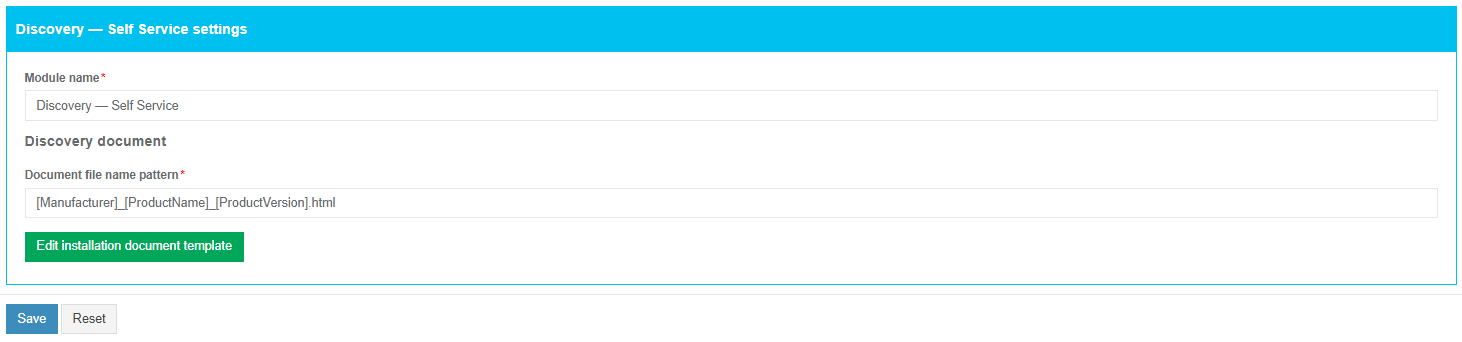
Exclude applications from the import by unticking the checkbox.

[![sccm_module_06.png](https://docs.apptimized.com/uploads/images/gallery/2020-03/scaled-1680-/LEKIsqQ1pyywQAtH-sccm_module_06.png)](https://docs.apptimized.com/uploads/images/gallery/2020-03/LEKIsqQ1pyywQAtH-sccm_module_06.png)The process reverts to the initial screen by clicking on the **Back** button and finalizes by clicking on the **Finish** button.

Apptimized shows the following notification when successful:

[![sccm_module_07.png](https://docs.apptimized.com/uploads/images/gallery/2020-03/scaled-1680-/imyjX2pOun3ANX78-sccm_module_07.png)](https://docs.apptimized.com/uploads/images/gallery/2020-03/imyjX2pOun3ANX78-sccm_module_07.png)

Imported applications appear in the project portfolio.

# Catalogue Import

<span class="TextRun SCXW257081777 BCX8" data-contrast="none" lang="EN-GB" xml:lang="EN-GB"><span class="NormalTextRun SCXW257081777 BCX8">The </span><span class="NormalTextRun SCXW257081777 BCX8">option</span><span class="NormalTextRun SCXW257081777 BCX8"> to start the import is called **“**</span></span>**<span class="TextRun SCXW257081777 BCX8" data-contrast="none" lang="EN-GB" xml:lang="EN-GB"><span class="NormalTextRun SCXW257081777 BCX8">Catalogue Import</span></span>**<span class="TextRun SCXW257081777 BCX8" data-contrast="none" lang="EN-GB" xml:lang="EN-GB"><span class="NormalTextRun SCXW257081777 BCX8">**”**.</span><span class="NormalTextRun SCXW257081777 BCX8"> It is available under </span></span><span class="TextRun SCXW257081777 BCX8" data-contrast="none" lang="EN-GB" xml:lang="EN-GB"><span class="NormalTextRun SCXW257081777 BCX8">Import</span></span><span class="TextRun SCXW257081777 BCX8" data-contrast="none" lang="EN-GB" xml:lang="EN-GB"><span class="NormalTextRun SCXW257081777 BCX8"> in project menu &gt; </span></span>**<span class="TextRun SCXW257081777 BCX8" data-contrast="none" lang="EN-GB" xml:lang="EN-GB"><span class="NormalTextRun SCXW257081777 BCX8">Start Import</span></span>**<span class="TextRun SCXW257081777 BCX8" data-contrast="none" lang="EN-GB" xml:lang="EN-GB"><span class="NormalTextRun SCXW257081777 BCX8"> &gt; </span></span>**<span class="TextRun SCXW257081777 BCX8" data-contrast="none" lang="EN-GB" xml:lang="EN-GB"><span class="NormalTextRun SCXW257081777 BCX8">Catalogue Import</span></span>**<span class="TextRun SCXW257081777 BCX8" data-contrast="none" lang="EN-GB" xml:lang="EN-GB"><span class="NormalTextRun SCXW257081777 BCX8"> option.</span></span><span class="EOP SCXW257081777 BCX8" data-ccp-props="{"134233117":false,"134233118":false,"335559738":240,"335559739":240}"> </span>

<span class="SCXW257081777 BCX8"><span class="WACImageContainer NoPadding DragDrop BlobObject SCXW257081777 BCX8" role="presentation">![Picture](https://docs.apptimized.com/uploads/images/gallery/2025-09/embedded-image-yo8xdhy8.png)</span></span>

<span class="TextRun SCXW257081777 BCX8" data-contrast="none" lang="EN-GB" xml:lang="EN-GB"><span class="NormalTextRun SCXW257081777 BCX8">When successfully imported, </span><span class="NormalTextRun SpellingErrorV2Themed SCXW257081777 BCX8">Apptimized</span><span class="NormalTextRun SCXW257081777 BCX8"> shows the </span></span>**<span class="TextRun SCXW257081777 BCX8" data-contrast="none" lang="EN-GB" xml:lang="EN-GB"><span class="NormalTextRun SCXW257081777 BCX8">Choose Applications from Catalogue</span></span>**<span class="TextRun SCXW257081777 BCX8" data-contrast="none" lang="EN-GB" xml:lang="EN-GB"><span class="NormalTextRun SCXW257081777 BCX8"> step.</span></span><span class="EOP SCXW257081777 BCX8" data-ccp-props="{"134233117":false,"134233118":false,"335559738":240,"335559739":240}"> </span>

<span class="SCXW257081777 BCX8"><span class="WACImageContainer NoPadding DragDrop BlobObject SCXW257081777 BCX8" role="presentation">![Picture](https://docs.apptimized.com/uploads/images/gallery/2025-09/embedded-image-szadnvx2.png)</span></span> <span class="TextRun SCXW257081777 BCX8" data-contrast="none" lang="EN-GB" xml:lang="EN-GB"><span class="NormalTextRun SCXW257081777 BCX8">Application import data is grouped into 4 categories:</span></span><span class="EOP SCXW257081777 BCX8" data-ccp-props="{"134233117":false,"134233118":false,"335559738":240,"335559739":240}"> </span>

<div class="ListContainerWrapper SCXW257081777 BCX8" id="bkmrk-id%3B%C2%A0">- <span class="TextRun SCXW257081777 BCX8" data-contrast="none" lang="EN-GB" xml:lang="EN-GB"><span class="NormalTextRun SCXW257081777 BCX8">ID;</span></span><span class="EOP SCXW257081777 BCX8" data-ccp-props="{"134233117":false,"134233118":false,"335559738":0,"335559739":0}"> </span>

</div><div class="ListContainerWrapper SCXW257081777 BCX8" id="bkmrk-vendor%3B%C2%A0">- <span class="TextRun SCXW257081777 BCX8" data-contrast="none" lang="EN-GB" xml:lang="EN-GB"><span class="NormalTextRun SCXW257081777 BCX8">Vendor;</span></span><span class="EOP SCXW257081777 BCX8" data-ccp-props="{"134233117":false,"134233118":false,"335559738":0,"335559739":0}"> </span>

</div><div class="ListContainerWrapper SCXW257081777 BCX8" id="bkmrk-software%3B%C2%A0">- <span class="TextRun SCXW257081777 BCX8" data-contrast="none" lang="EN-GB" xml:lang="EN-GB"><span class="NormalTextRun SCXW257081777 BCX8">Software;</span></span><span class="EOP SCXW257081777 BCX8" data-ccp-props="{"134233117":false,"134233118":false,"335559738":0,"335559739":0}"> </span>

</div><div class="ListContainerWrapper SCXW257081777 BCX8" id="bkmrk-actions.%C2%A0">- <span class="TextRun SCXW257081777 BCX8" data-contrast="none" lang="EN-GB" xml:lang="EN-GB"><span class="NormalTextRun SCXW257081777 BCX8">Actions.</span></span><span class="EOP SCXW257081777 BCX8" data-ccp-props="{"134233117":false,"134233118":false,"335559738":0,"335559739":0}"> </span>

</div><span class="EOP SCXW257081777 BCX8" data-ccp-props="{}"> </span><span class="TextRun SCXW257081777 BCX8" data-contrast="none" lang="EN-GB" xml:lang="EN-GB"><span class="NormalTextRun SCXW257081777 BCX8">The default view is 10 items per page. The number of items per page can be changed to 10, 50, 100, or all items.</span></span><span class="EOP SCXW257081777 BCX8" data-ccp-props="{"134233117":false,"134233118":false,"335559738":240,"335559739":240}"> </span>

<span class="SCXW257081777 BCX8"><span class="WACImageContainer NoPadding DragDrop BlobObject SCXW257081777 BCX8" role="presentation">![Picture](https://docs.apptimized.com/uploads/images/gallery/2025-09/embedded-image-esdr7k0o.png)</span></span>

<span class="TextRun SCXW257081777 BCX8" data-contrast="none" lang="EN-GB" xml:lang="EN-GB"><span class="NormalTextRun SCXW257081777 BCX8">An application database can be downloaded as an Excel file by clicking on the </span></span>**<span class="TextRun SCXW257081777 BCX8" data-contrast="none" lang="EN-GB" xml:lang="EN-GB"><span class="NormalTextRun SCXW257081777 BCX8">Export to Excel</span></span>**<span class="TextRun SCXW257081777 BCX8" data-contrast="none" lang="EN-GB" xml:lang="EN-GB"><span class="NormalTextRun SCXW257081777 BCX8"> button.</span></span><span class="EOP SCXW257081777 BCX8" data-ccp-props="{"134233117":false,"134233118":false,"335559738":240,"335559739":240}"> </span>

<span class="SCXW257081777 BCX8"><span class="WACImageContainer NoPadding DragDrop BlobObject SCXW257081777 BCX8" role="presentation">![Picture](https://docs.apptimized.com/uploads/images/gallery/2025-09/embedded-image-kuug0iek.png)</span></span>

<span class="TextRun SCXW257081777 BCX8" data-contrast="none" lang="EN-GB" xml:lang="EN-GB"><span class="NormalTextRun SCXW257081777 BCX8">The columns in the import table can be swapped and grouped in any order. A user can drag and drop a column header to a suitable place.</span></span><span class="EOP SCXW257081777 BCX8" data-ccp-props="{"134233117":false,"134233118":false,"335559738":240,"335559739":240}"> </span>

<span class="TextRun SCXW257081777 BCX8" data-contrast="none" lang="EN-GB" xml:lang="EN-GB"><span class="NormalTextRun SCXW257081777 BCX8">To exclude columns in the import table, uncheck the box next to the column name not </span><span class="NormalTextRun SCXW257081777 BCX8">required</span><span class="NormalTextRun SCXW257081777 BCX8"> in view. This option is available under </span></span>**<span class="TextRun SCXW257081777 BCX8" data-contrast="none" lang="EN-GB" xml:lang="EN-GB"><span class="NormalTextRun SCXW257081777 BCX8">Edit Column Settings</span></span>**<span class="TextRun SCXW257081777 BCX8" data-contrast="none" lang="EN-GB" xml:lang="EN-GB"><span class="NormalTextRun SCXW257081777 BCX8"> &gt; </span></span>**<span class="TextRun SCXW257081777 BCX8" data-contrast="none" lang="EN-GB" xml:lang="EN-GB"><span class="NormalTextRun SCXW257081777 BCX8">Columns</span></span>**<span class="TextRun SCXW257081777 BCX8" data-contrast="none" lang="EN-GB" xml:lang="EN-GB"><span class="NormalTextRun SCXW257081777 BCX8">.</span></span><span class="EOP SCXW257081777 BCX8" data-ccp-props="{"134233117":false,"134233118":false,"335559738":240,"335559739":240}"> </span>

<span class="SCXW257081777 BCX8"><span class="WACImageContainer NoPadding DragDrop BlobObject SCXW257081777 BCX8" role="presentation">![Picture](https://docs.apptimized.com/uploads/images/gallery/2025-09/embedded-image-vzahfmu6.png)</span></span> <span class="TextRun SCXW257081777 BCX8" data-contrast="none" lang="EN-GB" xml:lang="EN-GB"><span class="NormalTextRun SCXW257081777 BCX8">Keyword search mode available:</span></span><span class="EOP SCXW257081777 BCX8" data-ccp-props="{"134233117":false,"134233118":false,"335559738":240,"335559739":240}"> </span>

<span class="SCXW257081777 BCX8"><span class="WACImageContainer NoPadding DragDrop BlobObject SCXW257081777 BCX8" role="presentation">![Picture](https://docs.apptimized.com/uploads/images/gallery/2025-09/embedded-image-xjlvc5yy.png)</span></span><span class="EOP SCXW257081777 BCX8" data-ccp-props="{}"> </span>

<span class="TextRun SCXW257081777 BCX8" data-contrast="none" lang="EN-GB" xml:lang="EN-GB"><span class="NormalTextRun SCXW257081777 BCX8">To filter data in columns </span></span><span class="TextRun SCXW257081777 BCX8" data-contrast="none" lang="EN-GB" xml:lang="EN-GB"><span class="NormalTextRun SCXW257081777 BCX8">**ID, Vendor,** </span></span><span class="TextRun SCXW257081777 BCX8" data-contrast="none" lang="EN-GB" xml:lang="EN-GB"><span class="NormalTextRun SCXW257081777 BCX8">or</span></span><span class="TextRun SCXW257081777 BCX8" data-contrast="none" lang="EN-GB" xml:lang="EN-GB"><span class="NormalTextRun SCXW257081777 BCX8"> **Software**,</span></span><span class="TextRun SCXW257081777 BCX8" data-contrast="none" lang="EN-GB" xml:lang="EN-GB"><span class="NormalTextRun SCXW257081777 BCX8"> use </span></span>**<span class="TextRun SCXW257081777 BCX8" data-contrast="none" lang="EN-GB" xml:lang="EN-GB"><span class="NormalTextRun SCXW257081777 BCX8">Edit Column Settings</span></span>**<span class="TextRun SCXW257081777 BCX8" data-contrast="none" lang="EN-GB" xml:lang="EN-GB"><span class="NormalTextRun SCXW257081777 BCX8"> &gt; </span></span>**<span class="TextRun SCXW257081777 BCX8" data-contrast="none" lang="EN-GB" xml:lang="EN-GB"><span class="NormalTextRun SCXW257081777 BCX8">Filter</span></span>**<span class="TextRun SCXW257081777 BCX8" data-contrast="none" lang="EN-GB" xml:lang="EN-GB"><span class="NormalTextRun SCXW257081777 BCX8"> &gt; Select one or multiple items &gt; </span></span>**<span class="TextRun SCXW257081777 BCX8" data-contrast="none" lang="EN-GB" xml:lang="EN-GB"><span class="NormalTextRun SCXW257081777 BCX8">Filter</span></span>**<span class="TextRun SCXW257081777 BCX8" data-contrast="none" lang="EN-GB" xml:lang="EN-GB"><span class="NormalTextRun SCXW257081777 BCX8"> button. To exclude data from the import table, uncheck boxes next to the name not </span><span class="NormalTextRun SCXW257081777 BCX8">required</span><span class="NormalTextRun SCXW257081777 BCX8"> in view.</span></span><span class="EOP SCXW257081777 BCX8" data-ccp-props="{"134233117":false,"134233118":false,"335559738":240,"335559739":240}"> </span>

<span class="SCXW257081777 BCX8"><span class="WACImageContainer NoPadding DragDrop BlobObject SCXW257081777 BCX8" role="presentation">![Picture](https://docs.apptimized.com/uploads/images/gallery/2025-09/embedded-image-d4dw6t0q.png)</span></span><span class="TextRun SCXW257081777 BCX8" data-contrast="none" lang="EN-GB" xml:lang="EN-GB"><span class="NormalTextRun SCXW257081777 BCX8">The </span><span class="NormalTextRun SCXW257081777 BCX8">option</span><span class="NormalTextRun SCXW257081777 BCX8"> to see all available application versions is available under the </span></span>**<span class="TextRun SCXW257081777 BCX8" data-contrast="none" lang="EN-GB" xml:lang="EN-GB"><span class="NormalTextRun SCXW257081777 BCX8">Show versions</span></span>**<span class="TextRun SCXW257081777 BCX8" data-contrast="none" lang="EN-GB" xml:lang="EN-GB"><span class="NormalTextRun SCXW257081777 BCX8"> button.</span></span><span class="EOP SCXW257081777 BCX8" data-ccp-props="{}"> </span>

<span class="EOP SCXW257081777 BCX8" data-ccp-props="{}"> </span>

<span class="SCXW257081777 BCX8"><span class="WACImageContainer NoPadding DragDrop BlobObject SCXW257081777 BCX8" role="presentation">![Picture](https://docs.apptimized.com/uploads/images/gallery/2025-09/embedded-image-qisfdfh0.png)</span></span><span class="EOP SCXW257081777 BCX8" data-ccp-props="{}"> </span>

<span class="TextRun SCXW257081777 BCX8" data-contrast="none" lang="EN-GB" xml:lang="EN-GB"><span class="NormalTextRun SCXW257081777 BCX8">The </span><span class="NormalTextRun SCXW257081777 BCX8">option</span><span class="NormalTextRun SCXW257081777 BCX8"> to select an application version from Catalogue is available under the </span></span>**<span class="TextRun SCXW257081777 BCX8" data-contrast="none" lang="EN-GB" xml:lang="EN-GB"><span class="NormalTextRun SCXW257081777 BCX8">Select sources to this version</span></span>**<span class="TextRun SCXW257081777 BCX8" data-contrast="none" lang="EN-GB" xml:lang="EN-GB"><span class="NormalTextRun SCXW257081777 BCX8"> field.</span></span><span class="EOP SCXW257081777 BCX8" data-ccp-props="{"134233117":false,"134233118":false,"335559738":240,"335559739":240}"> </span>

<span class="SCXW257081777 BCX8"><span class="WACImageContainer NoPadding DragDrop BlobObject SCXW257081777 BCX8" role="presentation">![Picture](https://docs.apptimized.com/uploads/images/gallery/2025-09/embedded-image-0uz4apap.png)</span></span><span class="EOP SCXW257081777 BCX8" data-ccp-props="{}"> </span>

<span class="SCXW257081777 BCX8"><span class="WACImageContainer NoPadding DragDrop BlobObject SCXW257081777 BCX8" role="presentation">![Picture](https://docs.apptimized.com/uploads/images/gallery/2025-09/embedded-image-ukkohcpn.png)</span></span><span class="EOP SCXW257081777 BCX8" data-ccp-props="{"134233117":false,"134233118":false,"335559738":240,"335559739":240}"> </span>

<span class="TextRun SCXW257081777 BCX8" data-contrast="none" lang="EN-GB" xml:lang="EN-GB"><span class="NormalTextRun SpellingErrorV2Themed SCXW257081777 BCX8">Apptimized</span><span class="NormalTextRun SCXW257081777 BCX8"> shows the following notification when the application version selected:</span></span><span class="EOP SCXW257081777 BCX8" data-ccp-props="{"134233117":false,"134233118":false,"335559738":240,"335559739":240}"> </span>

<span class="SCXW257081777 BCX8"><span class="WACImageContainer NoPadding DragDrop BlobObject SCXW257081777 BCX8" role="presentation">![Picture](https://docs.apptimized.com/uploads/images/gallery/2025-09/embedded-image-8n2yxf6v.png)</span></span><span class="EOP SCXW257081777 BCX8" data-ccp-props="{"134233117":false,"134233118":false,"335559738":240,"335559739":240}"> </span>

<span class="TextRun SCXW257081777 BCX8" data-contrast="none" lang="EN-GB" xml:lang="EN-GB"><span class="NormalTextRun SCXW257081777 BCX8">The </span></span>**<span class="TextRun SCXW257081777 BCX8" data-contrast="none" lang="EN-GB" xml:lang="EN-GB"><span class="NormalTextRun SCXW257081777 BCX8">Catalogue Import</span></span>**<span class="TextRun SCXW257081777 BCX8" data-contrast="none" lang="EN-GB" xml:lang="EN-GB"> <span class="NormalTextRun SCXW257081777 BCX8">finalize</span><span class="NormalTextRun SCXW257081777 BCX8">s</span><span class="NormalTextRun SCXW257081777 BCX8"> by clicking on the </span></span><span class="TextRun SCXW257081777 BCX8" data-contrast="none" lang="EN-GB" xml:lang="EN-GB"><span class="NormalTextRun SCXW257081777 BCX8">Finish</span></span><span class="TextRun SCXW257081777 BCX8" data-contrast="none" lang="EN-GB" xml:lang="EN-GB"><span class="NormalTextRun SCXW257081777 BCX8"> button.</span></span><span class="EOP SCXW257081777 BCX8" data-ccp-props="{"134233117":false,"134233118":false,"335559738":240,"335559739":240}"> </span>

<span class="SCXW257081777 BCX8"><span class="WACImageContainer NoPadding DragDrop BlobObject SCXW257081777 BCX8" role="presentation">![Picture](https://docs.apptimized.com/uploads/images/gallery/2025-09/embedded-image-yjtyzyvm.png)</span></span> <span class="TextRun SCXW257081777 BCX8" data-contrast="none" lang="EN-GB" xml:lang="EN-GB"><span class="NormalTextRun SpellingErrorV2Themed SCXW257081777 BCX8">Apptimized</span><span class="NormalTextRun SCXW257081777 BCX8"> shows the following notification when successful:</span></span><span class="EOP SCXW257081777 BCX8" data-ccp-props="{"134233117":false,"134233118":false,"335559738":240,"335559739":240}"> </span>

<span class="SCXW257081777 BCX8"><span class="WACImageContainer NoPadding DragDrop BlobObject SCXW257081777 BCX8" role="presentation">![Picture](https://docs.apptimized.com/uploads/images/gallery/2025-09/embedded-image-iaqfmaxb.png)</span></span><span class="EOP SCXW257081777 BCX8" data-ccp-props="{}"> </span>

<span class="TextRun SCXW257081777 BCX8" data-contrast="none" lang="EN-GB" xml:lang="EN-GB"><span class="NormalTextRun SCXW257081777 BCX8">The imported applications are available in portfolio.</span></span><span class="EOP SCXW257081777 BCX8" data-ccp-props="{}"> </span>

<span class="SCXW257081777 BCX8"><span class="WACImageContainer NoPadding DragDrop BlobObject SCXW257081777 BCX8" role="presentation">![Picture](https://docs.apptimized.com/uploads/images/gallery/2025-09/embedded-image-6qr4f6bt.png)</span></span><span class="EOP SCXW257081777 BCX8" data-ccp-props="{}"></span>

# Update Import

<span class="TextRun SCXW207207766 BCX8" data-contrast="none" lang="EN-GB" xml:lang="EN-GB"><span class="NormalTextRun SCXW207207766 BCX8">The </span><span class="NormalTextRun SCXW207207766 BCX8">option</span><span class="NormalTextRun SCXW207207766 BCX8"> to start the import is called **“**</span></span>**<span class="TextRun SCXW207207766 BCX8" data-contrast="none" lang="EN-GB" xml:lang="EN-GB"><span class="NormalTextRun SCXW207207766 BCX8">Updates Import</span></span>**<span class="TextRun SCXW207207766 BCX8" data-contrast="none" lang="EN-GB" xml:lang="EN-GB"><span class="NormalTextRun SCXW207207766 BCX8">**”**.</span><span class="NormalTextRun SCXW207207766 BCX8"> It is available under </span></span>**<span class="TextRun SCXW207207766 BCX8" data-contrast="none" lang="EN-GB" xml:lang="EN-GB"><span class="NormalTextRun SCXW207207766 BCX8">Import</span></span>**<span class="TextRun SCXW207207766 BCX8" data-contrast="none" lang="EN-GB" xml:lang="EN-GB"><span class="NormalTextRun SCXW207207766 BCX8"> in project menu &gt; </span></span>**<span class="TextRun SCXW207207766 BCX8" data-contrast="none" lang="EN-GB" xml:lang="EN-GB"><span class="NormalTextRun SCXW207207766 BCX8">Start Import</span></span>**<span class="TextRun SCXW207207766 BCX8" data-contrast="none" lang="EN-GB" xml:lang="EN-GB"><span class="NormalTextRun SCXW207207766 BCX8"> &gt; </span></span>**<span class="TextRun SCXW207207766 BCX8" data-contrast="none" lang="EN-GB" xml:lang="EN-GB"><span class="NormalTextRun SCXW207207766 BCX8">Updates Import</span></span>**<span class="TextRun SCXW207207766 BCX8" data-contrast="none" lang="EN-GB" xml:lang="EN-GB"><span class="NormalTextRun SCXW207207766 BCX8"> option.</span></span><span class="EOP SCXW207207766 BCX8" data-ccp-props="{"134233117":false,"134233118":false,"335559738":240,"335559739":240}"> </span>

<span class="SCXW207207766 BCX8"><span class="WACImageContainer NoPadding DragDrop BlobObject SCXW207207766 BCX8" role="presentation">![Picture](https://docs.apptimized.com/uploads/images/gallery/2025-09/embedded-image-rsik6pch.png)</span></span><span class="EOP SCXW207207766 BCX8" data-ccp-props="{}"> </span>

<span class="TextRun SCXW207207766 BCX8" data-contrast="none" lang="EN-GB" xml:lang="EN-GB"><span class="NormalTextRun SCXW207207766 BCX8">When successfully imported, </span><span class="NormalTextRun SpellingErrorV2Themed SCXW207207766 BCX8">Apptimized</span><span class="NormalTextRun SCXW207207766 BCX8"> shows the </span></span><span class="TextRun SCXW207207766 BCX8" data-contrast="none" lang="EN-GB" xml:lang="EN-GB"><span class="NormalTextRun SCXW207207766 BCX8">**Choose Applications from Updates**</span></span><span class="TextRun SCXW207207766 BCX8" data-contrast="none" lang="EN-GB" xml:lang="EN-GB"><span class="NormalTextRun SCXW207207766 BCX8"> step.</span></span><span class="EOP SCXW207207766 BCX8" data-ccp-props="{"134233117":false,"134233118":false,"335559738":240,"335559739":240}"> </span>

<span class="SCXW207207766 BCX8"><span class="WACImageContainer NoPadding DragDrop BlobObject SCXW207207766 BCX8" role="presentation">![Picture](https://docs.apptimized.com/uploads/images/gallery/2025-09/embedded-image-pdquj72w.png)</span></span><span class="EOP SCXW207207766 BCX8" data-ccp-props="{}"> </span>

<span class="TextRun SCXW207207766 BCX8" data-contrast="none" lang="EN-GB" xml:lang="EN-GB"><span class="NormalTextRun SCXW207207766 BCX8">Application import data is grouped into 4 categories:</span></span><span class="EOP SCXW207207766 BCX8" data-ccp-props="{"134233117":false,"134233118":false,"335559738":240,"335559739":240}"> </span>

<div class="ListContainerWrapper SCXW207207766 BCX8" id="bkmrk-id%3B%C2%A0">- <span class="TextRun SCXW207207766 BCX8" data-contrast="none" lang="EN-GB" xml:lang="EN-GB"><span class="NormalTextRun SCXW207207766 BCX8">ID;</span></span><span class="EOP SCXW207207766 BCX8" data-ccp-props="{"134233117":false,"134233118":false,"335559738":0,"335559739":0}"> </span>

</div><div class="ListContainerWrapper SCXW207207766 BCX8" id="bkmrk-vendor%3B%C2%A0">- <span class="TextRun SCXW207207766 BCX8" data-contrast="none" lang="EN-GB" xml:lang="EN-GB"><span class="NormalTextRun SCXW207207766 BCX8">Vendor;</span></span><span class="EOP SCXW207207766 BCX8" data-ccp-props="{"134233117":false,"134233118":false,"335559738":0,"335559739":0}"> </span>

</div><div class="ListContainerWrapper SCXW207207766 BCX8" id="bkmrk-software%3B%C2%A0">- <span class="TextRun SCXW207207766 BCX8" data-contrast="none" lang="EN-GB" xml:lang="EN-GB"><span class="NormalTextRun SCXW207207766 BCX8">Software;</span></span><span class="EOP SCXW207207766 BCX8" data-ccp-props="{"134233117":false,"134233118":false,"335559738":0,"335559739":0}"> </span>

</div><div class="ListContainerWrapper SCXW207207766 BCX8" id="bkmrk-actions.%C2%A0">- <span class="TextRun SCXW207207766 BCX8" data-contrast="none" lang="EN-GB" xml:lang="EN-GB"><span class="NormalTextRun SCXW207207766 BCX8">Actions.</span></span><span class="EOP SCXW207207766 BCX8" data-ccp-props="{"134233117":false,"134233118":false,"335559738":0,"335559739":0}"> </span>

</div><span class="TextRun SCXW207207766 BCX8" data-contrast="none" lang="EN-GB" xml:lang="EN-GB"><span class="NormalTextRun SCXW207207766 BCX8">The default view is 10 items per page. The number of items per page can be changed to 10, 50, 100, or all items.</span></span><span class="EOP SCXW207207766 BCX8" data-ccp-props="{"134233117":false,"134233118":false,"335559738":240,"335559739":240}"> </span>

<span class="SCXW207207766 BCX8"><span class="WACImageContainer NoPadding DragDrop BlobObject SCXW207207766 BCX8" role="presentation">![Picture](https://docs.apptimized.com/uploads/images/gallery/2025-09/embedded-image-gggcporx.png)</span></span><span class="EOP SCXW207207766 BCX8" data-ccp-props="{}"> </span>

<span class="TextRun SCXW207207766 BCX8" data-contrast="none" lang="EN-GB" xml:lang="EN-GB"><span class="NormalTextRun SCXW207207766 BCX8">An application database can be downloaded as an Excel file by clicking on the </span></span>**<span class="TextRun SCXW207207766 BCX8" data-contrast="none" lang="EN-GB" xml:lang="EN-GB"><span class="NormalTextRun SCXW207207766 BCX8">Export to Excel</span></span>**<span class="TextRun SCXW207207766 BCX8" data-contrast="none" lang="EN-GB" xml:lang="EN-GB"><span class="NormalTextRun SCXW207207766 BCX8"> button.</span></span><span class="EOP SCXW207207766 BCX8" data-ccp-props="{"134233117":false,"134233118":false,"335559738":240,"335559739":240}"> </span>

<span class="SCXW207207766 BCX8"><span class="WACImageContainer NoPadding DragDrop BlobObject SCXW207207766 BCX8" role="presentation">![Picture](https://docs.apptimized.com/uploads/images/gallery/2025-09/embedded-image-3jod0nvv.png)</span></span><span class="EOP SCXW207207766 BCX8" data-ccp-props="{"134233117":false,"134233118":false,"335559738":240,"335559739":240}"> </span>

<span class="TextRun SCXW207207766 BCX8" data-contrast="none" lang="EN-GB" xml:lang="EN-GB"><span class="NormalTextRun SCXW207207766 BCX8">The columns in the import table can be swapped and grouped in any order. A user can drag and drop a column header to a suitable place.</span></span><span class="EOP SCXW207207766 BCX8" data-ccp-props="{"134233117":false,"134233118":false,"335559738":240,"335559739":240}"> </span>

<span class="TextRun SCXW207207766 BCX8" data-contrast="none" lang="EN-GB" xml:lang="EN-GB"><span class="NormalTextRun SCXW207207766 BCX8">To exclude columns in the import table, uncheck the box next to the column name not </span><span class="NormalTextRun SCXW207207766 BCX8">required</span><span class="NormalTextRun SCXW207207766 BCX8"> in view. This option is available under</span></span><span class="TextRun SCXW207207766 BCX8" data-contrast="none" lang="EN-GB" xml:lang="EN-GB"><span class="NormalTextRun SCXW207207766 BCX8"> </span></span>**<span class="TextRun SCXW207207766 BCX8" data-contrast="none" lang="EN-GB" xml:lang="EN-GB"><span class="NormalTextRun SCXW207207766 BCX8">Columns</span></span>**<span class="TextRun SCXW207207766 BCX8" data-contrast="none" lang="EN-GB" xml:lang="EN-GB"><span class="NormalTextRun SCXW207207766 BCX8">.</span></span><span class="EOP SCXW207207766 BCX8" data-ccp-props="{"134233117":false,"134233118":false,"335559738":240,"335559739":240}"> </span>

<span class="SCXW207207766 BCX8"><span class="WACImageContainer NoPadding DragDrop BlobObject SCXW207207766 BCX8" role="presentation">![Picture](https://docs.apptimized.com/uploads/images/gallery/2025-09/embedded-image-oz2txiig.png)</span></span><span class="TextRun SCXW207207766 BCX8" data-contrast="none" lang="EN-GB" xml:lang="EN-GB"><span class="NormalTextRun SCXW207207766 BCX8">Keyword search mode available:</span></span><span class="EOP SCXW207207766 BCX8" data-ccp-props="{"134233117":false,"134233118":false,"335559738":240,"335559739":240}"> </span>

<span class="SCXW207207766 BCX8"><span class="WACImageContainer NoPadding DragDrop BlobObject SCXW207207766 BCX8" role="presentation">![Picture](https://docs.apptimized.com/uploads/images/gallery/2025-09/embedded-image-xbopn19c.png)</span></span><span class="EOP SCXW207207766 BCX8" data-ccp-props="{}"> </span>

<span class="TextRun SCXW207207766 BCX8" data-contrast="none" lang="EN-GB" xml:lang="EN-GB"><span class="NormalTextRun SCXW207207766 BCX8">To sort data in columns </span></span>**<span class="TextRun SCXW207207766 BCX8" data-contrast="none" lang="EN-GB" xml:lang="EN-GB"><span class="NormalTextRun SCXW207207766 BCX8">ID</span></span><span class="TextRun SCXW207207766 BCX8" data-contrast="none" lang="EN-GB" xml:lang="EN-GB"><span class="NormalTextRun SCXW207207766 BCX8">, </span></span><span class="TextRun SCXW207207766 BCX8" data-contrast="none" lang="EN-GB" xml:lang="EN-GB"><span class="NormalTextRun SCXW207207766 BCX8">Vendor,</span></span>**<span class="TextRun SCXW207207766 BCX8" data-contrast="none" lang="EN-GB" xml:lang="EN-GB"><span class="NormalTextRun SCXW207207766 BCX8"> or </span></span><span class="TextRun SCXW207207766 BCX8" data-contrast="none" lang="EN-GB" xml:lang="EN-GB"><span class="NormalTextRun SCXW207207766 BCX8">**Software**,</span></span><span class="TextRun SCXW207207766 BCX8" data-contrast="none" lang="EN-GB" xml:lang="EN-GB"><span class="NormalTextRun SCXW207207766 BCX8"> select ascending or descending mode:</span></span><span class="TextRun SCXW207207766 BCX8" data-contrast="none" lang="EN-GB" xml:lang="EN-GB"><span class="NormalTextRun SCXW207207766 BCX8"> Click the </span></span>**<span class="TextRun SCXW207207766 BCX8" data-contrast="none" lang="EN-GB" xml:lang="EN-GB"><span class="NormalTextRun SCXW207207766 BCX8">table header</span></span>**<span class="TextRun SCXW207207766 BCX8" data-contrast="none" lang="EN-GB" xml:lang="EN-GB"><span class="NormalTextRun SCXW207207766 BCX8"> &gt; Click the </span></span>**<span class="TextRun SCXW207207766 BCX8" data-contrast="none" lang="EN-GB" xml:lang="EN-GB"><span class="NormalTextRun SCXW207207766 BCX8">arrow</span></span>**<span class="TextRun SCXW207207766 BCX8" data-contrast="none" lang="EN-GB" xml:lang="EN-GB"><span class="NormalTextRun SCXW207207766 BCX8"> **symbol**.</span></span><span class="EOP SCXW207207766 BCX8" data-ccp-props="{"134233117":false,"134233118":false,"335559738":240,"335559739":240}"> </span>

<span class="SCXW207207766 BCX8"><span class="WACImageContainer NoPadding DragDrop BlobObject SCXW207207766 BCX8" role="presentation">![Picture](https://docs.apptimized.com/uploads/images/gallery/2025-09/embedded-image-k7neiisg.png)</span></span><span class="TextRun SCXW207207766 BCX8" data-contrast="none" lang="EN-GB" xml:lang="EN-GB"><span class="NormalTextRun SCXW207207766 BCX8">To filter data in columns </span></span><span class="TextRun SCXW207207766 BCX8" data-contrast="none" lang="EN-GB" xml:lang="EN-GB"><span class="NormalTextRun SCXW207207766 BCX8">**ID, Vendor,** </span></span><span class="TextRun SCXW207207766 BCX8" data-contrast="none" lang="EN-GB" xml:lang="EN-GB"><span class="NormalTextRun SCXW207207766 BCX8">or</span></span><span class="TextRun SCXW207207766 BCX8" data-contrast="none" lang="EN-GB" xml:lang="EN-GB"><span class="NormalTextRun SCXW207207766 BCX8"> **Software**,</span></span><span class="TextRun SCXW207207766 BCX8" data-contrast="none" lang="EN-GB" xml:lang="EN-GB"><span class="NormalTextRun SCXW207207766 BCX8"> use </span></span>**<span class="TextRun SCXW207207766 BCX8" data-contrast="none" lang="EN-GB" xml:lang="EN-GB"><span class="NormalTextRun SCXW207207766 BCX8">Edit Column Settings</span></span>**<span class="TextRun SCXW207207766 BCX8" data-contrast="none" lang="EN-GB" xml:lang="EN-GB"><span class="NormalTextRun SCXW207207766 BCX8"> &gt; </span></span>**<span class="TextRun SCXW207207766 BCX8" data-contrast="none" lang="EN-GB" xml:lang="EN-GB"><span class="NormalTextRun SCXW207207766 BCX8">Filter</span></span>**<span class="TextRun SCXW207207766 BCX8" data-contrast="none" lang="EN-GB" xml:lang="EN-GB"><span class="NormalTextRun SCXW207207766 BCX8"> &gt; Select one or multiple items &gt; </span></span>**<span class="TextRun SCXW207207766 BCX8" data-contrast="none" lang="EN-GB" xml:lang="EN-GB"><span class="NormalTextRun SCXW207207766 BCX8">Filter</span></span>**<span class="TextRun SCXW207207766 BCX8" data-contrast="none" lang="EN-GB" xml:lang="EN-GB"><span class="NormalTextRun SCXW207207766 BCX8"> button. To exclude data from the import table, uncheck boxes next to the name not </span><span class="NormalTextRun SCXW207207766 BCX8">required</span><span class="NormalTextRun SCXW207207766 BCX8"> in view.</span></span><span class="EOP SCXW207207766 BCX8" data-ccp-props="{"134233117":false,"134233118":false,"335559738":240,"335559739":240}"> </span>

<span class="SCXW207207766 BCX8"><span class="WACImageContainer NoPadding DragDrop BlobObject SCXW207207766 BCX8" role="presentation">![Picture](https://docs.apptimized.com/uploads/images/gallery/2025-09/embedded-image-mompeytl.png)</span></span><span class="EOP SCXW207207766 BCX8" data-ccp-props="{}"> </span>

<span class="TextRun SCXW207207766 BCX8" data-contrast="none" lang="EN-GB" xml:lang="EN-GB"><span class="NormalTextRun SCXW207207766 BCX8">The </span><span class="NormalTextRun SCXW207207766 BCX8">option</span><span class="NormalTextRun SCXW207207766 BCX8"> to see all available application versions is available under the </span></span>**<span class="TextRun SCXW207207766 BCX8" data-contrast="none" lang="EN-GB" xml:lang="EN-GB"><span class="NormalTextRun SCXW207207766 BCX8">Show versions</span></span>**<span class="TextRun SCXW207207766 BCX8" data-contrast="none" lang="EN-GB" xml:lang="EN-GB"><span class="NormalTextRun SCXW207207766 BCX8"> button.</span></span><span class="EOP SCXW207207766 BCX8" data-ccp-props="{}"> </span>

<span class="SCXW207207766 BCX8"><span class="WACImageContainer NoPadding DragDrop BlobObject SCXW207207766 BCX8" role="presentation">![Picture](https://docs.apptimized.com/uploads/images/gallery/2025-09/embedded-image-uf3z2wqi.png)</span></span><span class="EOP SCXW207207766 BCX8" data-ccp-props="{}"> </span>

<span class="TextRun SCXW207207766 BCX8" data-contrast="none" lang="EN-GB" xml:lang="EN-GB"><span class="NormalTextRun SpellingErrorV2Themed SCXW207207766 BCX8">Apptimized</span><span class="NormalTextRun SCXW207207766 BCX8"> shows the following screen when successful:</span></span><span class="EOP SCXW207207766 BCX8" data-ccp-props="{}"> </span>

<span class="SCXW207207766 BCX8"><span class="WACImageContainer NoPadding DragDrop BlobObject SCXW207207766 BCX8" role="presentation">![Picture](https://docs.apptimized.com/uploads/images/gallery/2025-09/embedded-image-tmjnzv8j.png)</span></span><span class="EOP SCXW207207766 BCX8" data-ccp-props="{}"> </span>

<span class="TextRun SCXW207207766 BCX8" data-contrast="none" lang="EN-GB" xml:lang="EN-GB"><span class="NormalTextRun SCXW207207766 BCX8">The </span><span class="NormalTextRun SCXW207207766 BCX8">option</span><span class="NormalTextRun SCXW207207766 BCX8"> to select an application version from Update is available under the </span></span>**<span class="TextRun SCXW207207766 BCX8" data-contrast="none" lang="EN-GB" xml:lang="EN-GB"><span class="NormalTextRun SCXW207207766 BCX8">Select sources to this version</span></span>**<span class="TextRun SCXW207207766 BCX8" data-contrast="none" lang="EN-GB" xml:lang="EN-GB"><span class="NormalTextRun SCXW207207766 BCX8"> field.</span></span><span class="EOP SCXW207207766 BCX8" data-ccp-props="{"134233117":false,"134233118":false,"335559738":240,"335559739":240}"> </span>

<span class="EOP SCXW207207766 BCX8" data-ccp-props="{"134233117":false,"134233118":false,"335559738":240,"335559739":240}"> </span>

<span class="SCXW207207766 BCX8"><span class="WACImageContainer NoPadding DragDrop BlobObject SCXW207207766 BCX8" role="presentation">![Picture](https://docs.apptimized.com/uploads/images/gallery/2025-09/embedded-image-iigerinr.png)</span></span><span class="EOP SCXW207207766 BCX8" data-ccp-props="{"134233117":false,"134233118":false,"335559738":240,"335559739":240}"> </span>

<span class="TextRun SCXW207207766 BCX8" data-contrast="none" lang="EN-GB" xml:lang="EN-GB"><span class="NormalTextRun SpellingErrorV2Themed SCXW207207766 BCX8">Apptimized</span><span class="NormalTextRun SCXW207207766 BCX8"> shows the following notification when the application version selected:</span></span><span class="EOP SCXW207207766 BCX8" data-ccp-props="{"134233117":false,"134233118":false,"335559738":240,"335559739":240}"> </span>

<span class="SCXW207207766 BCX8"><span class="WACImageContainer NoPadding DragDrop BlobObject SCXW207207766 BCX8" role="presentation">![Picture](https://docs.apptimized.com/uploads/images/gallery/2025-09/embedded-image-p1oxnocj.png)</span></span><span class="EOP SCXW207207766 BCX8" data-ccp-props="{}"> </span>

<span class="TextRun SCXW207207766 BCX8" data-contrast="none" lang="EN-GB" xml:lang="EN-GB"><span class="NormalTextRun SCXW207207766 BCX8">The </span></span>**<span class="TextRun SCXW207207766 BCX8" data-contrast="none" lang="EN-GB" xml:lang="EN-GB"><span class="NormalTextRun SCXW207207766 BCX8">Update Import</span></span>**<span class="TextRun SCXW207207766 BCX8" data-contrast="none" lang="EN-GB" xml:lang="EN-GB"> <span class="NormalTextRun SCXW207207766 BCX8">finalizes</span><span class="NormalTextRun SCXW207207766 BCX8"> by clicking on the </span></span>**<span class="TextRun SCXW207207766 BCX8" data-contrast="none" lang="EN-GB" xml:lang="EN-GB"><span class="NormalTextRun SCXW207207766 BCX8">Finish</span></span>**<span class="TextRun SCXW207207766 BCX8" data-contrast="none" lang="EN-GB" xml:lang="EN-GB"><span class="NormalTextRun SCXW207207766 BCX8"> button at the end of </span><span class="NormalTextRun SCXW207207766 BCX8">the </span><span class="NormalTextRun SCXW207207766 BCX8">l</span><span class="NormalTextRun SCXW207207766 BCX8">ist</span><span class="NormalTextRun SCXW207207766 BCX8">.</span></span><span class="EOP SCXW207207766 BCX8" data-ccp-props="{"134233117":false,"134233118":false,"335559738":240,"335559739":240}"> </span>

<span class="SCXW207207766 BCX8"><span class="WACImageContainer NoPadding DragDrop BlobObject SCXW207207766 BCX8" role="presentation">![Picture](https://docs.apptimized.com/uploads/images/gallery/2025-09/embedded-image-i5mgve8l.png)</span></span><span class="EOP SCXW207207766 BCX8" data-ccp-props="{"134233117":false,"134233118":false,"335559738":240,"335559739":240}"> </span>

<span class="TextRun SCXW207207766 BCX8" data-contrast="none" lang="EN-GB" xml:lang="EN-GB"><span class="NormalTextRun SpellingErrorV2Themed SCXW207207766 BCX8">Apptimized</span><span class="NormalTextRun SCXW207207766 BCX8"> shows the following notification when successful:</span></span><span class="EOP SCXW207207766 BCX8" data-ccp-props="{"134233117":false,"134233118":false,"335559738":240,"335559739":240}"> </span>

<span class="SCXW207207766 BCX8"><span class="WACImageContainer NoPadding DragDrop BlobObject SCXW207207766 BCX8" role="presentation">![Picture](https://docs.apptimized.com/uploads/images/gallery/2025-09/embedded-image-9ssqjw1x.png)</span></span><span class="EOP SCXW207207766 BCX8" data-ccp-props="{"134233117":false,"134233118":false,"335559738":240,"335559739":240}"> </span>

<span class="TextRun SCXW207207766 BCX8" data-contrast="none" lang="EN-GB" xml:lang="EN-GB"><span class="NormalTextRun SCXW207207766 BCX8">The imported applications are available in portfolio.</span></span><span class="EOP SCXW207207766 BCX8" data-ccp-props="{}"> </span>

<span class="EOP SCXW207207766 BCX8" data-ccp-props="{}"> </span>

<span class="SCXW207207766 BCX8"><span class="WACImageContainer NoPadding DragDrop BlobObject SCXW207207766 BCX8" role="presentation">![Picture](https://docs.apptimized.com/uploads/images/gallery/2025-09/embedded-image-qaruuqf4.png)</span></span><span class="EOP SCXW207207766 BCX8" data-ccp-props="{}"></span>

# Discovery

The following scenarios to open the transition screen available:

1. **My Dashboard** &gt; **My Applications** &gt; Choose the project &gt; Actions column &gt; **Process** option;
2. **Project menu** &gt; **Dashboards** &gt; **Overview** &gt; **Your assignments** module &gt; Choose the application &gt; Actions column &gt; **Process** option;
3. **Project menu** &gt; **Dashboards** &gt; **Portfolio** &gt; Actions column &gt; **Process** option;
4. **Project menu** &gt; **Import** &gt; **Start import** &gt; **Classic import / Import from CSV file / SCCM Import /Catalogue &amp; UM Import** &gt; Application upload session &gt; **Finish.**

Apptimized shows the following screen when successful:

[![discovery_01.PNG](https://docs.apptimized.com/uploads/images/gallery/2020-04/scaled-1680-/zbEMqxqxEUoLxrpZ-discovery_01.PNG)](https://docs.apptimized.com/uploads/images/gallery/2020-04/zbEMqxqxEUoLxrpZ-discovery_01.PNG)

Two discovery scenarios available in Apptimized portal:

- Discovery – Self Service;
- Discovery – Factory Service.

### **Discovery – Self Service**

A user can record a guide to install and configure the application on Apptimized VMs. A user’s actions are automatically captured as step-by-step screenshots and further described in textual format automatically. Before sending a document (which is available in PDF and HTML formats) to Apptimized, the user can change the scenario that they recorded (i.e., to swap screenshots, to edit comments for each screenshot or to delete unnecessary screenshots). Users can also create custom templates for the document, which are available in two formats.

Discovery - Self Service characteristics:

- A user installs an application on the chosen Microsoft Windows platform.
- A user automatically documents an installation, configuration, and test activities.
- A user can collaborate with his co-workers and Apptimized support staff.

The Discovery - Self Service option is available under the **Discovery - Self Service** module in the **Transition screen**.

[![discovery_03.png](https://docs.apptimized.com/uploads/images/gallery/2020-04/scaled-1680-/xqmJagr7BM1DcKmY-discovery_03.png)](https://docs.apptimized.com/uploads/images/gallery/2020-04/xqmJagr7BM1DcKmY-discovery_03.png)

Apptimized shows the following screen when successful:

[![discovery_04.png](https://docs.apptimized.com/uploads/images/gallery/2020-04/scaled-1680-/oFNWYAwcolnK25Vl-discovery_04.png)](https://docs.apptimized.com/uploads/images/gallery/2020-04/oFNWYAwcolnK25Vl-discovery_04.png)

A field "**Select discovery – self service platform**" is filled automatically and can be changed if needed. To change the discovery – self service platform, click the drop-down menu as it is shown in the screenshot below:

[![discovery_05.png](https://docs.apptimized.com/uploads/images/gallery/2020-04/scaled-1680-/azUn32KW1ZI7Eiu7-discovery_05.png)](https://docs.apptimized.com/uploads/images/gallery/2020-04/azUn32KW1ZI7Eiu7-discovery_05.png)

The option to revert to the transition screen is available under the **Go to Transition screen** button.

The option to request a virtual machine image is available under the **Can’t find the VM image you need? Contact our Support team to request one** link.

[![Can't find the VM image you need.png](https://docs.apptimized.com/uploads/images/gallery/2026-03/scaled-1680-/4p7cant-find-the-vm-image-you-need.png)](https://docs.apptimized.com/uploads/images/gallery/2026-03/4p7cant-find-the-vm-image-you-need.png)

#### **Discovery – Self Service process**

The option to start the discovery – self service process is available under the **Start VM** button.

Apptimized shows the following screen when successful:

[![discovery_06.png](https://docs.apptimized.com/uploads/images/gallery/2020-10/scaled-1680-/zHEz4PWtXo0Sa0dD-discovery_06.png)](https://docs.apptimized.com/uploads/images/gallery/2020-10/zHEz4PWtXo0Sa0dD-discovery_06.png)

The file synchronization process may take few moments. Apptimized shows the following notification:

[![discovery_06_1.png](https://docs.apptimized.com/uploads/images/gallery/2020-04/scaled-1680-/5btXnVwyod541CNH-discovery_06_1.png)](https://docs.apptimized.com/uploads/images/gallery/2020-04/5btXnVwyod541CNH-discovery_06_1.png)

- **Note.** There is often a situation when a user has already run 2 VMs in parallel. To continue planned activities within the current workflow step, a user must terminate an irrelevant VM. In this case, Apptimized shows the warning box with a list of VMs which are currently running by the user:  
    [![listvm_01.png](https://docs.apptimized.com/uploads/images/gallery/2020-07/scaled-1680-/uh1YFhfTV4ZZGU24-listvm_01.png)](https://docs.apptimized.com/uploads/images/gallery/2020-07/uh1YFhfTV4ZZGU24-listvm_01.png)  
    The information is grouped into the following categories in the modal window:   
    1. Application  
    2. VM started time  
    3. Workflow progress  
    4. Link  
    The option to select a VM for termination is available under the **Go to VM** link. A new tab opens when successful:
    
    [![03_02_discovery-(3).png](https://docs.apptimized.com/uploads/images/gallery/2021-06/scaled-1680-/gN7cgXjwQrRFbz93-03_02_discovery-(3).png)](https://docs.apptimized.com/uploads/images/gallery/2021-06/gN7cgXjwQrRFbz93-03_02_discovery-(3).png)
- When a VM is terminated, a user returns to the screen where he needs to restart a VM (previously a user started a VM but received a modal window with a list of running VMs).

When the synchronization process is finished, Apptimized shows the following screen:

[![discovery_07_02-(5).png](https://docs.apptimized.com/uploads/images/gallery/2021-06/scaled-1680-/gMUQuqreIuuLlCFO-discovery_07_02-(5).png)](https://docs.apptimized.com/uploads/images/gallery/2021-06/gMUQuqreIuuLlCFO-discovery_07_02-(5).png)
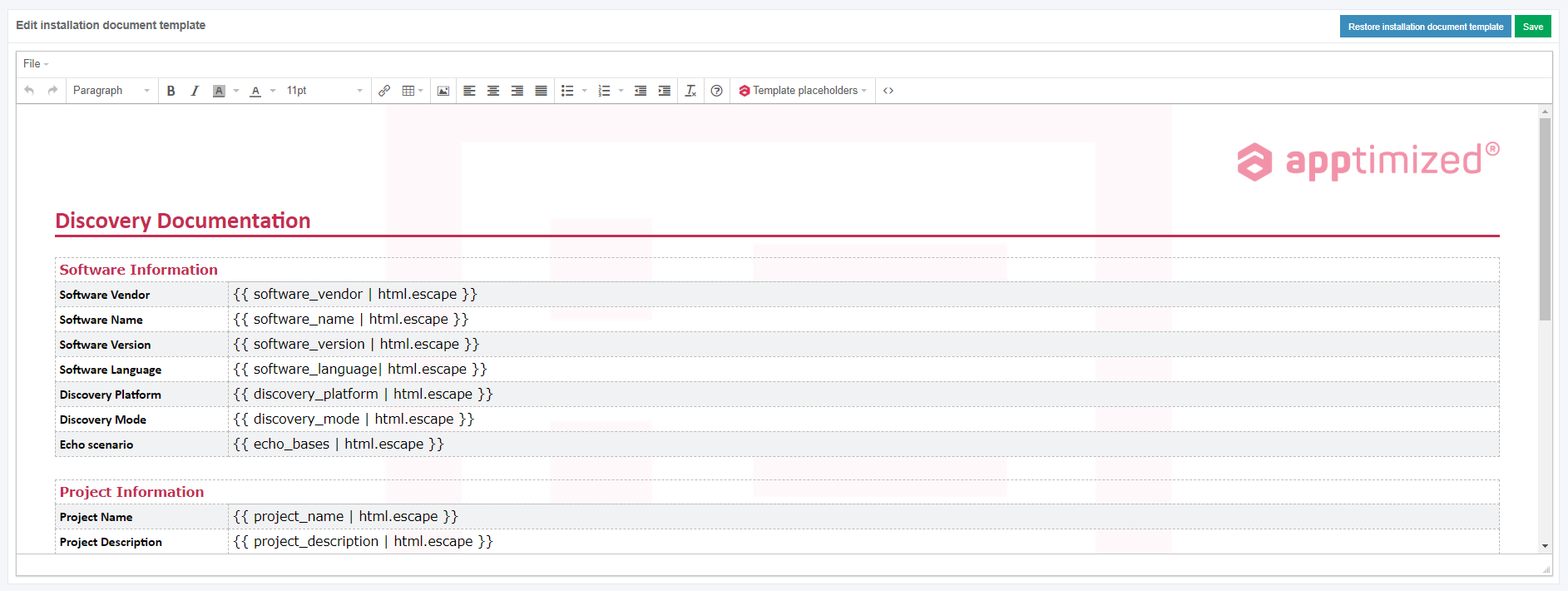
<p class="callout info">**Note.** If the internal error while starting VM occurred, Apptimized shows the following screen:  
[![discovery_error-massage_02.png](https://docs.apptimized.com/uploads/images/gallery/2020-07/scaled-1680-/mfGAyKvousWOgkf1-discovery_error-massage_02.png)](https://docs.apptimized.com/uploads/images/gallery/2020-07/mfGAyKvousWOgkf1-discovery_error-massage_02.png)  
The following actions are recommended for consideration by a user:  
1. Contact the Apptimized support  
2. **Go to image page** button &gt; **Select discovery – self-service platform** field &gt; **Start VM** button  
[![discovery_error-massage_01.png](https://docs.apptimized.com/uploads/images/gallery/2020-07/scaled-1680-/eCL8pyeSSe5jkcw7-discovery_error-massage_01.png)](https://docs.apptimized.com/uploads/images/gallery/2020-07/eCL8pyeSSe5jkcw7-discovery_error-massage_01.png)</p>

The uploaded files locate in the **Apptimized files** folder on the VM desktop.

To start the installation process, a user opens the **.EXE** file located in the **Source** folder.

[![discovery_08_02.png](https://docs.apptimized.com/uploads/images/gallery/2021-06/scaled-1680-/RZgpEpvsqvKyhNNX-discovery_08_02.png)](https://docs.apptimized.com/uploads/images/gallery/2021-06/RZgpEpvsqvKyhNNX-discovery_08_02.png)

Every action is captured as a screenshot which is shown in green boxes appearing on the right-hand side:

[![discovery_09_02-(2).png](https://docs.apptimized.com/uploads/images/gallery/2021-06/scaled-1680-/gnvqJZaswYsQjSKd-discovery_09_02-(2).png)](https://docs.apptimized.com/uploads/images/gallery/2021-06/gnvqJZaswYsQjSKd-discovery_09_02-(2).png)

When application installation is completed, a user can provide further configurations (only the **Edit** and **Settings** categories).

The option to copy files to **Temp storage** is available under **Explorer context menu** &gt; **Copy To Temp**:

[![discovery_x_temp.png](https://docs.apptimized.com/uploads/images/gallery/2021-09/scaled-1680-/4rQFL20TVySxJ7hi-discovery_x_temp.png)](https://docs.apptimized.com/uploads/images/gallery/2021-09/4rQFL20TVySxJ7hi-discovery_x_temp.png)

The options to finish the VM session is available under the **Finish** button.

[![discovery_10.png](https://docs.apptimized.com/uploads/images/gallery/2020-04/scaled-1680-/zN0pb9KcXmEYBjOM-discovery_10.png)](https://docs.apptimized.com/uploads/images/gallery/2020-04/zN0pb9KcXmEYBjOM-discovery_10.png)

The following interface will appear when recording session with Apptimized VM finishes:

[![discovery_11.png](https://docs.apptimized.com/uploads/images/gallery/2020-04/scaled-1680-/VyEmdrcPwoadnywo-discovery_11.png)](https://docs.apptimized.com/uploads/images/gallery/2020-04/VyEmdrcPwoadnywo-discovery_11.png)

The option to restart the VM discovery session is available under the **Restart** button. To confirm the restarting the VM Apptimized shows the following modal window:

[![discovery_12.png](https://docs.apptimized.com/uploads/images/gallery/2020-04/scaled-1680-/1OYovMcZKX8ySaDX-discovery_12.png)](https://docs.apptimized.com/uploads/images/gallery/2020-04/1OYovMcZKX8ySaDX-discovery_12.png)

#### **VM control menu**

The VM control menu panel is available in the upper right corner of the VM interface.

[![discovery_14_3-(1).png](https://docs.apptimized.com/uploads/images/gallery/2021-06/scaled-1680-/JoMtbGQZtNLEAKbT-discovery_14_3-(1).png)](https://docs.apptimized.com/uploads/images/gallery/2021-06/JoMtbGQZtNLEAKbT-discovery_14_3-(1).png)

Next, each settings category is shown in more detail.

[![discovery_14_4.png](https://docs.apptimized.com/uploads/images/gallery/2021-06/scaled-1680-/nNEZNAPUcfm13h9N-Group-4-(2).png)](https://docs.apptimized.com/uploads/images/gallery/2021-06/nNEZNAPUcfm13h9N-Group-4-(2).png)

Table 1. VM control menu

<table border="1" id="bkmrk-%C2%A0-control-menu-categ" style="width: 800px; height: 5011px;" width="800"><tbody><tr style="height: 57px;"><td style="width: 47px; height: 57px;"></td><td style="width: 124px; height: 57px;">**Control menu category**

</td><td style="width: 628px; height: 57px;">**Details**

</td></tr><tr style="height: 79px;"><td style="width: 47px; height: 79px;">1

</td><td style="width: 124px; height: 79px;">Screenshots

</td><td style="width: 628px; height: 79px;">This setting indicates the screenshot mode.

**On** and **Off** options available.

The default value is **On**.

</td></tr><tr style="height: 1683px;"><td style="width: 47px; height: 1683px;">2

</td><td style="width: 124px; height: 1683px;">Add prerequisites/Edit prerequisites

</td><td style="width: 628px; height: 1683px;">This setting enables a user to add prerequisite applications.

**Portfolio** tab is available by default. **Update Monitoring** &amp; **Catalogue** tabs become available if there are delivered packages on them.

[![discovery_15_3.png](https://docs.apptimized.com/uploads/images/gallery/2021-06/scaled-1680-/gKl7jlo4mZEY9n7Y-discovery_15_3.png)](https://docs.apptimized.com/uploads/images/gallery/2021-06/gKl7jlo4mZEY9n7Y-discovery_15_3.png)

**Portfolio** tab

The option to select application is available under **Select applications** field.

[![discovery_15_4-(1).png](https://docs.apptimized.com/uploads/images/gallery/2021-06/scaled-1680-/aVX1wrTkkFHsI6Uu-discovery_15_4-(1).png)](https://docs.apptimized.com/uploads/images/gallery/2021-06/aVX1wrTkkFHsI6Uu-discovery_15_4-(1).png)

The option to select media type for applications is available after the application was selected.

The following media types available:

- Package
- Source

[![discovery_x_1.png](https://docs.apptimized.com/uploads/images/gallery/2021-06/scaled-1680-/9rTFu3uO8jQBfLgz-discovery_x_1.png)](https://docs.apptimized.com/uploads/images/gallery/2021-06/9rTFu3uO8jQBfLgz-discovery_x_1.png)

<p class="callout info">**Note**. One media type is automatically selected if others are missing.</p>

<p class="callout info">[![discovery_x_2.png](https://docs.apptimized.com/uploads/images/gallery/2021-06/scaled-1680-/RRzaEg7knQYdW6AG-image-73.png)](https://docs.apptimized.com/uploads/images/gallery/2021-06/RRzaEg7knQYdW6AG-image-73.png)</p>

The option to use Source media type is available under **Use Source** &gt; **Select Media** &gt; select source file.

[![discovery_x_2-(1).png](https://docs.apptimized.com/uploads/images/gallery/2021-06/scaled-1680-/09nzmMPTTY0PjnNz-discovery_x_2-(1).png)](https://docs.apptimized.com/uploads/images/gallery/2021-06/09nzmMPTTY0PjnNz-discovery_x_2-(1).png)

<span class="TextRun SCXW38531778 BCX8" data-contrast="none" lang="EN-US" xml:lang="EN-US"><span class="NormalTextRun SCXW38531778 BCX8">The option</span><span class="NormalTextRun SCXW38531778 BCX8"> to use Package media type is available under </span></span><span class="TextRun SCXW38531778 BCX8" data-contrast="none" lang="EN-US" xml:lang="EN-US"><span class="NormalTextRun SCXW38531778 BCX8">**Use Package** &gt; **Select Media** &gt; </span></span><span class="TextRun SCXW38531778 BCX8" data-contrast="none" lang="EN-US" xml:lang="EN-US"><span class="NormalTextRun SCXW38531778 BCX8">select package file.</span></span><span class="EOP SCXW38531778 BCX8" data-ccp-props="{"201341983":0,"335559740":259}"> </span>

<span class="EOP SCXW38531778 BCX8" data-ccp-props="{"201341983":0,"335559740":259}">[![discovery_x_3-(1).png](https://docs.apptimized.com/uploads/images/gallery/2021-06/scaled-1680-/UTvHlXMeOp8T6RGS-discovery_x_3-(1).png)](https://docs.apptimized.com/uploads/images/gallery/2021-06/UTvHlXMeOp8T6RGS-discovery_x_3-(1).png)</span>

**<span data-contrast="none">Update Monitoring</span>**<span data-ccp-props="{"201341983":0,"335559740":259}"> </span>

<span data-ccp-props="{"201341983":0,"335559740":259}"> </span>

<span data-contrast="none">Update Monitoring tab allows to add prerequisites as applications from </span>**<span data-contrast="none">Update Monitoring </span>**<span data-contrast="none">delivered packages.</span><span data-ccp-props="{"201341983":0,"335559740":259}"> </span>

<span data-ccp-props="{"201341983":0,"335559740":259}"> </span>

<span data-contrast="none">The option to Select application from Update Monitoring is available under </span>**<span data-contrast="none">Select applications: </span>**<span data-contrast="none">field &gt; </span>**<span data-contrast="none">Select Version for application</span>**<span data-contrast="none">.</span><span data-ccp-props="{"201341983":0,"335559740":259}"> </span>

[![discovery_X_4-(1).png](https://docs.apptimized.com/uploads/images/gallery/2021-06/scaled-1680-/dDiIZZi1WXOAJvwx-discovery_X_4-(1).png)](https://docs.apptimized.com/uploads/images/gallery/2021-06/dDiIZZi1WXOAJvwx-discovery_X_4-(1).png)

**<span data-contrast="none">Catalogue</span>**<span data-ccp-props="{"201341983":0,"335559740":259}"> </span>

<span data-ccp-props="{"201341983":0,"335559740":259}"> </span>

**<span data-contrast="none">Catalogue </span>**<span data-contrast="none">tab allows to add prerequisites as applications from </span>**<span data-contrast="none">Catalogue </span>**<span data-contrast="none">delivered packages.</span><span data-ccp-props="{"201341983":0,"335559740":259}"> </span>

<span data-ccp-props="{"201341983":0,"335559740":259}"> </span>

<span data-contrast="none">The option to select applications from the </span>**<span data-contrast="none">Catalogue </span>**<span data-contrast="none">is available under </span>**<span data-contrast="none">Selec applications: </span>**<span data-contrast="none">field &gt; </span>**<span data-contrast="none">Select Version for application</span>**<span data-contrast="none">.</span><span data-ccp-props="{"201341983":0,"335559740":259}"> </span>

[![discovery_x_5-(1).png](https://docs.apptimized.com/uploads/images/gallery/2021-06/scaled-1680-/BqSiCGZbcUL99MGL-discovery_x_5-(1).png)](https://docs.apptimized.com/uploads/images/gallery/2021-06/BqSiCGZbcUL99MGL-discovery_x_5-(1).png)

<span data-contrast="none">The option to Save Changes is available under </span>**<span data-contrast="none">Save </span>**<span data-contrast="none">button.</span><span data-ccp-props="{"201341983":0,"335559740":259}"> </span>

<span data-ccp-props="{"201341983":0,"335559740":259}"> </span>

<span data-contrast="none">Apptimized shows the following notifications when successful:</span><span data-ccp-props="{"201341983":0,"335559740":259}"> </span>

[![image-1624347161356.png](https://docs.apptimized.com/uploads/images/gallery/2021-06/scaled-1680-/cIBw78yPri9MfFL0-image-1624347161356.png)](https://docs.apptimized.com/uploads/images/gallery/2021-06/cIBw78yPri9MfFL0-image-1624347161356.png)

The option to **Edit prerequisites** becomes available after the prerequisites were added.

<p class="callout info">**Note**. Uploaded prerequisites are shown in the discovery documentation under the Previous application section.  
  
[![discovery_x_8.png](https://docs.apptimized.com/uploads/images/gallery/2021-09/scaled-1680-/aZr9gkKZ88d8Edj2-discovery_x_8.png)](https://docs.apptimized.com/uploads/images/gallery/2021-09/aZr9gkKZ88d8Edj2-discovery_x_8.png)</p>

</td></tr><tr style="height: 2015px;"><td style="width: 47px; height: 2015px;">3

</td><td style="width: 124px; height: 2015px;">RDP

</td><td style="width: 628px; height: 2015px;">This setting enables a user to work on the VM directly via RDP rather than a browser window.

[![discovery_16_2-(1).png](https://docs.apptimized.com/uploads/images/gallery/2021-06/scaled-1680-/q6mRszlhBxoS6Ug7-discovery_16_2-(1).png)](https://docs.apptimized.com/uploads/images/gallery/2021-06/q6mRszlhBxoS6Ug7-discovery_16_2-(1).png)

The option to download a file is available under the **Download RDP** file.

The **RDP file** is available in the **Downloads** folder in user’s PC.

[![discovery_16_10.png](https://docs.apptimized.com/uploads/images/gallery/2020-04/scaled-1680-/rj7D1Na0q3zipAnR-discovery_16_10.png)](https://docs.apptimized.com/uploads/images/gallery/2020-04/rj7D1Na0q3zipAnR-discovery_16_10.png)

When the remote connection is set, copy the RDP password paste to the modal window. The remote desktop connection window appears when successful:

[![discovery_16_11.png](https://docs.apptimized.com/uploads/images/gallery/2021-06/scaled-1680-/hXxgRaHm2vEiUvI8-discovery_16_11.png)](https://docs.apptimized.com/uploads/images/gallery/2021-06/hXxgRaHm2vEiUvI8-discovery_16_11.png)

</td></tr><tr style="height: 377px;"><td style="width: 47px; height: 377px;">4

</td><td style="width: 124px; height: 377px;">VM Snapshots

</td><td style="width: 628px; height: 377px;">The setting enables to create a snapshot of the VM to save its current state or to revert to a state saved earlier.

This is applicable when the application has prerequisites that need to be present before a certain action (i.e., Discovery, Packaging, or Testing) can be started.

[![discovery_17_2-(2).png](https://docs.apptimized.com/uploads/images/gallery/2021-06/scaled-1680-/q1earvQUGQF2qJeK-discovery_17_2-(2).png)](https://docs.apptimized.com/uploads/images/gallery/2021-06/q1earvQUGQF2qJeK-discovery_17_2-(2).png)

The snapshot option is available under the **VM snapshot** button &gt; **Snapshot name** field &gt; **Take** button.

</td></tr><tr style="height: 318px;"><td style="width: 47px; height: 318px;">5

</td><td style="width: 124px; height: 318px;">Clipboard

</td><td style="width: 628px; height: 318px;">This setting enables a user to put text from the user’s system to the VM clipboard. Transferring clipboard content between the host machine and the VM is performed via "Cut &amp; Paste" in most user scenarios. If the user experiences any issues with "Cut &amp; Paste", the Clipboard button can be used to put the text to the VM's clipboard.

[![discovery_18_2-(1).png](https://docs.apptimized.com/uploads/images/gallery/2021-06/scaled-1680-/FirV4VtGIrouVpAf-discovery_18_2-(1).png)](https://docs.apptimized.com/uploads/images/gallery/2021-06/FirV4VtGIrouVpAf-discovery_18_2-(1).png)

</td></tr><tr style="height: 35px;"><td style="width: 47px; height: 35px;">6

</td><td style="width: 124px; height: 35px;">Ctrl + Alt + Del

</td><td style="width: 628px; height: 35px;">This setting enables to open security options menu at the VM.

</td></tr><tr style="height: 35px;"><td style="width: 47px; height: 35px;">7

</td><td style="width: 124px; height: 35px;">Fullscreen

</td><td style="width: 628px; height: 35px;">This setting enables to put a browser in a full-screen mode.

</td></tr><tr style="height: 377px;"><td style="width: 47px; height: 377px;">8

</td><td style="width: 124px; height: 377px;">Restart

</td><td style="width: 628px; height: 377px;">This setting enables a user to redo the discovery session on a restarted VM.

The following restart options available:

- OS (Operating system restart. Equal to Power &gt; Restart);
- VM (Equal to the Reset button on the real PC);
- Session (Restart current session. All unsaved progress will be lost).

[![discovery_19.png](https://docs.apptimized.com/uploads/images/gallery/2020-04/scaled-1680-/izI3ki86lz1WjB3S-discovery_19.png)](https://docs.apptimized.com/uploads/images/gallery/2020-04/izI3ki86lz1WjB3S-discovery_19.png)

When the restart option is chosen, the confirmation model window appears.

</td></tr><tr style="height: 35px;"><td style="width: 47px; height: 35px;">9

</td><td style="width: 124px; height: 35px;">Finish

</td><td style="width: 628px; height: 35px;">This setting finishes the VM when the discovery session is completed.

</td></tr></tbody></table>

#### **Discovery – Self Service screenshots**

The option to edit the screenshots is available under the **Continue with Discovery – Self Service screenshots** button.

[![discovery_21.png](https://docs.apptimized.com/uploads/images/gallery/2020-04/scaled-1680-/yE3ulZAsp5WDbvtg-discovery_21.png)](https://docs.apptimized.com/uploads/images/gallery/2020-04/yE3ulZAsp5WDbvtg-discovery_21.png)

Apptimized shows the following screen when successful:

[![discovery_22.png](https://docs.apptimized.com/uploads/images/gallery/2020-04/scaled-1680-/W2AdBfiNNgQXqn00-discovery_22.png)](https://docs.apptimized.com/uploads/images/gallery/2020-04/W2AdBfiNNgQXqn00-discovery_22.png)

Screenshots can be excluded from discovery by clicking the **Delete** button.

[![discovery_23.png](https://docs.apptimized.com/uploads/images/gallery/2020-04/scaled-1680-/tPzb790OWq4lht7y-discovery_23.png)](https://docs.apptimized.com/uploads/images/gallery/2020-04/tPzb790OWq4lht7y-discovery_23.png)

Screenshots can be excluded from discovery in a multiple mode by unticking checkboxes in front of their ID and clicking the **Delete selected screenshots** button.

[![discovery_24.png](https://docs.apptimized.com/uploads/images/gallery/2020-04/scaled-1680-/EDYPHC4KSGqXdpT3-discovery_24.png)](https://docs.apptimized.com/uploads/images/gallery/2020-04/EDYPHC4KSGqXdpT3-discovery_24.png)

Apptimized shows the following modal window:

[![discovery_25.png](https://docs.apptimized.com/uploads/images/gallery/2020-04/scaled-1680-/GdJBDJcbruNyIEPf-discovery_25.png)](https://docs.apptimized.com/uploads/images/gallery/2020-04/GdJBDJcbruNyIEPf-discovery_25.png)
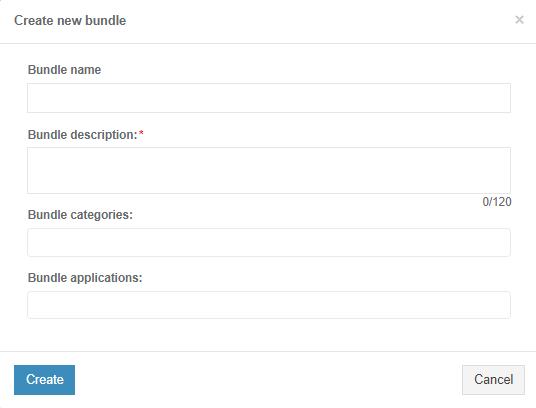
When clicking on the Confirm button, Apptimized shows the notification:

[![discovery_26.png](https://docs.apptimized.com/uploads/images/gallery/2020-04/scaled-1680-/zhIzrOrdqlU63Iyo-discovery_26.png)](https://docs.apptimized.com/uploads/images/gallery/2020-04/zhIzrOrdqlU63Iyo-discovery_26.png)

Screenshots sequence can be changed in discovery by clicking the **Up** or **Down** buttons.

[![discovery_27.png](https://docs.apptimized.com/uploads/images/gallery/2020-04/scaled-1680-/FaVLjr9dJtrWrVMT-discovery_27.png)](https://docs.apptimized.com/uploads/images/gallery/2020-04/FaVLjr9dJtrWrVMT-discovery_27.png)

[![discovery_28.png](https://docs.apptimized.com/uploads/images/gallery/2020-04/scaled-1680-/TTu68BadqVcV891E-discovery_28.png)](https://docs.apptimized.com/uploads/images/gallery/2020-04/TTu68BadqVcV891E-discovery_28.png)

Comments to the screenshots can be edited by clicking on the comment cell.

[![discovery_29.png](https://docs.apptimized.com/uploads/images/gallery/2020-04/scaled-1680-/YgGdEc3jxU0NaI7y-discovery_29.png)](https://docs.apptimized.com/uploads/images/gallery/2020-04/YgGdEc3jxU0NaI7y-discovery_29.png)

The **Additional comment (Optional)** field can stay blank.

[![discovery_30.png](https://docs.apptimized.com/uploads/images/gallery/2020-04/scaled-1680-/1NZl40AlSlC6b9Oh-discovery_30.png)](https://docs.apptimized.com/uploads/images/gallery/2020-04/1NZl40AlSlC6b9Oh-discovery_30.png)

If any problems accur, the option to contact support is available under the **Did you run into problems?** button.

[![discovery_33.png](https://docs.apptimized.com/uploads/images/gallery/2020-04/scaled-1680-/kIx3BKyRTuhSe2Nw-discovery_33.png)](https://docs.apptimized.com/uploads/images/gallery/2020-04/kIx3BKyRTuhSe2Nw-discovery_33.png)

Apptimized shows the following modal window:

[![discovery_34.png](https://docs.apptimized.com/uploads/images/gallery/2020-04/scaled-1680-/WEhFlFMlikZdK5Jy-discovery_34.png)](https://docs.apptimized.com/uploads/images/gallery/2020-04/WEhFlFMlikZdK5Jy-discovery_34.png)

When the **Contact support** option is chosen, the live chat with the support team appears:

[![discovery_35.png](https://docs.apptimized.com/uploads/images/gallery/2020-04/scaled-1680-/IHnCwzkAxA0OBA8l-discovery_35.png)](https://docs.apptimized.com/uploads/images/gallery/2020-04/IHnCwzkAxA0OBA8l-discovery_35.png)

When the **Log problem** option is chosen, the modal window appears:

[![discovery_36.png](https://docs.apptimized.com/uploads/images/gallery/2020-04/scaled-1680-/qgfl2j4JytUT9oPP-discovery_36.png)](https://docs.apptimized.com/uploads/images/gallery/2020-04/qgfl2j4JytUT9oPP-discovery_36.png)

The problem category can be chosen by ticking checkboxes in front of their names.

Screenshots editing mode finalizes when clicking the **Save changes** button.

Apptimized shows the following interface when successful:

[![discovery_31.png](https://docs.apptimized.com/uploads/images/gallery/2020-04/scaled-1680-/cgDNXYXsq334rTGC-discovery_31.png)](https://docs.apptimized.com/uploads/images/gallery/2020-04/cgDNXYXsq334rTGC-discovery_31.png)

The generated document is available in **PDF** and **HTML** formats. To download a document, click the **Download generated HTML** **document** or **Download generated PDF document** buttons.

A generated HTML document first page sample is available:

[![discovery_x_6.png](https://docs.apptimized.com/uploads/images/gallery/2021-09/scaled-1680-/xGKwHGv4C4IlPhvV-discovery_x_6-(1).png)](https://docs.apptimized.com/uploads/images/gallery/2021-09/xGKwHGv4C4IlPhvV-discovery_x_6-(1).png)

The option to edit a discovery document is available under the **Edit generated document** button. The document editing finalizes by clicking the **Save** button.

[![discovery_32.png](https://docs.apptimized.com/uploads/images/gallery/2020-04/scaled-1680-/ujlH74YeobULIMm0-discovery_32.png)](https://docs.apptimized.com/uploads/images/gallery/2020-04/ujlH74YeobULIMm0-discovery_32.png)

The option to return to the discovery self-service screen mode is available under the **Revert to Discovery – Self Service Self Service** button.

The option to finish the discovery process is available under the **Finish** button.

Apptimized shows the following screen:

[![discovery_37.png](https://docs.apptimized.com/uploads/images/gallery/2020-04/scaled-1680-/drqECOAfgahhVNZQ-discovery_37.png)](https://docs.apptimized.com/uploads/images/gallery/2020-04/drqECOAfgahhVNZQ-discovery_37.png)

### **Discovery — Factory Service process**

Discovery - Factory Service characteristics:

- Apptimized installs, configures, and tests an application for a user.
- Apptimized documents the configuration for a user.
- Apptimized contacts a user if any details are needed.

The Discovery - Factory Service option is available under the **Discovery - Factory Service** module in the **Transition screen**.

[![discovery_38.png](https://docs.apptimized.com/uploads/images/gallery/2020-04/scaled-1680-/1q3yoBgJtT4Cwwv6-discovery_38.png)](https://docs.apptimized.com/uploads/images/gallery/2020-04/1q3yoBgJtT4Cwwv6-discovery_38.png)

Apptimized shows the following screen when successful:

[![discovery_39_2.png](https://docs.apptimized.com/uploads/images/gallery/2021-08/scaled-1680-/3t1bYORhoQ9WFPwp-discovery_39_2.png)](https://docs.apptimized.com/uploads/images/gallery/2021-08/3t1bYORhoQ9WFPwp-discovery_39_2.png)

All required fields are marked with an asterisk <span style="color: #ff0000;">\*</span>.

The option to provide a comment is available under the **Reference** field.

The option to choose the discovery platform is available under the **Discovery platform** field.

[![discovery_40.png](https://docs.apptimized.com/uploads/images/gallery/2020-04/scaled-1680-/sxMZ7Z3c59VLKXtf-discovery_40.png)](https://docs.apptimized.com/uploads/images/gallery/2020-04/sxMZ7Z3c59VLKXtf-discovery_40.png)

Two priority options are available: **Normal** and **Urgent**. The default value is **Normal**.

<span class="TrackChangeTextInsertion TrackedChange SCXW184448488 BCX7"><span class="TextRun SCXW184448488 BCX7" data-contrast="auto" lang="EN-US" xml:lang="EN-US"><span class="NormalTextRun SCXW184448488 BCX7" data-wac-het="1">The option to submit </span></span></span><span class="TrackChangeTextInsertion TrackedChange SCXW184448488 BCX7"><span class="TextRun SCXW184448488 BCX7" data-contrast="auto" lang="EN-US" xml:lang="EN-US"><span class="NormalTextRun SCXW184448488 BCX7" data-wac-het="1">the discovery request is available </span></span></span><span class="TextRun SCXW184448488 BCX7" data-contrast="auto" lang="EN-US" xml:lang="EN-US"><span class="NormalTextRun SCXW184448488 BCX7" data-wac-het="1">the </span></span>**<span class="TrackedChange SCXW184448488 BCX7"><span class="TextRun SCXW184448488 BCX7" data-contrast="auto" lang="EN-US" xml:lang="EN-US"><span class="NormalTextRun SCXW184448488 BCX7" data-wac-het="1">Submit request</span></span></span>**<span class="TextRun SCXW184448488 BCX7" data-contrast="auto" lang="EN-US" xml:lang="EN-US"><span class="NormalTextRun SCXW184448488 BCX7" data-wac-het="1"> button.</span></span><span class="EOP SCXW184448488 BCX7" data-ccp-props="{"201341983":0,"335559739":160,"335559740":259}" data-wac-het="1"> </span>

Apptimized shows the following modal window:

[![Make Urgent Button.png](https://docs.apptimized.com/uploads/images/gallery/2026-02/scaled-1680-/make-urgent-button.png)](https://docs.apptimized.com/uploads/images/gallery/2026-02/make-urgent-button.png)

The option to change the Normal priority to Urgent before approving the request is available under the **Make urgent** button.

The option to create the request is available under the **OK** button.

Apptimized shows the following screen when successful:

[![discovery_42-(1).png](https://docs.apptimized.com/uploads/images/gallery/2021-06/scaled-1680-/v0RdJ4FpGxuMtI3q-discovery_42-(1).png)](https://docs.apptimized.com/uploads/images/gallery/2021-06/v0RdJ4FpGxuMtI3q-discovery_42-(1).png)

This is an initial screen, and all blocks except the **Status** block are empty.

This screen provides information on the Apptimized **Discovery – Factory Service** request (i.e., request progress and status). Additional information that might be needed during the discovery process will be exchanged here.

After the request is created, the current priority is displayed on the Factory Service page. Clicking the **Priority** field opens a modal window allowing the priority to be increased to **Urgent**.

[![Priority.png](https://docs.apptimized.com/uploads/images/gallery/2026-02/scaled-1680-/priority.png)](https://docs.apptimized.com/uploads/images/gallery/2026-02/priority.png)

Next, each Discovery – Factory Service block is shown in more detail.

##### **Status block**

The Status block shows discovery progress. The following request statuses appear depending on the **Discovery – Factory Service** progress:

Table 2. Discovery request statuses

<table border="1" id="bkmrk-request-status-descr" style="width: 800px;"><tbody><tr><td width="138">**Request status**

</td><td width="480">**Description**

</td></tr><tr><td width="138">Incoming check

</td><td width="480">The request has not been processed by the Apptimized team yet. The request is in the queue.

</td></tr><tr><td width="138">In progress

</td><td width="480">The request was processed by the Apptimized team. The request is in progress.

</td></tr><tr><td width="138">Action required

</td><td width="480">The Apptimized team asked the user a question. The user answer is needed.

</td></tr><tr><td width="138">Delivered

</td><td width="480">Discovery results are available to the user.

Discovery results can be provided in **PDF** and **HTML** formats.

</td></tr><tr><td width="138">Error analysis

</td><td width="480">The user rejected the Discovery results. Apptimized team fixes bugs in the Discovery document.

</td></tr><tr><td width="138">Approved

</td><td width="480">The user has confirmed the Discovery results.

</td></tr><tr><td width="138">Canceled

</td><td width="480">The user canceled the Discovery request at the processing stage.

</td></tr></tbody></table>

The option to cancel the request is available under the **Cancel Request** button.

[![discovery_51_1.png](https://docs.apptimized.com/uploads/images/gallery/2020-04/scaled-1680-/BxIq4p8YSSAFA02z-discovery_51_1.png)](https://docs.apptimized.com/uploads/images/gallery/2020-04/BxIq4p8YSSAFA02z-discovery_51_1.png)

[![discovery_52_1.png](https://docs.apptimized.com/uploads/images/gallery/2020-04/scaled-1680-/ruNR2x5xw6hCdJgG-discovery_52_1.png)](https://docs.apptimized.com/uploads/images/gallery/2020-04/ruNR2x5xw6hCdJgG-discovery_52_1.png)

Apptimized shows the following modal window to confirm the request cancellation:

[![discovery_46.png](https://docs.apptimized.com/uploads/images/gallery/2020-04/scaled-1680-/zolUB4xlNbAe1BNS-discovery_46.png)](https://docs.apptimized.com/uploads/images/gallery/2020-04/zolUB4xlNbAe1BNS-discovery_46.png)

Apptimized shows the following modal window when successful:

[![discovery_45-(1).png](https://docs.apptimized.com/uploads/images/gallery/2021-06/scaled-1680-/Zn8Wlz1YDlzBjRSS-discovery_45-(1).png)](https://docs.apptimized.com/uploads/images/gallery/2021-06/Zn8Wlz1YDlzBjRSS-discovery_45-(1).png)

A user can cancel the discovery request until the **Delivered** status is achieved, and the discovery deliverables are available.

[![discovery_53_2-(1).png](https://docs.apptimized.com/uploads/images/gallery/2021-06/scaled-1680-/kAJKbZciCWAfYQ7N-discovery_53_2-(1).png)](https://docs.apptimized.com/uploads/images/gallery/2021-06/kAJKbZciCWAfYQ7N-discovery_53_2-(1).png)

<span class="TextRun SCXW83040976 BCX8" data-contrast="auto" lang="EN-GB" xml:lang="EN-GB"><span class="NormalTextRun SCXW83040976 BCX8">If a user is not satisfied with the discovery results, they can be rejected under the </span></span><span class="TextRun SCXW83040976 BCX8" data-contrast="auto" lang="EN-GB" xml:lang="EN-GB"><span class="NormalTextRun SCXW83040976 BCX8">**Factory activity** </span></span><span class="TextRun SCXW83040976 BCX8" data-contrast="auto" lang="EN-GB" xml:lang="EN-GB"><span class="NormalTextRun SCXW83040976 BCX8">block.</span></span><span class="EOP SCXW83040976 BCX8" data-ccp-props="{"201341983":0,"335559739":160,"335559740":259}"> </span>

When a user is satisfied with the discovery results, they must be approved in the **Status** block. The option to approve the request is available under the **Approve Request** button. The **Approve Request** button becomes active when the **Delivered** status is achieved, and the discovery deliverables are available.

Apptimized shows the following modal window to confirm the request approval:

[![discovery_55.png](https://docs.apptimized.com/uploads/images/gallery/2020-04/scaled-1680-/Yec9BE3AqhbUPUcn-discovery_55.png)](https://docs.apptimized.com/uploads/images/gallery/2020-04/Yec9BE3AqhbUPUcn-discovery_55.png)

Apptimized shows the following screen window when successful:

[![discovery_56-(2).png](https://docs.apptimized.com/uploads/images/gallery/2021-06/scaled-1680-/1pRwshkSDX6SStBM-discovery_56-(2).png)](https://docs.apptimized.com/uploads/images/gallery/2021-06/1pRwshkSDX6SStBM-discovery_56-(2).png)

<p class="callout info">**Note.** When a user approves the request, the option can`t be canceled.</p>

##### **Deliverables block**

This block provides the discovery results to a user. Discovery results can be provided in PDF and HTML formats.

The option to download the discovery results is available under the **Download** button.

[![discovery_54-(1).png](https://docs.apptimized.com/uploads/images/gallery/2021-06/scaled-1680-/fCmMOzkPF7ePOqjo-discovery_54-(1).png)](https://docs.apptimized.com/uploads/images/gallery/2021-06/fCmMOzkPF7ePOqjo-discovery_54-(1).png)

<span class="TextRun SCXW16984173 BCX8" data-contrast="auto" lang="EN-GB" xml:lang="EN-GB"><span class="NormalTextRun SCXW16984173 BCX8">If a user is not satisfied with the discovery results, they can be rejected </span><span class="NormalTextRun SCXW16984173 BCX8">for</span><span class="NormalTextRun SCXW16984173 BCX8"> </span><span class="NormalTextRun SCXW16984173 BCX8">further processing by the </span><span class="NormalTextRun SpellingErrorV2 SCXW16984173 BCX8">Apptimized</span><span class="NormalTextRun SCXW16984173 BCX8"> team. The option to reject the discovery results is available under the </span></span>**<span class="TextRun SCXW16984173 BCX8" data-contrast="auto" lang="EN-GB" xml:lang="EN-GB"><span class="NormalTextRun SCXW16984173 BCX8">Factory request</span></span>**<span class="TextRun SCXW16984173 BCX8" data-contrast="auto" lang="EN-GB" xml:lang="EN-GB"><span class="NormalTextRun SCXW16984173 BCX8"> </span><span class="NormalTextRun SCXW16984173 BCX8">section under the </span></span>**<span class="TextRun SCXW16984173 BCX8" data-contrast="auto" lang="EN-GB" xml:lang="EN-GB"><span class="NormalTextRun SCXW16984173 BCX8">Factory activity </span></span>**<span class="TextRun SCXW16984173 BCX8" data-contrast="auto" lang="EN-GB" xml:lang="EN-GB"><span class="NormalTextRun SCXW16984173 BCX8">block</span><span class="NormalTextRun SCXW16984173 BCX8"> (see </span></span><span class="TextRun SCXW16984173 BCX8" data-contrast="auto" lang="EN-GB" xml:lang="EN-GB"><span class="NormalTextRun SCXW16984173 BCX8">[**Factory activity**](https://docs.apptimized.com/books/apptimized-platform-user-manual/page/discovery#bkmrk-comments-%26-attachmen) block</span></span><span class="TextRun SCXW16984173 BCX8" data-contrast="auto" lang="EN-GB" xml:lang="EN-GB"><span class="NormalTextRun SCXW16984173 BCX8">)</span><span class="NormalTextRun SCXW16984173 BCX8">.</span></span><span class="EOP SCXW16984173 BCX8" data-ccp-props="{"201341983":0,"335559739":160,"335559740":259}"> </span>

##### **Factory activity block**

<span class="TextRun SCXW228760546 BCX8" data-contrast="auto" lang="EN-GB" xml:lang="EN-GB"><span class="NormalTextRun SCXW228760546 BCX8">The option to contact the specialist from </span><span class="NormalTextRun SCXW228760546 BCX8">the </span><span class="NormalTextRun SCXW228760546 BCX8">team is available under the </span></span><span class="TextRun SCXW228760546 BCX8" data-contrast="auto" lang="EN-GB" xml:lang="EN-GB"><span class="NormalTextRun SCXW228760546 BCX8">**Factory activity** block &gt; **Factory request** </span></span><span class="TextRun SCXW228760546 BCX8" data-contrast="auto" lang="EN-GB" xml:lang="EN-GB"><span class="NormalTextRun SCXW228760546 BCX8">&gt; </span></span><span class="TextRun SCXW228760546 BCX8" data-contrast="auto" lang="EN-GB" xml:lang="EN-GB"><span class="NormalTextRun SCXW228760546 BCX8">**Write a message**... </span></span><span class="TextRun SCXW228760546 BCX8" data-contrast="auto" lang="EN-GB" xml:lang="EN-GB"><span class="NormalTextRun SCXW228760546 BCX8">field</span></span><span class="TextRun SCXW228760546 BCX8" data-contrast="auto" lang="EN-GB" xml:lang="EN-GB"><span class="NormalTextRun SCXW228760546 BCX8">.</span></span>

[![discovery_19-(1).png](https://docs.apptimized.com/uploads/images/gallery/2021-06/scaled-1680-/9uM3zWDYFN9427iC-discovery_19-(1).png)](https://docs.apptimized.com/uploads/images/gallery/2021-06/9uM3zWDYFN9427iC-discovery_19-(1).png)

<span class="TextRun SCXW217450636 BCX8" data-contrast="auto" lang="EN-GB" xml:lang="EN-GB"><span class="NormalTextRun SCXW217450636 BCX8">The option to add optional attachments to the comment</span><span class="NormalTextRun SCXW217450636 BCX8">,</span><span class="NormalTextRun SCXW217450636 BCX8"> such as screenshots or additional files (max 10 MB per file)</span><span class="NormalTextRun SCXW217450636 BCX8">,</span><span class="NormalTextRun SCXW217450636 BCX8"> is available under the </span></span><span class="TextRun SCXW217450636 BCX8" data-contrast="auto" lang="EN-GB" xml:lang="EN-GB">**<span class="NormalTextRun SCXW217450636 BCX8">Select </span>**<span class="NormalTextRun ContextualSpellingAndGrammarErrorV2 SCXW217450636 BCX8">**file**.</span></span>

[![discovery_20-(2).png](https://docs.apptimized.com/uploads/images/gallery/2021-06/scaled-1680-/YpioXUsNWIlUqMVd-discovery_20-(2).png)](https://docs.apptimized.com/uploads/images/gallery/2021-06/YpioXUsNWIlUqMVd-discovery_20-(2).png)

<span class="TextRun SCXW9305103 BCX8" data-contrast="auto" lang="EN-GB" xml:lang="EN-GB"><span class="NormalTextRun SCXW9305103 BCX8">The option to send </span><span class="NormalTextRun SCXW9305103 BCX8">a </span><span class="NormalTextRun SCXW9305103 BCX8">message is available under the </span></span><span class="TextRun SCXW9305103 BCX8" data-contrast="auto" lang="EN-GB" xml:lang="EN-GB"><span class="NormalTextRun SCXW9305103 BCX8">**Add** </span></span><span class="TextRun SCXW9305103 BCX8" data-contrast="auto" lang="EN-GB" xml:lang="EN-GB"><span class="NormalTextRun SCXW9305103 BCX8">button.</span></span><span class="EOP SCXW9305103 BCX8" data-ccp-props="{"201341983":0,"335559739":160,"335559740":259}"> </span>

[![discovery_21-(1).png](https://docs.apptimized.com/uploads/images/gallery/2021-06/scaled-1680-/PLn2ZE9n3MlRx3J3-discovery_21-(1).png)](https://docs.apptimized.com/uploads/images/gallery/2021-06/PLn2ZE9n3MlRx3J3-discovery_21-(1).png)

<span class="TextRun SCXW44391992 BCX8" data-contrast="none" lang="EN-GB" xml:lang="EN-GB"><span class="NormalTextRun SCXW44391992 BCX8">The option to provide additional comments or attachments to the Apptimized team is available under the </span></span><span class="TextRun SCXW44391992 BCX8" data-contrast="none" lang="EN-GB" xml:lang="EN-GB"><span class="NormalTextRun SCXW44391992 BCX8">**Factory activity** block</span></span><span class="TextRun SCXW44391992 BCX8" data-contrast="none" lang="EN-GB" xml:lang="EN-GB"><span class="NormalTextRun SCXW44391992 BCX8"> after the Factory request was solved.</span></span>

<span class="EOP SCXW44391992 BCX8" data-ccp-props="{"201341983":0,"335559739":160,"335559740":259}"><span class="TextRun SCXW203545808 BCX8" data-contrast="auto" lang="EN-GB" xml:lang="EN-GB"><span class="NormalTextRun SCXW203545808 BCX8">The option to ask additional questions to the Apptimized team is available under the </span></span><span class="TextRun SCXW203545808 BCX8" data-contrast="auto" lang="EN-GB" xml:lang="EN-GB"><span class="NormalTextRun SCXW203545808 BCX8">**Report a problem** </span></span><span class="TextRun SCXW203545808 BCX8" data-contrast="auto" lang="EN-GB" xml:lang="EN-GB"><span class="NormalTextRun ContextualSpellingAndGrammarErrorV2 SCXW203545808 BCX8">button.</span></span></span>

[![discovery_22-(1).png](https://docs.apptimized.com/uploads/images/gallery/2021-06/scaled-1680-/dCyeofcN0C8DqNmh-discovery_22-(1).png)](https://docs.apptimized.com/uploads/images/gallery/2021-06/dCyeofcN0C8DqNmh-discovery_22-(1).png)

<span class="TextRun SCXW94421903 BCX8" data-contrast="auto" lang="EN-GB" xml:lang="EN-GB"><span class="NormalTextRun SCXW94421903 BCX8">Apptimized provides the following modal window when successful:</span></span>

[![packaging_23-(2).png](https://docs.apptimized.com/uploads/images/gallery/2021-06/scaled-1680-/N2n2ngaEjbmuGYvS-packaging_23-(2).png)](https://docs.apptimized.com/uploads/images/gallery/2021-06/N2n2ngaEjbmuGYvS-packaging_23-(2).png)

<span class="TextRun SCXW106624138 BCX8" data-contrast="auto" lang="EN-GB" xml:lang="EN-GB"><span class="NormalTextRun SCXW106624138 BCX8">The option to write a text message is available under </span><span class="NormalTextRun SCXW106624138 BCX8">the </span></span><span class="TextRun SCXW106624138 BCX8" data-contrast="auto" lang="EN-GB" xml:lang="EN-GB"><span class="NormalTextRun SCXW106624138 BCX8">**Write your problem** </span></span><span class="TextRun SCXW106624138 BCX8" data-contrast="auto" lang="EN-GB" xml:lang="EN-GB"><span class="NormalTextRun ContextualSpellingAndGrammarErrorV2 SCXW106624138 BCX8">field.</span></span>

<span class="TextRun SCXW106624138 BCX8" data-contrast="auto" lang="EN-GB" xml:lang="EN-GB"><span class="NormalTextRun ContextualSpellingAndGrammarErrorV2 SCXW106624138 BCX8">[![packaging_24.png](https://docs.apptimized.com/uploads/images/gallery/2021-06/scaled-1680-/6xoAlvb3jarfH8su-packaging_24.png)](https://docs.apptimized.com/uploads/images/gallery/2021-06/6xoAlvb3jarfH8su-packaging_24.png)</span></span>

<p class="callout info"><span class="TextRun SCXW106624138 BCX8" data-contrast="auto" lang="EN-GB" xml:lang="EN-GB"><span class="NormalTextRun ContextualSpellingAndGrammarErrorV2 SCXW106624138 BCX8">**Note.** This field is mandatory.</span></span></p>

<span class="TextRun SCXW106624138 BCX8" data-contrast="auto" lang="EN-GB" xml:lang="EN-GB"><span class="NormalTextRun ContextualSpellingAndGrammarErrorV2 SCXW106624138 BCX8"><span class="TextRun SCXW211184477 BCX8" data-contrast="auto" lang="EN-GB" xml:lang="EN-GB"><span class="NormalTextRun SCXW211184477 BCX8">The option to attach </span><span class="NormalTextRun SCXW211184477 BCX8">a </span><span class="NormalTextRun SCXW211184477 BCX8">file is available under the </span></span><span class="TextRun SCXW211184477 BCX8" data-contrast="auto" lang="EN-GB" xml:lang="EN-GB"><span class="NormalTextRun SCXW211184477 BCX8">**Select file** </span></span><span class="TextRun SCXW211184477 BCX8" data-contrast="auto" lang="EN-GB" xml:lang="EN-GB"><span class="NormalTextRun ContextualSpellingAndGrammarErrorV2 SCXW211184477 BCX8">field.</span></span></span></span>

<span class="TextRun SCXW106624138 BCX8" data-contrast="auto" lang="EN-GB" xml:lang="EN-GB"><span class="NormalTextRun ContextualSpellingAndGrammarErrorV2 SCXW106624138 BCX8">[![packaging_25.png](https://docs.apptimized.com/uploads/images/gallery/2021-06/scaled-1680-/BohpvVdHQAv8vQD9-packaging_25.png)](https://docs.apptimized.com/uploads/images/gallery/2021-06/BohpvVdHQAv8vQD9-packaging_25.png)</span></span>

<span class="TextRun SCXW106624138 BCX8" data-contrast="auto" lang="EN-GB" xml:lang="EN-GB"><span class="NormalTextRun ContextualSpellingAndGrammarErrorV2 SCXW106624138 BCX8"><span class="TextRun SCXW77351729 BCX8" data-contrast="auto" lang="EN-GB" xml:lang="EN-GB"><span class="NormalTextRun SCXW77351729 BCX8">The option to change the attached file is available under the </span></span><span class="TextRun SCXW77351729 BCX8" data-contrast="auto" lang="EN-GB" xml:lang="EN-GB"><span class="NormalTextRun SCXW77351729 BCX8">**Change** </span></span><span class="TextRun SCXW77351729 BCX8" data-contrast="auto" lang="EN-GB" xml:lang="EN-GB"><span class="NormalTextRun SCXW77351729 BCX8">button.</span></span><span class="EOP SCXW77351729 BCX8" data-ccp-props="{"201341983":0,"335559739":160,"335559740":259}"> </span></span></span>

<span class="TextRun SCXW106624138 BCX8" data-contrast="auto" lang="EN-GB" xml:lang="EN-GB"><span class="NormalTextRun ContextualSpellingAndGrammarErrorV2 SCXW106624138 BCX8">[![packaging_26_3-(1).png](https://docs.apptimized.com/uploads/images/gallery/2021-06/scaled-1680-/O39QjMB2hotX9p2z-packaging_26_3-(1).png)](https://docs.apptimized.com/uploads/images/gallery/2021-06/O39QjMB2hotX9p2z-packaging_26_3-(1).png)</span></span>

<span class="TextRun SCXW106624138 BCX8" data-contrast="auto" lang="EN-GB" xml:lang="EN-GB"><span class="NormalTextRun ContextualSpellingAndGrammarErrorV2 SCXW106624138 BCX8"><span class="TextRun SCXW61857218 BCX8" data-contrast="auto" lang="EN-GB" xml:lang="EN-GB"><span class="NormalTextRun SCXW61857218 BCX8">The option to remove the attached file is available under the </span></span><span class="TextRun SCXW61857218 BCX8" data-contrast="auto" lang="EN-GB" xml:lang="EN-GB"><span class="NormalTextRun SCXW61857218 BCX8">**Remove** </span></span><span class="TextRun SCXW61857218 BCX8" data-contrast="auto" lang="EN-GB" xml:lang="EN-GB"><span class="NormalTextRun SCXW61857218 BCX8">button.</span></span></span></span>

<span class="TextRun SCXW106624138 BCX8" data-contrast="auto" lang="EN-GB" xml:lang="EN-GB"><span class="NormalTextRun ContextualSpellingAndGrammarErrorV2 SCXW106624138 BCX8"><span class="TextRun SCXW61857218 BCX8" data-contrast="auto" lang="EN-GB" xml:lang="EN-GB"><span class="NormalTextRun SCXW61857218 BCX8">[![packaging-27-(1).png](https://docs.apptimized.com/uploads/images/gallery/2021-06/scaled-1680-/ITBYIKfheqDvVfxR-packaging-27-(1).png)](https://docs.apptimized.com/uploads/images/gallery/2021-06/ITBYIKfheqDvVfxR-packaging-27-(1).png)</span></span></span></span>

<span class="TextRun SCXW106624138 BCX8" data-contrast="auto" lang="EN-GB" xml:lang="EN-GB"><span class="NormalTextRun ContextualSpellingAndGrammarErrorV2 SCXW106624138 BCX8"><span class="TextRun SCXW61857218 BCX8" data-contrast="auto" lang="EN-GB" xml:lang="EN-GB"><span class="NormalTextRun SCXW61857218 BCX8"><span class="TextRun SCXW201467371 BCX8" data-contrast="auto" lang="EN-GB" xml:lang="EN-GB"><span class="NormalTextRun SCXW201467371 BCX8">The option to send </span><span class="NormalTextRun SCXW201467371 BCX8">a </span><span class="NormalTextRun SCXW201467371 BCX8">message is available under </span></span><span class="TextRun SCXW201467371 BCX8" data-contrast="auto" lang="EN-GB" xml:lang="EN-GB"><span class="NormalTextRun SCXW201467371 BCX8">**Send** </span></span><span class="TextRun SCXW201467371 BCX8" data-contrast="auto" lang="EN-GB" xml:lang="EN-GB"><span class="NormalTextRun SCXW201467371 BCX8">field. </span></span><span class="TextRun SCXW201467371 BCX8" data-contrast="auto" lang="EN-GB" xml:lang="EN-GB"><span class="NormalTextRun SCXW201467371 BCX8">**Cancel** – </span></span><span class="TextRun SCXW201467371 BCX8" data-contrast="auto" lang="EN-GB" xml:lang="EN-GB"><span class="NormalTextRun SCXW201467371 BCX8">reverts to </span></span><span class="TextRun SCXW201467371 BCX8" data-contrast="auto" lang="EN-GB" xml:lang="EN-GB"><span class="NormalTextRun SCXW201467371 BCX8">general Factory process </span></span><span class="TextRun SCXW201467371 BCX8" data-contrast="auto" lang="EN-GB" xml:lang="EN-GB"><span class="NormalTextRun SCXW201467371 BCX8">workflow.</span></span></span></span></span></span>

<span class="TextRun SCXW106624138 BCX8" data-contrast="auto" lang="EN-GB" xml:lang="EN-GB"><span class="NormalTextRun ContextualSpellingAndGrammarErrorV2 SCXW106624138 BCX8"><span class="TextRun SCXW61857218 BCX8" data-contrast="auto" lang="EN-GB" xml:lang="EN-GB"><span class="NormalTextRun SCXW61857218 BCX8"><span class="TextRun SCXW201467371 BCX8" data-contrast="auto" lang="EN-GB" xml:lang="EN-GB"><span class="NormalTextRun SCXW201467371 BCX8">[![packaging_28.png](https://docs.apptimized.com/uploads/images/gallery/2021-06/scaled-1680-/9UTowLyYgK7MB2ZW-packaging_28.png)](https://docs.apptimized.com/uploads/images/gallery/2021-06/9UTowLyYgK7MB2ZW-packaging_28.png)</span></span></span></span></span></span>

<span class="TextRun SCXW106624138 BCX8" data-contrast="auto" lang="EN-GB" xml:lang="EN-GB"><span class="NormalTextRun ContextualSpellingAndGrammarErrorV2 SCXW106624138 BCX8"><span class="TextRun SCXW61857218 BCX8" data-contrast="auto" lang="EN-GB" xml:lang="EN-GB"><span class="NormalTextRun SCXW61857218 BCX8"><span class="TextRun SCXW213087499 BCX8" data-contrast="auto" lang="EN-GB" xml:lang="EN-GB"><span class="NormalTextRun SCXW213087499 BCX8">Apptimized shows the message history interface when successful:</span></span></span></span></span></span>

<span class="TextRun SCXW106624138 BCX8" data-contrast="auto" lang="EN-GB" xml:lang="EN-GB"><span class="NormalTextRun ContextualSpellingAndGrammarErrorV2 SCXW106624138 BCX8"><span class="TextRun SCXW61857218 BCX8" data-contrast="auto" lang="EN-GB" xml:lang="EN-GB"><span class="NormalTextRun SCXW61857218 BCX8"><span class="TextRun SCXW213087499 BCX8" data-contrast="auto" lang="EN-GB" xml:lang="EN-GB"><span class="NormalTextRun SCXW213087499 BCX8">[![discovery_54-(1).png](https://docs.apptimized.com/uploads/images/gallery/2021-06/scaled-1680-/fCmMOzkPF7ePOqjo-discovery_54-(1).png)](https://docs.apptimized.com/uploads/images/gallery/2021-06/fCmMOzkPF7ePOqjo-discovery_54-(1).png)</span></span></span></span></span></span>

<p class="callout info"><span class="TextRun SCXW106624138 BCX8" data-contrast="auto" lang="EN-GB" xml:lang="EN-GB"><span class="NormalTextRun ContextualSpellingAndGrammarErrorV2 SCXW106624138 BCX8"><span class="TextRun SCXW61857218 BCX8" data-contrast="auto" lang="EN-GB" xml:lang="EN-GB"><span class="NormalTextRun SCXW61857218 BCX8"><span class="TextRun SCXW213087499 BCX8" data-contrast="auto" lang="EN-GB" xml:lang="EN-GB"><span class="NormalTextRun SCXW213087499 BCX8">**Note.** <span class="NormalTextRun SCXW212872003 BCX8">The a</span><span class="NormalTextRun SCXW212872003 BCX8">ttached </span><span class="NormalTextRun SCXW212872003 BCX8">files appear above the message history interface.</span></span></span></span></span></span></span></p>

[![discovery_30-(1).png](https://docs.apptimized.com/uploads/images/gallery/2021-06/scaled-1680-/PpQYlcpOFyHOAo6Z-discovery_30-(1).png)](https://docs.apptimized.com/uploads/images/gallery/2021-06/PpQYlcpOFyHOAo6Z-discovery_30-(1).png)

<span class="TextRun SCXW88740037 BCX8" data-contrast="none" lang="EN-GB" xml:lang="EN-GB"><span class="NormalTextRun SCXW88740037 BCX8">If Apptimized needs some additional information, a user will receive notifications and a warning icon in the dashboard:</span></span><span class="EOP SCXW88740037 BCX8" data-ccp-props="{"201341983":0,"335559739":160,"335559740":259}"> </span>

[![discovery_40-(2).png](https://docs.apptimized.com/uploads/images/gallery/2021-06/scaled-1680-/YrFbKwxmH57iw66m-discovery_40-(2).png)](https://docs.apptimized.com/uploads/images/gallery/2021-06/YrFbKwxmH57iw66m-discovery_40-(2).png)

[![discovery_34-(1).png](https://docs.apptimized.com/uploads/images/gallery/2021-06/scaled-1680-/LKFlzJYbCoL0pwpL-discovery_34-(1).png)](https://docs.apptimized.com/uploads/images/gallery/2021-06/LKFlzJYbCoL0pwpL-discovery_34-(1).png)

<span class="TextRun SCXW254872944 BCX8" data-contrast="auto" lang="EN-GB" xml:lang="EN-GB"><span class="NormalTextRun SCXW254872944 BCX8">If there is </span><span class="NormalTextRun SCXW254872944 BCX8">feedback from the user </span><span class="NormalTextRun SCXW254872944 BCX8">regarding</span><span class="NormalTextRun SCXW254872944 BCX8"> </span><span class="NormalTextRun SCXW254872944 BCX8">the Factory Request, the following notification and status in the dashboard appear:</span></span><span class="EOP SCXW254872944 BCX8" data-ccp-props="{"201341983":0,"335559739":160,"335559740":259}"> </span>

<span class="EOP SCXW254872944 BCX8" data-ccp-props="{"201341983":0,"335559739":160,"335559740":259}">[![packaging_36-(1).png](https://docs.apptimized.com/uploads/images/gallery/2021-06/scaled-1680-/wsajrhpC8RCdeXuQ-packaging_36-(1).png)](https://docs.apptimized.com/uploads/images/gallery/2021-06/wsajrhpC8RCdeXuQ-packaging_36-(1).png)</span>

<span class="EOP SCXW254872944 BCX8" data-ccp-props="{"201341983":0,"335559739":160,"335559740":259}">[![discovery_36-(1).png](https://docs.apptimized.com/uploads/images/gallery/2021-06/scaled-1680-/gAY4IknVjTajo4CA-discovery_36-(1).png)](https://docs.apptimized.com/uploads/images/gallery/2021-06/gAY4IknVjTajo4CA-discovery_36-(1).png)</span>

<span class="EOP SCXW254872944 BCX8" data-ccp-props="{"201341983":0,"335559739":160,"335559740":259}"><span class="TextRun SCXW234675944 BCX8" data-contrast="auto" lang="EN-GB" xml:lang="EN-GB"><span class="NormalTextRun SCXW234675944 BCX8">Apptimized provides the following </span><span class="NormalTextRun SCXW234675944 BCX8">notification and </span><span class="NormalTextRun SCXW234675944 BCX8">status</span><span class="NormalTextRun SCXW234675944 BCX8">es</span><span class="NormalTextRun SCXW234675944 BCX8"> in workflow and dashboard</span><span class="NormalTextRun SCXW234675944 BCX8"> after the request was solved:</span></span><span class="EOP SCXW234675944 BCX8" data-ccp-props="{"201341983":0,"335559739":160,"335559740":259}"> </span></span>

[![packaging_36-(1).png](https://docs.apptimized.com/uploads/images/gallery/2021-06/scaled-1680-/wsajrhpC8RCdeXuQ-packaging_36-(1).png)](https://docs.apptimized.com/uploads/images/gallery/2021-06/wsajrhpC8RCdeXuQ-packaging_36-(1).png)

[![discovery_33-(2).png](https://docs.apptimized.com/uploads/images/gallery/2021-06/scaled-1680-/qWlHKpSJMcdp5swM-discovery_33-(2).png)](https://docs.apptimized.com/uploads/images/gallery/2021-06/qWlHKpSJMcdp5swM-discovery_33-(2).png)

[![discovery_37-(2).png](https://docs.apptimized.com/uploads/images/gallery/2021-06/scaled-1680-/GZ5eFNv0AiDqwREG-discovery_37-(2).png)](https://docs.apptimized.com/uploads/images/gallery/2021-06/GZ5eFNv0AiDqwREG-discovery_37-(2).png)

##### **Finish Discovery - Factory Service**

The Finish button becomes active when a request is approved by a user.

[![discovery_62-(4).png](https://docs.apptimized.com/uploads/images/gallery/2021-06/scaled-1680-/xPAWwfKD1DwjQCyP-discovery_62-(4).png)](https://docs.apptimized.com/uploads/images/gallery/2021-06/xPAWwfKD1DwjQCyP-discovery_62-(4).png)

The option to create a new request is available under the **Create new request** button. Apptimized shows the following modal window to confirm the request approval:

[![discovery_49.png](https://docs.apptimized.com/uploads/images/gallery/2020-04/scaled-1680-/SySuYgeb9XrmoHNT-discovery_49.png)](https://docs.apptimized.com/uploads/images/gallery/2020-04/SySuYgeb9XrmoHNT-discovery_49.png)

Apptimized shows the following screen when successful:

[![discovery_61.png](https://docs.apptimized.com/uploads/images/gallery/2020-04/scaled-1680-/YOeDdCjqeZUenEiA-discovery_61.png)](https://docs.apptimized.com/uploads/images/gallery/2020-04/YOeDdCjqeZUenEiA-discovery_61.png)

The option to finish Discovery - Factory Service process is available under the **Finish** button.

[![discovery_59-(1).png](https://docs.apptimized.com/uploads/images/gallery/2021-06/scaled-1680-/6qlXsYryghMyrXDB-discovery_59-(1).png)](https://docs.apptimized.com/uploads/images/gallery/2021-06/6qlXsYryghMyrXDB-discovery_59-(1).png)

Apptimized shows the following screen when successful:

[![discovery_60_2.png](https://docs.apptimized.com/uploads/images/gallery/2021-08/scaled-1680-/MNP04Qq1Iber55Bs-discovery_60_2.png)](https://docs.apptimized.com/uploads/images/gallery/2021-08/MNP04Qq1Iber55Bs-discovery_60_2.png)

# Packaging

The following scenarios to open the transition screen available:

1. **My Dashboard** &gt; **My Applications** &gt; Choose the project &gt; Actions column &gt; **Process** option;
2. **Project menu** &gt; **Dashboards** &gt; **Overview** &gt; **Your assignments** module &gt; Choose the application &gt; Actions column &gt; **Process** option;
3. **Project menu** &gt; **Dashboards** &gt; **Portfolio** &gt; Actions column &gt; **Process** option;
4. **Project menu** &gt; **Import** &gt; **Start import** &gt; **Classic import / Import from CSV file / SCCM Import /Catalogue &amp; UM Import** &gt; Application upload session &gt; **Finish**

Apptimized shows the following screen when successful:

[![packaging_01_1.PNG](https://docs.apptimized.com/uploads/images/gallery/2020-04/scaled-1680-/O9885x7Wsanw7jle-packaging_01_1.PNG)](https://docs.apptimized.com/uploads/images/gallery/2020-04/O9885x7Wsanw7jle-packaging_01_1.PNG)

The packaging process starts by clicking the **Packaging module** on the Transition screen. An imported application into a project is a prerequisite.

[![packaging_01.png](https://docs.apptimized.com/uploads/images/gallery/2020-04/scaled-1680-/Es4iHI9bHJHhIYiw-packaging_01.png)](https://docs.apptimized.com/uploads/images/gallery/2020-04/Es4iHI9bHJHhIYiw-packaging_01.png)

Two packaging scenarios available in Apptimized portal:

- Packaging – Self Service;
- Packaging – Factory Service.

## **Packaging – Self Service**

A user implements a built-in packaging tool on VMs – Apptimized Workspace. A user can easily in a couple of clicks create one or several packages of multiple formats and send them to Apptimized for further testing or deployment.

Packaging – Self Service characteristics:

- A user packages the application using the Apptimized Packaging Tool;
- A user creates and customizes MSI, App-V, MSIX, VSL packages;
- A user customizes an existing package or sequence;
- A user tests and debugs installations.

The **Packaging - Self Service** option is available under the **Packaging - Self Service** module in the **Transition screen**.

[![packaging_01_2.PNG](https://docs.apptimized.com/uploads/images/gallery/2020-04/scaled-1680-/X5wd7An6tKeKKaWo-packaging_01_2.PNG)](https://docs.apptimized.com/uploads/images/gallery/2020-04/X5wd7An6tKeKKaWo-packaging_01_2.PNG)

Apptimized shows the following screen when successful:

[![VM.png](https://docs.apptimized.com/uploads/images/gallery/2026-03/scaled-1680-/vm.png)](https://docs.apptimized.com/uploads/images/gallery/2026-03/vm.png)

### **Packaging tab**

### **Start VM**

The field **Select packaging – self service platform** is filled automatically and can be changed if needed. To change the packaging – self service platform, click the drop-down menu as it is shown in the screenshot below:

[![packaging_31.png](https://docs.apptimized.com/uploads/images/gallery/2020-04/scaled-1680-/yEIA6pQNPDAWwplo-packaging_31.png)](https://docs.apptimized.com/uploads/images/gallery/2020-04/yEIA6pQNPDAWwplo-packaging_31.png)

The option to revert to the transition screen is available under the **Go to Transition screen** button.

The option to use an original Windows desktop image is available via the **support** link on the **Packaging — Self Service** screen.

[![Original Windows desktop image.png](https://docs.apptimized.com/uploads/images/gallery/2026-03/scaled-1680-/original-windows-desktop-image.png)](https://docs.apptimized.com/uploads/images/gallery/2026-03/original-windows-desktop-image.png)

The option to start the packaging – self service process is available under the **Start VM** button.

A user can track the VM loading and deploying. Apptimized shows the following screen:

[![packaging_32.PNG](https://docs.apptimized.com/uploads/images/gallery/2020-10/scaled-1680-/0rEUhGQslGKmqmae-packaging_32.PNG)](https://docs.apptimized.com/uploads/images/gallery/2020-10/0rEUhGQslGKmqmae-packaging_32.PNG)

<p class="callout info">**Note.** There is often a situation when a user has already run 2 VMs in parallel. To continue planned activities within the current workflow step, a user must terminate an irrelevant VM. In this case, Apptimized shows the warning box with a list of VMs which are currently running by the user:  
[![listvm_01.png](https://docs.apptimized.com/uploads/images/gallery/2020-07/scaled-1680-/uh1YFhfTV4ZZGU24-listvm_01.png)](https://docs.apptimized.com/uploads/images/gallery/2020-07/uh1YFhfTV4ZZGU24-listvm_01.png)  
The information is grouped into the following categories in the modal window:   
1. Application  
2. VM started time  
3. Workflow progress  
4. Link  
The option to select a VM for termination is available under the **Go to VM** link. A new tab opens when successful:  
[![03_packaging_02-(1).png](https://docs.apptimized.com/uploads/images/gallery/2021-06/scaled-1680-/hjRSj8A8v5lh9KoR-03_packaging_02-(1).png)](https://docs.apptimized.com/uploads/images/gallery/2021-06/hjRSj8A8v5lh9KoR-03_packaging_02-(1).png)  
When a VM is terminated, a user returns to the screen where he needs to restart a VM (previously a user started a VM but received a modal window with a list of running VMs).</p>

Apptimized shows the following screen when successful:

[![0x_packaging-(1).png](https://docs.apptimized.com/uploads/images/gallery/2021-06/scaled-1680-/kKWtF9BEAIfsyH00-0x_packaging-(1).png)](https://docs.apptimized.com/uploads/images/gallery/2021-06/kKWtF9BEAIfsyH00-0x_packaging-(1).png)

<p class="callout info">**Note.** If the internal error while starting VM occurred, Apptimized shows the following screen:  
[![packaging_error-massage_02.png](https://docs.apptimized.com/uploads/images/gallery/2020-07/scaled-1680-/P9iWGIvewtYN4jgW-packaging_error-massage_02.png)](https://docs.apptimized.com/uploads/images/gallery/2020-07/P9iWGIvewtYN4jgW-packaging_error-massage_02.png)  
The following actions are recommended for consideration by a user:  
1. Contact the Apptimized support  
2. **Go to image page** button &gt; **Select discovery – self-service platform** field &gt; **Start VM** button  
[![packaging_error-massage_01.png](https://docs.apptimized.com/uploads/images/gallery/2020-07/scaled-1680-/CcmVJQZOcQUn3rDO-packaging_error-massage_01.png)](https://docs.apptimized.com/uploads/images/gallery/2020-07/CcmVJQZOcQUn3rDO-packaging_error-massage_01.png)</p>

The option to copy files to **Temp storage** is available under **Explorer context menu** &gt; **Copy To Temp**:

[![discovery_x_temp.png](https://docs.apptimized.com/uploads/images/gallery/2021-09/scaled-1680-/4rQFL20TVySxJ7hi-discovery_x_temp.png)](https://docs.apptimized.com/uploads/images/gallery/2021-09/4rQFL20TVySxJ7hi-discovery_x_temp.png)

The option to restart VM is available under the **Restart** button.

[![packaging_07_3.png](https://docs.apptimized.com/uploads/images/gallery/2020-04/scaled-1680-/ECtSk2CUv4Dakubp-packaging_07_3.png)](https://docs.apptimized.com/uploads/images/gallery/2020-04/ECtSk2CUv4Dakubp-packaging_07_3.png)

Apptimized shows the following modal window to confirm restart the task:

[![packaging_07_4.png](https://docs.apptimized.com/uploads/images/gallery/2020-04/scaled-1680-/Rj1wUkAOYoP8YSsk-packaging_07_4.png)](https://docs.apptimized.com/uploads/images/gallery/2020-04/Rj1wUkAOYoP8YSsk-packaging_07_4.png)

Apptimized shows the following notification when successful:

[![packaging_07_5.png](https://docs.apptimized.com/uploads/images/gallery/2020-04/scaled-1680-/JNW3EdJopZ56DHQd-packaging_07_5.png)](https://docs.apptimized.com/uploads/images/gallery/2020-04/JNW3EdJopZ56DHQd-packaging_07_5.png)
### **Workspace Launcher**

#### **General overview** 

**<span data-contrast="auto">Apptimized Workspace Launcher</span>**<span data-contrast="auto"> is a Windows-based application </span><span data-contrast="auto">that</span><span data-contrast="auto"> provides a user with a packaging toolset within Apptimized cloud environment.</span><span data-ccp-props="{"201341983":0,"335551550":6,"335551620":6,"335559739":160,"335559740":259}"> </span>

<span data-contrast="auto">With the </span>**<span data-contrast="auto">Apptimized Workspace Launcher</span>**<span data-contrast="auto">,</span><span data-contrast="auto"> </span><span data-contrast="auto">the</span>**<span data-contrast="auto"> </span>**<span data-contrast="auto">cloud</span>**<span data-contrast="auto"> </span>**<span data-contrast="auto">environment is prepared according to </span><span data-contrast="auto">a </span><span data-contrast="auto">user’s </span><span data-contrast="auto">preference</span><span data-contrast="auto">s</span><span data-contrast="auto"> so that </span><span data-contrast="auto">any additional </span><span data-contrast="auto">activities</span><span data-contrast="auto"> to start packaging are not needed.</span><span data-ccp-props="{"201341983":0,"335551550":6,"335551620":6,"335559739":160,"335559740":259}"> </span>

<span data-ccp-props="{"201341983":0,"335551550":6,"335551620":6,"335559739":160,"335559740":259}">With the release of the Workspace Launcher, new shared storage implemented that empowers a user with the enhanced upload and editing capabilities:</span>

- <span data-ccp-props="{"201341983":0,"335551550":6,"335551620":6,"335559739":160,"335559740":259}">Editing packages is available both via Apptmized Packaging Engine and favorite third-party tools.</span>
- <span data-ccp-props="{"201341983":0,"335551550":6,"335551620":6,"335559739":160,"335559740":259}">All packages synchronize automatically from the VM to the project once it is located in the **[Packages](https://docs.apptimized.com/books/apptimized-platform-user-manual/page/packaging#bkmrk-upload-results-from-)** folder.</span>

<span data-contrast="auto">Apptimized</span><span data-contrast="auto"> Workspace Launcher enables the user with additional tools, as part of their daily packaging experience. With </span><span data-contrast="auto">Apptimized</span><span data-contrast="auto"> Workspace </span><span data-contrast="auto">(</span><span data-contrast="auto">providing Discovery, Packaging, Testing as Self-Service</span><span data-contrast="auto">)</span><span data-contrast="auto"> by implementing Workspace Launcher, users can add to the functionality already offered to overcome many packaging scenarios.</span><span data-contrast="auto"> </span><span data-contrast="auto">The </span>**<span data-contrast="auto">Apptimized</span><span data-contrast="auto"> Workspace Launcher </span>**<span data-contrast="auto">comes preinstalled on </span><span data-contrast="auto">Apptimized</span><span data-contrast="auto"> VMs and </span><span data-contrast="auto">could be launched by a shortcut on the VM’s desktop.</span><span data-ccp-props="{"201341983":0,"335551550":6,"335551620":6,"335559739":160,"335559740":259}"> </span>

[![launcher_01.png](https://docs.apptimized.com/uploads/images/gallery/2020-12/scaled-1680-/jZn7V0CnEMFZ48nZ-launcher_01.png)](https://docs.apptimized.com/uploads/images/gallery/2020-12/jZn7V0CnEMFZ48nZ-launcher_01.png)

<p class="callout info">**<span data-contrast="auto">Note. </span>**<span data-contrast="auto"> When the VM starts, the application imported within the project and the VM’s shortcut are available. The packaging toolset is no installed. Once the user selects tools to implement for the desired deliverable, the application starts automatically.</span><span data-ccp-props="{"201341983":0,"335551550":6,"335551620":6,"335559739":160,"335559740":259}"> </span></p>

<span data-contrast="auto">The Apptimized Workspace Launcher applications have no impact on an operating system. The operating system always stays clean, so </span><span data-contrast="auto">no</span><span data-contrast="auto"> repackaging conflicts occur</span><span data-contrast="auto">,</span><span data-contrast="auto"> or </span><span data-contrast="auto">system</span><span data-contrast="auto"> noise does not affect </span><span data-contrast="auto">the </span><span data-contrast="auto">user’s packaging session.</span>

<span data-contrast="auto">By default, </span>**<span data-contrast="auto">Apptimized Workspace Launcher</span><span data-contrast="auto"> </span>**<span data-contrast="auto">comes with the following user interface (UI).</span><span data-ccp-props="{"201341983":0,"335551550":6,"335551620":6,"335559739":160,"335559740":259}"> </span>

[![launcher_02.png](https://docs.apptimized.com/uploads/images/gallery/2020-12/scaled-1680-/N0ir5FBF6MbKG1Kj-launcher_02.png)](https://docs.apptimized.com/uploads/images/gallery/2020-12/N0ir5FBF6MbKG1Kj-launcher_02.png)

<span data-ccp-props="{"201341983":0,"335551550":6,"335551620":6,"335559739":160,"335559740":259}"><span class="TextRun SCXW992742 BCX0" data-contrast="auto" lang="EN-US" xml:lang="EN-US"><span class="NormalTextRun SCXW992742 BCX0">The </span></span>**<span class="TextRun SCXW992742 BCX0" data-contrast="auto" lang="EN-US" xml:lang="EN-US"><span class="NormalTextRun SpellingErrorV2  SCXW992742 BCX0 DefaultHighlightTransition">Apptimized</span><span class="NormalTextRun SCXW992742 BCX0"> Workspace Launcher</span></span>**<span class="TextRun SCXW992742 BCX0" data-contrast="auto" lang="EN-US" xml:lang="EN-US"><span class="NormalTextRun SCXW992742 BCX0"> </span></span><span class="TextRun SCXW992742 BCX0" data-contrast="auto" lang="EN-US" xml:lang="EN-US"><span class="NormalTextRun SCXW992742 BCX0">UI </span></span><span class="TextRun SCXW992742 BCX0" data-contrast="auto" lang="EN-US" xml:lang="EN-US"><span class="NormalTextRun SCXW992742 BCX0">consists of</span></span><span class="TextRun SCXW992742 BCX0" data-contrast="auto" lang="EN-US" xml:lang="EN-US"><span class="NormalTextRun SCXW992742 BCX0"> the following elements</span></span><span class="TextRun SCXW992742 BCX0" data-contrast="auto" lang="EN-US" xml:lang="EN-US"><span class="NormalTextRun SCXW992742 BCX0">:</span></span><span class="EOP SCXW992742 BCX0" data-ccp-props="{"201341983":0,"335551550":6,"335551620":6,"335559739":160,"335559740":259}"> </span></span>

[![launcher_03.png](https://docs.apptimized.com/uploads/images/gallery/2020-12/scaled-1680-/188lCzZ2nDWUj4WY-launcher_03.png)](https://docs.apptimized.com/uploads/images/gallery/2020-12/188lCzZ2nDWUj4WY-launcher_03.png)

<table border="1" id="bkmrk-ui-element-descripti" style="border-collapse: collapse; width: 100%; height: 194px;"><tbody><tr style="height: 32px;"><td style="width: 21.9753%; height: 32px;">**UI element**

</td><td style="width: 78.0247%; height: 32px;">**<span style="font-family: -apple-system, BlinkMacSystemFont, 'Segoe UI', Oxygen, Ubuntu, Roboto, Cantarell, 'Fira Sans', 'Droid Sans', 'Helvetica Neue', sans-serif; font-size: 14px; font-style: normal; font-variant-ligatures: normal; font-variant-caps: normal;">Description</span>**</td></tr><tr style="height: 27px;"><td style="width: 21.9753%; height: 27px;">1. Categories filter</td><td style="width: 78.0247%; height: 27px;">This component allows a user to navigate between different categories of applications (bundles) and filter the content pane.

The following categories available:

- All
- App-V
- Msi
- Msix
- Productivity
- System
- Utility

</td></tr><tr style="height: 27px;"><td style="width: 21.9753%; height: 27px;">2\. Top panel

2.1. Favorites tab

</td><td style="width: 78.0247%; height: 27px;"><span class="TextRun SCXW226431968 BCX0" data-contrast="auto" lang="EN-US" xml:lang="EN-US"><span class="NormalTextRun SCXW226431968 BCX0">This component contains a list of </span></span><span class="TextRun SCXW226431968 BCX0" data-contrast="auto" lang="EN-US" xml:lang="EN-US"><span class="NormalTextRun SCXW226431968 BCX0">applications </span></span><span class="TextRun SCXW226431968 BCX0" data-contrast="auto" lang="EN-US" xml:lang="EN-US"><span class="NormalTextRun SCXW226431968 BCX0">(</span></span><span class="TextRun SCXW226431968 BCX0" data-contrast="auto" lang="EN-US" xml:lang="EN-US"><span class="NormalTextRun SCXW226431968 BCX0">bundles</span></span><span class="TextRun SCXW226431968 BCX0" data-contrast="auto" lang="EN-US" xml:lang="EN-US"><span class="NormalTextRun SCXW226431968 BCX0">) a user </span></span><span class="TextRun SCXW226431968 BCX0" data-contrast="auto" lang="EN-US" xml:lang="EN-US"><span class="NormalTextRun SCXW226431968 BCX0">marked </span></span><span class="TextRun SCXW226431968 BCX0" data-contrast="auto" lang="EN-US" xml:lang="EN-US"><span class="NormalTextRun SCXW226431968 BCX0">as </span></span><span class="TextRun SCXW226431968 BCX0" data-contrast="auto" lang="EN-US" xml:lang="EN-US"><span class="NormalTextRun SCXW226431968 BCX0">a </span></span><span class="TextRun SCXW226431968 BCX0" data-contrast="auto" lang="EN-US" xml:lang="EN-US"><span class="NormalTextRun SCXW226431968 BCX0">favorite.</span></span><span class="EOP SCXW226431968 BCX0" data-ccp-props="{"201341983":0,"335551550":6,"335551620":6,"335559740":259}"> </span>

[![launcher_04.png](https://docs.apptimized.com/uploads/images/gallery/2020-12/scaled-1680-/FZDIWsFI6CKAYo0n-launcher_04.png)](https://docs.apptimized.com/uploads/images/gallery/2020-12/FZDIWsFI6CKAYo0n-launcher_04.png)

</td></tr><tr style="height: 27px;"><td style="width: 21.9753%; height: 27px;">2.2. <span class="TextRun SCXW103690623 BCX0" data-contrast="auto" lang="EN-US" xml:lang="EN-US"><span class="NormalTextRun SCXW103690623 BCX0">Tools</span></span><span class="TextRun SCXW103690623 BCX0" data-contrast="auto" lang="EN-US" xml:lang="EN-US"><span class="NormalTextRun SCXW103690623 BCX0"> tab</span></span><span class="EOP SCXW103690623 BCX0" data-ccp-props="{"134233279":true,"201341983":0,"335551550":6,"335551620":6,"335559685":0,"335559731":0,"335559739":160,"335559740":259}"> </span></td><td style="width: 78.0247%; height: 27px;">This component includes a full list of applications in a current category.

[![launcher_05.png](https://docs.apptimized.com/uploads/images/gallery/2020-12/scaled-1680-/TXiTgO4bZrkVwPd9-launcher_05.png)](https://docs.apptimized.com/uploads/images/gallery/2020-12/TXiTgO4bZrkVwPd9-launcher_05.png)

</td></tr><tr><td style="width: 21.9753%;">2.3. Installed tab</td><td style="width: 78.0247%;"><span class="TextRun SCXW226431968 BCX0" data-contrast="auto" lang="EN-US" xml:lang="EN-US"><span class="NormalTextRun SCXW226431968 BCX0">This component contains a list of </span></span><span class="TextRun SCXW226431968 BCX0" data-contrast="auto" lang="EN-US" xml:lang="EN-US"><span class="NormalTextRun SCXW226431968 BCX0">applications</span></span><span class="TextRun SCXW226431968 BCX0" data-contrast="auto" lang="EN-US" xml:lang="EN-US"><span class="NormalTextRun SCXW226431968 BCX0"> a user installed</span></span><span class="TextRun SCXW226431968 BCX0" data-contrast="auto" lang="EN-US" xml:lang="EN-US"><span class="NormalTextRun SCXW226431968 BCX0">.</span></span><span class="EOP SCXW226431968 BCX0" data-ccp-props="{"201341983":0,"335551550":6,"335551620":6,"335559740":259}"> </span>

<span class="EOP SCXW226431968 BCX0" data-ccp-props="{"201341983":0,"335551550":6,"335551620":6,"335559740":259}">[![launcher_38.png](https://docs.apptimized.com/uploads/images/gallery/2020-12/scaled-1680-/bUOs9bADAbqaVrSV-launcher_38.png)](https://docs.apptimized.com/uploads/images/gallery/2020-12/bUOs9bADAbqaVrSV-launcher_38.png)</span>

</td></tr><tr style="height: 27px;"><td style="width: 21.9753%; height: 27px;">2.4. Search Launcher field</td><td style="width: 78.0247%; height: 27px;"><span data-contrast="auto">This component enables a user to apply search activities within the current </span><span data-contrast="auto">applications pane</span><span data-contrast="auto">.</span><span data-ccp-props="{"201341983":0,"335551550":6,"335551620":6,"335559740":259}"> </span>

<span data-contrast="auto">Keyword search mode available</span><span data-contrast="auto"> under the </span><span data-contrast="auto">**Search** **Launcher** field &gt; Enter</span><span data-contrast="auto"> </span><span data-contrast="auto">a</span><span data-contrast="auto"> </span><span data-contrast="auto">search request. </span>

<span data-contrast="auto">The search result appears when successful:</span><span data-ccp-props="{"201341983":0,"335551550":6,"335551620":6,"335559740":259}"> </span>

[![launcher_05-1.png](https://docs.apptimized.com/uploads/images/gallery/2020-12/scaled-1680-/gs4kfclccMaIAdGO-launcher_05-1.png)](https://docs.apptimized.com/uploads/images/gallery/2020-12/gs4kfclccMaIAdGO-launcher_05-1.png)

</td></tr><tr style="height: 27px;"><td style="width: 21.9753%; height: 27px;">3. Applications pane</td><td style="width: 78.0247%; height: 27px;">This component contains a list of applications (bundles) within the current pane.

The list of displayed applications on the **Applications pane** varies according to the implemented **Categories filter** and the selected tab.

The Applications pane contains items of 2 different types:

- Application
- Bundle

</td></tr><tr style="height: 27px;"><td style="width: 21.9753%; height: 27px;">4\. Current user information

4.1. Launcher settings

</td><td style="width: 78.0247%; height: 27px;">This component provides information about the logged-in user.

Apptimized Platform automatically identifies a user who started the VM within the specific project and step, which considers the user’s preferences.

 The icon ![launcher_36.png](https://docs.apptimized.com/uploads/images/gallery/2020-12/scaled-1680-/oTRUwFbLNY9WUSDT-launcher_36.png) provides a user with Workspace Launcher settings (see the [**Launcher settings**](https://docs.apptimized.com/books/apptimized-platform-user-manual/page/packaging#bkmrk-launcher-settings)).</td></tr></tbody></table>

#### **Launcher settings**

Workspace Launcher settings allow a user to create customizable bundles with applications available in Workspace Launcher.

Workspace Launcher settings provide a user with two options:

- Options
- Manage bundles
- Exit application

[![launcher_25_2-2.png](https://docs.apptimized.com/uploads/images/gallery/2023-07/scaled-1680-/6NOEZob0f6P7mCw2-launcher_25_2-2.png)](https://docs.apptimized.com/uploads/images/gallery/2023-07/6NOEZob0f6P7mCw2-launcher_25_2-2.png)

The option to close **Apptimized Workspace Launcher** application on the VM is available under the **Exit application** button.

The option to enable shortcuts for Laucnher applications is available under the **Options** bundle.

Apptimized shows the following screen when successful:

[![launcher_shortcut_1.png](https://docs.apptimized.com/uploads/images/gallery/2023-07/scaled-1680-/ZsxN6CWfiTgkH0ZP-launcher_shortcut_1.png)](https://docs.apptimized.com/uploads/images/gallery/2023-07/ZsxN6CWfiTgkH0ZP-launcher_shortcut_1.png)

The options to Add Desktop shortcuts and Start menu shortcuts become available when switched on:

[![laucncher_shortcut_2.png](https://docs.apptimized.com/uploads/images/gallery/2023-07/scaled-1680-/ze5Z9EznQfDN8cwC-laucncher_shortcut_2.png)](https://docs.apptimized.com/uploads/images/gallery/2023-07/ze5Z9EznQfDN8cwC-laucncher_shortcut_2.png)

If applications are installed, then shortcuts are available on the desktop or/and the start menu, according to switched on option.

The option to create and manage bundles is available under the **Manage bundles** button.

Apptimized shows the following screen when successful:

[![launcher_26_2.png](https://docs.apptimized.com/uploads/images/gallery/2021-08/scaled-1680-/HWhsZq5psFgGyau9-launcher_26_2.png)](https://docs.apptimized.com/uploads/images/gallery/2021-08/HWhsZq5psFgGyau9-launcher_26_2.png)

The option to create a new bundle is available under **plus** symbol.

[![launcher_27_2.png](https://docs.apptimized.com/uploads/images/gallery/2021-08/scaled-1680-/NVDNK9QIIqIQ7KNX-launcher_27_2.png)](https://docs.apptimized.com/uploads/images/gallery/2021-08/NVDNK9QIIqIQ7KNX-launcher_27_2.png)

Apptimized shows the following modal window:

[![launcher_28.png](https://docs.apptimized.com/uploads/images/gallery/2020-12/scaled-1680-/zL3esKjIK30uOVGl-launcher_28.png)](https://docs.apptimized.com/uploads/images/gallery/2020-12/zL3esKjIK30uOVGl-launcher_28.png)

<table border="1" id="bkmrk-setting-details-bund" style="border-collapse: collapse; width: 100%; height: 140px;"><tbody><tr style="height: 28px;"><td style="width: 18.7654%; height: 28px;">**Setting**</td><td style="width: 81.2346%; height: 28px;">**Details**</td></tr><tr style="height: 28px;"><td style="width: 18.7654%; height: 28px;">Bundle name</td><td style="width: 81.2346%; height: 28px;">**<span data-contrast="auto">The bundle</span><span data-contrast="auto"> </span><span data-contrast="auto">name </span>**<span data-contrast="auto">field allows </span><span data-contrast="auto">defining</span><span data-contrast="auto"> the bundle name (e.g., MSI</span><span data-contrast="auto">).</span><span data-ccp-props="{"201341983":0,"335559740":259}"> </span>

<span data-contrast="auto">The</span><span data-contrast="auto">re is no </span><span data-contrast="auto">default value </span><span data-contrast="auto">for this field</span><span data-contrast="auto">.</span><span data-ccp-props="{"201341983":0,"335559740":259}"> </span>

<span data-ccp-props="{"201341983":0,"335559740":259}">[![launcher_29.png](https://docs.apptimized.com/uploads/images/gallery/2020-12/scaled-1680-/w1SCT1A7Snc4H3oM-launcher_29.png)](https://docs.apptimized.com/uploads/images/gallery/2020-12/w1SCT1A7Snc4H3oM-launcher_29.png)</span>

</td></tr><tr style="height: 28px;"><td style="width: 18.7654%; height: 28px;">Bundle description</td><td style="width: 81.2346%; height: 28px;">**<span data-contrast="auto">The bundle</span><span data-contrast="auto"> </span><span data-contrast="auto">description </span>**<span data-contrast="auto">field allows </span><span data-contrast="auto">defining</span><span data-contrast="auto"> the bundle description (e.g., Tools for packaging MSI format</span><span data-contrast="auto">).</span><span data-ccp-props="{"201341983":0,"335559740":259}"> </span>

<span data-contrast="auto">The</span><span data-contrast="auto">re is no </span><span data-contrast="auto">default value </span><span data-contrast="auto">for this field</span><span data-contrast="auto">.</span><span data-ccp-props="{"201341983":0,"335559740":259}"> </span>

<span data-ccp-props="{"201341983":0,"335559740":259}">[![launcher_30.png](https://docs.apptimized.com/uploads/images/gallery/2020-12/scaled-1680-/G5iZysVwuECNx2hk-launcher_30.png)](https://docs.apptimized.com/uploads/images/gallery/2020-12/G5iZysVwuECNx2hk-launcher_30.png)</span>

</td></tr><tr style="height: 28px;"><td style="width: 18.7654%; height: 28px;">Select categories</td><td style="width: 81.2346%; height: 28px;">**<span data-contrast="auto">The select categories</span><span data-contrast="auto"> </span>**<span data-contrast="auto">field allows </span><span data-contrast="auto">defining</span><span data-contrast="auto"> the categories for a new bundle. </span>

<span data-ccp-props="{"201341983":0,"335559740":259}">The following options available: </span>

- <span data-ccp-props="{"201341983":0,"335559740":259}">App-V</span>
- <span data-ccp-props="{"201341983":0,"335559740":259}">MSI</span>
- <span data-ccp-props="{"201341983":0,"335559740":259}">MSIX</span>
- <span data-ccp-props="{"201341983":0,"335559740":259}">Productivity</span>
- <span data-ccp-props="{"201341983":0,"335559740":259}">System</span>
- <span data-ccp-props="{"201341983":0,"335559740":259}">Utility</span>

<span data-ccp-props="{"201341983":0,"335559740":259}">There is no default value for this field. </span>

<span data-ccp-props="{"201341983":0,"335559740":259}">[![launcher_31.png](https://docs.apptimized.com/uploads/images/gallery/2020-12/scaled-1680-/c2Dth1w2DRUh62W6-launcher_31.png)](https://docs.apptimized.com/uploads/images/gallery/2020-12/c2Dth1w2DRUh62W6-launcher_31.png)</span>

<span data-contrast="auto">The option to choose a few categories is available.</span>

</td></tr><tr style="height: 28px;"><td style="width: 18.7654%; height: 28px;">Select applications</td><td style="width: 81.2346%; height: 28px;">**<span data-contrast="auto">The select applications</span><span data-contrast="auto"> </span>**<span data-contrast="auto">field allows </span><span data-contrast="auto">defining</span><span data-contrast="auto"> the applications included in a new bundle. </span>

<span data-ccp-props="{"201341983":0,"335559740":259}">The following options available: </span>

- 7-Zip
- Adobe Creative Cloud Cleaner Tool
- Adobe Customization Wizard
- App-V 5 Configuration Editor
- App-V Manage
- Apptimized MSI Editor
- Apptimized Packaging Engine
- Apptimized MSIX AppAttach Converter
- AppV 5.1 Sequencer
- Double Commander
- InstEd
- InstallWatch
- LockHunter
- MSIX Packaging Tool
- Notepad++
- Orca
- Process Explorer
- Process Monitor
- PsExec
- Resources Extract
- WhatChanged

<span data-ccp-props="{"201341983":0,"335559740":259}">There is no default value for this field. </span>

[![launcher_32.png](https://docs.apptimized.com/uploads/images/gallery/2020-12/scaled-1680-/oeW7dUfXYovpHtaD-launcher_32.png)](https://docs.apptimized.com/uploads/images/gallery/2020-12/oeW7dUfXYovpHtaD-launcher_32.png)

<span data-contrast="auto">The option to choose a few applications is available.</span>

</td></tr></tbody></table>

To apply the settings, click the **Create bundle** button. **Cancel** - reverts to the **Manage bundle** section.

Apptimized shows the following notification when successful:

[![launcher_37.png](https://docs.apptimized.com/uploads/images/gallery/2020-12/scaled-1680-/eZeJC8loyuMhxLVi-launcher_37.png)](https://docs.apptimized.com/uploads/images/gallery/2020-12/eZeJC8loyuMhxLVi-launcher_37.png)

<span data-contrast="auto">The screenshot below shows a result for the creation of a new bundle:</span>

[![launcher_33_2.png](https://docs.apptimized.com/uploads/images/gallery/2021-08/scaled-1680-/lfa4Kqdl4VJE0DBm-launcher_33_2.png)](https://docs.apptimized.com/uploads/images/gallery/2021-08/lfa4Kqdl4VJE0DBm-launcher_33_2.png)

<span data-contrast="auto">The icon ![launcher_34.png](https://docs.apptimized.com/uploads/images/gallery/2020-12/scaled-1680-/LP67gEflftVFnmuW-launcher_34.png)allows a user to edit a bundle, the icon [![launcher_35.png](https://docs.apptimized.com/uploads/images/gallery/2020-12/scaled-1680-/upwQBD6iqZRcryh5-launcher_35.png)](https://docs.apptimized.com/uploads/images/gallery/2020-12/upwQBD6iqZRcryh5-launcher_35.png) - delete a bundle.</span>

#### **Application**

Application is the smaller actionable item of the **Apptimized Workspace Launcher.**

The application is represented in the form of a card:

<table border="1" id="bkmrk-application-cards%C2%A0ar" style="width: 100%; border-collapse: collapse; border-style: hidden;"><tbody><tr><td style="width: 38.7655%; vertical-align: top; border-style: hidden;">- <span class="TextRun SCXW96305558 BCX0" data-contrast="auto" lang="EN-US" xml:lang="EN-US"><span class="NormalTextRun SCXW96305558 BCX0">Application cards </span></span><span class="NormalTextRun SCXW96305558 BCX0">are</span><span class="TextRun SCXW96305558 BCX0" data-contrast="auto" lang="EN-US" xml:lang="EN-US"><span class="NormalTextRun SCXW96305558 BCX0"> </span></span><span class="TextRun SCXW96305558 BCX0" data-contrast="auto" lang="EN-US" xml:lang="EN-US"><span class="NormalTextRun SCXW96305558 BCX0">in a minimized mode</span></span><span class="EOP SCXW96305558 BCX0" data-ccp-props="{"201341983":0,"335551550":6,"335551620":6,"335559740":259}"> </span>

</td><td style="width: 61.2345%; vertical-align: top; border-style: hidden;">[![launcher_06.png](https://docs.apptimized.com/uploads/images/gallery/2020-12/scaled-1680-/L1T3PsHKLTMUamF9-launcher_06.png)](https://docs.apptimized.com/uploads/images/gallery/2020-12/L1T3PsHKLTMUamF9-launcher_06.png)</td></tr><tr><td style="width: 38.7655%; vertical-align: top; border-style: hidden;">- <span class="TextRun SCXW186091522 BCX0" data-contrast="auto" lang="EN-US" xml:lang="EN-US"><span class="NormalTextRun SCXW186091522 BCX0">Application cards </span></span><span class="TextRun SCXW186091522 BCX0" data-contrast="auto" lang="EN-US" xml:lang="EN-US"><span class="NormalTextRun SCXW186091522 BCX0">are</span></span><span class="TextRun SCXW186091522 BCX0" data-contrast="auto" lang="EN-US" xml:lang="EN-US"><span class="NormalTextRun SCXW186091522 BCX0"> in a maximized mode</span></span><span class="EOP SCXW186091522 BCX0" data-ccp-props="{"201341983":0,"335551550":6,"335551620":6,"335559740":259}"> </span>

</td><td style="width: 61.2345%; vertical-align: top; border-style: hidden;">[![launcher_07.png](https://docs.apptimized.com/uploads/images/gallery/2020-12/scaled-1680-/6Y7o6kZFx2JMDkWb-launcher_07.png)](https://docs.apptimized.com/uploads/images/gallery/2020-12/6Y7o6kZFx2JMDkWb-launcher_07.png)</td></tr></tbody></table>

<span class="TextRun SCXW253890250 BCX0" data-contrast="auto" lang="EN-US" xml:lang="EN-US"><span class="NormalTextRun SCXW253890250 BCX0">Each application card consists of the following elements:</span></span><span class="EOP SCXW253890250 BCX0" data-ccp-props="{"201341983":0,"335551550":6,"335551620":6,"335559739":160,"335559740":259}"> </span>

[![launcher_08.png](https://docs.apptimized.com/uploads/images/gallery/2020-12/scaled-1680-/d7PzJMUivHIgPY4u-launcher_08.png)](https://docs.apptimized.com/uploads/images/gallery/2020-12/d7PzJMUivHIgPY4u-launcher_08.png)

<table border="1" id="bkmrk-element-description-" style="border-collapse: collapse; width: 100%;"><tbody><tr><td style="width: 24.4444%;">**Element**</td><td style="width: 75.5556%;">**Description**</td></tr><tr><td style="width: 24.4444%;">1. Icon</td><td style="width: 75.5556%;">This block contains a visual logo of an application.</td></tr><tr><td style="width: 24.4444%;">2. Icon to minimize / maximize application card</td><td style="width: 75.5556%;">An icon that allows a user to expand or collapse the application card.

[![collapse.png](https://docs.apptimized.com/uploads/images/gallery/2020-08/scaled-1680-/JwGBog1jA6PYVOgg-collapse.png)](https://docs.apptimized.com/uploads/images/gallery/2020-08/JwGBog1jA6PYVOgg-collapse.png) - An application card is in a minimized mode

[![expand.png](https://docs.apptimized.com/uploads/images/gallery/2020-08/scaled-1680-/6OJwRgeRrqvy1BTq-expand.png)](https://docs.apptimized.com/uploads/images/gallery/2020-08/6OJwRgeRrqvy1BTq-expand.png) - An application card is in a maximized mode

</td></tr><tr><td style="width: 24.4444%;">3. Application metadata</td><td style="width: 75.5556%;">This block contains the meta information of an application.

Application metadata is provided by the template (from top to bottom):

- Application name
- Application vendor
- Application version

<p class="callout info">**Note.** The icon [![vendor-link.png](https://docs.apptimized.com/uploads/images/gallery/2020-11/scaled-1680-/MnWSHs3UuEOSUbK2-vendor-link.png)](https://docs.apptimized.com/uploads/images/gallery/2020-11/MnWSHs3UuEOSUbK2-vendor-link.png) appears when a link to the application vendor site available.</p>

</td></tr><tr><td style="width: 24.4444%;">4. Installation button</td><td style="width: 75.5556%;">This button enables a user to install an application.</td></tr><tr><td style="width: 24.4444%;">5. Icon to favorite / unfavorite an application</td><td style="width: 75.5556%;">An icon that allows a user to toggle the favorite status for an application.

[![star_disabled.png](https://docs.apptimized.com/uploads/images/gallery/2020-08/scaled-1680-/1F9M51Pza9e35qJd-star_disabled.png)](https://docs.apptimized.com/uploads/images/gallery/2020-08/1F9M51Pza9e35qJd-star_disabled.png) - An application is not marked as a favorite

[![star_enabled.png](https://docs.apptimized.com/uploads/images/gallery/2020-08/scaled-1680-/nMQk7GhsiDylbG1C-star_enabled.png)](https://docs.apptimized.com/uploads/images/gallery/2020-08/nMQk7GhsiDylbG1C-star_enabled.png) - An application is marked as a favorite

The Install automatically switch becomes available when successful:

[![launcher_09.png](https://docs.apptimized.com/uploads/images/gallery/2020-12/scaled-1680-/PnfPyyIKZdqfMqGH-launcher_09.png)](https://docs.apptimized.com/uploads/images/gallery/2020-12/PnfPyyIKZdqfMqGH-launcher_09.png)

</td></tr><tr><td style="width: 24.4444%;">6. Application description</td><td style="width: 75.5556%;">This block provides a brief description of the purpose of an application</td></tr><tr><td style="width: 24.4444%;">7. Shortcut buttons</td><td style="width: 75.5556%;"><span data-contrast="auto">This block provides the set of s</span><span data-contrast="auto">hortcuts to most usable actions</span><span data-contrast="auto"> with an application.</span><span data-ccp-props="{"201341983":0,"335551550":6,"335551620":6,"335559740":259}"> </span>

<span data-contrast="auto">A</span><span data-contrast="auto"> </span><span data-contrast="auto">process (</span><span data-contrast="auto">action</span><span data-contrast="auto">) gets started by the click on the shortcut button.</span><span data-ccp-props="{"201341983":0,"335551550":6,"335551620":6,"335559740":259}"> </span>

<span data-ccp-props="{"201341983":0,"335551550":6,"335551620":6,"335559740":259}"> </span>

<p class="callout info">**<span data-contrast="auto">Note.</span>**<span data-contrast="auto"> If </span><span data-contrast="auto">a</span><span data-contrast="auto"> user has not yet installed the application</span><span data-contrast="auto">,</span><span data-contrast="auto"> the </span>**<span data-contrast="auto">Apptimized Workspace Launcher </span>**<span data-contrast="auto">will proceed following </span><span data-contrast="auto">steps </span><span data-contrast="auto">after clicking on the **Shortcut button**</span><span data-contrast="auto">:</span><span data-ccp-props="{"201341983":0,"335551550":6,"335551620":6,"335559740":259}">   
1. Application installation.   
</span><span data-contrast="auto">2. Application launch with the required functionality</span><span data-contrast="auto">.</span><span data-ccp-props="{"134233279":true,"201341983":0,"335551550":6,"335551620":6,"335559739":160,"335559740":259}"> </span></p>

</td></tr></tbody></table>

#### **Bundle** 

<span data-contrast="auto">The bundle is the set of applications that have been grouped by certain usage logic (</span><span data-contrast="auto">e</span><span data-contrast="auto">.</span><span data-contrast="auto">g</span><span data-contrast="auto">., a toolset for MSI packaging/ editing).</span><span data-ccp-props="{"201341983":0,"335551550":6,"335551620":6,"335559739":160,"335559740":259}"> </span>

<span data-contrast="auto">The screenshot below shows </span><span data-contrast="auto">the examples of</span><span data-contrast="auto"> </span><span data-contrast="auto">the </span>**<span data-contrast="auto">Apptimized Workspace Launcher</span><span data-contrast="auto"> </span>**<span data-contrast="auto">build-in bundles:</span><span data-ccp-props="{"201341983":0,"335551550":6,"335551620":6,"335559739":160,"335559740":259}"> </span>

[![launcher_10.png](https://docs.apptimized.com/uploads/images/gallery/2020-12/scaled-1680-/Imn5nvpS65pNCvGg-launcher_10.png)](https://docs.apptimized.com/uploads/images/gallery/2020-12/Imn5nvpS65pNCvGg-launcher_10.png)

<span class="TextRun SCXW71518059 BCX0" data-contrast="auto" lang="EN-US" xml:lang="EN-US"><span class="NormalTextRun SCXW71518059 BCX0">The bundle</span></span><span class="TextRun SCXW71518059 BCX0" data-contrast="auto" lang="EN-US" xml:lang="EN-US"><span class="NormalTextRun SCXW71518059 BCX0"> is represented in </span></span><span class="TextRun SCXW71518059 BCX0" data-contrast="auto" lang="EN-US" xml:lang="EN-US"><span class="NormalTextRun SCXW71518059 BCX0">the</span></span><span class="TextRun SCXW71518059 BCX0" data-contrast="auto" lang="EN-US" xml:lang="EN-US"><span class="NormalTextRun SCXW71518059 BCX0"> form of a</span></span><span class="TextRun SCXW71518059 BCX0" data-contrast="auto" lang="EN-US" xml:lang="EN-US"><span class="NormalTextRun SCXW71518059 BCX0"> card:</span></span><span class="EOP SCXW71518059 BCX0" data-ccp-props="{"201341983":0,"335551550":6,"335551620":6,"335559739":160,"335559740":259}"> </span>

<table border="1" id="bkmrk-bundle-card-is-in-a-" style="height: 54px; width: 100%; border-collapse: collapse; border-style: hidden;"><tbody><tr style="height: 27px;"><td class="align-left" style="width: 50%; height: 27px; border-style: hidden; vertical-align: top;">- Bundle card is in a minimized mode

</td><td class="align-left" style="width: 50%; height: 27px; border-style: hidden; vertical-align: top;">[![launcher_11.png](https://docs.apptimized.com/uploads/images/gallery/2020-12/scaled-1680-/dLqmM4pqvd7jHFwy-launcher_11.png)](https://docs.apptimized.com/uploads/images/gallery/2020-12/dLqmM4pqvd7jHFwy-launcher_11.png)</td></tr><tr style="height: 27px;"><td class="align-left" style="width: 50%; height: 27px; border-style: hidden; vertical-align: top;">- Bundle card is in a maximized mode

<span class="EOP SCXW248723697 BCX0" data-ccp-props="{"201341983":0,"335551550":6,"335551620":6,"335559740":259}"> </span></td><td class="align-left" style="width: 50%; height: 27px; border-style: hidden; vertical-align: top;">[![launcher_11_1.png](https://docs.apptimized.com/uploads/images/gallery/2020-12/scaled-1680-/05dXp7JSNUfy0zSJ-launcher_11_1.png)](https://docs.apptimized.com/uploads/images/gallery/2020-12/05dXp7JSNUfy0zSJ-launcher_11_1.png)</td></tr></tbody></table>

<span class="TextRun SCXW124613678 BCX0" data-contrast="auto" lang="EN-US" xml:lang="EN-US"><span class="NormalTextRun SCXW124613678 BCX0">Each bundle card consists of the following elements:</span></span><span class="EOP SCXW124613678 BCX0" data-ccp-props="{"201341983":0,"335551550":6,"335551620":6,"335559739":160,"335559740":259}"> </span>

[![launcher_12.png](https://docs.apptimized.com/uploads/images/gallery/2020-12/scaled-1680-/4pypNUY0ACjyhFXS-launcher_12.png)](https://docs.apptimized.com/uploads/images/gallery/2020-12/4pypNUY0ACjyhFXS-launcher_12.png)

<table border="1" id="bkmrk-element-description--0" style="border-collapse: collapse; width: 100%; height: 408px;"><tbody><tr style="height: 29px;"><td style="width: 24.5679%; height: 29px;">**Element**</td><td style="width: 75.4321%; height: 29px;">**Description**</td></tr><tr style="height: 29px;"><td style="width: 24.5679%; height: 29px;">1. Icon</td><td style="width: 75.4321%; height: 29px;">This block contains a set of visual logos of applications the bundle consists of.</td></tr><tr style="height: 79px;"><td style="width: 24.5679%; height: 79px;">2. Icon to minimize / maximize bundle card</td><td style="width: 75.4321%; height: 79px;">An icon that allows a user to expand or collapse the bundle card.

<span style="color: #444444;">[![collapse.png](https://docs.apptimized.com/uploads/images/gallery/2020-08/scaled-1680-/JwGBog1jA6PYVOgg-collapse.png)](https://docs.apptimized.com/uploads/images/gallery/2020-08/JwGBog1jA6PYVOgg-collapse.png) - A bundle card is in a minimized mode</span>

<span style="color: #444444;">[![expand.png](https://docs.apptimized.com/uploads/images/gallery/2020-08/scaled-1680-/6OJwRgeRrqvy1BTq-expand.png)](https://docs.apptimized.com/uploads/images/gallery/2020-08/6OJwRgeRrqvy1BTq-expand.png) - A bundle card is in a maximized mode</span>

</td></tr><tr style="height: 134px;"><td style="width: 24.5679%; height: 134px;">3. Bundle name </td><td style="width: 75.4321%; height: 134px;">This block contains the name of the bundle and the number of applications the bundle consists of.

Application metadata is provided by the template (from top to bottom):

- Bundle name
- Number of applications

</td></tr><tr style="height: 29px;"><td style="width: 24.5679%; height: 29px;">4. Installation button</td><td style="width: 75.4321%; height: 29px;">This button enables a user to install a bundle.</td></tr><tr style="height: 79px;"><td style="width: 24.5679%; height: 79px;">5. Icon to favorite / unfavorite a bundle</td><td style="width: 75.4321%; height: 79px;">An icon that allows a user to toggle the favorite status for an application.

<span style="color: #444444;">[![star_disabled.png](https://docs.apptimized.com/uploads/images/gallery/2020-08/scaled-1680-/1F9M51Pza9e35qJd-star_disabled.png)](https://docs.apptimized.com/uploads/images/gallery/2020-08/1F9M51Pza9e35qJd-star_disabled.png) - A bundle is not marked as a favorite</span>

<span style="color: #444444;">[![star_enabled.png](https://docs.apptimized.com/uploads/images/gallery/2020-08/scaled-1680-/nMQk7GhsiDylbG1C-star_enabled.png)](https://docs.apptimized.com/uploads/images/gallery/2020-08/nMQk7GhsiDylbG1C-star_enabled.png) - A bundle is marked as a favorite</span>

<span style="color: #444444;">The Install automatically switch becomes available when successful:</span>

[![launcher_13.png](https://docs.apptimized.com/uploads/images/gallery/2020-12/scaled-1680-/optDBzmwRDVc1F8V-launcher_13.png)](https://docs.apptimized.com/uploads/images/gallery/2020-12/optDBzmwRDVc1F8V-launcher_13.png)

</td></tr><tr style="height: 29px;"><td style="width: 24.5679%; height: 29px;">6. Bundle description</td><td style="width: 75.4321%; height: 29px;">This block provides a brief description of the purpose of a bundle</td></tr></tbody></table>

#### **Key functionality** 

##### **Mark as a favorite**

The option to mark an application or a bundle as a favorite is available under the **Star** symbol.

[![launcher_14.png](https://docs.apptimized.com/uploads/images/gallery/2020-12/scaled-1680-/tzS1KSAMhR4uhHU2-launcher_14.png)](https://docs.apptimized.com/uploads/images/gallery/2020-12/tzS1KSAMhR4uhHU2-launcher_14.png)

The application (bundle) becomes available in the **Favorites** tab when successful:

[![launcher_15.png](https://docs.apptimized.com/uploads/images/gallery/2020-12/scaled-1680-/NXlW0SFtTAVPHOhD-launcher_15.png)](https://docs.apptimized.com/uploads/images/gallery/2020-12/NXlW0SFtTAVPHOhD-launcher_15.png)

##### **Application installation** 

<span data-contrast="auto">The option to install an application is available under the </span>**<span data-contrast="auto">Install</span>**<span data-contrast="auto"> button:</span><span data-ccp-props="{"201341983":0,"335551550":6,"335551620":6,"335559739":160,"335559740":259}"> </span>

[![launcher_16.png](https://docs.apptimized.com/uploads/images/gallery/2020-12/scaled-1680-/X4NjpWl9XqvFeAtR-launcher_16.png)](https://docs.apptimized.com/uploads/images/gallery/2020-12/X4NjpWl9XqvFeAtR-launcher_16.png)

<p class="callout info">**<span class="TextRun SCXW45663139 BCX0" data-contrast="auto" lang="EN-US" xml:lang="EN-US"><span class="NormalTextRun SCXW45663139 BCX0">Note.</span></span>**<span class="TextRun SCXW45663139 BCX0" data-contrast="auto" lang="EN-US" xml:lang="EN-US"><span class="NormalTextRun SCXW45663139 BCX0"> All applications are in the uninstalled state by default.</span></span><span class="EOP SCXW45663139 BCX0" data-ccp-props="{"201341983":0,"335551550":6,"335551620":6,"335559739":160,"335559740":259}"> </span></p>

<span class="EOP SCXW45663139 BCX0" data-ccp-props="{"201341983":0,"335551550":6,"335551620":6,"335559739":160,"335559740":259}"><span class="TextRun SCXW187718287 BCX0" data-contrast="auto" lang="EN-US" xml:lang="EN-US"><span class="NormalTextRun SCXW187718287 BCX0">Every application </span></span><span class="TextRun SCXW187718287 BCX0" data-contrast="auto" lang="EN-US" xml:lang="EN-US"><span class="NormalTextRun SCXW187718287 BCX0">goes through</span></span><span class="TextRun SCXW187718287 BCX0" data-contrast="auto" lang="EN-US" xml:lang="EN-US"><span class="NormalTextRun SCXW187718287 BCX0"> 3 states:</span></span><span class="EOP SCXW187718287 BCX0" data-ccp-props="{"201341983":0,"335551550":6,"335551620":6,"335559739":160,"335559740":259}"> </span></span>

[![launcher_17.png](https://docs.apptimized.com/uploads/images/gallery/2020-12/scaled-1680-/2VVVwdJavbPnQC7O-launcher_17.png)](https://docs.apptimized.com/uploads/images/gallery/2020-12/2VVVwdJavbPnQC7O-launcher_17.png)

##### **Bundle installation**

The option to install a bundle is available under the **Install** button:

[![launcher_18.png](https://docs.apptimized.com/uploads/images/gallery/2020-12/scaled-1680-/QeTYfEcffWJNSo3l-launcher_18.png)](https://docs.apptimized.com/uploads/images/gallery/2020-12/QeTYfEcffWJNSo3l-launcher_18.png)

In this case, the **Apptimized Workspace Launcher** installs all applications that are part of the bundle collection. The progress bar shows the aggregated process of the collection installation.

<p class="callout info">**Note.** All bundles are in the uninstalled state by default.</p>

Every bundle goes through 3 states:

[![launcher_19.png](https://docs.apptimized.com/uploads/images/gallery/2020-12/scaled-1680-/zh8svexXXNcxh5fB-launcher_19.png)](https://docs.apptimized.com/uploads/images/gallery/2020-12/zh8svexXXNcxh5fB-launcher_19.png)

##### **Install automatically**

The **Install automatically** switch becomes available after an application or a bundle was marked as a favorite:

[![launcher_20.png](https://docs.apptimized.com/uploads/images/gallery/2020-12/scaled-1680-/I1lnFObTXlhO92Ja-launcher_20.png)](https://docs.apptimized.com/uploads/images/gallery/2020-12/I1lnFObTXlhO92Ja-launcher_20.png)

[![launcher_20_1.png](https://docs.apptimized.com/uploads/images/gallery/2020-12/scaled-1680-/Ge3f0Oz8JxrcLus3-launcher_20_1.png)](https://docs.apptimized.com/uploads/images/gallery/2020-12/Ge3f0Oz8JxrcLus3-launcher_20_1.png)

The option to install an application or a bundle automatically becomes active when switched on. The option is inactive by default.

[![launcher_21.png](https://docs.apptimized.com/uploads/images/gallery/2020-12/scaled-1680-/qQfSVPYzKcBjyRRM-launcher_21.png)](https://docs.apptimized.com/uploads/images/gallery/2020-12/qQfSVPYzKcBjyRRM-launcher_21.png)

<p class="callout info">**Note.** If a user has not yet installed the application, the **Apptimized Workspace Launcher** will install an application after enabling the **Install automatically** switch.</p>

<span style="font-family: -apple-system, BlinkMacSystemFont, 'Segoe UI', Oxygen, Ubuntu, Roboto, Cantarell, 'Fira Sans', 'Droid Sans', 'Helvetica Neue', sans-serif; font-size: 14px; font-style: normal; font-variant-ligatures: normal; font-variant-caps: normal; font-weight: 400;">In the case of a bundle, all contained applications (regardless of the status of an application: favorite / unfavorite) will be installed automatically when the </span>**Install automatically**<span style="font-family: -apple-system, BlinkMacSystemFont, 'Segoe UI', Oxygen, Ubuntu, Roboto, Cantarell, 'Fira Sans', 'Droid Sans', 'Helvetica Neue', sans-serif; font-size: 14px; font-style: normal; font-variant-ligatures: normal; font-variant-caps: normal; font-weight: 400;"> switch is enabled.</span>

[![launcher_22.png](https://docs.apptimized.com/uploads/images/gallery/2020-12/scaled-1680-/zPZelU4GAnef0Yul-launcher_22.png)](https://docs.apptimized.com/uploads/images/gallery/2020-12/zPZelU4GAnef0Yul-launcher_22.png)

##### **Run application**

The following scenarios to run an application available:

- Select an application &gt; Click on the Shortcut button (e.g., **Run APE**)
- Select a bundle &gt; Select an application &gt; Click on the Shortcut button (e.g., **Transform existing MSI**)

[![launcher_24.png](https://docs.apptimized.com/uploads/images/gallery/2020-12/scaled-1680-/yCBZIP76JVkWIaS1-launcher_24.png)](https://docs.apptimized.com/uploads/images/gallery/2020-12/yCBZIP76JVkWIaS1-launcher_24.png)

<p class="callout info">**Note.** If a user has not yet installed the application, the **Apptimized Workspace Launcher** will proceed following actions after clicking on the Shortcut button:  
1. Application installation.  
2. Application launch with the required functionality.</p>

##### **Upload results from VM to Apptimized Portal**

To upload created via Workspace Launcher deliverables to Apptimized Portal a user needs to place them into the Packages folder before VM is finished (VM desktop &gt; **Apptimized files** icon &gt; **Packages** folder).

<p class="callout info">**Note.** By default, the **Packages** folder comes with the Log folder which contains system information. It is prohibited to a user to add any files to this folder. The **Log** folder will not be uploaded to the Apptimized Portal after VM is finished.</p>

[![launcher_26.png](https://docs.apptimized.com/uploads/images/gallery/2020-08/scaled-1680-/sCyIHk1tIZvkekM0-launcher_26.png)](https://docs.apptimized.com/uploads/images/gallery/2020-08/sCyIHk1tIZvkekM0-launcher_26.png)

During the synchronization process, every file is treated as a unique package. In case a user created a complex deliverable (i.e., a folder contains 2 or more files) this folder must be compressed into a ZIP archive.

The naming of files, folders, and archives should be consistent with the name patterns indicated in the **[Project settings](https://docs.apptimized.com/books/apptimized-platform-user-manual/page/project-settings)**.

Apptimized shows the following screen when successful:

[![launcher_27.png](https://docs.apptimized.com/uploads/images/gallery/2020-08/scaled-1680-/odCiXCYhnxIK3Dtc-launcher_27.png)](https://docs.apptimized.com/uploads/images/gallery/2020-08/odCiXCYhnxIK3Dtc-launcher_27.png)

### **Apptimized Packaging Engine**

<span class="TextRun SCXW108393853 BCX8" data-contrast="none" lang="EN-GB" xml:lang="EN-GB"><span class="NormalTextRun SCXW108393853 BCX8">The </span></span>**<span class="TextRun SCXW108393853 BCX8" data-contrast="none" lang="EN-GB" xml:lang="EN-GB"><span class="NormalTextRun SpellingErrorV2 SCXW108393853 BCX8">Apptimized</span></span>**<span class="TextRun SCXW108393853 BCX8" data-contrast="none" lang="EN-GB" xml:lang="EN-GB"><span class="NormalTextRun SCXW108393853 BCX8"> **Packaging Engine** (APE) launches when </span></span><span class="TextRun SCXW108393853 BCX8" data-contrast="none" lang="EN-GB" xml:lang="EN-GB"><span class="NormalTextRun SCXW108393853 BCX8">clicking </span></span>**<span class="TextRun SCXW108393853 BCX8" data-contrast="none" lang="EN-GB" xml:lang="EN-GB"><span class="NormalTextRun SCXW108393853 BCX8">Install</span></span>**<span class="TextRun SCXW108393853 BCX8" data-contrast="none" lang="EN-GB" xml:lang="EN-GB"><span class="NormalTextRun SCXW108393853 BCX8"> the </span></span>**<span class="TextRun SCXW108393853 BCX8" data-contrast="none" lang="EN-GB" xml:lang="EN-GB"><span class="NormalTextRun SpellingErrorV2 SCXW108393853 BCX8">Apptimized</span></span><span class="TextRun SCXW108393853 BCX8" data-contrast="none" lang="EN-GB" xml:lang="EN-GB"><span class="NormalTextRun SCXW108393853 BCX8"> Packaging Engine</span></span>**<span class="TextRun SCXW108393853 BCX8" data-contrast="none" lang="EN-GB" xml:lang="EN-GB"><span class="NormalTextRun SCXW108393853 BCX8"> </span></span><span class="TextRun SCXW108393853 BCX8" data-contrast="none" lang="EN-GB" xml:lang="EN-GB"><span class="NormalTextRun SCXW108393853 BCX8">&gt; </span></span>**<span class="TextRun SCXW108393853 BCX8" data-contrast="none" lang="EN-GB" xml:lang="EN-GB"><span class="NormalTextRun SCXW108393853 BCX8">Run APE</span></span>**<span class="TextRun SCXW108393853 BCX8" data-contrast="none" lang="EN-GB" xml:lang="EN-GB"><span class="NormalTextRun SCXW108393853 BCX8">.</span></span><span class="EOP SCXW108393853 BCX8" data-ccp-props="{"201341983":0,"335559739":160,"335559740":259}"> </span>

[![install_run_.png](https://docs.apptimized.com/uploads/images/gallery/2021-02/scaled-1680-/bfsNpaVReUPcSh3v-install_run_.png)](https://docs.apptimized.com/uploads/images/gallery/2021-02/bfsNpaVReUPcSh3v-install_run_.png)

The process may take few moments.

[![packaging_35.png](https://docs.apptimized.com/uploads/images/gallery/2020-04/scaled-1680-/lqfm8O0GZFUr8boA-packaging_35.png)](https://docs.apptimized.com/uploads/images/gallery/2020-04/lqfm8O0GZFUr8boA-packaging_35.png)

Apptimized shows the Apptimized Packaging Engine (APE) main screen when successful:

[![packaging_36.PNG](https://docs.apptimized.com/uploads/images/gallery/2020-06/scaled-1680-/NWS35hHUMJOz8hIH-packaging_36.PNG)](https://docs.apptimized.com/uploads/images/gallery/2020-06/NWS35hHUMJOz8hIH-packaging_36.PNG)

Table 1. Apptimized Packaging Engine options

<table border="1" id="bkmrk-option-details-repac" style="width: 800px;"><tbody><tr><td width="222">**Option**

</td><td width="390">**Details**

</td></tr><tr><td width="222">Repackage to MSI, App-V, MSIX, IntuneWin or VSL

</td><td width="390">This option is snapshot-based and enables to create a completely new installer.

This option is applicable when a user has a non-MSI vendor installer. A user converts it to MSI or App-V or virtualizes MSI installer into App-V.

</td></tr><tr><td width="222">Transform and edit vendor MSI

</td><td width="390">This option enables the transformation or customizing the existing Windows Installer.

This option is applicable when a user has an MSI-based vendor installer and needs to produce an MST for it containing changes made during the installation process and/or configuration post-installation settings.

</td></tr><tr><td width="222">Review and edit result

</td><td width="390">This option enables to review the packages.

The option becomes available only after a user completed the repackaging or transformation procedure.

</td></tr><tr><td width="222">Save locally

</td><td width="390">This option enables saving the output locally to verify before uploading back to Apptimized.

</td></tr><tr><td width="222">Upload result to Apptimized

</td><td width="390">This option enables uploading verified output back to Apptimized.

A user can upload the output generated by Apptimized or select an archive with modified files to be used as an output.

</td></tr></tbody></table>

#### **APE general settings**

The option to review the package formats settings is available under the **gear-wheel** symbol. When successful APE shows the following screen:

[![packaging_48.png](https://docs.apptimized.com/uploads/images/gallery/2020-09/scaled-1680-/Ts6u9hV9tFQ9Y4ky-packaging_48.png)](https://docs.apptimized.com/uploads/images/gallery/2020-09/Ts6u9hV9tFQ9Y4ky-packaging_48.png)

A user can scroll down and review the package format settings.

The package formats settings are predefined and correlate with the **Project settings** (**Workflow settings**).

A user can provide changes to the settings if needed. When changes to the package formats settings applied, click the **Save** button.

The option to save settings as **XML** file is available under the **Save as xml** button (Choose the root to save XML file &gt; **Save** button).

[![packaging_51.png](https://docs.apptimized.com/uploads/images/gallery/2020-06/scaled-1680-/ufU0oXJTJNEFHVkr-packaging_51.png)](https://docs.apptimized.com/uploads/images/gallery/2020-06/ufU0oXJTJNEFHVkr-packaging_51.png)

#### **Apptimized packaging engine release notes**

The option to open Apptimized packaging release notes is available as a **TXT** file under the **file** symbol on the APE menu (top right corner).

[![packaging_50.png](https://docs.apptimized.com/uploads/images/gallery/2020-06/scaled-1680-/vzUOWx3HU7bxJFlh-packaging_50.png)](https://docs.apptimized.com/uploads/images/gallery/2020-06/vzUOWx3HU7bxJFlh-packaging_50.png)

#### **Repackage to MSI, App-V, MSIX, or VSL**

When clicking the **Repackage to MSI, App-V, MSIX, or VSL** option, the APE will redirect a user to a Wizard. A user needs to provide input at each step.

##### **Capturing installation and configuration**

APE will capture all changes made to the system by scanning a file and registry changes, after that converting it to a machine-readable form. Those changes will typically include the installation of the application and the features selection, as well as customization of the application's settings to reflect the desired result as documented during the Discovery step.

VM preparation and prerequisites installation must proceed before packaging. The prerequisites are considered as applications that need to be present for a user’s software or its installer to function, but a user does not want those software products to be included into the package (e.g., because a prerequisite is already installed on the user’s machines or is managed as a separate dependency package).

The option to start a recording session is available under the **Start recording** button.

[![packaging_37.png](https://docs.apptimized.com/uploads/images/gallery/2020-04/scaled-1680-/iJJKlgjQZYIADZ0C-packaging_37.png)](https://docs.apptimized.com/uploads/images/gallery/2020-04/iJJKlgjQZYIADZ0C-packaging_37.png)

<p class="callout info">**Note.** Any VM activity or inactivity can leave traces in the captured result (including those not relevant to the package or application results). A user needs to confine to the activities needed for packaging and finish the process as quickly as possible).</p>

APE shows the following notification when successful:

[![packaging_37_1.png](https://docs.apptimized.com/uploads/images/gallery/2020-04/scaled-1680-/kYpbiFRyR54Hkcif-packaging_37_1.png)](https://docs.apptimized.com/uploads/images/gallery/2020-04/kYpbiFRyR54Hkcif-packaging_37_1.png)

The option to suspend capturing changes made to the filesystem and registry is available under the **Pause** button. The option to resume the recording is available under the **Pause** button (click the **Pause** button again).

[![packaging_40.png](https://docs.apptimized.com/uploads/images/gallery/2020-04/scaled-1680-/WCNBSMstT2fRhbvn-packaging_40.png)](https://docs.apptimized.com/uploads/images/gallery/2020-04/WCNBSMstT2fRhbvn-packaging_40.png)

Once the recording has started a user enables a user to browse the path of the installation file (**Browse** button).

The option to provide the additional parameters (i.e., to specify additional launch arguments) is available under the **Parameters (optional)** field.

[![packaging_38.png](https://docs.apptimized.com/uploads/images/gallery/2020-04/scaled-1680-/AkC1a5yj0ADYobfE-packaging_38.png)](https://docs.apptimized.com/uploads/images/gallery/2020-04/AkC1a5yj0ADYobfE-packaging_38.png)

Once the file has been selected, the **Run** button becomes active.

[![packaging_37_2.png](https://docs.apptimized.com/uploads/images/gallery/2020-04/scaled-1680-/2dlYhzZcOgci8VCC-packaging_37_2.png)](https://docs.apptimized.com/uploads/images/gallery/2020-04/2dlYhzZcOgci8VCC-packaging_37_2.png)

When the synchronization process is finished, APE shows the following screen:[![packaging_40_3.png](https://docs.apptimized.com/uploads/images/gallery/2020-04/scaled-1680-/S4B5OTn6BR7fFiZA-packaging_40_3.png)](https://docs.apptimized.com/uploads/images/gallery/2020-04/S4B5OTn6BR7fFiZA-packaging_40_3.png)

When the installation and configuration activities are completed, the record must be finished. The option to stop the record is available under the **Stop recording** button.

This will terminate the recording process and prepare the captured system changes for producing an MSI, MSIX, App-V, or VSL. The terminating process may take few moments (additional post-processing and cleanup will be applied to the output).

<p class="callout info">**Note.** Apptimized applies advanced logic and filters to keep the snapshot result clean from unneeded or dangerous files and registry keys. However, typically captured results require manual review and adjustments to achieve the desired result or to apply further cleanup from the captured system or user activity.</p>

The processing file system changes may take few moments:

[![packaging_40_4.png](https://docs.apptimized.com/uploads/images/gallery/2020-04/scaled-1680-/Xb6Ic1YRqGUYNRch-packaging_40_4.png)](https://docs.apptimized.com/uploads/images/gallery/2020-04/Xb6Ic1YRqGUYNRch-packaging_40_4.png)

When successful APE shows the screen:

[![packaging_41.png](https://docs.apptimized.com/uploads/images/gallery/2020-04/scaled-1680-/05tEmZ4OWBM1nqJc-packaging_41.png)](https://docs.apptimized.com/uploads/images/gallery/2020-04/05tEmZ4OWBM1nqJc-packaging_41.png)

##### **Editing Application Metadata**

A user can review and adjust the application metadata if required.

The default values generate from the portfolio metadata provided during the file import process and do not need to be changed in most of the cases.

If the installation session consisted of more than one installer, select the primary installer to extract the metadata.

##### **Review captured content**

The option to the recorded content for the files, registry entries, services, and other system items that were modified or created during the installation is available under the **Review recorded content** button.

[![packaging_41_1.png](https://docs.apptimized.com/uploads/images/gallery/2020-04/scaled-1680-/KJMWMDnrPUc6tkav-packaging_41_1.png)](https://docs.apptimized.com/uploads/images/gallery/2020-04/KJMWMDnrPUc6tkav-packaging_41_1.png)

APE shows the snapshot editor screen when successful:[![packaging_42.png](https://docs.apptimized.com/uploads/images/gallery/2020-04/scaled-1680-/87rFTmI5qQoVyztu-packaging_42.png)](https://docs.apptimized.com/uploads/images/gallery/2020-04/87rFTmI5qQoVyztu-packaging_42.png)

A user can navigate across different tabs based on the captured content nature:

- Filesystem;
- Registry;
- Shortcuts;
- Drivers;
- Services;
- Certificates;
- Environment;
- Registry ACL;
- Filesystem ACL;
- Firewall Rules.

**Filesystem** and **Registry** tabs are presented in a tree structure view.

**Shortcuts**, **Environment**, **ACL**, **Services**, and other tabs are presented in a table-based view.

The **Filesystem** tab shows captured changes to the filesystem (file &amp; folders).

The **Registry** tab shows captured changes to the Windows registry.

The **Shortcuts** tab shows captured shortcuts.

The **Drivers** tab shows captured drivers.

The **Services** tab shows all services which were created during source installation.

The **Certificates** tab shows all changes which were added to the Certificate Stores.

The **Environment** tab shows captured environment variables created during the source installation.

The **Registry ACL** tab shows captured permission changes in the Windows registry.

The **Filesystem ACL** tab shows captured changes to filesystem ACLs. An Access Control List (ACL) is a list of Access Control Entries (ACE). Each ACE in an ACL identifies a trustee and specifies the access rights allowed, denied, or audited for that trustee.

The **Firewall Rules** tab shows firewall rules created during the source installation.

Due to the nature of the recording process, unwanted resources, also known as system activity or noise, might be captured into the recording result. These happen because the system is altered by the installation (or by the application, by the user, by the other applications, and by the operating system itself) during packaging in areas that are unrelated to the application and are not needed in the package. Those unwanted resources might negatively influence the installation or uninstallation of the package, or other applications and the operating system's stability, or, at least, create unneeded bloat. System activity traces and noise cleaning is required to receive good-quality packages.

When recording completed, APE applies a default exclusion list, which filters most of the unwanted system changes from the package (which need to be removed from the package).

A user can additionally exclude unwanted resources or re-include resources that were automatically excluded from the list. Such actions should only cover specific scenarios involving changes to the operating system.

The option to exclude the files from the package is available under the **context menu** or using the keyboard shortcuts **Ctrl+E** or **Del**.

The option to include the files to the package is available under the **context menu** or using the keyboard shortcut **Ctrl+I**.

[![packaging_42_5.png](https://docs.apptimized.com/uploads/images/gallery/2020-04/scaled-1680-/8286Q4l3VU4SXDOf-packaging_42_5.png)](https://docs.apptimized.com/uploads/images/gallery/2020-04/8286Q4l3VU4SXDOf-packaging_42_5.png)

Captured resources that are intended to exclude from the package are shown with a red overlay.

Captured resources that are intended to include the package are shown with no overlay.

[![packaging_42_1.png](https://docs.apptimized.com/uploads/images/gallery/2020-04/scaled-1680-/s3dUXyrxS4BaAxS6-packaging_42_1.png)](https://docs.apptimized.com/uploads/images/gallery/2020-04/s3dUXyrxS4BaAxS6-packaging_42_1.png)

The **status bar** with the total number of files and the number of included files is available in the footer of the **Review recorded content** window.

The option to search files or folders by name is available under the **Search in files** field available in the footer of the **Review recorded content** window.

[![packaging_42_4.png](https://docs.apptimized.com/uploads/images/gallery/2020-04/scaled-1680-/jCiHH0k8qGMwPkT3-packaging_42_4.png)](https://docs.apptimized.com/uploads/images/gallery/2020-04/jCiHH0k8qGMwPkT3-packaging_42_4.png)

The screenshot below shows the tab interface with table-based view (i.e., **Shortcuts** tab):

[![packaging_42_3.png](https://docs.apptimized.com/uploads/images/gallery/2020-04/scaled-1680-/9iLcBYLumqxgYEcB-packaging_42_3.png)](https://docs.apptimized.com/uploads/images/gallery/2020-04/9iLcBYLumqxgYEcB-packaging_42_3.png)

To exclude the item, tick the checkbox in front of its name.

Table 2. Shortcuts tab structure

<table border="1" id="bkmrk-column-name-details-" style="width: 800px;"><tbody><tr><td width="180">**Column name**

</td><td width="432">**Details**

</td></tr><tr><td width="180">Exclude

</td><td width="432">This column provides the option to include or exclude entities.

</td></tr><tr><td width="180">Icon

</td><td width="432">This column provides the shortcut icon.

</td></tr><tr><td width="180">Location

</td><td width="432">This column provides details on the shortcut location (i.e., a physical location of the shortcut file).

</td></tr><tr><td width="180">Destination

</td><td width="432">This column provides details on the shortcut’s target (usually target is an executable file).

</td></tr></tbody></table>

To exclude the item, tick the checkbox in front of its name.

Table 3. Filesystem ACL tab structure

<table border="1" id="bkmrk-column-name-details--0" style="width: 800px;"><tbody><tr><td width="180">**Column name**

</td><td width="432">**Details**

</td></tr><tr><td width="180">Exclude

</td><td width="432">This column provides the option to include or exclude entities (i.e., detected file or folder ACL).

</td></tr><tr><td width="180">Review

</td><td width="432">This column provides the option to open the **Permission properties** for the selected file or folder.

[![packaging_42_6.png](https://docs.apptimized.com/uploads/images/gallery/2020-04/scaled-1680-/uVNSmmnyNv0bhBIb-packaging_42_6.png)](https://docs.apptimized.com/uploads/images/gallery/2020-04/uVNSmmnyNv0bhBIb-packaging_42_6.png)

This dialogue window enables a user to Set, View, Change, or Remove permissions for the current item. Permissions are set recursively, so to set permissions onto a folder, its subfolders and files only configure permission changes on the parent folder level.

The option to set permissions for a group or user that does not appear in the **Group or user names** box is available under the **Add** button (Type the name of the group or user &gt; **OK** button).

The option to remove permissions for a group or user that appears in the **Group or user names** box is available under the **Remove** button (Type the name of the group or user &gt; **OK** button).

The options to allow or deny permission are available under **the Permissions for &lt;User or Group&gt;** box (Select the **Allow** or **Deny** column &gt; Check / Uncheck the box).

The option to set the special permissions or advanced settings is available under the **Advanced** button.

</td></tr><tr><td width="180">Path

</td><td width="432">This column provides details on file or folder with detected, modified or created permissions.

</td></tr></tbody></table>

[![Packaging_40_2_new.png](https://docs.apptimized.com/uploads/images/gallery/2021-08/scaled-1680-/hRqwJUgpjE3hW2NJ-image-83.png)](https://docs.apptimized.com/uploads/images/gallery/2021-08/hRqwJUgpjE3hW2NJ-image-83.png)

Table 4. Drivers tab structure

<table border="1" id="bkmrk-column-name-details--1" style="border-collapse: collapse; width: 100%; height: 174px;"><tbody><tr style="height: 29px;"><td style="width: 20.6173%; height: 29px;">**Column name**</td><td style="width: 79.3827%; height: 29px;">**Details**</td></tr><tr style="height: 29px;"><td style="width: 20.6173%; height: 29px;">Exclude</td><td style="width: 79.3827%; height: 29px;">This column provides the option to include or exclude entities (i.e., detected driver file).</td></tr><tr style="height: 29px;"><td style="width: 20.6173%; height: 29px;">Name</td><td style="width: 79.3827%; height: 29px;">This column indicates the name of the driver file.</td></tr><tr style="height: 29px;"><td style="width: 20.6173%; height: 29px;">Location</td><td style="width: 79.3827%; height: 29px;">This column provides details on the driver location (i.e., a physical location of the driver file).</td></tr><tr style="height: 29px;"><td style="width: 20.6173%; height: 29px;">Add ARP entry</td><td style="width: 79.3827%; height: 29px;">This column provides an option to add ARP (Add-Remove Program) entry which is based on ARPSYSTEMCOMPONENT property value.</td></tr><tr style="height: 29px;"><td style="width: 20.6173%; height: 29px;">Remove on uninstall</td><td style="width: 79.3827%; height: 29px;">This column provides an option to automatically delete the driver during the uninstallation process.</td></tr></tbody></table>

The option to apply the changes to the recording result is available under the **Save** button.

##### **Analyze for common issues**

The option to review the most common issues which might lead to a non-working or incomplete installation is available on metadata reviewing screen under the **Analyze for common issues** button.

[![packaging_41_2.png](https://docs.apptimized.com/uploads/images/gallery/2020-04/scaled-1680-/Xrq0KfNIPYq0ZBsA-packaging_41_2.png)](https://docs.apptimized.com/uploads/images/gallery/2020-04/Xrq0KfNIPYq0ZBsA-packaging_41_2.png)

APE shows a screen when successful:

[![packaging_43.png](https://docs.apptimized.com/uploads/images/gallery/2020-04/scaled-1680-/TStE9Ld8KbJJW9iY-packaging_43.png)](https://docs.apptimized.com/uploads/images/gallery/2020-04/TStE9Ld8KbJJW9iY-packaging_43.png)

This will show the severity of problems, problem codes, and issue description, both with the recommendations on how to reduce the risk.

Table 5. Possible values of the analyzer

<table border="1" id="bkmrk-severity-problem-cod" style="width: 800px;"><tbody><tr><td width="64">**Severity**

</td><td width="182">**Problem code**

</td><td width="378">**Description**

</td></tr><tr><td width="64">High

</td><td width="182">DriversInSnapshot

</td><td width="378">The installation driver is not supported in repackaging mode. It won't be included in the final package.

</td></tr><tr><td rowspan="2" width="64">Medium

</td><td width="182">ServicesInSnapshot

</td><td width="378">Installation services are detected. This can lead to problems with App-V or AppX packaging formats.

</td></tr><tr><td width="182">EnvironmentalVariablesChanged

</td><td width="378">The environmental variables change is detected. A user must sure this won't overwrite existing entries during installation.

</td></tr><tr><td rowspan="4" width="64">Low

</td><td width="182">MSIExecLaunched

</td><td width="378">MSI installation is detected. It's recommended to use transformation instead of repackaging until a user converts the installer to the not MSI format.

</td></tr><tr><td width="182">AutoStartDetected

</td><td width="378">Auto-start modification is detected during the installation.

</td></tr><tr><td width="182">DllHostDetected

</td><td width="378">COM registration is detected. An application may not work when packaged in App-V or AppX formats.

</td></tr><tr><td width="182">SystemFilesIncluded

</td><td width="378">System files were modified during the installation. A user must review captured content and exclude unneeded entries.

</td></tr></tbody></table>

When the review of the common issues is finished, click the **Close** button.

##### **Save project**

The option to save settings and apply them in the future is available under the **Save project** button.

[![packaging_41_3.png](https://docs.apptimized.com/uploads/images/gallery/2020-04/scaled-1680-/IvNMqzMpiGd4dfkO-packaging_41_3.png)](https://docs.apptimized.com/uploads/images/gallery/2020-04/IvNMqzMpiGd4dfkO-packaging_41_3.png)

APE shows the following window (Choose the root to save project &gt; **Save** button):

[![packaging_44.png](https://docs.apptimized.com/uploads/images/gallery/2020-04/scaled-1680-/Bav6TRyL8dPIpIVe-packaging_44.png)](https://docs.apptimized.com/uploads/images/gallery/2020-04/Bav6TRyL8dPIpIVe-packaging_44.png)

When the metadata review completed, the option to proceed to the next step is available under the **Next &gt;** button.

**Adjust Format Details**

The following screen shows the default values for package formats:

[![packaging_45_2.png](https://docs.apptimized.com/uploads/images/gallery/2021-08/scaled-1680-/XnJVDFJUXQYOzJqt-packaging_45_2.png)](https://docs.apptimized.com/uploads/images/gallery/2021-08/XnJVDFJUXQYOzJqt-packaging_45_2.png)

The adjustment of the format-specific settings is available. These settings are typically pre-defined by Apptimized project administrator in the project settings in accordance with the appropriate **Packaging Standards**.

Before overriding any of pre-defined settings, a user must ensure the feasibility and correctness of provided changes.

The option to exclude or to include the package formats is available under the switch in front of their names.

When the package format review is completed, the option to proceed to the next step is available under the **Next &gt;** button.

When the packages build, the log information is written to the console. In case of a failure this log may be requested by Apptimized support:

[![packaging_46.png](https://docs.apptimized.com/uploads/images/gallery/2020-04/scaled-1680-/wUgd9CKFTUS8oXMH-packaging_46.png)](https://docs.apptimized.com/uploads/images/gallery/2020-04/wUgd9CKFTUS8oXMH-packaging_46.png)

The blue background indicates that the build process is still in progress. When it turns to a green background the package type/format has been successfully built.

The build time will depend on the number and size of the captured files and may take few minutes.

The APE finalizes when clicking the **Finish** button.

####  Transform and edit vendor MSI**

The option “Transform and edit vendor MSI” is applicable when:

- A necessity to provide changes to existing (vendor) MSI's (i.e., installation options, application configuration) appears. This means the vendor provides the source media in MSI format
- A user’s target format is also MSI.

This is also applicable when nested MSI's were found and extracted during the repackaging of a legacy setup. Any changes to the original MSI will be added by a transform file or MST; the original MSI will remain unchanged.

It is not recommended to edit vendor MSI directly or even to repackage to another MSI. Repackaging MSI to App-V by is acceptable.

The option to transform and edit the existing MSI is available under the **Review and edit vendor MSI** button.

[![pack_transf_01.png](https://docs.apptimized.com/uploads/images/gallery/2020-06/scaled-1680-/9YwJXzxrlBiSZqQv-pack_transf_01.png)](https://docs.apptimized.com/uploads/images/gallery/2020-06/9YwJXzxrlBiSZqQv-pack_transf_01.png)

The option to provide the full MSI installer path is available under the **MSI installer path** field.

Table 6. APE transformation settings (transform options)

<table border="1" id="bkmrk-settings-details-opt" style="width: 0px; height: 769px;" width="800"><tbody><tr style="height: 33px;"><td style="height: 33px; width: 229.333px;">**Settings**

</td><td style="height: 33px; width: 568px;">**Details**

</td></tr><tr style="height: 54px;"><td style="height: 54px; width: 229.333px;">Optional command line arguments

</td><td style="height: 54px; width: 568px;">This setting provides the command to be executed (i.e., msiexec /i \[FilePath\] /v\*l \[LogPath\]).

</td></tr><tr style="height: 140px;"><td style="height: 140px; width: 229.333px;">Include additional files and subfolders from the installer folder

</td><td style="height: 140px; width: 568px;">This setting specifies if all files and (sub)folders from the folder in which the MSI locates will use.

If the setting is enabled, all folder content will use to build the final package.

If the setting is disabled, only the MSI and CAB files will use (everything else will be ignored).

The setting is **disabled** by default.

</td></tr><tr style="height: 97px;"><td style="height: 97px; width: 229.333px;">Do not execute installation actions

</td><td style="height: 97px; width: 568px;">This setting enables a user to run through the MSI's setup screens and do not need to perform a true installation. In that case, only property changes captured by inputs into the MSI's dialog will be taken. The filesystem and registry will remain untouched.

The setting is **disabled** by default.

</td></tr><tr style="height: 169px;"><td style="height: 169px; width: 229.333px;">Capture post-configuration

</td><td style="height: 169px; width: 568px;">This setting enables a user to include additional configuration items outside the MSI setup screens into the MST after the installation (i.e. post-configuration), e.g.: adding extra files or adding extra registry keys.

The following cases to capture changes in the MST available:

- Changes are captured in a separate intermediary MSI;
- The intermediary MSI is merged into the MST;
- The intermediary MSI is discarded.

</td></tr><tr style="height: 33px;"><td style="height: 33px; width: 229.333px;">Wrap into .intunewin bundle for Intune deployment

</td><td style="height: 33px; width: 568px;">This setting enables a user to create the .intunewin bundle for Intune deployment.

The setting is **disabled** by default.

</td></tr><tr style="height: 140px;"><td style="width: 229.333px; height: 140px;">Package release

</td><td style="height: 140px; width: 568px;">This is the package version. It is used in the package name. Initially, a release version is 01. If something needs to be changed in this package, then release 02 is made, and the package name differs from the initial one.

The package release is not similar to the application version ( (i.e. the application version can be the same but the release will be 02 because some files were added).

The field can stay blank.

</td></tr><tr style="height: 33px;"><td style="width: 229.333px; height: 33px;">Package release property prefix

</td><td style="width: 568px; height: 33px;">This prefix is used in the names of the created MSI components, properties, and custom actions. This is the element of branding.  
A user can put the prefix (i.e., \[company name\]\_SiteURL). So, when the MSI reviews, a user can understand what properties were added additionally (i.e., not by default).

</td></tr><tr style="height: 70px;"><td style="height: 70px; width: 229.333px;">Install/Uninstall script file type

</td><td style="height: 70px; width: 568px;">This setting indicates the script file type.

The following script file types available; **Batch**, **PowerShell**, and **Vbs**.

The default value is **Batch**.</td></tr></tbody></table>

The APE transform options finalized when clicking the **Next** button. APE shows the following screen:

[![pack_transf_02.png](https://docs.apptimized.com/uploads/images/gallery/2020-04/scaled-1680-/JRz0i2qe8DviuJl3-pack_transf_02.png)](https://docs.apptimized.com/uploads/images/gallery/2020-04/JRz0i2qe8DviuJl3-pack_transf_02.png)

[![pack_transf_04.png](https://docs.apptimized.com/uploads/images/gallery/2020-04/scaled-1680-/Vamig4NObI8tz9Rz-pack_transf_04.png)](https://docs.apptimized.com/uploads/images/gallery/2020-04/Vamig4NObI8tz9Rz-pack_transf_04.png)

When the setup wizard procedures are finished, click the **Finish** button. APE shows the following screen:

[![pack_transf_05_2.png](https://docs.apptimized.com/uploads/images/gallery/2021-08/scaled-1680-/SM98LUVvL18M75pL-pack_transf_05_2.png)](https://docs.apptimized.com/uploads/images/gallery/2021-08/SM98LUVvL18M75pL-pack_transf_05_2.png)

When the installation completes, a list of MSI properties which were added or changed during the installation is available:

- PROPERTY = Windows Installer Property name
- VALUE = Windows Installer property value set during installation
- DELETE = Delete properties you do not want to include in the MST.

The option to change the property name or value is available by double-clicking on the relevant cell.

The option to delete an item is available under the **bin** symbol (**Delete** column).

<p class="callout info">**Note.** Apptimized always replaces special properties. The following properties are marked as red under the transformation screen:  
[![pack_transf_05_3.png](https://docs.apptimized.com/uploads/images/gallery/2021-08/scaled-1680-/Fd3vDn3ekKyJq3DR-pack_transf_05_3.png)](https://docs.apptimized.com/uploads/images/gallery/2021-08/Fd3vDn3ekKyJq3DR-pack_transf_05_3.png)</p>

When the MSI properties list is reviewed, click the **Finish** button. The transformation process may take few moments:

[![pack_transf_06.png](https://docs.apptimized.com/uploads/images/gallery/2020-04/scaled-1680-/EtwALEMCmo7cE3oK-pack_transf_06.png)](https://docs.apptimized.com/uploads/images/gallery/2020-04/EtwALEMCmo7cE3oK-pack_transf_06.png)

APE shows the following screen when successful:

[![pack_transf_07.png](https://docs.apptimized.com/uploads/images/gallery/2020-04/scaled-1680-/elZscgA5EzPHG2xF-pack_transf_07.png)](https://docs.apptimized.com/uploads/images/gallery/2020-04/elZscgA5EzPHG2xF-pack_transf_07.png)
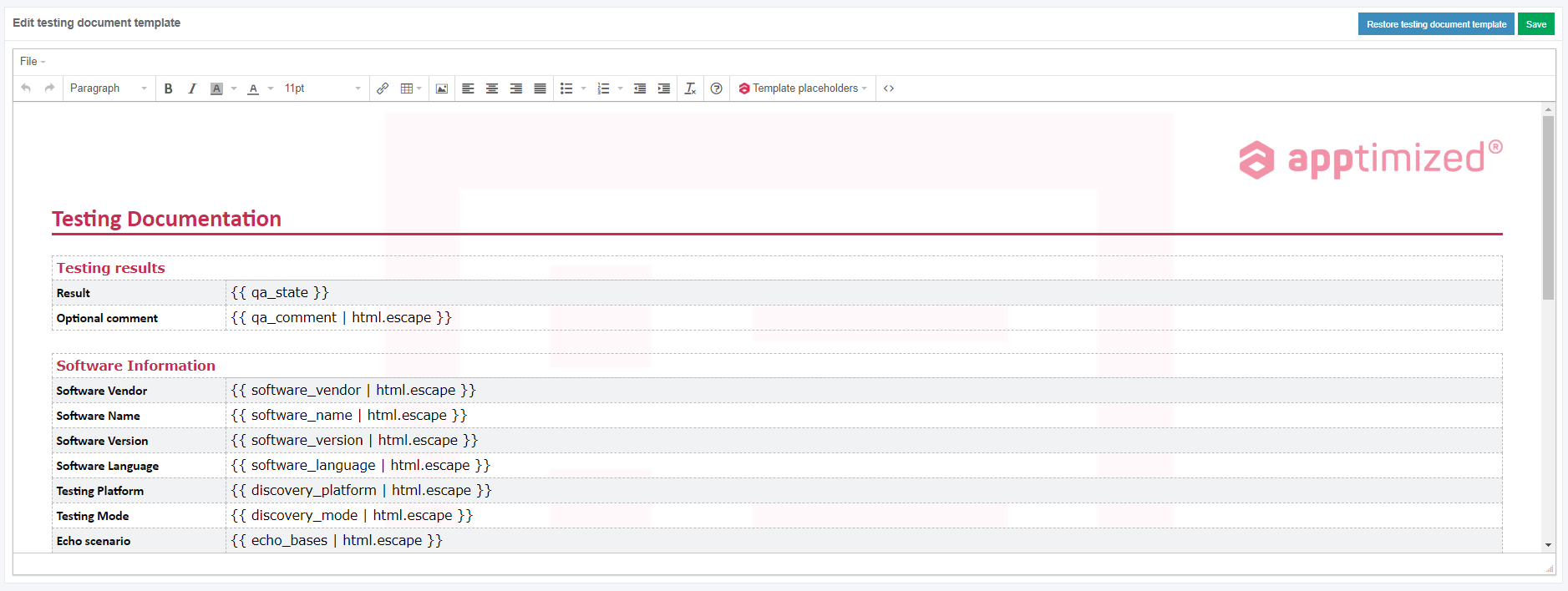
The option to launch the built-in MSI editor and edit the output is available under the **OK** button.

[![pack_transf_08.png](https://docs.apptimized.com/uploads/images/gallery/2020-04/scaled-1680-/t8Xg2Smp0NnOY5Ya-pack_transf_08.png)](https://docs.apptimized.com/uploads/images/gallery/2020-04/t8Xg2Smp0NnOY5Ya-pack_transf_08.png)

This case provides changes in the application's settings store in registry keys, which are captured and subsequently merged into the MST file by the "post-configuration capturing" process.

The instructions on editing the result in Advanced MSI Editor are provided below.

#### **Wrap file(s)**

##### **Create Wrapper**

<span class="TextRun SCXW224917120 BCX4" data-contrast="auto" lang="RU-RU" xml:lang="RU-RU"><span class="NormalTextRun SCXW224917120 BCX4">The </span><span class="NormalTextRun SpellingErrorV2Themed SCXW224917120 BCX4">option</span> <span class="NormalTextRun SpellingErrorV2Themed SCXW224917120 BCX4">to</span> <span class="NormalTextRun SpellingErrorV2Themed SCXW224917120 BCX4">wrap</span> <span class="NormalTextRun SpellingErrorV2Themed SCXW224917120 BCX4">files</span> </span><span class="TextRun SCXW224917120 BCX4" data-contrast="auto" lang="RU-RU" xml:lang="RU-RU"><span class="NormalTextRun SpellingErrorV2Themed SCXW224917120 BCX4">i.e</span><span class="NormalTextRun SCXW224917120 BCX4">., </span><span class="NormalTextRun SpellingErrorV2Themed SCXW224917120 BCX4">wrap</span> <span class="NormalTextRun SpellingErrorV2Themed SCXW224917120 BCX4">fully</span> <span class="NormalTextRun SpellingErrorV2Themed SCXW224917120 BCX4">configured</span> <span class="NormalTextRun SpellingErrorV2Themed SCXW224917120 BCX4">package</span><span class="NormalTextRun SCXW224917120 BCX4"> - </span><span class="NormalTextRun SpellingErrorV2Themed SCXW224917120 BCX4">repackaged</span><span class="NormalTextRun SCXW224917120 BCX4"> MSI, MSI+MST, Silent EXE, </span><span class="NormalTextRun SpellingErrorV2Themed SCXW224917120 BCX4">or</span> <span class="NormalTextRun SpellingErrorV2Themed SCXW224917120 BCX4">package</span> <span class="NormalTextRun SpellingErrorV2Themed SCXW224917120 BCX4">with</span><span class="NormalTextRun SCXW224917120 BCX4"> Apptimized </span><span class="NormalTextRun SpellingErrorV2Themed SCXW224917120 BCX4">Wrapper</span><span class="NormalTextRun SCXW224917120 BCX4">) </span><span class="NormalTextRun SpellingErrorV2Themed SCXW224917120 BCX4">is</span> <span class="NormalTextRun SpellingErrorV2Themed SCXW224917120 BCX4">available</span> <span class="NormalTextRun SpellingErrorV2Themed SCXW224917120 BCX4">under</span> <span class="NormalTextRun SpellingErrorV2Themed SCXW224917120 BCX4">the</span> </span>**<span class="TextRun SCXW224917120 BCX4" data-contrast="auto" lang="RU-RU" xml:lang="RU-RU"><span class="NormalTextRun SpellingErrorV2Themed SCXW224917120 BCX4">Wrap</span> <span class="NormalTextRun SpellingErrorV2Themed SCXW224917120 BCX4">file</span><span class="NormalTextRun SCXW224917120 BCX4">(s</span><span class="NormalTextRun ContextualSpellingAndGrammarErrorV2Themed SCXW224917120 BCX4">) </span></span>**<span class="TextRun SCXW224917120 BCX4" data-contrast="auto" lang="RU-RU" xml:lang="RU-RU"><span class="NormalTextRun ContextualSpellingAndGrammarErrorV2Themed SCXW224917120 BCX4">&gt;</span> </span>**<span class="TextRun SCXW224917120 BCX4" data-contrast="auto" lang="RU-RU" xml:lang="RU-RU"><span class="NormalTextRun SpellingErrorV2Themed SCXW224917120 BCX4">Create</span> <span class="NormalTextRun SpellingErrorV2Themed SCXW224917120 BCX4">Wrapper</span> </span>**<span class="TextRun SCXW224917120 BCX4" data-contrast="auto" lang="RU-RU" xml:lang="RU-RU">tab</span>

**[![wrap_1.png](https://docs.apptimized.com/uploads/images/gallery/2023-03/scaled-1680-/8Uc2qLclN959cP0T-wrap_1.png)](https://docs.apptimized.com/uploads/images/gallery/2023-03/8Uc2qLclN959cP0T-wrap_1.png)**

<span data-contrast="auto">The process includes the following steps:</span><span data-ccp-props="{"201341983":0,"335559739":160,"335559740":259}"> </span>

1. <span data-contrast="auto">Choose the wrapper</span>   
       
    <span data-contrast="auto">[![wrap_2.png](https://docs.apptimized.com/uploads/images/gallery/2023-03/scaled-1680-/YmZAIBwfNYKVHEQy-wrap_2.png)](https://docs.apptimized.com/uploads/images/gallery/2023-03/YmZAIBwfNYKVHEQy-wrap_2.png)</span>  
       
    <span data-contrast="auto">Default wrapper is available by default.</span>   
    <span data-ccp-props="{"134233117":false,"134233118":false,"201341983":0,"335551550":1,"335551620":1,"335559685":720,"335559737":0,"335559738":0,"335559739":160,"335559740":259,"335559991":360}"> </span>
2. <span data-contrast="auto">Enter the package type</span>   
       
    <span data-contrast="auto">The following package types are available:</span>   
       
    <span data-contrast="auto">MSI</span>   
    <span data-contrast="auto">Transform</span>   
    <span data-contrast="auto">Legacy</span>   
    <span data-contrast="auto">App-V</span>   
    <span data-contrast="auto">Empty Wrapper</span> <span data-ccp-props="{"201341983":0,"335559739":160,"335559740":259}">   
      
    [![wrap_3.png](https://docs.apptimized.com/uploads/images/gallery/2023-03/scaled-1680-/7l1XJXpq5e5UPo0P-wrap_3.png)](https://docs.apptimized.com/uploads/images/gallery/2023-03/7l1XJXpq5e5UPo0P-wrap_3.png)  
      
    </span>
3. <span data-contrast="auto">Clicking the </span>**<span data-contrast="auto">Next</span>**<span data-contrast="auto"> button enables proceeding to the Configuration step. </span><span data-contrast="none">APE shows the following windows when successful:</span>   
       
    [![wrap_4.png](https://docs.apptimized.com/uploads/images/gallery/2023-03/scaled-1680-/QTtKxLaXboavZF4t-wrap_4.png)](https://docs.apptimized.com/uploads/images/gallery/2023-03/QTtKxLaXboavZF4t-wrap_4.png)  
    <span data-ccp-props="{"201341983":0,"335559739":160,"335559740":259}"> </span>
4. <span data-contrast="none">Select source folder or archive files, select necessary file in package format</span>   
       
    <span data-contrast="none">[![wrap_5.png](https://docs.apptimized.com/uploads/images/gallery/2023-03/scaled-1680-/hxkQ9Be4VRVlAY9u-wrap_5.png)](https://docs.apptimized.com/uploads/images/gallery/2023-03/hxkQ9Be4VRVlAY9u-wrap_5.png)</span>  
       
    <p class="callout info"><span data-contrast="none">**Note.** All content from source folder/archive will be copied to the package</span><span data-ccp-props="{"201341983":0,"335559739":160,"335559740":259}"> </span></p>
5. <span data-contrast="none">Clicking the </span>**<span data-contrast="none">Next </span>**<span data-contrast="none">button enables proceeding to the </span>**<span data-contrast="none">Review </span>**<span data-contrast="none">step. APE shows the following window when successful:</span>   
       
    <span data-contrast="none">[![wrap_6.png](https://docs.apptimized.com/uploads/images/gallery/2023-03/scaled-1680-/MQDoZC6XyyFv7WNg-wrap_6.png)](https://docs.apptimized.com/uploads/images/gallery/2023-03/MQDoZC6XyyFv7WNg-wrap_6.png)</span>  
       
    <span data-contrast="none">The following options to change are available:</span>

<table aria-rowcount="21" data-tablelook="1696" data-tablestyle="MsoTableGrid" id="bkmrk-option%C2%A0-description%C2%A0"><tbody><tr aria-rowindex="1"><td data-celllook="0"><span data-contrast="none">Option</span><span data-ccp-props="{"201341983":0,"335559740":259}"> </span>

</td><td data-celllook="0"><span data-contrast="none">Description</span><span data-ccp-props="{"201341983":0,"335559740":259}"> </span>

</td></tr><tr aria-rowindex="2"><td data-celllook="0"><span data-contrast="none">Vendor</span><span data-ccp-props="{"201341983":0,"335559740":259}"> </span>

</td><td data-celllook="0"><span data-contrast="none">Indicates application vendor short name</span><span data-ccp-props="{"201341983":0,"335559740":259}"> </span>

</td></tr><tr aria-rowindex="3"><td data-celllook="0"><span data-contrast="none">Software</span><span data-ccp-props="{"201341983":0,"335559740":259}"> </span>

</td><td data-celllook="0"><span data-contrast="none">Indicates application software short name</span><span data-ccp-props="{"201341983":0,"335559740":259}"> </span>

</td></tr><tr aria-rowindex="4"><td data-celllook="0"><span data-contrast="none">Version</span><span data-ccp-props="{"201341983":0,"335559740":259}"> </span>

</td><td data-celllook="0"><span data-contrast="none">Indicates application version</span><span data-ccp-props="{"201341983":0,"335559740":259}"> </span>

</td></tr><tr aria-rowindex="5"><td data-celllook="0"><span data-contrast="none">Language</span><span data-ccp-props="{"201341983":0,"335559740":259}"> </span>

</td><td data-celllook="0"><span data-contrast="none">Indicates language of the application. The following options available:</span><span data-ccp-props="{"201341983":0,"335559740":259}"> </span>

- <span data-contrast="none">ENG</span><span data-ccp-props="{"201341983":0,"335559740":259}"> </span>
- <span data-contrast="none">DEU</span><span data-ccp-props="{"201341983":0,"335559740":259}"> </span>
- <span data-contrast="none">MUI</span><span data-ccp-props="{"201341983":0,"335559740":259}"> </span>

</td></tr><tr aria-rowindex="6"><td data-celllook="0"><span data-contrast="none">Architecture</span><span data-ccp-props="{"201341983":0,"335559740":259}"> </span>

</td><td data-celllook="0"><span data-contrast="none">Indicates architecture of the package. The following options available:</span><span data-ccp-props="{"201341983":0,"335559740":259}"> </span>

- <span data-contrast="none">x86</span><span data-ccp-props="{"201341983":0,"335559740":259}"> </span>
- <span data-contrast="none">x64</span><span data-ccp-props="{"201341983":0,"335559740":259}"> </span>

</td></tr><tr aria-rowindex="7"><td data-celllook="0"><span data-contrast="none">PackageRelease</span><span data-ccp-props="{"201341983":0,"335559740":259}"> </span>

</td><td data-celllook="0"><span data-contrast="none">Indicates number of package release</span><span data-ccp-props="{"201341983":0,"335559740":259}"> </span>

</td></tr><tr aria-rowindex="8"><td data-celllook="0"><span data-contrast="none">Platform</span><span data-ccp-props="{"201341983":0,"335559740":259}"> </span>

</td><td data-celllook="0"><span data-contrast="none">Indicates platform where package was tested</span><span data-ccp-props="{"201341983":0,"335559740":259}"> </span>

</td></tr><tr aria-rowindex="9"><td data-celllook="0"><span data-contrast="none">ScriptDate</span><span data-ccp-props="{"201341983":0,"335559740":259}"> </span>

</td><td data-celllook="0"><span data-contrast="none">Indicates script create/change date in format MM/DD/YY</span><span data-ccp-props="{"201341983":0,"335559740":259}"> </span>

</td></tr><tr aria-rowindex="10"><td data-celllook="0"><span data-contrast="none">MSIName\*</span><span data-ccp-props="{"201341983":0,"335559740":259}"> </span>

</td><td data-celllook="0"><span data-contrast="none">Indicates MSI location and name(e.g. $env:ProgramFiles/.../Setup.msi)</span>   
<span data-contrast="none">\* - available only for MSI package type.</span><span data-ccp-props="{"201341983":0,"335559740":259}"> </span>

</td></tr><tr aria-rowindex="11"><td data-celllook="0"><span data-contrast="none">PackageNameAppv\*\*</span><span data-ccp-props="{"201341983":0,"335559740":259}"> </span>

</td><td data-celllook="0"><span data-contrast="none">Indicates Package Name of AppV package without extension</span><span data-ccp-props="{"201341983":0,"335559740":259}"> </span>

<span data-contrast="none">\*\* - available only for AppV package type.</span><span data-ccp-props="{"201341983":0,"335559740":259}"> </span>

</td></tr><tr aria-rowindex="12"><td data-celllook="0"><span data-contrast="none">APPVPath\*\*</span><span data-ccp-props="{"201341983":0,"335559740":259}"> </span>

</td><td data-celllook="0"><span data-contrast="none">Indicates path to directory with .appv file</span><span data-ccp-props="{"201341983":0,"335559740":259}"> </span>

<span data-contrast="none">\*\* - available only for AppV package type.</span><span data-ccp-props="{"201341983":0,"335559740":259}"> </span>

</td></tr><tr aria-rowindex="13"><td data-celllook="0"><span data-contrast="none">VendorEXESilentInstall\*\*\*</span><span data-ccp-props="{"201341983":0,"335559740":259}"> </span>

</td><td data-celllook="0"><span data-contrast="none">Indicates path to vendor exe for legacy installation e.g. $env:ProframFiles/.../Setup.exe)</span><span data-ccp-props="{"201341983":0,"335559740":259}"> </span>

<span data-contrast="none">\*\*\* - available only for Legacy package type.</span><span data-ccp-props="{"201341983":0,"335559740":259}"> </span>

</td></tr><tr aria-rowindex="14"><td data-celllook="0"><span data-contrast="none">VendorEXESilentUninstall\*\*\*</span><span data-ccp-props="{"201341983":0,"335559740":259}"> </span>

</td><td data-celllook="0"><span data-contrast="none">Indicates path to vendor exe for legacy uninstallation e.g. $env:ProframFiles/.../unin000.exe)</span><span data-ccp-props="{"201341983":0,"335559740":259}"> </span>

<span data-contrast="none">\*\*\* - available only for Legacy package type.</span><span data-ccp-props="{"201341983":0,"335559740":259}"> </span>

</td></tr><tr aria-rowindex="15"><td data-celllook="0"><span data-contrast="none">SilentInstallParameters\*\*\*</span><span data-ccp-props="{"201341983":0,"335559740":259}"> </span>

</td><td data-celllook="0"><span data-contrast="none">Indicates silent parameters for installation(e.g. /silent).</span><span data-ccp-props="{"201341983":0,"335559740":259}"> </span>

<span data-contrast="none">\*\*\* - available only for Legacy package type.</span><span data-ccp-props="{"201341983":0,"335559740":259}"> </span>

</td></tr><tr aria-rowindex="16"><td data-celllook="0"><span data-contrast="none">SilentUninstallParameters\*\*\*</span><span data-ccp-props="{"201341983":0,"335559740":259}"> </span>

</td><td data-celllook="0"><span data-contrast="none">Indicates silent parameters for uninstallation(e.g. /silent).</span><span data-ccp-props="{"201341983":0,"335559740":259}"> </span>

<span data-contrast="none">\*\*\* - available only for Legacy package type.</span><span data-ccp-props="{"201341983":0,"335559740":259}"> </span>

</td></tr><tr aria-rowindex="17"><td data-celllook="0"><span data-contrast="none">Uninstall hives\*\*\*</span><span data-ccp-props="{"201341983":0,"335559740":259}"> </span>

</td><td data-celllook="0"><span data-contrast="none">Indicates all uninstall hives that must be updated, separated by “;”.(e.g. </span><span data-contrast="auto">HKLM:SOFTWARE\\Microsoft\\Windows\\CurrentVersion\\Uninstall\\18469ED8-8C36-4CF7-BD43-OFC9B1931AF8);HKLM:SOFTWAREWOW6432Node\\Microsoft\\' dows\\CurrentVersion\\UninstallV0240359E-6A4C-4884-994-B397A02D89301)</span><span data-ccp-props="{"201341983":0,"335551550":0,"335551620":0,"335559740":259}"> </span>

<span data-contrast="none">\*\*\* - available only for Legacy package type.</span><span data-ccp-props="{"201341983":0,"335559740":259}"> </span>

</td></tr><tr aria-rowindex="18"><td data-celllook="0"><span data-contrast="none">MSTName\*\*\*\*</span><span data-ccp-props="{"201341983":0,"335559740":259}"> </span>

</td><td data-celllook="0"><span data-contrast="none">Indicates MST location and name(e.g. $env:ProgramFiles/.../Setup.mst)</span><span data-ccp-props="{"201341983":0,"335559740":259}"> </span>

<span data-contrast="none">\*\*\*\* - available only for Transform package type.</span><span data-ccp-props="{"201341983":0,"335559740":259}"> </span>

</td></tr></tbody></table>

<span data-contrast="none">Clicking the </span>**<span data-contrast="none">Next </span>**<span data-contrast="none">button initiates the Wrapper creation</span>

[![wrap_7.png](https://docs.apptimized.com/uploads/images/gallery/2023-03/scaled-1680-/84QhWjCpzn4jB7ot-wrap_7.png)](https://docs.apptimized.com/uploads/images/gallery/2023-03/84QhWjCpzn4jB7ot-wrap_7.png)

<span data-contrast="none">Wrapper file generating finalizes when clicking the </span>**<span data-contrast="none">Finish</span>**   
   
<span data-contrast="none">To finalize the packaging activities, a user must proceed to the reviewing and editing results in APE.</span><span data-ccp-props="{"201341983":0,"335551550":0,"335551620":0,"335559739":160,"335559740":259}"> </span>

##### <span data-ccp-props="{"201341983":0,"335551550":0,"335551620":0,"335559739":160,"335559740":259}">Wrap to IntuneWin</span>

The option to create the IntuneWin package (i.e., wrap fully configured package - repackaged MSI, MSI+MST, Silent EXE, or package with Apptimized Wrapper) is available under the<span class="TextRun SCXW184603452 BCX4" data-contrast="auto" lang="RU-RU" xml:lang="RU-RU"> **<span class="NormalTextRun SpellingErrorV2Themed SCXW184603452 BCX4">Wrap</span> <span class="NormalTextRun SpellingErrorV2Themed SCXW184603452 BCX4">file</span><span class="NormalTextRun SCXW184603452 BCX4">(s</span>**<span class="NormalTextRun ContextualSpellingAndGrammarErrorV2Themed SCXW184603452 BCX4">**)** &gt;</span> **<span class="NormalTextRun SpellingErrorV2Themed SCXW184603452 BCX4">Wrap</span> <span class="NormalTextRun SpellingErrorV2Themed SCXW184603452 BCX4">to</span>** </span>**<span class="TextRun SCXW184603452 BCX4" data-contrast="auto" lang="RU-RU" xml:lang="RU-RU"><span class="NormalTextRun SpellingErrorV2Themed SCXW184603452 BCX4">IntuneWin</span> </span>**<span class="TextRun SCXW184603452 BCX4" data-contrast="auto" lang="RU-RU" xml:lang="RU-RU">tab</span>

[![wrap_8.png](https://docs.apptimized.com/uploads/images/gallery/2023-03/scaled-1680-/xpdaYZhkT9mCtNMN-wrap_8.png)](https://docs.apptimized.com/uploads/images/gallery/2023-03/xpdaYZhkT9mCtNMN-wrap_8.png)

The process includes the following steps:

1\. Enter the package name;

2\. Select source files folder (**Folder** icon &gt; Navigate to source files folder &gt; **OK** button). The processing source folder may take a while.

[![wrap_9.png](https://docs.apptimized.com/uploads/images/gallery/2023-03/scaled-1680-/Qg1BLlFQxprWnpf5-wrap_9.png)](https://docs.apptimized.com/uploads/images/gallery/2023-03/Qg1BLlFQxprWnpf5-wrap_9.png)

3\. The **Setup file**, **Install command**, and **Uninstall command** fields are filled-in automatically according to the source files

A user can change the prefilled values for these fields.

The following setup file types are available: MSI, EXE, VBS, BAT, CMD, PS1, and JS. APE selects the MSI / EXE by default. The option to select the executable file type is available when clicking the drop-down menu in the **Setup file** field. When choosing an executable file (other than MSI), install and uninstall commands must be set manually.

A user can enable [Interactive mode](https://docs.apptimized.com/link/242#bkmrk-intunewin).

[![wrap_10.png](https://docs.apptimized.com/uploads/images/gallery/2023-03/scaled-1680-/qxZQZ8jO1dmQqi70-wrap_10.png)](https://docs.apptimized.com/uploads/images/gallery/2023-03/qxZQZ8jO1dmQqi70-wrap_10.png)

Clicking the **Next** button enables proceeding to the IntuneWine package creation. APE shows the following windows when successful:

[![pack_intune_04.png](https://docs.apptimized.com/uploads/images/gallery/2020-06/scaled-1680-/6curopr847NiTeRi-pack_intune_04.png)](https://docs.apptimized.com/uploads/images/gallery/2020-06/6curopr847NiTeRi-pack_intune_04.png)

4\. IntuneWin file generating finalizes when clicking the **Finish**

APE shows the following windows when successful:

[![packaging_01_01.png](https://docs.apptimized.com/uploads/images/gallery/2020-06/scaled-1680-/BBXM3e0rqcHNxggB-packaging_01_01.png)](https://docs.apptimized.com/uploads/images/gallery/2020-06/BBXM3e0rqcHNxggB-packaging_01_01.png)

As a result, a user receives the IntuneWin file and text file with the install / uninstall commands, and detection method.

To finalize the packaging activities, a user must proceed to the reviewing and editing results in APE.

#### **Review and edit results**

The option to review and edit the packaging result is available under the **Review and edit results** button. APE shows the package hierarchical tree structure view.

[![packaging_47.png](https://docs.apptimized.com/uploads/images/gallery/2020-04/scaled-1680-/Axrcf8sDszSUyVN2-packaging_47.png)](https://docs.apptimized.com/uploads/images/gallery/2020-04/Axrcf8sDszSUyVN2-packaging_47.png)

The option to rename components is available under the **context menu** (Context menu &gt; **Rename** option &gt; Enter a new name &gt; **OK** / **Cancel** button).

[![packaging_47_1.png](https://docs.apptimized.com/uploads/images/gallery/2020-04/scaled-1680-/WZF8EKYvAsI4fvrn-packaging_47_1.png)](https://docs.apptimized.com/uploads/images/gallery/2020-04/WZF8EKYvAsI4fvrn-packaging_47_1.png)

The option to delete components is available under the **context menu** (Context menu &gt; **Delete** option &gt; **OK** / **Cancel** button).

[![packaging_47_7.png](https://docs.apptimized.com/uploads/images/gallery/2020-04/scaled-1680-/OxtFasUgDKgo9W1A-packaging_47_7.png)](https://docs.apptimized.com/uploads/images/gallery/2020-04/OxtFasUgDKgo9W1A-packaging_47_7.png)

The option to add components is available under the **context menu** (Context menu &gt; **Add existing files** option &gt; **OK** / **Cancel** button).

The option to add components is available under the **context menu** (Context menu &gt; **Add new folder** option &gt; Enter a folder name &gt; **OK** / **Cancel** button).

[![packaging_53.png](https://docs.apptimized.com/uploads/images/gallery/2020-04/scaled-1680-/vzmB4Rd3DF3wfjOe-packaging_53.png)](https://docs.apptimized.com/uploads/images/gallery/2020-04/vzmB4Rd3DF3wfjOe-packaging_53.png)

The option to add components is available under the **context menu** (Context menu &gt; **Add new folder** option &gt; Enter a folder name &gt; **OK** / **Cancel** button).

[![packaging_52.png](https://docs.apptimized.com/uploads/images/gallery/2020-04/scaled-1680-/q7AWaxGcPgFC4gVW-packaging_52.png)](https://docs.apptimized.com/uploads/images/gallery/2020-04/q7AWaxGcPgFC4gVW-packaging_52.png)

The option to launch the Advanced MSI Editor is available under the **context menu** (Context menu &gt; **Edit** option).

[![packaging_53_1.png](https://docs.apptimized.com/uploads/images/gallery/2020-04/scaled-1680-/4LMJseDvusvDh7uY-packaging_53_1.png)](https://docs.apptimized.com/uploads/images/gallery/2020-04/4LMJseDvusvDh7uY-packaging_53_1.png)

The preparation procedure will take a few moments.

Advanced MSI Editor main window appears when successful:

[![pack_transf_10_2.png](https://docs.apptimized.com/uploads/images/gallery/2021-08/scaled-1680-/IvZgSN6ZZRbePpvY-pack_transf_10_2.png)](https://docs.apptimized.com/uploads/images/gallery/2021-08/IvZgSN6ZZRbePpvY-pack_transf_10_2.png)

Table 7. MSI Advanced Editor menu components

<table border="1" id="bkmrk-component-details-fi" style="width: 800px;"><tbody><tr><td width="120">**Component**

</td><td width="498">**Details**

</td></tr><tr><td width="120">File

</td><td width="498">This component provides the commands for working with the installer file.

The following options available:

- New;
- Open;
- Open recent;
- Save; Save As;
- Exit.

</td></tr><tr><td width="120">Edit

</td><td width="498">This component provides the commands to apply/cancel last committed action as well as the command to enable the search window.

The following options available:

- Undo;
- Redo;
- Find / Replace.

</td></tr><tr><td width="120">Tables

</td><td width="498">This component provides the commands for manipulating the MSI tables, to enable the Summary info and Code Page.

The following options available:

- Add tables;
- Import tables;
- Summary information;
- Code page.

</td></tr><tr><td width="120">Tools

</td><td width="498">This component provides access to the import commands to perform install and uninstall processes.

The following options available:

- Import files;
- Import registry;
- Import ini file;
- Install;
- Admin install;
- Uninstall;
- View Log.

</td></tr><tr><td width="120">Transforms

</td><td width="498">This component provides access to commands for working with the transforms.

The following options available:

- New transform;
- Apply transform;
- Remove transform;
- Save transformed.

</td></tr><tr><td width="120">Validations

</td><td width="498">This component allows ICE validation using existing or custom cub files.

The following ICE validations options available:

- Internal Consistency Evaluators – Full Set (darice.cub);
- Internal Consistency Evaluators – Merge Modules (mergemod.cub);
- Internal Consistency Evaluators For NT5 Logo (logo.cub);
- Internal Consistency Evaluators For Windows Vista Logo (Vistalogo.cub);
- Internal Consistency Evaluators For XP Logo (XPlogo.cub);
- Use a custom cub file for validation.

</td></tr><tr><td width="120">Scripting

</td><td width="498">This component executes an existing or custom script.

The following options available:

- Remove shortcuts on the desktop (Remove-Desktop-Shortcuts.ps1);
- Use custom script.

</td></tr><tr><td width="120">Help

</td><td width="498">This component enables the help mode.

</td></tr></tbody></table>

The MSI Advanced Editor contains the following tabs:

- Application;
- Files;
- Registry;
- Shortcuts;
- Features &amp; components;
- Custom actions;
- Properties;
- Environment;
- Tables.

Table 8. MSI Advanced Editor menu tabs

<table border="1" id="bkmrk-tab-name-details-app" style="width: 790px; height: 12233px;" width="800"><tbody><tr style="height: 35px;"><td style="width: 170px; height: 35px;">**Tab name**

</td><td style="width: 620px; height: 35px;">**Details**

</td></tr><tr style="height: 331px;"><td style="width: 170px; height: 331px;">Application

</td><td style="width: 620px; height: 331px;">This tab provides basic information about MSI.

[![pack_transf_10_2.png](https://docs.apptimized.com/uploads/images/gallery/2021-08/scaled-1680-/7u83WljfSxIhgjsU-pack_transf_10_2.png)](https://docs.apptimized.com/uploads/images/gallery/2021-08/7u83WljfSxIhgjsU-pack_transf_10_2.png)

</td></tr><tr style="height: 2103px;"><td style="width: 170px; height: 2103px;">Files

</td><td style="width: 620px; height: 2103px;">This tab enables to work with files associated with the MSI.

The files are presented in a hierarchical tree structure view.

Folders that contain files are displayed in yellow. The folder’s content is displayed in the table on the right side of the MSI Advanced Editor window.

The files in the table on the left can be edited. It is also possible to add and remove custom and standard directories.

[![pack_transf_11_2.png](https://docs.apptimized.com/uploads/images/gallery/2021-08/scaled-1680-/YBoaTT9L888bAmCC-pack_transf_11_2.png)](https://docs.apptimized.com/uploads/images/gallery/2021-08/YBoaTT9L888bAmCC-pack_transf_11_2.png)

The option to delete files is available under the:

- **Cross** symbol;
- Context menu &gt; **Remove** option.

[![pack_transf_14.png](https://docs.apptimized.com/uploads/images/gallery/2020-04/scaled-1680-/Z8fE1E0cdVlU01zd-pack_transf_14.png)](https://docs.apptimized.com/uploads/images/gallery/2020-04/Z8fE1E0cdVlU01zd-pack_transf_14.png)

The option to rename files or folders is available under the:

- Double click on the item &gt; Enter item’s new name &gt; Enter;
- Context menu &gt; **Rename** option &gt; Enter.

The option to add folders is available under the:

- Context menu &gt; **New Standard Folder** option &gt; Select a folder type from the list;
- Context menu &gt; **New Custom Folder** option &gt; Enter.

The option to add files is available under the:

- **Plus** symbol &gt; **Import Files** option &gt; Import files wizard;
- Context menu &gt; **Import Files** option &gt; Import files wizard.

The files import process involves the following iterations:

[![pack_transf_13.png](https://docs.apptimized.com/uploads/images/gallery/2020-04/scaled-1680-/gCOrhHigvTwkLNTv-pack_transf_13.png)](https://docs.apptimized.com/uploads/images/gallery/2020-04/gCOrhHigvTwkLNTv-pack_transf_13.png)

1\. Select the target directory:

- Click the **Target Directory** field &gt; Select the directory from drop-down list &gt; **Continue** button;
- Click the **Plus** symbol &gt; Insert a new row into the table “Directory” &gt; Enter directory name &gt; Select the directory parent mode from drop-down list &gt; Enter DefaultDir name &gt; **Save** button &gt; **Continue** button.

[![pack_transf_15.png](https://docs.apptimized.com/uploads/images/gallery/2020-04/scaled-1680-/tAq69QNoqCuS0Hkj-pack_transf_15.png)](https://docs.apptimized.com/uploads/images/gallery/2020-04/tAq69QNoqCuS0Hkj-pack_transf_15.png)

2\. Select files or folders to import: Click the **Plus** symbol &gt; **Add files** / **Add folder** button &gt; Browse to find the file &gt; Double click to add the file &gt; **Continue** button.

[![pack_transf_16.png](https://docs.apptimized.com/uploads/images/gallery/2020-04/scaled-1680-/NSVJtMlMTiVkBMkn-pack_transf_16.png)](https://docs.apptimized.com/uploads/images/gallery/2020-04/NSVJtMlMTiVkBMkn-pack_transf_16.png)

3\. Select features to assign new components (Select the **Feature** &gt; Select the **Cab** **type** &gt; **OK** button).

4\. The added file appears in the tree.

The option to hide empty folders is available under the **Hide empty** checkbox on the bottom side of the MSI Advanced Editor window.

<p class="callout info">**Note**. When a user adds files &amp; folders that already exist, Advanced MSI Editor shows the following modal window:  
  
[![packaging_x_new.png](https://docs.apptimized.com/uploads/images/gallery/2021-09/scaled-1680-/m4vBQ7m4g0p6uBTv-packaging_x_new.png)](https://docs.apptimized.com/uploads/images/gallery/2021-09/m4vBQ7m4g0p6uBTv-packaging_x_new.png)</p>

</td></tr><tr style="height: 1934px;"><td style="width: 170px; height: 1934px;">Registry

</td><td style="width: 620px; height: 1934px;">This tab enables editing registry keys (i.e. add/remove registry keys, import from the file).

[![pack_transf_17_2.png](https://docs.apptimized.com/uploads/images/gallery/2021-08/scaled-1680-/qIctRBreihZ8u1dU-pack_transf_17_2.png)](https://docs.apptimized.com/uploads/images/gallery/2021-08/qIctRBreihZ8u1dU-pack_transf_17_2.png)

The registry keys are presented in a hierarchical tree structure view. The registry keys details are presented in the table on the right side of the MSI Advanced Editor window.

The option to add a key, registry value or import from a file is available under the **Context menu**.

[![pack_transf_18_2.png](https://docs.apptimized.com/uploads/images/gallery/2021-08/scaled-1680-/P6Tm6QvrV99veys0-pack_transf_18_2.png)](https://docs.apptimized.com/uploads/images/gallery/2021-08/P6Tm6QvrV99veys0-pack_transf_18_2.png)

The option to add a new value is available under the **Context menu** &gt; **New value** option:

[![pack_transf_19.png](https://docs.apptimized.com/uploads/images/gallery/2020-04/scaled-1680-/C0CxnYBOkZqGzHx9-pack_transf_19.png)](https://docs.apptimized.com/uploads/images/gallery/2020-04/C0CxnYBOkZqGzHx9-pack_transf_19.png)

A new variable creates an empty name and value fields. Double click sets the values of the corresponding fields.

[![pack_transf_20.png](https://docs.apptimized.com/uploads/images/gallery/2020-04/scaled-1680-/Ezg58VdOXdqvwSJH-pack_transf_20.png)](https://docs.apptimized.com/uploads/images/gallery/2020-04/Ezg58VdOXdqvwSJH-pack_transf_20.png)

The following registry key values available:

- String;
- Integer;
- Binary;
- Expandable string.

The default value is **String**.

[![pack_transf_21.png](https://docs.apptimized.com/uploads/images/gallery/2020-04/scaled-1680-/x8huEH2lVWL2BNYb-pack_transf_21.png)](https://docs.apptimized.com/uploads/images/gallery/2020-04/x8huEH2lVWL2BNYb-pack_transf_21.png)

The option to create the new key is available under the **Context menu** &gt; **New key** option &gt; Enter a new key name &gt; **Save** button:

[![pack_transf_22.png](https://docs.apptimized.com/uploads/images/gallery/2020-04/scaled-1680-/3ZSY9UpsiyXxED8B-pack_transf_22.png)](https://docs.apptimized.com/uploads/images/gallery/2020-04/3ZSY9UpsiyXxED8B-pack_transf_22.png)

The generated key will appear in the tree:

[![pack_transf_23.png](https://docs.apptimized.com/uploads/images/gallery/2020-04/scaled-1680-/DzwK8Q6NFs2fJOTM-pack_transf_23.png)](https://docs.apptimized.com/uploads/images/gallery/2020-04/DzwK8Q6NFs2fJOTM-pack_transf_23.png)

The renaming and importing activities are the same as in the previous tab.

</td></tr><tr style="height: 668px;"><td style="width: 170px; height: 668px;">Shortcuts

</td><td style="width: 620px; height: 668px;">This tab enables a user to create, delete or edit shortcuts.

The buttons indicated in block 1 on the screen below are used to add and remove shortcuts.

The button indicated in block 2 is used to edit the parameters of the selected shortcut.

[![pack_transf_24_2.png](https://docs.apptimized.com/uploads/images/gallery/2021-08/scaled-1680-/DNgDZ7PATgm2excl-pack_transf_24_2.png)](https://docs.apptimized.com/uploads/images/gallery/2021-08/DNgDZ7PATgm2excl-pack_transf_24_2.png)

The option to delete the shortcut is available under the **Context menu** &gt; **Remove shortcut** option:

[![pack_transf_26.png](https://docs.apptimized.com/uploads/images/gallery/2020-04/scaled-1680-/uXQDq1sR3KQvrzDx-pack_transf_26.png)](https://docs.apptimized.com/uploads/images/gallery/2020-04/uXQDq1sR3KQvrzDx-pack_transf_26.png)

When creating a shortcut, an entry with default values appears:

[![pack_transf_27.png](https://docs.apptimized.com/uploads/images/gallery/2020-04/scaled-1680-/CtEU2QvDIlrAmkwz-pack_transf_27.png)](https://docs.apptimized.com/uploads/images/gallery/2020-04/CtEU2QvDIlrAmkwz-pack_transf_27.png)

The shortcut changes save when clicking the **Save** button.

</td></tr><tr style="height: 2790px;"><td style="width: 170px; height: 2790px;">Features &amp; components

</td><td style="width: 620px; height: 2790px;">This tab enables a user to add, remove and edit [features and components](https://docs.microsoft.com/en-us/windows/win32/msi/components-and-features?redirectedfrom=MSDN).

[![pack_transf_28_2.png](https://docs.apptimized.com/uploads/images/gallery/2021-08/scaled-1680-/3BsVfn3Sr2Tn83cu-pack_transf_28_2.png)](https://docs.apptimized.com/uploads/images/gallery/2021-08/3BsVfn3Sr2Tn83cu-pack_transf_28_2.png)

The option to add a new feature is available under the:

- **Plus** symbol &gt; **New child feature** option;
- Context menu &gt; **New child feature** option.

The option to add a new component is available under the:

- **Plus** symbol &gt; **New child component** option;
- Context menu &gt; **New child component** option.

[![pack_transf_29.png](https://docs.apptimized.com/uploads/images/gallery/2020-04/scaled-1680-/sf7fLDRKFKJK9gi7-pack_transf_29.png)](https://docs.apptimized.com/uploads/images/gallery/2020-04/sf7fLDRKFKJK9gi7-pack_transf_29.png)

When a new feature or component is added it appears at the end of a tree view:

[![pack_transf_30.png](https://docs.apptimized.com/uploads/images/gallery/2020-04/scaled-1680-/MjM0PnNHQBeE0hRH-pack_transf_30.png)](https://docs.apptimized.com/uploads/images/gallery/2020-04/MjM0PnNHQBeE0hRH-pack_transf_30.png)

The option to delete an item is available under the:

- Context menu &gt; **Remove** option;
- **Cross** symbol &gt; **Delete just this** item / **Delete** all.

[![pack_transf_31.png](https://docs.apptimized.com/uploads/images/gallery/2020-04/scaled-1680-/comWaNofE4UQFok2-pack_transf_31.png)](https://docs.apptimized.com/uploads/images/gallery/2020-04/comWaNofE4UQFok2-pack_transf_31.png)

When creating a new feature, an entry with default values appears:

[![pack_transf_32.png](https://docs.apptimized.com/uploads/images/gallery/2020-04/scaled-1680-/ov5J3G6TQXJfvary-pack_transf_32.png)](https://docs.apptimized.com/uploads/images/gallery/2020-04/ov5J3G6TQXJfvary-pack_transf_32.png)

When creating a new component, an entry with default values appears:

[![pack_transf_33.png](https://docs.apptimized.com/uploads/images/gallery/2020-04/scaled-1680-/PRIIkKgX9JZlRufP-pack_transf_33.png)](https://docs.apptimized.com/uploads/images/gallery/2020-04/PRIIkKgX9JZlRufP-pack_transf_33.png)

[![pack_transf_34.png](https://docs.apptimized.com/uploads/images/gallery/2020-04/scaled-1680-/vA4xwapu20dHKPWI-pack_transf_34.png)](https://docs.apptimized.com/uploads/images/gallery/2020-04/vA4xwapu20dHKPWI-pack_transf_34.png)

The features and components changes save when clicking the **Save** button.

</td></tr><tr style="height: 3542px;"><td style="width: 170px; height: 3542px;">Custom actions

</td><td style="width: 620px; height: 3542px;">The tab enables to view and edit custom or standard Windows Installer actions.

[![pack_transf_35_2.png](https://docs.apptimized.com/uploads/images/gallery/2021-08/scaled-1680-/v0wYHASCQCPZnD0W-pack_transf_35_2.png)](https://docs.apptimized.com/uploads/images/gallery/2021-08/v0wYHASCQCPZnD0W-pack_transf_35_2.png)

[![pack_transf_36.png](https://docs.apptimized.com/uploads/images/gallery/2020-04/scaled-1680-/O45a1qqxbhe5Jtsn-pack_transf_36.png)](https://docs.apptimized.com/uploads/images/gallery/2020-04/O45a1qqxbhe5Jtsn-pack_transf_36.png)

The option to add a new custom action is available under the:

- **Plus** symbol &gt; **New custom action** option;
- Context menu &gt; **New custom action** option.

When creating a new custom action, an entry with default values appears:

[![pack_transf_38.png](https://docs.apptimized.com/uploads/images/gallery/2020-04/scaled-1680-/eBQlISgrsEjgfXqJ-pack_transf_38.png)](https://docs.apptimized.com/uploads/images/gallery/2020-04/eBQlISgrsEjgfXqJ-pack_transf_38.png)

The following source types available: - EXE file stored in a Binary table stream
- DLL file stored in a Binary table stream
- JScript file stored in a Binary table stream
- VBScript file stored in a Binary table stream
- DLL file that is installed with a product
- EXE file that is installed with a product
- Displays a specified error message and returns failure, terminating the installation
- JScript file that is installed with a product
- VBScript file that is installed with a product
- EXE file having a path referencing a directory
- Directory set with formatted text
- JScript text stored in this sequence table
- VBScript text stored in this sequence table
- EXE file having a path specified by a property value
- Property set with formatted text
- JScript text specified by a property value
- VBScript text specified by a property value

The option to choose a binary resource from the file system while creating new custom action is available under the Browse button. MSI advanced editor enables the Browse button when one of the “ … file stored in a Binary table stream” source types is selected.

[![new_custom_action_01.png](https://docs.apptimized.com/uploads/images/gallery/2020-07/scaled-1680-/0qjUwV60ULKCCsMA-new_custom_action_01.png)](https://docs.apptimized.com/uploads/images/gallery/2020-07/0qjUwV60ULKCCsMA-new_custom_action_01.png)

MSI advanced editor automatically creates a row in Binary table when successful:

[![new_custom_action_02.png](https://docs.apptimized.com/uploads/images/gallery/2020-07/scaled-1680-/bs6AbqyCcMvYlua6-new_custom_action_02.png)](https://docs.apptimized.com/uploads/images/gallery/2020-07/bs6AbqyCcMvYlua6-new_custom_action_02.png)

The option to add a new standard action is available under the:

- **Plus** symbol &gt; **New standard action** option &gt; Select the action type from the drop-down list;
- Context menu &gt; **New standard action** option &gt; Select the action type from the drop-down list.

When creating a new custom action, an entry with default values appears:

[![pack_transf_39.png](https://docs.apptimized.com/uploads/images/gallery/2020-04/scaled-1680-/9YCJ3NWqibzbCz6e-pack_transf_39.png)](https://docs.apptimized.com/uploads/images/gallery/2020-04/9YCJ3NWqibzbCz6e-pack_transf_39.png)

New action is enabled by default. To disable the action, uncheck the checkbox in front of its name (or Context menu &gt; **Disable** option).

The option to delete action is available under the:

- Select the action in the actions list &gt; **Cross** symbol;
- Context menu &gt; **Remove** option.

</td></tr><tr style="height: 353px;"><td style="width: 170px; height: 353px;">Properties

</td><td style="width: 620px; height: 353px;">This enables a user to work with the global variables that Windows Installer uses during an installation. The checkboxes on the left enable filtering by property type.

[![pack_transf_40_2.png](https://docs.apptimized.com/uploads/images/gallery/2021-08/scaled-1680-/h63Qfnrjs5CoXnN2-pack_transf_40_2.png)](https://docs.apptimized.com/uploads/images/gallery/2021-08/h63Qfnrjs5CoXnN2-pack_transf_40_2.png)

<p class="callout info">**Note.** Advanced MSI Editor mark additional properties added under the Project settings (see [ARP &amp; Properties](https://docs.apptimized.com/books/apptimized-platform/page/project-settings#bkmrk-arp-%26-properties)):  
[![851f635d-03d6-439e-a6ca-34e0ee821ae4.png](https://docs.apptimized.com/uploads/images/gallery/2021-09/scaled-1680-/5cq1HvQISOOF6GGa-851f635d-03d6-439e-a6ca-34e0ee821ae4.png)](https://docs.apptimized.com/uploads/images/gallery/2021-09/5cq1HvQISOOF6GGa-851f635d-03d6-439e-a6ca-34e0ee821ae4.png)</p>

</td></tr><tr style="height: 35px;"><td style="width: 170px; height: 35px;">Environment

</td><td style="width: 620px; height: 35px;"><span data-contrast="none">This tab enables a user to work with environment variables that Windows Installer uses during an installation.</span><span data-ccp-props="{"201341983":0,"335559740":259}"> </span>

<span data-ccp-props="{"201341983":0,"335559740":259}"> [![pack_transf_43-(1).png](https://docs.apptimized.com/uploads/images/gallery/2021-08/scaled-1680-/Hsn1eCtsl3hihRHm-pack_transf_43-(1).png)](https://docs.apptimized.com/uploads/images/gallery/2021-08/Hsn1eCtsl3hihRHm-pack_transf_43-(1).png)</span>

<span data-contrast="none">The option to add new envrionemt variable is available under the:</span><span data-ccp-props="{"201341983":0,"335559740":259}"> </span>

- **<span data-contrast="none">Plus </span>**<span data-contrast="none">symbol &gt; </span>**<span data-contrast="none">Add variable</span>**<span data-contrast="none"> option;</span><span data-ccp-props="{"134233279":true,"201341983":0,"335559739":160,"335559740":259}"> </span>
- <span data-contrast="none">Context menu &gt; </span>**<span data-contrast="none">Add variable</span>**<span data-contrast="none"> option;</span><span data-ccp-props="{"134233279":true,"201341983":0,"335559739":160,"335559740":259}"> </span>

<span data-ccp-props="{"201341983":0,"335559740":259}"> [![pack_transf_44.png](https://docs.apptimized.com/uploads/images/gallery/2021-08/scaled-1680-/yEtqFBwstuH3dYXc-pack_transf_44.png)](https://docs.apptimized.com/uploads/images/gallery/2021-08/yEtqFBwstuH3dYXc-pack_transf_44.png)</span>

<span data-contrast="none">When creating a new custom action, an entry with default values appears:</span><span data-ccp-props="{"201341983":0,"335559740":259}"> </span>

<span data-ccp-props="{"201341983":0,"335559740":259}">[![pack_transf_45.png](https://docs.apptimized.com/uploads/images/gallery/2021-08/scaled-1680-/FHxYtr6haYODi7GP-pack_transf_45.png)](https://docs.apptimized.com/uploads/images/gallery/2021-08/FHxYtr6haYODi7GP-pack_transf_45.png)</span>

<span data-contrast="none">The option to create dummy component is available after choosing Component under Component drop-down list &gt; </span>**<span data-contrast="none">Create Dummy </span>**<span data-contrast="none">button.</span><span data-ccp-props="{"201341983":0,"335559740":259}"> </span>

<span data-ccp-props="{"201341983":0,"335559740":259}"> [![pack_transf_46.png](https://docs.apptimized.com/uploads/images/gallery/2021-08/scaled-1680-/zErIezFiFhHG2Tqy-pack_transf_46.png)](https://docs.apptimized.com/uploads/images/gallery/2021-08/zErIezFiFhHG2Tqy-pack_transf_46.png)</span>

<span data-contrast="none">The option to create variable is available after filling Environment, Name, Value, Component fields &gt; setting Context, Mode, Install behaviour, Uninstall behaviour options &gt; </span>**<span data-contrast="none">Save</span>**<span data-contrast="none"> button.</span><span data-ccp-props="{"201341983":0,"335559740":259}"> </span>

<span data-ccp-props="{"201341983":0,"335559740":259}"> [![pack_transf_49.png](https://docs.apptimized.com/uploads/images/gallery/2021-08/scaled-1680-/GosEQP4RiDIbXnDu-pack_transf_49.png)](https://docs.apptimized.com/uploads/images/gallery/2021-08/GosEQP4RiDIbXnDu-pack_transf_49.png)</span>

<span data-contrast="none">AME shows the following screen when successful: </span>

<span data-contrast="none">[![pack_transf_48-(1).png](https://docs.apptimized.com/uploads/images/gallery/2021-08/scaled-1680-/XSiLzs7tYeiuNWEK-pack_transf_48-(1).png)](https://docs.apptimized.com/uploads/images/gallery/2021-08/XSiLzs7tYeiuNWEK-pack_transf_48-(1).png)</span>

</td></tr><tr style="height: 442px;"><td style="width: 170px; height: 442px;">Tables

</td><td style="width: 620px; height: 442px;">This tab enables to work with MSI tables.

The list of available tables is on the left.

Empty tables are hidden by default. The checkbox on the bottom of the list enables a user to see empty tables. The grid on the left displays the contents of the table. The content is editable if the table is not read-only.

[![pack_transf_41_2.png](https://docs.apptimized.com/uploads/images/gallery/2021-08/scaled-1680-/Pbx3zF4OIx3BdnUZ-pack_transf_41_2.png)](https://docs.apptimized.com/uploads/images/gallery/2021-08/Pbx3zF4OIx3BdnUZ-pack_transf_41_2.png)

</td></tr></tbody></table>

The table below is the table of contents:

[![pack_transf_42_2.png](https://docs.apptimized.com/uploads/images/gallery/2021-08/scaled-1680-/G3y2d4hneqyl398Y-pack_transf_42_2.png)](https://docs.apptimized.com/uploads/images/gallery/2021-08/G3y2d4hneqyl398Y-pack_transf_42_2.png)

The first tab shows the records associated with the selected item, the second tab shows the result of the validation:

[![pack_transf_43_2.png](https://docs.apptimized.com/uploads/images/gallery/2021-08/scaled-1680-/rNP7ywXYPSRSL0l1-pack_transf_43_2.png)](https://docs.apptimized.com/uploads/images/gallery/2021-08/rNP7ywXYPSRSL0l1-pack_transf_43_2.png)

#### **Save locally**

The option to save results to the local filesystem for further editing or inspection is available under the **Save locally** button.

The Save locally option becomes active when a package produced.

[![packaging_55.png](https://docs.apptimized.com/uploads/images/gallery/2020-06/scaled-1680-/QpWf9emNDLwd45EI-packaging_55.png)](https://docs.apptimized.com/uploads/images/gallery/2020-06/QpWf9emNDLwd45EI-packaging_55.png)

To options to save results available: **Uncompressed** and **Compressed**. The default value is **Compressed**.

The result comes compressed in a **ZIP** file.

[![packaging_54.png](https://docs.apptimized.com/uploads/images/gallery/2020-06/scaled-1680-/HqUDTCGMbYcuOOiJ-packaging_54.png)](https://docs.apptimized.com/uploads/images/gallery/2020-06/HqUDTCGMbYcuOOiJ-packaging_54.png)

#### **Upload result to Apptimized**

The option to transfer the package(s) from the VM to the Apptimized frontend is available under the **Upload result to Apptimized** button.

[![packaging_56.png](https://docs.apptimized.com/uploads/images/gallery/2020-06/scaled-1680-/mvISWSWciRc0rwWB-packaging_56.png)](https://docs.apptimized.com/uploads/images/gallery/2020-06/mvISWSWciRc0rwWB-packaging_56.png)

Two options available:

- **Upload results archive** produced during the repackaging/transformation processes from the VM to the frontend;
- **Upload custom file** from the VM's file system (**ZIP** archive) to the frontend.

To select the option, check the box in front of its name (Check the box &gt; **Start uploading** button).

The upload process time depends on the file size and may takea few moments:

[![packaging_57.png](https://docs.apptimized.com/uploads/images/gallery/2020-04/scaled-1680-/Vy3VS87TKla8BPJY-packaging_57.png)](https://docs.apptimized.com/uploads/images/gallery/2020-04/Vy3VS87TKla8BPJY-packaging_57.png)

APE shows the following notification when successful:

[![packaging_58.png](https://docs.apptimized.com/uploads/images/gallery/2020-04/scaled-1680-/k7r52o0D4eLubHVq-packaging_58.png)](https://docs.apptimized.com/uploads/images/gallery/2020-04/k7r52o0D4eLubHVq-packaging_58.png)
When the files uploading process is completed, the VM can be terminated.

The options to finish the VM session is available under the **Finish** button.

[![packaging_59_2-(2).png](https://docs.apptimized.com/uploads/images/gallery/2021-06/scaled-1680-/dT0LemLGmfjK98jB-packaging_59_2-(2).png)](https://docs.apptimized.com/uploads/images/gallery/2021-06/dT0LemLGmfjK98jB-packaging_59_2-(2).png)

Apptimized shows the following modal window:

[![packaging_60.png](https://docs.apptimized.com/uploads/images/gallery/2020-04/scaled-1680-/6eA20D3CVCmRFVor-packaging_60.png)](https://docs.apptimized.com/uploads/images/gallery/2020-04/6eA20D3CVCmRFVor-packaging_60.png)

The following interface will appear when recording session with Apptimized VM finishes:

[![packaging_69.png](https://docs.apptimized.com/uploads/images/gallery/2020-04/scaled-1680-/OkLW76uN8A8uD6mV-packaging_69.png)](https://docs.apptimized.com/uploads/images/gallery/2020-04/OkLW76uN8A8uD6mV-packaging_69.png)

#### **<span class="TextRun SCXW29985528 BCX0" data-contrast="none" lang="EN-GB" xml:lang="EN-GB"><span class="SpellingError SCXW29985528 BCX0">Apptimized </span></span><span class="TextRun SCXW29985528 BCX0" data-contrast="none" lang="EN-GB" xml:lang="EN-GB"><span class="NormalTextRun SCXW29985528 BCX0">MSIX AppAttach Converter</span></span>**

##### **<span class="EOP SCXW29985528 BCX0" data-ccp-props="{"201341983":0,"335559739":160,"335559740":259}"><span class="TextRun SCXW3537640 BCX0" data-contrast="none" lang="EN-GB" xml:lang="EN-GB"><span class="NormalTextRun SCXW3537640 BCX0">General Overview </span></span><span class="EOP SCXW3537640 BCX0" data-ccp-props="{"201341983":0,"335559739":160,"335559740":259}"> </span> </span>**

<span data-contrast="none">MSIX </span><span data-contrast="none">A</span><span data-contrast="none">pp </span><span data-contrast="none">A</span><span data-contrast="none">ttach is a way to deliver MSIX applications to both physical and virtual machines.</span><span data-contrast="none"> </span><span data-contrast="none">A</span><span data-contrast="none"> </span><span data-contrast="none">Microsoft technology </span><span data-contrast="none">allowing</span><span data-contrast="none"> to make MSIX packages compliant for virtualized desktop environments such as Windows Virtual Desktop. </span><span data-ccp-props="{"201341983":0,"335559739":160,"335559740":259}"> </span>

<span data-contrast="none">The </span>**Apptimized**<span data-contrast="none"> **MSIX AppAttach Converter** is a tool that allows to automatically convert the existing MSIX packages to VHD (Virtual Hard Disk) files based on MSIX App Attach technology. </span><span data-ccp-props="{"201341983":0,"335559739":160,"335559740":259}"> </span>

<span data-contrast="none">The tool is available </span><span data-contrast="none">i</span><span data-contrast="none">n</span><span data-contrast="none"> the</span><span data-contrast="none"> Workspace Launcher (see the </span>[**<span data-contrast="none">Workspace Launcher</span>**](https://docs.apptimized.com/books/apptimized-platform-user-manual/page/packaging#bkmrk-introduction%C2%A0)<span data-contrast="none">).</span><span data-ccp-props="{"201341983":0,"335559739":160,"335559740":259}"> </span>

[![Снимок-экрана-2021-02-03-165815.png](https://docs.apptimized.com/uploads/images/gallery/2021-02/scaled-1680-/zScKfSLc5wu1mcHz-%D0%A1%D0%BD%D0%B8%D0%BC%D0%BE%D0%BA-%D1%8D%D0%BA%D1%80%D0%B0%D0%BD%D0%B0-2021-02-03-165815.png)](https://docs.apptimized.com/uploads/images/gallery/2021-02/zScKfSLc5wu1mcHz-%D0%A1%D0%BD%D0%B8%D0%BC%D0%BE%D0%BA-%D1%8D%D0%BA%D1%80%D0%B0%D0%BD%D0%B0-2021-02-03-165815.png)

<span data-ccp-props="{"201341983":0,"335559739":160,"335559740":259}">The option to install the application is available under the **Install** button (see the [**Application installation**](https://docs.apptimized.com/books/apptimized-platform-user-manual/page/packaging#bkmrk-application-installa)).</span>

##### **Convert existing MSIX package**

A user can convert the existing MSIX package into MSIX app attach package. This option is available under **C**<span data-contrast="none">**onvert the existing MSIX package** button.</span>

<span data-contrast="none">[![Снимок-экрана-2021-02-03-170101.png](https://docs.apptimized.com/uploads/images/gallery/2021-02/scaled-1680-/E8I8kjQzCVEV4Qon-%D0%A1%D0%BD%D0%B8%D0%BC%D0%BE%D0%BA-%D1%8D%D0%BA%D1%80%D0%B0%D0%BD%D0%B0-2021-02-03-170101.png)](https://docs.apptimized.com/uploads/images/gallery/2021-02/E8I8kjQzCVEV4Qon-%D0%A1%D0%BD%D0%B8%D0%BC%D0%BE%D0%BA-%D1%8D%D0%BA%D1%80%D0%B0%D0%BD%D0%B0-2021-02-03-170101.png)</span>

<span data-contrast="none">Apptimized shows the following screen when successful:</span>

<span data-contrast="none">[![Снимок-экрана-2021-02-03-172114.png](https://docs.apptimized.com/uploads/images/gallery/2021-02/scaled-1680-/mPJTihV8NcwKoBBo-%D0%A1%D0%BD%D0%B8%D0%BC%D0%BE%D0%BA-%D1%8D%D0%BA%D1%80%D0%B0%D0%BD%D0%B0-2021-02-03-172114.png)](https://docs.apptimized.com/uploads/images/gallery/2021-02/mPJTihV8NcwKoBBo-%D0%A1%D0%BD%D0%B8%D0%BC%D0%BE%D0%BA-%D1%8D%D0%BA%D1%80%D0%B0%D0%BD%D0%B0-2021-02-03-172114.png)</span>

<span data-contrast="none">A user can select the existing MSIX package by clicking the **Folder** icon.</span>

<span data-contrast="none">[![msix_apptach_convert_1.png](https://docs.apptimized.com/uploads/images/gallery/2021-02/scaled-1680-/nlTGH9ydjh4a2rtY-msix_apptach_convert_1.png)](https://docs.apptimized.com/uploads/images/gallery/2021-02/nlTGH9ydjh4a2rtY-msix_apptach_convert_1.png)</span>

<span data-contrast="none">[![Снимок-экрана-2021-02-03-173935.png](https://docs.apptimized.com/uploads/images/gallery/2021-02/scaled-1680-/xQK7J16m5Ufb5RW5-%D0%A1%D0%BD%D0%B8%D0%BC%D0%BE%D0%BA-%D1%8D%D0%BA%D1%80%D0%B0%D0%BD%D0%B0-2021-02-03-173935.png)](https://docs.apptimized.com/uploads/images/gallery/2021-02/xQK7J16m5Ufb5RW5-%D0%A1%D0%BD%D0%B8%D0%BC%D0%BE%D0%BA-%D1%8D%D0%BA%D1%80%D0%B0%D0%BD%D0%B0-2021-02-03-173935.png)</span>

<span data-contrast="none">A user can select an MSIX file that will be automatically converted to the app-attach package and click the **Open** button to start the converting process.</span>

<span data-contrast="none">[![msix_apptach_convert_2.png](https://docs.apptimized.com/uploads/images/gallery/2021-02/scaled-1680-/IumStLsdoLDqUPt5-msix_apptach_convert_2.png)](https://docs.apptimized.com/uploads/images/gallery/2021-02/IumStLsdoLDqUPt5-msix_apptach_convert_2.png)</span>

<span data-contrast="none">Apptimized shows the following screen when successful:</span>

<span data-contrast="none">[![Снимок-экрана-2021-02-03-174326.png](https://docs.apptimized.com/uploads/images/gallery/2021-02/scaled-1680-/krS4uj6vOv1xCbii-%D0%A1%D0%BD%D0%B8%D0%BC%D0%BE%D0%BA-%D1%8D%D0%BA%D1%80%D0%B0%D0%BD%D0%B0-2021-02-03-174326.png)](https://docs.apptimized.com/uploads/images/gallery/2021-02/krS4uj6vOv1xCbii-%D0%A1%D0%BD%D0%B8%D0%BC%D0%BE%D0%BA-%D1%8D%D0%BA%D1%80%D0%B0%D0%BD%D0%B0-2021-02-03-174326.png)</span>

<span data-contrast="none">The creation process may take few moments. **Cancel** - stop the VHD file creation.</span>

<span data-contrast="none">After completing the creation a user can save the app-attach package (VHD file by clicking the **Save** button.</span>

<span data-contrast="none">[![msix_apptach_convert_3.png](https://docs.apptimized.com/uploads/images/gallery/2021-02/scaled-1680-/DSXcdjHgOttLoeUn-msix_apptach_convert_3.png)](https://docs.apptimized.com/uploads/images/gallery/2021-02/DSXcdjHgOttLoeUn-msix_apptach_convert_3.png)</span>

<span data-contrast="none">The process may take few moments.</span>

<span data-contrast="none">[![Снимок-экрана-2021-02-03-174934.png](https://docs.apptimized.com/uploads/images/gallery/2021-02/scaled-1680-/8yKrFqcKpzldKSy2-%D0%A1%D0%BD%D0%B8%D0%BC%D0%BE%D0%BA-%D1%8D%D0%BA%D1%80%D0%B0%D0%BD%D0%B0-2021-02-03-174934.png)](https://docs.apptimized.com/uploads/images/gallery/2021-02/8yKrFqcKpzldKSy2-%D0%A1%D0%BD%D0%B8%D0%BC%D0%BE%D0%BA-%D1%8D%D0%BA%D1%80%D0%B0%D0%BD%D0%B0-2021-02-03-174934.png)</span>

<span data-contrast="none">Apptimized shows the following screen when successful:</span>

<span data-contrast="none">[![Снимок-экрана-2021-02-03-175210.png](https://docs.apptimized.com/uploads/images/gallery/2021-02/scaled-1680-/0mewxBnXl7B4LpgM-%D0%A1%D0%BD%D0%B8%D0%BC%D0%BE%D0%BA-%D1%8D%D0%BA%D1%80%D0%B0%D0%BD%D0%B0-2021-02-03-175210.png)](https://docs.apptimized.com/uploads/images/gallery/2021-02/0mewxBnXl7B4LpgM-%D0%A1%D0%BD%D0%B8%D0%BC%D0%BE%D0%BA-%D1%8D%D0%BA%D1%80%D0%B0%D0%BD%D0%B0-2021-02-03-175210.png)</span>

#### **Package wrapping**

A wrapper is a set of PowerShell scripts that provides a set of functions to perform common application deployment tasks and to interact with the user during deployment activities. It provides information about the package, commands for installation, de-installation, and post configuration. Regardless of the number of installers in the package, a customer needs to run only the executing wrapper.

The option to wrap a recently produced package is available under the **Wrap package** button. The **Wrap package** button becomes available when a user has completed the packaging activities and finished the VM.

[![wrap_pack_01.png](https://docs.apptimized.com/uploads/images/gallery/2020-09/scaled-1680-/0yaD1hPKcRpITCP8-wrap_pack_01.png)](https://docs.apptimized.com/uploads/images/gallery/2020-09/0yaD1hPKcRpITCP8-wrap_pack_01.png)

<p class="callout info">**Note.** To apply custom templates, a user needs to configure them in **Project settings**.</p>

Apptimized shows the following modal windows:

[![wrap_pack_tree_02.png](https://docs.apptimized.com/uploads/images/gallery/2021-09/scaled-1680-/oGPVIcCsoVbn5asU-wrap_pack_tree_02.png)](https://docs.apptimized.com/uploads/images/gallery/2021-09/oGPVIcCsoVbn5asU-wrap_pack_tree_02.png)

The table below shows the components of the default wrap file configuration at **Initialize** step:

<table border="1" id="bkmrk-setting-details-wrap" style="border-collapse: collapse; width: 100%; height: 174px;"><tbody><tr style="height: 29px;"><td style="width: 21.9753%; height: 29px;">**Setting**</td><td style="width: 78.0247%; height: 29px;">**Details**</td></tr><tr style="height: 29px;"><td style="width: 21.9753%; height: 29px;">Wrapper</td><td style="width: 78.0247%; height: 29px;"><span data-contrast="none">This field indicates the wrapper to be used for wrapping.</span><span data-ccp-props="{"201341983":0,"335559740":259}"> </span>

<span data-contrast="none">The following options are available:</span><span data-ccp-props="{"201341983":0,"335559740":259}"> </span>

- <span data-contrast="none">Default Wrapper</span><span data-ccp-props="{"134233279":true,"201341983":0,"335559739":160,"335559740":259}"> </span>
- <span data-contrast="none">\[Custom template 1\]</span><span data-ccp-props="{"134233279":true,"201341983":0,"335559739":160,"335559740":259}"> </span>
- <span data-contrast="none">\[Custom template 2\]</span><span data-ccp-props="{"134233279":true,"201341983":0,"335559739":160,"335559740":259}"> </span>
- <span data-contrast="none">…</span><span data-ccp-props="{"134233279":true,"201341983":0,"335559739":160,"335559740":259}"> </span>
- <span data-contrast="none">\[Custom template N\]</span><span data-ccp-props="{"134233279":true,"201341983":0,"335559739":160,"335559740":259}"> </span>

<span data-contrast="none">The default value is </span>**<span data-contrast="none">Default Wrapper</span>**<span data-contrast="none">.</span><span data-ccp-props="{"201341983":0,"335559740":259}"> </span>

</td></tr><tr style="height: 29px;"><td style="width: 21.9753%; height: 29px;">Package type</td><td style="width: 78.0247%; height: 29px;"><span data-contrast="none">This field indicates the list of package types for which this template will be applicable.</span><span data-ccp-props="{"201341983":0,"335559740":259}"> </span>

<span data-contrast="none">The following package types available:</span><span data-ccp-props="{"201341983":0,"335559740":259}"> </span>

- <span data-contrast="none">MSI</span><span data-ccp-props="{"134233279":true,"201341983":0,"335559739":160,"335559740":259}"> </span>
- <span data-contrast="none">Transform</span><span data-ccp-props="{"134233279":true,"201341983":0,"335559739":160,"335559740":259}"> </span>
- <span data-contrast="none">Legacy</span><span data-ccp-props="{"134233279":true,"201341983":0,"335559739":160,"335559740":259}"> </span>
- <span data-contrast="none">App-V</span><span data-ccp-props="{"134233279":true,"201341983":0,"335559739":160,"335559740":259}"> </span>

<span data-contrast="none">The default value is </span>**<span data-contrast="none">MSI</span>**<span data-contrast="none">.</span><span data-ccp-props="{"201341983":0,"335559740":259}"> </span>

</td></tr></tbody></table>

The option to switch to step **Configure** is available under **Next** button.

[![wrap_pack_08_new.png](https://docs.apptimized.com/uploads/images/gallery/2021-09/scaled-1680-/WJbtY94H4EhVXl93-wrap_pack_08_new.png)](https://docs.apptimized.com/uploads/images/gallery/2021-09/WJbtY94H4EhVXl93-wrap_pack_08_new.png)

Apptimized shows the following modal window when successful:

[![wrap_pack_09_new.png](https://docs.apptimized.com/uploads/images/gallery/2021-09/scaled-1680-/MUnPXyhTdPxPs7PP-wrap_pack_09_new.png)](https://docs.apptimized.com/uploads/images/gallery/2021-09/MUnPXyhTdPxPs7PP-wrap_pack_09_new.png)

The option to populate MSI properties is available under package folder &gt; **package file**

[![wrap_pack_10_new_2-(1).png](https://docs.apptimized.com/uploads/images/gallery/2021-09/scaled-1680-/qHiSLV51HQIWscBf-wrap_pack_10_new_2-(1).png)](https://docs.apptimized.com/uploads/images/gallery/2021-09/qHiSLV51HQIWscBf-wrap_pack_10_new_2-(1).png)

The option to switch to step **Review** is available under **Next** button.

Apptimized shows the following modal window when successful:

[![wrap_pack_11_new.png](https://docs.apptimized.com/uploads/images/gallery/2021-09/scaled-1680-/yaYw7QoLDAtjWTc0-wrap_pack_11_new.png)](https://docs.apptimized.com/uploads/images/gallery/2021-09/yaYw7QoLDAtjWTc0-wrap_pack_11_new.png)

The table below shows the components of the default wrap file configuration at **Review** step:

<table id="bkmrk-setting-details-vend" style="width: 808px; border-style: solid; height: 1044px;"><tbody><tr style="height: 35px;"><td style="width: 222px; border-style: solid; height: 35px;">**Setting**

</td><td style="width: 586px; border-style: solid; height: 35px;">**Details**

</td></tr><tr style="height: 57px;"><td style="width: 222px; border-style: solid; height: 57px;">Vendor

</td><td style="width: 586px; border-style: solid; height: 57px;">This field indicates the vendor of the application.

The data synchronizes from the metadata collected at the **Import** step.

</td></tr><tr style="height: 57px;"><td style="width: 222px; border-style: solid; height: 57px;">Software

</td><td style="width: 586px; border-style: solid; height: 57px;">This field indicates the name of the application.

The data synchronizes from the metadata collected at the **Import** step.

</td></tr><tr style="height: 57px;"><td style="width: 222px; border-style: solid; height: 57px;">Version

</td><td style="width: 586px; border-style: solid; height: 57px;">This field indicates the version of the application.

The data synchronizes from the metadata collected at the **Import** step.

</td></tr><tr style="height: 150px;"><td style="width: 222px; border-style: solid; height: 150px;">Language

</td><td style="width: 586px; border-style: solid; height: 150px;">This field indicates the language of the application.

The following options available:

- ENG
- DEU
- MUI

The multiple-choice is available.

</td></tr><tr style="height: 134px;"><td style="width: 222px; border-style: solid; height: 134px;">Architecture

</td><td style="width: 586px; border-style: solid; height: 134px;">This field indicates the package architecture.

The following options available:

- x64
- x86

The default value is **x64**.

</td></tr><tr style="height: 128px;"><td style="width: 222px; border-style: solid; height: 128px;">Package Release

</td><td style="width: 586px; border-style: solid; height: 128px;">This field indicates the package’s version number.

The following options available:

- 01
- 02
- 03

</td></tr><tr style="height: 198px;"><td style="width: 222px; border-style: solid; height: 198px;">Platform

</td><td style="width: 586px; border-style: solid; height: 198px;">This field indicates the platform the test activities were provided.

The following options available:

- Win 10
- Win7
- Win2k8
- Win2k12
- Win2k16
- Win2k19

The multiple-choice is available.

</td></tr><tr style="height: 35px;"><td style="width: 222px; border-style: solid; height: 35px;">Vendor M S I

</td><td style="width: 586px; border-style: solid; height: 35px;">This field indicates the Vendor name of the selected MSI (i.g., Setup.msi).

<p class="callout info">**Note.** This field appears only if the **Transform** package type was selected under **Initialize** step and the MSI file was selected under **Configure** step.</p>

</td></tr><tr style="height: 57px;"><td style="width: 222px; border-style: solid; height: 57px;">Script Date

</td><td style="width: 586px; border-style: solid; height: 57px;">This field indicated the date when the script was created or changed.

The default value sets to the **package creation date** (i.e., **Month/Day/Year**).

</td></tr><tr style="height: 35px;"><td style="width: 222px; border-style: solid; height: 35px;">Product Code

</td><td style="width: 586px; border-style: solid; height: 35px;">This field indicates the MSI product code using the template **{ProductCode}**.

</td></tr><tr><td style="width: 222px; border-style: solid;">MST Name

</td><td style="width: 586px; border-style: solid;">This field indicates the MST file name(i.g., Setup.mst).

<p class="callout info">**Note.** This field appears only if the **Transform** package type was selected under **Initialize** step and the MSI &amp; MST files were selected under **Configure** step.</p>

</td></tr><tr style="height: 101px;"><td style="width: 222px; border-style: solid; height: 101px;">Package Name

</td><td style="width: 586px; border-style: solid; height: 101px;">This field indicates the name of the package installation file (i.e., **TimKosse\_FileZilla\_3.48.1**).

The package name generates according to the **Project settings.** A user must follow the naming templates indicated in the [**Project settings**](https://docs.apptimized.com/books/apptimized-platform-user-manual/page/project-settings "Project settings") &gt; **Workflow settings** &gt; **Packaging – Self Service** &gt; **General**.

</td></tr></tbody></table>

The wrap file configuration is applied when clicking the **Wrap** button. Apptimized shows the following screen:

[![wrap_pack_03.png](https://docs.apptimized.com/uploads/images/gallery/2020-09/scaled-1680-/xqQnsee0BWxbcQQm-wrap_pack_03.png)](https://docs.apptimized.com/uploads/images/gallery/2020-09/xqQnsee0BWxbcQQm-wrap_pack_03.png)

The wrapped package appears in the list when successful:

[![wrap_pack_04.png](https://docs.apptimized.com/uploads/images/gallery/2020-09/scaled-1680-/BTUmuXAwBZaGJzXU-wrap_pack_04.png)](https://docs.apptimized.com/uploads/images/gallery/2020-09/BTUmuXAwBZaGJzXU-wrap_pack_04.png)

The option to download packaging results is available under the **Download** button.

When the packaging results downloaded, a user can proceed to the next step by clicking the **Finish** button or can test the package by clicking the **Testing** tab.

### **Testing tab**

The best practice is to test packages on a clean machine, i.e. on a different VM than the one the package was created. This also applies to package iterations performed to test the impact of changes made to the package during packaging and editing, also known as trial and error. At the same time, it makes sense to keep the actual packaging machine as a reference for a working installation.

Therefore, Apptimized provides a second VM within the Packaging step under the Testing tab. It is possible to switch between the Testing and the Packaging tabs while both VM's are up and running.

Again, the **Packaging** and the **Testing** VM's act independently but share the A:\\ drive.

Whenever a clean VM is needed again (e.g., after some tests), click the **Restart** button on the **Testing** tab, and a VM will be provisioned instantly. A user can do the same on the **Packaging** tab but must be aware that this will discard "reference installation".

Apptimized shows the following screen when clicking the **Testing** tab.

[![packaging_64.png](https://docs.apptimized.com/uploads/images/gallery/2020-04/scaled-1680-/ingJKM3WY29X3Fzl-packaging_64.png)](https://docs.apptimized.com/uploads/images/gallery/2020-04/ingJKM3WY29X3Fzl-packaging_64.png)

The field **Select packaging – self service platform** is filled automatically and can be changed if needed. To change the packaging – self service platform, click the drop-down menu as it is shown in the screenshot below:

[![packaging_65.png](https://docs.apptimized.com/uploads/images/gallery/2020-04/scaled-1680-/r4sKEF28qIeiWjN5-packaging_65.png)](https://docs.apptimized.com/uploads/images/gallery/2020-04/r4sKEF28qIeiWjN5-packaging_65.png)

The option to revert to the transition screen is available under the **Go to Transition screen** button.

The option to start the packaging – self service (package testing) process is available under the **Start VM** button.

[![packaging_66.png](https://docs.apptimized.com/uploads/images/gallery/2020-10/scaled-1680-/HlM1dFhiYb6HUHUc-packaging_66.png)](https://docs.apptimized.com/uploads/images/gallery/2020-10/HlM1dFhiYb6HUHUc-packaging_66.png)

Apptimized shows the following screen when successful:

[![packaging_67_2-(1).png](https://docs.apptimized.com/uploads/images/gallery/2021-06/scaled-1680-/ErzIdPx124kWNRJj-packaging_67_2-(1).png)](https://docs.apptimized.com/uploads/images/gallery/2021-06/ErzIdPx124kWNRJj-packaging_67_2-(1).png)

The option to restart VM is available under the **Restart** button.

[![packaging_70.png](https://docs.apptimized.com/uploads/images/gallery/2020-04/scaled-1680-/5UQ6dAHVme1FdZwV-packaging_70.png)](https://docs.apptimized.com/uploads/images/gallery/2020-04/5UQ6dAHVme1FdZwV-packaging_70.png)

Apptimized shows the following modal window to confirm the restart task:[![packaging_68.png](https://docs.apptimized.com/uploads/images/gallery/2020-04/scaled-1680-/C4pyAKd2B82RYnOX-packaging_68.png)](https://docs.apptimized.com/uploads/images/gallery/2020-04/C4pyAKd2B82RYnOX-packaging_68.png)

Apptimized shows the following notification when successful:

[![packaging_69.png](https://docs.apptimized.com/uploads/images/gallery/2020-04/scaled-1680-/hfDl5emrUk1pYbSE-packaging_69.png)](https://docs.apptimized.com/uploads/images/gallery/2020-04/hfDl5emrUk1pYbSE-packaging_69.png)
The option to launch the package is available under **Packages** folder &gt; \[Package name\]&gt; \[Package type\] &gt; **install.cmd**.

[![packaging_71.png](https://docs.apptimized.com/uploads/images/gallery/2020-04/scaled-1680-/yLanRo1PvtuCJ3It-packaging_71.png)](https://docs.apptimized.com/uploads/images/gallery/2020-04/yLanRo1PvtuCJ3It-packaging_71.png)

A package will install automatically without requiring any user input:

[![packaging_72.png](https://docs.apptimized.com/uploads/images/gallery/2020-04/scaled-1680-/uWFGtnu0ar5JYkHX-packaging_72.png)](https://docs.apptimized.com/uploads/images/gallery/2020-04/uWFGtnu0ar5JYkHX-packaging_72.png)

The packaged application must be launched, to check that all configuration settings are correct. A setup wizard will appear:

[![packaging_74.png](https://docs.apptimized.com/uploads/images/gallery/2020-04/scaled-1680-/9zKvhm1CDPWup5HP-packaging_74.png)](https://docs.apptimized.com/uploads/images/gallery/2020-04/9zKvhm1CDPWup5HP-packaging_74.png)

When the package testing activities finish, the VM must be terminated. The options to finish the VM session is available under the **Finish** button.

[![packaging_81_2-(1).png](https://docs.apptimized.com/uploads/images/gallery/2021-06/scaled-1680-/C1KtE79nG4C30eJn-packaging_81_2-(1).png)](https://docs.apptimized.com/uploads/images/gallery/2021-06/C1KtE79nG4C30eJn-packaging_81_2-(1).png)

Apptimized shows the following modal window:

[![packaging_68.png](https://docs.apptimized.com/uploads/images/gallery/2020-04/scaled-1680-/YhRYSf45eXVdFbM2-packaging_68.png)](https://docs.apptimized.com/uploads/images/gallery/2020-04/YhRYSf45eXVdFbM2-packaging_68.png)

The following interface will appear when recording session with Apptimized VM finishes:

[![packaging_69.png](https://docs.apptimized.com/uploads/images/gallery/2020-04/scaled-1680-/TYxI8XoiknVoTeeD-packaging_69.png)](https://docs.apptimized.com/uploads/images/gallery/2020-04/TYxI8XoiknVoTeeD-packaging_69.png)

The option to download package testing results is available under the **Download** button.

[![packaging_78.png](https://docs.apptimized.com/uploads/images/gallery/2021-06/scaled-1680-/PlDkaQRr85PdflCc-packaging_78.png)](https://docs.apptimized.com/uploads/images/gallery/2021-06/PlDkaQRr85PdflCc-packaging_78.png)

When the packaging results are downloaded, a user can proceed to the next step by clicking the **Finish** button.

### **VM control menu**

The VM control menu panel is available in the upper right corner of the VM interface.

[![packag_vm_02-(1).png](https://docs.apptimized.com/uploads/images/gallery/2021-06/scaled-1680-/UnhWGf3dBP2Bqtej-packag_vm_02-(1).png)](https://docs.apptimized.com/uploads/images/gallery/2021-06/UnhWGf3dBP2Bqtej-packag_vm_02-(1).png)

Next, each settings category is shown in more detail.

Table 9. VM control menu

<table border="1" id="bkmrk-control-menu-categor" style="width: 800px;"><tbody><tr><td style="width: 142.667px;">**Control menu category**

</td><td style="width: 656px;">**Details**

</td></tr><tr><td style="width: 142.667px;">Add prerequisites/Edit prerequisites

</td><td style="width: 656px;">This setting enables a user to add prerequisite applications.

**Portfolio** tab is available by default. **Update Monitoring** &amp; **Catalogue** tabs become available if there are delivered packages on them.

[![discovery_15_3.png](https://docs.apptimized.com/uploads/images/gallery/2021-06/scaled-1680-/gKl7jlo4mZEY9n7Y-discovery_15_3.png)](https://docs.apptimized.com/uploads/images/gallery/2021-06/gKl7jlo4mZEY9n7Y-discovery_15_3.png)

**Portfolio** tab

The option to select application is available under **Select applications** field.

[![discovery_15_4-(1).png](https://docs.apptimized.com/uploads/images/gallery/2021-06/scaled-1680-/aVX1wrTkkFHsI6Uu-discovery_15_4-(1).png)](https://docs.apptimized.com/uploads/images/gallery/2021-06/aVX1wrTkkFHsI6Uu-discovery_15_4-(1).png)

The option to select media type for applications is available after the application was selected.

The following media types available:

- Package
- Source

[![discovery_x_1.png](https://docs.apptimized.com/uploads/images/gallery/2021-06/scaled-1680-/9rTFu3uO8jQBfLgz-discovery_x_1.png)](https://docs.apptimized.com/uploads/images/gallery/2021-06/9rTFu3uO8jQBfLgz-discovery_x_1.png)

<p class="callout info">**Note**. One media type is automatically selected if others are missing.</p>

<p class="callout info">[![discovery_x_2.png](https://docs.apptimized.com/uploads/images/gallery/2021-06/scaled-1680-/RRzaEg7knQYdW6AG-image-73.png)](https://docs.apptimized.com/uploads/images/gallery/2021-06/RRzaEg7knQYdW6AG-image-73.png)</p>

The option to use Source media type is available under **Use Source** &gt; **Select Media** &gt; select source file.

[![discovery_x_2-(1).png](https://docs.apptimized.com/uploads/images/gallery/2021-06/scaled-1680-/09nzmMPTTY0PjnNz-discovery_x_2-(1).png)](https://docs.apptimized.com/uploads/images/gallery/2021-06/09nzmMPTTY0PjnNz-discovery_x_2-(1).png)

<span class="TextRun SCXW38531778 BCX8" data-contrast="none" lang="EN-US" xml:lang="EN-US"><span class="NormalTextRun SCXW38531778 BCX8">The option</span><span class="NormalTextRun SCXW38531778 BCX8"> to use Package media type is available under </span></span><span class="TextRun SCXW38531778 BCX8" data-contrast="none" lang="EN-US" xml:lang="EN-US"><span class="NormalTextRun SCXW38531778 BCX8">**Use Package** &gt; **Select Media** &gt; </span></span><span class="TextRun SCXW38531778 BCX8" data-contrast="none" lang="EN-US" xml:lang="EN-US"><span class="NormalTextRun SCXW38531778 BCX8">select package file.</span></span><span class="EOP SCXW38531778 BCX8" data-ccp-props="{"201341983":0,"335559740":259}"> </span>

<span class="EOP SCXW38531778 BCX8" data-ccp-props="{"201341983":0,"335559740":259}">[![discovery_x_3-(1).png](https://docs.apptimized.com/uploads/images/gallery/2021-06/scaled-1680-/UTvHlXMeOp8T6RGS-discovery_x_3-(1).png)](https://docs.apptimized.com/uploads/images/gallery/2021-06/UTvHlXMeOp8T6RGS-discovery_x_3-(1).png)</span>

**<span data-contrast="none">Update Monitoring</span>**<span data-ccp-props="{"201341983":0,"335559740":259}"> </span>

<span data-ccp-props="{"201341983":0,"335559740":259}"> </span>

<span data-contrast="none">Update Monitoring tab allows to add prerequisites as applications from </span>**<span data-contrast="none">Update Monitoring </span>**<span data-contrast="none">delivered packages.</span><span data-ccp-props="{"201341983":0,"335559740":259}"> </span>

<span data-ccp-props="{"201341983":0,"335559740":259}"> </span>

<span data-contrast="none">The option to Select application from Update Monitoring is available under </span>**<span data-contrast="none">Select applications: </span>**<span data-contrast="none">field &gt; </span>**<span data-contrast="none">Select Version for application</span>**<span data-contrast="none">.</span><span data-ccp-props="{"201341983":0,"335559740":259}"> </span>

[![discovery_X_4-(1).png](https://docs.apptimized.com/uploads/images/gallery/2021-06/scaled-1680-/dDiIZZi1WXOAJvwx-discovery_X_4-(1).png)](https://docs.apptimized.com/uploads/images/gallery/2021-06/dDiIZZi1WXOAJvwx-discovery_X_4-(1).png)

**<span data-contrast="none">Catalogue</span>**<span data-ccp-props="{"201341983":0,"335559740":259}"> </span>

<span data-ccp-props="{"201341983":0,"335559740":259}"> </span>

**<span data-contrast="none">Catalogue </span>**<span data-contrast="none">tab allows to add prerequisites as applications from </span>**<span data-contrast="none">Catalogue </span>**<span data-contrast="none">delivered packages.</span><span data-ccp-props="{"201341983":0,"335559740":259}"> </span>

<span data-ccp-props="{"201341983":0,"335559740":259}"> </span>

<span data-contrast="none">The option to select applications from the </span>**<span data-contrast="none">Catalogue </span>**<span data-contrast="none">is available under </span>**<span data-contrast="none">Selec applications: </span>**<span data-contrast="none">field &gt; </span>**<span data-contrast="none">Select Version for application</span>**<span data-contrast="none">.</span><span data-ccp-props="{"201341983":0,"335559740":259}"> </span>

[![discovery_x_5-(1).png](https://docs.apptimized.com/uploads/images/gallery/2021-06/scaled-1680-/BqSiCGZbcUL99MGL-discovery_x_5-(1).png)](https://docs.apptimized.com/uploads/images/gallery/2021-06/BqSiCGZbcUL99MGL-discovery_x_5-(1).png)

<span data-contrast="none">The option to Save Changes is available under </span>**<span data-contrast="none">Save </span>**<span data-contrast="none">button.</span><span data-ccp-props="{"201341983":0,"335559740":259}"> </span>

<span data-ccp-props="{"201341983":0,"335559740":259}"> </span>

<span data-contrast="none">Apptimized shows the following notifications when successful:</span><span data-ccp-props="{"201341983":0,"335559740":259}"> </span>

[![image-1624347161356.png](https://docs.apptimized.com/uploads/images/gallery/2021-06/scaled-1680-/cIBw78yPri9MfFL0-image-1624347161356.png)](https://docs.apptimized.com/uploads/images/gallery/2021-06/cIBw78yPri9MfFL0-image-1624347161356.png)

The option to **Edit prerequisites** becomes available after the prerequisites were added.

</td></tr><tr><td style="width: 142.667px;">RDP

</td><td style="width: 656px;">This setting enables a user to work on the VM directly via RDP rather than a browser window.

[![packag_vm_03.png](https://docs.apptimized.com/uploads/images/gallery/2020-04/scaled-1680-/rY19nOp7NFpmPAL2-packag_vm_03.png)](https://docs.apptimized.com/uploads/images/gallery/2020-04/rY19nOp7NFpmPAL2-packag_vm_03.png)

The option to download a file is available under the Download RDP file.

The RDP file is available in the Downloads folder in user’s PC.

[![packag_vm_04_2.png](https://docs.apptimized.com/uploads/images/gallery/2021-08/scaled-1680-/h5iswzQaIXwlye80-packag_vm_04_2.png)](https://docs.apptimized.com/uploads/images/gallery/2021-08/h5iswzQaIXwlye80-packag_vm_04_2.png)

When the remote connection is set, copy the RDP password paste to the modal window. The remote desktop connection window appears when successful:

[![packag_vm_05_2-(1).png](https://docs.apptimized.com/uploads/images/gallery/2021-08/scaled-1680-/piUPV2V5nmVulac0-packag_vm_05_2-(1).png)](https://docs.apptimized.com/uploads/images/gallery/2021-08/piUPV2V5nmVulac0-packag_vm_05_2-(1).png)

</td></tr><tr><td style="width: 142.667px;">VM Snapshots

</td><td style="width: 656px;">The setting enables to create a snapshot of the VM to save its current state or to revert to a state saved earlier.

This is applicable when the application has prerequisites that need to be present before a certain action (i.e., Discovery, Packaging, or Testing) can be started.

[![packag_vm_06.png](https://docs.apptimized.com/uploads/images/gallery/2020-04/scaled-1680-/YKtscCMsC95p3WFE-packag_vm_06.png)](https://docs.apptimized.com/uploads/images/gallery/2020-04/YKtscCMsC95p3WFE-packag_vm_06.png)

The snapshot option is available under the **VM snapshot** button &gt; **Snapshot name** field &gt; **Take** button.

</td></tr><tr><td style="width: 142.667px;">Clipboard

</td><td style="width: 656px;">This setting enables a user to put text from the user’s system to the VM clipboard. Transferring clipboard content between the host machine and the VM is performed via "Cut &amp; Paste" in most user scenarios. If the user experiences any issues with "Cut &amp; Paste", the Clipboard button can be used to put the text to the VM's clipboard.

[![packag_vm_07.png](https://docs.apptimized.com/uploads/images/gallery/2020-04/scaled-1680-/mdPNmqKjoONmnl9j-packag_vm_07.png)](https://docs.apptimized.com/uploads/images/gallery/2020-04/mdPNmqKjoONmnl9j-packag_vm_07.png)

</td></tr><tr><td style="width: 142.667px;">Fullscreen

</td><td style="width: 656px;">This setting enables to put a browser in a full-screen mode.

</td></tr><tr><td style="width: 142.667px;">Restart

</td><td style="width: 656px;">This setting enables a user to redo the testing session on a restarted VM.

The following restart options available:

- OS (Operating system restart. Equal to Power &gt; Restart);
- VM (Equal to the Reset button on the real PC);
- Session (Restart current session. All unsaved progress will be lost).

[![packag_vm_08.png](https://docs.apptimized.com/uploads/images/gallery/2020-04/scaled-1680-/BHfGL1CGqJkluqaD-packag_vm_08.png)](https://docs.apptimized.com/uploads/images/gallery/2020-04/BHfGL1CGqJkluqaD-packag_vm_08.png)

When the restart option is chosen, the confirmation model window appears.

</td></tr><tr><td style="width: 142.667px;">Finish

</td><td style="width: 656px;">This setting finishes the VM when the testing session is completed.

</td></tr></tbody></table>


#### **Apptimized MSIX PSF Tool** 

##### <span data-contrast="auto">General overview</span><span data-ccp-props="{"201341983":0,"335559739":160,"335559740":259}"> </span>

<span data-contrast="auto">Package Support Frameworks is an open</span><span data-contrast="auto">-</span><span data-contrast="auto">source kit </span><span data-contrast="auto">that helps apply fixes to </span><span data-contrast="auto">the </span><span data-contrast="auto">existing desktop application without access to the source code. It can run in an MSIX container.</span><span data-ccp-props="{"201341983":0,"335559739":160,"335559740":259}"> </span>

**<span data-contrast="auto">Apptimized </span><span data-contrast="auto">MSIX PSF</span><span data-contrast="auto"> Tool</span>**<span data-contrast="auto"> </span><span data-contrast="auto">allows </span><span data-contrast="auto">applying</span><span data-contrast="auto"> fixups semi-automatically to </span><span data-contrast="auto">a </span><span data-contrast="auto">Win32 application in existing MSIX files.</span><span data-ccp-props="{"201341983":0,"335559739":160,"335559740":259}"> </span>

<span data-contrast="auto">The tool is available in t</span><span data-contrast="auto">h</span><span data-contrast="auto">e Workspace Launcher (see the </span>[**<span data-contrast="auto">Workspace Launcher</span>**](https://docs.apptimized.com/books/apptimized-platform-user-manual/page/packaging#bkmrk-introduction%C2%A0)<span data-contrast="auto">)</span><span data-ccp-props="{"201341983":0,"335559739":160,"335559740":259}"> </span>

<span data-ccp-props="{"201341983":0,"335559739":160,"335559740":259}"> [![PSF-tool-1.png](https://docs.apptimized.com/uploads/images/gallery/2021-03/scaled-1680-/vLcPB9uNEdPSW1Or-PSF-tool-1.png)](https://docs.apptimized.com/uploads/images/gallery/2021-03/vLcPB9uNEdPSW1Or-PSF-tool-1.png)</span>

<span data-contrast="auto">The option to install the application is available under the </span>**<span data-contrast="auto">Install</span>**<span data-contrast="auto"> button (see the </span>[**<span data-contrast="auto">Application installation</span>**](https://docs.apptimized.com/books/apptimized-platform-user-manual/page/packaging#bkmrk-application-installa)<span data-contrast="auto">)</span><span data-ccp-props="{"201341983":0,"335559739":160,"335559740":259}"> </span>

##### <span data-contrast="auto">Run Apptimized MSIX PSF Tool</span><span data-ccp-props="{"201341983":0,"335559739":160,"335559740":259}"> </span>

<span data-contrast="auto">A user can apply the fixes in existing MSIX files. The option is available under </span>**<span data-contrast="auto">Run Apptimized MSIX PSF tool</span>**<span data-contrast="auto"> button.</span><span data-ccp-props="{"201341983":0,"335559739":160,"335559740":259}"> </span>

<span data-ccp-props="{"201341983":0,"335559739":160,"335559740":259}"> [![image-14.png](https://docs.apptimized.com/uploads/images/gallery/2021-03/scaled-1680-/tweV5R3bpA7kX6tL-image-14.png)](https://docs.apptimized.com/uploads/images/gallery/2021-03/tweV5R3bpA7kX6tL-image-14.png)</span>

<span data-contrast="auto">Apptimized shows the following screen when successful: </span><span data-ccp-props="{"201341983":0,"335559739":160,"335559740":259}"> </span>

<span data-ccp-props="{"201341983":0,"335559739":160,"335559740":259}">[![PSF-tool-2.png](https://docs.apptimized.com/uploads/images/gallery/2021-03/scaled-1680-/32722ZUSNvXoXfRw-PSF-tool-2.png)](https://docs.apptimized.com/uploads/images/gallery/2021-03/32722ZUSNvXoXfRw-PSF-tool-2.png)</span>

##### <span data-contrast="auto">Select MSIX package</span><span data-ccp-props="{"201341983":0,"335559739":160,"335559740":259}"> </span>

<span data-contrast="auto">A user can select the existing MSIX package by clicking the </span>**<span data-contrast="auto">Folder </span>**<span data-contrast="auto">icon.</span><span data-ccp-props="{"201341983":0,"335559739":160,"335559740":259}"> </span>

[![folder_1-(1).png](https://docs.apptimized.com/uploads/images/gallery/2021-03/scaled-1680-/c3SIz495Rvo3ltyC-folder_1-(1).png)](https://docs.apptimized.com/uploads/images/gallery/2021-03/c3SIz495Rvo3ltyC-folder_1-(1).png)

[![image-2.png](https://docs.apptimized.com/uploads/images/gallery/2021-03/scaled-1680-/Yz5rXTXOzSzvRC7m-image-2.png)](https://docs.apptimized.com/uploads/images/gallery/2021-03/Yz5rXTXOzSzvRC7m-image-2.png)

<span data-contrast="auto">A user </span><span data-contrast="auto">can</span><span data-contrast="auto"> select an MSIX file </span><span data-contrast="auto">to</span><span data-contrast="auto"> </span><span data-contrast="auto">automatically check</span><span data-contrast="auto"> for </span><span data-contrast="auto">error</span><span data-contrast="auto">s</span><span data-contrast="auto"> and all the appropriate fixes for them</span><span data-contrast="auto"> and click the </span>**<span data-contrast="auto">Open </span>**<span data-contrast="auto">button to start the checking process.</span><span data-ccp-props="{"201341983":0,"335559739":160,"335559740":259}"> </span>

<span data-ccp-props="{"201341983":0,"335559739":160,"335559740":259}"> [![check_2-(1).png](https://docs.apptimized.com/uploads/images/gallery/2021-03/scaled-1680-/nrIQbfWE3aTyXtJj-check_2-(1).png)](https://docs.apptimized.com/uploads/images/gallery/2021-03/nrIQbfWE3aTyXtJj-check_2-(1).png)</span>

<span data-contrast="auto">Apptimized shows the following screen when successful:</span><span data-ccp-props="{"201341983":0,"335559739":160,"335559740":259}"> </span>

<span data-ccp-props="{"201341983":0,"335559739":160,"335559740":259}"> [![package-opening.png](https://docs.apptimized.com/uploads/images/gallery/2021-03/scaled-1680-/C20LUdGItz0CwSzM-package-opening.png)](https://docs.apptimized.com/uploads/images/gallery/2021-03/C20LUdGItz0CwSzM-package-opening.png)</span>

<span data-contrast="auto">The opening process may take </span><span data-contrast="auto">a </span><span data-contrast="auto">few moments. </span>**<span data-contrast="auto">Cancel – </span>**<span data-contrast="auto">stop</span><span data-contrast="auto">s</span><span data-contrast="auto"> the package opening.</span><span data-ccp-props="{"201341983":0,"335559739":160,"335559740":259}"> </span>

<span data-contrast="auto">Apptimized shows the following screen after successful</span><span data-contrast="auto">ly</span><span data-contrast="auto"> opening:</span><span data-ccp-props="{"201341983":0,"335559739":160,"335559740":259}"> </span>

[![image-15.png](https://docs.apptimized.com/uploads/images/gallery/2021-03/scaled-1680-/eObmoABzo8WGvwXg-image-15.png)](https://docs.apptimized.com/uploads/images/gallery/2021-03/eObmoABzo8WGvwXg-image-15.png)

<span data-contrast="auto">Fixup suggestions are automatically provided after </span><span data-contrast="auto">the </span><span data-contrast="auto">package </span><span data-contrast="auto">open</span><span data-contrast="auto">s</span><span data-contrast="auto">. They can be manually added, by clicking the **Apply suggestions** button.</span>

<span data-contrast="auto">[![apply-sugg.png](https://docs.apptimized.com/uploads/images/gallery/2021-03/scaled-1680-/Crf0VdwA3nx8mA0w-apply-sugg.png)](https://docs.apptimized.com/uploads/images/gallery/2021-03/Crf0VdwA3nx8mA0w-apply-sugg.png)</span>

<span data-contrast="auto">To create default fixups based on package content, click </span>**<span data-contrast="auto">Create</span>**<span data-contrast="auto">. </span>**<span data-contrast="auto">Cancel – </span>**<span data-contrast="auto">rever</span><span data-contrast="auto">t</span><span data-contrast="auto">s to general </span>**<span data-contrast="auto">Apptimized MSI</span><span data-contrast="auto">X PSF Tool </span>**<span data-contrast="auto">section.</span><span data-ccp-props="{"201341983":0,"335559739":160,"335559740":259}"> </span>

<span data-contrast="auto">Apptimized shows the following screen when successful:</span><span data-ccp-props="{"201341983":0,"335559739":160,"335559740":259}"> </span>

<span data-ccp-props="{"201341983":0,"335559739":160,"335559740":259}">[![image-4.png](https://docs.apptimized.com/uploads/images/gallery/2021-03/scaled-1680-/mYV4ZAd23EYsohF7-image-4.png)](https://docs.apptimized.com/uploads/images/gallery/2021-03/mYV4ZAd23EYsohF7-image-4.png)</span>

##### <span data-contrast="auto">Apply </span><span data-contrast="auto">fixups</span><span data-ccp-props="{"201341983":0,"335559739":160,"335559740":259}"> </span>

<span data-contrast="auto">Fixup suggestions will be provided in the</span><span data-contrast="auto"> general</span><span data-contrast="auto"> </span>**<span data-contrast="auto">Apply fixups </span>**<span data-contrast="auto">section.</span><span data-contrast="auto"> </span>**<span data-contrast="auto">Apply </span><span data-contrast="auto">f</span><span data-contrast="auto">ixups</span>**<span data-contrast="auto"> allow</span><span data-contrast="auto"> setting DLL and file system redirection rules or </span><span data-contrast="auto">setting</span><span data-contrast="auto"> </span><span data-contrast="auto">command</span><span data-contrast="auto">-</span><span data-contrast="auto">line arguments</span><span data-contrast="none"> </span><span data-contrast="auto">t</span><span data-contrast="auto">o </span><span data-contrast="auto">the </span><span data-contrast="auto">MSIX package.</span><span data-ccp-props="{"201341983":0,"335559739":160,"335559740":259}"> </span>

<span data-ccp-props="{"201341983":0,"335559739":160,"335559740":259}"> [![apply-fixups_1-(1).png](https://docs.apptimized.com/uploads/images/gallery/2021-03/scaled-1680-/coXokHGDvhtoAelR-apply-fixups_1-(1).png)](https://docs.apptimized.com/uploads/images/gallery/2021-03/coXokHGDvhtoAelR-apply-fixups_1-(1).png)</span>

<span data-contrast="auto">The fixups data is performed in 2 blocks:</span><span data-ccp-props="{"201341983":0,"335559739":160,"335559740":259}"> </span>

- <span data-contrast="auto">Information block – this block contains detailed information about fixups.</span><span data-ccp-props="{"134233279":true,"201341983":0,"335559739":160,"335559740":259}"> </span>
- <span data-contrast="auto">Action block – this block provides options to configure the fixups.</span><span data-ccp-props="{"134233279":true,"201341983":0,"335559739":160,"335559740":259}"> </span>

[![apply-fixups_2-(1).png](https://docs.apptimized.com/uploads/images/gallery/2021-03/scaled-1680-/Am7cmoGPEP945j99-apply-fixups_2-(1).png)](https://docs.apptimized.com/uploads/images/gallery/2021-03/Am7cmoGPEP945j99-apply-fixups_2-(1).png)

<span data-contrast="auto">Fixup's</span><span data-contrast="auto"> data is grouped into the following categories:</span><span data-ccp-props="{"201341983":0,"335559739":160,"335559740":259}"> </span>

- <span data-contrast="auto">Type</span><span data-ccp-props="{"134233279":true,"201341983":0,"335559739":160,"335559740":259}"> </span>
- <span data-contrast="auto">Path</span><span data-ccp-props="{"134233279":true,"201341983":0,"335559739":160,"335559740":259}"> </span>
- <span data-contrast="auto">Scope</span><span data-ccp-props="{"134233279":true,"201341983":0,"335559739":160,"335559740":259}"> </span>
- <span data-contrast="auto">Details</span><span data-ccp-props="{"134233279":true,"201341983":0,"335559739":160,"335559740":259}"> </span>

<span data-ccp-props="{"134233279":true,"201341983":0,"335559739":160,"335559740":259}">[![data_fixups_1-(1).png](https://docs.apptimized.com/uploads/images/gallery/2021-03/scaled-1680-/OKQnNg9Mbt0gSaE7-data_fixups_1-(1).png)](https://docs.apptimized.com/uploads/images/gallery/2021-03/OKQnNg9Mbt0gSaE7-data_fixups_1-(1).png)</span>

<table data-tablelook="1696" data-tablestyle="MsoTableGrid" id="bkmrk-column-name%C2%A0-details" style="height: 175px;"><tbody><tr style="height: 35px;"><td data-celllook="0" style="height: 35px; width: 113px;">**<span data-contrast="auto">Column name</span>**<span data-ccp-props="{"201341983":0,"335559740":259}"> </span>

</td><td data-celllook="0" style="height: 35px; width: 547px;">**<span data-contrast="auto">Details</span>**<span data-ccp-props="{"201341983":0,"335559740":259}"> </span>

</td></tr><tr style="height: 35px;"><td data-celllook="0" style="height: 35px; width: 113px;"><span data-contrast="auto">Type</span><span data-ccp-props="{"201341983":0,"335559740":259}"> </span>

</td><td data-celllook="0" style="height: 35px; width: 547px;"><span data-contrast="auto">This field indicates the type of</span><span data-contrast="auto"> </span><span data-contrast="auto"> provided fixup</span><span data-ccp-props="{"201341983":0,"335559740":259}"> </span>

</td></tr><tr style="height: 35px;"><td data-celllook="0" style="height: 35px; width: 113px;"><span data-contrast="auto">Path</span><span data-ccp-props="{"201341983":0,"335559740":259}"> </span>

</td><td data-celllook="0" style="height: 35px; width: 547px;"><span data-contrast="auto">This field</span><span data-contrast="auto"> </span><span data-contrast="auto">provide</span><span data-contrast="auto">s</span><span data-contrast="auto"> the f</span><span data-contrast="auto">i</span><span data-contrast="auto">le system path to </span><span data-contrast="auto">the</span><span data-contrast="auto"> place </span><span data-contrast="auto">fixup</span><span data-contrast="auto"> </span><span data-contrast="auto">e</span><span data-contrast="auto">ffects</span><span data-ccp-props="{"201341983":0,"335559740":259}"> </span>

</td></tr><tr style="height: 35px;"><td data-celllook="0" style="height: 35px; width: 113px;"><span data-contrast="auto">Scope</span><span data-ccp-props="{"201341983":0,"335559740":259}"> </span>

</td><td data-celllook="0" style="height: 35px; width: 547px;"><span data-contrast="auto">This field indicates the target application (file.exe or </span><span data-contrast="auto">regular expression</span><span data-contrast="auto"> pattern)</span><span data-ccp-props="{"201341983":0,"335559740":259}"> </span>

</td></tr><tr style="height: 35px;"><td data-celllook="0" style="height: 35px; width: 113px;"><span data-contrast="auto">Details</span><span data-ccp-props="{"201341983":0,"335559740":259}"> </span>

</td><td data-celllook="0" style="height: 35px; width: 547px;"><span data-contrast="auto">This field shows the</span><span data-contrast="auto"> redirect options (files pattern, </span><span data-contrast="auto">dll</span><span data-contrast="auto"> name, etc.)</span><span data-contrast="auto"> </span><span data-contrast="auto">patterns</span><span data-contrast="auto"> of the fixup</span><span data-ccp-props="{"201341983":0,"335559740":259}"> </span>

</td></tr></tbody></table>

<span data-contrast="auto">Fixup’s actions are grouped into the following categories:</span><span data-ccp-props="{"201341983":0,"335559739":160,"335559740":259}"> </span>

- <span data-contrast="auto">Edit </span><span data-contrast="auto">fixup</span><span data-ccp-props="{"134233279":true,"201341983":0,"335559739":160,"335559740":259}"> </span>
- <span data-contrast="auto">Delete </span><span data-contrast="auto">fixup</span><span data-ccp-props="{"134233279":true,"201341983":0,"335559739":160,"335559740":259}"> </span>
- <span data-contrast="auto">Make </span><span data-contrast="auto">copy</span><span data-ccp-props="{"134233279":true,"201341983":0,"335559739":160,"335559740":259}"> </span>

<span data-contrast="auto">To apply fixups provided by the </span>**<span data-contrast="auto">Apptimized MSIX PSF Tool</span>**<span data-contrast="auto">, click </span><span data-contrast="auto">the </span>**<span data-contrast="auto">Save </span>**<span data-contrast="auto">button.</span><span data-ccp-props="{"201341983":0,"335559685":360,"335559739":160,"335559740":259}"> </span>

<span data-ccp-props="{"201341983":0,"335559685":360,"335559739":160,"335559740":259}">[![save_fixups-(2).png](https://docs.apptimized.com/uploads/images/gallery/2021-03/scaled-1680-/kyAVu2HKSVEycnOQ-save_fixups-(2).png)](https://docs.apptimized.com/uploads/images/gallery/2021-03/kyAVu2HKSVEycnOQ-save_fixups-(2).png)</span>

<span data-contrast="auto">Apptimized provides the following screen:</span><span data-ccp-props="{"201341983":0,"335559685":360,"335559739":160,"335559740":259}"> </span>

<span data-ccp-props="{"201341983":0,"335559685":360,"335559739":160,"335559740":259}"> [![image-12.png](https://docs.apptimized.com/uploads/images/gallery/2021-03/scaled-1680-/nzatZY7dx66p8Yav-image-12.png)](https://docs.apptimized.com/uploads/images/gallery/2021-03/nzatZY7dx66p8Yav-image-12.png)</span>

<span data-contrast="auto">A user can save an MSIX file with all the provided fixes by clicking the </span>**<span data-contrast="auto">Save </span>**<span data-contrast="auto">button to start the saving process.</span><span data-ccp-props="{"201341983":0,"335559685":360,"335559739":160,"335559740":259}"> </span>

<span data-ccp-props="{"201341983":0,"335559685":360,"335559739":160,"335559740":259}"> [![save_1-(1).png](https://docs.apptimized.com/uploads/images/gallery/2021-03/scaled-1680-/Sfv32Wu5jI5mWy4n-save_1-(1).png)](https://docs.apptimized.com/uploads/images/gallery/2021-03/Sfv32Wu5jI5mWy4n-save_1-(1).png)</span>

<span data-contrast="auto">Apptimized provides the following screen when successful:</span><span data-ccp-props="{"201341983":0,"335559685":360,"335559739":160,"335559740":259}"> </span>

<span data-ccp-props="{"201341983":0,"335559685":360,"335559739":160,"335559740":259}"> [![save_2.png](https://docs.apptimized.com/uploads/images/gallery/2021-03/scaled-1680-/PDjxmxBbtMzCg7To-save_2.png)](https://docs.apptimized.com/uploads/images/gallery/2021-03/PDjxmxBbtMzCg7To-save_2.png)</span>

<span data-contrast="auto">To cancel implementing the fixups, click </span><span data-contrast="auto">the </span>**<span data-contrast="auto">Cancel</span>**<span data-contrast="auto"> button.</span><span data-ccp-props="{"201341983":0,"335559685":360,"335559739":160,"335559740":259}"> </span>

<span data-ccp-props="{"201341983":0,"335559685":360,"335559739":160,"335559740":259}"> [![cancel_fixups-(1).png](https://docs.apptimized.com/uploads/images/gallery/2021-03/scaled-1680-/KmqNyAIuYYQ6Sifu-cancel_fixups-(1).png)](https://docs.apptimized.com/uploads/images/gallery/2021-03/KmqNyAIuYYQ6Sifu-cancel_fixups-(1).png)</span>

<span data-contrast="auto">Apptimized provides the following modal window when successful:</span><span data-ccp-props="{"201341983":0,"335559685":360,"335559739":160,"335559740":259}"> </span>

<span data-ccp-props="{"201341983":0,"335559685":360,"335559739":160,"335559740":259}"> [![сancel_fixups_2-(1).png](https://docs.apptimized.com/uploads/images/gallery/2021-03/scaled-1680-/Y6T7TvQ2Ul1Ieg8i-%D1%81ancel_fixups_2-(1).png)](https://docs.apptimized.com/uploads/images/gallery/2021-03/Y6T7TvQ2Ul1Ieg8i-%D1%81ancel_fixups_2-(1).png)</span>

<span data-contrast="auto">Click </span>**<span data-contrast="auto">OK</span>**<span data-contrast="auto"> to continue canceling process. </span>**<span data-contrast="auto">Cancel – </span>**<span data-contrast="auto">refers to </span>**<span data-contrast="auto">Apply fixups </span>**<span data-contrast="auto">section.</span><span data-ccp-props="{"201341983":0,"335559685":360,"335559739":160,"335559740":259}"> </span>

<span data-contrast="auto">Apptimized provides the following screen when successful:</span><span data-ccp-props="{"201341983":0,"335559685":360,"335559739":160,"335559740":259}"> </span>

[![PSF-tool-2.png](https://docs.apptimized.com/uploads/images/gallery/2021-03/scaled-1680-/32722ZUSNvXoXfRw-PSF-tool-2.png)](https://docs.apptimized.com/uploads/images/gallery/2021-03/32722ZUSNvXoXfRw-PSF-tool-2.png)

##### <span data-contrast="auto">Edit </span><span data-contrast="auto">fixup</span><span data-ccp-props="{"201341983":0,"335559739":160,"335559740":259}"> </span>

<span data-contrast="auto">To edit fixup, click</span><span data-contrast="auto"> [![edit-icon.png](https://docs.apptimized.com/uploads/images/gallery/2021-03/scaled-1680-/nuiYkcqtb9tpd9lT-edit-icon.png)](https://docs.apptimized.com/uploads/images/gallery/2021-03/nuiYkcqtb9tpd9lT-edit-icon.png)</span><span data-contrast="auto"> </span><span data-contrast="auto"> </span><span data-contrast="auto">button in the </span>**<span data-contrast="auto">Action </span>**<span data-contrast="auto">tab</span><span data-contrast="auto"> or double click the </span>**<span data-contrast="auto">Fixup row</span>**<span data-contrast="auto">.</span><span data-ccp-props="{"201341983":0,"335559739":160,"335559740":259}"> </span>

<span data-contrast="auto">Apptimized shows the following screen when successful:</span><span data-ccp-props="{"201341983":0,"335559739":160,"335559740":259}"> </span>

<span data-ccp-props="{"201341983":0,"335559739":160,"335559740":259}"> [![image-17.png](https://docs.apptimized.com/uploads/images/gallery/2021-03/scaled-1680-/NmQ6CGsK84WkeF5l-image-17.png)](https://docs.apptimized.com/uploads/images/gallery/2021-03/NmQ6CGsK84WkeF5l-image-17.png)</span>

**<span data-contrast="auto">Edit </span>**<span data-contrast="auto">section is divided into 2 blocks:</span><span data-ccp-props="{"201341983":0,"335559739":160,"335559740":259}"> </span>

- <span data-contrast="auto">Target – indicates the </span><span data-contrast="auto">applications as </span><span data-contrast="auto">a </span><span data-contrast="auto">target for </span><span data-contrast="auto">fixups;</span><span data-ccp-props="{"134233279":true,"201341983":0,"335559739":160,"335559740":259}"> </span>
- <span data-contrast="auto">Config </span><span data-contrast="auto">–</span><span data-contrast="auto"> </span><span data-contrast="auto">allows to change the path and add patterns for fixups.</span><span data-ccp-props="{"134233279":true,"201341983":0,"335559739":160,"335559740":259}"> </span>

**<span data-contrast="auto">T</span><span data-contrast="auto">arget</span>**<span data-contrast="auto"> section</span><span data-contrast="auto"> provides three options to change:</span><span data-ccp-props="{"201341983":0,"335559739":160,"335559740":259}"> </span>

- <span data-contrast="auto">All applications </span><span data-contrast="auto">–</span><span data-contrast="auto"> </span><span data-contrast="auto">fixup affects all application</span><span data-contrast="auto">s</span><span data-contrast="auto"> inside of the MSIX package. This option is selected by </span><span data-contrast="auto">default;</span><span data-ccp-props="{"134233279":true,"201341983":0,"335559739":160,"335559740":259}"> </span>
- <span data-contrast="auto">Selected applications – allows to choose the optional application for fixup to be </span><span data-contrast="auto">provided;</span><span data-ccp-props="{"134233279":true,"201341983":0,"335559739":160,"335559740":259}"> </span>
- <span data-contrast="auto">Process matching the pattern </span><span data-contrast="auto">–</span><span data-contrast="auto"> </span><span data-contrast="auto">allows to </span><span data-contrast="auto">set up fixup pattern as a</span><span data-contrast="auto"> regular expression</span><span data-contrast="auto"> </span><span data-contrast="auto">target</span><span data-contrast="auto">;</span><span data-ccp-props="{"134233279":true,"201341983":0,"335559739":160,"335559740":259}"> </span>

<span data-ccp-props="{"201341983":0,"335559739":160,"335559740":259}"> [![target-sec-1.png](https://docs.apptimized.com/uploads/images/gallery/2021-03/scaled-1680-/0OWkdSyuQcc9d5Vw-target-sec-1.png)](https://docs.apptimized.com/uploads/images/gallery/2021-03/0OWkdSyuQcc9d5Vw-target-sec-1.png)</span>

**<span data-contrast="auto">Config </span>**<span data-contrast="auto">section is divided into </span><span data-contrast="auto">two fields:</span><span data-ccp-props="{"201341983":0,"335559685":720,"335559739":160,"335559740":259}"> </span>

- <span data-contrast="auto">Path field – allows to change the path of the </span><span data-contrast="auto">fixup</span><span data-contrast="auto">;</span><span data-ccp-props="{"134233279":true,"201341983":0,"335559739":160,"335559740":259}"> </span>
- <span data-contrast="auto">Patterns – allows to set up patter</span><span data-contrast="auto">n</span><span data-contrast="auto">s for the </span><span data-contrast="auto">fixup;</span><span data-ccp-props="{"134233279":true,"201341983":0,"335559739":160,"335559740":259}"> </span>

<span data-ccp-props="{"201341983":0,"335559739":160,"335559740":259}"> [![config-sec-1.png](https://docs.apptimized.com/uploads/images/gallery/2021-03/scaled-1680-/DtKLwxBCEjW3Zcj0-config-sec-1.png)](https://docs.apptimized.com/uploads/images/gallery/2021-03/DtKLwxBCEjW3Zcj0-config-sec-1.png)</span>

##### <span data-contrast="auto">Delete </span><span data-contrast="auto">fixup</span><span data-ccp-props="{"201341983":0,"335559739":160,"335559740":259}"> </span>

<span data-contrast="auto">To delete fixup, click [![delete-icon.png](https://docs.apptimized.com/uploads/images/gallery/2021-03/scaled-1680-/OaHcvISDgl8P0mej-delete-icon.png)](https://docs.apptimized.com/uploads/images/gallery/2021-03/OaHcvISDgl8P0mej-delete-icon.png) </span><span data-contrast="auto">button in the Action tab.</span><span data-ccp-props="{"201341983":0,"335559739":160,"335559740":259}"> </span>

<span data-contrast="auto">Apptimized provides the following modal window:</span><span data-ccp-props="{"201341983":0,"335559739":160,"335559740":259}"> </span>

<span data-ccp-props="{"201341983":0,"335559739":160,"335559740":259}"> [![image-7.png](https://docs.apptimized.com/uploads/images/gallery/2021-03/scaled-1680-/xTTGHhZ8SQuZufNT-image-7.png)](https://docs.apptimized.com/uploads/images/gallery/2021-03/xTTGHhZ8SQuZufNT-image-7.png)</span>

<span data-contrast="auto">To confirm removing fixup, click </span>**<span data-contrast="auto">Ok</span>**<span data-contrast="auto">. </span>**<span data-contrast="auto">Cancel </span>**<span data-contrast="auto">– refers to </span><span data-contrast="auto">the </span><span data-contrast="auto">general </span>**<span data-contrast="auto">Apptimized MSIX PSF Tool</span>**<span data-contrast="auto"> </span><span data-contrast="auto">menu.</span><span data-ccp-props="{"201341983":0,"335559739":160,"335559740":259}"> </span>

##### <span data-contrast="auto">Make a </span><span data-contrast="auto">copy</span>

<span data-contrast="auto">To make a copy of a fixup, click [![image-18.png](https://docs.apptimized.com/uploads/images/gallery/2021-03/scaled-1680-/wY6xlUlrT1pl1AIh-image-18.png)](https://docs.apptimized.com/uploads/images/gallery/2021-03/wY6xlUlrT1pl1AIh-image-18.png)</span><span data-contrast="auto"> button in the Action tab.</span><span data-ccp-props="{"201341983":0,"335559739":160,"335559740":259}"> </span>

<span data-contrast="auto">Apptimized shows the following screen when successful:</span><span data-ccp-props="{"201341983":0,"335559739":160,"335559740":259}"> </span>

<span data-ccp-props="{"201341983":0,"335559739":160,"335559740":259}"> [![copy_1-(1).png](https://docs.apptimized.com/uploads/images/gallery/2021-03/scaled-1680-/0TDHq0QLmV4AHWxP-copy_1-(1).png)](https://docs.apptimized.com/uploads/images/gallery/2021-03/0TDHq0QLmV4AHWxP-copy_1-(1).png)</span>

##### <span data-contrast="auto">Sign package</span>

<span data-contrast="auto">To </span>**<span data-contrast="auto">sign </span><span data-contrast="auto">a </span><span data-contrast="auto">package</span>**<span data-contrast="auto"> with a PFX certificate</span><span data-contrast="auto">,</span><span data-contrast="auto"> check the box next to the option name.</span>

<span data-ccp-props="{"201341983":0,"335559739":160,"335559740":259}">[![sign_package_01-(1).png](https://docs.apptimized.com/uploads/images/gallery/2021-03/scaled-1680-/M8rSLX4KP0McEEnr-sign_package_01-(1).png)](https://docs.apptimized.com/uploads/images/gallery/2021-03/M8rSLX4KP0McEEnr-sign_package_01-(1).png)</span>

<span data-contrast="auto">Apptimized shows the following screen when successful:</span><span data-ccp-props="{"201341983":0,"335559739":160,"335559740":259}"> </span>

<span data-ccp-props="{"201341983":0,"335559739":160,"335559740":259}">[![sign-package_1-(1).png](https://docs.apptimized.com/uploads/images/gallery/2021-03/scaled-1680-/AFibOrioRUvctUGv-sign-package_1-(1).png)](https://docs.apptimized.com/uploads/images/gallery/2021-03/AFibOrioRUvctUGv-sign-package_1-(1).png)</span>

<span data-contrast="auto">Sign package section contains the following fields:</span><span data-ccp-props="{"201341983":0,"335559739":160,"335559740":259}"> </span>

- <span data-contrast="auto">PFX certificate – allows to set up the path of a PFX certificate to be </span><span data-contrast="auto">provided;</span><span data-ccp-props="{"134233279":true,"201341983":0,"335559739":160,"335559740":259}"> </span>
- <span data-contrast="auto">Password – allows to set up </span><span data-contrast="auto">the password for a PFX </span><span data-contrast="auto">certificate;</span><span data-ccp-props="{"134233279":true,"201341983":0,"335559739":160,"335559740":259}"> </span>
- <span data-contrast="auto">Timestamp server – allows to set up </span><span data-contrast="auto">a timestamp server for a PFX certificate</span><span data-contrast="auto">.</span><span data-ccp-props="{"134233279":true,"201341983":0,"335559739":160,"335559740":259}"> </span>

## **Packaging – Factory Service**

Packaging – Factory Service characteristics:

- Apptimized packages an application for a user;
- Apptimized customizes the MSI or App-V output to meet user’s requirements;
- Apptimized contacts a user if any details are needed while packaging an application;
- Apptimized notifies a user when the application is ready for testing.

The **Packaging - Factory Service** option is available under the **Packaging - Factory Service** module in the **Transition screen**.

[![packaging_01_3.PNG](https://docs.apptimized.com/uploads/images/gallery/2020-04/scaled-1680-/tKUkTfjYHlsvjRhi-packaging_01_3.PNG)](https://docs.apptimized.com/uploads/images/gallery/2020-04/tKUkTfjYHlsvjRhi-packaging_01_3.PNG)

To proceed packaging the application a user needs to create (see Discovery manual) or upload the discovery document.

If before the **Packaging** step of the workflow, the **Delivery** step has been completed, Apptimized shows the following screen:

[![packaging_05_2.png](https://docs.apptimized.com/uploads/images/gallery/2021-08/scaled-1680-/oJWPHV0783Hj5VV7-packaging_05_2.png)](https://docs.apptimized.com/uploads/images/gallery/2021-08/oJWPHV0783Hj5VV7-packaging_05_2.png)

If before the **Packaging** step of the workflow, the **Delivery** step has not been completed, but a user has a discovery document the option to download, the discovery document is available.

The option to download the discovery document is available under the Discovery document field (Click the field &gt; Select the discovery file &gt; **Finish upload and continue work** button).

[![packaging_04.png](https://docs.apptimized.com/uploads/images/gallery/2020-04/scaled-1680-/hEf57zibhVi9xa7U-packaging_04.png)](https://docs.apptimized.com/uploads/images/gallery/2020-04/hEf57zibhVi9xa7U-packaging_04.png)

The option to revert to the transition screen is available under the **Go back** button.

The option to finalize the Discovery document upload is available under the **Finish upload and continue work** button. Apptimized shows the following interface when successful:

All required fields are marked with an asterisk \*.

The option to provide comments is available under the **Reference** field.

The option to identify packaging technology is available under the **Packaging technology** field.

Table 10. Packaging technologies

<table border="1" id="bkmrk-packaging-technology" style="width: 800px;"><tbody><tr><td width="138">**Packaging technology**

</td><td width="480">**Details**

</td></tr><tr><td width="138">Apptimized Best Practice

</td><td width="480">The MSI of Legacy package will be created by the decision of Apptimized team.

</td></tr><tr><td width="138">MSI

</td><td width="480">The source will be repackaged and the batch file will be used for installation and uninstallation of the package (if another was not agreed with the delivery manager)

</td></tr><tr><td width="138">MSIX

</td><td width="480">MSIX package will be created

</td></tr><tr><td width="138">App-V (latest version)

</td><td width="480">The latest App-V sequencer will be used for creating App-V package

</td></tr><tr><td width="138">App-V 4.6

</td><td width="480">The 4.6 version of App-V sequencer will be used for creating App-V package

</td></tr><tr><td width="138">App-V 5.0

</td><td width="480">The 5.0 version of App-V sequencer will be used for creating App-V package

</td></tr><tr><td width="138">App-V 5.1

</td><td width="480">The 5.1 version of App-V sequencer will be used for creating App-V package

</td></tr></tbody></table>

[![packaging_06_2-(1).png](https://docs.apptimized.com/uploads/images/gallery/2021-08/scaled-1680-/CSCnNlmwjn3oVXRw-packaging_06_2-(1).png)](https://docs.apptimized.com/uploads/images/gallery/2021-08/CSCnNlmwjn3oVXRw-packaging_06_2-(1).png)

The option to choose the discovery platform is available under the **Packaging platform** field. A user can select several packaging platforms simultaneously.

[![packaging_07_2-(2).png](https://docs.apptimized.com/uploads/images/gallery/2021-08/scaled-1680-/zAZiDms5foaUkmYY-packaging_07_2-(2).png)](https://docs.apptimized.com/uploads/images/gallery/2021-08/zAZiDms5foaUkmYY-packaging_07_2-(2).png)

The option to choose the Wrapper format is available under **Wrapper format** field.

[![packaging_08_2.png](https://docs.apptimized.com/uploads/images/gallery/2021-08/scaled-1680-/s2EXjMfmICeRA318-packaging_08_2.png)](https://docs.apptimized.com/uploads/images/gallery/2021-08/s2EXjMfmICeRA318-packaging_08_2.png)

Table 11. Wrapper formats

<table border="1" id="bkmrk-wrapper-format-detai" style="border-collapse: collapse; width: 100%; height: 164px;"><tbody><tr style="height: 29px;"><td style="width: 30.6173%; height: 29px;">**Wrapper format**</td><td style="width: 69.3827%; height: 29px;">**Details**</td></tr><tr style="height: 29px;"><td style="width: 30.6173%; height: 29px;">Install.cmd</td><td style="width: 69.3827%; height: 29px;">This files are used for transferring application parameters.</td></tr><tr style="height: 77px;"><td style="width: 30.6173%; height: 77px;">Apptimized PowerShell Wrapper (based on PSADT)</td><td style="width: 69.3827%; height: 77px;">Depending on the customer's requirement and the vendor's logic the package can be repackaged or silent installation can be used. The package will be wrapped in the PowerShell Application Deploy Toolkit. This wrapper will be used for configuration, installation, and uninstallation if the package</td></tr><tr style="height: 29px;"><td style="width: 30.6173%; height: 29px;">Intunewin</td><td style="width: 69.3827%; height: 29px;">Intunewin package will be provided to the package.</td></tr></tbody></table>

Two priority options are available: **Normal** and **Urgent**. The default value is **Normal**.

The option to submit the packaging request is available under the **Finish** button.

Apptimized shows the following modal window:

[![Make Urgent Button.png](https://docs.apptimized.com/uploads/images/gallery/2026-02/scaled-1680-/KkXmake-urgent-button.png)](https://docs.apptimized.com/uploads/images/gallery/2026-02/KkXmake-urgent-button.png)

The option to change the **Normal** priority to **Urgent** before approving the request is available under the **Make urgent** button.

After the request is created, the current priority is displayed on the Factory Service page. Clicking the **Priority** field opens a modal window allowing the priority to be increased to **Urgent**.

[![Priority.png](https://docs.apptimized.com/uploads/images/gallery/2026-02/scaled-1680-/oP9priority.png)](https://docs.apptimized.com/uploads/images/gallery/2026-02/oP9priority.png)

The option to create the request is available under the **OK** button.

<p class="callout info">**Note.** <span class="TextRun SCXW231606020 BCX8" data-contrast="none" lang="EN-GB" xml:lang="EN-GB"><span class="NormalTextRun SCXW231606020 BCX8">If </span><span class="NormalTextRun SpellingErrorV2 SCXW231606020 BCX8">Apptimize</span><span class="NormalTextRun SpellingErrorV2 SCXW231606020 BCX8">d</span><span class="NormalTextRun SCXW231606020 BCX8"> Portal can’t connect to SDC, the following error notification appears:</span></span><span class="EOP SCXW231606020 BCX8" data-ccp-props="{"201341983":0,"335559739":160,"335559740":259}"> </span>[![packaging_09.png](https://docs.apptimized.com/uploads/images/gallery/2021-07/scaled-1680-/0p6aQClukyGNPToC-packaging_09.png)](https://docs.apptimized.com/uploads/images/gallery/2021-07/0p6aQClukyGNPToC-packaging_09.png)</p>

Apptimized shows the following screen when successful:

[![packaging_10_2-(2).png](https://docs.apptimized.com/uploads/images/gallery/2021-06/scaled-1680-/ppdmvHe9LcLe1lc4-packaging_10_2-(2).png)](https://docs.apptimized.com/uploads/images/gallery/2021-06/ppdmvHe9LcLe1lc4-packaging_10_2-(2).png)
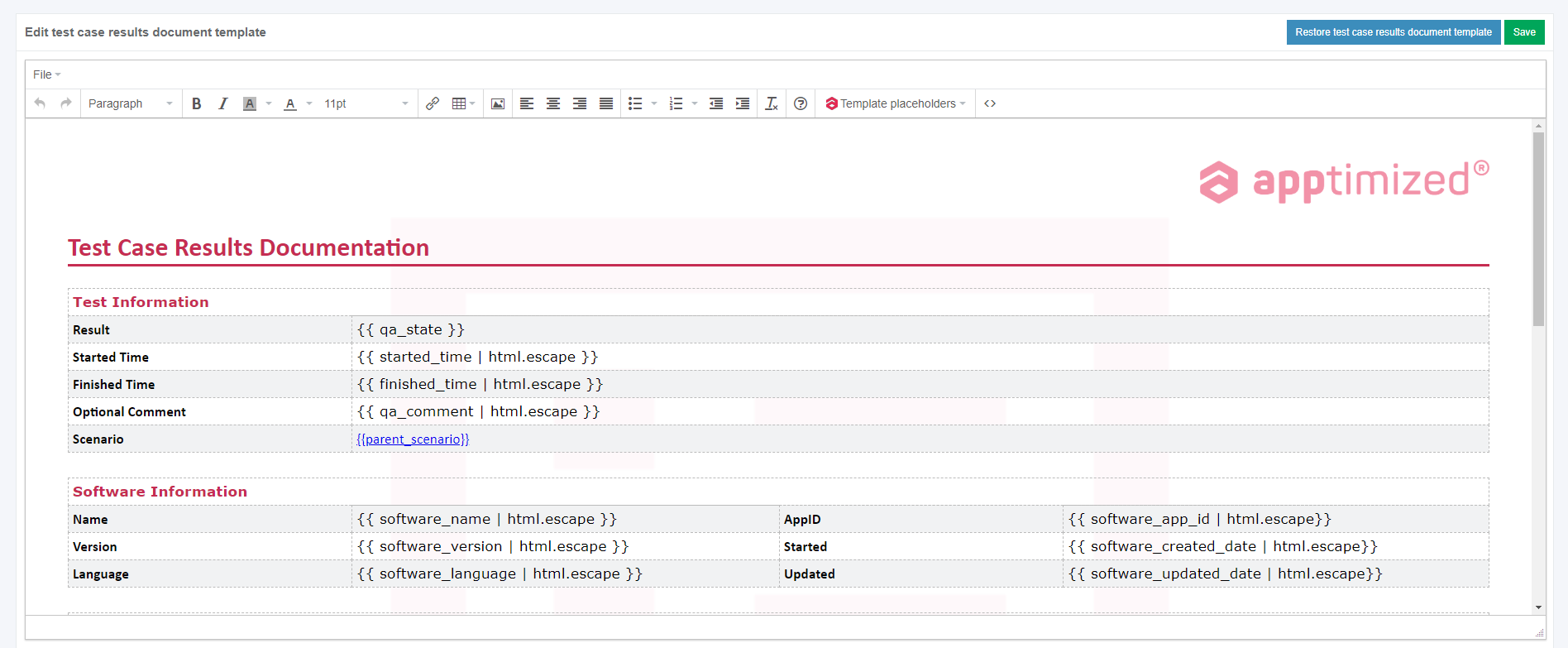
This is an initial screen, and all blocks except the **Status** block are empty.

<p class="callout info">**Note.** <span class="TextRun SCXW231606020 BCX8" data-contrast="none" lang="EN-GB" xml:lang="EN-GB"><span class="NormalTextRun SCXW231606020 BCX8">If </span><span class="NormalTextRun SpellingErrorV2 SCXW231606020 BCX8">Apptimize</span><span class="NormalTextRun SpellingErrorV2 SCXW231606020 BCX8">d</span><span class="NormalTextRun SCXW231606020 BCX8"> Portal can’t connect to SDC, the following error notification appears:</span></span><span class="EOP SCXW231606020 BCX8" data-ccp-props="{"201341983":0,"335559739":160,"335559740":259}"> </span>[![packaging_11.png](https://docs.apptimized.com/uploads/images/gallery/2021-07/scaled-1680-/sSBXMCdjnZZ9aYeD-packaging_11.png)](https://docs.apptimized.com/uploads/images/gallery/2021-07/sSBXMCdjnZZ9aYeD-packaging_11.png)</p>

This screen provides information on the Apptimized **Packaging – Factory Service** request (i.e., request progress and status). Additional information that might be needed during the packaging process will be exchanged here.

Next, each **Packaging – Factory Service** block is shown in more detail.

### **Status block**

The Status block shows packaging progress. The following request statuses appear depending on the **Packaging – Factory Service** progress:

Table 11. Discovery request statuses

<table border="1" id="bkmrk-request-status-descr" style="width: 800px;" width="800"><tbody><tr><td width="125">**Request status**

</td><td width="516">**Description**

</td></tr><tr><td width="125">Incoming check

</td><td width="516">The request has not been processed by the Apptimized team yet. The request is in the queue.

</td></tr><tr><td width="125">In progress

</td><td width="516">The request was processed by the Apptimized team. The request is in progress.

</td></tr><tr><td width="125">Factory QA

</td><td width="516">Deliverables are testing by the Apptimized team.

</td></tr><tr><td width="125">Action required

</td><td width="516">The Apptimized team asked the user a question. The user answer is needed.

</td></tr><tr><td width="125">Delivered

</td><td width="516">Packaging results are available to the user.

Packaging results are as a package (i.e. **MSI**). The package extension depends on packaging technology.

</td></tr><tr><td width="125">Error analysis

</td><td width="516">The user rejected the Packaging results. Apptimized team fixes bugs in the package.

</td></tr><tr><td width="125">Approved

</td><td width="516">The user has confirmed the Packaging results.

</td></tr><tr><td width="125">Canceled

</td><td width="516">The user canceled the Packaging request at the processing stage.

</td></tr></tbody></table>

<p class="callout info">**Note**. When public holidays are approaching that affect the factory packaging performance, Apptimized Portal shows the following notification above the Status block:  
  
[![packaging_9_4-(1).png](https://docs.apptimized.com/uploads/images/gallery/2021-07/scaled-1680-/KEfVydjpGz4jRKxs-packaging_9_4-(1).png)](https://docs.apptimized.com/uploads/images/gallery/2021-07/KEfVydjpGz4jRKxs-packaging_9_4-(1).png)</p>

The option to cancel the request is available under the **Cancel Request** button.

[![packaging_10_1.png](https://docs.apptimized.com/uploads/images/gallery/2020-04/scaled-1680-/nuQ9aKKGXVrYRw3C-packaging_10_1.png)](https://docs.apptimized.com/uploads/images/gallery/2020-04/nuQ9aKKGXVrYRw3C-packaging_10_1.png)

[![packaging_10_2.png](https://docs.apptimized.com/uploads/images/gallery/2020-04/scaled-1680-/5xJ5v5rL5ksfBt4C-packaging_10_2.png)](https://docs.apptimized.com/uploads/images/gallery/2020-04/5xJ5v5rL5ksfBt4C-packaging_10_2.png)

Apptimized shows the following modal window to confirm the request cancellation:

[![packaging_14.png](https://docs.apptimized.com/uploads/images/gallery/2020-04/scaled-1680-/qbeSZrR2Hk00TaMD-packaging_14.png)](https://docs.apptimized.com/uploads/images/gallery/2020-04/qbeSZrR2Hk00TaMD-packaging_14.png)

Apptimized shows the following modal window when successful:

[![packaging_15_2.png](https://docs.apptimized.com/uploads/images/gallery/2021-08/scaled-1680-/bJ8VjfwbVu4UoR99-packaging_15_2.png)](https://docs.apptimized.com/uploads/images/gallery/2021-08/bJ8VjfwbVu4UoR99-packaging_15_2.png)

A user can cancel the packaging request until the **Delivered** status is achieved, and the discovery deliverables are available.

[![packaging-13-2-(2).png](https://docs.apptimized.com/uploads/images/gallery/2021-06/scaled-1680-/bAowFQMEzgtsJ7Tk-packaging-13-2-(2).png)](https://docs.apptimized.com/uploads/images/gallery/2021-06/bAowFQMEzgtsJ7Tk-packaging-13-2-(2).png)

<span class="TextRun SCXW91107997 BCX8" data-contrast="none" lang="EN-GB" xml:lang="EN-GB"><span class="NormalTextRun SCXW91107997 BCX8">If a user is </span></span><span class="TrackChangeTextDeletion TrackedChange SCXW91107997 BCX8"><span class="TextRun SCXW91107997 BCX8" data-contrast="none" lang="EN-GB" xml:lang="EN-GB"><span class="NormalTextRun SCXW91107997 BCX8">not </span></span></span><span class="TrackChangeTextInsertion TrackedChange SCXW91107997 BCX8"><span class="TextRun SCXW91107997 BCX8" data-contrast="none" lang="EN-GB" xml:lang="EN-GB"><span class="NormalTextRun SCXW91107997 BCX8">un</span></span></span><span class="TextRun SCXW91107997 BCX8" data-contrast="none" lang="EN-GB" xml:lang="EN-GB"><span class="NormalTextRun SCXW91107997 BCX8">satisfied with the packaging results, they can be rejected in the</span><span class="NormalTextRun SCXW91107997 BCX8"> </span></span><span class="TextRun SCXW91107997 BCX8" data-contrast="none" lang="EN-GB" xml:lang="EN-GB"><span class="NormalTextRun SCXW91107997 BCX8">**Factory request** </span></span><span class="TextRun SCXW91107997 BCX8" data-contrast="none" lang="EN-GB" xml:lang="EN-GB"><span class="NormalTextRun SCXW91107997 BCX8">section under the </span></span>**<span class="TextRun SCXW91107997 BCX8" data-contrast="none" lang="EN-GB" xml:lang="EN-GB"><span class="NormalTextRun SCXW91107997 BCX8">Factory activity</span></span>**<span class="TextRun SCXW91107997 BCX8" data-contrast="none" lang="EN-GB" xml:lang="EN-GB"><span class="NormalTextRun SCXW91107997 BCX8"> block.</span></span><span class="EOP SCXW91107997 BCX8" data-ccp-props="{"201341983":0,"335559739":160,"335559740":259}"> </span>

When a user is satisfied with the packaging results, they must be approved in the **Status** block. The option to approve the request is available under the **Approve Request** button. The **Approve Request** button becomes active when the **Delivered** status is achieved, and the packaging deliverables are available.

Apptimized shows the following modal window to confirm the request approval:

[![packaging_16.png](https://docs.apptimized.com/uploads/images/gallery/2020-04/scaled-1680-/uGW61ghNksoGxbWJ-packaging_16.png)](https://docs.apptimized.com/uploads/images/gallery/2020-04/uGW61ghNksoGxbWJ-packaging_16.png)

Apptimized shows the following screen when successful:

[![packaging-17-1-(2).png](https://docs.apptimized.com/uploads/images/gallery/2021-08/scaled-1680-/lsW839tWTFOwT0Q7-packaging-17-1-(2).png)](https://docs.apptimized.com/uploads/images/gallery/2021-08/lsW839tWTFOwT0Q7-packaging-17-1-(2).png)

<p class="callout info">**Note.** When a user approves the request, the option can`t be canceled.</p>

### **Deliverables block**

This block provides the packaging results to a user. Discovery results are provided as a package. The package extension depends on the selected packaging technology.

The option to download the testing results is available under the **Download** button.

[![packaging_18_3-(1).png](https://docs.apptimized.com/uploads/images/gallery/2021-06/scaled-1680-/QMqFt0Jsua8PdqAn-packaging_18_3-(1).png)](https://docs.apptimized.com/uploads/images/gallery/2021-06/QMqFt0Jsua8PdqAn-packaging_18_3-(1).png)

<span class="TextRun SCXW8943411 BCX8" data-contrast="auto" lang="EN-GB" xml:lang="EN-GB"><span class="NormalTextRun SCXW8943411 BCX8">If a user is not satisfied with the testing results, they can be rejected to further processing by the Apptimized team. The option to reject the testing results is available </span><span class="NormalTextRun SCXW8943411 BCX8">in the </span></span><span class="TextRun SCXW8943411 BCX8" data-contrast="auto" lang="EN-GB" xml:lang="EN-GB"><span class="NormalTextRun SCXW8943411 BCX8">**Factory request** </span></span><span class="TextRun SCXW8943411 BCX8" data-contrast="auto" lang="EN-GB" xml:lang="EN-GB"><span class="NormalTextRun SCXW8943411 BCX8">section under the </span></span>**<span class="TextRun SCXW8943411 BCX8" data-contrast="auto" lang="EN-GB" xml:lang="EN-GB"><span class="NormalTextRun SCXW8943411 BCX8">Factory activity block</span></span>**<span class="TextRun SCXW8943411 BCX8" data-contrast="auto" lang="EN-GB" xml:lang="EN-GB"><span class="NormalTextRun SCXW8943411 BCX8">. (see [**Factory activity** ](https://docs.apptimized.com/books/apptimized-platform-user-manual/page/packaging#bkmrk-comments-%26-attachmen)block)</span></span><span class="EOP SCXW8943411 BCX8" data-ccp-props="{"201341983":0,"335559739":160,"335559740":259}"> </span>

### **Factory activity block**

<span class="TextRun SCXW143226498 BCX8" data-contrast="auto" lang="EN-GB" xml:lang="EN-GB"><span class="NormalTextRun SCXW143226498 BCX8">The option to contact the specialist from </span></span><span class="TrackChangeTextInsertion TrackedChange SCXW143226498 BCX8"><span class="TextRun SCXW143226498 BCX8" data-contrast="auto" lang="EN-GB" xml:lang="EN-GB"><span class="NormalTextRun SCXW143226498 BCX8">the </span></span></span><span class="TextRun SCXW143226498 BCX8" data-contrast="auto" lang="EN-GB" xml:lang="EN-GB"><span class="NormalTextRun SCXW143226498 BCX8">team is available under the </span></span><span class="TextRun SCXW143226498 BCX8" data-contrast="auto" lang="EN-GB" xml:lang="EN-GB"><span class="NormalTextRun SCXW143226498 BCX8">**Factory activity block** &gt; **Factory request** </span></span><span class="TextRun SCXW143226498 BCX8" data-contrast="auto" lang="EN-GB" xml:lang="EN-GB"><span class="NormalTextRun SCXW143226498 BCX8">&gt; </span></span><span class="TextRun SCXW143226498 BCX8" data-contrast="auto" lang="EN-GB" xml:lang="EN-GB"><span class="NormalTextRun SCXW143226498 BCX8">**Write a message...** </span></span><span class="TextRun SCXW143226498 BCX8" data-contrast="auto" lang="EN-GB" xml:lang="EN-GB"><span class="NormalTextRun SCXW143226498 BCX8">field</span></span><span class="TextRun SCXW143226498 BCX8" data-contrast="auto" lang="EN-GB" xml:lang="EN-GB"><span class="NormalTextRun SCXW143226498 BCX8">.</span></span><span class="EOP SCXW143226498 BCX8" data-ccp-props="{"201341983":0,"335559739":160,"335559740":259}"> </span>

[![packaging_19-(1).png](https://docs.apptimized.com/uploads/images/gallery/2021-06/scaled-1680-/stKjy719hprrU91I-packaging_19-(1).png)](https://docs.apptimized.com/uploads/images/gallery/2021-06/stKjy719hprrU91I-packaging_19-(1).png)

The option to add supplementary attachments (i.e., screenshots, additional file) is available under the **Select file** button (Choose a file &gt; **Open** button &gt; **Add** button). The file can be a maximum of 10 MB.

[![packaging_20-(1).png](https://docs.apptimized.com/uploads/images/gallery/2021-06/scaled-1680-/MXytM2lXC6L4QIwf-packaging_20-(1).png)](https://docs.apptimized.com/uploads/images/gallery/2021-06/MXytM2lXC6L4QIwf-packaging_20-(1).png)

<span class="TextRun SCXW124225776 BCX8" data-contrast="auto" lang="EN-GB" xml:lang="EN-GB"><span class="NormalTextRun SCXW124225776 BCX8">The option to send </span></span><span class="TrackChangeTextInsertion TrackedChange SCXW124225776 BCX8"><span class="TextRun SCXW124225776 BCX8" data-contrast="auto" lang="EN-GB" xml:lang="EN-GB"><span class="NormalTextRun SCXW124225776 BCX8">a </span></span></span><span class="TextRun SCXW124225776 BCX8" data-contrast="auto" lang="EN-GB" xml:lang="EN-GB"><span class="NormalTextRun SCXW124225776 BCX8">message is available under the </span></span><span class="TextRun SCXW124225776 BCX8" data-contrast="auto" lang="EN-GB" xml:lang="EN-GB"><span class="NormalTextRun SCXW124225776 BCX8">**Add** </span></span><span class="TextRun SCXW124225776 BCX8" data-contrast="auto" lang="EN-GB" xml:lang="EN-GB"><span class="NormalTextRun SCXW124225776 BCX8">button.</span></span>

<span class="EOP SCXW124225776 BCX8" data-ccp-props="{"201341983":0,"335559739":160,"335559740":259}">[![packaging_21-(2).png](https://docs.apptimized.com/uploads/images/gallery/2021-06/scaled-1680-/300pfCVBMrxKlmNg-packaging_21-(2).png)](https://docs.apptimized.com/uploads/images/gallery/2021-06/300pfCVBMrxKlmNg-packaging_21-(2).png)</span>

<span class="EOP SCXW124225776 BCX8" data-ccp-props="{"201341983":0,"335559739":160,"335559740":259}">Apptimized shows the message history interface when successful:</span>

<span class="EOP SCXW124225776 BCX8" data-ccp-props="{"201341983":0,"335559739":160,"335559740":259}">[![packaging_18_4.png](https://docs.apptimized.com/uploads/images/gallery/2021-06/scaled-1680-/V8HgWe4exCOrfWqH-packaging_18_4.png)](https://docs.apptimized.com/uploads/images/gallery/2021-06/V8HgWe4exCOrfWqH-packaging_18_4.png)</span>

<span data-contrast="none">The option to provide additional comments or attachments to the Apptimized team is available under the </span>**<span data-contrast="none">Factory activity block</span>**<span data-contrast="none"> after the Factory request was solved.</span><span data-ccp-props="{"201341983":0,"335559739":160,"335559740":259}"> </span>

[![packaging_21_2.png](https://docs.apptimized.com/uploads/images/gallery/2021-06/scaled-1680-/r0oH3o1cf5goDl6D-packaging_21_2.png)](https://docs.apptimized.com/uploads/images/gallery/2021-06/r0oH3o1cf5goDl6D-packaging_21_2.png)

<span class="TextRun SCXW79584216 BCX8" data-contrast="auto" lang="EN-GB" xml:lang="EN-GB"><span class="NormalTextRun SCXW79584216 BCX8">The option to</span><span class="NormalTextRun SCXW79584216 BCX8"> ask additional questions to the </span><span class="NormalTextRun SCXW79584216 BCX8">Apptimized t</span><span class="NormalTextRun SCXW79584216 BCX8">eam is available under the </span></span><span class="TextRun SCXW79584216 BCX8" data-contrast="auto" lang="EN-GB" xml:lang="EN-GB"><span class="NormalTextRun SCXW79584216 BCX8">**Report a problem** </span></span><span class="TextRun SCXW79584216 BCX8" data-contrast="auto" lang="EN-GB" xml:lang="EN-GB"><span class="NormalTextRun ContextualSpellingAndGrammarErrorV2 SCXW79584216 BCX8">button.</span></span>

<span class="EOP SCXW79584216 BCX8" data-ccp-props="{"201341983":0,"335559739":160,"335559740":259}">[![packaging_22-(1).png](https://docs.apptimized.com/uploads/images/gallery/2021-06/scaled-1680-/qJVqurZr0p1BzgOI-packaging_22-(1).png)](https://docs.apptimized.com/uploads/images/gallery/2021-06/qJVqurZr0p1BzgOI-packaging_22-(1).png)</span>

<span class="EOP SCXW79584216 BCX8" data-ccp-props="{"201341983":0,"335559739":160,"335559740":259}"><span class="TextRun SCXW253364958 BCX8" data-contrast="auto" lang="EN-GB" xml:lang="EN-GB"><span class="NormalTextRun SCXW253364958 BCX8">Apptimized provides the following modal window when successful:</span></span></span>

<span class="EOP SCXW79584216 BCX8" data-ccp-props="{"201341983":0,"335559739":160,"335559740":259}">[![packaging_23-(2).png](https://docs.apptimized.com/uploads/images/gallery/2021-06/scaled-1680-/N2n2ngaEjbmuGYvS-packaging_23-(2).png)](https://docs.apptimized.com/uploads/images/gallery/2021-06/N2n2ngaEjbmuGYvS-packaging_23-(2).png)</span>

<span class="EOP SCXW79584216 BCX8" data-ccp-props="{"201341983":0,"335559739":160,"335559740":259}"><span class="TextRun SCXW169514241 BCX8" data-contrast="auto" lang="EN-GB" xml:lang="EN-GB"><span class="NormalTextRun SCXW169514241 BCX8">The option to write a text message is available under </span></span><span class="TrackChangeTextInsertion TrackedChange SCXW169514241 BCX8"><span class="TextRun SCXW169514241 BCX8" data-contrast="auto" lang="EN-GB" xml:lang="EN-GB"><span class="NormalTextRun SCXW169514241 BCX8">the </span></span></span><span class="TextRun SCXW169514241 BCX8" data-contrast="auto" lang="EN-GB" xml:lang="EN-GB"><span class="NormalTextRun SCXW169514241 BCX8">**Write your problem** </span></span><span class="TextRun SCXW169514241 BCX8" data-contrast="auto" lang="EN-GB" xml:lang="EN-GB"><span class="NormalTextRun ContextualSpellingAndGrammarErrorV2 SCXW169514241 BCX8">field</span></span><span class="EOP SCXW169514241 BCX8" data-ccp-props="{"201341983":0,"335559739":160,"335559740":259}"> </span></span>

<span class="EOP SCXW79584216 BCX8" data-ccp-props="{"201341983":0,"335559739":160,"335559740":259}"><span class="EOP SCXW169514241 BCX8" data-ccp-props="{"201341983":0,"335559739":160,"335559740":259}">[![packaging_24.png](https://docs.apptimized.com/uploads/images/gallery/2021-06/scaled-1680-/6xoAlvb3jarfH8su-packaging_24.png)](https://docs.apptimized.com/uploads/images/gallery/2021-06/6xoAlvb3jarfH8su-packaging_24.png)</span></span>

<p class="callout info">**<span class="EOP SCXW79584216 BCX8" data-ccp-props="{"201341983":0,"335559739":160,"335559740":259}">Note. </span>**<span class="EOP SCXW79584216 BCX8" data-ccp-props="{"201341983":0,"335559739":160,"335559740":259}">This field is mandatory.</span></p>

<span class="EOP SCXW79584216 BCX8" data-ccp-props="{"201341983":0,"335559739":160,"335559740":259}"><span class="TextRun SCXW94127574 BCX8" data-contrast="auto" lang="EN-GB" xml:lang="EN-GB"><span class="NormalTextRun SCXW94127574 BCX8">The option to attach </span></span><span class="TrackChangeTextInsertion TrackedChange SCXW94127574 BCX8"><span class="TextRun SCXW94127574 BCX8" data-contrast="auto" lang="EN-GB" xml:lang="EN-GB"><span class="NormalTextRun SCXW94127574 BCX8">a </span></span></span><span class="TextRun SCXW94127574 BCX8" data-contrast="auto" lang="EN-GB" xml:lang="EN-GB"><span class="NormalTextRun SCXW94127574 BCX8">file is available under the </span></span><span class="TextRun SCXW94127574 BCX8" data-contrast="auto" lang="EN-GB" xml:lang="EN-GB"><span class="NormalTextRun SCXW94127574 BCX8">**Select file** </span></span><span class="TextRun SCXW94127574 BCX8" data-contrast="auto" lang="EN-GB" xml:lang="EN-GB"><span class="NormalTextRun ContextualSpellingAndGrammarErrorV2 SCXW94127574 BCX8">field.</span></span></span>

<span class="EOP SCXW79584216 BCX8" data-ccp-props="{"201341983":0,"335559739":160,"335559740":259}"><span class="TextRun SCXW94127574 BCX8" data-contrast="auto" lang="EN-GB" xml:lang="EN-GB"><span class="NormalTextRun ContextualSpellingAndGrammarErrorV2 SCXW94127574 BCX8">[![packaging_25.png](https://docs.apptimized.com/uploads/images/gallery/2021-06/scaled-1680-/BohpvVdHQAv8vQD9-packaging_25.png)](https://docs.apptimized.com/uploads/images/gallery/2021-06/BohpvVdHQAv8vQD9-packaging_25.png)</span></span></span>

<span class="EOP SCXW79584216 BCX8" data-ccp-props="{"201341983":0,"335559739":160,"335559740":259}"><span class="TextRun SCXW131036850 BCX8" data-contrast="auto" lang="EN-GB" xml:lang="EN-GB"><span class="NormalTextRun SCXW131036850 BCX8">The option to change the attached file is available under the </span></span><span class="TextRun SCXW131036850 BCX8" data-contrast="auto" lang="EN-GB" xml:lang="EN-GB"><span class="NormalTextRun SCXW131036850 BCX8">**Change** </span></span><span class="TextRun SCXW131036850 BCX8" data-contrast="auto" lang="EN-GB" xml:lang="EN-GB"><span class="NormalTextRun SCXW131036850 BCX8">button.</span></span><span class="EOP SCXW131036850 BCX8" data-ccp-props="{"201341983":0,"335559739":160,"335559740":259}"> </span></span>

<span class="EOP SCXW79584216 BCX8" data-ccp-props="{"201341983":0,"335559739":160,"335559740":259}">[![packaging_26_3-(1).png](https://docs.apptimized.com/uploads/images/gallery/2021-06/scaled-1680-/O39QjMB2hotX9p2z-packaging_26_3-(1).png)](https://docs.apptimized.com/uploads/images/gallery/2021-06/O39QjMB2hotX9p2z-packaging_26_3-(1).png)</span>

<span class="EOP SCXW79584216 BCX8" data-ccp-props="{"201341983":0,"335559739":160,"335559740":259}"><span class="TextRun SCXW50092283 BCX8" data-contrast="auto" lang="EN-GB" xml:lang="EN-GB"><span class="NormalTextRun SCXW50092283 BCX8">The option to remove the attached file is available under the </span></span><span class="TextRun SCXW50092283 BCX8" data-contrast="auto" lang="EN-GB" xml:lang="EN-GB"><span class="NormalTextRun SCXW50092283 BCX8">**Remove** </span></span><span class="TextRun SCXW50092283 BCX8" data-contrast="auto" lang="EN-GB" xml:lang="EN-GB"><span class="NormalTextRun SCXW50092283 BCX8">button.</span></span><span class="EOP SCXW50092283 BCX8" data-ccp-props="{"201341983":0,"335559739":160,"335559740":259}"> </span></span>

<span class="EOP SCXW79584216 BCX8" data-ccp-props="{"201341983":0,"335559739":160,"335559740":259}">[![packaging-27-(1).png](https://docs.apptimized.com/uploads/images/gallery/2021-06/scaled-1680-/ITBYIKfheqDvVfxR-packaging-27-(1).png)](https://docs.apptimized.com/uploads/images/gallery/2021-06/ITBYIKfheqDvVfxR-packaging-27-(1).png)</span>

<span class="EOP SCXW79584216 BCX8" data-ccp-props="{"201341983":0,"335559739":160,"335559740":259}"><span class="TextRun SCXW236173650 BCX8" data-contrast="auto" lang="EN-GB" xml:lang="EN-GB"><span class="NormalTextRun SCXW236173650 BCX8">The option to send </span></span><span class="TrackChangeTextInsertion TrackedChange SCXW236173650 BCX8"><span class="TextRun SCXW236173650 BCX8" data-contrast="auto" lang="EN-GB" xml:lang="EN-GB"><span class="NormalTextRun SCXW236173650 BCX8">a </span></span></span><span class="TextRun SCXW236173650 BCX8" data-contrast="auto" lang="EN-GB" xml:lang="EN-GB"><span class="NormalTextRun SCXW236173650 BCX8">message is available under </span></span><span class="TextRun SCXW236173650 BCX8" data-contrast="auto" lang="EN-GB" xml:lang="EN-GB"><span class="NormalTextRun SCXW236173650 BCX8">**Send** </span></span><span class="TextRun SCXW236173650 BCX8" data-contrast="auto" lang="EN-GB" xml:lang="EN-GB"><span class="NormalTextRun SCXW236173650 BCX8">field. </span></span><span class="TextRun SCXW236173650 BCX8" data-contrast="auto" lang="EN-GB" xml:lang="EN-GB"><span class="NormalTextRun SCXW236173650 BCX8">**Cancel** – </span></span><span class="TextRun SCXW236173650 BCX8" data-contrast="auto" lang="EN-GB" xml:lang="EN-GB"><span class="NormalTextRun SCXW236173650 BCX8">reverts to </span></span><span class="TextRun SCXW236173650 BCX8" data-contrast="auto" lang="EN-GB" xml:lang="EN-GB"><span class="NormalTextRun SCXW236173650 BCX8">**general Factory process** </span></span><span class="TextRun SCXW236173650 BCX8" data-contrast="auto" lang="EN-GB" xml:lang="EN-GB"><span class="NormalTextRun SCXW236173650 BCX8">workflow</span><span class="NormalTextRun SCXW236173650 BCX8">.</span></span><span class="EOP SCXW236173650 BCX8" data-ccp-props="{"201341983":0,"335559739":160,"335559740":259}"> </span></span>

<span class="EOP SCXW79584216 BCX8" data-ccp-props="{"201341983":0,"335559739":160,"335559740":259}">[![packaging_28.png](https://docs.apptimized.com/uploads/images/gallery/2021-06/scaled-1680-/9UTowLyYgK7MB2ZW-packaging_28.png)](https://docs.apptimized.com/uploads/images/gallery/2021-06/9UTowLyYgK7MB2ZW-packaging_28.png)</span>

<span class="EOP SCXW79584216 BCX8" data-ccp-props="{"201341983":0,"335559739":160,"335559740":259}"><span class="TextRun SCXW216048830 BCX8" data-contrast="auto" lang="EN-GB" xml:lang="EN-GB"><span class="NormalTextRun SCXW216048830 BCX8">Apptimized shows the </span><span class="NormalTextRun SCXW216048830 BCX8">message history interface</span><span class="NormalTextRun SCXW216048830 BCX8"> when successful:</span></span><span class="EOP SCXW216048830 BCX8" data-ccp-props="{"201341983":0,"335559739":160,"335559740":259}"> </span></span>

<span class="EOP SCXW79584216 BCX8" data-ccp-props="{"201341983":0,"335559739":160,"335559740":259}">[![packaging_29_2-(2).png](https://docs.apptimized.com/uploads/images/gallery/2021-06/scaled-1680-/jf8Q1355QQiuyiwV-packaging_29_2-(2).png)](https://docs.apptimized.com/uploads/images/gallery/2021-06/jf8Q1355QQiuyiwV-packaging_29_2-(2).png)</span>

<p class="callout info"><span class="EOP SCXW79584216 BCX8" data-ccp-props="{"201341983":0,"335559739":160,"335559740":259}">**Note.** The attached files appear above the message history interface.</span></p>

<p class="callout info"><span class="EOP SCXW79584216 BCX8" data-ccp-props="{"201341983":0,"335559739":160,"335559740":259}">[![packaging_30-(2).png](https://docs.apptimized.com/uploads/images/gallery/2021-06/scaled-1680-/PB8kz4rQYeAEUKLm-packaging_30-(2).png)](https://docs.apptimized.com/uploads/images/gallery/2021-06/PB8kz4rQYeAEUKLm-packaging_30-(2).png)</span></p>

<span class="EOP SCXW79584216 BCX8" data-ccp-props="{"201341983":0,"335559739":160,"335559740":259}"><span class="TextRun SCXW216459290 BCX8" data-contrast="none" lang="EN-GB" xml:lang="EN-GB"><span class="NormalTextRun SCXW216459290 BCX8">If Apptimized needs some additional information, a user will receive notification</span><span class="NormalTextRun SCXW216459290 BCX8">s</span><span class="NormalTextRun SCXW216459290 BCX8"> </span><span class="NormalTextRun SCXW216459290 BCX8">and </span><span class="NormalTextRun SCXW216459290 BCX8">a warning icon in the dashboard:</span></span></span>

[![packaging_30-(3).png](https://docs.apptimized.com/uploads/images/gallery/2021-06/scaled-1680-/zwwXyZSrRSbGQGwz-packaging_30-(3).png)](https://docs.apptimized.com/uploads/images/gallery/2021-06/zwwXyZSrRSbGQGwz-packaging_30-(3).png)

<span class="EOP SCXW79584216 BCX8" data-ccp-props="{"201341983":0,"335559739":160,"335559740":259}">[![packaging_31-(2).png](https://docs.apptimized.com/uploads/images/gallery/2021-06/scaled-1680-/LwJiqpnBhFO8ihUn-packaging_31-(2).png)](https://docs.apptimized.com/uploads/images/gallery/2021-06/LwJiqpnBhFO8ihUn-packaging_31-(2).png)</span>

<span class="EOP SCXW79584216 BCX8" data-ccp-props="{"201341983":0,"335559739":160,"335559740":259}"><span class="TextRun SCXW86279053 BCX8" data-contrast="auto" lang="EN-GB" xml:lang="EN-GB"><span class="NormalTextRun SCXW86279053 BCX8">If there is</span></span><span class="TrackChangeTextDeletion TrackedChange SCXW86279053 BCX8"><span class="TextRun SCXW86279053 BCX8" data-contrast="auto" lang="EN-GB" xml:lang="EN-GB"><span class="NormalTextRun SCXW86279053 BCX8"> </span></span></span><span class="TextRun SCXW86279053 BCX8" data-contrast="auto" lang="EN-GB" xml:lang="EN-GB"><span class="NormalTextRun SCXW86279053 BCX8">feedback from the user</span></span><span class="TrackChangeTextDeletion TrackedChange SCXW86279053 BCX8"><span class="TextRun SCXW86279053 BCX8" data-contrast="auto" lang="EN-GB" xml:lang="EN-GB"><span class="NormalTextRun SCXW86279053 BCX8"> </span></span></span><span class="TrackChangeTextInsertion TrackedChange SCXW86279053 BCX8"><span class="TextRun SCXW86279053 BCX8" data-contrast="auto" lang="EN-GB" xml:lang="EN-GB"><span class="NormalTextRun SCXW86279053 BCX8">regardi</span></span></span><span class="TrackChangeTextInsertion TrackedChange SCXW86279053 BCX8"><span class="TextRun SCXW86279053 BCX8" data-contrast="auto" lang="EN-GB" xml:lang="EN-GB"><span class="NormalTextRun SCXW86279053 BCX8">ng</span></span></span><span class="TrackChangeTextInsertion TrackedChange SCXW86279053 BCX8"><span class="TextRun SCXW86279053 BCX8" data-contrast="auto" lang="EN-GB" xml:lang="EN-GB"><span class="NormalTextRun SCXW86279053 BCX8"> </span></span></span><span class="TextRun SCXW86279053 BCX8" data-contrast="auto" lang="EN-GB" xml:lang="EN-GB"><span class="NormalTextRun SCXW86279053 BCX8">the Factory Request, the following </span><span class="NormalTextRun SCXW86279053 BCX8">notification and status in the dashboard appear:</span></span></span>

<span class="EOP SCXW79584216 BCX8" data-ccp-props="{"201341983":0,"335559739":160,"335559740":259}"><span class="TextRun SCXW86279053 BCX8" data-contrast="auto" lang="EN-GB" xml:lang="EN-GB"><span class="NormalTextRun SCXW86279053 BCX8">[![packaging_36-(1).png](https://docs.apptimized.com/uploads/images/gallery/2021-06/scaled-1680-/wsajrhpC8RCdeXuQ-packaging_36-(1).png)](https://docs.apptimized.com/uploads/images/gallery/2021-06/wsajrhpC8RCdeXuQ-packaging_36-(1).png)</span></span></span>

<span class="EOP SCXW79584216 BCX8" data-ccp-props="{"201341983":0,"335559739":160,"335559740":259}"><span class="TextRun SCXW86279053 BCX8" data-contrast="auto" lang="EN-GB" xml:lang="EN-GB"><span class="NormalTextRun SCXW86279053 BCX8">[![packaging_35-(1).png](https://docs.apptimized.com/uploads/images/gallery/2021-06/scaled-1680-/gqRxpwARUXcW7rqh-packaging_35-(1).png)](https://docs.apptimized.com/uploads/images/gallery/2021-06/gqRxpwARUXcW7rqh-packaging_35-(1).png)</span></span></span>

<span class="EOP SCXW79584216 BCX8" data-ccp-props="{"201341983":0,"335559739":160,"335559740":259}"><span class="TextRun SCXW86279053 BCX8" data-contrast="auto" lang="EN-GB" xml:lang="EN-GB"><span class="NormalTextRun SCXW86279053 BCX8"><span class="TextRun  BCX8 SCXW6278276" data-contrast="auto" lang="EN-GB" xml:lang="EN-GB"><span class="NormalTextRun SpellingErrorV2  BCX8 SCXW6278276">Apptimized</span><span class="NormalTextRun  BCX8 SCXW6278276"> </span><span class="NormalTextRun  BCX8 SCXW6278276">provides</span><span class="NormalTextRun  BCX8 SCXW6278276"> the following </span><span class="NormalTextRun  BCX8 SCXW6278276">notification and statuses</span><span class="NormalTextRun  BCX8 SCXW6278276"> </span><span class="NormalTextRun  BCX8 SCXW6278276">in </span><span class="NormalTextRun  BCX8 SCXW6278276">the </span><span class="NormalTextRun  BCX8 SCXW6278276">workflow and dashboard </span><span class="NormalTextRun  BCX8 SCXW6278276">after the request </span><span class="NormalTextRun  BCX8 SCXW6278276">is</span><span class="NormalTextRun  BCX8 SCXW6278276"> </span><span class="NormalTextRun  BCX8 SCXW6278276">re</span><span class="NormalTextRun  BCX8 SCXW6278276">solved:</span></span><span class="EOP  BCX8 SCXW6278276" data-ccp-props="{"201341983":0,"335559739":160,"335559740":259}"> </span></span></span></span>

<span class="EOP SCXW79584216 BCX8" data-ccp-props="{"201341983":0,"335559739":160,"335559740":259}"><span class="TextRun SCXW86279053 BCX8" data-contrast="auto" lang="EN-GB" xml:lang="EN-GB"><span class="NormalTextRun SCXW86279053 BCX8"><span class="EOP  BCX8 SCXW6278276" data-ccp-props="{"201341983":0,"335559739":160,"335559740":259}">[![packaging_36-(1).png](https://docs.apptimized.com/uploads/images/gallery/2021-06/scaled-1680-/wsajrhpC8RCdeXuQ-packaging_36-(1).png)](https://docs.apptimized.com/uploads/images/gallery/2021-06/wsajrhpC8RCdeXuQ-packaging_36-(1).png)</span></span></span></span>

<span class="EOP SCXW79584216 BCX8" data-ccp-props="{"201341983":0,"335559739":160,"335559740":259}"><span class="TextRun SCXW86279053 BCX8" data-contrast="auto" lang="EN-GB" xml:lang="EN-GB"><span class="NormalTextRun SCXW86279053 BCX8"><span class="EOP  BCX8 SCXW6278276" data-ccp-props="{"201341983":0,"335559739":160,"335559740":259}">[![packaging_33-(3).png](https://docs.apptimized.com/uploads/images/gallery/2021-06/scaled-1680-/ftTCL5XyMG2rBbeO-packaging_33-(3).png)](https://docs.apptimized.com/uploads/images/gallery/2021-06/ftTCL5XyMG2rBbeO-packaging_33-(3).png)</span></span></span></span>

<span class="EOP SCXW79584216 BCX8" data-ccp-props="{"201341983":0,"335559739":160,"335559740":259}">[![packaging_37-(1).png](https://docs.apptimized.com/uploads/images/gallery/2021-06/scaled-1680-/WtKJ6jlTutz1fsTE-packaging_37-(1).png)](https://docs.apptimized.com/uploads/images/gallery/2021-06/WtKJ6jlTutz1fsTE-packaging_37-(1).png)</span>

### **Finish Packaging - Factory Service**

The **Finish** button becomes active when a request is approved by a user.

[![packaging_31-(3).png](https://docs.apptimized.com/uploads/images/gallery/2021-06/scaled-1680-/i42ZSqNvtVduJzhc-packaging_31-(3).png)](https://docs.apptimized.com/uploads/images/gallery/2021-06/i42ZSqNvtVduJzhc-packaging_31-(3).png)

The option to create a new request is available under the **Create new request** button. Apptimized shows the following modal window to confirm the request approval:

[![packaging_24.png](https://docs.apptimized.com/uploads/images/gallery/2020-04/scaled-1680-/vZK2y7DH5AES6k1l-packaging_24.png)](https://docs.apptimized.com/uploads/images/gallery/2020-04/vZK2y7DH5AES6k1l-packaging_24.png)

Apptimized shows the following screen when successful:

[![packaging_25.png](https://docs.apptimized.com/uploads/images/gallery/2020-04/scaled-1680-/WFee0Uc08vr1o8TT-packaging_25.png)](https://docs.apptimized.com/uploads/images/gallery/2020-04/WFee0Uc08vr1o8TT-packaging_25.png)

The option to finish Packaging - Factory Service process is available under the **Finish** button.

[![packaging_32-(2).png](https://docs.apptimized.com/uploads/images/gallery/2021-06/scaled-1680-/9vFKtVIcXaopnxc7-packaging_32-(2).png)](https://docs.apptimized.com/uploads/images/gallery/2021-06/9vFKtVIcXaopnxc7-packaging_32-(2).png)

Apptimized shows the following screen when successful:

[![packaging_27.png](https://docs.apptimized.com/uploads/images/gallery/2020-04/scaled-1680-/kyf8h4wQxBcE2NvT-packaging_27.png)](https://docs.apptimized.com/uploads/images/gallery/2020-04/kyf8h4wQxBcE2NvT-packaging_27.png)

# MSIX packaging

**[MSIX](https://docs.microsoft.com/en-us/windows/msix/overview#:~:text=MSIX%20is%20a%20Windows%20app,WPF%2C%20and%20Windows%20Forms%20apps.)** is a Windows app package format that provides a modern packaging experience to all Windows apps. The MSIX package format preserves the functionality of existing app packages and/or install files in addition to enabling new, modern packaging and deployment features to Win32, WPF, and Windows Forms apps.

Apptimized Portal allows a user to create MSIX packages with the help of [**Apptimized Packaging Engine**](https://docs.apptimized.com/books/apptimized-platform-user-manual/page/msix-packaging#bkmrk-apptimized-packaging), bulk convert packages to MSIX packaging format within the **[MSIX bulk conversion](https://docs.apptimized.com/books/apptimized-platform-user-manual/page/msix-packaging#bkmrk-msix-bulk-conversion),** and automatically convert the existing MSIX packages to Virtual Hard Disk files based on MSIX App Attach technology within the **[MSIX App Attach Converter](https://docs.apptimized.com/books/apptimized-platform-user-manual/page/msix-packaging#bkmrk-apptimized%C2%A0msix-appa)**.

### Apptimized Packaging Engine

<span data-contrast="none">The Apptimized Packaging Engine (APE) launches when double-clicking the </span>**<span data-contrast="none">Apptimized Packaging Engine</span>**<span data-contrast="none"> icon.</span><span data-ccp-props="{"201341983":0,"335559739":160,"335559740":259}"> </span>

<span data-ccp-props="{"201341983":0,"335559739":160,"335559740":259}"> [![screen-1.png](https://docs.apptimized.com/uploads/images/gallery/2021-02/scaled-1680-/dEdxI2W8cFeBarct-screen-1.png)](https://docs.apptimized.com/uploads/images/gallery/2021-02/dEdxI2W8cFeBarct-screen-1.png)</span>

<span data-contrast="none">The process may take few moments.</span><span data-ccp-props="{"201341983":0,"335559739":160,"335559740":259}"> </span>

<span data-ccp-props="{"201341983":0,"335559739":160,"335559740":259}"> [![screen-2.png](https://docs.apptimized.com/uploads/images/gallery/2021-02/scaled-1680-/BXCCkwF8CfsRPsvJ-screen-2.png)](https://docs.apptimized.com/uploads/images/gallery/2021-02/BXCCkwF8CfsRPsvJ-screen-2.png)</span>

<span data-contrast="none">Apptimized shows the Apptimized Packaging Engine (APE) main screen when successful:</span><span data-ccp-props="{"201341983":0,"335559739":160,"335559740":259}"> </span>

<span data-ccp-props="{"201341983":0,"335559739":160,"335559740":259}"> [![screen-3.png](https://docs.apptimized.com/uploads/images/gallery/2021-02/scaled-1680-/d6ssUeQtEB7WDJ0n-screen-3.png)](https://docs.apptimized.com/uploads/images/gallery/2021-02/d6ssUeQtEB7WDJ0n-screen-3.png)</span>

<span data-contrast="none">Table 1. Apptimized Packaging Engine options</span><span data-ccp-props="{"201341983":0,"335559739":160,"335559740":259}"> </span>

<table data-tablelook="1696" data-tablestyle="MsoTableGrid" id="bkmrk-option%C2%A0-details%C2%A0-rep"><tbody><tr><td data-celllook="4369">**<span data-contrast="none">Option</span>**<span data-ccp-props="{"201341983":0,"335559740":259}"> </span>

</td><td data-celllook="4369">**<span data-contrast="none">Details</span>**<span data-ccp-props="{"201341983":0,"335559740":259}"> </span>

</td></tr><tr><td data-celllook="4369"><span data-contrast="none">Repackage to MSI, App-V, MSIX, IntuneWin or VSL</span><span data-ccp-props="{"201341983":0,"335559740":259}"> </span>

</td><td data-celllook="4369"><span data-contrast="none">This option is snapshot-based and enables to create a completely new installer.</span><span data-ccp-props="{"201341983":0,"335559740":259}"> </span>

<span data-contrast="none">This option is applicable when a user has a non-MSI vendor installer. A user converts it to MSI or App-V or virtualizes MSI installer into App-V.</span><span data-ccp-props="{"201341983":0,"335559740":259}"> </span>

</td></tr><tr><td data-celllook="4369"><span data-contrast="none">Transform and edit vendor MSI</span><span data-ccp-props="{"201341983":0,"335559740":259}"> </span>

</td><td data-celllook="4369"><span data-contrast="none">This option enables the transformation or customizing the existing Windows Installer.</span><span data-ccp-props="{"201341983":0,"335559740":259}"> </span>

<span data-contrast="none">This option is applicable when a user has an MSI-based vendor installer and needs to produce an MST for it containing changes made during the installation process and/or configuration post-installation settings.</span><span data-ccp-props="{"201341983":0,"335559740":259}"> </span>

</td></tr><tr><td data-celllook="4369"><span data-contrast="none">Review and edit result</span><span data-ccp-props="{"201341983":0,"335559740":259}"> </span>

</td><td data-celllook="4369"><span data-contrast="none">This option enables to review the packages.</span><span data-ccp-props="{"201341983":0,"335559740":259}"> </span>

<span data-contrast="none">The option becomes available only after a user completed the repackaging or transformation procedure.</span><span data-ccp-props="{"201341983":0,"335559740":259}"> </span>

</td></tr><tr><td data-celllook="4369"><span data-contrast="none">Save locally</span><span data-ccp-props="{"201341983":0,"335559740":259}"> </span>

</td><td data-celllook="4369"><span data-contrast="none">This option enables saving the output locally to verify before uploading back to Apptimized.</span><span data-ccp-props="{"201341983":0,"335559740":259}"> </span>

</td></tr><tr><td data-celllook="4369"><span data-contrast="none">Upload result to Apptimized</span><span data-ccp-props="{"201341983":0,"335559740":259}"> </span>

</td><td data-celllook="4369"><span data-contrast="none">This option enables uploading verified output back to Apptimized.</span><span data-ccp-props="{"201341983":0,"335559740":259}"> </span>

<span data-contrast="none">A user can upload the output generated by Apptimized or select an archive with modified files to be used as an output.</span><span data-ccp-props="{"201341983":0,"335559740":259}"> </span>

</td></tr></tbody></table>

#### Repackage to MSI, App-V, MSIX, or VSL

<span data-contrast="none">When clicking the </span>**<span data-contrast="none">Repackage to MSI, App-V, MSIX, or VSL</span>**<span data-contrast="none"> option, the APE will redirect a user to a Wizard. A user needs to provide input at each step.</span><span data-ccp-props="{"201341983":0,"335559739":160,"335559740":259}"> </span>

##### Capturing installation and configuration

<span data-contrast="none">APE will capture all changes made to the system by scanning a file and registry changes, after that converting it to a machine-readable form. Those changes will typically include the installation of the application and the features selection, as well as customization of the application's settings to reflect the desired result as documented during the Discovery step.</span><span data-ccp-props="{"201341983":0,"335559739":160,"335559740":259}"> </span>

<span data-contrast="none">VM preparation and prerequisites installation must proceed before packaging. The prerequisites are considered as applications that need to be present for a user’s software or its installer to function, but a user does not want those software products to be included into the package (e.g., because a prerequisite is already installed on the user’s machines or is managed as a separate dependency package).</span><span data-ccp-props="{"201341983":0,"335559739":160,"335559740":259}"> </span>

<span data-contrast="none">The option to start a recording session is available under the </span>**<span data-contrast="none">Start recording</span>**<span data-contrast="none"> button.</span><span data-ccp-props="{"201341983":0,"335559739":160,"335559740":259}"> </span>

<span data-ccp-props="{"201341983":0,"335559739":160,"335559740":259}"> [![screen-7.png](https://docs.apptimized.com/uploads/images/gallery/2021-02/scaled-1680-/p8MeSjfdA4bcAf2d-screen-7.png)](https://docs.apptimized.com/uploads/images/gallery/2021-02/p8MeSjfdA4bcAf2d-screen-7.png)</span>

<p class="callout info">**<span data-contrast="none">Note.</span>**<span data-contrast="none"> Any VM activity or inactivity can leave traces in the captured result (including those not relevant to the package or application results). A user needs to confine to the activities needed for packaging and finish the process as quickly as possible).</span><span data-ccp-props="{"201341983":0,"335559739":160,"335559740":259}"> </span></p>

<span data-contrast="none">APE shows the following notification when successful:</span><span data-ccp-props="{"201341983":0,"335559739":160,"335559740":259}"> </span>

<span data-ccp-props="{"201341983":0,"335559739":160,"335559740":259}"> [![screen-8.png](https://docs.apptimized.com/uploads/images/gallery/2021-02/scaled-1680-/rbkW6PXdUsoP8vo3-screen-8.png)](https://docs.apptimized.com/uploads/images/gallery/2021-02/rbkW6PXdUsoP8vo3-screen-8.png)</span>

<span data-contrast="none">The option to suspend capturing changes made to the filesystem and registry is available under the </span>**<span data-contrast="none">Pause</span>**<span data-contrast="none"> button. The option to resume the recording is available under the </span>**<span data-contrast="none">Pause</span>**<span data-contrast="none"> button (click the</span>**<span data-contrast="none"> Pause</span>**<span data-contrast="none"> button again).</span><span data-ccp-props="{"201341983":0,"335559739":160,"335559740":259}"> </span>

<span data-ccp-props="{"201341983":0,"335559739":160,"335559740":259}"> [![screen-9.png](https://docs.apptimized.com/uploads/images/gallery/2021-02/scaled-1680-/pYFs2tmN8f0kYWBU-screen-9.png)](https://docs.apptimized.com/uploads/images/gallery/2021-02/pYFs2tmN8f0kYWBU-screen-9.png)</span>

<span data-contrast="none">Once the recording has started a user enables a user to browse the path of the installation file (</span>**<span data-contrast="none">Browse</span>**<span data-contrast="none"> button).</span><span data-ccp-props="{"201341983":0,"335559739":160,"335559740":259}"> </span>

<span data-contrast="none">The option to provide the additional parameters (i.e., to specify additional launch arguments) is available under the </span>**<span data-contrast="none">Parameters (optional)</span>**<span data-contrast="none"> field.</span><span data-ccp-props="{"201341983":0,"335559739":160,"335559740":259}"> </span>

<span data-ccp-props="{"201341983":0,"335559739":160,"335559740":259}"> [![screen-10.png](https://docs.apptimized.com/uploads/images/gallery/2021-02/scaled-1680-/b6jZEKoDfO5p7j71-screen-10.png)](https://docs.apptimized.com/uploads/images/gallery/2021-02/b6jZEKoDfO5p7j71-screen-10.png)</span>

<span data-contrast="none">Once the file has been selected, the </span>**<span data-contrast="none">Run</span>**<span data-contrast="none"> button becomes active.</span><span data-ccp-props="{"201341983":0,"335559739":160,"335559740":259}"> </span>

<span data-ccp-props="{"201341983":0,"335559739":160,"335559740":259}"> [![screen-11.png](https://docs.apptimized.com/uploads/images/gallery/2021-02/scaled-1680-/fxd5c0zWv7GfE2VM-screen-11.png)](https://docs.apptimized.com/uploads/images/gallery/2021-02/fxd5c0zWv7GfE2VM-screen-11.png)</span>

<span data-contrast="none">When the synchronization process is finished, APE shows the following screen:</span>

<span data-ccp-props="{"201341983":0,"335559739":160,"335559740":259}"> [![screen-12.png](https://docs.apptimized.com/uploads/images/gallery/2021-02/scaled-1680-/skF7lSCKK01ckRXR-screen-12.png)](https://docs.apptimized.com/uploads/images/gallery/2021-02/skF7lSCKK01ckRXR-screen-12.png)</span>

<span data-contrast="none">When the installation and configuration activities are completed, the record must be finished. The option to stop the record is available under the </span>**<span data-contrast="none">Stop recording</span>**<span data-contrast="none"> button.</span><span data-ccp-props="{"201341983":0,"335559739":160,"335559740":259}"> </span>

<span data-contrast="none">This will terminate the recording process and prepare the captured system changes for producing an MSI, MSIX, App-V, or VSL. The terminating process may take few moments (additional post-processing and </span><span data-contrast="none">cleanup</span><span data-contrast="none"> will be applied to the output).</span><span data-ccp-props="{"201341983":0,"335559739":160,"335559740":259}"> </span>

<p class="callout info">**Note**. Apptimized applies advanced logic and filters to keep the snapshot result clean from unneeded or dangerous files and registry keys. However, typically captured results require manual review and adjustments to achieve the desired result or to apply further cleanup from the captured system or user activity. </p>

<span data-contrast="none">The processing file system changes may take few moments:</span><span data-ccp-props="{"201341983":0,"335559739":160,"335559740":259}"> </span>

<span data-ccp-props="{"201341983":0,"335559739":160,"335559740":259}"> [![screen-13.png](https://docs.apptimized.com/uploads/images/gallery/2021-02/scaled-1680-/SBDY3o3HipQYSQt1-screen-13.png)](https://docs.apptimized.com/uploads/images/gallery/2021-02/SBDY3o3HipQYSQt1-screen-13.png)</span>

<span data-contrast="none">When successful APE shows the screen:</span><span data-ccp-props="{"201341983":0,"335559739":160,"335559740":259}"> </span>

<span data-ccp-props="{"201341983":0,"335559739":160,"335559740":259}"> [![screen-14.png](https://docs.apptimized.com/uploads/images/gallery/2021-02/scaled-1680-/ulMZKtkNxG3dzxcd-screen-14.png)](https://docs.apptimized.com/uploads/images/gallery/2021-02/ulMZKtkNxG3dzxcd-screen-14.png)</span>

##### Editing Application Metadata

<span data-contrast="none">A user can review and adjust the application metadata if required.</span><span data-ccp-props="{"201341983":0,"335559739":160,"335559740":259}"> </span>

<span data-contrast="none">The default values generate from the portfolio metadata provided during the file import process and do not need to be changed in most of the cases.</span><span data-ccp-props="{"201341983":0,"335559739":160,"335559740":259}"> </span>

<span data-contrast="none">If the installation session consisted of more than one installer, select the primary installer to extract the metadata.</span><span data-ccp-props="{"201341983":0,"335559739":160,"335559740":259}"> </span>

##### Review captured content<span data-ccp-props="{"201341983":0,"335559738":40,"335559739":0,"335559740":259}"> </span>

<span data-contrast="none">The option to the recorded content for the files, registry entries, services, and other system items that were modified or created during the installation is available under the </span>**<span data-contrast="none">Review recorded content </span>**<span data-contrast="none">button.</span><span data-ccp-props="{"201341983":0,"335559739":160,"335559740":259}"> </span>

<span data-ccp-props="{"201341983":0,"335559739":160,"335559740":259}"> [![screen-15.png](https://docs.apptimized.com/uploads/images/gallery/2021-02/scaled-1680-/GNDv9TYfcUkuoUA9-screen-15.png)](https://docs.apptimized.com/uploads/images/gallery/2021-02/GNDv9TYfcUkuoUA9-screen-15.png)</span>

<span data-contrast="none">APE shows the snapshot editor screen when successful:</span><span data-ccp-props="{"201341983":0,"335559739":160,"335559740":259}"> [![screen-16.png](https://docs.apptimized.com/uploads/images/gallery/2021-02/scaled-1680-/0FQXOUvpMRC18sKK-screen-16.png)](https://docs.apptimized.com/uploads/images/gallery/2021-02/0FQXOUvpMRC18sKK-screen-16.png)</span>

<span data-contrast="none">A user can navigate across different tabs based on the captured content nature:</span><span data-ccp-props="{"201341983":0,"335559739":160,"335559740":259}"> </span>

- <span data-contrast="none">Filesystem;</span><span data-ccp-props="{"134233279":true,"201341983":0,"335559739":160,"335559740":259}"> </span>
- <span data-contrast="none">Registry;</span><span data-ccp-props="{"134233279":true,"201341983":0,"335559739":160,"335559740":259}"> </span>
- <span data-contrast="none">Shortcuts;</span>
- <span data-ccp-props="{"134233279":true,"201341983":0,"335559739":160,"335559740":259}">Drivers;</span>
- <span data-contrast="none">Services;</span><span data-ccp-props="{"134233279":true,"201341983":0,"335559739":160,"335559740":259}"> </span>
- <span data-contrast="none">Certificates;</span><span data-ccp-props="{"134233279":true,"201341983":0,"335559739":160,"335559740":259}"> </span>
- <span data-contrast="none">Environment;</span><span data-ccp-props="{"134233279":true,"201341983":0,"335559739":160,"335559740":259}"> </span>
- <span data-contrast="none">Registry ACL;</span><span data-ccp-props="{"134233279":true,"201341983":0,"335559739":160,"335559740":259}"> </span>
- <span data-contrast="none">Filesystem ACL;</span><span data-ccp-props="{"134233279":true,"201341983":0,"335559739":160,"335559740":259}"> </span>
- <span data-contrast="none">Firewall Rules.</span><span data-ccp-props="{"134233279":true,"201341983":0,"335559739":160,"335559740":259}"> </span>

**<span data-contrast="none">Filesystem</span>**<span data-contrast="none"> and </span>**<span data-contrast="none">Registry</span>**<span data-contrast="none"> tabs are presented in a tree structure view.</span><span data-ccp-props="{"201341983":0,"335559739":160,"335559740":259}"> </span>

**<span data-contrast="none">Shortcuts</span>**<span data-contrast="none">, </span>**<span data-contrast="none">Environment</span>**<span data-contrast="none">, </span>**<span data-contrast="none">ACL</span>**<span data-contrast="none">, </span>**<span data-contrast="none">Services</span>**<span data-contrast="none">, and other tabs are presented in a table-based view.</span><span data-ccp-props="{"201341983":0,"335559739":160,"335559740":259}"> </span>

<span data-contrast="none">The </span>**<span data-contrast="none">Filesystem</span>**<span data-contrast="none"> tab shows captured changes to the filesystem (file &amp; folders).</span><span data-ccp-props="{"201341983":0,"335559739":160,"335559740":259}"> </span>

<span data-contrast="none">The </span>**<span data-contrast="none">Registry</span>**<span data-contrast="none"> tab shows captured changes to the Windows registry.</span><span data-ccp-props="{"201341983":0,"335559739":160,"335559740":259}"> </span>

<span data-contrast="none">The </span>**<span data-contrast="none">Shortcuts</span>**<span data-contrast="none"> tab shows captured shortcuts.</span>

<span data-ccp-props="{"201341983":0,"335559739":160,"335559740":259}">The **Drivers** tab shows captured drivers.</span>

<span data-contrast="none">The </span>**<span data-contrast="none">Services</span>**<span data-contrast="none"> tab shows all services which were created during source installation.</span><span data-ccp-props="{"201341983":0,"335559739":160,"335559740":259}"> </span>

<span data-contrast="none">The </span>**<span data-contrast="none">Certificates </span>**<span data-contrast="none">tab shows all changes which were added to the Certificate Stores.</span><span data-ccp-props="{"201341983":0,"335559739":160,"335559740":259}"> </span>

<span data-contrast="none">The </span>**<span data-contrast="none">Environment </span>**<span data-contrast="none">tab shows captured environment variables created during the source installation.</span><span data-ccp-props="{"201341983":0,"335559739":160,"335559740":259}"> </span>

<span data-contrast="none">The </span>**<span data-contrast="none">Registry ACL </span>**<span data-contrast="none">tab shows captured permission changes in the Windows registry.</span><span data-ccp-props="{"201341983":0,"335559739":160,"335559740":259}"> </span>

<span data-contrast="none">The </span>**<span data-contrast="none">Filesystem ACL</span>**<span data-contrast="none"> tab shows captured changes to filesystem ACLs. An Access Control List (ACL) is a list of Access Control Entries (ACE). Each ACE in an ACL identifies a trustee and specifies the access rights allowed, denied, or audited for that trustee.</span><span data-ccp-props="{"201341983":0,"335559739":160,"335559740":259}"> </span>

<span data-contrast="none">The </span>**<span data-contrast="none">Firewall Rules </span>**<span data-contrast="none">tab shows firewall rules created during the source installation.</span><span data-ccp-props="{"201341983":0,"335559739":160,"335559740":259}"> </span>

<span data-contrast="none">Due to the nature of the recording process, unwanted resources, also known as system activity or noise, might be captured into the recording result. These happen because the system is altered by the installation (or by the application, by the user, by the other applications, and by the operating system itself) during packaging in areas that are unrelated to the application and are not needed in the package. Those unwanted resources might negatively influence the installation or uninstallation of the package, or other applications and the operating system's stability, or, at least, create unneeded bloat. System activity traces and noise cleaning is required to receive good-quality packages.</span><span data-ccp-props="{"201341983":0,"335559739":160,"335559740":259}"> </span>

<span data-contrast="none">When recording completed, APE applies a default exclusion list, which filters most of the unwanted system changes from the package (which need to be removed from the package).</span><span data-ccp-props="{"201341983":0,"335559739":160,"335559740":259}"> </span>

<span data-contrast="none">A user can additionally exclude unwanted resources or re-include resources that were automatically excluded from the list. Such actions should only cover specific scenarios involving changes to the operating system.</span><span data-ccp-props="{"201341983":0,"335559739":160,"335559740":259}"> </span>

<span data-contrast="none">The option to exclude the files from the package is available under the </span>**<span data-contrast="none">context menu</span>**<span data-contrast="none"> or using the keyboard shortcuts </span>**<span data-contrast="none">Ctrl+E</span>**<span data-contrast="none"> or </span>**<span data-contrast="none">Del</span>**<span data-contrast="none">.</span><span data-ccp-props="{"201341983":0,"335559739":160,"335559740":259}"> </span>

<span data-contrast="none">The option to include the files to the package is available under the </span>**<span data-contrast="none">context menu</span>**<span data-contrast="none"> or using the keyboard shortcut </span>**<span data-contrast="none">Ctrl+I</span>**<span data-contrast="none">.</span><span data-ccp-props="{"201341983":0,"335559739":160,"335559740":259}"> </span>

<span data-ccp-props="{"201341983":0,"335559739":160,"335559740":259}"> [![screen-17.png](https://docs.apptimized.com/uploads/images/gallery/2021-02/scaled-1680-/FOSysPLXQz4MAiGf-screen-17.png)](https://docs.apptimized.com/uploads/images/gallery/2021-02/FOSysPLXQz4MAiGf-screen-17.png)</span>

<span data-contrast="none">Captured resources that are intended to exclude from the package are shown with a red overlay.</span><span data-ccp-props="{"201341983":0,"335559739":160,"335559740":259}"> </span>

<span data-contrast="none">Captured resources that are intended to include the package are shown with no overlay.</span><span data-ccp-props="{"201341983":0,"335559739":160,"335559740":259}"> </span>

<span data-ccp-props="{"201341983":0,"335559739":160,"335559740":259}"> [![screen-18.png](https://docs.apptimized.com/uploads/images/gallery/2021-02/scaled-1680-/rp9QREJ3DDPbonIr-screen-18.png)](https://docs.apptimized.com/uploads/images/gallery/2021-02/rp9QREJ3DDPbonIr-screen-18.png)</span>

<span data-contrast="none">The </span>**<span data-contrast="none">status bar</span>**<span data-contrast="none"> with the total number of files and the number of included files is available in the footer of the </span>**<span data-contrast="none">Review recorded content</span>**<span data-contrast="none"> window.</span><span data-ccp-props="{"201341983":0,"335559739":160,"335559740":259}"> </span>

<span data-contrast="none">The option to search files or folders by name is available under the </span>**<span data-contrast="none">Search in files </span>**<span data-contrast="none">field available in the footer of the </span>**<span data-contrast="none">Review recorded content</span>**<span data-contrast="none"> window.</span><span data-ccp-props="{"201341983":0,"335559739":160,"335559740":259}"> </span>

<span data-ccp-props="{"201341983":0,"335559739":160,"335559740":259}"> [![screen-19.png](https://docs.apptimized.com/uploads/images/gallery/2021-02/scaled-1680-/tAnKQyFY0hlBHfso-screen-19.png)](https://docs.apptimized.com/uploads/images/gallery/2021-02/tAnKQyFY0hlBHfso-screen-19.png)</span>

<span data-contrast="none">The screenshot below shows the tab interface with table-based view (i.e., </span>**<span data-contrast="none">Shortcuts</span>**<span data-contrast="none"> tab):</span><span data-ccp-props="{"201341983":0,"335559739":160,"335559740":259}"> </span>

<span data-ccp-props="{"201341983":0,"335559739":160,"335559740":259}"> [![screen-20.png](https://docs.apptimized.com/uploads/images/gallery/2021-02/scaled-1680-/fAufS95UtYi8KCsS-screen-20.png)](https://docs.apptimized.com/uploads/images/gallery/2021-02/fAufS95UtYi8KCsS-screen-20.png)</span>

<span data-contrast="none">To exclude the item, tick the checkbox in front of its name.</span><span data-ccp-props="{"201341983":0,"335559739":160,"335559740":259}"> </span>

<span data-contrast="none">Table 2. Shortcuts tab structure</span><span data-ccp-props="{"201341983":0,"335559739":160,"335559740":259}"> </span>

<table data-tablelook="1696" data-tablestyle="MsoTableGrid" id="bkmrk-column-name%C2%A0-details"><tbody><tr><td data-celllook="4369">**<span data-contrast="none">Column name</span>**<span data-ccp-props="{"201341983":0,"335559740":259}"> </span>

</td><td data-celllook="4369">**<span data-contrast="none">Details</span>**<span data-ccp-props="{"201341983":0,"335559740":259}"> </span>

</td></tr><tr><td data-celllook="4369"><span data-contrast="none">Exclude</span><span data-ccp-props="{"201341983":0,"335559740":259}"> </span>

</td><td data-celllook="4369"><span data-contrast="none">This column provides the option to include or exclude entities.</span><span data-ccp-props="{"201341983":0,"335559740":259}"> </span>

</td></tr><tr><td data-celllook="4369"><span data-contrast="none">Icon</span><span data-ccp-props="{"201341983":0,"335559740":259}"> </span>

</td><td data-celllook="4369"><span data-contrast="none">This column provides the shortcut icon.</span><span data-ccp-props="{"201341983":0,"335559740":259}"> </span>

</td></tr><tr><td data-celllook="4369"><span data-contrast="none">Location</span><span data-ccp-props="{"201341983":0,"335559740":259}"> </span>

</td><td data-celllook="4369"><span data-contrast="none">This column provides details on the shortcut location (i.e., a physical location of the shortcut file).</span><span data-ccp-props="{"201341983":0,"335559740":259}"> </span>

</td></tr><tr><td data-celllook="4369"><span data-contrast="none">Destination</span><span data-ccp-props="{"201341983":0,"335559740":259}"> </span>

</td><td data-celllook="4369"><span data-contrast="none">This column provides details on the shortcut’s target (usually target is an executable file).</span><span data-ccp-props="{"201341983":0,"335559740":259}"> </span>

</td></tr></tbody></table>

<span data-contrast="none">To exclude the item, tick the checkbox in front of its name.</span><span data-ccp-props="{"201341983":0,"335559739":160,"335559740":259}"> </span>

<span data-contrast="none">Table 3. Filesystem ACL tab structure</span><span data-ccp-props="{"201341983":0,"335559739":160,"335559740":259}"> </span>

<table data-tablelook="1696" data-tablestyle="MsoTableGrid" id="bkmrk-column-name%C2%A0-details-0"><tbody><tr><td data-celllook="4369">**<span data-contrast="none">Column name</span>**<span data-ccp-props="{"201341983":0,"335559740":259}"> </span>

</td><td data-celllook="4369">**<span data-contrast="none">Details</span>**<span data-ccp-props="{"201341983":0,"335559740":259}"> </span>

</td></tr><tr><td data-celllook="4369"><span data-contrast="none">Exclude</span><span data-ccp-props="{"201341983":0,"335559740":259}"> </span>

</td><td data-celllook="4369"><span data-contrast="none">This column provides the option to include or exclude entities (i.e., detected file or folder ACL).</span><span data-ccp-props="{"201341983":0,"335559740":259}"> </span>

</td></tr><tr><td data-celllook="4369"><span data-contrast="none">Review</span><span data-ccp-props="{"201341983":0,"335559740":259}"> </span>

</td><td data-celllook="4369"><span data-contrast="none">This column provides the option to open the </span>**<span data-contrast="none">Permission properties</span>**<span data-contrast="none"> for the selected file or folder.</span><span data-ccp-props="{"201341983":0,"335559740":259}"> </span>

<span data-ccp-props="{"201341983":0,"335559740":259}"> [![screen-21.png](https://docs.apptimized.com/uploads/images/gallery/2021-02/scaled-1680-/4YvFw65lL1OpiPBA-screen-21.png)](https://docs.apptimized.com/uploads/images/gallery/2021-02/4YvFw65lL1OpiPBA-screen-21.png)</span>

<span data-contrast="none">This dialogue window enables a user to Set, View, Change, or Remove permissions for the current item. Permissions are set recursively, so to set permissions onto a folder, its subfolders and files only configure permission changes on the parent folder level.</span><span data-ccp-props="{"201341983":0,"335559740":259}"> </span>

<span data-contrast="none">The option to set permissions for a group or user that does not appear in the </span>**<span data-contrast="none">Group or user names</span>**<span data-contrast="none"> box is available under the </span>**<span data-contrast="none">Add</span>**<span data-contrast="none"> button (Type the name of the group or user &gt; </span>**<span data-contrast="none">OK</span>**<span data-contrast="none"> button).</span><span data-ccp-props="{"201341983":0,"335559740":259}"> </span>

<span data-contrast="none">The option to remove permissions for a group or user that appears in the </span>**<span data-contrast="none">Group or user names</span>**<span data-contrast="none"> box is available under the </span>**<span data-contrast="none">Remove</span>**<span data-contrast="none"> button (Type the name of the group or user &gt; </span>**<span data-contrast="none">OK</span>**<span data-contrast="none"> button).</span><span data-ccp-props="{"201341983":0,"335559740":259}"> </span>

<span data-contrast="none">The options to allow or deny permission are available under </span>**<span data-contrast="none">the Permissions for &lt;User or Group&gt;</span>**<span data-contrast="none"> box (Select the </span>**<span data-contrast="none">Allow</span>**<span data-contrast="none"> or </span>**<span data-contrast="none">Deny</span>**<span data-contrast="none"> column &gt; Check / Uncheck the box).</span><span data-ccp-props="{"201341983":0,"335559740":259}"> </span>

<span data-contrast="none">The option to set the special permissions or advanced settings is available under the </span>**<span data-contrast="none">Advanced</span>**<span data-contrast="none"> button.</span><span data-ccp-props="{"201341983":0,"335559740":259}"> </span>

</td></tr><tr><td data-celllook="4369"><span data-contrast="none">Path</span><span data-ccp-props="{"201341983":0,"335559740":259}"> </span>

</td><td data-celllook="4369"><span data-contrast="none">This column provides details on file or folder with detected, modified or created permissions.</span><span data-ccp-props="{"201341983":0,"335559740":259}"> </span>

</td></tr></tbody></table>

<span data-contrast="none">[![Packaging_40_new_2.png](https://docs.apptimized.com/uploads/images/gallery/2021-08/scaled-1680-/hRqwJUgpjE3hW2NJ-image-83.png)](https://docs.apptimized.com/uploads/images/gallery/2021-08/hRqwJUgpjE3hW2NJ-image-83.png)</span>

<span data-contrast="none">Table 4. Drivers tab structure</span>

<table border="1" id="bkmrk-column-name-details-" style="border-collapse: collapse; width: 100%;"><tbody><tr><td style="width: 22.0988%;">**Column name**</td><td style="width: 77.9012%;">**Details**</td></tr><tr><td style="width: 22.0988%;">Exclude</td><td style="width: 77.9012%;">This column provides the option to include or exclude entities (i.e., detected driver file).</td></tr><tr><td style="width: 22.0988%;">Name</td><td style="width: 77.9012%;">This column indicates the name of the driver file name.</td></tr><tr><td style="width: 22.0988%;">Location</td><td style="width: 77.9012%;">This column provides details on the driver location (i.e., a physical location of the driver file).</td></tr><tr><td style="width: 22.0988%;">Add ARP entry</td><td style="width: 77.9012%;">This column provides an option to add ARP (Add-Remove Program) entry which is based on ARPSYSTEMCOMPONENT property value.</td></tr><tr><td style="width: 22.0988%;">Remove on uninstall</td><td style="width: 77.9012%;">This column provides an option to automatically delete the driver during the uninstallation process.</td></tr></tbody></table>

<span data-contrast="none">The option to apply the changes to the recording result is available under the </span>**<span data-contrast="none">Save</span>**<span data-contrast="none"> button.</span><span data-ccp-props="{"201341983":0,"335559739":160,"335559740":259}"> </span>

##### Analyze for common issues

<span data-contrast="none">The option to review the most common issues which might lead to a non-working or incomplete installation is available on metadata reviewing screen under the </span>**<span data-contrast="none">Analyze</span><span data-contrast="none"> for common issues</span>**<span data-contrast="none"> button.</span><span data-ccp-props="{"201341983":0,"335559739":160,"335559740":259}"> </span>

<span data-ccp-props="{"201341983":0,"335559739":160,"335559740":259}"> [![screen-22.png](https://docs.apptimized.com/uploads/images/gallery/2021-02/scaled-1680-/p9VxfGUKTkrKAT8s-screen-22.png)](https://docs.apptimized.com/uploads/images/gallery/2021-02/p9VxfGUKTkrKAT8s-screen-22.png)</span>

<span data-contrast="none">APE shows a screen when successful:</span><span data-ccp-props="{"201341983":0,"335559739":160,"335559740":259}"> </span>

<span data-ccp-props="{"201341983":0,"335559739":160,"335559740":259}"> [![screen-23.png](https://docs.apptimized.com/uploads/images/gallery/2021-02/scaled-1680-/t6ka6LVUcNnAVBD6-screen-23.png)](https://docs.apptimized.com/uploads/images/gallery/2021-02/t6ka6LVUcNnAVBD6-screen-23.png)</span>

<span data-contrast="none">This will show the severity of problems, problem codes, and issue description, both with the recommendations on how to reduce the risk.</span><span data-ccp-props="{"201341983":0,"335559739":160,"335559740":259}"> </span>

<span data-contrast="none">Table 5. Possible values of the </span><span data-contrast="none">analyzer</span><span data-ccp-props="{"201341983":0,"335559739":160,"335559740":259}"> </span>

<table data-tablelook="1696" data-tablestyle="MsoTableGrid" id="bkmrk-severity%C2%A0-problem-co"><tbody><tr><td data-celllook="4369">**<span data-contrast="none">Severity</span>**<span data-ccp-props="{"201341983":0,"335559740":259}"> </span>

</td><td data-celllook="4369">**<span data-contrast="none">Problem code</span>**<span data-ccp-props="{"201341983":0,"335559740":259}"> </span>

</td><td data-celllook="4369">**<span data-contrast="none">Description</span>**<span data-ccp-props="{"201341983":0,"335559740":259}"> </span>

</td></tr><tr><td data-celllook="4369"><span data-contrast="none">High</span><span data-ccp-props="{"201341983":0,"335559740":259}"> </span>

</td><td data-celllook="4369"><span data-contrast="none">DriversInSnapshot</span><span data-ccp-props="{"201341983":0,"335559740":259}"> </span>

</td><td data-celllook="4369"><span data-contrast="none">The installation driver is not supported in repackaging mode. It won't be included in the final package.</span><span data-ccp-props="{"201341983":0,"335559740":259}"> </span>

</td></tr><tr><td colspan="1" data-celllook="4369" rowspan="2"><span data-contrast="none">Medium</span><span data-ccp-props="{"201341983":0,"335559740":259}"> </span>

</td><td data-celllook="4369"><span data-contrast="none">ServicesInSnapshot</span><span data-ccp-props="{"201341983":0,"335559740":259}"> </span>

</td><td data-celllook="4369"><span data-contrast="none">Installation services are detected. This can lead to problems with App-V or AppX packaging formats.</span><span data-ccp-props="{"201341983":0,"335559740":259}"> </span>

</td></tr><tr><td data-celllook="4369"><span data-contrast="none">EnvironmentalVariablesChanged</span><span data-ccp-props="{"201341983":0,"335559740":259}"> </span>

</td><td data-celllook="4369"><span data-contrast="none">The environmental variables change is detected. A user must sure this won't overwrite existing entries during installation.</span><span data-ccp-props="{"201341983":0,"335559740":259}"> </span>

</td></tr><tr><td colspan="1" data-celllook="4369" rowspan="4"><span data-contrast="none">Low</span><span data-ccp-props="{"201341983":0,"335559740":259}"> </span>

</td><td data-celllook="4369"><span data-contrast="none">MSIExecLaunched</span><span data-ccp-props="{"201341983":0,"335559740":259}"> </span>

</td><td data-celllook="4369"><span data-contrast="none">MSI installation is detected. It's recommended to use transformation instead of repackaging until a user converts the installer to the not MSI format.</span><span data-ccp-props="{"201341983":0,"335559740":259}"> </span>

</td></tr><tr><td data-celllook="4369"><span data-contrast="none">AutoStartDetected</span><span data-ccp-props="{"201341983":0,"335559740":259}"> </span>

</td><td data-celllook="4369"><span data-contrast="none">Auto-start modification is detected during the installation.</span><span data-ccp-props="{"201341983":0,"335559740":259}"> </span>

</td></tr><tr><td data-celllook="4369"><span data-contrast="none">DllHostDetected</span><span data-ccp-props="{"201341983":0,"335559740":259}"> </span>

</td><td data-celllook="4369"><span data-contrast="none">COM registration is detected. An application may not work when packaged in App-V or AppX formats.</span><span data-ccp-props="{"201341983":0,"335559740":259}"> </span>

</td></tr><tr><td data-celllook="4369"><span data-contrast="none">SystemFilesIncluded</span><span data-ccp-props="{"201341983":0,"335559740":259}"> </span>

</td><td data-celllook="4369"><span data-contrast="none">System files were modified during the installation. A user must review captured content and exclude unneeded entries.</span><span data-ccp-props="{"201341983":0,"335559740":259}"> </span>

</td></tr></tbody></table>

<span data-contrast="none">When the review of the common issues is finished, click the </span>**<span data-contrast="none">Close</span>**<span data-contrast="none"> button.</span><span data-ccp-props="{"201341983":0,"335559739":160,"335559740":259}"> </span>

**<span data-contrast="none">Save project</span>**<span data-ccp-props="{"201341983":0,"335559738":40,"335559739":0,"335559740":259}"> </span>

<span data-contrast="none">The option to save settings and apply them in the future is available under the </span>**<span data-contrast="none">Save project</span>**<span data-contrast="none"> button.</span><span data-ccp-props="{"201341983":0,"335559739":160,"335559740":259}"> </span>

<span data-ccp-props="{"201341983":0,"335559739":160,"335559740":259}"> [![screen-24.png](https://docs.apptimized.com/uploads/images/gallery/2021-02/scaled-1680-/Zy79ZUS2jWvh6bW7-screen-24.png)](https://docs.apptimized.com/uploads/images/gallery/2021-02/Zy79ZUS2jWvh6bW7-screen-24.png)</span>

<span data-contrast="none">APE shows the following window (Choose the root to save project &gt;</span>**<span data-contrast="none"> Save</span>**<span data-contrast="none"> button):</span><span data-ccp-props="{"201341983":0,"335559739":160,"335559740":259}"> </span>

<span data-ccp-props="{"201341983":0,"335559739":160,"335559740":259}"> [![screen-25.png](https://docs.apptimized.com/uploads/images/gallery/2021-02/scaled-1680-/ukAYFb8eHrdX3TP2-screen-25.png)](https://docs.apptimized.com/uploads/images/gallery/2021-02/ukAYFb8eHrdX3TP2-screen-25.png)</span>

<span data-contrast="none">When the metadata review completed, the option to proceed to the next step is available under the </span>**<span data-contrast="none">Next &gt;</span>**<span data-contrast="none"> button.</span><span data-ccp-props="{"201341983":0,"335559739":160,"335559740":259}"> </span>

**<span data-contrast="none">Adjust Format Details</span>**<span data-ccp-props="{"201341983":0,"335559739":160,"335559740":259}"> </span>

<span data-contrast="none">The following screen shows the default values for package formats:</span><span data-ccp-props="{"201341983":0,"335559739":160,"335559740":259}"> </span>

<span data-ccp-props="{"201341983":0,"335559739":160,"335559740":259}"> [![screen-26.png](https://docs.apptimized.com/uploads/images/gallery/2021-02/scaled-1680-/ixIvT9sEPaAdlocK-screen-26.png)](https://docs.apptimized.com/uploads/images/gallery/2021-02/ixIvT9sEPaAdlocK-screen-26.png)</span>

<span data-contrast="none">The adjustment of the format-specific settings is available. These settings are typically pre-defined by Apptimized project administrator in the project settings in accordance with the appropriate </span>**<span data-contrast="none">Packaging Standards</span>**<span data-contrast="none">.</span><span data-ccp-props="{"201341983":0,"335559739":160,"335559740":259}"> </span>

<span data-contrast="none">Before overriding any of pre-defined settings, a user must ensure the feasibility and correctness of provided changes.</span><span data-ccp-props="{"201341983":0,"335559739":160,"335559740":259}"> </span>

<span data-contrast="none">The option to exclude or to include the package formats is available under the switch in front of their names.</span><span data-ccp-props="{"201341983":0,"335559739":160,"335559740":259}"> </span>

<span data-contrast="none">When the package format review is completed, the option to proceed to the next step is available under the </span>**<span data-contrast="none">Next &gt;</span>**<span data-contrast="none"> button.</span><span data-ccp-props="{"201341983":0,"335559739":160,"335559740":259}"> </span>

<span data-contrast="none">When the packages build, the log information is written to the console. In case of a failure this log may be requested by Apptimized support:</span><span data-ccp-props="{"201341983":0,"335559739":160,"335559740":259}"> </span>

<span data-ccp-props="{"201341983":0,"335559739":160,"335559740":259}"> [![screen-27.png](https://docs.apptimized.com/uploads/images/gallery/2021-02/scaled-1680-/yAuSJxQryKDVPtWb-screen-27.png)](https://docs.apptimized.com/uploads/images/gallery/2021-02/yAuSJxQryKDVPtWb-screen-27.png)</span>

<span data-contrast="none">The blue background indicates that the build process is still in progress. When it turns to a green background the package type/format has been successfully built.</span><span data-ccp-props="{"201341983":0,"335559739":160,"335559740":259}"> </span>

<span data-contrast="none">The build time will depend on the number and size of the captured files and may take few minutes.</span><span data-ccp-props="{"201341983":0,"335559739":160,"335559740":259}"> </span>

<span data-contrast="none">The APE finalizes when clicking the </span>**<span data-contrast="none">Finish</span>**<span data-contrast="none"> button.</span><span data-ccp-props="{"201341983":0,"335559739":160,"335559740":259}"> </span>

### <span class="TextRun SCXW258412111 BCX0" data-contrast="auto" lang="EN-GB" xml:lang="EN-GB"><span class="NormalTextRun CommentStart SCXW258412111 BCX0">MSIX bulk conversion</span></span>

<span data-ccp-props="{"201341983":0,"335559739":160,"335559740":259}"><span class="TextRun SCXW81671783 BCX0" data-contrast="auto" lang="EN-GB" xml:lang="EN-GB"><span class="NormalTextRun SCXW81671783 BCX0"><span class="TextRun SCXW209242677 BCX0" data-contrast="auto" lang="EN-GB" xml:lang="EN-GB"><span class="NormalTextRun SCXW209242677 BCX0">**MSIX bulk conversion** </span></span><span class="TextRun SCXW209242677 BCX0" data-contrast="auto" lang="EN-GB" xml:lang="EN-GB"><span class="NormalTextRun SCXW209242677 BCX0">is one </span></span><span class="TextRun SCXW209242677 BCX0" data-contrast="auto" lang="EN-GB" xml:lang="EN-GB"><span class="NormalTextRun SCXW209242677 BCX0">of the Apptimized products that provides</span></span><span class="TextRun SCXW209242677 BCX0" data-contrast="auto" lang="EN-GB" xml:lang="EN-GB"><span class="NormalTextRun SCXW209242677 BCX0"> a flexible and automated application packaging conversion system.</span></span><span class="EOP SCXW209242677 BCX0" data-ccp-props="{"201341983":0,"335559739":160,"335559740":259}"> </span></span></span></span>

#### <span data-ccp-props="{"201341983":0,"335559739":160,"335559740":259}"><span class="TextRun SCXW81447219 BCX0" data-contrast="auto" lang="EN-GB" xml:lang="EN-GB"><span class="NormalTextRun SCXW81447219 BCX0">Bulk c</span></span><span class="TextRun SCXW81447219 BCX0" data-contrast="auto" lang="EN-GB" xml:lang="EN-GB"><span class="NormalTextRun SCXW81447219 BCX0">onvert MSI </span></span><span class="TextRun SCXW81447219 BCX0" data-contrast="auto" lang="EN-GB" xml:lang="EN-GB"><span class="NormalTextRun SCXW81447219 BCX0">and EXE </span></span><span class="TextRun SCXW81447219 BCX0" data-contrast="auto" lang="EN-GB" xml:lang="EN-GB"><span class="NormalTextRun SCXW81447219 BCX0">to MSIX</span></span></span>

<span data-contrast="auto">Apptimized Platform </span><span data-contrast="auto">provides</span><span data-contrast="auto"> </span><span data-contrast="auto">silent </span><span data-contrast="auto">conver</span><span data-contrast="auto">sion</span><span data-contrast="auto"> </span><span data-contrast="auto">of the existing </span><span data-contrast="auto">MSI</span><span data-contrast="none"> </span><span data-contrast="auto">packages</span><span data-contrast="auto"> and EXE files</span><span data-contrast="auto"> to MSIX</span><span data-contrast="auto"> within the </span>**<span data-contrast="auto">MSIX bulk conversion</span>**<span data-contrast="auto">.</span><span data-ccp-props="{"201341983":0,"335559739":160,"335559740":259}"> </span>

<span data-contrast="auto">The </span>**<span data-contrast="auto">MSIX bulk conversion </span>**<span data-contrast="auto">is available under the </span>**<span data-contrast="auto">Project </span>**<span data-contrast="auto">menu &gt; </span>**<span data-contrast="auto">MSIX bulk conversion</span>**<span data-contrast="auto">:</span>

<span data-ccp-props="{"201341983":0,"335559739":160,"335559740":259}">[![msix_bulk_def_1-(1).png](https://docs.apptimized.com/uploads/images/gallery/2021-02/scaled-1680-/dr88HUqjqjSW7yRL-msix_bulk_def_1-(1).png)](https://docs.apptimized.com/uploads/images/gallery/2021-02/dr88HUqjqjSW7yRL-msix_bulk_def_1-(1).png)</span>

<span data-contrast="auto">The option is disabled by default.</span><span data-ccp-props="{"201341983":0,"335559739":160,"335559740":259}"> </span>

##### Enable MSIX bulk conversion 

<span data-contrast="auto">T</span><span data-contrast="auto">he</span><span data-contrast="auto"> </span>**<span data-contrast="auto">MSIX bulk conversion</span>**<span data-contrast="auto"> </span><span data-contrast="auto">is available under the</span><span data-contrast="auto"> </span>**<span data-contrast="auto">P</span><span data-contrast="auto">roject</span>**<span data-contrast="auto"> </span><span data-contrast="auto">menu &gt; </span>**<span data-contrast="auto">Administration</span>**<span data-contrast="auto"> &gt;</span><span data-contrast="auto"> </span>**<span data-contrast="auto">Settings</span><span data-contrast="auto">:</span>**<span data-ccp-props="{"201341983":0,"335559739":160,"335559740":259}"> </span>

<span data-ccp-props="{"201341983":0,"335559739":160,"335559740":259}">[![gen-menu.png](https://docs.apptimized.com/uploads/images/gallery/2021-02/scaled-1680-/H594HsJm53LYnhsz-gen-menu.png)](https://docs.apptimized.com/uploads/images/gallery/2021-02/H594HsJm53LYnhsz-gen-menu.png)</span>

<span data-ccp-props="{"201341983":0,"335559739":160,"335559740":259}"><span class="TextRun SCXW19054831 BCX0" data-contrast="auto" lang="EN-GB" xml:lang="EN-GB"><span class="NormalTextRun SCXW19054831 BCX0">Apptimized provides the following screen when successful:</span></span><span class="EOP SCXW19054831 BCX0" data-ccp-props="{"201341983":0,"335559739":160,"335559740":259}"> </span></span>

<span data-ccp-props="{"201341983":0,"335559739":160,"335559740":259}"><span class="EOP SCXW19054831 BCX0" data-ccp-props="{"201341983":0,"335559739":160,"335559740":259}">[![settings_x.png](https://docs.apptimized.com/uploads/images/gallery/2021-02/scaled-1680-/OsonU6Q5w9dR3akr-settings_x.png)](https://docs.apptimized.com/uploads/images/gallery/2021-02/OsonU6Q5w9dR3akr-settings_x.png)</span></span>

<span data-contrast="auto">To continue enabling </span>**<span data-contrast="auto">MSIX bulk conversion</span><span data-contrast="auto">,</span>**<span data-contrast="auto"> c</span><span data-contrast="auto">lick</span><span data-contrast="auto">:</span><span data-ccp-props="{"201341983":0,"335559739":160,"335559740":259}"> </span>

- **<span data-contrast="auto">Workflow</span>**<span data-contrast="auto"> &gt;</span><span data-contrast="auto"> </span>**<span data-contrast="auto">Packaging – Self Service</span><span data-contrast="auto">.</span>**

<span data-ccp-props="{"134233279":true,"201341983":0,"335559739":160,"335559740":259}">[![settings_4-(1).png](https://docs.apptimized.com/uploads/images/gallery/2021-02/scaled-1680-/dEaykwWgiMKKBUiX-settings_4-(1).png)](https://docs.apptimized.com/uploads/images/gallery/2021-02/dEaykwWgiMKKBUiX-settings_4-(1).png)</span>

- **<span data-contrast="auto">General</span>**<span data-contrast="auto"> </span><span data-contrast="auto">&gt; </span>**<span data-contrast="auto">MSIX </span>**<span data-contrast="auto">button</span><span data-contrast="auto">.</span><span data-ccp-props="{"134233279":true,"201341983":0,"335559739":160,"335559740":259}"> </span>

<span data-ccp-props="{"201341983":0,"335559739":160,"335559740":259}">[![settings_3-(1).png](https://docs.apptimized.com/uploads/images/gallery/2021-02/scaled-1680-/EIvDKKK8sPFtOkii-settings_3-(1).png)](https://docs.apptimized.com/uploads/images/gallery/2021-02/EIvDKKK8sPFtOkii-settings_3-(1).png)</span>

<span data-ccp-props="{"201341983":0,"335559739":160,"335559740":259}"> </span><span data-contrast="auto">The option to enable MSIX bulk conversion is available </span><span data-contrast="auto">under the</span><span data-contrast="auto"> </span>**<span data-contrast="auto">MSIX bulk conversion</span><span data-contrast="auto"> </span>**<span data-contrast="auto">button</span>**<span data-contrast="auto">. Ye</span><span data-contrast="auto">s</span>**<span data-contrast="auto"> and </span>**<span data-contrast="auto">No</span>**<span data-contrast="auto"> options are available. The default value is </span>**<span data-contrast="auto">No</span>**<span data-contrast="auto">.</span><span data-ccp-props="{"201341983":0,"335559739":160,"335559740":259}"> </span>

<span data-ccp-props="{"201341983":0,"335559739":160,"335559740":259}">[![settings_6-(1).png](https://docs.apptimized.com/uploads/images/gallery/2021-02/scaled-1680-/04pCp45QSC6utq88-settings_6-(1).png)](https://docs.apptimized.com/uploads/images/gallery/2021-02/04pCp45QSC6utq88-settings_6-(1).png)</span>

<span data-contrast="auto">The</span>**<span data-contrast="auto"> </span><span data-contrast="auto">MSIX bulk conversion</span>**<span data-contrast="auto"> option becomes active when switched on and once the required settings are completed.</span><span data-ccp-props="{"201341983":0,"335559739":160,"335559740":259}"> </span>

<span data-contrast="none">T</span><span data-contrast="auto">o apply the settings, click the **Save** button.</span>

<span data-ccp-props="{"201341983":0,"335559739":160,"335559740":259}">[![settings_7-(1).png](https://docs.apptimized.com/uploads/images/gallery/2021-02/scaled-1680-/HAgOeqGGbl2JgJmf-settings_7-(1).png)](https://docs.apptimized.com/uploads/images/gallery/2021-02/HAgOeqGGbl2JgJmf-settings_7-(1).png)</span>

<span data-ccp-props="{"201341983":0,"335559739":160,"335559740":259}"><span class="TextRun SCXW112541296 BCX0" data-contrast="auto" lang="EN-GB" xml:lang="EN-GB"><span class="NormalTextRun SCXW112541296 BCX0">Apptimized provides the following notification when successful:</span></span><span class="EOP SCXW112541296 BCX0" data-ccp-props="{"201341983":0,"335559739":160,"335559740":259}"> </span></span>

<span data-ccp-props="{"201341983":0,"335559739":160,"335559740":259}"><span class="EOP SCXW112541296 BCX0" data-ccp-props="{"201341983":0,"335559739":160,"335559740":259}">[![notif1.png](https://docs.apptimized.com/uploads/images/gallery/2021-02/scaled-1680-/KfLvKLyyyJggDS3f-notif1.png)](https://docs.apptimized.com/uploads/images/gallery/2021-02/KfLvKLyyyJggDS3f-notif1.png)</span></span>

##### MSIX bulk conversion interface 

<span data-contrast="auto">The option t</span><span data-contrast="auto">o start </span><span data-contrast="auto">conversion</span><span data-contrast="auto"> process </span>**<span data-contrast="auto">Projects</span>**<span data-contrast="auto"> &gt; </span>**<span data-contrast="auto">MSIX bulk conversion</span><span data-contrast="auto">:</span>**

<span data-ccp-props="{"201341983":0,"335559739":160,"335559740":259}">[![bulkconvers_1-(1).png](https://docs.apptimized.com/uploads/images/gallery/2021-02/scaled-1680-/o5RIYxcPXz73N3Fv-bulkconvers_1-(1).png)](https://docs.apptimized.com/uploads/images/gallery/2021-02/o5RIYxcPXz73N3Fv-bulkconvers_1-(1).png)</span>

<span data-ccp-props="{"201341983":0,"335559739":160,"335559740":259}"><span class="TextRun SCXW14274812 BCX0" data-contrast="auto" lang="EN-GB" xml:lang="EN-GB"><span class="NormalTextRun SCXW14274812 BCX0">Apptimized provides the following screen:</span></span><span class="EOP SCXW14274812 BCX0" data-ccp-props="{"201341983":0,"335559739":160,"335559740":259}"> </span></span>

<span data-ccp-props="{"201341983":0,"335559739":160,"335559740":259}">[![screen_x.png](https://docs.apptimized.com/uploads/images/gallery/2021-02/scaled-1680-/QLjXE2VeMofUW3zG-screen_x.png)](https://docs.apptimized.com/uploads/images/gallery/2021-02/QLjXE2VeMofUW3zG-screen_x.png)</span>

<span data-contrast="auto">The screen above shows the default MSIX bulk conversion interface when no applications </span><span data-contrast="auto">are </span><span data-contrast="auto">added</span><span data-contrast="auto">.</span><span data-ccp-props="{"201341983":0,"335559739":160,"335559740":259}"> </span>

<span data-contrast="auto">The packaging data is performed in 2 blocks:</span><span data-ccp-props="{"201341983":0,"335559739":160,"335559740":259}"> </span>

- <span data-contrast="auto">Information block – this block contains detailed information about packages.</span><span data-ccp-props="{"134233279":true,"201341983":0,"335559739":160,"335559740":259}"> </span>
- <span data-contrast="auto">Action block – this block provides options to configure </span><span data-contrast="auto">the </span><span data-contrast="auto">package </span><span data-contrast="auto">conversion</span><span data-contrast="auto"> process (see the </span>[**<span data-contrast="auto">Package </span><span data-contrast="auto">conversion</span>**](#bkmrk-package-conversion%C2%A0)<span data-contrast="auto">)</span>

<span data-contrast="auto">[![info_blocks_2-(1).png](https://docs.apptimized.com/uploads/images/gallery/2021-02/scaled-1680-/lhTeeNcWcnvpIhPZ-info_blocks_2-(1).png)](https://docs.apptimized.com/uploads/images/gallery/2021-02/lhTeeNcWcnvpIhPZ-info_blocks_2-(1).png)</span>

#### <span class="TextRun SCXW193180210 BCX0" data-contrast="auto" lang="EN-GB" xml:lang="EN-GB"><span class="NormalTextRun SCXW193180210 BCX0">Manage applications in MSIX bulk conversion</span></span>

##### Add application 

<span data-contrast="auto">The option to add </span><span data-contrast="auto">the </span><span data-contrast="auto">package to the </span><span data-contrast="auto">conversion list</span><span data-contrast="auto"> is avai</span><span data-contrast="auto">l</span><span data-contrast="auto">able under the </span>**<span data-contrast="auto">Select from portfolio </span>**<span data-contrast="auto">button</span><span data-contrast="auto">:</span><span data-ccp-props="{"201341983":0,"335559739":160,"335559740":259}"> </span>

<span data-ccp-props="{"201341983":0,"335559739":160,"335559740":259}">[![select_1-(1).png](https://docs.apptimized.com/uploads/images/gallery/2021-02/scaled-1680-/HqOOgY55xiSIAV8n-select_1-(1).png)](https://docs.apptimized.com/uploads/images/gallery/2021-02/HqOOgY55xiSIAV8n-select_1-(1).png)</span>

<span data-ccp-props="{"201341983":0,"335559739":160,"335559740":259}"><span class="TextRun SCXW183269807 BCX0" data-contrast="auto" lang="EN-GB" xml:lang="EN-GB"><span class="NormalTextRun SCXW183269807 BCX0">Apptimized shows the modal window when successful:</span></span><span class="EOP SCXW183269807 BCX0" data-ccp-props="{"201341983":0,"335559739":160,"335559740":259}"> </span></span>

<span data-ccp-props="{"201341983":0,"335559739":160,"335559740":259}"><span class="EOP SCXW183269807 BCX0" data-ccp-props="{"201341983":0,"335559739":160,"335559740":259}">[![select_menu_1.png](https://docs.apptimized.com/uploads/images/gallery/2021-02/scaled-1680-/33LHrL4sixBsTNGm-select_menu_1.png)](https://docs.apptimized.com/uploads/images/gallery/2021-02/33LHrL4sixBsTNGm-select_menu_1.png)</span></span>

<p class="callout info"><span data-ccp-props="{"201341983":0,"335559739":160,"335559740":259}"><span class="EOP SCXW183269807 BCX0" data-ccp-props="{"201341983":0,"335559739":160,"335559740":259}"><span class="TextRun SCXW172350466 BCX0" data-contrast="auto" lang="RU-RU" xml:lang="RU-RU"><span class="NormalTextRun SCXW172350466 BCX0">**Note**. If the</span></span><span class="TextRun SCXW172350466 BCX0" data-contrast="auto" lang="RU-RU" xml:lang="RU-RU"><span class="NormalTextRun SCXW172350466 BCX0"> application</span></span><span class="TextRun SCXW172350466 BCX0" data-contrast="auto" lang="RU-RU" xml:lang="RU-RU"><span class="NormalTextRun SCXW172350466 BCX0"> is not </span></span><span class="TextRun SCXW172350466 BCX0" data-contrast="auto" lang="RU-RU" xml:lang="RU-RU"><span class="NormalTextRun SCXW172350466 BCX0">pack</span></span><span class="TextRun SCXW172350466 BCX0" data-contrast="auto" lang="EN-GB" xml:lang="EN-GB"><span class="NormalTextRun SCXW172350466 BCX0">aged</span></span><span class="TextRun SCXW172350466 BCX0" data-contrast="auto" lang="RU-RU" xml:lang="RU-RU"><span class="NormalTextRun SCXW172350466 BCX0">, there will be no option</span></span><span class="TextRun SCXW172350466 BCX0" data-contrast="auto" lang="EN-GB" xml:lang="EN-GB"><span class="NormalTextRun SCXW172350466 BCX0">s available</span></span><span class="TextRun SCXW172350466 BCX0" data-contrast="auto" lang="RU-RU" xml:lang="RU-RU"><span class="NormalTextRun SCXW172350466 BCX0">.</span></span><span class="EOP SCXW172350466 BCX0" data-ccp-props="{"201341983":0,"335559739":160,"335559740":259}"> </span></span></span></p>

<table data-tablelook="1696" data-tablestyle="MsoTableGrid" id="bkmrk-field%C2%A0-details%C2%A0-sear" style="font-weight: 400;"><tbody><tr><td data-celllook="0">**<span data-contrast="none">Field</span>**<span data-ccp-props="{"201341983":0,"335559740":259}"> </span>

</td><td data-celllook="0">**<span data-contrast="none">Details</span>**<span data-ccp-props="{"201341983":0,"335559740":259}"> </span>

</td></tr><tr><td data-celllook="0"><span data-contrast="none">S</span><span data-contrast="none">earch</span><span data-ccp-props="{"201341983":0,"335559740":259}"> </span>

</td><td data-celllook="0"><span data-contrast="none">The </span>**<span data-contrast="none">S</span><span data-contrast="none">earch</span>**<span data-contrast="none"> field allows </span><span data-contrast="none">find</span><span data-contrast="none">ing the </span><span data-contrast="none">application</span><span data-contrast="none"> from </span><span data-contrast="none">the </span><span data-contrast="none">portfolio</span><span data-contrast="none">.</span><span data-ccp-props="{"201341983":0,"335559740":259}"> </span>

<span data-ccp-props="{"201341983":0,"335559740":259}"> [![search_1-(1).png](https://docs.apptimized.com/uploads/images/gallery/2021-02/scaled-1680-/ybEeC6lhgNgKGIR5-search_1-(1).png)](https://docs.apptimized.com/uploads/images/gallery/2021-02/ybEeC6lhgNgKGIR5-search_1-(1).png)</span>

<span data-contrast="none">There is no default value for this field.</span><span data-ccp-props="{"201341983":0,"335559740":259}"> </span>

</td></tr><tr><td data-celllook="0"><span data-contrast="none">Select</span><span data-ccp-props="{"201341983":0,"335559740":259}"> </span>

</td><td data-celllook="0"><span data-contrast="none">The </span>**<span data-contrast="none">Select</span>**<span data-contrast="none"> field allows selecting the application</span><span data-contrast="none"> from </span><span data-contrast="none">the </span><span data-contrast="none">portfolio</span><span data-contrast="none">. </span><span data-ccp-props="{"201341983":0,"335559740":259}"> </span>

<span data-ccp-props="{"201341983":0,"335559740":259}"> </span>

<span data-contrast="none">There is no default value for this field.</span><span data-ccp-props="{"201341983":0,"335559740":259}"> </span>

<span data-ccp-props="{"201341983":0,"335559740":259}"> [![select_2-(1).png](https://docs.apptimized.com/uploads/images/gallery/2021-02/scaled-1680-/KVqYHu4gNfYXO6r3-select_2-(1).png)](https://docs.apptimized.com/uploads/images/gallery/2021-02/KVqYHu4gNfYXO6r3-select_2-(1).png)</span>

<span data-contrast="none">There is an option to select all application</span><span data-contrast="none">s</span><span data-contrast="none">.</span><span data-ccp-props="{"201341983":0,"335559740":259}"> </span>

</td></tr></tbody></table>

<span data-contrast="auto">To apply the settings, click the </span>**<span data-contrast="auto">Save</span>**<span data-contrast="auto"> button. </span>**<span data-contrast="auto">Cancel – </span>**<span data-contrast="auto">revers to the general </span>**<span data-contrast="auto">Silent c</span><span data-contrast="auto">onversion</span>**<span data-contrast="auto"> section.</span><span data-ccp-props="{"201341983":0,"335559739":160,"335559740":259}"> </span>

<span data-contrast="auto">Apptimized shows the following</span><span data-contrast="auto"> notification</span><span data-contrast="auto"> when</span><span data-contrast="auto"> </span><span data-contrast="auto">successful:</span><span data-ccp-props="{"201341983":0,"335559739":160,"335559740":259}"> </span>

<span data-ccp-props="{"201341983":0,"335559739":160,"335559740":259}">[![screen_x_3.png](https://docs.apptimized.com/uploads/images/gallery/2021-02/scaled-1680-/SIhnWzjSloJ90zbK-screen_x_3.png)](https://docs.apptimized.com/uploads/images/gallery/2021-02/SIhnWzjSloJ90zbK-screen_x_3.png)</span>

<span data-ccp-props="{"201341983":0,"335559739":160,"335559740":259}"><span class="TextRun SCXW227961231 BCX0" data-contrast="auto" lang="EN-GB" xml:lang="EN-GB"><span class="NormalTextRun CommentStart SCXW227961231 BCX0">When a user adds the application to the MSIX bulk conversion list, Apptimized shows the following screen:</span></span></span>

[![image-12.png](https://docs.apptimized.com/uploads/images/gallery/2021-02/scaled-1680-/zFu7ShUr2KQSmkvy-image-12.png)](https://docs.apptimized.com/uploads/images/gallery/2021-02/zFu7ShUr2KQSmkvy-image-12.png)

<span data-contrast="auto">Silent conversion data is grouped into the following categories:</span><span data-ccp-props="{"201341983":0,"335559739":160,"335559740":259}"> </span>

- <span data-contrast="auto">App</span><span data-contrast="auto"> </span><span data-contrast="auto">I</span><span data-contrast="auto">D</span><span data-ccp-props="{"134233279":true,"201341983":0,"335559739":160,"335559740":259}"> </span>
- <span data-contrast="auto">Vendor</span><span data-ccp-props="{"134233279":true,"201341983":0,"335559739":160,"335559740":259}"> </span>
- <span data-contrast="auto">Software</span><span data-ccp-props="{"134233279":true,"201341983":0,"335559739":160,"335559740":259}"> </span>
- <span data-contrast="auto">Version</span><span data-ccp-props="{"134233279":true,"201341983":0,"335559739":160,"335559740":259}"> </span>
- <span data-contrast="auto">Conversion Status</span><span data-ccp-props="{"134233279":true,"201341983":0,"335559739":160,"335559740":259}"> </span>
- <span data-contrast="auto">Testing Status</span><span data-ccp-props="{"134233279":true,"201341983":0,"335559739":160,"335559740":259}"> </span>

<span data-ccp-props="{"201341983":0,"335559739":160,"335559740":259}">[![column_data_1-(1).png](https://docs.apptimized.com/uploads/images/gallery/2021-02/scaled-1680-/VNWPJszgdHvGVZpd-column_data_1-(1).png)](https://docs.apptimized.com/uploads/images/gallery/2021-02/VNWPJszgdHvGVZpd-column_data_1-(1).png)</span>

<table data-tablelook="1696" data-tablestyle="MsoTableGrid" id="bkmrk-column-name%C2%A0-details-1"><tbody><tr><td data-celllook="4369">**<span data-contrast="none">Column name</span>**<span data-ccp-props="{"201341983":0,"335559740":259}"> </span>

</td><td data-celllook="4369">**<span data-contrast="none">Details</span>**<span data-ccp-props="{"201341983":0,"335559740":259}"> </span>

</td></tr><tr><td data-celllook="4369"><span data-contrast="none">App</span><span data-contrast="none"> ID</span><span data-ccp-props="{"201341983":0,"335559740":259}"> </span>

</td><td data-celllook="4369"><span data-contrast="none">This component indicates an </span><span data-contrast="none">I</span><span data-contrast="none">D</span><span data-contrast="none"> of the application</span><span data-contrast="none"> that will be available to a user </span><span data-contrast="none">for</span><span data-contrast="none"> th</span><span data-contrast="none">e</span><span data-contrast="none"> </span><span data-contrast="none">conversion</span><span data-contrast="none">.</span><span data-ccp-props="{"201341983":0,"335559740":259}"> </span>

</td></tr><tr><td data-celllook="4369"><span data-contrast="none">Vendor</span><span data-ccp-props="{"201341983":0,"335559740":259}"> </span>

</td><td data-celllook="4369"><span data-contrast="none">The component provides a user with</span><span data-contrast="none"> </span><span data-contrast="none">information about the </span><span data-contrast="none">v</span><span data-contrast="none">endor of the application</span><span data-contrast="none">. </span><span data-ccp-props="{"201341983":0,"335559740":259}"> </span>

</td></tr><tr><td data-celllook="4369"><span data-contrast="none">Software</span><span data-ccp-props="{"201341983":0,"335559740":259}"> </span>

<span data-ccp-props="{"201341983":0,"335559740":259}"> </span>

</td><td data-celllook="4369"><span data-contrast="none">This component indicates the </span><span data-contrast="none">name of the application</span><span data-contrast="none">.</span><span data-ccp-props="{"201341983":0,"335559740":259}"> </span>

</td></tr><tr><td data-celllook="4369"><span data-contrast="none">Version</span><span data-ccp-props="{"201341983":0,"335559740":259}"> </span>

</td><td data-celllook="4369"><span data-contrast="none">This component provides </span><span data-contrast="none">a user with information about the version of the application.</span><span data-ccp-props="{"201341983":0,"335559740":259}"> </span>

</td></tr><tr><td data-celllook="4369"><span data-contrast="none">Conversion Status</span><span data-ccp-props="{"201341983":0,"335559740":259}"> </span>

</td><td data-celllook="4369"><span data-contrast="none">This component indicates the state</span><span data-contrast="none"> of conve</span><span data-contrast="none">rsion</span><span data-contrast="none"> </span><span data-contrast="none">of the ap</span><span data-contrast="none">plicatio</span><span data-contrast="none">n</span><span data-contrast="none">.</span><span data-contrast="none"> The following statuses are </span><span data-contrast="none">provided</span><span data-contrast="none">:</span><span data-ccp-props="{"201341983":0,"335559740":259}"> </span>

- <span data-contrast="none">Required preparation – indicates</span><span data-contrast="none">,</span><span data-contrast="none"> that a file with installation script must be provided</span><span data-contrast="none">.</span><span data-ccp-props="{"134233279":true,"201341983":0,"335559739":160,"335559740":259}"> </span>
- <span data-contrast="none">Ready to start – indicates</span><span data-contrast="none">,</span><span data-contrast="none"> that a package is ready to be converted</span><span data-contrast="none">.</span><span data-ccp-props="{"134233279":true,"201341983":0,"335559739":160,"335559740":259}"> </span>
- <span data-contrast="none">Processing – indicates</span><span data-contrast="none">,</span><span data-contrast="none"> that the package is being converted at the time</span><span data-contrast="none">.</span><span data-ccp-props="{"134233279":true,"201341983":0,"335559739":160,"335559740":259}"> </span>
- <span data-contrast="none">Success – indicates the successful result of converting</span><span data-contrast="none">.</span><span data-ccp-props="{"134233279":true,"201341983":0,"335559739":160,"335559740":259}"> </span>
- <span data-contrast="none">Failed</span><span data-contrast="none"> – indicates the unsuccessful result of converting.</span><span data-ccp-props="{"134233279":true,"201341983":0,"335559739":160,"335559740":259}"> </span>

</td></tr><tr><td data-celllook="4369"><span data-contrast="none">Testing Status</span><span data-ccp-props="{"201341983":0,"335559740":259}"> </span>

</td><td data-celllook="4369"><span data-contrast="none">This component provides</span><span data-contrast="none"> the state of testing of the application.</span><span data-ccp-props="{"201341983":0,"335559740":259}"> </span>

<span data-contrast="none">The following statuses are provided:</span><span data-ccp-props="{"201341983":0,"335559740":259}"> </span>

- <span data-contrast="none">Wait for conversion – indicates that </span><span data-contrast="none">the</span><span data-contrast="none"> package is ready to be converted.</span><span data-ccp-props="{"134233279":true,"201341983":0,"335559739":160,"335559740":259}"> </span>
- <span data-contrast="none">Ready to start – indicates that </span><span data-contrast="none">the </span><span data-contrast="none">testing process is ready to be </span><span data-contrast="none">started</span><span data-contrast="none">.</span><span data-ccp-props="{"134233279":true,"201341983":0,"335559739":160,"335559740":259}"> </span>
- <span data-contrast="none">Testing – indicates that the package is being tested at the time.</span><span data-ccp-props="{"134233279":true,"201341983":0,"335559739":160,"335559740":259}"> </span>
- <span data-contrast="none">Success – indicates the successful result of testing</span><span data-ccp-props="{"134233279":true,"201341983":0,"335559739":160,"335559740":259}"> </span>
- <span data-contrast="none">Failed – indicates the unsuccessful result of testing.</span><span data-ccp-props="{"134233279":true,"201341983":0,"335559739":160,"335559740":259}"> </span>

</td></tr></tbody></table>

##### Package conversion 

<span data-contrast="auto">The option to </span><span data-contrast="auto">convert</span><span data-contrast="auto"> a package into the </span>**<span data-contrast="auto">MSIX </span>**<span data-contrast="auto">format is available by clicking</span><span data-contrast="auto"> </span>**<span data-contrast="auto">Prepare </span>**<span data-contrast="auto">button.</span><span data-ccp-props="{"201341983":0,"335559739":160,"335559740":259}"> </span>

<span data-ccp-props="{"201341983":0,"335559739":160,"335559740":259}">[![prepare_button_1-(1).png](https://docs.apptimized.com/uploads/images/gallery/2021-02/scaled-1680-/6Mzu2pYp3OiJPgAB-prepare_button_1-(1).png)](https://docs.apptimized.com/uploads/images/gallery/2021-02/6Mzu2pYp3OiJPgAB-prepare_button_1-(1).png)</span>

<span data-ccp-props="{"201341983":0,"335559739":160,"335559740":259}"><span class="TextRun SCXW180488065 BCX0" data-contrast="auto" lang="EN-GB" xml:lang="EN-GB"><span class="NormalTextRun SCXW180488065 BCX0">Apptimized shows the following modal window</span></span><span class="TrackChangeTextDeletion TrackedChange SCXW180488065 BCX0"><span class="TextRun SCXW180488065 BCX0" data-contrast="auto" lang="EN-GB" xml:lang="EN-GB"><span class="NormalTextRun SCXW180488065 BCX0">,</span></span></span><span class="TextRun SCXW180488065 BCX0" data-contrast="auto" lang="EN-GB" xml:lang="EN-GB"><span class="NormalTextRun SCXW180488065 BCX0"> by clicking </span></span><span class="TextRun SCXW180488065 BCX0" data-contrast="auto" lang="EN-GB" xml:lang="EN-GB"><span class="NormalTextRun SCXW180488065 BCX0">**Prepare** </span></span><span class="TextRun SCXW180488065 BCX0" data-contrast="auto" lang="EN-GB" xml:lang="EN-GB"><span class="NormalTextRun SCXW180488065 BCX0">button</span></span><span class="TextRun SCXW180488065 BCX0" data-contrast="auto" lang="EN-GB" xml:lang="EN-GB"><span class="NormalTextRun SCXW180488065 BCX0">:</span></span><span class="EOP SCXW180488065 BCX0" data-ccp-props="{"201341983":0,"335559739":160,"335559740":259}"> </span></span>

<span data-ccp-props="{"201341983":0,"335559739":160,"335559740":259}"><span class="EOP SCXW180488065 BCX0" data-ccp-props="{"201341983":0,"335559739":160,"335559740":259}">[![image-14.png](https://docs.apptimized.com/uploads/images/gallery/2021-02/scaled-1680-/W5yE0ZFi9wHwMI1x-image-14.png)](https://docs.apptimized.com/uploads/images/gallery/2021-02/W5yE0ZFi9wHwMI1x-image-14.png)</span></span>

<table data-tablelook="1696" data-tablestyle="MsoTableGrid" id="bkmrk-field%C2%A0-details%C2%A0-%C2%A0-pa" style="font-weight: 400; width: 0px;"><tbody><tr><td data-celllook="0" style="width: 192.8px;">**<span data-contrast="none">Field</span>**<span data-ccp-props="{"201341983":0,"335559740":259}"> </span>

</td><td data-celllook="0" style="width: 598.4px;">**<span data-contrast="none">Details</span>**<span data-ccp-props="{"201341983":0,"335559740":259}"> </span>

</td><td style="width: 16.8px;">**<span data-contrast="none"> </span>**

</td></tr><tr><td data-celllook="0" style="width: 192.8px;"><span data-contrast="auto">Package </span><span data-contrast="auto">conversion </span><span data-contrast="auto">options</span><span data-ccp-props="{"201341983":0,"335559740":259}"> </span>

</td><td data-celllook="0" style="width: 598.4px;"><span data-contrast="none">The field allows </span><span data-contrast="none">selecting</span><span data-contrast="none"> a</span><span data-contrast="none">n installation file of the application</span><span data-contrast="none"> to conver</span><span data-contrast="none">t</span><span data-contrast="none"> it</span><span data-contrast="none">.</span><span data-contrast="none"> </span><span data-contrast="none">For every application to convert, the installation file must be selected. </span><span data-ccp-props="{"201341983":0,"335559740":259}"> </span>

<span data-contrast="none">The installation file can be in MSI, EXE</span><span data-contrast="none">,</span><span data-contrast="none"> or BAT formats.</span><span data-ccp-props="{"201341983":0,"335559740":259}"> </span>

<span data-ccp-props="{"201341983":0,"335559740":259}"> [![file_man_1-(1).png](https://docs.apptimized.com/uploads/images/gallery/2021-02/scaled-1680-/2ADuPCAGmwI6C2kO-file_man_1-(1).png)](https://docs.apptimized.com/uploads/images/gallery/2021-02/2ADuPCAGmwI6C2kO-file_man_1-(1).png)</span>

</td><td style="width: 16.8px;"><span data-contrast="none"> </span>

</td></tr><tr><td data-celllook="0" style="width: 192.8px;"><span data-contrast="none">Certificate publisher</span><span data-ccp-props="{"201341983":0,"335559740":259}"> </span>

</td><td data-celllook="0" style="width: 598.4px;"><span data-contrast="none">The </span><span data-contrast="none">field</span><span data-contrast="none"> allows</span><span data-contrast="none"> </span><span data-contrast="none">setting</span><span data-contrast="none"> a publisher </span><span data-contrast="none">for </span><span data-contrast="none">the </span><span data-contrast="none">future package</span><span data-contrast="none">.</span><span data-contrast="none"> </span><span data-ccp-props="{"201341983":0,"335559740":259}"> </span>

<span data-ccp-props="{"201341983":0,"335559740":259}"> </span>

<span data-contrast="none">The information is automatically filled in </span><span data-contrast="none">with </span><span data-contrast="none">the information of the publisher of the package.</span><span data-contrast="none"> </span><span data-ccp-props="{"201341983":0,"335559740":259}"> </span>

<span data-contrast="none">There is no default value for this field.</span><span data-ccp-props="{"201341983":0,"335559740":259}"> </span>

<span data-ccp-props="{"201341983":0,"335559740":259}"> [![cert_publish_1-(1).png](https://docs.apptimized.com/uploads/images/gallery/2021-02/scaled-1680-/c5Y1jkJ5UAQqCud2-cert_publish_1-(1).png)](https://docs.apptimized.com/uploads/images/gallery/2021-02/c5Y1jkJ5UAQqCud2-cert_publish_1-(1).png)</span>

</td><td style="width: 16.8px;"><span data-contrast="none"> </span>

</td></tr><tr><td data-celllook="0" style="width: 192.8px;"><span data-contrast="none">Installation script file</span><span data-ccp-props="{"201341983":0,"335559740":259}"> </span>

</td><td data-celllook="0" style="width: 598.4px;"><span data-contrast="none">The </span>**<span data-contrast="none">Installation script file </span>**<span data-contrast="none">field allows </span><span data-contrast="none">setting</span><span data-contrast="none"> </span><span data-contrast="none">the</span><span data-contrast="none"> installation file of the application to </span><span data-contrast="none">convert</span><span data-contrast="none">. It is set after selecting</span><span data-contrast="none"> the file in </span><span data-contrast="none">the </span>**<span data-contrast="none">Package convert options</span><span data-contrast="none"> </span>**<span data-contrast="none">field.</span><span data-contrast="none"> </span><span data-ccp-props="{"201341983":0,"335559740":259}"> </span>

<span data-contrast="none">The installation file can be in MSI, EXE</span><span data-contrast="none">,</span><span data-contrast="none"> or BAT formats.</span><span data-ccp-props="{"201341983":0,"335559740":259}"> </span>

<span data-contrast="none">There is no default value for this field.</span><span data-ccp-props="{"201341983":0,"335559740":259}"> </span>

[![sdsd.png](https://docs.apptimized.com/uploads/images/gallery/2021-02/scaled-1680-/t0acgelEhtIUKNpO-sdsd.png)](https://docs.apptimized.com/uploads/images/gallery/2021-02/t0acgelEhtIUKNpO-sdsd.png)

</td><td style="width: 16.8px;"><span data-contrast="none"> </span>

</td></tr></tbody></table>

<span data-contrast="auto">To apply the settings, click the </span>**<span data-contrast="auto">Save</span>**<span data-contrast="auto"> button. </span>**<span data-contrast="auto">Cancel – </span>**<span data-contrast="auto">re</span><span data-contrast="auto">f</span><span data-contrast="auto">ers to the general </span>**<span data-contrast="auto">Silent conversion</span>**<span data-contrast="auto"> section.</span><span data-ccp-props="{"201341983":0,"335559739":160,"335559740":259}"> </span>

<span data-contrast="auto">To continue </span>**<span data-contrast="auto">Package conversion</span>**<span data-contrast="auto"> configuring, select the installation file of the application to </span><span data-contrast="auto">convert</span><span data-contrast="auto">.</span><span data-ccp-props="{"201341983":0,"335559739":160,"335559740":259}"> </span>

<span data-ccp-props="{"201341983":0,"335559739":160,"335559740":259}">[![script_file_conf_1-(1).png](https://docs.apptimized.com/uploads/images/gallery/2021-02/scaled-1680-/Ms6nVPYtkf3tl2Dr-script_file_conf_1-(1).png)](https://docs.apptimized.com/uploads/images/gallery/2021-02/Ms6nVPYtkf3tl2Dr-script_file_conf_1-(1).png)</span>

<span data-contrast="auto">To apply the settings, click the </span>**<span data-contrast="auto">Save</span>**<span data-contrast="auto"> button. </span>**<span data-contrast="auto">Cancel – </span>**<span data-contrast="auto">re</span><span data-contrast="auto">f</span><span data-contrast="auto">ers to the general </span>**<span data-contrast="auto">Silent conversion</span>**<span data-contrast="auto"> section.</span><span data-ccp-props="{"201341983":0,"335559739":160,"335559740":259}"> </span>

<span data-contrast="auto">Apptimized shows the following notification when successful:</span><span data-ccp-props="{"201341983":0,"335559739":160,"335559740":259}"> </span>

<span data-ccp-props="{"201341983":0,"335559739":160,"335559740":259}">[![sdsd1.png](https://docs.apptimized.com/uploads/images/gallery/2021-02/scaled-1680-/hQwINtVtBHSKhXQe-sdsd1.png)](https://docs.apptimized.com/uploads/images/gallery/2021-02/hQwINtVtBHSKhXQe-sdsd1.png)</span>

<span data-ccp-props="{"201341983":0,"335559739":160,"335559740":259}"><span class="TextRun SCXW52977599 BCX0" data-contrast="auto" lang="EN-GB" xml:lang="EN-GB"><span class="NormalTextRun SCXW52977599 BCX0">To start </span></span><span class="TextRun SCXW52977599 BCX0" data-contrast="auto" lang="EN-GB" xml:lang="EN-GB"><span class="NormalTextRun SCXW52977599 BCX0">the conver</span></span><span class="TextRun SCXW52977599 BCX0" data-contrast="auto" lang="EN-GB" xml:lang="EN-GB"><span class="NormalTextRun SCXW52977599 BCX0">s</span></span><span class="TextRun SCXW52977599 BCX0" data-contrast="auto" lang="EN-GB" xml:lang="EN-GB"><span class="NormalTextRun SCXW52977599 BCX0">ion </span></span><span class="TextRun SCXW52977599 BCX0" data-contrast="auto" lang="EN-GB" xml:lang="EN-GB"><span class="NormalTextRun SCXW52977599 BCX0">process, click </span></span>**<span class="TextRun SCXW52977599 BCX0" data-contrast="auto" lang="EN-GB" xml:lang="EN-GB"><span class="NormalTextRun SCXW52977599 BCX0">Convert</span></span>**<span class="TextRun SCXW52977599 BCX0" data-contrast="auto" lang="EN-GB" xml:lang="EN-GB"><span class="NormalTextRun SCXW52977599 BCX0">.</span></span><span class="EOP SCXW52977599 BCX0" data-ccp-props="{"201341983":0,"335559739":160,"335559740":259}"> </span></span>

<span data-ccp-props="{"201341983":0,"335559739":160,"335559740":259}">[![convert_1-(1).png](https://docs.apptimized.com/uploads/images/gallery/2021-02/scaled-1680-/VtveJamEE1FuZIqo-convert_1-(1).png)](https://docs.apptimized.com/uploads/images/gallery/2021-02/VtveJamEE1FuZIqo-convert_1-(1).png)</span>

<span data-ccp-props="{"201341983":0,"335559739":160,"335559740":259}"><span class="TextRun SCXW48912817 BCX0" data-contrast="auto" lang="EN-GB" xml:lang="EN-GB"><span class="NormalTextRun SCXW48912817 BCX0">Apptimized provides the following notification when successful:</span></span><span class="EOP SCXW48912817 BCX0" data-ccp-props="{"201341983":0,"335559739":160,"335559740":259}"> </span></span>

<span data-ccp-props="{"201341983":0,"335559739":160,"335559740":259}"><span class="EOP SCXW48912817 BCX0" data-ccp-props="{"201341983":0,"335559739":160,"335559740":259}">[![prp1.png](https://docs.apptimized.com/uploads/images/gallery/2021-02/scaled-1680-/FWh2uw80Lg1K2j3X-prp1.png)](https://docs.apptimized.com/uploads/images/gallery/2021-02/FWh2uw80Lg1K2j3X-prp1.png)</span></span>

<p class="callout info"><span data-ccp-props="{"201341983":0,"335559739":160,"335559740":259}"><span class="EOP SCXW48912817 BCX0" data-ccp-props="{"201341983":0,"335559739":160,"335559740":259}"><span class="TextRun SCXW97944769 BCX0" data-contrast="auto" lang="EN-GB" xml:lang="EN-GB"><span class="NormalTextRun SCXW97944769 BCX0">**Note**. </span></span><span class="TextRun SCXW97944769 BCX0" data-contrast="auto" lang="EN-GB" xml:lang="EN-GB"><span class="NormalTextRun SCXW97944769 BCX0">The conversion won’t be done </span></span><span class="TextRun SCXW97944769 BCX0" data-contrast="auto" lang="EN-GB" xml:lang="EN-GB"><span class="NormalTextRun SCXW97944769 BCX0">immediately</span></span><span class="TextRun SCXW97944769 BCX0" data-contrast="auto" lang="EN-GB" xml:lang="EN-GB"><span class="NormalTextRun SCXW97944769 BCX0">. The process</span></span><span class="TextRun SCXW97944769 BCX0" data-contrast="auto" lang="EN-GB" xml:lang="EN-GB"><span class="NormalTextRun SCXW97944769 BCX0">ing</span></span><span class="TextRun SCXW97944769 BCX0" data-contrast="auto" lang="EN-GB" xml:lang="EN-GB"><span class="NormalTextRun SCXW97944769 BCX0"> time depends on </span></span><span class="TextRun SCXW97944769 BCX0" data-contrast="auto" lang="EN-GB" xml:lang="EN-GB"><span class="NormalTextRun SCXW97944769 BCX0">the size of the package.</span></span><span class="EOP SCXW97944769 BCX0" data-ccp-props="{"201341983":0,"335559739":160,"335559740":259}"> </span></span></span></p>

<span data-ccp-props="{"201341983":0,"335559739":160,"335559740":259}"><span class="TextRun SCXW217052729 BCX0" data-contrast="auto" lang="EN-GB" xml:lang="EN-GB"><span class="NormalTextRun SCXW217052729 BCX0">To stop </span></span><span class="TextRun SCXW217052729 BCX0" data-contrast="auto" lang="EN-GB" xml:lang="EN-GB"><span class="NormalTextRun SCXW217052729 BCX0">the </span></span><span class="TextRun SCXW217052729 BCX0" data-contrast="auto" lang="EN-GB" xml:lang="EN-GB"><span class="NormalTextRun SCXW217052729 BCX0">conversi</span></span><span class="TextRun SCXW217052729 BCX0" data-contrast="auto" lang="EN-GB" xml:lang="EN-GB"><span class="NormalTextRun SCXW217052729 BCX0">o</span></span><span class="TextRun SCXW217052729 BCX0" data-contrast="auto" lang="EN-GB" xml:lang="EN-GB"><span class="NormalTextRun SCXW217052729 BCX0">n process, click </span></span><span class="TextRun SCXW217052729 BCX0" data-contrast="auto" lang="EN-GB" xml:lang="EN-GB"><span class="NormalTextRun SCXW217052729 BCX0">the </span></span>**<span class="TextRun SCXW217052729 BCX0" data-contrast="auto" lang="EN-GB" xml:lang="EN-GB"><span class="NormalTextRun SCXW217052729 BCX0">Stop</span></span>**<span class="TextRun SCXW217052729 BCX0" data-contrast="auto" lang="EN-GB" xml:lang="EN-GB"><span class="NormalTextRun SCXW217052729 BCX0"> </span></span><span class="TextRun SCXW217052729 BCX0" data-contrast="auto" lang="EN-GB" xml:lang="EN-GB"><span class="NormalTextRun SCXW217052729 BCX0">button</span></span><span class="TextRun SCXW217052729 BCX0" data-contrast="auto" lang="EN-GB" xml:lang="EN-GB"><span class="NormalTextRun SCXW217052729 BCX0">.</span></span><span class="EOP SCXW217052729 BCX0" data-ccp-props="{"201341983":0,"335559739":160,"335559740":259}"> </span></span>

<span data-ccp-props="{"201341983":0,"335559739":160,"335559740":259}">[![stop_butt_1-(1).png](https://docs.apptimized.com/uploads/images/gallery/2021-02/scaled-1680-/1JEd4795VCRKLic2-stop_butt_1-(1).png)](https://docs.apptimized.com/uploads/images/gallery/2021-02/1JEd4795VCRKLic2-stop_butt_1-(1).png)</span>

<span data-ccp-props="{"201341983":0,"335559739":160,"335559740":259}"><span class="TextRun  BCX0 SCXW86667481" data-contrast="auto" lang="EN-GB" xml:lang="EN-GB"><span class="NormalTextRun  BCX0 SCXW86667481">Apptimized provides the following modal window:</span></span></span>

<span data-ccp-props="{"201341983":0,"335559739":160,"335559740":259}">[![stop_conf.png](https://docs.apptimized.com/uploads/images/gallery/2021-02/scaled-1680-/Z96Eocfz4MLB6SNn-stop_conf.png)](https://docs.apptimized.com/uploads/images/gallery/2021-02/Z96Eocfz4MLB6SNn-stop_conf.png)</span>

<span data-contrast="auto">To stop conversion, click </span>**<span data-contrast="auto">Confirm</span>**<span data-contrast="auto">. </span>**<span data-contrast="auto">Cancel – </span>**<span data-contrast="auto">re</span><span data-contrast="auto">f</span><span data-contrast="auto">ers to the general </span>**<span data-contrast="auto">Silent conversion</span>**<span data-contrast="auto"> section.</span><span data-ccp-props="{"201341983":0,"335559739":160,"335559740":259}"> </span>

<span data-contrast="auto">Apptimized shows the following screen when the </span><span data-contrast="auto">conversion</span><span data-contrast="auto"> process </span><span data-contrast="auto">finishes</span><span data-contrast="auto">:</span>

<span data-ccp-props="{"201341983":0,"335559739":160,"335559740":259}">[![image-21.png](https://docs.apptimized.com/uploads/images/gallery/2021-02/scaled-1680-/5DBdePKCMzirJSeC-image-21.png)](https://docs.apptimized.com/uploads/images/gallery/2021-02/5DBdePKCMzirJSeC-image-21.png)</span>

##### Test package

<span data-contrast="auto">To test the package, click </span><span data-contrast="auto">the </span>**<span data-contrast="auto">Test</span><span data-contrast="auto"> </span>**<span data-contrast="auto">button</span><span data-contrast="auto"> in the </span>**<span data-contrast="auto">Actions </span>**<span data-contrast="auto">tab</span><span data-contrast="auto">:</span><span data-ccp-props="{"201341983":0,"335559739":160,"335559740":259}"> </span>

<span data-ccp-props="{"201341983":0,"335559739":160,"335559740":259}">[![msix_test_button-(1).png](https://docs.apptimized.com/uploads/images/gallery/2021-02/scaled-1680-/vrRBhtSYTTUN2kk5-msix_test_button-(1).png)](https://docs.apptimized.com/uploads/images/gallery/2021-02/vrRBhtSYTTUN2kk5-msix_test_button-(1).png)</span>

<span data-ccp-props="{"201341983":0,"335559739":160,"335559740":259}"><span class="TextRun SCXW97341593 BCX0" data-contrast="auto" lang="EN-GB" xml:lang="EN-GB"><span class="NormalTextRun SCXW97341593 BCX0">Apptimized provides the following screen:</span></span></span>

<span data-ccp-props="{"201341983":0,"335559739":160,"335559740":259}"><span class="TextRun SCXW97341593 BCX0" data-contrast="auto" lang="EN-GB" xml:lang="EN-GB"><span class="NormalTextRun SCXW97341593 BCX0">[![msix_test_vm-(1).png](https://docs.apptimized.com/uploads/images/gallery/2021-02/scaled-1680-/GB1UW4MbSaKDUUkO-msix_test_vm-(1).png)](https://docs.apptimized.com/uploads/images/gallery/2021-02/GB1UW4MbSaKDUUkO-msix_test_vm-(1).png)</span></span></span>

<span data-ccp-props="{"201341983":0,"335559739":160,"335559740":259}"><span class="TextRun SCXW97341593 BCX0" data-contrast="auto" lang="EN-GB" xml:lang="EN-GB"><span class="NormalTextRun SCXW97341593 BCX0"><span class="TextRun SCXW202228074 BCX0" data-contrast="auto" lang="EN-GB" xml:lang="EN-GB"><span class="NormalTextRun SCXW202228074 BCX0">Apptimized provides the VM to test the package. After testing, click </span></span><span class="TextRun SCXW202228074 BCX0" data-contrast="auto" lang="EN-GB" xml:lang="EN-GB"><span class="NormalTextRun SCXW202228074 BCX0">the </span></span><span class="TextRun SCXW202228074 BCX0" data-contrast="auto" lang="EN-GB" xml:lang="EN-GB"><span class="NormalTextRun SCXW202228074 BCX0">**Terminate** </span></span><span class="TextRun SCXW202228074 BCX0" data-contrast="auto" lang="EN-GB" xml:lang="EN-GB"><span class="NormalTextRun SCXW202228074 BCX0">button</span></span><span class="TextRun SCXW202228074 BCX0" data-contrast="auto" lang="EN-GB" xml:lang="EN-GB"><span class="NormalTextRun SCXW202228074 BCX0"> </span></span><span class="TextRun SCXW202228074 BCX0" data-contrast="auto" lang="EN-GB" xml:lang="EN-GB"><span class="NormalTextRun SCXW202228074 BCX0">to get </span></span><span class="TextRun SCXW202228074 BCX0" data-contrast="auto" lang="EN-GB" xml:lang="EN-GB"><span class="NormalTextRun SCXW202228074 BCX0">the </span></span><span class="TextRun SCXW202228074 BCX0" data-contrast="auto" lang="EN-GB" xml:lang="EN-GB"><span class="NormalTextRun SCXW202228074 BCX0">results of testing</span></span><span class="TextRun SCXW202228074 BCX0" data-contrast="auto" lang="EN-GB" xml:lang="EN-GB"><span class="NormalTextRun SCXW202228074 BCX0">:</span></span><span class="EOP SCXW202228074 BCX0" data-ccp-props="{"201341983":0,"335559739":160,"335559740":259}"> </span></span></span></span>

<span data-ccp-props="{"201341983":0,"335559739":160,"335559740":259}">[![terminate_vm_1-(1).png](https://docs.apptimized.com/uploads/images/gallery/2021-02/scaled-1680-/MeNpv8g29wugMb7u-terminate_vm_1-(1).png)](https://docs.apptimized.com/uploads/images/gallery/2021-02/MeNpv8g29wugMb7u-terminate_vm_1-(1).png)</span>

<span data-ccp-props="{"201341983":0,"335559739":160,"335559740":259}"><span class="TextRun SCXW184878097 BCX0" data-contrast="auto" lang="EN-GB" xml:lang="EN-GB"><span class="NormalTextRun SCXW184878097 BCX0">Apptimized provides the following screen when successful:</span></span><span class="EOP SCXW184878097 BCX0" data-ccp-props="{"201341983":0,"335559739":160,"335559740":259}"> </span></span>

<span data-ccp-props="{"201341983":0,"335559739":160,"335559740":259}"><span class="EOP SCXW184878097 BCX0" data-ccp-props="{"201341983":0,"335559739":160,"335559740":259}">[![testing_result_1-(1).png](https://docs.apptimized.com/uploads/images/gallery/2021-02/scaled-1680-/YZ0XIxyzG701Y4Q3-testing_result_1-(1).png)](https://docs.apptimized.com/uploads/images/gallery/2021-02/YZ0XIxyzG701Y4Q3-testing_result_1-(1).png)</span></span>

<span data-ccp-props="{"201341983":0,"335559739":160,"335559740":259}"><span class="EOP SCXW184878097 BCX0" data-ccp-props="{"201341983":0,"335559739":160,"335559740":259}"><span class="TextRun SCXW66605999 BCX0" data-contrast="auto" lang="EN-GB" xml:lang="EN-GB"><span class="NormalTextRun SCXW66605999 BCX0">To continue</span></span><span class="TrackChangeTextInsertion TrackedChange SCXW66605999 BCX0"><span class="TextRun SCXW66605999 BCX0" data-contrast="auto" lang="EN-GB" xml:lang="EN-GB"><span class="NormalTextRun SCXW66605999 BCX0">,</span></span></span><span class="TextRun SCXW66605999 BCX0" data-contrast="auto" lang="EN-GB" xml:lang="EN-GB"><span class="NormalTextRun SCXW66605999 BCX0"> </span></span><span class="TextRun SCXW66605999 BCX0" data-contrast="auto" lang="EN-GB" xml:lang="EN-GB"><span class="NormalTextRun SCXW66605999 BCX0">click </span></span><span class="TextRun SCXW66605999 BCX0" data-contrast="auto" lang="EN-GB" xml:lang="EN-GB"><span class="NormalTextRun SCXW66605999 BCX0">the </span></span>**<span class="TextRun SCXW66605999 BCX0" data-contrast="auto" lang="EN-GB" xml:lang="EN-GB"><span class="NormalTextRun SCXW66605999 BCX0">Result</span></span>**<span class="TextRun SCXW66605999 BCX0" data-contrast="auto" lang="EN-GB" xml:lang="EN-GB"><span class="NormalTextRun SCXW66605999 BCX0"> </span></span><span class="TextRun SCXW66605999 BCX0" data-contrast="auto" lang="EN-GB" xml:lang="EN-GB"><span class="NormalTextRun SCXW66605999 BCX0">button</span></span><span class="TextRun SCXW66605999 BCX0" data-contrast="auto" lang="EN-GB" xml:lang="EN-GB"><span class="NormalTextRun SCXW66605999 BCX0">. **Restart** </span></span><span class="TextRun SCXW66605999 BCX0" data-contrast="auto" lang="EN-GB" xml:lang="EN-GB"><span class="NormalTextRun SCXW66605999 BCX0">option allows to restart VM and return to testing.</span></span><span class="EOP SCXW66605999 BCX0" data-ccp-props="{"201341983":0,"335559739":160,"335559740":259}"> </span></span></span>

<span data-ccp-props="{"201341983":0,"335559739":160,"335559740":259}">[![testing_result_2-(1).png](https://docs.apptimized.com/uploads/images/gallery/2021-02/scaled-1680-/5LrDrzI5BX4u6Gh2-testing_result_2-(1).png)](https://docs.apptimized.com/uploads/images/gallery/2021-02/5LrDrzI5BX4u6Gh2-testing_result_2-(1).png)</span>

<span data-ccp-props="{"201341983":0,"335559739":160,"335559740":259}"><span class="TextRun SCXW42533360 BCX0" data-contrast="auto" lang="EN-GB" xml:lang="EN-GB"><span class="NormalTextRun SCXW42533360 BCX0">Apptimized provides the following modal window when successful:</span></span><span class="EOP SCXW42533360 BCX0" data-ccp-props="{"201341983":0,"335559739":160,"335559740":259}"> </span></span>

<span data-ccp-props="{"201341983":0,"335559739":160,"335559740":259}"><span class="EOP SCXW42533360 BCX0" data-ccp-props="{"201341983":0,"335559739":160,"335559740":259}">[![im8.png](https://docs.apptimized.com/uploads/images/gallery/2021-02/scaled-1680-/f6skoVOT0mxN1yG5-im8.png)](https://docs.apptimized.com/uploads/images/gallery/2021-02/f6skoVOT0mxN1yG5-im8.png)</span></span>

<span data-contrast="auto">To enter the </span>**<span data-contrast="auto">Testing result</span>**<span data-contrast="auto"> section, click </span>**<span data-contrast="auto">Result. Cancel – re</span><span data-contrast="auto">f</span><span data-contrast="auto">ers to the VM testing section.</span>**<span data-ccp-props="{"201341983":0,"335559739":160,"335559740":259}"> </span>

<span data-contrast="auto">Apptimized provides the following screen when successful:</span><span data-ccp-props="{"201341983":0,"335559739":160,"335559740":259}"> </span>

<span data-ccp-props="{"201341983":0,"335559739":160,"335559740":259}">[![image-27-(1).png](https://docs.apptimized.com/uploads/images/gallery/2021-02/scaled-1680-/2thed2J84J55jGOd-image-27-(1).png)](https://docs.apptimized.com/uploads/images/gallery/2021-02/2thed2J84J55jGOd-image-27-(1).png)</span>

<span data-contrast="auto">The </span>**<span data-contrast="auto">Result </span>**<span data-contrast="auto">field indicates the state of testing. There are 2 options available:</span><span data-ccp-props="{"201341983":0,"335559739":160,"335559740":259}"> </span>

<span data-contrast="auto">**Success** – indicates</span><span data-contrast="auto">,</span><span data-contrast="auto"> that testing was successful.</span><span data-ccp-props="{"201341983":0,"335559739":160,"335559740":259}">   
</span><span data-contrast="auto">**Failed** – indicates</span><span data-contrast="auto">,</span><span data-contrast="auto"> that testing was unsuccessful.</span><span data-ccp-props="{"201341983":0,"335559739":160,"335559740":259}"> </span>

<span data-ccp-props="{"201341983":0,"335559739":160,"335559740":259}">[![result_drop_down-(1).png](https://docs.apptimized.com/uploads/images/gallery/2021-02/scaled-1680-/vFMUyEHjQ6Dtc6TH-result_drop_down-(1).png)](https://docs.apptimized.com/uploads/images/gallery/2021-02/vFMUyEHjQ6Dtc6TH-result_drop_down-(1).png)</span>

<span data-contrast="auto">To apply the settings, click the </span>**<span data-contrast="auto">Save</span>**<span data-contrast="auto"> button. </span>**<span data-contrast="auto">Retest</span>**<span data-contrast="auto"> </span>**<span data-contrast="auto">– refers</span>**<span data-contrast="auto"> to the </span>**<span data-contrast="auto">VM testing</span>**<span data-contrast="auto"> section.</span><span data-ccp-props="{"201341983":0,"335559739":160,"335559740":259}"> </span>

<span data-ccp-props="{"201341983":0,"335559739":160,"335559740":259}">[![buttons_1-(1).png](https://docs.apptimized.com/uploads/images/gallery/2021-02/scaled-1680-/eHlOZdVfHruUf5ju-buttons_1-(1).png)](https://docs.apptimized.com/uploads/images/gallery/2021-02/eHlOZdVfHruUf5ju-buttons_1-(1).png)</span><span data-ccp-props="{"201341983":0,"335559739":160,"335559740":259}"><span class="TextRun SCXW231638350 BCX0" data-contrast="auto" lang="EN-GB" xml:lang="EN-GB"><span class="NormalTextRun SCXW231638350 BCX0">Apptimized provides the following screen when successful:</span></span><span class="EOP SCXW231638350 BCX0" data-ccp-props="{"201341983":0,"335559739":160,"335559740":259}"> </span></span>

<span data-ccp-props="{"201341983":0,"335559739":160,"335559740":259}">[![gen_Sec.png](https://docs.apptimized.com/uploads/images/gallery/2021-02/scaled-1680-/nAt85iS2txglZKs1-gen_Sec.png)](https://docs.apptimized.com/uploads/images/gallery/2021-02/nAt85iS2txglZKs1-gen_Sec.png)</span>

##### Delete application

<span data-contrast="auto">The option to delete the application from the </span>**<span data-contrast="auto">Silent conversion </span>**<span data-contrast="auto">tab</span><span data-contrast="auto"> </span><span data-contrast="auto">is available</span><span data-contrast="auto"> in the </span>**<span data-contrast="auto">Actions </span>**<span data-contrast="auto">tab</span><span data-contrast="auto"> by clicking [![butbut.png](https://docs.apptimized.com/uploads/images/gallery/2021-02/scaled-1680-/wzO04NAEeSsHDwqN-butbut.png)](https://docs.apptimized.com/uploads/images/gallery/2021-02/wzO04NAEeSsHDwqN-butbut.png)</span><span data-contrast="auto"> button &gt; </span>**<span data-contrast="auto">Delete</span>**<span data-contrast="auto">.</span><span data-ccp-props="{"201341983":0,"335559739":160,"335559740":259}"> </span>

<span data-ccp-props="{"201341983":0,"335559739":160,"335559740":259}">[![delete_app_1-(1).png](https://docs.apptimized.com/uploads/images/gallery/2021-02/scaled-1680-/a8PoXmk3fcRKGDBn-delete_app_1-(1).png)](https://docs.apptimized.com/uploads/images/gallery/2021-02/a8PoXmk3fcRKGDBn-delete_app_1-(1).png)</span>

<span data-ccp-props="{"201341983":0,"335559739":160,"335559740":259}"><span class="TextRun SCXW203520537 BCX0" data-contrast="auto" lang="RU-RU" xml:lang="RU-RU"><span class="NormalTextRun SCXW203520537 BCX0">Apptimized shows the following </span></span><span class="TextRun SCXW203520537 BCX0" data-contrast="auto" lang="RU-RU" xml:lang="RU-RU"><span class="NormalTextRun SCXW203520537 BCX0">modal window</span></span><span class="TextRun SCXW203520537 BCX0" data-contrast="auto" lang="RU-RU" xml:lang="RU-RU"><span class="NormalTextRun SCXW203520537 BCX0"> when successful:</span></span><span class="EOP SCXW203520537 BCX0" data-ccp-props="{"201341983":0,"335559739":160,"335559740":259}"> </span></span>

<span data-ccp-props="{"201341983":0,"335559739":160,"335559740":259}"><span class="EOP SCXW203520537 BCX0" data-ccp-props="{"201341983":0,"335559739":160,"335559740":259}">[![mod.png](https://docs.apptimized.com/uploads/images/gallery/2021-02/scaled-1680-/P3EeTNmEnEHxZSo9-mod.png)](https://docs.apptimized.com/uploads/images/gallery/2021-02/P3EeTNmEnEHxZSo9-mod.png)</span></span>

<span data-contrast="auto">To delete the application from </span><span data-contrast="auto">the </span><span data-contrast="auto">conversion tab, click </span>**<span data-contrast="auto">Delete</span>**<span data-contrast="auto">. </span>**<span data-contrast="auto">Cancel </span>**<span data-contrast="auto">- re</span><span data-contrast="auto">f</span><span data-contrast="auto">ers to the general </span>**<span data-contrast="auto">Silent conversion </span>**<span data-contrast="auto">tab.</span><span data-ccp-props="{"201341983":0,"335559739":160,"335559740":259}"> </span>

<span data-contrast="auto">Apptimized shows the following notification when successful:</span><span data-ccp-props="{"201341983":0,"335559739":160,"335559740":259}"> </span>

<span data-ccp-props="{"201341983":0,"335559739":160,"335559740":259}">[![delete_result_1-(1).png](https://docs.apptimized.com/uploads/images/gallery/2021-02/scaled-1680-/2BfkGKbnD2wXfobK-delete_result_1-(1).png)](https://docs.apptimized.com/uploads/images/gallery/2021-02/2BfkGKbnD2wXfobK-delete_result_1-(1).png)</span>

##### Download the application

<span data-contrast="auto">To download the converted package, click [![butbut.png](https://docs.apptimized.com/uploads/images/gallery/2021-02/scaled-1680-/wzO04NAEeSsHDwqN-butbut.png)](https://docs.apptimized.com/uploads/images/gallery/2021-02/wzO04NAEeSsHDwqN-butbut.png)</span><span data-contrast="auto"> button &gt; </span>**<span data-contrast="auto">Download.</span>**

<span data-ccp-props="{"201341983":0,"335559739":160,"335559740":259}">[![download_msix-(1).png](https://docs.apptimized.com/uploads/images/gallery/2021-02/scaled-1680-/5tgRwbCXaP2AV3Vx-download_msix-(1).png)](https://docs.apptimized.com/uploads/images/gallery/2021-02/5tgRwbCXaP2AV3Vx-download_msix-(1).png)</span>

<span data-ccp-props="{"201341983":0,"335559739":160,"335559740":259}"><span class="TextRun SCXW198218061 BCX0" data-contrast="auto" lang="RU-RU" xml:lang="RU-RU"><span class="NormalTextRun SCXW198218061 BCX0">The download process will start immediately.</span></span></span>

#### <span class="TextRun SCXW29985528 BCX0" data-contrast="none" lang="EN-GB" xml:lang="EN-GB"><span class="SpellingError SCXW29985528 BCX0">Apptimized </span></span><span class="TextRun SCXW29985528 BCX0" data-contrast="none" lang="EN-GB" xml:lang="EN-GB"><span class="NormalTextRun SCXW29985528 BCX0">MSIX AppAttach Converter</span></span>

##### <span class="EOP SCXW29985528 BCX0" data-ccp-props="{"201341983":0,"335559739":160,"335559740":259}"><span class="TextRun SCXW3537640 BCX0" data-contrast="none" lang="EN-GB" xml:lang="EN-GB"><span class="NormalTextRun SCXW3537640 BCX0">General Overview</span></span></span>

<span data-contrast="none">MSIX </span><span data-contrast="none">A</span><span data-contrast="none">pp </span><span data-contrast="none">A</span><span data-contrast="none">ttach is a way to deliver MSIX applications to both physical and virtual machines.</span><span data-contrast="none"> </span><span data-contrast="none">A</span><span data-contrast="none"> </span><span data-contrast="none">Microsoft technology </span><span data-contrast="none">allowing</span><span data-contrast="none"> to make MSIX packages compliant for virtualized desktop environments such as Windows Virtual Desktop. </span><span data-ccp-props="{"201341983":0,"335559739":160,"335559740":259}"> </span>

<span data-contrast="none">The </span>**Apptimized**<span data-contrast="none"> **MSIX AppAttach Converter** is a tool that allows to automatically convert the existing MSIX packages to VHD (Virtual Hard Disk) files based on MSIX App Attach technology. </span><span data-ccp-props="{"201341983":0,"335559739":160,"335559740":259}"> </span>

<span data-contrast="none">The tool is available </span><span data-contrast="none">i</span><span data-contrast="none">n</span><span data-contrast="none"> the</span><span data-contrast="none"> Workspace Launcher (see the </span>[**<span data-contrast="none">Workspace Launcher</span>**](https://docs.apptimized.com/books/apptimized-platform-user-manual/page/packaging#bkmrk-introduction%C2%A0)<span data-contrast="none">).</span><span data-ccp-props="{"201341983":0,"335559739":160,"335559740":259}"> </span>

[![screen.png](https://docs.apptimized.com/uploads/images/gallery/2021-02/scaled-1680-/dU6EZkeuPbwfZjIL-screen.png)](https://docs.apptimized.com/uploads/images/gallery/2021-02/dU6EZkeuPbwfZjIL-screen.png)

<span data-ccp-props="{"201341983":0,"335559739":160,"335559740":259}">The option to install the application is available under the **Install** button (see the [**Application installation**](https://docs.apptimized.com/books/apptimized-platform-user-manual/page/packaging#bkmrk-application-installa)).</span>

##### Convert existing MSIX package

A user can convert the existing MSIX package into MSIX app attach package. This option is available under **C**<span data-contrast="none">**onvert the existing MSIX package** button.</span>

[![screen-2.png](https://docs.apptimized.com/uploads/images/gallery/2021-02/scaled-1680-/usnyW42hEElXWFCV-screen-2.png)](https://docs.apptimized.com/uploads/images/gallery/2021-02/usnyW42hEElXWFCV-screen-2.png)

<span data-contrast="none">Apptimized shows the following screen when successful:</span>

<span data-contrast="none">[![screen-3.png](https://docs.apptimized.com/uploads/images/gallery/2021-02/scaled-1680-/NXNfg2Ep68nZXHWc-screen-3.png)](https://docs.apptimized.com/uploads/images/gallery/2021-02/NXNfg2Ep68nZXHWc-screen-3.png)</span>

<span data-contrast="none">A user can select the existing MSIX package by clicking the **Folder** icon.</span>

[![screen-4.png](https://docs.apptimized.com/uploads/images/gallery/2021-02/scaled-1680-/LKOiSNc4wfY5cQJq-screen-4.png)](https://docs.apptimized.com/uploads/images/gallery/2021-02/LKOiSNc4wfY5cQJq-screen-4.png)

[![screen-5.png](https://docs.apptimized.com/uploads/images/gallery/2021-02/scaled-1680-/EnSkH8ZRpng46lpi-screen-5.png)](https://docs.apptimized.com/uploads/images/gallery/2021-02/EnSkH8ZRpng46lpi-screen-5.png)

<span data-contrast="none">A user can select an MSIX file that will be automatically converted to the app-attach package and click the **Open** button to start the converting process.</span>

[![screen-6.png](https://docs.apptimized.com/uploads/images/gallery/2021-02/scaled-1680-/v6PpjTa4rGs9HQ1S-screen-6.png)](https://docs.apptimized.com/uploads/images/gallery/2021-02/v6PpjTa4rGs9HQ1S-screen-6.png)

<span data-contrast="none">Apptimized shows the following screen when successful:</span>

[![screen-7.png](https://docs.apptimized.com/uploads/images/gallery/2021-02/scaled-1680-/BiJE32iHzPqHPlNm-screen-7.png)](https://docs.apptimized.com/uploads/images/gallery/2021-02/BiJE32iHzPqHPlNm-screen-7.png)

<span data-contrast="none">The creation process may take few moments. **Cancel** - stop the VHD file creation.</span>

<span data-contrast="none">After completing the creation a user can save the app-attach package (VHD file by clicking the **Save** button.</span>

[![screen-8.png](https://docs.apptimized.com/uploads/images/gallery/2021-02/scaled-1680-/dJGbbez9qfg1NSKk-screen-8.png)](https://docs.apptimized.com/uploads/images/gallery/2021-02/dJGbbez9qfg1NSKk-screen-8.png)

<span data-contrast="none">The process may take few moments.</span>

[![screen-9.png](https://docs.apptimized.com/uploads/images/gallery/2021-02/scaled-1680-/lTqN1TQOihw1wEeL-screen-9.png)](https://docs.apptimized.com/uploads/images/gallery/2021-02/lTqN1TQOihw1wEeL-screen-9.png)

<span data-contrast="none">Apptimized shows the following screen when successful:</span>

[![screen-10.png](https://docs.apptimized.com/uploads/images/gallery/2021-02/scaled-1680-/8ZYYI4XIhFA5ddAm-screen-10.png)](https://docs.apptimized.com/uploads/images/gallery/2021-02/8ZYYI4XIhFA5ddAm-screen-10.png)

####  

#### **Apptimized MSIX PSF Tool** 

##### <span data-contrast="auto">General overview</span><span data-ccp-props="{"201341983":0,"335559739":160,"335559740":259}"> </span>

<span data-contrast="auto">Package Support Frameworks is an open</span><span data-contrast="auto">-</span><span data-contrast="auto">source kit </span><span data-contrast="auto">that helps apply fixes to </span><span data-contrast="auto">the </span><span data-contrast="auto">existing desktop application without access to the source code. It can run in an MSIX container.</span><span data-ccp-props="{"201341983":0,"335559739":160,"335559740":259}"> </span>

**<span data-contrast="auto">Apptimized </span><span data-contrast="auto">MSIX PSF</span><span data-contrast="auto"> Tool</span>**<span data-contrast="auto"> </span><span data-contrast="auto">allows </span><span data-contrast="auto">applying</span><span data-contrast="auto"> fixups semi-automatically to </span><span data-contrast="auto">a </span><span data-contrast="auto">Win32 application in existing MSIX files.</span><span data-ccp-props="{"201341983":0,"335559739":160,"335559740":259}"> </span>

<span data-contrast="auto">The tool is available in t</span><span data-contrast="auto">h</span><span data-contrast="auto">e Workspace Launcher (see the </span>[**<span data-contrast="auto">Workspace Launcher</span>**](https://docs.apptimized.com/books/apptimized-platform-user-manual/page/packaging#bkmrk-introduction%C2%A0)<span data-contrast="auto">)</span><span data-ccp-props="{"201341983":0,"335559739":160,"335559740":259}"> </span>

[![PSF-tool-1.png](https://docs.apptimized.com/uploads/images/gallery/2021-03/scaled-1680-/vLcPB9uNEdPSW1Or-PSF-tool-1.png)](https://docs.apptimized.com/uploads/images/gallery/2021-03/vLcPB9uNEdPSW1Or-PSF-tool-1.png)

<span data-contrast="auto">The option to install the application is available under the </span>**<span data-contrast="auto">Install</span>**<span data-contrast="auto"> button (see the </span>[**<span data-contrast="auto">Application installation</span>**](https://docs.apptimized.com/books/apptimized-platform-user-manual/page/packaging#bkmrk-application-installa)<span data-contrast="auto">)</span><span data-ccp-props="{"201341983":0,"335559739":160,"335559740":259}"> </span>

##### <span data-contrast="auto">Run Apptimized MSIX PSF Tool</span><span data-ccp-props="{"201341983":0,"335559739":160,"335559740":259}"> </span>

<span data-contrast="auto">A user can apply the fixes in existing MSIX files. The option is available under </span>**<span data-contrast="auto">Run Apptimized MSIX PSF tool</span>**<span data-contrast="auto"> button.</span><span data-ccp-props="{"201341983":0,"335559739":160,"335559740":259}"> </span>

<span data-ccp-props="{"201341983":0,"335559739":160,"335559740":259}"> [![image-14.png](https://docs.apptimized.com/uploads/images/gallery/2021-03/scaled-1680-/tweV5R3bpA7kX6tL-image-14.png)](https://docs.apptimized.com/uploads/images/gallery/2021-03/tweV5R3bpA7kX6tL-image-14.png)</span>

<span data-contrast="auto">Apptimized shows the following screen when successful: </span><span data-ccp-props="{"201341983":0,"335559739":160,"335559740":259}"> </span>

[![PSF-tool-2.png](https://docs.apptimized.com/uploads/images/gallery/2021-03/scaled-1680-/32722ZUSNvXoXfRw-PSF-tool-2.png)](https://docs.apptimized.com/uploads/images/gallery/2021-03/32722ZUSNvXoXfRw-PSF-tool-2.png)

##### <span data-contrast="auto">Select MSIX package</span><span data-ccp-props="{"201341983":0,"335559739":160,"335559740":259}"> </span>

<span data-contrast="auto">A user can select the existing MSIX package by clicking the </span>**<span data-contrast="auto">Folder </span>**<span data-contrast="auto">icon.</span><span data-ccp-props="{"201341983":0,"335559739":160,"335559740":259}"> </span>

[![folder_1-(1).png](https://docs.apptimized.com/uploads/images/gallery/2021-03/scaled-1680-/c3SIz495Rvo3ltyC-folder_1-(1).png)](https://docs.apptimized.com/uploads/images/gallery/2021-03/c3SIz495Rvo3ltyC-folder_1-(1).png)

[![image-2.png](https://docs.apptimized.com/uploads/images/gallery/2021-03/scaled-1680-/Yz5rXTXOzSzvRC7m-image-2.png)](https://docs.apptimized.com/uploads/images/gallery/2021-03/Yz5rXTXOzSzvRC7m-image-2.png)

<span data-contrast="auto">A user </span><span data-contrast="auto">can</span><span data-contrast="auto"> select an MSIX file </span><span data-contrast="auto">to</span><span data-contrast="auto"> </span><span data-contrast="auto">automatically check</span><span data-contrast="auto"> for </span><span data-contrast="auto">error</span><span data-contrast="auto">s</span><span data-contrast="auto"> and all the appropriate fixes for them</span><span data-contrast="auto"> and click the </span>**<span data-contrast="auto">Open </span>**<span data-contrast="auto">button to start the checking process.</span><span data-ccp-props="{"201341983":0,"335559739":160,"335559740":259}"> </span>

[![check_2-(1).png](https://docs.apptimized.com/uploads/images/gallery/2021-03/scaled-1680-/nrIQbfWE3aTyXtJj-check_2-(1).png)](https://docs.apptimized.com/uploads/images/gallery/2021-03/nrIQbfWE3aTyXtJj-check_2-(1).png)

<span data-contrast="auto">Apptimized shows the following screen when successful:</span><span data-ccp-props="{"201341983":0,"335559739":160,"335559740":259}"> </span>

[![package-opening.png](https://docs.apptimized.com/uploads/images/gallery/2021-03/scaled-1680-/C20LUdGItz0CwSzM-package-opening.png)](https://docs.apptimized.com/uploads/images/gallery/2021-03/C20LUdGItz0CwSzM-package-opening.png)

<span data-contrast="auto">The opening process may take </span><span data-contrast="auto">a </span><span data-contrast="auto">few moments. </span>**<span data-contrast="auto">Cancel – </span>**<span data-contrast="auto">stop</span><span data-contrast="auto">s</span><span data-contrast="auto"> the package opening.</span><span data-ccp-props="{"201341983":0,"335559739":160,"335559740":259}"> </span>

<span data-contrast="auto">Apptimized shows the following screen after successful</span><span data-contrast="auto">ly</span><span data-contrast="auto"> opening:</span><span data-ccp-props="{"201341983":0,"335559739":160,"335559740":259}"> </span>

[![image-15.png](https://docs.apptimized.com/uploads/images/gallery/2021-03/scaled-1680-/eObmoABzo8WGvwXg-image-15.png)](https://docs.apptimized.com/uploads/images/gallery/2021-03/eObmoABzo8WGvwXg-image-15.png)

<span data-contrast="auto">Fixup suggestions are automatically provided after </span><span data-contrast="auto">the </span><span data-contrast="auto">package </span><span data-contrast="auto">open</span><span data-contrast="auto">s</span><span data-contrast="auto">. They can be manually added, by clicking the **Apply suggestions** button.</span>

[![apply-sugg.png](https://docs.apptimized.com/uploads/images/gallery/2021-03/scaled-1680-/Crf0VdwA3nx8mA0w-apply-sugg.png)](https://docs.apptimized.com/uploads/images/gallery/2021-03/Crf0VdwA3nx8mA0w-apply-sugg.png)

<span data-contrast="auto">To create default fixups based on package content, click </span>**<span data-contrast="auto">Create</span>**<span data-contrast="auto">. </span>**<span data-contrast="auto">Cancel – </span>**<span data-contrast="auto">rever</span><span data-contrast="auto">t</span><span data-contrast="auto">s to general </span>**<span data-contrast="auto">Apptimized MSI</span><span data-contrast="auto">X PSF Tool </span>**<span data-contrast="auto">section.</span><span data-ccp-props="{"201341983":0,"335559739":160,"335559740":259}"> </span>

<span data-contrast="auto">Apptimized shows the following screen when successful:</span><span data-ccp-props="{"201341983":0,"335559739":160,"335559740":259}"> </span>

<span data-ccp-props="{"201341983":0,"335559739":160,"335559740":259}">[![image-4.png](https://docs.apptimized.com/uploads/images/gallery/2021-03/scaled-1680-/mYV4ZAd23EYsohF7-image-4.png)](https://docs.apptimized.com/uploads/images/gallery/2021-03/mYV4ZAd23EYsohF7-image-4.png)</span>

##### <span data-contrast="auto">Apply </span><span data-contrast="auto">fixups</span><span data-ccp-props="{"201341983":0,"335559739":160,"335559740":259}"> </span>

<span data-contrast="auto">Fixup suggestions will be provided in the</span><span data-contrast="auto"> general</span><span data-contrast="auto"> </span>**<span data-contrast="auto">Apply fixups </span>**<span data-contrast="auto">section.</span><span data-contrast="auto"> </span>**<span data-contrast="auto">Apply </span><span data-contrast="auto">f</span><span data-contrast="auto">ixups</span>**<span data-contrast="auto"> allow</span><span data-contrast="auto"> setting DLL and file system redirection rules or </span><span data-contrast="auto">setting</span><span data-contrast="auto"> </span><span data-contrast="auto">command</span><span data-contrast="auto">-</span><span data-contrast="auto">line arguments</span><span data-contrast="none"> </span><span data-contrast="auto">t</span><span data-contrast="auto">o </span><span data-contrast="auto">the </span><span data-contrast="auto">MSIX package.</span><span data-ccp-props="{"201341983":0,"335559739":160,"335559740":259}"> </span>

<span data-ccp-props="{"201341983":0,"335559739":160,"335559740":259}"> [![apply-fixups_1-(1).png](https://docs.apptimized.com/uploads/images/gallery/2021-03/scaled-1680-/coXokHGDvhtoAelR-apply-fixups_1-(1).png)](https://docs.apptimized.com/uploads/images/gallery/2021-03/coXokHGDvhtoAelR-apply-fixups_1-(1).png)</span>

<span data-contrast="auto">The fixups data is performed in 2 blocks:</span><span data-ccp-props="{"201341983":0,"335559739":160,"335559740":259}"> </span>

- <span data-contrast="auto">Information block – this block contains detailed information about fixups.</span><span data-ccp-props="{"134233279":true,"201341983":0,"335559739":160,"335559740":259}"> </span>
- <span data-contrast="auto">Action block – this block provides options to configure the fixups.</span><span data-ccp-props="{"134233279":true,"201341983":0,"335559739":160,"335559740":259}"> </span>

[![apply-fixups_2-(1).png](https://docs.apptimized.com/uploads/images/gallery/2021-03/scaled-1680-/Am7cmoGPEP945j99-apply-fixups_2-(1).png)](https://docs.apptimized.com/uploads/images/gallery/2021-03/Am7cmoGPEP945j99-apply-fixups_2-(1).png)

<span data-contrast="auto">Fixup's</span><span data-contrast="auto"> data is grouped into the following categories:</span><span data-ccp-props="{"201341983":0,"335559739":160,"335559740":259}"> </span>

- <span data-contrast="auto">Type</span><span data-ccp-props="{"134233279":true,"201341983":0,"335559739":160,"335559740":259}"> </span>
- <span data-contrast="auto">Path</span><span data-ccp-props="{"134233279":true,"201341983":0,"335559739":160,"335559740":259}"> </span>
- <span data-contrast="auto">Scope</span><span data-ccp-props="{"134233279":true,"201341983":0,"335559739":160,"335559740":259}"> </span>
- <span data-contrast="auto">Details</span><span data-ccp-props="{"134233279":true,"201341983":0,"335559739":160,"335559740":259}"> </span>

<span data-ccp-props="{"134233279":true,"201341983":0,"335559739":160,"335559740":259}">[![data_fixups_1-(1).png](https://docs.apptimized.com/uploads/images/gallery/2021-03/scaled-1680-/OKQnNg9Mbt0gSaE7-data_fixups_1-(1).png)](https://docs.apptimized.com/uploads/images/gallery/2021-03/OKQnNg9Mbt0gSaE7-data_fixups_1-(1).png)</span>

<table data-tablelook="1696" data-tablestyle="MsoTableGrid" id="bkmrk-column-name%C2%A0-details-2" style="height: 175px;"><tbody><tr style="height: 35px;"><td data-celllook="0" style="height: 35px; width: 113px;">**<span data-contrast="auto">Column name</span>**<span data-ccp-props="{"201341983":0,"335559740":259}"> </span>

</td><td data-celllook="0" style="height: 35px; width: 547px;">**<span data-contrast="auto">Details</span>**<span data-ccp-props="{"201341983":0,"335559740":259}"> </span>

</td></tr><tr style="height: 35px;"><td data-celllook="0" style="height: 35px; width: 113px;"><span data-contrast="auto">Type</span><span data-ccp-props="{"201341983":0,"335559740":259}"> </span>

</td><td data-celllook="0" style="height: 35px; width: 547px;"><span data-contrast="auto">This field indicates the type of</span><span data-contrast="auto"> </span><span data-contrast="auto"> provided fixup</span><span data-ccp-props="{"201341983":0,"335559740":259}"> </span>

</td></tr><tr style="height: 35px;"><td data-celllook="0" style="height: 35px; width: 113px;"><span data-contrast="auto">Path</span><span data-ccp-props="{"201341983":0,"335559740":259}"> </span>

</td><td data-celllook="0" style="height: 35px; width: 547px;"><span data-contrast="auto">This field</span><span data-contrast="auto"> </span><span data-contrast="auto">provide</span><span data-contrast="auto">s</span><span data-contrast="auto"> the f</span><span data-contrast="auto">i</span><span data-contrast="auto">le system path to </span><span data-contrast="auto">the</span><span data-contrast="auto"> place </span><span data-contrast="auto">fixup</span><span data-contrast="auto"> </span><span data-contrast="auto">e</span><span data-contrast="auto">ffects</span><span data-ccp-props="{"201341983":0,"335559740":259}"> </span>

</td></tr><tr style="height: 35px;"><td data-celllook="0" style="height: 35px; width: 113px;"><span data-contrast="auto">Scope</span><span data-ccp-props="{"201341983":0,"335559740":259}"> </span>

</td><td data-celllook="0" style="height: 35px; width: 547px;"><span data-contrast="auto">This field indicates the target application (file.exe or </span><span data-contrast="auto">regular expression</span><span data-contrast="auto"> pattern)</span><span data-ccp-props="{"201341983":0,"335559740":259}"> </span>

</td></tr><tr style="height: 35px;"><td data-celllook="0" style="height: 35px; width: 113px;"><span data-contrast="auto">Details</span><span data-ccp-props="{"201341983":0,"335559740":259}"> </span>

</td><td data-celllook="0" style="height: 35px; width: 547px;"><span data-contrast="auto">This field shows the</span><span data-contrast="auto"> redirect options (files pattern, </span><span data-contrast="auto">dll</span><span data-contrast="auto"> name, etc.)</span><span data-contrast="auto"> </span><span data-contrast="auto">patterns</span><span data-contrast="auto"> of the fixup</span><span data-ccp-props="{"201341983":0,"335559740":259}"> </span>

</td></tr></tbody></table>

<span data-contrast="auto">Fixup’s actions are grouped into the following categories:</span><span data-ccp-props="{"201341983":0,"335559739":160,"335559740":259}"> </span>

- <span data-contrast="auto">Edit </span><span data-contrast="auto">fixup</span><span data-ccp-props="{"134233279":true,"201341983":0,"335559739":160,"335559740":259}"> </span>
- <span data-contrast="auto">Delete </span><span data-contrast="auto">fixup</span><span data-ccp-props="{"134233279":true,"201341983":0,"335559739":160,"335559740":259}"> </span>
- <span data-contrast="auto">Make </span><span data-contrast="auto">copy</span><span data-ccp-props="{"134233279":true,"201341983":0,"335559739":160,"335559740":259}"> </span>

<span data-contrast="auto">To apply fixups provided by the </span>**<span data-contrast="auto">Apptimized MSIX PSF Tool</span>**<span data-contrast="auto">, click </span><span data-contrast="auto">the </span>**<span data-contrast="auto">Save </span>**<span data-contrast="auto">button.</span><span data-ccp-props="{"201341983":0,"335559685":360,"335559739":160,"335559740":259}"> </span>

<span data-ccp-props="{"201341983":0,"335559685":360,"335559739":160,"335559740":259}">[![save_fixups-(2).png](https://docs.apptimized.com/uploads/images/gallery/2021-03/scaled-1680-/kyAVu2HKSVEycnOQ-save_fixups-(2).png)](https://docs.apptimized.com/uploads/images/gallery/2021-03/kyAVu2HKSVEycnOQ-save_fixups-(2).png)</span>

<span data-contrast="auto">Apptimized provides the following screen:</span><span data-ccp-props="{"201341983":0,"335559685":360,"335559739":160,"335559740":259}"> </span>

<span data-ccp-props="{"201341983":0,"335559685":360,"335559739":160,"335559740":259}"> [![image-12.png](https://docs.apptimized.com/uploads/images/gallery/2021-03/scaled-1680-/nzatZY7dx66p8Yav-image-12.png)](https://docs.apptimized.com/uploads/images/gallery/2021-03/nzatZY7dx66p8Yav-image-12.png)</span>

<span data-contrast="auto">A user can save an MSIX file with all the provided fixes by clicking the </span>**<span data-contrast="auto">Save </span>**<span data-contrast="auto">button to start the saving process.</span><span data-ccp-props="{"201341983":0,"335559685":360,"335559739":160,"335559740":259}"> </span>

<span data-ccp-props="{"201341983":0,"335559685":360,"335559739":160,"335559740":259}"> [![save_1-(1).png](https://docs.apptimized.com/uploads/images/gallery/2021-03/scaled-1680-/Sfv32Wu5jI5mWy4n-save_1-(1).png)](https://docs.apptimized.com/uploads/images/gallery/2021-03/Sfv32Wu5jI5mWy4n-save_1-(1).png)</span>

<span data-contrast="auto">Apptimized provides the following screen when successful:</span><span data-ccp-props="{"201341983":0,"335559685":360,"335559739":160,"335559740":259}"> </span>

<span data-ccp-props="{"201341983":0,"335559685":360,"335559739":160,"335559740":259}"> [![save_2.png](https://docs.apptimized.com/uploads/images/gallery/2021-03/scaled-1680-/PDjxmxBbtMzCg7To-save_2.png)](https://docs.apptimized.com/uploads/images/gallery/2021-03/PDjxmxBbtMzCg7To-save_2.png)</span>

<span data-contrast="auto">To cancel implementing the fixups, click </span><span data-contrast="auto">the </span>**<span data-contrast="auto">Cancel</span>**<span data-contrast="auto"> button.</span><span data-ccp-props="{"201341983":0,"335559685":360,"335559739":160,"335559740":259}"> </span>

<span data-ccp-props="{"201341983":0,"335559685":360,"335559739":160,"335559740":259}"> [![cancel_fixups-(1).png](https://docs.apptimized.com/uploads/images/gallery/2021-03/scaled-1680-/KmqNyAIuYYQ6Sifu-cancel_fixups-(1).png)](https://docs.apptimized.com/uploads/images/gallery/2021-03/KmqNyAIuYYQ6Sifu-cancel_fixups-(1).png)</span>

<span data-contrast="auto">Apptimized provides the following modal window when successful:</span><span data-ccp-props="{"201341983":0,"335559685":360,"335559739":160,"335559740":259}"> </span>

<span data-ccp-props="{"201341983":0,"335559685":360,"335559739":160,"335559740":259}"> [![сancel_fixups_2-(1).png](https://docs.apptimized.com/uploads/images/gallery/2021-03/scaled-1680-/Y6T7TvQ2Ul1Ieg8i-%D1%81ancel_fixups_2-(1).png)](https://docs.apptimized.com/uploads/images/gallery/2021-03/Y6T7TvQ2Ul1Ieg8i-%D1%81ancel_fixups_2-(1).png)</span>

<span data-contrast="auto">Click </span>**<span data-contrast="auto">OK</span>**<span data-contrast="auto"> to continue cancelling process. </span>**<span data-contrast="auto">Cancel – </span>**<span data-contrast="auto">refers to </span>**<span data-contrast="auto">Apply fixups </span>**<span data-contrast="auto">section.</span><span data-ccp-props="{"201341983":0,"335559685":360,"335559739":160,"335559740":259}"> </span>

<span data-contrast="auto">Apptimized provides the following screen when successful:</span><span data-ccp-props="{"201341983":0,"335559685":360,"335559739":160,"335559740":259}"> </span>

[![PSF-tool-2.png](https://docs.apptimized.com/uploads/images/gallery/2021-03/scaled-1680-/32722ZUSNvXoXfRw-PSF-tool-2.png)](https://docs.apptimized.com/uploads/images/gallery/2021-03/32722ZUSNvXoXfRw-PSF-tool-2.png)

##### <span data-contrast="auto">Edit </span><span data-contrast="auto">fixup</span><span data-ccp-props="{"201341983":0,"335559739":160,"335559740":259}"> </span>

<span data-contrast="auto">To edit fixup, click</span><span data-contrast="auto"> [![edit-icon.png](https://docs.apptimized.com/uploads/images/gallery/2021-03/scaled-1680-/nuiYkcqtb9tpd9lT-edit-icon.png)](https://docs.apptimized.com/uploads/images/gallery/2021-03/nuiYkcqtb9tpd9lT-edit-icon.png)</span><span data-contrast="auto"> </span><span data-contrast="auto"> </span><span data-contrast="auto">button in the </span>**<span data-contrast="auto">Action </span>**<span data-contrast="auto">tab</span><span data-contrast="auto"> or double click the </span>**<span data-contrast="auto">Fixup row</span>**<span data-contrast="auto">.</span><span data-ccp-props="{"201341983":0,"335559739":160,"335559740":259}"> </span>

<span data-contrast="auto">Apptimized shows the following screen when successful:</span><span data-ccp-props="{"201341983":0,"335559739":160,"335559740":259}"> </span>

<span data-ccp-props="{"201341983":0,"335559739":160,"335559740":259}"> [![image-17.png](https://docs.apptimized.com/uploads/images/gallery/2021-03/scaled-1680-/NmQ6CGsK84WkeF5l-image-17.png)](https://docs.apptimized.com/uploads/images/gallery/2021-03/NmQ6CGsK84WkeF5l-image-17.png)</span>

**<span data-contrast="auto">Edit </span>**<span data-contrast="auto">section is divided into 2 blocks:</span><span data-ccp-props="{"201341983":0,"335559739":160,"335559740":259}"> </span>

- <span data-contrast="auto">Target – indicates the </span><span data-contrast="auto">applications as </span><span data-contrast="auto">a </span><span data-contrast="auto">target for </span><span data-contrast="auto">fixups;</span><span data-ccp-props="{"134233279":true,"201341983":0,"335559739":160,"335559740":259}"> </span>
- <span data-contrast="auto">Config </span><span data-contrast="auto">–</span><span data-contrast="auto"> </span><span data-contrast="auto">allows to change the path and add patterns for fixups.</span><span data-ccp-props="{"134233279":true,"201341983":0,"335559739":160,"335559740":259}"> </span>

**<span data-contrast="auto">T</span><span data-contrast="auto">arget</span>**<span data-contrast="auto"> section</span><span data-contrast="auto"> provides three options to change:</span><span data-ccp-props="{"201341983":0,"335559739":160,"335559740":259}"> </span>

- <span data-contrast="auto">All applications </span><span data-contrast="auto">–</span><span data-contrast="auto"> </span><span data-contrast="auto">fixup affects all application</span><span data-contrast="auto">s</span><span data-contrast="auto"> inside of the MSIX package. This option is selected by </span><span data-contrast="auto">default;</span><span data-ccp-props="{"134233279":true,"201341983":0,"335559739":160,"335559740":259}"> </span>
- <span data-contrast="auto">Selected applications – allows to choose the optional application for fixup to be </span><span data-contrast="auto">provided;</span><span data-ccp-props="{"134233279":true,"201341983":0,"335559739":160,"335559740":259}"> </span>
- <span data-contrast="auto">Process matching the pattern </span><span data-contrast="auto">–</span><span data-contrast="auto"> </span><span data-contrast="auto">allows to </span><span data-contrast="auto">set up fixup pattern as a</span><span data-contrast="auto"> regular expression</span><span data-contrast="auto"> </span><span data-contrast="auto">target</span><span data-contrast="auto">;</span><span data-ccp-props="{"134233279":true,"201341983":0,"335559739":160,"335559740":259}"> </span>

<span data-ccp-props="{"201341983":0,"335559739":160,"335559740":259}"> [![target-sec-1.png](https://docs.apptimized.com/uploads/images/gallery/2021-03/scaled-1680-/0OWkdSyuQcc9d5Vw-target-sec-1.png)](https://docs.apptimized.com/uploads/images/gallery/2021-03/0OWkdSyuQcc9d5Vw-target-sec-1.png)</span>

**<span data-contrast="auto">Config </span>**<span data-contrast="auto">section is divided into </span><span data-contrast="auto">two fields:</span><span data-ccp-props="{"201341983":0,"335559685":720,"335559739":160,"335559740":259}"> </span>

- <span data-contrast="auto">Path field – allows to change the path of the </span><span data-contrast="auto">fixup</span><span data-contrast="auto">;</span><span data-ccp-props="{"134233279":true,"201341983":0,"335559739":160,"335559740":259}"> </span>
- <span data-contrast="auto">Patterns – allows to set up patter</span><span data-contrast="auto">n</span><span data-contrast="auto">s for the </span><span data-contrast="auto">fixup;</span><span data-ccp-props="{"134233279":true,"201341983":0,"335559739":160,"335559740":259}"> </span>

<span data-ccp-props="{"201341983":0,"335559739":160,"335559740":259}"> [![config-sec-1.png](https://docs.apptimized.com/uploads/images/gallery/2021-03/scaled-1680-/DtKLwxBCEjW3Zcj0-config-sec-1.png)](https://docs.apptimized.com/uploads/images/gallery/2021-03/DtKLwxBCEjW3Zcj0-config-sec-1.png)</span>

##### <span data-contrast="auto">Delete </span><span data-contrast="auto">fixup</span><span data-ccp-props="{"201341983":0,"335559739":160,"335559740":259}"> </span>

<span data-contrast="auto">To delete fixup, click [![delete-icon.png](https://docs.apptimized.com/uploads/images/gallery/2021-03/scaled-1680-/OaHcvISDgl8P0mej-delete-icon.png)](https://docs.apptimized.com/uploads/images/gallery/2021-03/OaHcvISDgl8P0mej-delete-icon.png) </span><span data-contrast="auto">button in the Action tab.</span><span data-ccp-props="{"201341983":0,"335559739":160,"335559740":259}"> </span>

<span data-contrast="auto">Apptimized provides the following modal window:</span><span data-ccp-props="{"201341983":0,"335559739":160,"335559740":259}"> </span>

<span data-ccp-props="{"201341983":0,"335559739":160,"335559740":259}"> [![image-7.png](https://docs.apptimized.com/uploads/images/gallery/2021-03/scaled-1680-/xTTGHhZ8SQuZufNT-image-7.png)](https://docs.apptimized.com/uploads/images/gallery/2021-03/xTTGHhZ8SQuZufNT-image-7.png)</span>

<span data-contrast="auto">To confirm removing fixup, click </span>**<span data-contrast="auto">Ok</span>**<span data-contrast="auto">. </span>**<span data-contrast="auto">Cancel </span>**<span data-contrast="auto">– refers to </span><span data-contrast="auto">the </span><span data-contrast="auto">general </span>**<span data-contrast="auto">Apptimized MSIX PSF Tool</span>**<span data-contrast="auto"> </span><span data-contrast="auto">menu.</span><span data-ccp-props="{"201341983":0,"335559739":160,"335559740":259}"> </span>

##### <span data-contrast="auto">Make a </span><span data-contrast="auto">copy</span>

<span data-contrast="auto">To make a copy of a fixup, click [![image-18.png](https://docs.apptimized.com/uploads/images/gallery/2021-03/scaled-1680-/wY6xlUlrT1pl1AIh-image-18.png)](https://docs.apptimized.com/uploads/images/gallery/2021-03/wY6xlUlrT1pl1AIh-image-18.png)</span><span data-contrast="auto"> button in the Action tab.</span><span data-ccp-props="{"201341983":0,"335559739":160,"335559740":259}"> </span>

<span data-contrast="auto">Apptimized shows the following screen when successful:</span><span data-ccp-props="{"201341983":0,"335559739":160,"335559740":259}"> </span>

<span data-ccp-props="{"201341983":0,"335559739":160,"335559740":259}"> [![copy_1-(1).png](https://docs.apptimized.com/uploads/images/gallery/2021-03/scaled-1680-/0TDHq0QLmV4AHWxP-copy_1-(1).png)](https://docs.apptimized.com/uploads/images/gallery/2021-03/0TDHq0QLmV4AHWxP-copy_1-(1).png)</span>

##### <span data-contrast="auto">Sign package</span>

<span data-contrast="auto">To </span>**<span data-contrast="auto">sign </span><span data-contrast="auto">a </span><span data-contrast="auto">package</span>**<span data-contrast="auto"> with a PFX certificate</span><span data-contrast="auto">,</span><span data-contrast="auto"> check the box next to the option name.</span>

<span data-ccp-props="{"201341983":0,"335559739":160,"335559740":259}">[![sign_package_01-(1).png](https://docs.apptimized.com/uploads/images/gallery/2021-03/scaled-1680-/M8rSLX4KP0McEEnr-sign_package_01-(1).png)](https://docs.apptimized.com/uploads/images/gallery/2021-03/M8rSLX4KP0McEEnr-sign_package_01-(1).png)</span>

<span data-contrast="auto">Apptimized shows the following screen when successful:</span><span data-ccp-props="{"201341983":0,"335559739":160,"335559740":259}"> </span>

<span data-ccp-props="{"201341983":0,"335559739":160,"335559740":259}">[![sign-package_1-(1).png](https://docs.apptimized.com/uploads/images/gallery/2021-03/scaled-1680-/AFibOrioRUvctUGv-sign-package_1-(1).png)](https://docs.apptimized.com/uploads/images/gallery/2021-03/AFibOrioRUvctUGv-sign-package_1-(1).png)</span>

<span data-contrast="auto">Sign package section contains the following fields:</span><span data-ccp-props="{"201341983":0,"335559739":160,"335559740":259}"> </span>

- <span data-contrast="auto">PFX certificate – allows to set up the path of a PFX certificate to be </span><span data-contrast="auto">provided;</span><span data-ccp-props="{"134233279":true,"201341983":0,"335559739":160,"335559740":259}"> </span>
- <span data-contrast="auto">Password – allows to set up </span><span data-contrast="auto">the password for a PFX </span><span data-contrast="auto">certificate;</span><span data-ccp-props="{"134233279":true,"201341983":0,"335559739":160,"335559740":259}"> </span>
- <span data-contrast="auto">Timestamp server – allows to set up </span><span data-contrast="auto">a timestamp server for a PFX certificate</span><span data-contrast="auto">.</span><span data-ccp-props="{"134233279":true,"201341983":0,"335559739":160,"335559740":259}"> </span>

# Testing

The following scenarios to open the transition screen available:

1. **My Dashboard** &gt; **My Applications** &gt; Choose the project &gt; Actions column &gt; **Process** option;
2. **Project menu** &gt; **Dashboards** &gt; **Overview** &gt; **Your assignments** module &gt; Choose the application &gt; Actions column &gt; **Process** option;
3. **Project menu** &gt; **Dashboards** &gt; **Portfolio** &gt; Actions column &gt; **Process** option;
4. **Project menu** &gt; **Import** &gt; **Start import** &gt; **Classic import / Import from CSV file / SCCM Import /Catalogue &amp; UM Import** &gt; Application upload session &gt; **Finish**

Apptimized shows the following screen when successful:

[![testing_01.PNG](https://docs.apptimized.com/uploads/images/gallery/2020-04/scaled-1680-/RoVdvsTNEv0KAGk2-testing_01.PNG)](https://docs.apptimized.com/uploads/images/gallery/2020-04/RoVdvsTNEv0KAGk2-testing_01.PNG)

The testing process starts by clicking on the **Skip to \[Step name\]** button (before or after discovery step) and clicking in the Testing module on the Transition screen. An imported application into a project is a prerequisite.

[![testing_02.PNG](https://docs.apptimized.com/uploads/images/gallery/2020-04/scaled-1680-/Bg1ga7JXht0PjHFY-testing_02.PNG)](https://docs.apptimized.com/uploads/images/gallery/2020-04/Bg1ga7JXht0PjHFY-testing_02.PNG)

Two testing scenarios available in Apptimized portal:

- Testing – Self Service;
- Testing – Factory Service.

<p class="callout info">**Note.** A source for Testing step downloads at the **Import** step (see [Classic impor](https://docs.apptimized.com/books/apptimized-platform-user-manual/page/classic-import "Classic Import")t, [CSV import](https://docs.apptimized.com/books/apptimized-platform-user-manual/page/csv-import "CSV Import"), [SCCM import](https://docs.apptimized.com/books/apptimized-platform-user-manual/page/sccm-import "SCCM Import"), [Catalogue &amp; UM Import](https://docs.apptimized.com/books/apptimized-platform-user-manual/page/catalogue-um-import "Catalogue & UM Import")). Depending on the project workflow structure, a source can be an EXE file, a package).  
Next, the most common cases with the Testing are provided:  
1. The project workflow consists of 3 steps (Discovery - Self Service, Packaging - Factory Service, Testing - Self Service). A user uses a Classic import option to import the source (**EXE** file). The user goes through the steps sequentially. When the package is ready the user starts the Testing step with the package (i.e., Selects the testing platform &gt; Starts VM &gt; Opens **Packages** folder &gt;Launches **install.cmd** file **&gt;** Performs the testing actions &gt; Finish VM &gt; Reviews the testing results).  
2. The project workflow consists of 3 steps (Discovery - Self Service, Packaging - Factory Service, Testing - Self Service). A user uses a Classic import option to import the source (**EXE** file). The user skips the Discovery - Self Service and Packaging - Factory Service steps. The user starts the Testing step with the existing source (i.e., Selects the testing platform &gt; Starts VM &gt; Opens **Source** folder &gt;Launches **EXE** file **&gt;** Performs the testing actions &gt; Finish VM &gt; Reviews the testing results).  
3. The project workflow consists of 1 step (Testing - Self Service). A user uses a Classic import option to import the source (**MSI** file). The user starts the Testing step with the existing source (i.e., Selects the testing platform &gt; Starts VM &gt; Opens **Source** folder &gt;Launches package file **&gt;** Performs the testing actions &gt; Finish VM &gt; Reviews the testing results).</p>

#### **Testing – Self Service**

A user can record a guide to install and configure the application on Apptimized VMs. Also, a customer can enable a testing option and set the status of testing.

Testing - Self Service characteristics:

- A user tests created packages on his own.
- A user runs and documents test cases.
- A user logs installation or functional errors.
- A user provides debugging guidance.

The Testing - Self Service option is available under the **Testing - Self Service** module in the **Transition** screen.

[![testing_03.PNG](https://docs.apptimized.com/uploads/images/gallery/2020-04/scaled-1680-/4lc8TrNjqRniRpqc-testing_03.PNG)](https://docs.apptimized.com/uploads/images/gallery/2020-04/4lc8TrNjqRniRpqc-testing_03.PNG)

Apptimized shows the following screen when successful:

[![VM.png](https://docs.apptimized.com/uploads/images/gallery/2026-03/scaled-1680-/lnLvm.png)](https://docs.apptimized.com/uploads/images/gallery/2026-03/lnLvm.png)

A field "**Select testing – self service platform**" is filled automatically and can be changed if needed. To change the testing – self service platform, click the drop-down menu as it is shown in the screenshot below:

[![testing_05.png](https://docs.apptimized.com/uploads/images/gallery/2020-04/scaled-1680-/Bkp1vD7RBrJRNIDh-testing_05.png)](https://docs.apptimized.com/uploads/images/gallery/2020-04/Bkp1vD7RBrJRNIDh-testing_05.png)

The option to revert to the transition screen is available under the **Go to Transition screen** button.

##### **Testing – Self Service process**

The option to start the testing – self service process is available under the **Start VM** button.

Apptimized shows the following screen when successful:

[![testing_06_2.png](https://docs.apptimized.com/uploads/images/gallery/2020-10/scaled-1680-/os806Wjo3UaTMqYL-testing_06_2.png)](https://docs.apptimized.com/uploads/images/gallery/2020-10/os806Wjo3UaTMqYL-testing_06_2.png)

The file synchronization process may take few moments. Apptimized shows the following notification:

[![testing_06_3.png](https://docs.apptimized.com/uploads/images/gallery/2020-04/scaled-1680-/5mg2x63FX7ZMYA3g-testing_06_3.png)](https://docs.apptimized.com/uploads/images/gallery/2020-04/5mg2x63FX7ZMYA3g-testing_06_3.png)

<p class="callout info">**Note.** There is often a situation when a user has already run 2 VMs in parallel. To continue planned activities within the current workflow step, a user must terminate an irrelevant VM. In this case, Apptimized shows the warning box with a list of VMs which are currently running by the user:  
[![listvm_01.png](https://docs.apptimized.com/uploads/images/gallery/2020-07/scaled-1680-/uh1YFhfTV4ZZGU24-listvm_01.png)](https://docs.apptimized.com/uploads/images/gallery/2020-07/uh1YFhfTV4ZZGU24-listvm_01.png)  
The information is grouped into the following categories in the modal window:   
1. Application  
2. VM started time  
3. Workflow progress  
4. Link  
The option to select a VM for termination is available under the **Go to VM** link. A new tab opens when successful:  
[![03_testing_02-(1).png](https://docs.apptimized.com/uploads/images/gallery/2021-06/scaled-1680-/OYyQkjVRJGJ36FBU-03_testing_02-(1).png)](https://docs.apptimized.com/uploads/images/gallery/2021-06/OYyQkjVRJGJ36FBU-03_testing_02-(1).png)  
When a VM is terminated, a user returns to the screen where he needs to restart a VM (previously a user started a VM but received a modal window with a list of running VMs).</p>

When the synchronization process is finished, Apptimized shows the following screen:

[![testing_07_02-(2).png](https://docs.apptimized.com/uploads/images/gallery/2021-08/scaled-1680-/JctdlQuWfxZGMGux-testing_07_02-(2).png)](https://docs.apptimized.com/uploads/images/gallery/2021-08/JctdlQuWfxZGMGux-testing_07_02-(2).png)

<p class="callout info">Note. If the internal error while starting VM occurred, Apptimized shows the following screen:  
[![testing_error-massage_02.png](https://docs.apptimized.com/uploads/images/gallery/2020-07/scaled-1680-/dXL1QeFeTaXiNvPc-testing_error-massage_02.png)](https://docs.apptimized.com/uploads/images/gallery/2020-07/dXL1QeFeTaXiNvPc-testing_error-massage_02.png)  
The following actions are recommended for consideration by a user:  
1. Contact the Apptimized support  
2. **Go to image page** button &gt; **Select discovery – self-service platform** field &gt; **Start VM** button  
[![testing_error-massage_01.png](https://docs.apptimized.com/uploads/images/gallery/2020-07/scaled-1680-/u7YzzDU8TFo8O9TU-testing_error-massage_01.png)](https://docs.apptimized.com/uploads/images/gallery/2020-07/u7YzzDU8TFo8O9TU-testing_error-massage_01.png)</p>

The option to copy files to **Temp storage** is available under **Explorer context menu** &gt; **Copy To Temp**:

[![discovery_x_temp.png](https://docs.apptimized.com/uploads/images/gallery/2021-09/scaled-1680-/4rQFL20TVySxJ7hi-discovery_x_temp.png)](https://docs.apptimized.com/uploads/images/gallery/2021-09/4rQFL20TVySxJ7hi-discovery_x_temp.png)

The uploaded files locate in the **Apptimized files** folder on the VM desktop.

To start the installation process, a user opens the **.EXE** file located in the Source folder.

[![testing_08_02-(1).png](https://docs.apptimized.com/uploads/images/gallery/2021-06/scaled-1680-/tjjHQA8l5PBaKMFA-testing_08_02-(1).png)](https://docs.apptimized.com/uploads/images/gallery/2021-06/tjjHQA8l5PBaKMFA-testing_08_02-(1).png)

Every action is captured as a screenshot which is shown in green boxes appearing on the right-hand side:

[![testing_08_2-(1).png](https://docs.apptimized.com/uploads/images/gallery/2021-06/scaled-1680-/C87kOcnP6CADHUbG-testing_08_2-(1).png)](https://docs.apptimized.com/uploads/images/gallery/2021-06/C87kOcnP6CADHUbG-testing_08_2-(1).png)

When application installation is completed, a user can provide further configurations (only the **Edit** and **Settings** categories).

The options to finish the VM session is available under the **Finish** button.

[![testing_10.png](https://docs.apptimized.com/uploads/images/gallery/2020-04/scaled-1680-/rs8jchnEax728gm9-testing_10.png)](https://docs.apptimized.com/uploads/images/gallery/2020-04/rs8jchnEax728gm9-testing_10.png)

The following interface will appear when recording session with Apptimized VM finishes:

[![testing_13_2-(1).png](https://docs.apptimized.com/uploads/images/gallery/2021-08/scaled-1680-/xCTeWE1bfeLdSCJy-testing_13_2-(1).png)](https://docs.apptimized.com/uploads/images/gallery/2021-08/xCTeWE1bfeLdSCJy-testing_13_2-(1).png)

The option to restart the VM testing session is available under the **Restart** button. To confirm the restarting the VM Apptimized shows the following modal window:

[![testing_12.png](https://docs.apptimized.com/uploads/images/gallery/2020-04/scaled-1680-/HZdbfJe2ewpeOsSf-testing_12.png)](https://docs.apptimized.com/uploads/images/gallery/2020-04/HZdbfJe2ewpeOsSf-testing_12.png)

##### **VM control menu**

The VM control menu panel is available in the upper right corner of the VM interface.

[![testing_01_2-(1).png](https://docs.apptimized.com/uploads/images/gallery/2021-06/scaled-1680-/9kLhZQfEshhc61xD-testing_01_2-(1).png)](https://docs.apptimized.com/uploads/images/gallery/2021-06/9kLhZQfEshhc61xD-testing_01_2-(1).png)

Next, each settings category is shown in more detail.

[![testing_02_2-(1).png](https://docs.apptimized.com/uploads/images/gallery/2021-06/scaled-1680-/0500ZvsAFpk8lCzK-testing_02_2-(1).png)](https://docs.apptimized.com/uploads/images/gallery/2021-06/0500ZvsAFpk8lCzK-testing_02_2-(1).png)

Table 1. VM control menu

<table border="1" id="bkmrk-%C2%A0-control-menu-categ" style="width: 800px; height: 6577px;"><tbody><tr style="height: 57px;"><td style="height: 57px; width: 53.9931px;"></td><td style="height: 57px; width: 130.99px;">**Control menu category**

</td><td style="height: 57px; width: 613.993px;">**Details**

</td></tr><tr style="height: 79px;"><td style="height: 79px; width: 53.9931px;">1

</td><td style="height: 79px; width: 130.99px;">Screenshots

</td><td style="height: 79px; width: 613.993px;">This setting indicates the screenshot mode.

**On** and **Off** options available.

The default value is **On**.

</td></tr><tr style="height: 3278px;"><td style="height: 3278px; width: 53.9931px;">2

</td><td style="height: 3278px; width: 130.99px;">Add prerequisites

</td><td style="height: 3278px; width: 613.993px;">This setting enables a user to add prerequisite applications.

**Portfolio** tab is available by default. **Update Monitoring** &amp; **Catalogue** tabs become available if there are delivered packages on them.

[![discovery_15_3.png](https://docs.apptimized.com/uploads/images/gallery/2021-06/scaled-1680-/gKl7jlo4mZEY9n7Y-discovery_15_3.png)](https://docs.apptimized.com/uploads/images/gallery/2021-06/gKl7jlo4mZEY9n7Y-discovery_15_3.png)

**Portfolio** tab

The option to select application is available under **Select applications** field.

[![discovery_15_4-(1).png](https://docs.apptimized.com/uploads/images/gallery/2021-06/scaled-1680-/aVX1wrTkkFHsI6Uu-discovery_15_4-(1).png)](https://docs.apptimized.com/uploads/images/gallery/2021-06/aVX1wrTkkFHsI6Uu-discovery_15_4-(1).png)

The option to select media type for applications is available after the application was selected.

The following media types available:

- Package
- Source

[![discovery_x_1.png](https://docs.apptimized.com/uploads/images/gallery/2021-06/scaled-1680-/9rTFu3uO8jQBfLgz-discovery_x_1.png)](https://docs.apptimized.com/uploads/images/gallery/2021-06/9rTFu3uO8jQBfLgz-discovery_x_1.png)

<p class="callout info">**Note**. One media type is automatically selected if others are missing.</p>

<p class="callout info">[![discovery_x_2.png](https://docs.apptimized.com/uploads/images/gallery/2021-06/scaled-1680-/RRzaEg7knQYdW6AG-image-73.png)](https://docs.apptimized.com/uploads/images/gallery/2021-06/RRzaEg7knQYdW6AG-image-73.png)</p>

The option to use Source media type is available under **Use Source** &gt; **Select Media** &gt; select source file.

[![discovery_x_2-(1).png](https://docs.apptimized.com/uploads/images/gallery/2021-06/scaled-1680-/09nzmMPTTY0PjnNz-discovery_x_2-(1).png)](https://docs.apptimized.com/uploads/images/gallery/2021-06/09nzmMPTTY0PjnNz-discovery_x_2-(1).png)

<span class="TextRun SCXW38531778 BCX8" data-contrast="none" lang="EN-US" xml:lang="EN-US"><span class="NormalTextRun SCXW38531778 BCX8">The option</span><span class="NormalTextRun SCXW38531778 BCX8"> to use Package media type is available under </span></span><span class="TextRun SCXW38531778 BCX8" data-contrast="none" lang="EN-US" xml:lang="EN-US"><span class="NormalTextRun SCXW38531778 BCX8">**Use Package** &gt; **Select Media** &gt; </span></span><span class="TextRun SCXW38531778 BCX8" data-contrast="none" lang="EN-US" xml:lang="EN-US"><span class="NormalTextRun SCXW38531778 BCX8">select package file.</span></span><span class="EOP SCXW38531778 BCX8" data-ccp-props="{"201341983":0,"335559740":259}"> </span>

<span class="EOP SCXW38531778 BCX8" data-ccp-props="{"201341983":0,"335559740":259}">[![discovery_x_3-(1).png](https://docs.apptimized.com/uploads/images/gallery/2021-06/scaled-1680-/UTvHlXMeOp8T6RGS-discovery_x_3-(1).png)](https://docs.apptimized.com/uploads/images/gallery/2021-06/UTvHlXMeOp8T6RGS-discovery_x_3-(1).png)</span>

**<span data-contrast="none">Update Monitoring</span>**<span data-ccp-props="{"201341983":0,"335559740":259}"> </span>

<span data-ccp-props="{"201341983":0,"335559740":259}"> </span>

<span data-contrast="none">Update Monitoring tab allows to add prerequisites as applications from </span>**<span data-contrast="none">Update Monitoring </span>**<span data-contrast="none">delivered packages.</span><span data-ccp-props="{"201341983":0,"335559740":259}"> </span>

<span data-ccp-props="{"201341983":0,"335559740":259}"> </span>

<span data-contrast="none">The option to Select application from Update Monitoring is available under </span>**<span data-contrast="none">Select applications: </span>**<span data-contrast="none">field &gt; </span>**<span data-contrast="none">Select Version for application</span>**<span data-contrast="none">.</span><span data-ccp-props="{"201341983":0,"335559740":259}"> </span>

[![discovery_X_4-(1).png](https://docs.apptimized.com/uploads/images/gallery/2021-06/scaled-1680-/dDiIZZi1WXOAJvwx-discovery_X_4-(1).png)](https://docs.apptimized.com/uploads/images/gallery/2021-06/dDiIZZi1WXOAJvwx-discovery_X_4-(1).png)

**<span data-contrast="none">Catalogue</span>**<span data-ccp-props="{"201341983":0,"335559740":259}"> </span>

<span data-ccp-props="{"201341983":0,"335559740":259}"> </span>

**<span data-contrast="none">Catalogue </span>**<span data-contrast="none">tab allows to add prerequisites as applications from </span>**<span data-contrast="none">Catalogue </span>**<span data-contrast="none">delivered packages.</span><span data-ccp-props="{"201341983":0,"335559740":259}"> </span>

<span data-ccp-props="{"201341983":0,"335559740":259}"> </span>

<span data-contrast="none">The option to select applications from the </span>**<span data-contrast="none">Catalogue </span>**<span data-contrast="none">is available under </span>**<span data-contrast="none">Selec applications: </span>**<span data-contrast="none">field &gt; </span>**<span data-contrast="none">Select Version for application</span>**<span data-contrast="none">.</span><span data-ccp-props="{"201341983":0,"335559740":259}"> </span>

[![discovery_x_5-(1).png](https://docs.apptimized.com/uploads/images/gallery/2021-06/scaled-1680-/BqSiCGZbcUL99MGL-discovery_x_5-(1).png)](https://docs.apptimized.com/uploads/images/gallery/2021-06/BqSiCGZbcUL99MGL-discovery_x_5-(1).png)

<span data-contrast="none">The option to Save Changes is available under </span>**<span data-contrast="none">Save </span>**<span data-contrast="none">button.</span><span data-ccp-props="{"201341983":0,"335559740":259}"> </span>

<span data-ccp-props="{"201341983":0,"335559740":259}"> </span>

<span data-contrast="none">Apptimized shows the following notifications when successful:</span><span data-ccp-props="{"201341983":0,"335559740":259}"> </span>

[![image-1624347161356.png](https://docs.apptimized.com/uploads/images/gallery/2021-06/scaled-1680-/cIBw78yPri9MfFL0-image-1624347161356.png)](https://docs.apptimized.com/uploads/images/gallery/2021-06/cIBw78yPri9MfFL0-image-1624347161356.png)

The option to **Edit prerequisites** becomes available after the prerequisites were added.  
  
<p class="callout info">**Note**. Uploaded prerequisites are shown in the testing documentation under the Previous application section.  
[![testing_x_3.png](https://docs.apptimized.com/uploads/images/gallery/2021-09/scaled-1680-/x5QHLowiN9ncxI6S-testing_x_3.png)](https://docs.apptimized.com/uploads/images/gallery/2021-09/x5QHLowiN9ncxI6S-testing_x_3.png)</p>

</td></tr><tr style="height: 1986px;"><td style="height: 1986px; width: 53.9931px;">3

</td><td style="height: 1986px; width: 130.99px;">RDP

</td><td style="height: 1986px; width: 613.993px;">This setting enables a user to work on the VM directly via RDP rather than a browser window.

[![discovery_16_2-(2).png](https://docs.apptimized.com/uploads/images/gallery/2021-06/scaled-1680-/HoX3kAP5nmG43g2y-discovery_16_2-(2).png)](https://docs.apptimized.com/uploads/images/gallery/2021-06/HoX3kAP5nmG43g2y-discovery_16_2-(2).png)

The option to download a file is available under the Download RDP file.

The RDP file is available in the Downloads folder in user’s PC.

[![discovery_16_10.png](https://docs.apptimized.com/uploads/images/gallery/2020-04/scaled-1680-/4LNxnwGiKsP3xR8V-discovery_16_10.png)](https://docs.apptimized.com/uploads/images/gallery/2020-04/4LNxnwGiKsP3xR8V-discovery_16_10.png)

When the remote connection is set, copy the RDP password paste to the modal window. The remote desktop connection window appears when successful:

[![image-1624351495562.png](https://docs.apptimized.com/uploads/images/gallery/2021-06/scaled-1680-/9a5OQxKprJBf8nkp-image-1624351495562.png)](https://docs.apptimized.com/uploads/images/gallery/2021-06/9a5OQxKprJBf8nkp-image-1624351495562.png)

</td></tr><tr style="height: 377px;"><td style="height: 377px; width: 53.9931px;">4

</td><td style="height: 377px; width: 130.99px;">VM Snapshots

</td><td style="height: 377px; width: 613.993px;">The setting enables to create a snapshot of the VM to save its current state or to revert to a state saved earlier.

This is applicable when the application has prerequisites that need to be present before a certain action (i.e., Discovery, Packaging, or Testing) can be started.

[![image-1624351510953.png](https://docs.apptimized.com/uploads/images/gallery/2021-06/scaled-1680-/rdCtBy8uzwa7Ghb6-image-1624351510953.png)](https://docs.apptimized.com/uploads/images/gallery/2021-06/rdCtBy8uzwa7Ghb6-image-1624351510953.png)

The snapshot option is available under the **VM snapshot** button &gt; **Snapshot name** field &gt; **Take** button.

</td></tr><tr style="height: 318px;"><td style="height: 318px; width: 53.9931px;">5

</td><td style="height: 318px; width: 130.99px;">Clipboard

</td><td style="height: 318px; width: 613.993px;">This setting enables a user to put text from the user’s system to the VM clipboard. Transferring clipboard content between the host machine and the VM is performed via "Cut &amp; Paste" in most user scenarios. If the user experiences any issues with "Cut &amp; Paste", the Clipboard button can be used to put the text to the VM's clipboard.

[![image-1624351522416.png](https://docs.apptimized.com/uploads/images/gallery/2021-06/scaled-1680-/16yANwuiav4hqtWc-image-1624351522416.png)](https://docs.apptimized.com/uploads/images/gallery/2021-06/16yANwuiav4hqtWc-image-1624351522416.png)

</td></tr><tr style="height: 35px;"><td style="height: 35px; width: 53.9931px;">6

</td><td style="height: 35px; width: 130.99px;">Ctrl+Alt+Del

</td><td style="height: 35px; width: 613.993px;">This setting enables to open security options menu at the VM.

</td></tr><tr style="height: 35px;"><td style="height: 35px; width: 53.9931px;">7

</td><td style="height: 35px; width: 130.99px;">Fullscreen

</td><td style="height: 35px; width: 613.993px;">This setting enables to put a browser in a full-screen mode.

</td></tr><tr style="height: 377px;"><td style="height: 377px; width: 53.9931px;">8

</td><td style="height: 377px; width: 130.99px;">Restart

</td><td style="height: 377px; width: 613.993px;">This setting enables a user to redo the testing session on a restarted VM.

The following restart options available:

- OS (Operating system restart. Equal to Power &gt; Restart);
- VM (Equal to the Reset button on the real PC);
- Session (Restart current session. All unsaved progress will be lost).

[![discovery_19.png](https://docs.apptimized.com/uploads/images/gallery/2020-04/scaled-1680-/qoxJ3iMvBZKP4Ihr-discovery_19.png)](https://docs.apptimized.com/uploads/images/gallery/2020-04/qoxJ3iMvBZKP4Ihr-discovery_19.png)

When the restart option is chosen, the confirmation model window appears.

</td></tr><tr style="height: 35px;"><td style="height: 35px; width: 53.9931px;">9

</td><td style="height: 35px; width: 130.99px;">Finish

</td><td style="height: 35px; width: 613.993px;">This setting finishes the VM when the testing session is completed.

</td></tr></tbody></table>

##### **Testing – Self Service screenshots**

The option to edit the screenshots is available under the **Continue with Testing – Self Service screenshots** button.

[![testing_14.png](https://docs.apptimized.com/uploads/images/gallery/2020-04/scaled-1680-/enfAttfmYWDedukw-testing_14.png)](https://docs.apptimized.com/uploads/images/gallery/2020-04/enfAttfmYWDedukw-testing_14.png)

Apptimized shows the following screen when successful:

[![testing_16_2.png](https://docs.apptimized.com/uploads/images/gallery/2021-08/scaled-1680-/40fbcugvVWiUGICJ-testing_16_2.png)](https://docs.apptimized.com/uploads/images/gallery/2021-08/40fbcugvVWiUGICJ-testing_16_2.png)

The following options to log test session results are available:

- Untested;
- Success;
- Failed.

[![testing_17_1.png](https://docs.apptimized.com/uploads/images/gallery/2020-04/scaled-1680-/6OVUcp9IdEHTyrT8-testing_17_1.png)](https://docs.apptimized.com/uploads/images/gallery/2020-04/6OVUcp9IdEHTyrT8-testing_17_1.png)

The default value is **Untested**.

The field **Optional comment** can stay blank.

[![testing_17_2.png](https://docs.apptimized.com/uploads/images/gallery/2020-04/scaled-1680-/FSBOQC5uzByaUPbF-testing_17_2.png)](https://docs.apptimized.com/uploads/images/gallery/2020-04/FSBOQC5uzByaUPbF-testing_17_2.png)

Screenshots can be excluded from testing by clicking the **Delete** button.

[![testing_19.png](https://docs.apptimized.com/uploads/images/gallery/2020-04/scaled-1680-/JOihivjdaAVVTQPm-testing_19.png)](https://docs.apptimized.com/uploads/images/gallery/2020-04/JOihivjdaAVVTQPm-testing_19.png)

Screenshots can be excluded from testing in a multiple mode by unticking checkboxes in front of their ID and clicking the **Delete selected screenshots** button.

[![testing_18.png](https://docs.apptimized.com/uploads/images/gallery/2020-04/scaled-1680-/9bz0Hrl2Qqqjtm6r-testing_18.png)](https://docs.apptimized.com/uploads/images/gallery/2020-04/9bz0Hrl2Qqqjtm6r-testing_18.png)

Apptimized shows the following modal window:

[![testing_20.png](https://docs.apptimized.com/uploads/images/gallery/2020-04/scaled-1680-/UcBEsL1106tMyRf6-testing_20.png)](https://docs.apptimized.com/uploads/images/gallery/2020-04/UcBEsL1106tMyRf6-testing_20.png)

When clicking on the Confirm button, Apptimized shows the notification:

[![testing_21.png](https://docs.apptimized.com/uploads/images/gallery/2020-04/scaled-1680-/vWl3N93J0M9KhP36-testing_21.png)](https://docs.apptimized.com/uploads/images/gallery/2020-04/vWl3N93J0M9KhP36-testing_21.png)

Screenshots sequence can be changed in testing by clicking the **Up** or **Down** buttons.

[![testing_22.png](https://docs.apptimized.com/uploads/images/gallery/2020-04/scaled-1680-/MC7Ic0vPbvOOBdWi-testing_22.png)](https://docs.apptimized.com/uploads/images/gallery/2020-04/MC7Ic0vPbvOOBdWi-testing_22.png)

[![testing_23.png](https://docs.apptimized.com/uploads/images/gallery/2020-04/scaled-1680-/ErCz9YZTfh45Okbk-testing_23.png)](https://docs.apptimized.com/uploads/images/gallery/2020-04/ErCz9YZTfh45Okbk-testing_23.png)

Comments to the screenshots can be edited by clicking on the comment cell.

[![testing_24.png](https://docs.apptimized.com/uploads/images/gallery/2020-04/scaled-1680-/AXEqBsOnDlrTQwmz-testing_24.png)](https://docs.apptimized.com/uploads/images/gallery/2020-04/AXEqBsOnDlrTQwmz-testing_24.png)

The **Additional comment (Optional)** field can stay blank.

[![testing_25.png](https://docs.apptimized.com/uploads/images/gallery/2020-04/scaled-1680-/1uDarx2lNiVezdvm-testing_25.png)](https://docs.apptimized.com/uploads/images/gallery/2020-04/1uDarx2lNiVezdvm-testing_25.png)

If any problems occur, the option to contact support is available under the **Did you run into problems?** button.

[![testing_26.png](https://docs.apptimized.com/uploads/images/gallery/2020-04/scaled-1680-/xdEv2ac4xQw1Xv5f-testing_26.png)](https://docs.apptimized.com/uploads/images/gallery/2020-04/xdEv2ac4xQw1Xv5f-testing_26.png)

Apptimized shows the following modal window:

[![testing_27.png](https://docs.apptimized.com/uploads/images/gallery/2020-04/scaled-1680-/8lbriAJEv04kh8m6-testing_27.png)](https://docs.apptimized.com/uploads/images/gallery/2020-04/8lbriAJEv04kh8m6-testing_27.png)

When the **Contact support** option is chosen, the live chat with the support team appears:

[![testing_28.png](https://docs.apptimized.com/uploads/images/gallery/2020-04/scaled-1680-/Bf7n2A7kRmxqhPwG-testing_28.png)](https://docs.apptimized.com/uploads/images/gallery/2020-04/Bf7n2A7kRmxqhPwG-testing_28.png)

When the **Log problem** option is chosen, the modal window appears:

[![testing_29.png](https://docs.apptimized.com/uploads/images/gallery/2020-04/scaled-1680-/yHi0QZ36xswXY89H-testing_29.png)](https://docs.apptimized.com/uploads/images/gallery/2020-04/yHi0QZ36xswXY89H-testing_29.png)

The problem category can be chosen by ticking checkboxes in front of their names.

Screenshots editing mode finalizes when clicking the **Save changes** button.

Apptimized shows the following interface when successful:

[![testing_30.png](https://docs.apptimized.com/uploads/images/gallery/2020-04/scaled-1680-/bLMZBR9qu2gstgx4-testing_30.png)](https://docs.apptimized.com/uploads/images/gallery/2020-04/bLMZBR9qu2gstgx4-testing_30.png)

The generated document is available in **PDF** and **HTML** formats. To download a document, click the **Download generated HTML document** or **Download generated PDF document** buttons.  
  
A generated HTML document first page sample is available:

[![testing_x_2.png](https://docs.apptimized.com/uploads/images/gallery/2021-09/scaled-1680-/UdKoVoigO7BcJkrD-testing_x_2.png)](https://docs.apptimized.com/uploads/images/gallery/2021-09/UdKoVoigO7BcJkrD-testing_x_2.png)

The option to edit a testing document is available under the **Edit generated document** button. The document editing finalizes by clicking the **Save** button.

[![testing_31.png](https://docs.apptimized.com/uploads/images/gallery/2020-04/scaled-1680-/M8Fva3XQaupObnT8-testing_31.png)](https://docs.apptimized.com/uploads/images/gallery/2020-04/M8Fva3XQaupObnT8-testing_31.png)

The option to return to the testing self-service screen mode is available under the **Revert to Testing – Self Service Self Service** button.

The option to finish the testing process is available under the **Finish** button.

Apptimized shows the following screen:

[![testing_32.png](https://docs.apptimized.com/uploads/images/gallery/2020-04/scaled-1680-/iw8XG2ZLsMTVTIb2-testing_32.png)](https://docs.apptimized.com/uploads/images/gallery/2020-04/iw8XG2ZLsMTVTIb2-testing_32.png)

#### **Testing – Factory Service**

Testing – Factory Service characteristics:

- Apptimized tests created packages for a user.
- Apptimized runs and documents test cases based on user’s requirements.
- Apptimized logs installation or functional errors.
- Apptimized debugging guidance.

The Testing - Factory Service option is available under the **Testing - Factory Service** module in the **Transition screen**.

[![testing_33.png](https://docs.apptimized.com/uploads/images/gallery/2020-04/scaled-1680-/jhHBMwDkb5SjVi0r-testing_33.png)](https://docs.apptimized.com/uploads/images/gallery/2020-04/jhHBMwDkb5SjVi0r-testing_33.png)

Apptimized shows the following screen when successful:

[![testing_34.png](https://docs.apptimized.com/uploads/images/gallery/2020-04/scaled-1680-/IRJ9fLQ1Bt0LXKCv-testing_34.png)](https://docs.apptimized.com/uploads/images/gallery/2020-04/IRJ9fLQ1Bt0LXKCv-testing_34.png)

All required fields are marked with an asterisk <span style="color: #ff0000;">\*</span>.

The option to provide a comment is available under the **Reference** field.

The option to choose the discovery platform is available under the **Testing platform** field.

[![testing_35.png](https://docs.apptimized.com/uploads/images/gallery/2020-04/scaled-1680-/glrXpL3BYSzG41xn-testing_35.png)](https://docs.apptimized.com/uploads/images/gallery/2020-04/glrXpL3BYSzG41xn-testing_35.png)

Two priority options are available: **Normal** and **Urgent**. The default value is **Normal**.

The option to submit the testing request is available the **Submit request** button.

Apptimized shows the following modal window:

[![Make Urgent Button.png](https://docs.apptimized.com/uploads/images/gallery/2026-02/scaled-1680-/C9umake-urgent-button.png)](https://docs.apptimized.com/uploads/images/gallery/2026-02/C9umake-urgent-button.png)

The option to change the **Normal** priority to **Urgent** before approving the request is available under the **Make Urgent** button.

After the request is created, the current priority is displayed on the Factory Service page. Clicking the **Priority** field opens a modal window allowing the priority to be increased to **Urgent**.

[![Priority.png](https://docs.apptimized.com/uploads/images/gallery/2026-02/scaled-1680-/cKjpriority.png)](https://docs.apptimized.com/uploads/images/gallery/2026-02/cKjpriority.png)

The option to create the request is available under the **OK** button.

Apptimized shows the following screen when successful:

[![testing_37_2-(2).png](https://docs.apptimized.com/uploads/images/gallery/2021-06/scaled-1680-/dB1gV1uirp5V5w4P-testing_37_2-(2).png)](https://docs.apptimized.com/uploads/images/gallery/2021-06/dB1gV1uirp5V5w4P-testing_37_2-(2).png)

This is an initial screen, and all blocks except the **Status** block are empty.

This screen provides information on the Apptimized **Testing – Factory Service** request (i.e., request progress and status). Additional information that might be needed during the testing process will be exchanged here.

Next, each **Testing – Factory Service** block is shown in more detail.

##### **Status block**

The Status block shows testing progress. The following request statuses appear depending on the **Testing – Factory Service** progress:

Table 2. Testing request statuses

<table border="1" id="bkmrk-request-status-descr" style="width: 800px;" width="800"><tbody><tr><td width="179">**Request status**

</td><td width="445">**Description**

</td></tr><tr><td width="179">Incoming check

</td><td width="445">The request has not been processed by the Apptimized team yet. The request is in the queue.

</td></tr><tr><td width="179">In progress

</td><td width="445">The request was processed by the Apptimized team. The request is in progress.

</td></tr><tr><td width="179">Action required

</td><td width="445">The Apptimized team asked the user a question. The user answer is needed.

</td></tr><tr><td width="179">Delivered

</td><td width="445">Testing results are available to the user.

Testing results can be provided in **PDF** and **HTML** formats.

</td></tr><tr><td width="179">Error analysis

</td><td width="445">The user rejected the Testing results. Apptimized team fixes bugs in the Testing document.

</td></tr><tr><td width="179">Approved

</td><td width="445">The user has confirmed the Testing results.

</td></tr><tr><td width="179">Canceled

</td><td width="445">The user canceled the Testing request at the processing stage.

</td></tr></tbody></table>

The option to cancel the request is available under the **Cancel Request** button.

[![testing_38.png](https://docs.apptimized.com/uploads/images/gallery/2020-04/scaled-1680-/hpleLPvee0wKRIUl-testing_38.png)](https://docs.apptimized.com/uploads/images/gallery/2020-04/hpleLPvee0wKRIUl-testing_38.png)

[![testing_39.png](https://docs.apptimized.com/uploads/images/gallery/2020-04/scaled-1680-/Bu33Gv6fwL7IweiM-testing_39.png)](https://docs.apptimized.com/uploads/images/gallery/2020-04/Bu33Gv6fwL7IweiM-testing_39.png)

Apptimized shows the following modal window to confirm the request cancellation:

[![testing_40.png](https://docs.apptimized.com/uploads/images/gallery/2020-04/scaled-1680-/hUnuaXgVmjBKRMRH-testing_40.png)](https://docs.apptimized.com/uploads/images/gallery/2020-04/hUnuaXgVmjBKRMRH-testing_40.png)

Apptimized shows the following modal window when successful:

[![testing_41_2.png](https://docs.apptimized.com/uploads/images/gallery/2021-08/scaled-1680-/wO394LCXR90RSWB7-testing_41_2.png)](https://docs.apptimized.com/uploads/images/gallery/2021-08/wO394LCXR90RSWB7-testing_41_2.png)

A user can cancel the discovery request until the **Delivered** status is achieved, and the discovery deliverables are available.

[![testing_42_2-(1).png](https://docs.apptimized.com/uploads/images/gallery/2021-06/scaled-1680-/SxBjPdNdFBibeVC6-testing_42_2-(1).png)](https://docs.apptimized.com/uploads/images/gallery/2021-06/SxBjPdNdFBibeVC6-testing_42_2-(1).png)

<span class="TextRun SCXW24015347 BCX8" data-contrast="auto" lang="EN-GB" xml:lang="EN-GB"><span class="NormalTextRun SCXW24015347 BCX8">If a user is not satisfied with the testing results, they can </span><span class="NormalTextRun SCXW24015347 BCX8">be </span><span class="NormalTextRun SCXW24015347 BCX8">rejected in the </span></span>**<span class="TextRun SCXW24015347 BCX8" data-contrast="auto" lang="EN-GB" xml:lang="EN-GB"><span class="NormalTextRun SCXW24015347 BCX8">Factory request</span></span>**<span class="TextRun SCXW24015347 BCX8" data-contrast="auto" lang="EN-GB" xml:lang="EN-GB"><span class="NormalTextRun SCXW24015347 BCX8"> </span><span class="NormalTextRun SCXW24015347 BCX8">section</span><span class="NormalTextRun SCXW24015347 BCX8"> under the </span></span><span class="TextRun SCXW24015347 BCX8" data-contrast="auto" lang="EN-GB" xml:lang="EN-GB"><span class="NormalTextRun SCXW24015347 BCX8">**Factory activity** </span></span><span class="TextRun SCXW24015347 BCX8" data-contrast="auto" lang="EN-GB" xml:lang="EN-GB"><span class="NormalTextRun SCXW24015347 BCX8">block.</span></span>

When a user is satisfied with the testing results, they must be approved in the **Status** block. The option to approve the request is available under the **Approve Request** button. The **Approve Request** button becomes active when the **Delivered** status is achieved, and the testing deliverables are available.

Apptimized shows the following modal window to confirm the request approval:

[![testing_43.png](https://docs.apptimized.com/uploads/images/gallery/2020-04/scaled-1680-/89VIxSJ6JlxK02jL-testing_43.png)](https://docs.apptimized.com/uploads/images/gallery/2020-04/89VIxSJ6JlxK02jL-testing_43.png)

Apptimized shows the following screen window when successful:

[![testing_44-(2).png](https://docs.apptimized.com/uploads/images/gallery/2021-08/scaled-1680-/rRGXCllBUnvhyxcY-testing_44-(2).png)](https://docs.apptimized.com/uploads/images/gallery/2021-08/rRGXCllBUnvhyxcY-testing_44-(2).png)

<p class="callout info">**Note.** When a user approves the request, the option can`t be canceled.</p>

##### **Deliverables block**

This block provides the testing results to a user. Discovery results can be provided in **PDF** and **HTML** formats.

The option to download the testing results is available under the **Download** button.

[![testing_45-(4).png](https://docs.apptimized.com/uploads/images/gallery/2021-06/scaled-1680-/G4lZNY42fznaUeCG-testing_45-(4).png)](https://docs.apptimized.com/uploads/images/gallery/2021-06/G4lZNY42fznaUeCG-testing_45-(4).png)

<span class="TextRun SCXW263759060 BCX8" data-contrast="auto" lang="EN-GB" xml:lang="EN-GB"><span class="NormalTextRun SCXW263759060 BCX8">If a user is not satisfied with the testing results, they can be rejected to further processing by the Apptimized team. The option to reject the testing results is available under the </span></span>**<span class="TextRun SCXW263759060 BCX8" data-contrast="auto" lang="EN-GB" xml:lang="EN-GB"><span class="NormalTextRun SCXW263759060 BCX8">Factory request</span></span>**<span class="TextRun SCXW263759060 BCX8" data-contrast="auto" lang="EN-GB" xml:lang="EN-GB"><span class="NormalTextRun SCXW263759060 BCX8"> section under the </span></span><span class="TextRun SCXW263759060 BCX8" data-contrast="auto" lang="EN-GB" xml:lang="EN-GB"><span class="NormalTextRun SCXW263759060 BCX8">**Factory activity** </span></span><span class="TextRun SCXW263759060 BCX8" data-contrast="auto" lang="EN-GB" xml:lang="EN-GB"><span class="NormalTextRun SCXW263759060 BCX8">block (see </span></span><span class="TextRun SCXW263759060 BCX8" data-contrast="auto" lang="EN-GB" xml:lang="EN-GB"><span class="NormalTextRun SCXW263759060 BCX8">[**Factory activity**](https://docs.apptimized.com/books/apptimized-platform-user-manual/page/testing#bkmrk-comments-%26-attachmen) block</span></span><span class="TextRun SCXW263759060 BCX8" data-contrast="auto" lang="EN-GB" xml:lang="EN-GB"><span class="NormalTextRun SCXW263759060 BCX8">).</span></span><span class="EOP SCXW263759060 BCX8" data-ccp-props="{"201341983":0,"335559739":160,"335559740":259}"> </span>

##### **Factory activity block**

The option to contact specialists from the Apptimized team and provide comments or attachments is available under the **Factory activity** block.

[![testing_19-(1).png](https://docs.apptimized.com/uploads/images/gallery/2021-06/scaled-1680-/YlwstSfuT9FI0rjL-testing_19-(1).png)](https://docs.apptimized.com/uploads/images/gallery/2021-06/YlwstSfuT9FI0rjL-testing_19-(1).png)

<span class="TextRun SCXW213877278 BCX8" data-contrast="auto" lang="EN-GB" xml:lang="EN-GB"><span class="NormalTextRun SCXW213877278 BCX8">The option to write a message in the **Factory request** is available under the</span></span><span class="TextRun SCXW213877278 BCX8" data-contrast="auto" lang="EN-GB" xml:lang="EN-GB"><span class="NormalTextRun SCXW213877278 BCX8"> </span></span><span class="TextRun SCXW213877278 BCX8" data-contrast="auto" lang="EN-GB" xml:lang="EN-GB"><span class="NormalTextRun SCXW213877278 BCX8">**Write a message**... </span></span><span class="TextRun SCXW213877278 BCX8" data-contrast="auto" lang="EN-GB" xml:lang="EN-GB"><span class="NormalTextRun SCXW213877278 BCX8">field</span></span><span class="TextRun SCXW213877278 BCX8" data-contrast="auto" lang="EN-GB" xml:lang="EN-GB"><span class="NormalTextRun SCXW213877278 BCX8">.</span></span><span class="EOP SCXW213877278 BCX8" data-ccp-props="{"201341983":0,"335559739":160,"335559740":259}"> </span>

<span class="EOP SCXW213877278 BCX8" data-ccp-props="{"201341983":0,"335559739":160,"335559740":259}">[![testing_19-(2).png](https://docs.apptimized.com/uploads/images/gallery/2021-06/scaled-1680-/h315FWHzD66iibAX-testing_19-(2).png)](https://docs.apptimized.com/uploads/images/gallery/2021-06/h315FWHzD66iibAX-testing_19-(2).png)</span>

<span class="EOP SCXW213877278 BCX8" data-ccp-props="{"201341983":0,"335559739":160,"335559740":259}"><span class="TextRun SCXW9030112 BCX8" data-contrast="auto" lang="EN-GB" xml:lang="EN-GB"><span class="NormalTextRun SCXW9030112 BCX8">The option to add optional attachments to the comment</span><span class="NormalTextRun SCXW9030112 BCX8">,</span><span class="NormalTextRun SCXW9030112 BCX8"> such as screenshots or additional files (max 10 MB per file)</span><span class="NormalTextRun SCXW9030112 BCX8">,</span><span class="NormalTextRun SCXW9030112 BCX8"> is available under the </span></span><span class="TextRun SCXW9030112 BCX8" data-contrast="auto" lang="EN-GB" xml:lang="EN-GB">**<span class="NormalTextRun SCXW9030112 BCX8">Select </span>**<span class="NormalTextRun ContextualSpellingAndGrammarErrorV2 SCXW9030112 BCX8">**file**.</span></span></span>

<span class="EOP SCXW213877278 BCX8" data-ccp-props="{"201341983":0,"335559739":160,"335559740":259}"><span class="TextRun SCXW9030112 BCX8" data-contrast="auto" lang="EN-GB" xml:lang="EN-GB"><span class="NormalTextRun ContextualSpellingAndGrammarErrorV2 SCXW9030112 BCX8">[![testing_20-(1).png](https://docs.apptimized.com/uploads/images/gallery/2021-06/scaled-1680-/V0XMRQ9aUtChb1DP-testing_20-(1).png)](https://docs.apptimized.com/uploads/images/gallery/2021-06/V0XMRQ9aUtChb1DP-testing_20-(1).png)</span></span></span>

<span class="EOP SCXW213877278 BCX8" data-ccp-props="{"201341983":0,"335559739":160,"335559740":259}"><span class="TextRun SCXW9030112 BCX8" data-contrast="auto" lang="EN-GB" xml:lang="EN-GB"><span class="NormalTextRun ContextualSpellingAndGrammarErrorV2 SCXW9030112 BCX8"><span class="TextRun SCXW71035068 BCX8" data-contrast="auto" lang="EN-GB" xml:lang="EN-GB"><span class="NormalTextRun SCXW71035068 BCX8">The option to send </span><span class="NormalTextRun SCXW71035068 BCX8">a </span><span class="NormalTextRun SCXW71035068 BCX8">message is available under the </span></span><span class="TextRun SCXW71035068 BCX8" data-contrast="auto" lang="EN-GB" xml:lang="EN-GB"><span class="NormalTextRun SCXW71035068 BCX8">**Add** </span></span><span class="TextRun SCXW71035068 BCX8" data-contrast="auto" lang="EN-GB" xml:lang="EN-GB"><span class="NormalTextRun SCXW71035068 BCX8">button.</span></span></span></span></span>

<span class="EOP SCXW213877278 BCX8" data-ccp-props="{"201341983":0,"335559739":160,"335559740":259}"><span class="TextRun SCXW9030112 BCX8" data-contrast="auto" lang="EN-GB" xml:lang="EN-GB"><span class="NormalTextRun ContextualSpellingAndGrammarErrorV2 SCXW9030112 BCX8"><span class="TextRun SCXW71035068 BCX8" data-contrast="auto" lang="EN-GB" xml:lang="EN-GB"><span class="NormalTextRun SCXW71035068 BCX8">[![testing_21-(2).png](https://docs.apptimized.com/uploads/images/gallery/2021-06/scaled-1680-/67ICxWEm1JC9Ci81-testing_21-(2).png)](https://docs.apptimized.com/uploads/images/gallery/2021-06/67ICxWEm1JC9Ci81-testing_21-(2).png)</span></span></span></span></span>

<span class="EOP SCXW213877278 BCX8" data-ccp-props="{"201341983":0,"335559739":160,"335559740":259}"><span class="TextRun SCXW9030112 BCX8" data-contrast="auto" lang="EN-GB" xml:lang="EN-GB"><span class="NormalTextRun ContextualSpellingAndGrammarErrorV2 SCXW9030112 BCX8"><span class="TextRun SCXW71035068 BCX8" data-contrast="auto" lang="EN-GB" xml:lang="EN-GB"><span class="NormalTextRun SCXW71035068 BCX8"><span class="TextRun SCXW82104072 BCX8" data-contrast="none" lang="EN-GB" xml:lang="EN-GB"><span class="NormalTextRun SCXW82104072 BCX8">The option to provide additional comments or attachments to the Apptimized team is available under the </span></span><span class="TextRun SCXW82104072 BCX8" data-contrast="none" lang="EN-GB" xml:lang="EN-GB"><span class="NormalTextRun SCXW82104072 BCX8">**Factory activity** block</span></span><span class="TextRun SCXW82104072 BCX8" data-contrast="none" lang="EN-GB" xml:lang="EN-GB"><span class="NormalTextRun SCXW82104072 BCX8"> after the Factory request was solved.</span></span><span class="EOP SCXW82104072 BCX8" data-ccp-props="{"201341983":0,"335559739":160,"335559740":259}"> </span></span></span></span></span></span>

<span class="EOP SCXW213877278 BCX8" data-ccp-props="{"201341983":0,"335559739":160,"335559740":259}"><span class="TextRun SCXW9030112 BCX8" data-contrast="auto" lang="EN-GB" xml:lang="EN-GB"><span class="NormalTextRun ContextualSpellingAndGrammarErrorV2 SCXW9030112 BCX8"><span class="TextRun SCXW71035068 BCX8" data-contrast="auto" lang="EN-GB" xml:lang="EN-GB"><span class="NormalTextRun SCXW71035068 BCX8"><span class="EOP SCXW82104072 BCX8" data-ccp-props="{"201341983":0,"335559739":160,"335559740":259}">[![testing_21-(3).png](https://docs.apptimized.com/uploads/images/gallery/2021-06/scaled-1680-/z2morkP3D7ugBMel-testing_21-(3).png)](https://docs.apptimized.com/uploads/images/gallery/2021-06/z2morkP3D7ugBMel-testing_21-(3).png)</span></span></span></span></span></span>

<span class="EOP SCXW213877278 BCX8" data-ccp-props="{"201341983":0,"335559739":160,"335559740":259}"><span class="TextRun SCXW9030112 BCX8" data-contrast="auto" lang="EN-GB" xml:lang="EN-GB"><span class="NormalTextRun ContextualSpellingAndGrammarErrorV2 SCXW9030112 BCX8"><span class="TextRun SCXW71035068 BCX8" data-contrast="auto" lang="EN-GB" xml:lang="EN-GB"><span class="NormalTextRun SCXW71035068 BCX8"><span class="EOP SCXW82104072 BCX8" data-ccp-props="{"201341983":0,"335559739":160,"335559740":259}"><span class="TextRun SCXW227610288 BCX8" data-contrast="auto" lang="EN-GB" xml:lang="EN-GB"><span class="NormalTextRun SCXW227610288 BCX8">The option to ask additional questions to the Apptimized team is available under the </span></span><span class="TextRun SCXW227610288 BCX8" data-contrast="auto" lang="EN-GB" xml:lang="EN-GB"><span class="NormalTextRun SCXW227610288 BCX8">**Report a problem** </span></span><span class="TextRun SCXW227610288 BCX8" data-contrast="auto" lang="EN-GB" xml:lang="EN-GB"><span class="NormalTextRun ContextualSpellingAndGrammarErrorV2 SCXW227610288 BCX8">button.</span></span></span></span></span></span></span></span>

<span class="EOP SCXW213877278 BCX8" data-ccp-props="{"201341983":0,"335559739":160,"335559740":259}"><span class="TextRun SCXW9030112 BCX8" data-contrast="auto" lang="EN-GB" xml:lang="EN-GB"><span class="NormalTextRun ContextualSpellingAndGrammarErrorV2 SCXW9030112 BCX8"><span class="TextRun SCXW71035068 BCX8" data-contrast="auto" lang="EN-GB" xml:lang="EN-GB"><span class="NormalTextRun SCXW71035068 BCX8"><span class="EOP SCXW82104072 BCX8" data-ccp-props="{"201341983":0,"335559739":160,"335559740":259}"><span class="TextRun SCXW227610288 BCX8" data-contrast="auto" lang="EN-GB" xml:lang="EN-GB"><span class="NormalTextRun ContextualSpellingAndGrammarErrorV2 SCXW227610288 BCX8">[![testing_22-(1).png](https://docs.apptimized.com/uploads/images/gallery/2021-06/scaled-1680-/z20K3BlSMV2HfFMc-testing_22-(1).png)](https://docs.apptimized.com/uploads/images/gallery/2021-06/z20K3BlSMV2HfFMc-testing_22-(1).png)</span></span></span></span></span></span></span></span>

<span class="EOP SCXW213877278 BCX8" data-ccp-props="{"201341983":0,"335559739":160,"335559740":259}"><span class="TextRun SCXW9030112 BCX8" data-contrast="auto" lang="EN-GB" xml:lang="EN-GB"><span class="NormalTextRun ContextualSpellingAndGrammarErrorV2 SCXW9030112 BCX8"><span class="TextRun SCXW71035068 BCX8" data-contrast="auto" lang="EN-GB" xml:lang="EN-GB"><span class="NormalTextRun SCXW71035068 BCX8"><span class="EOP SCXW82104072 BCX8" data-ccp-props="{"201341983":0,"335559739":160,"335559740":259}"><span class="TextRun SCXW227610288 BCX8" data-contrast="auto" lang="EN-GB" xml:lang="EN-GB"><span class="NormalTextRun ContextualSpellingAndGrammarErrorV2 SCXW227610288 BCX8"><span class="TextRun SCXW30179752 BCX8" data-contrast="auto" lang="EN-GB" xml:lang="EN-GB"><span class="NormalTextRun SCXW30179752 BCX8">Apptimized provides the following modal window when successful:</span></span><span class="LineBreakBlob BlobObject DragDrop SCXW30179752 BCX8"><span class="SCXW30179752 BCX8"> </span></span>  
</span></span></span></span></span></span></span></span>

<span class="EOP SCXW213877278 BCX8" data-ccp-props="{"201341983":0,"335559739":160,"335559740":259}"><span class="TextRun SCXW9030112 BCX8" data-contrast="auto" lang="EN-GB" xml:lang="EN-GB"><span class="NormalTextRun ContextualSpellingAndGrammarErrorV2 SCXW9030112 BCX8"><span class="TextRun SCXW71035068 BCX8" data-contrast="auto" lang="EN-GB" xml:lang="EN-GB"><span class="NormalTextRun SCXW71035068 BCX8"><span class="EOP SCXW82104072 BCX8" data-ccp-props="{"201341983":0,"335559739":160,"335559740":259}"><span class="TextRun SCXW227610288 BCX8" data-contrast="auto" lang="EN-GB" xml:lang="EN-GB"><span class="NormalTextRun ContextualSpellingAndGrammarErrorV2 SCXW227610288 BCX8"><span class="LineBreakBlob BlobObject DragDrop SCXW30179752 BCX8"><span class="SCXW30179752 BCX8">[![packaging_23-(2).png](https://docs.apptimized.com/uploads/images/gallery/2021-06/scaled-1680-/N2n2ngaEjbmuGYvS-packaging_23-(2).png)](https://docs.apptimized.com/uploads/images/gallery/2021-06/N2n2ngaEjbmuGYvS-packaging_23-(2).png)</span></span></span></span></span></span></span></span></span></span>

<span data-contrast="auto">The option to write a text message is available under the </span>**<span data-contrast="auto">Write your problem </span>**<span data-contrast="auto">field</span><span data-ccp-props="{"201341983":0,"335559739":160,"335559740":259}"> </span>

<span data-ccp-props="{"201341983":0,"335559739":160,"335559740":259}"> [![packaging_24.png](https://docs.apptimized.com/uploads/images/gallery/2021-06/scaled-1680-/6xoAlvb3jarfH8su-packaging_24.png)](https://docs.apptimized.com/uploads/images/gallery/2021-06/6xoAlvb3jarfH8su-packaging_24.png)</span>

<p class="callout info">**<span data-contrast="auto">Note! </span>**This field is mandatory.</p>

<span data-contrast="auto">The option to attach a file is available under the </span>**<span data-contrast="auto">Select file </span>**<span data-contrast="auto">field</span><span data-ccp-props="{"201341983":0,"335559739":160,"335559740":259}"> </span>

<span data-ccp-props="{"201341983":0,"335559739":160,"335559740":259}"> [![packaging_25.png](https://docs.apptimized.com/uploads/images/gallery/2021-06/scaled-1680-/BohpvVdHQAv8vQD9-packaging_25.png)](https://docs.apptimized.com/uploads/images/gallery/2021-06/BohpvVdHQAv8vQD9-packaging_25.png)</span>

<span data-contrast="auto">The option to change the attached file is available under the </span>**<span data-contrast="auto">Change </span>**<span data-contrast="auto">button.</span><span data-ccp-props="{"201341983":0,"335559739":160,"335559740":259}"> </span>

<span data-ccp-props="{"201341983":0,"335559739":160,"335559740":259}"> [![packaging_26_3-(1).png](https://docs.apptimized.com/uploads/images/gallery/2021-06/scaled-1680-/O39QjMB2hotX9p2z-packaging_26_3-(1).png)](https://docs.apptimized.com/uploads/images/gallery/2021-06/O39QjMB2hotX9p2z-packaging_26_3-(1).png)</span>

<span data-contrast="auto">The option to remove the attached file is available under the </span>**<span data-contrast="auto">Remove </span>**<span data-contrast="auto">button.</span><span data-ccp-props="{"201341983":0,"335559739":160,"335559740":259}"> </span>

<span data-ccp-props="{"201341983":0,"335559739":160,"335559740":259}"> [![packaging-27-(1).png](https://docs.apptimized.com/uploads/images/gallery/2021-06/scaled-1680-/ITBYIKfheqDvVfxR-packaging-27-(1).png)](https://docs.apptimized.com/uploads/images/gallery/2021-06/ITBYIKfheqDvVfxR-packaging-27-(1).png)</span>

<span data-contrast="auto">The option to send a message is available under </span>**<span data-contrast="auto">Send </span>**<span data-contrast="auto">field. </span>**<span data-contrast="auto">Cancel – </span>**<span data-contrast="auto">reverts to </span>**<span data-contrast="auto">general Factory process </span>**<span data-contrast="auto">workflow.</span><span data-ccp-props="{"201341983":0,"335559739":160,"335559740":259}"> </span>

<span class="EOP SCXW213877278 BCX8" data-ccp-props="{"201341983":0,"335559739":160,"335559740":259}"><span class="TextRun SCXW9030112 BCX8" data-contrast="auto" lang="EN-GB" xml:lang="EN-GB"><span class="NormalTextRun ContextualSpellingAndGrammarErrorV2 SCXW9030112 BCX8"><span class="TextRun SCXW71035068 BCX8" data-contrast="auto" lang="EN-GB" xml:lang="EN-GB"><span class="NormalTextRun SCXW71035068 BCX8"><span class="EOP SCXW82104072 BCX8" data-ccp-props="{"201341983":0,"335559739":160,"335559740":259}"><span class="TextRun SCXW227610288 BCX8" data-contrast="auto" lang="EN-GB" xml:lang="EN-GB"><span class="NormalTextRun ContextualSpellingAndGrammarErrorV2 SCXW227610288 BCX8">[![packaging_28.png](https://docs.apptimized.com/uploads/images/gallery/2021-06/scaled-1680-/9UTowLyYgK7MB2ZW-packaging_28.png)](https://docs.apptimized.com/uploads/images/gallery/2021-06/9UTowLyYgK7MB2ZW-packaging_28.png)</span></span></span></span></span></span></span></span>

<span class="EOP SCXW213877278 BCX8" data-ccp-props="{"201341983":0,"335559739":160,"335559740":259}"><span class="TextRun SCXW9030112 BCX8" data-contrast="auto" lang="EN-GB" xml:lang="EN-GB"><span class="NormalTextRun ContextualSpellingAndGrammarErrorV2 SCXW9030112 BCX8"><span class="TextRun SCXW71035068 BCX8" data-contrast="auto" lang="EN-GB" xml:lang="EN-GB"><span class="NormalTextRun SCXW71035068 BCX8"><span class="EOP SCXW82104072 BCX8" data-ccp-props="{"201341983":0,"335559739":160,"335559740":259}"><span class="TextRun SCXW227610288 BCX8" data-contrast="auto" lang="EN-GB" xml:lang="EN-GB"><span class="NormalTextRun ContextualSpellingAndGrammarErrorV2 SCXW227610288 BCX8"><span class="TextRun SCXW144233970 BCX8" data-contrast="auto" lang="EN-GB" xml:lang="EN-GB"><span class="NormalTextRun SCXW144233970 BCX8">Apptimized shows the message history interface when successful:  
</span></span></span></span></span></span></span></span></span></span>

<span class="EOP SCXW213877278 BCX8" data-ccp-props="{"201341983":0,"335559739":160,"335559740":259}"><span class="TextRun SCXW9030112 BCX8" data-contrast="auto" lang="EN-GB" xml:lang="EN-GB"><span class="NormalTextRun ContextualSpellingAndGrammarErrorV2 SCXW9030112 BCX8"><span class="TextRun SCXW71035068 BCX8" data-contrast="auto" lang="EN-GB" xml:lang="EN-GB"><span class="NormalTextRun SCXW71035068 BCX8"><span class="EOP SCXW82104072 BCX8" data-ccp-props="{"201341983":0,"335559739":160,"335559740":259}"><span class="TextRun SCXW227610288 BCX8" data-contrast="auto" lang="EN-GB" xml:lang="EN-GB"><span class="NormalTextRun ContextualSpellingAndGrammarErrorV2 SCXW227610288 BCX8"><span class="TextRun SCXW144233970 BCX8" data-contrast="auto" lang="EN-GB" xml:lang="EN-GB"><span class="NormalTextRun SCXW144233970 BCX8">[![testing_29_2-(2).png](https://docs.apptimized.com/uploads/images/gallery/2021-06/scaled-1680-/i3XL2e5klwz3fbxU-testing_29_2-(2).png)](https://docs.apptimized.com/uploads/images/gallery/2021-06/i3XL2e5klwz3fbxU-testing_29_2-(2).png)</span></span></span></span></span></span></span></span></span></span>

<p class="callout info"><span class="EOP SCXW213877278 BCX8" data-ccp-props="{"201341983":0,"335559739":160,"335559740":259}"><span class="TextRun SCXW9030112 BCX8" data-contrast="auto" lang="EN-GB" xml:lang="EN-GB"><span class="NormalTextRun ContextualSpellingAndGrammarErrorV2 SCXW9030112 BCX8"><span class="TextRun SCXW71035068 BCX8" data-contrast="auto" lang="EN-GB" xml:lang="EN-GB"><span class="NormalTextRun SCXW71035068 BCX8"><span class="EOP SCXW82104072 BCX8" data-ccp-props="{"201341983":0,"335559739":160,"335559740":259}"><span class="TextRun SCXW227610288 BCX8" data-contrast="auto" lang="EN-GB" xml:lang="EN-GB"><span class="NormalTextRun ContextualSpellingAndGrammarErrorV2 SCXW227610288 BCX8"><span class="TextRun SCXW144233970 BCX8" data-contrast="auto" lang="EN-GB" xml:lang="EN-GB"><span class="NormalTextRun SCXW144233970 BCX8">**<span class="TextRun SCXW193083055 BCX8" data-contrast="auto" lang="EN-GB" xml:lang="EN-GB"><span class="NormalTextRun SCXW193083055 BCX8">Note</span></span>**<span class="TextRun SCXW193083055 BCX8" data-contrast="auto" lang="EN-GB" xml:lang="EN-GB"><span class="NormalTextRun SCXW193083055 BCX8">**.** </span><span class="NormalTextRun SCXW193083055 BCX8">The a</span><span class="NormalTextRun SCXW193083055 BCX8">ttached </span><span class="NormalTextRun SCXW193083055 BCX8">files appear above the message history interface.</span></span><span class="EOP SCXW193083055 BCX8" data-ccp-props="{"201341983":0,"335559739":160,"335559740":259}"> </span></span></span></span></span></span></span></span></span></span></span></p>

<span class="EOP SCXW213877278 BCX8" data-ccp-props="{"201341983":0,"335559739":160,"335559740":259}"><span class="TextRun SCXW9030112 BCX8" data-contrast="auto" lang="EN-GB" xml:lang="EN-GB"><span class="NormalTextRun ContextualSpellingAndGrammarErrorV2 SCXW9030112 BCX8"><span class="TextRun SCXW71035068 BCX8" data-contrast="auto" lang="EN-GB" xml:lang="EN-GB"><span class="NormalTextRun SCXW71035068 BCX8"><span class="EOP SCXW82104072 BCX8" data-ccp-props="{"201341983":0,"335559739":160,"335559740":259}"><span class="TextRun SCXW227610288 BCX8" data-contrast="auto" lang="EN-GB" xml:lang="EN-GB"><span class="NormalTextRun ContextualSpellingAndGrammarErrorV2 SCXW227610288 BCX8">[![testing_30.png](https://docs.apptimized.com/uploads/images/gallery/2021-06/scaled-1680-/6zqNc6MUuSSIu5Tl-packaging_30-(4).png)](https://docs.apptimized.com/uploads/images/gallery/2021-06/6zqNc6MUuSSIu5Tl-packaging_30-(4).png)</span></span></span></span></span></span></span></span>

<span class="EOP SCXW213877278 BCX8" data-ccp-props="{"201341983":0,"335559739":160,"335559740":259}"><span class="TextRun SCXW9030112 BCX8" data-contrast="auto" lang="EN-GB" xml:lang="EN-GB"><span class="NormalTextRun ContextualSpellingAndGrammarErrorV2 SCXW9030112 BCX8"><span class="TextRun SCXW71035068 BCX8" data-contrast="auto" lang="EN-GB" xml:lang="EN-GB"><span class="NormalTextRun SCXW71035068 BCX8"><span class="EOP SCXW82104072 BCX8" data-ccp-props="{"201341983":0,"335559739":160,"335559740":259}"><span class="TextRun SCXW227610288 BCX8" data-contrast="auto" lang="EN-GB" xml:lang="EN-GB"><span class="NormalTextRun ContextualSpellingAndGrammarErrorV2 SCXW227610288 BCX8"><span class="TextRun SCXW209065614 BCX8" data-contrast="none" lang="EN-GB" xml:lang="EN-GB"><span class="NormalTextRun SCXW209065614 BCX8">If Apptimized needs some additional information, a user will receive notifications and a warning icon in the dashboard:</span></span><span class="EOP SCXW209065614 BCX8" data-ccp-props="{"201341983":0,"335559739":160,"335559740":259}"> </span></span></span></span></span></span></span></span></span>

<span class="EOP SCXW213877278 BCX8" data-ccp-props="{"201341983":0,"335559739":160,"335559740":259}"><span class="TextRun SCXW9030112 BCX8" data-contrast="auto" lang="EN-GB" xml:lang="EN-GB"><span class="NormalTextRun ContextualSpellingAndGrammarErrorV2 SCXW9030112 BCX8"><span class="TextRun SCXW71035068 BCX8" data-contrast="auto" lang="EN-GB" xml:lang="EN-GB"><span class="NormalTextRun SCXW71035068 BCX8"><span class="EOP SCXW82104072 BCX8" data-ccp-props="{"201341983":0,"335559739":160,"335559740":259}"><span class="TextRun SCXW227610288 BCX8" data-contrast="auto" lang="EN-GB" xml:lang="EN-GB"><span class="NormalTextRun ContextualSpellingAndGrammarErrorV2 SCXW227610288 BCX8"><span class="EOP SCXW209065614 BCX8" data-ccp-props="{"201341983":0,"335559739":160,"335559740":259}">[![discovery_40-(2).png](https://docs.apptimized.com/uploads/images/gallery/2021-06/scaled-1680-/YrFbKwxmH57iw66m-discovery_40-(2).png)](https://docs.apptimized.com/uploads/images/gallery/2021-06/YrFbKwxmH57iw66m-discovery_40-(2).png)</span></span></span></span></span></span></span></span></span>

<span class="EOP SCXW213877278 BCX8" data-ccp-props="{"201341983":0,"335559739":160,"335559740":259}"><span class="TextRun SCXW9030112 BCX8" data-contrast="auto" lang="EN-GB" xml:lang="EN-GB"><span class="NormalTextRun ContextualSpellingAndGrammarErrorV2 SCXW9030112 BCX8"><span class="TextRun SCXW71035068 BCX8" data-contrast="auto" lang="EN-GB" xml:lang="EN-GB"><span class="NormalTextRun SCXW71035068 BCX8"><span class="EOP SCXW82104072 BCX8" data-ccp-props="{"201341983":0,"335559739":160,"335559740":259}"><span class="TextRun SCXW227610288 BCX8" data-contrast="auto" lang="EN-GB" xml:lang="EN-GB"><span class="NormalTextRun ContextualSpellingAndGrammarErrorV2 SCXW227610288 BCX8"><span class="EOP SCXW209065614 BCX8" data-ccp-props="{"201341983":0,"335559739":160,"335559740":259}">[![testing_34-(2).png](https://docs.apptimized.com/uploads/images/gallery/2021-06/scaled-1680-/wOXOlkXFF2qxytGi-testing_34-(2).png)](https://docs.apptimized.com/uploads/images/gallery/2021-06/wOXOlkXFF2qxytGi-testing_34-(2).png)</span></span></span></span></span></span></span></span></span>

<span class="EOP SCXW213877278 BCX8" data-ccp-props="{"201341983":0,"335559739":160,"335559740":259}"><span class="TextRun SCXW9030112 BCX8" data-contrast="auto" lang="EN-GB" xml:lang="EN-GB"><span class="NormalTextRun ContextualSpellingAndGrammarErrorV2 SCXW9030112 BCX8"><span class="TextRun SCXW71035068 BCX8" data-contrast="auto" lang="EN-GB" xml:lang="EN-GB"><span class="NormalTextRun SCXW71035068 BCX8"><span class="EOP SCXW82104072 BCX8" data-ccp-props="{"201341983":0,"335559739":160,"335559740":259}"><span class="TextRun SCXW227610288 BCX8" data-contrast="auto" lang="EN-GB" xml:lang="EN-GB"><span class="NormalTextRun ContextualSpellingAndGrammarErrorV2 SCXW227610288 BCX8"><span class="EOP SCXW209065614 BCX8" data-ccp-props="{"201341983":0,"335559739":160,"335559740":259}"><span class="TextRun SCXW229755695 BCX8" data-contrast="auto" lang="EN-GB" xml:lang="EN-GB"><span class="NormalTextRun SCXW229755695 BCX8">If there is </span><span class="NormalTextRun SCXW229755695 BCX8">feedback from the user </span><span class="NormalTextRun SCXW229755695 BCX8">regarding</span><span class="NormalTextRun SCXW229755695 BCX8"> </span><span class="NormalTextRun SCXW229755695 BCX8">the Factory Request, the following notification and status in the dashboard appear:</span></span><span class="EOP SCXW229755695 BCX8" data-ccp-props="{"201341983":0,"335559739":160,"335559740":259}"> </span></span></span></span></span></span></span></span></span></span>

<span class="EOP SCXW213877278 BCX8" data-ccp-props="{"201341983":0,"335559739":160,"335559740":259}"><span class="TextRun SCXW9030112 BCX8" data-contrast="auto" lang="EN-GB" xml:lang="EN-GB"><span class="NormalTextRun ContextualSpellingAndGrammarErrorV2 SCXW9030112 BCX8"><span class="TextRun SCXW71035068 BCX8" data-contrast="auto" lang="EN-GB" xml:lang="EN-GB"><span class="NormalTextRun SCXW71035068 BCX8"><span class="EOP SCXW82104072 BCX8" data-ccp-props="{"201341983":0,"335559739":160,"335559740":259}"><span class="TextRun SCXW227610288 BCX8" data-contrast="auto" lang="EN-GB" xml:lang="EN-GB"><span class="NormalTextRun ContextualSpellingAndGrammarErrorV2 SCXW227610288 BCX8"><span class="EOP SCXW209065614 BCX8" data-ccp-props="{"201341983":0,"335559739":160,"335559740":259}"><span class="EOP SCXW229755695 BCX8" data-ccp-props="{"201341983":0,"335559739":160,"335559740":259}">[![packaging_36-(1).png](https://docs.apptimized.com/uploads/images/gallery/2021-06/scaled-1680-/wsajrhpC8RCdeXuQ-packaging_36-(1).png)](https://docs.apptimized.com/uploads/images/gallery/2021-06/wsajrhpC8RCdeXuQ-packaging_36-(1).png)</span></span></span></span></span></span></span></span></span></span>

<span class="EOP SCXW213877278 BCX8" data-ccp-props="{"201341983":0,"335559739":160,"335559740":259}"><span class="TextRun SCXW9030112 BCX8" data-contrast="auto" lang="EN-GB" xml:lang="EN-GB"><span class="NormalTextRun ContextualSpellingAndGrammarErrorV2 SCXW9030112 BCX8"><span class="TextRun SCXW71035068 BCX8" data-contrast="auto" lang="EN-GB" xml:lang="EN-GB"><span class="NormalTextRun SCXW71035068 BCX8"><span class="EOP SCXW82104072 BCX8" data-ccp-props="{"201341983":0,"335559739":160,"335559740":259}"><span class="TextRun SCXW227610288 BCX8" data-contrast="auto" lang="EN-GB" xml:lang="EN-GB"><span class="NormalTextRun ContextualSpellingAndGrammarErrorV2 SCXW227610288 BCX8">[![testing_36-(1).png](https://docs.apptimized.com/uploads/images/gallery/2021-06/scaled-1680-/2eFgsNYaLCe8zkhO-testing_36-(1).png)](https://docs.apptimized.com/uploads/images/gallery/2021-06/2eFgsNYaLCe8zkhO-testing_36-(1).png)</span></span></span></span></span></span></span></span>

<span class="EOP SCXW213877278 BCX8" data-ccp-props="{"201341983":0,"335559739":160,"335559740":259}"><span class="TextRun SCXW9030112 BCX8" data-contrast="auto" lang="EN-GB" xml:lang="EN-GB"><span class="NormalTextRun ContextualSpellingAndGrammarErrorV2 SCXW9030112 BCX8"><span class="TextRun SCXW71035068 BCX8" data-contrast="auto" lang="EN-GB" xml:lang="EN-GB"><span class="NormalTextRun SCXW71035068 BCX8"><span class="EOP SCXW82104072 BCX8" data-ccp-props="{"201341983":0,"335559739":160,"335559740":259}"><span class="TextRun SCXW227610288 BCX8" data-contrast="auto" lang="EN-GB" xml:lang="EN-GB"><span class="NormalTextRun ContextualSpellingAndGrammarErrorV2 SCXW227610288 BCX8"><span class="TextRun SCXW254385960 BCX8" data-contrast="auto" lang="EN-GB" xml:lang="EN-GB"><span class="NormalTextRun SCXW254385960 BCX8">Apptimized provides the following </span><span class="NormalTextRun SCXW254385960 BCX8">notification and statuses in workflow and dashboard</span><span class="NormalTextRun SCXW254385960 BCX8"> after the request was solved:</span></span><span class="EOP SCXW254385960 BCX8" data-ccp-props="{"201341983":0,"335559739":160,"335559740":259}"> </span></span></span></span></span></span></span></span></span>

<span class="EOP SCXW213877278 BCX8" data-ccp-props="{"201341983":0,"335559739":160,"335559740":259}"><span class="TextRun SCXW9030112 BCX8" data-contrast="auto" lang="EN-GB" xml:lang="EN-GB"><span class="NormalTextRun ContextualSpellingAndGrammarErrorV2 SCXW9030112 BCX8"><span class="TextRun SCXW71035068 BCX8" data-contrast="auto" lang="EN-GB" xml:lang="EN-GB"><span class="NormalTextRun SCXW71035068 BCX8"><span class="EOP SCXW82104072 BCX8" data-ccp-props="{"201341983":0,"335559739":160,"335559740":259}"><span class="TextRun SCXW227610288 BCX8" data-contrast="auto" lang="EN-GB" xml:lang="EN-GB"><span class="NormalTextRun ContextualSpellingAndGrammarErrorV2 SCXW227610288 BCX8">[![packaging_36-(1).png](https://docs.apptimized.com/uploads/images/gallery/2021-06/scaled-1680-/wsajrhpC8RCdeXuQ-packaging_36-(1).png)](https://docs.apptimized.com/uploads/images/gallery/2021-06/wsajrhpC8RCdeXuQ-packaging_36-(1).png)</span></span></span></span></span></span></span></span>

<span class="EOP SCXW213877278 BCX8" data-ccp-props="{"201341983":0,"335559739":160,"335559740":259}"><span class="TextRun SCXW9030112 BCX8" data-contrast="auto" lang="EN-GB" xml:lang="EN-GB"><span class="NormalTextRun ContextualSpellingAndGrammarErrorV2 SCXW9030112 BCX8"><span class="TextRun SCXW71035068 BCX8" data-contrast="auto" lang="EN-GB" xml:lang="EN-GB"><span class="NormalTextRun SCXW71035068 BCX8"><span class="EOP SCXW82104072 BCX8" data-ccp-props="{"201341983":0,"335559739":160,"335559740":259}"><span class="TextRun SCXW227610288 BCX8" data-contrast="auto" lang="EN-GB" xml:lang="EN-GB"><span class="NormalTextRun ContextualSpellingAndGrammarErrorV2 SCXW227610288 BCX8">[![testing_38-(1).png](https://docs.apptimized.com/uploads/images/gallery/2021-06/scaled-1680-/fqPJ8G8nLfm6v2YR-testing_38-(1).png)](https://docs.apptimized.com/uploads/images/gallery/2021-06/fqPJ8G8nLfm6v2YR-testing_38-(1).png)</span></span></span></span></span></span></span></span>

##### **Finish Testing - Factory Service**

The **Finish** button becomes active when a request is approved by a user.

[![testing_46-(2).png](https://docs.apptimized.com/uploads/images/gallery/2021-06/scaled-1680-/eakVwBw4pBy4yzXn-testing_46-(2).png)](https://docs.apptimized.com/uploads/images/gallery/2021-06/eakVwBw4pBy4yzXn-testing_46-(2).png)

The option to create a new request is available under the **Create new request** button. Apptimized shows the following modal window to confirm the request approval:

[![testing_51.png](https://docs.apptimized.com/uploads/images/gallery/2020-04/scaled-1680-/SoQHB7XQjJ7OBbKT-testing_51.png)](https://docs.apptimized.com/uploads/images/gallery/2020-04/SoQHB7XQjJ7OBbKT-testing_51.png)

Apptimized shows the following screen when successful:

[![testing_52.png](https://docs.apptimized.com/uploads/images/gallery/2020-04/scaled-1680-/v8gLydmi9ibMYR95-testing_52.png)](https://docs.apptimized.com/uploads/images/gallery/2020-04/v8gLydmi9ibMYR95-testing_52.png)

The option to finish Testing- Factory Service process is available under the **Finish** button.

[![testing_47-(2).png](https://docs.apptimized.com/uploads/images/gallery/2021-06/scaled-1680-/Oc47VHfCwWZXtLk8-testing_47-(2).png)](https://docs.apptimized.com/uploads/images/gallery/2021-06/Oc47VHfCwWZXtLk8-testing_47-(2).png)

Apptimized shows the following screen when successful:

[![testing_54.png](https://docs.apptimized.com/uploads/images/gallery/2020-04/scaled-1680-/kFvfN0pRCsI89O7D-testing_54.png)](https://docs.apptimized.com/uploads/images/gallery/2020-04/kFvfN0pRCsI89O7D-testing_54.png)

# Download

The download process starts by clicking the **Download** module on the **Transition screen**:

[![download_01.png](https://docs.apptimized.com/uploads/images/gallery/2020-04/scaled-1680-/Iw0ItQ5pKKnqOb6u-download_01.png)](https://docs.apptimized.com/uploads/images/gallery/2020-04/Iw0ItQ5pKKnqOb6u-download_01.png)

The set of documents to download depends on:

- the workflow structure (i.e., the number of steps, the set of module types) that was configured during project creation;
- the number of steps a user completed (a user can skip steps (for example, after importing the application user proceeds to the testing step). Thus, regardless of the workflow structure, the step may remain without results (generated documents), if the user skipped it.

The screenshot below shows the examples of possible download page configurations:

[![download_02.png](https://docs.apptimized.com/uploads/images/gallery/2020-04/scaled-1680-/KXcM5YfImI9MtBJ3-download_02.png)](https://docs.apptimized.com/uploads/images/gallery/2020-04/KXcM5YfImI9MtBJ3-download_02.png)

[![download_03.png](https://docs.apptimized.com/uploads/images/gallery/2020-04/scaled-1680-/5xjQiXQRf2qTTTDK-download_03.png)](https://docs.apptimized.com/uploads/images/gallery/2020-04/5xjQiXQRf2qTTTDK-download_03.png)

The option to download results is available under the **Download installation source,** or **Download package,** or **Download generated \[discovery/testing\] HTML document,** or **Download generated \[discovery/testing\] PDF document** buttons.

[![download_04.png](https://docs.apptimized.com/uploads/images/gallery/2020-04/scaled-1680-/BKFtejEmC1RatNCR-download_04.png)](https://docs.apptimized.com/uploads/images/gallery/2020-04/BKFtejEmC1RatNCR-download_04.png)

Table 1. Possible download document options

<table border="1" id="bkmrk-step-type-of-a-docum" style="width: 800px; height: 285px;"><tbody><tr style="height: 33px;"><td style="height: 33px; width: 213.333px;">**Step**

</td><td style="height: 33px; width: 166.667px;">**Type of a document**

</td><td style="height: 33px; width: 104px;">**Extensions**

</td><td style="height: 33px; width: 314.667px;">**Example**

</td></tr><tr style="height: 54px;"><td style="height: 54px; width: 213.333px;">Import

</td><td style="height: 54px; width: 166.667px;">Installation source  
Discovery document

</td><td style="height: 54px; width: 104px;">EXE

HTML, PDF

</td><td style="height: 54px; width: 314.667px;">FileZilla\_3.34.0\_win64-setup\_bundled.exe

</td></tr><tr style="height: 33px;"><td style="height: 33px; width: 213.333px;">Discovery – Self Service

</td><td rowspan="2" style="height: 66px; width: 166.667px;">Discovery document

</td><td rowspan="2" style="height: 66px; width: 104px;">HTML, PDF

</td><td rowspan="2" style="height: 66px; width: 314.667px;">TimKosse\_FileZilla\_3.34.0.pdf

TimKosse\_FileZilla\_3.34.0.html

</td></tr><tr style="height: 33px;"><td style="height: 33px; width: 213.333px;">Discovery – Factory Service

</td></tr><tr style="height: 33px;"><td style="height: 33px; width: 213.333px;">Packaging – Self Service

</td><td rowspan="2" style="height: 66px; width: 166.667px;">Package

</td><td rowspan="2" style="height: 66px; width: 104px;">MSI, MSIX, App-V, VSL, ZIP

</td><td rowspan="2" style="height: 66px; width: 314.667px;">FileZilla\_3.34.0.msi

</td></tr><tr style="height: 33px;"><td style="height: 33px; width: 213.333px;">Packaging – Factory Service

</td></tr><tr style="height: 33px;"><td style="height: 33px; width: 213.333px;">Testing – Self Service

</td><td rowspan="2" style="height: 66px; width: 166.667px;">Testing document

</td><td rowspan="2" style="height: 66px; width: 104px;">HTML, PDF

</td><td rowspan="2" style="height: 66px; width: 314.667px;">TimKosse\_FileZilla\_3.34.0.pdf

TimKosse\_FileZilla\_3.34.0.html

</td></tr><tr style="height: 33px;"><td style="height: 33px; width: 213.333px;">Testing – Factory Service

</td></tr></tbody></table>

In case of a wrapping functionality was used, a wrapped package becomes available at **Packaging - Self Service step** deliverables:

[![download_07.png](https://docs.apptimized.com/uploads/images/gallery/2020-09/scaled-1680-/bjPUgRtQfDqa7jvj-download_07.png)](https://docs.apptimized.com/uploads/images/gallery/2020-09/bjPUgRtQfDqa7jvj-download_07.png)

The process reverts to the initial screen by clicking the **Go to Transition screen** button.

The process finalizes by clicking on the **Complete** button.

[![download_05.png](https://docs.apptimized.com/uploads/images/gallery/2020-04/scaled-1680-/1YUOWo9NalCHjD0y-download_05.png)](https://docs.apptimized.com/uploads/images/gallery/2020-04/1YUOWo9NalCHjD0y-download_05.png)

<p class="callout info">**Note.** Rating the Apptimized experience is optional.</p>

Apptimized shows the following notification when successful:

[![download_06.png](https://docs.apptimized.com/uploads/images/gallery/2020-04/scaled-1680-/t3ZQsxR1KefxxQuG-download_06.png)](https://docs.apptimized.com/uploads/images/gallery/2020-04/t3ZQsxR1KefxxQuG-download_06.png)
# Catalogue

**Apptimized Catalogue** is one of the Apptimized features that provides access to a store, where a user can purchase the version of the application which is packaged according to a standard procedure and is ready for use.

The latest application versions available for orders within 24 hours release of the update by the vendor, and ready for download within 48 hours after the request.

<p class="callout info">**Note.** The "catalogue" option appears in the project menu after it is initiated in the [project settings](https://docs.apptimized.com/books/apptimized-platform-user-manual/page/project-settings "Project settings") by the project administrator.</p>

The **Catalogue** is available under the **Project** menu &gt; **Catalogue**:

[![catalogue_02.PNG](https://docs.apptimized.com/uploads/images/gallery/2020-04/scaled-1680-/tIupzeiM5DmsUAOU-catalogue_02.PNG)](https://docs.apptimized.com/uploads/images/gallery/2020-04/tIupzeiM5DmsUAOU-catalogue_02.PNG)

Apptimized shows the following screen when successful:

[![catalogue_01_02.png](https://docs.apptimized.com/uploads/images/gallery/2021-12/scaled-1680-/gkSyEng0Fa2Zu9SN-catalogue_01_02.png)](https://docs.apptimized.com/uploads/images/gallery/2021-12/gkSyEng0Fa2Zu9SN-catalogue_01_02.png)
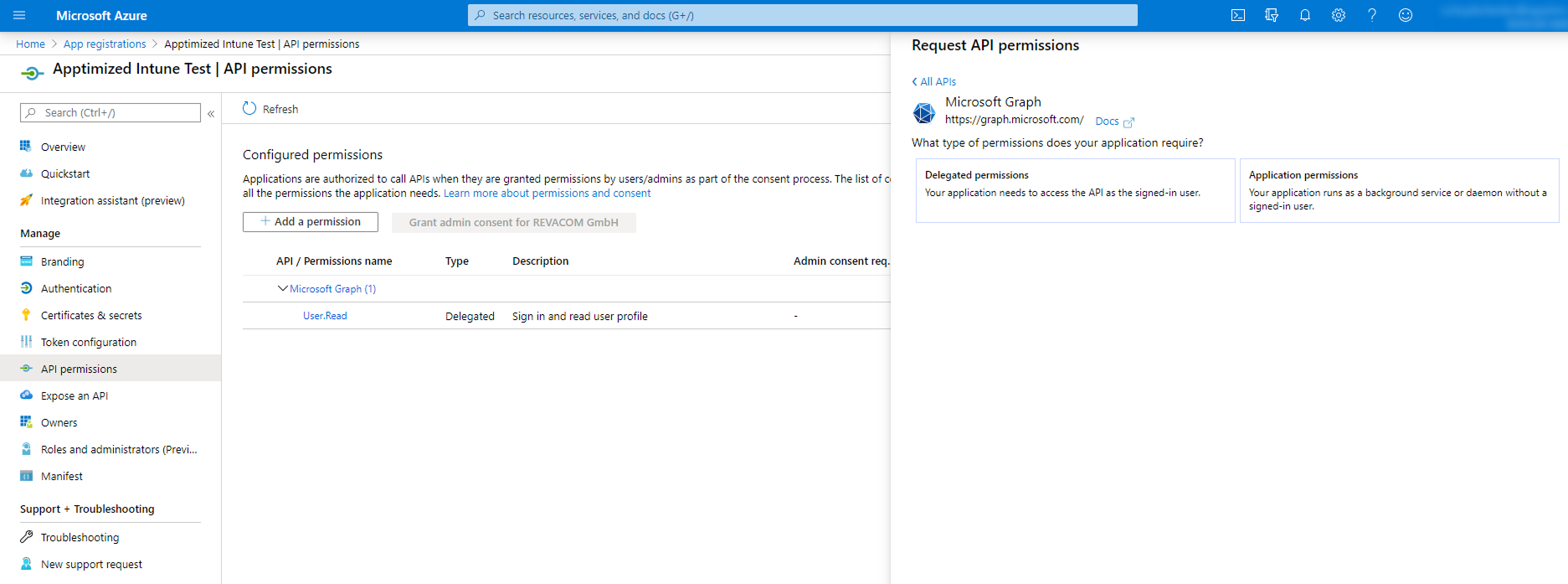
Apptimized sends the follow-up email when the user has been accessed the Apptimized Catalogue:

[![caralogue_18.png](https://docs.apptimized.com/uploads/images/gallery/2021-09/scaled-1680-/sbJmA367Enhrm5Ru-caralogue_18.png)](https://docs.apptimized.com/uploads/images/gallery/2021-09/sbJmA367Enhrm5Ru-caralogue_18.png)

#### New request

##### New package request

The option to make a request for a new package in the Apptimized Catalogue is available under the **Request new Catalogue package** block &gt; Select the value from the drop-down list in the **Application** field &gt; Select the value from the drop-down list in the **Version** field &gt; Select the value from the drop-down list in the **Platform** field &gt; Select the value from the drop-down list in the **Format** field &gt; **Request** button. All required fields are marked with an asterisk <span style="color: #ff0000;">\*</span>.

<p class="callout info">**Note.** The multiple-choice option is available in the **Platform** and **Format** fields. For each selected item, a separate catalogue request will be created.</p>

[![catalogue_03.png](https://docs.apptimized.com/uploads/images/gallery/2021-12/scaled-1680-/fO3uZn2Ptjv4DKt6-Group-4.png)](https://docs.apptimized.com/uploads/images/gallery/2021-12/fO3uZn2Ptjv4DKt6-Group-4.png)

Apptimized shows one of the following modal windows:

a) the request doesn’t include a match to the previously made request;

b) the request includes a match to the previously made request.

[![catalogue_04.png](https://docs.apptimized.com/uploads/images/gallery/2020-04/scaled-1680-/aPMZ0FsyOuHPQukc-catalogue_04.png)](https://docs.apptimized.com/uploads/images/gallery/2020-04/aPMZ0FsyOuHPQukc-catalogue_04.png)

Apptimized shows the following screen when successful:

[![catalogue_05.png](https://docs.apptimized.com/uploads/images/gallery/2020-04/scaled-1680-/k91nfWfaJlRa7DYi-catalogue_05.png)](https://docs.apptimized.com/uploads/images/gallery/2020-04/k91nfWfaJlRa7DYi-catalogue_05.png)
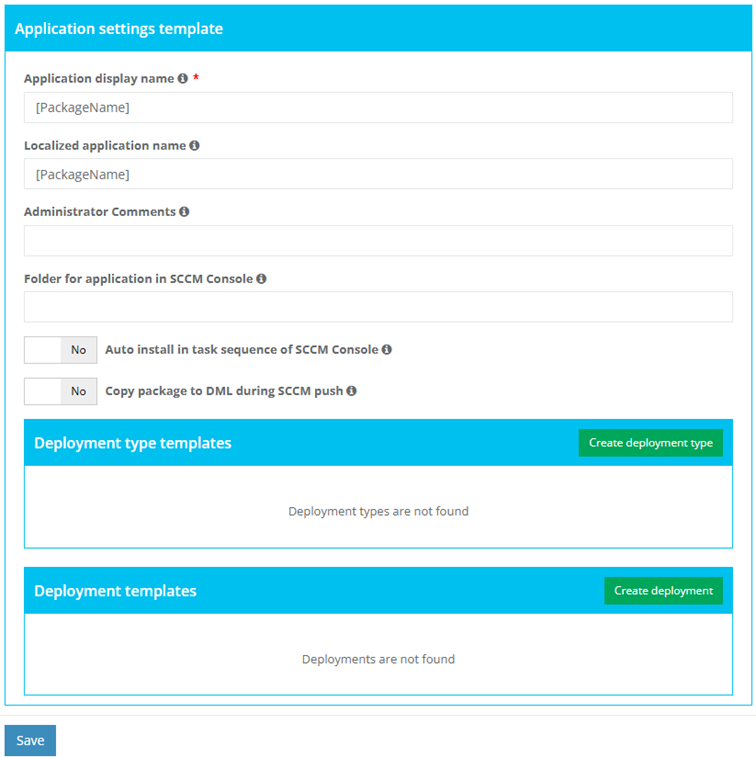
##### New package request from the Updates

The option to import source file from the Updates interface is available under Actions &gt; **Process latest version** &gt; Select source file &gt; **Request catalogue package**[![catalogue_20.png](https://docs.apptimized.com/uploads/images/gallery/2023-07/scaled-1680-/Of09z1MItRC6RUyf-catalogue_20.png)](https://docs.apptimized.com/uploads/images/gallery/2023-07/Of09z1MItRC6RUyf-catalogue_20.png)

Apptimized shows the following screen when successful:

[![image-1688395630898.png](https://docs.apptimized.com/uploads/images/gallery/2023-07/scaled-1680-/8B1WTDbeDYSqCkiD-image-1688395630898.png)](https://docs.apptimized.com/uploads/images/gallery/2023-07/8B1WTDbeDYSqCkiD-image-1688395630898.png)

##### New application request

The option to create a request to add an application to the Catalogue list is available under the **Request for add application** link. The Apptimized Team will check the possibility to add the application to the Catalogue list.

[![catalogue_10.png](https://docs.apptimized.com/uploads/images/gallery/2021-12/scaled-1680-/G8aoxumZFVQPipCO-Group-2.png)](https://docs.apptimized.com/uploads/images/gallery/2021-12/G8aoxumZFVQPipCO-Group-2.png)

Apptimized shows the modal window when successful:

[![catalogue_07.png](https://docs.apptimized.com/uploads/images/gallery/2020-08/scaled-1680-/zfuTWzzHfLK4RVT2-catalogue_07.png)](https://docs.apptimized.com/uploads/images/gallery/2020-08/zfuTWzzHfLK4RVT2-catalogue_07.png)

Enter the value in the **Vendor name** field &gt; Enter the value in the **Software name** field &gt; Select the value from the drop-down list in the **Platform** field &gt; Select the value from the drop-down list in the **Package type** field &gt; **Request** button. All required fields are marked with an asterisk <span style="color: #ff0000;">\*</span>.

<p class="callout info">**Note.** The multiple-choice option is available in the **Platform** and **Package type** fields. For each selected item, a separate request will be created.</p>

Apptimized notifies the user when the request is submitted. The following screen provides an example of the notifications:

[![catalogue_08.png](https://docs.apptimized.com/uploads/images/gallery/2020-08/scaled-1680-/CS4kM2ZggahGa8ag-catalogue_08.png)](https://docs.apptimized.com/uploads/images/gallery/2020-08/CS4kM2ZggahGa8ag-catalogue_08.png)

[![catalogue_email.png](https://docs.apptimized.com/uploads/images/gallery/2020-08/scaled-1680-/nbm4yo5FgQey3AQ3-catalogue_email.png)](https://docs.apptimized.com/uploads/images/gallery/2020-08/nbm4yo5FgQey3AQ3-catalogue_email.png)

<span style="font-family: -apple-system, BlinkMacSystemFont, 'Segoe UI', Oxygen, Ubuntu, Roboto, Cantarell, 'Fira Sans', 'Droid Sans', 'Helvetica Neue', sans-serif; font-size: 14px; font-style: normal; font-variant-ligatures: normal; font-variant-caps: normal; font-weight: 400;">Apptimized sends the following email when </span><span style="font-family: -apple-system, BlinkMacSystemFont, 'Segoe UI', Oxygen, Ubuntu, Roboto, Cantarell, 'Fira Sans', 'Droid Sans', 'Helvetica Neue', sans-serif; font-size: 14px; font-style: normal; font-variant-ligatures: normal; font-variant-caps: normal; font-weight: 400;">the application</span><span style="font-family: -apple-system, BlinkMacSystemFont, 'Segoe UI', Oxygen, Ubuntu, Roboto, Cantarell, 'Fira Sans', 'Droid Sans', 'Helvetica Neue', sans-serif; font-size: 14px; font-style: normal; font-variant-ligatures: normal; font-variant-caps: normal; font-weight: 400;"> can </span><span style="font-family: -apple-system, BlinkMacSystemFont, 'Segoe UI', Oxygen, Ubuntu, Roboto, Cantarell, 'Fira Sans', 'Droid Sans', 'Helvetica Neue', sans-serif; font-size: 14px; font-style: normal; font-variant-ligatures: normal; font-variant-caps: normal; font-weight: 400;">be added to </span><span style="font-family: -apple-system, BlinkMacSystemFont, 'Segoe UI', Oxygen, Ubuntu, Roboto, Cantarell, 'Fira Sans', 'Droid Sans', 'Helvetica Neue', sans-serif; font-size: 14px; font-style: normal; font-variant-ligatures: normal; font-variant-caps: normal; font-weight: 400;">the </span><span style="font-family: -apple-system, BlinkMacSystemFont, 'Segoe UI', Oxygen, Ubuntu, Roboto, Cantarell, 'Fira Sans', 'Droid Sans', 'Helvetica Neue', sans-serif; font-size: 14px; font-style: normal; font-variant-ligatures: normal; font-variant-caps: normal; font-weight: 400;">Catalogue list.</span>

[![catalogue_approved.png](https://docs.apptimized.com/uploads/images/gallery/2020-08/scaled-1680-/HkAhabBRL7kLv13H-catalogue_approved.png)](https://docs.apptimized.com/uploads/images/gallery/2020-08/HkAhabBRL7kLv13H-catalogue_approved.png)

Apptimized sends the following email when <span lang="EN-US">the application</span><span lang="EN-US"> can't</span><span lang="EN-US"> </span><span lang="EN-US">be added to </span><span lang="EN-US">the </span><span lang="EN-US">Catalogue list.</span>

<span lang="EN-US"> [![catalogue_rejected.png](https://docs.apptimized.com/uploads/images/gallery/2020-08/scaled-1680-/drfaWyid0b9C4gEp-catalogue_rejected.png)](https://docs.apptimized.com/uploads/images/gallery/2020-08/drfaWyid0b9C4gEp-catalogue_rejected.png)</span>

####  

#### Catalogue request monitoring

New Catalogue requests appear in the **Active requests** tab of the **Catalogue deliverables** block. After the Apptimized processed the request and the package is available, the request appears in the **Completed requests** tab.

Apptimized notifies the user when the requested package is ready. The following screen provides the example of the notification:

[![catalogue_email.png](https://docs.apptimized.com/uploads/images/gallery/2020-08/scaled-1680-/nbm4yo5FgQey3AQ3-catalogue_email.png)](https://docs.apptimized.com/uploads/images/gallery/2020-08/nbm4yo5FgQey3AQ3-catalogue_email.png)

Catalogue active request data is grouped into 7 categories:

- Application;
- Version;
- Platform;
- Format;
- Order date;
- Remained time;
- Status.

The columns in the catalogue request table can be swapped and grouped in any order. A user can drag and drop a column header to a suitable place.

To exclude columns in the catalogue request table, uncheck the box next to the column name not required in view. This option is available under **Edit Column Settings** &gt; **Columns**.

To sort data in columns select ascending or descending mode. This option is available under **Edit Column Settings** &gt; **Sort Ascending** or **Edit Column Settings** &gt; **Sort Descending**.

To filter data in columns use **Edit Column Settings** &gt; **Filter** &gt; Select a value &gt; **Filter** button. To exclude the item the catalogue request table, uncheck boxes next to the name not required in view.

Keyword search mode available.

Catalogue completed request data is grouped into 7 categories:

- Application;
- Version;
- Platform;
- Format;
- Order date;
- Delivered date;
- Actions.

Request history can be downloaded as an Excel file by clicking the **Export to Excel** button.

<span class="TextRun SCXW80435314 BCX8" data-contrast="auto" lang="EN-GB" xml:lang="EN-GB"><span class="NormalTextRun SpellingErrorV2 SCXW80435314 BCX8">Apptimized</span><span class="NormalTextRun SCXW80435314 BCX8"> shows the following screen after the request was completed:</span></span>

<span class="TextRun SCXW80435314 BCX8" data-contrast="auto" lang="EN-GB" xml:lang="EN-GB"><span class="NormalTextRun SCXW80435314 BCX8">[![image-15-(1).png](https://docs.apptimized.com/uploads/images/gallery/2021-07/scaled-1680-/sSAa3UqeAFhMcsAR-image-15-(1).png)](https://docs.apptimized.com/uploads/images/gallery/2021-07/sSAa3UqeAFhMcsAR-image-15-(1).png)</span></span>

The option to download a package after the catalogue request is completed is available under the **Actions** column &gt; **Download**.

<span data-contrast="auto">The option to import application as a source is available under the </span>**<span data-contrast="auto">Actions &gt; Import as source</span>**<span data-ccp-props="{"201341983":0,"335559739":160,"335559740":259}"> </span>

<span data-ccp-props="{"201341983":0,"335559739":160,"335559740":259}"> [![catalogue_12-(1).png](https://docs.apptimized.com/uploads/images/gallery/2021-07/scaled-1680-/PYTPJjQmF3H7QrpF-catalogue_12-(1).png)](https://docs.apptimized.com/uploads/images/gallery/2021-07/PYTPJjQmF3H7QrpF-catalogue_12-(1).png)</span>

<span data-contrast="auto">Apptimized shows the following modal window when successful:</span><span data-ccp-props="{"201341983":0,"335559739":160,"335559740":259}"> </span>

<span data-ccp-props="{"201341983":0,"335559739":160,"335559740":259}"> [![catalogue_13-(1).png](https://docs.apptimized.com/uploads/images/gallery/2021-07/scaled-1680-/vbJ57pz7JOp1opI7-catalogue_13-(1).png)](https://docs.apptimized.com/uploads/images/gallery/2021-07/vbJ57pz7JOp1opI7-catalogue_13-(1).png)</span>

<span data-contrast="none">Enter the value in the </span>**<span data-contrast="none">Vendor name</span>**<span data-contrast="none"> field &gt; Enter the value in the </span>**<span data-contrast="none">Software name</span>**<span data-contrast="none"> field &gt; Enter the value in the </span>**<span data-contrast="none">Version </span>**<span data-contrast="none">field &gt; Enter the value in the </span>**<span data-contrast="none">Language </span>**<span data-contrast="none">field &gt; </span>**<span data-contrast="none">Import </span>**<span data-contrast="none">button. All required fields are marked with an asterisk </span><span data-contrast="none">\*</span><span data-contrast="none">.</span><span data-ccp-props="{"201341983":0,"335559739":160,"335559740":259}"> </span>

<span data-contrast="none">Apptimized shows the following notification and screen when successful:</span><span data-ccp-props="{"201341983":0,"335559739":160,"335559740":259}"> </span>

<span data-ccp-props="{"201341983":0,"335559739":160,"335559740":259}"> [![catalogue_14-(1).png](https://docs.apptimized.com/uploads/images/gallery/2021-07/scaled-1680-/JpWaSljXNmm4rdZM-catalogue_14-(1).png)](https://docs.apptimized.com/uploads/images/gallery/2021-07/JpWaSljXNmm4rdZM-catalogue_14-(1).png)</span>

<span data-contrast="none">The option to import application as a package is available under the </span>**<span data-contrast="none">Actions &gt; Import as package</span>**<span data-contrast="none">.</span><span data-ccp-props="{"201341983":0,"335559739":160,"335559740":259}"> </span>

<span data-ccp-props="{"201341983":0,"335559739":160,"335559740":259}">[![catalogue_15-(2).png](https://docs.apptimized.com/uploads/images/gallery/2021-07/scaled-1680-/DmwmMawGaFJ3WQBU-catalogue_15-(2).png)](https://docs.apptimized.com/uploads/images/gallery/2021-07/DmwmMawGaFJ3WQBU-catalogue_15-(2).png)</span>

<p class="callout info"><span data-contrast="none">**Note**. This option becomes available if </span>**<span data-contrast="none">Packaging – Self Service </span>**<span data-contrast="none">module is presented on the project.</span><span data-ccp-props="{"201341983":0,"335559739":160,"335559740":259}"> </span></p>

<span data-contrast="none">Apptimized shows the following modal window when successful:</span><span data-ccp-props="{"201341983":0,"335559739":160,"335559740":259}"> </span>

<span data-ccp-props="{"201341983":0,"335559739":160,"335559740":259}"> [![catalogue_16-(1).png](https://docs.apptimized.com/uploads/images/gallery/2021-07/scaled-1680-/RZLKcGCQKTjNi8MV-catalogue_16-(1).png)](https://docs.apptimized.com/uploads/images/gallery/2021-07/RZLKcGCQKTjNi8MV-catalogue_16-(1).png)</span>

<span data-contrast="none">Enter the value in the </span>**<span data-contrast="none">Vendor name</span>**<span data-contrast="none"> field &gt; Enter the value in the </span>**<span data-contrast="none">Software name</span>**<span data-contrast="none"> field &gt; Enter the value in the </span>**<span data-contrast="none">Version </span>**<span data-contrast="none">field &gt; Enter the value in the </span>**<span data-contrast="none">Language </span>**<span data-contrast="none">field &gt; </span>**<span data-contrast="none">Import </span>**<span data-contrast="none">button. All required fields are marked with an asterisk </span><span data-contrast="none">\*</span><span data-contrast="none">.</span><span data-ccp-props="{"201341983":0,"335559739":160,"335559740":259}"> </span>

<span data-contrast="none">Apptimized shows the following notification and screen when successful:</span><span data-ccp-props="{"201341983":0,"335559739":160,"335559740":259}"> </span>

<span data-ccp-props="{"201341983":0,"335559739":160,"335559740":259}">[![catalogue_17-(2).png](https://docs.apptimized.com/uploads/images/gallery/2021-07/scaled-1680-/31dMhJlaW2YQGhxm-catalogue_17-(2).png)](https://docs.apptimized.com/uploads/images/gallery/2021-07/31dMhJlaW2YQGhxm-catalogue_17-(2).png)</span>

<span data-ccp-props="{"201341983":0,"335559739":160,"335559740":259}"> </span>

# Update Monitoring

**Update Monitoring** is one of the Apptimized products that provides a user with a flexible and automated notification system. Also, the Apptimized Update Monitoring subscription enables a user to download a vendor media in a few clicks directly from the portfolio.

Apptimized **Update Monitoring** informs users when the software vendor has released an application update or found vulnerabilities. Apptimized monitors over 380 of the most widely used applications.

<p class="callout info"> Note.** The Update monitoring appears in the project menu after it is initiated in the project settings by the project administrator.</p>

The following screenshot shows the notification email when the vendor releases a new version of the monitored application:  
[![updates_27.png](https://docs.apptimized.com/uploads/images/gallery/2020-07/scaled-1680-/vLjU8ZD2cz4Jrr5Y-updates_27.png)](https://docs.apptimized.com/uploads/images/gallery/2020-07/vLjU8ZD2cz4Jrr5Y-updates_27.png)

#### Update monitoring interface

The **Update Monitoring** is available under the **Project** menu &gt; **Updates**:

[![updates_01_2.png](https://docs.apptimized.com/uploads/images/gallery/2023-06/scaled-1680-/6rUGi94DMdg1klL5-updates_01_2.png)](https://docs.apptimized.com/uploads/images/gallery/2023-06/6rUGi94DMdg1klL5-updates_01_2.png)

Apptimized shows the following screen when successful:

[![updates_02_2.png](https://docs.apptimized.com/uploads/images/gallery/2023-06/scaled-1680-/VyZmY7ORNcryULAJ-updates_02_2.png)](https://docs.apptimized.com/uploads/images/gallery/2023-06/VyZmY7ORNcryULAJ-updates_02_2.png)

The screen above shows the default Apptimized Portal interface when no applications are added.

When a user adds the application to the monitoring list, Apptimized shows the following screen:

[![updates_05_2.png](https://docs.apptimized.com/uploads/images/gallery/2023-06/scaled-1680-/LG1QPflmM7OAWRQp-updates_05_2.png)](https://docs.apptimized.com/uploads/images/gallery/2023-06/LG1QPflmM7OAWRQp-updates_05_2.png)

Updates group data into six categories:

Table 1. Update Monitoring data categories

<table border="1" id="bkmrk-category-details-ven" style="height: 691px; width: 100%;"><tbody><tr style="height: 34px;"><td style="height: 34px; width: 28.8889%;" width="180">**Category**

</td><td style="height: 34px; width: 70.9877%;" width="444">**Details**

</td></tr><tr style="height: 34px;"><td style="height: 34px; width: 28.8889%;" width="180">Vendor

</td><td style="height: 34px; width: 70.9877%;" width="444">This category provides the details about the application’s vendor (e.g., **Tim Kosse**)

</td></tr><tr style="height: 34px;"><td style="height: 34px; width: 28.8889%;" width="180">Software

</td><td style="height: 34px; width: 70.9877%;" width="444">This category provides the details about the application’s name (e.g., **FileZilla**)

</td></tr><tr style="height: 56px;"><td style="height: 56px; width: 28.8889%;" width="180">Latest version

</td><td style="height: 56px; width: 70.9877%;" width="444">This category provides information about the newest version of the application released by the vendor and available in the Apptimized Platform.

</td></tr><tr style="height: 391px;"><td style="height: 391px; width: 28.8889%;" width="180">Your version

</td><td style="height: 391px; width: 70.9877%;" width="444">This category provides information about the latest version of the application that is pinned within the recent user’s activities on the Updates page.

The following colours are implemented to indicate the current state of the monitored application:

[![Green.png](https://docs.apptimized.com/uploads/images/gallery/2020-07/scaled-1680-/q78N5eCZAV5tgJ95-Green.png)](https://docs.apptimized.com/uploads/images/gallery/2020-07/q78N5eCZAV5tgJ95-Green.png) - The latest version is available in the user’s packaged application portfolio

[![Orange.png](https://docs.apptimized.com/uploads/images/gallery/2020-08/scaled-1680-/zBebxkPOBqODS8p6-Orange.png) - ](https://docs.apptimized.com/uploads/images/gallery/2020-08/zBebxkPOBqODS8p6-Orange.png)The newer version (in comparison to the one a user has in the portfolio) has been released by the vendor

[![Red.png](https://docs.apptimized.com/uploads/images/gallery/2020-07/scaled-1680-/nLgxiP04WWO3iDo5-Red.png) - ](https://docs.apptimized.com/uploads/images/gallery/2020-07/nLgxiP04WWO3iDo5-Red.png)The version a user has in the packaged application portfolio is outdated. This means that there are two or more recent releases of the application provided by the vendor

<p class="callout info">**Note**. The application version can be pinned in the following cases:  
1. A user started the application monitoring (**Project** menu &gt; **Updates** option &gt; **Track updates** button &gt; Select the application &gt; **Save** button)  
2. A user requested to process the latest version of the application (**Actions** column &gt; **Process latest version** button &gt; Confirm update software &gt; **Yes** button)  
3. A user changes the version of the application (**Actions** column &gt; **Versions** button &gt; Process column &gt; Select the application’s version &gt; Confirm update software &gt; **Yes** button)  
4. A user changes the version of the application manually (**Actions** column &gt; **Edit** button &gt; **Your version** field &gt; Enter the numeric value &gt; **Save** button)</p>

</td></tr><tr style="height: 146px;"><td style="height: 42px; width: 28.8889%;" width="180">Version’s mask

</td><td style="height: 42px; width: 70.9877%;" width="444">This category indicates what versions of the same application are tacked for updates in parallel.

The highest version of an application is tracked by default, but some vendors support several versions of applications (i.e., **Java Runtime Environment**) in parallel.

The version’s mask option enables a user to monitor an application version in addition to the highest one.

</td></tr><tr style="height: 64px;"><td style="height: 100px; width: 28.8889%;" width="180">Actions

</td><td style="height: 100px; width: 70.9877%;" width="444">This category enables a user to provide the activities under the monitored applications.

The following actions available:

- Process latest version
- Versions
- Edit
- Untrack

</td></tr></tbody></table>

#### Manage applications in Updates

##### Add application

The option to add an application to the monitoring list is available under the **Track application** button &gt; Select the best matching application &gt; **Save** button.

[![updates_04_2.png](https://docs.apptimized.com/uploads/images/gallery/2023-06/scaled-1680-/ldgtZ2Pbu40TDeSB-updates_04_2.png)](https://docs.apptimized.com/uploads/images/gallery/2023-06/ldgtZ2Pbu40TDeSB-updates_04_2.png)

Keyword search mode available.

[![updates_03_2.png](https://docs.apptimized.com/uploads/images/gallery/2023-06/scaled-1680-/bzLFw5zq8UccpNS5-updates_03_2.png)](https://docs.apptimized.com/uploads/images/gallery/2023-06/bzLFw5zq8UccpNS5-updates_03_2.png)

The application appears in the list of monitored applications when successful:

[![updates_06_2.png](https://docs.apptimized.com/uploads/images/gallery/2023-06/scaled-1680-/dTqczO9StkGkwAyt-updates_06_2.png)](https://docs.apptimized.com/uploads/images/gallery/2023-06/dTqczO9StkGkwAyt-updates_06_2.png)

##### New application request

The option to create a request to add an application to the Update monitoring list is available under the **Missing an application?** button. The Apptimized Team will check the possibility of adding the application to the Updates list.

[![Updates_28_2.png](https://docs.apptimized.com/uploads/images/gallery/2023-06/scaled-1680-/BJ4n2FWngXP4E4MU-Updates_28_2.png)](https://docs.apptimized.com/uploads/images/gallery/2023-06/BJ4n2FWngXP4E4MU-Updates_28_2.png)

Apptimized shows the modal window when successful:

[![updates_29.png](https://docs.apptimized.com/uploads/images/gallery/2020-08/scaled-1680-/wdxoyRBpE9wOlIKg-updates_29.png)](https://docs.apptimized.com/uploads/images/gallery/2020-08/wdxoyRBpE9wOlIKg-updates_29.png)

Enter the value in the **Vendor name** field &gt; Enter the value in the **Software name** field &gt; **Request** button. All required fields are marked with an asterisk <span style="color: #ff0000;">\*</span>.

Apptimized notifies the user when the request is submitted. The following screen provides an example of the notifications:

[![updates_32.png](https://docs.apptimized.com/uploads/images/gallery/2020-08/scaled-1680-/vZfdToCMJPN3Kk2G-updates_32.png)](https://docs.apptimized.com/uploads/images/gallery/2020-08/vZfdToCMJPN3Kk2G-updates_32.png)

Apptimized sends the following email when the application can be added to the Update monitoring list.

[![updates_34.png](https://docs.apptimized.com/uploads/images/gallery/2020-08/scaled-1680-/1KJKMaSg1adZTEoZ-updates_34.png)](https://docs.apptimized.com/uploads/images/gallery/2020-08/1KJKMaSg1adZTEoZ-updates_34.png)

Apptimized sends the following email when <span lang="EN-US">the application</span><span lang="EN-US"> can't</span><span lang="EN-US"> </span><span lang="EN-US">be added to </span><span lang="EN-US">the Update monitoring </span><span lang="EN-US">list.</span>

<span lang="EN-US">[![updates_34.png](https://docs.apptimized.com/uploads/images/gallery/2020-08/scaled-1680-/1KJKMaSg1adZTEoZ-updates_34.png)](https://docs.apptimized.com/uploads/images/gallery/2020-08/1KJKMaSg1adZTEoZ-updates_34.png)</span>

<div id="bkmrk--10"><div><svg class="svg-icon" data-icon="link" role="presentation" viewbox="0 0 24 24" xmlns="http://www.w3.org/2000/svg"></svg></div></div>##### Update the application’s version

The option to update the application’s version is available under:

- **Your version** column &gt; Click on the highlighted application version &gt; **Process** column &gt; Select the application’s version &gt; Confirm update software &gt; **Yes** button).

[![updates_08.png](https://docs.apptimized.com/uploads/images/gallery/2020-07/scaled-1680-/7jiFkf5KsAAcOV2m-updates_08.png)](https://docs.apptimized.com/uploads/images/gallery/2020-07/7jiFkf5KsAAcOV2m-updates_08.png)

- **Actions** column &gt; **Process latest version** button &gt; Confirm update software &gt; **Yes** button).

[![updates_09.png](https://docs.apptimized.com/uploads/images/gallery/2020-07/scaled-1680-/rAL3kpM5QKO4TGj0-updates_09.png)](https://docs.apptimized.com/uploads/images/gallery/2020-07/rAL3kpM5QKO4TGj0-updates_09.png)

- **Actions** column &gt; **Versions** button &gt; Process column &gt; Select the application’s version &gt; Confirm update software &gt; **Yes** button.

[![updates_10.png](https://docs.apptimized.com/uploads/images/gallery/2020-07/scaled-1680-/4ehxzb0x5Q1WHmns-updates_10.png)](https://docs.apptimized.com/uploads/images/gallery/2020-07/4ehxzb0x5Q1WHmns-updates_10.png)

<p class="callout info">**Note.** In the case of a source media is not available for a certain update version, Apptimized shows the following screen:  
  
[![updates_notif.png](https://docs.apptimized.com/uploads/images/gallery/2020-08/scaled-1680-/dOqoHZjaABiS5BGg-updates_notif.png)](https://docs.apptimized.com/uploads/images/gallery/2020-08/dOqoHZjaABiS5BGg-updates_notif.png)</p>

- **Actions** column &gt; **Edit** button &gt; Edit software modal window &gt; **Your version** field &gt; Enter the numeric value &gt; **Save** button.

[![updates_11.png](https://docs.apptimized.com/uploads/images/gallery/2020-07/scaled-1680-/UKdCjX9YGrjqFfky-updates_11.png)](https://docs.apptimized.com/uploads/images/gallery/2020-07/UKdCjX9YGrjqFfky-updates_11.png)

[![updates_12_2.png](https://docs.apptimized.com/uploads/images/gallery/2021-09/scaled-1680-/qe36gCsjCCMpLa8R-updates_12_2.png)](https://docs.apptimized.com/uploads/images/gallery/2021-09/qe36gCsjCCMpLa8R-updates_12_2.png)

##### Edit monitored application settings

<span class="TextRun SCXW242817970 BCX8" data-contrast="none" lang="EN-GB" xml:lang="EN-GB"><span class="NormalTextRun SCXW242817970 BCX8">The </span><span class="NormalTextRun SCXW242817970 BCX8">option</span><span class="NormalTextRun SCXW242817970 BCX8"> to change the settings of the monitored application is available under the </span></span>**<span class="TextRun SCXW242817970 BCX8" data-contrast="none" lang="EN-GB" xml:lang="EN-GB"><span class="NormalTextRun SCXW242817970 BCX8">Actions</span></span>**<span class="TextRun SCXW242817970 BCX8" data-contrast="none" lang="EN-GB" xml:lang="EN-GB"><span class="NormalTextRun SCXW242817970 BCX8"> column &gt; </span></span>**<span class="TextRun SCXW242817970 BCX8" data-contrast="none" lang="EN-GB" xml:lang="EN-GB"><span class="NormalTextRun SCXW242817970 BCX8">Edit</span></span>**<span class="TextRun SCXW242817970 BCX8" data-contrast="none" lang="EN-GB" xml:lang="EN-GB"><span class="NormalTextRun SCXW242817970 BCX8"> button. </span></span><span class="EOP SCXW242817970 BCX8" data-ccp-props="{}"> </span>

<span class="SCXW242817970 BCX8"><span class="WACImageContainer NoPadding BlobObject SCXW242817970 BCX8" role="presentation">![](https://docs.apptimized.com/uploads/images/gallery/2025-10/embedded-image-kthqblgp.png)</span></span><span class="EOP SCXW242817970 BCX8" data-ccp-props="{}"> </span>

<span class="TextRun SCXW242817970 BCX8" data-contrast="none" lang="EN-GB" xml:lang="EN-GB"><span class="NormalTextRun SpellingErrorV2Themed SCXW242817970 BCX8">Apptimized</span><span class="NormalTextRun SCXW242817970 BCX8"> opens the window when successful:</span></span><span class="EOP SCXW242817970 BCX8" data-ccp-props="{}"> </span>

<span class="SCXW242817970 BCX8"><span class="WACImageContainer NoPadding BlobObject SCXW242817970 BCX8" role="presentation">![](https://docs.apptimized.com/uploads/images/gallery/2025-10/embedded-image-czjnwr7t.png)</span></span><span class="EOP SCXW242817970 BCX8" data-ccp-props="{}"> </span>

<span class="TextRun SCXW242817970 BCX8" data-contrast="none" lang="EN-GB" xml:lang="EN-GB"><span class="NormalTextRun SCXW242817970 BCX8">The </span><span class="NormalTextRun SCXW242817970 BCX8">option</span><span class="NormalTextRun SCXW242817970 BCX8"> to change the application version manually is available under </span></span>**<span class="TextRun SCXW242817970 BCX8" data-contrast="none" lang="EN-GB" xml:lang="EN-GB"><span class="NormalTextRun SCXW242817970 BCX8">General</span></span>**<span class="TextRun SCXW242817970 BCX8" data-contrast="none" lang="EN-GB" xml:lang="EN-GB"><span class="NormalTextRun SCXW242817970 BCX8"> in the </span></span><span class="TextRun SCXW242817970 BCX8" data-contrast="none" lang="EN-GB" xml:lang="EN-GB"><span class="NormalTextRun SCXW242817970 BCX8">Your version</span></span><span class="TextRun SCXW242817970 BCX8" data-contrast="none" lang="EN-GB" xml:lang="EN-GB"><span class="NormalTextRun SCXW242817970 BCX8"> field.</span></span><span class="EOP SCXW242817970 BCX8" data-ccp-props="{}"> </span>

<span class="SCXW242817970 BCX8"><span class="WACImageContainer NoPadding BlobObject SCXW242817970 BCX8" role="presentation">![](https://docs.apptimized.com/uploads/images/gallery/2025-10/embedded-image-kg54m1gb.png)</span></span><span class="EOP SCXW242817970 BCX8" data-ccp-props="{}"> </span>

<span class="TextRun SCXW242817970 BCX8" data-contrast="none" lang="EN-GB" xml:lang="EN-GB"><span class="NormalTextRun SCXW242817970 BCX8">The </span><span class="NormalTextRun SCXW242817970 BCX8">option</span><span class="NormalTextRun SCXW242817970 BCX8"> to receive notifications about </span><span class="NormalTextRun SCXW242817970 BCX8">monitored</span><span class="NormalTextRun SCXW242817970 BCX8"> applications is available under the </span></span>**<span class="TextRun SCXW242817970 BCX8" data-contrast="none" lang="EN-GB" xml:lang="EN-GB"><span class="NormalTextRun SCXW242817970 BCX8">Send notifications by Project Role or Group membership</span></span>**<span class="TextRun SCXW242817970 BCX8" data-contrast="none" lang="EN-GB" xml:lang="EN-GB"><span class="NormalTextRun SCXW242817970 BCX8"> checkbox. This option is enabled by default.</span></span><span class="EOP SCXW242817970 BCX8" data-ccp-props="{}"> </span>

<span class="SCXW242817970 BCX8"><span class="WACImageContainer NoPadding BlobObject SCXW242817970 BCX8" role="presentation">![](https://docs.apptimized.com/uploads/images/gallery/2025-10/embedded-image-yndfh696.png)</span></span><span class="EOP SCXW242817970 BCX8" data-ccp-props="{}"> </span>

<span class="TextRun SCXW242817970 BCX8" data-contrast="none" lang="EN-GB" xml:lang="EN-GB"><span class="NormalTextRun SCXW242817970 BCX8">The option to assign a user to receive </span></span><span class="TextRun SCXW242817970 BCX8" data-contrast="none" lang="EN-GB" xml:lang="EN-GB"><span class="NormalTextRun SCXW242817970 BCX8">Update Monitoring</span></span><span class="TextRun SCXW242817970 BCX8" data-contrast="none" lang="EN-GB" xml:lang="EN-GB"><span class="NormalTextRun SCXW242817970 BCX8"> notifications is available under the </span></span>**<span class="TextRun SCXW242817970 BCX8" data-contrast="none" lang="EN-GB" xml:lang="EN-GB"><span class="NormalTextRun SCXW242817970 BCX8">Send notifications to specific </span><span class="NormalTextRun ContextualSpellingAndGrammarErrorV2Themed SCXW242817970 BCX8">users</span></span>**<span class="TextRun SCXW242817970 BCX8" data-contrast="none" lang="EN-GB" xml:lang="EN-GB"><span class="NormalTextRun SCXW242817970 BCX8"> field.</span></span><span class="EOP SCXW242817970 BCX8" data-ccp-props="{}"> </span>

<span class="SCXW242817970 BCX8"><span class="WACImageContainer NoPadding BlobObject SCXW242817970 BCX8" role="presentation">![](https://docs.apptimized.com/uploads/images/gallery/2025-10/embedded-image-vgdlf6fi.png)</span></span><span class="EOP SCXW242817970 BCX8" data-ccp-props="{}"> </span>

<span class="TextRun SCXW242817970 BCX8" data-contrast="none" lang="EN-GB" xml:lang="EN-GB"><span class="NormalTextRun SCXW242817970 BCX8">The option to remove a user from </span></span><span class="TextRun SCXW242817970 BCX8" data-contrast="none" lang="EN-GB" xml:lang="EN-GB"><span class="NormalTextRun SCXW242817970 BCX8">Update Monitoring</span></span><span class="TextRun SCXW242817970 BCX8" data-contrast="none" lang="EN-GB" xml:lang="EN-GB"><span class="NormalTextRun SCXW242817970 BCX8"> notifications is available under the </span></span>**<span class="TextRun SCXW242817970 BCX8" data-contrast="none" lang="EN-GB" xml:lang="EN-GB"><span class="NormalTextRun SCXW242817970 BCX8">Remove</span></span>**<span class="TextRun SCXW242817970 BCX8" data-contrast="none" lang="EN-GB" xml:lang="EN-GB"><span class="NormalTextRun SCXW242817970 BCX8"> button.</span></span><span class="EOP SCXW242817970 BCX8" data-ccp-props="{}"> </span>

<span class="SCXW242817970 BCX8"><span class="WACImageContainer NoPadding BlobObject SCXW242817970 BCX8" role="presentation">![](https://docs.apptimized.com/uploads/images/gallery/2025-10/embedded-image-h5ay67fy.png)</span></span><span class="EOP SCXW242817970 BCX8" data-ccp-props="{}"> </span>

<span class="TextRun SCXW242817970 BCX8" data-contrast="none" lang="EN-GB" xml:lang="EN-GB"><span class="NormalTextRun SCXW242817970 BCX8">The option to remove all users from </span></span><span class="TextRun SCXW242817970 BCX8" data-contrast="none" lang="EN-GB" xml:lang="EN-GB"><span class="NormalTextRun SCXW242817970 BCX8">Update Monitoring</span></span><span class="TextRun SCXW242817970 BCX8" data-contrast="none" lang="EN-GB" xml:lang="EN-GB"><span class="NormalTextRun SCXW242817970 BCX8"> notifications is available under the </span></span>**<span class="TextRun SCXW242817970 BCX8" data-contrast="none" lang="EN-GB" xml:lang="EN-GB"><span class="NormalTextRun SCXW242817970 BCX8">Remove all items</span></span>**<span class="TextRun SCXW242817970 BCX8" data-contrast="none" lang="EN-GB" xml:lang="EN-GB"><span class="NormalTextRun SCXW242817970 BCX8"> button.</span></span><span class="EOP SCXW242817970 BCX8" data-ccp-props="{}"> </span>

<span class="SCXW242817970 BCX8"><span class="WACImageContainer NoPadding BlobObject SCXW242817970 BCX8" role="presentation">![](https://docs.apptimized.com/uploads/images/gallery/2025-10/embedded-image-fo16megf.png)</span></span><span class="EOP SCXW242817970 BCX8" data-ccp-props="{}"> </span>

<span class="TextRun SCXW242817970 BCX8" data-contrast="none" lang="EN-GB" xml:lang="EN-GB"><span class="NormalTextRun SCXW242817970 BCX8">The </span><span class="NormalTextRun SCXW242817970 BCX8">option</span><span class="NormalTextRun SCXW242817970 BCX8"> to define how the monitored application is serviced is available under the </span></span>**<span class="TextRun SCXW242817970 BCX8" data-contrast="none" lang="EN-GB" xml:lang="EN-GB"><span class="NormalTextRun SCXW242817970 BCX8">Lifecycle servicing </span><span class="NormalTextRun SCXW242817970 BCX8">option</span></span>**<span class="TextRun SCXW242817970 BCX8" data-contrast="none" lang="EN-GB" xml:lang="EN-GB"><span class="NormalTextRun SCXW242817970 BCX8"> setting.</span></span><span class="EOP SCXW242817970 BCX8" data-ccp-props="{"134233117":false,"134233118":false,"335559738":240,"335559739":240}"> </span>

<span class="TextRun SCXW242817970 BCX8" data-contrast="none" lang="EN-GB" xml:lang="EN-GB"><span class="NormalTextRun SCXW242817970 BCX8">Two servicing modes are available:</span></span><span class="EOP SCXW242817970 BCX8" data-ccp-props="{"134233117":false,"134233118":false,"335559738":240,"335559739":240}"> </span>

<div class="SCXW242817970 BCX8" id="bkmrk-no-%E2%80%93-disables-automa"><div class="ListContainerWrapper SCXW242817970 BCX8">- **<span class="TextRun SCXW242817970 BCX8" data-contrast="none" lang="EN-GB" xml:lang="EN-GB"><span class="NormalTextRun SCXW242817970 BCX8">No</span></span>**<span class="TextRun SCXW242817970 BCX8" data-contrast="none" lang="EN-GB" xml:lang="EN-GB"><span class="NormalTextRun SCXW242817970 BCX8"> – disables automatic delivery of update packages.</span></span><span class="EOP SCXW242817970 BCX8" data-ccp-props="{"134233117":false,"134233118":false,"335559738":240,"335559739":240}"> </span>

</div><div class="ListContainerWrapper SCXW242817970 BCX8">- **<span class="TextRun SCXW242817970 BCX8" data-contrast="none" lang="EN-GB" xml:lang="EN-GB"><span class="NormalTextRun SCXW242817970 BCX8">Care</span></span>**<span class="TextRun SCXW242817970 BCX8" data-contrast="none" lang="EN-GB" xml:lang="EN-GB"><span class="NormalTextRun SCXW242817970 BCX8"> – enables automatic delivery of update packages when </span><span class="NormalTextRun SCXW242817970 BCX8">a new version</span><span class="NormalTextRun SCXW242817970 BCX8"> of the application is released by the vendor.</span></span><span class="EOP SCXW242817970 BCX8" data-ccp-props="{"134233117":false,"134233118":false,"335559738":240,"335559739":240}"> </span>

</div></div><span class="SCXW242817970 BCX8"><span class="WACImageContainer NoPadding BlobObject SCXW242817970 BCX8" role="presentation">![](https://docs.apptimized.com/uploads/images/gallery/2025-10/embedded-image-kb7y3jeo.png)</span></span><span class="EOP SCXW242817970 BCX8" data-ccp-props="{}"> </span>

<span class="TextRun SCXW242817970 BCX8" data-contrast="none" lang="EN-GB" xml:lang="EN-GB"><span class="NormalTextRun SCXW242817970 BCX8">If </span></span><span class="TextRun SCXW242817970 BCX8" data-contrast="none" lang="EN-GB" xml:lang="EN-GB"><span class="NormalTextRun SCXW242817970 BCX8">Care</span></span><span class="TextRun SCXW242817970 BCX8" data-contrast="none" lang="EN-GB" xml:lang="EN-GB"><span class="NormalTextRun SCXW242817970 BCX8"> is enabled in the project, the following menu items are available:</span></span><span class="EOP SCXW242817970 BCX8" data-ccp-props="{}"> </span>

<span class="SCXW242817970 BCX8"><span class="WACImageContainer NoPadding BlobObject SCXW242817970 BCX8" role="presentation">![](https://docs.apptimized.com/uploads/images/gallery/2025-10/embedded-image-dq707pkh.png)</span></span><span class="EOP SCXW242817970 BCX8" data-ccp-props="{}"> </span>

<div class="OutlineElement Ltr SCXW242817970 BCX8" id="bkmrk-option%C2%A0-description%C2%A0"><div class="TableContainer Ltr SCXW242817970 BCX8"><div aria-hidden="true" class="WACAltTextDescribedBy SCXW242817970 BCX8" id="bkmrk--16"></div><table aria-rowcount="6" border="1" class="Table Ltr TableWordWrap SCXW242817970 BCX8" data-tablelook="1696" data-tablestyle="MsoNormalTable" dir="ltr"><tbody class="SCXW242817970 BCX8"><tr aria-rowindex="1" class="TableRow SCXW242817970 BCX8" role="row"><td class="FirstRow FirstCol SCXW242817970 BCX8" data-celllook="4369" role="rowheader"><span class="TextRun SCXW242817970 BCX8" data-contrast="auto" lang="EN-GB" xml:lang="EN-GB"><span class="NormalTextRun SCXW242817970 BCX8">Option</span></span><span class="EOP SCXW242817970 BCX8" data-ccp-props="{"134233117":false,"134233118":false,"335551550":2,"335551620":2,"335559738":0,"335559739":0}"> </span>

</td><td class="FirstRow LastCol SCXW242817970 BCX8" data-celllook="4369" role="columnheader"><span class="TextRun SCXW242817970 BCX8" data-contrast="auto" lang="EN-GB" xml:lang="EN-GB"><span class="NormalTextRun SCXW242817970 BCX8">Description</span></span><span class="EOP SCXW242817970 BCX8" data-ccp-props="{"134233117":false,"134233118":false,"335551550":2,"335551620":2,"335559738":0,"335559739":0}"> </span>

</td></tr><tr aria-rowindex="2" class="TableRow SCXW242817970 BCX8" role="row"><td class="FirstCol SCXW242817970 BCX8" data-celllook="4369" role="rowheader"><span class="TextRun SCXW242817970 BCX8" data-contrast="auto" lang="EN-GB" xml:lang="EN-GB"><span class="NormalTextRun SCXW242817970 BCX8">Package type</span></span><span class="EOP SCXW242817970 BCX8" data-ccp-props="{"134233117":false,"134233118":false,"335559738":0,"335559739":0}"> </span>

</td><td class="LastCol SCXW242817970 BCX8" data-celllook="4369"><span class="TextRun SCXW242817970 BCX8" data-contrast="auto" lang="EN-GB" xml:lang="EN-GB"><span class="NormalTextRun SCXW242817970 BCX8">This </span><span class="NormalTextRun SCXW242817970 BCX8">option</span><span class="NormalTextRun SCXW242817970 BCX8"> defines which package formats should be generated for the monitored application. The following package types are available:</span></span><span class="EOP SCXW242817970 BCX8" data-ccp-props="{"134233117":false,"134233118":false,"335559738":0,"335559739":0}"> </span>

<span class="EOP SCXW242817970 BCX8" data-ccp-props="{"134233117":false,"134233118":false,"335559738":0,"335559739":0}"> </span>

<span class="TextRun SCXW242817970 BCX8" data-contrast="auto" lang="EN-GB" xml:lang="EN-GB"><span class="NormalTextRun SCXW242817970 BCX8">• </span></span><span class="TextRun SCXW242817970 BCX8" data-contrast="auto" lang="EN-GB" xml:lang="EN-GB"><span class="NormalTextRun SpellingErrorV2Themed SCXW242817970 BCX8">Intunewin</span></span><span class="TextRun SCXW242817970 BCX8" data-contrast="auto" lang="EN-GB" xml:lang="EN-GB"><span class="NormalTextRun SCXW242817970 BCX8"> </span></span><span class="EOP SCXW242817970 BCX8" data-ccp-props="{"134233117":false,"134233118":false,"335559738":0,"335559739":0}"> </span>

<span class="TextRun SCXW242817970 BCX8" data-contrast="auto" lang="EN-GB" xml:lang="EN-GB"><span class="NormalTextRun SCXW242817970 BCX8">• </span></span><span class="TextRun SCXW242817970 BCX8" data-contrast="auto" lang="EN-GB" xml:lang="EN-GB"><span class="NormalTextRun SpellingErrorV2Themed SCXW242817970 BCX8">Apptimized</span><span class="NormalTextRun SCXW242817970 BCX8"> PowerShell Wrapper (based on PSADT)</span></span><span class="TextRun SCXW242817970 BCX8" data-contrast="auto" lang="EN-GB" xml:lang="EN-GB"><span class="NormalTextRun SCXW242817970 BCX8"> </span></span><span class="EOP SCXW242817970 BCX8" data-ccp-props="{"134233117":false,"134233118":false,"335559738":0,"335559739":0}"> </span>

<span class="EOP SCXW242817970 BCX8" data-ccp-props="{"134233117":false,"134233118":false,"335559738":0,"335559739":0}"> </span>

<span class="TextRun SCXW242817970 BCX8" data-contrast="auto" lang="EN-GB" xml:lang="EN-GB"><span class="NormalTextRun SCXW242817970 BCX8">Multiple values can be selected. </span></span><span class="EOP SCXW242817970 BCX8" data-ccp-props="{"134233117":false,"134233118":false,"335559738":0,"335559739":0}"> </span>

<span class="TextRun SCXW242817970 BCX8" data-contrast="auto" lang="EN-GB" xml:lang="EN-GB"><span class="NormalTextRun SCXW242817970 BCX8">This option is </span><span class="NormalTextRun SCXW242817970 BCX8">required</span><span class="NormalTextRun SCXW242817970 BCX8">.</span></span><span class="EOP SCXW242817970 BCX8" data-ccp-props="{"134233117":false,"134233118":false,"335559738":0,"335559739":0}"> </span>

</td></tr><tr aria-rowindex="3" class="TableRow SCXW242817970 BCX8" role="row"><td class="FirstCol SCXW242817970 BCX8" data-celllook="4369" role="rowheader"><span class="TextRun SCXW242817970 BCX8" data-contrast="auto" lang="EN-GB" xml:lang="EN-GB"><span class="NormalTextRun SCXW242817970 BCX8">Target platforms</span></span><span class="EOP SCXW242817970 BCX8" data-ccp-props="{"134233117":false,"134233118":false,"335559738":0,"335559739":0}"> </span>

</td><td class="LastCol SCXW242817970 BCX8" data-celllook="4369"><span class="TextRun SCXW242817970 BCX8" data-contrast="auto" lang="EN-GB" xml:lang="EN-GB"><span class="NormalTextRun SCXW242817970 BCX8">This option </span><span class="NormalTextRun SCXW242817970 BCX8">indicates</span><span class="NormalTextRun SCXW242817970 BCX8"> which operating systems the generated packages will support.</span></span><span class="EOP SCXW242817970 BCX8" data-ccp-props="{"134233117":false,"134233118":false,"335559738":0,"335559739":0}"> </span>

<span class="EOP SCXW242817970 BCX8" data-ccp-props="{"134233117":false,"134233118":false,"335559738":0,"335559739":0}"> </span>

<span class="TextRun SCXW242817970 BCX8" data-contrast="auto" lang="EN-GB" xml:lang="EN-GB"><span class="NormalTextRun SCXW242817970 BCX8">This option is </span><span class="NormalTextRun SCXW242817970 BCX8">required</span><span class="NormalTextRun SCXW242817970 BCX8">.</span></span><span class="EOP SCXW242817970 BCX8" data-ccp-props="{"134233117":false,"134233118":false,"335559738":0,"335559739":0}"> </span>

</td></tr><tr aria-rowindex="4" class="TableRow SCXW242817970 BCX8" role="row"><td class="FirstCol SCXW242817970 BCX8" data-celllook="4369" role="rowheader"><span class="TextRun SCXW242817970 BCX8" data-contrast="auto" lang="EN-GB" xml:lang="EN-GB"><span class="NormalTextRun SpellingErrorV2Themed SCXW242817970 BCX8">Bitness</span></span><span class="EOP SCXW242817970 BCX8" data-ccp-props="{"134233117":false,"134233118":false,"335559738":0,"335559739":0}"> </span>

</td><td class="LastCol SCXW242817970 BCX8" data-celllook="4369"><span class="TextRun SCXW242817970 BCX8" data-contrast="auto" lang="EN-GB" xml:lang="EN-GB"><span class="NormalTextRun SCXW242817970 BCX8">This </span><span class="NormalTextRun SCXW242817970 BCX8">option</span><span class="NormalTextRun SCXW242817970 BCX8"> defines the architecture type of the generated package. The following options are available: </span></span><span class="EOP SCXW242817970 BCX8" data-ccp-props="{"134233117":false,"134233118":false,"335559738":0,"335559739":0}"> </span>

<span class="EOP SCXW242817970 BCX8" data-ccp-props="{"134233117":false,"134233118":false,"335559738":0,"335559739":0}"> </span>

<span class="TextRun SCXW242817970 BCX8" data-contrast="auto" lang="EN-GB" xml:lang="EN-GB"><span class="NormalTextRun SCXW242817970 BCX8">• </span></span><span class="TextRun SCXW242817970 BCX8" data-contrast="auto" lang="EN-GB" xml:lang="EN-GB"><span class="NormalTextRun SCXW242817970 BCX8">x86</span></span><span class="TextRun SCXW242817970 BCX8" data-contrast="auto" lang="EN-GB" xml:lang="EN-GB"><span class="NormalTextRun SCXW242817970 BCX8"> </span></span><span class="EOP SCXW242817970 BCX8" data-ccp-props="{"134233117":false,"134233118":false,"335559738":0,"335559739":0}"> </span>

<span class="TextRun SCXW242817970 BCX8" data-contrast="auto" lang="EN-GB" xml:lang="EN-GB"><span class="NormalTextRun SCXW242817970 BCX8">• </span></span><span class="TextRun SCXW242817970 BCX8" data-contrast="auto" lang="EN-GB" xml:lang="EN-GB"><span class="NormalTextRun SCXW242817970 BCX8">x64</span></span><span class="TextRun SCXW242817970 BCX8" data-contrast="auto" lang="EN-GB" xml:lang="EN-GB"><span class="NormalTextRun SCXW242817970 BCX8"> </span></span><span class="EOP SCXW242817970 BCX8" data-ccp-props="{"134233117":false,"134233118":false,"335559738":0,"335559739":0}"> </span>

<span class="EOP SCXW242817970 BCX8" data-ccp-props="{"134233117":false,"134233118":false,"335559738":0,"335559739":0}"> </span>

<span class="TextRun SCXW242817970 BCX8" data-contrast="auto" lang="EN-GB" xml:lang="EN-GB"><span class="NormalTextRun SCXW242817970 BCX8">Multiple values can be selected. </span></span><span class="EOP SCXW242817970 BCX8" data-ccp-props="{"134233117":false,"134233118":false,"335559738":0,"335559739":0}"> </span>

<span class="TextRun SCXW242817970 BCX8" data-contrast="auto" lang="EN-GB" xml:lang="EN-GB"><span class="NormalTextRun SCXW242817970 BCX8">This option is </span><span class="NormalTextRun SCXW242817970 BCX8">required</span><span class="NormalTextRun SCXW242817970 BCX8">.</span></span><span class="EOP SCXW242817970 BCX8" data-ccp-props="{"134233117":false,"134233118":false,"335559738":0,"335559739":0}"> </span>

</td></tr><tr aria-rowindex="5" class="TableRow SCXW242817970 BCX8" role="row"><td class="FirstCol SCXW242817970 BCX8" data-celllook="4369" role="rowheader"><span class="TextRun SCXW242817970 BCX8" data-contrast="auto" lang="EN-GB" xml:lang="EN-GB"><span class="NormalTextRun SCXW242817970 BCX8">Application manager</span></span><span class="EOP SCXW242817970 BCX8" data-ccp-props="{"134233117":false,"134233118":false,"335559738":0,"335559739":0}"> </span>

</td><td class="LastCol SCXW242817970 BCX8" data-celllook="4369"><span class="TextRun SCXW242817970 BCX8" data-contrast="auto" lang="EN-GB" xml:lang="EN-GB"><span class="NormalTextRun SCXW242817970 BCX8">This option allows selecting the user responsible for managing the application. </span></span><span class="EOP SCXW242817970 BCX8" data-ccp-props="{"134233117":false,"134233118":false,"335559738":0,"335559739":0}"> </span>

<span class="EOP SCXW242817970 BCX8" data-ccp-props="{"134233117":false,"134233118":false,"335559738":0,"335559739":0}"> </span>

<span class="TextRun SCXW242817970 BCX8" data-contrast="auto" lang="EN-GB" xml:lang="EN-GB"><span class="NormalTextRun SCXW242817970 BCX8">This option is </span><span class="NormalTextRun SCXW242817970 BCX8">required</span><span class="NormalTextRun SCXW242817970 BCX8">.</span></span><span class="EOP SCXW242817970 BCX8" data-ccp-props="{"134233117":false,"134233118":false,"335559738":0,"335559739":0}"> </span>

</td></tr><tr aria-rowindex="6" class="TableRow SCXW242817970 BCX8" role="row"><td class="FirstCol LastRow SCXW242817970 BCX8" data-celllook="4369" role="rowheader"><span class="TextRun SCXW242817970 BCX8" data-contrast="auto" lang="EN-GB" xml:lang="EN-GB"><span class="NormalTextRun SCXW242817970 BCX8">Discovery document (.html, .pdf, .doc, .docx)</span></span><span class="EOP SCXW242817970 BCX8" data-ccp-props="{"134233117":false,"134233118":false,"335559738":0,"335559739":0}"> </span>

</td><td class="LastCol LastRow SCXW242817970 BCX8" data-celllook="4369"><span class="TextRun SCXW242817970 BCX8" data-contrast="auto" lang="EN-GB" xml:lang="EN-GB"><span class="NormalTextRun SCXW242817970 BCX8">This </span><span class="NormalTextRun SCXW242817970 BCX8">option</span><span class="NormalTextRun SCXW242817970 BCX8"> allows attaching the discovery document for the monitored application. The following actions are available: </span></span><span class="EOP SCXW242817970 BCX8" data-ccp-props="{"134233117":false,"134233118":false,"335559738":0,"335559739":0}"> </span>

<span class="EOP SCXW242817970 BCX8" data-ccp-props="{"134233117":false,"134233118":false,"335559738":0,"335559739":0}"> </span>

<span class="TextRun SCXW242817970 BCX8" data-contrast="auto" lang="EN-GB" xml:lang="EN-GB"><span class="NormalTextRun SCXW242817970 BCX8">• </span></span><span class="TextRun SCXW242817970 BCX8" data-contrast="auto" lang="EN-GB" xml:lang="EN-GB"><span class="NormalTextRun SCXW242817970 BCX8">Change</span></span><span class="TextRun SCXW242817970 BCX8" data-contrast="auto" lang="EN-GB" xml:lang="EN-GB"><span class="NormalTextRun SCXW242817970 BCX8"> – upload a new discovery document. </span></span><span class="EOP SCXW242817970 BCX8" data-ccp-props="{"134233117":false,"134233118":false,"335559738":0,"335559739":0}"> </span>

<span class="TextRun SCXW242817970 BCX8" data-contrast="auto" lang="EN-GB" xml:lang="EN-GB"><span class="NormalTextRun SCXW242817970 BCX8">• </span></span><span class="TextRun SCXW242817970 BCX8" data-contrast="auto" lang="EN-GB" xml:lang="EN-GB"><span class="NormalTextRun SCXW242817970 BCX8">Remove</span></span><span class="TextRun SCXW242817970 BCX8" data-contrast="auto" lang="EN-GB" xml:lang="EN-GB"><span class="NormalTextRun SCXW242817970 BCX8"> – </span><span class="NormalTextRun SCXW242817970 BCX8">delete</span><span class="NormalTextRun SCXW242817970 BCX8"> the existing discovery document. </span></span><span class="EOP SCXW242817970 BCX8" data-ccp-props="{"134233117":false,"134233118":false,"335559738":0,"335559739":0}"> </span>

<span class="TextRun SCXW242817970 BCX8" data-contrast="auto" lang="EN-GB" xml:lang="EN-GB"><span class="NormalTextRun SCXW242817970 BCX8">• </span></span><span class="TextRun SCXW242817970 BCX8" data-contrast="auto" lang="EN-GB" xml:lang="EN-GB"><span class="NormalTextRun SCXW242817970 BCX8">Preview</span></span><span class="TextRun SCXW242817970 BCX8" data-contrast="auto" lang="EN-GB" xml:lang="EN-GB"><span class="NormalTextRun SCXW242817970 BCX8"> – open the document in a new tab for viewing.</span></span><span class="EOP SCXW242817970 BCX8" data-ccp-props="{"134233117":false,"134233118":false,"335559738":0,"335559739":0}"> </span>

</td></tr></tbody></table>

</div></div><span class="EOP SCXW242817970 BCX8" data-ccp-props="{}"> </span><span class="TextRun SCXW242817970 BCX8" data-contrast="auto" lang="EN-GB" xml:lang="EN-GB"><span class="NormalTextRun SCXW242817970 BCX8">To save the changes, click </span></span>**<span class="TextRun SCXW242817970 BCX8" data-contrast="auto" lang="EN-GB" xml:lang="EN-GB"><span class="NormalTextRun SCXW242817970 BCX8">Save</span></span>**<span class="TextRun SCXW242817970 BCX8" data-contrast="auto" lang="EN-GB" xml:lang="EN-GB"><span class="NormalTextRun SCXW242817970 BCX8"> button.</span></span><span class="EOP SCXW242817970 BCX8" data-ccp-props="{}"> </span>

<span class="SCXW242817970 BCX8"><span class="WACImageContainer NoPadding BlobObject SCXW242817970 BCX8" role="presentation">![](https://docs.apptimized.com/uploads/images/gallery/2025-10/embedded-image-gugup5hc.png)</span></span>

<span class="TextRun SCXW242817970 BCX8" data-contrast="none" lang="EN-GB" xml:lang="EN-GB"><span class="NormalTextRun SpellingErrorV2Themed SCXW242817970 BCX8">Apptimized</span><span class="NormalTextRun SCXW242817970 BCX8"> shows the following notification when successful:</span></span><span class="EOP SCXW242817970 BCX8" data-ccp-props="{}"> </span>

<span class="SCXW242817970 BCX8"><span class="WACImageContainer NoPadding BlobObject SCXW242817970 BCX8" role="presentation">![](https://docs.apptimized.com/uploads/images/gallery/2025-10/embedded-image-l6nsnlf7.png)</span></span>

#### Untrack applications

The option to exclude the application from the list of monitored applications is available under the **Actions** column &gt; **Untrack** button:

[![updates_23.png](https://docs.apptimized.com/uploads/images/gallery/2020-07/scaled-1680-/VkAPX1edPacqL64r-updates_23.png)](https://docs.apptimized.com/uploads/images/gallery/2020-07/VkAPX1edPacqL64r-updates_23.png)

The option to exclude all applications from the list of monitored applications is available under the **Untrack all updates** button:

[![updates_25.png](https://docs.apptimized.com/uploads/images/gallery/2020-08/scaled-1680-/s3gO93jg0IUQtdWR-updates_25.png)](https://docs.apptimized.com/uploads/images/gallery/2020-08/s3gO93jg0IUQtdWR-updates_25.png)

#### Vulnerability notifications

**Update Monitoring** also provides the application’s vulnerability tracking feature for a user. Apptimized vulnerabilities tracking is based on the next services:

- [NIST National Vulnerability Database](https://nvd.nist.gov/)
- [Common Platform Enumeration (CPE)](http://cpe.mitre.org/)
- [Common Weakness Enumeration (CWE)](http://cwe.mitre.org/)
- CIRCL incident statistics and threat ranking
- [toolswatch/vFeed](https://github.com/toolswatch/vFeed/)

To receive vulnerability notifications, a user needs to enable this option in the [project settings](https://docs.apptimized.com/books/apptimized-platform-user-manual/page/project-settings). The project administrator role is required.

The option to check the list of detected vulnerabilities is available under the **Update monitoring** &gt; **Your version** column &gt; Click on the highlighted application version &gt; **Vulnerabilities** tab.

[![updates_07.png](https://docs.apptimized.com/uploads/images/gallery/2020-07/scaled-1680-/9ivHPDtjtem0QILu-updates_07.png)](https://docs.apptimized.com/uploads/images/gallery/2020-07/9ivHPDtjtem0QILu-updates_07.png)

Apptimized notifies a user when the vulnerability is detected. The following screenshot provides the example of the notification:

[![updates_06.png](https://docs.apptimized.com/uploads/images/gallery/2020-07/scaled-1680-/gdPoNwaky5BeFRnn-updates_06.png)](https://docs.apptimized.com/uploads/images/gallery/2020-07/gdPoNwaky5BeFRnn-updates_06.png)

#### Export to CSV file

Update Monitoring applications can be downloaded as a report file by clicking on the **Export to CSV** button.

[![updates_26.png](https://docs.apptimized.com/uploads/images/gallery/2020-08/scaled-1680-/UFVLuibcsIxdAkFt-updates_26.png)](https://docs.apptimized.com/uploads/images/gallery/2020-08/UFVLuibcsIxdAkFt-updates_26.png)

# Echo

**Apptimized Echo** provides test automation capabilities so that repeated app and package testing is simplified. A user can record a test case, and Echo will play it back automatically when needed.

<p class="callout info">**Note**. Enabling **Echo** in **Project** **settings** by a project administrator is a prerequisite.</p>

Apptimized Echo is available under the **Project** menu &gt; **Echo**:

[![echo_01_1.PNG](https://docs.apptimized.com/uploads/images/gallery/2020-04/scaled-1680-/Q2ipLGJ3egYy6emz-echo_01_1.PNG)](https://docs.apptimized.com/uploads/images/gallery/2020-04/Q2ipLGJ3egYy6emz-echo_01_1.PNG)

Apptimized shows the following screen when successful:

[![echo_01_2.PNG](https://docs.apptimized.com/uploads/images/gallery/2020-04/scaled-1680-/BZQ8Fpl6hSAldKt5-echo_01_2.PNG)](https://docs.apptimized.com/uploads/images/gallery/2020-04/BZQ8Fpl6hSAldKt5-echo_01_2.PNG)

This is an initial screen when no Echo activities are implemented.

##### **Echo dashboard**

The **Echo statistics** tab opens by default.

The option to manage Echo platforms is available under the **Manage Echo platforms** button. Apptimized shows the following modal window when successful:

[![echo_01_3.PNG](https://docs.apptimized.com/uploads/images/gallery/2020-04/scaled-1680-/o1pomJS64Xui5Lmg-echo_01_3.PNG)](https://docs.apptimized.com/uploads/images/gallery/2020-04/o1pomJS64Xui5Lmg-echo_01_3.PNG)
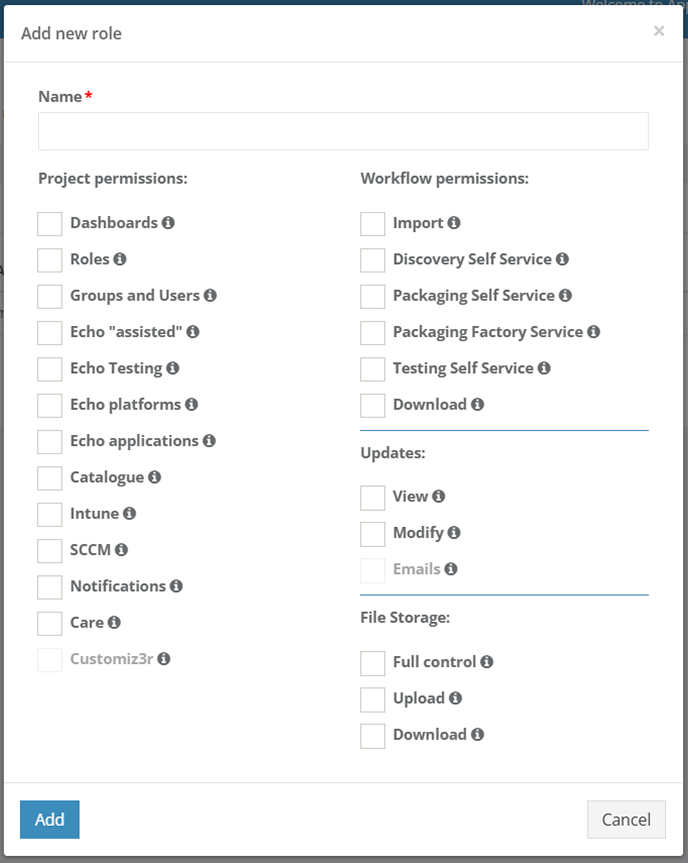
To choose an Echo platform, a user can drag and drop a suitable platform from the **Available Echo platform / Available non-public Echo platforms** container to the **Project Echo platforms / Project non-public Echo platforms** container. The activities on managing Echo platforms finalize when clicking the **Save** button.

The Echo platforms colors indicate the status of platform support by Microsoft:

- **Green** – the platform is currently supported by Microsoft;
- **Yellow** - the platform is currently supported by Microsoft. The Microsoft support will end in 2 months;
- **Red** - Microsoft does not support the platform.

The option to filter Echo platforms in the Echo statistics table is available under the Filter platforms columns button. To exclude entities from the table, uncheck boxes next to the name not required in view.

[![echo_01_4.PNG](https://docs.apptimized.com/uploads/images/gallery/2020-04/scaled-1680-/47fTgVaVRnvPYLw6-echo_01_4.PNG)](https://docs.apptimized.com/uploads/images/gallery/2020-04/47fTgVaVRnvPYLw6-echo_01_4.PNG)

The echo reports overview is available under the **Echo reports** tab &gt; **Get report** button:

[![echo_01_5.PNG](https://docs.apptimized.com/uploads/images/gallery/2020-04/scaled-1680-/aOOoO4tvvYLt6oTG-echo_01_5.PNG)](https://docs.apptimized.com/uploads/images/gallery/2020-04/aOOoO4tvvYLt6oTG-echo_01_5.PNG)

The option to set the Echo report time frames is available under the date field (Click the date field &gt; Set the start date &gt; Set the end date &gt; **Apply** button).

[![echo_19.png](https://docs.apptimized.com/uploads/images/gallery/2020-04/scaled-1680-/sGDCk5AofzRNH5ST-echo_19.png)](https://docs.apptimized.com/uploads/images/gallery/2020-04/sGDCk5AofzRNH5ST-echo_19.png)

The option to customize columns in the Echo reports table is available under the **Select columns** button. To exclude entities from the table, uncheck boxes next to the name not required in view.

[![echo_20.png](https://docs.apptimized.com/uploads/images/gallery/2020-04/scaled-1680-/hoZUzNZK0kYi6jGI-echo_20.png)](https://docs.apptimized.com/uploads/images/gallery/2020-04/hoZUzNZK0kYi6jGI-echo_20.png)

When Echo activities are implemented, Apptimized shows the following screen:

[![echo_15.PNG](https://docs.apptimized.com/uploads/images/gallery/2020-04/scaled-1680-/7RiqgbDFF6zEvudo-echo_15.PNG)](https://docs.apptimized.com/uploads/images/gallery/2020-04/7RiqgbDFF6zEvudo-echo_15.PNG)

Table 1. Echo results statuses (Echo states)

<table border="1" id="bkmrk-icon-status-details-" style="width: 800px;" width="800"><tbody><tr><td class="align-left" style="vertical-align: top;" width="60">**Icon**

</td><td class="align-left" style="vertical-align: top;" width="87">**Status**

</td><td class="align-left" style="vertical-align: top;" width="477">**Details**

</td></tr><tr><td class="align-left" style="vertical-align: top;" width="60">[![echo_icon_08.png](https://docs.apptimized.com/uploads/images/gallery/2020-04/scaled-1680-/S94dyA8rMACfe99K-echo_icon_08.png)](https://docs.apptimized.com/uploads/images/gallery/2020-04/S94dyA8rMACfe99K-echo_icon_08.png)</td><td class="align-left" style="vertical-align: top;" width="87">Pending

</td><td class="align-left" style="vertical-align: top;" width="477">Tests are scheduled to start in a moment. Echo results will be available after the VM termination.

</td></tr><tr><td class="align-left" style="vertical-align: top;" width="60">[![echo_icon_09.png](https://docs.apptimized.com/uploads/images/gallery/2020-04/scaled-1680-/Xya6Q0hJJvqyq0zZ-echo_icon_09.png)](https://docs.apptimized.com/uploads/images/gallery/2020-04/Xya6Q0hJJvqyq0zZ-echo_icon_09.png)</td><td class="align-left" style="vertical-align: top;" width="87">Progress

</td><td class="align-left" style="vertical-align: top;" width="477">Tests will be completed in a moment. Echo results will be available after finishing the VM.

</td></tr><tr><td class="align-left" style="vertical-align: top;" width="60">[![echo_icon_10.png](https://docs.apptimized.com/uploads/images/gallery/2020-04/scaled-1680-/vpqvsaXzs9eWQUiv-echo_icon_10.png)](https://docs.apptimized.com/uploads/images/gallery/2020-04/vpqvsaXzs9eWQUiv-echo_icon_10.png)</td><td class="align-left" style="vertical-align: top;" width="87">Success

</td><td class="align-left" style="vertical-align: top;" width="477">Tests were completed as it was expected.

</td></tr><tr><td class="align-left" style="vertical-align: top;" width="60">[![echo_icon_12.png](https://docs.apptimized.com/uploads/images/gallery/2020-04/scaled-1680-/6pObZHRwGhpTuPWo-echo_icon_12.png)](https://docs.apptimized.com/uploads/images/gallery/2020-04/6pObZHRwGhpTuPWo-echo_icon_12.png)</td><td class="align-left" style="vertical-align: top;" width="87">Review

</td><td class="align-left" style="vertical-align: top;" width="477">A minor discrepancy between test results and the reference test case occurs.

</td></tr><tr><td class="align-left" style="vertical-align: top;" width="60">[![echo_icon_11.png](https://docs.apptimized.com/uploads/images/gallery/2020-04/scaled-1680-/iGgD96A5DxXC8DE6-echo_icon_11.png)](https://docs.apptimized.com/uploads/images/gallery/2020-04/iGgD96A5DxXC8DE6-echo_icon_11.png)</td><td class="align-left" style="vertical-align: top;" width="87">Failed

</td><td class="align-left" style="vertical-align: top;" width="477">A major discrepancy between the test result and the reference test case occurs.

</td></tr></tbody></table>

##### **Echo statistics and overview**

Echo test cases statistics is available at **Dashboards** &gt; **Overview** &gt;Echo status chart. The instructions on how to set the overview page are available in the [**Dashboards** ](https://docs.apptimized.com/books/manual/page/dashboards)chapter.

[![echo_21.png](https://docs.apptimized.com/uploads/images/gallery/2020-04/scaled-1680-/gKeeKNwyBL7ye5NZ-echo_21.png)](https://docs.apptimized.com/uploads/images/gallery/2020-04/gKeeKNwyBL7ye5NZ-echo_21.png)

Echo results are also available at **My Dashboard** &gt; **My Applications** &gt; Applications table &gt; **Echo** column:

[![echo_21_2.png](https://docs.apptimized.com/uploads/images/gallery/2020-04/scaled-1680-/ErWtJzHx6HpLq2nE-echo_21_2.png)](https://docs.apptimized.com/uploads/images/gallery/2020-04/ErWtJzHx6HpLq2nE-echo_21_2.png)

The following statuses available:

Table 2. Echo statuses

<table border="1" id="bkmrk-icon-status-details--0" style="width: 800px;"><tbody><tr><td width="110">**Icon**

</td><td width="108">**Status**

</td><td width="405">**Details**

</td></tr><tr><td width="110">[![echo_icon_01.png](https://docs.apptimized.com/uploads/images/gallery/2020-04/scaled-1680-/vx8BEBJ87QrFX2oT-echo_icon_01.png)](https://docs.apptimized.com/uploads/images/gallery/2020-04/vx8BEBJ87QrFX2oT-echo_icon_01.png)</td><td class="align-left" style="vertical-align: top;" width="108">Disabled

</td><td class="align-left" style="width: 405px; vertical-align: top;" width="405">Status for the application with the disabled Echo option.

</td></tr><tr><td width="110">[![echo_icon_02.png](https://docs.apptimized.com/uploads/images/gallery/2020-04/scaled-1680-/OT1Kn4JpMtWJQdNU-echo_icon_02.png)](https://docs.apptimized.com/uploads/images/gallery/2020-04/OT1Kn4JpMtWJQdNU-echo_icon_02.png)</td><td class="align-left" style="vertical-align: top;" width="108">No scenario

</td><td class="align-left" style="vertical-align: top;" width="405">Status for the application with enabled Echo option with no Echo scenario provided.

</td></tr><tr><td width="110">[![echo_icon_03.png](https://docs.apptimized.com/uploads/images/gallery/2020-04/scaled-1680-/yv0tI9LtEyfHKgIq-echo_icon_03.png)](https://docs.apptimized.com/uploads/images/gallery/2020-04/yv0tI9LtEyfHKgIq-echo_icon_03.png)</td><td class="align-left" style="vertical-align: top;" width="108">Pending

</td><td class="align-left" style="vertical-align: top;" width="405">The echo is preparing to work on the application. Tests are scheduled to start momentarily. Echo results will be available after finishing the VM.

</td></tr><tr><td width="110">[![echo_icon_04.png](https://docs.apptimized.com/uploads/images/gallery/2020-04/scaled-1680-/WcWFVbCmSqyjjioi-echo_icon_04.png)](https://docs.apptimized.com/uploads/images/gallery/2020-04/WcWFVbCmSqyjjioi-echo_icon_04.png)</td><td class="align-left" style="vertical-align: top;" width="108">In Progress

</td><td class="align-left" style="vertical-align: top;" width="405">The echo is working on the application. Tests will be completed momentarily. Echo results will be available after finishing the VM.

</td></tr><tr><td width="110">[![echo_icon_06.png](https://docs.apptimized.com/uploads/images/gallery/2020-04/scaled-1680-/2ode2L03VpdoOzYf-echo_icon_06.png)](https://docs.apptimized.com/uploads/images/gallery/2020-04/2ode2L03VpdoOzYf-echo_icon_06.png)</td><td class="align-left" style="vertical-align: top;" width="108">Review

</td><td class="align-left" style="vertical-align: top;" width="405">At least one test failed, but all have finished and are no longer running or waiting. A minor discrepancy between test results and the reference test case occurs.

</td></tr><tr><td width="110">[![echo_icon_05.png](https://docs.apptimized.com/uploads/images/gallery/2020-04/scaled-1680-/5pBalSWkE2jUkUK1-echo_icon_05.png)](https://docs.apptimized.com/uploads/images/gallery/2020-04/5pBalSWkE2jUkUK1-echo_icon_05.png)</td><td class="align-left" style="vertical-align: top;" width="108">Success

</td><td class="align-left" style="vertical-align: top;" width="405">The echo is ready to use. All tests are finished and succeeded.

</td></tr><tr><td width="110">[![echo_icon_07.png](https://docs.apptimized.com/uploads/images/gallery/2020-04/scaled-1680-/vRnCWjGpGB8CQ17Q-echo_icon_07.png)](https://docs.apptimized.com/uploads/images/gallery/2020-04/vRnCWjGpGB8CQ17Q-echo_icon_07.png)</td><td class="align-left" style="vertical-align: top;" width="108">Failed

</td><td class="align-left" style="vertical-align: top;" width="405">Something went wrong with the Echo. All tests have finished and are no longer running or waiting. A major discrepancy between test results and the reference test case occurs. In this case, a user needs to run Echo Discovery again.

</td></tr></tbody></table>

The option to see the Echo performance is available under the echo status button:

Test session results are grouped into the following columns:

- Image name;
- Platform;
- OS build;
- OS language;
- Start time and date;
- End time and date;
- VM state;
- Actions.

Table 3. Actions with the application test session results

<table border="1" id="bkmrk-action-details-retes" style="width: 800px;" width="800"><tbody><tr><td style="width: 146px;">**Action**

</td><td style="width: 653px;">**Details**

</td></tr><tr><td style="width: 146px;">Retest

</td><td style="width: 653px;">This option provides the possibility to run the VM one more time (e.g., if progress failed).

[![echo_25_3.png](https://docs.apptimized.com/uploads/images/gallery/2020-04/scaled-1680-/26eqFcXwY19ifUna-echo_25_3.png)](https://docs.apptimized.com/uploads/images/gallery/2020-04/26eqFcXwY19ifUna-echo_25_3.png)

Apptimized shows the following modal window:

[![echo_27_1.png](https://docs.apptimized.com/uploads/images/gallery/2020-04/scaled-1680-/FQU69ADjeKgschCr-echo_27_1.png)](https://docs.apptimized.com/uploads/images/gallery/2020-04/FQU69ADjeKgschCr-echo_27_1.png)

When clicking the **Restart** button, the retesting process launches automatically and Apptimized shows the following screen:

[![echo_29_2.png](https://docs.apptimized.com/uploads/images/gallery/2020-04/scaled-1680-/wlB6vUXlB7Udyqro-echo_29_2.png)](https://docs.apptimized.com/uploads/images/gallery/2020-04/wlB6vUXlB7Udyqro-echo_29_2.png)

Apptimized shows the following screen when successful:

[![echo_29_1.png](https://docs.apptimized.com/uploads/images/gallery/2020-04/scaled-1680-/RJcBO4ziCpj3Fv8K-echo_29_1.png)](https://docs.apptimized.com/uploads/images/gallery/2020-04/RJcBO4ziCpj3Fv8K-echo_29_1.png)
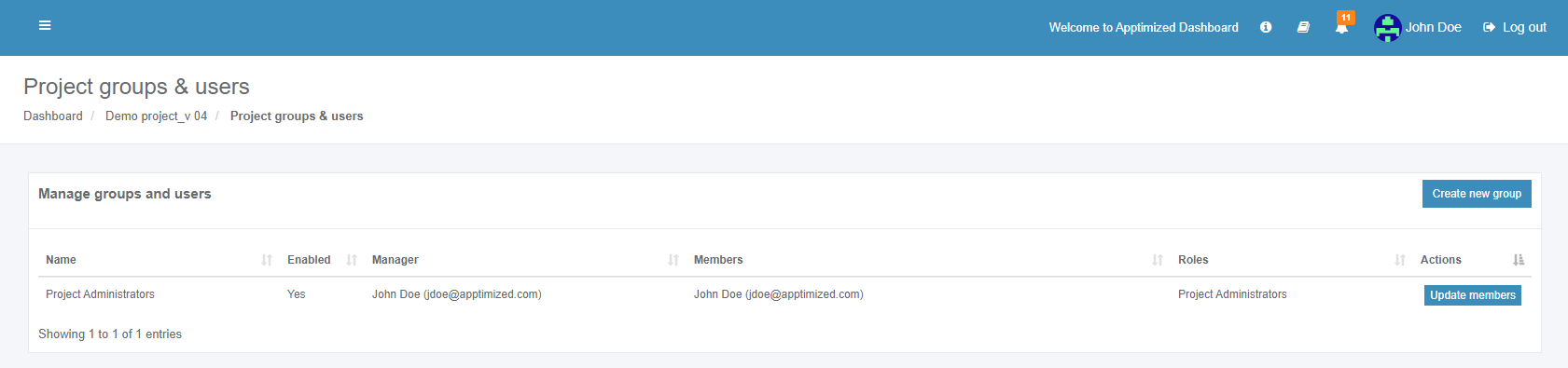
</td></tr><tr><td style="width: 146px;">Results

</td><td style="width: 653px;">This option provides the ability to review the Echo performance and check the generated screenshots.

Apptimized shows the following screen, when clicking the **Result** button:

[![echo_26.png](https://docs.apptimized.com/uploads/images/gallery/2020-04/scaled-1680-/NSVq9y62HLJCggxB-echo_26.png)](https://docs.apptimized.com/uploads/images/gallery/2020-04/NSVq9y62HLJCggxB-echo_26.png)

Test session results for the applications consist of the following components:

- Main information (i.e., software, platform, test, project, and user information). Editing this block is not available;
- Log test session results (i.e., platform test result (review, success, failed), additional comment). Editing this block is available;
- Screenshots tab. Editing this block is not available;
- Echo logs tab. Editing this block is not available;
- Windows logs tab. Editing this block is not available.

Next, **Log test session results** block is shown in more detail.

The option to log the platform test result is available under the **Platform test result** field (Log test session results block &gt; Platform test result field &gt; Select the test result &gt; **Save** button). **Review**, **Success** and **Failed** options available.

[![echo_27_4.png](https://docs.apptimized.com/uploads/images/gallery/2020-04/scaled-1680-/RHHuGzqeJFq7KtAy-echo_27_4.png)](https://docs.apptimized.com/uploads/images/gallery/2020-04/RHHuGzqeJFq7KtAy-echo_27_4.png)

The field **Additional comment** is optional and can stay blank.

The option to revert to the test session results screen is available under the **Go back** button.

The option to restart the test case automatically is available under the **Retest automatically** button (**Results** button &gt; Log test session results block &gt; **Retest automatically** button).

[![echo_27_5.png](https://docs.apptimized.com/uploads/images/gallery/2020-04/scaled-1680-/O99Gamk6dnU74HbE-echo_27_5.png)](https://docs.apptimized.com/uploads/images/gallery/2020-04/O99Gamk6dnU74HbE-echo_27_5.png)

Apptimized shows the following modal window to confirm restart activities:

[![echo_27_1.png](https://docs.apptimized.com/uploads/images/gallery/2020-04/scaled-1680-/FQU69ADjeKgschCr-echo_27_1.png)](https://docs.apptimized.com/uploads/images/gallery/2020-04/FQU69ADjeKgschCr-echo_27_1.png)

Apptimized shows the following screen when successful:

[![echo_27_2.png](https://docs.apptimized.com/uploads/images/gallery/2020-04/scaled-1680-/MyfLOTlD8VxecFx4-echo_27_2.png)](https://docs.apptimized.com/uploads/images/gallery/2020-04/MyfLOTlD8VxecFx4-echo_27_2.png)

The retesting process my take a few minutes. Apptimized shows the following screen when successful:

[![echo_27_3.png](https://docs.apptimized.com/uploads/images/gallery/2020-04/scaled-1680-/sbKiqI44BZuMeNLT-echo_27_3.png)](https://docs.apptimized.com/uploads/images/gallery/2020-04/sbKiqI44BZuMeNLT-echo_27_3.png)

The option to restart the test case manually is available under the **Retest manually** button (**Results** button &gt; Log test session results block &gt; **Retest manually** button). This option provides the ability to change the Discovery result.

<p class="callout info">**Note**. When clicking the **Retest manually** button the previous Echo deletes.</p>

[![echo_27_6.PNG](https://docs.apptimized.com/uploads/images/gallery/2020-04/scaled-1680-/69QTnQv2iPIe5plH-echo_27_6.PNG)](https://docs.apptimized.com/uploads/images/gallery/2020-04/69QTnQv2iPIe5plH-echo_27_6.PNG)

VM preparation process may last a few moments:

[![echo_27_7.PNG](https://docs.apptimized.com/uploads/images/gallery/2020-04/scaled-1680-/MAPfhXohgukOEJnp-echo_27_7.PNG)](https://docs.apptimized.com/uploads/images/gallery/2020-04/MAPfhXohgukOEJnp-echo_27_7.PNG)

Apptimized shows the following screen:

[![echo_30.png](https://docs.apptimized.com/uploads/images/gallery/2020-04/scaled-1680-/hDHT43tRBBKznE4s-echo_30.png)](https://docs.apptimized.com/uploads/images/gallery/2020-04/hDHT43tRBBKznE4s-echo_30.png)

To receive new test results all installation and settings activities for the application must be proceeded.

The option to revert to the previous screen (i.e., **Test session results**) is available under the **Go back** button. Apptimized shows the following screen when successful:

[![echo_27_9.png](https://docs.apptimized.com/uploads/images/gallery/2020-04/scaled-1680-/JTRqczS5tgWl4b17-echo_27_9.png)](https://docs.apptimized.com/uploads/images/gallery/2020-04/JTRqczS5tgWl4b17-echo_27_9.png)

<span style="background-color: #ffffff;">When a user runs the retest activities, a screen of the VM is locked for not to disturb the Echo work. But a user can enable the **Lock screen** switch to involve in Echo process:</span>

[![echo_27_10.png](https://docs.apptimized.com/uploads/images/gallery/2020-04/scaled-1680-/YWrqZfmMsX8SdJtX-echo_27_10.png)](https://docs.apptimized.com/uploads/images/gallery/2020-04/YWrqZfmMsX8SdJtX-echo_27_10.png)

The option to put text from the user’s host machine VM clipboard is available under the **Clipboard** button. Transferring clipboard content between the host machine and the VM works via "Cut &amp; paste" in the majority of user scenarios.

[![echo_27_11.png](https://docs.apptimized.com/uploads/images/gallery/2020-04/scaled-1680-/ThdN7OtmE8EcLJsD-echo_27_11.png)](https://docs.apptimized.com/uploads/images/gallery/2020-04/ThdN7OtmE8EcLJsD-echo_27_11.png)

The option to provide a full-screen mode for a browser is available under the **Fullscreen** button.

[![echo_27_12.png](https://docs.apptimized.com/uploads/images/gallery/2020-04/scaled-1680-/BvyL07XK8g47L7RZ-echo_27_12.png)](https://docs.apptimized.com/uploads/images/gallery/2020-04/BvyL07XK8g47L7RZ-echo_27_12.png)

The option to stop the current VM session and to start it from scratch manually is available under the **Retest manually** button.

[![echo_27_13.png](https://docs.apptimized.com/uploads/images/gallery/2020-04/scaled-1680-/R9bhlzvJYL3IyxsL-echo_27_13.png)](https://docs.apptimized.com/uploads/images/gallery/2020-04/R9bhlzvJYL3IyxsL-echo_27_13.png)

The option to review discovery documentation is available under the **Open discovery document** button.

[![echo_27_15.png](https://docs.apptimized.com/uploads/images/gallery/2020-04/scaled-1680-/2da4eg8Gg3SZtSna-echo_27_15.png)](https://docs.apptimized.com/uploads/images/gallery/2020-04/2da4eg8Gg3SZtSna-echo_27_15.png)

Apptimized opens the discovery document in a new tab:

[![echo_27_16.png](https://docs.apptimized.com/uploads/images/gallery/2020-04/scaled-1680-/T4eF15hfvCxZ8I7V-echo_27_16.png)](https://docs.apptimized.com/uploads/images/gallery/2020-04/T4eF15hfvCxZ8I7V-echo_27_16.png)

The option to stop the VM is available under the **Terminate** button. All screenshots which were already produced will be saved and the Echo script will be changed.

[![echo_27_14.png](https://docs.apptimized.com/uploads/images/gallery/2020-04/scaled-1680-/WZUCm4E0OdmbBOiO-echo_27_14.png)](https://docs.apptimized.com/uploads/images/gallery/2020-04/WZUCm4E0OdmbBOiO-echo_27_14.png)

Apptimized shows the following modal window and notification:

[![echo_30_1.png](https://docs.apptimized.com/uploads/images/gallery/2020-04/scaled-1680-/q7Utw6bzjqY15KQU-echo_30_1.png)](https://docs.apptimized.com/uploads/images/gallery/2020-04/q7Utw6bzjqY15KQU-echo_30_1.png)

[![echo_30_3.png](https://docs.apptimized.com/uploads/images/gallery/2020-04/scaled-1680-/srIWmxy7tIu9QmQw-echo_30_3.png)](https://docs.apptimized.com/uploads/images/gallery/2020-04/srIWmxy7tIu9QmQw-echo_30_3.png)

If a user fails test result this status will keep in the test session results. To proceed with the manually retest results, a user changes a platform test result from **Failed** to **Success** (**Log test session results** block &gt; Platform test result field &gt; Success &gt; **Save** button):

[![echo_27_18.png](https://docs.apptimized.com/uploads/images/gallery/2020-04/scaled-1680-/Z37c3Q93NxiSjvJi-echo_27_18.png)](https://docs.apptimized.com/uploads/images/gallery/2020-04/Z37c3Q93NxiSjvJi-echo_27_18.png)

If the test fails, there is an opportunity to choose one of the following remediation options:

1. **Repackage** (Applicable when a user needs to request a change in the current package or send a new package request);
2. **Desktop App Assure** (Applicable when the issue can’t be remediated by the latest app version or an updated package, nor can it be accepted);
3. **Accept** (Applicable when the issue is of minor nature and doesn’t impact users’ productivity – and there is no alternative now).

Apptimized shows the following screen when the remediations applied:

[![echo_27_19_1.png](https://docs.apptimized.com/uploads/images/gallery/2020-04/scaled-1680-/bzLfZtcgejtRaVcY-echo_27_19_1.png)](https://docs.apptimized.com/uploads/images/gallery/2020-04/bzLfZtcgejtRaVcY-echo_27_19_1.png)

The option to review the test case remediations is available under the **Remediators** button.

[![echo_27_19.png](https://docs.apptimized.com/uploads/images/gallery/2020-04/scaled-1680-/TmqDpbDH8wN0VVIU-echo_27_19.png)](https://docs.apptimized.com/uploads/images/gallery/2020-04/TmqDpbDH8wN0VVIU-echo_27_19.png)

[![echo_icon_13.png](https://docs.apptimized.com/uploads/images/gallery/2020-04/scaled-1680-/O5Ggcazs19ti48wo-echo_icon_13.png)](https://docs.apptimized.com/uploads/images/gallery/2020-04/O5Ggcazs19ti48wo-echo_icon_13.png)

</td></tr><tr><td style="width: 146px;">Download

</td><td style="width: 653px;">This option provides the ability to download test case results documentation in **HTML**.

[![echo_28.png](https://docs.apptimized.com/uploads/images/gallery/2020-04/scaled-1680-/xtsALwtxbjHNXOTa-echo_28.png)](https://docs.apptimized.com/uploads/images/gallery/2020-04/xtsALwtxbjHNXOTa-echo_28.png)

</td></tr><tr><td style="width: 146px;">View

</td><td style="width: 653px;"><span style="background-color: #ffffff;">This option provides the ability to check the VM current session.</span>

<span style="background-color: #ffffff;">The **View** button is disabled by default and becomes active when the VM restarts and retesting activities are in progress.</span>

</td></tr><tr><td style="width: 146px;">Show history

</td><td style="width: 653px;">This option provides the ability to see the test case history.

**[![echo_31_2.png](https://docs.apptimized.com/uploads/images/gallery/2021-08/scaled-1680-/YIwrbbdysJi3iW5H-echo_31_2.png)](https://docs.apptimized.com/uploads/images/gallery/2021-08/YIwrbbdysJi3iW5H-echo_31_2.png)**

The option to clean all test case history is available under the **Delete all history** button.

The option to delete a specific test case is available under the **Remove** button.

[![echo_32.png](https://docs.apptimized.com/uploads/images/gallery/2020-04/scaled-1680-/y6v376S4Zeb28ycn-echo_32.png)](https://docs.apptimized.com/uploads/images/gallery/2020-04/y6v376S4Zeb28ycn-echo_32.png)

The option to download test case results documentation in **HTML** is available under the **Download** button.

The option to review test case results is available under the **Results** button.

The keyword search available.

</td></tr></tbody></table>

##### **Echo notifications**

The option to set the Echo notifications within the project is available under the **Project menu** &gt; **Notifications** &gt; **Echo** **Playback Notifications** checkbox and **Project menu** &gt; **Notifications** &gt; **Echo** **Platform Notifications** checkbox. To disable the notification, uncheck the box in front of the notification’s name not need in use.

[![echo_36.png](https://docs.apptimized.com/uploads/images/gallery/2020-04/scaled-1680-/xqLCuAZNjTiqSORP-echo_36.png)](https://docs.apptimized.com/uploads/images/gallery/2020-04/xqLCuAZNjTiqSORP-echo_36.png)

Apptimized sends to a user the Echo application testing summary within a project on a daily basis. The screenshot below shows an example of the email notification:

[![echo_notif_01.PNG](https://docs.apptimized.com/uploads/images/gallery/2020-06/scaled-1680-/zDL9qCDE9jjo1Eor-echo_notif_01.PNG)](https://docs.apptimized.com/uploads/images/gallery/2020-06/zDL9qCDE9jjo1Eor-echo_notif_01.PNG)

#### **Echo with vendor media (Discovery)**

If a user wants to automate testing of original vendor media (i.e., "raw, unpackaged software") as it was provided by the software vendor to the internal IT department or dev team, the Echo must be implemented at the **Discovery - Self Service** step.

The following use cases available:

- Providing a manual installation (e.g., installation from **exe**, including feature selection and configuration);
- Providing a post-installation configuration (e.g., changing the application's setting after launching the application);
- Providing a typical use case like creating a file, entering, manipulating, and saving data.

The following scenarios to open the transition screen available:

- **My Dashboard** &gt; **My Applications** &gt; Choose the project &gt; **Actions** column &gt; **Process** option;
- **Project** **menu** &gt; **Dashboards** &gt; **Overview** &gt; **Your** **assignments** module &gt; Choose the application &gt; **Actions** column &gt; **Process** option;
- **Project** **menu** &gt; **Dashboards** &gt; **Portfolio** &gt; **Actions** column &gt; **Process** option;
- **Project** **menu** &gt; **Import** &gt; **Start** **import** &gt; **Classic** **import** &gt; Application upload session &gt;

Apptimized Echo plays back test cases automatically in the following cases:

- a new version of the application released by the vendor uploaded to Portfolio and pushed to Discovery again (see **Playback: Apptimized Assisted Discovery for future application versions**);
- a new version of Windows released by Microsoft (**Playback: WaaS automated OS compat testing for vendor media**).

To start producing the Echo scenario via **Discovery - Self Service**, the relevant Playback Echo scenario form must be selected in the **Project menu** &gt; **Settings** &gt; **Echo** &gt; **Playback Echo scenario from** field &gt; **Discovery – Self Service**.

[![echo_35.png](https://docs.apptimized.com/uploads/images/gallery/2020-04/scaled-1680-/2M6RSvrYlY2hWw2k-echo_35.png)](https://docs.apptimized.com/uploads/images/gallery/2020-04/2M6RSvrYlY2hWw2k-echo_35.png)

##### **Recording: Discovery – Self Service**

The option to import application is available under the **Project** **menu** &gt; **Import** &gt; **Start** **import** &gt; **Classic** **import** &gt; Application upload session &gt; **Next** button.

When the application is uploaded, and the metadata is reviewed, the **Enable Echo** option must be activated as it is shown on the screenshot below:

[![echo_01.PNG](https://docs.apptimized.com/uploads/images/gallery/2020-04/scaled-1680-/0mAkQwzlOfAAwR4D-echo_01.PNG)](https://docs.apptimized.com/uploads/images/gallery/2020-04/0mAkQwzlOfAAwR4D-echo_01.PNG)

Apptimized shows the transition screen when successful:

[![echo_02.PNG](https://docs.apptimized.com/uploads/images/gallery/2020-04/scaled-1680-/K39TYycBYwMy6g7A-echo_02.PNG)](https://docs.apptimized.com/uploads/images/gallery/2020-04/K39TYycBYwMy6g7A-echo_02.PNG)

The next step is available when clicking the **Discovery – Self Service** block. Apptimized shows the following screen when successful:

[![echo_03.PNG](https://docs.apptimized.com/uploads/images/gallery/2020-04/scaled-1680-/PYimD4tuofOV3wb2-echo_03.PNG)](https://docs.apptimized.com/uploads/images/gallery/2020-04/PYimD4tuofOV3wb2-echo_03.PNG)

The discovery process actions with Echo are similar to discovery process actions without Echo (see **Discovery – Self Service manual**).

VM preparation may take a few moments:

[![echo_04.PNG](https://docs.apptimized.com/uploads/images/gallery/2020-04/scaled-1680-/qFBaYmy93Jik5Pwr-echo_04.PNG)](https://docs.apptimized.com/uploads/images/gallery/2020-04/qFBaYmy93Jik5Pwr-echo_04.PNG)

When the synchronization process is finished, Apptimized shows the following screen:

[![echo_05.PNG](https://docs.apptimized.com/uploads/images/gallery/2020-04/scaled-1680-/KNJuBjDhpgE6OlQK-echo_05.PNG)](https://docs.apptimized.com/uploads/images/gallery/2020-04/KNJuBjDhpgE6OlQK-echo_05.PNG)

The uploaded files locate in the **Apptimized files** folder on the VM desktop.

To start the installation process, a user opens the .**EXE** file located in the **Source** folder.

[![echo_06.PNG](https://docs.apptimized.com/uploads/images/gallery/2020-04/scaled-1680-/HFIdGbvbPqic9JdF-echo_06.PNG)](https://docs.apptimized.com/uploads/images/gallery/2020-04/HFIdGbvbPqic9JdF-echo_06.PNG)

Every action is captured as a screenshot which is shown in green boxes appearing on the right-hand side:

[![echo_07.PNG](https://docs.apptimized.com/uploads/images/gallery/2020-04/scaled-1680-/uW4TDklKRJrz6s0s-echo_07.PNG)](https://docs.apptimized.com/uploads/images/gallery/2020-04/uW4TDklKRJrz6s0s-echo_07.PNG)

When installation session and configuration settings completed, click the **Finish** button to terminate the VM. Apptimized shows the following modal window:

[![echo_08.PNG](https://docs.apptimized.com/uploads/images/gallery/2020-04/scaled-1680-/iM133lnEi14de4Sv-echo_08.PNG)](https://docs.apptimized.com/uploads/images/gallery/2020-04/iM133lnEi14de4Sv-echo_08.PNG)

Apptimized shows the following screen when successful:

[![echo_09.PNG](https://docs.apptimized.com/uploads/images/gallery/2020-04/scaled-1680-/aukTicvjukYabxIx-echo_09.PNG)](https://docs.apptimized.com/uploads/images/gallery/2020-04/aukTicvjukYabxIx-echo_09.PNG)

The next step available when clicking the Continue with **Discovery - Self Service – Screenshots** button.

[![echo_10.PNG](https://docs.apptimized.com/uploads/images/gallery/2020-04/scaled-1680-/xclwipEJsFrCjGvn-echo_10.PNG)](https://docs.apptimized.com/uploads/images/gallery/2020-04/xclwipEJsFrCjGvn-echo_10.PNG)

The screenshots review is finished when clicking the **Save changes** button.

[![echo_11.PNG](https://docs.apptimized.com/uploads/images/gallery/2020-04/scaled-1680-/42aLLLcwlCFZ83lJ-echo_11.PNG)](https://docs.apptimized.com/uploads/images/gallery/2020-04/42aLLLcwlCFZ83lJ-echo_11.PNG)

Apptimized shows the following screen when successful:

[![echo_12.PNG](https://docs.apptimized.com/uploads/images/gallery/2020-04/scaled-1680-/2RoWvdML2liQ7ml2-echo_12.PNG)](https://docs.apptimized.com/uploads/images/gallery/2020-04/2RoWvdML2liQ7ml2-echo_12.PNG)

The generated document is available in **PDF** and **HTML** formats. To download a document, click the **Download** **generated** **HTML** **document** or **Download** **generated** **PDF** **document** buttons.

The option to edit a discovery document is available under the **Edit** **generated** **document** button. The document editing finalizes by clicking the **Save** button.

[![echo_13.PNG](https://docs.apptimized.com/uploads/images/gallery/2020-04/scaled-1680-/EJM9JaeC2VTBQsOk-echo_13.PNG)](https://docs.apptimized.com/uploads/images/gallery/2020-04/EJM9JaeC2VTBQsOk-echo_13.PNG)

The option to return to the discovery self-service screen mode is available under **the Revert to Discovery – Self Service** button.

The option to finish the discovery process is available under the **Finish** button.

[![echo_13_1.PNG](https://docs.apptimized.com/uploads/images/gallery/2020-04/scaled-1680-/SIcZeszBwfH0Nflo-echo_13_1.PNG)](https://docs.apptimized.com/uploads/images/gallery/2020-04/SIcZeszBwfH0Nflo-echo_13_1.PNG)

The option to inspect the Echo results is available under the **Project** menu &gt; **Echo.** Apptimized shows the following screen when successful:

[![echo_15.PNG](https://docs.apptimized.com/uploads/images/gallery/2020-04/scaled-1680-/7ah2HNeFQS64G4Kw-echo_15.PNG)](https://docs.apptimized.com/uploads/images/gallery/2020-04/7ah2HNeFQS64G4Kw-echo_15.PNG)

##### **Playback: Apptimized Assisted Discovery for future application versions**

With Apptimized Echo a user can record the Discovery step activities for the application, and then (if the newer version of the application is released and a user added it to project’s portfolio), a user can specify the initial version of the application for which the Discovery step was recorded. By doing so, a user doesn’t need to perform a Discovery step for the newer version of the application anymore. When the workflow proceeds to the Discovery step, it will replay the recorded installation and configuration activities of the application from the initial version. So, a user saves time significantly. This feature is called **Apptimized Assisted Discovery**.

To run **Apptimized Assisted Discovery** the new version of the application must be imported.

The option to import application is available under the **Project** **menu** &gt; **Import** &gt; **Start** **import** &gt; **Classic** **import** &gt; Application upload session &gt; **Next** button**.**

When the application is uploaded, and the metadata is reviewed, the previous version of the application must be indicated, and **Enable Echo** option must be activated as it is shown on the screenshot below:

[![echo_33.png](https://docs.apptimized.com/uploads/images/gallery/2020-04/scaled-1680-/s85fdDRZgwCIF0Ca-echo_33.png)](https://docs.apptimized.com/uploads/images/gallery/2020-04/s85fdDRZgwCIF0Ca-echo_33.png)

When changes to the **Previous version of the application** field applied, the **Show recorded Echo scenario** option becomes available. A user can click on it to make sure that the needed Echo Discovery was selected:

[![echo_34.png](https://docs.apptimized.com/uploads/images/gallery/2020-04/scaled-1680-/yuC8ecQvx7CJSF75-echo_34.png)](https://docs.apptimized.com/uploads/images/gallery/2020-04/yuC8ecQvx7CJSF75-echo_34.png)

[![echo_37.png](https://docs.apptimized.com/uploads/images/gallery/2020-04/scaled-1680-/zFBGeXIOTbYqbWAH-echo_37.png)](https://docs.apptimized.com/uploads/images/gallery/2020-04/zFBGeXIOTbYqbWAH-echo_37.png)

The import step finalizes when clicking the **Finish** button. Apptimized shows the transition screen when successful:

[![echo_38.png](https://docs.apptimized.com/uploads/images/gallery/2020-04/scaled-1680-/b5QjJ3i14vmlO431-echo_38.png)](https://docs.apptimized.com/uploads/images/gallery/2020-04/b5QjJ3i14vmlO431-echo_38.png)

The next step is available when clicking the **Discovery – Self Service** block. Apptimized shows the following screen when successful:

[![echo_39.png](https://docs.apptimized.com/uploads/images/gallery/2020-04/scaled-1680-/1ytDTF5LuZ8LWujd-echo_39.png)](https://docs.apptimized.com/uploads/images/gallery/2020-04/1ytDTF5LuZ8LWujd-echo_39.png)

The option to set the platform is available under the **Select Discovery -Self-Service** **platform** field (select a value from the drop-down list).

The option to set the Echo assisted self-service mode is available under the **Self-Service** **mode** field (select a value from the drop-down list):

[![echo_40.png](https://docs.apptimized.com/uploads/images/gallery/2020-04/scaled-1680-/SOQOLYuA0AIstABP-echo_40.png)](https://docs.apptimized.com/uploads/images/gallery/2020-04/SOQOLYuA0AIstABP-echo_40.png)

The VM starts when clicking the **Start VM** button. VM preparation may take a few moments:

[![echo_41.png](https://docs.apptimized.com/uploads/images/gallery/2020-04/scaled-1680-/LZvhNfY493Ha0ahT-echo_41.png)](https://docs.apptimized.com/uploads/images/gallery/2020-04/LZvhNfY493Ha0ahT-echo_41.png)

Apptimized shows the following screen when successful:

[![Untitled-8.png](https://docs.apptimized.com/uploads/images/gallery/2020-06/scaled-1680-/X2PkIY231Ut44qXz-Untitled-8.png)](https://docs.apptimized.com/uploads/images/gallery/2020-06/X2PkIY231Ut44qXz-Untitled-8.png)

User’s interactions to VM are not needed. The Echo provides the Discovery activities automatically. When the playback scenario finished, Apptimized shows the following screen:

[![Untitled-9.png](https://docs.apptimized.com/uploads/images/gallery/2020-06/scaled-1680-/Mteh4NDdnAsGBCU1-Untitled-9.png)](https://docs.apptimized.com/uploads/images/gallery/2020-06/Mteh4NDdnAsGBCU1-Untitled-9.png)

The VM will be terminated automatically.

<p class="callout info">**Note.** When any issues occur, the notification comes in yellow (i.e., minor issues) or red (i.e., major issues) color.</p>

A user can **Retest** results or **Continue with Discovery – Self Service – Screenshots**. When the review of the generated screenshots completed, click **Save changes** button. Apptimized shows the following screen when successful:

[![echo_12.PNG](https://docs.apptimized.com/uploads/images/gallery/2020-04/scaled-1680-/2RoWvdML2liQ7ml2-echo_12.PNG)](https://docs.apptimized.com/uploads/images/gallery/2020-04/2RoWvdML2liQ7ml2-echo_12.PNG)

The generated document is available in **PDF** and **HTML** formats. To download a document, click the **Download** **generated** **HTML** **document** or **Download** **generated** **PDF** **document** buttons.

The option to edit a discovery document is available under the **Edit** **generated** **document** button. The document editing finalizes by clicking the **Save** button.

[![echo_13.PNG](https://docs.apptimized.com/uploads/images/gallery/2020-04/scaled-1680-/EJM9JaeC2VTBQsOk-echo_13.PNG)](https://docs.apptimized.com/uploads/images/gallery/2020-04/EJM9JaeC2VTBQsOk-echo_13.PNG)

The option to return to the discovery self-service screen mode is available under the **Revert to Discovery – Self Service** button.

The option to finish the discovery process is available under the **Finish** button.

The option to inspect the Echo results is available under the **Project** menu &gt; **Echo.** Apptimized shows the following screen when successful:

[![echo_15.PNG](https://docs.apptimized.com/uploads/images/gallery/2020-04/scaled-1680-/7RiqgbDFF6zEvudo-echo_15.PNG)](https://docs.apptimized.com/uploads/images/gallery/2020-04/7RiqgbDFF6zEvudo-echo_15.PNG)

#### **Echo with packages (Testing)**

**Apptimized Echo** provides test automation capabilities by which repeated application and package testing is simplified. Echo will playback a recorded test case automatically when needed.

If a user wants to automate testing of packages or software that has been prepared for automated and silent installation (e.g., for mass deployment via ESD), the Echo must be implemented at the **Testing - Self Service** step.

The following use cases available:

- Automated installation (e.g., from install.cmd;
- Providing a typical use case like creating a file, entering, manipulating, and saving data.

The following scenarios to open the transition screen available:

- **My Dashboard** &gt; **My Applications** &gt; Choose the project &gt; **Actions** column &gt; **Process** option;
- **Project** **menu** &gt; **Dashboards** &gt; **Overview** &gt; **Your** **assignments** module &gt; Choose the application &gt; **Actions** column &gt; **Process** option;
- **Project** **menu** &gt; **Dashboards** &gt; **Portfolio** &gt; **Actions** column &gt; **Process** option;
- **Project** **menu** &gt; **Import** &gt; **Start** **import** &gt; **Classic** **import** &gt; Application upload session &gt;

Apptimized Echo plays back test cases automatically in the following cases:

- a new version of the package is released by the packaging group (or by the packaging self-service or by the Apptimized packaging factory), is uploaded to Portfolio and is pushed to Testing again (see **Playback: Apptimized Assisted Testing for future package versions and repeated testing (iterations)**);
- a new version of Windows is released by Microsoft (see **Playback: WaaS automated OS compat testing for vendor media**).

To start producing the Echo scenario via **Testing - Self Service**, the relevant Playback Echo scenario form must be selected in the **Project menu** &gt; **Settings** &gt; **Echo** &gt; **Playback Echo scenario from** field &gt; **Testing – Self Service**.

[![echo_35.png](https://docs.apptimized.com/uploads/images/gallery/2020-04/scaled-1680-/2M6RSvrYlY2hWw2k-echo_35.png)](https://docs.apptimized.com/uploads/images/gallery/2020-04/2M6RSvrYlY2hWw2k-echo_35.png)

##### **Recording: Testing – Self Service**

The option to import package (e.g., **MSI**) is available under the **Project** **menu** &gt; **Import** &gt; **Start** **import** &gt; **Classic** **import** &gt; Application upload session &gt; **Next** button.

When the application is uploaded, and the metadata is reviewed, the **Enable Echo** option must be activated as it is shown on the screenshot below:

[![echo_52.PNG](https://docs.apptimized.com/uploads/images/gallery/2020-04/scaled-1680-/myPR6Di8Sk6G2HP1-echo_52.PNG)](https://docs.apptimized.com/uploads/images/gallery/2020-04/myPR6Di8Sk6G2HP1-echo_52.PNG)

Apptimized shows the transition screen when successful:

[![echo_38.png](https://docs.apptimized.com/uploads/images/gallery/2020-04/scaled-1680-/b5QjJ3i14vmlO431-echo_38.png)](https://docs.apptimized.com/uploads/images/gallery/2020-04/b5QjJ3i14vmlO431-echo_38.png)

Skipping to the Testing modules required. The next step is available when clicking the **Testing – Self Service** block. Apptimized shows the following screen when successful:

[![echo_53.PNG](https://docs.apptimized.com/uploads/images/gallery/2020-04/scaled-1680-/4MPfXqYiLLiShOdK-echo_53.PNG)](https://docs.apptimized.com/uploads/images/gallery/2020-04/4MPfXqYiLLiShOdK-echo_53.PNG)

The testing process actions with Echo are similar to testing process actions without Echo (see **Testing – Self Service manual**).

VM preparation may take a few moments:

[![echo_54.PNG](https://docs.apptimized.com/uploads/images/gallery/2020-04/scaled-1680-/t5f8h9XTZUVaCgC1-echo_54.PNG)](https://docs.apptimized.com/uploads/images/gallery/2020-04/t5f8h9XTZUVaCgC1-echo_54.PNG)

When the synchronization process is finished, Apptimized shows the following screen:

[![echo_55.png](https://docs.apptimized.com/uploads/images/gallery/2020-06/scaled-1680-/ngZJV8cNgijTzboW-echo_55.png)](https://docs.apptimized.com/uploads/images/gallery/2020-06/ngZJV8cNgijTzboW-echo_55.png)

The uploaded files locate in the **Apptimized files** folder on the VM desktop.

To start the installation process, a user opens a file (i.e., **EXE, MSI**) located in the **Source** folder (or an installation file in the **Packages** folder).

Every action is captured as a screenshot which is shown in green boxes appearing on the right-hand side:

[![echo_56.png](https://docs.apptimized.com/uploads/images/gallery/2020-06/scaled-1680-/PChhIjhAtUAMk8VT-echo_56.png)](https://docs.apptimized.com/uploads/images/gallery/2020-06/PChhIjhAtUAMk8VT-echo_56.png)

When installation session and configuration settings completed, click the **Finish** button to terminate the VM. Apptimized shows the following modal window:

[![echo_57.PNG](https://docs.apptimized.com/uploads/images/gallery/2020-04/scaled-1680-/rCCXCrNyWoLza9ub-echo_57.PNG)](https://docs.apptimized.com/uploads/images/gallery/2020-04/rCCXCrNyWoLza9ub-echo_57.PNG)

Apptimized shows the following screen when successful:

[![echo_59.PNG](https://docs.apptimized.com/uploads/images/gallery/2020-04/scaled-1680-/eeLLcwFqWcbwYhch-echo_59.PNG)](https://docs.apptimized.com/uploads/images/gallery/2020-04/eeLLcwFqWcbwYhch-echo_59.PNG)

The next step available when clicking the **Continue with** **Testing - Self Service – Screenshots** button.

[![echo_60.PNG](https://docs.apptimized.com/uploads/images/gallery/2020-04/scaled-1680-/nl3sMK8YHJucIr6S-echo_60.PNG)](https://docs.apptimized.com/uploads/images/gallery/2020-04/nl3sMK8YHJucIr6S-echo_60.PNG)

The following options to log test session results are available:

- Untested;
- Success;
- Failed.

[![echo_61.PNG](https://docs.apptimized.com/uploads/images/gallery/2020-04/scaled-1680-/K58JNEJYEVZ5Esiu-echo_61.PNG)](https://docs.apptimized.com/uploads/images/gallery/2020-04/K58JNEJYEVZ5Esiu-echo_61.PNG)

The default value is **Untested**.

The field **Optional comment** can stay blank.

The screenshots review is finished when clicking the **Save changes** button.

[![echo_62.PNG](https://docs.apptimized.com/uploads/images/gallery/2020-04/scaled-1680-/kNQQakNVeP4iy8ZA-echo_62.PNG)](https://docs.apptimized.com/uploads/images/gallery/2020-04/kNQQakNVeP4iy8ZA-echo_62.PNG)

Apptimized shows the following screen when successful:

[![echo_63.PNG](https://docs.apptimized.com/uploads/images/gallery/2020-04/scaled-1680-/IIwHqMu1UyYSrA61-echo_63.PNG)](https://docs.apptimized.com/uploads/images/gallery/2020-04/IIwHqMu1UyYSrA61-echo_63.PNG)

The generated document is available in **PDF** and **HTML** formats. To download a document, click the **Download** **generated** **HTML** **document** or **Download** **generated** **PDF** **document** buttons.

The option to edit a testing document is available under the **Edit** **generated** **document** button. The document editing finalizes by clicking the **Save** button.

[![echo_64.PNG](https://docs.apptimized.com/uploads/images/gallery/2020-04/scaled-1680-/Tsi9ruju4iwhmkb4-echo_64.PNG)](https://docs.apptimized.com/uploads/images/gallery/2020-04/Tsi9ruju4iwhmkb4-echo_64.PNG)

The option to return to the discovery self-service screen mode is available under the **Revert to Testing – Self Service** button.

The option to finish the discovery process is available under the **Finish** button.

The option to inspect the Echo results is available under the **Project** menu &gt; **Echo.** Apptimized shows the following screen when successful:

[![echo_65.png](https://docs.apptimized.com/uploads/images/gallery/2020-04/scaled-1680-/yS5Wz2VgRQOxhfCc-echo_65.png)](https://docs.apptimized.com/uploads/images/gallery/2020-04/yS5Wz2VgRQOxhfCc-echo_65.png)

##### **Playback: Apptimized Assisted Testing for future package versions and repeated testing (iterations)**

Apptimized Echo enables a user to record Testing step activities for the package, and then (if the newer version of the application is released, a new package of it is created and added to project’s portfolio), a user can specify the initial version of the application on which Testing step was recorded. By doing so, a user doesn’t need to perform the Testing step for the newer version of the package anymore. When the workflow proceeds to the Testing step, it will replay the recorded installation and configuration activities of the package. So, a user saves time significantly. This feature is called **Apptimized Assisted Testing**.

To run **Apptimized Assisted Testing** the new version of the application (or package) must be imported.

The option to import application is available under the **Project** **menu** &gt; **Import** &gt; **Start** **import** &gt; **Classic** **import** &gt; Application/ package upload session &gt; **Next** button**.**

When the application (package) is uploaded, and the metadata is reviewed, the previous version of the application must be indicated, and **Enable Echo** option must be activated as it is shown on the screenshot below:

[![echo_44.png](https://docs.apptimized.com/uploads/images/gallery/2020-04/scaled-1680-/sT0tpO0nWubwW29o-echo_44.png)](https://docs.apptimized.com/uploads/images/gallery/2020-04/sT0tpO0nWubwW29o-echo_44.png)

When changes to the **Previous version of the application** field applied, the **Show recorded Echo scenario** option becomes available. A user can click on it to make sure that the needed Echo Discovery was selected:

[![echo_45.png](https://docs.apptimized.com/uploads/images/gallery/2020-04/scaled-1680-/aXO6EtbXVgCHejh4-echo_45.png)](https://docs.apptimized.com/uploads/images/gallery/2020-04/aXO6EtbXVgCHejh4-echo_45.png)

[![echo_46.png](https://docs.apptimized.com/uploads/images/gallery/2020-04/scaled-1680-/KFhBLs1Kzc4tgXnt-echo_46.png)](https://docs.apptimized.com/uploads/images/gallery/2020-04/KFhBLs1Kzc4tgXnt-echo_46.png)

The import step finalizes when clicking the **Finish** button. Apptimized shows the transition screen when successful:

[![echo_70.png](https://docs.apptimized.com/uploads/images/gallery/2020-04/scaled-1680-/BIDZt3pKFgKUnRIZ-echo_70.png)](https://docs.apptimized.com/uploads/images/gallery/2020-04/BIDZt3pKFgKUnRIZ-echo_70.png)

The next step is available when clicking the **Testing – Self Service** block. Apptimized shows the following screen when successful:

[![echo_72.png](https://docs.apptimized.com/uploads/images/gallery/2020-04/scaled-1680-/YKXmvjdVMmw9TPfS-echo_72.png)](https://docs.apptimized.com/uploads/images/gallery/2020-04/YKXmvjdVMmw9TPfS-echo_72.png)

The option to set the Echo assisted self-service mode is available under the **Self-Service** **mode** field (select a value from the drop-down list):

[![echo_71.png](https://docs.apptimized.com/uploads/images/gallery/2020-04/scaled-1680-/KYL3wozOF0GrhjUh-echo_71.png)](https://docs.apptimized.com/uploads/images/gallery/2020-04/KYL3wozOF0GrhjUh-echo_71.png)

The VM starts when clicking the **Start VM** button. VM preparation may take a few moments. Apptimized shows the following screen when successful:

[![Untitled.png](https://docs.apptimized.com/uploads/images/gallery/2020-06/scaled-1680-/MZCVURzf4TVNNoTy-Untitled.png)](https://docs.apptimized.com/uploads/images/gallery/2020-06/MZCVURzf4TVNNoTy-Untitled.png)

User’s interactions to VM are not needed. The Echo provides Testing activities automatically. When the playback scenario finished, Apptimized shows the following screen:

[![Untitled-4.png](https://docs.apptimized.com/uploads/images/gallery/2020-06/scaled-1680-/dHS2prFhhSpeOUuv-Untitled-4.png)](https://docs.apptimized.com/uploads/images/gallery/2020-06/dHS2prFhhSpeOUuv-Untitled-4.png)

User’s interactions to VM are not needed. The Echo provides the Discovery activities automatically. When the playback scenario finished, Apptimized shows the following screen:

[![Untitled-9.png](https://docs.apptimized.com/uploads/images/gallery/2020-06/scaled-1680-/Mteh4NDdnAsGBCU1-Untitled-9.png)](https://docs.apptimized.com/uploads/images/gallery/2020-06/Mteh4NDdnAsGBCU1-Untitled-9.png)

The VM will be terminated automatically.

<p class="callout info">**Note.** When any issues occur, the notification comes in yellow (i.e., minor issues) or red (i.e., major issues) color.</p>

A user can **Retest** results or **Continue with Testing – Results**.

[![Untitled-5.png](https://docs.apptimized.com/uploads/images/gallery/2020-06/scaled-1680-/sjq2xhJyUtWAjJrP-Untitled-5.png)](https://docs.apptimized.com/uploads/images/gallery/2020-06/sjq2xhJyUtWAjJrP-Untitled-5.png)

When the review of the generated screenshots completed, click **Save changes** button. Apptimized shows the following screen when successful:

[![Untitled-6.png](https://docs.apptimized.com/uploads/images/gallery/2020-06/scaled-1680-/oxee6d3Tdg8R1EUq-Untitled-6.png)](https://docs.apptimized.com/uploads/images/gallery/2020-06/oxee6d3Tdg8R1EUq-Untitled-6.png)

The generated document is available in **PDF** and **HTML** formats. To download a document, click the **Download** **generated** **HTML** **document** or **Download** **generated** **PDF** **document** buttons.

The option to edit a testing document is available under the **Edit** **generated** **document** button. The document editing finalizes by clicking the **Save** button.

The option to return to the testing self-service screen mode is available under the **Revert to Testing – Self Service** button.

The option to finish the discovery process is available under the **Finish** button.

The option to inspect the Echo results is available under the **Project** menu &gt; **Echo.**

##### **Playback: WaaS automated OS compat testing for vendor media**

Apptimized Echo allows a user to understand, will the package work properly on the next releases of the Windows platform or not. The next Windows releases are available to Apptimized as Windows Insider builds.

<span style="background-color: #ffffff;">When Echo enabled and the non-public testing platforms (Windows Insider builds) are selected in project settings, Echo will record the installation and configuration of created packages, and then recorded steps will be replayed automatically against the selected Windows Insider builds. A user will receive an automatic notification if playback succeeds on a new Windows update.</span>

To implement saved Echo, a new version of the application must be imported via the **Classic import** (**Project** **menu** &gt; **Import** &gt; **Start** **import** &gt; **Classic** **import** &gt; Application upload session &gt; **Next** button).

When the application is uploaded, and the metadata is reviewed, the previous version of the application must be indicated, and **Enable Echo** option must be activated as it is shown on the screenshot below:

[![echo_67.png](https://docs.apptimized.com/uploads/images/gallery/2020-04/scaled-1680-/8iAy9rbgr5gjQOa6-echo_67.png)](https://docs.apptimized.com/uploads/images/gallery/2020-04/8iAy9rbgr5gjQOa6-echo_67.png)

When changes to the **Previous version of the application** field applied, the **Show recorded Echo scenario** option becomes available. A user can click on it to make sure that the needed Echo Discovery was selected:

[![echo_45.png](https://docs.apptimized.com/uploads/images/gallery/2020-04/scaled-1680-/aXO6EtbXVgCHejh4-echo_45.png)](https://docs.apptimized.com/uploads/images/gallery/2020-04/aXO6EtbXVgCHejh4-echo_45.png)

[![echo_46.png](https://docs.apptimized.com/uploads/images/gallery/2020-04/scaled-1680-/KFhBLs1Kzc4tgXnt-echo_46.png)](https://docs.apptimized.com/uploads/images/gallery/2020-04/KFhBLs1Kzc4tgXnt-echo_46.png)

The import step finalizes when clicking the **Finish** button. Apptimized shows the transition screen when successful:

[![echo_38.png](https://docs.apptimized.com/uploads/images/gallery/2020-04/scaled-1680-/b5QjJ3i14vmlO431-echo_38.png)](https://docs.apptimized.com/uploads/images/gallery/2020-04/b5QjJ3i14vmlO431-echo_38.png)

Any other actions with the **Discovery - Self Service** are not needed. The option to check the Echo status of the new application is available under the:

- **Project** menu &gt; Apptimized shows the following screen when successful:

**[![echo_47.png](https://docs.apptimized.com/uploads/images/gallery/2020-04/scaled-1680-/R23gufdrMEhH53Ib-echo_47.png)](https://docs.apptimized.com/uploads/images/gallery/2020-04/R23gufdrMEhH53Ib-echo_47.png)**

<p class="callout info">**Note.** The Echo status of the new application in a portfolio will change to **Pending.**</p>

The **Success** Echo status of new application means that new application processed through Testing as it was saved in the previous version via Echo:

[![echo_49.png](https://docs.apptimized.com/uploads/images/gallery/2020-04/scaled-1680-/xaQjNR1mexatnaJ2-echo_49.png)](https://docs.apptimized.com/uploads/images/gallery/2020-04/xaQjNR1mexatnaJ2-echo_49.png)

- **My Dashboard** &gt; **My Applications**. Apptimized shows the following screen when successful:

**[![echo_50_1.png](https://docs.apptimized.com/uploads/images/gallery/2020-04/scaled-1680-/bqY41zBWetGyTVKM-echo_50_1.png)](https://docs.apptimized.com/uploads/images/gallery/2020-04/bqY41zBWetGyTVKM-echo_50_1.png)**

<p class="callout info">**Note.** The Echo status of the new application in a portfolio will change to **Pending.**</p>

The **Success** Echo status of new application means that new application processed through Testing as it was saved in the previous version via Echo:

####  

#### **Echo Assumptions**

Summarizing the FAQ on Echo results Apptimized support team assumes that a user is not trying to do the following actions during the recording step or Echo playback:

1. Mouse gestures: drag &amp; drop of windows or individual elements of a window.
2. Recording actions in web browsers (i.e., Internet Explorer, Edge, Chrome, Firefox, etc.) and web applications (i.e., Slack, Microsoft Teams, GitHub Client).
3. Recording actions on applications without a graphical user interface (GUI). Echo is a GUI-based testing automation tool for Windows applications. It supports win32 and UWP applications.  
    It cannot be used to test GUI-less applications such as services, drivers, and other types of applications that do not have a graphical user interface. However, you can still record the installation and launch of such applications.
4. Interaction with Windows Explorer: Echo does not record and replay the next actions made in Windows Explorer:  
    \- opening the context menu by click on the right mouse button and work with the context menu;  
    \- creating, deleting, copying and pasting folders and files manually (installation process of an application will be recorded properly);  
    \- working with tray icons and calling the application’s main GUI from the tray.
5. Entering text in Java-based applications (software that requires "Oracle Java" prerequisite or works based on Java core technologies).
6. Working with CMD: switching between folders, adding, deleting, copying, cutting and pasting files, launching executable and other files via CMD. Echo filters interaction with CMD during recording, because there is much of system noise that processing in the background through CMD.

In terms of changes in the application’s logic, core technologies and UI from one version of the application to another, Echo does support:

- Change of text, color, and font of the application’s UI element ( \* );
- Change of position of the application’s UI element within one page (except Java-based applications);
- Change of graphical design (size, color, form) of the page-container of the application’s UI element (except Java-based applications);

Echo does not support the next changes between different version of the application:

- Change of sequence of windows for the installation process, the application’s startup and configuration, including adding new windows or removal of old ones;
- Removal of application’s UI elements. Example: user clicked on button “OK” in the application’s settings in the previous version of the application during recording, but in the new version, this button doesn’t exist;
- Change of type of the application’s UI element. Example: element previously was a checkbox, but in the new version, it is an item of the dropdown list;
- Moving the application’s UI element from one UI’s page to another. Example: “Ask for updates” dropdown list was on “General” tab of app’s settings, but in the new version it is on the “Miscellaneous” tab;
- Change of location for menu list items within different parent items. Example: a user clicked on “Tools” menu on app’s main page, then selected the dropdown list “Options”, and “Advanced” list item. On the newer version of the app “Options” dropdown list is located under another list “Miscellaneous”, which is under “Tools” menu. In such case, Echo will not play click on “Options” dropdown list on the newer version and will fail.

( \* ) “application’s UI element(s)” means UI element which was a part of recorded (Discovery or Testing) document.

**Example:**

A user enabled the recording of the Discovery step of the application “Mozilla Firefox” (version 61). A user added the newer version (i.e., 65) of this application, in which a vendor changed the sequence of windows of the installation process. If a user wants the Echo to perform Assisted Discovery on version 65 but based on recorded steps with version 61, Echo will fail because of changed GUI logic.

Some applications are built by their vendors to contain complex logic regards to the interaction of users with GUI elements.

**Examples:**

- Echo supports Java-based applications partially, but input in text fields in such applications is not supported;
- Some UI elements are too complicated for automatic testing by Echo: windows that are built as panels, text boxes with complex logic of implementation, etc.

Apptimized Echo might fail with recording or playback of such test cases. When a user encounters an issue, contact with the Apptimized support team (to provide the needed information to reproduce the issue) is required.

# Storage

**Apptimized Storage** enables uploading applications and using it in a future for several times skipping the **Import** step. A user directly uploads the application or creates a directory to group applications.

Apptimized Storage enables uploading applications once and using them in the future several times, skipping the Import step. A user directly uploads the application or creates a directory to group applications.

**Note.** The "storage" option appears in the project menu after it is initiated in the project settings by the project administrator.

The **Storage** is available under the **Project** menu &gt; **Storage**:

[![storage_01.PNG](https://docs.apptimized.com/uploads/images/gallery/2020-04/scaled-1680-/IJ5yR8byTo09eUqD-storage_01.PNG)](https://docs.apptimized.com/uploads/images/gallery/2020-04/IJ5yR8byTo09eUqD-storage_01.PNG)

Apptimized shows the following screen when successful:

[![storage_02.PNG](https://docs.apptimized.com/uploads/images/gallery/2020-04/scaled-1680-/jxYUz0Uc2jhh43On-storage_02.PNG)](https://docs.apptimized.com/uploads/images/gallery/2020-04/jxYUz0Uc2jhh43On-storage_02.PNG)

The option to upload an application is available under the **Upload file** button &gt; **Click here to select file** button &gt; Browse to select the file &gt; **Open** button.

[![storage_03.png](https://docs.apptimized.com/uploads/images/gallery/2020-04/scaled-1680-/9P02DNF1XUhSEWSO-storage_03.png)](https://docs.apptimized.com/uploads/images/gallery/2020-04/9P02DNF1XUhSEWSO-storage_03.png)

The application appears in the **Storage** when successful.

The option to create a folder is available under the **New directory** button &gt; Enter a folder name &gt; **Save** button. All required fields are marked with an asterisk <span style="color: #ff0000;">\*</span>.

[![storage_04.png](https://docs.apptimized.com/uploads/images/gallery/2020-04/scaled-1680-/zr5mtfNqYOVq3uPC-storage_04.png)](https://docs.apptimized.com/uploads/images/gallery/2020-04/zr5mtfNqYOVq3uPC-storage_04.png)

The folder appears in the **Storage** when successful.

The option to delete an application or a folder is available under the **Delete** button.

[![storage_05.PNG](https://docs.apptimized.com/uploads/images/gallery/2020-04/scaled-1680-/zteedPhkF07r0WAh-storage_05.PNG)](https://docs.apptimized.com/uploads/images/gallery/2020-04/zteedPhkF07r0WAh-storage_05.PNG)

The option to download an application is available under the **Download** button.

[![storage_06.PNG](https://docs.apptimized.com/uploads/images/gallery/2020-04/scaled-1680-/Oy9RqFryDFe85mNX-storage_06.PNG)](https://docs.apptimized.com/uploads/images/gallery/2020-04/Oy9RqFryDFe85mNX-storage_06.PNG)

[![storage_07.PNG](https://docs.apptimized.com/uploads/images/gallery/2020-04/scaled-1680-/N9MDJPPZ6z8REJmE-storage_07.PNG)](https://docs.apptimized.com/uploads/images/gallery/2020-04/N9MDJPPZ6z8REJmE-storage_07.PNG)

The option to open the folder is available under the **Open** button.

[![storage_10.png](https://docs.apptimized.com/uploads/images/gallery/2020-04/scaled-1680-/SBL6Bx88ko3654sJ-storage_10.png)](https://docs.apptimized.com/uploads/images/gallery/2020-04/SBL6Bx88ko3654sJ-storage_10.png)

The option to create a new subfolder is available under the **New directory** button. The sequence of actions is the same as it described above.

The option to add a new application is available under the **Upload file** button. The sequence of actions is the same as it described above.

The option to revert to the Storage initial screen is available under the **Get back to the root directory** button.

[![storage_11.png](https://docs.apptimized.com/uploads/images/gallery/2020-04/scaled-1680-/yWpZfxClAytKwJuk-storage_11.png)](https://docs.apptimized.com/uploads/images/gallery/2020-04/yWpZfxClAytKwJuk-storage_11.png)

# Care and Care+

# Care

**<span data-contrast="none">Apptimized Care </span>**<span data-contrast="none">is one of the Apptimized services that provides access to a store, where a user can track the version package of the application which is packaged according to a standard procedure and is ready for use.</span><span data-ccp-props="{}"> </span>

<span data-contrast="none">The latest application versions available for orders within </span><span data-contrast="none">2 hours</span><span data-contrast="none"> release of the update by the vendor, and ready for download within seconds after the request. </span><span data-ccp-props="{"335559738":72,"335559739":330}"> </span>

<p class="callout info">**<span data-contrast="none">Note.</span>**<span data-contrast="none"> The "Updates" option appears in the project menu after it is initiated in the </span>[<span data-contrast="none">project settings</span>](https://docs.apptimized.com/books/apptimized-platform-user-manual/page/project-settings)<span data-contrast="none"> by the project administrator.</span><span data-ccp-props="{}"> </span></p>

<span data-contrast="none">Apptimized sends the follow-up email when the user has accessed the Apptimized Care:</span><span data-ccp-props="{"335559738":72,"335559739":330}"> </span>

<span data-ccp-props="{}">[![CareLetter.png](https://docs.apptimized.com/uploads/images/gallery/2024-03/scaled-1680-/careletter.png)](https://docs.apptimized.com/uploads/images/gallery/2024-03/careletter.png) </span>

#### <span data-contrast="none">Apptimized Care interface</span><span data-ccp-props="{"134245418":true,"134245529":true,"335559738":40}"> </span>

<span data-contrast="none">The </span>**<span data-contrast="none">Care</span>**<span data-contrast="none"> is available under the </span>**<span data-contrast="none">Project </span>**<span data-contrast="none">menu &gt; </span>**<span data-contrast="none">Updates</span>**<span data-ccp-props="{}"> </span>

[![care_1.png](https://docs.apptimized.com/uploads/images/gallery/2023-05/scaled-1680-/BmfzeAB2veTZhpF0-care_1.png)](https://docs.apptimized.com/uploads/images/gallery/2023-05/BmfzeAB2veTZhpF0-care_1.png)

<span data-contrast="auto">Apptimized shows the following screen when clicking **Updates** button:</span>

[![Care Table.png](https://docs.apptimized.com/uploads/images/gallery/2024-09/scaled-1680-/care-table.png)](https://docs.apptimized.com/uploads/images/gallery/2024-09/care-table.png)

<span data-contrast="auto"> </span><span data-contrast="none">The screen above shows the default Apptimized Portal interface when several applications are added.</span><span data-ccp-props="{}"> </span>

<span data-contrast="none">Care groups data into six categories:</span><span data-ccp-props="{}"> </span>

<span data-contrast="none">Table 1. Care data categories</span><span data-ccp-props="{}"> </span>

<table aria-rowcount="7" data-tablelook="1696" data-tablestyle="MsoTableGridLight" id="bkmrk-category%C2%A0-details%C2%A0-v" style="width: 96.4286%; height: 796.548px;"><tbody><tr aria-rowindex="1" style="height: 29.7969px;"><td data-celllook="0" style="width: 14.4444%; height: 29.7969px;">**<span data-contrast="none">Category</span>**<span data-ccp-props="{}"> </span>

</td><td data-celllook="0" style="width: 85.4321%; height: 29.7969px;">**<span data-contrast="none">Details</span>**<span data-ccp-props="{}"> </span>

</td></tr><tr aria-rowindex="2" style="height: 29.7969px;"><td data-celllook="0" style="width: 14.4444%; height: 29.7969px;"><span data-contrast="none">Vendor</span><span data-ccp-props="{}"> </span>

</td><td data-celllook="0" style="width: 85.4321%; height: 29.7969px;"><span data-contrast="none">This category provides the details about the application’s vendor (e.g., </span>**<span data-contrast="none">Tim Kosse</span>**<span data-contrast="none">)</span><span data-ccp-props="{}"> </span>

</td></tr><tr aria-rowindex="3" style="height: 29.7969px;"><td data-celllook="0" style="width: 14.4444%; height: 29.7969px;"><span data-contrast="none">Software</span><span data-ccp-props="{}"> </span>

</td><td data-celllook="0" style="width: 85.4321%; height: 29.7969px;"><span data-contrast="none">This category provides the details about the application’s name (e.g., </span>**<span data-contrast="none">FileZilla</span>**<span data-contrast="none">)</span><span data-ccp-props="{}"> </span>

</td></tr><tr aria-rowindex="4" style="height: 46.5938px;"><td data-celllook="0" style="width: 14.4444%; height: 46.5938px;"><span data-contrast="none">Latest version</span><span data-ccp-props="{}"> </span>

</td><td data-celllook="0" style="width: 85.4321%; height: 46.5938px;"><span data-contrast="none">This category provides information about the newest version of the application released by the vendor and available in the Apptimized Platform.</span><span data-ccp-props="{}"> </span>

</td></tr><tr><td style="width: 14.4444%;"><span data-contrast="none">Autopush</span>

</td><td style="width: 85.4321%;"><span data-contrast="none">This category shows if Autopush is active.</span>

</td></tr><tr aria-rowindex="5" style="height: 402.922px;"><td data-celllook="0" style="width: 14.4444%; height: 402.922px;"><span data-contrast="none">Your version</span><span data-ccp-props="{}"> </span>

</td><td data-celllook="0" style="width: 85.4321%; height: 402.922px;"><span data-contrast="none">This category provides information about the latest version of the application that is pinned within the recent user’s activities in the Care page.</span><span data-ccp-props="{}"> </span>

<span data-contrast="none">The following colors are implemented to indicate the current state of the monitored application:</span><span data-ccp-props="{}"> </span>

<span data-contrast="none"> [![Green.png](https://docs.apptimized.com/uploads/images/gallery/2020-07/scaled-1680-/q78N5eCZAV5tgJ95-Green.png)](https://docs.apptimized.com/uploads/images/gallery/2020-07/q78N5eCZAV5tgJ95-Green.png) - The latest version is available in the user’s packaged application portfolio</span><span data-ccp-props="{}"> </span>

[![Orange.png](https://docs.apptimized.com/uploads/images/gallery/2020-08/scaled-1680-/zBebxkPOBqODS8p6-Orange.png)](https://docs.apptimized.com/uploads/images/gallery/2020-08/zBebxkPOBqODS8p6-Orange.png) - <span data-contrast="none">The newer version (in comparison to the one a user has in portfolio) has been released by the vendor</span><span data-ccp-props="{}"> </span>

[![Red.png](https://docs.apptimized.com/uploads/images/gallery/2020-07/scaled-1680-/nLgxiP04WWO3iDo5-Red.png)](https://docs.apptimized.com/uploads/images/gallery/2020-07/nLgxiP04WWO3iDo5-Red.png) - <span data-contrast="none">The version a user has in the packaged application portfolio is outdated. This means that there are two or more recent releases of the application provided by the vendor</span><span data-ccp-props="{}"> </span>

<span data-contrast="none"> </span><span data-ccp-props="{}"> </span>

<p class="callout info">**<span data-contrast="none">Note</span>**<span data-contrast="none">. The application version can be pinned in the following cases:</span>   
<span data-contrast="none">1. A user started the application package monitoring (</span>**<span data-contrast="none">Project</span>**<span data-contrast="none"> menu &gt; </span>**<span data-contrast="none">Updates </span>**<span data-contrast="none">option &gt; </span>**<span data-contrast="none">Track updates </span>**<span data-contrast="none">button &gt; Select the application &gt; </span>**<span data-contrast="none">Save</span>**<span data-contrast="none"> button)</span><span data-ccp-props="{}"> </span></p>

<p class="callout info"><span data-contrast="none">2. A user requested to process the latest version of the application (</span>**<span data-contrast="none">Actions</span>**<span data-contrast="none"> column &gt; </span>**<span data-contrast="none">Process version packages</span>**<span data-contrast="none"> section &gt; Select the Windows bitness &gt; Select PSADT or Intunewin package &gt; Download package or Push to SCCM / Intune &gt; Confirm update software &gt; </span>**<span data-contrast="none">Yes</span>**<span data-contrast="none"> button)</span>   
<span data-contrast="none">3. A user changes the version of the application package (</span>**<span data-contrast="none">Actions</span>**<span data-contrast="none"> column &gt; </span>**<span data-contrast="none">Versions</span>**<span data-contrast="none"> button &gt; Process package column &gt; Select the application’s version &gt; Download package or Push to SCCM / Intune &gt; Confirm update software &gt; </span>**<span data-contrast="none">Yes</span>**<span data-contrast="none"> button)</span>   
<span data-contrast="none">4. A user changes the version of the application manually (</span>**<span data-contrast="none">Actions </span>**<span data-contrast="none">column &gt; </span>**<span data-contrast="none">Edit</span>**<span data-contrast="none"> button &gt; </span>**<span data-contrast="none">Your version</span>**<span data-contrast="none"> field &gt; Enter the numeric value &gt; </span>**<span data-contrast="none">Save</span>**<span data-contrast="none"> button)</span><span data-ccp-props="{}"> </span></p>

</td></tr><tr aria-rowindex="6" style="height: 120.422px;"><td data-celllook="0" style="width: 14.4444%; height: 120.422px;"><span data-ccp-props="{}">Servicing option </span>

</td><td data-celllook="0" style="width: 85.4321%; height: 120.422px;"><span data-contrast="none">This category provides information on whether the Care or Care+ service is enabled.</span><span data-ccp-props="{}"> </span>

<span data-contrast="none">The following options are available:</span><span data-ccp-props="{}"> </span>

- <span data-contrast="none">Care - indicates that Care service is enabled;</span>
- <span data-ccp-props="{}">Care+ - indicates that Care+ service is enabled;</span>
- <span data-contrast="none">- indicates that none of the services are enabled.</span><span data-ccp-props="{}"> </span>

</td></tr><tr aria-rowindex="7" style="height: 137.219px;"><td data-celllook="0" style="width: 14.4444%; height: 137.219px;"><span data-contrast="none">Actions</span><span data-ccp-props="{}"> </span>

</td><td data-celllook="0" style="width: 85.4321%; height: 137.219px;"><span data-contrast="none">This category enables a user to provide the activities under the monitored applications.</span><span data-ccp-props="{}"> </span>

<span data-contrast="none">The following actions are available:</span><span data-ccp-props="{}"> </span>

- <span data-contrast="none">Process version packages for Windows 32 bit, Windows 64 bit</span><span data-ccp-props="{}"> </span>
- <span data-contrast="none">Versions</span><span data-ccp-props="{}"> </span>
- <span data-contrast="none">Edit</span><span data-ccp-props="{}"> </span>
- <span data-contrast="none">Untrack</span><span data-ccp-props="{}"> </span>

</td></tr></tbody></table>

##### <span data-contrast="none">Application Versions Page</span>

<span data-contrast="none">The separate window with all available application versions is available under **Actions** column &gt; **Versions** option.</span>

[![Versions.png](https://docs.apptimized.com/uploads/images/gallery/2026-02/scaled-1680-/versions.png)](https://docs.apptimized.com/uploads/images/gallery/2026-02/versions.png)

When successful, Apptimized shows the following screen:

[![Application Versions Page.png](https://docs.apptimized.com/uploads/images/gallery/2026-02/scaled-1680-/application-versions-page.png)](https://docs.apptimized.com/uploads/images/gallery/2026-02/application-versions-page.png)
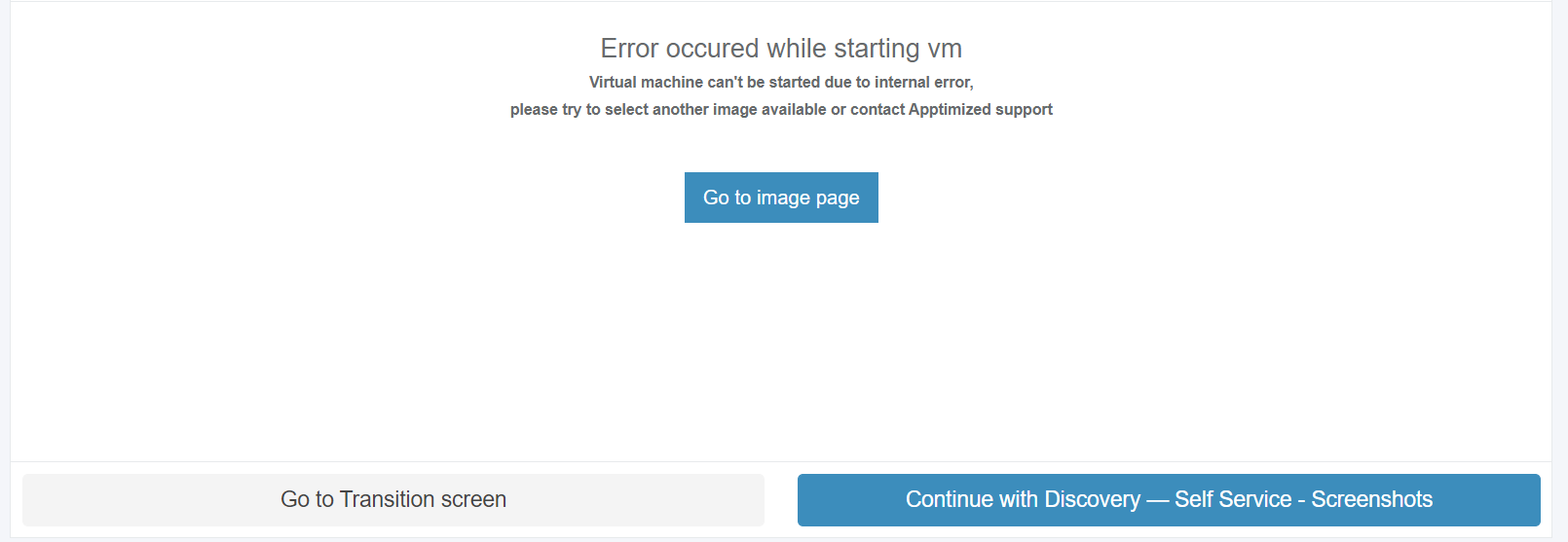
The page displays all available versions of the selected application, including release date and release type information, and allows processing of source files for a selected version.

The version table supports search by **Version** column, sorting by **Version** and **Release Date**.

The **Release Date** column displays the vendor release date using user date/time formatting.

#### New request 

##### New package request<span data-ccp-props="{"134245418":true,"134245529":true,"201341983":2,"335559738":188,"335559739":158,"335559740":288}"> </span>

<span data-contrast="none">The option to track an application package and add it to the monitoring list is available under the </span>**<span data-contrast="none">Track application</span>**<span data-contrast="none"> button &gt; Select the best matching application &gt; </span>**<span data-contrast="none">Save</span>**<span data-contrast="none"> button.</span><span data-ccp-props="{}"> </span>

<span data-ccp-props="{}">[![care_4.png](https://docs.apptimized.com/uploads/images/gallery/2023-05/scaled-1680-/jKTYojT8mPnr06VM-care_4.png)](https://docs.apptimized.com/uploads/images/gallery/2023-05/jKTYojT8mPnr06VM-care_4.png)</span>

<span data-contrast="none">Keyword search mode available.</span><span data-ccp-props="{}"> </span>

<span data-ccp-props="{}">[![care_5.png](https://docs.apptimized.com/uploads/images/gallery/2023-05/scaled-1680-/NIELJQSFNIEYyROG-care_5.png)](https://docs.apptimized.com/uploads/images/gallery/2023-05/NIELJQSFNIEYyROG-care_5.png) </span>

<span data-contrast="none">The application appears in the list of monitored applications when successful:</span><span data-ccp-props="{}"> </span>

[![care_6_2.png](https://docs.apptimized.com/uploads/images/gallery/2023-05/scaled-1680-/ILdnYTLPT9kJDvBh-care_6_2.png)](https://docs.apptimized.com/uploads/images/gallery/2023-05/ILdnYTLPT9kJDvBh-care_6_2.png)

<span data-contrast="none">Apptimized notifies the user when the request is submitted. The following screen provides an example of the notifications:</span>

<span data-ccp-props="{}">[![care_17.png](https://docs.apptimized.com/uploads/images/gallery/2023-05/scaled-1680-/EqqhqpfiKZHtOahD-care_17.png)](https://docs.apptimized.com/uploads/images/gallery/2023-05/EqqhqpfiKZHtOahD-care_17.png) </span>

##### <span data-contrast="none">New application request</span><span data-ccp-props="{"134245418":true,"134245529":true,"335559738":40}"> </span>

<span data-contrast="none">The option to create a request to add an application to the Update monitoring list is available under the </span>**<span data-contrast="none">Missing an application?</span>**<span data-contrast="none"> button. The Apptimized Team will check the possibility to add the application to the Update monitoring list.</span><span data-ccp-props="{}"> </span>

<span data-ccp-props="{}">[![сare_7_2-2.png](https://docs.apptimized.com/uploads/images/gallery/2023-05/scaled-1680-/2L0wW26CD33HdpOr-%D1%81are_7_2-2.png)](https://docs.apptimized.com/uploads/images/gallery/2023-05/2L0wW26CD33HdpOr-%D1%81are_7_2-2.png)</span>

<span data-contrast="none">Apptimized shows the modal window when successful:</span><span data-ccp-props="{}"> </span>

[![care_21-2.png](https://docs.apptimized.com/uploads/images/gallery/2023-05/scaled-1680-/l2zH1S9obNEcr06j-care_21-2.png)](https://docs.apptimized.com/uploads/images/gallery/2023-05/l2zH1S9obNEcr06j-care_21-2.png)

<span data-contrast="none">Enter the value in the </span>**<span data-contrast="none">Vendor name</span>**<span data-contrast="none"> field &gt; Enter the value in the </span>**<span data-contrast="none">Software name</span>**<span data-contrast="none"> field &gt; </span>**<span data-contrast="none">Request </span>**<span data-contrast="none">button. All required fields are marked with an asterisk </span><span style="color: #ff0000;">\*</span><span data-contrast="none">.</span>

<span data-contrast="none">Apptimized notifies the <span style="color: #000000;">user</span> when the request is submitted. The following screen provides an example of the notification:</span><span data-ccp-props="{}"> </span>

[![RequestforanewAppUpdates2024.png](https://docs.apptimized.com/uploads/images/gallery/2024-03/scaled-1680-/requestforanewappupdates2024.png)](https://docs.apptimized.com/uploads/images/gallery/2024-03/requestforanewappupdates2024.png)

<span data-contrast="none">Apptimized sends the following email when the application can be added to the Care list of apps.</span>

[![Updatesrequestisapproved2024.png](https://docs.apptimized.com/uploads/images/gallery/2024-03/scaled-1680-/updatesrequestisapproved2024.png)](https://docs.apptimized.com/uploads/images/gallery/2024-03/updatesrequestisapproved2024.png)

<span data-contrast="none">Apptimized sends the following email when the application can't be added to the Сare list of apps.</span><span data-ccp-props="{}"> </span>

[![Updatesrequestrejected2024.png](https://docs.apptimized.com/uploads/images/gallery/2024-03/scaled-1680-/updatesrequestrejected2024.png)](https://docs.apptimized.com/uploads/images/gallery/2024-03/updatesrequestrejected2024.png)

#### <span data-contrast="none">Update the application’s version</span><span data-ccp-props="{"134245418":true,"134245529":true,"335559738":40}"> </span>

<span data-contrast="none">The option to update the application’s version is available under:</span><span data-ccp-props="{}"> </span>

- **<span data-contrast="none">Your version </span>**<span data-contrast="none">column &gt; Click on the highlighted application version &gt; </span>**<span data-contrast="none">Process package</span>**<span data-contrast="none"> column &gt; Select the application’s version &gt; Select the packaging format &gt; </span>**<span data-contrast="none">Download Package</span>**<span data-contrast="none">/P</span>**<span data-contrast="none">ush to SCCM as Application</span>**<span data-contrast="none"> / </span>**<span data-contrast="none">Push to Intune</span>**<span data-contrast="none"> buttons &gt; Confirm update software &gt; </span>**<span data-contrast="none">Yes</span>**<span data-contrast="none"> button).</span><span data-ccp-props="{}"> </span>

[![CareVersion2024.png](https://docs.apptimized.com/uploads/images/gallery/2024-03/scaled-1680-/careversion2024.png)](https://docs.apptimized.com/uploads/images/gallery/2024-03/careversion2024.png)

- **<span data-contrast="none">Actions</span>**<span data-contrast="none"> column &gt; </span>**<span data-contrast="none">Process version packages</span>**<span data-contrast="none"> section &gt; Select the Windows bitness &gt; Select PSADT or Intunewin package &gt; Download package or Push to SCCM / Intune &gt; Confirm update software &gt; </span>**<span data-contrast="none">Yes</span>**<span data-contrast="none"> button)</span><span data-ccp-props="{}"> </span>

<span data-ccp-props="{}">[![CareProcessVersion2024.png](https://docs.apptimized.com/uploads/images/gallery/2024-03/scaled-1680-/careprocessversion2024.png)](https://docs.apptimized.com/uploads/images/gallery/2024-03/careprocessversion2024.png) </span>

- **<span data-contrast="none">Actions</span>**<span data-contrast="none"> column &gt; </span>**<span data-contrast="none">Versions</span>**<span data-contrast="none"> button &gt; </span>**<span data-contrast="none">Process package</span>**<span data-contrast="none"> column &gt; Select the application’s version &gt; Select the packaging format &gt; </span>**<span data-contrast="none">Download Package</span>**<span data-contrast="none">/P</span>**<span data-contrast="none">ush to SCCM as Application</span>**<span data-contrast="none"> / </span>**<span data-contrast="none">Push to Intune</span>**<span data-contrast="none"> buttons &gt; Confirm update software &gt; </span>**<span data-contrast="none">Yes</span>**<span data-contrast="none"> button).</span><span data-ccp-props="{}"> </span>

[![CareUpdateVersion2024.png](https://docs.apptimized.com/uploads/images/gallery/2024-03/scaled-1680-/careupdateversion2024.png)](https://docs.apptimized.com/uploads/images/gallery/2024-03/careupdateversion2024.png)

<p class="callout info">**<span data-contrast="none">Note.</span>**<span data-contrast="none"> In the case of the packages are not available for a new update version for a time, Apptimized shows the following screen:</span>   
[![care_16-2.png](https://docs.apptimized.com/uploads/images/gallery/2023-05/scaled-1680-/HLRfUYQVoZqcKx4R-care_16-2.png)](https://docs.apptimized.com/uploads/images/gallery/2023-05/HLRfUYQVoZqcKx4R-care_16-2.png)</p>

- **<span data-contrast="none">Actions</span>**<span data-contrast="none"> column &gt; </span>**<span data-contrast="none">Edit</span>**<span data-contrast="none"> button &gt; Edit software modal window &gt; </span>**<span data-contrast="none">Your version</span>**<span data-contrast="none"> field &gt; Enter the numeric value &gt; </span>**<span data-contrast="none">Save</span>**<span data-contrast="none"> button.</span><span data-ccp-props="{}"> </span>

[![CareEditButton.png](https://docs.apptimized.com/uploads/images/gallery/2024-03/scaled-1680-/careeditbutton.png)](https://docs.apptimized.com/uploads/images/gallery/2024-03/careeditbutton.png)

[![1 UM Settings.png](https://docs.apptimized.com/uploads/images/gallery/2025-06/scaled-1680-/1-um-settings.png)](https://docs.apptimized.com/uploads/images/gallery/2025-06/1-um-settings.png)
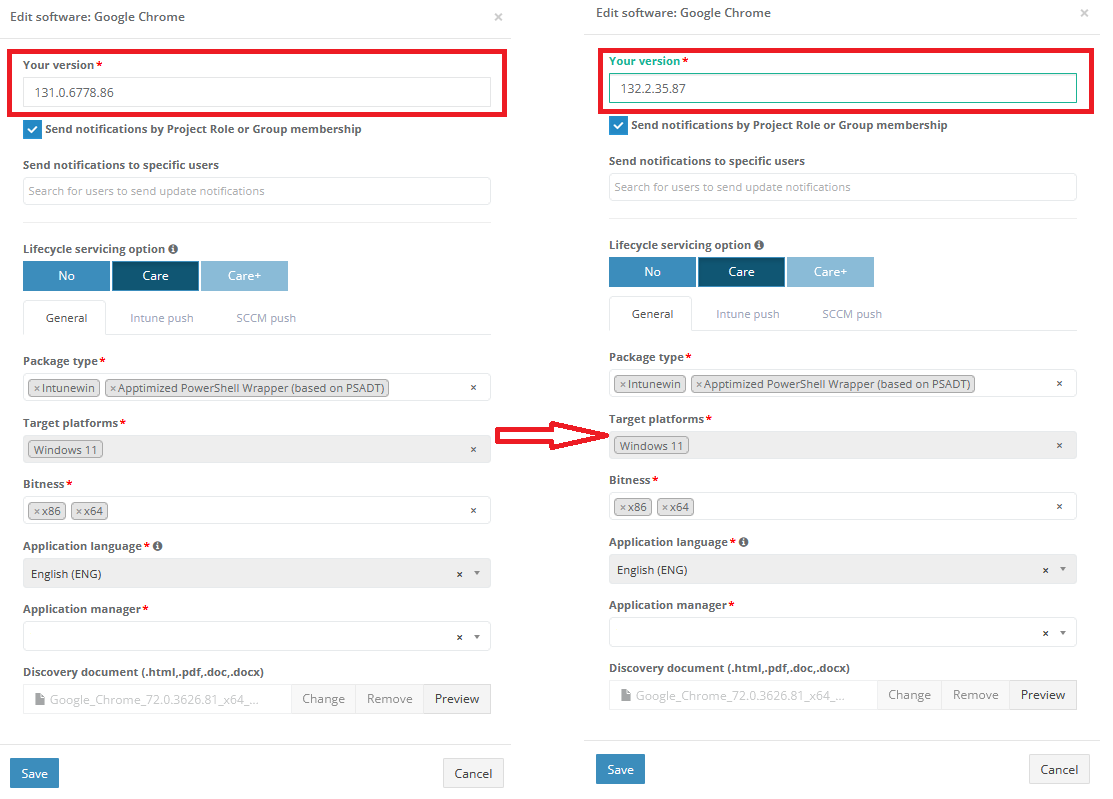
#### <span data-ccp-props="{}"> </span><span data-contrast="none">Edit monitored application settings</span><span data-ccp-props="{"134245418":true,"134245529":true,"335559738":40}"> </span>

<span data-contrast="none">The option to change settings of the monitored application is available under the </span>**<span data-contrast="none">Actions </span>**<span data-contrast="none">&gt;</span>**<span data-contrast="none"> Edit</span>**<span data-contrast="none"> button. Apptimized shows the modal windows when successful:</span><span data-ccp-props="{}"> </span>

<span data-ccp-props="{}">[![2 Care Settings.png](https://docs.apptimized.com/uploads/images/gallery/2025-06/scaled-1680-/2-care-settings.png)](https://docs.apptimized.com/uploads/images/gallery/2025-06/2-care-settings.png) </span>

<span data-contrast="none">All required fields are marked with an asterisk <span style="color: #ff0000;">\*</span>.</span><span data-ccp-props="{}"> </span>

<span data-contrast="none">The option to change the version of the application manually is available under the </span>**<span data-contrast="none">Your version</span>**<span data-contrast="none"> field.</span><span data-ccp-props="{}"> </span>

   
<span data-contrast="none">The option to create the Apptimized packaging request for the monitored application is available under the </span>**<span data-contrast="none">Сreate package request on update </span>**<span data-contrast="none">option. The following options are available</span><span data-ccp-props="{}"> </span><span data-ccp-props="{}"> </span>

<table aria-rowcount="4" data-tablelook="1696" data-tablestyle="MsoTableGrid" id="bkmrk-option%C2%A0-description%C2%A0"><tbody><tr aria-rowindex="1"><td data-celllook="0"><span data-contrast="none">Option</span><span data-ccp-props="{}"> </span>

</td><td data-celllook="0"><span data-contrast="none">Description</span><span data-ccp-props="{}"> </span>

</td></tr><tr aria-rowindex="3"><td data-celllook="0"><span data-contrast="none">Care</span><span data-ccp-props="{}"> </span>

</td><td data-celllook="0"><span data-contrast="none">This option enables the Care service (see [Care](https://apptimized.com/en/service/application-lifecycle-management-service-care/))</span><span data-ccp-props="{}"> </span>

</td></tr><tr aria-rowindex="4"><td data-celllook="0"><span data-contrast="none">Care+</span><span data-ccp-props="{}"> </span>

</td><td data-celllook="0"><span data-contrast="none">This option enables the Care+ service (see [Care+](https://apptimized.com/en/service/care-plus/))</span><span data-ccp-props="{}"> </span>

</td></tr></tbody></table>

<span data-contrast="none"> </span>**<span data-contrast="none">Care</span>**<span data-contrast="none"> option is enabled by default.</span><span data-ccp-props="{}"> </span>

##### <span data-ccp-props="{}">General Tab</span>

<span data-contrast="none">Table 2. Packaging request</span><span data-ccp-props="{}"> </span>

<table aria-rowcount="7" data-tablelook="1696" data-tablestyle="MsoTableGrid" id="bkmrk-option%C2%A0-description%C2%A0-0" style="height: 669.594px; width: 100%;"><tbody><tr aria-rowindex="1" style="height: 35px;"><td data-celllook="4369" style="height: 35px; width: 16.9345%;">**<span data-contrast="none">Option</span>**<span data-ccp-props="{}"> </span>

</td><td data-celllook="4369" style="height: 35px; width: 83.0655%;">**<span data-contrast="none">Description</span>**<span data-ccp-props="{}"> </span>

</td></tr><tr aria-rowindex="2" style="height: 156px;"><td data-celllook="4369" style="height: 156px; width: 16.9345%;"><span data-contrast="none">Packaging technology</span><span data-ccp-props="{}"> </span>

</td><td data-celllook="4369" style="height: 156px; width: 83.0655%;"><span data-contrast="none">This option indicates which packaging technology should be implemented by Apptimized specialists.</span><span data-ccp-props="{}"> </span>

<span data-contrast="none">The following packaging technologies available:</span><span data-ccp-props="{}"> </span>

- <span data-contrast="none">Apptimized PowerShell Wrapper (based on PSADT)</span><span data-ccp-props="{}"> </span>
- <span data-contrast="none">Intunewin</span><span data-ccp-props="{}"> </span>

<span data-contrast="none">This option is required.</span><span data-ccp-props="{}"> </span>

<span data-contrast="none">Both technologies enabled by default.</span><span data-ccp-props="{}"> </span>

</td></tr><tr aria-rowindex="3" style="height: 162px;"><td data-celllook="4369" style="height: 162px; width: 16.9345%;">Target platforms

</td><td data-celllook="4369" style="height: 162px; width: 83.0655%;"><span data-contrast="none">This option indicates which packaging platform should be implemented by Apptimized specialists.</span><span data-ccp-props="{}"> </span>

<span data-contrast="none">The following packaging platforms available:</span><span data-ccp-props="{}"> </span>

- <span data-contrast="none">Windows 10 64 bit</span><span data-ccp-props="{}"> </span>

<span data-ccp-props="{}"> </span>

<span data-contrast="none">This option is required.</span><span data-ccp-props="{}"> </span>

<span data-contrast="none">Packaging platform option is enabled by default.</span><span data-ccp-props="{}"> </span>

</td></tr><tr aria-rowindex="5" style="height: 156px;"><td data-celllook="4369" style="height: 156px; width: 16.9345%;"><span data-contrast="none">Bitness</span><span data-ccp-props="{}"> </span>

</td><td data-celllook="4369" style="height: 156px; width: 83.0655%;"><span data-contrast="none">This option indicates the bitness of the created package.</span><span data-ccp-props="{}"> </span>

<span data-contrast="none">The following options available:</span><span data-ccp-props="{}"> </span>

- <span data-contrast="none">x86</span><span data-ccp-props="{}"> </span>
- <span data-contrast="none">x64</span><span data-ccp-props="{}"> </span>

<span data-contrast="none">This option is required.</span><span data-ccp-props="{}"> </span>

<span data-contrast="none">Both options enabled by default.</span><span data-ccp-props="{}"> </span>

</td></tr><tr aria-rowindex="6" style="height: 57px;"><td data-celllook="4369" style="height: 57px; width: 16.9345%;"><span data-contrast="none">Application manager</span><span data-ccp-props="{"201341983":0,"335559740":259}"> </span>

</td><td data-celllook="4369" style="height: 57px; width: 83.0655%;"><span data-contrast="none">This option allows to set up default user assignee for managing application (downloading, editing, deploying, untracking).</span><span data-ccp-props="{"201341983":0,"335559740":259}"> </span>

</td></tr><tr aria-rowindex="7" style="height: 57px;"><td data-celllook="4369" style="height: 57px; width: 16.9345%;"><span data-contrast="none">Discovery document</span><span data-ccp-props="{}"> </span>

</td><td data-celllook="4369" style="height: 57px; width: 83.0655%;"><span data-contrast="none">This option allows to upload the discovery document of the application provided by the Apptimized team.</span><span data-ccp-props="{"201341983":0,"335559740":259}"> </span>

</td></tr><tr style="height: 46.5938px;"><td style="width: 16.9345%; height: 46.5938px;"><span data-contrast="none">Application language</span>

</td><td style="width: 83.0655%; height: 46.5938px;"><span data-contrast="none">Specifies the default language of the application included in the delivered Care package.  
To modify the default language, the Customizer must be enabled in the project.</span>

</td></tr></tbody></table>

<p class="callout info">**<span data-contrast="none">Note.</span>**<span data-contrast="none"> The multiple-choice option is available in the </span>**<span data-contrast="none">Package types</span>**<span data-contrast="none"> and </span>**<span data-contrast="none">Bitness</span>**<span data-contrast="none"> fields.</span><span data-ccp-props="{}"> </span></p>

##### <span data-ccp-props="{}">Updates Configuration</span>

A user goes to **Administration &gt; Settings &gt; Updates Sections**

The **Updates** section in the **Administration** &gt; **Settings** menu includes three parts: **General**, **Intune**, and **SCCM**. Below is a description of each section and its available options:

[![Updates_Settings_General.png](https://docs.apptimized.com/uploads/images/gallery/2024-12/scaled-1680-/updates-settings-general.png)](https://docs.apptimized.com/uploads/images/gallery/2024-12/updates-settings-general.png)
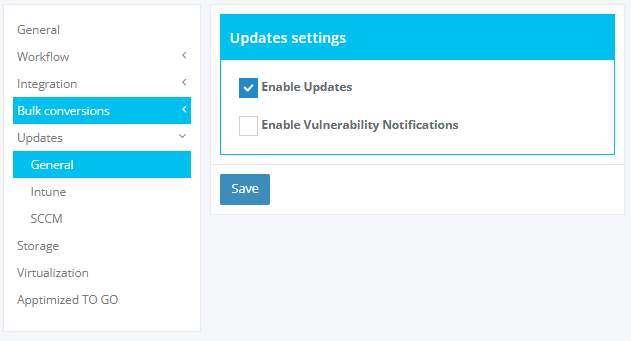
Table 3. Updates Settings

<table aria-rowcount="7" data-tablelook="1696" data-tablestyle="MsoTableGrid" id="bkmrk-option%C2%A0-description%C2%A0-2" style="height: 124.391px; width: 104.286%;"><tbody><tr aria-rowindex="1" style="height: 35px;"><td data-celllook="4369" style="height: 35px; width: 18.4744%;">**<span data-contrast="none">Section</span>**

</td><td style="width: 32.6598%; height: 35px;">**<span data-contrast="none">Description</span>**

</td><td data-celllook="4369" style="height: 35px; width: 48.8659%;">**<span data-contrast="none">Options</span>**

</td></tr><tr style="height: 29.7969px;"><td style="width: 18.4744%; height: 29.7969px;"><span data-contrast="none">General</span>

</td><td style="width: 32.6598%; height: 29.7969px;"><span data-contrast="none">Configure general settings for updates and notifications.</span>

</td><td style="width: 48.8659%; height: 29.7969px;">- <span data-contrast="none">**Enable Updates**: Enables the Updates feature for Care and Care+ applications.</span>
- **<span data-contrast="none">Enable Vulnerability Notifications: </span>**<span data-contrast="none">Sends email notifications when application vulnerabilities are detected.</span>

</td></tr><tr style="height: 29.7969px;"><td style="width: 18.4744%; height: 29.7969px;"><span data-contrast="none">Intune</span>

</td><td style="width: 32.6598%; height: 29.7969px;"><span data-contrast="none">Predefine default templates for Intune Auto-Push Deployments.</span>

</td><td style="width: 48.8659%; height: 29.7969px;">- <span data-contrast="none">Set default **Intune Assignment Template.**</span>
- <span data-contrast="none">Configure default **Intune Template** for streamlined deployments.</span>

</td></tr><tr style="height: 29.7969px;"><td style="width: 18.4744%; height: 29.7969px;"><span data-contrast="none">SCCM</span>

</td><td style="width: 32.6598%; height: 29.7969px;"><span data-contrast="none">Predefine default templates for SCCM Auto-Push Deployments.</span>

</td><td style="width: 48.8659%; height: 29.7969px;">- <span data-contrast="none">Set default **Deployment Type Template.**</span>
- <span data-contrast="none">Configure default **Deployment Template** </span><span data-contrast="none">SCCM application pushes.</span>

</td></tr></tbody></table>

The **Intune** section in the **Updates** settings allows configuring default templates for Intune Auto-Push deployments. Below are the available options:

[![Intune_Autopush_general.png](https://docs.apptimized.com/uploads/images/gallery/2024-12/scaled-1680-/intune-autopush-general.png)](https://docs.apptimized.com/uploads/images/gallery/2024-12/intune-autopush-general.png)

Table 4. Intune Settings

<table aria-rowcount="7" data-tablelook="1696" data-tablestyle="MsoTableGrid" id="bkmrk-option-description-r" style="height: 141.188px; width: 100.714%;"><tbody><tr aria-rowindex="1" style="height: 35px;"><td data-celllook="4369" style="height: 35px; width: 18.4492%;">**<span data-contrast="none">Option</span>**

</td><td style="width: 54.6791%; height: 35px;">**<span data-contrast="none">Description</span>**

</td><td data-celllook="4369" style="height: 35px; width: 26.8717%;">**<span data-contrast="none">Required</span>**

</td></tr><tr style="height: 46.5938px;"><td style="width: 18.4492%; height: 46.5938px;"><span data-contrast="none">Enable Auto-Push</span>

<span data-contrast="none">(checkbox)</span>

</td><td style="width: 54.6791%; height: 46.5938px;"><span data-contrast="none">If enabled, additional options for configuring Intune Auto-Push are displayed.</span>

</td><td style="width: 26.8717%; height: 46.5938px;"><span data-contrast="none">no</span>

</td></tr><tr style="height: 29.7969px;"><td style="width: 18.4492%; height: 29.7969px;"><span data-contrast="none">Intune Environment</span>

</td><td style="width: 54.6791%; height: 29.7969px;">Specifies the target Intune environment for deployments,

</td><td style="width: 26.8717%; height: 29.7969px;">yes

</td></tr><tr style="height: 29.7969px;"><td style="width: 18.4492%; height: 29.7969px;"><span data-contrast="none">Intune Template</span>

</td><td style="width: 54.6791%; height: 29.7969px;">Predefined template for configuring application deployment settings in Intune.

</td><td style="width: 26.8717%; height: 29.7969px;">yes

</td></tr><tr><td style="width: 18.4492%;"><span data-contrast="none">Intune Assignment Template</span>

</td><td style="width: 54.6791%;">Optional template for assigning applications to groups or users in Intune.

</td><td style="width: 26.8717%;">no

</td></tr></tbody></table>

The **SCCM** section in the **Updates** settings allows configuring default templates for SCCM Auto-Push deployments. Below are the available options:

[![SCCM_General_Autopush.png](https://docs.apptimized.com/uploads/images/gallery/2024-12/scaled-1680-/sccm-general-autopush.png)](https://docs.apptimized.com/uploads/images/gallery/2024-12/sccm-general-autopush.png)

Table 5. SCCM Options

<table aria-rowcount="7" data-tablelook="1696" data-tablestyle="MsoTableGrid" id="bkmrk-option-description-r-1" style="height: 187.781px; width: 100.714%;"><tbody><tr aria-rowindex="1" style="height: 35px;"><td data-celllook="4369" style="height: 35px; width: 18.4492%;">**<span data-contrast="none">Option</span>**

</td><td style="width: 54.6791%; height: 35px;">**<span data-contrast="none">Description</span>**

</td><td data-celllook="4369" style="height: 35px; width: 26.8717%;">**<span data-contrast="none">Required</span>**

</td></tr><tr style="height: 46.5938px;"><td style="width: 18.4492%; height: 46.5938px;"><span data-contrast="none">Enable Auto-Push</span>

<span data-contrast="none">(checkbox)</span>

</td><td style="width: 54.6791%; height: 46.5938px;"><span data-contrast="none">If enabled, additional options for configuring SCCM Auto-Push are displayed.</span>

</td><td style="width: 26.8717%; height: 46.5938px;"><span data-contrast="none">no</span>

</td></tr><tr style="height: 29.7969px;"><td style="width: 18.4492%; height: 29.7969px;"><span data-contrast="none">SCCM Environment</span>

</td><td style="width: 54.6791%; height: 29.7969px;">Specifies the target SCCM environment for deployments,

</td><td style="width: 26.8717%; height: 29.7969px;">yes

</td></tr><tr style="height: 46.5938px;"><td style="width: 18.4492%; height: 46.5938px;"><span data-contrast="none">Deployment Type Template</span>

</td><td style="width: 54.6791%; height: 46.5938px;">Predefined template for configuring application deployment settings (e.g., installation methods, rules).

</td><td style="width: 26.8717%; height: 46.5938px;">yes

</td></tr><tr style="height: 29.7969px;"><td style="width: 18.4492%; height: 29.7969px;"><span data-contrast="none">Deployment Template</span>

</td><td style="width: 54.6791%; height: 29.7969px;">Predefined template for configuring deployment settings (e.g., scheduling, user experience settings).

</td><td style="width: 26.8717%; height: 29.7969px;">no

</td></tr></tbody></table>

##### <span data-ccp-props="{}">Intune Push Tab</span>

<span data-contrast="none">[![Carepush.png](https://docs.apptimized.com/uploads/images/gallery/2024-03/scaled-1680-/carepush.png)](https://docs.apptimized.com/uploads/images/gallery/2024-03/carepush.png)</span>

<span data-contrast="none">Table 6. Push</span>

<table aria-rowcount="7" data-tablelook="1696" data-tablestyle="MsoTableGrid" id="bkmrk-option%C2%A0-description%C2%A0-1" style="height: 157.4px; width: 96.4286%;"><tbody><tr aria-rowindex="1" style="height: 35px;"><td data-celllook="4369" style="height: 35px; width: 16.8904%;">**<span data-contrast="none">Option</span>**<span data-ccp-props="{}"> </span>

</td><td data-celllook="4369" style="height: 35px; width: 82.988%;">**<span data-contrast="none">Description</span>**<span data-ccp-props="{}"> </span>

</td></tr><tr style="height: 46.4px;"><td style="width: 16.8904%; height: 46.4px;"><span data-contrast="none">Intune Environment</span>

</td><td style="width: 82.988%; height: 46.4px;"><span data-contrast="none">This option allows choosing an appropriate environment.</span>

**<span data-contrast="none">  
</span>**

</td></tr><tr style="height: 29.6px;"><td style="width: 16.8904%; height: 29.6px;"><span data-contrast="none">Intune Template</span>

</td><td style="width: 82.988%; height: 29.6px;"><span data-contrast="none">This option allows choosing created templates.</span>

</td></tr><tr style="height: 46.4px;"><td style="width: 16.8904%; height: 46.4px;"><span data-contrast="none">Intune Assignment Template</span>

</td><td style="width: 82.988%; height: 46.4px;"><span data-contrast="none">This option allows choosing assignment templates.</span>

</td></tr></tbody></table>

[![image.png](https://docs.apptimized.com/uploads/images/gallery/2024-03/scaled-1680-/image.png)](https://docs.apptimized.com/uploads/images/gallery/2024-03/image.png)

Enabling **Auto-Push** is available in the checkbox.

Enabling **Supersedence** is available in the checkbox.

Auto-push for latest version is available under **"Install the latest version"**.

<span data-contrast="none">Apptimized shows the following screen when successful:</span><span data-ccp-props="{}"> </span>

[![image-1683726876552.png](https://docs.apptimized.com/uploads/images/gallery/2023-05/scaled-1680-/ioTVTXiZys9b8s96-image-1683726876552.png)](https://docs.apptimized.com/uploads/images/gallery/2023-05/ioTVTXiZys9b8s96-image-1683726876552.png)

App versions older than the current ones are cleared during the **autopush** process.

[![MicrosoftTeams-image (16).png](https://docs.apptimized.com/uploads/images/gallery/2024-04/scaled-1680-/microsoftteams-image-16.png)](https://docs.apptimized.com/uploads/images/gallery/2024-04/microsoftteams-image-16.png)

A "**Create Assignment Template"** button allows creating assignment templates:

[![care_create_assignment_template.png](https://docs.apptimized.com/uploads/images/gallery/2024-09/scaled-1680-/care-create-assignment-template.png)](https://docs.apptimized.com/uploads/images/gallery/2024-09/care-create-assignment-template.png)

<span data-contrast="none">Apptimized shows the following screen when successful:</span><span data-ccp-props="{}"> </span>

[![image.png](https://docs.apptimized.com/uploads/images/gallery/2024-03/scaled-1680-/guaimage.png)](https://docs.apptimized.com/uploads/images/gallery/2024-03/guaimage.png)

Editing of template is available:

[![editing_templates_care.png](https://docs.apptimized.com/uploads/images/gallery/2024-09/scaled-1680-/editing-templates-care.png)](https://docs.apptimized.com/uploads/images/gallery/2024-09/editing-templates-care.png)

<span data-contrast="none">Table 7. Editing Template</span>

<table aria-rowcount="7" data-tablelook="1696" data-tablestyle="MsoTableGrid" id="bkmrk-option%C2%A0-description%C2%A0-3" style="height: 439.8px; width: 96.4286%;"><tbody><tr aria-rowindex="1" style="height: 35px;"><td data-celllook="4369" style="height: 35px; width: 16.8904%;">**<span data-contrast="none">Option</span>**<span data-ccp-props="{}"> </span>

</td><td data-celllook="4369" style="height: 35px; width: 82.988%;">**<span data-contrast="none">Description</span>**<span data-ccp-props="{}"> </span>

</td></tr><tr style="height: 63.2px;"><td style="width: 16.8904%; height: 63.2px;"><span data-contrast="none">End User Notifications</span>

</td><td style="width: 82.988%; height: 63.2px;"><span data-contrast="none">This option allows choosing to show all toast notifications, s</span>how toast notifications for computer restarts or hide all toast notifications.

**<span data-contrast="none">  
</span>**

</td></tr><tr style="height: 63.2px;"><td style="width: 16.8904%; height: 63.2px;"><span data-contrast="none">Delivery Optimization Priority</span>

</td><td style="width: 82.988%; height: 63.2px;"><span data-contrast="none">This option has two functions: "content download in foreground" and "content download in background".</span>

</td></tr><tr style="height: 46.4px;"><td style="width: 16.8904%; height: 46.4px;"><span data-contrast="none">Time Zone</span>

</td><td style="width: 82.988%; height: 46.4px;"><span data-contrast="none">This option allows choosing an appropriate time zone.</span>

</td></tr><tr style="height: 46.4px;"><td style="width: 16.8904%; height: 46.4px;"><span data-contrast="none">Application Availability</span>

</td><td style="width: 82.988%; height: 46.4px;"><span data-contrast="none">This option allows specifying when the app is downloaded to the user's device.</span>

</td></tr><tr style="height: 63.2px;"><td style="width: 16.8904%; height: 63.2px;"><span data-contrast="none">Application Installation Deadline</span>

</td><td style="width: 82.988%; height: 63.2px;"><span data-contrast="none">This option allows specifying when the app is installed on the targeted device. When more than one assignment is made for the same user or device, the app installation deadline time is picked based on the earliest time possible.</span>

</td></tr><tr style="height: 46.4px;"><td style="width: 16.8904%; height: 46.4px;"><span data-contrast="none">Restart Grace Period</span>

</td><td style="width: 82.988%; height: 46.4px;"><span data-contrast="none">This option allows starting as soon as the app installation has finished on the device. When the setting is disabled, the device can restart without warning.</span>

</td></tr><tr style="height: 46.4px;"><td style="width: 16.8904%; height: 46.4px;"><span data-contrast="none">Device Restart Grace Period</span>

</td><td style="width: 82.988%; height: 46.4px;"><span data-contrast="none">The default value is 1,440 minutes (24 hours). This value can be a maximum of 2 weeks.</span>

</td></tr></tbody></table>

**Restart grace period** will be Enabled by default.

When installing the app, the following window will appear:

[![grace_period.jpg](https://docs.apptimized.com/uploads/images/gallery/2024-09/scaled-1680-/grace-period.jpg)](https://docs.apptimized.com/uploads/images/gallery/2024-09/grace-period.jpg)

##### SCCM Push Tab

The **SCCM Push** tab allows users to configure settings for pushing applications to SCCM (System Center Configuration Manager). Below is a detailed explanation of the options displayed in the image:

[![SCCM_Push_General.png](https://docs.apptimized.com/uploads/images/gallery/2024-12/scaled-1680-/sccm-push-general.png)](https://docs.apptimized.com/uploads/images/gallery/2024-12/sccm-push-general.png)

Table 8. SCCM Push

<table aria-rowcount="7" data-tablelook="1696" data-tablestyle="MsoTableGrid" id="bkmrk-option%C2%A0-description%C2%A0-4" style="height: 439.8px; width: 95.8333%;"><tbody><tr aria-rowindex="1" style="height: 35px;"><td data-celllook="4369" style="height: 35px; width: 16.9154%;">**<span data-contrast="none">Option</span>**<span data-ccp-props="{}"> </span>

</td><td data-celllook="4369" style="height: 35px; width: 41.4179%;">**<span data-contrast="none">Description</span>**<span data-ccp-props="{}"> </span>

</td><td style="width: 16.796%;">**<span data-contrast="none">Required</span>**

</td><td style="width: 24.7463%;">**<span data-contrast="none">Example</span>**

</td></tr><tr style="height: 63.2px;"><td style="width: 16.9154%; height: 63.2px;"><span data-contrast="none">SCCM Environment</span>

</td><td style="width: 41.4179%; height: 63.2px;"><span data-contrast="none">Select the target SCCM environment, where the application will be deployed.</span>

**<span data-contrast="none">  
</span>**

</td><td style="width: 16.796%;"><span data-contrast="none">yes</span>

</td><td style="width: 24.7463%;"><span data-contrast="none">"Demo Environment"</span>

</td></tr><tr style="height: 63.2px;"><td style="width: 16.9154%; height: 63.2px;"><span data-contrast="none">Deployment Type Template</span>

</td><td style="width: 41.4179%; height: 63.2px;"><span data-contrast="none">Choose a predefined template that defines deployment type settings, such as installation methods and rules.</span>

</td><td style="width: 16.796%;"><span data-contrast="none">yes</span>

</td><td style="width: 24.7463%;"><span data-contrast="none">"Demo Deployment Type Template"</span>

</td></tr><tr style="height: 46.4px;"><td style="width: 16.9154%; height: 46.4px;"><span data-contrast="none">Deployment Template</span>

</td><td style="width: 41.4179%; height: 46.4px;"><span data-contrast="none">Select a template for deployment configuration, including scheduling and user experience settings.</span>

</td><td style="width: 16.796%;"><span data-contrast="none">no</span>

</td><td style="width: 24.7463%;"><span data-contrast="none">"Demo Deployment Template"</span>

</td></tr><tr style="height: 46.4px;"><td style="width: 16.9154%; height: 46.4px;"><span data-contrast="none">Enable Auto-Push</span>

</td><td style="width: 41.4179%; height: 46.4px;"><span data-contrast="none">Automates application deployment to SCCM without manual intervention.</span>

</td><td style="width: 16.796%;"><span data-contrast="none">no</span>

</td><td style="width: 24.7463%;"><span data-contrast="none">Checkbox </span>

<span data-contrast="none">(Enabled/Disabled)</span>

</td></tr><tr style="height: 63.2px;"><td style="width: 16.9154%; height: 63.2px;"><span data-contrast="none">Install the latest version</span>

</td><td style="width: 41.4179%; height: 63.2px;"><span data-contrast="none">Autopush for the lates available version in SCCM immediately.</span>

</td><td style="width: 16.796%;"><span data-contrast="none">no </span>

</td><td style="width: 24.7463%;"><span data-contrast="none">Checkbox</span>

<span data-contrast="none">(Enabled/Disabled)</span>

</td></tr><tr style="height: 46.4px;"><td style="width: 16.9154%; height: 46.4px;"><span data-contrast="none">Enable Supersedence</span>

</td><td style="width: 41.4179%; height: 46.4px;">Allows an application to supersede an older version during deployment.

</td><td style="width: 16.796%;"><span data-contrast="none">no</span>

</td><td style="width: 24.7463%;"><span data-contrast="none">Checkbox</span>

<span data-contrast="none">(Enabled/Disabled)</span>

<span data-contrast="none">  
</span>

</td></tr></tbody></table>

##### Auto-Push Workflow 

- When **Enable Auto-Push** is checked:
1. The application is automatically exported to SCCM using the selected templates.
2. You can specify whether the deployment applies to **x86**, **x64**, or both architectures (if applicable).
3. No further manual actions are required for deployment initiation.
4. Ensure that the SCCM environment and templates are properly configured to avoid deployment issues.

- **Use Case for Auto-Push**:
- Automating deployments for routine application updates or large-scale rollouts.
- Reducing manual steps in the SCCM deployment process.

#### Untrack applications<span data-ccp-props="{"134245418":true,"134245529":true,"335559738":40}"> </span><span data-ccp-props="{}"> </span>

<span data-contrast="none">The option to exclude the application from the list of monitored applications is available under the </span>**<span data-contrast="none">Actions</span>**<span data-contrast="none"> column &gt; </span>**<span data-contrast="none">Untrack</span>**<span data-contrast="none"> button:</span><span data-ccp-props="{}"> </span>

<span data-ccp-props="{}">[![Untrackapp2024.png](https://docs.apptimized.com/uploads/images/gallery/2024-03/scaled-1680-/untrackapp2024.png)](https://docs.apptimized.com/uploads/images/gallery/2024-03/untrackapp2024.png) </span>

<span data-contrast="none">The option to exclude all applications from the list of monitored applications is available under the </span>**<span data-contrast="none">Untrack all applications</span>**<span data-contrast="none"> button:</span><span data-ccp-props="{}"> </span>

[![Group 16.png](https://docs.apptimized.com/uploads/images/gallery/2024-03/scaled-1680-/group-16.png)](https://docs.apptimized.com/uploads/images/gallery/2024-03/group-16.png)

#### <span data-contrast="none">Notifications </span><span data-ccp-props="{"134245418":true,"134245529":true,"335559738":40}"> </span>

<span data-contrast="none">Apptimized notifies the user when the new package version is available. The following screen provides an example of the email notification:</span><span data-ccp-props="{}"> </span>

<span data-ccp-props="{}">[![MicrosoftTeams-image-(58).png](https://docs.apptimized.com/uploads/images/gallery/2023-05/scaled-1680-/Tvmg24cQSf9ErLTP-MicrosoftTeams-image-(58).png)](https://docs.apptimized.com/uploads/images/gallery/2023-05/Tvmg24cQSf9ErLTP-MicrosoftTeams-image-(58).png)</span><span data-ccp-props="{}"> </span>

<span data-contrast="auto">Apptimized notifies the user when the application package track request is resubmitted. The following screen provides an example of email notification:</span>

<span data-contrast="auto">[![MicrosoftTeams-image-(59).png](https://docs.apptimized.com/uploads/images/gallery/2023-05/scaled-1680-/0JYirlGlV4nC6lh1-MicrosoftTeams-image-(59).png)](https://docs.apptimized.com/uploads/images/gallery/2023-05/0JYirlGlV4nC6lh1-MicrosoftTeams-image-(59).png)</span>

# Care+

<span style="mso-no-proof: yes;">**Apptimized Care +** is a fully **configurable automated** application **lifecycle management** and **packaging** **service.**</span>

The **"Care +" option** appears in **Updates** after it is initiated in the<span style="font-family: 'Arial',sans-serif;"> **project settings** </span>by the **project manager.**

<span data-contrast="auto">Apptimized shows the following screen when clicking **Updates** button:</span>

[![Care+main.png](https://docs.apptimized.com/uploads/images/gallery/2024-09/scaled-1680-/caremain.png)](https://docs.apptimized.com/uploads/images/gallery/2024-09/caremain.png)

<span data-contrast="auto"> </span><span data-contrast="none">The screen above shows the default Apptimized Portal interface when several applications are added.</span><span data-ccp-props="{}"> </span>

<span data-contrast="none">Care+ and Care groups data into six categories:</span><span data-ccp-props="{}"> </span>

<span data-contrast="none">Table 1. Care+ and Care data categories</span><span data-ccp-props="{}"> </span>

<table aria-rowcount="7" data-tablelook="1696" data-tablestyle="MsoTableGridLight" id="bkmrk-category%C2%A0-details%C2%A0-v-1" style="width: 96.4286%; height: 796.548px;"><tbody><tr aria-rowindex="1" style="height: 29.7969px;"><td data-celllook="0" style="width: 14.4444%; height: 29.7969px;">**<span data-contrast="none">Category</span>**<span data-ccp-props="{}"> </span>

</td><td data-celllook="0" style="width: 85.4321%; height: 29.7969px;">**<span data-contrast="none">Details</span>**<span data-ccp-props="{}"> </span>

</td></tr><tr aria-rowindex="2" style="height: 29.7969px;"><td data-celllook="0" style="width: 14.4444%; height: 29.7969px;"><span data-contrast="none">Vendor</span><span data-ccp-props="{}"> </span>

</td><td data-celllook="0" style="width: 85.4321%; height: 29.7969px;"><span data-contrast="none">This category provides the details about the application’s vendor (e.g., </span>**<span data-contrast="none">Tim Kosse</span>**<span data-contrast="none">)</span><span data-ccp-props="{}"> </span>

</td></tr><tr aria-rowindex="3" style="height: 29.7969px;"><td data-celllook="0" style="width: 14.4444%; height: 29.7969px;"><span data-contrast="none">Software</span><span data-ccp-props="{}"> </span>

</td><td data-celllook="0" style="width: 85.4321%; height: 29.7969px;"><span data-contrast="none">This category provides the details about the application’s name (e.g., </span>**<span data-contrast="none">FileZilla</span>**<span data-contrast="none">)</span><span data-ccp-props="{}"> </span>

</td></tr><tr aria-rowindex="4" style="height: 46.5938px;"><td data-celllook="0" style="width: 14.4444%; height: 46.5938px;"><span data-contrast="none">Latest version</span><span data-ccp-props="{}"> </span>

</td><td data-celllook="0" style="width: 85.4321%; height: 46.5938px;"><span data-contrast="none">This category provides information about the newest version of the application released by the vendor and available in the Apptimized Platform.</span><span data-ccp-props="{}"> </span>

</td></tr><tr><td style="width: 14.4444%;"><span data-contrast="none">Autopush</span>

</td><td style="width: 85.4321%;"><span data-contrast="none">This category shows if Autopush function is active.</span>

</td></tr><tr aria-rowindex="5" style="height: 402.922px;"><td data-celllook="0" style="width: 14.4444%; height: 402.922px;"><span data-contrast="none">Your version</span><span data-ccp-props="{}"> </span>

</td><td data-celllook="0" style="width: 85.4321%; height: 402.922px;"><span data-contrast="none">This category provides information about the latest version of the application that is pinned within the recent user’s activities in the Care page.</span><span data-ccp-props="{}"> </span>

<span data-contrast="none">The following colors are implemented to indicate the current state of the monitored application:</span><span data-ccp-props="{}"> </span>

<span data-contrast="none"> [![Green.png](https://docs.apptimized.com/uploads/images/gallery/2020-07/scaled-1680-/q78N5eCZAV5tgJ95-Green.png)](https://docs.apptimized.com/uploads/images/gallery/2020-07/q78N5eCZAV5tgJ95-Green.png) - The latest version is available in the user’s packaged application portfolio</span><span data-ccp-props="{}"> </span>

[![Orange.png](https://docs.apptimized.com/uploads/images/gallery/2020-08/scaled-1680-/zBebxkPOBqODS8p6-Orange.png)](https://docs.apptimized.com/uploads/images/gallery/2020-08/zBebxkPOBqODS8p6-Orange.png) - <span data-contrast="none">The newer version (in comparison to the one a user has in portfolio) has been released by the vendor</span><span data-ccp-props="{}"> </span>

[![Red.png](https://docs.apptimized.com/uploads/images/gallery/2020-07/scaled-1680-/nLgxiP04WWO3iDo5-Red.png)](https://docs.apptimized.com/uploads/images/gallery/2020-07/nLgxiP04WWO3iDo5-Red.png) - <span data-contrast="none">The version a user has in the packaged application portfolio is outdated. This means that there are two or more recent releases of the application provided by the vendor</span><span data-ccp-props="{}"> </span>

<span data-contrast="none"> </span><span data-ccp-props="{}"> </span>

<p class="callout info">**<span data-contrast="none">Note</span>**<span data-contrast="none">. The application version can be pinned in the following cases:</span>   
<span data-contrast="none">1. A user started the application package monitoring (</span>**<span data-contrast="none">Project</span>**<span data-contrast="none"> menu &gt; </span>**<span data-contrast="none">Updates </span>**<span data-contrast="none">option &gt; </span>**<span data-contrast="none">Track updates </span>**<span data-contrast="none">button &gt; Select the application &gt; </span>**<span data-contrast="none">Save</span>**<span data-contrast="none"> button)</span><span data-ccp-props="{}"> </span></p>

<p class="callout info"><span data-contrast="none">2. A user requested to process the latest version of the application (</span>**<span data-contrast="none">Actions</span>**<span data-contrast="none"> column &gt; </span>**<span data-contrast="none">Process version packages</span>**<span data-contrast="none"> section &gt; Select the Windows bitness &gt; Select PSADT or Intunewin package &gt; Download package or Push to SCCM / Intune &gt; Confirm update software &gt; </span>**<span data-contrast="none">Yes</span>**<span data-contrast="none"> button)</span>   
<span data-contrast="none">3. A user changes the version of the application package (</span>**<span data-contrast="none">Actions</span>**<span data-contrast="none"> column &gt; </span>**<span data-contrast="none">Versions</span>**<span data-contrast="none"> button &gt; Process package column &gt; Select the application’s version &gt; Download package or Push to SCCM / Intune &gt; Confirm update software &gt; </span>**<span data-contrast="none">Yes</span>**<span data-contrast="none"> button)</span>   
<span data-contrast="none">4. A user changes the version of the application manually (</span>**<span data-contrast="none">Actions </span>**<span data-contrast="none">column &gt; </span>**<span data-contrast="none">Edit</span>**<span data-contrast="none"> button &gt; </span>**<span data-contrast="none">Your version</span>**<span data-contrast="none"> field &gt; Enter the numeric value &gt; </span>**<span data-contrast="none">Save</span>**<span data-contrast="none"> button)</span><span data-ccp-props="{}"> </span></p>

</td></tr><tr aria-rowindex="6" style="height: 120.422px;"><td data-celllook="0" style="width: 14.4444%; height: 120.422px;"><span data-contrast="none">Сare/+</span><span data-ccp-props="{}"> </span>

</td><td data-celllook="0" style="width: 85.4321%; height: 120.422px;"><span data-contrast="none">This category provides information on whether the Care or Care+ service is enabled.</span><span data-ccp-props="{}"> </span>

<span data-contrast="none">The following options are available:</span><span data-ccp-props="{}"> </span>

- <span data-contrast="none">Care - indicates that Care service is enabled;</span>
- <span data-ccp-props="{}">Care+ - indicates that Care+ service is enabled;</span>
- <span data-contrast="none">- indicates that none of the services are enabled.</span><span data-ccp-props="{}"> </span>

</td></tr><tr aria-rowindex="7" style="height: 137.219px;"><td data-celllook="0" style="width: 14.4444%; height: 137.219px;"><span data-contrast="none">Actions</span><span data-ccp-props="{}"> </span>

</td><td data-celllook="0" style="width: 85.4321%; height: 137.219px;"><span data-contrast="none">This category enables a user to provide the activities under the monitored applications.</span><span data-ccp-props="{}"> </span>

<span data-contrast="none">The following actions are available:</span><span data-ccp-props="{}"> </span>

- <span data-contrast="none">Process version packages for Windows 32 bit, Windows 64 bit</span><span data-ccp-props="{}"> </span>
- <span data-contrast="none">Versions</span><span data-ccp-props="{}"> </span>
- <span data-contrast="none">Edit</span><span data-ccp-props="{}"> </span>
- <span data-contrast="none">Untrack</span><span data-ccp-props="{}"> </span>

</td></tr></tbody></table>

##### New package request<span data-ccp-props="{"134245418":true,"134245529":true,"201341983":2,"335559738":188,"335559739":158,"335559740":288}"> </span>

<span data-contrast="none">The option to track an application package and add it to the monitoring list is available under the </span>**<span data-contrast="none">Track application</span>**<span data-contrast="none"> button &gt; Select the best matching application &gt; </span>**<span data-contrast="none">Save</span>**<span data-contrast="none"> button.</span><span data-ccp-props="{}"> </span>

<span data-ccp-props="{}"> [![SelectingAppsCare+.png](https://docs.apptimized.com/uploads/images/gallery/2024-09/scaled-1680-/selectingappscare.png)](https://docs.apptimized.com/uploads/images/gallery/2024-09/selectingappscare.png)</span>

<span data-contrast="none">The application appears in the list of monitored applications when successful.</span>

##### <span data-contrast="none">New application request</span><span data-ccp-props="{"134245418":true,"134245529":true,"335559738":40}"> </span>

<span data-contrast="none">The option to create a request to add an application to the Update monitoring list is available under the </span>**<span data-contrast="none">Missing an application?</span>**<span data-contrast="none"> button. The Apptimized Team will check the possibility to add the application to the Update monitoring list.</span><span data-ccp-props="{}"> </span>

<span data-ccp-props="{}">[![сare_7_2-2.png](https://docs.apptimized.com/uploads/images/gallery/2023-05/scaled-1680-/2L0wW26CD33HdpOr-%D1%81are_7_2-2.png)](https://docs.apptimized.com/uploads/images/gallery/2023-05/2L0wW26CD33HdpOr-%D1%81are_7_2-2.png)</span>

<span data-contrast="none">Apptimized shows the modal window when successful:</span><span data-ccp-props="{}"> </span>

[![care_21-2.png](https://docs.apptimized.com/uploads/images/gallery/2023-05/scaled-1680-/l2zH1S9obNEcr06j-care_21-2.png)](https://docs.apptimized.com/uploads/images/gallery/2023-05/l2zH1S9obNEcr06j-care_21-2.png)

<span data-contrast="none">Enter the value in the </span>**<span data-contrast="none">Vendor name</span>**<span data-contrast="none"> field &gt; Enter the value in the </span>**<span data-contrast="none">Software name</span>**<span data-contrast="none"> field &gt; </span>**<span data-contrast="none">Request </span>**<span data-contrast="none">button. All required fields are marked with an asterisk </span><span style="color: #ff0000;">\*</span><span data-contrast="none">.</span>

#### <span data-contrast="none">Update the application’s version</span><span data-ccp-props="{"134245418":true,"134245529":true,"335559738":40}"> </span>

<span data-contrast="none">The option to update the application’s version is available under **Actions &gt;Versions**:</span><span data-ccp-props="{}"> </span>

<span data-ccp-props="{}">[![Versions Care+.png](https://docs.apptimized.com/uploads/images/gallery/2024-09/scaled-1680-/versions-care.png)](https://docs.apptimized.com/uploads/images/gallery/2024-09/versions-care.png)</span>

<span data-ccp-props="{}">Apptimized shows the following screen:</span>

<span data-ccp-props="{}">[![Versionsupdatecareplus.png](https://docs.apptimized.com/uploads/images/gallery/2024-09/scaled-1680-/versionsupdatecareplus.png)](https://docs.apptimized.com/uploads/images/gallery/2024-09/versionsupdatecareplus.png)</span>

#### <span data-contrast="none">Editing Monitored Application Settings</span>

<span data-contrast="none">The option to edit the application’s settings is available under **Actions &gt;Edit**:</span>

<span data-contrast="none">[![Editingappssettingscareplus.png](https://docs.apptimized.com/uploads/images/gallery/2024-09/scaled-1680-/editingappssettingscareplus.png)](https://docs.apptimized.com/uploads/images/gallery/2024-09/editingappssettingscareplus.png)</span>

<span data-contrast="none">Table 2. Editing Settings</span>

<table aria-rowcount="7" data-tablelook="1696" data-tablestyle="MsoTableGrid" id="bkmrk-option%C2%A0-description%C2%A0-5" style="height: 673.953px; width: 100%;"><tbody><tr aria-rowindex="1" style="height: 35px;"><td data-celllook="4369" style="height: 35px; width: 16.9249%;">**<span data-contrast="none">Option</span>**<span data-ccp-props="{}"> </span>

</td><td data-celllook="4369" style="height: 35px; width: 83.0751%;">**<span data-contrast="none">Description</span>**<span data-ccp-props="{}"> </span>

</td></tr><tr style="height: 29.7969px;"><td style="width: 16.9249%; height: 29.7969px;"><span data-contrast="none">Your Version</span>

</td><td style="width: 83.0751%; height: 29.7969px;"><span data-contrast="none">This category provides information about the latest version of the application.</span>

</td></tr><tr style="height: 63.3906px;"><td style="width: 16.9249%; height: 63.3906px;"><span data-contrast="none">Send Notifications by Project Role or Group membership</span>

</td><td style="width: 83.0751%; height: 63.3906px;"><span data-contrast="none">This checkbox enables sending notifications.</span>

</td></tr><tr style="height: 46.5938px;"><td style="width: 16.9249%; height: 46.5938px;"><span data-contrast="none">Send Notifications to Specific Users</span>

</td><td style="width: 83.0751%; height: 46.5938px;"><span data-contrast="none">This option allows choosing specific users by providing their emails. </span>

</td></tr><tr style="height: 46.5938px;"><td style="width: 16.9249%; height: 46.5938px;"><span data-contrast="none">Lifecycle Servicing Option</span>

</td><td style="width: 83.0751%; height: 46.5938px;"><span data-contrast="none">This option provides information on whether Care or Care+ service is enabled.</span><span data-ccp-props="{}"> </span>

</td></tr><tr style="height: 29.7969px;"><td style="width: 16.9249%; height: 29.7969px;"><span data-contrast="none">Package type</span>

</td><td style="width: 83.0751%; height: 29.7969px;"><span data-contrast="none">This option indicates which packaging technology should be implemented by Apptimized specialists.<span data-ccp-props="{}"> </span></span>

</td></tr><tr style="height: 46.5938px;"><td style="width: 16.9249%; height: 46.5938px;">Target platforms

</td><td style="width: 83.0751%; height: 46.5938px;"><span data-contrast="none">This option indicates which packaging platform should be implemented by Apptimized specialists.</span>

<span data-contrast="none">Packaging platform option is enabled by default.</span><span data-ccp-props="{}"> </span>

</td></tr><tr style="height: 46.5938px;"><td style="width: 16.9249%; height: 46.5938px;">Urgent

</td><td style="width: 83.0751%; height: 46.5938px;"><span data-contrast="none">This option gives an opportunity to speed up the packaging process. Please clarify the deadlines with your project manager.</span>

</td></tr><tr aria-rowindex="5" style="height: 156px;"><td data-celllook="4369" style="height: 156px; width: 16.9249%;"><span data-contrast="none">Bitness</span><span data-ccp-props="{}"> </span>

</td><td data-celllook="4369" style="height: 156px; width: 83.0751%;"><span data-contrast="none">This option indicates the bitness of the created package.</span><span data-ccp-props="{}"> </span>

<span data-contrast="none">The following options available:</span><span data-ccp-props="{}"> </span>

- <span data-contrast="none">x86</span><span data-ccp-props="{}"> </span>
- <span data-contrast="none">x64</span><span data-ccp-props="{}"> </span>

<span data-contrast="none">This option is required.</span><span data-ccp-props="{}"> </span>

<span data-contrast="none">Both options enabled by default.</span><span data-ccp-props="{}"> </span>

</td></tr><tr aria-rowindex="6" style="height: 57px;"><td data-celllook="4369" style="height: 57px; width: 16.9249%;"><span data-contrast="none">Application Manager</span><span data-ccp-props="{"201341983":0,"335559740":259}"> </span>

</td><td data-celllook="4369" style="height: 57px; width: 83.0751%;"><span data-contrast="none">This option allows setting up default user assignee for managing application (downloading, editing, deploying, untracking).</span><span data-ccp-props="{"201341983":0,"335559740":259}"> </span>

</td></tr><tr style="height: 29.7969px;"><td style="width: 16.9249%; height: 29.7969px;"><span data-contrast="none">Comment</span>

</td><td style="width: 83.0751%; height: 29.7969px;"><span data-contrast="none">This field gives an opportunity to provide description to auto generated issues and suggestions.</span>

</td></tr><tr aria-rowindex="7" style="height: 57px;"><td data-celllook="4369" style="height: 57px; width: 16.9249%;"><span data-contrast="none">Discovery Document</span><span data-ccp-props="{}"> </span>

</td><td data-celllook="4369" style="height: 57px; width: 83.0751%;"><span data-contrast="none">This option allows uploading the discovery document of the application provided by the Apptimized team.</span><span data-ccp-props="{"201341983":0,"335559740":259}"> </span>

</td></tr><tr style="height: 29.7969px;"><td style="width: 16.9249%; height: 29.7969px;"><span data-contrast="none">Trigger </span>

</td><td style="width: 83.0751%; height: 29.7969px;"><span data-contrast="none">This option allows defining events to control the frequency of update package delivery. </span>

<span data-contrast="none">The following triggers available:</span>

- <span data-contrast="none">Version-based</span>
- <span data-contrast="none">Time-based</span>
- <span data-contrast="none">Security release-based</span>

</td></tr></tbody></table>

## <span class="TextRun SCXW215681334 BCX0" data-contrast="auto" lang="EN-US" xml:lang="EN-US"><span class="NormalTextRun SCXW215681334 BCX0">Customiz</span><span class="NormalTextRun SCXW215681334 BCX0">e</span><span class="NormalTextRun SCXW215681334 BCX0">r</span></span><span class="TextRun SCXW215681334 BCX0" data-contrast="auto" lang="EN-US" xml:lang="EN-US"><span class="NormalTextRun SCXW215681334 BCX0"> </span></span>

**<span class="TextRun SCXW215681334 BCX0" data-contrast="auto" lang="EN-US" xml:lang="EN-US"><span class="NormalTextRun SCXW215681334 BCX0">Customiz</span><span class="NormalTextRun SCXW215681334 BCX0">e</span><span class="NormalTextRun SCXW215681334 BCX0">r</span></span>**<span class="TextRun SCXW215681334 BCX0" data-contrast="auto" lang="EN-US" xml:lang="EN-US"><span class="NormalTextRun SCXW215681334 BCX0"> is the next evolution of our Care product, allowing customers to apply custom settings</span> <span class="NormalTextRun SCXW215681334 BCX0">ensuring every </span><span class="NormalTextRun SCXW215681334 BCX0">Care </span><span class="NormalTextRun SCXW215681334 BCX0">package meets their requirements.</span></span><span class="EOP SCXW215681334 BCX0" data-ccp-props="{}"> </span>

#### <span class="TextRun SCXW215681334 BCX0" data-contrast="auto" lang="EN-US" xml:lang="EN-US"><span class="NormalTextRun SCXW215681334 BCX0">How to access Customizer</span></span><span class="EOP SCXW215681334 BCX0" data-ccp-props="{}"> </span>

<span class="TextRun SCXW215681334 BCX0" data-contrast="auto" lang="EN-US" xml:lang="EN-US"><span class="NormalTextRun SCXW215681334 BCX0">To enable </span><span class="NormalTextRun SCXW215681334 BCX0">Customiz</span><span class="NormalTextRun SCXW215681334 BCX0">e</span><span class="NormalTextRun SCXW215681334 BCX0">r</span><span class="NormalTextRun SCXW215681334 BCX0"> in a project, navigate to </span></span>**<span class="TextRun SCXW215681334 BCX0" data-contrast="auto" lang="EN-US" xml:lang="EN-US"><span class="NormalTextRun SCXW215681334 BCX0">Project Settings</span></span>**<span class="TextRun SCXW215681334 BCX0" data-contrast="auto" lang="EN-US" xml:lang="EN-US"><span class="NormalTextRun SCXW215681334 BCX0"> and select the corresponding checkbox.</span></span><span class="LineBreakBlob BlobObject DragDrop SCXW215681334 BCX0"><span class="SCXW215681334 BCX0"> </span>  
</span><span class="LineBreakBlob BlobObject DragDrop SCXW215681334 BCX0"><span class="SCXW215681334 BCX0"> </span>  
</span><span class="EOP SCXW215681334 BCX0" data-ccp-props="{}"> </span>[![image1.png](https://docs.apptimized.com/uploads/images/gallery/2025-02/scaled-1680-/image1.png)](https://docs.apptimized.com/uploads/images/gallery/2025-02/image1.png)

<p class="callout info">**<span data-contrast="none">Note: </span>**<span data-contrast="none"><span class="TextRun SCXW215681334 BCX0" data-contrast="auto" lang="EN-US" xml:lang="EN-US"><span class="NormalTextRun SCXW215681334 BCX0">If the checkbox is not visible in the settings, contact the Apptimized support team or the designated contact person </span><span class="NormalTextRun SCXW215681334 BCX0">from Apptimized </span><span class="NormalTextRun SCXW215681334 BCX0">to request the necessary permissions.</span></span><span class="EOP SCXW215681334 BCX0" data-ccp-props="{}"> </span></span></p>


#### <span class="TextRun SCXW215681334 BCX0" data-contrast="auto" lang="EN-US" xml:lang="EN-US"><span class="NormalTextRun SCXW215681334 BCX0">Customiz</span><span class="NormalTextRun SCXW215681334 BCX0">ation</span><span class="NormalTextRun SCXW215681334 BCX0"> settings </span><span class="NormalTextRun SCXW215681334 BCX0">overview</span></span><span class="EOP SCXW215681334 BCX0" data-ccp-props="{}"> </span>

<span class="TextRun SCXW215681334 BCX0" data-contrast="auto" lang="EN-US" xml:lang="EN-US"><span class="NormalTextRun SCXW215681334 BCX0">All custom configurations are stored under the “Updates – Customization” and “Updates – Wrapper” sections in the project settings. These settings apply to all Care packages enabled within the project.</span><span class="NormalTextRun SCXW215681334 BCX0"> </span></span><span class="EOP SCXW215681334 BCX0" data-ccp-props="{}"> </span>

<span class="TextRun SCXW215681334 BCX0" data-contrast="auto" lang="EN-US" xml:lang="EN-US"><span class="NormalTextRun SCXW215681334 BCX0">The </span></span>**<span class="TextRun SCXW215681334 BCX0" data-contrast="auto" lang="EN-US" xml:lang="EN-US"><span class="NormalTextRun SCXW215681334 BCX0">Customization</span></span>**<span class="TextRun SCXW215681334 BCX0" data-contrast="auto" lang="EN-US" xml:lang="EN-US"><span class="NormalTextRun SCXW215681334 BCX0"> tab </span><span class="NormalTextRun SCXW215681334 BCX0">contains</span><span class="NormalTextRun SCXW215681334 BCX0"> the following settings:</span></span><span class="EOP SCXW215681334 BCX0" data-ccp-props="{}"> </span>

<span class="EOP SCXW215681334 BCX0" data-ccp-props="{}"> </span>[![image2.png](https://docs.apptimized.com/uploads/images/gallery/2025-02/scaled-1680-/image2.png)](https://docs.apptimized.com/uploads/images/gallery/2025-02/image2.png)

<span class="TextRun SCXW215681334 BCX0" data-contrast="auto" lang="EN-US" xml:lang="EN-US"><span class="NormalTextRun SCXW215681334 BCX0">Table 1. Configuration settings</span></span><span class="EOP SCXW215681334 BCX0" data-ccp-props="{}"> </span>

<div class="OutlineElement Ltr SCXW215681334 BCX0" id="bkmrk-configuration%C2%A0-descr"><div class="TableContainer Ltr SCXW215681334 BCX0"><div aria-hidden="true" class="WACAltTextDescribedBy SCXW215681334 BCX0" id="bkmrk--35"></div><table aria-rowcount="5" border="1" class="Table Ltr TableWordWrap SCXW215681334 BCX0" data-tablelook="1184" data-tablestyle="MsoTableGrid" style="width: 100%;"><tbody class="SCXW215681334 BCX0"><tr aria-rowindex="1" class="TableRow SCXW215681334 BCX0" role="row"><td class="FirstRow FirstCol SCXW215681334 BCX0" data-celllook="0" role="rowheader" style="width: 29.4443%;">**<span class="TextRun SCXW215681334 BCX0" data-contrast="auto" lang="EN-US" xml:lang="EN-US"><span class="NormalTextRun SCXW215681334 BCX0">Configuration</span></span><span class="EOP SCXW215681334 BCX0" data-ccp-props="{}"> </span>**

</td><td class="FirstRow LastCol SCXW215681334 BCX0" data-celllook="0" role="columnheader" style="width: 70.571%;">**<span class="TextRun SCXW215681334 BCX0" data-contrast="auto" lang="EN-US" xml:lang="EN-US"><span class="NormalTextRun SCXW215681334 BCX0">Description</span></span><span class="EOP SCXW215681334 BCX0" data-ccp-props="{}"> </span>**

</td></tr><tr aria-rowindex="2" class="TableRow SCXW215681334 BCX0" role="row"><td class="FirstCol SCXW215681334 BCX0" data-celllook="0" role="rowheader" style="width: 29.4443%;"><span class="TextRun SCXW215681334 BCX0" data-contrast="auto" lang="EN-US" xml:lang="EN-US"><span class="NormalTextRun SCXW215681334 BCX0">Package Name</span></span><span class="EOP SCXW215681334 BCX0" data-ccp-props="{}"> </span>

</td><td class="LastCol SCXW215681334 BCX0" data-celllook="0" style="width: 70.571%;"><span class="TextRun SCXW215681334 BCX0" data-contrast="auto" lang="EN-US" xml:lang="EN-US"><span class="NormalTextRun SCXW215681334 BCX0">Defines the naming convention for packages</span></span><span class="EOP SCXW215681334 BCX0" data-ccp-props="{}"> </span>

</td></tr><tr aria-rowindex="3" class="TableRow SCXW215681334 BCX0" role="row"><td class="FirstCol SCXW215681334 BCX0" data-celllook="0" role="rowheader" style="width: 29.4443%;"><span class="TextRun SCXW215681334 BCX0" data-contrast="auto" lang="EN-US" xml:lang="EN-US"><span class="NormalTextRun SCXW215681334 BCX0">Detection method script template</span></span><span class="EOP SCXW215681334 BCX0" data-ccp-props="{}"> </span>

</td><td class="LastCol SCXW215681334 BCX0" data-celllook="0" style="width: 70.571%;"><span class="TextRun SCXW215681334 BCX0" data-contrast="auto" lang="EN-US" xml:lang="EN-US"><span class="NormalTextRun SCXW215681334 BCX0">Specifies the script template used to verify successful installation and uninstallation during Intune deployment</span></span><span class="EOP SCXW215681334 BCX0" data-ccp-props="{}"> </span>

</td></tr><tr aria-rowindex="4" class="TableRow SCXW215681334 BCX0" role="row"><td class="FirstCol SCXW215681334 BCX0" data-celllook="0" role="rowheader" style="width: 29.4443%;"><span class="TextRun SCXW215681334 BCX0" data-contrast="auto" lang="EN-US" xml:lang="EN-US"><span class="NormalTextRun SCXW215681334 BCX0">Disable auto-update functionality</span></span><span class="EOP SCXW215681334 BCX0" data-ccp-props="{}"> </span>

</td><td class="LastCol SCXW215681334 BCX0" data-celllook="0" style="width: 70.571%;"><span class="TextRun SCXW215681334 BCX0" data-contrast="auto" lang="EN-US" xml:lang="EN-US"><span class="NormalTextRun SCXW215681334 BCX0">Enables or disables application auto-update</span><span class="NormalTextRun SCXW215681334 BCX0"> functionality</span><span class="NormalTextRun SCXW215681334 BCX0"> (if supported)</span></span><span class="EOP SCXW215681334 BCX0" data-ccp-props="{}"> </span>

</td></tr><tr aria-rowindex="5" class="TableRow SCXW215681334 BCX0" role="row"><td class="FirstCol LastRow SCXW215681334 BCX0" data-celllook="0" role="rowheader" style="width: 29.4443%;"><span class="TextRun SCXW215681334 BCX0" data-contrast="auto" lang="EN-US" xml:lang="EN-US"><span class="NormalTextRun SCXW215681334 BCX0">Remove desktop shortcuts</span></span><span class="EOP SCXW215681334 BCX0" data-ccp-props="{}"> </span>

</td><td class="LastCol LastRow SCXW215681334 BCX0" data-celllook="0" style="width: 70.571%;"><span class="TextRun SCXW215681334 BCX0" data-contrast="auto" lang="EN-US" xml:lang="EN-US"><span class="NormalTextRun SCXW215681334 BCX0">Removes desktop shortcuts or </span><span class="NormalTextRun SCXW215681334 BCX0">leaves</span><span class="NormalTextRun SCXW215681334 BCX0"> them based on the vendor’s default behavior</span></span><span class="EOP SCXW215681334 BCX0" data-ccp-props="{}"> </span>

</td></tr></tbody></table>

</div></div>Pressing the **Save** button opens the **Confirm the action** modal window. The modal window allows to select whether to apply the updated settings to all existing Care applications in the project or only to new ones.

The **Yes** button applies the settings to all existing Care applications, while the **No** button applies them only to new ones.

[![12626.png](https://docs.apptimized.com/uploads/images/gallery/2025-11/scaled-1680-/ijy12626.png)](https://docs.apptimized.com/uploads/images/gallery/2025-11/ijy12626.png)

<span class="TextRun SCXW215681334 BCX0" data-contrast="auto" lang="EN-US" xml:lang="EN-US"><span class="NormalTextRun SCXW215681334 BCX0">The </span></span>**<span class="TextRun SCXW215681334 BCX0" data-contrast="auto" lang="EN-US" xml:lang="EN-US"><span class="NormalTextRun SCXW215681334 BCX0">Wrapper</span></span>**<span class="TextRun SCXW215681334 BCX0" data-contrast="auto" lang="EN-US" xml:lang="EN-US"><span class="NormalTextRun SCXW215681334 BCX0"> tab configures the </span></span>**<span class="TextRun SCXW215681334 BCX0" data-contrast="auto" lang="EN-US" xml:lang="EN-US"><span class="NormalTextRun SCXW215681334 BCX0">PowerShell App Deployment Toolkit (PSADT)</span></span>**<span class="TextRun SCXW215681334 BCX0" data-contrast="auto" lang="EN-US" xml:lang="EN-US"><span class="NormalTextRun SCXW215681334 BCX0"> template and includes the following settings:</span></span><span class="EOP SCXW215681334 BCX0" data-ccp-props="{}"> </span>

[![12628.png](https://docs.apptimized.com/uploads/images/gallery/2025-11/scaled-1680-/12628.png)](https://docs.apptimized.com/uploads/images/gallery/2025-11/12628.png)

<span class="TextRun SCXW215681334 BCX0" data-contrast="auto" lang="EN-US" xml:lang="EN-US"><span class="NormalTextRun SCXW215681334 BCX0">Table 2. Wrapper settings</span></span><span class="EOP SCXW215681334 BCX0" data-ccp-props="{}"> </span>

<div class="OutlineElement Ltr SCXW215681334 BCX0" id="bkmrk-configuration%C2%A0-descr-1"><div class="TableContainer Ltr SCXW215681334 BCX0"><div aria-hidden="true" class="WACAltTextDescribedBy SCXW215681334 BCX0" id="bkmrk--38"></div><table aria-rowcount="6" border="1" class="Table Ltr TableWordWrap SCXW215681334 BCX0" data-tablelook="1184" data-tablestyle="MsoTableGrid" style="height: 155px; width: 98.8095%;"><tbody class="SCXW215681334 BCX0"><tr aria-rowindex="1" class="TableRow SCXW215681334 BCX0" role="row"><td class="FirstRow FirstCol SCXW215681334 BCX0" data-celllook="0" role="rowheader" style="width: 49.933%;">**<span class="TextRun SCXW215681334 BCX0" data-contrast="auto" lang="EN-US" xml:lang="EN-US"><span class="NormalTextRun SCXW215681334 BCX0">Configuration</span></span><span class="EOP SCXW215681334 BCX0" data-ccp-props="{}"> </span>**

</td><td class="FirstRow LastCol SCXW215681334 BCX0" data-celllook="0" role="columnheader" style="width: 49.933%;">**<span class="TextRun SCXW215681334 BCX0" data-contrast="auto" lang="EN-US" xml:lang="EN-US"><span class="NormalTextRun SCXW215681334 BCX0">Description</span></span><span class="EOP SCXW215681334 BCX0" data-ccp-props="{}"> </span>**

</td></tr><tr aria-rowindex="2" class="TableRow SCXW215681334 BCX0" role="row"><td class="FirstCol SCXW215681334 BCX0" data-celllook="0" role="rowheader" style="width: 49.933%;"><span class="TextRun SCXW215681334 BCX0" data-contrast="auto" lang="EN-US" xml:lang="EN-US"><span class="NormalTextRun SCXW215681334 BCX0">Deployment Mode</span></span><span class="EOP SCXW215681334 BCX0" data-ccp-props="{}"> </span>

</td><td class="LastCol SCXW215681334 BCX0" data-celllook="0" style="width: 49.933%;"><span class="TextRun SCXW215681334 BCX0" data-contrast="auto" lang="EN-US" xml:lang="EN-US"><span class="NormalTextRun SCXW215681334 BCX0">Defines the package installation mode (Silent, Interactive, or Non-Interactive)</span></span><span class="EOP SCXW215681334 BCX0" data-ccp-props="{}"> </span>

</td></tr><tr aria-rowindex="3" class="TableRow SCXW215681334 BCX0" role="row"><td class="FirstCol SCXW215681334 BCX0" data-celllook="0" role="rowheader" style="width: 49.933%;"><span class="TextRun SCXW215681334 BCX0" data-contrast="auto" lang="EN-US" xml:lang="EN-US"><span class="NormalTextRun SCXW215681334 BCX0">Installation </span><span class="NormalTextRun ContextualSpellingAndGrammarErrorV2Themed SCXW215681334 BCX0">logs</span><span class="NormalTextRun SCXW215681334 BCX0"> location</span></span><span class="EOP SCXW215681334 BCX0" data-ccp-props="{}"> </span>

</td><td class="LastCol SCXW215681334 BCX0" data-celllook="0" style="width: 49.933%;"><span class="TextRun SCXW215681334 BCX0" data-contrast="auto" lang="EN-US" xml:lang="EN-US"><span class="NormalTextRun SCXW215681334 BCX0">Specifies the log file path for PSADT and package logs</span></span><span class="EOP SCXW215681334 BCX0" data-ccp-props="{}"> </span>

</td></tr><tr aria-rowindex="4" class="TableRow SCXW215681334 BCX0" role="row"><td class="FirstCol SCXW215681334 BCX0" data-celllook="0" role="rowheader" style="width: 49.933%;"><span class="TextRun SCXW215681334 BCX0" data-contrast="auto" lang="EN-US" xml:lang="EN-US"><span class="NormalTextRun SCXW215681334 BCX0">Branding location</span></span><span class="EOP SCXW215681334 BCX0" data-ccp-props="{}"> </span>

</td><td class="LastCol SCXW215681334 BCX0" data-celllook="0" style="width: 49.933%;"><span class="TextRun SCXW215681334 BCX0" data-contrast="auto" lang="EN-US" xml:lang="EN-US"><span class="NormalTextRun SCXW215681334 BCX0">Configures the registry key path used for package branding</span></span><span class="EOP SCXW215681334 BCX0" data-ccp-props="{}"> </span>

</td></tr><tr aria-rowindex="5" class="TableRow SCXW215681334 BCX0" role="row"><td class="FirstCol SCXW215681334 BCX0" data-celllook="0" role="rowheader" style="width: 49.933%;"><span class="TextRun SCXW215681334 BCX0" data-contrast="auto" lang="EN-US" xml:lang="EN-US"><span class="NormalTextRun SCXW215681334 BCX0">Custom Logo</span></span><span class="EOP SCXW215681334 BCX0" data-ccp-props="{}"> </span>

</td><td class="LastCol SCXW215681334 BCX0" data-celllook="0" style="width: 49.933%;">Sets a custom logo for the PSADT installation window (preferred format: .ico, 64×64). The **Set default** option restores the default logo.

</td></tr><tr aria-rowindex="6" class="TableRow SCXW215681334 BCX0" role="row"><td class="FirstCol LastRow SCXW215681334 BCX0" data-celllook="0" role="rowheader" style="width: 49.933%;"><span class="TextRun SCXW215681334 BCX0" data-contrast="auto" lang="EN-US" xml:lang="EN-US"><span class="NormalTextRun SCXW215681334 BCX0">Custom Banner</span></span><span class="EOP SCXW215681334 BCX0" data-ccp-props="{}"> </span>

</td><td class="LastCol LastRow SCXW215681334 BCX0" data-celllook="0" style="width: 49.933%;">Sets a custom banner for the PSADT installation window (preferred format: .png, 450×50). The **Set default** option restores the default banner.

</td></tr></tbody></table>

</div></div>#### Per-application settings

In addition to the customization settings applied to all applications within a project, there is an option to configure each application individually with additional customization options.

To access **per-application settings**, navigate to the **Updates** page &gt; click the **Actions** (three-dot) button &gt; select **Edit** for the desired application.

[![image1.png](https://docs.apptimized.com/uploads/images/gallery/2025-10/scaled-1680-/image1.png)](https://docs.apptimized.com/uploads/images/gallery/2025-10/image1.png)

All available settings are displayed under the **Care – Customizer** submenu item.

[![image2.png](https://docs.apptimized.com/uploads/images/gallery/2025-10/scaled-1680-/image2.png)](https://docs.apptimized.com/uploads/images/gallery/2025-10/image2.png)

Per-application settings include three main sections, each offering different customization options: **General**, **Additional**, and **Advanced** settings.

**General per-application settings** include the same configurations available in the project settings, providing the option to overwrite them at the application level.

[![image3.png](https://docs.apptimized.com/uploads/images/gallery/2025-10/scaled-1680-/image3.png)](https://docs.apptimized.com/uploads/images/gallery/2025-10/image3.png)

Table 3. General per-application settings

<table aria-rowcount="6" border="1" class="Table Ltr TableWordWrap SCXW215681334 BCX0" data-tablelook="1184" data-tablestyle="MsoTableGrid" id="bkmrk-configuration%C2%A0-descr-2" style="height: 278.4px; width: 98.8095%;"><tbody class="SCXW215681334 BCX0"><tr aria-rowindex="1" class="TableRow SCXW215681334 BCX0" role="row" style="height: 29.6px;"><td class="FirstRow FirstCol SCXW215681334 BCX0" data-celllook="0" role="rowheader" style="width: 49.933%; height: 29.6px;">**<span class="TextRun SCXW215681334 BCX0" data-contrast="auto" lang="EN-US" xml:lang="EN-US"><span class="NormalTextRun SCXW215681334 BCX0">Configuration</span></span><span class="EOP SCXW215681334 BCX0" data-ccp-props="{}"> </span>**

</td><td class="FirstRow LastCol SCXW215681334 BCX0" data-celllook="0" role="columnheader" style="width: 49.933%; height: 29.6px;">**<span class="TextRun SCXW215681334 BCX0" data-contrast="auto" lang="EN-US" xml:lang="EN-US"><span class="NormalTextRun SCXW215681334 BCX0">Description</span></span><span class="EOP SCXW215681334 BCX0" data-ccp-props="{}"> </span>**

</td></tr><tr aria-rowindex="2" class="TableRow SCXW215681334 BCX0" role="row" style="height: 63.2px;"><td class="FirstCol SCXW215681334 BCX0" data-celllook="0" role="rowheader" style="width: 49.933%; height: 63.2px;"><span class="EOP SCXW215681334 BCX0" data-ccp-props="{}">Detection method script template </span>

</td><td class="LastCol SCXW215681334 BCX0" data-celllook="0" style="width: 49.933%; height: 63.2px;">Specifies the script template used to verify successful installation and uninstallation during Intune deployment

</td></tr><tr aria-rowindex="3" class="TableRow SCXW215681334 BCX0" role="row" style="height: 46.4px;"><td class="FirstCol SCXW215681334 BCX0" data-celllook="0" role="rowheader" style="width: 49.933%; height: 46.4px;"><span class="EOP SCXW215681334 BCX0" data-ccp-props="{}">Disable auto-update functionality </span>

</td><td class="LastCol SCXW215681334 BCX0" data-celllook="0" style="width: 49.933%; height: 46.4px;">Enables or disables application auto-update functionality (if supported)

</td></tr><tr aria-rowindex="4" class="TableRow SCXW215681334 BCX0" role="row" style="height: 46.4px;"><td class="FirstCol SCXW215681334 BCX0" data-celllook="0" role="rowheader" style="width: 49.933%; height: 46.4px;">Remove desktop shortcuts

</td><td class="LastCol SCXW215681334 BCX0" data-celllook="0" style="width: 49.933%; height: 46.4px;">Removes desktop shortcuts or leaves them based on the vendor’s default behavior

</td></tr><tr aria-rowindex="5" class="TableRow SCXW215681334 BCX0" role="row" style="height: 46.4px;"><td class="FirstCol SCXW215681334 BCX0" data-celllook="0" role="rowheader" style="width: 49.933%; height: 46.4px;">Application language

</td><td class="LastCol SCXW215681334 BCX0" data-celllook="0" style="width: 49.933%; height: 46.4px;">Specifies the default language of the application included in the delivered Care package

</td></tr></tbody></table>

**Additional per-application settings** display the default values for installation parameters and applications to close within the Care package. These values can be modified as needed to meet specific application requirements.

[![image4.png](https://docs.apptimized.com/uploads/images/gallery/2025-10/scaled-1680-/0qEimage4.png)](https://docs.apptimized.com/uploads/images/gallery/2025-10/0qEimage4.png)

Table 4. Additional per-application settings

<table aria-rowcount="6" border="1" class="Table Ltr TableWordWrap SCXW215681334 BCX0" data-tablelook="1184" data-tablestyle="MsoTableGrid" id="bkmrk-configuration%C2%A0-descr-3" style="height: 139.2px; width: 98.8095%;"><tbody class="SCXW215681334 BCX0"><tr aria-rowindex="1" class="TableRow SCXW215681334 BCX0" role="row" style="height: 29.6px;"><td class="FirstRow FirstCol SCXW215681334 BCX0" data-celllook="0" role="rowheader" style="width: 49.933%; height: 29.6px;">**<span class="TextRun SCXW215681334 BCX0" data-contrast="auto" lang="EN-US" xml:lang="EN-US"><span class="NormalTextRun SCXW215681334 BCX0">Configuration</span></span><span class="EOP SCXW215681334 BCX0" data-ccp-props="{}"> </span>**

</td><td class="FirstRow LastCol SCXW215681334 BCX0" data-celllook="0" role="columnheader" style="width: 49.933%; height: 29.6px;">**<span class="TextRun SCXW215681334 BCX0" data-contrast="auto" lang="EN-US" xml:lang="EN-US"><span class="NormalTextRun SCXW215681334 BCX0">Description</span></span><span class="EOP SCXW215681334 BCX0" data-ccp-props="{}"> </span>**

</td></tr><tr aria-rowindex="2" class="TableRow SCXW215681334 BCX0" role="row" style="height: 63.2px;"><td class="FirstCol SCXW215681334 BCX0" data-celllook="0" role="rowheader" style="width: 49.933%; height: 63.2px;"><span class="EOP SCXW215681334 BCX0" data-ccp-props="{}">Installation parameters</span>

</td><td class="LastCol SCXW215681334 BCX0" data-celllook="0" style="width: 49.933%; height: 63.2px;">Specifies the set of parameters applied to the application source file during the installation process

</td></tr><tr aria-rowindex="3" class="TableRow SCXW215681334 BCX0" role="row" style="height: 46.4px;"><td class="FirstCol SCXW215681334 BCX0" data-celllook="0" role="rowheader" style="width: 49.933%; height: 46.4px;"><span class="EOP SCXW215681334 BCX0" data-ccp-props="{}">Apps to close </span>

</td><td class="LastCol SCXW215681334 BCX0" data-celllook="0" style="width: 49.933%; height: 46.4px;">Specifies the list of processes that are closed during package installation and uninstallation

</td></tr></tbody></table>

**Advanced per-application settings** allow adding PowerShell scripts and files to enable additional customization options.

[![image5.png](https://docs.apptimized.com/uploads/images/gallery/2025-10/scaled-1680-/l30image5.png)](https://docs.apptimized.com/uploads/images/gallery/2025-10/l30image5.png)

Clicking the **Add PowerShell Script** button opens a modal window where a PowerShell script can be added to be included in the final generated Care package.

[![image6.png](https://docs.apptimized.com/uploads/images/gallery/2025-10/scaled-1680-/image6.png)](https://docs.apptimized.com/uploads/images/gallery/2025-10/image6.png)

Table 5. Add PowerShell script modal window

<table aria-rowcount="6" border="1" class="Table Ltr TableWordWrap SCXW215681334 BCX0" data-tablelook="1184" data-tablestyle="MsoTableGrid" id="bkmrk-configuration%C2%A0-descr-4" style="height: 278.4px; width: 98.8095%;"><tbody class="SCXW215681334 BCX0"><tr aria-rowindex="1" class="TableRow SCXW215681334 BCX0" role="row" style="height: 29.6px;"><td class="FirstRow FirstCol SCXW215681334 BCX0" data-celllook="0" role="rowheader" style="width: 49.933%; height: 29.6px;">**<span class="TextRun SCXW215681334 BCX0" data-contrast="auto" lang="EN-US" xml:lang="EN-US"><span class="NormalTextRun SCXW215681334 BCX0">Configuration</span></span><span class="EOP SCXW215681334 BCX0" data-ccp-props="{}"> </span>**

</td><td class="FirstRow LastCol SCXW215681334 BCX0" data-celllook="0" role="columnheader" style="width: 49.933%; height: 29.6px;">**<span class="TextRun SCXW215681334 BCX0" data-contrast="auto" lang="EN-US" xml:lang="EN-US"><span class="NormalTextRun SCXW215681334 BCX0">Description</span></span><span class="EOP SCXW215681334 BCX0" data-ccp-props="{}"> </span>**

</td></tr><tr aria-rowindex="2" class="TableRow SCXW215681334 BCX0" role="row" style="height: 63.2px;"><td class="FirstCol SCXW215681334 BCX0" data-celllook="0" role="rowheader" style="width: 49.933%; height: 63.2px;"><span class="EOP SCXW215681334 BCX0" data-ccp-props="{}">Section</span>

</td><td class="LastCol SCXW215681334 BCX0" data-celllook="0" style="width: 49.933%; height: 63.2px;">Specifies the section where the PowerShell script will be included (*Pre-Installation, Installation, Post-Installation, Pre-Uninstallation, Uninstallation,* or *Post-Uninstallation*)

</td></tr><tr aria-rowindex="3" class="TableRow SCXW215681334 BCX0" role="row" style="height: 46.4px;"><td class="FirstCol SCXW215681334 BCX0" data-celllook="0" role="rowheader" style="width: 49.933%; height: 46.4px;"><span class="EOP SCXW215681334 BCX0" data-ccp-props="{}">Architecture </span>

</td><td class="LastCol SCXW215681334 BCX0" data-celllook="0" style="width: 49.933%; height: 46.4px;">Defines the package architecture(s) to which the PowerShell script applies

</td></tr><tr aria-rowindex="4" class="TableRow SCXW215681334 BCX0" role="row" style="height: 46.4px;"><td class="FirstCol SCXW215681334 BCX0" data-celllook="0" role="rowheader" style="width: 49.933%; height: 46.4px;">Comment

</td><td class="LastCol SCXW215681334 BCX0" data-celllook="0" style="width: 49.933%; height: 46.4px;">Adds a comment above the PowerShell script to describe the action it performs

</td></tr><tr aria-rowindex="5" class="TableRow SCXW215681334 BCX0" role="row" style="height: 46.4px;"><td class="FirstCol SCXW215681334 BCX0" data-celllook="0" role="rowheader" style="width: 49.933%; height: 46.4px;">PowerShell script

</td><td class="LastCol SCXW215681334 BCX0" data-celllook="0" style="width: 49.933%; height: 46.4px;">A multiline section that may include PowerShell and PSADT cmdlets to be added to the final generated Care package

</td></tr></tbody></table>

Clicking the **Add File** button opens a modal window where files (up to **100 MB** in size) can be added to the package. These files can later be used within PowerShell scripts to include additional configuration files, license files, or prerequisite installers.

[![image7.png](https://docs.apptimized.com/uploads/images/gallery/2025-10/scaled-1680-/image7.png)](https://docs.apptimized.com/uploads/images/gallery/2025-10/image7.png)

Table 6. Add file modal window

<table aria-rowcount="6" border="1" class="Table Ltr TableWordWrap SCXW215681334 BCX0" data-tablelook="1184" data-tablestyle="MsoTableGrid" id="bkmrk-configuration%C2%A0-descr-5" style="height: 169.4px; width: 98.8095%;"><tbody class="SCXW215681334 BCX0"><tr aria-rowindex="1" class="TableRow SCXW215681334 BCX0" role="row" style="height: 29.6px;"><td class="FirstRow FirstCol SCXW215681334 BCX0" data-celllook="0" role="rowheader" style="width: 49.933%; height: 29.6px;">**<span class="TextRun SCXW215681334 BCX0" data-contrast="auto" lang="EN-US" xml:lang="EN-US"><span class="NormalTextRun SCXW215681334 BCX0">Configuration</span></span><span class="EOP SCXW215681334 BCX0" data-ccp-props="{}"> </span>**

</td><td class="FirstRow LastCol SCXW215681334 BCX0" data-celllook="0" role="columnheader" style="width: 49.933%; height: 29.6px;">**<span class="TextRun SCXW215681334 BCX0" data-contrast="auto" lang="EN-US" xml:lang="EN-US"><span class="NormalTextRun SCXW215681334 BCX0">Description</span></span><span class="EOP SCXW215681334 BCX0" data-ccp-props="{}"> </span>**

</td></tr><tr aria-rowindex="2" class="TableRow SCXW215681334 BCX0" role="row" style="height: 47px;"><td class="FirstCol SCXW215681334 BCX0" data-celllook="0" role="rowheader" style="width: 49.933%; height: 47px;"><span class="EOP SCXW215681334 BCX0" data-ccp-props="{}">Upload file</span>

</td><td class="LastCol SCXW215681334 BCX0" data-celllook="0" style="width: 49.933%; height: 47px;">Field used to upload a file to the package

</td></tr><tr aria-rowindex="3" class="TableRow SCXW215681334 BCX0" role="row" style="height: 46.4px;"><td class="FirstCol SCXW215681334 BCX0" data-celllook="0" role="rowheader" style="width: 49.933%; height: 46.4px;"><span class="EOP SCXW215681334 BCX0" data-ccp-props="{}">Applicable for architecture </span>

</td><td class="LastCol SCXW215681334 BCX0" data-celllook="0" style="width: 49.933%; height: 46.4px;">Defines the package architecture(s) to which the file will be added

</td></tr><tr aria-rowindex="4" class="TableRow SCXW215681334 BCX0" role="row" style="height: 46.4px;"><td class="FirstCol SCXW215681334 BCX0" data-celllook="0" role="rowheader" style="width: 49.933%; height: 46.4px;">Location

</td><td class="LastCol SCXW215681334 BCX0" data-celllook="0" style="width: 49.933%; height: 46.4px;">Specifies the package folder where the file should be placed (custom subfolders are created automatically if needed)

</td></tr></tbody></table>

After making the necessary changes, click the **Save** button. Clicking the **Reset** button restores default values for all fields but does not remove PowerShell scripts or added files.

#### <span class="TextRun SCXW215681334 BCX0" data-contrast="auto" lang="EN-US" xml:lang="EN-US"><span class="NormalTextRun SCXW215681334 BCX0">P</span><span class="NormalTextRun SCXW215681334 BCX0">rocess</span><span class="NormalTextRun SCXW215681334 BCX0">ing</span><span class="NormalTextRun SCXW215681334 BCX0"> customized packages</span></span><span class="EOP SCXW215681334 BCX0" data-ccp-props="{}"> </span>

<span class="TextRun SCXW215681334 BCX0" data-contrast="auto" lang="EN-US" xml:lang="EN-US"><span class="NormalTextRun SCXW215681334 BCX0">Once at least one configuration is </span><span class="NormalTextRun SCXW215681334 BCX0">modified</span><span class="NormalTextRun SCXW215681334 BCX0"> from its default value, Customiz</span><span class="NormalTextRun SCXW215681334 BCX0">e</span><span class="NormalTextRun SCXW215681334 BCX0">r becomes active for the project. When </span><span class="NormalTextRun SCXW215681334 BCX0">a new version</span><span class="NormalTextRun SCXW215681334 BCX0"> of the application is released, customized packages will be generated alongside the default Care packages.</span></span><span class="EOP SCXW215681334 BCX0" data-ccp-props="{}"> </span>

<span class="TextRun SCXW215681334 BCX0" data-contrast="auto" lang="EN-US" xml:lang="EN-US"><span class="NormalTextRun SCXW215681334 BCX0">If a user needs a customized package </span><span class="NormalTextRun SCXW215681334 BCX0">immediately</span><span class="NormalTextRun SCXW215681334 BCX0"> instead of waiting for </span><span class="NormalTextRun SCXW215681334 BCX0">a new version</span> <span class="NormalTextRun ContextualSpellingAndGrammarErrorV2Themed SCXW215681334 BCX0">release</span><span class="NormalTextRun SCXW215681334 BCX0">, they can navigate to the </span></span>**<span class="TextRun SCXW215681334 BCX0" data-contrast="auto" lang="EN-US" xml:lang="EN-US"><span class="NormalTextRun SCXW215681334 BCX0">Updates</span></span>**<span class="TextRun SCXW215681334 BCX0" data-contrast="auto" lang="EN-US" xml:lang="EN-US"><span class="NormalTextRun SCXW215681334 BCX0"> menu and generate a customized package for the latest available version by clicking the </span></span>**<span class="TextRun SCXW215681334 BCX0" data-contrast="auto" lang="EN-US" xml:lang="EN-US"><span class="NormalTextRun SCXW215681334 BCX0">“Create Customized Packages”</span></span>**<span class="TextRun SCXW215681334 BCX0" data-contrast="auto" lang="EN-US" xml:lang="EN-US"><span class="NormalTextRun SCXW215681334 BCX0"> button.</span></span><span class="EOP SCXW215681334 BCX0" data-ccp-props="{}"> </span>

[![image4.png](https://docs.apptimized.com/uploads/images/gallery/2025-02/scaled-1680-/image4.png)](https://docs.apptimized.com/uploads/images/gallery/2025-02/image4.png)

<span class="TextRun SCXW215681334 BCX0" data-contrast="auto" lang="EN-US" xml:lang="EN-US"><span class="NormalTextRun SCXW215681334 BCX0">Once customized packages are delivered, users can manage them via the </span></span>**<span class="TextRun SCXW215681334 BCX0" data-contrast="auto" lang="EN-US" xml:lang="EN-US"><span class="NormalTextRun SCXW215681334 BCX0">Actions</span></span>**<span class="TextRun SCXW215681334 BCX0" data-contrast="auto" lang="EN-US" xml:lang="EN-US"><span class="NormalTextRun SCXW215681334 BCX0"> context menu under the </span></span>**<span class="TextRun SCXW215681334 BCX0" data-contrast="auto" lang="EN-US" xml:lang="EN-US"><span class="NormalTextRun SCXW215681334 BCX0">“Process Customized Packages”</span></span>**<span class="TextRun SCXW215681334 BCX0" data-contrast="auto" lang="EN-US" xml:lang="EN-US"><span class="NormalTextRun SCXW215681334 BCX0"> section.</span></span><span class="EOP SCXW215681334 BCX0" data-ccp-props="{}"> </span>

[![image5.png](https://docs.apptimized.com/uploads/images/gallery/2025-02/scaled-1680-/image5.png)](https://docs.apptimized.com/uploads/images/gallery/2025-02/image5.png)

<span class="TextRun SCXW215681334 BCX0" data-contrast="auto" lang="EN-US" xml:lang="EN-US"><span class="NormalTextRun SCXW215681334 BCX0">By selecting a package, users can choose to:</span></span><span class="EOP SCXW215681334 BCX0" data-ccp-props="{}"> </span>

<div class="SCXW215681334 BCX0" id="bkmrk-download-the-package"><div class="ListContainerWrapper SCXW215681334 BCX0">- <span class="TextRun SCXW215681334 BCX0" data-contrast="auto" lang="EN-US" xml:lang="EN-US"><span class="NormalTextRun SCXW215681334 BCX0">Download the package locally</span></span><span class="EOP SCXW215681334 BCX0" data-ccp-props="{}"> </span>

</div><div class="ListContainerWrapper SCXW215681334 BCX0">- <span class="TextRun SCXW215681334 BCX0" data-contrast="auto" lang="EN-US" xml:lang="EN-US"><span class="NormalTextRun SCXW215681334 BCX0">Push the package to a connected deployment system (Intune or SCCM)</span></span><span class="EOP SCXW215681334 BCX0" data-ccp-props="{}"> </span>

</div></div><span class="SCXW215681334 BCX0"><span class="WACImageContainer NoPadding DragDrop BlobObject SCXW215681334 BCX0" role="presentation">![A screenshot of a boxDescription automatically generated](https://docs.apptimized.com/uploads/images/gallery/2025-02/embedded-image-rxc0oife.png)</span></span><span class="EOP SCXW215681334 BCX0" data-ccp-props="{}"> </span>

<span class="TextRun SCXW215681334 BCX0" data-contrast="auto" lang="EN-US" xml:lang="EN-US"><span class="NormalTextRun SCXW215681334 BCX0">Additionally, users can access all available package versions by clicking the </span></span>**<span class="TextRun SCXW215681334 BCX0" data-contrast="auto" lang="EN-US" xml:lang="EN-US"><span class="NormalTextRun SCXW215681334 BCX0">“Versions”</span></span>**<span class="TextRun SCXW215681334 BCX0" data-contrast="auto" lang="EN-US" xml:lang="EN-US"><span class="NormalTextRun SCXW215681334 BCX0"> button</span><span class="NormalTextRun SCXW215681334 BCX0">. </span></span><span class="EOP SCXW215681334 BCX0" data-ccp-props="{}"> </span>

[![image7.png](https://docs.apptimized.com/uploads/images/gallery/2025-02/scaled-1680-/image7.png)](https://docs.apptimized.com/uploads/images/gallery/2025-02/image7.png)

<span class="TextRun SCXW215681334 BCX0" data-contrast="auto" lang="EN-US" xml:lang="EN-US"><span class="NormalTextRun SCXW215681334 BCX0">This page lists both default Care and customized packages for all available versions.</span></span><span class="EOP SCXW215681334 BCX0" data-ccp-props="{}"> </span>

<span class="EOP SCXW215681334 BCX0" data-ccp-props="{}"> [![image8.png](https://docs.apptimized.com/uploads/images/gallery/2025-02/scaled-1680-/image8.png)](https://docs.apptimized.com/uploads/images/gallery/2025-02/image8.png)</span>

#### <span class="TextRun SCXW215681334 BCX0" data-contrast="auto" lang="EN-US" xml:lang="EN-US"><span class="NormalTextRun SCXW215681334 BCX0">Email notifications</span></span><span class="EOP SCXW215681334 BCX0" data-ccp-props="{}"> </span>

<span class="TextRun SCXW215681334 BCX0" data-contrast="auto" lang="EN-US" xml:lang="EN-US"><span class="NormalTextRun SCXW215681334 BCX0">Users receive an email notification when a customized package is delivered.</span><span class="NormalTextRun SCXW215681334 BCX0"> </span></span><span class="EOP SCXW215681334 BCX0" data-ccp-props="{}"> </span>

<span class="SCXW215681334 BCX0"><span class="WACImageContainer NoPadding DragDrop BlobObject SCXW215681334 BCX0" role="presentation">![A screenshot of a computerDescription automatically generated](https://docs.apptimized.com/uploads/images/gallery/2025-02/embedded-image-b3tjnstd.png)</span></span><span class="EOP SCXW215681334 BCX0" data-ccp-props="{}"> </span>

<span class="TextRun SCXW215681334 BCX0" data-contrast="auto" lang="EN-US" xml:lang="EN-US"><span class="NormalTextRun SCXW215681334 BCX0">In case a default Care application </span><span class="NormalTextRun SCXW215681334 BCX0">was reworked, </span><span class="NormalTextRun SCXW215681334 BCX0">users are notified that regenerating the customized package may be necessary if the </span><span class="NormalTextRun SCXW215681334 BCX0">mentioned in email reason</span><span class="NormalTextRun SCXW215681334 BCX0"> affects its functionality</span></span><span class="EOP SCXW215681334 BCX0" data-ccp-props="{}"> </span>

<span class="SCXW215681334 BCX0"><span class="WACImageContainer NoPadding DragDrop BlobObject SCXW215681334 BCX0" role="presentation">![A screenshot of a computerDescription automatically generated](https://docs.apptimized.com/uploads/images/gallery/2025-02/embedded-image-95lbxarx.png)</span></span>

# IntuneWin Bulk Conversion

IntuneWin Bulk Conversion feature allows users to migrate their SCCM packages to intunewin format using an automated tool.

# IntuneWin Bulk Conversion

**IntuneWin Bulk Conversion** feature allows users to migrate their **SCCM** packages to **intunewin** format using an automated tool.

<span style="font-size: 11.0pt; line-height: 107%; font-family: 'Aptos',sans-serif; mso-ascii-theme-font: minor-latin; mso-fareast-font-family: Aptos; mso-fareast-theme-font: minor-latin; mso-hansi-theme-font: minor-latin; mso-bidi-font-family: Arial; mso-bidi-theme-font: minor-bidi; mso-ansi-language: EN-US; mso-fareast-language: EN-US; mso-bidi-language: AR-SA;">Apptimized sends the **follow-up email** when the user has accessed the **IntuneWin Bulk Conversion feature**: </span>

[![screenshot_1.png](https://docs.apptimized.com/uploads/images/gallery/2024-11/scaled-1680-/screenshot-1.png)](https://docs.apptimized.com/uploads/images/gallery/2024-11/screenshot-1.png)

#### <span data-contrast="none">Trial Project Overview</span>

<span data-contrast="none">Apptimized shows the first project filled with <span style="font-size: 11.0pt; line-height: 107%; font-family: 'Aptos',sans-serif; mso-ascii-theme-font: minor-latin; mso-fareast-font-family: Aptos; mso-fareast-theme-font: minor-latin; mso-hansi-theme-font: minor-latin; mso-bidi-font-family: Arial; mso-bidi-theme-font: minor-bidi; mso-ansi-language: EN-US; mso-fareast-language: EN-US; mso-bidi-language: AR-SA;">the top 10 most wanted applications:</span></span>

<span data-contrast="none"><span style="font-size: 11.0pt; line-height: 107%; font-family: 'Aptos',sans-serif; mso-ascii-theme-font: minor-latin; mso-fareast-font-family: Aptos; mso-fareast-theme-font: minor-latin; mso-hansi-theme-font: minor-latin; mso-bidi-font-family: Arial; mso-bidi-theme-font: minor-bidi; mso-ansi-language: EN-US; mso-fareast-language: EN-US; mso-bidi-language: AR-SA;">A user can now process **converting** these applications to **IntuneWin format** or can give it a try and upload his own packages for a conversion. </span></span>

[![screenshot_2.png](https://docs.apptimized.com/uploads/images/gallery/2024-11/scaled-1680-/screenshot-2.png)](https://docs.apptimized.com/uploads/images/gallery/2024-11/screenshot-2.png)

<span data-contrast="none"><span style="font-size: 11.0pt; line-height: 107%; font-family: 'Aptos',sans-serif; mso-ascii-theme-font: minor-latin; mso-fareast-font-family: Aptos; mso-fareast-theme-font: minor-latin; mso-hansi-theme-font: minor-latin; mso-bidi-font-family: Arial; mso-bidi-theme-font: minor-bidi; mso-ansi-language: EN-US; mso-fareast-language: EN-US; mso-bidi-language: AR-SA;">The project is already configured to work with the conversion with the predefined settings.</span></span>

To check the conversion settings, the user should go to **Administration** &gt; **Settings** &gt; **Bulk Conversions** &gt; **IntuneWin**

**[![intunewinbulkconversion3.png](https://docs.apptimized.com/uploads/images/gallery/2024-09/scaled-1680-/intunewinbulkconversion3.png)](https://docs.apptimized.com/uploads/images/gallery/2024-09/intunewinbulkconversion3.png)**

This page shows all the **configurations** applied to all **newly created conversion** in the project.

[![image 3.png](https://docs.apptimized.com/uploads/images/gallery/2024-09/scaled-1680-/image-3.png)](https://docs.apptimized.com/uploads/images/gallery/2024-09/image-3.png)

<span data-contrast="none">Table 1. IntuneWin Bulk Conversion Settings</span>

<table aria-rowcount="7" data-tablelook="1696" data-tablestyle="MsoTableGridLight" id="bkmrk-category%C2%A0-details%C2%A0-v" style="width: 100%;"><tbody><tr aria-rowindex="1"><td data-celllook="0" style="width: 27.889%;">**<span data-contrast="none">Option</span>**</td><td data-celllook="0" style="width: 72.0977%;">**<span data-contrast="none">Details</span>**<span data-ccp-props="{}"> </span></td></tr><tr><td style="width: 27.889%;"><span style="font-size: 10.0pt; line-height: 107%; font-family: 'Aptos',sans-serif; mso-ascii-theme-font: minor-latin; mso-fareast-font-family: Aptos; mso-fareast-theme-font: minor-latin; mso-hansi-theme-font: minor-latin; mso-bidi-font-family: Arial; mso-bidi-theme-font: minor-bidi; mso-ansi-language: EN-US; mso-fareast-language: EN-US; mso-bidi-language: AR-SA;">\[PackageName\] placeholder value </span></td><td style="width: 72.0977%;"><span style="font-size: 10.0pt; line-height: 107%;">This option shows a construction of the PackageName that will be applied to the result package</span></td></tr><tr><td style="width: 27.889%;"><span style="font-size: 10.0pt; line-height: 107%; font-family: 'Aptos',sans-serif; mso-ascii-theme-font: minor-latin; mso-fareast-font-family: Aptos; mso-fareast-theme-font: minor-latin; mso-hansi-theme-font: minor-latin; mso-bidi-font-family: Arial; mso-bidi-theme-font: minor-bidi; mso-ansi-language: EN-US; mso-fareast-language: EN-US; mso-bidi-language: AR-SA;">Name of result archive</span></td><td style="width: 72.0977%;"><span style="font-size: 10.0pt; line-height: 107%;">This option provides a r<span style="font-size: 10.0pt; line-height: 107%; font-family: 'Aptos',sans-serif; mso-ascii-theme-font: minor-latin; mso-fareast-font-family: Aptos; mso-fareast-theme-font: minor-latin; mso-hansi-theme-font: minor-latin; mso-bidi-font-family: Arial; mso-bidi-theme-font: minor-bidi; mso-ansi-language: EN-US; mso-fareast-language: EN-US; mso-bidi-language: AR-SA;">esult package archive name template</span></span></td></tr><tr><td style="width: 27.889%;"><span style="font-size: 10.0pt; line-height: 107%; font-family: 'Aptos',sans-serif; mso-ascii-theme-font: minor-latin; mso-fareast-font-family: Aptos; mso-fareast-theme-font: minor-latin; mso-hansi-theme-font: minor-latin; mso-bidi-font-family: Arial; mso-bidi-theme-font: minor-bidi; mso-ansi-language: EN-US; mso-fareast-language: EN-US; mso-bidi-language: AR-SA;">Detection method script template </span></td><td style="width: 72.0977%;"><span style="font-size: 10.0pt; line-height: 107%;">This option shows a </span><span style="font-size: 10.0pt; line-height: 107%;">PowerShell script template which will be used to check if the package is installed or uninstalled </span></td></tr><tr><td style="width: 27.889%;"><span style="font-size: 10.0pt; line-height: 107%; font-family: 'Aptos',sans-serif; mso-ascii-theme-font: minor-latin; mso-fareast-font-family: Aptos; mso-fareast-theme-font: minor-latin; mso-hansi-theme-font: minor-latin; mso-bidi-font-family: Arial; mso-bidi-theme-font: minor-bidi; mso-ansi-language: EN-US; mso-fareast-language: EN-US; mso-bidi-language: AR-SA;">Path to store .intunewin file </span></td><td style="width: 72.0977%;"><span style="font-size: 10.0pt; line-height: 107%;">This option shows the <span style="font-size: 10.0pt; line-height: 107%; font-family: 'Aptos',sans-serif; mso-ascii-theme-font: minor-latin; mso-fareast-font-family: Aptos; mso-fareast-theme-font: minor-latin; mso-hansi-theme-font: minor-latin; mso-bidi-font-family: Arial; mso-bidi-theme-font: minor-bidi; mso-ansi-language: EN-US; mso-fareast-language: EN-US; mso-bidi-language: AR-SA;">Intunewin file location in the result package structure</span></span></td></tr><tr><td style="width: 27.889%;"><span style="font-size: 10.0pt; line-height: 107%; font-family: 'Aptos',sans-serif; mso-ascii-theme-font: minor-latin; mso-fareast-font-family: Aptos; mso-fareast-theme-font: minor-latin; mso-hansi-theme-font: minor-latin; mso-bidi-font-family: Arial; mso-bidi-theme-font: minor-bidi; mso-ansi-language: EN-US; mso-fareast-language: EN-US; mso-bidi-language: AR-SA;">Path to store detection method file </span></td><td style="width: 72.0977%;"><span style="font-size: 10.0pt; line-height: 107%;">This option shows a d</span><span style="font-size: 10.0pt; line-height: 107%;">etection method file location in the result package structure</span></td></tr><tr><td style="width: 27.889%;"><span style="font-size: 10.0pt; line-height: 107%; font-family: 'Aptos',sans-serif; mso-ascii-theme-font: minor-latin; mso-fareast-font-family: Aptos; mso-fareast-theme-font: minor-latin; mso-hansi-theme-font: minor-latin; mso-bidi-font-family: Arial; mso-bidi-theme-font: minor-bidi; mso-ansi-language: EN-US; mso-fareast-language: EN-US; mso-bidi-language: AR-SA;">Path to store txt file with deployment commands </span></td><td style="width: 72.0977%;"><span style="font-size: 10.0pt; line-height: 107%;">This option provides information about t</span><span style="font-size: 10.0pt; line-height: 107%;">xt file with deployment commands location in the result package structure</span></td></tr><tr><td style="width: 27.889%;"><span style="font-size: 10.0pt; line-height: 107%; font-family: 'Aptos',sans-serif; mso-ascii-theme-font: minor-latin; mso-fareast-font-family: Aptos; mso-fareast-theme-font: minor-latin; mso-hansi-theme-font: minor-latin; mso-bidi-font-family: Arial; mso-bidi-theme-font: minor-bidi; mso-ansi-language: EN-US; mso-fareast-language: EN-US; mso-bidi-language: AR-SA;">Path to store extracted content of .intunewin file </span></td><td style="width: 72.0977%;"><span style="font-size: 10.0pt; line-height: 107%;">This option shows the Intunewin package extracted content location in the result package structure</span></td></tr><tr><td style="width: 27.889%;"><span style="font-size: 10.0pt; line-height: 107%; font-family: 'Aptos',sans-serif; mso-ascii-theme-font: minor-latin; mso-fareast-font-family: Aptos; mso-fareast-theme-font: minor-latin; mso-hansi-theme-font: minor-latin; mso-bidi-font-family: Arial; mso-bidi-theme-font: minor-bidi; mso-ansi-language: EN-US; mso-fareast-language: EN-US; mso-bidi-language: AR-SA;">Key file to detect the package location </span></td><td style="width: 72.0977%;"><span style="font-size: 10.0pt; line-height: 107%;">This option shows t</span><span style="font-size: 10.0pt; line-height: 107%;">he file name in the source archive that points to the level where the package is located (e.g. Deploy-Application.exe for PSADT packages)</span></td></tr><tr><td style="width: 27.889%;"><span style="font-size: 10.0pt; line-height: 107%; font-family: 'Aptos',sans-serif; mso-ascii-theme-font: minor-latin; mso-fareast-font-family: Aptos; mso-fareast-theme-font: minor-latin; mso-hansi-theme-font: minor-latin; mso-bidi-font-family: Arial; mso-bidi-theme-font: minor-bidi; mso-ansi-language: EN-US; mso-fareast-language: EN-US; mso-bidi-language: AR-SA;">An entry point file for Intune wrapping </span></td><td style="width: 72.0977%;"><span style="font-size: 10.0pt; line-height: 107%;">This option provides a f</span><span style="font-size: 10.0pt; line-height: 107%;">ile name used for intunewin conversion as an entry point (usually, it's an installation file without arguments)</span></td></tr><tr><td style="width: 27.889%;"><span style="font-size: 10.0pt; line-height: 107%; font-family: 'Aptos',sans-serif; mso-ascii-theme-font: minor-latin; mso-fareast-font-family: Aptos; mso-fareast-theme-font: minor-latin; mso-hansi-theme-font: minor-latin; mso-bidi-font-family: Arial; mso-bidi-theme-font: minor-bidi; mso-ansi-language: EN-US; mso-fareast-language: EN-US; mso-bidi-language: AR-SA;">Install commands</span></td><td style="width: 72.0977%;"><span style="font-size: 10.0pt; line-height: 107%;">This option provides the i</span><span style="font-size: 10.0pt; line-height: 107%;">nstallation file name with arguments</span></td></tr><tr><td style="width: 27.889%;"><span style="font-size: 10.0pt; line-height: 107%; font-family: 'Aptos',sans-serif; mso-ascii-theme-font: minor-latin; mso-fareast-font-family: Aptos; mso-fareast-theme-font: minor-latin; mso-hansi-theme-font: minor-latin; mso-bidi-font-family: Arial; mso-bidi-theme-font: minor-bidi; mso-ansi-language: EN-US; mso-fareast-language: EN-US; mso-bidi-language: AR-SA;">Uninstall commands </span></td><td style="width: 72.0977%;"><span style="font-size: 10.0pt; line-height: 107%;">This option provides the u<span style="font-size: 10.0pt; line-height: 107%; font-family: 'Aptos',sans-serif; mso-ascii-theme-font: minor-latin; mso-fareast-font-family: Aptos; mso-fareast-theme-font: minor-latin; mso-hansi-theme-font: minor-latin; mso-bidi-font-family: Arial; mso-bidi-theme-font: minor-bidi; mso-ansi-language: EN-US; mso-fareast-language: EN-US; mso-bidi-language: AR-SA;">ninstallation file name with arguments</span></span></td></tr><tr><td style="width: 27.889%;"><span style="font-size: 10.0pt; line-height: 107%; font-family: 'Aptos',sans-serif; mso-ascii-theme-font: minor-latin; mso-fareast-font-family: Aptos; mso-fareast-theme-font: minor-latin; mso-hansi-theme-font: minor-latin; mso-bidi-font-family: Arial; mso-bidi-theme-font: minor-bidi; mso-ansi-language: EN-US; mso-fareast-language: EN-US; mso-bidi-language: AR-SA;">Responsible people to receive notifications </span></td><td style="width: 72.0977%;"><span style="font-size: 10.0pt; line-height: 107%;">This field gives information about p</span><span style="font-size: 10.0pt; line-height: 107%;">eople who will receive an email notification if the conversion for the particular application fails </span></td></tr><tr><td style="width: 27.889%;"><span style="font-size: 10.0pt; line-height: 107%; font-family: 'Aptos',sans-serif; mso-ascii-theme-font: minor-latin; mso-fareast-font-family: Aptos; mso-fareast-theme-font: minor-latin; mso-hansi-theme-font: minor-latin; mso-bidi-font-family: Arial; mso-bidi-theme-font: minor-bidi; mso-ansi-language: EN-US; mso-fareast-language: EN-US; mso-bidi-language: AR-SA;">Testing image </span></td><td style="width: 72.0977%;"><span style="font-size: 10.0pt; line-height: 107%;">This option allows choosing the i<span style="font-size: 10.0pt; line-height: 107%; font-family: 'Aptos',sans-serif; mso-ascii-theme-font: minor-latin; mso-fareast-font-family: Aptos; mso-fareast-theme-font: minor-latin; mso-hansi-theme-font: minor-latin; mso-bidi-font-family: Arial; mso-bidi-theme-font: minor-bidi; mso-ansi-language: EN-US; mso-fareast-language: EN-US; mso-bidi-language: AR-SA;">mage that will be used for testing incoming packages</span></span></td></tr><tr><td style="width: 27.889%;"><span style="font-size: 10.0pt; line-height: 107%; font-family: 'Aptos',sans-serif; mso-ascii-theme-font: minor-latin; mso-fareast-font-family: Aptos; mso-fareast-theme-font: minor-latin; mso-hansi-theme-font: minor-latin; mso-bidi-font-family: Arial; mso-bidi-theme-font: minor-bidi; mso-ansi-language: EN-US; mso-fareast-language: EN-US; mso-bidi-language: AR-SA;">Skip incoming packages testing </span></td><td style="width: 72.0977%;"><span style="font-size: 10.0pt; line-height: 107%;">If this option is enabled, the applications will be converted without incoming packages testing</span><span style="font-size: 10.0pt; line-height: 107%;">  
</span></td></tr></tbody></table>

#### <span data-contrast="none">Bulk Conversion Creation</span>

<span data-contrast="none">To create the first **Bulk Conversion** a user should go to <span style="font-size: 10.0pt; line-height: 107%; font-family: 'Aptos',sans-serif; mso-ascii-theme-font: minor-latin; mso-fareast-font-family: Aptos; mso-fareast-theme-font: minor-latin; mso-hansi-theme-font: minor-latin; mso-bidi-font-family: Arial; mso-bidi-theme-font: minor-bidi; mso-ansi-language: EN-US; mso-fareast-language: EN-US; mso-bidi-language: AR-SA;">**Bulk conversions** &gt; **IntuneWin**.</span></span>

[![IntuneWin5.png](https://docs.apptimized.com/uploads/images/gallery/2024-10/scaled-1680-/intunewin5.png)](https://docs.apptimized.com/uploads/images/gallery/2024-10/intunewin5.png)

The following screen will be displayed:

[![CreateIntuneWinBulk6.png](https://docs.apptimized.com/uploads/images/gallery/2024-10/scaled-1680-/createintunewinbulk6.png)](https://docs.apptimized.com/uploads/images/gallery/2024-10/createintunewinbulk6.png)

On this page all Bulk Conversions a user creates will be displayed.

<span style="font-size: 10.0pt; line-height: 107%; font-family: 'Aptos',sans-serif; mso-ascii-theme-font: minor-latin; mso-fareast-font-family: Aptos; mso-fareast-theme-font: minor-latin; mso-hansi-theme-font: minor-latin; mso-bidi-font-family: Arial; mso-bidi-theme-font: minor-bidi; mso-ansi-language: EN-US; mso-fareast-language: EN-US; mso-bidi-language: AR-SA;">The "**Create Bulk Conversion"** button should be pressed to proceed.</span>

<span style="font-size: 10.0pt; line-height: 107%; font-family: 'Aptos',sans-serif; mso-ascii-theme-font: minor-latin; mso-fareast-font-family: Aptos; mso-fareast-theme-font: minor-latin; mso-hansi-theme-font: minor-latin; mso-bidi-font-family: Arial; mso-bidi-theme-font: minor-bidi; mso-ansi-language: EN-US; mso-fareast-language: EN-US; mso-bidi-language: AR-SA;">A user has to enter **a name of a conversion** in the following field:</span>

<span style="font-size: 10.0pt; line-height: 107%; font-family: 'Aptos',sans-serif; mso-ascii-theme-font: minor-latin; mso-fareast-font-family: Aptos; mso-fareast-theme-font: minor-latin; mso-hansi-theme-font: minor-latin; mso-bidi-font-family: Arial; mso-bidi-theme-font: minor-bidi; mso-ansi-language: EN-US; mso-fareast-language: EN-US; mso-bidi-language: AR-SA;">[![ConversionName7.png](https://docs.apptimized.com/uploads/images/gallery/2024-10/scaled-1680-/conversionname7.png)](https://docs.apptimized.com/uploads/images/gallery/2024-10/conversionname7.png)</span>

<span style="font-size: 10.0pt; line-height: 107%; font-family: 'Aptos',sans-serif; mso-ascii-theme-font: minor-latin; mso-fareast-font-family: Aptos; mso-fareast-theme-font: minor-latin; mso-hansi-theme-font: minor-latin; mso-bidi-font-family: Arial; mso-bidi-theme-font: minor-bidi; mso-ansi-language: EN-US; mso-fareast-language: EN-US; mso-bidi-language: AR-SA;">**Selecting applications** for converting to the **.intunewin format** is available in the next window:</span>

<span style="font-size: 10.0pt; line-height: 107%; font-family: 'Aptos',sans-serif; mso-ascii-theme-font: minor-latin; mso-fareast-font-family: Aptos; mso-fareast-theme-font: minor-latin; mso-hansi-theme-font: minor-latin; mso-bidi-font-family: Arial; mso-bidi-theme-font: minor-bidi; mso-ansi-language: EN-US; mso-fareast-language: EN-US; mso-bidi-language: AR-SA;">[![Selectingappsintune8.png](https://docs.apptimized.com/uploads/images/gallery/2024-10/scaled-1680-/selectingappsintune8.png)](https://docs.apptimized.com/uploads/images/gallery/2024-10/selectingappsintune8.png)</span>

<span style="font-size: 10.0pt; line-height: 107%;">The **maximum application count per conversion is 200**. If the count is more than 200, the first 200 will be processed.</span>

<span style="font-size: 10.0pt; line-height: 107%;">There is also a possibility </span><span style="font-size: 10.0pt; line-height: 107%;">to **overwrite bulk conversion settings** to apply changes only for the current conversion using the **“Settings tab”.**</span>

[![image 9.png](https://docs.apptimized.com/uploads/images/gallery/2024-10/scaled-1680-/image-9.png)](https://docs.apptimized.com/uploads/images/gallery/2024-10/image-9.png)

<span style="font-size: 10.0pt; line-height: 107%; font-family: 'Aptos',sans-serif; mso-ascii-theme-font: minor-latin; mso-fareast-font-family: Aptos; mso-fareast-theme-font: minor-latin; mso-hansi-theme-font: minor-latin; mso-bidi-font-family: Arial; mso-bidi-theme-font: minor-bidi; mso-ansi-language: EN-US; mso-fareast-language: EN-US; mso-bidi-language: AR-SA;">When the bulk conversion configuration is finished, the user can </span><span style="font-size: 10.0pt; line-height: 107%;">click on “**Create” button to save the changes** and **run conversion later or “Run now” button to start conversion immediately.**</span>

<span style="font-size: 10.0pt; line-height: 107%;">**[![image 10.png](https://docs.apptimized.com/uploads/images/gallery/2024-10/scaled-1680-/image-10.png)](https://docs.apptimized.com/uploads/images/gallery/2024-10/image-10.png)**</span>

#### <span data-contrast="none">Bulk Conversion Processing</span>

<span style="font-size: 10.0pt; line-height: 107%; font-family: 'Aptos',sans-serif; mso-ascii-theme-font: minor-latin; mso-fareast-font-family: Aptos; mso-fareast-theme-font: minor-latin; mso-hansi-theme-font: minor-latin; mso-bidi-font-family: Arial; mso-bidi-theme-font: minor-bidi; mso-ansi-language: EN-US; mso-fareast-language: EN-US; mso-bidi-language: AR-SA;">A newly created bulk conversion is listed on the page with the **“In progress” status.**</span>

<span style="font-size: 10.0pt; line-height: 107%; font-family: 'Aptos',sans-serif; mso-ascii-theme-font: minor-latin; mso-fareast-font-family: Aptos; mso-fareast-theme-font: minor-latin; mso-hansi-theme-font: minor-latin; mso-bidi-font-family: Arial; mso-bidi-theme-font: minor-bidi; mso-ansi-language: EN-US; mso-fareast-language: EN-US; mso-bidi-language: AR-SA;">**[![image 11.png](https://docs.apptimized.com/uploads/images/gallery/2024-10/scaled-1680-/image-11.png)](https://docs.apptimized.com/uploads/images/gallery/2024-10/image-11.png)**</span>

<span style="font-size: 10.0pt; line-height: 107%; font-family: 'Aptos',sans-serif; mso-ascii-theme-font: minor-latin; mso-fareast-font-family: Aptos; mso-fareast-theme-font: minor-latin; mso-hansi-theme-font: minor-latin; mso-bidi-font-family: Arial; mso-bidi-theme-font: minor-bidi; mso-ansi-language: EN-US; mso-fareast-language: EN-US; mso-bidi-language: AR-SA;">A user can click on the **“View”** action button **to review the bulk conversion details.**</span>

<span style="font-size: 10.0pt; line-height: 107%; font-family: 'Aptos',sans-serif; mso-ascii-theme-font: minor-latin; mso-fareast-font-family: Aptos; mso-fareast-theme-font: minor-latin; mso-hansi-theme-font: minor-latin; mso-bidi-font-family: Arial; mso-bidi-theme-font: minor-bidi; mso-ansi-language: EN-US; mso-fareast-language: EN-US; mso-bidi-language: AR-SA;">**[![image 12.png](https://docs.apptimized.com/uploads/images/gallery/2024-10/scaled-1680-/image-12.png)](https://docs.apptimized.com/uploads/images/gallery/2024-10/image-12.png)**</span>

The list contains every application that is part of the conversion. Applications are currently in the "Pending" stage, which indicates they are being queued up for processing.

[![image 13.png](https://docs.apptimized.com/uploads/images/gallery/2024-10/scaled-1680-/image-13.png)](https://docs.apptimized.com/uploads/images/gallery/2024-10/image-13.png)

<span style="font-size: 10.0pt; line-height: 107%;">When hovering over the **“Pending” status**, information about the **position in queue and estimated launch time** will be shown.</span>

<span style="font-size: 10.0pt; line-height: 107%;">[![image 14.png](https://docs.apptimized.com/uploads/images/gallery/2024-10/scaled-1680-/image-14.png)](https://docs.apptimized.com/uploads/images/gallery/2024-10/image-14.png)</span>

<span data-contrast="none">Table 2. Stages</span>

<table aria-rowcount="7" data-tablelook="1696" data-tablestyle="MsoTableGridLight" id="bkmrk-stage-details%C2%A0-pendi" style="width: 100%;"><tbody><tr aria-rowindex="1"><td data-celllook="0" style="width: 27.889%;">**<span data-contrast="none">Stage</span>**</td><td data-celllook="0" style="width: 72.0977%;">**<span data-contrast="none">Details</span>**<span data-ccp-props="{}"> </span></td></tr><tr><td style="width: 27.889%;"><span data-contrast="none"><span style="font-size: 10.0pt; line-height: 107%; font-family: 'Aptos',sans-serif; mso-ascii-theme-font: minor-latin; mso-fareast-font-family: Aptos; mso-fareast-theme-font: minor-latin; mso-hansi-theme-font: minor-latin; mso-bidi-font-family: Arial; mso-bidi-theme-font: minor-bidi; mso-ansi-language: EN-US; mso-fareast-language: EN-US; mso-bidi-language: AR-SA;">Pending</span></span></td><td style="width: 72.0977%;"><span data-contrast="none">The <span style="font-size: 10.0pt; line-height: 107%; font-family: 'Aptos',sans-serif; mso-ascii-theme-font: minor-latin; mso-fareast-font-family: Aptos; mso-fareast-theme-font: minor-latin; mso-hansi-theme-font: minor-latin; mso-bidi-font-family: Arial; mso-bidi-theme-font: minor-bidi; mso-ansi-language: EN-US; mso-fareast-language: EN-US; mso-bidi-language: AR-SA;">application in the queue and is ready to be converted</span></span></td></tr><tr><td style="width: 27.889%;"><span data-contrast="none"><span style="font-size: 10.0pt; line-height: 107%; font-family: 'Aptos',sans-serif; mso-ascii-theme-font: minor-latin; mso-fareast-font-family: Aptos; mso-fareast-theme-font: minor-latin; mso-hansi-theme-font: minor-latin; mso-bidi-font-family: Arial; mso-bidi-theme-font: minor-bidi; mso-ansi-language: EN-US; mso-fareast-language: EN-US; mso-bidi-language: AR-SA;">Testing</span></span></td><td style="width: 72.0977%;">The incoming app is going to be tested <span style="font-size: 10.0pt; line-height: 107%;">to make sure installation and uninstallation works properly</span></td></tr><tr><td style="width: 27.889%;"><span data-contrast="none"><span style="font-size: 10.0pt; line-height: 107%; font-family: 'Aptos',sans-serif; mso-ascii-theme-font: minor-latin; mso-fareast-font-family: Aptos; mso-fareast-theme-font: minor-latin; mso-hansi-theme-font: minor-latin; mso-bidi-font-family: Arial; mso-bidi-theme-font: minor-bidi; mso-ansi-language: EN-US; mso-fareast-language: EN-US; mso-bidi-language: AR-SA;">Wrapping</span></span></td><td style="width: 72.0977%;"><span style="font-size: 10.0pt; line-height: 107%; font-family: 'Aptos',sans-serif; mso-ascii-theme-font: minor-latin; mso-fareast-font-family: Aptos; mso-fareast-theme-font: minor-latin; mso-hansi-theme-font: minor-latin; mso-bidi-font-family: Arial; mso-bidi-theme-font: minor-bidi; mso-ansi-language: EN-US; mso-fareast-language: EN-US; mso-bidi-language: AR-SA;">The application is being wrapped to the. intunewin format</span></td></tr></tbody></table>

<span data-contrast="none">Table 3. Statuses</span>

<table aria-rowcount="7" data-tablelook="1696" data-tablestyle="MsoTableGridLight" id="bkmrk-status-details%C2%A0-pend" style="width: 100%; height: 121.467px;"><tbody><tr aria-rowindex="1" style="height: 29.8667px;"><td data-celllook="0" style="width: 27.889%; height: 29.8667px;">**<span data-contrast="none">Status</span>**</td><td data-celllook="0" style="width: 72.0977%; height: 29.8667px;">**<span data-contrast="none">Details</span>**<span data-ccp-props="{}"> </span></td></tr><tr style="height: 30.5333px;"><td style="width: 27.889%; height: 30.5333px;"><span style="font-size: 10.0pt; line-height: 107%; font-family: 'Aptos',sans-serif; mso-ascii-theme-font: minor-latin; mso-fareast-font-family: Aptos; mso-fareast-theme-font: minor-latin; mso-hansi-theme-font: minor-latin; mso-bidi-font-family: Arial; mso-bidi-theme-font: minor-bidi; mso-ansi-language: EN-US; mso-fareast-language: EN-US; mso-bidi-language: AR-SA;">Pending</span></td><td style="width: 72.0977%; height: 30.5333px;">The <span style="font-size: 10.0pt; line-height: 107%; font-family: 'Aptos',sans-serif; mso-ascii-theme-font: minor-latin; mso-fareast-font-family: Aptos; mso-fareast-theme-font: minor-latin; mso-hansi-theme-font: minor-latin; mso-bidi-font-family: Arial; mso-bidi-theme-font: minor-bidi; mso-ansi-language: EN-US; mso-fareast-language: EN-US; mso-bidi-language: AR-SA;">application in the queue and is ready to be converted</span></td></tr><tr style="height: 30.5333px;"><td style="width: 27.889%; height: 30.5333px;"><span style="font-size: 10.0pt; line-height: 107%; font-family: 'Aptos',sans-serif; mso-ascii-theme-font: minor-latin; mso-fareast-font-family: Aptos; mso-fareast-theme-font: minor-latin; mso-hansi-theme-font: minor-latin; mso-bidi-font-family: Arial; mso-bidi-theme-font: minor-bidi; mso-ansi-language: EN-US; mso-fareast-language: EN-US; mso-bidi-language: AR-SA;">In progress </span></td><td style="width: 72.0977%; height: 30.5333px;">The <span style="font-size: 10.0pt; line-height: 107%; font-family: 'Aptos',sans-serif; mso-ascii-theme-font: minor-latin; mso-fareast-font-family: Aptos; mso-fareast-theme-font: minor-latin; mso-hansi-theme-font: minor-latin; mso-bidi-font-family: Arial; mso-bidi-theme-font: minor-bidi; mso-ansi-language: EN-US; mso-fareast-language: EN-US; mso-bidi-language: AR-SA;">current stage is in progress</span></td></tr><tr style="height: 30.5333px;"><td style="width: 27.889%; height: 30.5333px;"><span style="font-size: 10.0pt; line-height: 107%; font-family: 'Aptos',sans-serif; mso-ascii-theme-font: minor-latin; mso-fareast-font-family: Aptos; mso-fareast-theme-font: minor-latin; mso-hansi-theme-font: minor-latin; mso-bidi-font-family: Arial; mso-bidi-theme-font: minor-bidi; mso-ansi-language: EN-US; mso-fareast-language: EN-US; mso-bidi-language: AR-SA;">Skipped</span></td><td style="width: 72.0977%; height: 30.5333px;"><span style="font-size: 10.0pt; line-height: 107%; font-family: 'Aptos',sans-serif; mso-ascii-theme-font: minor-latin; mso-fareast-font-family: Aptos; mso-fareast-theme-font: minor-latin; mso-hansi-theme-font: minor-latin; mso-bidi-font-family: Arial; mso-bidi-theme-font: minor-bidi; mso-ansi-language: EN-US; mso-fareast-language: EN-US; mso-bidi-language: AR-SA;">If the “Skip incoming packages testing” option is enabled in conversion settings, the status will be set to the “Testing stage”</span></td></tr><tr><td style="width: 27.889%;"><span style="font-size: 10.0pt; line-height: 107%; font-family: 'Aptos',sans-serif; mso-ascii-theme-font: minor-latin; mso-fareast-font-family: Aptos; mso-fareast-theme-font: minor-latin; mso-hansi-theme-font: minor-latin; mso-bidi-font-family: Arial; mso-bidi-theme-font: minor-bidi; mso-ansi-language: EN-US; mso-fareast-language: EN-US; mso-bidi-language: AR-SA;">Failed</span></td><td style="width: 72.0977%;"><span style="font-size: 10.0pt; line-height: 107%; font-family: 'Aptos',sans-serif; mso-ascii-theme-font: minor-latin; mso-fareast-font-family: Aptos; mso-fareast-theme-font: minor-latin; mso-hansi-theme-font: minor-latin; mso-bidi-font-family: Arial; mso-bidi-theme-font: minor-bidi; mso-ansi-language: EN-US; mso-fareast-language: EN-US; mso-bidi-language: AR-SA;">A conversion is failed for some reason</span></td></tr><tr><td style="width: 27.889%;"><span style="font-size: 10.0pt; line-height: 107%; font-family: 'Aptos',sans-serif; mso-ascii-theme-font: minor-latin; mso-fareast-font-family: Aptos; mso-fareast-theme-font: minor-latin; mso-hansi-theme-font: minor-latin; mso-bidi-font-family: Arial; mso-bidi-theme-font: minor-bidi; mso-ansi-language: EN-US; mso-fareast-language: EN-US; mso-bidi-language: AR-SA;">Removed</span></td><td style="width: 72.0977%;"><span style="font-size: 10.0pt; line-height: 107%; font-family: 'Aptos',sans-serif; mso-ascii-theme-font: minor-latin; mso-fareast-font-family: Aptos; mso-fareast-theme-font: minor-latin; mso-hansi-theme-font: minor-latin; mso-bidi-font-family: Arial; mso-bidi-theme-font: minor-bidi; mso-ansi-language: EN-US; mso-fareast-language: EN-US; mso-bidi-language: AR-SA;">The application is removed from bulk conversion and should be processed manually</span></td></tr><tr><td style="width: 27.889%;"><span style="font-size: 10.0pt; line-height: 107%; font-family: 'Aptos',sans-serif; mso-ascii-theme-font: minor-latin; mso-fareast-font-family: Aptos; mso-fareast-theme-font: minor-latin; mso-hansi-theme-font: minor-latin; mso-bidi-font-family: Arial; mso-bidi-theme-font: minor-bidi; mso-ansi-language: EN-US; mso-fareast-language: EN-US; mso-bidi-language: AR-SA;">Success</span></td><td style="width: 72.0977%;"><span style="font-size: 10.0pt; line-height: 107%; font-family: 'Aptos',sans-serif; mso-ascii-theme-font: minor-latin; mso-fareast-font-family: Aptos; mso-fareast-theme-font: minor-latin; mso-hansi-theme-font: minor-latin; mso-bidi-font-family: Arial; mso-bidi-theme-font: minor-bidi; mso-ansi-language: EN-US; mso-fareast-language: EN-US; mso-bidi-language: AR-SA;">A conversion is finished successfully </span></td></tr></tbody></table>

<span style="font-size: 10.0pt; line-height: 107%;">When the conversion completes, a user will receive **corresponding email notification**:</span>

<span style="font-size: 10.0pt; line-height: 107%;">[![image 15.png](https://docs.apptimized.com/uploads/images/gallery/2024-10/scaled-1680-/image-15.png)](https://docs.apptimized.com/uploads/images/gallery/2024-10/image-15.png)</span>

<span style="font-size: 10.0pt; line-height: 107%;"><span style="font-size: 10.0pt; line-height: 107%; font-family: 'Aptos',sans-serif; mso-ascii-theme-font: minor-latin; mso-fareast-font-family: Aptos; mso-fareast-theme-font: minor-latin; mso-hansi-theme-font: minor-latin; mso-bidi-font-family: Arial; mso-bidi-theme-font: minor-bidi; mso-ansi-language: EN-US; mso-fareast-language: EN-US; mso-bidi-language: AR-SA;">As a result, **Bulk Conversion Status** will be set to **“Completed”.**</span></span>

<span style="font-size: 10.0pt; line-height: 107%;"><span style="font-size: 10.0pt; line-height: 107%; font-family: 'Aptos',sans-serif; mso-ascii-theme-font: minor-latin; mso-fareast-font-family: Aptos; mso-fareast-theme-font: minor-latin; mso-hansi-theme-font: minor-latin; mso-bidi-font-family: Arial; mso-bidi-theme-font: minor-bidi; mso-ansi-language: EN-US; mso-fareast-language: EN-US; mso-bidi-language: AR-SA;">**[![image 16.png](https://docs.apptimized.com/uploads/images/gallery/2024-10/scaled-1680-/image-16.png)](https://docs.apptimized.com/uploads/images/gallery/2024-10/image-16.png)**</span></span>

<span style="font-size: 10.0pt; line-height: 107%;">Navigating to the **conversion details**, a user can **download individual results package** by clicking on the **“Download”** action button.</span>

<span style="font-size: 10.0pt; line-height: 107%;">[![image 17.png](https://docs.apptimized.com/uploads/images/gallery/2024-10/scaled-1680-/image-17.png)\\](https://docs.apptimized.com/uploads/images/gallery/2024-10/image-17.png)</span>

#### <span data-contrast="none">Importing Own Packages</span>

<span style="font-size: 10.0pt; line-height: 107%;">In addition to working with predefined packages in the trial project, it is possible to import own packages to attempt converting them to the .intunewin format.</span>

<span style="font-size: 10.0pt; line-height: 107%;"><span style="font-size: 10.0pt; line-height: 107%; font-family: 'Aptos',sans-serif; mso-ascii-theme-font: minor-latin; mso-fareast-font-family: Aptos; mso-fareast-theme-font: minor-latin; mso-hansi-theme-font: minor-latin; mso-bidi-font-family: Arial; mso-bidi-theme-font: minor-bidi; mso-ansi-language: EN-US; mso-fareast-language: EN-US; mso-bidi-language: AR-SA;">To learn how to import the packages into the project, please follow this[ **link**](https://docs.apptimized.com/books/apptimized-platform-user-manual/page/classic-import) .</span></span>

<p class="callout info">It's important to note that the application **metadata and the PackageName components** used in the package **should match exactly**.</p>

[![image 18.png](https://docs.apptimized.com/uploads/images/gallery/2024-10/scaled-1680-/image-18.png)](https://docs.apptimized.com/uploads/images/gallery/2024-10/image-18.png)<span style="font-size: 10.0pt; line-height: 107%;"> Prior to start converting the imported packages, it’s important to review the conversion settings if anything should be changed. If a user struggles with understanding which settings should be changed, he should contact **Apptimized support team.**</span>

#### <span data-contrast="none">Error Handling</span>

<span data-contrast="none">In case the conversion<span style="font-size: 10.0pt; line-height: 107%; font-family: 'Aptos',sans-serif; mso-ascii-theme-font: minor-latin; mso-fareast-font-family: Aptos; mso-fareast-theme-font: minor-latin; mso-hansi-theme-font: minor-latin; mso-bidi-font-family: Arial; mso-bidi-theme-font: minor-bidi; mso-ansi-language: EN-US; mso-fareast-language: EN-US; mso-bidi-language: AR-SA;"> for the particular application fails, a user will receive an email notification with detailed information about the issue:</span></span>

<span data-contrast="none"><span style="font-size: 10.0pt; line-height: 107%; font-family: 'Aptos',sans-serif; mso-ascii-theme-font: minor-latin; mso-fareast-font-family: Aptos; mso-fareast-theme-font: minor-latin; mso-hansi-theme-font: minor-latin; mso-bidi-font-family: Arial; mso-bidi-theme-font: minor-bidi; mso-ansi-language: EN-US; mso-fareast-language: EN-US; mso-bidi-language: AR-SA;">[![image 19.png](https://docs.apptimized.com/uploads/images/gallery/2024-10/scaled-1680-/image-19.png)](https://docs.apptimized.com/uploads/images/gallery/2024-10/image-19.png)</span></span>

<span style="font-size: 10.0pt; line-height: 107%;">The conversion item status will be changed to **'Failed'.** </span>

<span style="font-size: 10.0pt; line-height: 107%;">The hint with explanation of the reason for the failure will be shown:</span>

<span style="font-size: 10.0pt; line-height: 107%;">[![image 20.png](https://docs.apptimized.com/uploads/images/gallery/2024-10/scaled-1680-/image-20.png)](https://docs.apptimized.com/uploads/images/gallery/2024-10/image-20.png)</span>

<span style="font-size: 10.0pt; line-height: 107%;">In case the installation or uninstallation of incoming package fails as shown on the screenshot above, it’s required to **check the package and fix problems manually.**</span>

<span style="font-size: 10.0pt; line-height: 107%;">After the package is fixed, the archive should be re-uploaded to the Portfolio item. A user should go to **Dashboards** <span data-contrast="none"><span style="font-size: 10.0pt; line-height: 107%; font-family: 'Aptos',sans-serif; mso-ascii-theme-font: minor-latin; mso-fareast-font-family: Aptos; mso-fareast-theme-font: minor-latin; mso-hansi-theme-font: minor-latin; mso-bidi-font-family: Arial; mso-bidi-theme-font: minor-bidi; mso-ansi-language: EN-US; mso-fareast-language: EN-US; mso-bidi-language: AR-SA;">&gt;</span></span> **Portfolio.**</span>

<span style="font-size: 10.0pt; line-height: 107%;">**[![image 21.png](https://docs.apptimized.com/uploads/images/gallery/2024-10/scaled-1680-/image-21.png)](https://docs.apptimized.com/uploads/images/gallery/2024-10/image-21.png)**</span>

<span style="font-size: 10.0pt; line-height: 107%;">Finding a **failed application** in the Dashboard list is available by clicking on the “**Settings**” action button.</span>

<span style="font-size: 10.0pt; line-height: 107%;">[![image 22.png](https://docs.apptimized.com/uploads/images/gallery/2024-10/scaled-1680-/image-22.png)](https://docs.apptimized.com/uploads/images/gallery/2024-10/image-22.png)</span>

<span style="font-size: 10.0pt; line-height: 107%;">A user should c</span><span style="font-size: 10.0pt; line-height: 107%;">lick on the **“Reupload source”** button and **re-upload fixed package archive.**</span>

<span style="font-size: 10.0pt; line-height: 107%;">**[![image 23.png](https://docs.apptimized.com/uploads/images/gallery/2024-10/scaled-1680-/image-23.png)](https://docs.apptimized.com/uploads/images/gallery/2024-10/image-23.png)**</span>

<span style="font-size: 10.0pt; line-height: 107%;">To **restart the conversion process for the following item**, a user goes back to <span style="font-size: 10.0pt; line-height: 107%; font-family: 'Aptos',sans-serif; mso-ascii-theme-font: minor-latin; mso-fareast-font-family: Aptos; mso-fareast-theme-font: minor-latin; mso-hansi-theme-font: minor-latin; mso-bidi-font-family: Arial; mso-bidi-theme-font: minor-bidi; mso-ansi-language: EN-US; mso-fareast-language: EN-US; mso-bidi-language: AR-SA;">**Bulk Conversion** <span data-contrast="none">&gt; </span>**“Restart”** action button.</span></span>

<span style="font-size: 10.0pt; line-height: 107%;"><span style="font-size: 10.0pt; line-height: 107%; font-family: 'Aptos',sans-serif; mso-ascii-theme-font: minor-latin; mso-fareast-font-family: Aptos; mso-fareast-theme-font: minor-latin; mso-hansi-theme-font: minor-latin; mso-bidi-font-family: Arial; mso-bidi-theme-font: minor-bidi; mso-ansi-language: EN-US; mso-fareast-language: EN-US; mso-bidi-language: AR-SA;">[![image 24.png](https://docs.apptimized.com/uploads/images/gallery/2024-10/scaled-1680-/image-24.png)](https://docs.apptimized.com/uploads/images/gallery/2024-10/image-24.png)</span></span>

<span style="font-size: 10.0pt; line-height: 107%;">In case it doesn’t work, a user can skip testing the application by clicking on the **“Mark test as success”** action button.</span>

<span style="font-size: 10.0pt; line-height: 107%;">[![image 25.png](https://docs.apptimized.com/uploads/images/gallery/2024-10/scaled-1680-/image-25.png)](https://docs.apptimized.com/uploads/images/gallery/2024-10/image-25.png)</span>

Additionally, by using the **"Mark as removed"** action button, **an application can be removed from the conversion process** if it cannot be converted automatically for any reason. The application needs to be manually converted in this case.

[![image 26.png](https://docs.apptimized.com/uploads/images/gallery/2024-10/scaled-1680-/image-26.png)](https://docs.apptimized.com/uploads/images/gallery/2024-10/image-26.png)
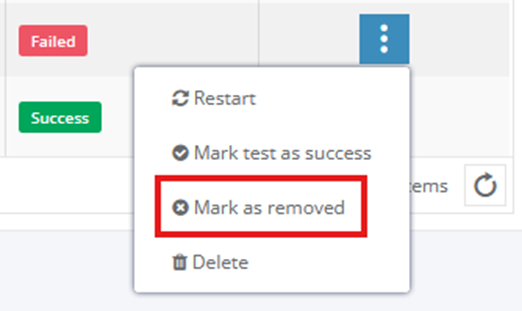
If the **conversion for the particular application fails** for a technical reason, a user can try **to restart the conversion.** If it doesn’t help, he should contact the **support team.**

[![image 27.png](https://docs.apptimized.com/uploads/images/gallery/2024-10/scaled-1680-/image-27.png)](https://docs.apptimized.com/uploads/images/gallery/2024-10/image-27.png)
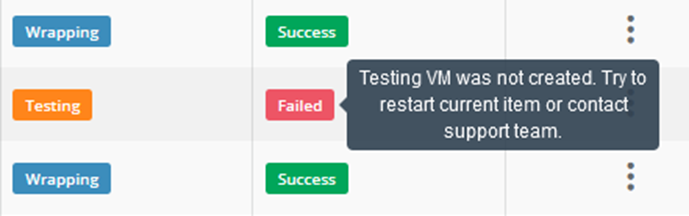
<span style="font-size: 10.0pt; line-height: 107%;"> </span>