# Testing via Apptimized TO GO Agent
Before implementing the **Testing** via **Apptimized TO GO** the [application must be imported](https://docs.apptimized.com/books/apptimized-platform-admin-manual/page/apptimized-to-go-integration "Apptimized TO GO integration") to the project.
Using the **Testing** module, a customer can record a guide to install and configure the application. Also, a testing option can be enabled and the status of the testing can be set.
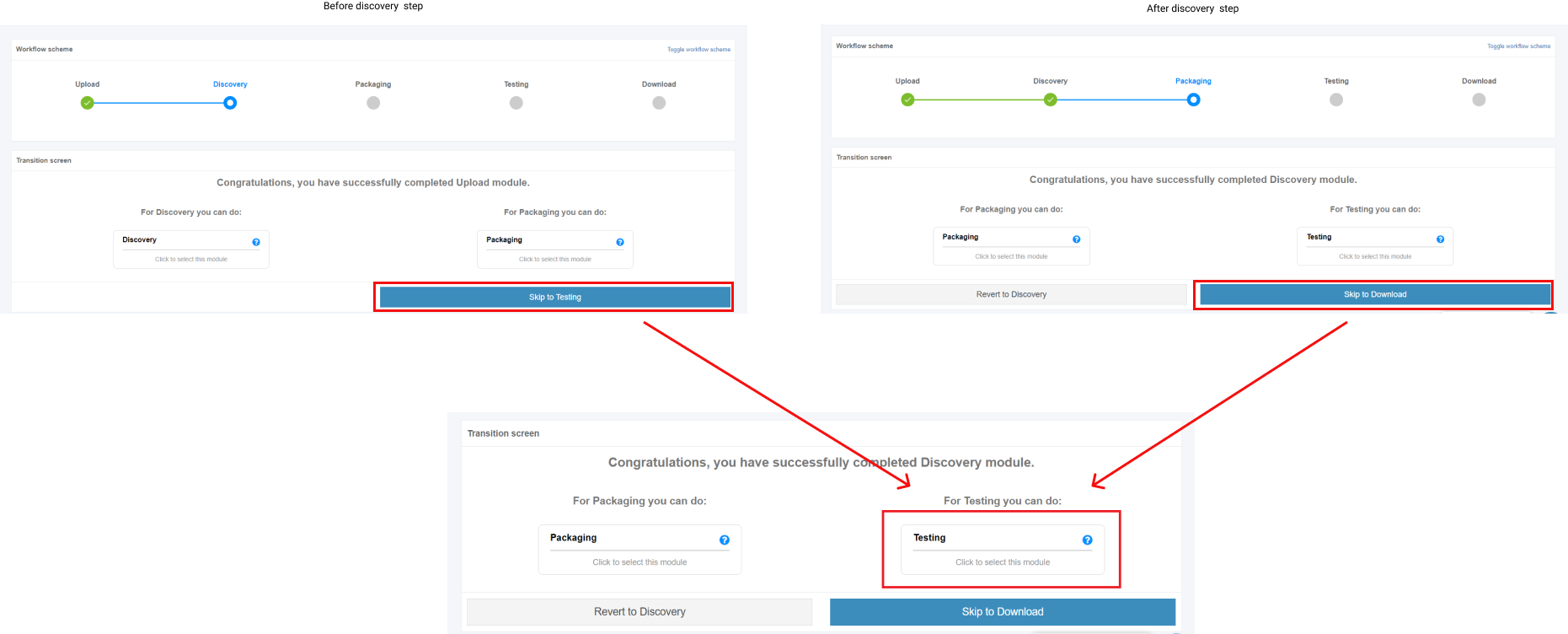
The testing process starts by clicking on the **Skip for Testing** button (before or after discovery step) and clicking in the **Testing** module on the Transition screen.
[](https://docs.apptimized.com/uploads/images/gallery/2020-03/7iPHpzd36RAxHsrU-to_go_39.png)
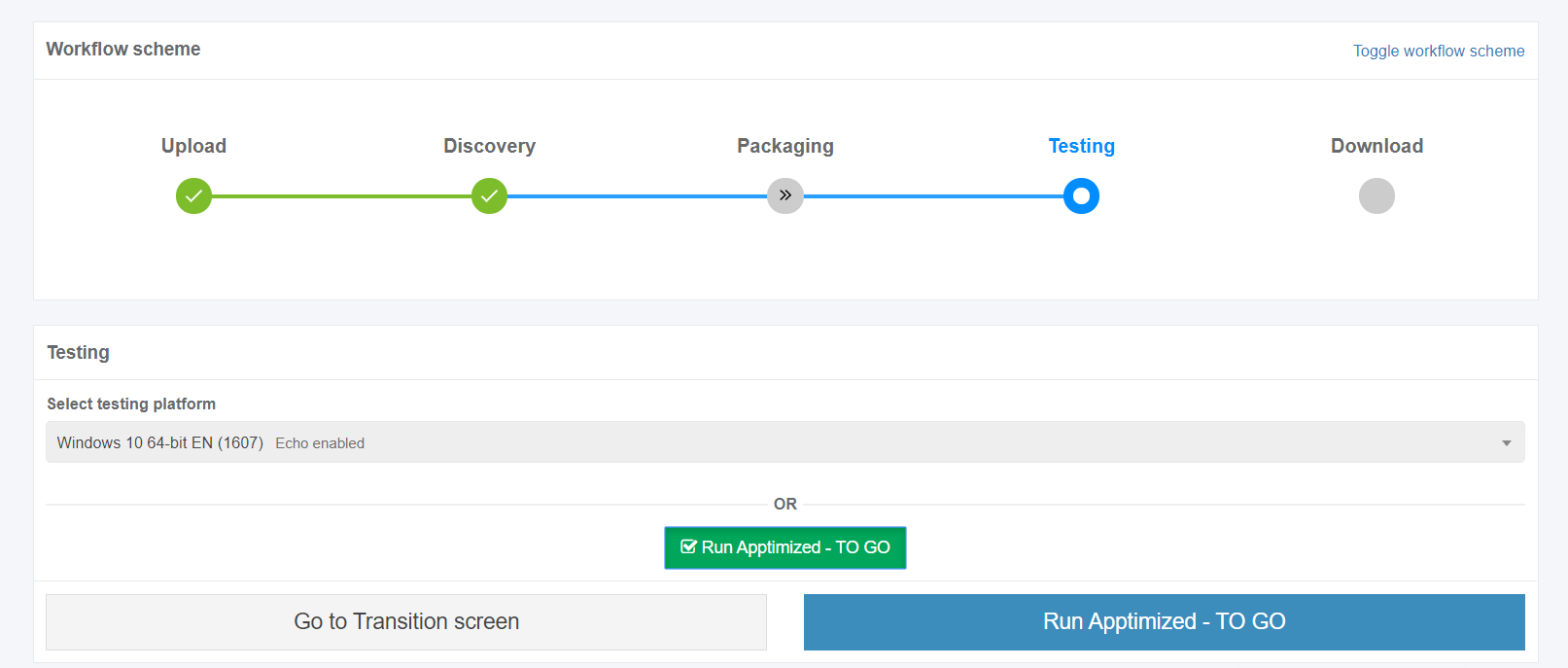
Apptimized shows the following interface when successful:
[](https://docs.apptimized.com/uploads/images/gallery/2020-03/CJaIQN0ozo89EhDS-to_go_40.png)
A field "**Select discovery platform**" is filled automatically and can be changed if needed.
The **Apptimized To Go** is enabled by ticking the checkbox and clicking on the **Run Apptimized - To Go** button.
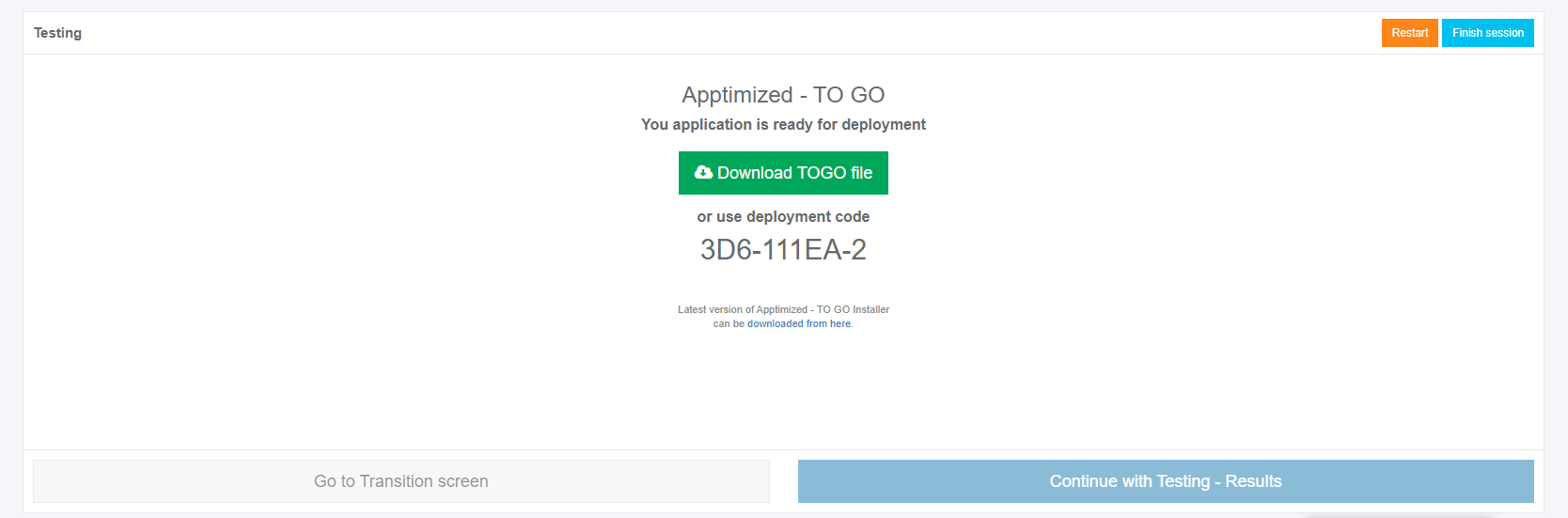
The files synchronizing process may take a while. In case of success, Apptimized shows the following interface:
[](https://docs.apptimized.com/uploads/images/gallery/2020-03/chXvZICyTi5VZS9H-to_go_41.png)
The instructions to launch **Apptimized TO GO agent** were provided in the paragraph "[Run the Apptimized TO GO agent](https://docs.apptimized.com/books/apptimized-platform-admin-manual/page/run-the-apptimized-to-go-agent "Launching Apptimized TO GO agent")".
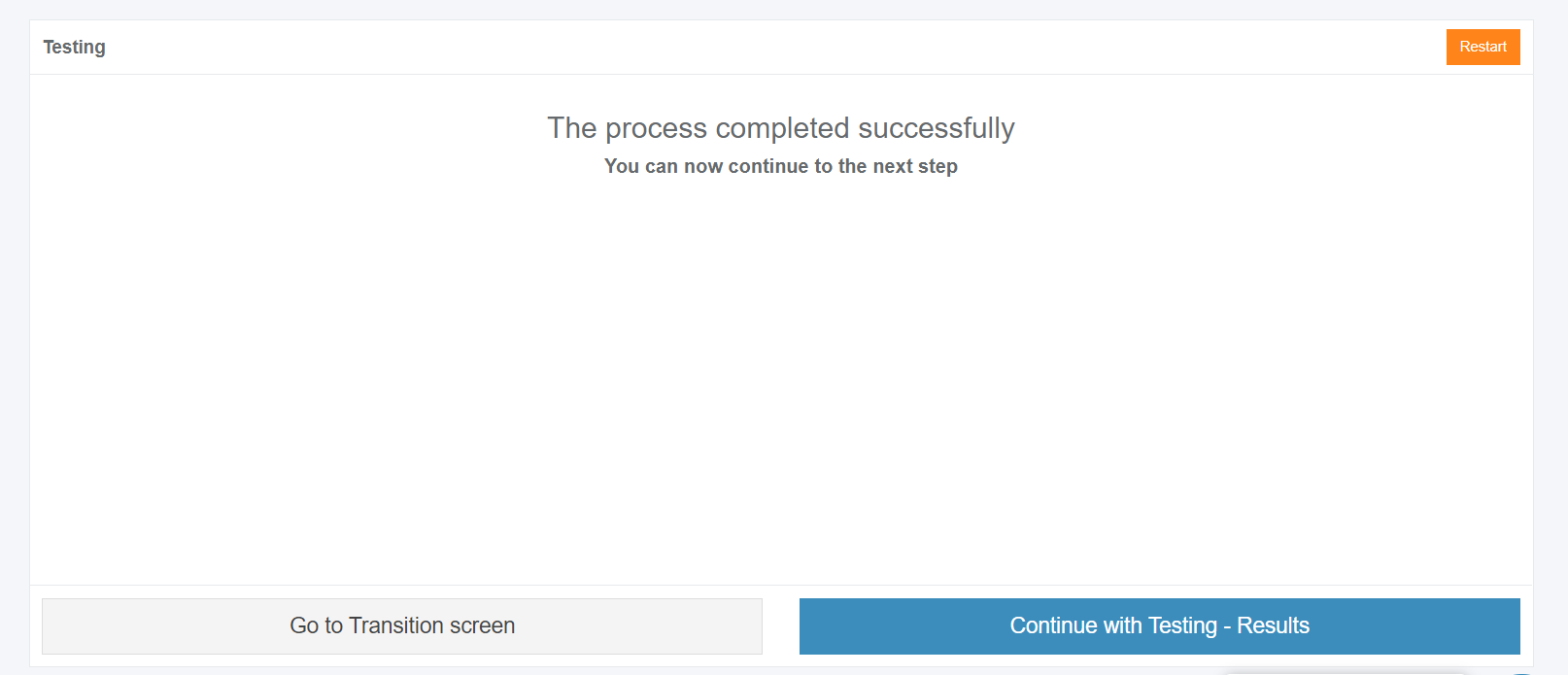
The following interface will appear when recording session with **Apptimized TO GO agent** finishes:
[](https://docs.apptimized.com/uploads/images/gallery/2020-03/zMjmcXC4NQ91kEL9-to_go_37.png)
Screenshots editing mode becomes active when clicking on the **Continue with Testing - Results** button.
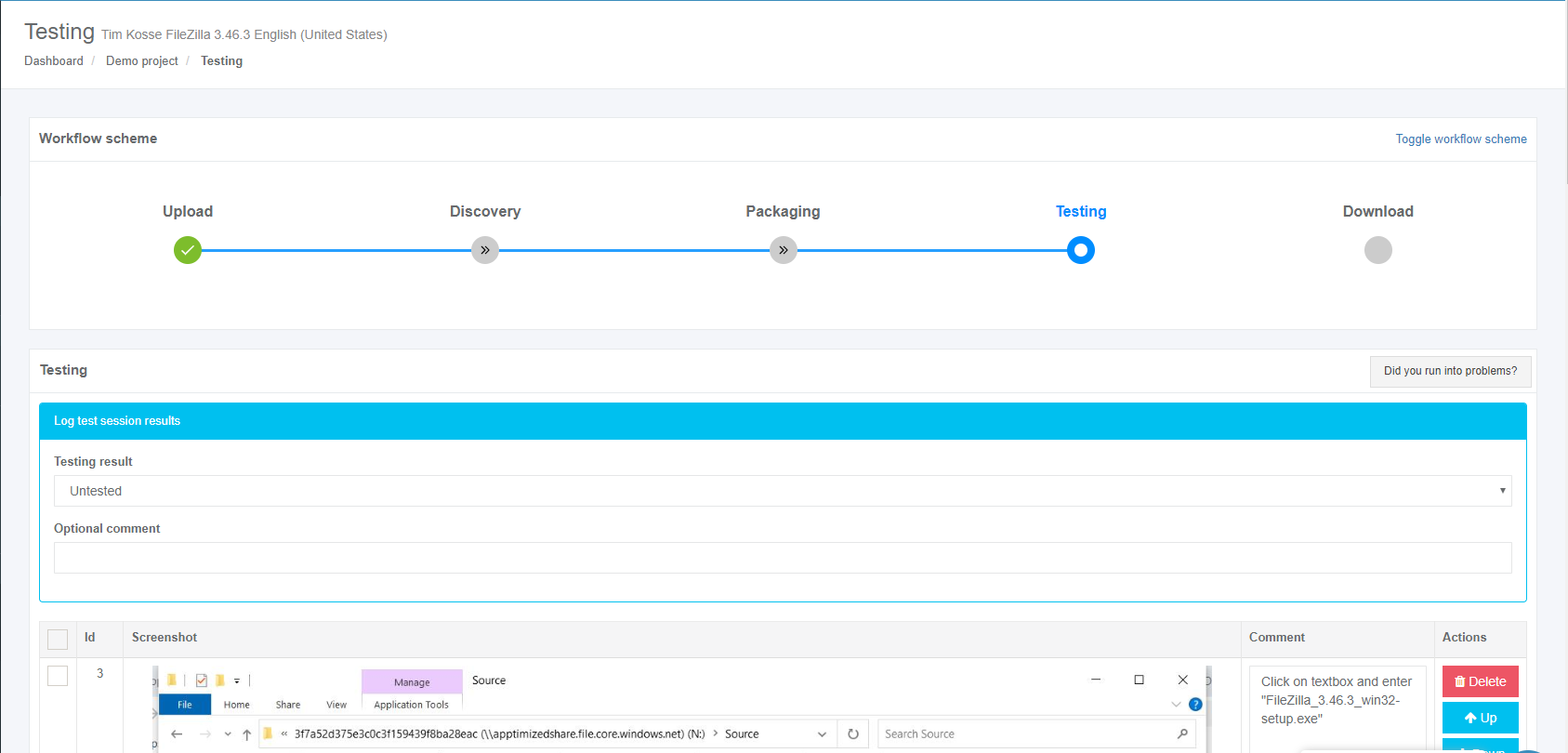
Apptimized shows the following interface when successful:
[](https://docs.apptimized.com/uploads/images/gallery/2020-03/8ivNtExL3gnLL7sF-to_go_42.png)
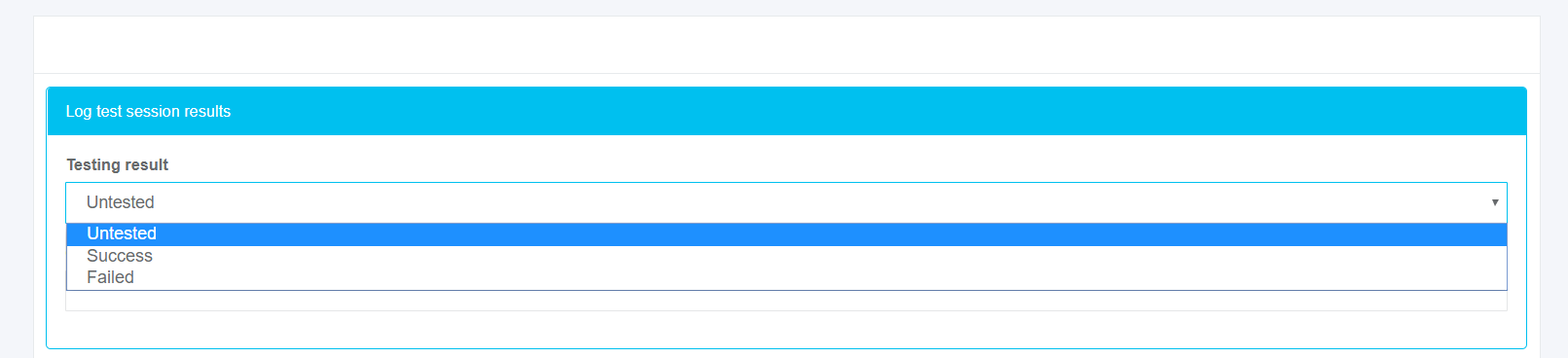
The following options to log test session results are available:
- Untested;
- Success;
- Failed.
The default value is **Untested**.
[](https://docs.apptimized.com/uploads/images/gallery/2020-03/wQ3JQVfDuaqN7IFI-to_go_42_2.png)
The field **Optional comment** can stay blank.
Screenshots can be excluded from discovery by clicking on the **Delete** button.
[.png)](https://docs.apptimized.com/uploads/images/gallery/2020-03/nDCPNpZneFMifFaY-41-(2).png)
Screenshots can be excluded from discovery in a multiple mode by unticking checkboxes in front of their ID and clicking on the **Delete selected screenshots** button.
[.PNG)](https://docs.apptimized.com/uploads/images/gallery/2020-03/Hg3YH3vskTdt4wCj-52-(2).PNG)
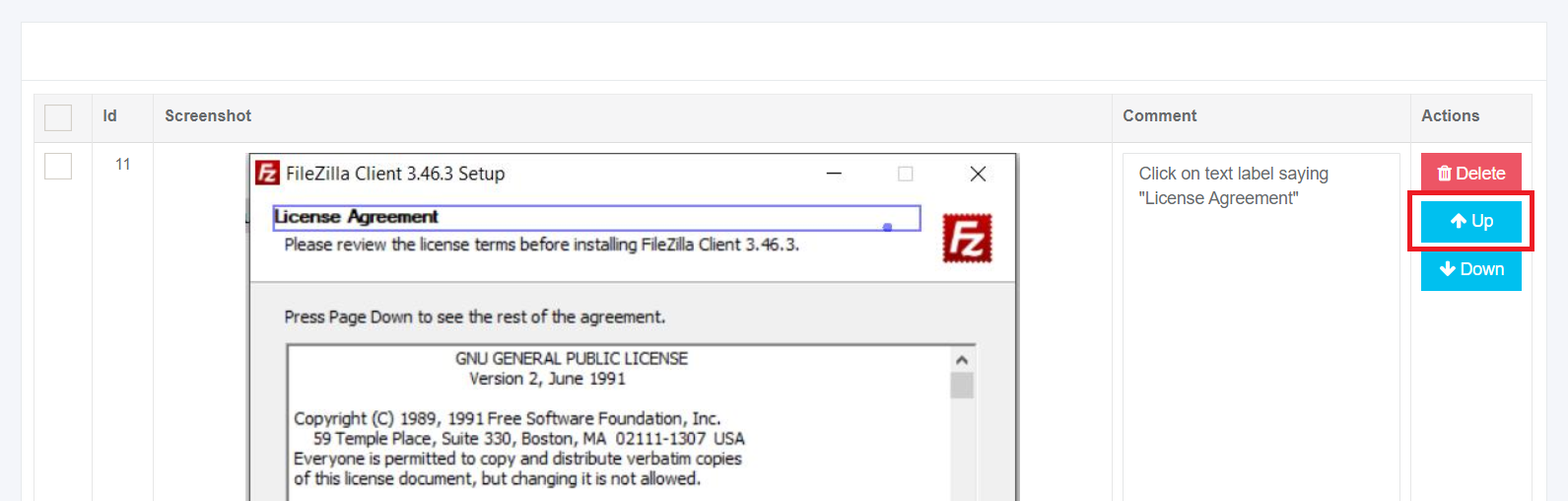
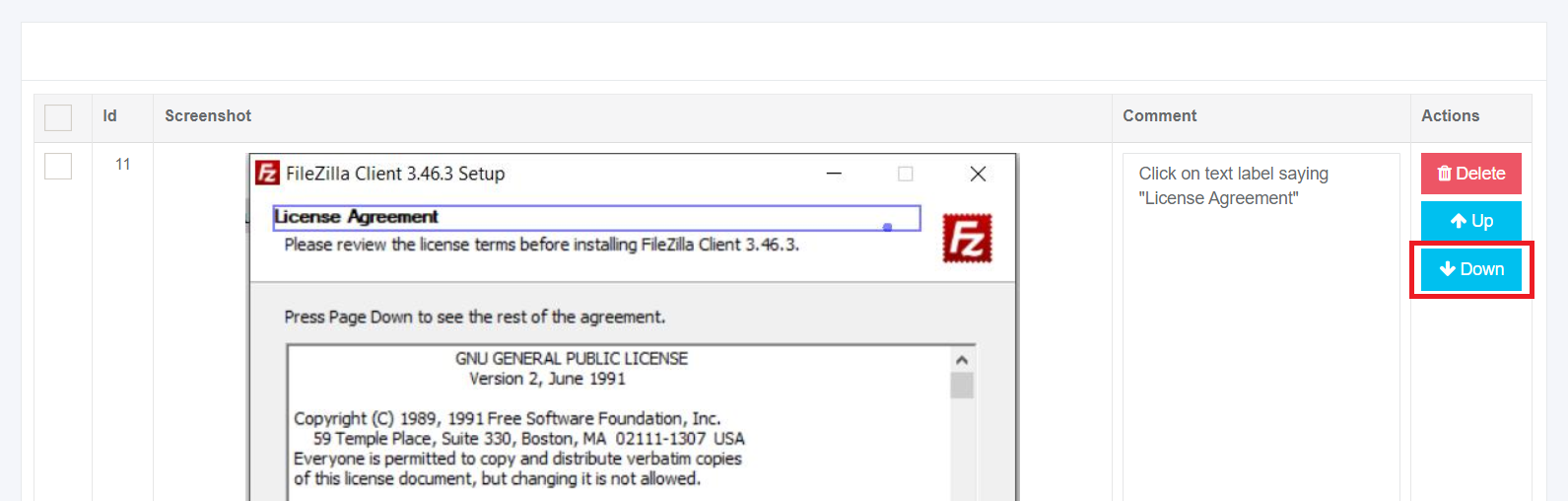
Screenshots sequence can be changed in discovery by clicking on the **Up** or **Down** buttons.
[](https://docs.apptimized.com/uploads/images/gallery/2020-03/WPOQnKA7WXddSlpf-to_go_32_1.png)
[](https://docs.apptimized.com/uploads/images/gallery/2020-03/tnVgsFVsTgqwAcZn-to_go_32_2.png)
Comments to the screenshots can be edited by clicking on the comment cell.
[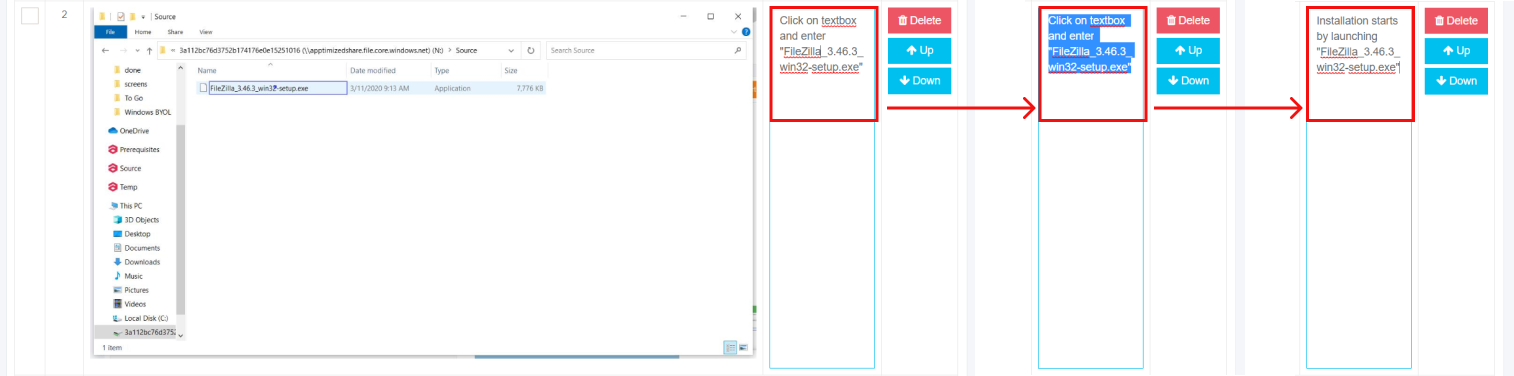](https://docs.apptimized.com/uploads/images/gallery/2020-03/98KvWYS2QjTwrZSA-to_go_33.png)
The field **Additional comment (Optional)** can stay blank.
[](https://docs.apptimized.com/uploads/images/gallery/2020-03/3mWW4zscqa243gO5-to_go_43.png)
Screenshots editing mode finalizes when clicking on the **Save changes** button.
Apptimized shows the following interface when successful:
[](https://docs.apptimized.com/uploads/images/gallery/2020-03/9sFKRERFa8R9Napl-to_go_43_1.png)
The generated document is available in PDF and HTML formats. Download starts when clicking on the **Download generated HTML document** or **Download generated PDF document** buttons.
A testing document can be edited by clicking on the **Edit generated document** button. The document editing finalizes by clicking on the **Save** button.
[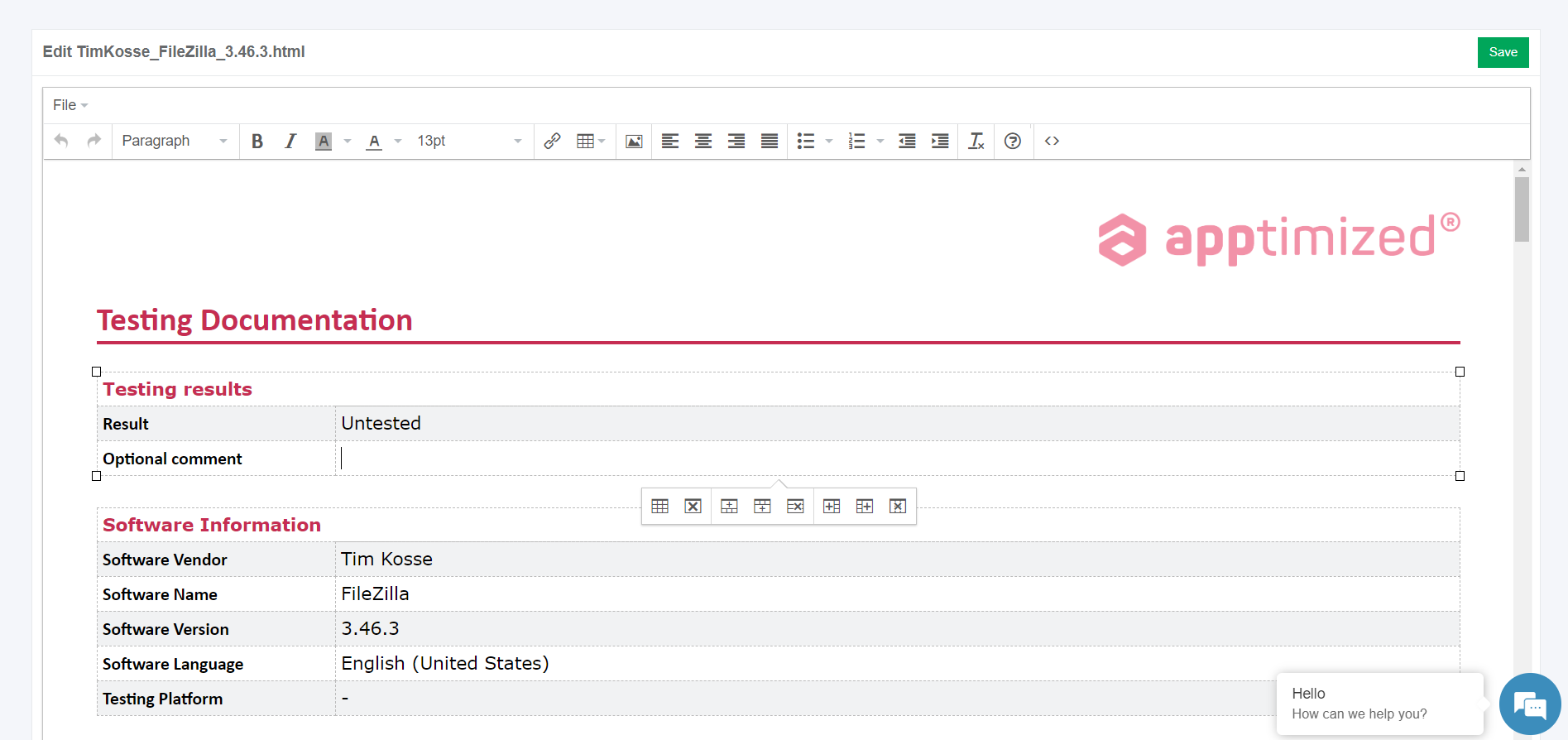](https://docs.apptimized.com/uploads/images/gallery/2020-03/81QuWDcq6wC67C3y-to_go_35.png)
The process reverts to the screenshots editing mode by clicking on the **Revert to Testing - Results** button and finalizes by clicking on the **Finish** button.
[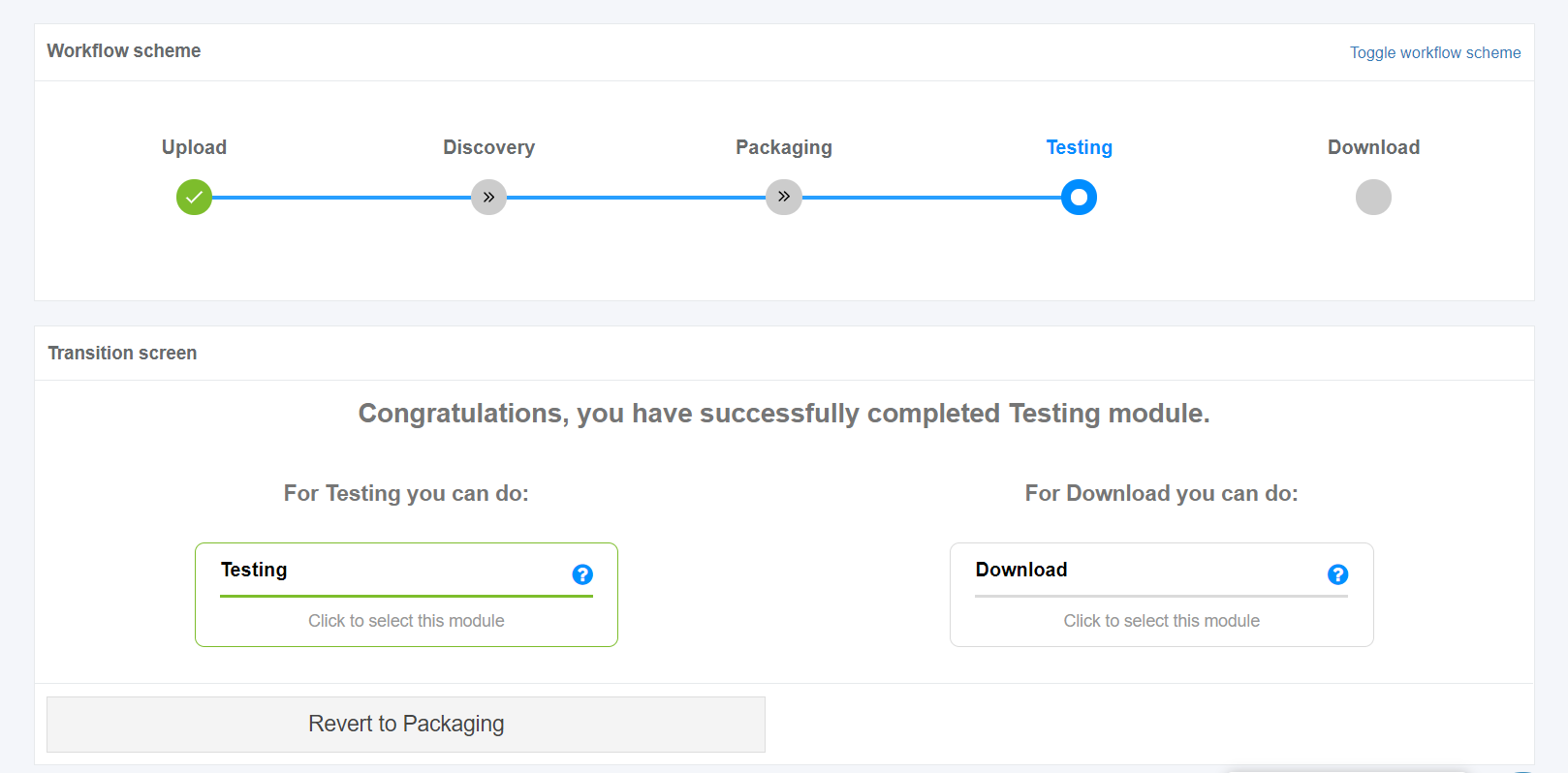](https://docs.apptimized.com/uploads/images/gallery/2020-03/6JYhV1F7S3sn5z31-to_go_44.png)